
Clustering the JVM using AOP Jonas Bonr Terracotta
Clustering the JVM using AOP Jonas Bonér Terracotta, Inc. jonas@terracotta. org http: //jonasboner. com
Let’s start with a demo – since a picture says more than a thousand words
Agenda l Overview of Terracotta l Get started l The inner workings of a clustered JVM l Real-world examples l Q&A
Agenda l Overview of Terracotta l Get started l The inner workings of a clustered JVM l Real-world examples l Q&A
What is Terracotta? Network-Attached Memory Open Source Scalability and High-Availability for the JVM

What is Terracotta? l Network-Attached Memory l No API: declarative configuration to selectively share object graphs across the cluster l No serialization: plain POJO clustering l Fine-grained replication: field-level, heap-level replication l Cross-JVM coordination: Java Memory Model maintained across the cluster – e. g. cluster-wide wait/notify and synchronized l Large virtual heaps: that exceeds the capacity of a single JVM l Distributed Method Invocations l Runtime monitoring and control
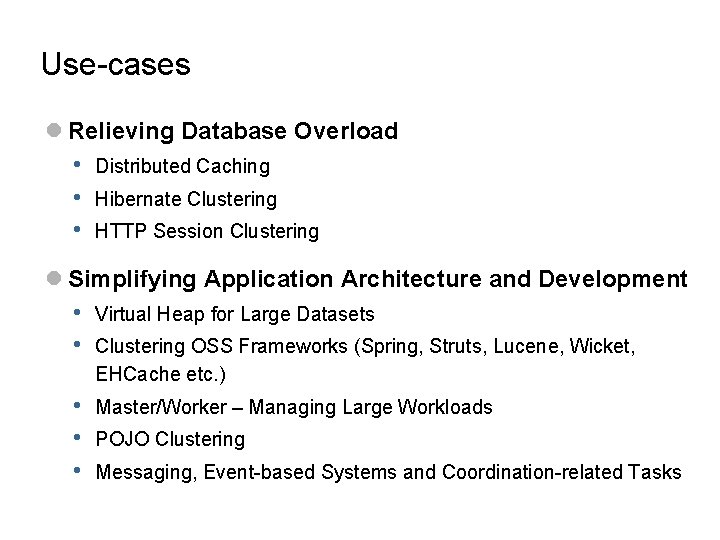
Use-cases l Relieving Database Overload • • • Distributed Caching Hibernate Clustering HTTP Session Clustering l Simplifying Application Architecture and Development • • Virtual Heap for Large Datasets • • • Master/Worker – Managing Large Workloads Clustering OSS Frameworks (Spring, Struts, Lucene, Wicket, EHCache etc. ) POJO Clustering Messaging, Event-based Systems and Coordination-related Tasks
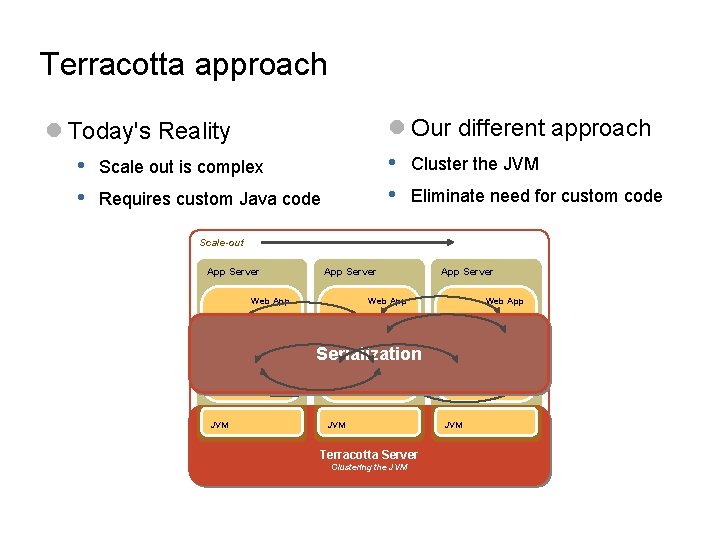
Terracotta approach l Our different approach • Cluster the JVM • Eliminate need for custom code l Today's Reality • Scale out is complex • Requires custom Java code Scale-out App Server Web App Business Logic Frameworks Custom Serialization Development JMS RMI Frameworks JVM Terracotta Server Clustering the JVM Frameworks JVM
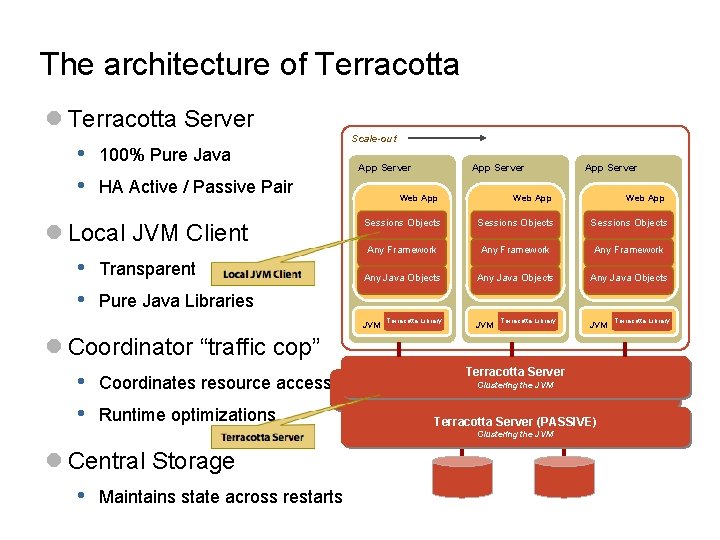
The architecture of Terracotta l Terracotta Server • 100% Pure Java • HA Active / Passive Pair l Local JVM Client • Transparent • Pure Java Libraries Scale-out App Server Web App Sessions Objects Any Framework Any Java Objects Terracotta Library JVM Terracotta Server (ACTIVE) Terracotta Server Clustering the JVM Terracotta Server (PASSIVE) Clustering the JVM l Central Storage • Maintains state across restarts App Server Web App JVM l Coordinator “traffic cop” • Coordinates resource access • Runtime optimizations App Server Terracotta Library
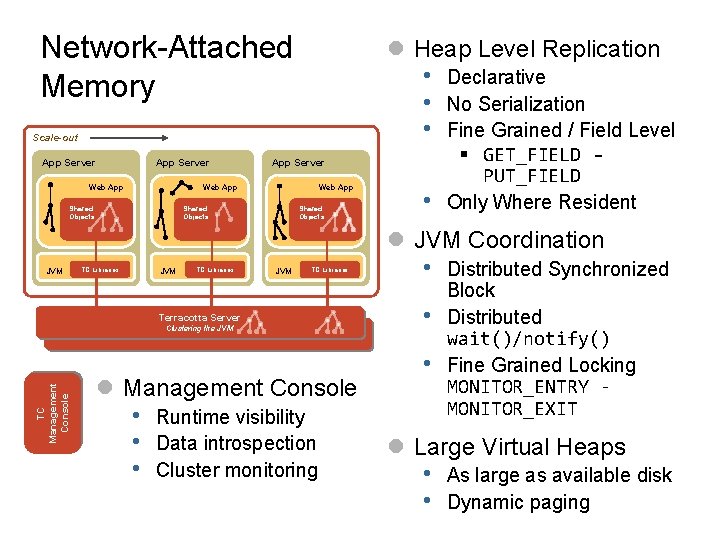
Network-Attached Memory l Heap Level Replication • • • Scale-out App Server Web App Shared Objects • Declarative No Serialization Fine Grained / Field Level § GET_FIELD - PUT_FIELD Only Where Resident l JVM Coordination JVM TC Libraries Terracotta Server TC Management Console Clustering the JVM l Management Console • • • Runtime visibility Data introspection Cluster monitoring • • • Distributed Synchronized Block Distributed wait()/notify() Fine Grained Locking MONITOR_ENTRY MONITOR_EXIT l Large Virtual Heaps • • As large as available disk Dynamic paging
Agenda l Overview of Terracotta l Get started l The inner workings of a clustered JVM l Real-world examples l Q&A

Hello World

Hello World - tutorial/Hello. World. java package tutorial; import java. util. *; public class Hello. World { private List<String> hellos = new Array. List<String>(); public void say. Hello() { synchronized(hellos) { hellos. add("Hello, World " + new Date()); for (String hello : hellos) { System. out. println(hello); } } } public static void main(String[] args) { new Hello. World(). say. Hello(); } }
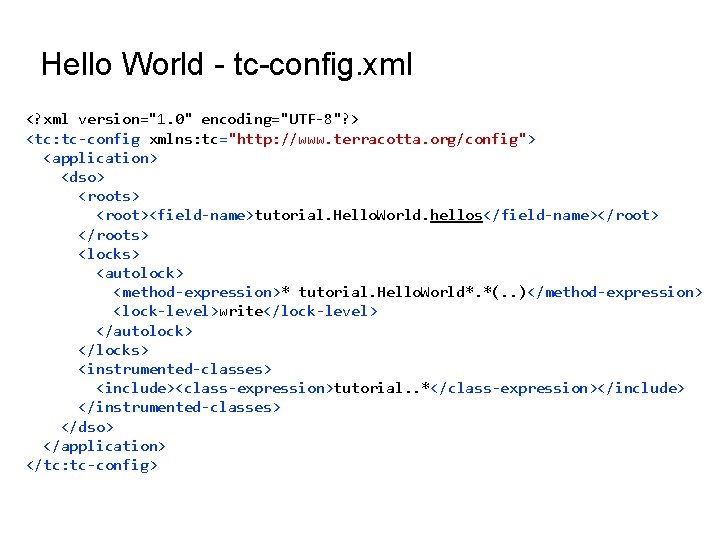
Hello World - tc-config. xml <? xml version="1. 0" encoding="UTF-8"? > <tc: tc-config xmlns: tc="http: //www. terracotta. org/config"> <application> <dso> <roots> <root><field-name>tutorial. Hello. World. hellos</field-name></root> </roots> <locks> <autolock> <method-expression>* tutorial. Hello. World*. *(. . )</method-expression> <lock-level>write</lock-level> </autolock> </locks> <instrumented-classes> <include><class-expression>tutorial. . *</class-expression></include> </instrumented-classes> </dso> </application> </tc: tc-config>
Demo
Enhanced Hello World Using java. util. concurrent
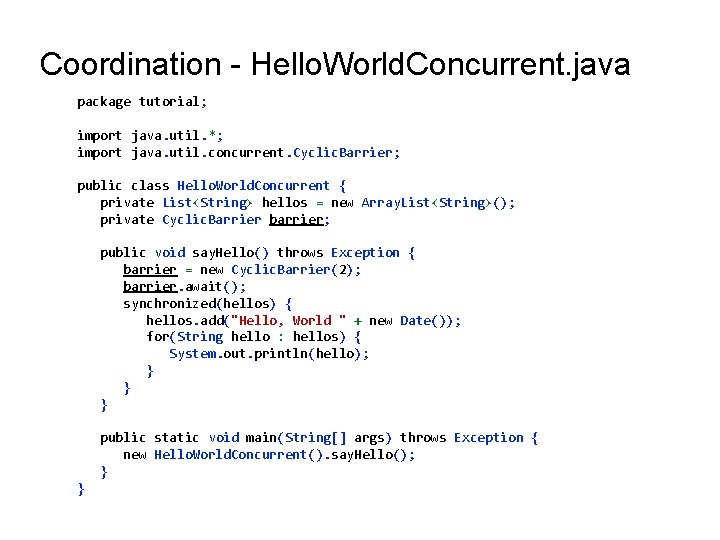
Coordination - Hello. World. Concurrent. java package tutorial; import java. util. *; import java. util. concurrent. Cyclic. Barrier; public class Hello. World. Concurrent { private List<String> hellos = new Array. List<String>(); private Cyclic. Barrier barrier; public void say. Hello() throws Exception { barrier = new Cyclic. Barrier(2); barrier. await(); synchronized(hellos) { hellos. add("Hello, World " + new Date()); for(String hello : hellos) { System. out. println(hello); } } } public static void main(String[] args) throws Exception { new Hello. World. Concurrent(). say. Hello(); } }
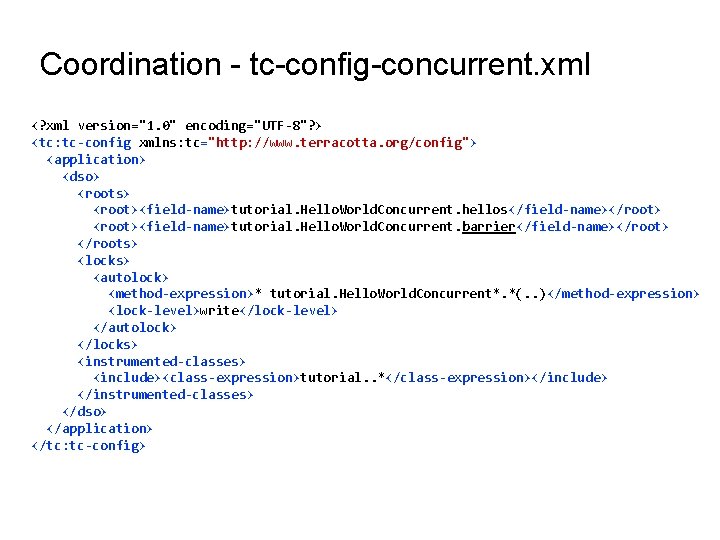
Coordination - tc-config-concurrent. xml <? xml version="1. 0" encoding="UTF-8"? > <tc: tc-config xmlns: tc="http: //www. terracotta. org/config"> <application> <dso> <roots> <root><field-name>tutorial. Hello. World. Concurrent. hellos</field-name></root> <root><field-name>tutorial. Hello. World. Concurrent. barrier</field-name></root> </roots> <locks> <autolock> <method-expression>* tutorial. Hello. World. Concurrent*. *(. . )</method-expression> <lock-level>write</lock-level> </autolock> </locks> <instrumented-classes> <include><class-expression>tutorial. . *</class-expression></include> </instrumented-classes> </dso> </application> </tc: tc-config>
Demo
Agenda l Overview of Terracotta l Get started l The inner workings of a clustered JVM l Real-world examples l Q&A
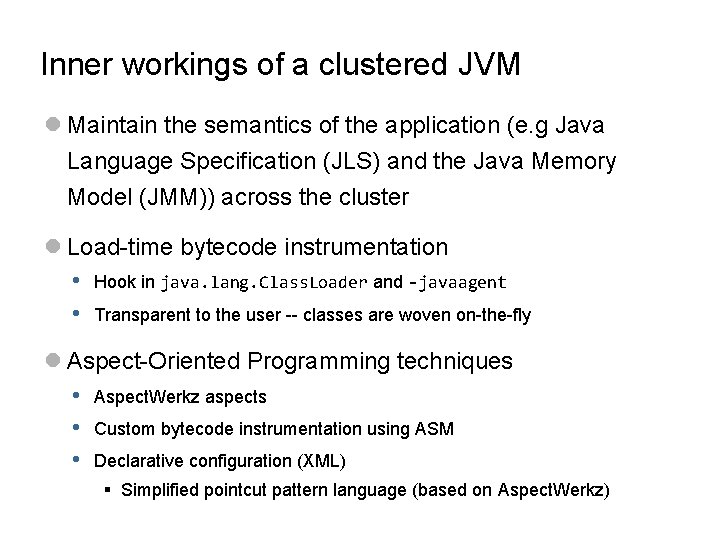
Inner workings of a clustered JVM l Maintain the semantics of the application (e. g Java Language Specification (JLS) and the Java Memory Model (JMM)) across the cluster l Load-time bytecode instrumentation • Hook in java. lang. Class. Loader and -javaagent • Transparent to the user -- classes are woven on-the-fly l Aspect-Oriented Programming techniques • Aspect. Werkz aspects • Custom bytecode instrumentation using ASM • Declarative configuration (XML) § Simplified pointcut pattern language (based on Aspect. Werkz)
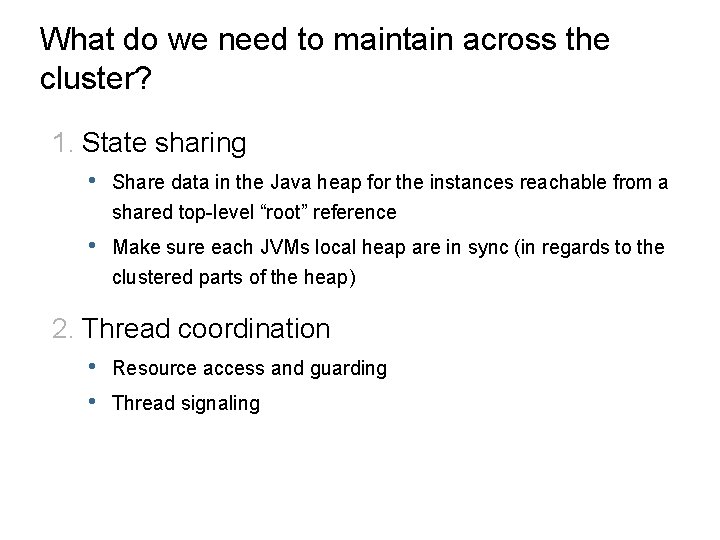
What do we need to maintain across the cluster? 1. State sharing • Share data in the Java heap for the instances reachable from a shared top-level “root” reference • Make sure each JVMs local heap are in sync (in regards to the clustered parts of the heap) 2. Thread coordination • • Resource access and guarding Thread signaling
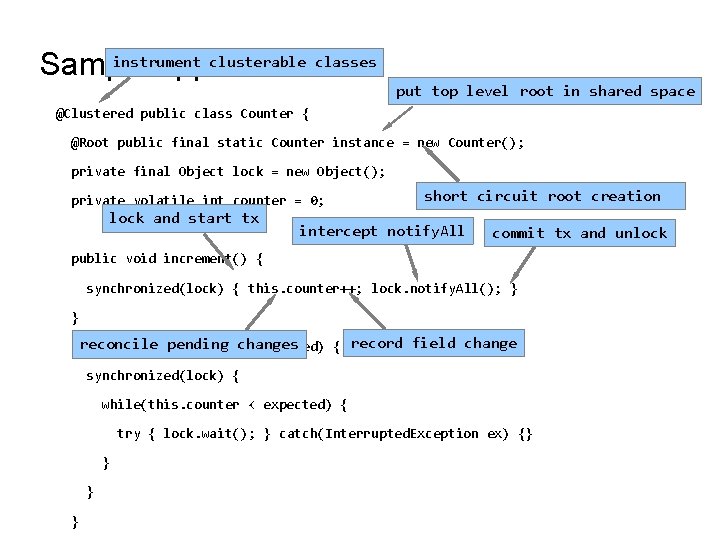
instrument clusterable classes Sample application put top level root in shared space @Clustered public class Counter { @Root public final static Counter instance = new Counter(); private final Object lock = new Object(); private volatile int counter = 0; lock and start tx short circuit root creation intercept notify. All commit tx and unlock public void increment() { synchronized(lock) { this. counter++; lock. notify. All(); } } record field change reconcile pending changes public void wait. For(int expected) { synchronized(lock) { while(this. counter < expected) { try { lock. wait(); } catch(Interrupted. Exception ex) {} }
State sharing - field-level replication and management l We need to break down the shared object graph into “literals” • int, long, float, String, boolean etc. l Need to be able to detect changes to the object graph • New object reference is added/removed • Literals changes value l Every reference has a “shadow” that is “managing” the reference • Knows if the reference has been changed • Can lazily page in and out the actual value • Page in: Reconcile changes done in another node • Page out: Null out the reference
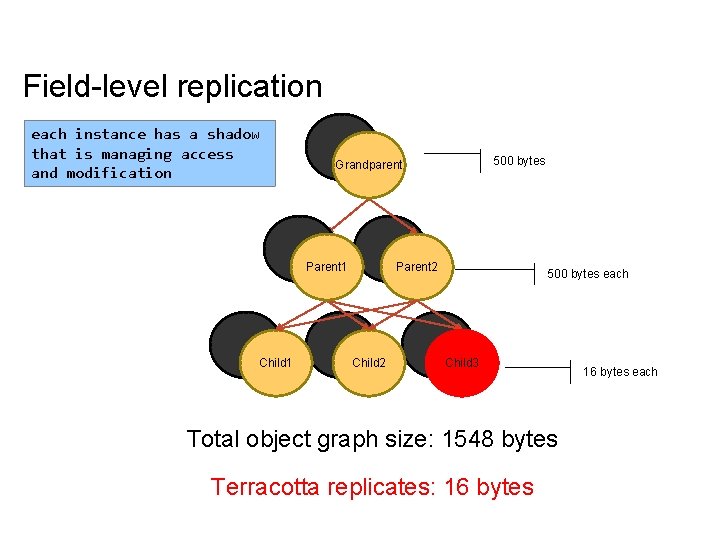
Field-level replication each instance has a shadow that is managing access and modification �� Parent 1 Child 1 500 bytes Grandparent Parent 2 Child 2 500 bytes each Child 3 Total object graph size: 1548 bytes Terracotta replicates: 16 bytes each
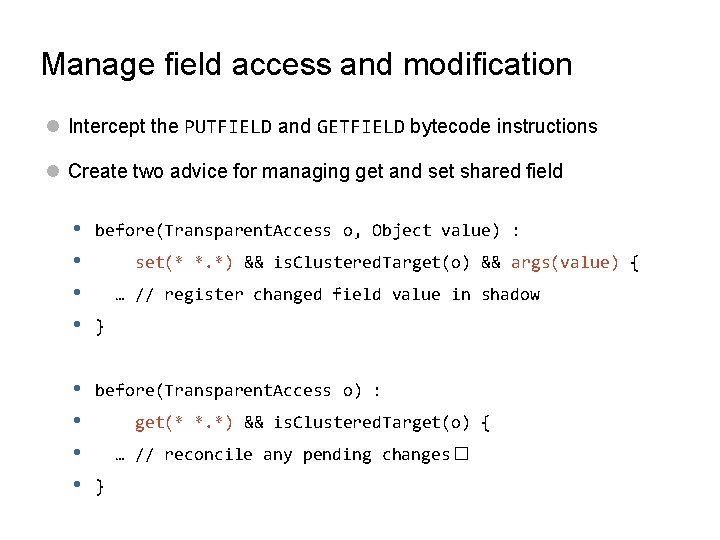
Manage field access and modification l Intercept the PUTFIELD and GETFIELD bytecode instructions l Create two advice for managing get and set shared field • • before(Transparent. Access o, Object value) : • • before(Transparent. Access o) : set(* *. *) && is. Clustered. Target(o) && args(value) { … // register changed field value in shadow } get(* *. *) && is. Clustered. Target(o) { … // reconcile any pending changes� }
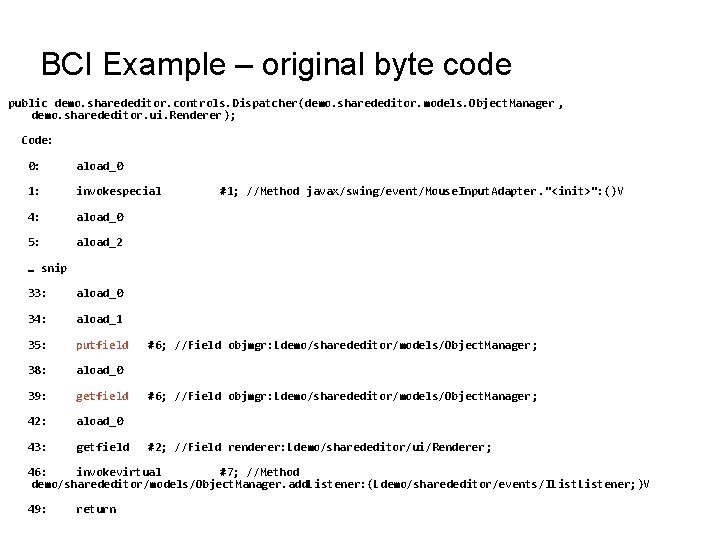
BCI Example – original byte code public demo. sharededitor. controls. Dispatcher(demo. sharededitor. models. Object. Manager , demo. sharededitor. ui. Renderer); Code: 0: aload_0 1: invokespecial 4: aload_0 5: aload_2 #1; //Method javax/swing/event/Mouse. Input. Adapter. "<init>": ()V … snip 33: aload_0 34: aload_1 35: putfield 38: aload_0 39: getfield 42: aload_0 43: getfield #6; //Field objmgr: Ldemo/sharededitor/models/Object. Manager ; #2; //Field renderer: Ldemo/sharededitor/ui/Renderer ; 46: invokevirtual #7; //Method demo/sharededitor/models/Object. Manager. add. Listener: (Ldemo/sharededitor/events/IListener; )V 49: return
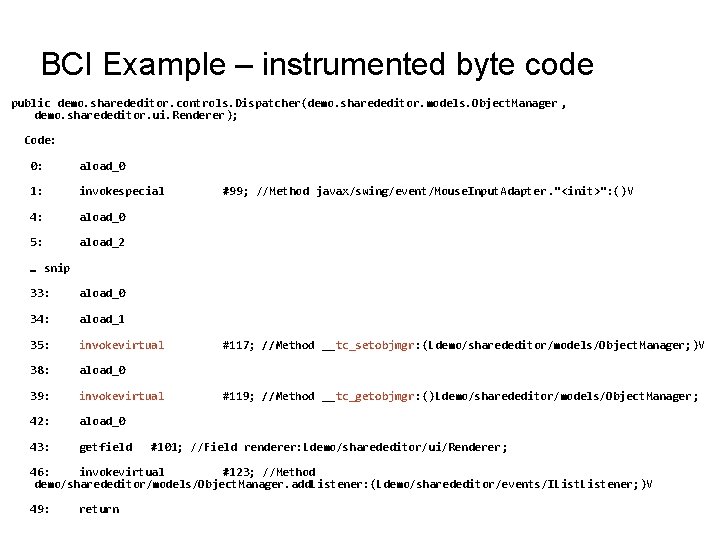
BCI Example – instrumented byte code public demo. sharededitor. controls. Dispatcher(demo. sharededitor. models. Object. Manager , demo. sharededitor. ui. Renderer); Code: 0: aload_0 1: invokespecial 4: aload_0 5: aload_2 #99; //Method javax/swing/event/Mouse. Input. Adapter. "<init>": ()V … snip 33: aload_0 34: aload_1 35: invokevirtual 38: aload_0 39: invokevirtual 42: aload_0 43: getfield #117; //Method __tc_setobjmgr: (Ldemo/sharededitor/models/Object. Manager; )V #119; //Method __tc_getobjmgr: ()Ldemo/sharededitor/models/Object. Manager ; #101; //Field renderer: Ldemo/sharededitor/ui/Renderer ; 46: invokevirtual #123; //Method demo/sharededitor/models/Object. Manager. add. Listener: (Ldemo/sharededitor/events/IListener; )V 49: return
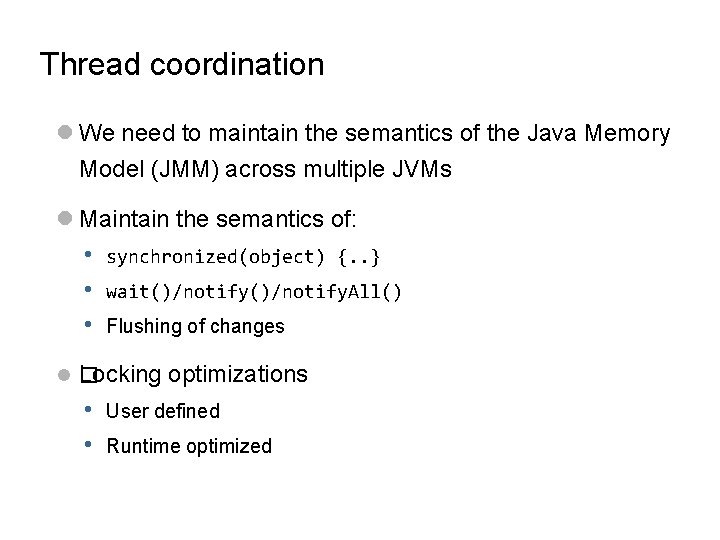
Thread coordination l We need to maintain the semantics of the Java Memory Model (JMM) across multiple JVMs l Maintain the semantics of: • • • synchronized(object) {. . } wait()/notify. All() Flushing of changes l� Locking optimizations • • User defined Runtime optimized
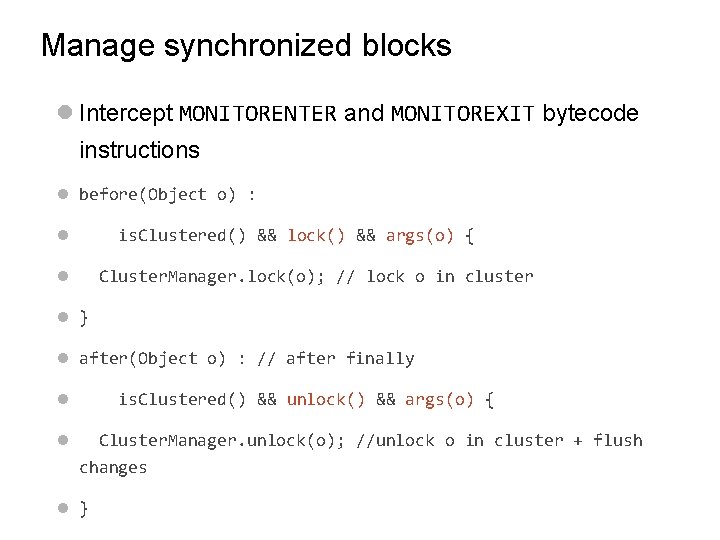
Manage synchronized blocks l Intercept MONITORENTER and MONITOREXIT bytecode instructions l before(Object o) : l is. Clustered() && lock() && args(o) { l Cluster. Manager. lock(o); // lock o in cluster l } l after(Object o) : // after finally l is. Clustered() && unlock() && args(o) { l Cluster. Manager. unlock(o); //unlock o in cluster + flush changes l }
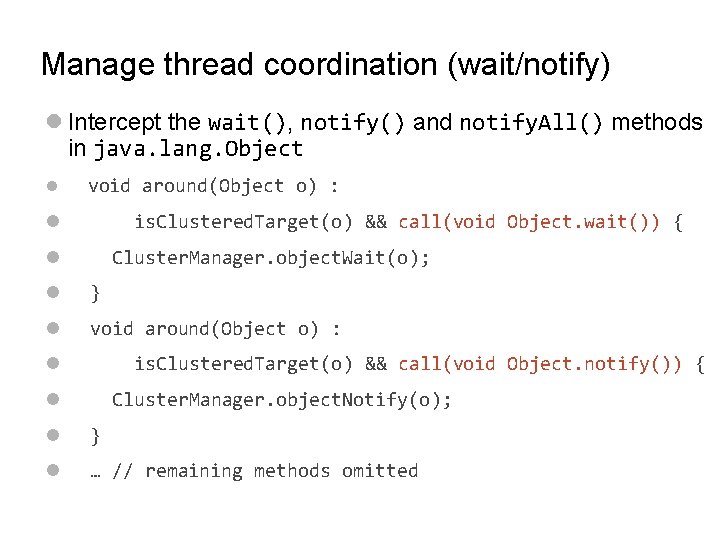
Manage thread coordination (wait/notify) l Intercept the wait(), notify() and notify. All() methods in java. lang. Object l void around(Object o) : l is. Clustered. Target(o) && call(void Object. wait()) { l Cluster. Manager. object. Wait(o); l } l void around(Object o) : l is. Clustered. Target(o) && call(void Object. notify()) { l Cluster. Manager. object. Notify(o); l } l … // remaining methods omitted
Agenda l Overview of Terracotta l Get started l The inner workings of a clustered JVM l Real-world examples l Q&A
HTTP Session Clustering without Java Serialization
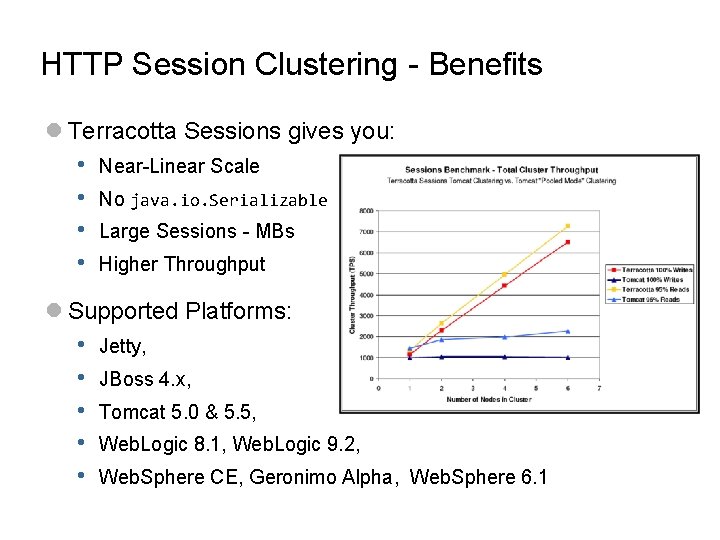
HTTP Session Clustering - Benefits l Terracotta Sessions gives you: • • Near-Linear Scale No java. io. Serializable Large Sessions - MBs Higher Throughput l Supported Platforms: • • • Jetty, JBoss 4. x, Tomcat 5. 0 & 5. 5, Web. Logic 8. 1, Web. Logic 9. 2, Web. Sphere CE, Geronimo Alpha, Web. Sphere 6. 1
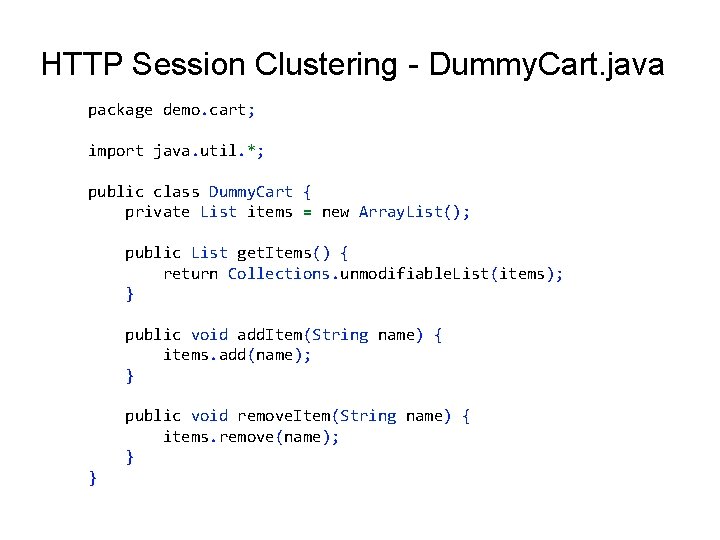
HTTP Session Clustering - Dummy. Cart. java package demo. cart; import java. util. *; public class Dummy. Cart { private List items = new Array. List(); public List get. Items() { return Collections. unmodifiable. List(items); } public void add. Item(String name) { items. add(name); } public void remove. Item(String name) { items. remove(name); } }
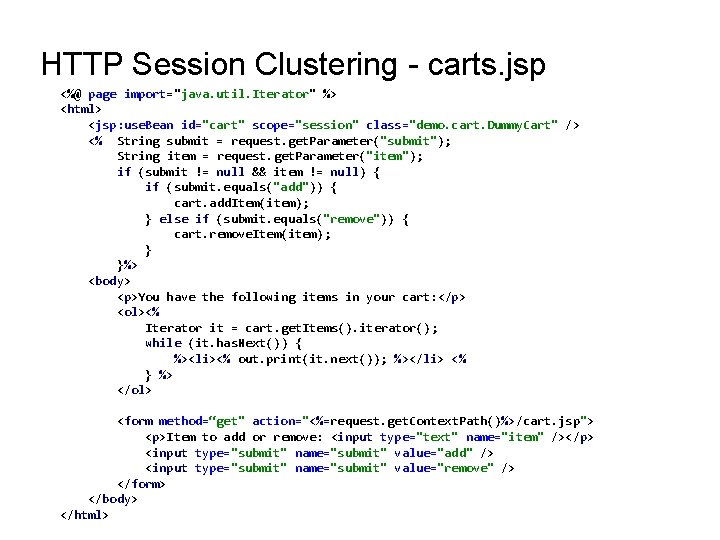
HTTP Session Clustering - carts. jsp <%@ page import="java. util. Iterator" %> <html> <jsp: use. Bean id="cart" scope="session" class="demo. cart. Dummy. Cart" /> <% String submit = request. get. Parameter("submit"); String item = request. get. Parameter("item"); if (submit != null && item != null) { if (submit. equals("add")) { cart. add. Item(item); } else if (submit. equals("remove")) { cart. remove. Item(item); }%> <body> <p>You have the following items in your cart: </p> <ol><% Iterator it = cart. get. Items(). iterator(); while (it. has. Next()) { %><li><% out. print(it. next()); %></li> <% } %> </ol> <form method=“get" action="<%=request. get. Context. Path()%>/cart. jsp"> <p>Item to add or remove: <input type="text" name="item" /></p> <input type="submit" name="submit" value="add" /> <input type="submit" name="submit" value="remove" /> </form> </body> </html>
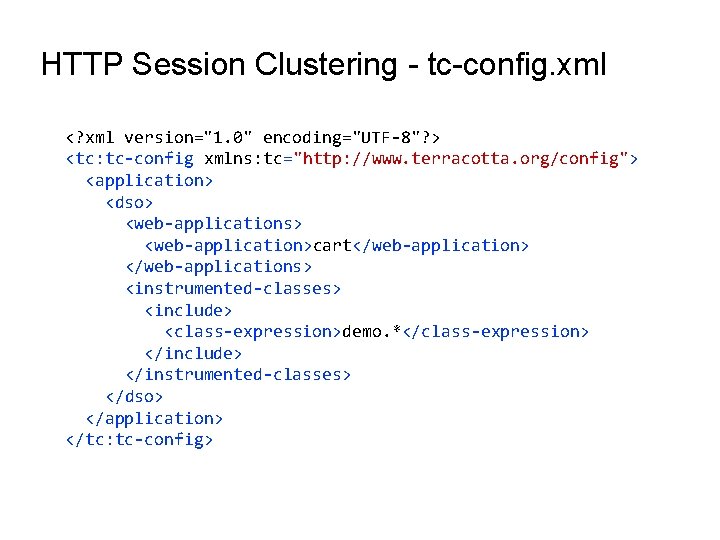
HTTP Session Clustering - tc-config. xml <? xml version="1. 0" encoding="UTF-8"? > <tc: tc-config xmlns: tc="http: //www. terracotta. org/config"> <application> <dso> <web-applications> <web-application>cart</web-application> </web-applications> <instrumented-classes> <include> <class-expression>demo. *</class-expression> </include> </instrumented-classes> </dso> </application> </tc: tc-config>
Demo
Cluster Spring and other OSS frameworks
Glimpse of supported integrations l 'Supported' by Terracotta means: • Just include a ‘Configuration Module’ (OSGi bundle) in your config to cluster your application (a one liner) • • Plugs in underneath without any setup Technically, Terracotta supports all integrations as long as it runs on the JVM (f. e. JRuby, PHP)
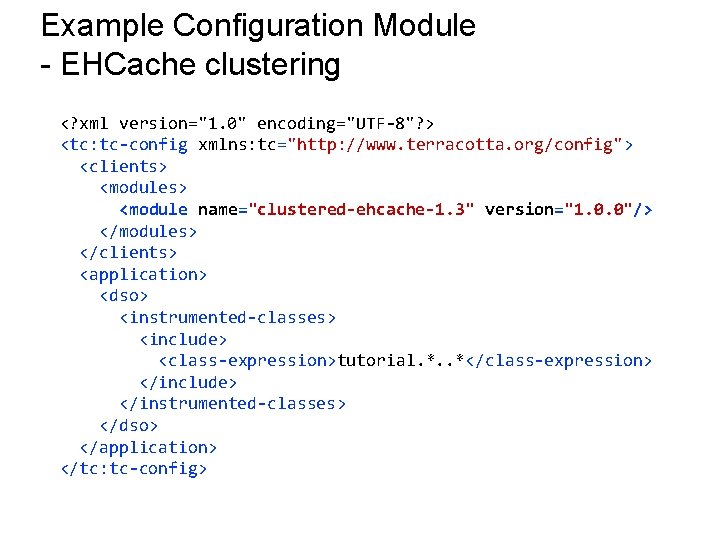
Example Configuration Module - EHCache clustering <? xml version="1. 0" encoding="UTF-8"? > <tc: tc-config xmlns: tc="http: //www. terracotta. org/config"> <clients> <modules> <module name="clustered-ehcache-1. 3" version="1. 0. 0"/> </modules> </clients> <application> <dso> <instrumented-classes> <include> <class-expression>tutorial. *. . *</class-expression> </include> </instrumented-classes> </dso> </application> </tc: tc-config>
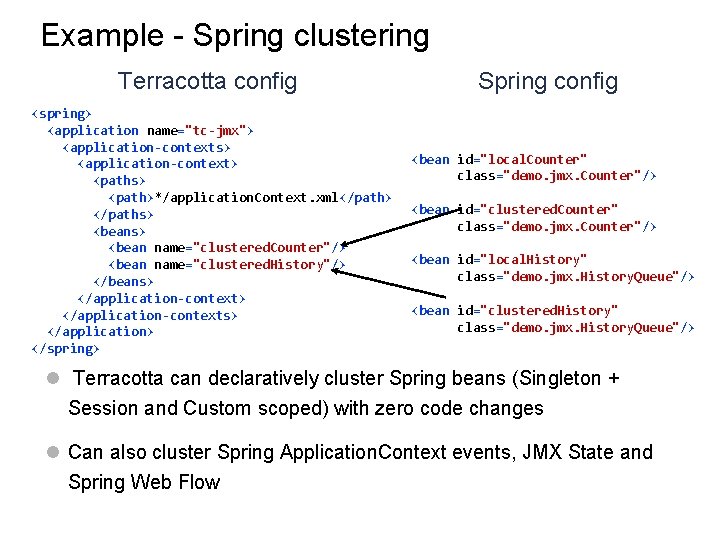
Example - Spring clustering Terracotta config <spring> <application name="tc-jmx"> <application-contexts> <application-context> <paths> <path>*/application. Context. xml</path> </paths> <beans> <bean name="clustered. Counter"/> <bean name="clustered. History"/> </beans> </application-context> </application-contexts> </application> </spring> Spring config <bean id="local. Counter" class="demo. jmx. Counter"/> <bean id="clustered. Counter" class="demo. jmx. Counter"/> <bean id="local. History" class="demo. jmx. History. Queue"/> <bean id="clustered. History" class="demo. jmx. History. Queue"/> l Terracotta can declaratively cluster Spring beans (Singleton + Session and Custom scoped) with zero code changes l Can also cluster Spring Application. Context events, JMX State and Spring Web Flow
Demo Cluster Spring Web Flow’s Web Continuations (conversational/workflow state)
Agenda l Overview of Terracotta l Get started l Real-world examples l Q&A

Wrapping up
Wrapping up l Terracotta is Network-Attached Memory for the JVM l Turns Scalability and High-Availability into a deployment artifact l Keep the simplicity of POJO-based development – get Scale-Out with Simplicity l Makes mission-critical applications simpler to: • • Write Understand Test Maintain l Endless possibilities for clustering and distributed programming these were just a few l Be creative, use your imagination and have fun… –
Questions? http: //terracotta. org jonas@terracotta. org
- Slides: 47