
CLOUD COMPUTING PAPER 4 3 COMPUTER APPLICATIONS IN







- Slides: 25
CLOUD COMPUTING PAPER: 4. 3 COMPUTER APPLICATIONS IN BUSINESS THEORY FOR B. COM(HONS) SEM: IV SEC: D SHRUTI GULATI
WHAT IS CLOUD COMPUTING? • Cloud Computing is shaping how we live and work today. • Whether we like it or not, it has become an integral part of our lives. • Companies and businesses of all shapes and sizes are now turning to Cloud Computing. • Cloud computing has become the latest trend in the era of digital world “It is the term used for computing that involves delivering hosted services all across the internet. “
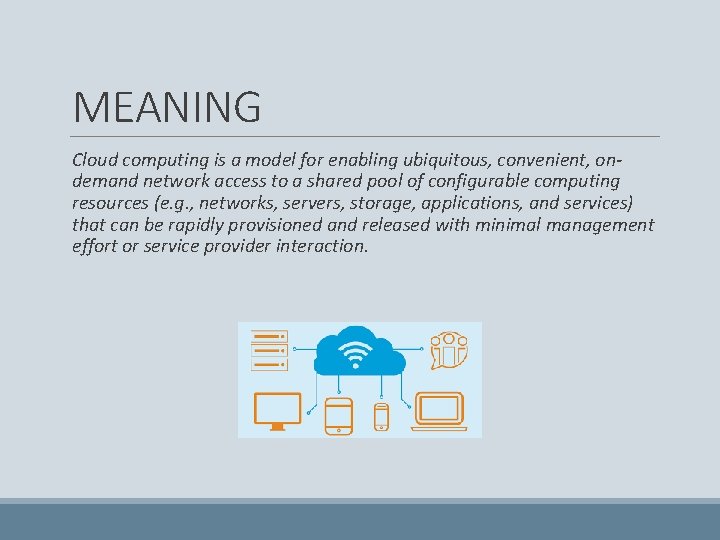
MEANING Cloud computing is a model for enabling ubiquitous, convenient, ondemand network access to a shared pool of configurable computing resources (e. g. , networks, servers, storage, applications, and services) that can be rapidly provisioned and released with minimal management effort or service provider interaction.
ADVANTAGES OF CLOUD COMPUTING
ADVANTAGES OF CLOUD COMPUTING Cost efficiency • The biggest reason behind companies shifting to Cloud Computing is that it takes considerably lesser cost than any on-premise technology. • Now, companies need not store data in disks anymore as the cloud offers enormous storage space, saving money and resources. High speed • Cloud Computing lets us deploy the service quickly in fewer clicks. • This quick deployment lets us get the resources required for our system within minutes.
Excellent accessibility • Storing information in the cloud allows us to access it anywhere and anytime regardless of the machine making it a highly accessible and flexible technology of the present times. Back-up and restore data • Once data is stored in the cloud, it is easier to get its back-up and recovery, which is quite a time-consuming process in on-premise technology. Manageability • Cloud Computing eliminates the need for IT infrastructure updates and maintenance since the service provider ensures timely, guaranteed, and seamless delivery of services • It also takes care of all the maintenance and management of our IT services according to the service-level agreement (SLA).
Sporadic batch processing • Cloud Computing lets us add or subtract resources and services according to our needs. • So, if the workload is not 24/7, we need not worry about the resources and services getting wasted and we won’t end up stuck with unused services. Strategic edge • It provides a company with a competitive edge over its competitors when it comes to accessing the latest and mission-critical applications that it needs without having to invest its time and money on their installations. • It lets the company focus on keeping up with the business competition by offering access to the most trending and in-demand applications and doing all the manual work of installing and maintaining the applications for the company.
DISADVANTAGES OF CLOUD COMPUTING
DISADVANTAGES OF CLOUD COMPUTING Vulnerability to attacks: • Storing data in the cloud may pose serious challenges of information theft since in the cloud every data of a company is online. • Security breach is something that even the best organizations have suffered from and it’s a potential risk in the cloud as well. • Although advanced security measures are deployed on the cloud, still storing confidential data in the cloud can be a risky affair. Network connectivity dependency • Cloud Computing is entirely dependent on the Internet. • This direct tie-up with the Internet means that a company needs to have reliable and consistent Internet service as well as a fast connection and bandwidth to reap the benefits of Cloud Computing.
Downtime • Downtime is considered as one of the biggest potential downsides of using Cloud Computing. • The cloud providers may sometimes face technical outages that can happen due to various reasons, such as loss of power, low Internet connectivity, data centres going out of service for maintenance, etc. • This can lead to a temporary downtime in the cloud service. Vendor lock-in • When in need to migrate from one cloud platform to another, a company might face some serious challenges because of the differences between vendor platforms. • Hosting and running the applications of the current cloud platform on some other platform may cause support issues, configuration complexities, and additional expenses.
• The company data might also be left vulnerable to security attacks due to compromises that might have been made during migrations. Limited control • Cloud customers may face limited control over their deployments. • Cloud services run on remote servers that are completely owned and managed by service providers, which makes it hard for the companies to have the level of control that they would want over their back-end infrastructure.
MODELS OF CLOUD COMPUTING Though service oriented architecture provides completely everything as a service Cloud computing providers offer their services according to different models of which the three standard models per NSIT These are: • Infrastructure as a service ( Iaa. S ) • Platform as a service ( Paa. S ) • Software as a service ( Saa. S )
MODELS: Iaa. S • Iaa. S gives users access to storage, networking, servers, and other computing resources via the cloud. • While the user is still responsible for managing their applications, data, middleware, etc. , Iaa. S provides automated and scalable environments that provide a high degree of control and flexibility for the user. • For example, many businesses use Iaa. S to support workload spikes during busy seasons (like holidays).
POPULAR IAAS SERVICE PROVIDERS v. Amazon Web Services (AWS) v. Microsoft Azure v. Google Compute Engine (GCE)
Paa. S • This service layer is primarily geared towards developers and operations professionals. • Service providers rent out cloud-based platforms for users to develop and deliver applications. • In other words, Paa. S provides a framework that makes it easier and more efficient to build, customize, and deploy applications. Saa. S • Cloud application services are the most well-known of the cloud service models. • The software is hosted, packaged, and delivered by a third party through the Internet (typically on a browser-based interface). • By delivering the software application over the Internet, enterprises can offload the costs of management and maintenance to the vendor(s). • Popular Saa. S options include email and customer relationship management software.
HOW DOES IT WORK?
TYPES OF CLOUD COMPUTING 1. Public cloud 2. Private cloud 3. Hybrid cloud
PRIVATE CLOUD Private cloud is cloud infrastructure operated solely for a single organisation whether managed internally or by a third party and hosted either internally or externally.
PUBLIC CLOUD A public cloud is when the services are rendered over a network that is open for public use. These cloud services may be free. A good example of a public cloud at the individual consumer level is a streaming service like Netflix or Hulu. Users subscribe to the service through an individual account but access the same services across the platform through the Internet.
HYBRID CLOUD It is the composition of two or more clouds that remain distinct entities but are bound together, offering the benefits of multiple deployment models.
SECURITY ISSUES WITH CLOUD COMPUTING • Security concerns associated with the cloud fall into mainly two categories that are: (i) Security issues graced by the cloud providers & (ii) The security issues faced by their consumers • The responsibility is shared. • The provider must ensure that their infrastructure is secure and the client information is protected while the user themselves fortify their application.
SECURITY THREATS Malware-Injection Attack Problem: • In a malware injection attack, a hacker tries to inject malicious code, which appears as one of the valid instance running in the cloud. • If the attacker gets successful in doing so, then the cloud service will be compromised. • This can be achieved via subtle data modifications to alter the functionality, which forces the legitimate user to wait until the completion of a job which was not requested by the user. • Here the attacker first step is by implementing his malicious code in such a way that it will run in Iaas or Saa. S platform of cloud, to alter the admin right. • This of attack is known as a meta-data spoofing attack.
WAYS OF SECURING CLOUD ACCOUNTS 1. Check Your Password and Enable Two Factor Authentication 2. Audit Your Connected Apps, Devices, and Services 3. Check Your Provider's Stance on Privacy and Encryption 4. Audit Your Files and Remove or Encrypt Sensitive Data
MOST SUCCESSFUL CLOUD: GOOGLE CLOUD PLATFORM