
Cloud Computing and Virtualization Prof Bharati Ainapure Outline
Cloud Computing and Virtualization Prof. Bharati Ainapure
Outline Ø Definition of virtualization Ø Virtualization Architecture Ø Traditional APP / server Ø Virtual server model Ø Benefits of Virtualization Ø Virtualization in Cloud Computing Ø References
Definition • Virtualization is the ability to run multiple operating systems on a single physical system and share the underlying hardware resources* • Virtualizations uses hardware and software to create illusion that one computer hosts the appearance of many computers. • Virtualization is used to improve IT throughput and costs by using physical resources as a pool from which virtual resources can be allocated. *VMWare white paper, Virtualization Overview

Virtualization Architecture • A Virtual machine (VM) guest OS running on host machine. • Multiple VMs can run on single host machines. Figure 1: Virtualization Architecture **: https: //www. google. co. in/search? q=Virtualization+Architecture&safe=active&source=lnms&tbm=isch&sa=X &ved=0 ah. UKEwj. Um_f. F 3 OXWAh. VKro 8 KHS 53 A_QQ_AUICig. B&biw=1360&bih=659#imgrc=j. IPMh. I-JOM 32 QM
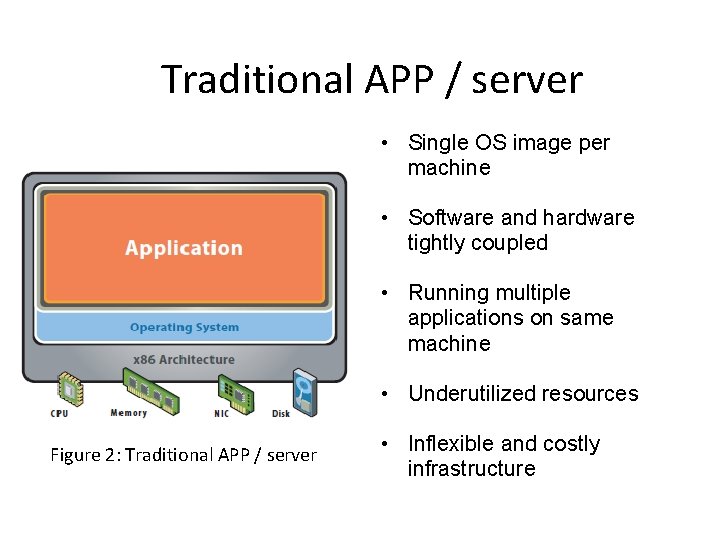
Traditional APP / server • Single OS image per machine • Software and hardware tightly coupled • Running multiple applications on same machine • Underutilized resources Figure 2: Traditional APP / server • Inflexible and costly infrastructure
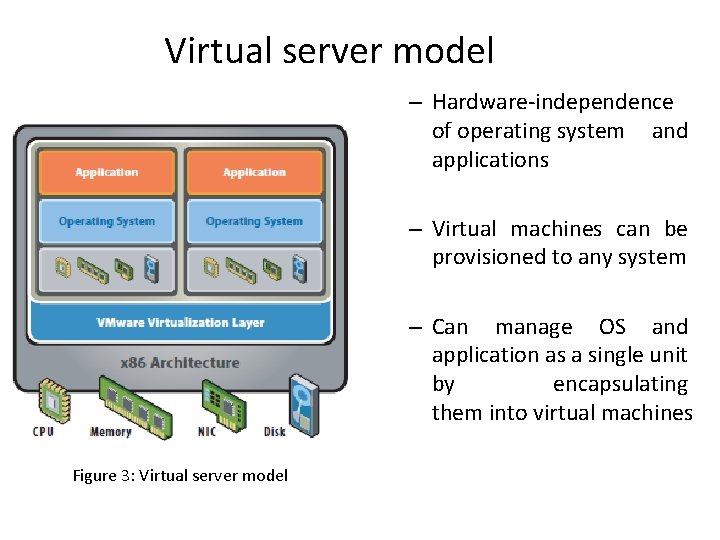
Virtual server model – Hardware-independence of operating system and applications – Virtual machines can be provisioned to any system – Can manage OS and application as a single unit by encapsulating them into virtual machines Figure 3: Virtual server model
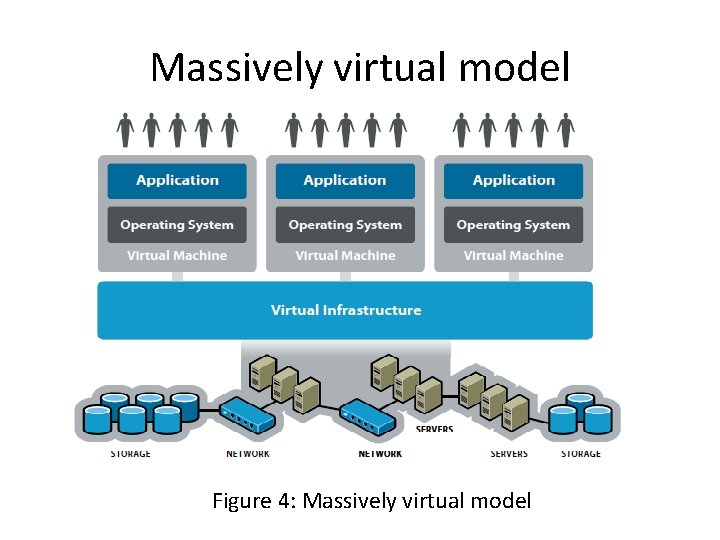
Massively virtual model Figure 4: Massively virtual model
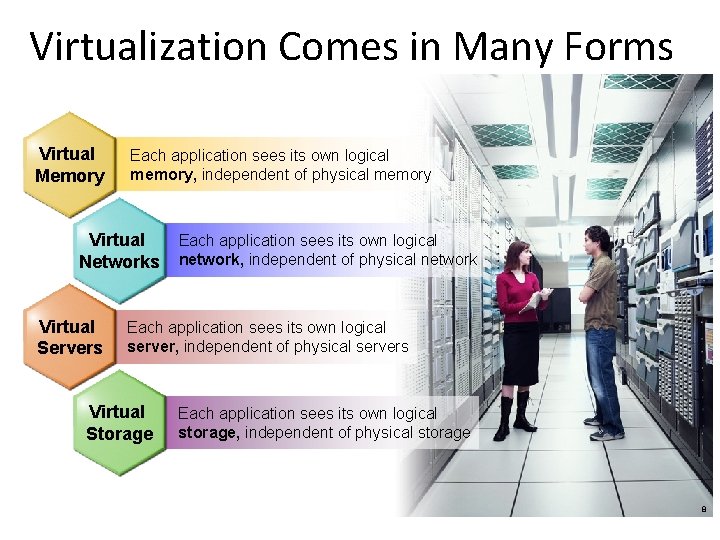
Virtualization Comes in Many Forms Virtual Memory Each application sees its own logical memory, independent of physical memory Virtual Networks Virtual Servers Each application sees its own logical network, independent of physical network Each application sees its own logical server, independent of physical servers Virtual Storage Each application sees its own logical storage, independent of physical storage Storage Virtualization - 8 8
Reflection Question What are the benefits of Virtualization
Benefits of Virtualization • Sharing of resources: Helps cost reduction • Green Focus: Running fewer, highly utilized servers frees up space and power. Less space and power is better for environment and saves money. • Isolation: Every Virtual machines is able to run on separate space. • Encapsulation: Virtual machines encapsulate a complete computing environment • Hardware Independence: Virtual machines run independently of underlying hardware • Portability: Virtual machines can be migrated between different hosts.
Virtualization in Cloud Computing Cloud computing takes virtualization one step further: • You don’t need to own the hardware • Resources are rented as needed from a cloud • Various providers allow creating virtual servers: – Choose the OS and software each instance will have – The chosen OS will run on a large server farm – Can instantiate more virtual servers or shut down existing ones within minutes • You get billed only for what you used
References • http: //www. vmware. com/pdf/virtualization. pdf • An Introduction to Virtualization and Cloud Technologies to Support Grid Computing. I. M. Lorente. EGEE 08.
- Slides: 12