
Clipping Angel Interactive Computer Graphics 5 E Addison
- Slides: 20
Clipping Angel: Interactive Computer Graphics 5 E © Addison Wesley 2009 1
Objectives • Clipping Angel: Interactive Computer Graphics 5 E © Addison Wesley 2009 2
Overview • At end of the geometric pipeline, vertices have been assembled into primitives • Must clip out primitives that are outside the view frustum Algorithms based on representing primitives by lists of vertices • Must find which pixels can be affected by each primitive Fragment generation Rasterization or scan conversion Angel: Interactive Computer Graphics 5 E © Addison Wesley 2009 3
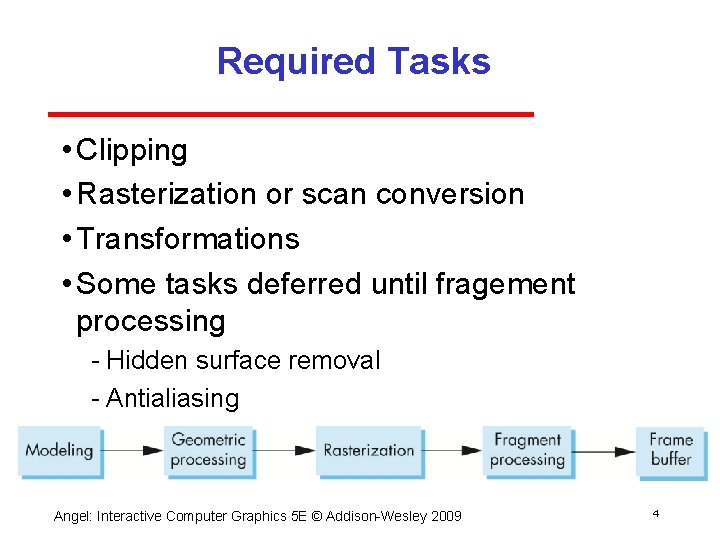
Required Tasks • Clipping • Rasterization or scan conversion • Transformations • Some tasks deferred until fragement processing Hidden surface removal Antialiasing Angel: Interactive Computer Graphics 5 E © Addison Wesley 2009 4
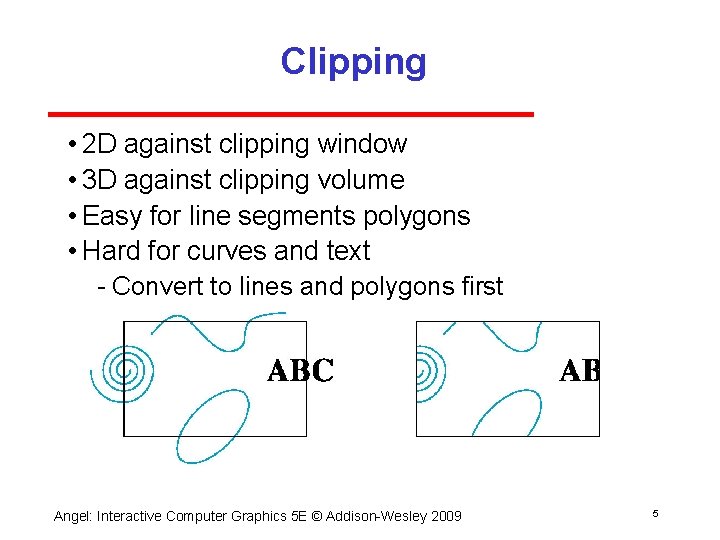
Clipping • 2 D against clipping window • 3 D against clipping volume • Easy for line segments polygons • Hard for curves and text Convert to lines and polygons first Angel: Interactive Computer Graphics 5 E © Addison Wesley 2009 5
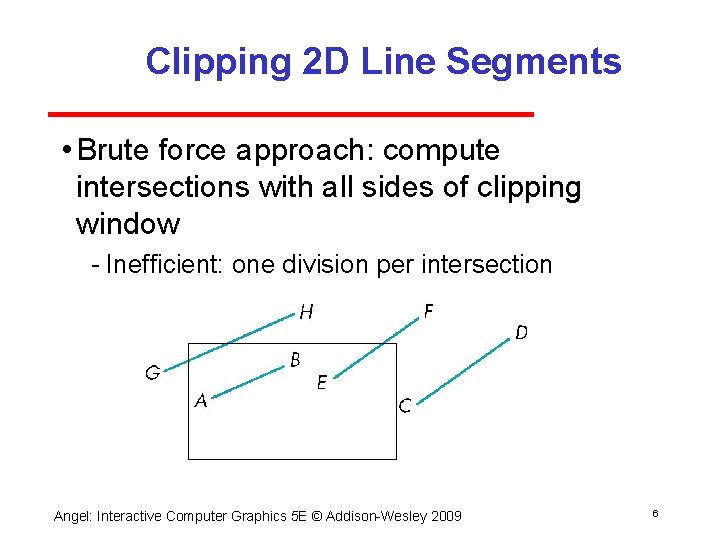
Clipping 2 D Line Segments • Brute force approach: compute intersections with all sides of clipping window Inefficient: one division per intersection Angel: Interactive Computer Graphics 5 E © Addison Wesley 2009 6
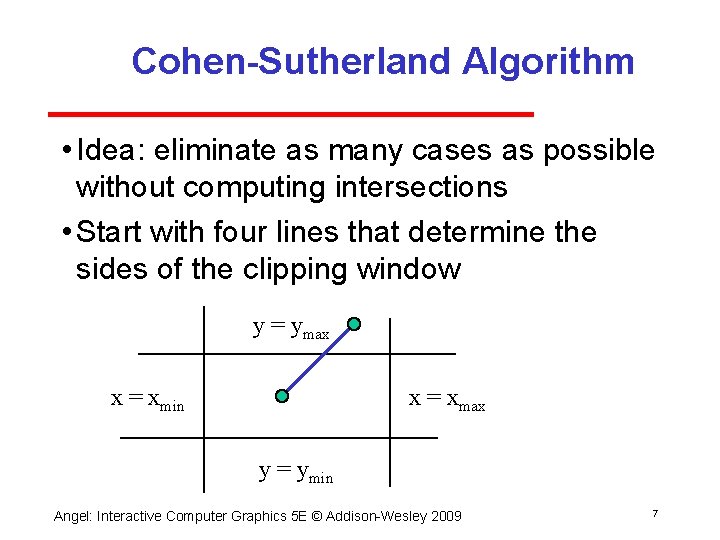
Cohen-Sutherland Algorithm • Idea: eliminate as many cases as possible without computing intersections • Start with four lines that determine the sides of the clipping window y = ymax x = xmin x = xmax y = ymin Angel: Interactive Computer Graphics 5 E © Addison Wesley 2009 7
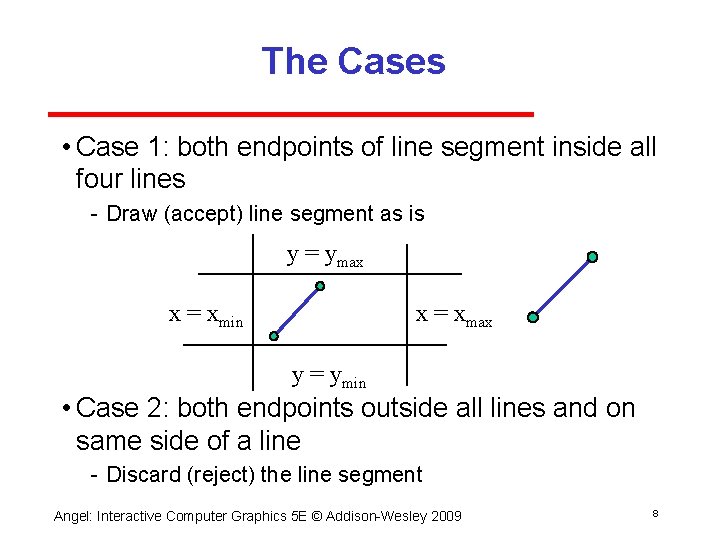
The Cases • Case 1: both endpoints of line segment inside all four lines Draw (accept) line segment as is y = ymax x = xmin x = xmax y = ymin • Case 2: both endpoints outside all lines and on same side of a line Discard (reject) the line segment Angel: Interactive Computer Graphics 5 E © Addison Wesley 2009 8
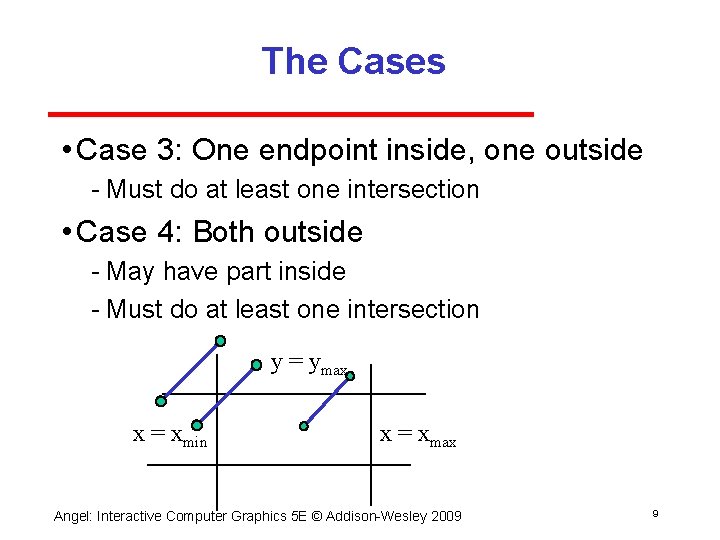
The Cases • Case 3: One endpoint inside, one outside Must do at least one intersection • Case 4: Both outside May have part inside Must do at least one intersection y = ymax x = xmin x = xmax Angel: Interactive Computer Graphics 5 E © Addison Wesley 2009 9
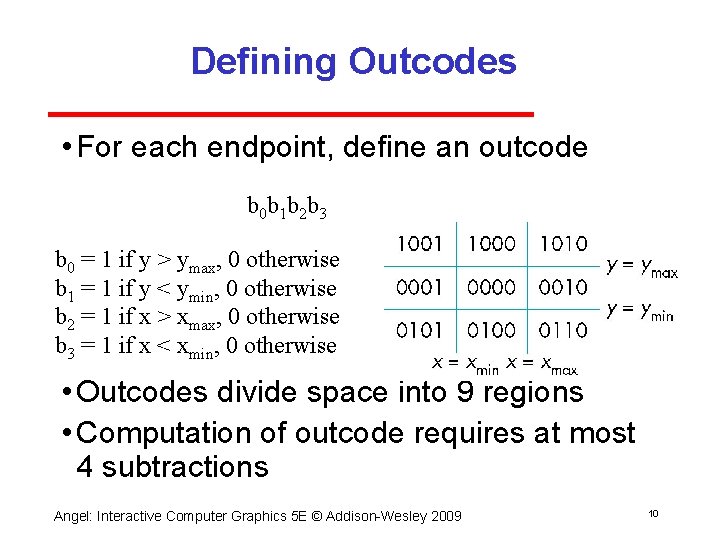
Defining Outcodes • For each endpoint, define an outcode b 0 b 1 b 2 b 3 b 0 = 1 if y > ymax, 0 otherwise b 1 = 1 if y < ymin, 0 otherwise b 2 = 1 if x > xmax, 0 otherwise b 3 = 1 if x < xmin, 0 otherwise • Outcodes divide space into 9 regions • Computation of outcode requires at most 4 subtractions Angel: Interactive Computer Graphics 5 E © Addison Wesley 2009 10
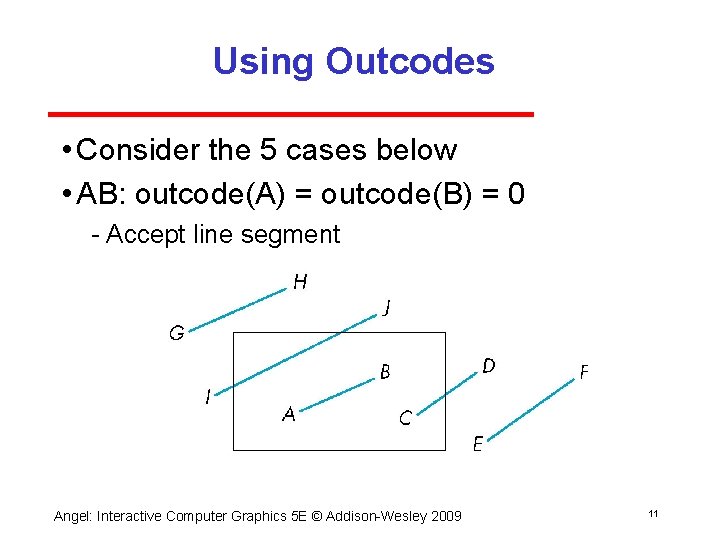
Using Outcodes • Consider the 5 cases below • AB: outcode(A) = outcode(B) = 0 Accept line segment Angel: Interactive Computer Graphics 5 E © Addison Wesley 2009 11
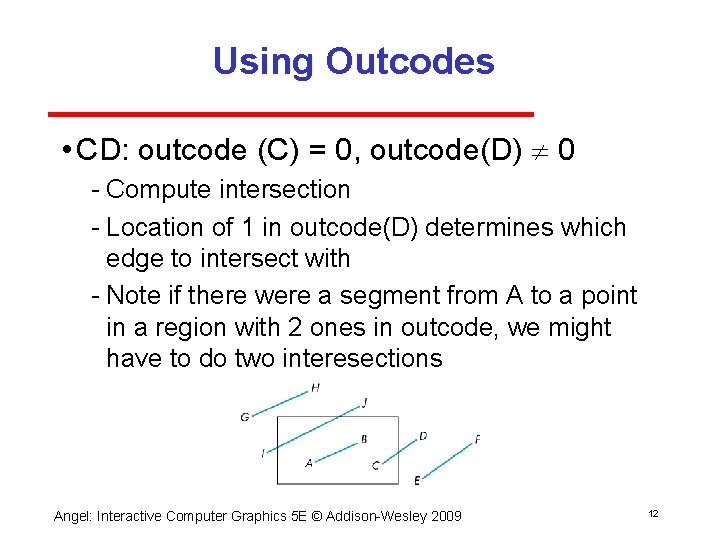
Using Outcodes • CD: outcode (C) = 0, outcode(D) 0 Compute intersection Location of 1 in outcode(D) determines which edge to intersect with Note if there were a segment from A to a point in a region with 2 ones in outcode, we might have to do two interesections Angel: Interactive Computer Graphics 5 E © Addison Wesley 2009 12
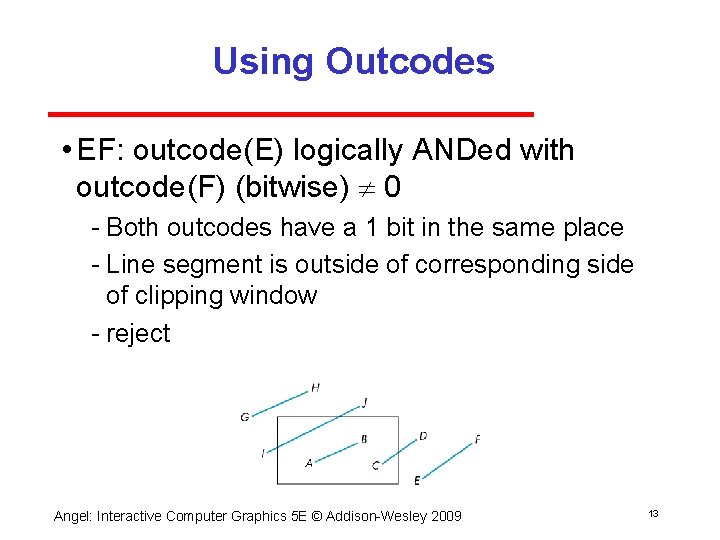
Using Outcodes • EF: outcode(E) logically ANDed with outcode(F) (bitwise) 0 Both outcodes have a 1 bit in the same place Line segment is outside of corresponding side of clipping window reject Angel: Interactive Computer Graphics 5 E © Addison Wesley 2009 13
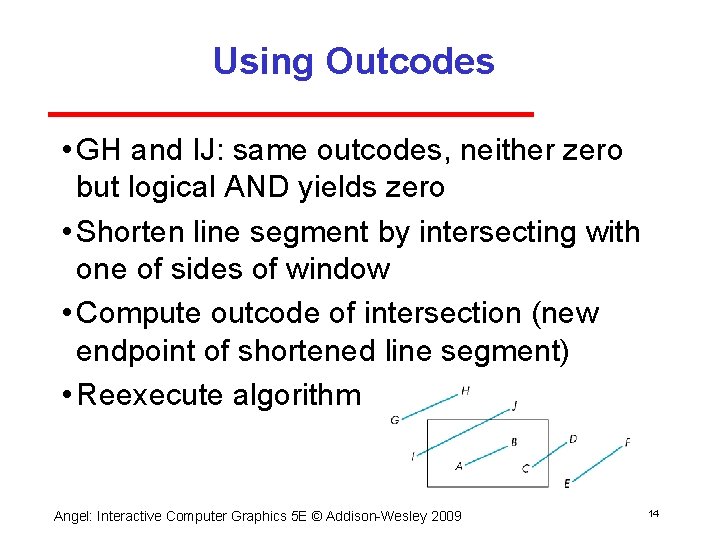
Using Outcodes • GH and IJ: same outcodes, neither zero but logical AND yields zero • Shorten line segment by intersecting with one of sides of window • Compute outcode of intersection (new endpoint of shortened line segment) • Reexecute algorithm Angel: Interactive Computer Graphics 5 E © Addison Wesley 2009 14
Efficiency • In many applications, the clipping window is small relative to the size of the entire data base Most line segments are outside one or more side of the window and can be eliminated based on their outcodes • Inefficiency when code has to be reexecuted for line segments that must be shortened in more than one step Angel: Interactive Computer Graphics 5 E © Addison Wesley 2009 15
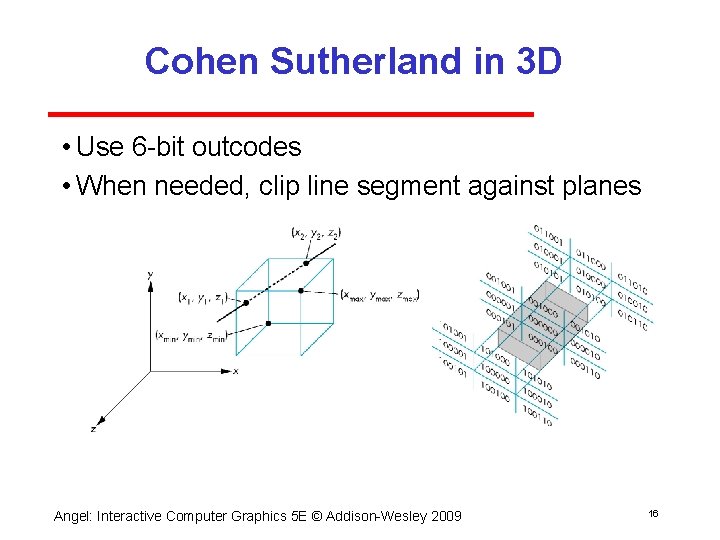
Cohen Sutherland in 3 D • Use 6 bit outcodes • When needed, clip line segment against planes Angel: Interactive Computer Graphics 5 E © Addison Wesley 2009 16
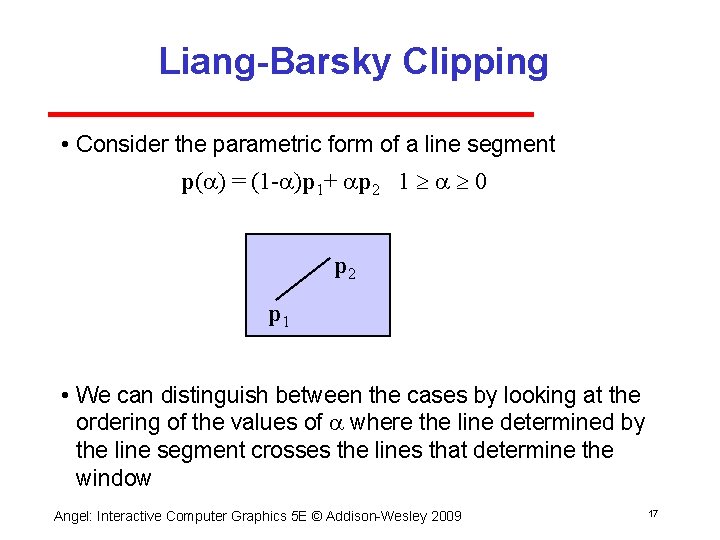
Liang-Barsky Clipping • Consider the parametric form of a line segment p(a) = (1 -a)p 1+ ap 2 1 a 0 p 2 p 1 • We can distinguish between the cases by looking at the ordering of the values of a where the line determined by the line segment crosses the lines that determine the window Angel: Interactive Computer Graphics 5 E © Addison Wesley 2009 17
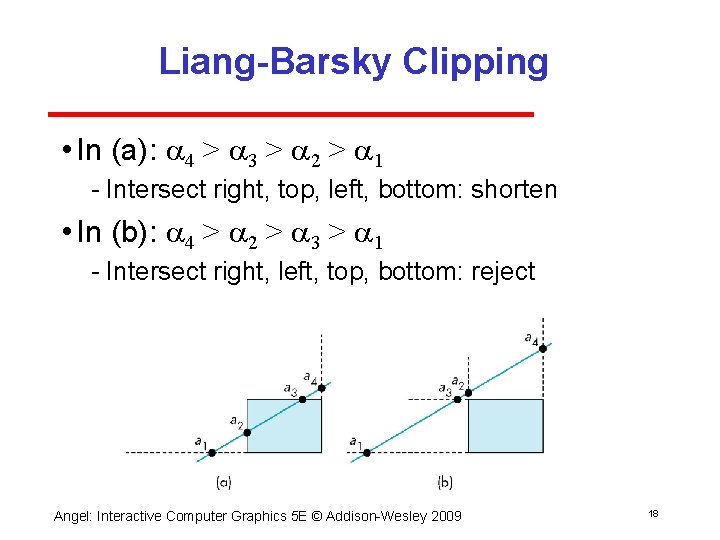
Liang-Barsky Clipping • In (a): a 4 > a 3 > a 2 > a 1 Intersect right, top, left, bottom: shorten • In (b): a 4 > a 2 > a 3 > a 1 Intersect right, left, top, bottom: reject Angel: Interactive Computer Graphics 5 E © Addison Wesley 2009 18
Advantages • Can accept/reject as easily as with Cohen Sutherland • Using values of a, we do not have to use algorithm recursively as with C S • Extends to 3 D Angel: Interactive Computer Graphics 5 E © Addison Wesley 2009 19
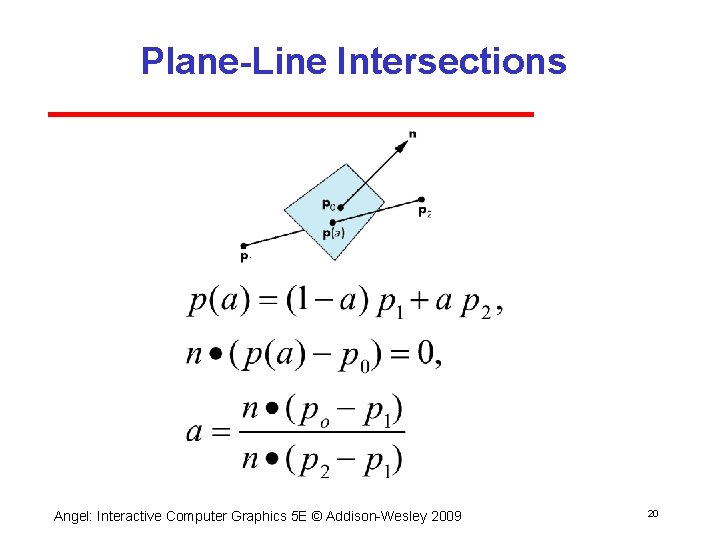
Plane-Line Intersections Angel: Interactive Computer Graphics 5 E © Addison Wesley 2009 20