
Client side web programming Introduction Jaana Holvikivi DSc
Client side web programming Introduction Jaana Holvikivi, DSc. School of ICT
Course contents § § HTML, HTML 5 CSS, CSS 2, CSS 3 Javascript, JQuery Responsive Web Design § Being prepared for multiple device types 7. 1. 2013 Jaana Holvikivi 2
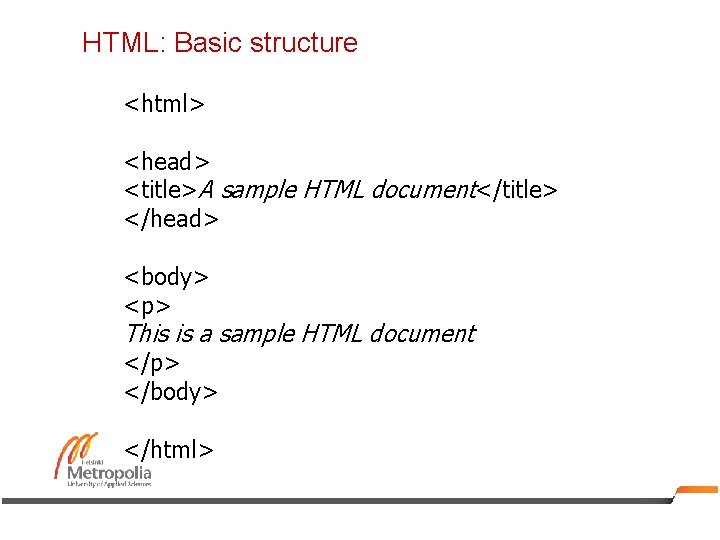
HTML: Basic structure <html> <head> <title>A sample HTML document</title> </head> <body> <p> This is a sample HTML document </p> </body> </html>
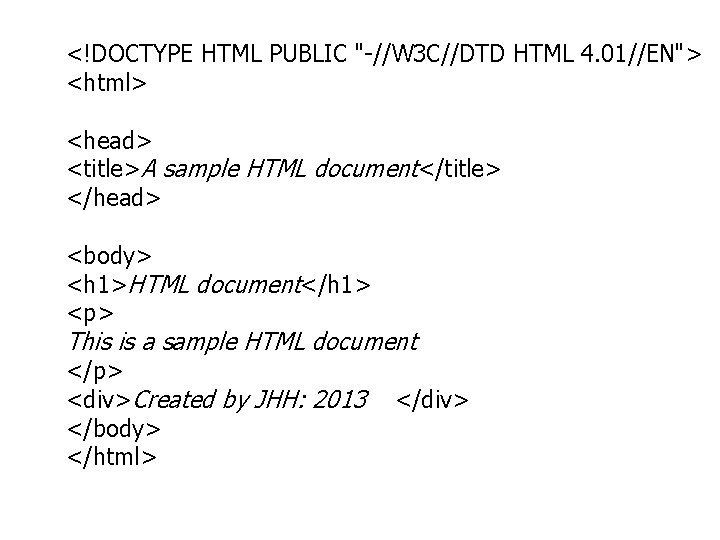
<!DOCTYPE HTML PUBLIC "-//W 3 C//DTD HTML 4. 01//EN"> <html> <head> <title>A sample HTML document</title> </head> <body> <h 1>HTML document</h 1> <p> This is a sample HTML document </p> <div>Created by JHH: 2013 </body> </html> </div>
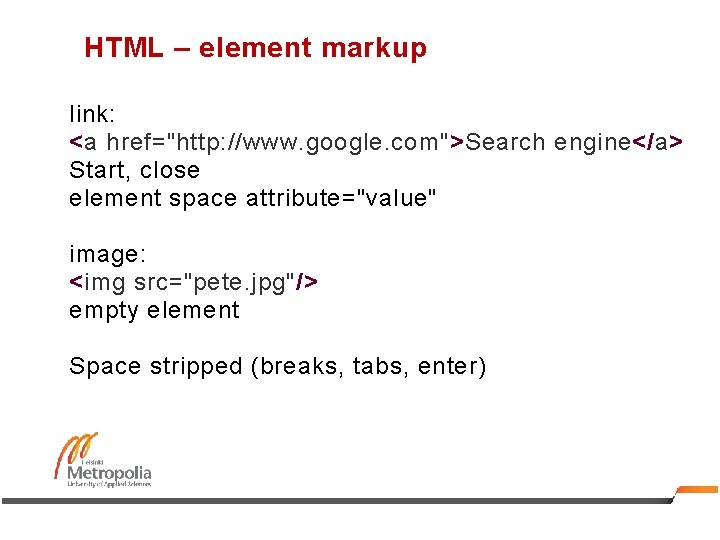
HTML – element markup link: <a href="http: //www. google. com">Search engine</a> Start, close element space attribute="value" image: <img src="pete. jpg"/> empty element Space stripped (breaks, tabs, enter)
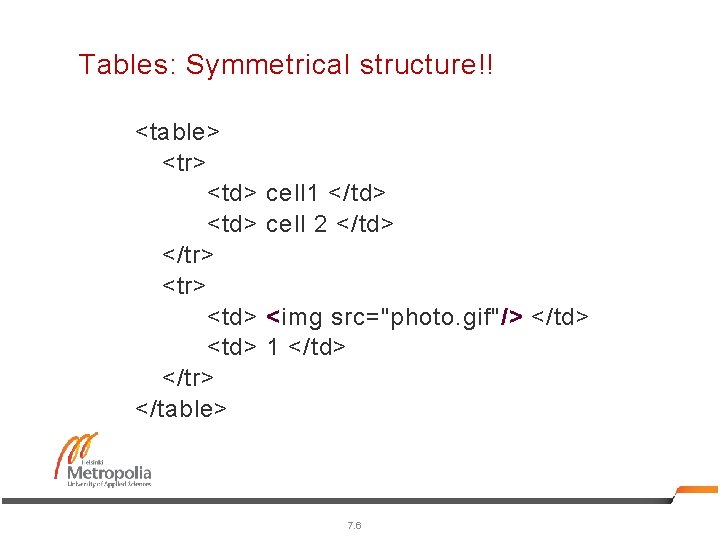
Tables: Symmetrical structure!! <table> <tr> <td> </tr> </table> cell 1 </td> cell 2 </td> <img src="photo. gif"/> </td> 1 </td> 7. 6
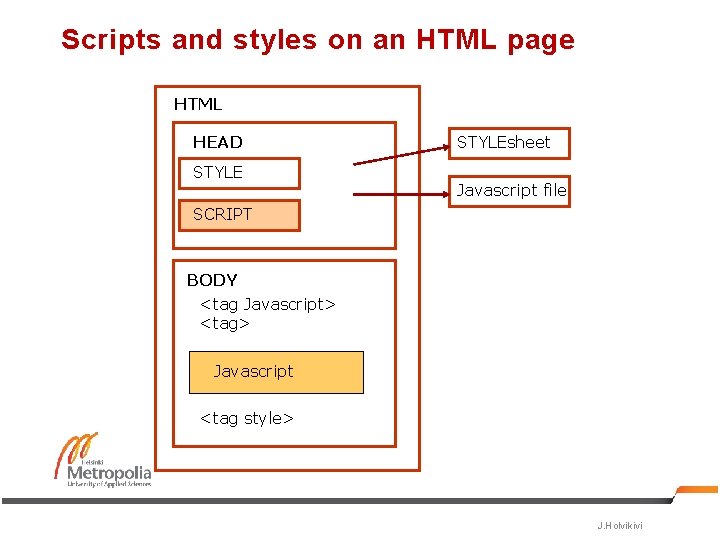
Scripts and styles on an HTML page HTML HEAD STYLEsheet Javascript file SCRIPT BODY <tag Javascript> <tag> Javascript <tag style> J. Holvikivi
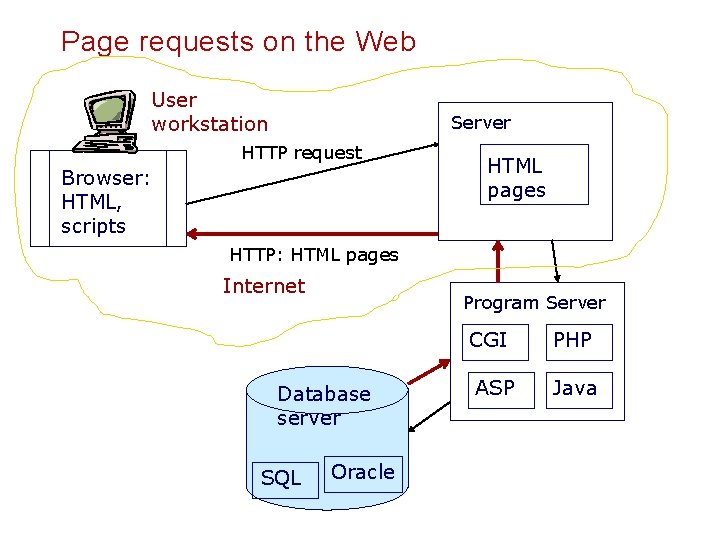
Page requests on the Web User workstation Server HTTP request Browser: HTML, scripts HTML pages HTTP: HTML pages Internet Program Server Database server SQL Oracle CGI PHP ASP Java
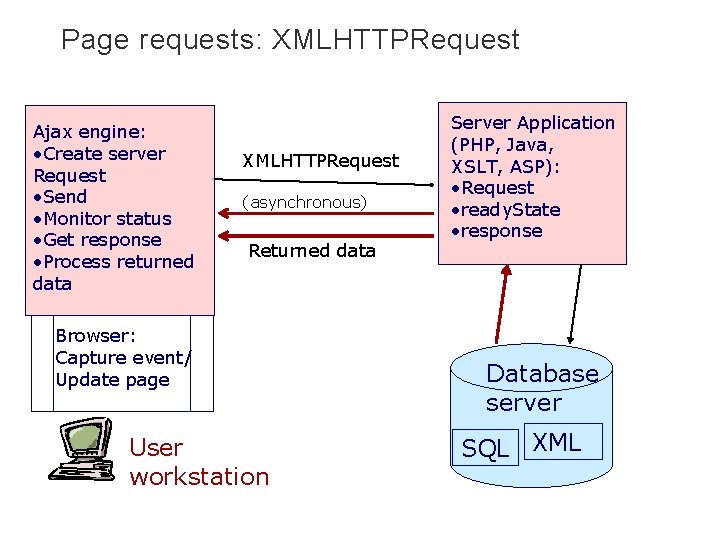
Page requests: XMLHTTPRequest Ajax engine: • Create server Request • Send • Monitor status • Get response • Process returned data XMLHTTPRequest (asynchronous) Returned data Browser: Capture event/ Update page User workstation Server Application (PHP, Java, XSLT, ASP): • Request • ready. State • response Database server SQL XML
Javascript and document structure
Javascript § Javascript is always downloaded from the server to the client § Either as a file reference § Or embedded in HTML § Javascript is executed on client side. § Less load on server § Example: checks on form input (numeric fields, dates, required fields) § Javascript understands the structure of the HTML page (document); DOM 11 EVTEK J. Holvikivi
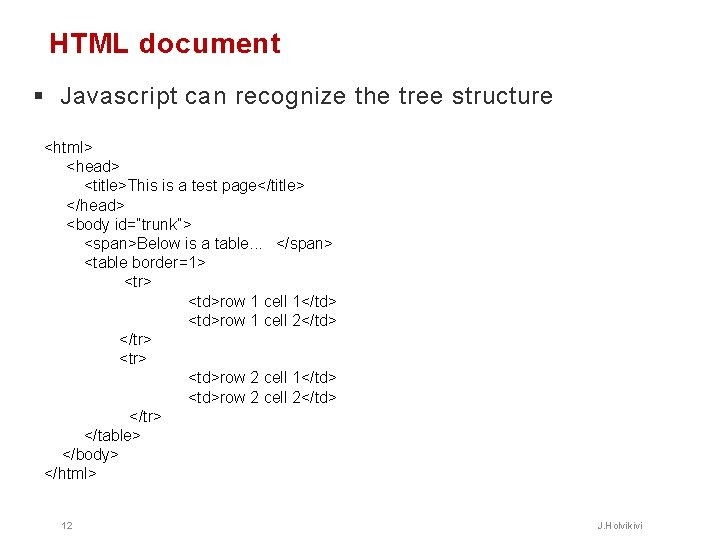
HTML document § Javascript can recognize the tree structure <html> <head> <title>This is a test page</title> </head> <body id=”trunk”> <span>Below is a table. . . </span> <table border=1> <tr> <td>row 1 cell 1</td> <td>row 1 cell 2</td> </tr> <td>row 2 cell 1</td> <td>row 2 cell 2</td> </tr> </table> </body> </html> 12 J. Holvikivi
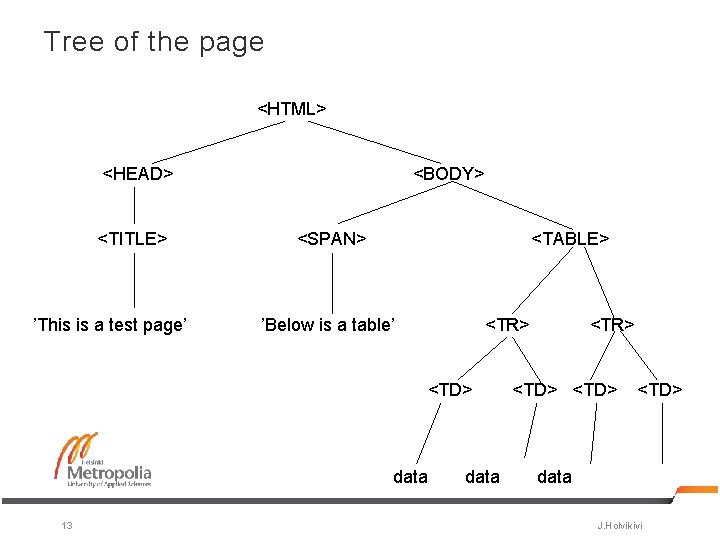
Tree of the page <HTML> <HEAD> <TITLE> ’This is a test page’ <BODY> <SPAN> <TABLE> ’Below is a table’ <TR> <TD> data 13 data <TR> <TD> data J. Holvikivi
Document Object Model (DOM) § Used by many programming languages (php, Java, C#, C++, Javascript…) § and understood by browsers (Firefox, IE, Chrome, Safari) § XML -document is a collection of nodes that make a hierarchical tree structure § The hierarchy is used in navigating the tree to locate information § Inefficient use of memory: the tree structure is created in the memory § DOM enables adding, moving, deleting and changing of nodes 14 J. Holvikivi
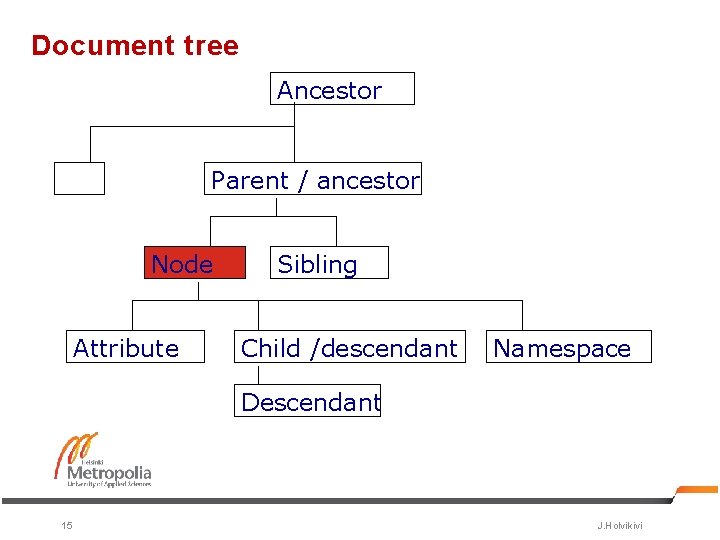
Document tree Ancestor Parent / ancestor Node Attribute Sibling Child /descendant Namespace Descendant 15 J. Holvikivi
Processing of the tree § Start with the root node ( document-object) § Element properties § first. Child § last. Child § next. Sibling § parent. Node § Methods to navigate the tree in Javascript § get. Element. By. ID(id) § get. Elements. By. Name(name) § get. Elements. By. Tag. Name(name) § get. Attribute(name) 16 J. Holvikivi
- Slides: 16