
CLIENT SERVER PROGRAMING FOR APPLICATIONS CODE BIT 2216
CLIENT SERVER PROGRAMING FOR APPLICATIONS CODE: BIT 2216 YEAR: TWO
Course Tutor Atuheire Izaara Ambrose Room: S 311 – Tuesday | 11: 00 FCI-Lab 3 – Wednesday | 10: 00 Email: aturose@must. ac. ug Website: lms. must. ac. ug
Course description To date, have looked at mostly “static” and some “Dynamic” website designs • HTML • Client side javascript / stylesheets etc This course focuses on enabling dynamic web applications / Client – Server Applications
Learning outcomes ü Ability to provide a generalized definition of client-server computing, one not limited to simple distributed database systems. ü learn the advantages of client-server systems over monolithic systems. ü Provide definitions and explanations for a large number of technical terms and acronyms related to client-server computing. ü Apply the techniques and features of a client/server development language to construct a moderately complex client/server application. ü Apply the concepts learned in this course to the development of client-server applications that are Internet and/or World Wide Web based.
Course Outline ☺ ☺ ☺ ☺ Administrative details Description of client/server computing, alternative definitions. What is Client/Server Computing? Partitioning programs into clients and servers. Two and three-tier client/server architectures. Standards and Open Systems. Client/Server frameworks: e. g. , DCE, ONC and CORBA. Naming, Addressing, and Location Services. Client/server security. Distributed file systems. Distributed DBMS. Data Replication. Client/Server and the Internet. Distributed Programming. Managing a Client/Server Environment.
Schedule Lecture and Lab Tuesdays Wednesday 11: 00 am – 1: 00 pm 10: 00 am – 12: 00 We shall have various LAB / Practical sessions both in class and personally. Random Don’t MISS CLASS!! S 311 Lab 3
![Course Assessment 100% continuous assessment Assignments [often] Mid Sem Exam @ 50% Final Exam](http://slidetodoc.com/presentation_image_h/2e041ec4c5039d2893f0fd1ce1e498ee/image-7.jpg "Course Assessment 100% continuous assessment Assignments [often] Mid Sem Exam @ 50% Final Exam")
Course Assessment 100% continuous assessment Assignments [often] Mid Sem Exam @ 50% Final Exam @ 100%
Course Materials Lectures Notes on Lms. must. ac. ug Books: “Internet and the world wide web – 2 nd edition” – Deitel, Deitel & Neito “Java server Pages” 2 nd edition – Hans Bergsten, O’Reilly Further book and web references throughout course
BIT 2216: Client Server Programing for Applications WWW and Client server model
World Wide Web (WWW) At a minimum, a website requires: • A set of files, e. g. HTML files • A piece of software residing on a computer connected to the internet which can display these files. . Web server • Visitor’s computer called the client, which has software capable of displaying the web files.
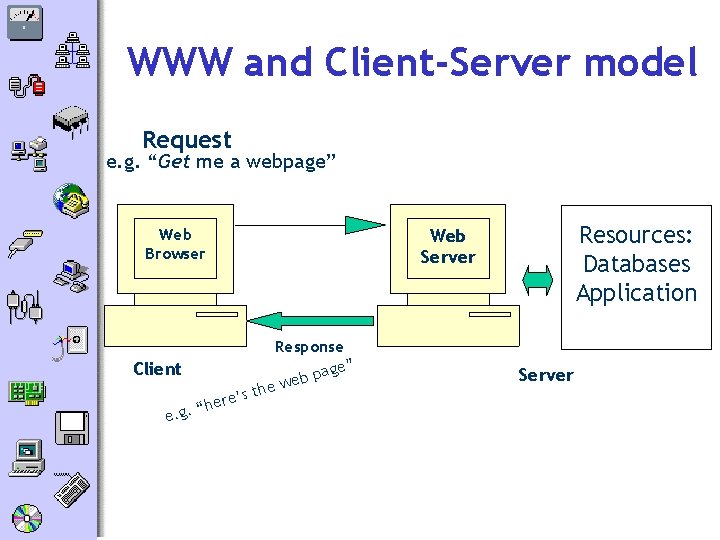
WWW and Client-Server model Request e. g. “Get me a webpage” Web Browser Resources: Databases Application Web Server Client Response age” p b we e h t s ere’ h “. e. g Server
WWW • In early days of WWW, simple relationship between the browser and a distant server • User requests a web page via the browser • Server received request, server sent back the page that you wanted • Web sites were often limited to ‘brochureware’ • static pages • every user sees same pages • Web sites heavily reliant on HTML to provide functionality
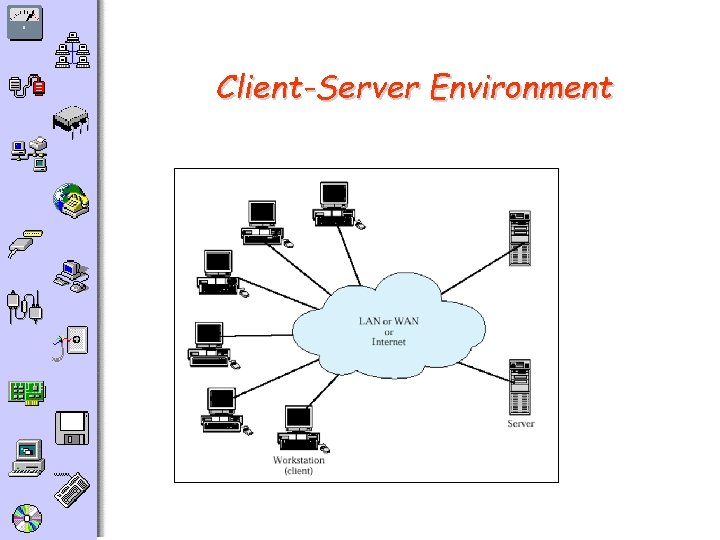
Client-Server Environment
Classes of Client-Server Applications o. Host-based processing o. Server-based processing o. Client-based processing o. Cooperative processing n “Fat client” vs “fat server”
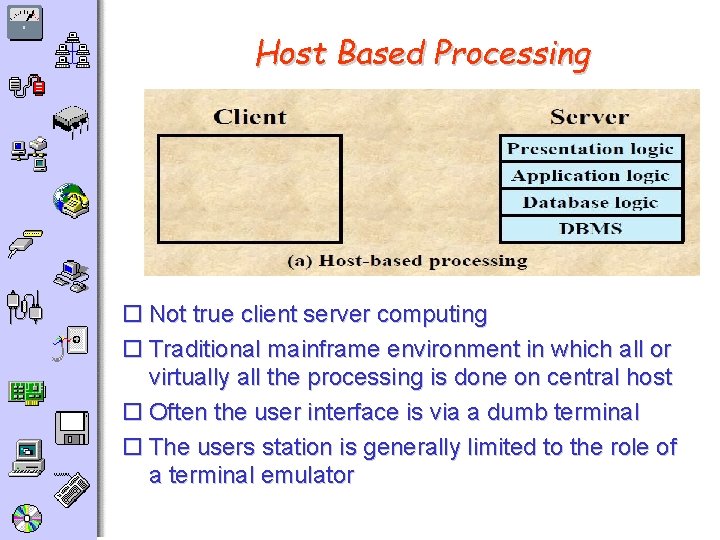
Host Based Processing o Not true client server computing o Traditional mainframe environment in which all or virtually all the processing is done on central host o Often the user interface is via a dumb terminal o The users station is generally limited to the role of a terminal emulator
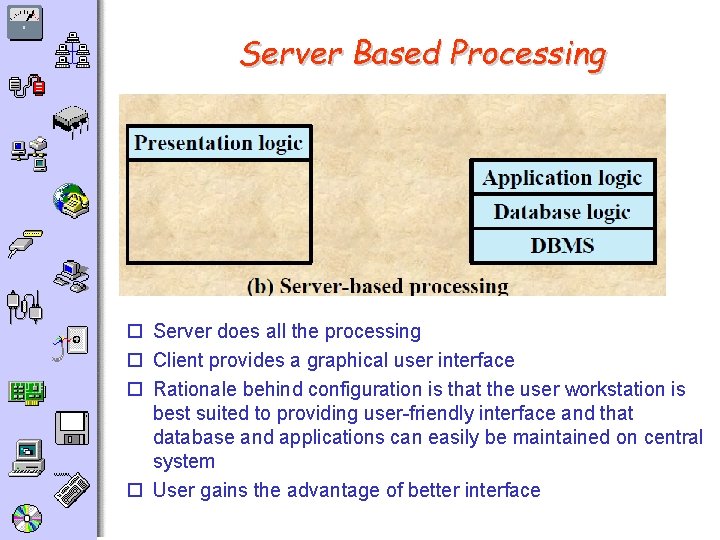
Server Based Processing o Server does all the processing o Client provides a graphical user interface o Rationale behind configuration is that the user workstation is best suited to providing user-friendly interface and that database and applications can easily be maintained on central system o User gains the advantage of better interface
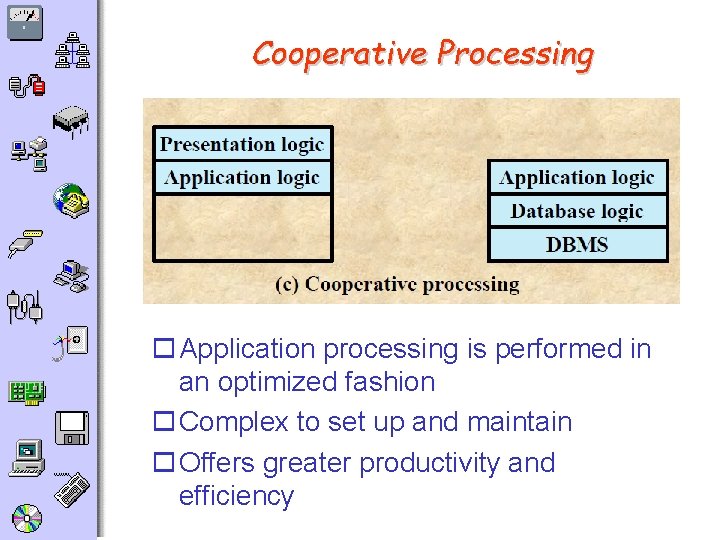
Cooperative Processing o Application processing is performed in an optimized fashion o Complex to set up and maintain o Offers greater productivity and efficiency
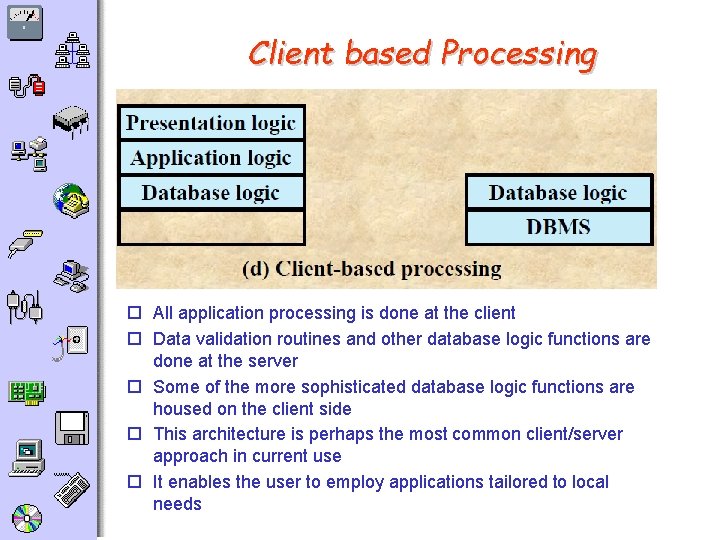
Client based Processing o All application processing is done at the client o Data validation routines and other database logic functions are done at the server o Some of the more sophisticated database logic functions are housed on the client side o This architecture is perhaps the most common client/server approach in current use o It enables the user to employ applications tailored to local needs
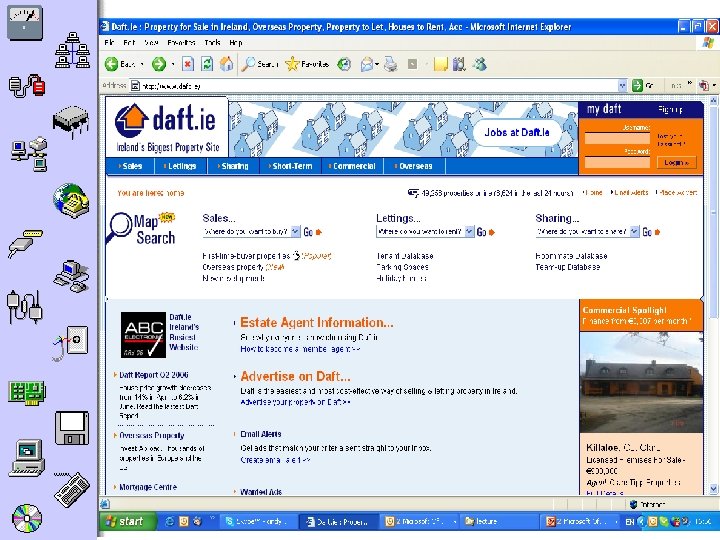
WWW • Requirement grew for more sophisticated websites with dynamic content • e. g. search engines, bulletin boards, shopping sites, personalisation --- Users see different pages, depending on user input • HTML and client technology insufficient • Web pages need to be generated ‘on the fly’ or dynamically • A range of server-side technologies now available, such as JSP, ASP, PHP, Cold Fusion, CGI
WWW – Client Server model • World Wide Web uses Client Server Model – Client (browser) sends request to server (web server) for resource. . – Web server accesses resource – Web server responds to client with resource • Browser/ web server communication: – Need a protocol to communicate – HTTP (Hyper Text Transfer Protocol)
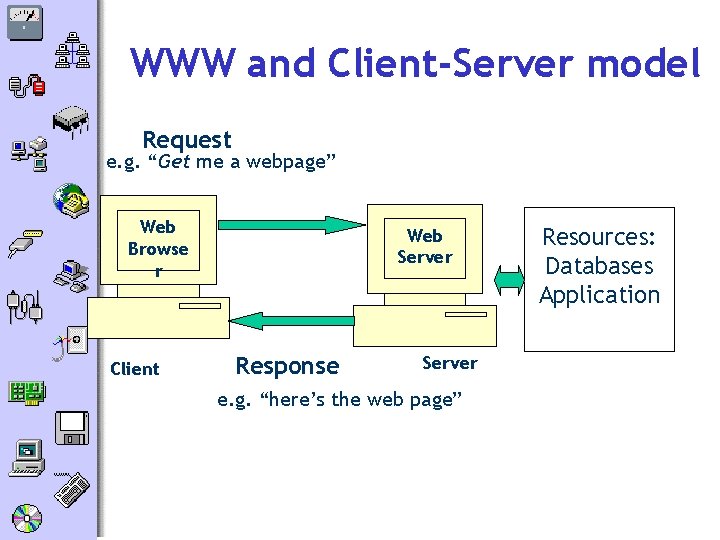
WWW and Client-Server model Request e. g. “Get me a webpage” Web Browse r Client Web Server Response Server e. g. “here’s the web page” Resources: Databases Application
Client side versus server side processing Need to understand the difference as each one has limitations and specific purposes Client side processing occurs on the client machine (i. e. machine that has requested the web page) Server side processing occurs on the server
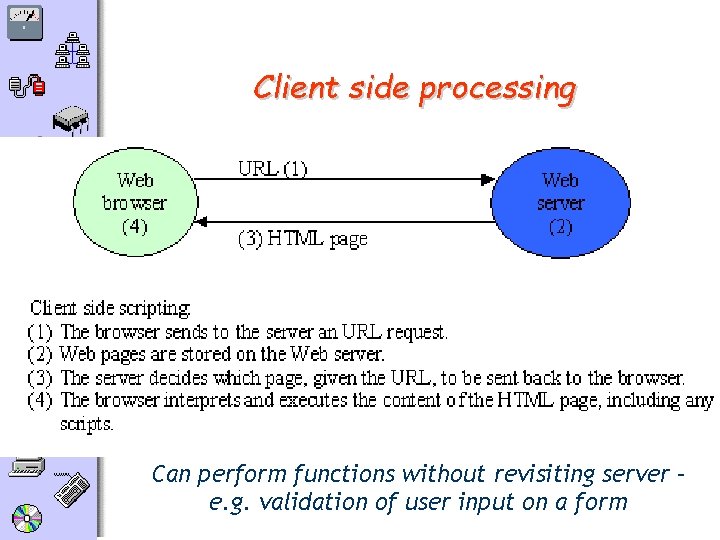
Client side processing Can perform functions without revisiting server – e. g. validation of user input on a form
Client technologies • Client side technology (e. g. java script, HTML) is run on the client machine Used for : • Presentation (I. e. text/images etc) • Validation of user input • Enhanced interactivity e. g. graphics, buttons Reduces the number of visits to the server – (e. g. user input can be validated without having to revisit the server)
Client-side technologies The following technologies are run on the client machine by the web browser Markup Languages: e. g. HTML / XHTML /XML, Style Sheets Client Side Scriptings: e. g. Java. Script, VBScript /Jscript, Dynamic HTML Java Applets Active. X Controls Plug Ins / Helpers
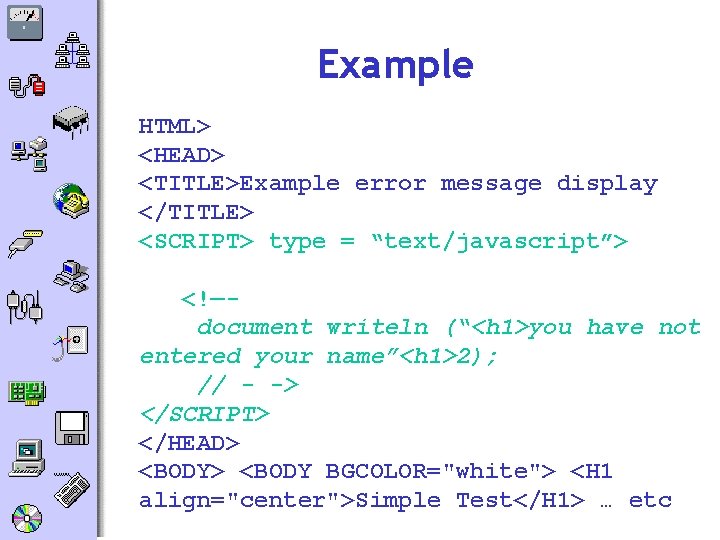
Example HTML> <HEAD> <TITLE>Example error message display </TITLE> <SCRIPT> type = “text/javascript”> <!—document writeln (“<h 1>you have not entered your name”<h 1>2); // - -> </SCRIPT> </HEAD> <BODY BGCOLOR="white"> <H 1 align="center">Simple Test</H 1> … etc
Limitations of client-side technologies • Cannot implement functionality that requires returns customised information to the user – e. g. database searches • Client machine/device must be sufficiently powerful (mobile devices) • Need to ensure browser support client software • Source code is visible
Server-Side functionality • Server-side functionality needed to: • generate dynamic content from a database (as opposed to static HTML pages) –Process user requests/interactivity –Retrieve information from users –Manage sessions. . and more.
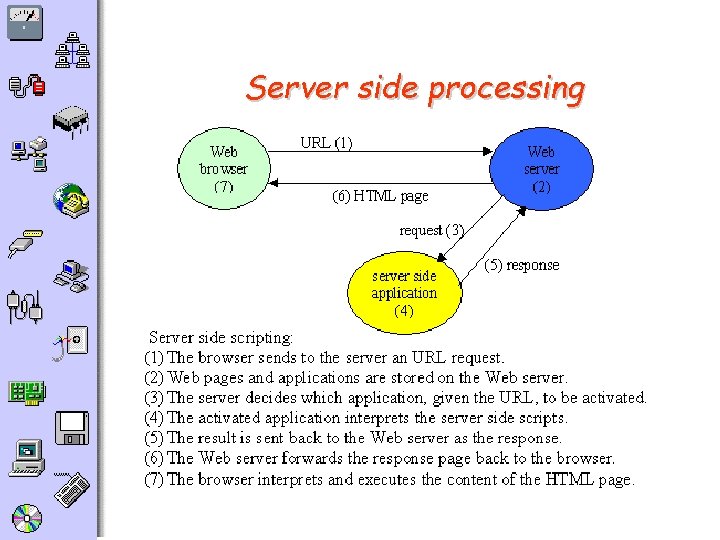
Server side processing
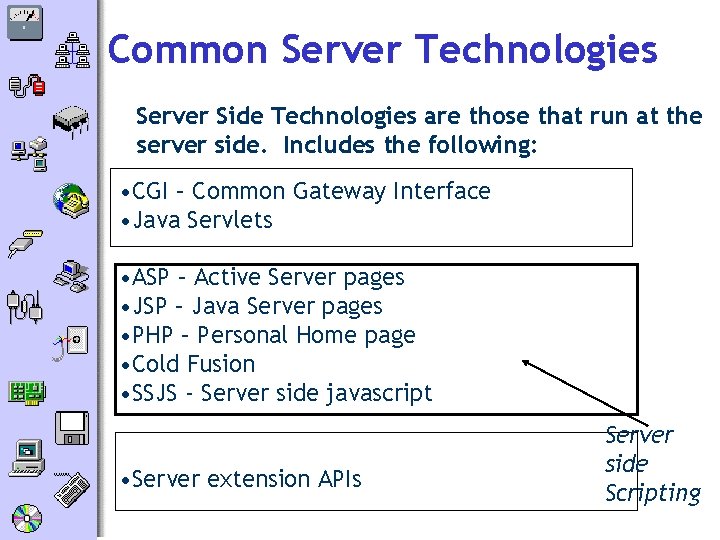
Common Server Technologies Server Side Technologies are those that run at the server side. Includes the following: • CGI – Common Gateway Interface • Java Servlets • ASP – Active Server pages • JSP – Java Server pages • PHP – Personal Home page • Cold Fusion • SSJS - Server side javascript • Server extension APIs Server side Scripting
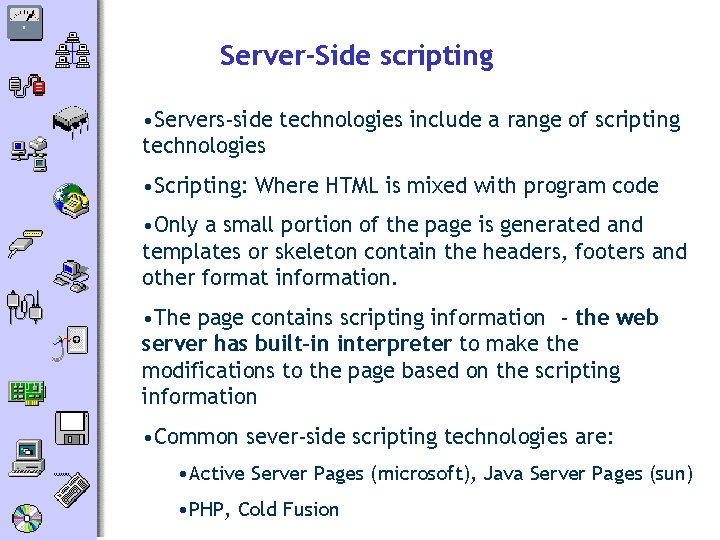
Server-Side scripting • Servers-side technologies include a range of scripting technologies • Scripting: Where HTML is mixed with program code • Only a small portion of the page is generated and templates or skeleton contain the headers, footers and other format information. • The page contains scripting information - the web server has built-in interpreter to make the modifications to the page based on the scripting information • Common sever-side scripting technologies are: • Active Server Pages (microsoft), Java Server Pages (sun) • PHP, Cold Fusion
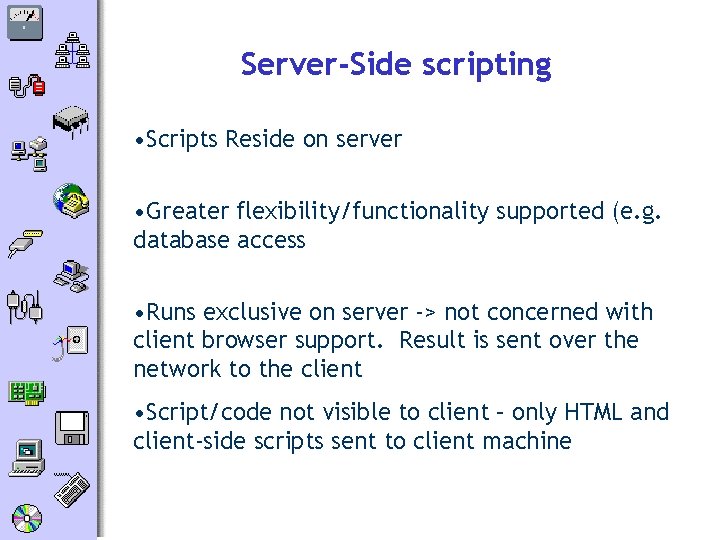
Server-Side scripting • Scripts Reside on server • Greater flexibility/functionality supported (e. g. database access • Runs exclusive on server -> not concerned with client browser support. Result is sent over the network to the client • Script/code not visible to client – only HTML and client-side scripts sent to client machine
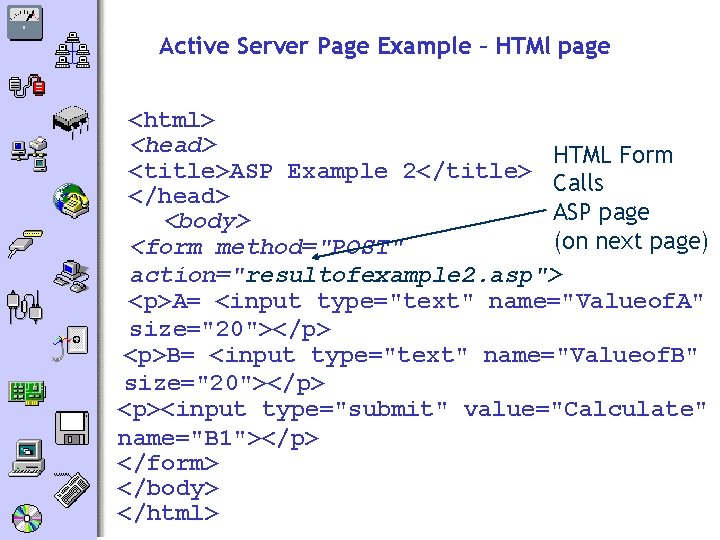
Active Server Page Example – HTMl page <html> <head> HTML Form <title>ASP Example 2</title> Calls </head> ASP page <body> (on next page) <form method="POST" action="resultofexample 2. asp"> <p>A= <input type="text" name="Valueof. A" size="20"></p> <p>B= <input type="text" name="Valueof. B" size="20"></p> <p><input type="submit" value="Calculate" name="B 1"></p> </form> </body> </html>
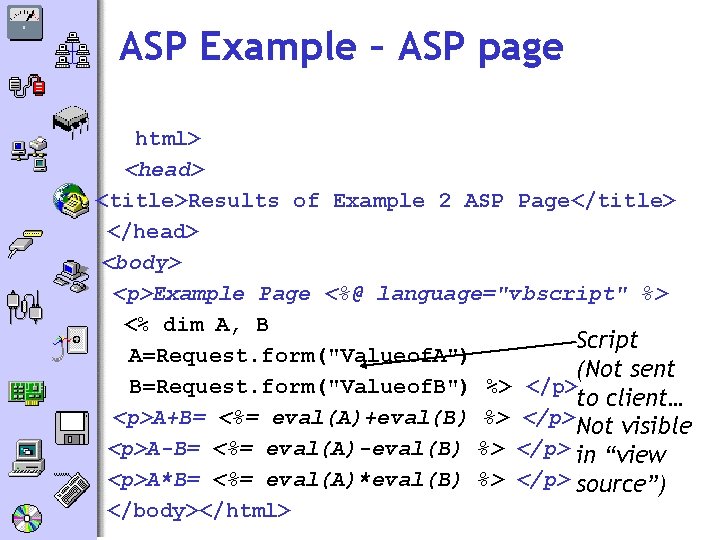
ASP Example – ASP page html> <head> <title>Results of Example 2 ASP Page</title> </head> <body> <p>Example Page <%@ language="vbscript" %> <% dim A, B Script A=Request. form("Valueof. A") (Not sent B=Request. form("Valueof. B") %> </p> to client… <p>A+B= <%= eval(A)+eval(B) %> </p> Not visible <p>A-B= <%= eval(A)-eval(B) %> </p> in “view <p>A*B= <%= eval(A)*eval(B) %> </p> source”) </body></html>
Questions? • Read…. • Look for: • Visual Basic 6 Client/Server Programming Gold Book • (Publisher: The Coriolis Group) • Author(s): Michael Mac. Donald and Kurt Cagle • ISBN: 1576102823 • Publication Date: 10/01/98 • Read page 20 - 33
- Slides: 36