
Client Access Published applications Control through TEMPLATE ICA
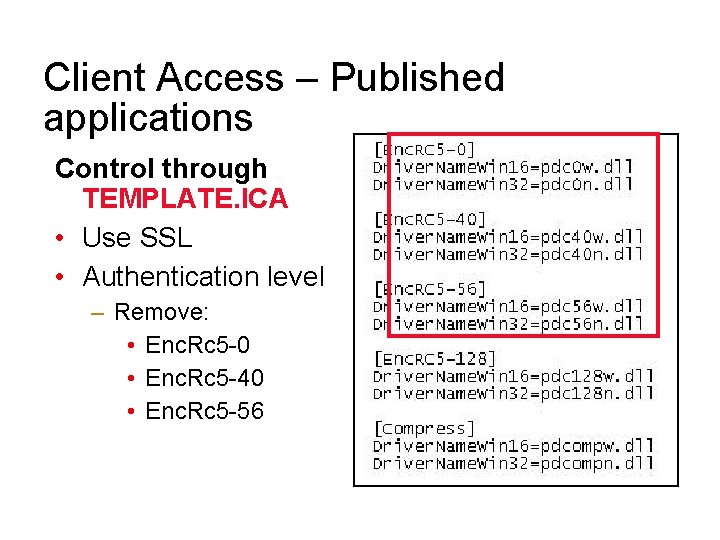
Client Access – Published applications Control through TEMPLATE. ICA • Use SSL • Authentication level – Remove: • Enc. Rc 5 -0 • Enc. Rc 5 -40 • Enc. Rc 5 -56
Remote Access • 80211 X, 802. 11 G, 802. 11 b, 802. 11 a – 11 Mbps – 55 Mbps • Wireless WAN – 40 -120 Kbit – Public network – CDPD, 1 x. RTT, other • High Speed access – Cable modem – x. DSL (ADSL, IDSL, SDSL)
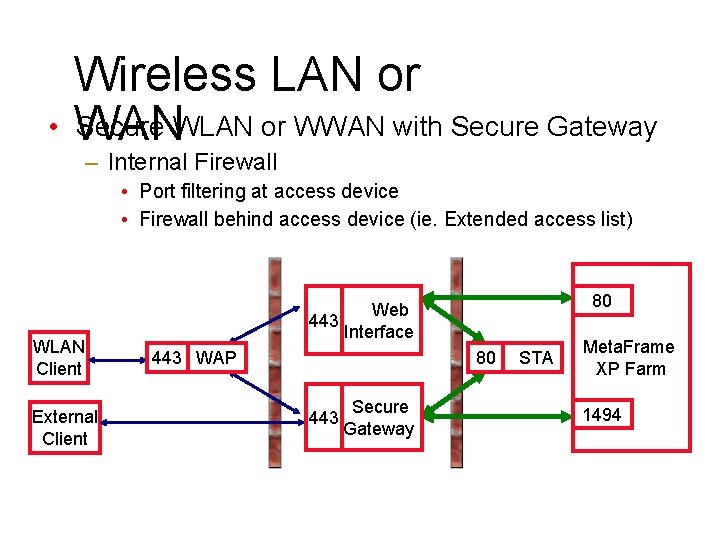
Wireless LAN or • WAN Secure WLAN or WWAN with Secure Gateway – Internal Firewall • Port filtering at access device • Firewall behind access device (ie. Extended access list) WLAN Client External Client 80 Web 443 Interface 443 WAP 80 443 Secure Gateway STA Meta. Frame XP Farm 1494
Connections
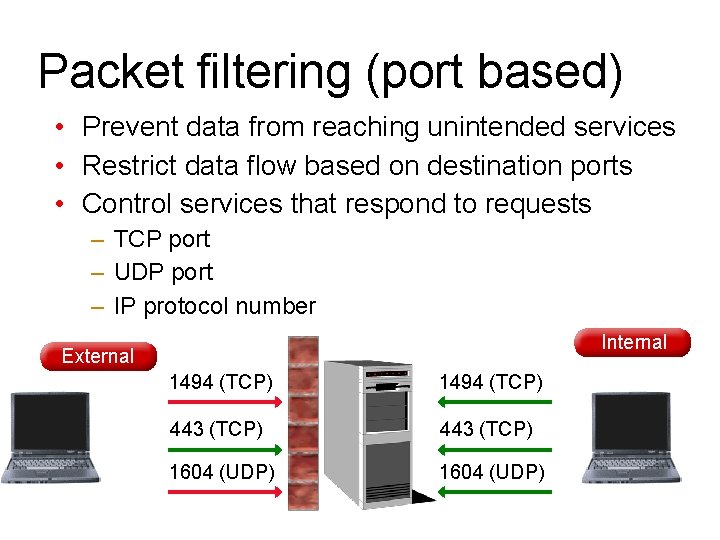
Packet filtering (port based) • Prevent data from reaching unintended services • Restrict data flow based on destination ports • Control services that respond to requests – TCP port – UDP port – IP protocol number Internal External 1494 (TCP) 443 (TCP) 1604 (UDP)
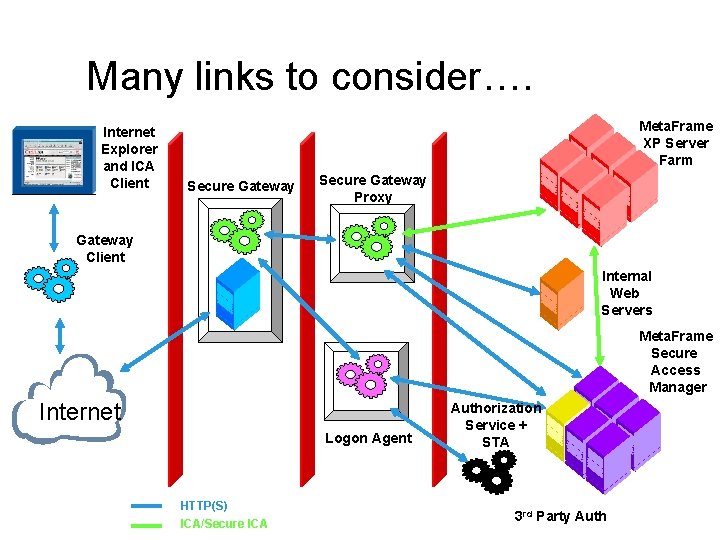
Many links to consider…. Internet Explorer and ICA Client Meta. Frame XP Server Farm Secure Gateway Proxy Gateway Client Internal Web Servers Meta. Frame Secure Access Manager Internet Logon Agent HTTP(S) ICA/Secure ICA Authorization Service + STA 3 rd Party Auth
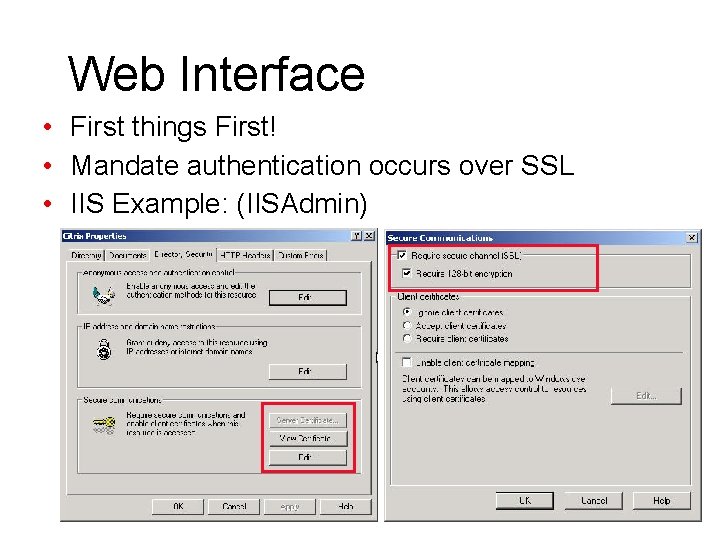
Web Interface • First things First! • Mandate authentication occurs over SSL • IIS Example: (IISAdmin)
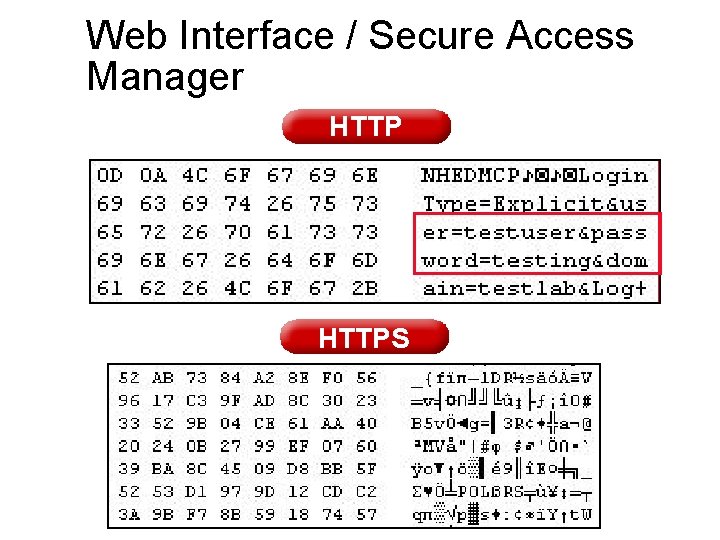
Web Interface / Secure Access Manager HTTPS
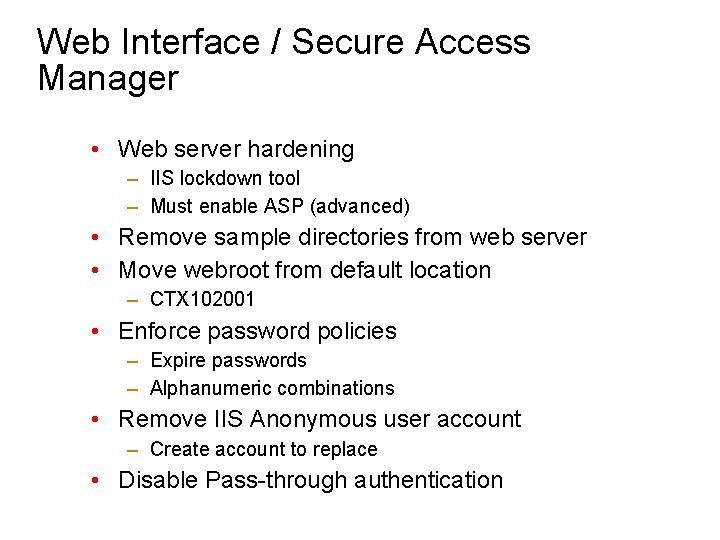
Web Interface / Secure Access Manager • Web server hardening – IIS lockdown tool – Must enable ASP (advanced) • Remove sample directories from web server • Move webroot from default location – CTX 102001 • Enforce password policies – Expire passwords – Alphanumeric combinations • Remove IIS Anonymous user account – Create account to replace • Disable Pass-through authentication
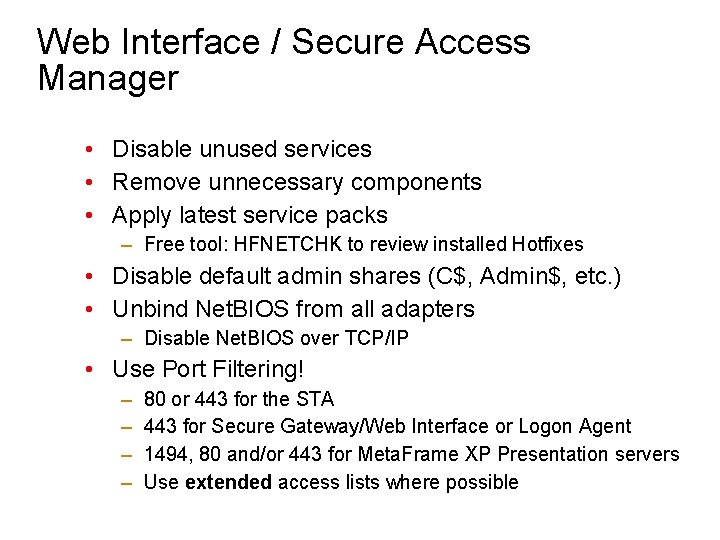
Web Interface / Secure Access Manager • Disable unused services • Remove unnecessary components • Apply latest service packs – Free tool: HFNETCHK to review installed Hotfixes • Disable default admin shares (C$, Admin$, etc. ) • Unbind Net. BIOS from all adapters – Disable Net. BIOS over TCP/IP • Use Port Filtering! – – 80 or 443 for the STA 443 for Secure Gateway/Web Interface or Logon Agent 1494, 80 and/or 443 for Meta. Frame XP Presentation servers Use extended access lists where possible
Secure Gateway

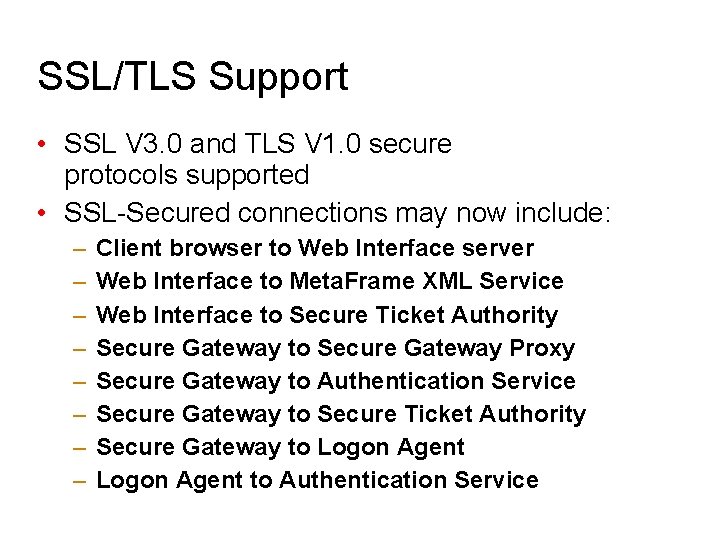
SSL/TLS Support • SSL V 3. 0 and TLS V 1. 0 secure protocols supported • SSL-Secured connections may now include: – – – – Client browser to Web Interface server Web Interface to Meta. Frame XML Service Web Interface to Secure Ticket Authority Secure Gateway to Secure Gateway Proxy Secure Gateway to Authentication Service Secure Gateway to Secure Ticket Authority Secure Gateway to Logon Agent to Authentication Service
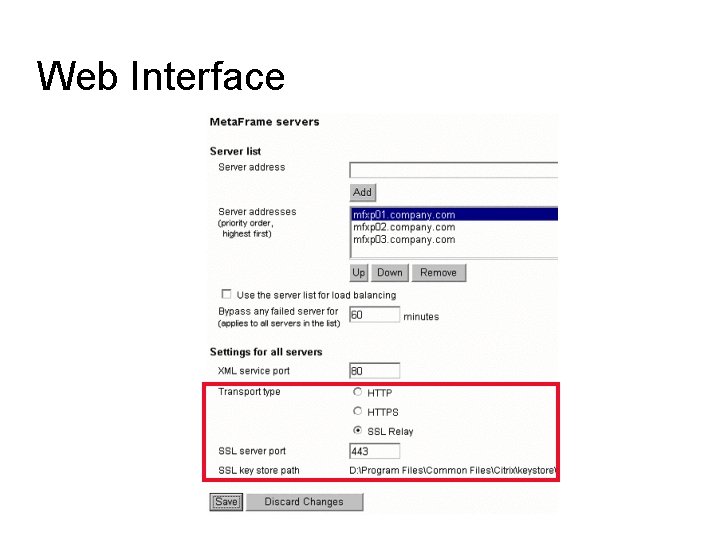
Web Interface
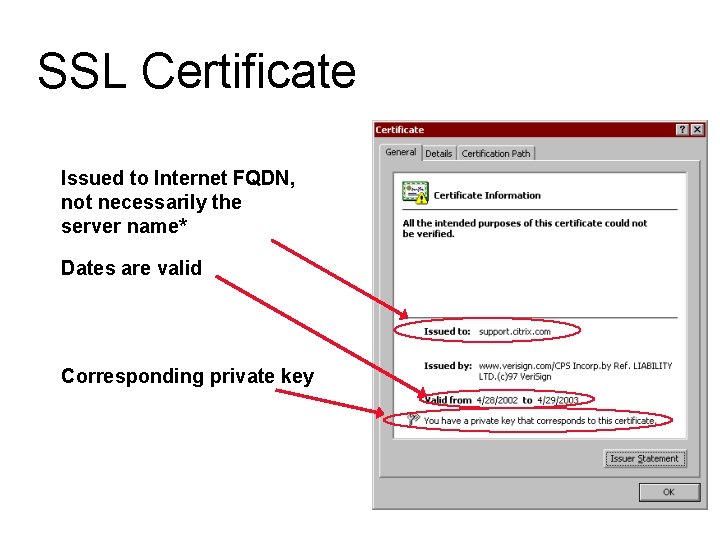
SSL Certificate Issued to Internet FQDN, not necessarily the server name* Dates are valid Corresponding private key
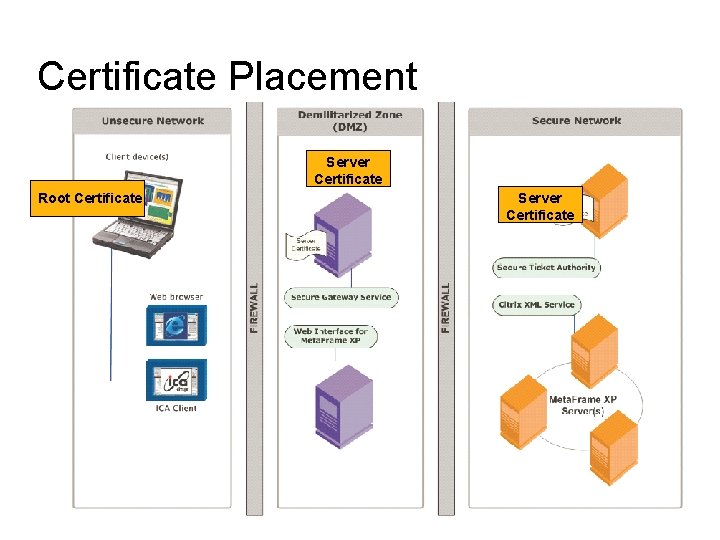
Certificate Placement Server Certificate Root Certificate Server Certificate
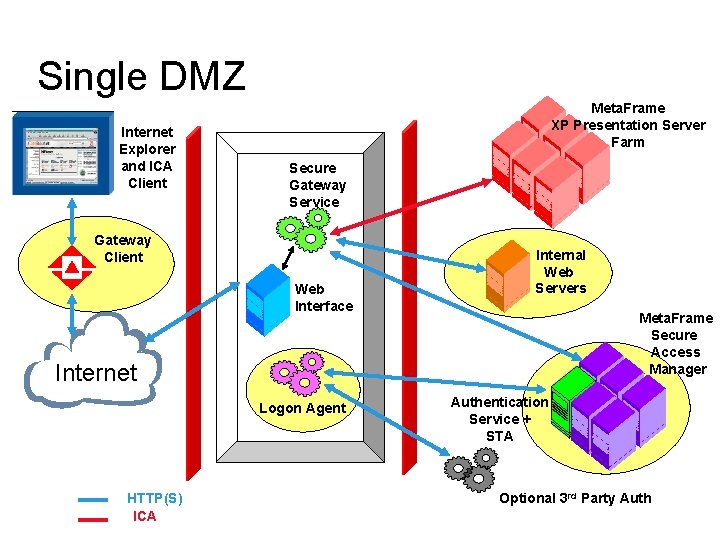
Single DMZ Internet Explorer and ICA Client Meta. Frame XP Presentation Server Farm Secure Gateway Service Gateway Client Web Interface Internal Web Servers Meta. Frame Secure Access Manager Internet Logon Agent HTTP(S) ICA Authentication Service + STA Optional 3 rd Party Auth
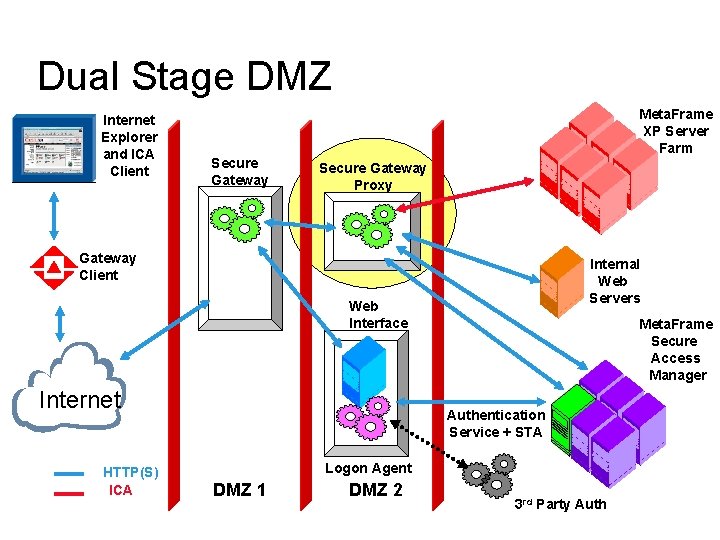
Dual Stage DMZ Internet Explorer and ICA Client Meta. Frame XP Server Farm Secure Gateway Proxy Gateway Client Internal Web Servers Web Interface Internet HTTP(S) ICA Meta. Frame Secure Access Manager Authentication Service + STA Logon Agent DMZ 1 DMZ 2 3 rd Party Auth
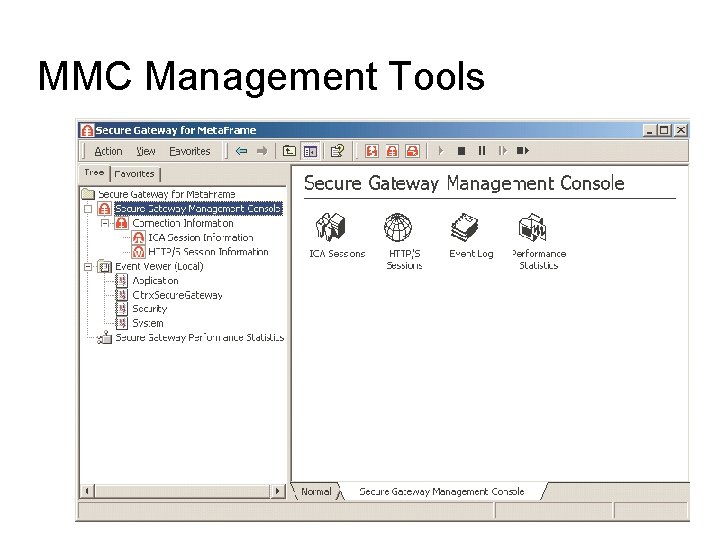
MMC Management Tools
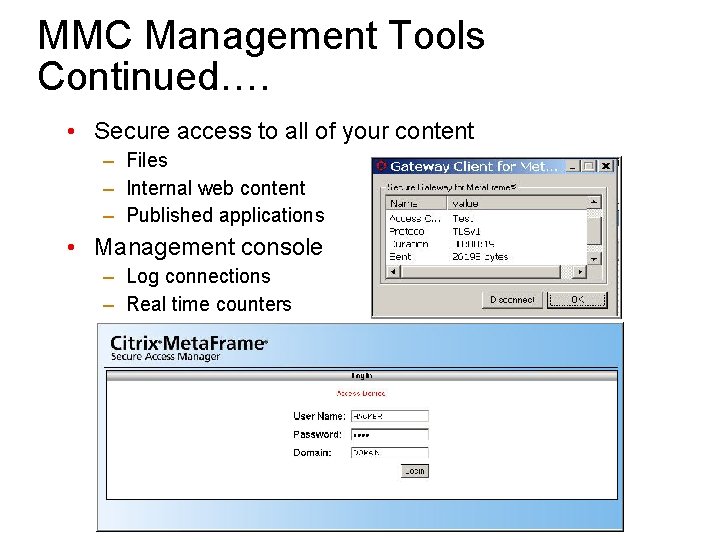
MMC Management Tools Continued…. • Secure access to all of your content – Files – Internal web content – Published applications • Management console – Log connections – Real time counters
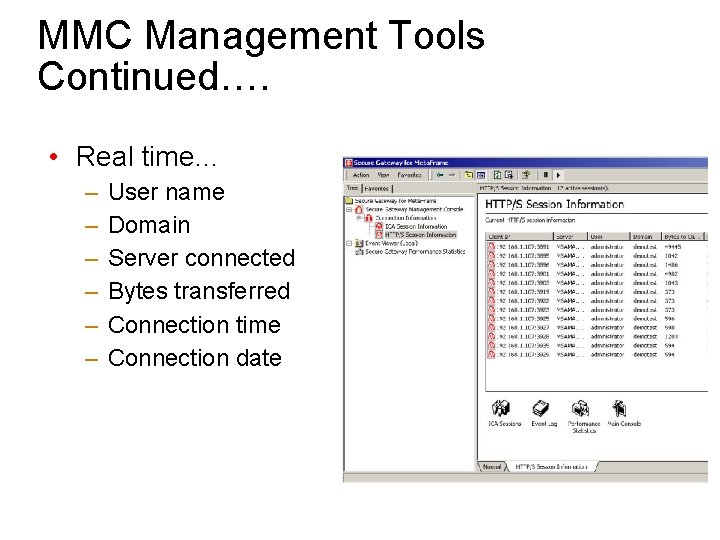
MMC Management Tools Continued…. • Real time… – – – User name Domain Server connected Bytes transferred Connection time Connection date
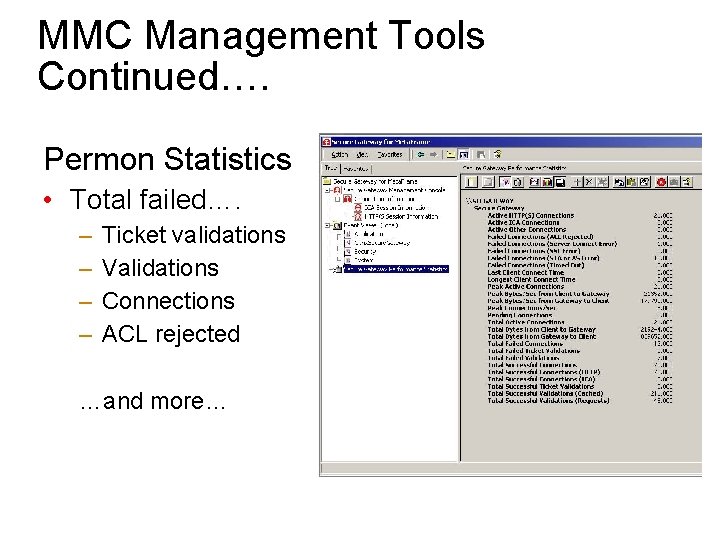
MMC Management Tools Continued…. Permon Statistics • Total failed…. – – Ticket validations Validations Connections ACL rejected …and more…
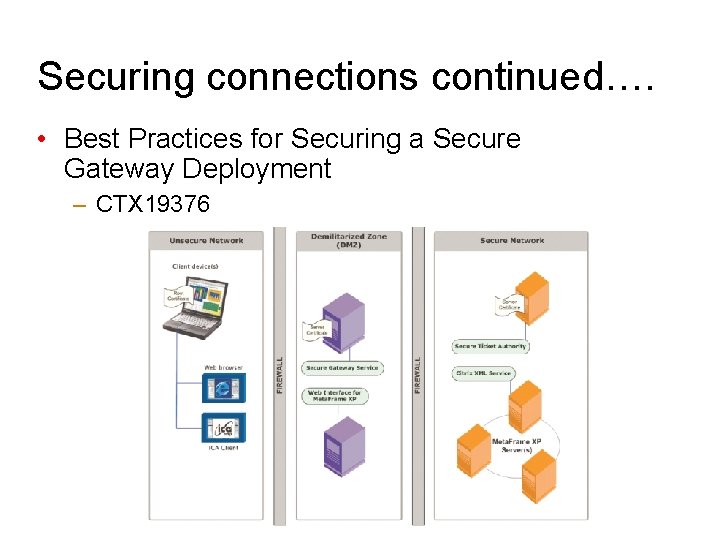
Securing connections continued…. • Best Practices for Securing a Secure Gateway Deployment – CTX 19376
- Slides: 23