
Classes and objects You can define many objects
Classes and objects • You can define many objects of the same class: myobjecty = My. Class() myobjecty. variable = "works!” • and print out both values: print myobjectx. variable print myobjecty. variable • To access a function inside of an object you use notation similar to accessing a variable: myobjectx. function()
Modules and packages • Modules in Python are simply Python files with the. py extension, which implement a set of functions. Modules are imported from other modules using the import command. # import the library Import sys, string # use it sys. stdout. write(“…”) • Two very important functions come in handy when exploring modules in Python - the dir and help functions. help(sys. stdout) dir (sys)
![Parsing a file import sys file = open(sys. argv[1], ‘r’) content = file. readlines()](http://slidetodoc.com/presentation_image_h/9465c4c97b01c754eccae8d34714a699/image-3.jpg "Parsing a file import sys file = open(sys. argv[1], ‘r’) content = file. readlines()")
Parsing a file import sys file = open(sys. argv[1], ‘r’) content = file. readlines() file. close() import sys module opens a file to read filename is the 1 st command line argument returns content as list closes a file list. A = [] list. B = [] for i in content: line = string. split(i) list. A. append(string. atof(line[0])) list. B. append(string. atof(line[1])) file = open(sys. argv[2], ‘w’) for i in list. A: file. write(i+”n”) file. close() opens a file to write Iterating through list
Writing modules and packages • To create a module of your own, simply create a new. py file with the module name, and then import it using the Python file name (without the. py extension) using the import command. • Packages are namespaces which contain multiple packages and modules themselves. They are simply directories, but with a twist. • Each package in Python is a directory which MUST contain a special file called __init__. py. This file can be empty, and it indicates that the directory it contains is a Python package, so it can be imported the same way a module can be imported. • If we create a directory called foo, which marks the package name, we can then create a module inside that package called bar. We also must not forget to add the __init__. py file inside the foo directory.
Writing modules and packages • To use the module bar, we can import it in two ways: import foo. bar from foo import bar • The __init__. py file can also decide which modules the package exports as the API, while keeping other modules internal, by overriding the __all__ variable, like so: __init__. py: __all__ = ["bar"]
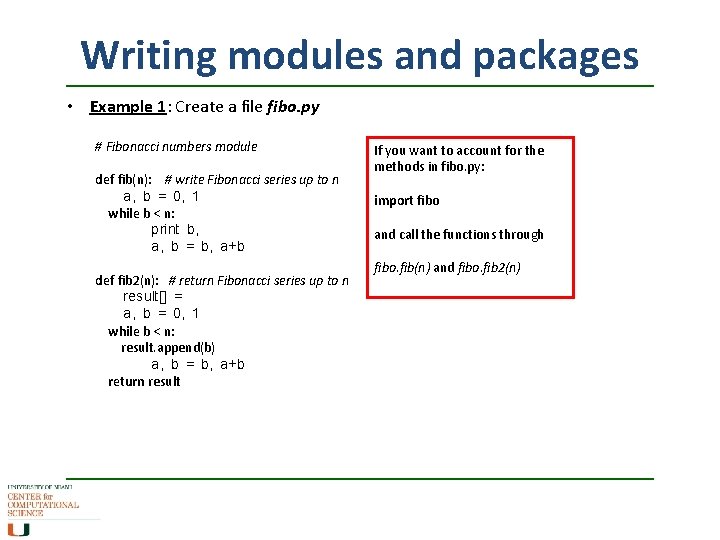
Writing modules and packages • Example 1: Create a file fibo. py # Fibonacci numbers module def fib(n): # write Fibonacci series up to n a, b = 0, 1 while b < n: print b, a, b = b, a+b def fib 2(n): # return Fibonacci series up to n result[] = a, b = 0, 1 while b < n: result. append(b) a, b = b, a+b return result If you want to account for the methods in fibo. py: import fibo and call the functions through fibo. fib(n) and fibo. fib 2(n)
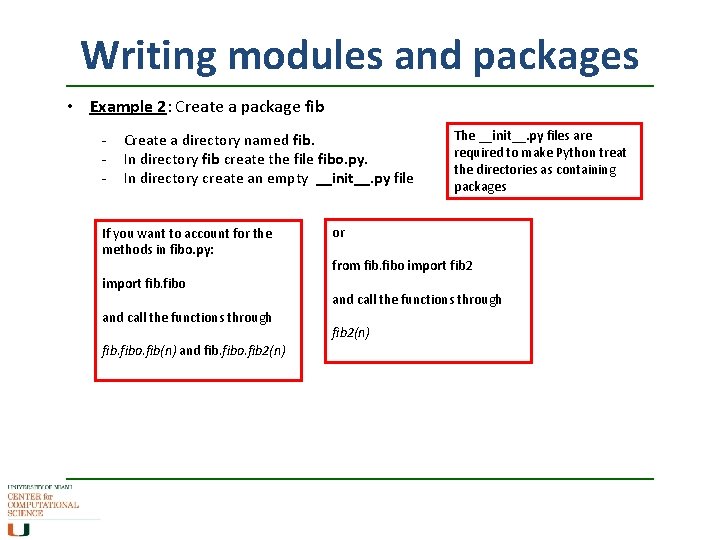
Writing modules and packages • Example 2: Create a package fib - Create a directory named fib. In directory fib create the file fibo. py. In directory create an empty __init__. py file If you want to account for the methods in fibo. py: import fibo and call the functions through fibo. fib(n) and fibo. fib 2(n) The __init__. py files are required to make Python treat the directories as containing packages or from fibo import fib 2 and call the functions through fib 2(n)
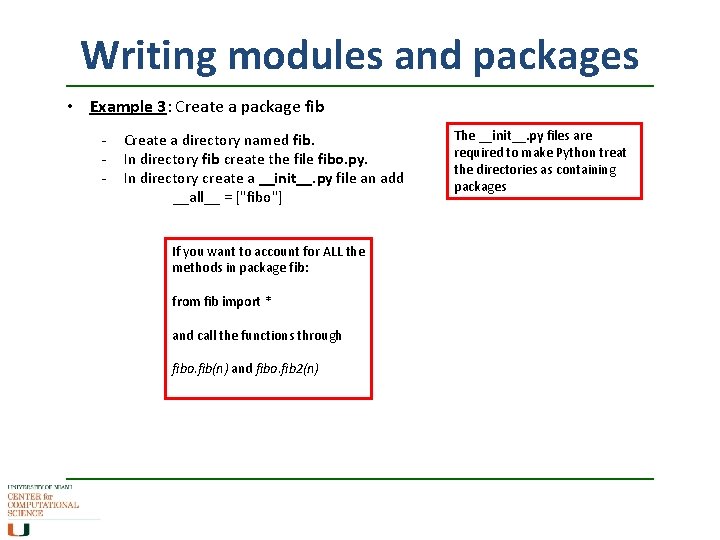
Writing modules and packages • Example 3: Create a package fib - Create a directory named fib. In directory fib create the file fibo. py. In directory create a __init__. py file an add __all__ = ["fibo"] If you want to account for ALL the methods in package fib: from fib import * and call the functions through fibo. fib(n) and fibo. fib 2(n) The __init__. py files are required to make Python treat the directories as containing packages
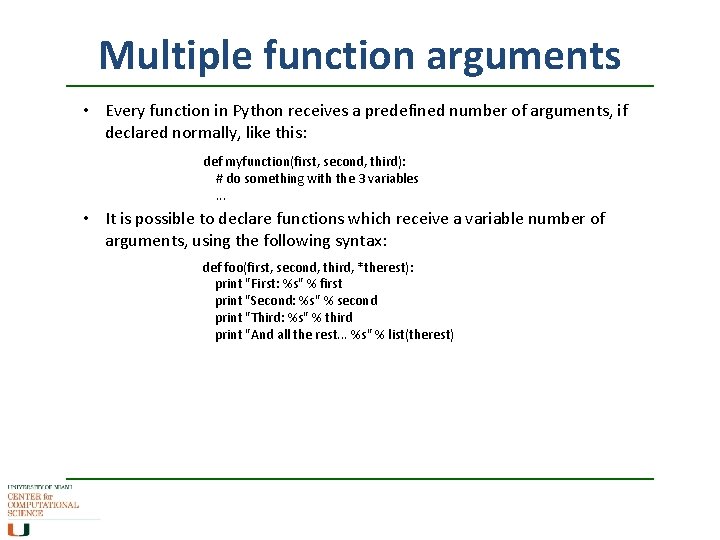
Multiple function arguments • Every function in Python receives a predefined number of arguments, if declared normally, like this: def myfunction(first, second, third): # do something with the 3 variables. . . • It is possible to declare functions which receive a variable number of arguments, using the following syntax: def foo(first, second, third, *therest): print "First: %s" % first print "Second: %s" % second print "Third: %s" % third print "And all the rest. . . %s" % list(therest)
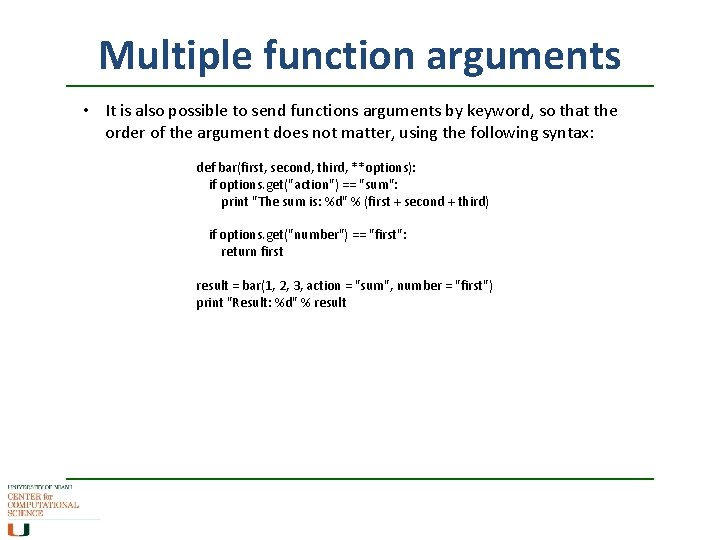
Multiple function arguments • It is also possible to send functions arguments by keyword, so that the order of the argument does not matter, using the following syntax: def bar(first, second, third, **options): if options. get("action") == "sum": print "The sum is: %d" % (first + second + third) if options. get("number") == "first": return first result = bar(1, 2, 3, action = "sum", number = "first") print "Result: %d" % result
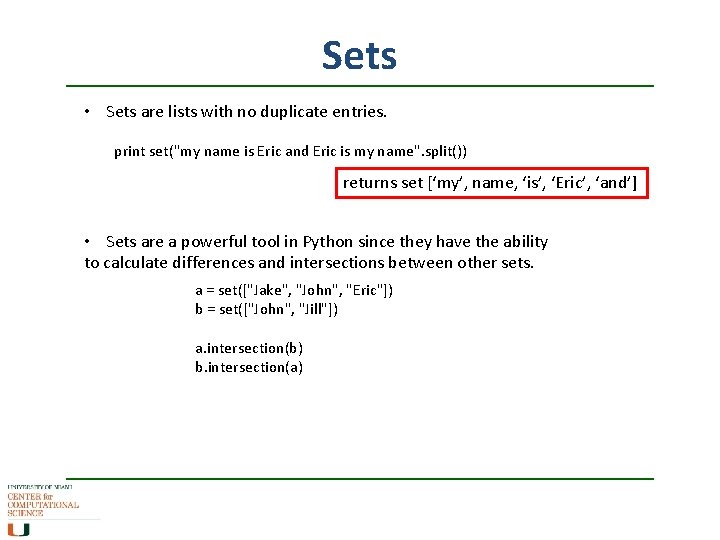
Sets • Sets are lists with no duplicate entries. print set("my name is Eric and Eric is my name". split()) returns set [‘my’, name, ‘is’, ‘Eric’, ‘and’] • Sets are a powerful tool in Python since they have the ability to calculate differences and intersections between other sets. a = set(["Jake", "John", "Eric"]) b = set(["John", "Jill"]) a. intersection(b) b. intersection(a)
![Sets contd. a = set(["Jake", "John", "Eric"]) b = set(["John", "Jill"]) print a. symmetric_difference(b)](http://slidetodoc.com/presentation_image_h/9465c4c97b01c754eccae8d34714a699/image-12.jpg "Sets contd. a = set([\"Jake\", \"John\", \"Eric\"]) b = set([\"John\", \"Jill\"]) print a. symmetric_difference(b)")
Sets contd. a = set(["Jake", "John", "Eric"]) b = set(["John", "Jill"]) print a. symmetric_difference(b) print b. symmetric_difference(a) print a. difference(b) print b. difference(a) print a. union(b)
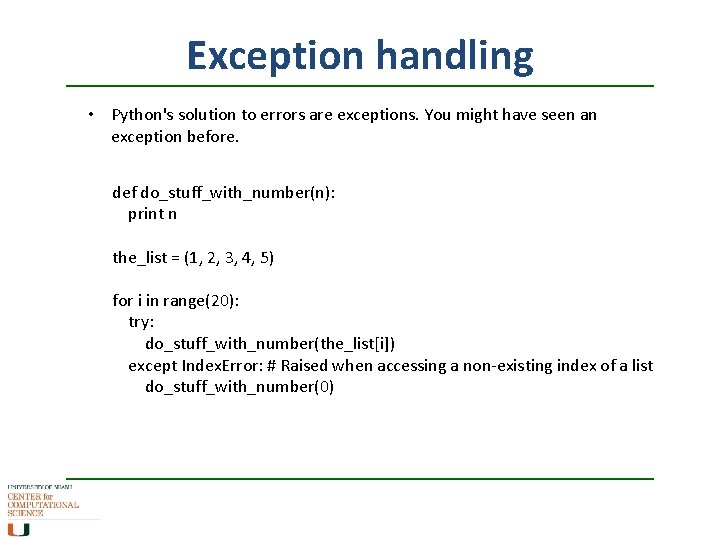
Exception handling • Python's solution to errors are exceptions. You might have seen an exception before. def do_stuff_with_number(n): print n the_list = (1, 2, 3, 4, 5) for i in range(20): try: do_stuff_with_number(the_list[i]) except Index. Error: # Raised when accessing a non-existing index of a list do_stuff_with_number(0)
more information www. python. org
- Slides: 14