
Classes A class is a blueprint of an
Classes Ø A class is a blueprint of an object Ø It is the model or pattern from which objects are created Ø For example, the Dog class is used to define lassie an object. Ø Each Dog object contains specific characteristics – age, color, height, weight (its fields). Ø Each Dog object can perform actions (methods) such as bark, jump, etc. 1
Objects Ø An object has: • fields - descriptive characteristics • methods - what it can do (or what can be done to it) Ø For example, consider a coin that can be flipped so that its face shows either "heads" or "tails" Ø The field of the coin is its current face (heads or tails) Ø A method of the coin is that it can be flipped Ø Note that the method of the coin might change its field 2

Classes Ø The String class was provided for us by the Java standard class library Ø But we can also write our own classes that define specific objects that we need Ø For example, suppose we want to write a program that simulates the flipping of a coin Ø We can write a Coin class to represent a coin object

Classes Ø A class contains data declarations and method declarations int x, y; char ch; Data declarations Method declarations
The Coin Class Ø In our Coin class we could define the following data: • face, an integer that represents the current face • HEADS and TAILS, integer constants that represent the two possible states Ø We might also define the following methods: • a Coin constructor, to initialize the object • a flip method, to flip the coin • a is. Heads method, to determine if the current face is heads • a to. String method, to return a string description for printing (like “The coin is showing HEADS”)
Data Scope Ø The scope of data is the area in a program in which that data can be used (referenced) Ø Data declared at the class level can be used by all methods in that class (global data) Ø Data declared within a method can be used only in that method Ø Data declared within a method is called local data
Encapsulation Ø Any changes to the object's state (its variables) should be made only by that object's methods Ø We should make it impossible, to access an object’s variables other than via its methods Ø The user, or client, of an object can request its services, but it should not have to be aware of how those services are accomplished 7
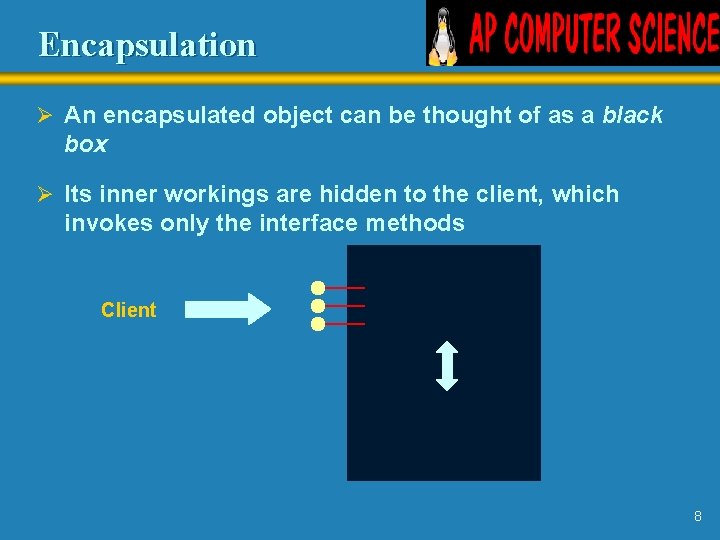
Encapsulation Ø An encapsulated object can be thought of as a black box Ø Its inner workings are hidden to the client, which invokes only the interface methods Client Methods Data 8
Visibility Modifiers Ø In Java, we accomplish encapsulation through the appropriate use of visibility modifiers Ø A modifier is a Java reserved word that specifies particular characteristics of a method or data value Ø We've seen the modifier final to define a constant Ø We will study two visibility modifiers: public and private 9
Visibility Modifiers Ø Members of a class that are declared with public visibility can be accessed from anywhere Ø Public variables violate encapsulation – so we will not make a global variable public Ø Members of a class that are declared with private visibility can only be accessed from inside the class Ø Members declared without a visibility modifier have default visibility and can be accessed by any class in the same package 10
Visibility Modifiers Ø Methods that provide the object's services are usually declared with public visibility so that they can be invoked by clients Ø Public methods are also called service methods Ø A method created simply to assist a service method is called a support method Ø Since a support method is not intended to be called by a client, it should not be declared with public visibility 11
Visibility Modifiers public Variables Methods private Violate encapsulation Enforce encapsulation Provide services to clients Support other methods in the class
- Slides: 12