
CIT 485 Advanced Cybersecurity Web Application Security Topics
CIT 485: Advanced Cybersecurity Web Application Security
Topics 1. 2. 3. 4. 5. 6. 7. 8. 9. 10. Client-side Technologies Web Application Architectures Client-side Security Encoding Authentication Session Management Access Control Secure Development Lifecycle Secure Deployment of Web Applications Attack Trends
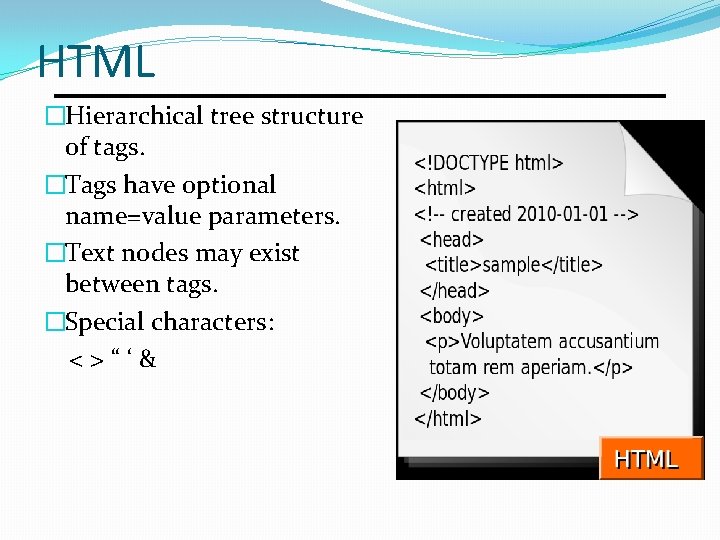
HTML �Hierarchical tree structure of tags. �Tags have optional name=value parameters. �Text nodes may exist between tags. �Special characters: <>“‘&
HTML vs XHTML �Generously interprets tags, with many variants between browsers. �Interprets string between certain tags as non-HTML text: <style>, <script>, <textarea>, <xmp>. XHTML �Strict: tags are case sensitive; all tags must be closed and properly nested; attributes must be quoted; etc. �Supports raw text inside any tag via <![CDATA[ … ]]> �Can incorporate sections using other XML-based markup languages like Math. ML.
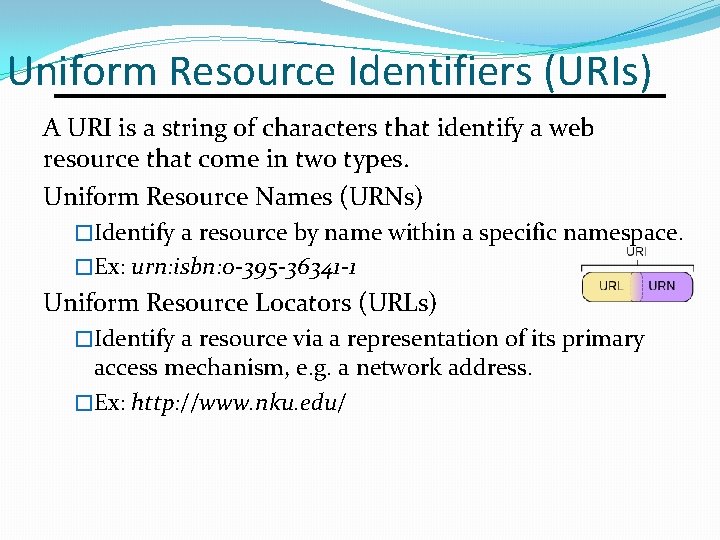
Uniform Resource Identifiers (URIs) A URI is a string of characters that identify a web resource that come in two types. Uniform Resource Names (URNs) �Identify a resource by name within a specific namespace. �Ex: urn: isbn: 0 -395 -36341 -1 Uniform Resource Locators (URLs) �Identify a resource via a representation of its primary access mechanism, e. g. a network address. �Ex: http: //www. nku. edu/
URL Format <proto>: //<user: pw>@<host>: <port>/<path>? <qstr>#<frag> �Proto is the network protocol, e. g. http, ftp, mailto, etc. �User and pw are optional authentication credentials. �Host is the DNS name or IP address of the server. �Port is the TCP port number; defaults to 80 for http. �Path is the name of the resource on the server, which may or may not represent a filesystem path. �Qstr is a query string typically used by GET requests to send parameters to an application. �Frag is a fragment identifier used by the client to identify a location within a web page. It is not sent to the server. Some client apps use fragments for navigation, so their contents may be security sensitive.
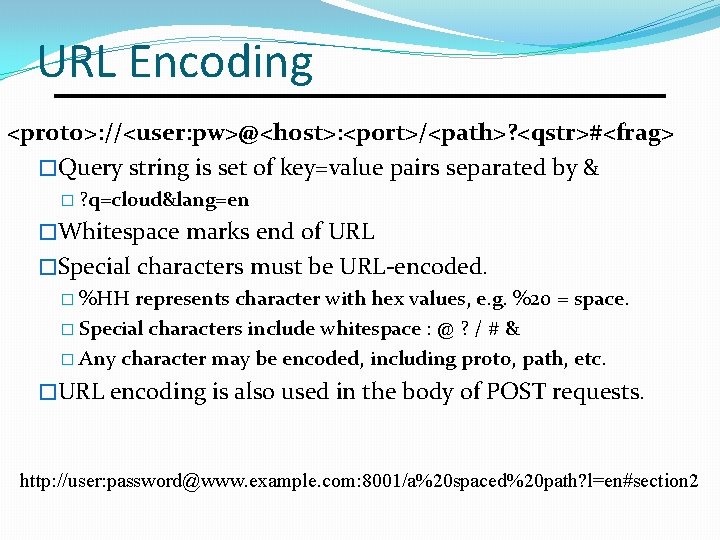
URL Encoding <proto>: //<user: pw>@<host>: <port>/<path>? <qstr>#<frag> �Query string is set of key=value pairs separated by & � ? q=cloud&lang=en �Whitespace marks end of URL �Special characters must be URL-encoded. � %HH represents character with hex values, e. g. %20 = space. � Special characters include whitespace : @ ? / # & � Any character may be encoded, including proto, path, etc. �URL encoding is also used in the body of POST requests. http: //user: password@www. example. com: 8001/a%20 spaced%20 path? l=en#section 2
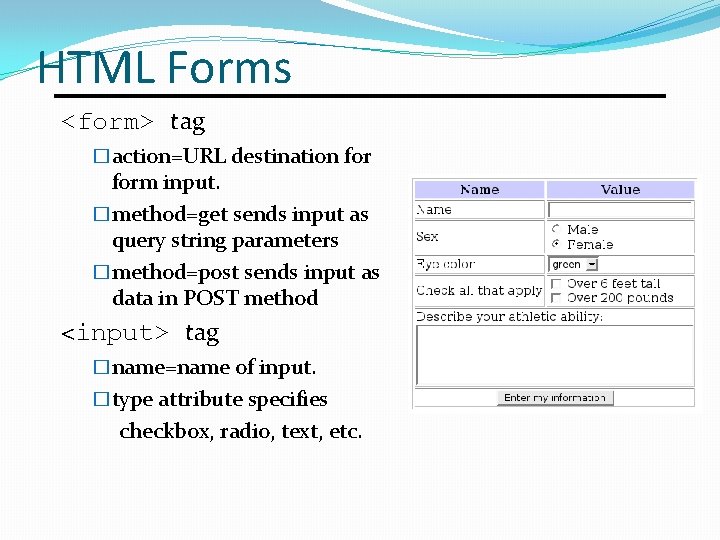
HTML Forms <form> tag �action=URL destination form input. �method=get sends input as query string parameters �method=post sends input as data in POST method <input> tag �name=name of input. �type attribute specifies checkbox, radio, text, etc.
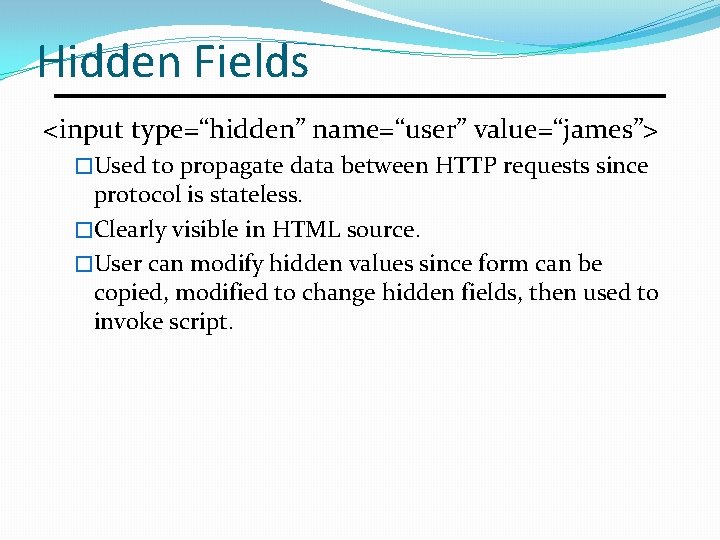
Hidden Fields <input type=“hidden” name=“user” value=“james”> �Used to propagate data between HTTP requests since protocol is stateless. �Clearly visible in HTML source. �User can modify hidden values since form can be copied, modified to change hidden fields, then used to invoke script.
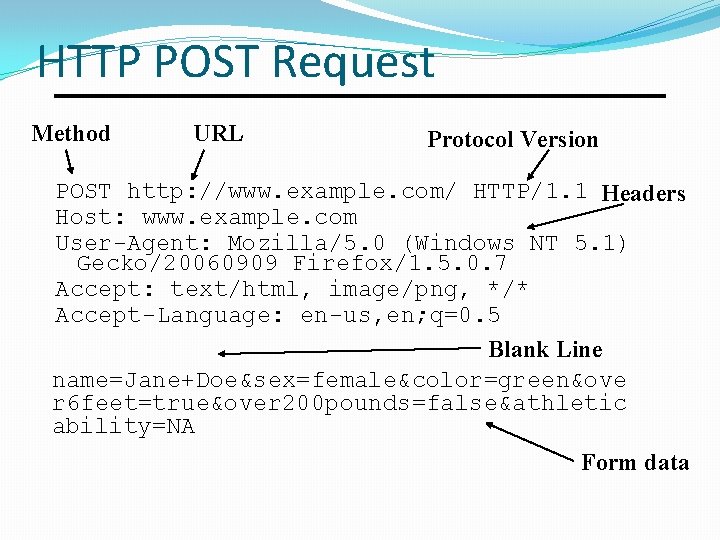
HTTP POST Request Method URL Protocol Version POST http: //www. example. com/ HTTP/1. 1 Headers Host: www. example. com User-Agent: Mozilla/5. 0 (Windows NT 5. 1) Gecko/20060909 Firefox/1. 5. 0. 7 Accept: text/html, image/png, */* Accept-Language: en-us, en; q=0. 5 Blank Line name=Jane+Doe&sex=female&color=green&ove r 6 feet=true&over 200 pounds=false&athletic ability=NA Form data
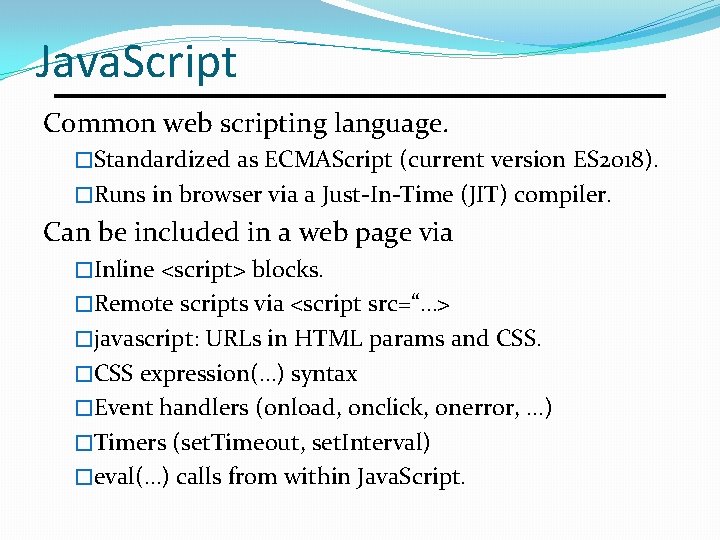
Java. Script Common web scripting language. �Standardized as ECMAScript (current version ES 2018). �Runs in browser via a Just-In-Time (JIT) compiler. Can be included in a web page via �Inline <script> blocks. �Remote scripts via <script src=“…> �javascript: URLs in HTML params and CSS. �CSS expression(…) syntax �Event handlers (onload, onclick, onerror, …) �Timers (set. Timeout, set. Interval) �eval(…) calls from within Java. Script.
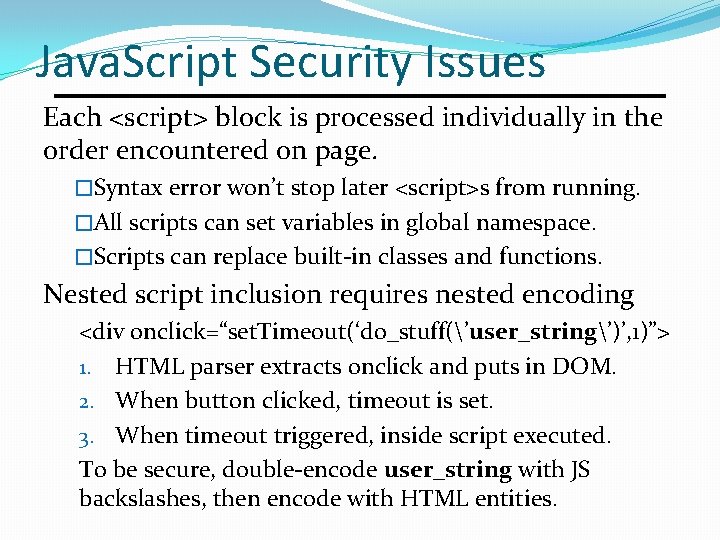
Java. Script Security Issues Each <script> block is processed individually in the order encountered on page. �Syntax error won’t stop later <script>s from running. �All scripts can set variables in global namespace. �Scripts can replace built-in classes and functions. Nested script inclusion requires nested encoding <div onclick=“set. Timeout(‘do_stuff(’user_string’)’, 1)”> 1. HTML parser extracts onclick and puts in DOM. 2. When button clicked, timeout is set. 3. When timeout triggered, inside script executed. To be secure, double-encode user_string with JS backslashes, then encode with HTML entities.
JSON = Java. Script Object Notation �Lightweight data interchange format. �Based on a subset of Java. Script, but is �Language independent; libraries for any language. �Standards: RFC 4627 and ECMA-404. JSON parsing �Use JSON. parse(…) �Do not use eval(…) as it will execute any Java. Script code, not just parse JSON. CSC 482/582: Computer Security Slide #13
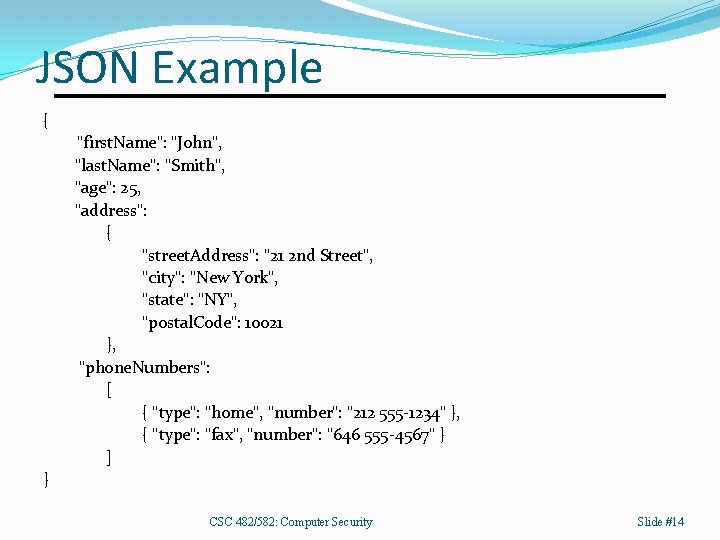
JSON Example { "first. Name": "John", "last. Name": "Smith", "age": 25, "address": { "street. Address": "21 2 nd Street", "city": "New York", "state": "NY", "postal. Code": 10021 }, "phone. Numbers": [ { "type": "home", "number": "212 555 -1234" }, { "type": "fax", "number": "646 555 -4567" } ] } CSC 482/582: Computer Security Slide #14
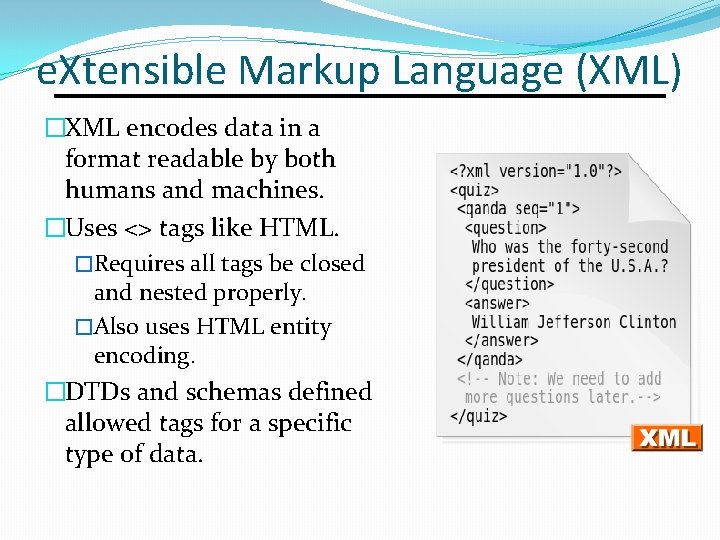
e. Xtensible Markup Language (XML) �XML encodes data in a format readable by both humans and machines. �Uses <> tags like HTML. �Requires all tags be closed and nested properly. �Also uses HTML entity encoding. �DTDs and schemas defined allowed tags for a specific type of data.
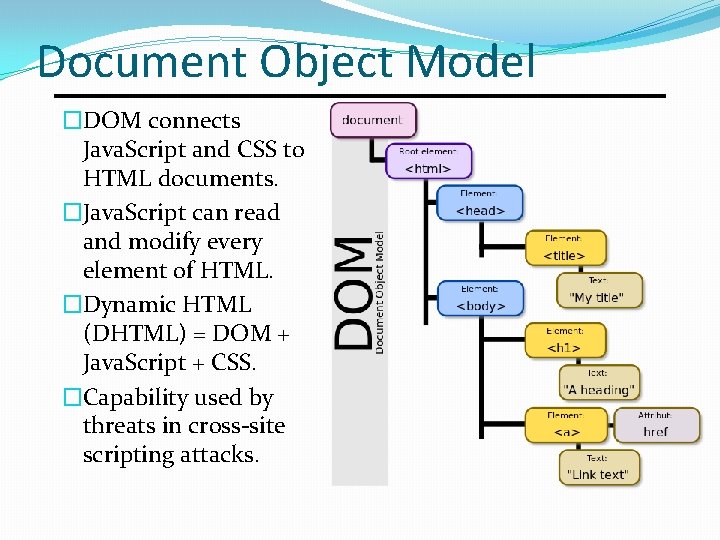
Document Object Model �DOM connects Java. Script and CSS to HTML documents. �Java. Script can read and modify every element of HTML. �Dynamic HTML (DHTML) = DOM + Java. Script + CSS. �Capability used by threats in cross-site scripting attacks.
XMLHttp. Request (XHR) API Java. Script API to request data from server. �Without loading a new web page in browser. �Can be done asynchronously so web application UI responsive during loads. �Resources typically XML or JSON data. Allows highly interactive web applications �AJAX = Asynchronous Java. Script and XML �Examples: Google Maps, Gmail, etc. �Can only request resources from server that Java. Script came from (Same Origin Policy. )
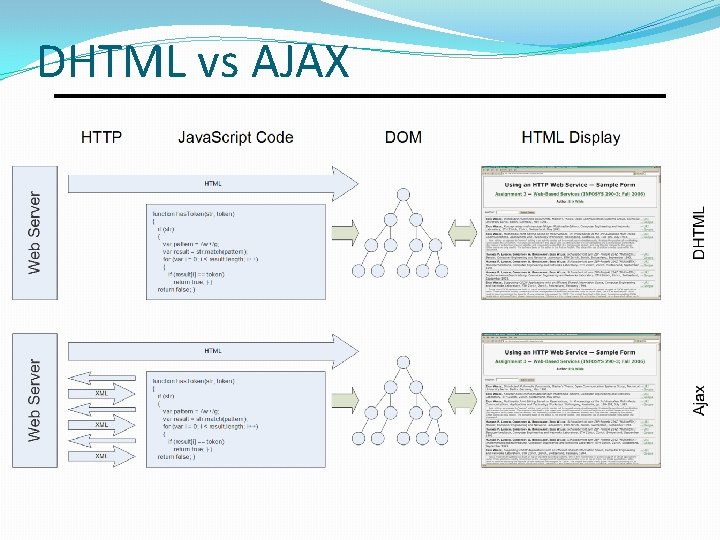
DHTML vs AJAX
Client-Side Security Everything submitted by client under user’s control. �The user can view HTML and see hidden form fields. �The user can save a page to an HTML file and edit it before submitting a form. �User can dynamically modify pages via browser debuggers. User can put a proxy in between browser and client to �Modify submitted form data after client-side Java. Script running in browser validated the data as secure. �Modify HTTP headers, including cookies and Referer.
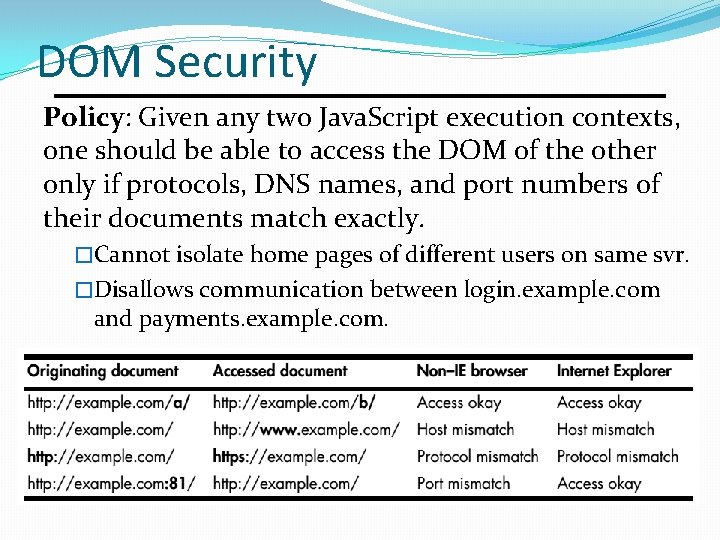
DOM Security Policy: Given any two Java. Script execution contexts, one should be able to access the DOM of the other only if protocols, DNS names, and port numbers of their documents match exactly. �Cannot isolate home pages of different users on same svr. �Disallows communication between login. example. com and payments. example. com.
Cookies Maintain state via HTTP headers �State specified is set of name=value pairs. �Set-Cookie header sent from server. �Cookie header sent from browser. �No RFC specification used til RFC 6265 in 2011. Examples �Set-Cookie: foo=bar; path=/; expires Fri, 20 -Feb-2015 23: 59: 00 GMT �Cookie: foo=bar Encoding �Encode cookies with base 64 to avoid metacharacter interpretation (colons, commas, slashes, quotes, etc. )
Cookie Fields Expires: if specified, cookie may be saved to disk and persist across sessions. If not, then cookie persists for duration of browser session. Max-age: similar to Expires, but not supported by IE. Domain: scoping mechanism to allow cookie to be scoped to domain broader than host that sent Set-Cookie header. Path: scopes cookie to a specified path prefix. Secure: prevents cookie from being sent over non-encrypted connections. Http. Only: removes ability to read cookie via document. cookie API in Java. Script to protect against XSS.
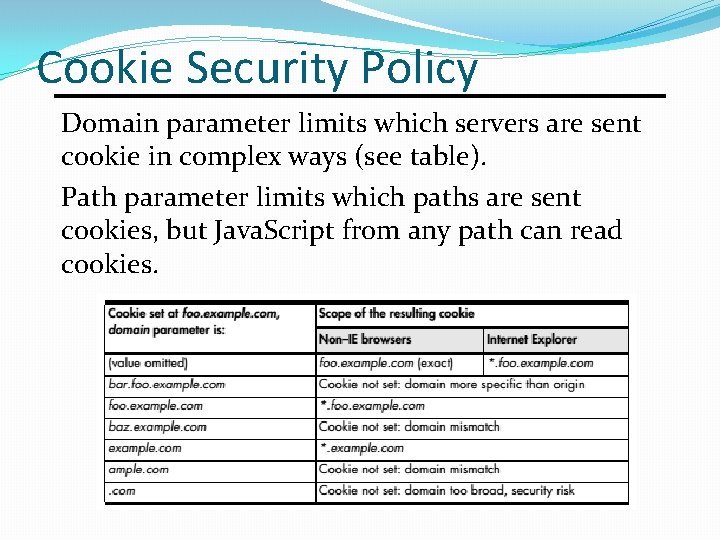
Cookie Security Policy Domain parameter limits which servers are sent cookie in complex ways (see table). Path parameter limits which paths are sent cookies, but Java. Script from any path can read cookies.
Browser Storage �Why aren’t cookies enough? �Performance hit: included with every HTTP request. �Limited to about 4 KB in size. �Flash storage �Local Stored Objects (LSOs) 100 KB per domain. �Client can request more storage with user approval. �Web Storage (aka DOM Storage) �Standard supported by all browsers. �Key/value storage in string format. � 5 MB of storage per origin. �Web. SQL exists but is not supported by IE or FF.
Encoding 1. 2. 3. 4. 5. 6. Unicode Encoding URL Encoding Double Encoding HTML Entity Encoding Base 64 Encoding Hex Encoding
Universal Character Set (UCS) Can represent all chars for all languages. �Represents characters as code points. �Planes are groups of 65, 536 numerical values that represent code points. � 1, 112, 064 code points from 17 planes are accessible with current encodings. Basic Multilingual Plane (BMP) �The first 65, 536 UCS characters. �UCS-2 was an early 16 -bit encoding to represent only characters from the BMP. Supplementary Ideographic Plane �Contains many CJK ideographs.
Homograph Attacks Spoofing attack that relies on fact that different characters are identical visually. �In ASCII, O and 0, 1 and l are identical in some fonts. �See http: //www. unicode. org/Public/security/revision- 05/confusables. txt for a list. Example: Cyrillic has 11 homographs with Latin �U+0430 is ‘a’ in Cyrillic alphabet �U+0061 is ‘a’ in Latin alphabet �Allows attacker to spoof paypal. com. International Domain Names enabled in 2003. �IDNs stored in DNS using Punycode ASCII.
Unicode Encodings UTF-8 �Variable length 8 -, 16 -, 24 -, or 32 -bit encoding �Can represent any char on the 17 plans. �Backwards compatible: first 128 chars are ASCII. �Over half of web pages use UTF-8 encoding. UTF-16 �Variable length 16 -bit or 32 -bit encoding �Can represent any char on the 17 planes. �Used in Windows API since W 2 k. �Java added UTF-16 support in Java 5. �Special syntax for non-BMP in most languages.
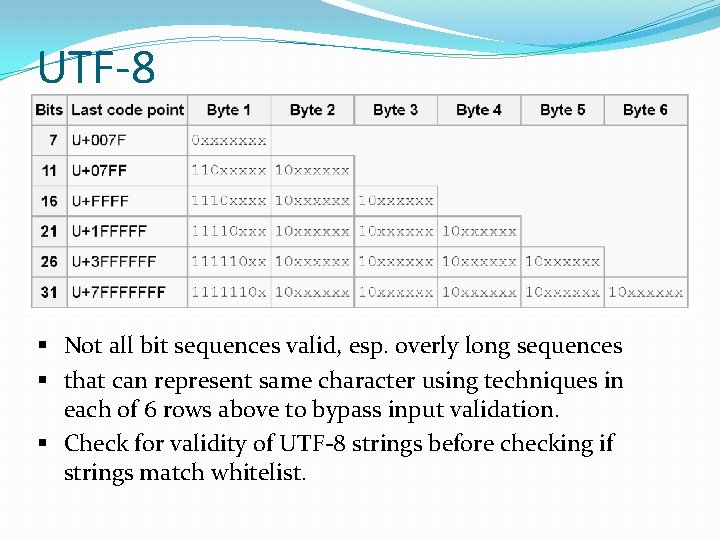
UTF-8 �Problems § Not all bit sequences valid, esp. overly long sequences § that can represent same character using techniques in each of 6 rows above to bypass input validation. § Check for validity of UTF-8 strings before checking if strings match whitelist.
URL Encoding URL encoding is the encoding of characters as �A % followed by 2 hexadecimal digits �Encoding is ASCII value of character. �Non-ASCII characters typically represented by %- encoding each byte in the UTF-8 representation. Any character in URL can be %-encoded. �Meaningful characters like whitespace or / that appear in the path or query string must be %-encoded. �Non-printing ASCII characters must be %-encoded. Form submissions are URL encoded. �Use MIME type application/x-www-form-urlencoded.
Double Encoding Double encoding attempts to bypass input filters that Decode URL-encoded strings. 2. Check decoded strings for dangerous inputs, then 3. Pass decoded strings to another system that has the capacity to interpret URL-encoded strings. 1. Example: path traversal string “. . /” �URL-encoding is %2 E%2 E%2 F. �We can encode the % as %25 to double encode. �Double-encoding is %252 E%252 F. �Decoding once produces original URL-encoded string, which will not match a string search for “. . ” or “/”.
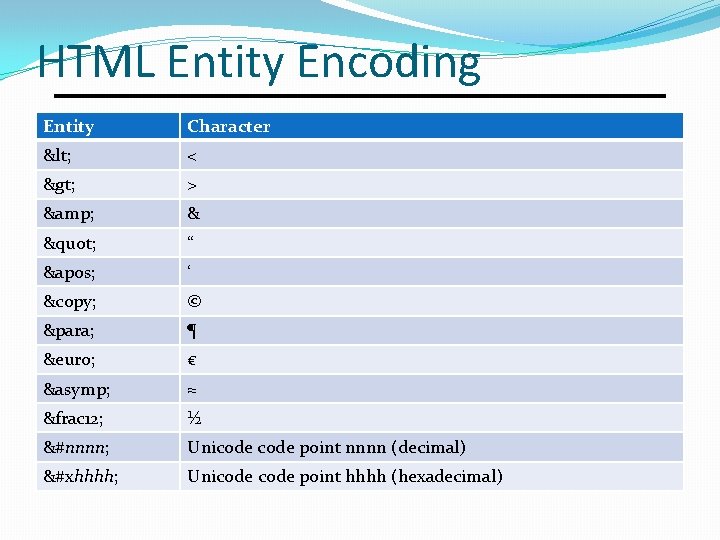
HTML Entity Encoding Entity Character < < > > & & " “ ' ‘ © © ¶ ¶ € € ≈ ≈ &frac 12; ½ &#nnnn; Unicode point nnnn (decimal) &#xhhhh; Unicode point hhhh (hexadecimal)
Base-64 Encoding Binary to text encoding �Each base 64 digit represents 6 bits of data. � 3 bytes of input will be encoded as 4 base 64 digits. �Standard alphabet is [A-Za-z 0 -9+/], but variants exist. Padding �Appears at end of base 64 string when input length was not a multiple of 3. �Ending with xyz= means last 4 base 64 digits represent 2 bytes, not 3 bytes. �Ending with xy== means last 4 digits represent 1 byte.
![Hex Encoding Encode each byte as 2 hex digits [0 -9 A-F] � 8](http://slidetodoc.com/presentation_image/3513479167be0abcc46a0cf063e07270/image-34.jpg "Hex Encoding Encode each byte as 2 hex digits [0 -9 A-F] � 8")
Hex Encoding Encode each byte as 2 hex digits [0 -9 A-F] � 8 -bit byte ranges from 0 to 255. �Hex digits equivalent range from 00 to FF. �May use lowercase [0 -9 a-f] or uppercase [0 -9 A-F]. �Identical to URL encoding without the %. Easy to decode, but inefficient use of space. �Hex encoding encodes 4 bits per character output. �Base 64 -encoding uses 6 bits per character output. �Hex encoding ASCII text doubles size. Used by many web applications.
Web Authentication Types �HTTP basic and digest authentication �HTML forms-based authentication �Client TLS certificate authentication �Windows-integrated authentication (NTLM/Kerberos) �Multi-factor Authentication
Web Authentication Security �Encrypt with TLS to prevent password sniffing �HTTP Basic and Form-based authentication transmit passwords, so these actions must be encrypted. �Encrypt form as well as form action to prevent MITM. �Use strong credentials �Require unique usernames and long passwords. �Mitigate online password guessing �Add delay after failed login to slow guessing attacks. �Secure password change functionality �Do not send passwords over e-mail. �Send one-time reset link to stored email address.
Session Management �Web applications must manage sessions �HTTP is stateless, each request/response independent. �Sessions are application responsibility. �Authentication creates a session �Initial HTTP request/response authenticates user. �Future requests use session to maintain authentication. �If session compromised, attacker can become user. �Even non-authentication sites often use sessions �Need session to maintain any state, such as which page of search results to display or contents of a shopping cart. �Sessions often based on cookies, but also can use URLs.
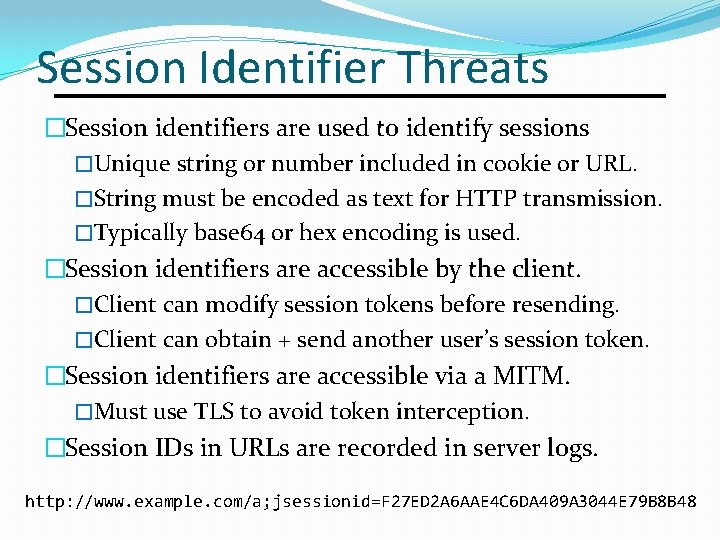
Session Identifier Threats �Session identifiers are used to identify sessions �Unique string or number included in cookie or URL. �String must be encoded as text for HTTP transmission. �Typically base 64 or hex encoding is used. �Session identifiers are accessible by the client. �Client can modify session tokens before resending. �Client can obtain + send another user’s session token. �Session identifiers are accessible via a MITM. �Must use TLS to avoid token interception. �Session IDs in URLs are recorded in server logs. http: //www. example. com/a; jsessionid=F 27 ED 2 A 6 AAE 4 C 6 DA 409 A 3044 E 79 B 8 B 48
Session Identifier Security �Session identifiers should be dynamic �The same token should not be issued to a user each time the user logs in. �Session identifiers should not be meaningful �Should not contain username, UID, access rights, etc. �Session identifiers should not be predictable �Should not be based on a sequence, timestamp, etc. �Session identifiers should have a short lifetime �Reduce window of vulnerability to attack. �Should expire immediately when user logs out.
Web Access Control Vertical: different types of users access different parts of web application. �Administrative and ordinary users. Horizontal: users access a certain subset of a range of resources of same type. �Webmail users can only access their own e-mail. �Electronic bank users can only access own account. Context-Dependent: ensure access restricted to what is permitted during application state. �Ensure user goes through all steps of a purchase in correct order, not skipping payment or other steps.
Access Control Vulnerabilities No access control. �Application assumes user cannot guess URLs with access to privileged functionality. �https: //wapp. com/admin. php �https: //wapp. com/View. Document. php? docid=128 Parameter-based access control �https: //wapp. com/home. php? admin=true Insecure multi-stage processes �Does application enforce order and re-validate data at each step? �Note that Referer header can be spoofed.
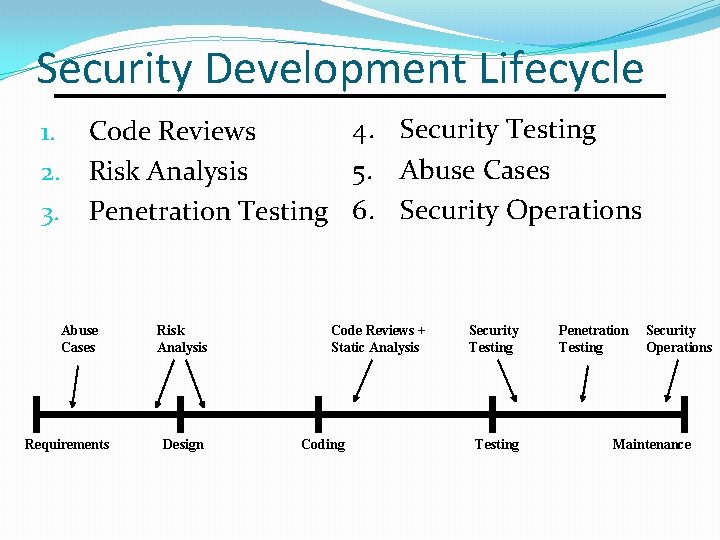
Security Development Lifecycle 1. 2. 3. 4. Security Testing Code Reviews 5. Abuse Cases Risk Analysis Penetration Testing 6. Security Operations Abuse Cases Requirements Risk Analysis Design Code Reviews + Static Analysis Coding Security Testing Penetration Testing Security Operations Maintenance

Security in Design 1. Apply secure design principles throughout design process, such as 1. 2. 3. 4. Least Privilege Fail-Safe Defaults Defense in Depth Separation of Privilege 2. Use secure design patterns where applicable. 3. Perform an architectural risk analysis to evaluate the security of your design and to identify design changes that need to be made to improve security.
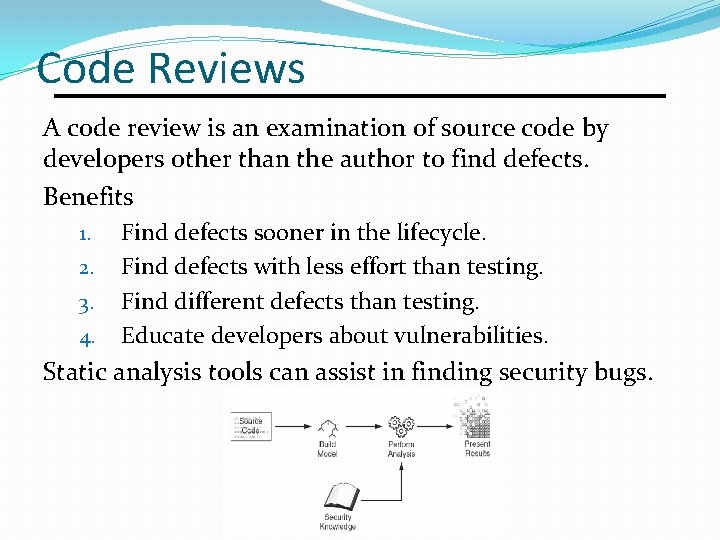
Code Reviews A code review is an examination of source code by developers other than the author to find defects. Benefits 1. 2. 3. 4. Find defects sooner in the lifecycle. Find defects with less effort than testing. Find different defects than testing. Educate developers about vulnerabilities. Static analysis tools can assist in finding security bugs.
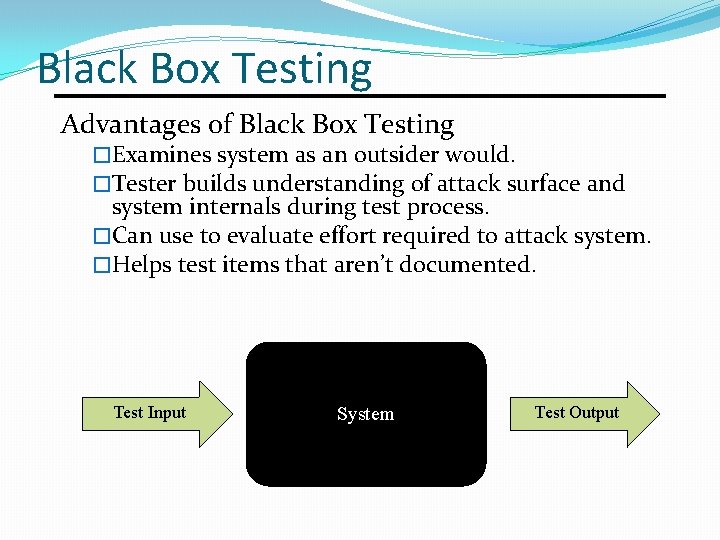
Black Box Testing Advantages of Black Box Testing �Examines system as an outsider would. �Tester builds understanding of attack surface and system internals during test process. �Can use to evaluate effort required to attack system. �Helps test items that aren’t documented. Test Input System Test Output
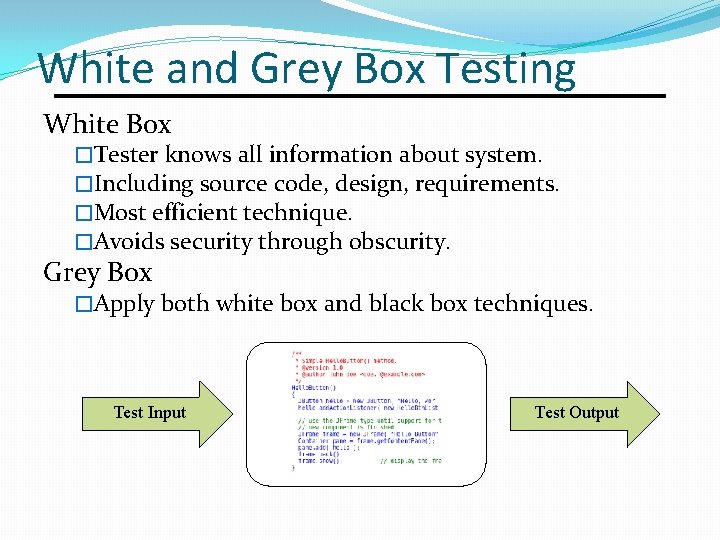
White and Grey Box Testing White Box �Tester knows all information about system. �Including source code, design, requirements. �Most efficient technique. �Avoids security through obscurity. Grey Box �Apply both white box and black box techniques. Test Input Test Output
Penetration Testing Black box test of deployed system. Allocate time at end of development to test. • Often time-boxed: test for n days. • Schedule slips often reduce testing time. • Fixing flaws is expensive late in lifecycle. Penetration testing tools • Web application testing proxies like Burp or ZAP. • Fuzzing: send random data to inputs. • Don’t understand application structure or purpose.
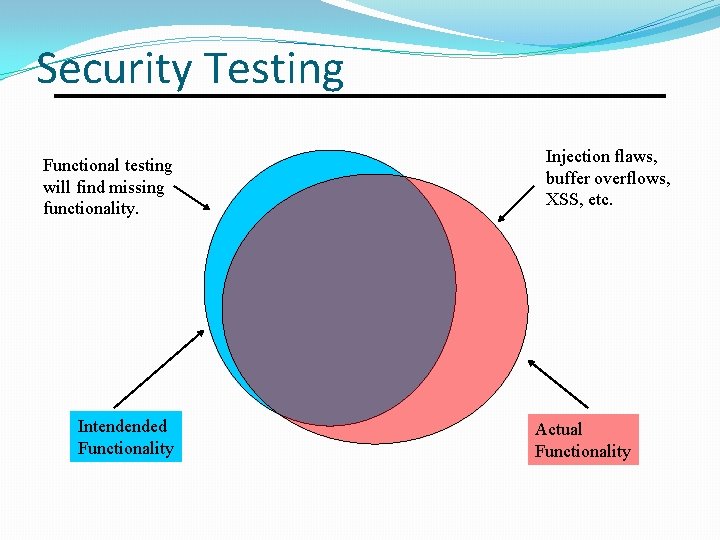
Security Testing Functional testing will find missing functionality. Intendended Functionality Injection flaws, buffer overflows, XSS, etc. Actual Functionality
Secure deployment Network perimeter security �Traditional network segmentation + firewalls. �Web application firewalls to detect and prevent attacks. Secure data in all states �Ensure data is encrypted in transit not just between browser and web server but all between web, application, and database servers. �Ensure important data encrypted in storage too. Maintenance processes �Security updates for all servers and dependencies. �Vulnerability management process to update web app.
Application Servers �Web applications run on an application server �A separate server, like Tomcat for Java Server Pages, or �A component, like mod_php within Apache web server. �Application servers can help provide security through �Authentication, session management, access control, �But there may be vulnerabilities in these features. �Application servers may contain default content �Example applications that often have vulnerabilities. �Application servers must be configured securely and kept up to date on security patches like web server.
Shared Hosting A single web server can host web applications belonging to different organizations. �Cheap, mostly used by very small businesses. �Confidentiality is problematic as web sites share both filesystem and server memory. If someone hacks one site, often able to compromise others on shared host. �Integrity can be problematic for same reasons. �Availability can be affected by traffic to other organizations. Most common form today is Word. Press hosting. �WPscan checks for Word. Press vulnerabilities. �Plugins like Bulletproof can help secure Word. Press.
Attack Trends Cryptocurrency mining �Criminals search for any vulnerable web server to upload cryptocurrency mining software to run in background. �Others load malicious Java. Script on vulnerable web servers to install miners on users of your web site. Dependency vulnerabilities �Web applications depend on a variety of frameworks, libraries, application and database servers, etc. �If these dependencies are not up to date on security patches, the application is vulnerable. �The 2017 Equifax breach of 143 million credit records resulted from an unpatched vulnerability in Apache Struts.
References 1. James Kettle. Top 10 Web Hacking Techniques of 2017. https: //portswigger. net/blog/top-10 -web-hacking-techniques -of-2017. 2018. 2. Tim Mackey. https: //www. darkreading. com/applicationsecurity/thoughts-on-the-latest-apache-struts-vulnerability/a/d-id/1332716. 2018. 3. OWASP Top 10 Application Security Risks 2017. https: //www. owasp. org/index. php/Top_10 -2017_Top_10. 4. Dafydd Stuttart and Marcus Pinto, The Web Application Hacker’s Handbook, 2 nd Edition, Wiley, 2011. 5. Michael Zalewski, The Tangled Web: A Guide to Securing Modern Web Applications, No Starch Press, 2011.
Released under CC BY-SA 3. 0 § This presentation is released under the Creative Commons Attribution-Share. Alike 3. 0 Unported (CC BYSA 3. 0) license § You are free: § to Share — to copy and redistribute the material in any medium § to Adapt— to remix, build, and transform upon the material § to use part or all of this presentation in your own classes § Under the following conditions: § Attribution — You must attribute the work to James Walden, but cannot do so in a way that suggests that he endorses you or your use of these materials. § Share Alike — If you remix, transform, or build upon this material, you must distribute the resulting work under this or a similar open license. § Details and full text of the license can be found at https: //creativecommons. org/licenses/by-nc-sa/3. 0/
- Slides: 54