
CIT 480 Securing Computer Systems Wireless and Mobile
CIT 480: Securing Computer Systems Wireless and Mobile Security
Topics 1. 2. 3. 4. 5. 6. 7. Wireless Fundamentals Wireless Discovery WEP Insecurity WAP 2 Security BYOD Policies Mobile Vulnerabilities Mobile Security Architectures
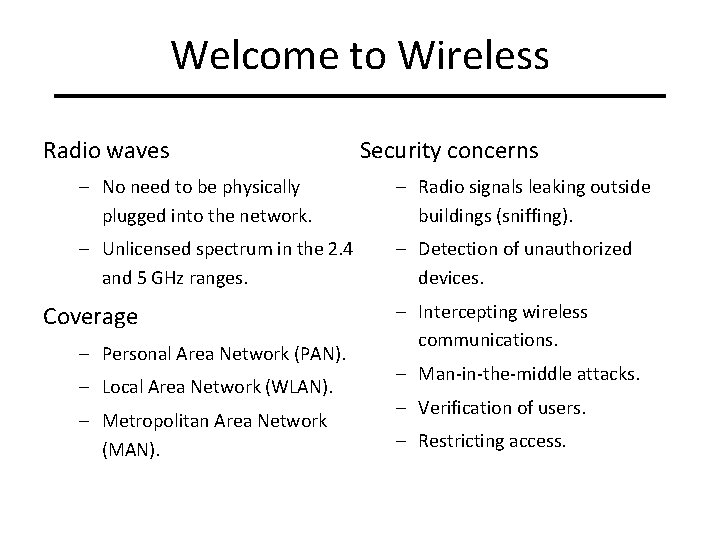
Welcome to Wireless Security concerns Radio waves – No need to be physically plugged into the network. – Radio signals leaking outside buildings (sniffing). – Unlicensed spectrum in the 2. 4 and 5 GHz ranges. – Detection of unauthorized devices. Coverage – Personal Area Network (PAN). – Local Area Network (WLAN). – Metropolitan Area Network (MAN). 10/28/2020 – Intercepting wireless communications. – Man-in-the-middle attacks. – Verification of users. – Restricting access. Wireless Networks 3
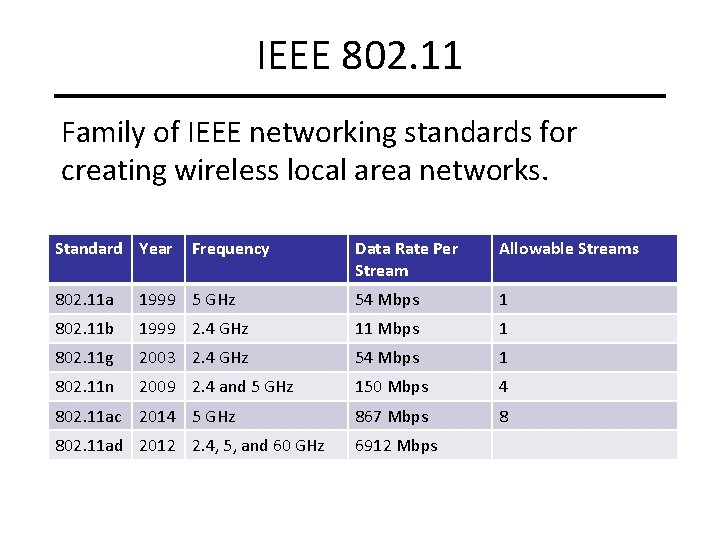
IEEE 802. 11 Family of IEEE networking standards for creating wireless local area networks. Standard Year Frequency Data Rate Per Stream Allowable Streams 802. 11 a 1999 5 GHz 54 Mbps 1 802. 11 b 1999 2. 4 GHz 11 Mbps 1 802. 11 g 2003 2. 4 GHz 54 Mbps 1 802. 11 n 2009 2. 4 and 5 GHz 150 Mbps 4 802. 11 ac 2014 5 GHz 867 Mbps 8 802. 11 ad 2012 2. 4, 5, and 60 GHz 6912 Mbps
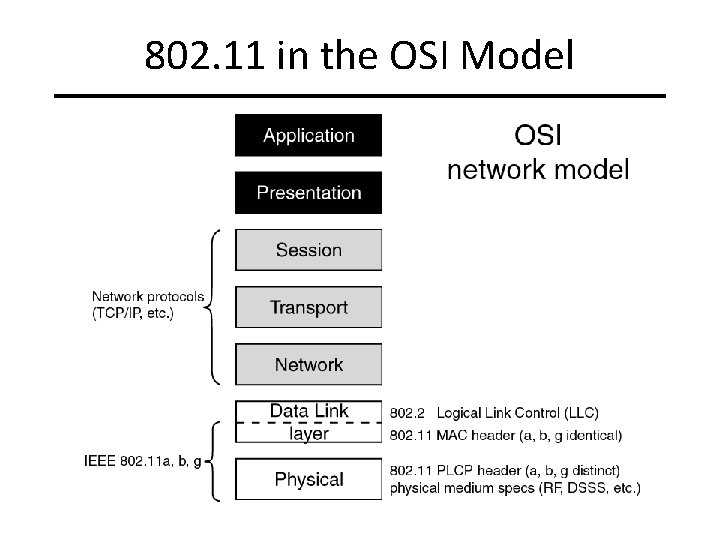
802. 11 in the OSI Model
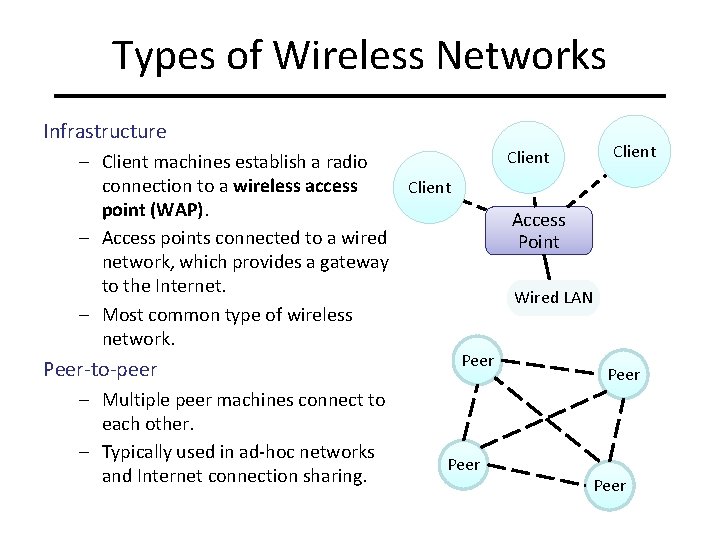
Types of Wireless Networks Infrastructure – Client machines establish a radio connection to a wireless access Client point (WAP). – Access points connected to a wired network, which provides a gateway to the Internet. – Most common type of wireless network. Peer-to-peer – Multiple peer machines connect to each other. – Typically used in ad-hoc networks and Internet connection sharing. 10/28/2020 Client Access Point Wired LAN Peer Wireless Networks 6
SSID Multiple wireless networks can coexist – Each network is identified by a 32 -character service set ID (SSID). – Typical default SSID of access point is manufacturer’s name. – SSIDs often broadcasted via beacon frames to enable discovery of the network by prospective clients. SSIDs are not signed, thus enabling a simple spoofing attack – – – Place a rogue access point in a public location (e. g. , cafe, airport) Use the SSID of an ISP Set up a login page similar to the one of the ISP Wait for clients to connect to rogue access point and authenticate Possibly forward session to ISP network SSIDs with crafted Unicode can crash i. Phones/i. Pads. 10/28/2020 Wireless Networks 7
Eavesdropping and Spoofing • All wireless network traffic can be eavesdropped. • MAC-based authentication typically used to identify approved machines in corporate network. • MAC spoofing attacks possible, as in wired networks. • Sessions kept active after brief disconnects. • If ISP client does not explicitly end a session, MAC spoofing allows to take over that session. Wireless Networks 8
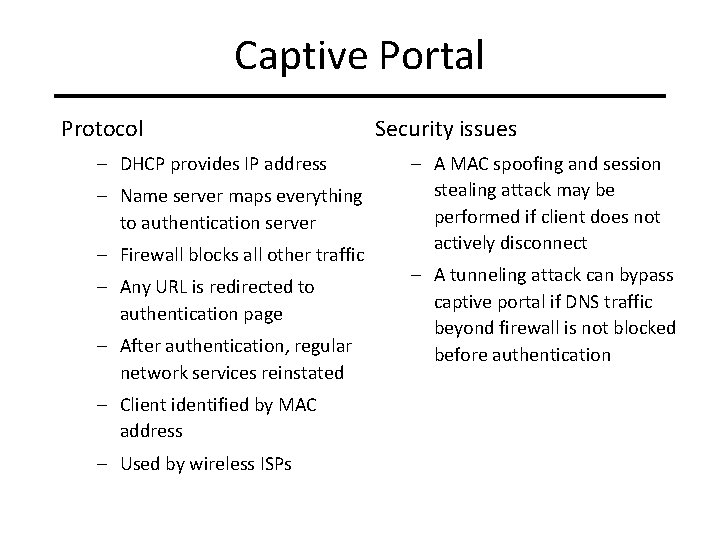
Captive Portal Security issues Protocol – DHCP provides IP address – Name server maps everything to authentication server – Firewall blocks all other traffic – Any URL is redirected to authentication page – After authentication, regular network services reinstated – A MAC spoofing and session stealing attack may be performed if client does not actively disconnect – A tunneling attack can bypass captive portal if DNS traffic beyond firewall is not blocked before authentication – Client identified by MAC address – Used by wireless ISPs 10/28/2020 Wireless Networks 9
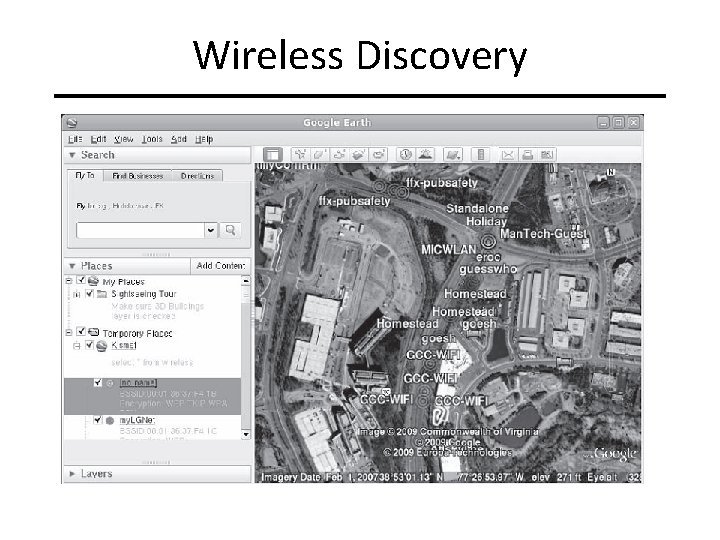
Wireless Discovery
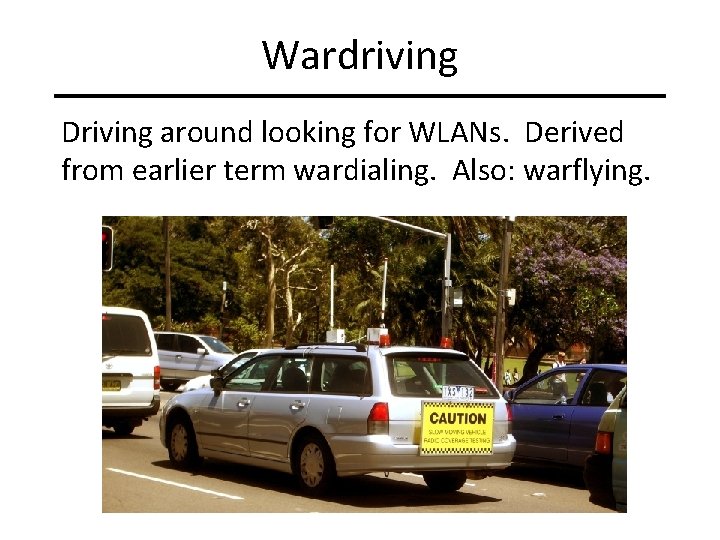
Wardriving Driving around looking for WLANs. Derived from earlier term wardialing. Also: warflying.
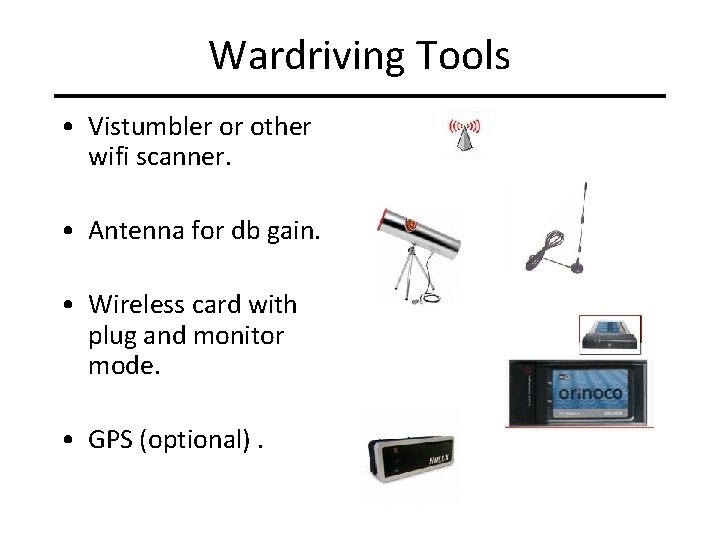
Wardriving Tools • Vistumbler or other wifi scanner. • Antenna for db gain. • Wireless card with plug and monitor mode. • GPS (optional). 10/28/2020 Wireless Networks 12
Wired Equivalent Privacy (WEP) Goals – Confidentiality: eavesdropping is prevented. – Data integrity: packets cannot be tampered with. – Access control: only properly encrypted packets are routed. Design constraints – Inexpensive hardware implementation with 90 s technology. – Early U. S. export regulations caused WEP to deploy with 40 -bit keys. – Later versions used 104 -bit keys. Implementation and limitations – Encrypts the body of each frame at the data-link level. – Can be broken and decrypted in minutes. 10/28/2020 Wireless Networks 13
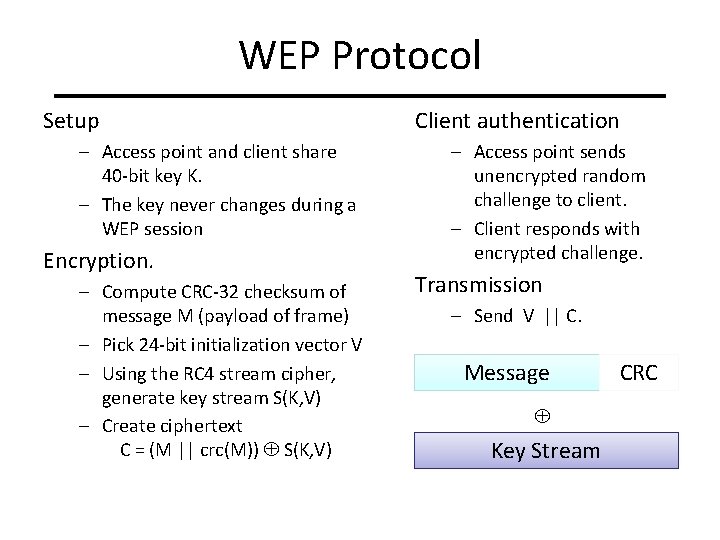
WEP Protocol Setup – Access point and client share 40 -bit key K. – The key never changes during a WEP session Encryption. – Compute CRC-32 checksum of message M (payload of frame) – Pick 24 -bit initialization vector V – Using the RC 4 stream cipher, generate key stream S(K, V) – Create ciphertext C = (M || crc(M)) S(K, V) Client authentication – Access point sends unencrypted random challenge to client. – Client responds with encrypted challenge. Transmission – Send V || C. Message CRC Key Stream 14
Initialization vector (IV) • One for each packet, a 24 -bit value • Sent in the cleartext part of the message! • Small space of initialization vectors guarantees reuse of the same key stream • IV Collision: – Attack the XOR of the two plaintext messages – IV is often very predictable and introduces a lot of redundancy 10/28/2020 Wireless Networks 15
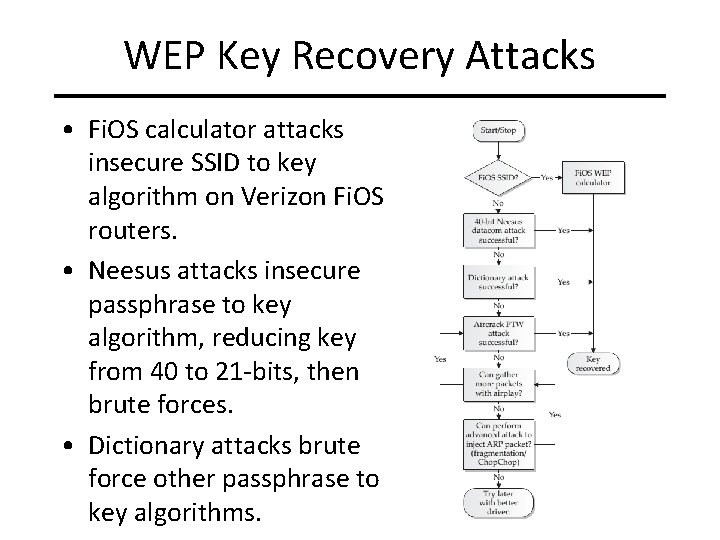
WEP Key Recovery Attacks • Fi. OS calculator attacks insecure SSID to key algorithm on Verizon Fi. OS routers. • Neesus attacks insecure passphrase to key algorithm, reducing key from 40 to 21 -bits, then brute forces. • Dictionary attacks brute force other passphrase to key algorithms.
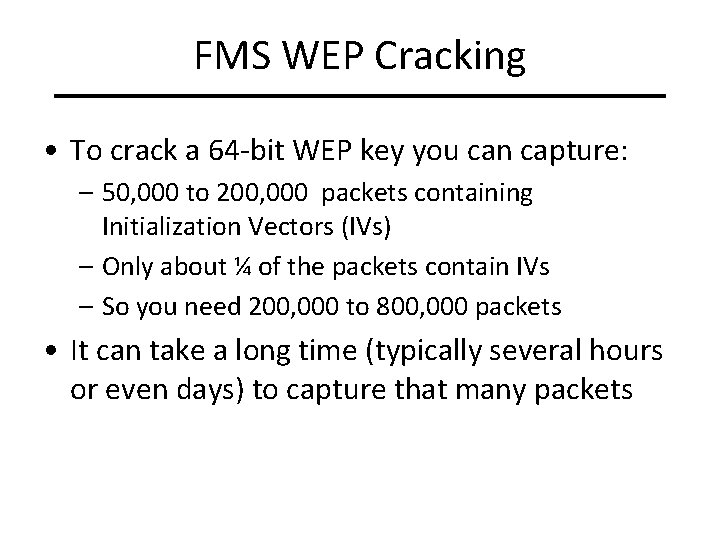
FMS WEP Cracking • To crack a 64 -bit WEP key you can capture: – 50, 000 to 200, 000 packets containing Initialization Vectors (IVs) – Only about ¼ of the packets contain IVs – So you need 200, 000 to 800, 000 packets • It can take a long time (typically several hours or even days) to capture that many packets 10/28/2020 Wireless Networks 17
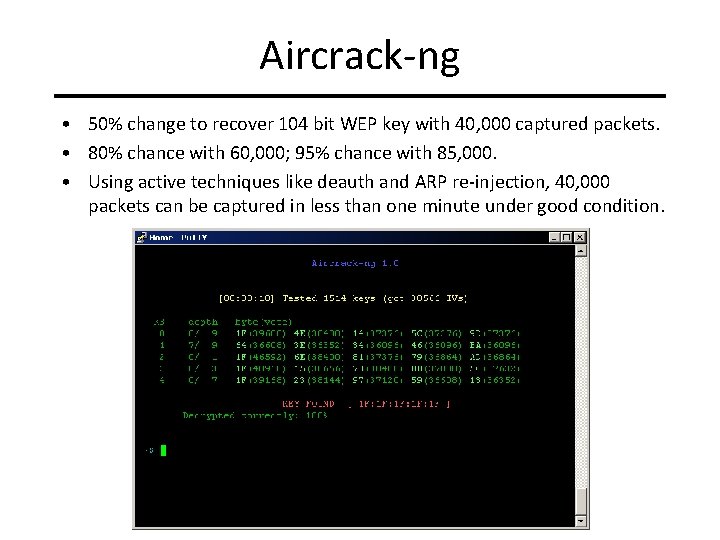
Aircrack-ng • 50% change to recover 104 bit WEP key with 40, 000 captured packets. • 80% chance with 60, 000; 95% chance with 85, 000. • Using active techniques like deauth and ARP re-injection, 40, 000 packets can be captured in less than one minute under good condition.
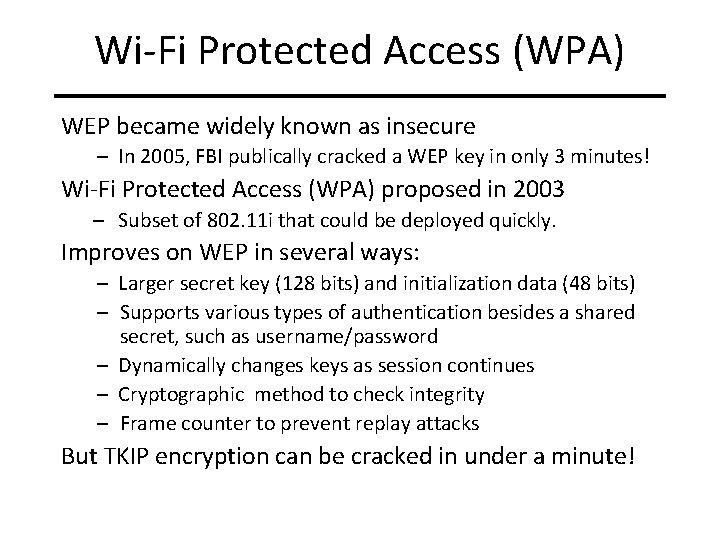
Wi-Fi Protected Access (WPA) WEP became widely known as insecure – In 2005, FBI publically cracked a WEP key in only 3 minutes! Wi-Fi Protected Access (WPA) proposed in 2003 – Subset of 802. 11 i that could be deployed quickly. Improves on WEP in several ways: – Larger secret key (128 bits) and initialization data (48 bits) – Supports various types of authentication besides a shared secret, such as username/password – Dynamically changes keys as session continues – Cryptographic method to check integrity – Frame counter to prevent replay attacks But TKIP encryption can be cracked in under a minute! 10/28/2020 Wireless Networks 19
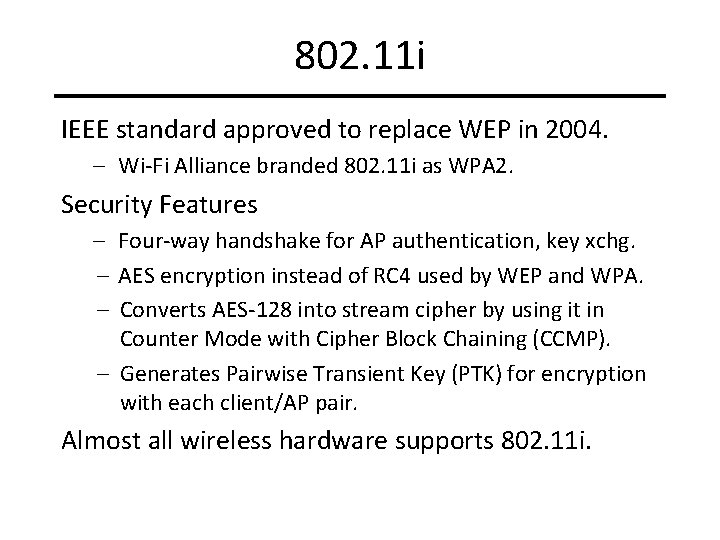
802. 11 i IEEE standard approved to replace WEP in 2004. – Wi-Fi Alliance branded 802. 11 i as WPA 2. Security Features – Four-way handshake for AP authentication, key xchg. – AES encryption instead of RC 4 used by WEP and WPA. – Converts AES-128 into stream cipher by using it in Counter Mode with Cipher Block Chaining (CCMP). – Generates Pairwise Transient Key (PTK) for encryption with each client/AP pair. Almost all wireless hardware supports 802. 11 i. 10/28/2020 Wireless Networks 20
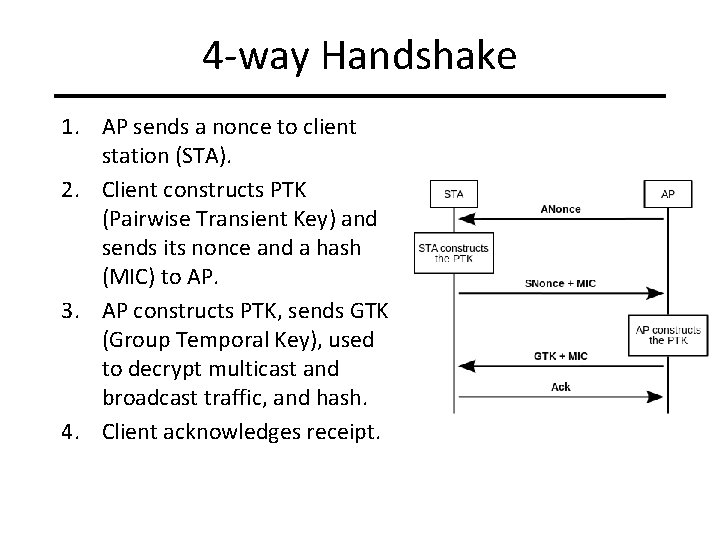
4 -way Handshake 1. AP sends a nonce to client station (STA). 2. Client constructs PTK (Pairwise Transient Key) and sends its nonce and a hash (MIC) to AP. 3. AP constructs PTK, sends GTK (Group Temporal Key), used to decrypt multicast and broadcast traffic, and hash. 4. Client acknowledges receipt.
Alternatives and Add-Ons • WEP, WPA, and WPA 2 all protect your traffic only up to the access point. – No security provided beyond access point. • Other methods can encrypt end-to-end: – SSL, SSH, VPN, PGP, etc. • End-to-end encryption is often simpler than setting up network-level encryption. • Most of these solutions require per-application configuration. 10/28/2020 Wireless Networks 22
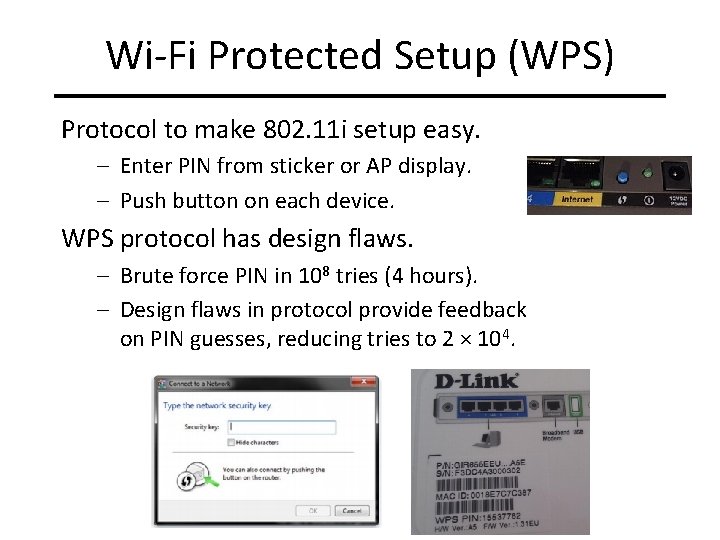
Wi-Fi Protected Setup (WPS) Protocol to make 802. 11 i setup easy. – Enter PIN from sticker or AP display. – Push button on each device. WPS protocol has design flaws. – Brute force PIN in 108 tries (4 hours). – Design flaws in protocol provide feedback on PIN guesses, reducing tries to 2 × 10⁴.
Bring Your Own Device (BYOD) BYOD Policy – Employees bring own mobile device to work. – Same device for work and personal data. Risks to Employers – Need mobile device management software to control software installed on devices. – Work data travels with device, not protected by firewall. – Work data resides on old device after replacement. Risks to Employees – Makes devices subject to legal discovery. – Mobile device management software can remotely delete data.
Android Vulnerabilities
i. OS Vulnerabilities
Android Market Fragmentation
Android Security Patch Lifecycle
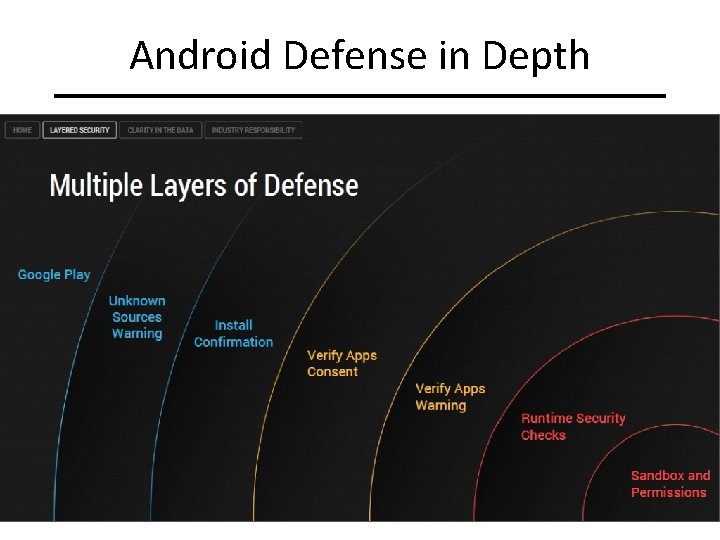
Android Defense in Depth
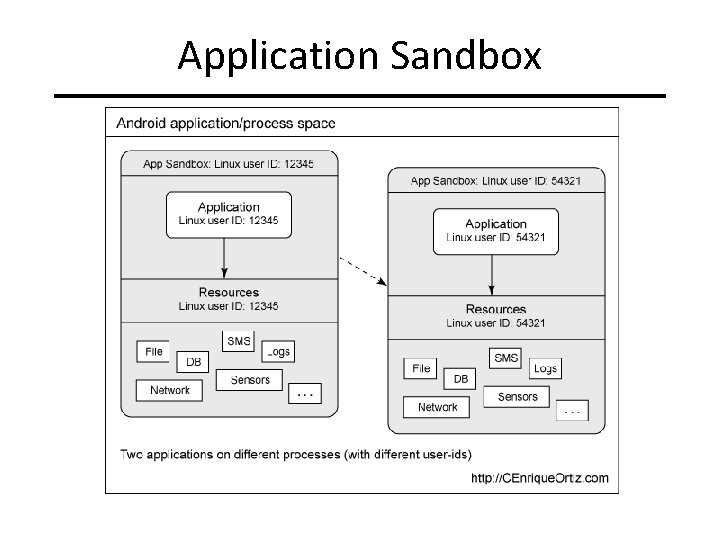
Application Sandbox
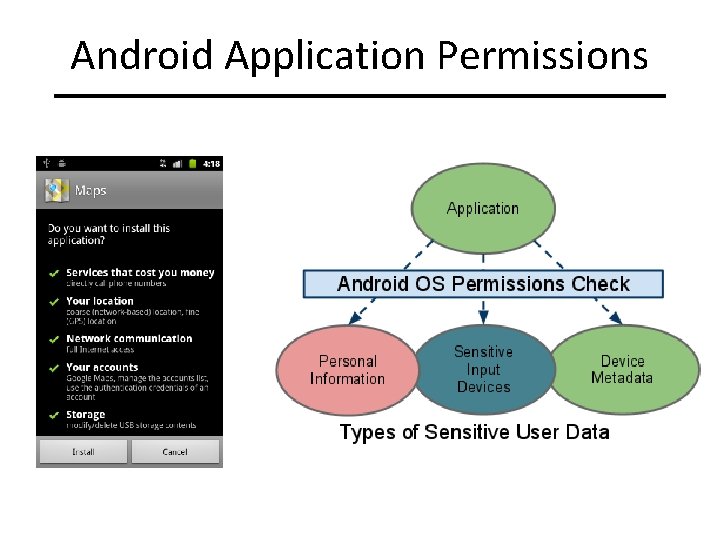
Android Application Permissions
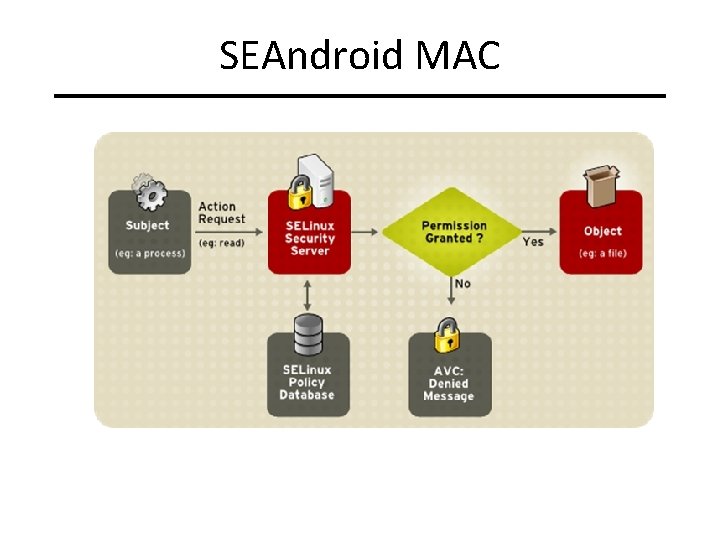
SEAndroid MAC
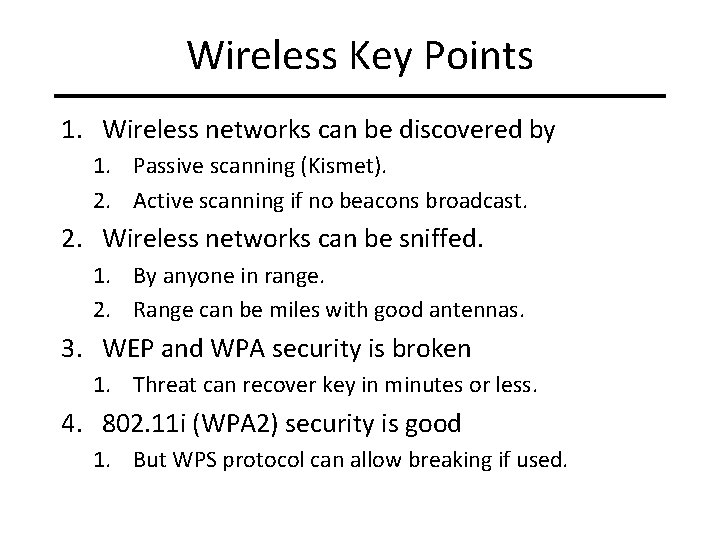
Wireless Key Points 1. Wireless networks can be discovered by 1. Passive scanning (Kismet). 2. Active scanning if no beacons broadcast. 2. Wireless networks can be sniffed. 1. By anyone in range. 2. Range can be miles with good antennas. 3. WEP and WPA security is broken 1. Threat can recover key in minutes or less. 4. 802. 11 i (WPA 2) security is good 1. But WPS protocol can allow breaking if used.
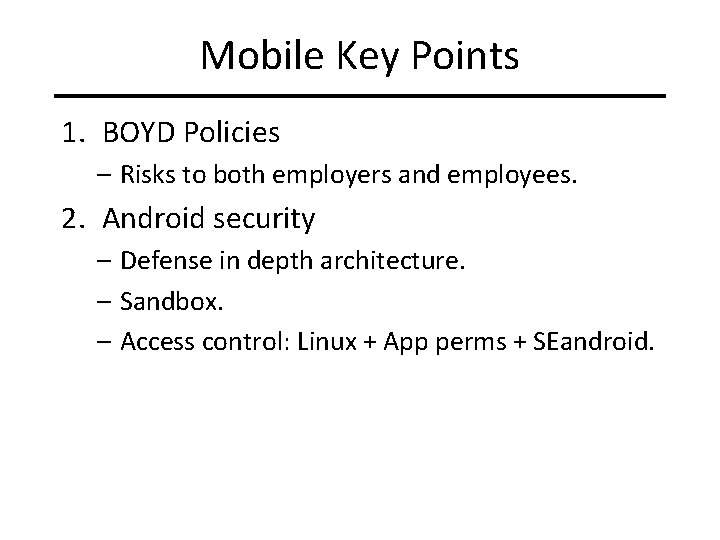
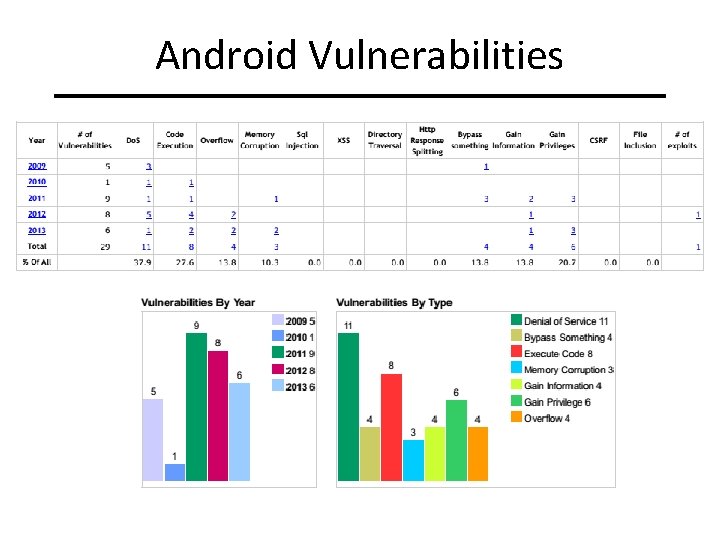
Mobile Key Points 1. BOYD Policies – Risks to both employers and employees. 2. Android security – Defense in depth architecture. – Sandbox. – Access control: Linux + App perms + SEandroid.
References 1. Android Security, http: //source. android. com/devices/tech/security/, 2014. 2. CVE Details, http: //www. cvedetails. com/, 2013. 3. Johnny Cache, Hacking Exposed: Wireless, 2 nd edition, Mc. Graw Hill, 2010. 4. Matthew Gast, 802. 11 Wireless Networks: The Definitive Guide, 2 nd edition, 2005. 5. Goodrich and Tammasia, Introduction to Computer Security, Pearson, 2011. 6. Vladimirov et. Al. , Wi-Foo: The Secrets of Wireless Hacking, Addison-Wesley, 2004.
- Slides: 35