
CIT 383 Administrative Scripting Flow Control and Arrays
![Arrays in Ruby a = [10, 20, 30, 40, 50, 60] a[1] a[2] a[3]](https://slidetodoc.com/presentation_image_h2/3b8aa12529306760acd03cc1da0965e4/image-19.jpg "Arrays in Ruby a = [10, 20, 30, 40, 50, 60] a[1] a[2] a[3]")
![Creating Empty Arrays Use the [] notation a = [] Create like any other](https://slidetodoc.com/presentation_image_h2/3b8aa12529306760acd03cc1da0965e4/image-21.jpg "Creating Empty Arrays Use the [] notation a = [] Create like any other")
![Indexing Arrays Single indexes a[n] is nth element from beginning starting at 0 a[-n]](https://slidetodoc.com/presentation_image_h2/3b8aa12529306760acd03cc1da0965e4/image-23.jpg "Indexing Arrays Single indexes a[n] is nth element from beginning starting at 0 a[-n]")
![Index Assignments Single index a[n] = 5 sets nth element to be 5 If](https://slidetodoc.com/presentation_image_h2/3b8aa12529306760acd03cc1da0965e4/image-24.jpg "Index Assignments Single index a[n] = 5 sets nth element to be 5 If")
![Array Operations Concatenation a = [1, 2, 3] + [4, 5] # [1, 2,](https://slidetodoc.com/presentation_image_h2/3b8aa12529306760acd03cc1da0965e4/image-25.jpg "Array Operations Concatenation a = [1, 2, 3] + [4, 5] # [1, 2,")
![Push and pop push adds an element to end of array. a[0] 20 a[-1]](https://slidetodoc.com/presentation_image_h2/3b8aa12529306760acd03cc1da0965e4/image-29.jpg "Push and pop push adds an element to end of array. a[0] 20 a[-1]")
![Push and pop removes an element from end of array. a[0] 10 10 20](https://slidetodoc.com/presentation_image_h2/3b8aa12529306760acd03cc1da0965e4/image-30.jpg "Push and pop removes an element from end of array. a[0] 10 10 20")
![Shift and unshift adds an element to start of array. a[0] 20 a[-1] 5](https://slidetodoc.com/presentation_image_h2/3b8aa12529306760acd03cc1da0965e4/image-31.jpg "Shift and unshift adds an element to start of array. a[0] 20 a[-1] 5")
![Shift and unshift removes an element f/ start of array. a[0] 10 5 10](https://slidetodoc.com/presentation_image_h2/3b8aa12529306760acd03cc1da0965e4/image-32.jpg "Shift and unshift removes an element f/ start of array. a[0] 10 5 10")
![The each iterator array. each do |var| code end n=0 var = array[n] code](https://slidetodoc.com/presentation_image_h2/3b8aa12529306760acd03cc1da0965e4/image-34.jpg "The each iterator array. each do |var| code end n=0 var = array[n] code")
- Slides: 35
CIT 383: Administrative Scripting Flow Control and Arrays CIT 383: Administrative Scripting Slide #1
Topics 1. 2. 3. 4. 5. 6. 7. Boolean Expressions Conditionals While Loops Creating Arrays Indexing Arrays Array Methods Iterators CIT 383: Administrative Scripting
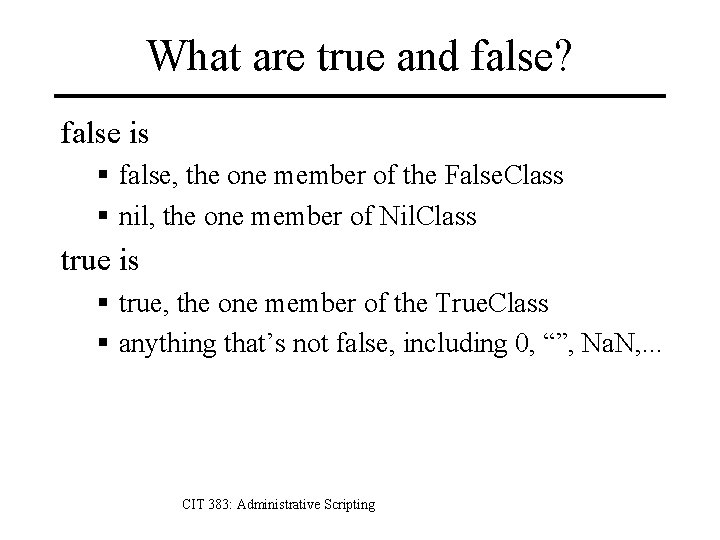
What are true and false? false is § false, the one member of the False. Class § nil, the one member of Nil. Class true is § true, the one member of the True. Class § anything that’s not false, including 0, “”, Na. N, . . . CIT 383: Administrative Scripting
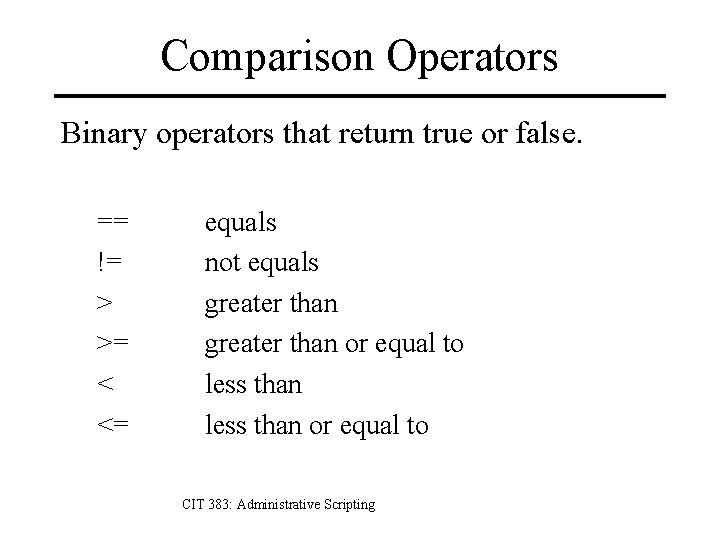
Comparison Operators Binary operators that return true or false. == != > >= < <= equals not equals greater than or equal to less than or equal to CIT 383: Administrative Scripting
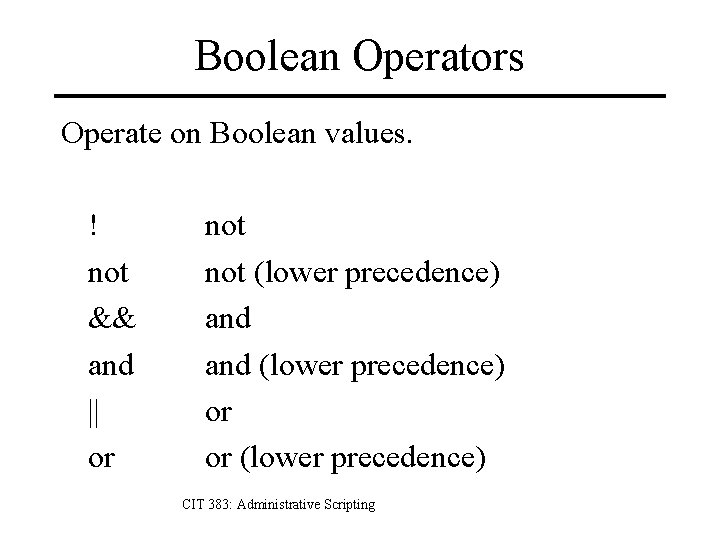
Boolean Operators Operate on Boolean values. ! not && and || or not (lower precedence) and (lower precedence) or or (lower precedence) CIT 383: Administrative Scripting
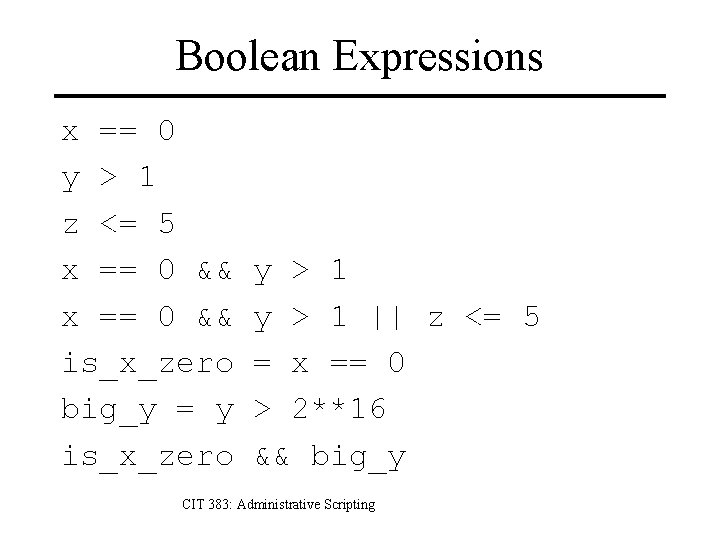
Boolean Expressions x == 0 y > 1 z <= 5 x == 0 && is_x_zero big_y = y is_x_zero y > 1 || z <= 5 = x == 0 > 2**16 && big_y CIT 383: Administrative Scripting
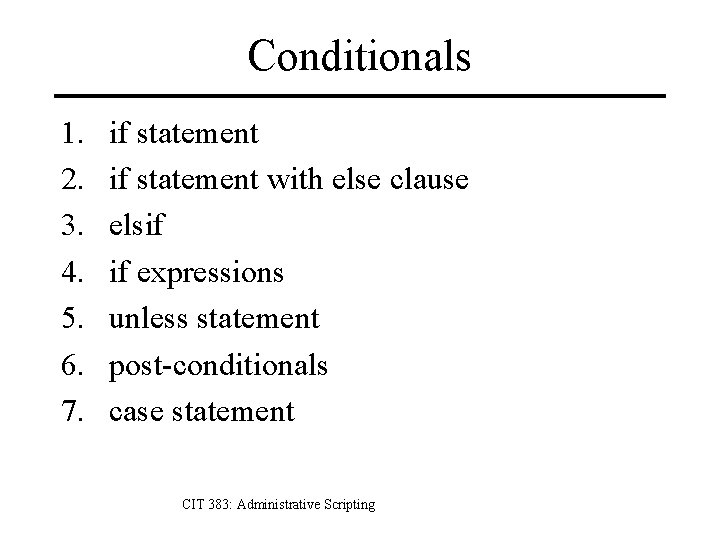
Conditionals 1. 2. 3. 4. 5. 6. 7. if statement with else clause elsif if expressions unless statement post-conditionals case statement CIT 383: Administrative Scripting
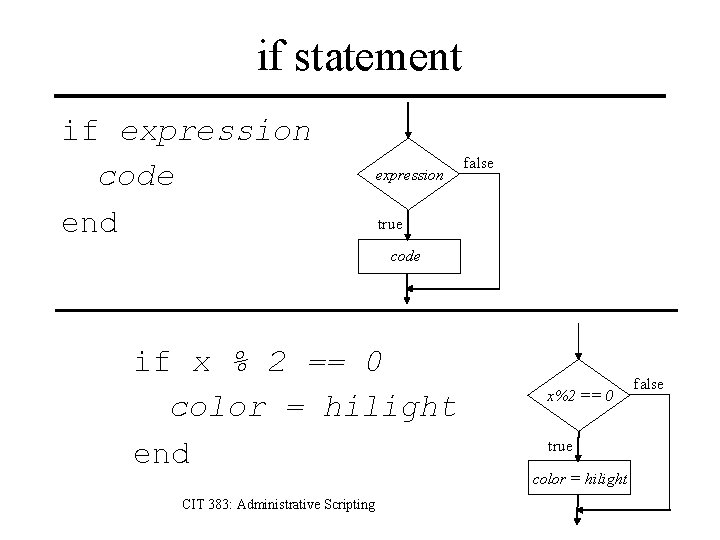
if statement if expression code end expression false true code expr if x % 2 == 0 color = hilight end CIT 383: Administrative Scripting x%2 == 0 true color = hilight expr false
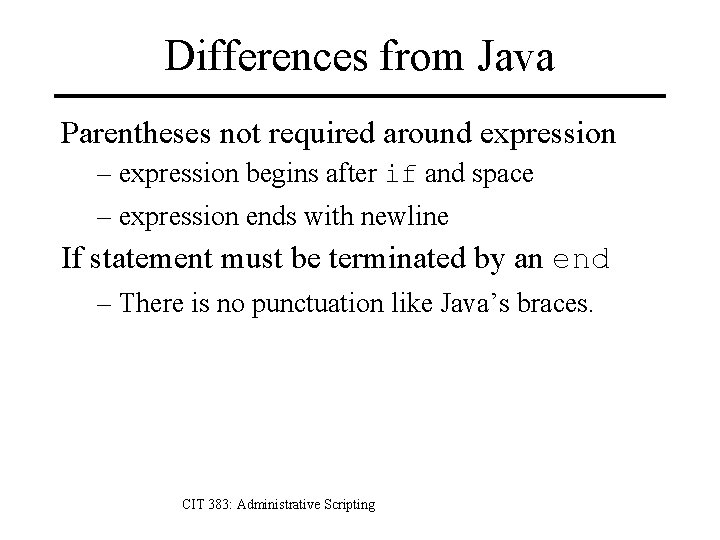
Differences from Java Parentheses not required around expression – expression begins after if and space – expression ends with newline If statement must be terminated by an end – There is no punctuation like Java’s braces. CIT 383: Administrative Scripting
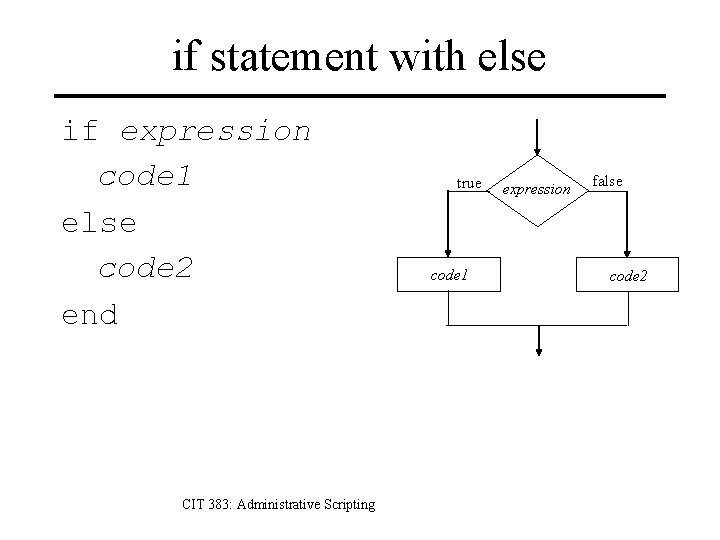
if statement with else if expression code 1 else code 2 end CIT 383: Administrative Scripting true code 1 expression false code 2
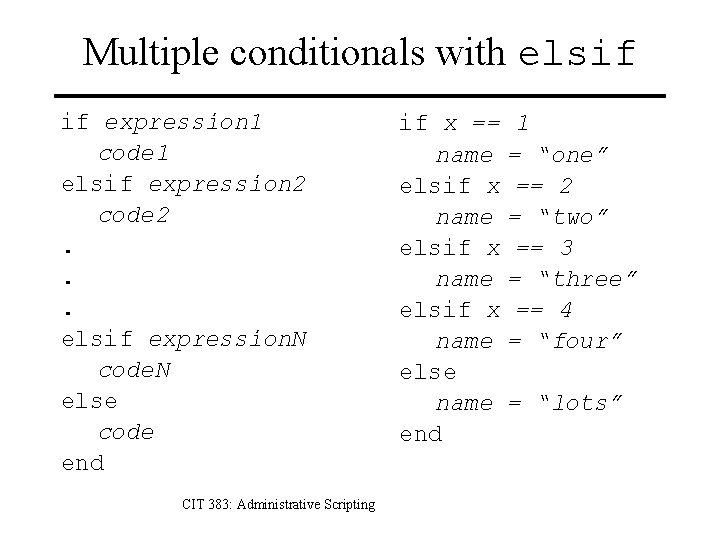
Multiple conditionals with elsif if expression 1 code 1 elsif expression 2 code 2. . . elsif expression. N code. N else code end CIT 383: Administrative Scripting if x == 1 name = “one” elsif x == 2 name = “two” elsif x == 3 name = “three” elsif x == 4 name = “four” else name = “lots” end
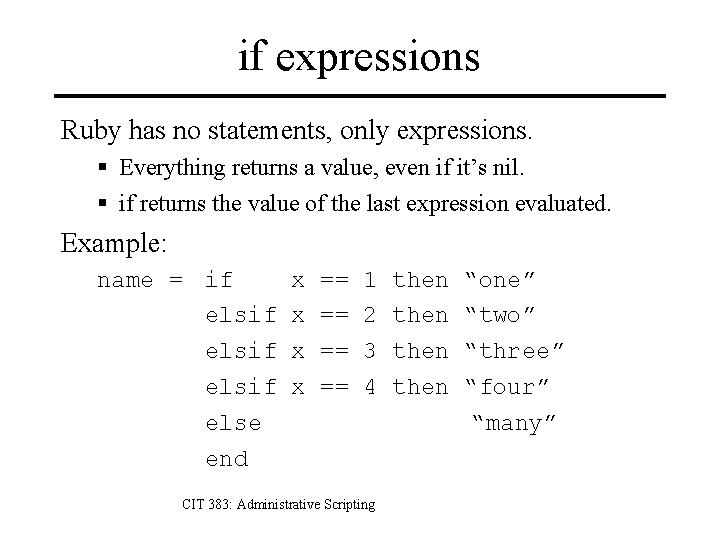
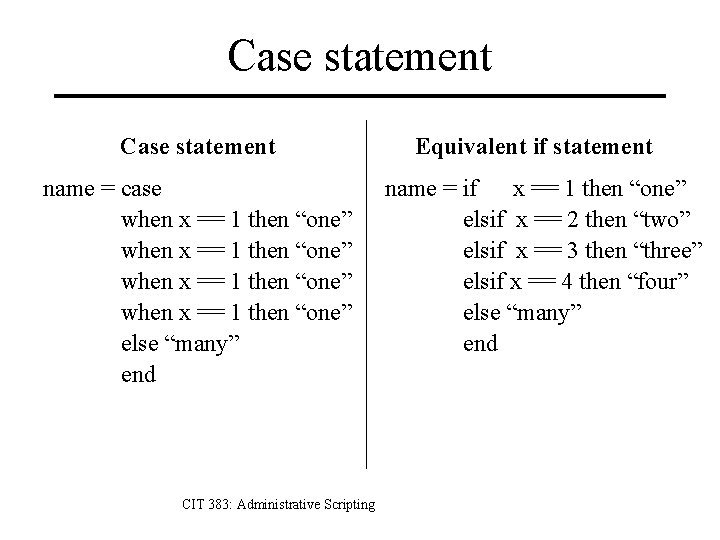
if expressions Ruby has no statements, only expressions. § Everything returns a value, even if it’s nil. § if returns the value of the last expression evaluated. Example: name = if elsif else end x x == == 1 2 3 4 CIT 383: Administrative Scripting then “one” “two” “three” “four” “many”
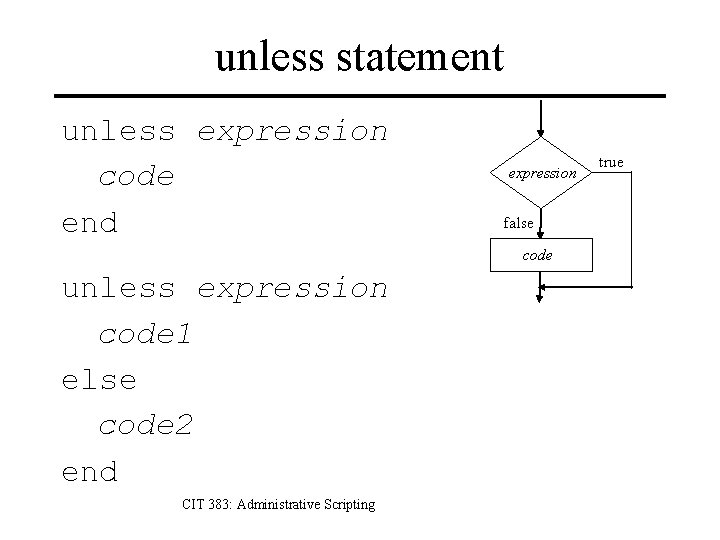
unless statement unless expression code end unless expression code 1 else code 2 end CIT 383: Administrative Scripting expression false code expr true
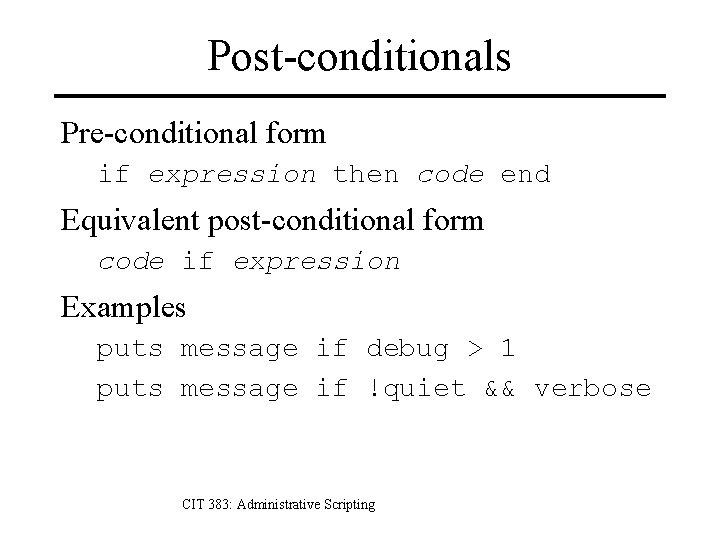
Post-conditionals Pre-conditional form if expression then code end Equivalent post-conditional form code if expression Examples puts message if debug > 1 puts message if !quiet && verbose CIT 383: Administrative Scripting
Case statement name = case when x == 1 then “one” else “many” end CIT 383: Administrative Scripting Equivalent if statement name = if x == 1 then “one” elsif x == 2 then “two” elsif x == 3 then “three” elsif x == 4 then “four” else “many” end
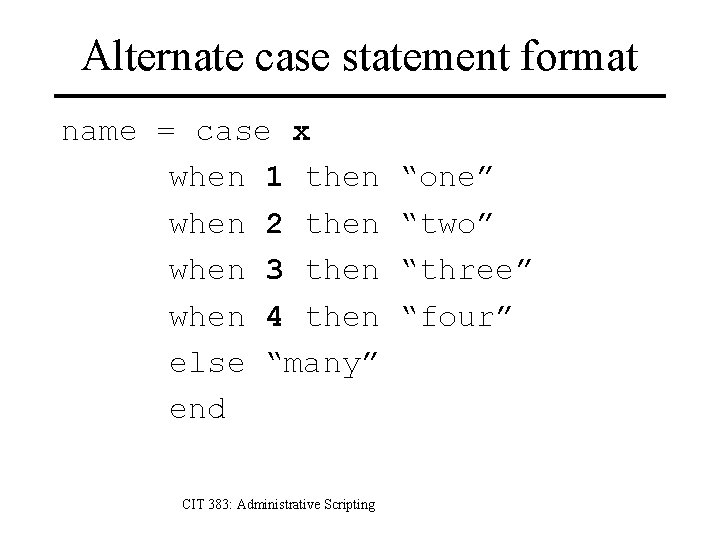
Alternate case statement format name = case x when 1 then when 2 then when 3 then when 4 then else “many” end CIT 383: Administrative Scripting “one” “two” “three” “four”
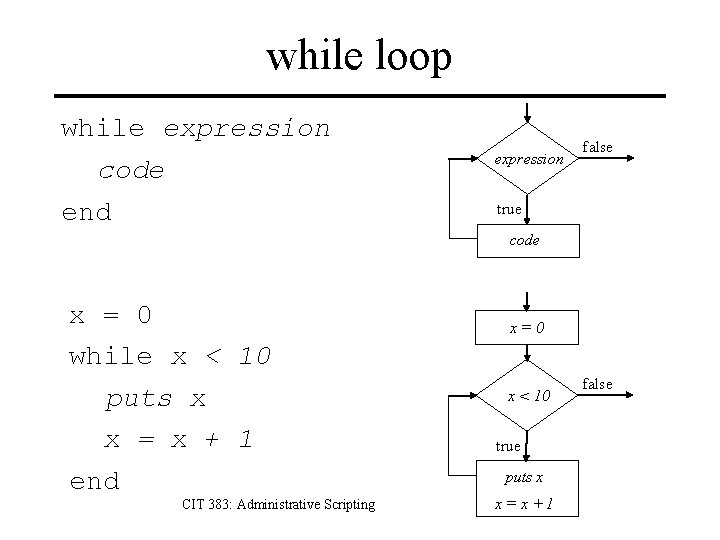
while loop while expression code end x = 0 while x < 10 puts x x = x + 1 end CIT 383: Administrative Scripting expression false true code expr x=0 x < 10 true puts x expr x=x+1 false
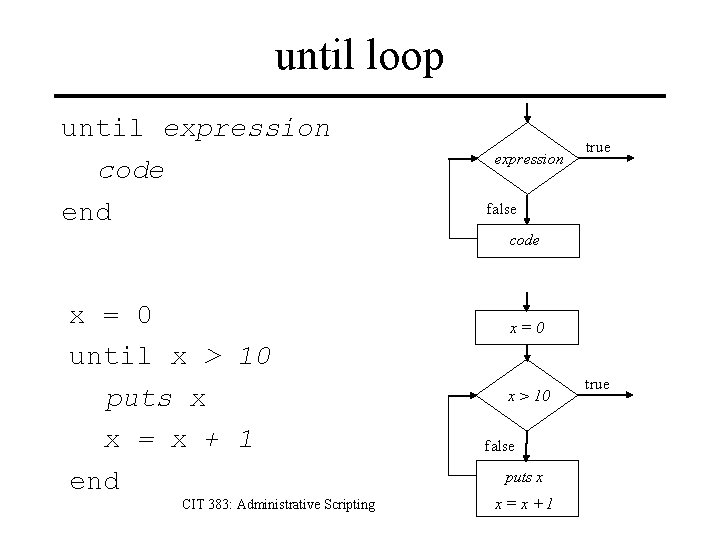
until loop until expression code end x = 0 until x > 10 puts x x = x + 1 end CIT 383: Administrative Scripting expression true false code expr x=0 x > 10 false puts x expr x=x+1 true
Arrays in Ruby a = [10, 20, 30, 40, 50, 60] a[1] a[2] a[3] a[4] a[5] a[-1] CIT 383: Administrative Scripting 10 20 30 40 50 60
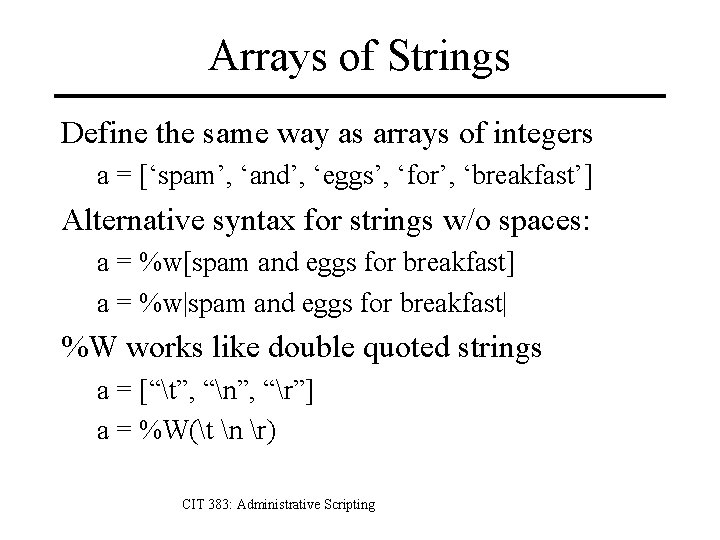
Arrays of Strings Define the same way as arrays of integers a = [‘spam’, ‘and’, ‘eggs’, ‘for’, ‘breakfast’] Alternative syntax for strings w/o spaces: a = %w[spam and eggs for breakfast] a = %w|spam and eggs for breakfast| %W works like double quoted strings a = [“t”, “n”, “r”] a = %W(t n r) CIT 383: Administrative Scripting
Creating Empty Arrays Use the [] notation a = [] Create like any other object a = Array. new Similar to str = “” str = String. new CIT 383: Administrative Scripting
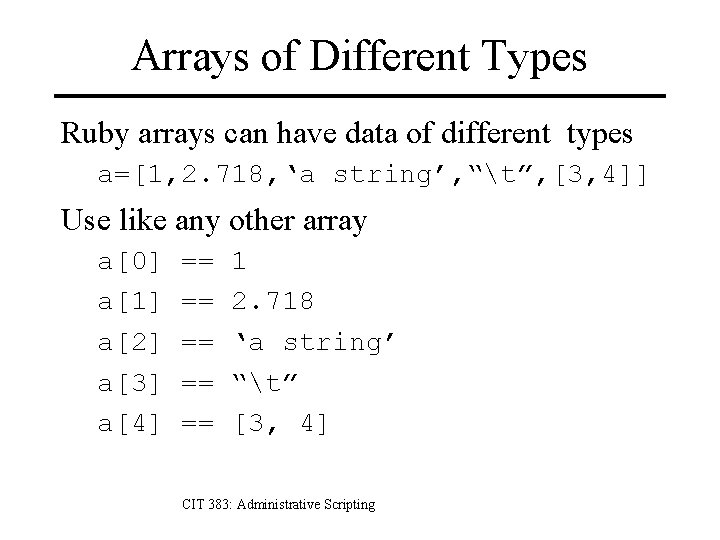
Arrays of Different Types Ruby arrays can have data of different types a=[1, 2. 718, ‘a string’, “t”, [3, 4]] Use like any other array a[0] a[1] a[2] a[3] a[4] == == == 1 2. 718 ‘a string’ “t” [3, 4] CIT 383: Administrative Scripting
Indexing Arrays Single indexes a[n] is nth element from beginning starting at 0 a[-n] is nth element from end starting at -1 Double indexes (slicing) a[0, 1] == a[0] a[0, 2] == [ a[0], a[1] ] a[1, 3] == [ a[1], a[2], a[3] ] a[-2, 2] == [ a[-2], a[-1] ] CIT 383: Administrative Scripting
Index Assignments Single index a[n] = 5 sets nth element to be 5 If a[n] isn’t already defined, extends array to be long enough to have an nth element. Double index a[0, 2] = [10, 20] sets first two elements to 10, 20 a[0, 0] = [1, 2, 3] inserts 3 elements at beginning a[0, 2] = [] deletes first two elements of array CIT 383: Administrative Scripting
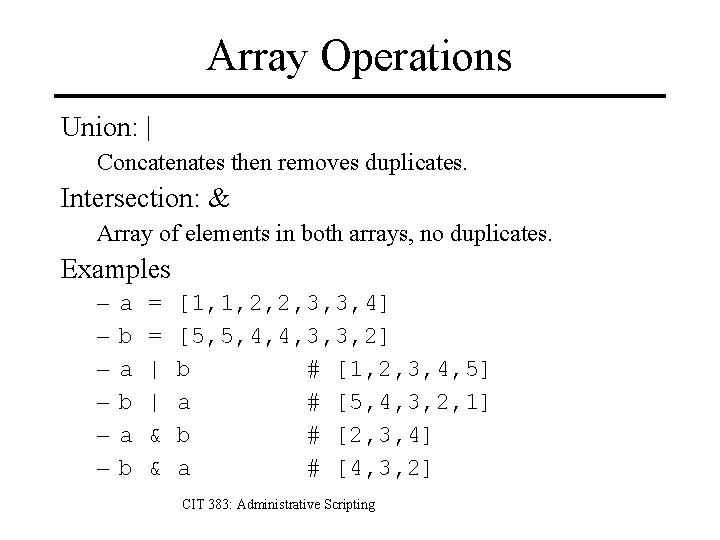
Array Operations Concatenation a = [1, 2, 3] + [4, 5] # [1, 2, 3, 4, 5] a = a + [6, 7, 8] # [1, 2, 3, 4, 5, 6, 7, 8] Subtraction [1, 2, 3, 4, 5, 6] – [2, 3, 4] # [1, 5, 6] Append a a = [] << 1 << 2 << 3 << [4, 5, 6] CIT 383: Administrative Scripting # [1] # [1, 2, 3, [4, 5, 6]]
Array Operations Union: | Concatenates then removes duplicates. Intersection: & Array of elements in both arrays, no duplicates. Examples – – – a b a b = = | | & & [1, 1, 2, 2, 3, 3, 4] [5, 5, 4, 4, 3, 3, 2] b # [1, 2, 3, 4, 5] a # [5, 4, 3, 2, 1] b # [2, 3, 4] a # [4, 3, 2] CIT 383: Administrative Scripting
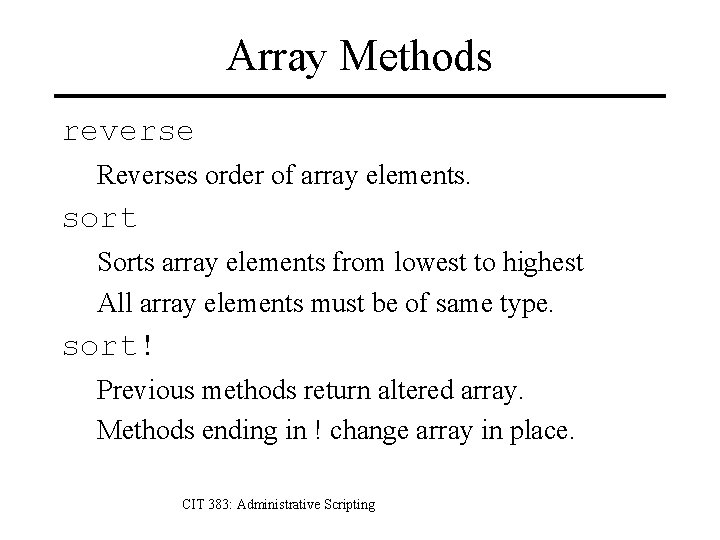
Array Methods reverse Reverses order of array elements. sort Sorts array elements from lowest to highest All array elements must be of same type. sort! Previous methods return altered array. Methods ending in ! change array in place. CIT 383: Administrative Scripting
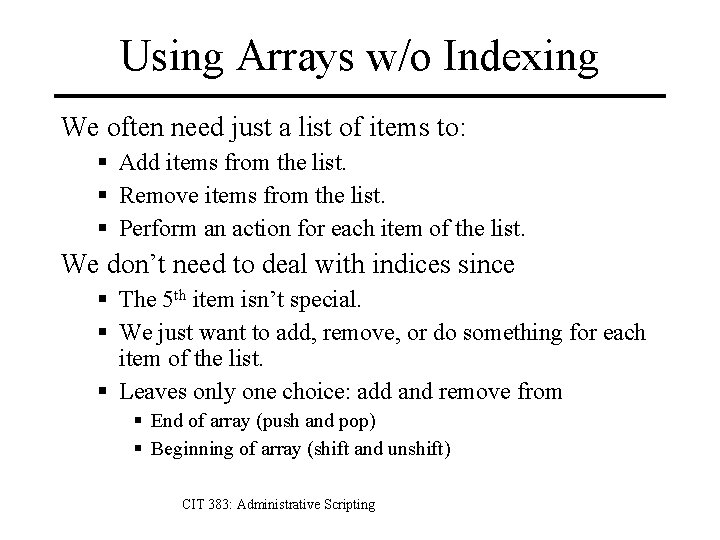
Using Arrays w/o Indexing We often need just a list of items to: § Add items from the list. § Remove items from the list. § Perform an action for each item of the list. We don’t need to deal with indices since § The 5 th item isn’t special. § We just want to add, remove, or do something for each item of the list. § Leaves only one choice: add and remove from § End of array (push and pop) § Beginning of array (shift and unshift) CIT 383: Administrative Scripting
Push and pop push adds an element to end of array. a[0] 20 a[-1] 10 10 a. push(40) a[0] 20 30 30 40 CIT 383: Administrative Scripting a[-1]
Push and pop removes an element from end of array. a[0] 10 10 20 x = a. pop a[-1] 20 30 30 40 x == 40 CIT 383: Administrative Scripting a[0] a[-1]
Shift and unshift adds an element to start of array. a[0] 20 a[-1] 5 10 a. unshift(5) a[0] 10 20 30 30 CIT 383: Administrative Scripting a[-1]
Shift and unshift removes an element f/ start of array. a[0] 10 5 10 x = a. shift a[-1] 20 30 x == 5 CIT 383: Administrative Scripting a[0] a[-1]
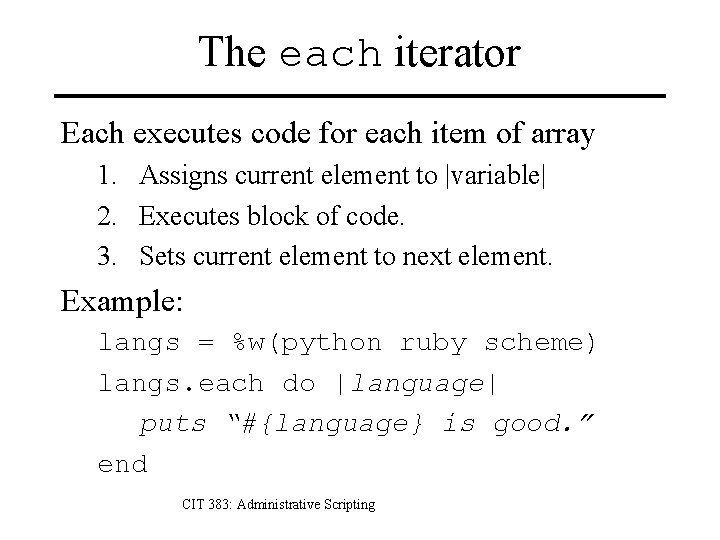
The each iterator Each executes code for each item of array 1. Assigns current element to |variable| 2. Executes block of code. 3. Sets current element to next element. Example: langs = %w(python ruby scheme) langs. each do |language| puts “#{language} is good. ” end CIT 383: Administrative Scripting
The each iterator array. each do |var| code end n=0 var = array[n] code n=n+1 false is n last element? true CIT 383: Administrative Scripting
References 1. Michael Fitzgerald, Learning Ruby, O’Reilly, 2008. 2. David Flanagan and Yukihiro Matsumoto, The Ruby Programming Language, O’Reilly, 2008. 3. Hal Fulton, The Ruby Way, 2 nd edition, Addison-Wesley, 2007. 4. Dave Thomas with Chad Fowler and Andy Hunt, Programming Ruby, 2 nd edition, Pragmatic Programmers, 2005. CIT 383: Administrative Scripting Slide #35