
Cisco Unity 4 11 Telephone User Interface Improvement
- Slides: 5
Cisco Unity 4. 1(1) Telephone User Interface Improvement – Reduced Delays After Multiple Key Presses © 2005, Cisco Systems, Inc. All rights reserved. 1
Overview As a fix to CSCsb 14168, the inter-digit delay timing was optimized to speed up portions of the Cisco Unity subscriber conversation. The improvement is significant and is clearly demonstrated in the “Before” and “After” examples in this presentation. © 2005, Cisco Systems, Inc. All rights reserved. 2
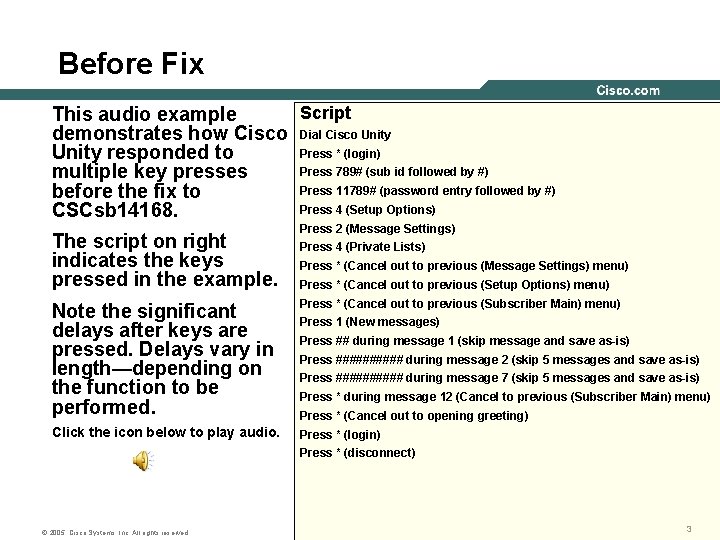
Before Fix Script This audio example demonstrates how Cisco Dial Cisco Unity Press * (login) Unity responded to Press 789# (sub id followed by #) multiple key presses Press 11789# (password entry followed by #) before the fix to Press 4 (Setup Options) CSCsb 14168. The script on right indicates the keys pressed in the example. Press 2 (Message Settings) Press 4 (Private Lists) Press * (Cancel out to previous (Message Settings) menu) Press * (Cancel out to previous (Setup Options) menu) Note the significant delays after keys are pressed. Delays vary in length—depending on the function to be performed. Press * (Cancel out to previous (Subscriber Main) menu) Click the icon below to play audio. Press * (login) Press 1 (New messages) Press ## during message 1 (skip message and save as-is) Press ##### during message 2 (skip 5 messages and save as-is) Press ##### during message 7 (skip 5 messages and save as-is) Press * during message 12 (Cancel to previous (Subscriber Main) menu) Press * (Cancel out to opening greeting) Press * (disconnect) © 2005, Cisco Systems, Inc. All rights reserved. 3
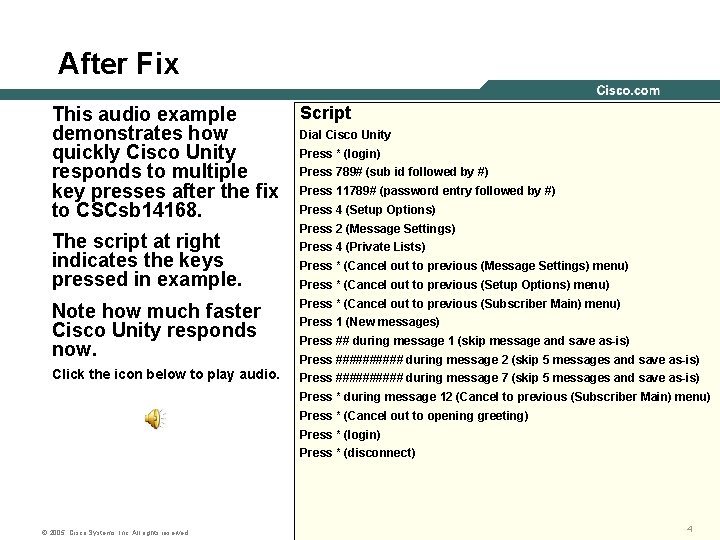
After Fix This audio example demonstrates how quickly Cisco Unity responds to multiple key presses after the fix to CSCsb 14168. The script at right indicates the keys pressed in example. Script Dial Cisco Unity Press * (login) Press 789# (sub id followed by #) Press 11789# (password entry followed by #) Press 4 (Setup Options) Press 2 (Message Settings) Press 4 (Private Lists) Press * (Cancel out to previous (Message Settings) menu) Press * (Cancel out to previous (Setup Options) menu) Note how much faster Cisco Unity responds now. Press * (Cancel out to previous (Subscriber Main) menu) Click the icon below to play audio. Press ##### during message 7 (skip 5 messages and save as-is) Press 1 (New messages) Press ## during message 1 (skip message and save as-is) Press ##### during message 2 (skip 5 messages and save as-is) Press * during message 12 (Cancel to previous (Subscriber Main) menu) Press * (Cancel out to opening greeting) Press * (login) Press * (disconnect) © 2005, Cisco Systems, Inc. All rights reserved. 4
© 2005, Cisco Systems, Inc. All rights reserved. 5