
Cisco TAC Web Seminar Using the Cisco TAC
Cisco TAC Web Seminar Using the Cisco TAC Web Site for Network Security and Virtual Private Network Issues Session Number Presentation_ID © 2002, Cisco Systems, Inc. All rights reserved. 1
Agenda • Cisco Technical Support (TAC) Web Site Overview • Installation and Upgrade Support • Configuration Support • Troubleshooting Support • Technical Guides and Additional Resources • Conclusion Presentation_ID © 2002, Cisco Systems, Inc. All rights reserved. 2
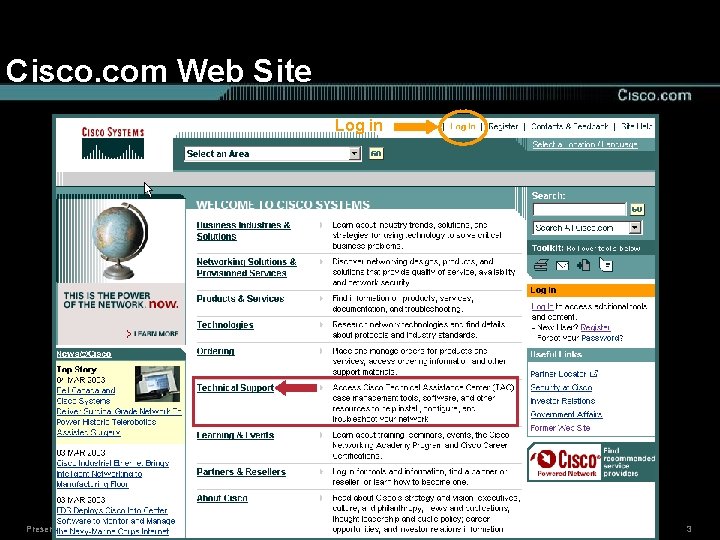
Cisco. com Web Site Log in Presentation_ID © 2002, Cisco Systems, Inc. All rights reserved. 3
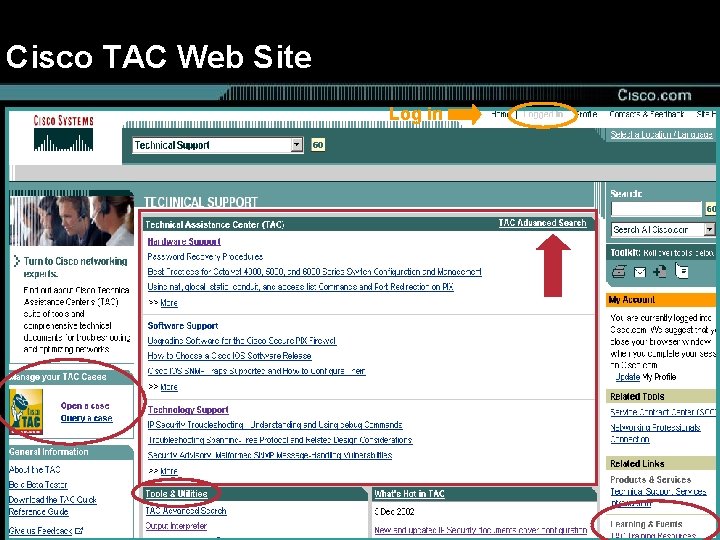
Cisco TAC Web Site Log in Presentation_ID © 2002, Cisco Systems, Inc. All rights reserved. 4
Agenda • Cisco Technical Support (TAC) Web Site Overview • Installation and Upgrade Support • Configuration Support • Troubleshooting Support • Technical Guides and Additional Resources • Conclusion Presentation_ID © 2002, Cisco Systems, Inc. All rights reserved. 5
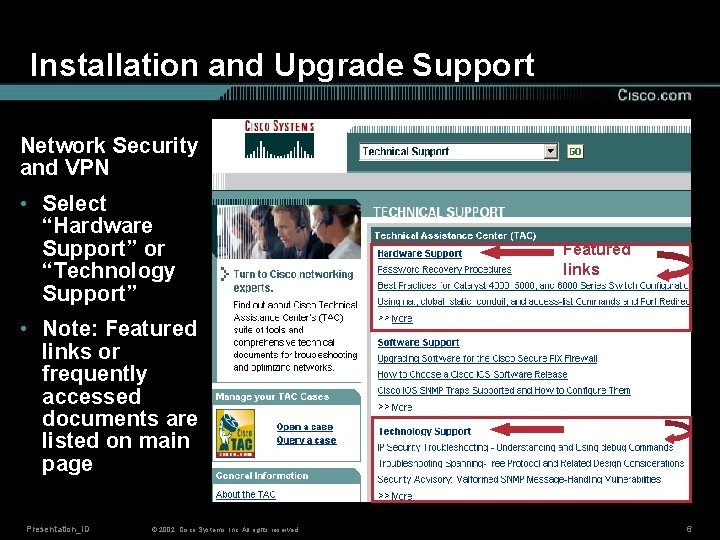
Installation and Upgrade Support Network Security and VPN • Select “Hardware Support” or “Technology Support” Featured links • Note: Featured links or frequently accessed documents are listed on main page Presentation_ID © 2002, Cisco Systems, Inc. All rights reserved. 6
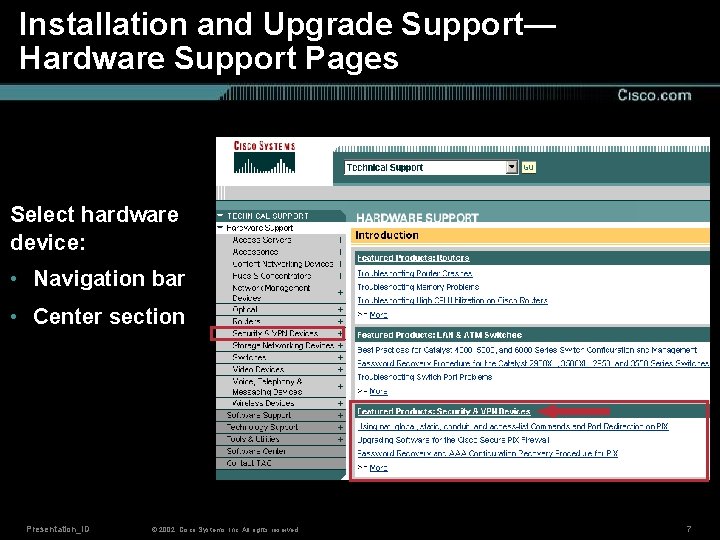
Installation and Upgrade Support— Hardware Support Pages Select hardware device: • Navigation bar • Center section Presentation_ID © 2002, Cisco Systems, Inc. All rights reserved. 7
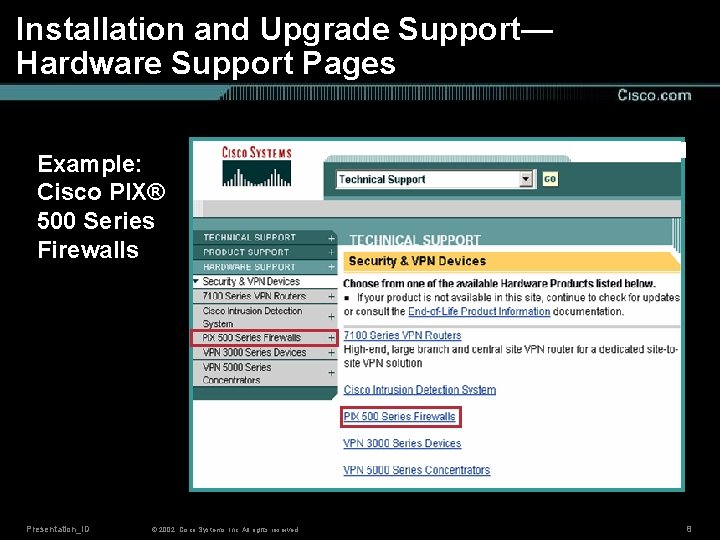
Installation and Upgrade Support— Hardware Support Pages Example: Cisco PIX® 500 Series Firewalls Presentation_ID © 2002, Cisco Systems, Inc. All rights reserved. 8
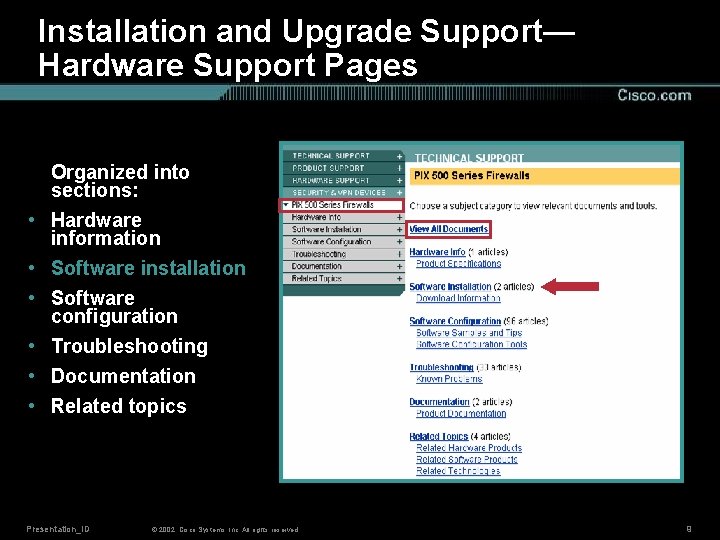
Installation and Upgrade Support— Hardware Support Pages • • • Organized into sections: Hardware information Software installation Software configuration Troubleshooting Documentation Related topics Presentation_ID © 2002, Cisco Systems, Inc. All rights reserved. 9
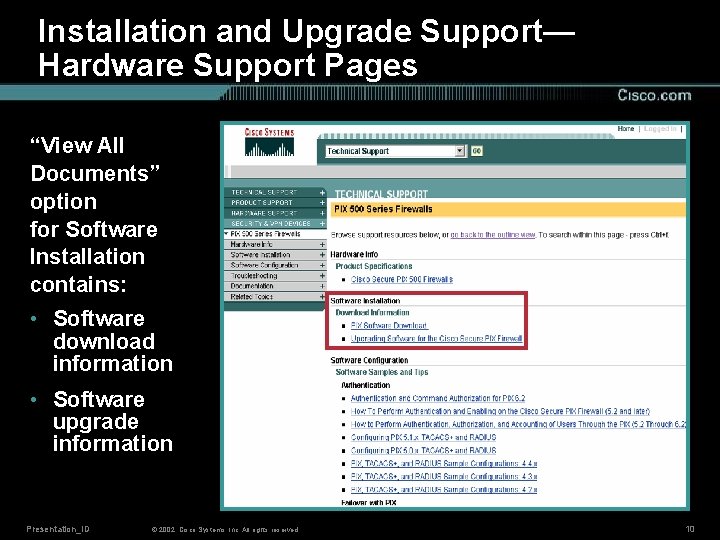
Installation and Upgrade Support— Hardware Support Pages “View All Documents” option for Software Installation contains: • Software download information • Software upgrade information Presentation_ID © 2002, Cisco Systems, Inc. All rights reserved. 10
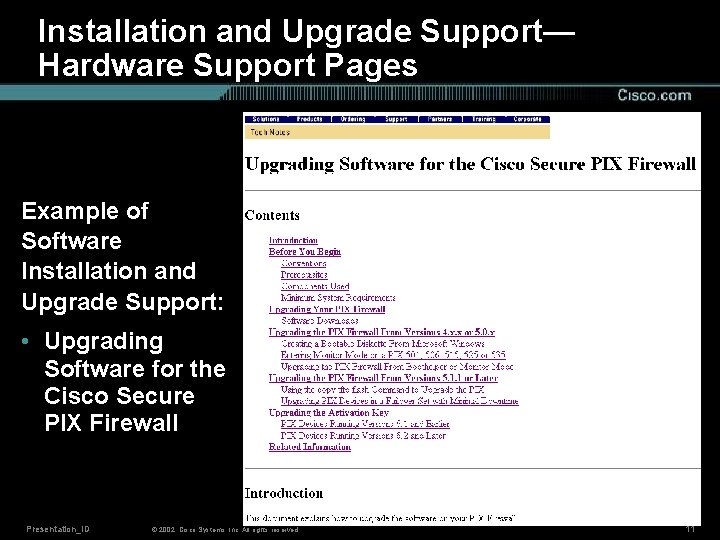
Installation and Upgrade Support— Hardware Support Pages Example of Software Installation and Upgrade Support: • Upgrading Software for the Cisco Secure PIX Firewall Presentation_ID © 2002, Cisco Systems, Inc. All rights reserved. 11
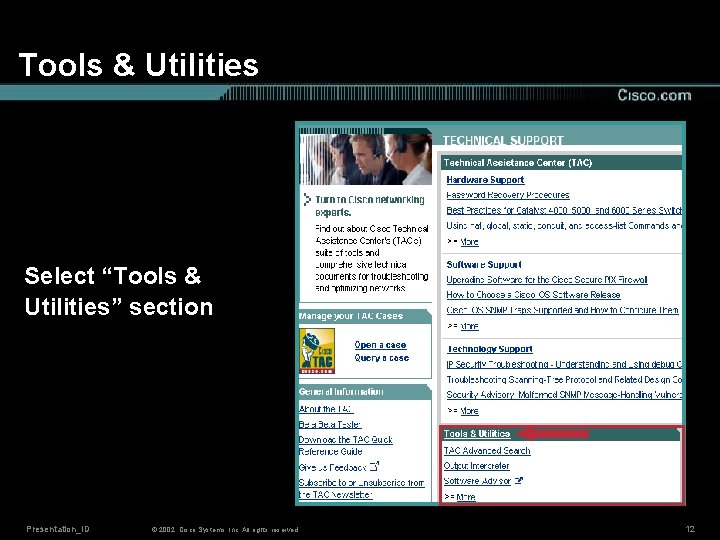
Tools & Utilities Select “Tools & Utilities” section Presentation_ID © 2002, Cisco Systems, Inc. All rights reserved. 12
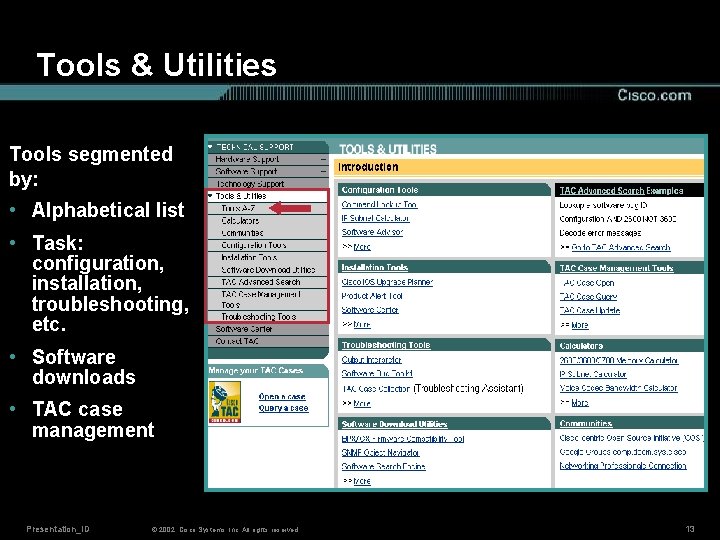
Tools & Utilities Tools segmented by: • Alphabetical list • Task: configuration, installation, troubleshooting, etc. • Software downloads • TAC case management Presentation_ID © 2002, Cisco Systems, Inc. All rights reserved. 13
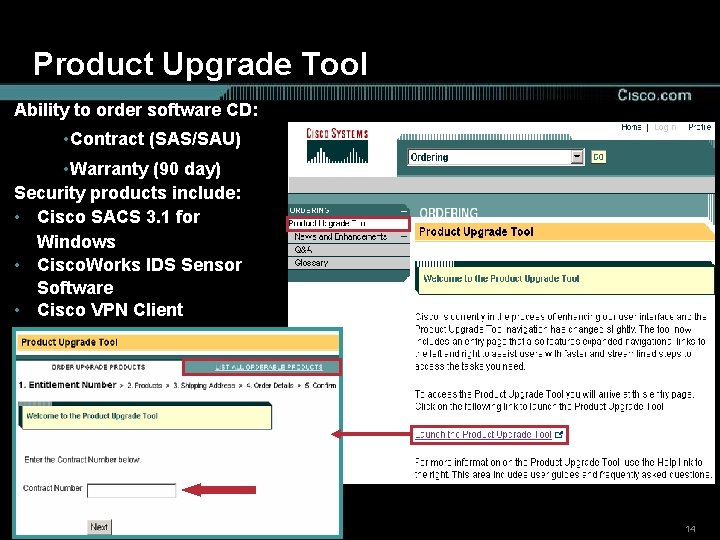
Product Upgrade Tool Ability to order software CD: • Contract (SAS/SAU) • Warranty (90 day) Security products include: • Cisco SACS 3. 1 for Windows • Cisco. Works IDS Sensor Software • Cisco VPN Client Presentation_ID © 2002, Cisco Systems, Inc. All rights reserved. 14
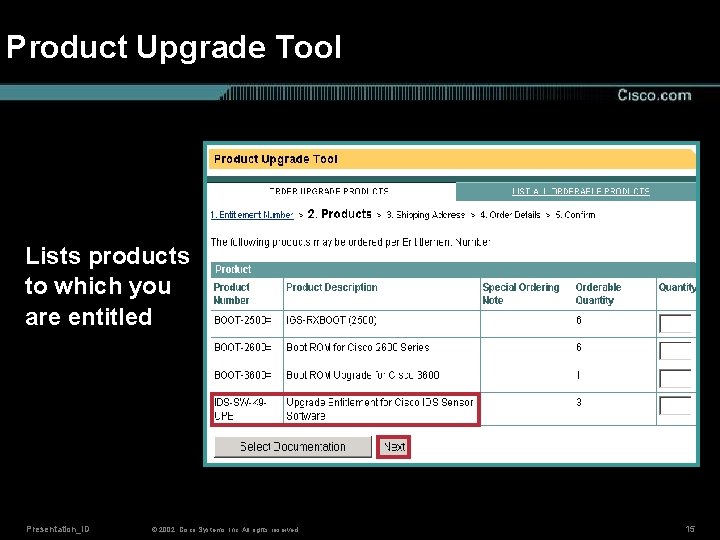
Product Upgrade Tool Lists products to which you are entitled Presentation_ID © 2002, Cisco Systems, Inc. All rights reserved. 15
Agenda • Cisco Technical Support (TAC) Web Site Overview • Installation and Upgrade Support • Configuration Support • Troubleshooting Support • Technical Guides and Additional Resources • Conclusion Presentation_ID © 2002, Cisco Systems, Inc. All rights reserved. 16
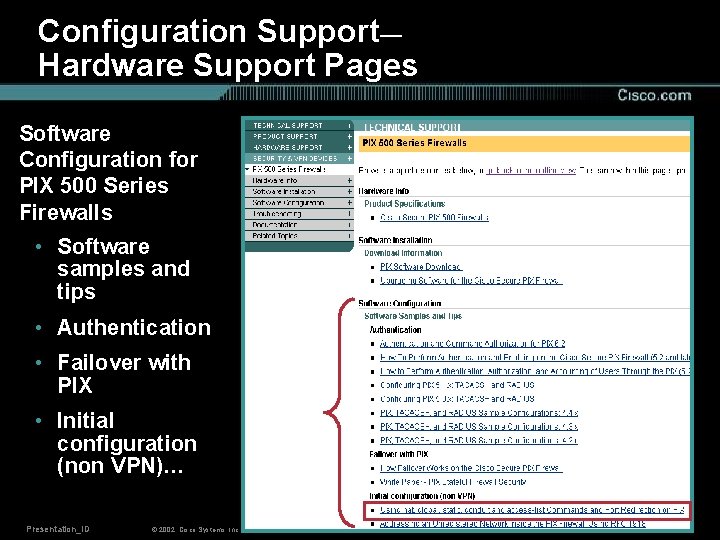
Configuration Support— Hardware Support Pages Software Configuration for PIX 500 Series Firewalls • Software samples and tips • Authentication • Failover with PIX • Initial configuration (non VPN)… Presentation_ID © 2002, Cisco Systems, Inc. All rights reserved. 17
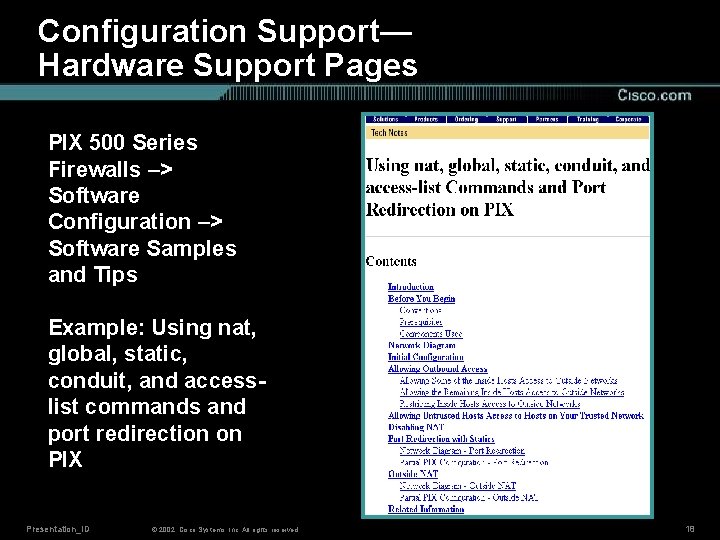
Configuration Support— Hardware Support Pages PIX 500 Series Firewalls –> Software Configuration –> Software Samples and Tips Example: Using nat, global, static, conduit, and accesslist commands and port redirection on PIX Presentation_ID © 2002, Cisco Systems, Inc. All rights reserved. 18
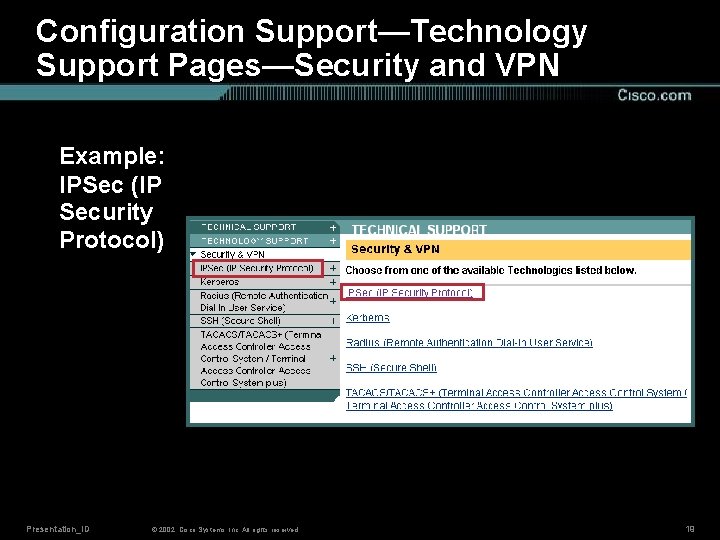
Configuration Support—Technology Support Pages—Security and VPN Example: IPSec (IP Security Protocol) Presentation_ID © 2002, Cisco Systems, Inc. All rights reserved. 19
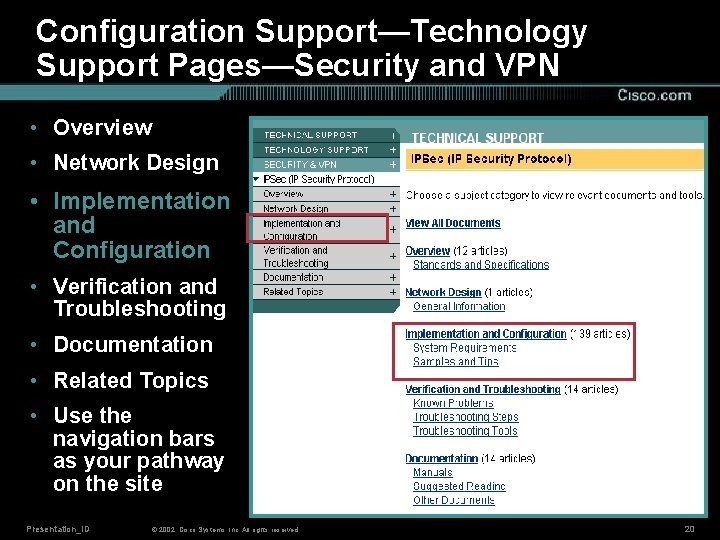
Configuration Support—Technology Support Pages—Security and VPN • Overview • Network Design • Implementation and Configuration • Verification and Troubleshooting • Documentation • Related Topics • Use the navigation bars as your pathway on the site Presentation_ID © 2002, Cisco Systems, Inc. All rights reserved. 20
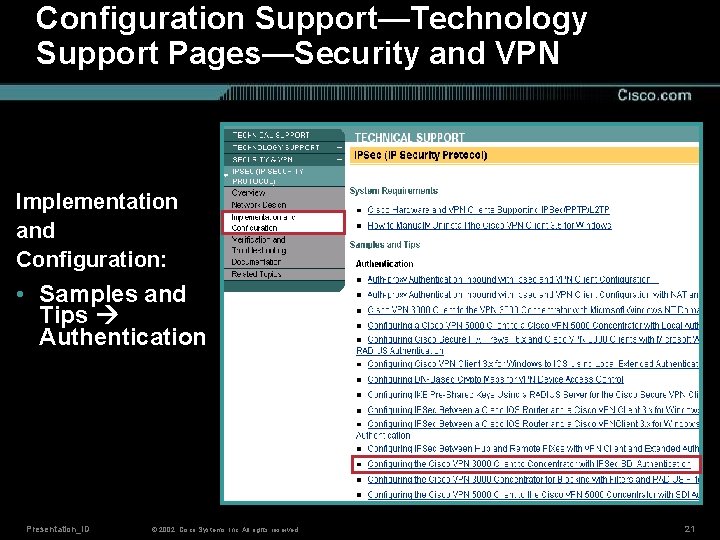
Configuration Support—Technology Support Pages—Security and VPN Implementation and Configuration: • Samples and Tips Authentication Presentation_ID © 2002, Cisco Systems, Inc. All rights reserved. 21
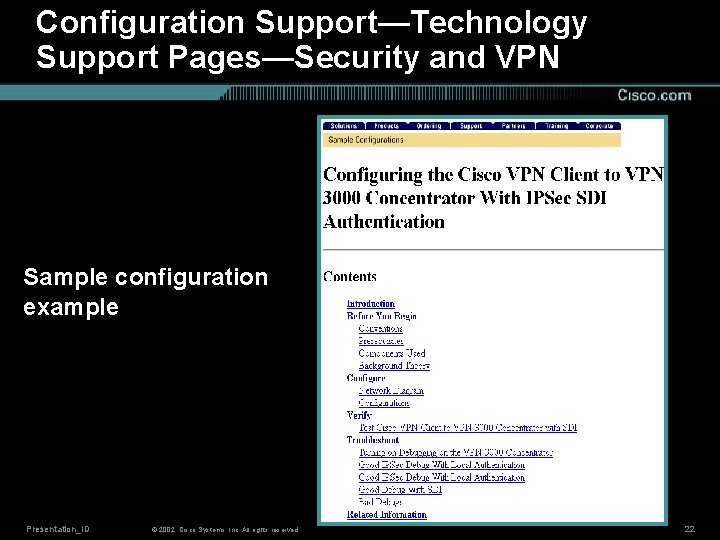
Configuration Support—Technology Support Pages—Security and VPN Sample configuration example Presentation_ID © 2002, Cisco Systems, Inc. All rights reserved. 22
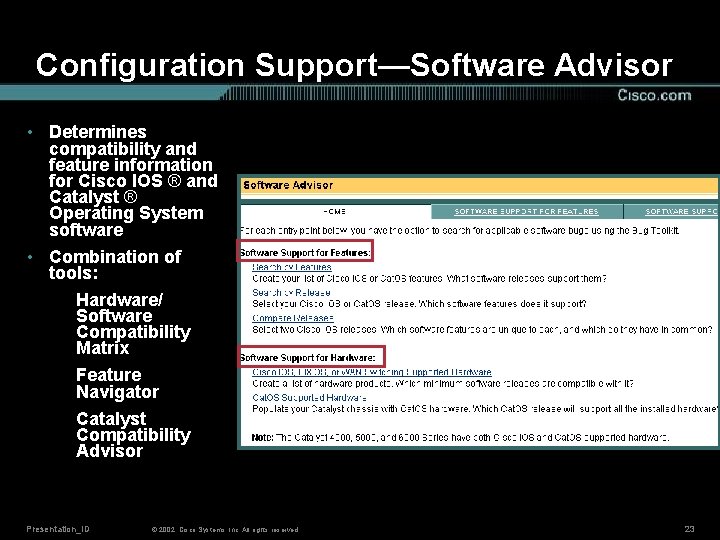
Configuration Support—Software Advisor • Determines compatibility and feature information for Cisco IOS ® and Catalyst ® Operating System software • Combination of tools: Hardware/ Software Compatibility Matrix Feature Navigator Catalyst Compatibility Advisor Presentation_ID © 2002, Cisco Systems, Inc. All rights reserved. 23
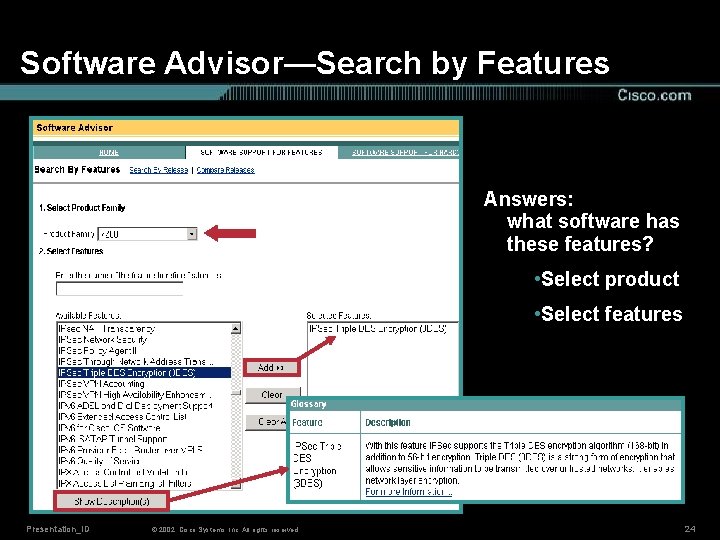
Software Advisor—Search by Features Answers: what software has these features? • Select product • Select features Presentation_ID © 2002, Cisco Systems, Inc. All rights reserved. 24
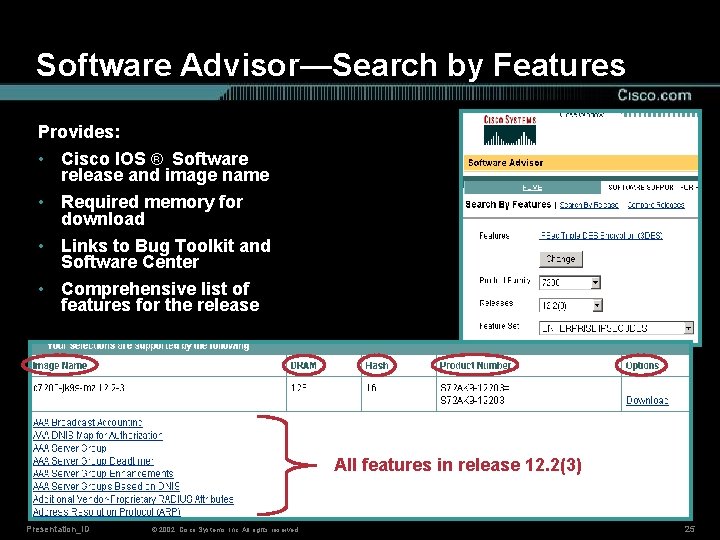
Software Advisor—Search by Features Provides: • Cisco IOS ® Software release and image name • Required memory for download • Links to Bug Toolkit and Software Center • Comprehensive list of features for the release All features in release 12. 2(3) Presentation_ID © 2002, Cisco Systems, Inc. All rights reserved. 25
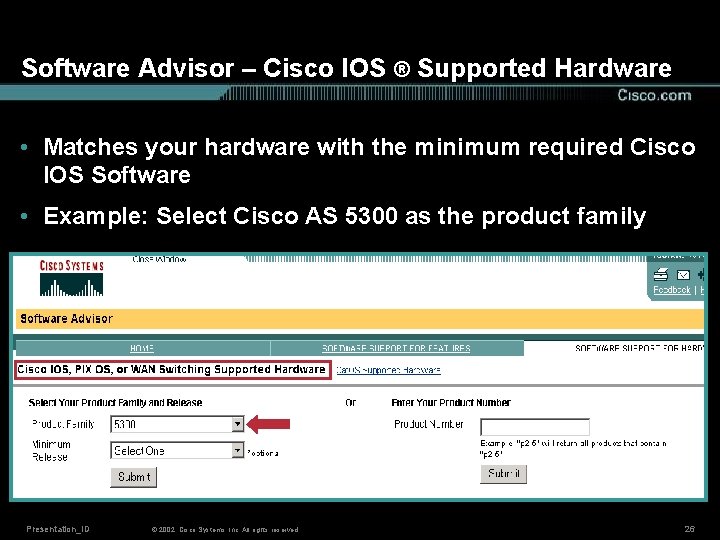
Software Advisor – Cisco IOS ® Supported Hardware • Matches your hardware with the minimum required Cisco IOS Software • Example: Select Cisco AS 5300 as the product family Presentation_ID © 2002, Cisco Systems, Inc. All rights reserved. 26
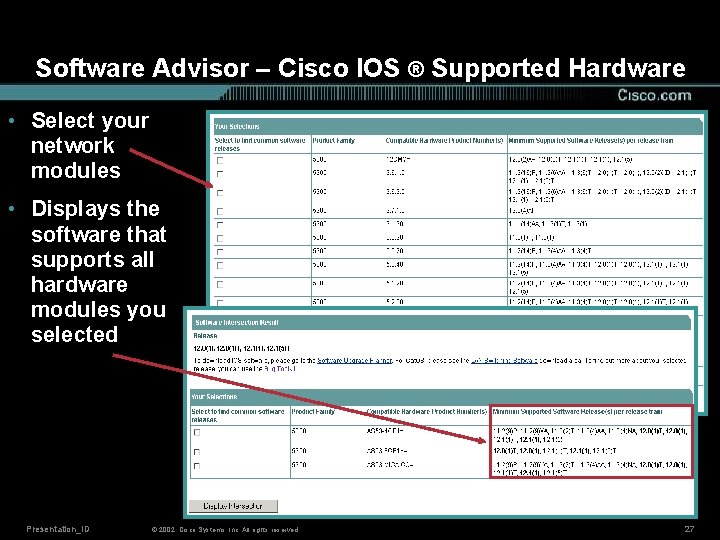
Software Advisor – Cisco IOS ® Supported Hardware • Select your network modules • Displays the software that supports all hardware modules you selected Presentation_ID © 2002, Cisco Systems, Inc. All rights reserved. 27
Agenda • Cisco Technical Support (TAC) Web Site Overview • Installation and Upgrade Support • Configuration Support • Troubleshooting Support • Technical Guides and Additional Resources • Conclusion Presentation_ID © 2002, Cisco Systems, Inc. All rights reserved. 28
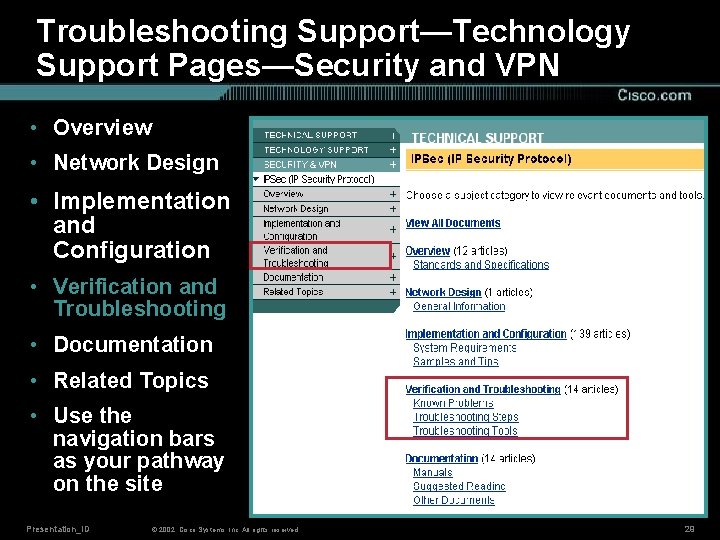
Troubleshooting Support—Technology Support Pages—Security and VPN • Overview • Network Design • Implementation and Configuration • Verification and Troubleshooting • Documentation • Related Topics • Use the navigation bars as your pathway on the site Presentation_ID © 2002, Cisco Systems, Inc. All rights reserved. 29
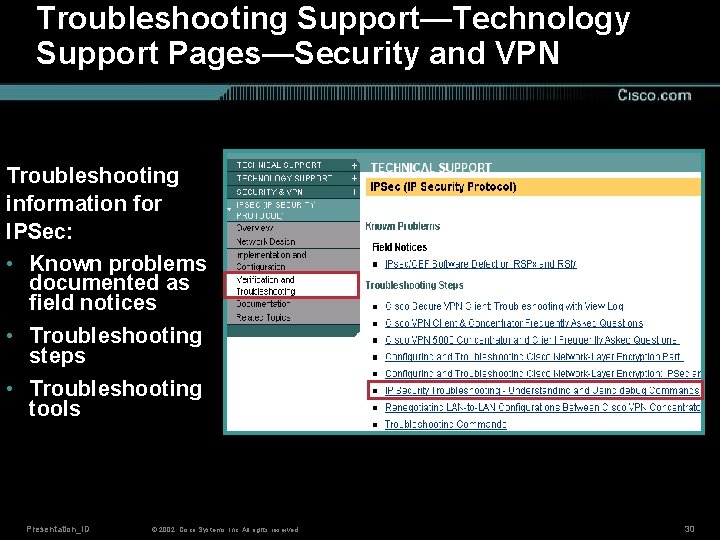
Troubleshooting Support—Technology Support Pages—Security and VPN Troubleshooting information for IPSec: • Known problems documented as field notices • Troubleshooting steps • Troubleshooting tools Presentation_ID © 2002, Cisco Systems, Inc. All rights reserved. 30
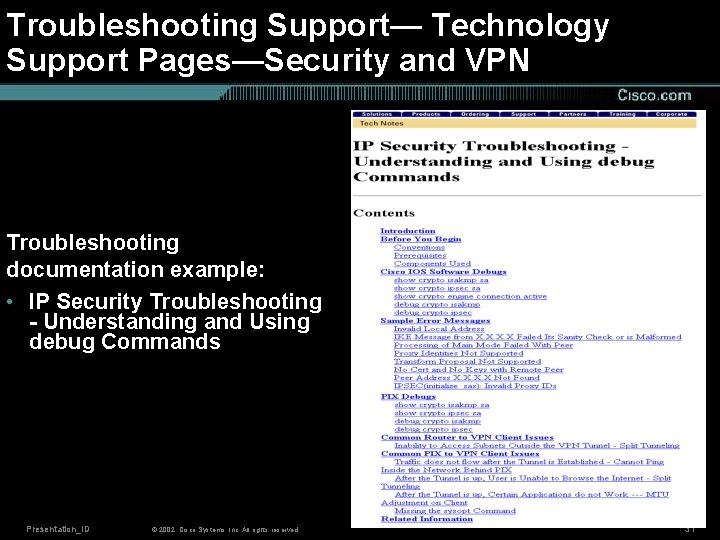
Troubleshooting Support— Technology Support Pages—Security and VPN Troubleshooting documentation example: • IP Security Troubleshooting - Understanding and Using debug Commands Presentation_ID © 2002, Cisco Systems, Inc. All rights reserved. 31
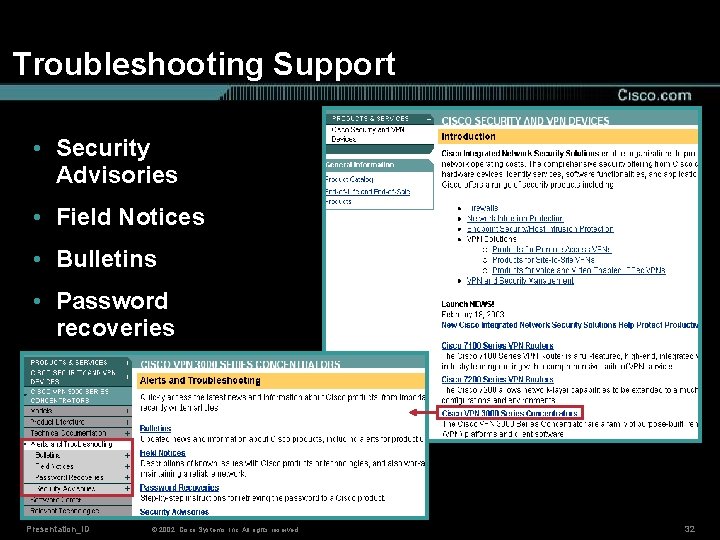
Troubleshooting Support • Security Advisories • Field Notices • Bulletins • Password recoveries Presentation_ID © 2002, Cisco Systems, Inc. All rights reserved. 32
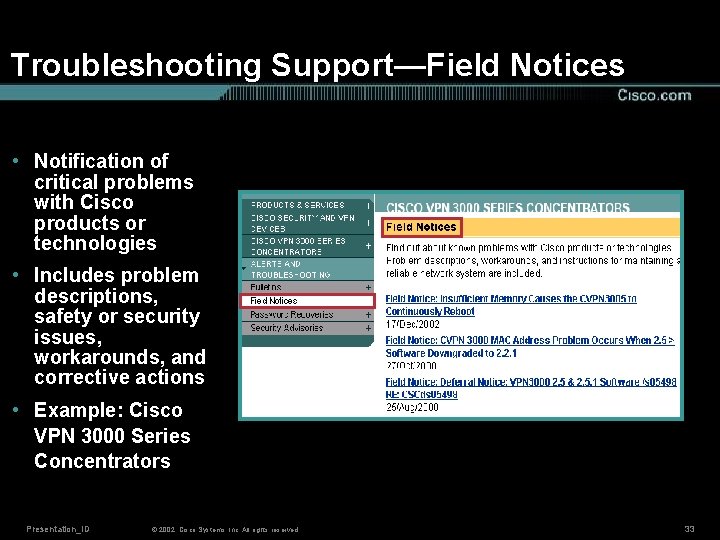
Troubleshooting Support—Field Notices • Notification of critical problems with Cisco products or technologies • Includes problem descriptions, safety or security issues, workarounds, and corrective actions • Example: Cisco VPN 3000 Series Concentrators Presentation_ID © 2002, Cisco Systems, Inc. All rights reserved. 33
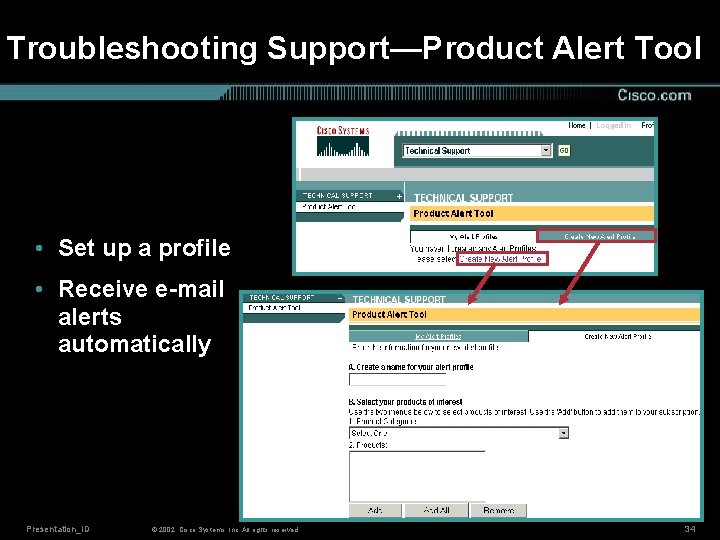
Troubleshooting Support—Product Alert Tool • Set up a profile • Receive e-mail alerts automatically Presentation_ID © 2002, Cisco Systems, Inc. All rights reserved. 34
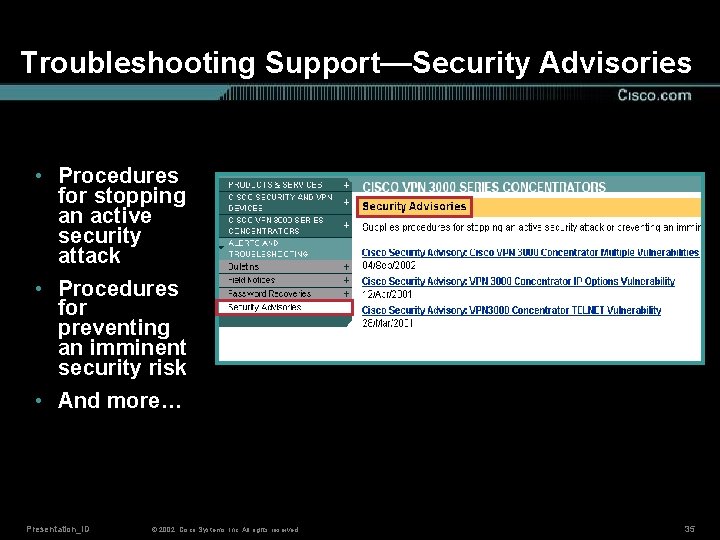
Troubleshooting Support—Security Advisories • Procedures for stopping an active security attack • Procedures for preventing an imminent security risk • And more… Presentation_ID © 2002, Cisco Systems, Inc. All rights reserved. 35
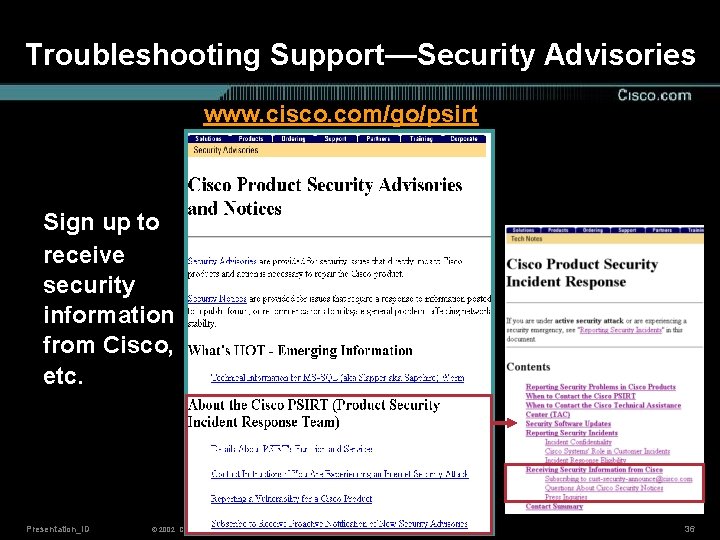
Troubleshooting Support—Security Advisories www. cisco. com/go/psirt Sign up to receive security information from Cisco, etc. Presentation_ID © 2002, Cisco Systems, Inc. All rights reserved. 36
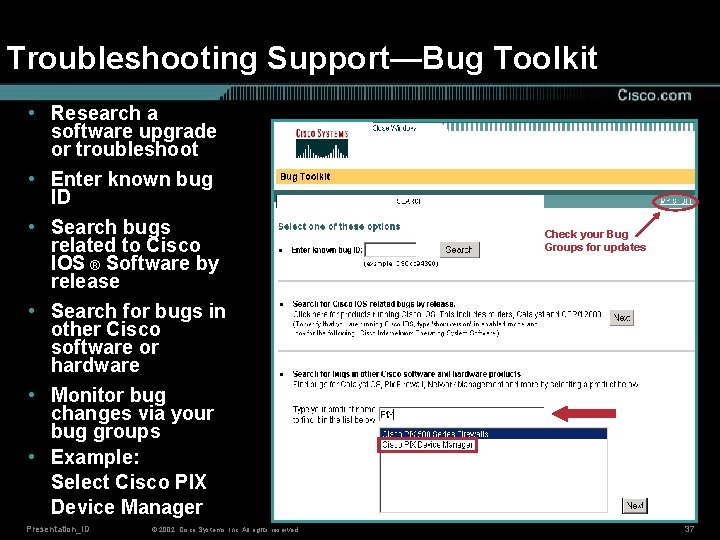
Troubleshooting Support—Bug Toolkit • Research a software upgrade or troubleshoot • Enter known bug ID • Search bugs related to Cisco IOS ® Software by release • Search for bugs in other Cisco software or hardware • Monitor bug changes via your bug groups • Example: Select Cisco PIX Device Manager Presentation_ID © 2002, Cisco Systems, Inc. All rights reserved. Check your Bug Groups for updates 37
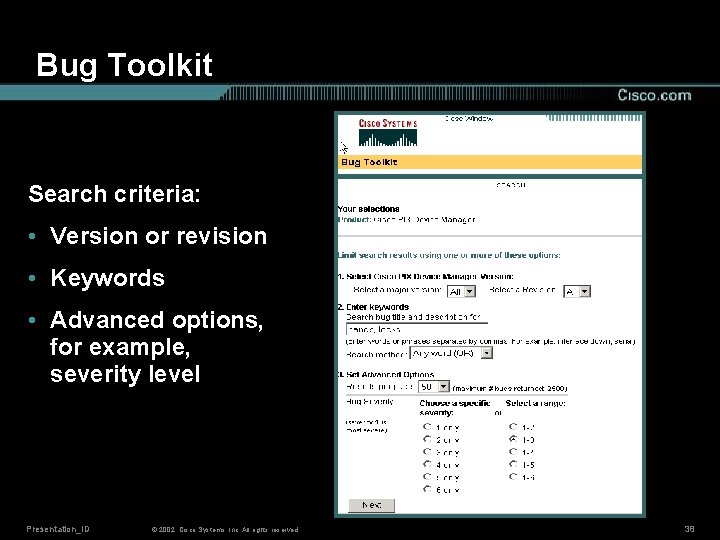
Bug Toolkit Search criteria: • Version or revision • Keywords • Advanced options, for example, severity level Presentation_ID © 2002, Cisco Systems, Inc. All rights reserved. 38
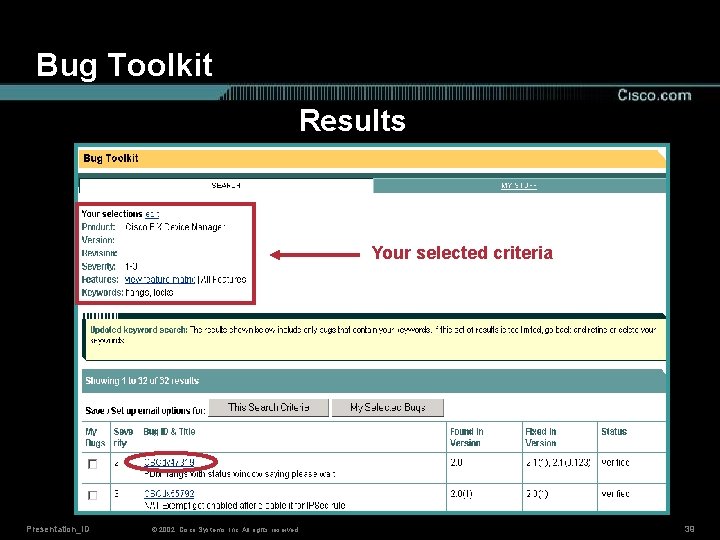
Bug Toolkit Results Your selected criteria Presentation_ID © 2002, Cisco Systems, Inc. All rights reserved. 39
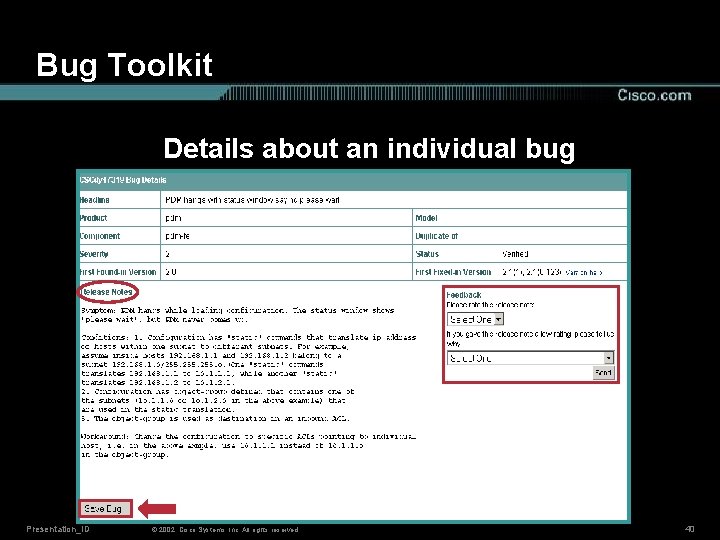
Bug Toolkit Details about an individual bug Presentation_ID © 2002, Cisco Systems, Inc. All rights reserved. 40
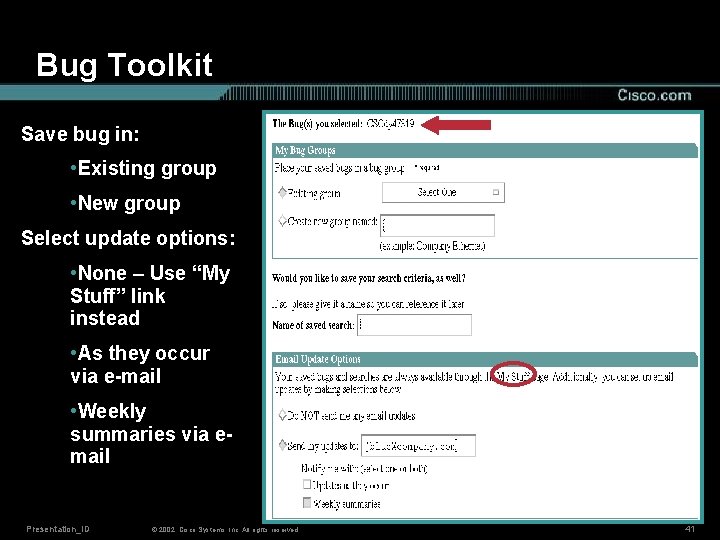
Bug Toolkit Save bug in: • Existing group • New group Select update options: • None – Use “My Stuff” link instead • As they occur via e-mail • Weekly summaries via email Presentation_ID © 2002, Cisco Systems, Inc. All rights reserved. 41
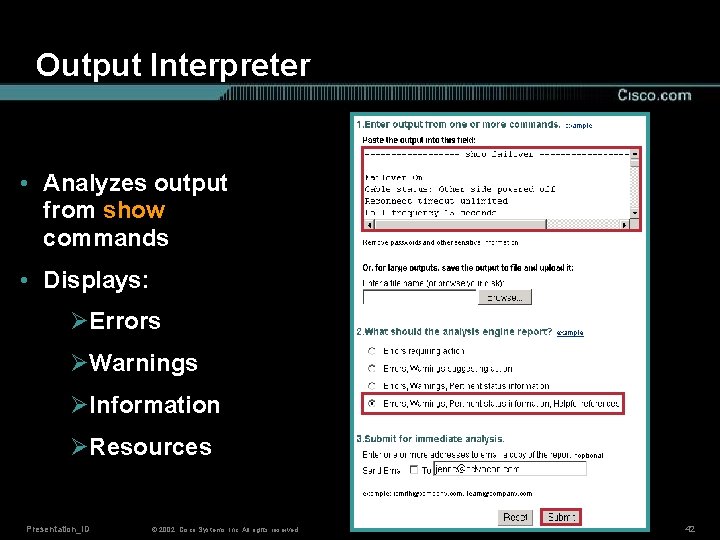
Output Interpreter • Analyzes output from show commands • Displays: ØErrors ØWarnings ØInformation ØResources Presentation_ID © 2002, Cisco Systems, Inc. All rights reserved. 42
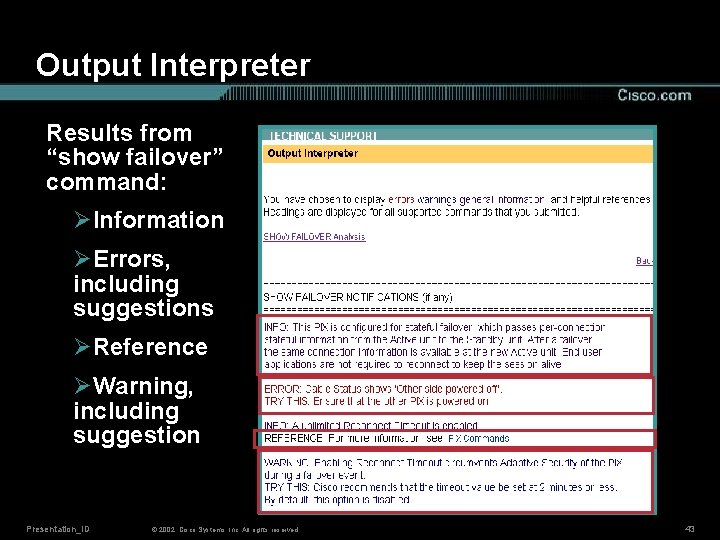
Output Interpreter Results from “show failover” command: ØInformation ØErrors, including suggestions ØReference ØWarning, including suggestion Presentation_ID © 2002, Cisco Systems, Inc. All rights reserved. 43
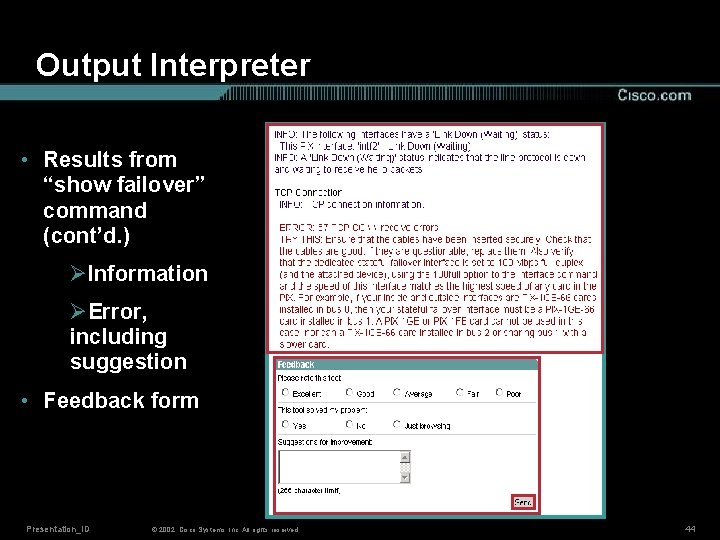
Output Interpreter • Results from “show failover” command (cont’d. ) ØInformation ØError, including suggestion • Feedback form Presentation_ID © 2002, Cisco Systems, Inc. All rights reserved. 44
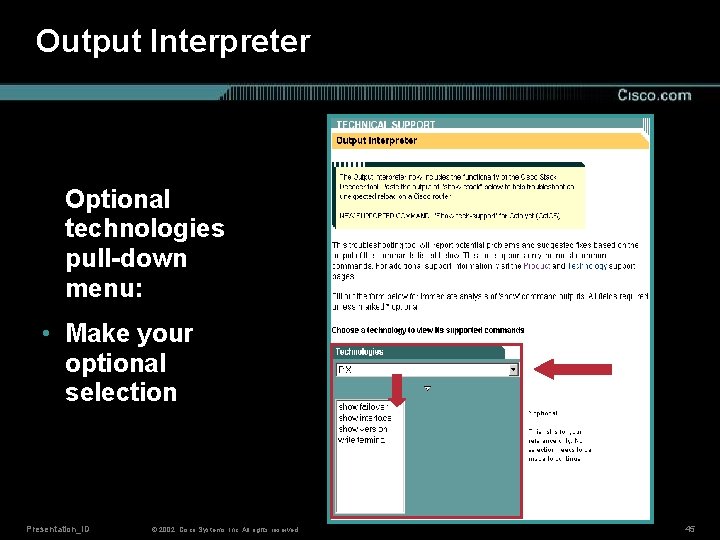
Output Interpreter Optional technologies pull-down menu: • Make your optional selection Presentation_ID © 2002, Cisco Systems, Inc. All rights reserved. 45
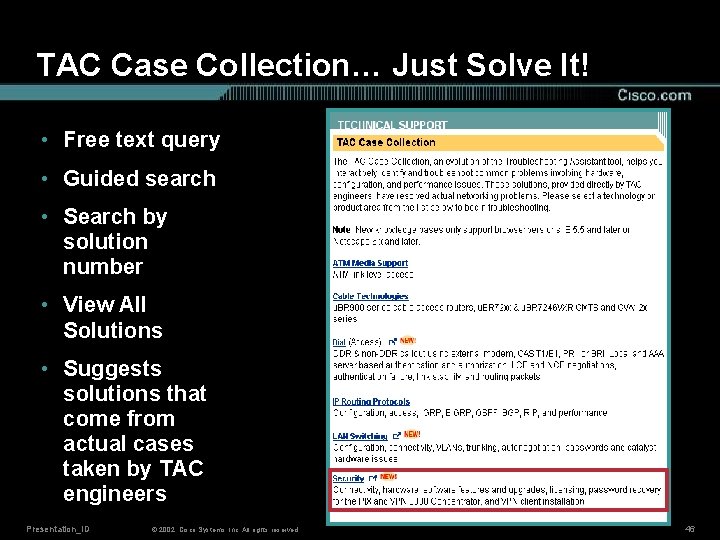
TAC Case Collection… Just Solve It! • Free text query • Guided search • Search by solution number • View All Solutions • Suggests solutions that come from actual cases taken by TAC engineers Presentation_ID © 2002, Cisco Systems, Inc. All rights reserved. 46

TAC Case Collection Free text query Presentation_ID © 2002, Cisco Systems, Inc. All rights reserved. 47
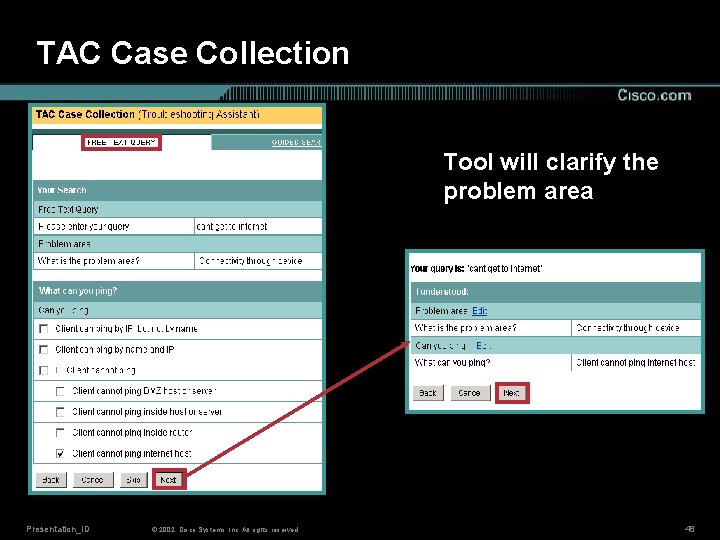
TAC Case Collection Tool will clarify the problem area Presentation_ID © 2002, Cisco Systems, Inc. All rights reserved. 48
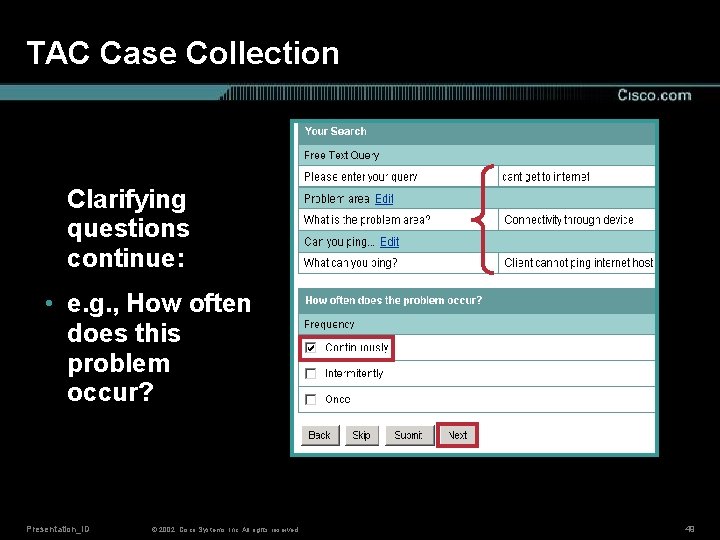
TAC Case Collection Clarifying questions continue: • e. g. , How often does this problem occur? Presentation_ID © 2002, Cisco Systems, Inc. All rights reserved. 49
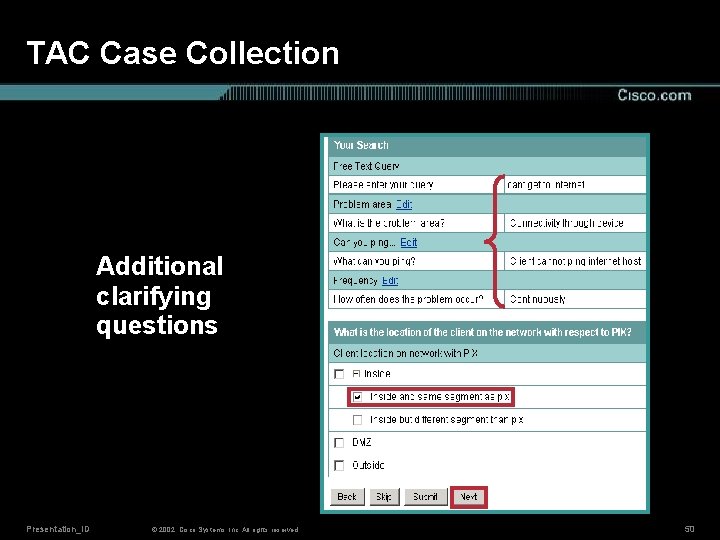
TAC Case Collection Additional clarifying questions Presentation_ID © 2002, Cisco Systems, Inc. All rights reserved. 50
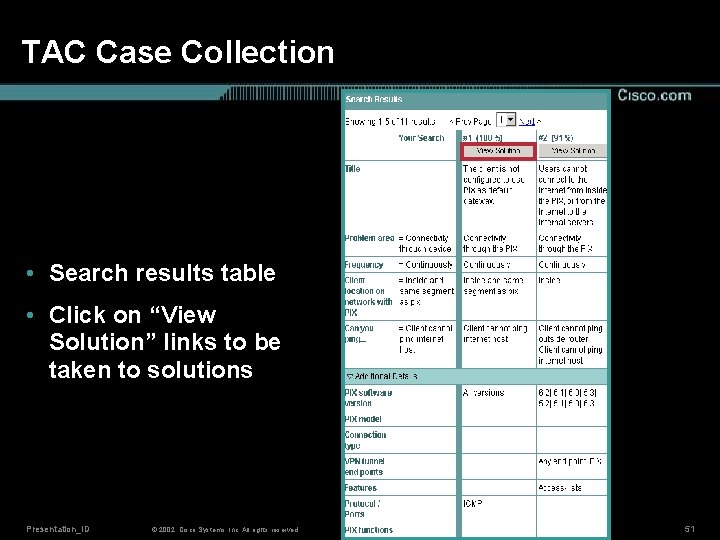
TAC Case Collection • Search results table • Click on “View Solution” links to be taken to solutions Presentation_ID © 2002, Cisco Systems, Inc. All rights reserved. 51
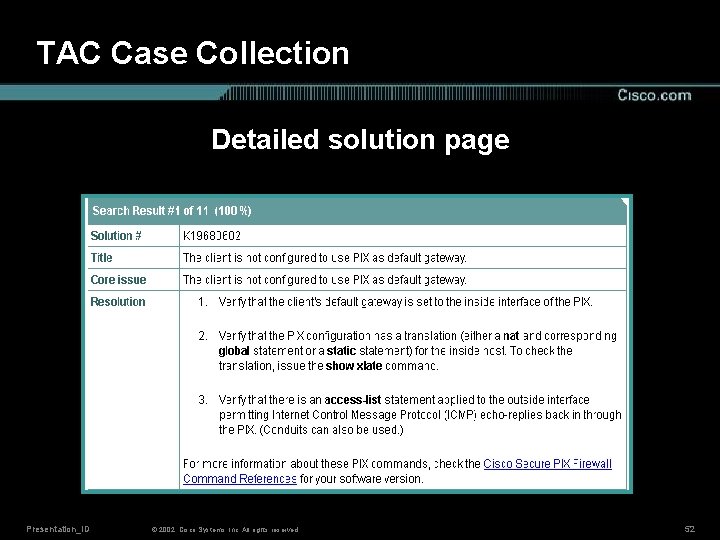
TAC Case Collection Detailed solution page Presentation_ID © 2002, Cisco Systems, Inc. All rights reserved. 52
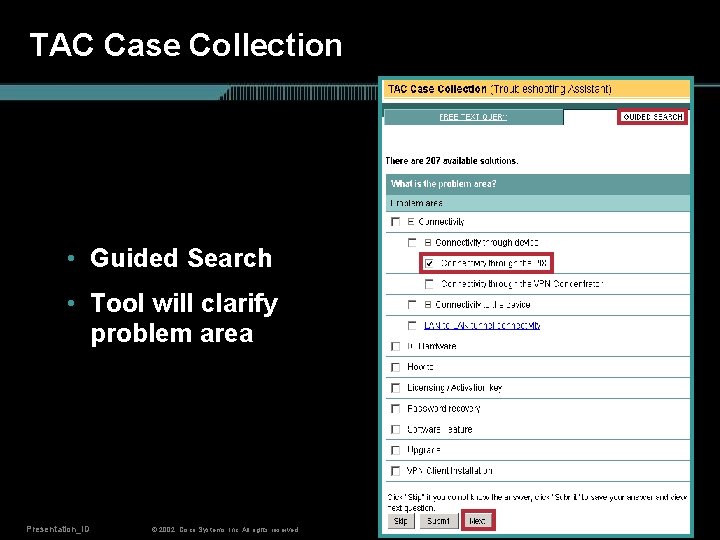
TAC Case Collection • Guided Search • Tool will clarify problem area Presentation_ID © 2002, Cisco Systems, Inc. All rights reserved. 53
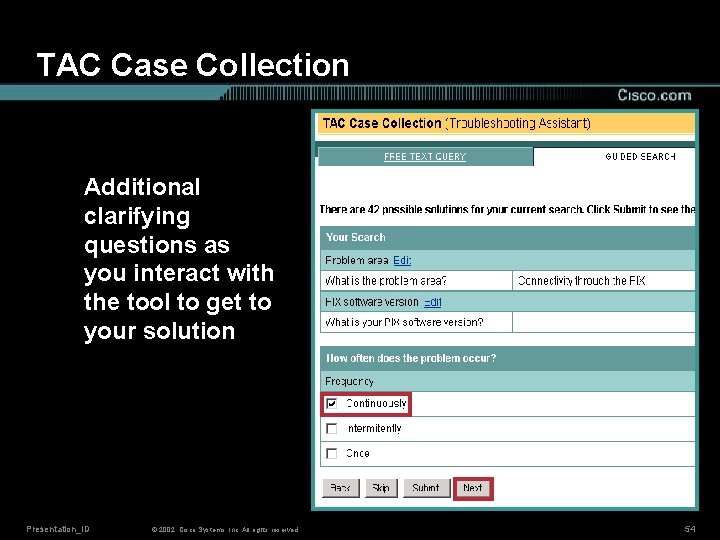
TAC Case Collection Additional clarifying questions as you interact with the tool to get to your solution Presentation_ID © 2002, Cisco Systems, Inc. All rights reserved. 54
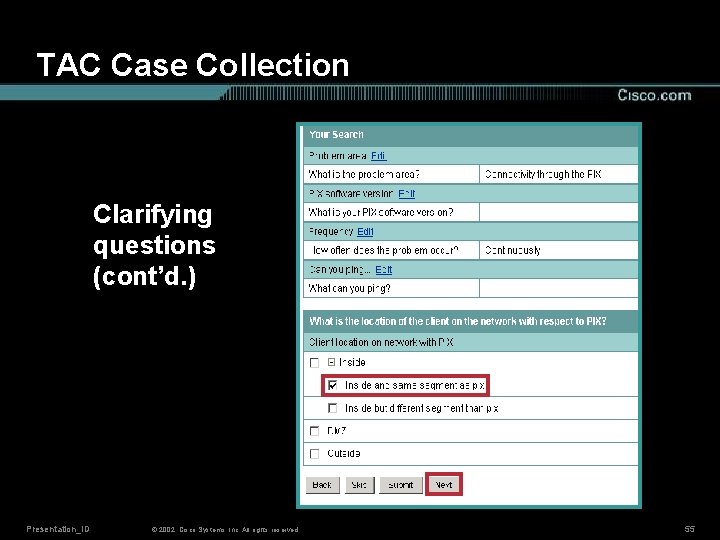
TAC Case Collection Clarifying questions (cont’d. ) Presentation_ID © 2002, Cisco Systems, Inc. All rights reserved. 55
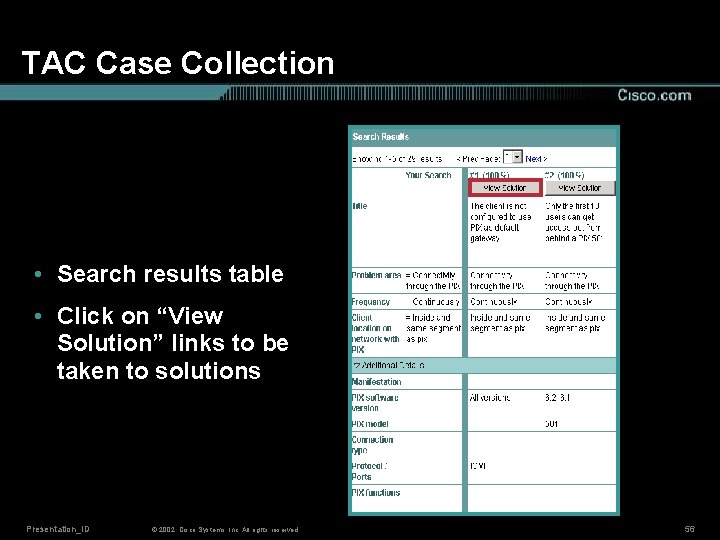
TAC Case Collection • Search results table • Click on “View Solution” links to be taken to solutions Presentation_ID © 2002, Cisco Systems, Inc. All rights reserved. 56
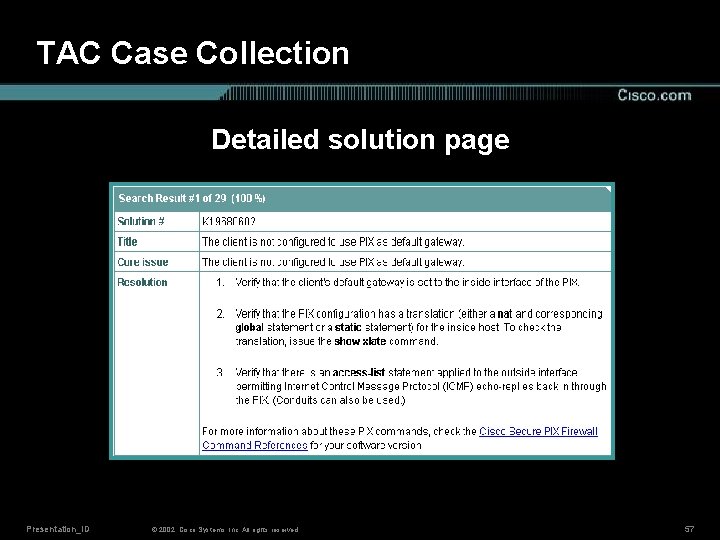
TAC Case Collection Detailed solution page Presentation_ID © 2002, Cisco Systems, Inc. All rights reserved. 57
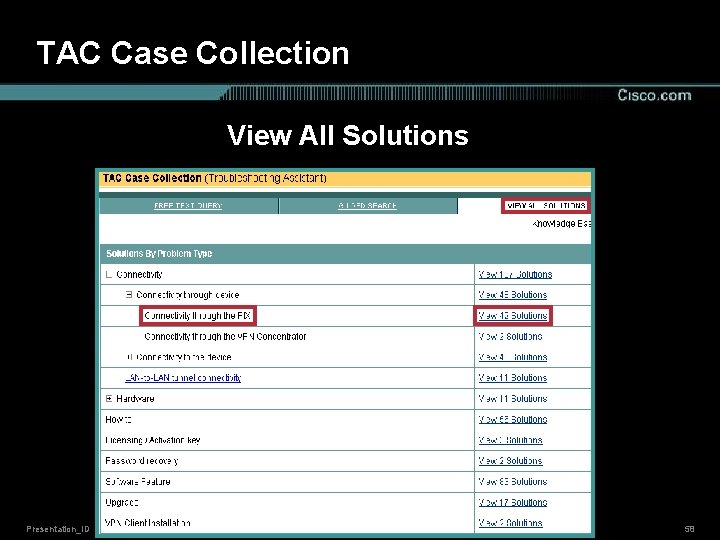
TAC Case Collection View All Solutions Presentation_ID © 2002, Cisco Systems, Inc. All rights reserved. 58
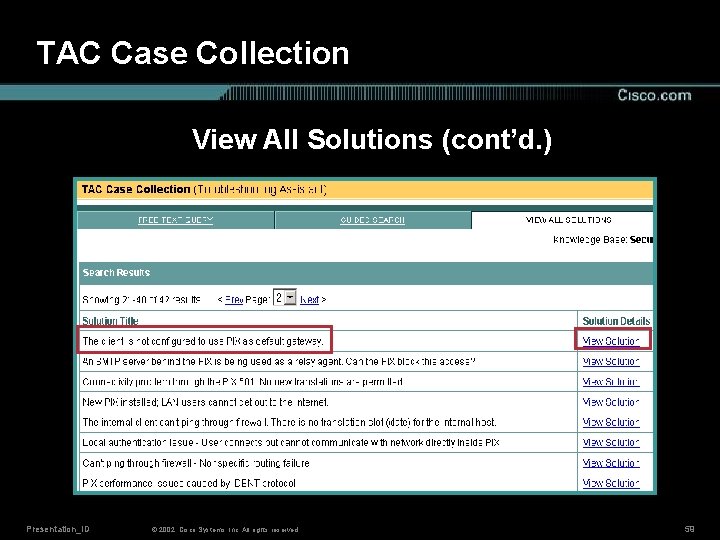
TAC Case Collection View All Solutions (cont’d. ) Presentation_ID © 2002, Cisco Systems, Inc. All rights reserved. 59
Agenda • Cisco Technical Support (TAC) Web Site Overview • Installation and Upgrade Support • Configuration Support • Troubleshooting Support • Technical Guides and Additional Resources • Conclusion Presentation_ID © 2002, Cisco Systems, Inc. All rights reserved. 60
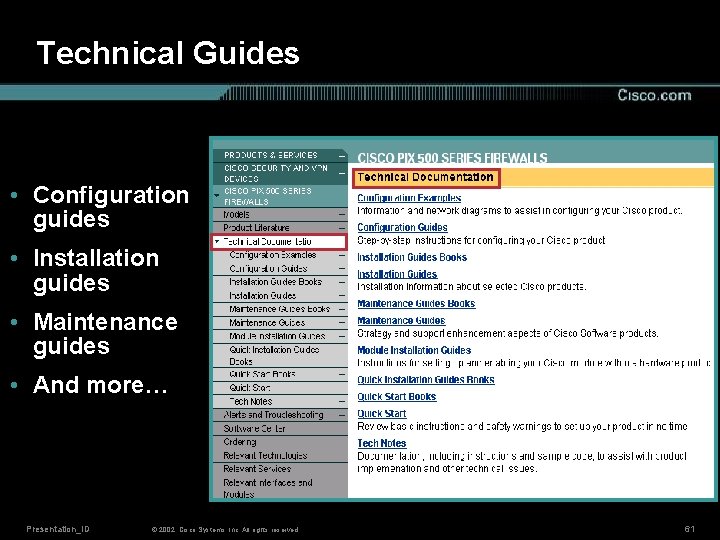
Technical Guides • Configuration guides • Installation guides • Maintenance guides • And more… Presentation_ID © 2002, Cisco Systems, Inc. All rights reserved. 61
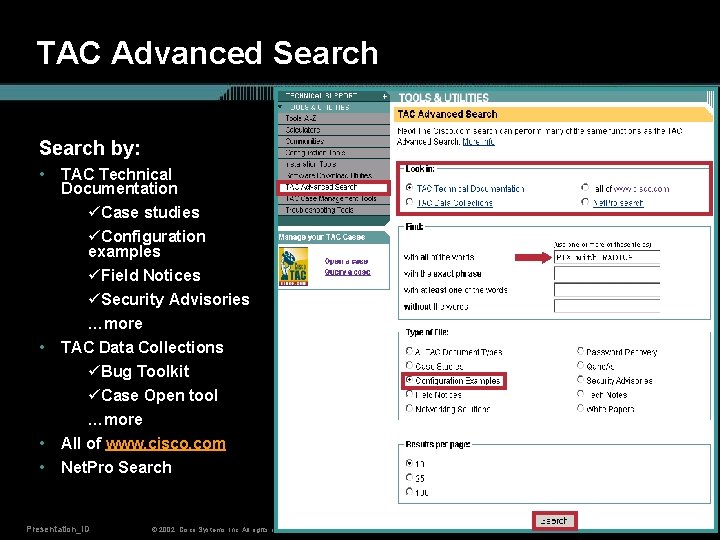
TAC Advanced Search by: • • TAC Technical Documentation üCase studies üConfiguration examples üField Notices üSecurity Advisories …more TAC Data Collections üBug Toolkit üCase Open tool …more All of www. cisco. com Net. Pro Search Presentation_ID © 2002, Cisco Systems, Inc. All rights reserved. 62
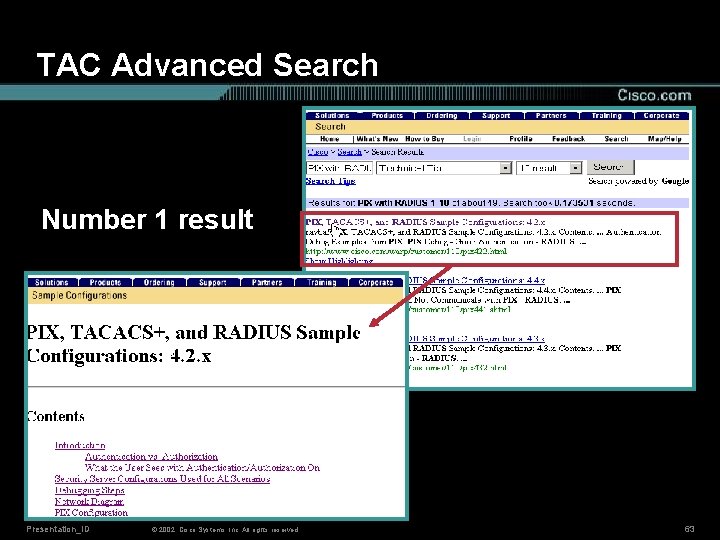
TAC Advanced Search Number 1 result Presentation_ID © 2002, Cisco Systems, Inc. All rights reserved. 63
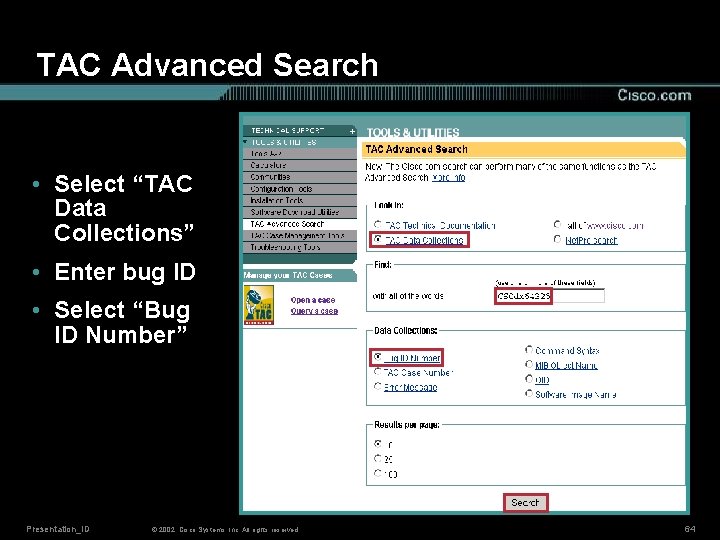
TAC Advanced Search • Select “TAC Data Collections” • Enter bug ID • Select “Bug ID Number” Presentation_ID © 2002, Cisco Systems, Inc. All rights reserved. 64
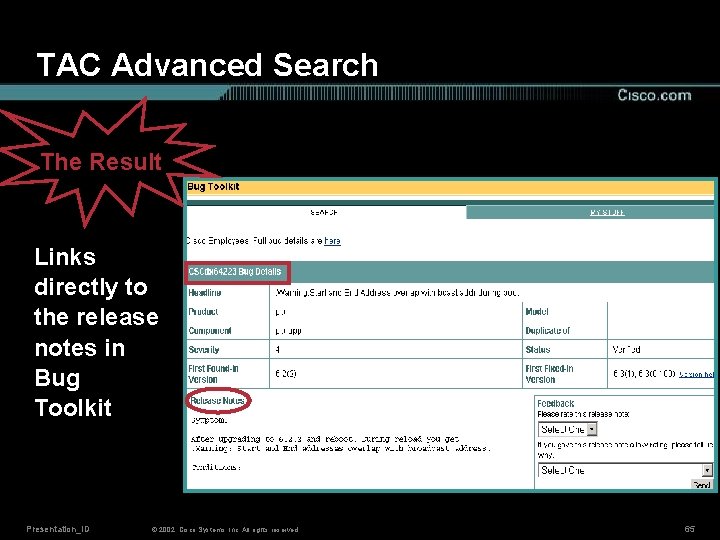
TAC Advanced Search The Result Links directly to the release notes in Bug Toolkit Presentation_ID © 2002, Cisco Systems, Inc. All rights reserved. 65
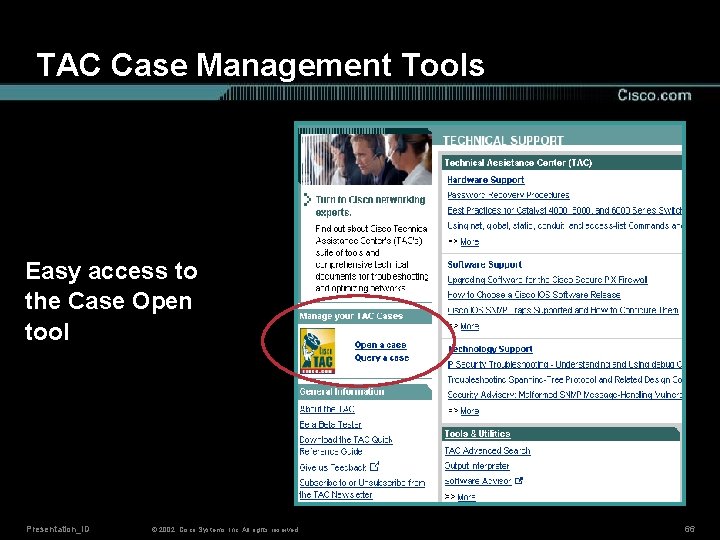
TAC Case Management Tools Easy access to the Case Open tool Presentation_ID © 2002, Cisco Systems, Inc. All rights reserved. 66
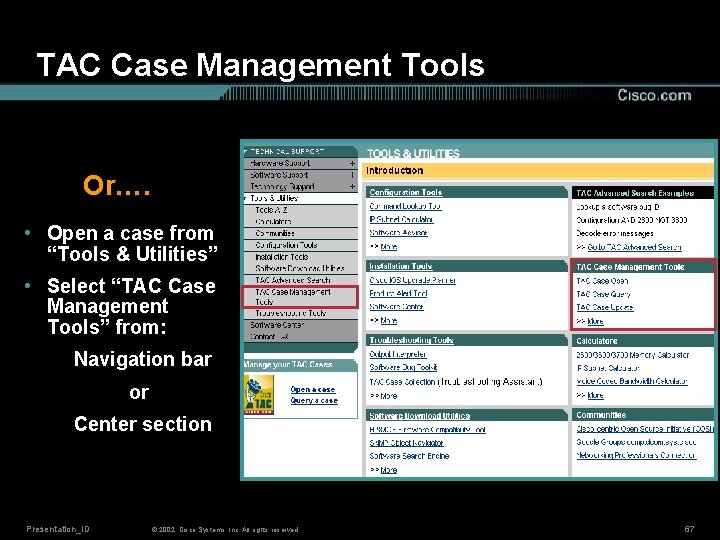
TAC Case Management Tools Or…. • Open a case from “Tools & Utilities” • Select “TAC Case Management Tools” from: Navigation bar or Center section Presentation_ID © 2002, Cisco Systems, Inc. All rights reserved. 67
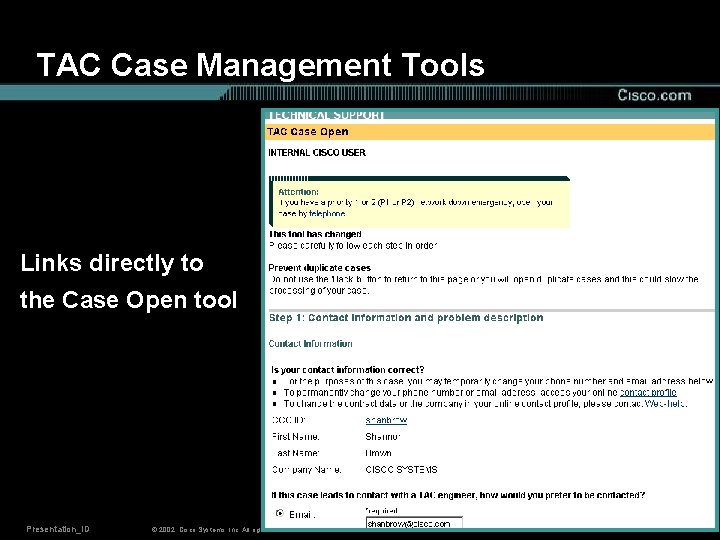
TAC Case Management Tools Links directly to the Case Open tool Presentation_ID © 2002, Cisco Systems, Inc. All rights reserved. 68
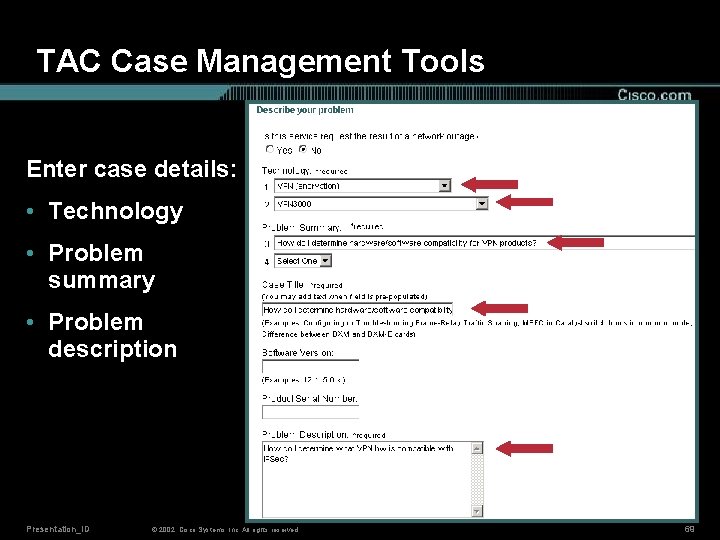
TAC Case Management Tools Enter case details: • Technology • Problem summary • Problem description Presentation_ID © 2002, Cisco Systems, Inc. All rights reserved. 69
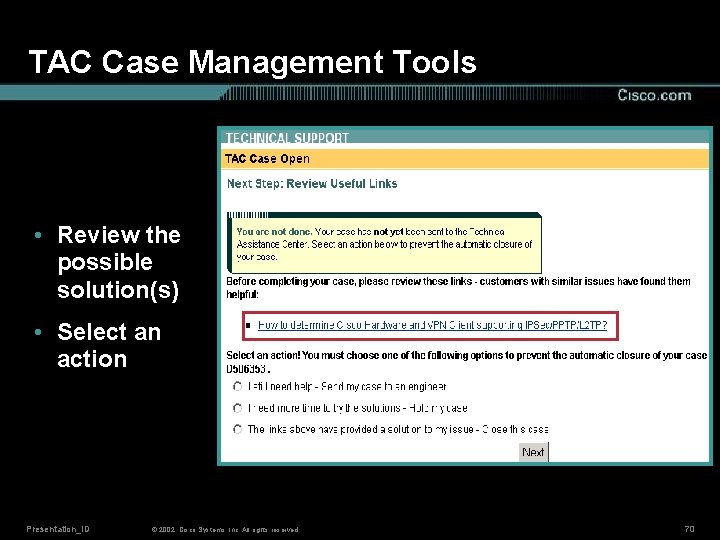
TAC Case Management Tools • Review the possible solution(s) • Select an action Presentation_ID © 2002, Cisco Systems, Inc. All rights reserved. 70
Agenda • Cisco Technical Support (TAC) Web Site Overview • Installation and Upgrade Support • Configuration Support • Troubleshooting Support • Technical Guides and Additional Resources • Conclusion Presentation_ID © 2002, Cisco Systems, Inc. All rights reserved. 71
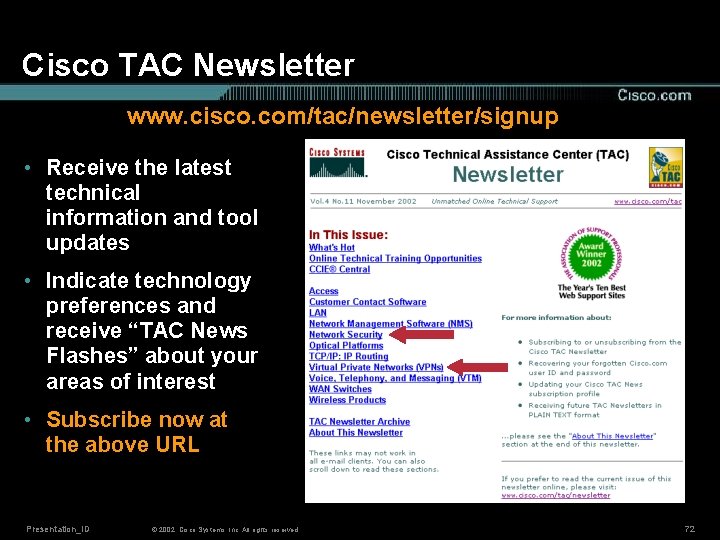
Cisco TAC Newsletter www. cisco. com/tac/newsletter/signup • Receive the latest technical information and tool updates • Indicate technology preferences and receive “TAC News Flashes” about your areas of interest • Subscribe now at the above URL Presentation_ID © 2002, Cisco Systems, Inc. All rights reserved. 72
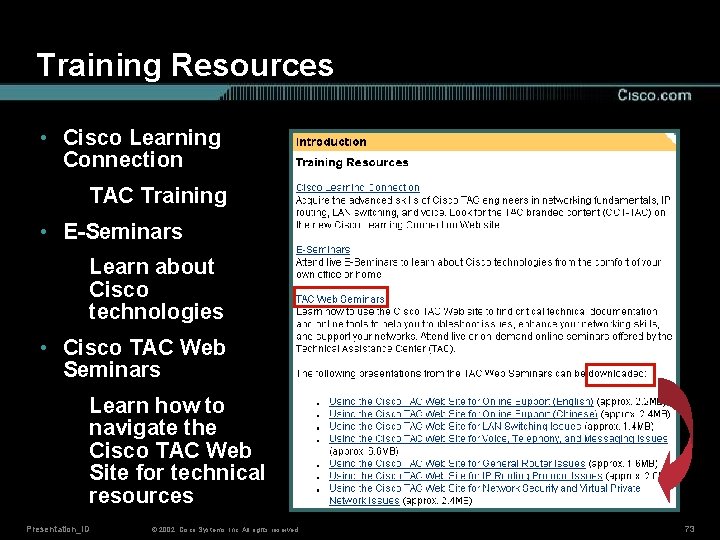
Training Resources • Cisco Learning Connection TAC Training • E-Seminars Learn about Cisco technologies • Cisco TAC Web Seminars Learn how to navigate the Cisco TAC Web Site for technical resources Presentation_ID © 2002, Cisco Systems, Inc. All rights reserved. 73
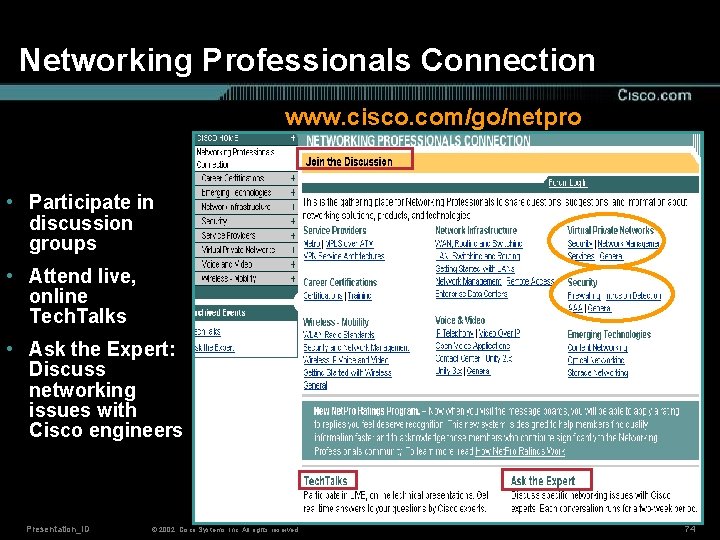
Networking Professionals Connection www. cisco. com/go/netpro • Participate in discussion groups • Attend live, online Tech. Talks • Ask the Expert: Discuss networking issues with Cisco engineers Presentation_ID © 2002, Cisco Systems, Inc. All rights reserved. 74
Cisco TAC Web Site: Industry Award Winner • Cisco TAC Web Site wins the 2002 “Ten Best Web Support Sites” award from the Association of Support Professionals (ASP) • High marks in the areas of: Web usability Web design and navigation Knowledge bases Search Interactive features Presentation_ID © 2002, Cisco Systems, Inc. All rights reserved. 75
Conclusion Benefits of the Cisco TAC Web Site include: • Improved navigation • Advanced search capabilities • One location for all technical documentation • Direct access to the Case Open and Case Query tools Presentation_ID © 2002, Cisco Systems, Inc. All rights reserved. 76
- Slides: 76