
CIS 487 Game Design I Sprite Sheets Blake
CIS 487 - Game Design I Sprite Sheets Blake Farrugia 10/10/2011
Animation • You may be wondering how to animate objects in your flash games. • A basic, cheap (memory-wise) way to render is Sprite Sheets. Rendering is the same for both. • Two main ways of getting resources: – Embed actual picture file – Embed SWF file and using Movie. Clip classes
Art Assets • Where does the art come from? • You can create it yourself with a program like Gimp http: //www. gimp. org/ • You can find royalty free sources on the internet http: //www. widgetworx. com/widgetworx/portfolio/spritelib. html
Basics - Sprite Sheet • It is an image (preferably X x Y where X and Y are divisible by 2) that holds sequences. • Each sequence is made of separate images that play an animation. • Each individual image of a sequence is called a sprite and represents frames of the animation. • A sprite is usually a pixilated, highly stylized image used in games. Not always, though.
Sprite Vs. Movie. Clip • A sprite is a small picture that is part of a sequence of images that make up an animation. Low memory usage, unable to be “tweened” and has no timeline. • A flash Movieclip has a timeline and can be animated by tweening. Display is usually less hassle, but multiple movieclips take a lot memory to produce.
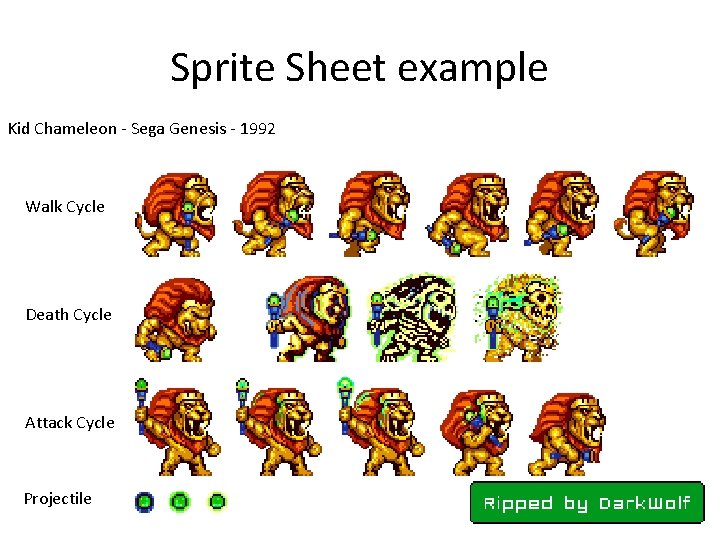
Sprite Sheet example Kid Chameleon - Sega Genesis - 1992 Walk Cycle Death Cycle Attack Cycle Projectile

Importing Sprite Sheet Tutorial • If using Flash CS 2 or greater w/ Flash. Develop: – Create a new Flex AS 3 file. Click File->Import to Library. –; – Choose image to import. – Right click image in Library pane on right side. Choose Properties and check Export to Actionscript ON.
Flash SWF Sprite Sheet • Name your symbol. Two more items: – Naming class to import as – Deriving base class which it inherits from • If you are importing an image, your base case will be flash. display. Bitmap. Data, else Movie. Clip.
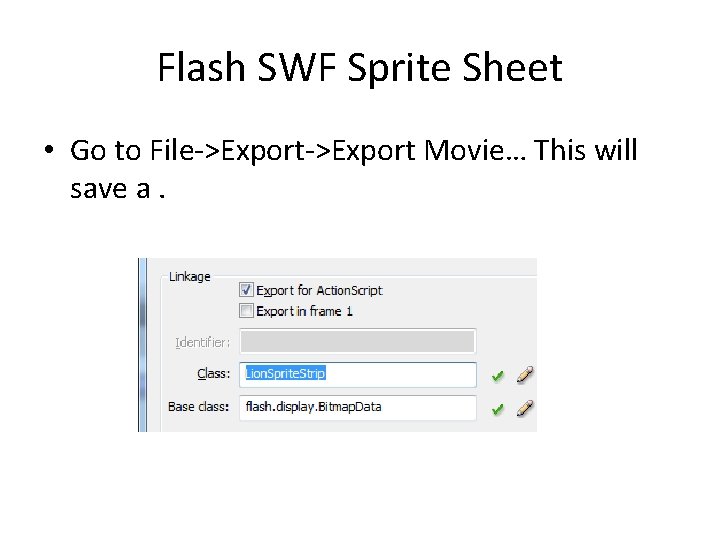
Flash SWF Sprite Sheet • Go to File->Export Movie… This will save a.
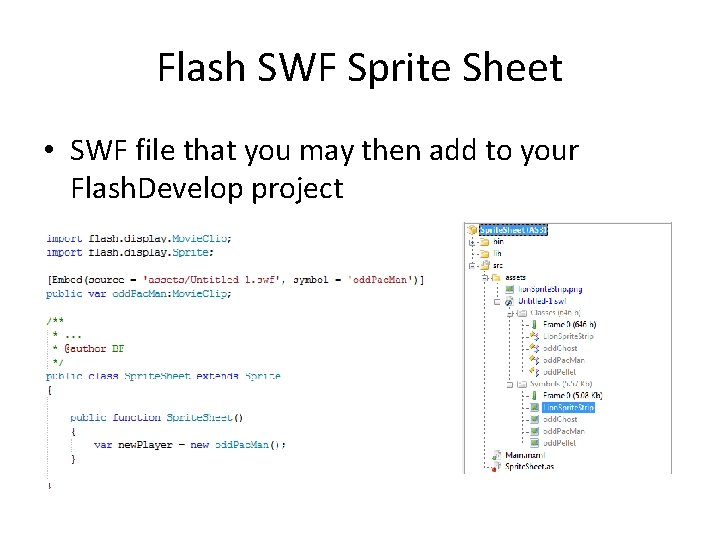
Flash SWF Sprite Sheet • SWF file that you may then add to your Flash. Develop project
Tutorial on Using Flash • There are series of movies that make use of this technique to create in game animations in flash http: //www. lynda. com/Action. Script-3 tutorials/projects-game-development/366 -2. html

Flash. Develop Sprite Sheet • You can certainly use the above method for creating. SWF Movie. Clip classes for use in your Flash. Develop projects • If you don’t want to, there is a more manual way of importing pictures.
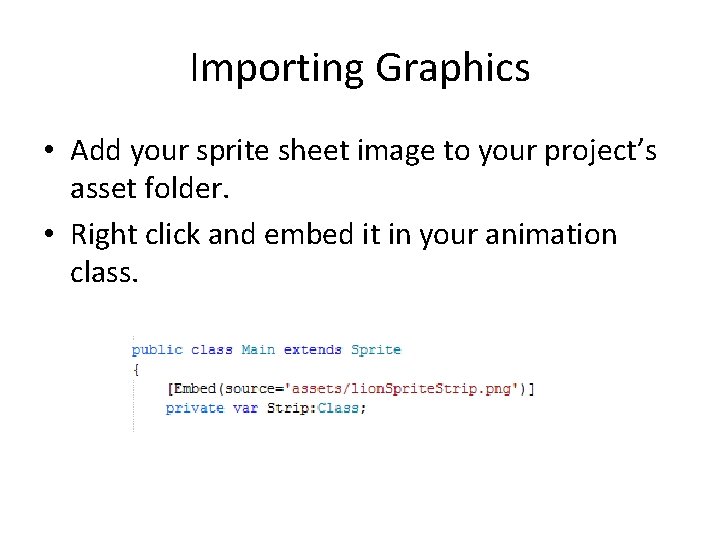
Importing Graphics • Add your sprite sheet image to your project’s asset folder. • Right click and embed it in your animation class.
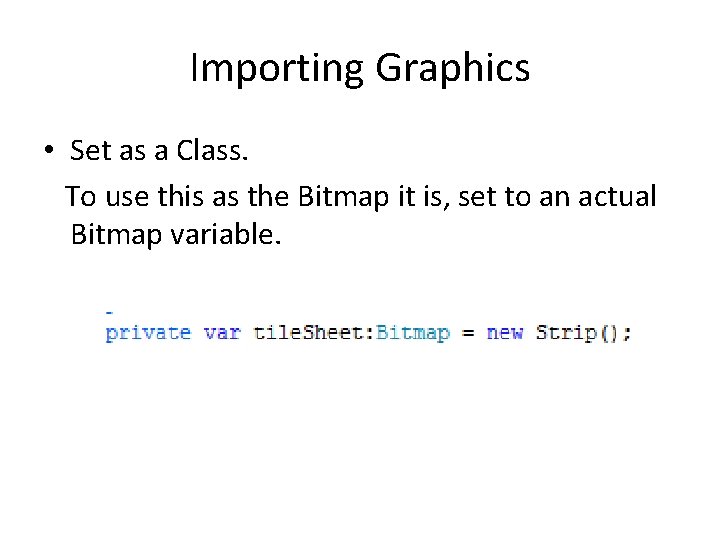
Importing Graphics • Set as a Class. To use this as the Bitmap it is, set to an actual Bitmap variable.
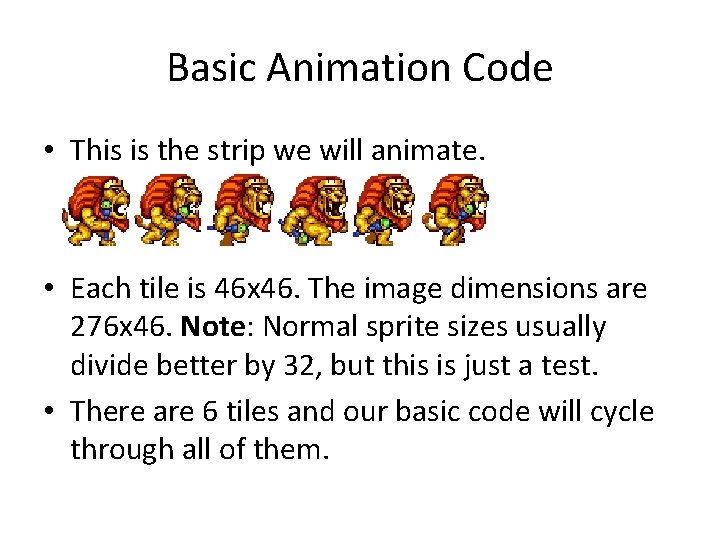
Basic Animation Code • This is the strip we will animate. • Each tile is 46 x 46. The image dimensions are 276 x 46. Note: Normal sprite sizes usually divide better by 32, but this is just a test. • There are 6 tiles and our basic code will cycle through all of them.
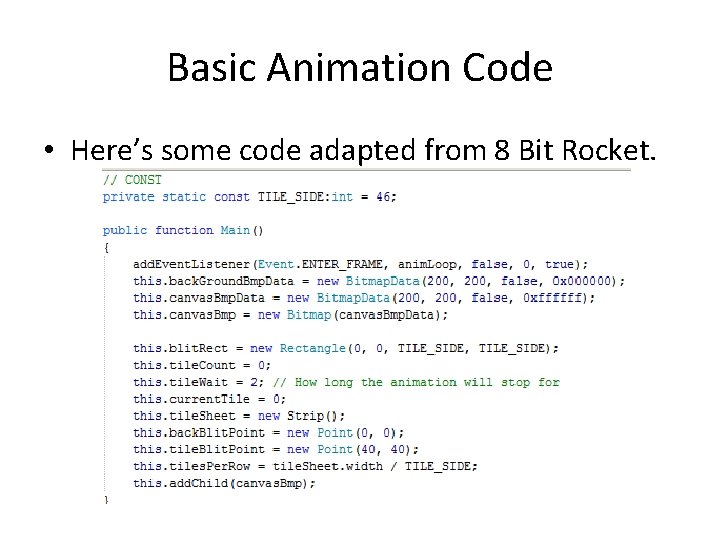
Basic Animation Code • Here’s some code adapted from 8 Bit Rocket.
Basic Animation Code • What’s happening? – After each frame, event runs anim. Loop() – A basic canvas, 200 x 200, is being created – A rectangle to display part of a bitmap is made – tile. Count and tile. Wait set up basic timer actions for pausing tile animations – tile. Sheet is loaded and display points are created – tiles. Per. Row programmatically found – Canvas is added as child for rendering
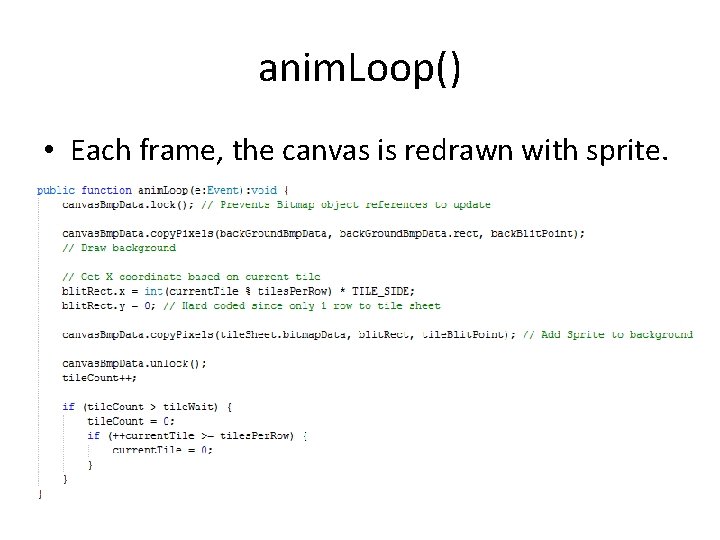
anim. Loop() • Each frame, the canvas is redrawn with sprite.
Helpful Links • 8 Bit Rocket – Sprite Sheet Animation Basics – http: //www. 8 bitrocket. com/2008/7/2/Tutorial-AS 3 The-basics-of-tile-sheet-animation-or-blitting/ • 8 Bit Rocket – Updated Sprite Sheet Example – http: //www. 8 bitrocket. com/2010/03/03/tutorial-as 3 how-to-blit-an-animation-from-a-tile-sheetembedded-at-compile-time/ • Ben Silvis – Sprite Sheet Class Tutorial – http: //www. bensilvis. com/? p=229
- Slides: 19