
CIS 350 3 Image ENHANCEMENT in the SPATIAL
- Slides: 46
CIS 350 – 3 Image ENHANCEMENT in the SPATIAL DOMAIN Dr. Rolf Lakaemper
Most of these slides base on the textbook Digital Image Processing by Gonzales/Woods Chapter 3
Introduction Image Enhancement ? • • • enhance otherwise hidden information Filter important image features Discard unimportant image features Spatial Domain ? • • Refers to the image plane (the ‘natural’ image) Direct image manipulation
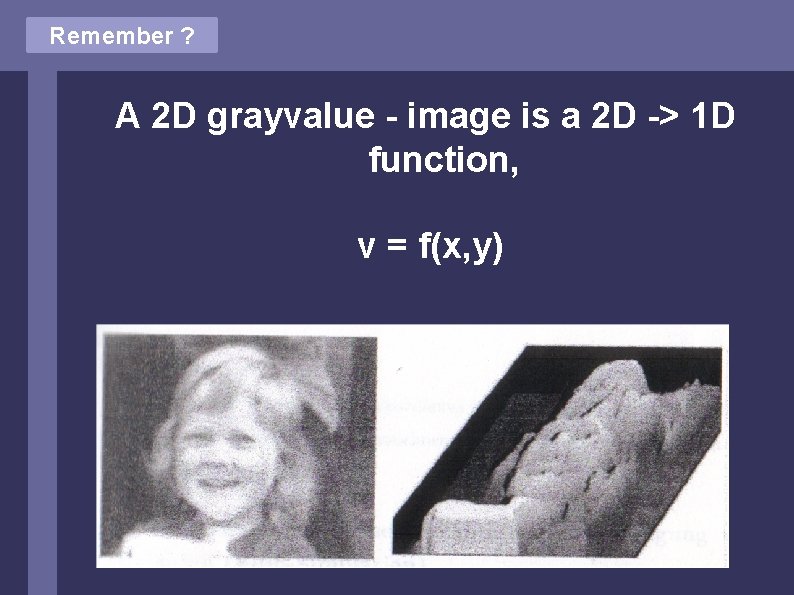
Remember ? A 2 D grayvalue - image is a 2 D -> 1 D function, v = f(x, y)
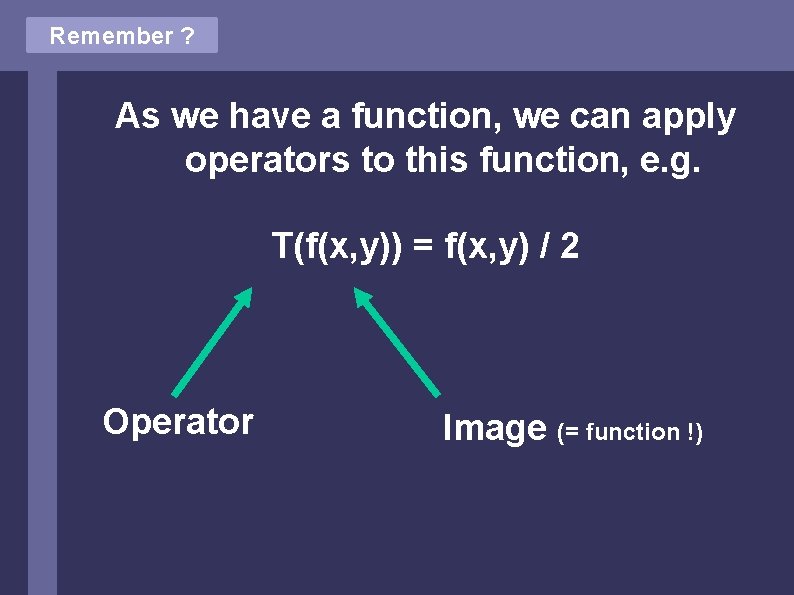
Remember ? As we have a function, we can apply operators to this function, e. g. T(f(x, y)) = f(x, y) / 2 Operator Image (= function !)
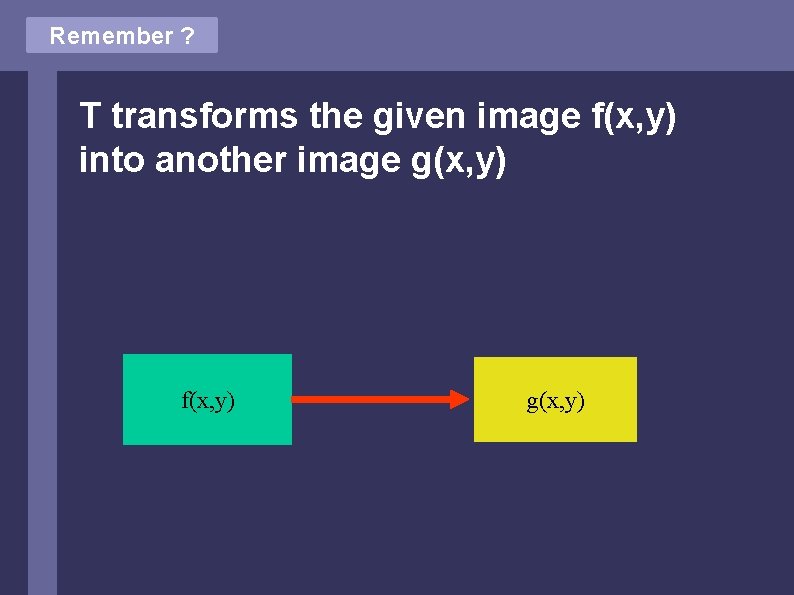
Remember ? T transforms the given image f(x, y) into another image g(x, y) f(x, y) g(x, y)
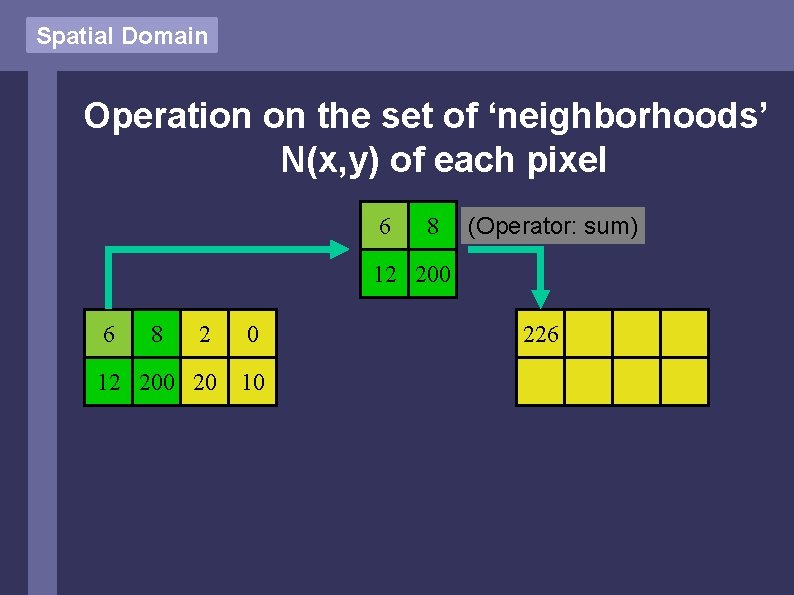
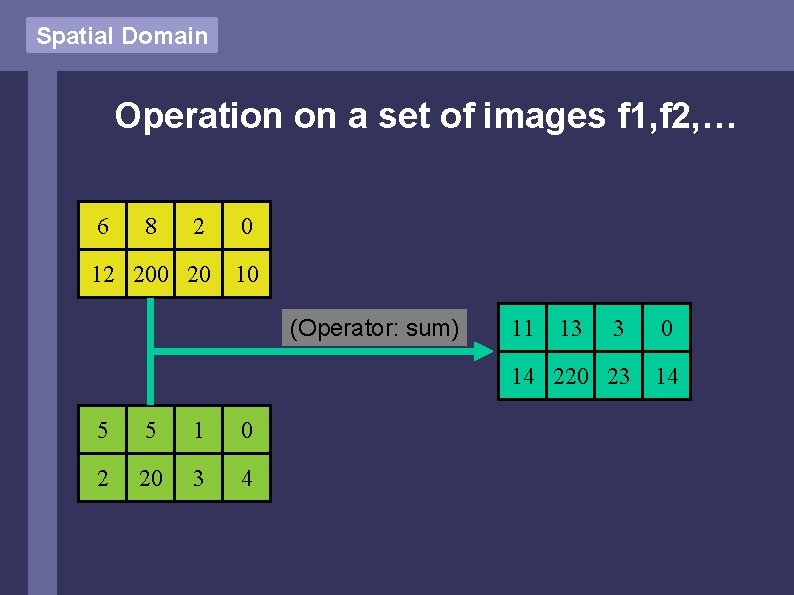
Spatial Domain The operator T can be defined over • • • The set of pixels (x, y) of the image The set of ‘neighborhoods’ N(x, y) of each pixel A set of images f 1, f 2, f 3, …
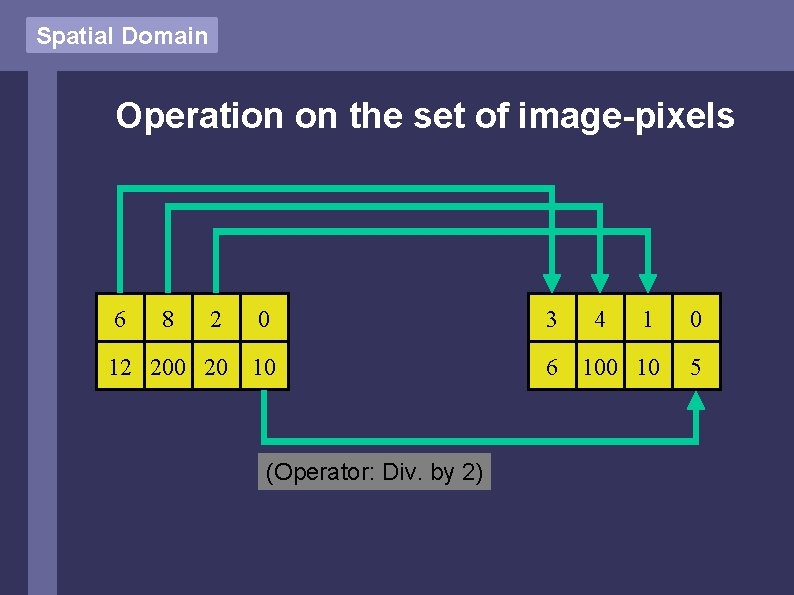
Spatial Domain Operation on the set of image-pixels 6 8 2 0 3 12 200 20 10 6 (Operator: Div. by 2) 4 1 0 10 5
Spatial Domain Operation on the set of ‘neighborhoods’ N(x, y) of each pixel 6 8 (Operator: sum) 12 200 6 8 2 0 12 200 20 10 226
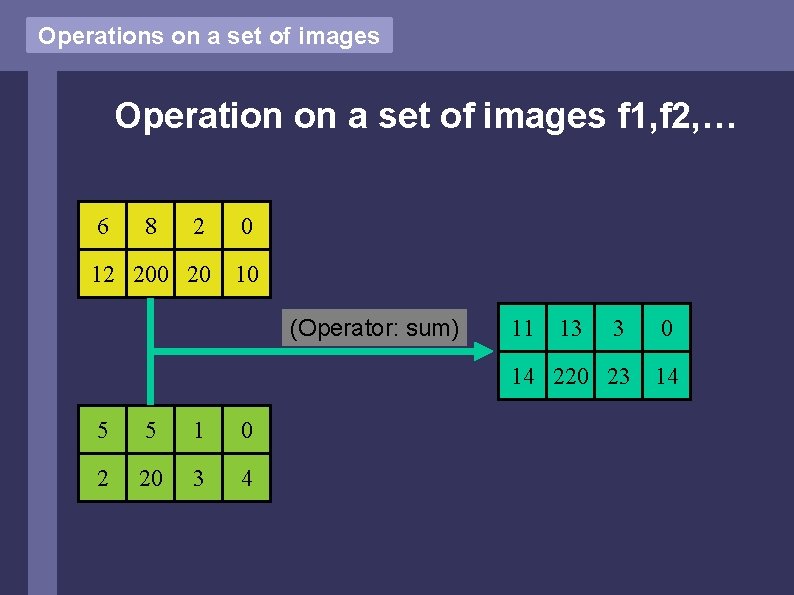
Spatial Domain Operation on a set of images f 1, f 2, … 6 8 2 0 12 200 20 10 (Operator: sum) 5 5 1 0 2 20 3 4 11 13 3 0 14 220 23 14
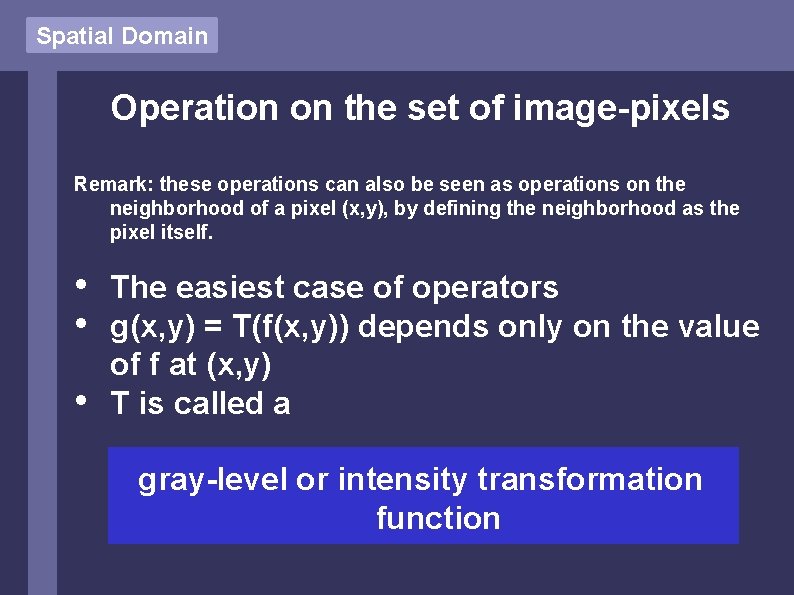
Spatial Domain Operation on the set of image-pixels Remark: these operations can also be seen as operations on the neighborhood of a pixel (x, y), by defining the neighborhood as the pixel itself. • • • The easiest case of operators g(x, y) = T(f(x, y)) depends only on the value of f at (x, y) T is called a gray-level or intensity transformation function
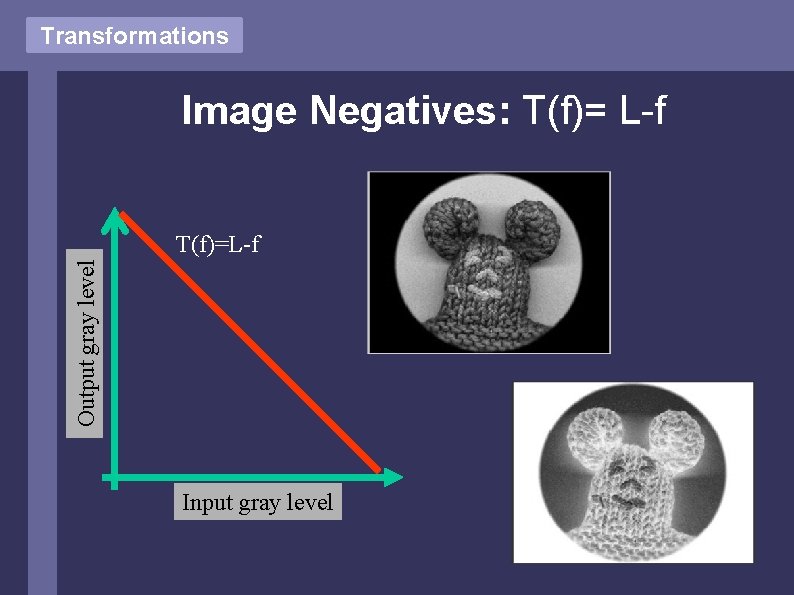
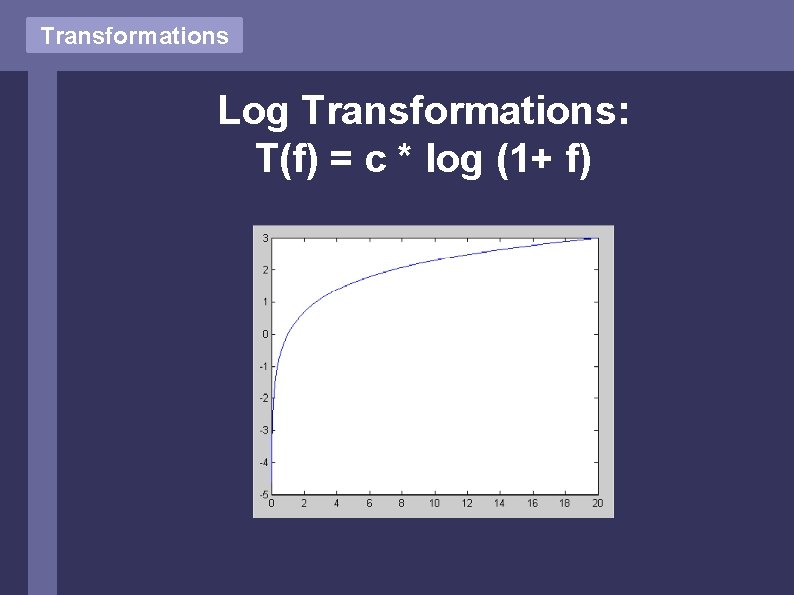
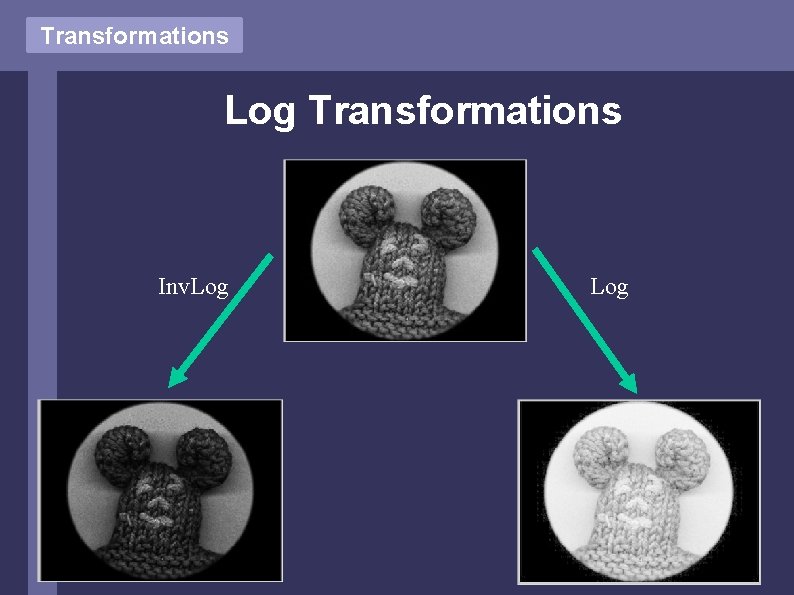
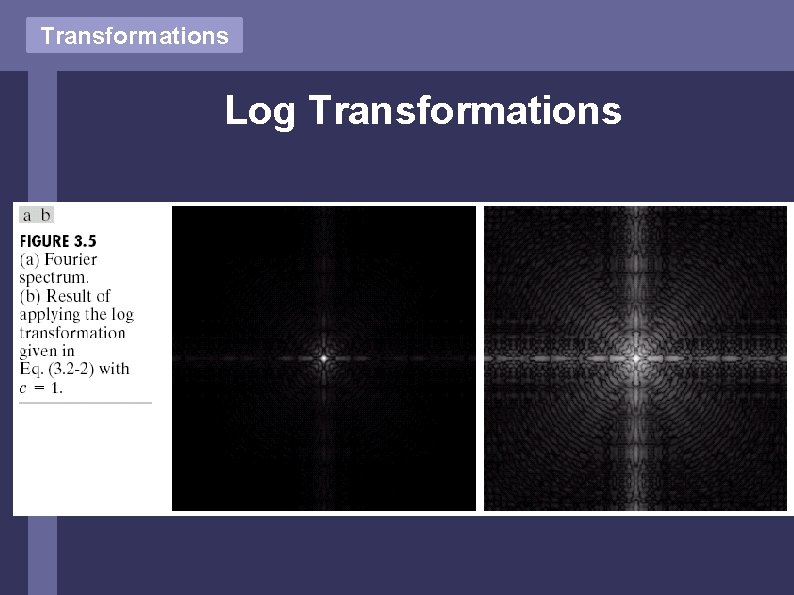
Transformations Basic Gray Level Transformations • • Image Negatives Log Transformations Power Law Transformations Piecewise-Linear Transformation Functions For the following slides L denotes the max. possible gray value of the image, i. e. f(x, y) [0, L]
Transformations Image Negatives: T(f)= L-f Output gray level T(f)=L-f Input gray level
Transformations Log Transformations: T(f) = c * log (1+ f)
Transformations Log Transformations Inv. Log
Transformations Log Transformations
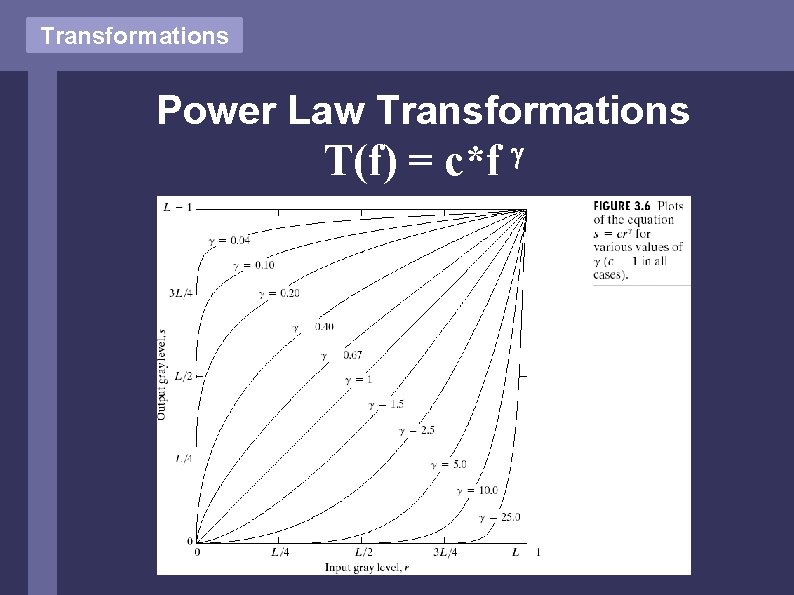
Transformations Power Law Transformations T(f) = c*f
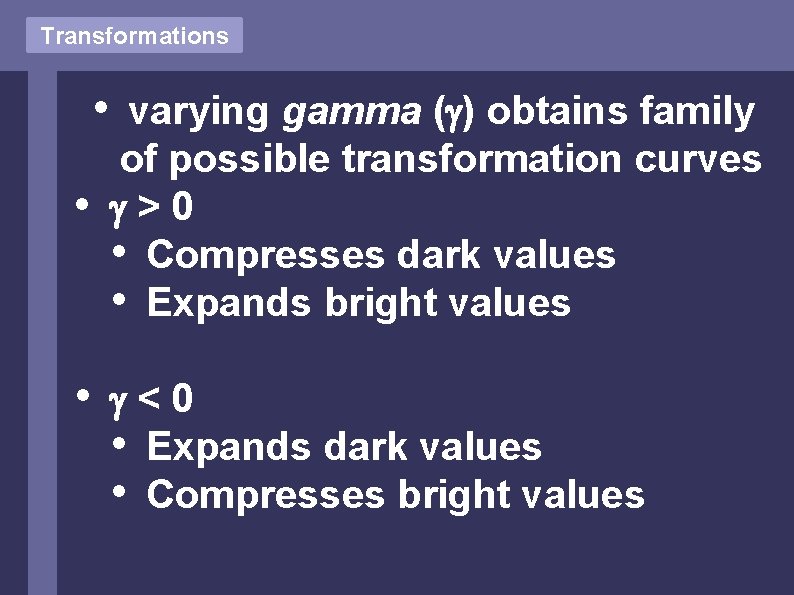
Transformations • • • varying gamma ( ) obtains family of possible transformation curves >0 • Compresses dark values • Expands bright values <0 • Expands dark values • Compresses bright values
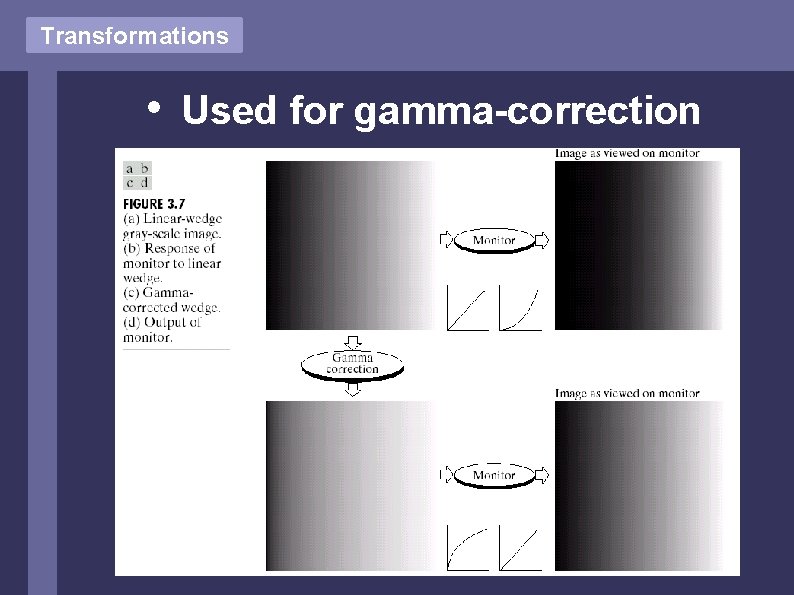
Transformations • Used for gamma-correction
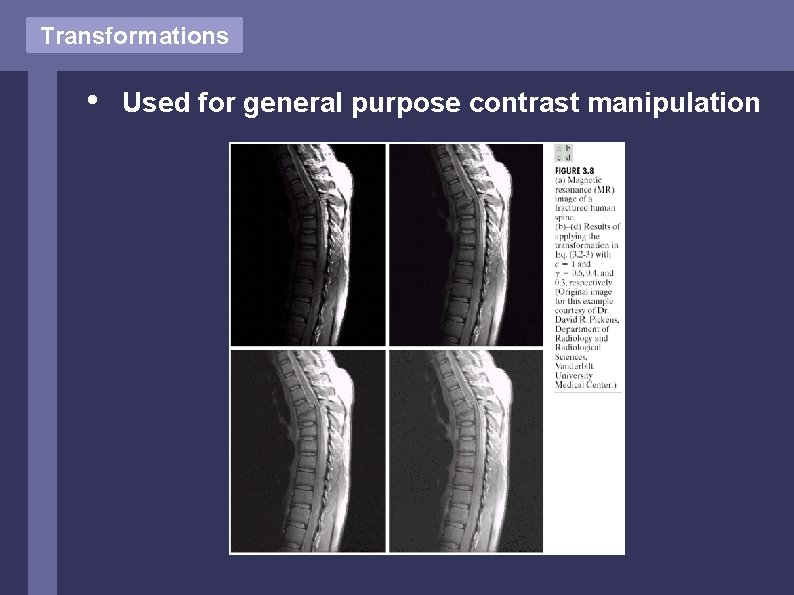
Transformations • Used for general purpose contrast manipulation
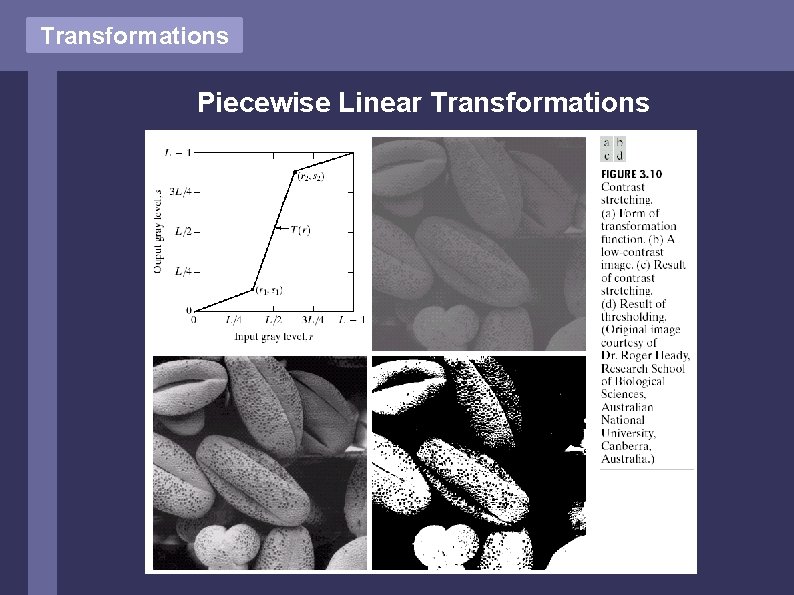
Transformations Piecewise Linear Transformations
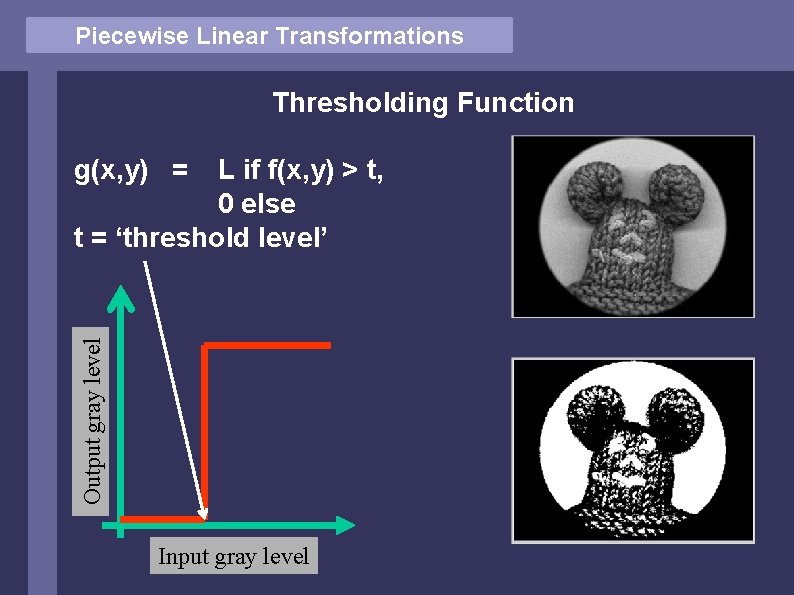
Piecewise Linear Transformations Thresholding Function L if f(x, y) > t, 0 else t = ‘threshold level’ Output gray level g(x, y) = Input gray level
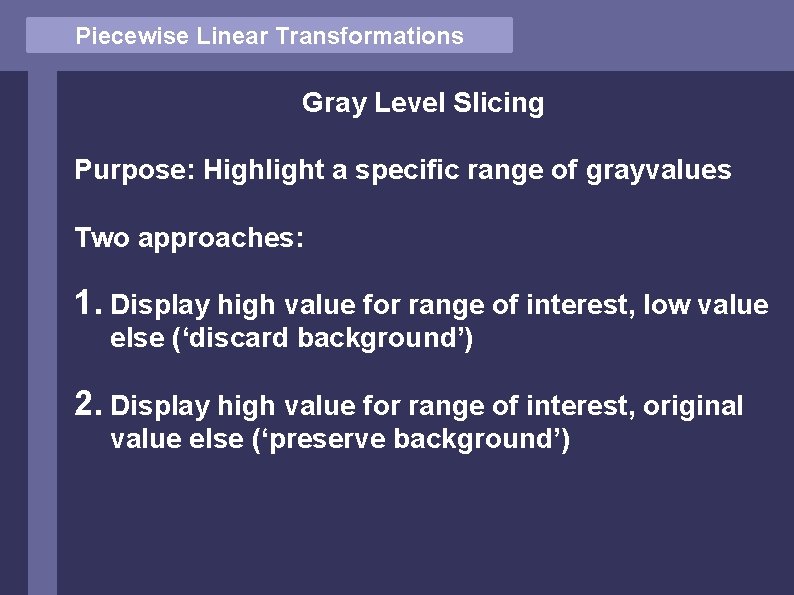
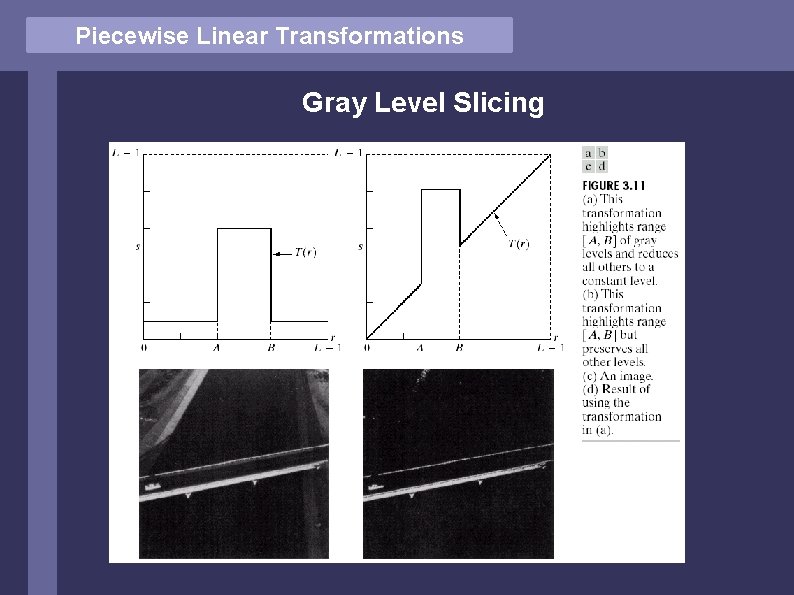
Piecewise Linear Transformations Gray Level Slicing Purpose: Highlight a specific range of grayvalues Two approaches: 1. Display high value for range of interest, low value else (‘discard background’) 2. Display high value for range of interest, original value else (‘preserve background’)
Piecewise Linear Transformations Gray Level Slicing
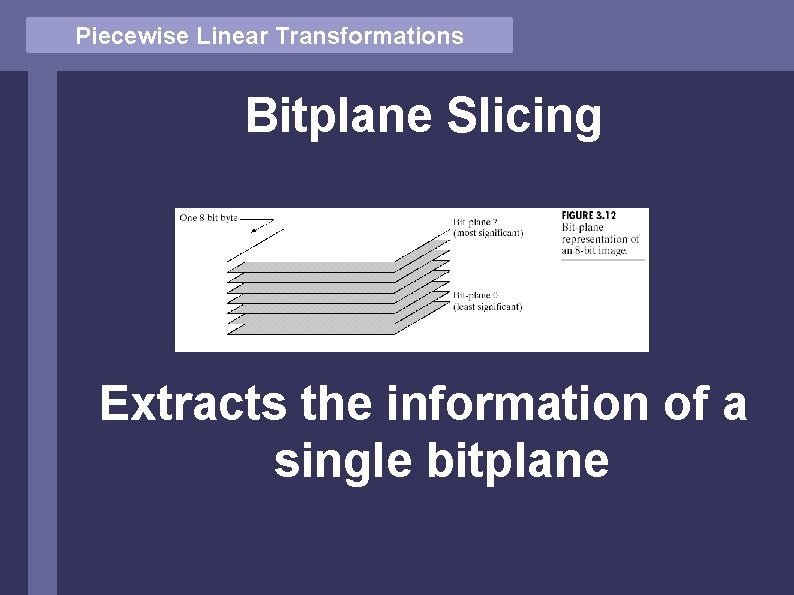
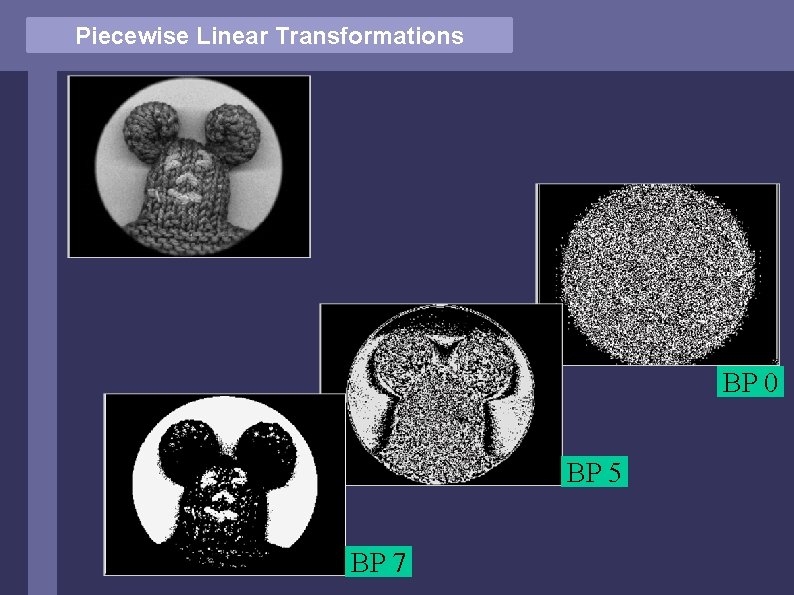
Piecewise Linear Transformations Bitplane Slicing Extracts the information of a single bitplane
Piecewise Linear Transformations BP 0 BP 5 BP 7
Piecewise Linear Transformations Exercise: • How does the transformation function look like for bitplanes 0, 1, … ? • What is the easiest way to express it ?
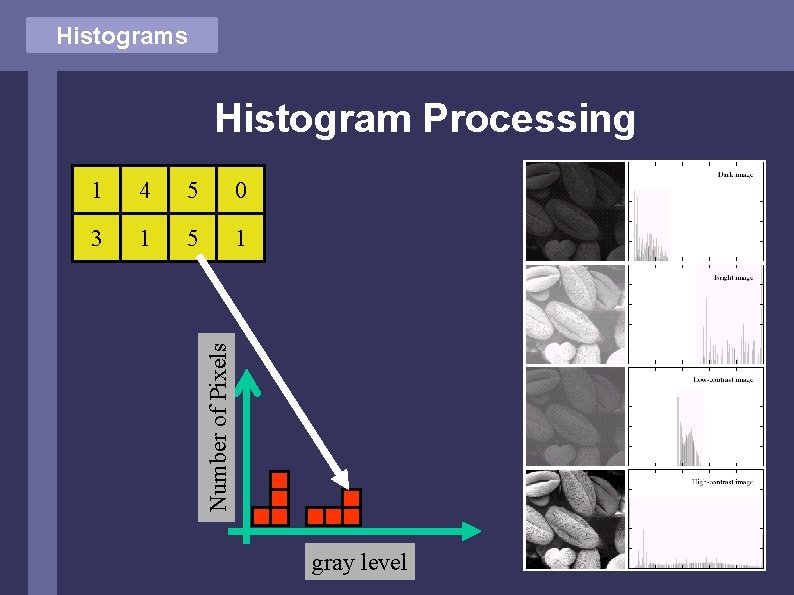
Histograms Histogram Processing 4 5 0 3 1 5 1 Number of Pixels 1 gray level
Histograms Histogram Equalization: • • Preprocessing technique to enhance contrast in ‘natural’ images Target: find gray level transformation function T to transform image f such that the histogram of T(f) is ‘equalized’
Histogram Equalization Equalized Histogram: The image consists of an equal number of pixels for every grayvalue, the histogram is constant !
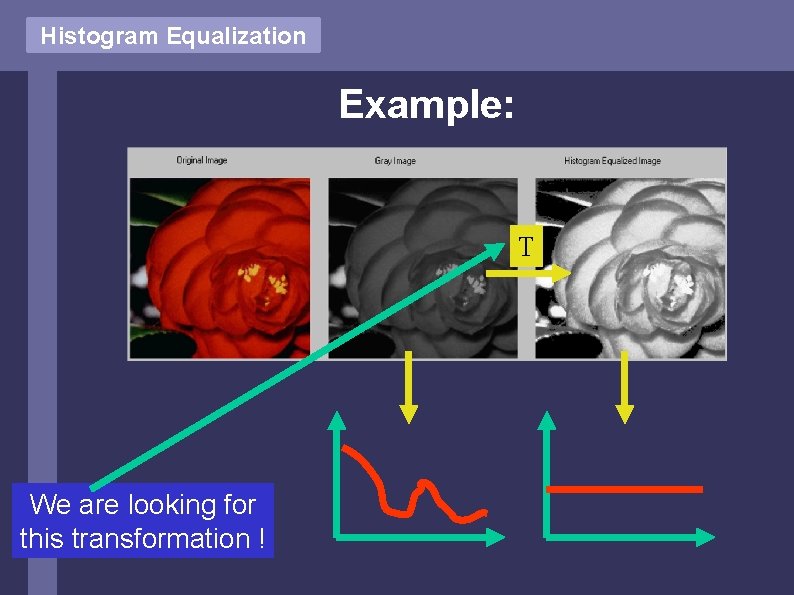
Histogram Equalization Example: T We are looking for this transformation !
Histogram Equalization Mathematically the transformation is deducted by theorems in continous (not discrete) spaces. The results achieved do NOT hold for discrete spaces ! However, it’s visually close, so let’s have a look at the continous case.
Histogram Equalization (explanations on whiteboard)
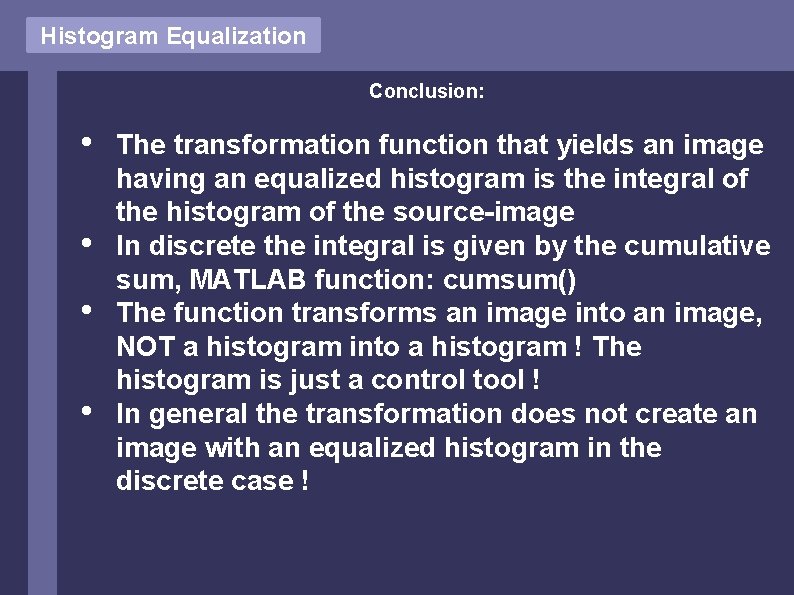
Histogram Equalization Conclusion: • • The transformation function that yields an image having an equalized histogram is the integral of the histogram of the source-image In discrete the integral is given by the cumulative sum, MATLAB function: cumsum() The function transforms an image into an image, NOT a histogram into a histogram ! The histogram is just a control tool ! In general the transformation does not create an image with an equalized histogram in the discrete case !
Operations on a set of images Operation on a set of images f 1, f 2, … 6 8 2 0 12 200 20 10 (Operator: sum) 5 5 1 0 2 20 3 4 11 13 3 0 14 220 23 14
Operations on a set of images Logic (Bitwise) Operations AND OR NOT
Operations on a set of images The operators AND, OR, NOT are functionally complete: Any logic operator can be implemented using only these 3 operators
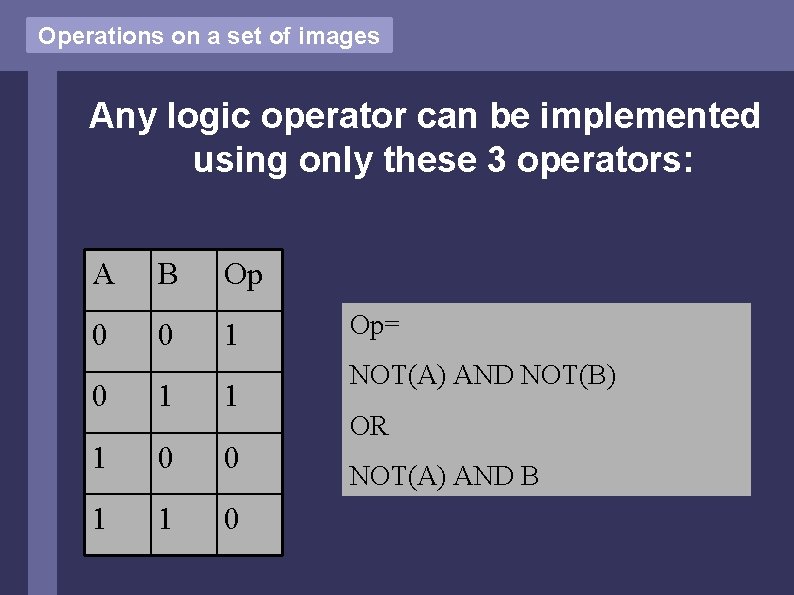
Operations on a set of images Any logic operator can be implemented using only these 3 operators: A B Op 0 0 1 1 1 0 0 1 1 0 Op= NOT(A) AND NOT(B) OR NOT(A) AND B
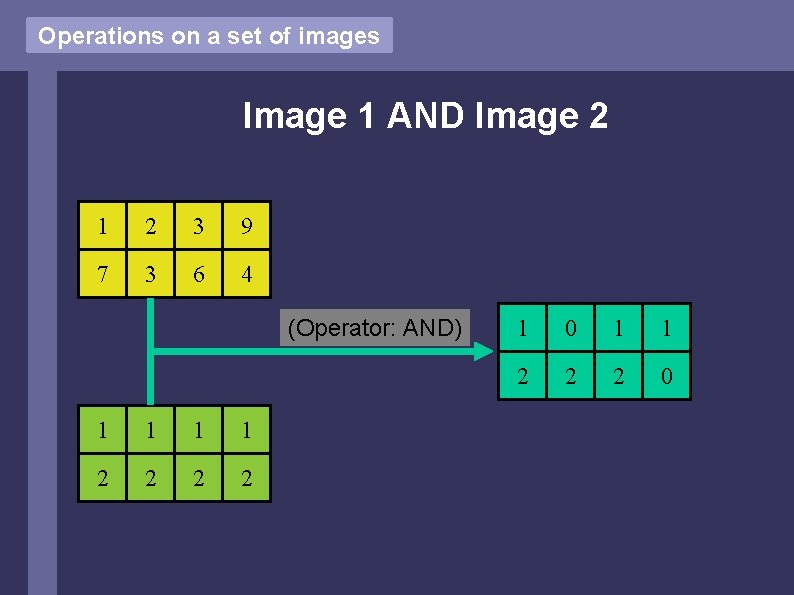
Operations on a set of images Image 1 AND Image 2 1 2 3 9 7 3 6 4 (Operator: AND) 1 1 2 2 1 0 1 1 2 2 2 0
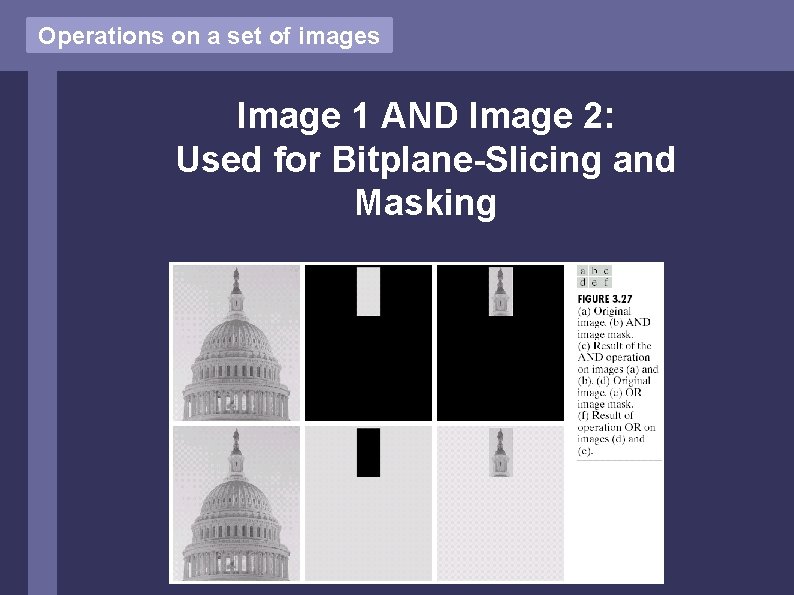
Operations on a set of images Image 1 AND Image 2: Used for Bitplane-Slicing and Masking
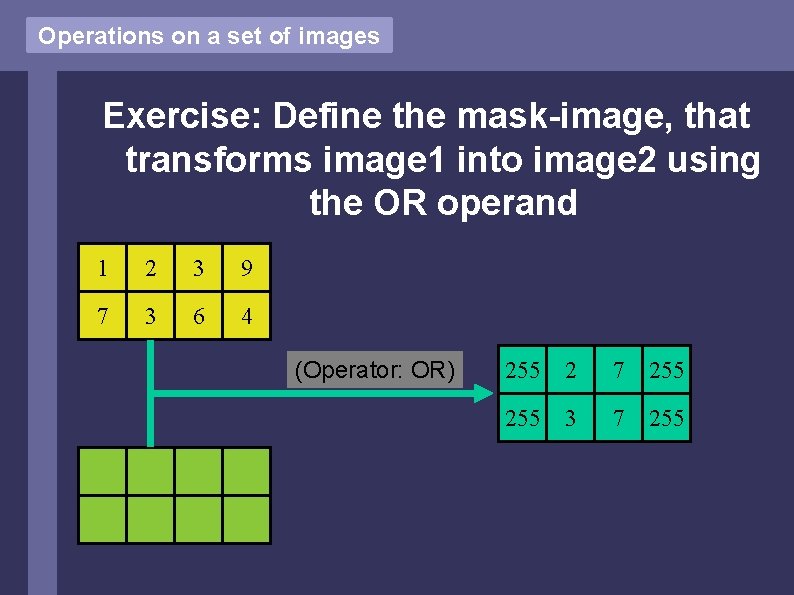
Operations on a set of images Exercise: Define the mask-image, that transforms image 1 into image 2 using the OR operand 1 2 3 9 7 3 6 4 (Operator: OR) 255 2 7 255 3 7 255
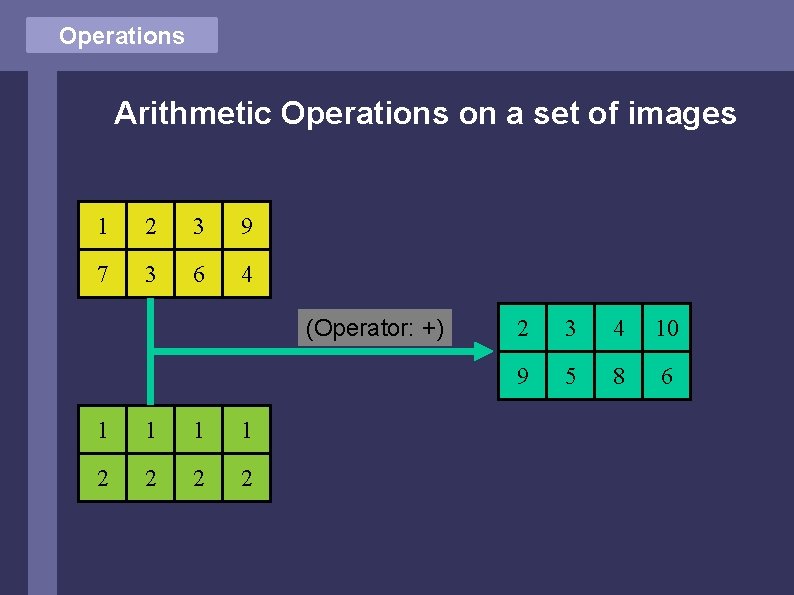
Operations Arithmetic Operations on a set of images 1 2 3 9 7 3 6 4 (Operator: +) 1 1 2 2 2 3 4 10 9 5 8 6
Operations Exercise: What could the operators + and – be used for ?
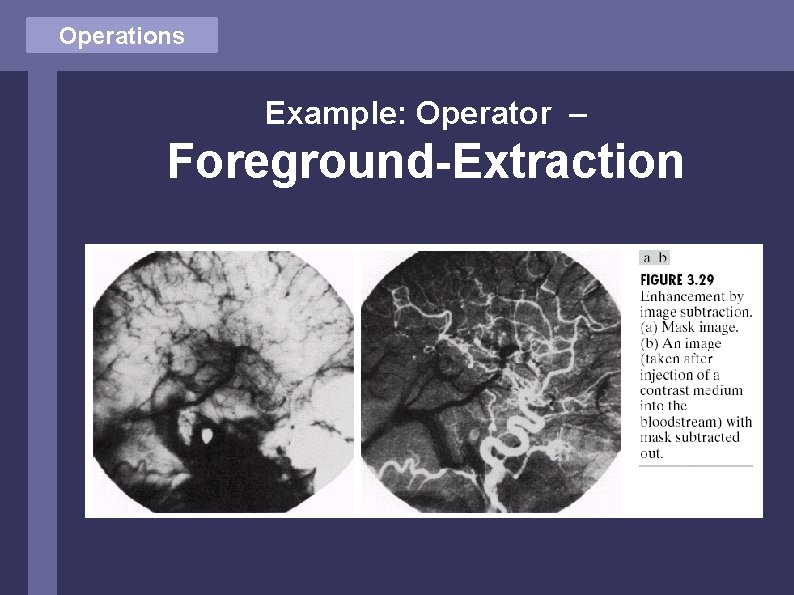
Operations Example: Operator – Foreground-Extraction
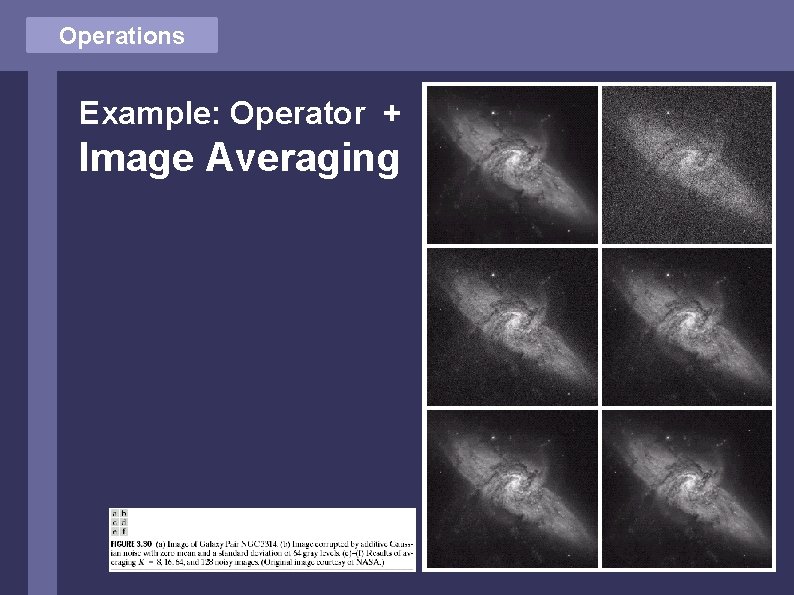
Operations Example: Operator + Image Averaging
End (Matlab Examples)