
CIS 115 Lecture 7 Selection Decisions Control Structures
![If…Then Statement Syntax If condition Then statement[s] End If Syntax explanation: If , Then,](https://slidetodoc.com/presentation_image_h2/b123b5985188b25daa5f3d61412bc3ce/image-5.jpg "If…Then Statement Syntax If condition Then statement[s] End If Syntax explanation: If , Then,")
![If…Then…Else Syntax If condition Then statement[s]1 Else statement[s]2 End If Syntax explanation: If ,](https://slidetodoc.com/presentation_image_h2/b123b5985188b25daa5f3d61412bc3ce/image-25.jpg "If…Then…Else Syntax If condition Then statement[s]1 Else statement[s]2 End If Syntax explanation: If ,")
- Slides: 41
CIS 115 Lecture 7 Selection / Decisions
Control Structures There are 3 control structures common to most computer languages that determine the flow, or path of execution, of the code: Sequential Selection / Decisions Repetition / Looping
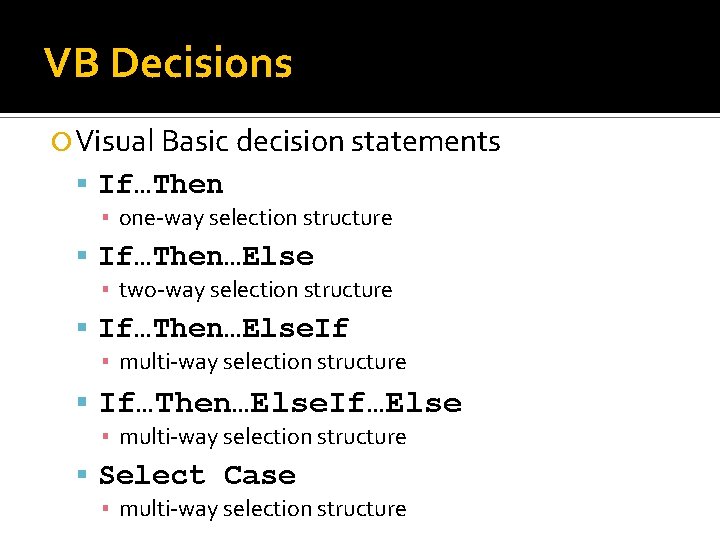
VB Decisions Visual Basic decision statements If…Then ▪ one-way selection structure If…Then…Else ▪ two-way selection structure If…Then…Else. If ▪ multi-way selection structure If…Then…Else. If…Else ▪ multi-way selection structure Select Case ▪ multi-way selection structure
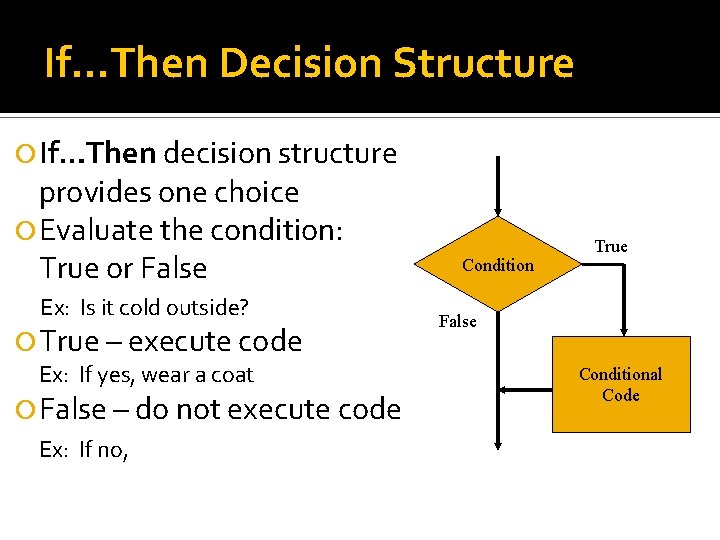
If…Then Decision Structure If…Then decision structure provides one choice Evaluate the condition: True or False Ex: Is it cold outside? True – execute code Ex: If yes, wear a coat False – do not execute code Ex: If no, Condition True False Conditional Code
If…Then Statement Syntax If condition Then statement[s] End If Syntax explanation: If , Then, and End – Keywords Condition – True/False value, variable, function call or expression Statement[s] – one or more code statements to be executed if condition is true
Conditions The execution of an If block is controlled by a condition Must be (or evaluate to) either true or false Can be a value, variable, or function call (Boolean Data. Type) Can be formed by using the six Relational operators and the three Logical operators
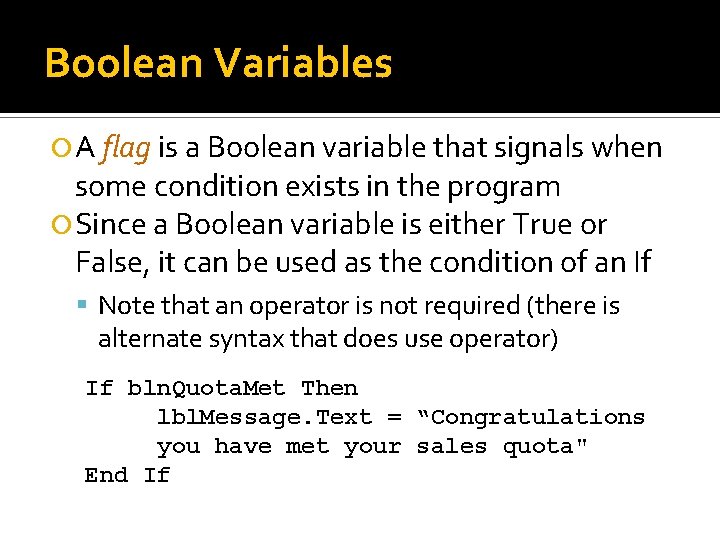
Boolean Variables A flag is a Boolean variable that signals when some condition exists in the program Since a Boolean variable is either True or False, it can be used as the condition of an If Note that an operator is not required (there is alternate syntax that does use operator) If bln. Quota. Met Then lbl. Message. Text = “Congratulations you have met your sales quota" End If
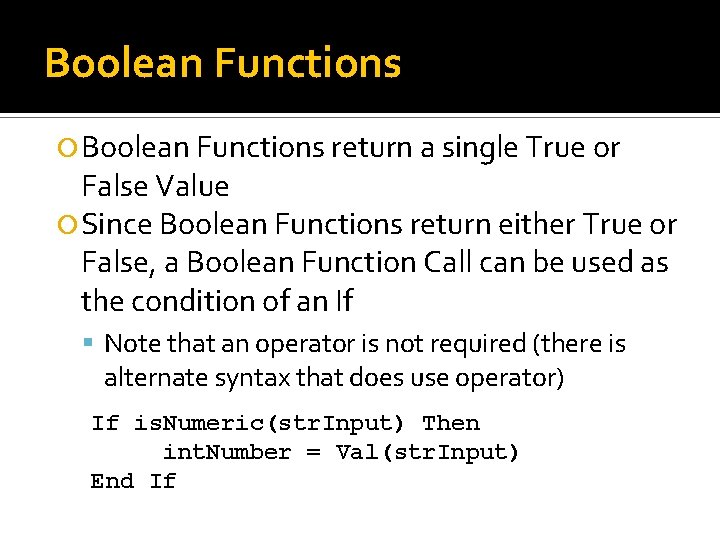
Boolean Functions return a single True or False Value Since Boolean Functions return either True or False, a Boolean Function Call can be used as the condition of an If Note that an operator is not required (there is alternate syntax that does use operator) If is. Numeric(str. Input) Then int. Number = Val(str. Input) End If
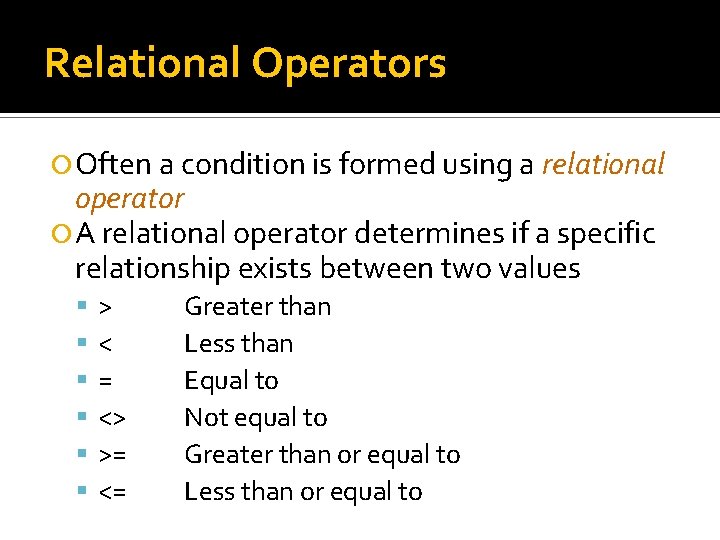
Relational Operators Often a condition is formed using a relational operator A relational operator determines if a specific relationship exists between two values > < = <> >= <= Greater than Less than Equal to Not equal to Greater than or equal to Less than or equal to
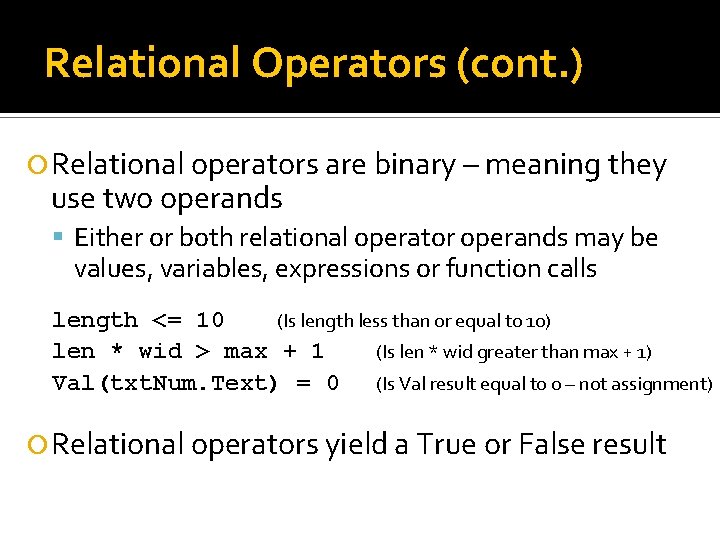
Relational Operators (cont. ) Relational operators are binary – meaning they use two operands Either or both relational operator operands may be values, variables, expressions or function calls length <= 10 (Is length less than or equal to 10) len * wid > max + 1 (Is len * wid greater than max + 1) Val(txt. Num. Text) = 0 (Is Val result equal to 0 – not assignment) Relational operators yield a True or False result
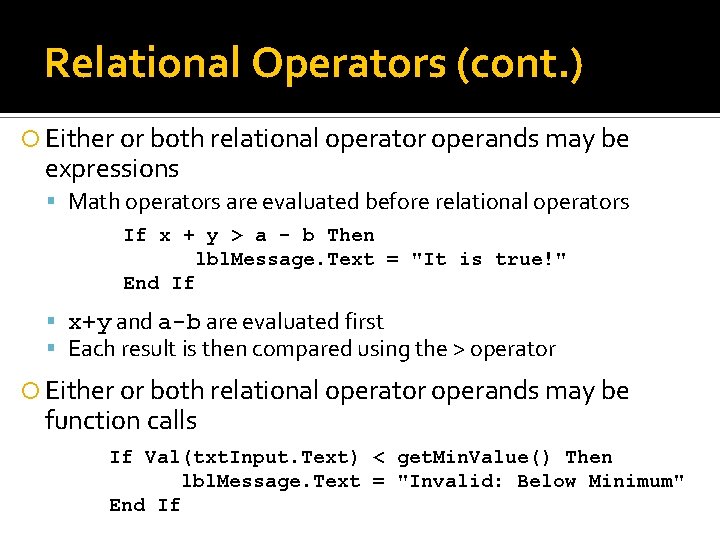
Relational Operators (cont. ) Either or both relational operator operands may be expressions Math operators are evaluated before relational operators If x + y > a - b Then lbl. Message. Text = "It is true!" End If x+y and a-b are evaluated first Each result is then compared using the > operator Either or both relational operator operands may be function calls If Val(txt. Input. Text) < get. Min. Value() Then lbl. Message. Text = "Invalid: Below Minimum" End If
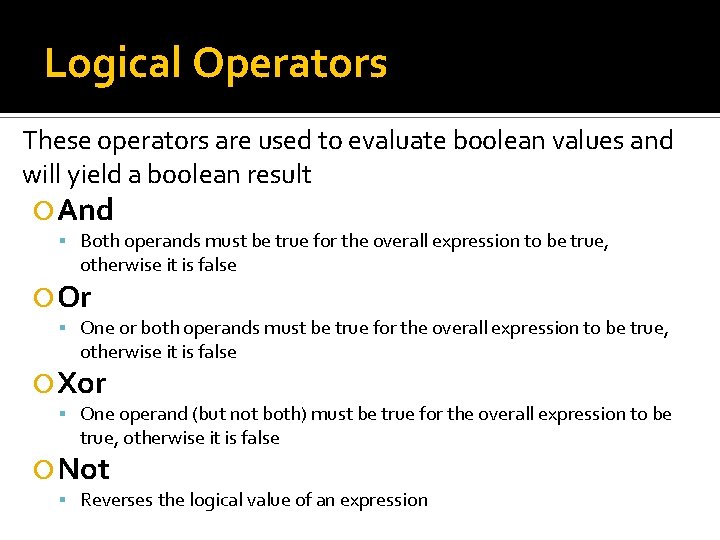
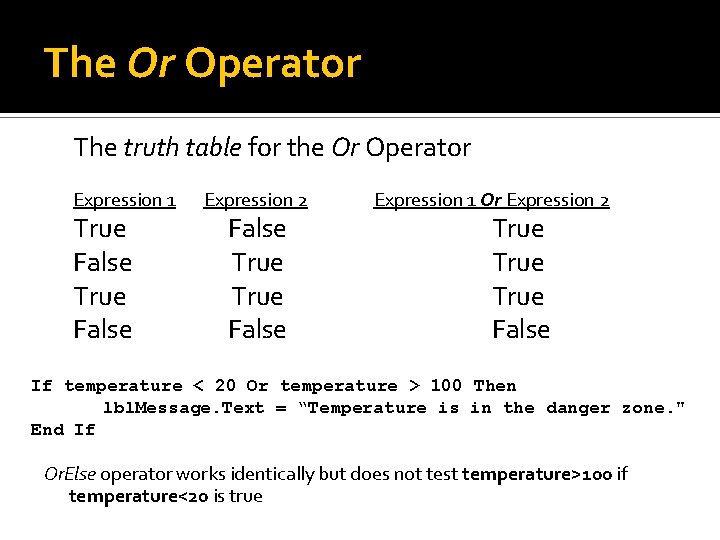
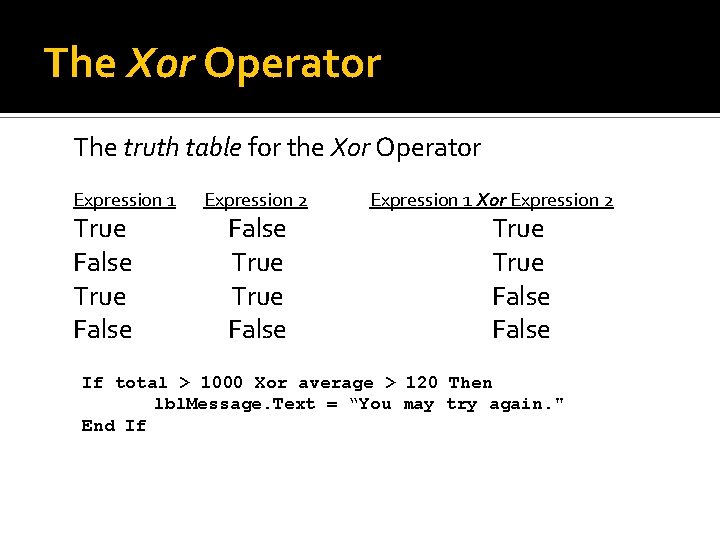
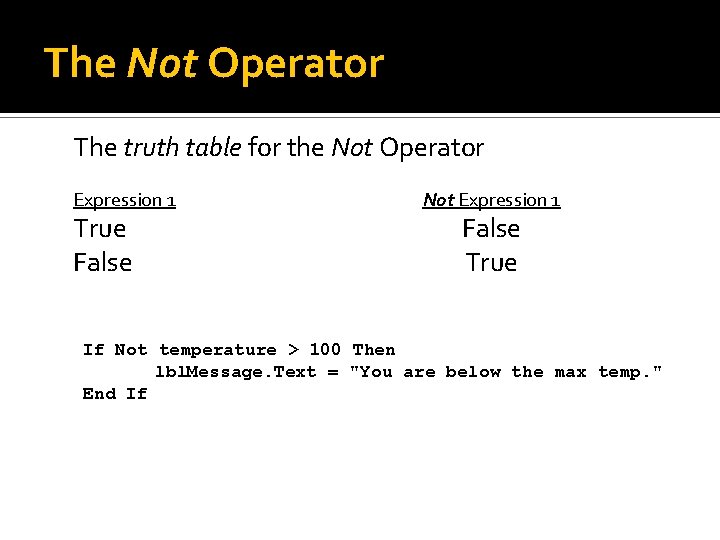
Logical Operators These operators are used to evaluate boolean values and will yield a boolean result And Both operands must be true for the overall expression to be true, otherwise it is false Or One or both operands must be true for the overall expression to be true, otherwise it is false Xor One operand (but not both) must be true for the overall expression to be true, otherwise it is false Not Reverses the logical value of an expression
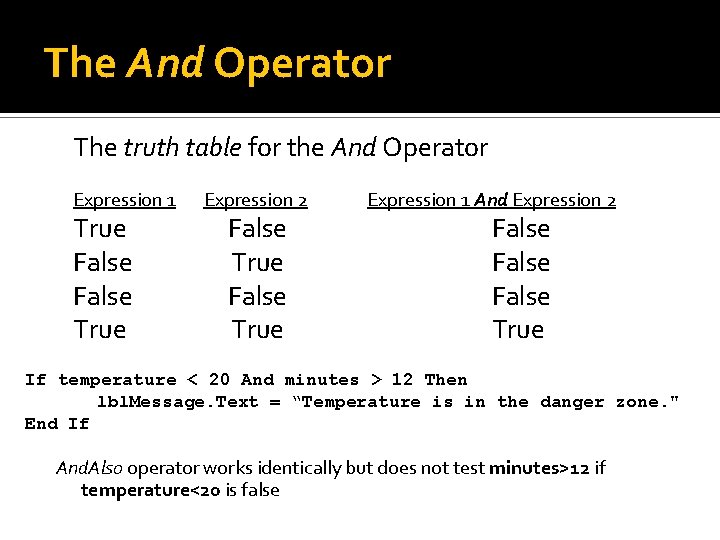
The And Operator The truth table for the And Operator Expression 1 True False True Expression 2 False True Expression 1 And Expression 2 False True If temperature < 20 And minutes > 12 Then lbl. Message. Text = “Temperature is in the danger zone. " End If And. Also operator works identically but does not test minutes>12 if temperature<20 is false
The Or Operator The truth table for the Or Operator Expression 1 True False Expression 2 False True False Expression 1 Or Expression 2 True False If temperature < 20 Or temperature > 100 Then lbl. Message. Text = “Temperature is in the danger zone. " End If Or. Else operator works identically but does not test temperature>100 if temperature<20 is true
The Xor Operator The truth table for the Xor Operator Expression 1 True False Expression 2 False True False Expression 1 Xor Expression 2 True False If total > 1000 Xor average > 120 Then lbl. Message. Text = “You may try again. " End If
The Not Operator The truth table for the Not Operator Expression 1 True False Not Expression 1 False True If Not temperature > 100 Then lbl. Message. Text = "You are below the max temp. " End If
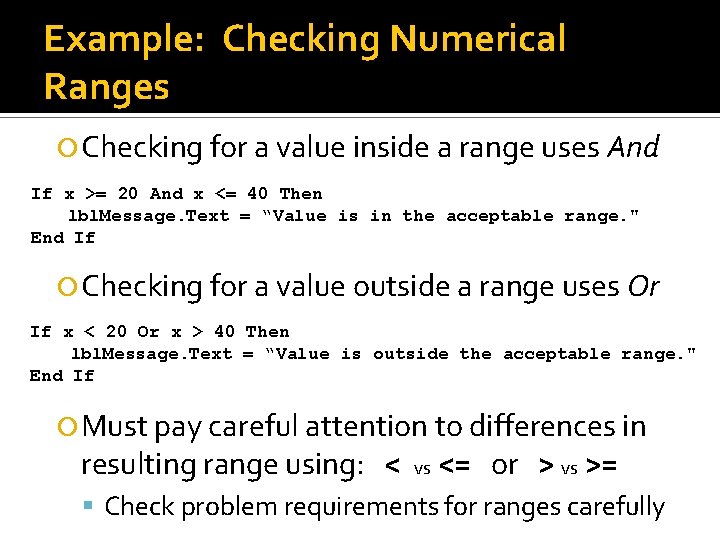
Example: Checking Numerical Ranges Checking for a value inside a range uses And If x >= 20 And x <= 40 Then lbl. Message. Text = “Value is in the acceptable range. " End If Checking for a value outside a range uses Or If x < 20 Or x > 40 Then lbl. Message. Text = “Value is outside the acceptable range. " End If Must pay careful attention to differences in resulting range using: < vs <= or > vs >= Check problem requirements for ranges carefully
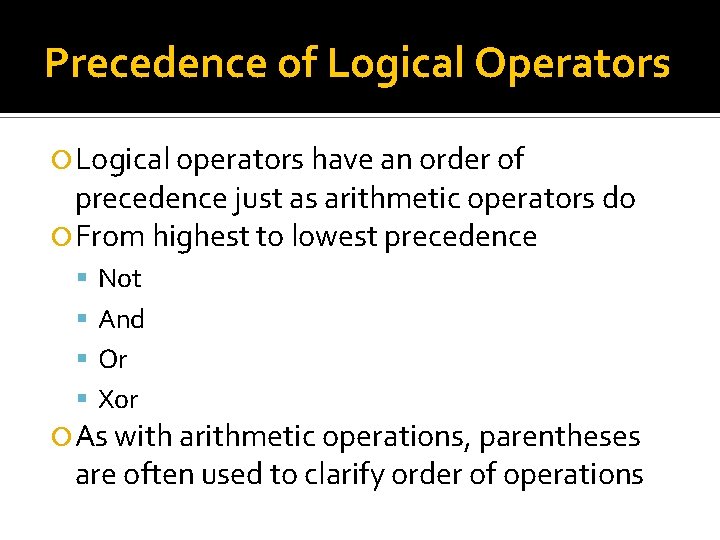
Precedence of Logical Operators Logical operators have an order of precedence just as arithmetic operators do From highest to lowest precedence Not And Or Xor As with arithmetic operations, parentheses are often used to clarify order of operations
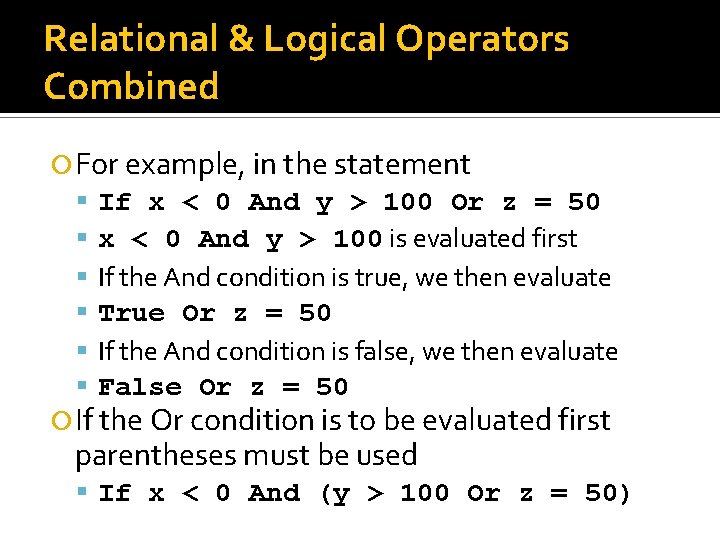
Relational & Logical Operators Combined For example, in the statement If x < 0 And y > 100 Or z = 50 x < 0 And y > 100 is evaluated first If the And condition is true, we then evaluate True Or z = 50 If the And condition is false, we then evaluate False Or z = 50 If the Or condition is to be evaluated first parentheses must be used If x < 0 And (y > 100 Or z = 50)
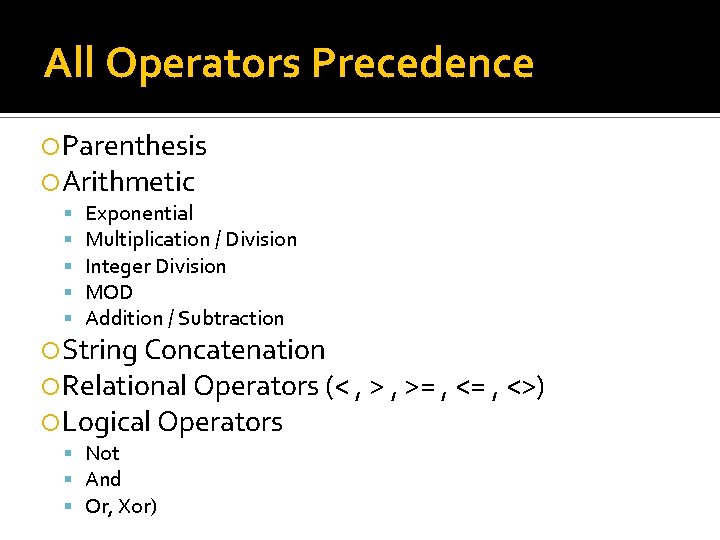
All Operators Precedence Parenthesis Arithmetic Exponential Multiplication / Division Integer Division MOD Addition / Subtraction String Concatenation Relational Operators (< , >= , <>) Logical Operators Not And Or, Xor)
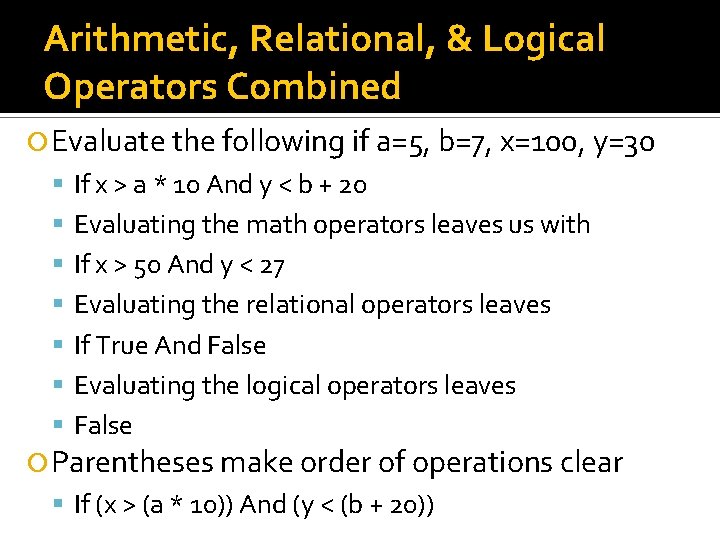
Arithmetic, Relational, & Logical Operators Combined Evaluate the following if a=5, b=7, x=100, y=30 If x > a * 10 And y < b + 20 Evaluating the math operators leaves us with If x > 50 And y < 27 Evaluating the relational operators leaves If True And False Evaluating the logical operators leaves False Parentheses make order of operations clear If (x > (a * 10)) And (y < (b + 20))
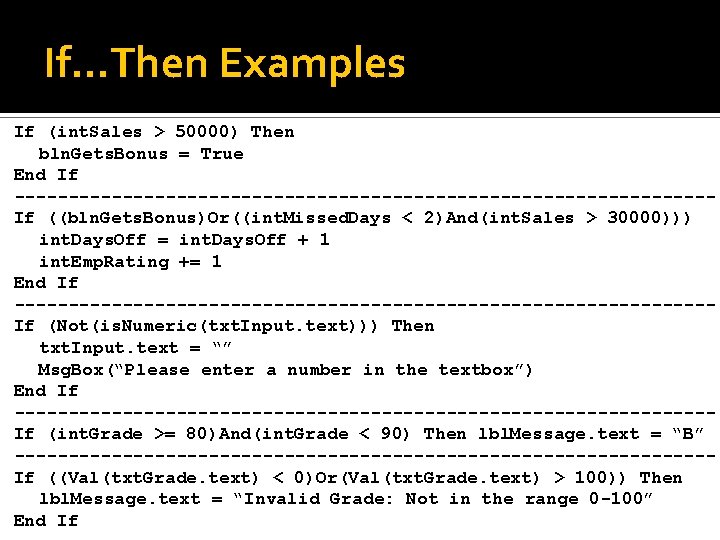
If…Then Examples If (int. Sales > 50000) Then bln. Gets. Bonus = True End If --------------------------------If ((bln. Gets. Bonus)Or((int. Missed. Days < 2)And(int. Sales > 30000))) int. Days. Off = int. Days. Off + 1 int. Emp. Rating += 1 End If --------------------------------If (Not(is. Numeric(txt. Input. text))) Then txt. Input. text = “” Msg. Box(“Please enter a number in the textbox”) End If --------------------------------If (int. Grade >= 80)And(int. Grade < 90) Then lbl. Message. text = “B” --------------------------------If ((Val(txt. Grade. text) < 0)Or(Val(txt. Grade. text) > 100)) Then lbl. Message. text = “Invalid Grade: Not in the range 0 -100” End If
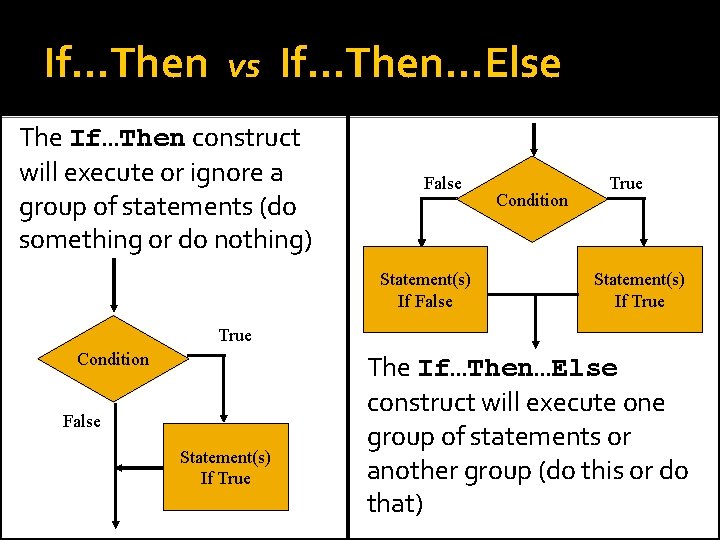
If…Then vs If…Then…Else The If…Then construct will execute or ignore a group of statements (do something or do nothing) False Statement(s) If False Condition True Statement(s) If True Condition False Statement(s) If True The If…Then…Else construct will execute one group of statements or another group (do this or do that)
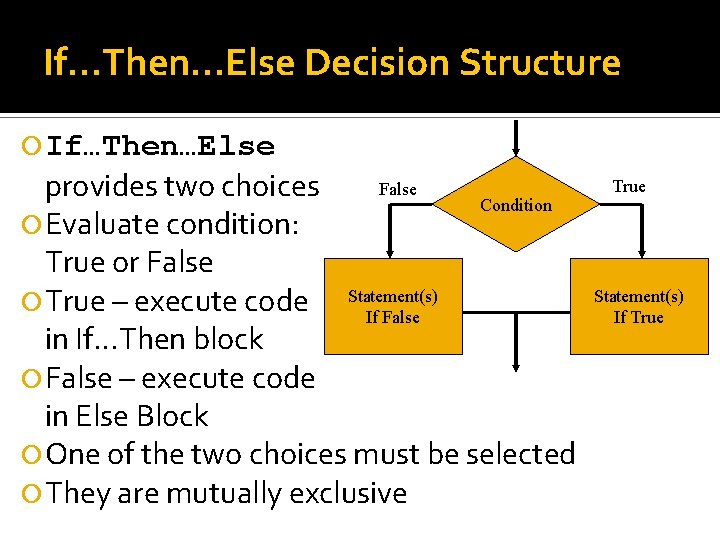
If…Then…Else Decision Structure If…Then…Else False provides two choices Condition Evaluate condition: True or False True – execute code Statement(s) If False in If…Then block False – execute code in Else Block One of the two choices must be selected They are mutually exclusive True Statement(s) If True
If…Then…Else Syntax If condition Then statement[s]1 Else statement[s]2 End If Syntax explanation: If , Then, Else, and End – Keywords Condition – True/False value, variable, function call or expression Statement[s]1 – executed if condition is True Statement[s]2 – executed if condition is False
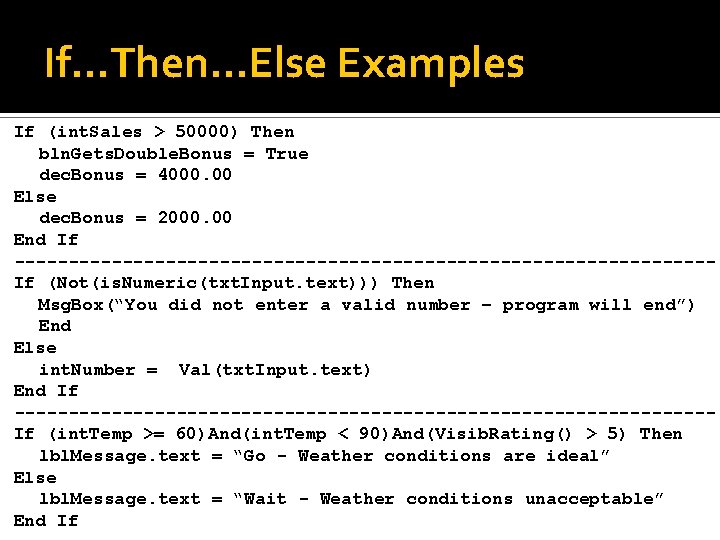
If…Then…Else Examples If (int. Sales > 50000) Then bln. Gets. Double. Bonus = True dec. Bonus = 4000. 00 Else dec. Bonus = 2000. 00 End If --------------------------------If (Not(is. Numeric(txt. Input. text))) Then Msg. Box(“You did not enter a valid number – program will end”) End Else int. Number = Val(txt. Input. text) End If --------------------------------If (int. Temp >= 60)And(int. Temp < 90)And(Visib. Rating() > 5) Then lbl. Message. text = “Go - Weather conditions are ideal” Else lbl. Message. text = “Wait - Weather conditions unacceptable” End If
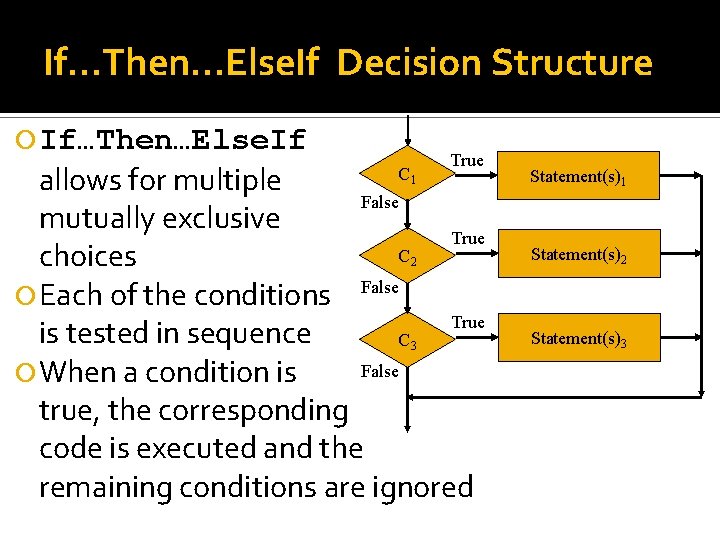
If…Then…Else. If Decision Structure If…Then…Else. If True allows for multiple False mutually exclusive True C choices Each of the conditions False True is tested in sequence C False When a condition is true, the corresponding code is executed and the remaining conditions are ignored C 1 Statement(s)1 2 Statement(s)2 3 Statement(s)3
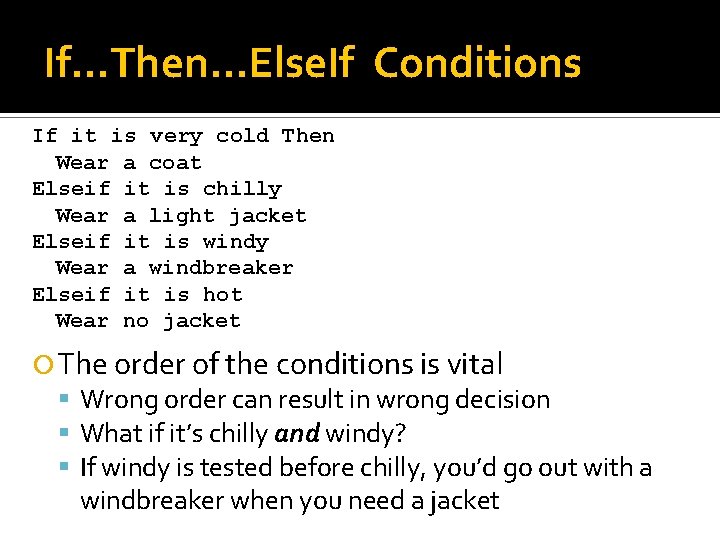
If…Then…Else. If Conditions If it is very cold Then Wear a coat Elseif it is chilly Wear a light jacket Elseif it is windy Wear a windbreaker Elseif it is hot Wear no jacket The order of the conditions is vital Wrong order can result in wrong decision What if it’s chilly and windy? If windy is tested before chilly, you’d go out with a windbreaker when you need a jacket
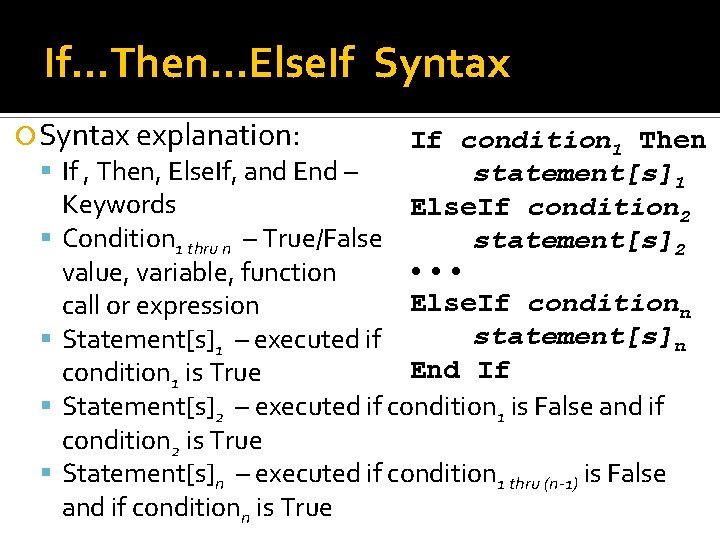
If…Then…Else. If Syntax explanation: If , Then, Else. If, and End – If condition 1 Then statement[s]1 Keywords Else. If condition 2 Condition 1 thru n – True/False statement[s]2 • • • value, variable, function Else. If conditionn call or expression statement[s]n Statement[s]1 – executed if End If condition 1 is True Statement[s]2 – executed if condition 1 is False and if condition 2 is True Statement[s]n – executed if condition 1 thru (n-1) is False and if conditionn is True
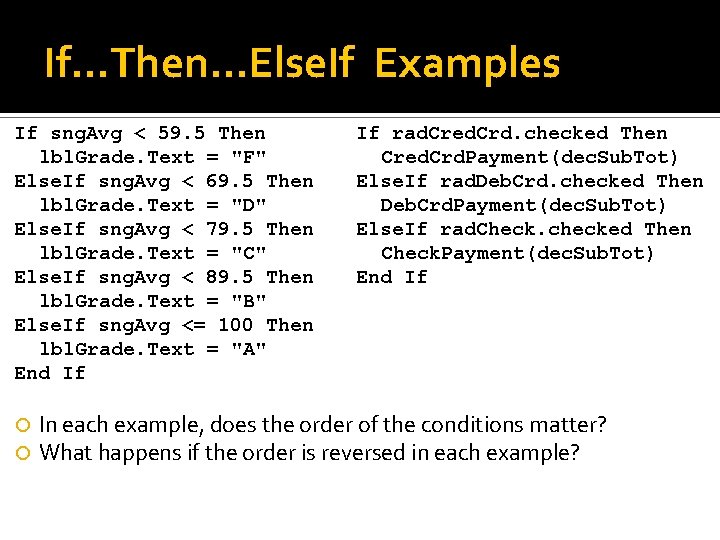
If…Then…Else. If Examples If sng. Avg < 59. 5 Then lbl. Grade. Text = "F" Else. If sng. Avg < 69. 5 Then lbl. Grade. Text = "D" Else. If sng. Avg < 79. 5 Then lbl. Grade. Text = "C" Else. If sng. Avg < 89. 5 Then lbl. Grade. Text = "B" Else. If sng. Avg <= 100 Then lbl. Grade. Text = "A" End If If rad. Cred. Crd. checked Then Cred. Crd. Payment(dec. Sub. Tot) Else. If rad. Deb. Crd. checked Then Deb. Crd. Payment(dec. Sub. Tot) Else. If rad. Check. checked Then Check. Payment(dec. Sub. Tot) End If In each example, does the order of the conditions matter? What happens if the order is reversed in each example?
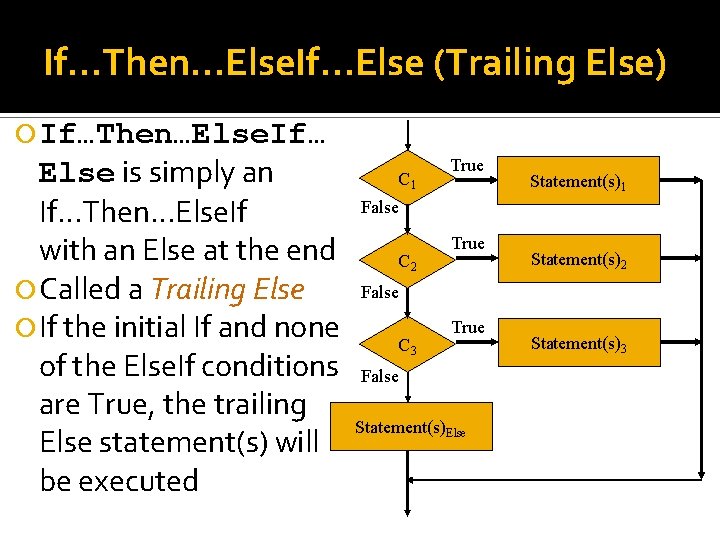
If…Then…Else. If…Else (Trailing Else) If…Then…Else. If… Else is simply an If…Then…Else. If with an Else at the end Called a Trailing Else If the initial If and none of the Else. If conditions are True, the trailing Else statement(s) will be executed C 1 True Statement(s)1 False C 2 True Statement(s)2 False C 3 True False Statement(s)Else Statement(s)3
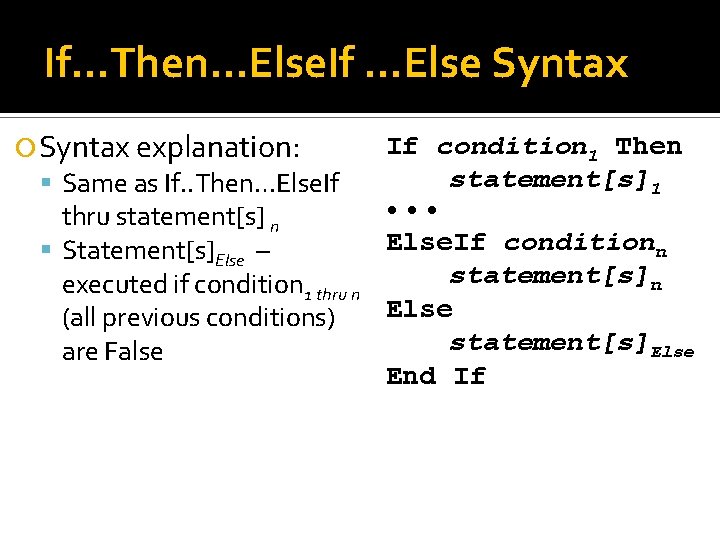
If…Then…Else. If …Else Syntax explanation: Same as If. . Then…Else. If If condition 1 Then statement[s]1 • • • thru statement[s] n Else. If conditionn Statement[s]Else – statement[s]n executed if condition 1 thru n Else (all previous conditions) statement[s]Else are False End If
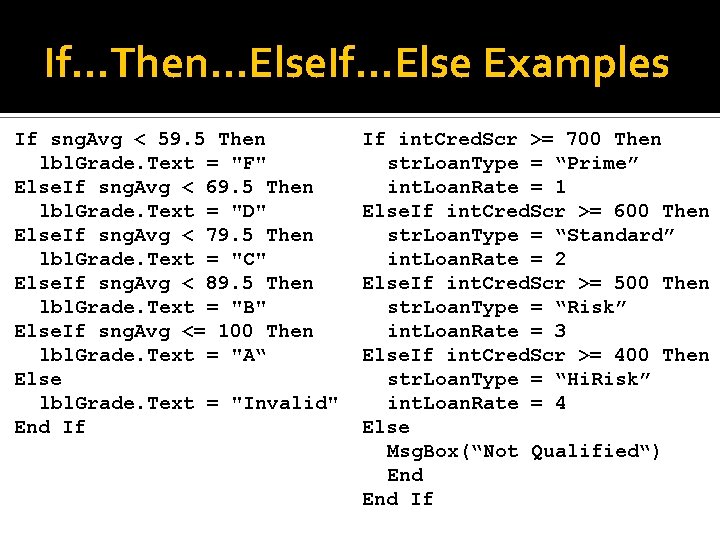
If…Then…Else. If…Else Examples If sng. Avg < 59. 5 Then lbl. Grade. Text = "F" Else. If sng. Avg < 69. 5 Then lbl. Grade. Text = "D" Else. If sng. Avg < 79. 5 Then lbl. Grade. Text = "C" Else. If sng. Avg < 89. 5 Then lbl. Grade. Text = "B" Else. If sng. Avg <= 100 Then lbl. Grade. Text = "A“ Else lbl. Grade. Text = "Invalid" End If If int. Cred. Scr >= 700 Then str. Loan. Type = “Prime” int. Loan. Rate = 1 Else. If int. Cred. Scr >= 600 Then str. Loan. Type = “Standard” int. Loan. Rate = 2 Else. If int. Cred. Scr >= 500 Then str. Loan. Type = “Risk” int. Loan. Rate = 3 Else. If int. Cred. Scr >= 400 Then str. Loan. Type = “Hi. Risk” int. Loan. Rate = 4 Else Msg. Box(“Not Qualified“) End If
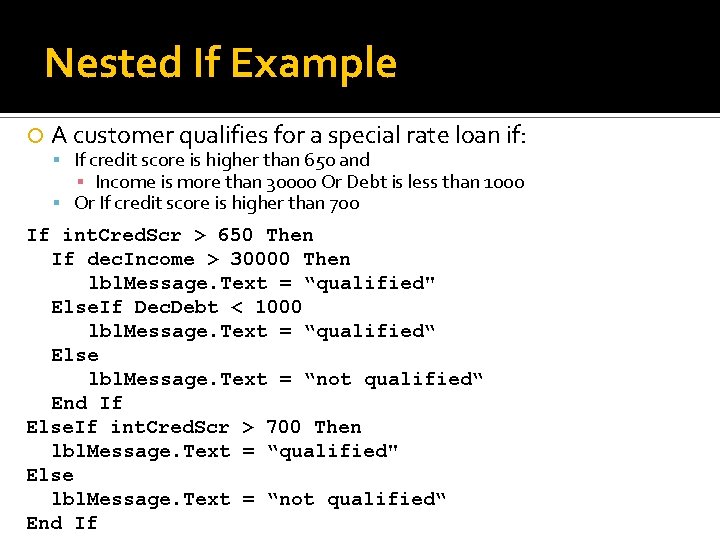
Nested If Statements Within If Statements Any type of statement may be used inside the statement(s) portion of any form of If This includes other If statements within If statements create a more complex decision structure called a Nested If
Nested If Example A customer qualifies for a special rate loan if: If credit score is higher than 650 and ▪ Income is more than 30000 Or Debt is less than 1000 Or If credit score is higher than 700 If int. Cred. Scr > 650 Then If dec. Income > 30000 Then lbl. Message. Text = “qualified" Else. If Dec. Debt < 1000 lbl. Message. Text = “qualified“ Else lbl. Message. Text = “not qualified“ End If Else. If int. Cred. Scr > 700 Then lbl. Message. Text = “qualified" Else lbl. Message. Text = “not qualified“ End If
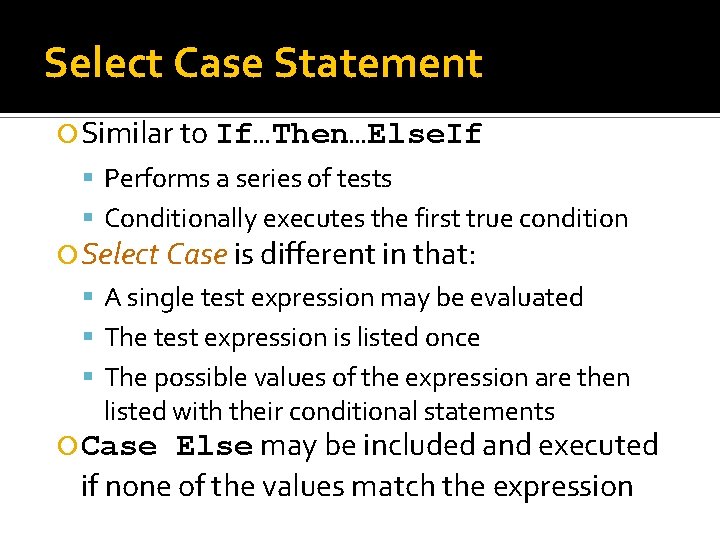
Select Case Statement Similar to If…Then…Else. If Performs a series of tests Conditionally executes the first true condition Select Case is different in that: A single test expression may be evaluated The test expression is listed once The possible values of the expression are then listed with their conditional statements Else may be included and executed if none of the values match the expression Case
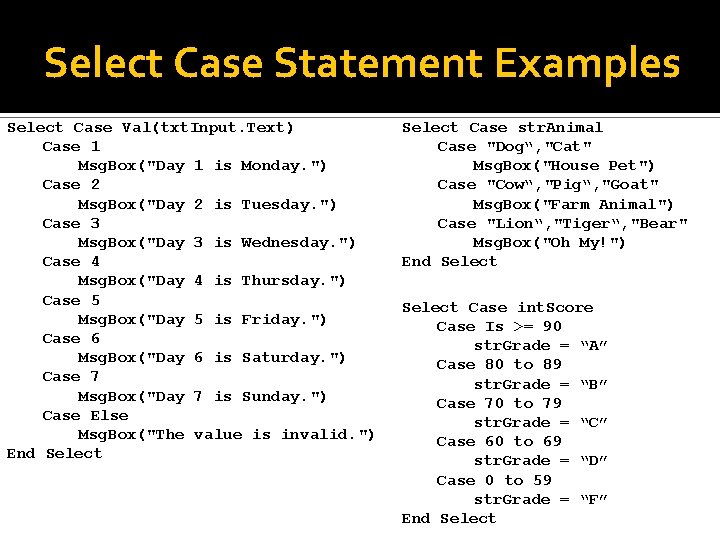
Select Case Statement Examples Select Case Val(txt. Input. Text) Case 1 Msg. Box("Day 1 is Monday. ") Case 2 Msg. Box("Day 2 is Tuesday. ") Case 3 Msg. Box("Day 3 is Wednesday. ") Case 4 Msg. Box("Day 4 is Thursday. ") Case 5 Msg. Box("Day 5 is Friday. ") Case 6 Msg. Box("Day 6 is Saturday. ") Case 7 Msg. Box("Day 7 is Sunday. ") Case Else Msg. Box("The value is invalid. ") End Select Case str. Animal Case "Dog“, "Cat" Msg. Box("House Pet") Case "Cow“, "Pig“, "Goat" Msg. Box("Farm Animal") Case "Lion“, "Tiger“, "Bear" Msg. Box("Oh My!") End Select Case int. Score Case Is >= 90 str. Grade = “A” Case 80 to 89 str. Grade = “B” Case 70 to 79 str. Grade = “C” Case 60 to 69 str. Grade = “D” Case 0 to 59 str. Grade = “F” End Select
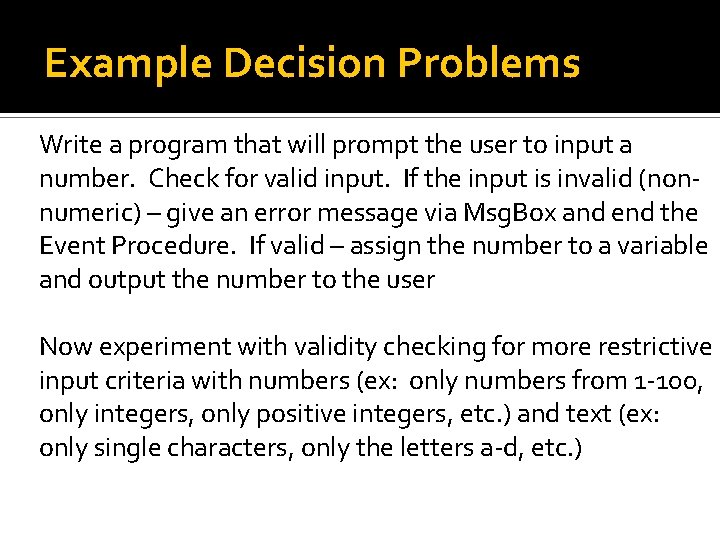
Example Decision Problems Write a program that will prompt the user to input a number. Check for valid input. If the input is invalid (nonnumeric) – give an error message via Msg. Box and end the Event Procedure. If valid – assign the number to a variable and output the number to the user Now experiment with validity checking for more restrictive input criteria with numbers (ex: only numbers from 1 -100, only integers, only positive integers, etc. ) and text (ex: only single characters, only the letters a-d, etc. )
Example Decision Problems Write a program that inputs 2 values and displays their positive difference. For example, if the first input is 6 and the second input is 9, then the positive difference is 3 (note: 3 is still the answer if the first input is 9 and the second input is 6). Now add the code to handle invalid (non-numeric) input.
Example Decision Problems Write a VB application to have the user input via textbox an integer from 1 t 0 100, 000 (inclusive). Determine if the input is a valid. If invalid, give an error message, clear the textbox, and end the event procedure (discuss). If valid, use a boolean function to determine if the integer is even or odd and use an integer function to determine if the integer is a perfect square (return the root if yes, return -1 if no). Report your results via label. Write a VB application to have the user input a 2 digit binary number via input box. Determine if the input is a valid 2 digit binary number. If not give a specific error message and terminate the app. If valid, convert the number to a decimal value (try using a function to do this) and report the results via message box. (try with 3 digits)
Homework Lab 6 and Homework 6 Visual Basic – Decisions See handout for details and due date Questions?