
CIS 101 Introduction to Computing Week 01 Dr

- Slides: 26
CIS 101 Introduction to Computing Week 01 Dr. Catherine Dwyer Information Systems 1
Agenda n n n n Class Introductions What is CIS 101? What is a learning community? Sustainability – Learning community theme Using Pace e-mail and Blackboard Introduction to Excel Next week’s homework and assignments Online survey 2
Catherine Dwyer Associate Professor IS Dept. n n n Full time since Fall 2000 Other classes taught: CS 121, CS 122, IS 112, IS 223, IS 241, IS 323, IS 396 E (Java), IS 660 Z(Programming Games Using VB) Lead developer for Web Assisted CIS 101 Revision Chair for IS Undergraduate curriculum Co-author with Dr. Jeanine Meyer of Programming Games With Visual Basic, Course Technology, 2001 3
My IS Background n n n MS in CS (Pace), Ph. D in IS from NJIT, dissertation on privacy management in social networking site Two daughters, recent college grad and high school senior Prior Experience: Programmer/Analyst at NYC investment bank, Technology Coordinator at Graphics Design Firm Husband journalist with The New York Times Research interests: social networking and social media, online privacy management, and sustainability (link to my research at http: //csis. pace. edu/~dwyer) You? 4
Required Texts n n Microsoft Office Excel 2007 (New Perspectives) HTML Complete Concepts and Techniques (Shelly Cashman) Java. Script 101 Security Awareness: Applying practical security in your world 5
What is CIS 101? n n Fulfills core requirement for computing course Has these components ¡ ¡ ¡ Computer security Learning community theme(Sustainability) Application software (Excel) HTML and Web Development Introduction to Programming (Java. Script) 6
What is a learning community? n n n Required to take at least one learning community Same students meet in two parallel classes, CIS 101 and BUS 150 Student teams will be the same for both classes Final team project will have BUS 150 requirements and CIS 101 requirements You will get separate grades for both classes 7
The goals of a learning community n n n Link courses and disciplines so that students and their professors experience a coherent and enriched learning environment together Provide setting for college students to develop a sense of responsibility and community Encourage an increased interaction among students and faculty Provide a rich, learning-centered environment Emphasize active and collaborative learning Provide exploration and understanding of diverse perspectives and a deeper understanding of course materials 8
Sustainability n n “capacity to maintain a process indefinitely” (Wiki. Pedia) Characteristic of eco-systems Resources are finite, and must be used in a renewable and sustainable manner We will use Excel to identify and define sustainability 9
Computer Security n n Computer security affects individuals and organizations Do you have spyware on your computer? How is your computer vulnerable? Do the organizations you work with protect your information? 10
Web assisted classes n n Hybrid class structure Combines in class meetings and online content 2 hours in computer classroom 1 credit delivered online (equivalent to one classroom hour) 11
What is online learning? n n n Class interaction and learning delivered using technology Online site combines readings, quizzes, and discussion forums Pace uses Blackboard course management software to administer online courses 12
Your Pace e-mail n n n Official university communications will be sent to your Pace e-mail E-mail from Blackboard (this course) will come to your Pace e-mail Need Pace e-mail to register for personal web space 13
Finding your e-mail ID n n n Find your e-mail ID in Pace Student E-Mail Directory (link to Directory from http: //studentit. pace. edu/) Enter your first name and last name Your e-mail ID and Alias will be displayed You will need e-mail ID to access your student e-mail and access Blackboard Your Alias is another account name others can use to e-mail you 14
Access your Pace e-mail n n n Go to http: //stmail. pace. edu/ Enter ID and portal password For further instructions on setting up Pace e-mail go to http: //studentit. pace. edu/ 15
Using STmail n n n All e-mail sent to Pace services (doit, etc) must originate from your student account All Pace communications will be sent to your student account To forward student account e-mail to another account: ¡ ¡ Go to http: //pru. pace. edu and sign in Select the mail forwarding option and enter the address you want to use 16
Sign on to Blackboard n n n http: //blackboard. pace. edu/ Username is Pace e-mail ID Password is the same as the portal 17
CIS 101 Blackboard Site n n n Syllabus and course schedule Assignments Course materials Discussion Board (post message under welcome) Student Tools 18
Try it out! n Read ¡ ¡ ¡ n Course syllabus Class schedule CSIS student rights and responsibilities Post your introduction in the Discussion Board 19
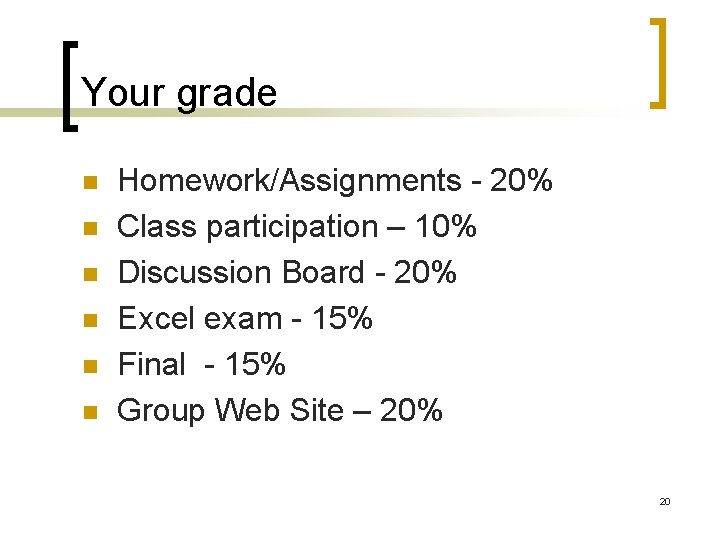
Your grade n n n Homework/Assignments - 20% Class participation – 10% Discussion Board - 20% Excel exam - 15% Final - 15% Group Web Site – 20% 20
Discussion Board n n n Online discussion is the most important part of online learning You will be graded on your ability to contribute to a good online discussion Means posting comments that generate a response Means participating and responding to others Grading rubric 21
Excel 2007 n Part of Microsoft Office ¡ n n n Word, Access, Power. Point How to start Excel Windows and tools in Excel interface Saving in Excel 22
How to participate in the online portion of CIS 101 n n n Read your Pace student e-mail or have it forwarded Participate in to Discussion Board each week Keep up with assignments ¡ ¡ Assignments – description of each week’s homework, class, and readings Syllabus – course schedule 23
Week 1 Assignments n n n Each week, assignments will be described in Assignments section of Blackboard Each week will have a parallel folder in Course Materials that you must review Discussion board assignment on Sustainability 24
Online survey n Please access the online survey from Blackboard and complete 25
Next week n n Bring your Excel text to class See you online! 26