
CINAHL Cumulative Index of Nursing and Allied Health





- Slides: 54
CINAHL (Cumulative Index of Nursing and Allied Health Literature) Subject Heading Searching
Why use Subject Headings rather than Keyword searching? - 1 § CINAHL Subject Headings are assigned to each record to describe the subject content of the record. They are applied consistently which means that once you have identified the correct CINAHL Heading(s) you do not need to think about synonyms, different word endings or alternative spellings. § For example, an article on stroke will have the subject heading stroke assigned to it even if the author of the article uses a synonym such as cva, cvas, cerebrovascular accident or cerebral vascular accident. And…….
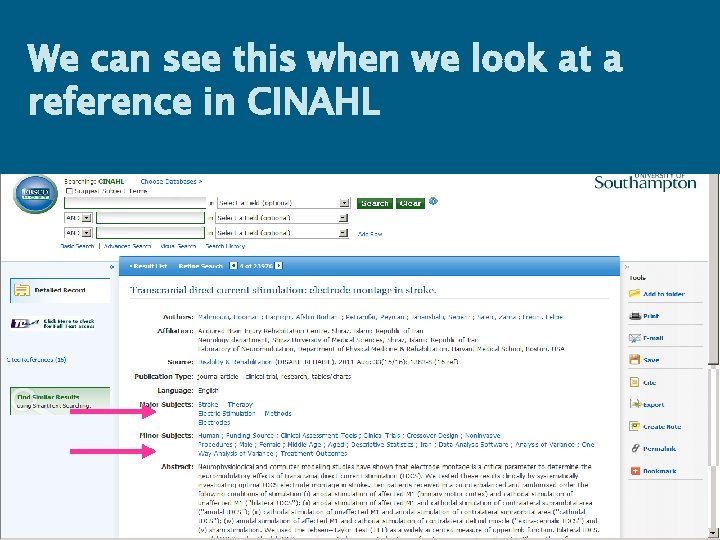
Why use Subject Heading rather than Keyword searching? - 2 The indexers also assign the subject terms according to the level of importance of the term within the article; the most important points are called Major Subjects and those of lesser importance are called Minor Subjects For instance…. .
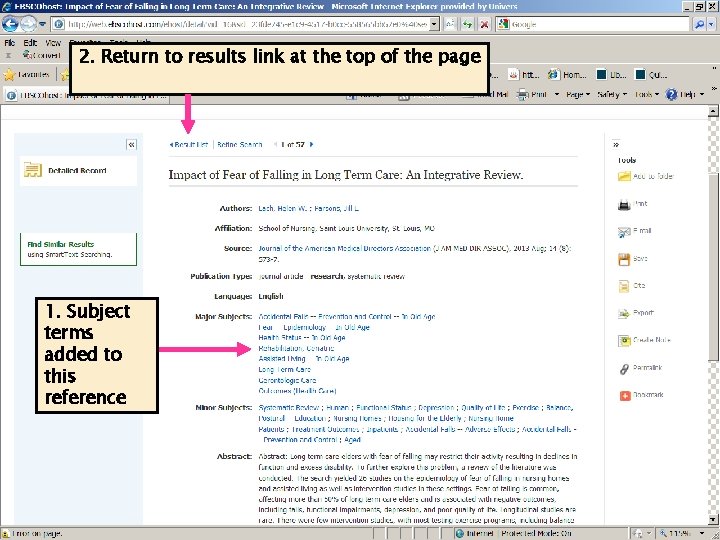
We can see this when we look at a reference in CINAHL
Why use Subject Heading rather than Keyword searching? - 3 You tend to retrieve articles that are more relevant: Searching using the subject heading stroke will retrieve articles that are about the medical condition stroke whereas free text searching will retrieve any article which has the word in the title or abstract, whether that is relevant to the subject of the article or not. They could also include references to articles about pet therapy (people who stroke animals are more relaxed) and references about swimming or heat stroke.
But…. …. . subject headings are not infallible so to make sure you retrieve all relevant articles a combination of subject headings and free text is sometimes required.
CINAHL (Cumulative Index to Nursing and Allied Health Literature) § Comprehensive database covering Nursing, Midwifery and Allied Health subjects § Lists articles in over 900 English language journals § Over 3 million records § Data since 1982 § Available via the Library Web pages using your i. Solutions username and password
Bibliographic databases what do they do? § List the “bibliographic” details of journal articles – author and title of the article; journal title, volume, issue and pages. § Mostly refer to journal articles, but some refer to newspapers, conference papers, book chapters or videos. § They can be searched – much like Web. Cat. But they are nationally or internationally produced so…. .
…we do not have access to the full-text of all of the journal references on CINAHL
Section 1 Putting together your search strategy
Search example: “What research evidence is there to support theory that exercise or exercise programmes help in the prevention of falls in the elderly? ”
But before you start searching you need to spend some time thinking about your search…. .
You need to: § Identify the concepts of your query § List alternative phrases and keywords § Include both narrow and broad terms § Identify any key periods of research § Identify any key authors in the field
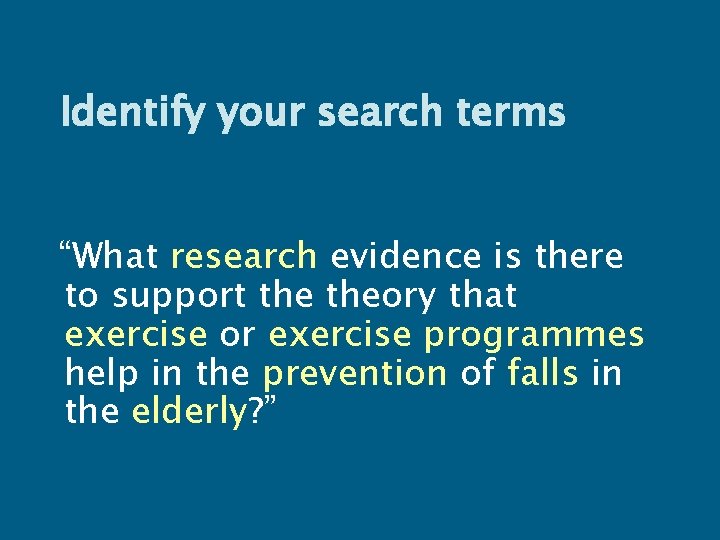
Identify your search terms “What research evidence is there to support theory that exercise or exercise programmes help in the prevention of falls in the elderly? ”
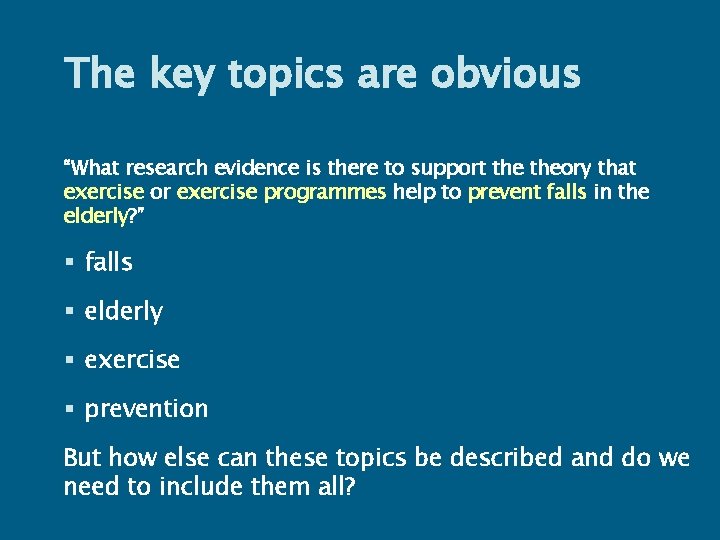
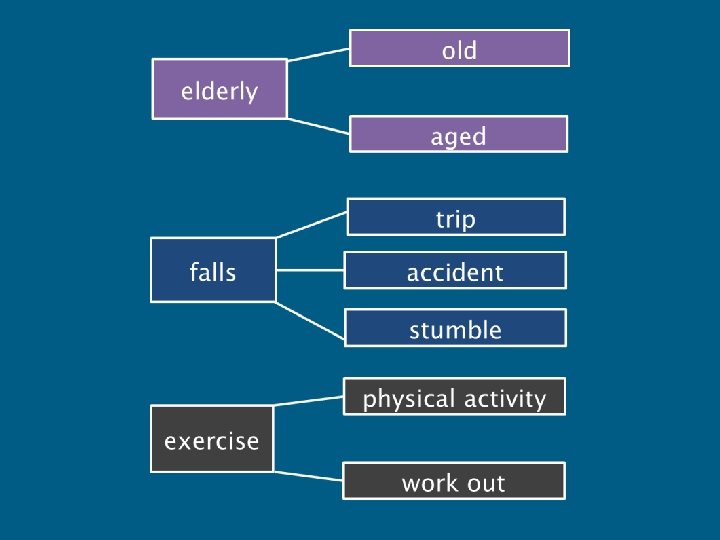
The key topics are obvious “What research evidence is there to support theory that exercise or exercise programmes help to prevent falls in the elderly? ” § falls § elderly § exercise § prevention But how else can these topics be described and do we need to include them all?
Join these terms together using: Boolean logic and Truncation
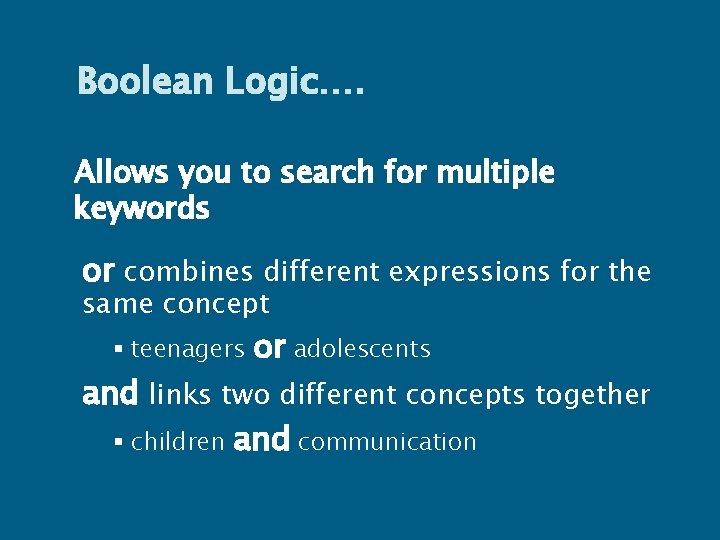
Boolean Logic…. Allows you to search for multiple keywords or combines different expressions for the same concept § teenagers or adolescents and links two different concepts together § children and communication
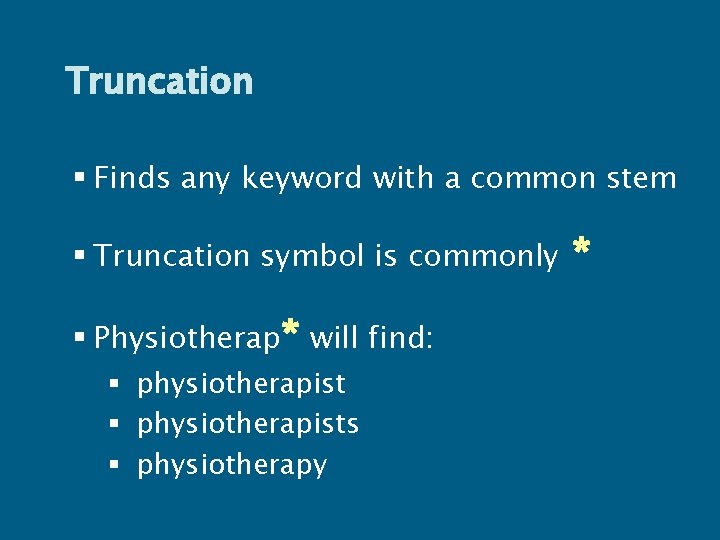
Truncation § Finds any keyword with a common stem § Truncation symbol is commonly § Physiotherap* will find: § physiotherapists § physiotherapy *
Section 2 Starting your search
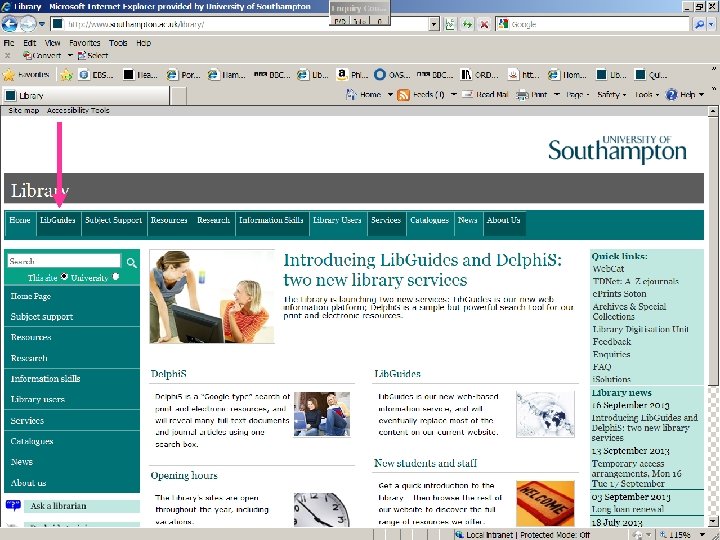
Library home page www. soton. ac. uk/library
22
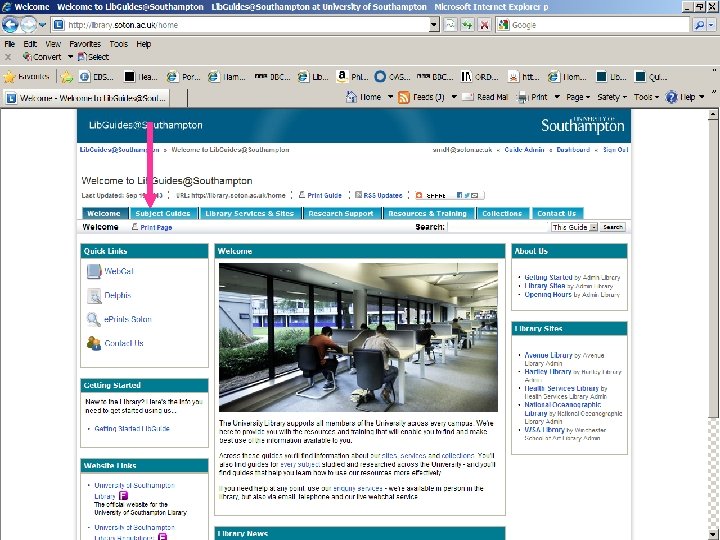
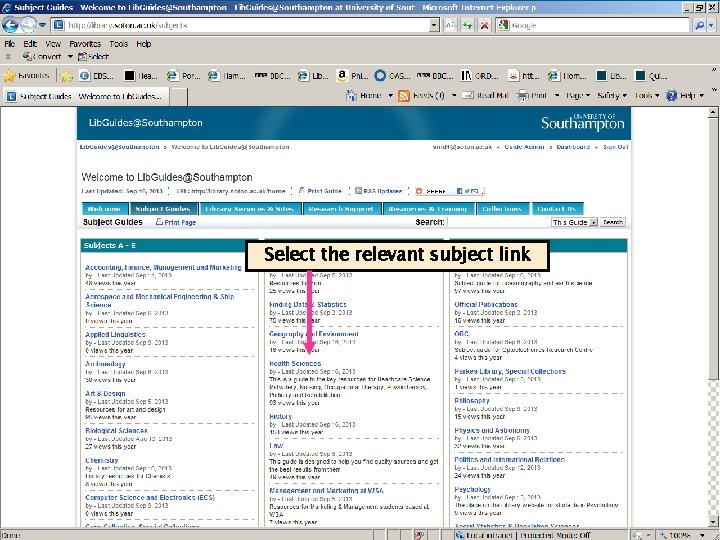
Select the relevant subject link
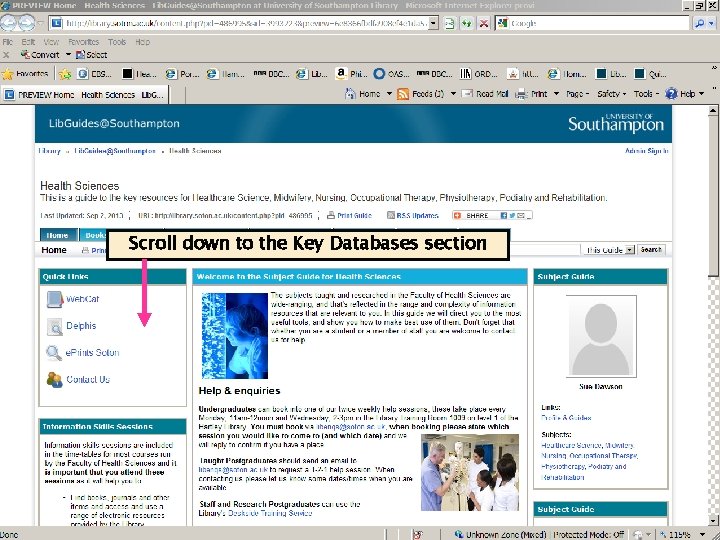
Scroll down to the Key Databases section
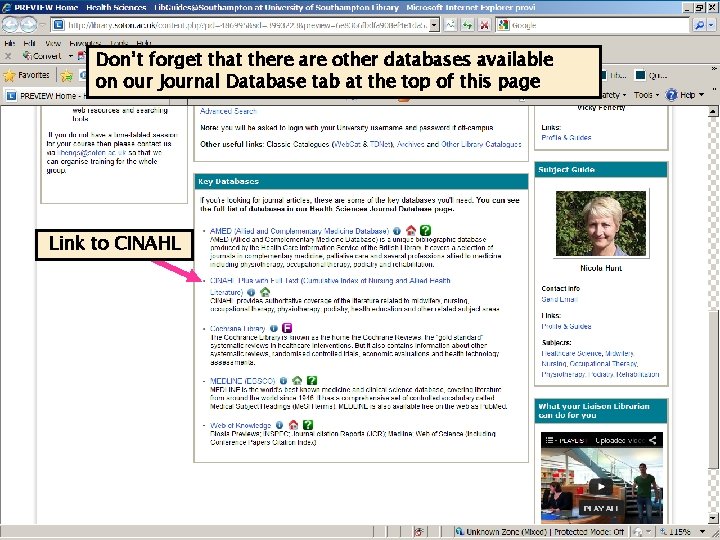
Don’t forget that there are other databases available on our Journal Database tab at the top of this page Link to CINAHL
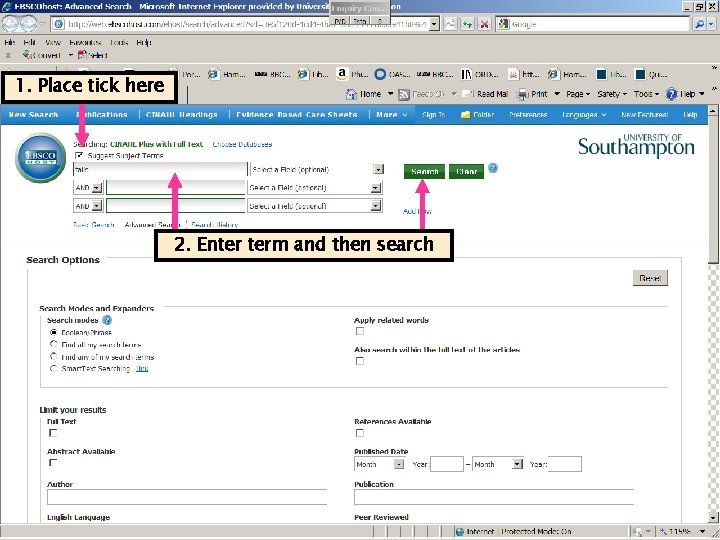
1. Place tick here 2. Enter term and then search
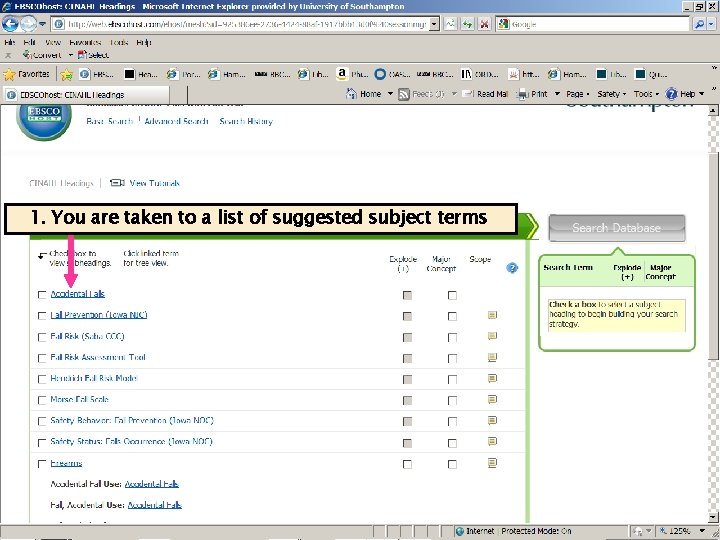
1. You are taken to a list of suggested subject terms
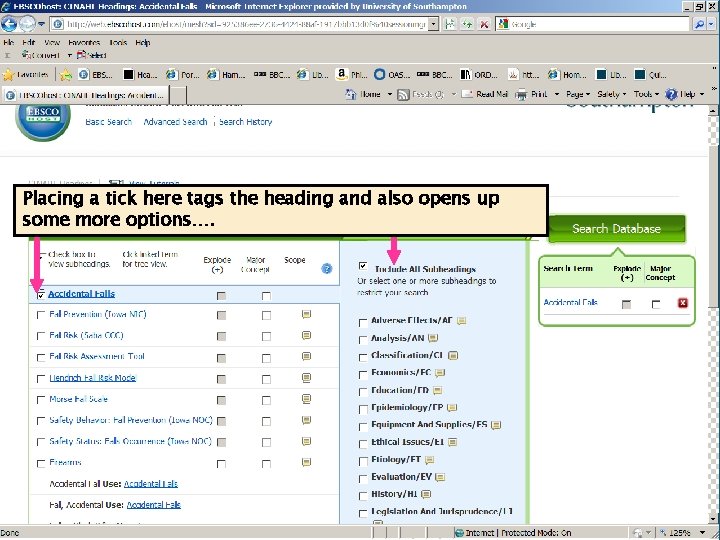
Placing a tick here tags the heading and also opens up some more options….
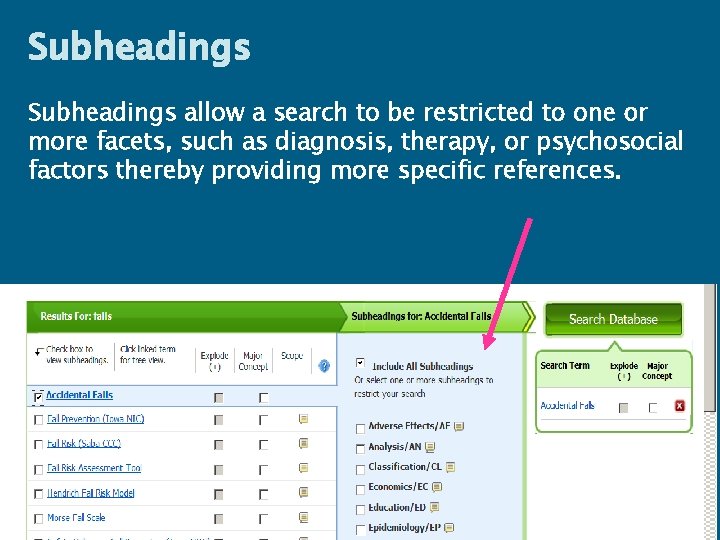
Subheadings allow a search to be restricted to one or more facets, such as diagnosis, therapy, or psychosocial factors thereby providing more specific references.
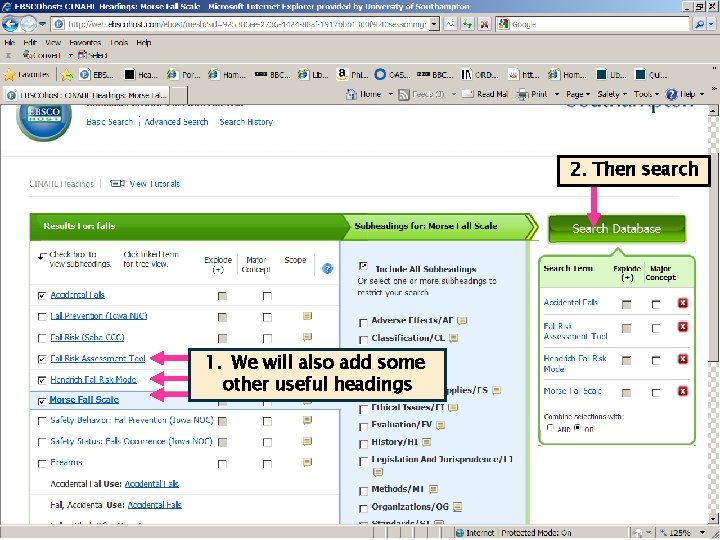
2. Then search 1. We will also add some other useful headings
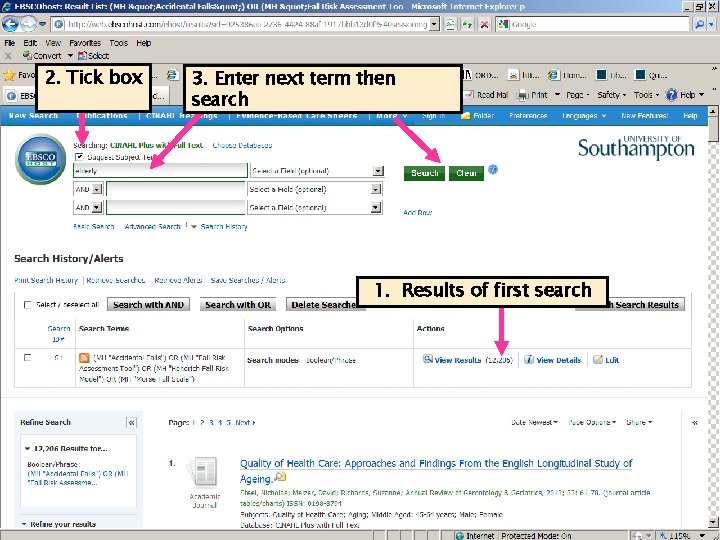
2. Tick box 3. Enter next term then search 1. Results of first search
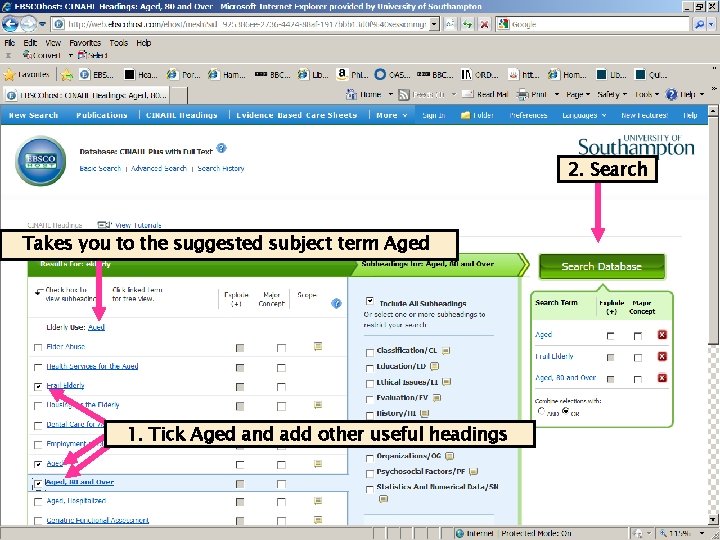
2. Search Takes you to the suggested subject term Aged 1. Tick Aged and add other useful headings
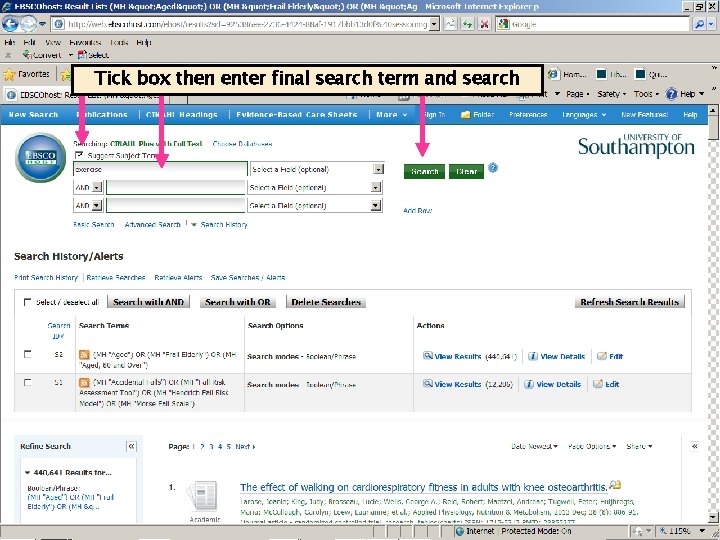
Tick box then enter final search term and search
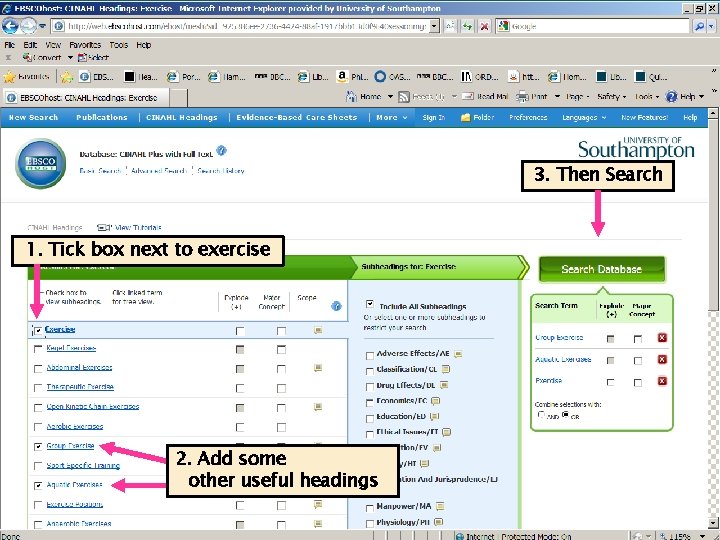
3. Then Search 1. Tick box next to exercise 2. Add some other useful headings
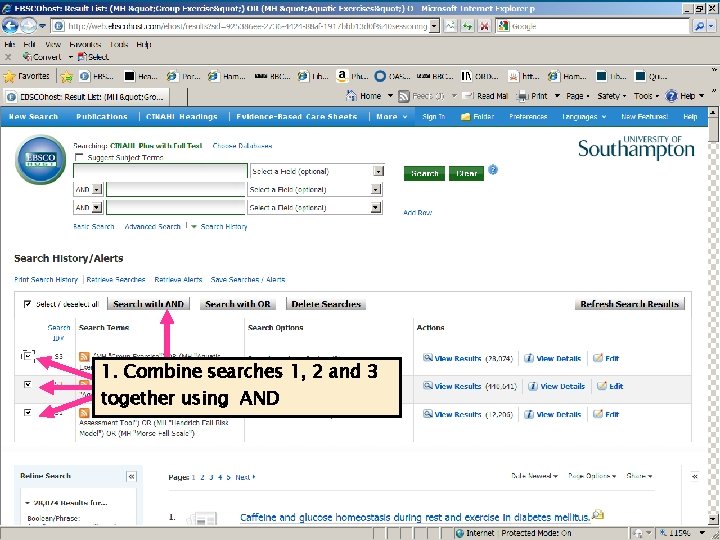
1. Combine searches 1, 2 and 3 together using AND
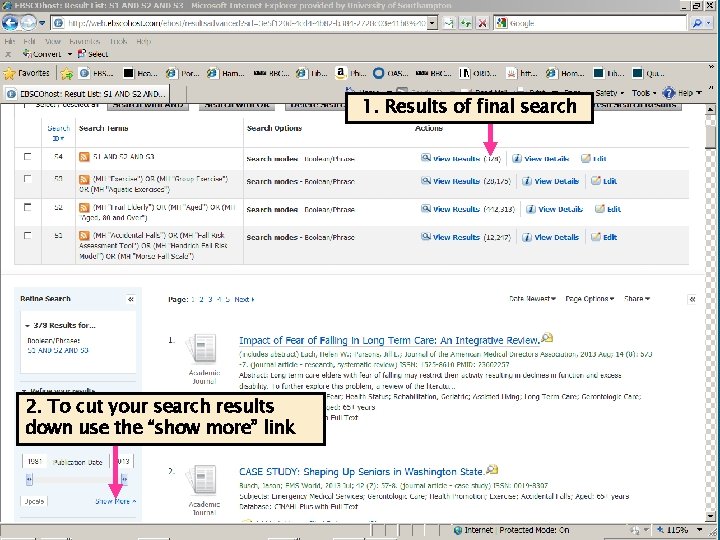
1. Results of final search 2. To cut your search results down use the “show more” link
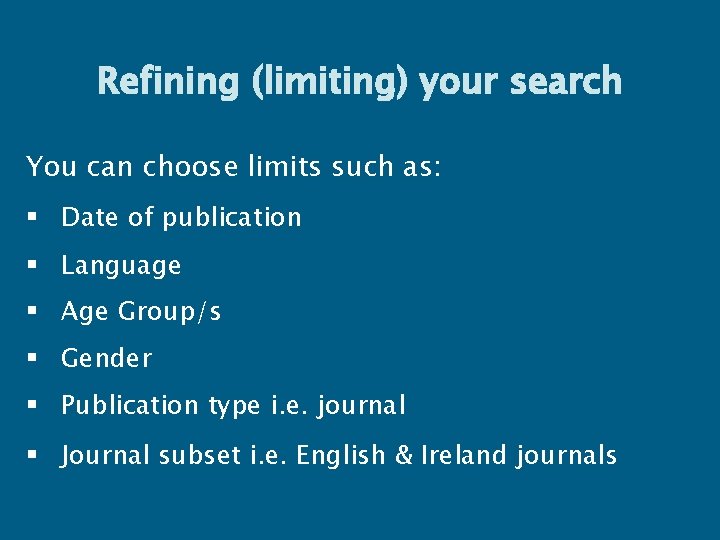
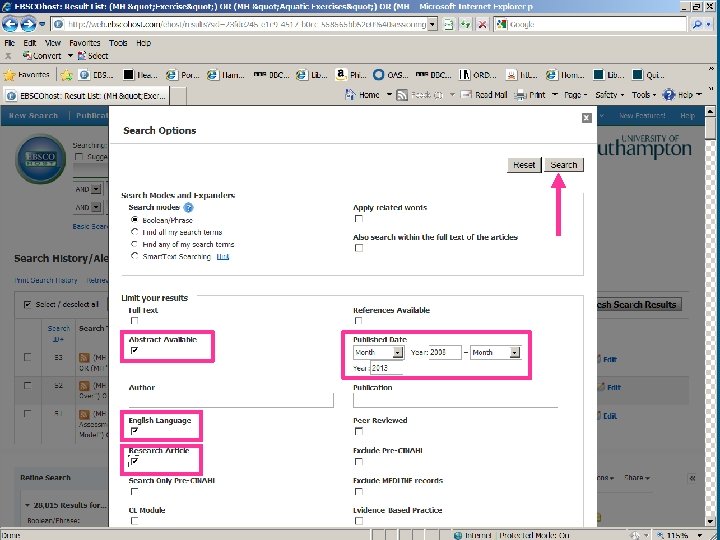
Refining (limiting) your search You can choose limits such as: § Date of publication § Language § Age Group/s § Gender § Publication type i. e. journal § Journal subset i. e. English & Ireland journals
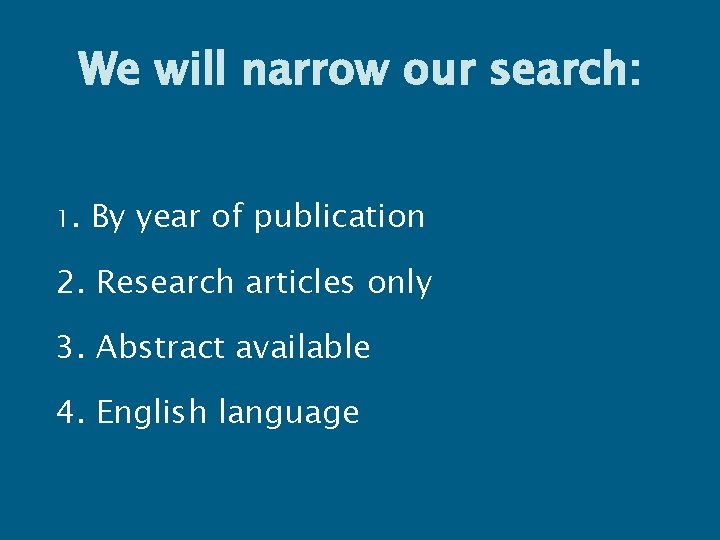
We will narrow our search: 1. By year of publication 2. Research articles only 3. Abstract available 4. English language
Viewing, marking and saving references
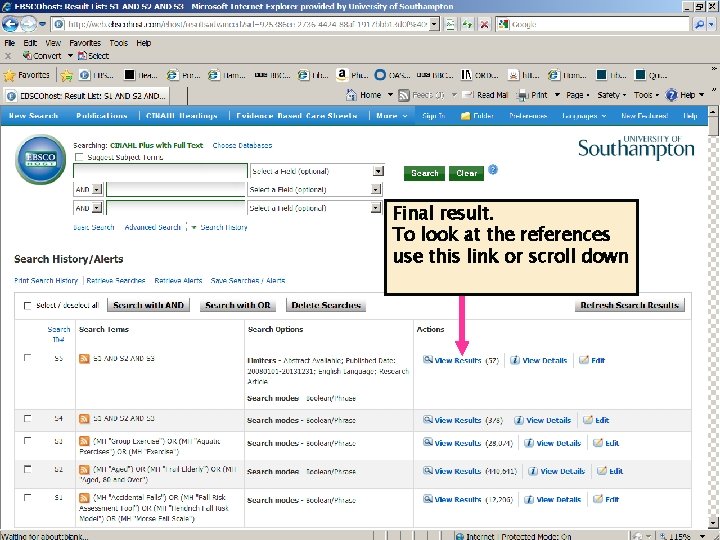
Final result. To look at the references use this link or scroll down
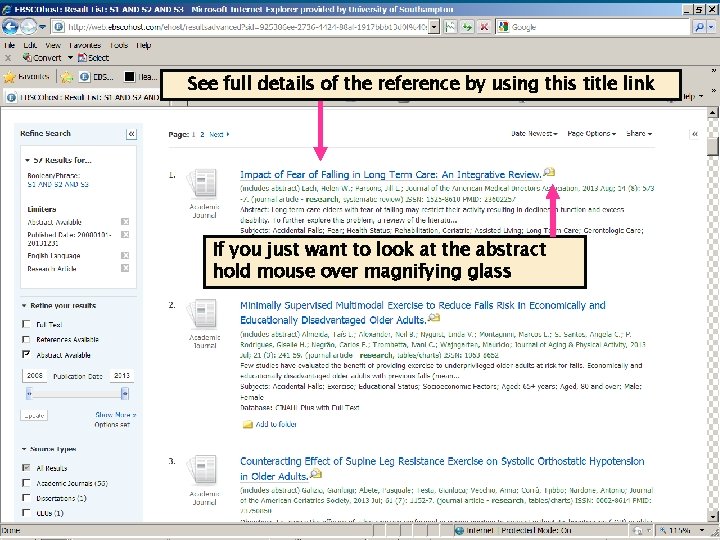
See full details of the reference by using this title link If you just want to look at the abstract hold mouse over magnifying glass
2. Return to results link at the top of the page 1. Subject terms added to this reference
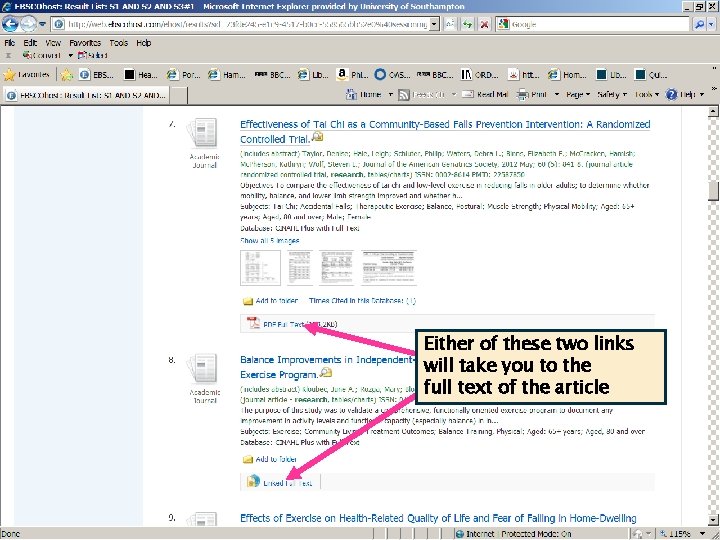
Either of these two links will take you to the full text of the article
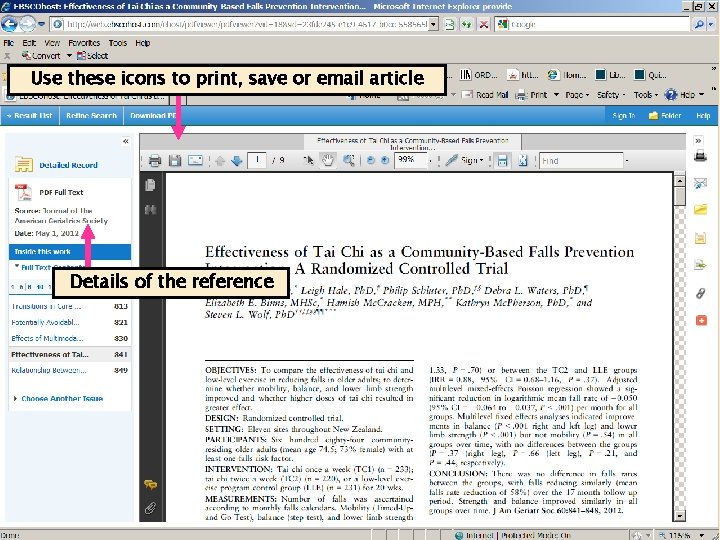
Use these icons to print, save or email article Details of the reference
If we don’t have access to a reference which is really important then use our Inter-Library Loans service: § Login to Web. Cat § Go to: Ø Requests: inter-library loans and stack Ø Inter-library loan requests Ø Choose the relevant form for the item you are requesting, complete the form then submit § Please check to see the number of inter-library loan requests your are entitled to at www. southampton. ac. uk/library/services/ill. html
Copying and Copyright § You should assume that everything is subject to copyright law, unless this is clearly stated otherwise § You should save, print or email only one copy of an article from an issue of a magazine or journal. In the case of a book, pamphlet or report, you should make single copies of not more than one chapter, or extracts amounting to no more than 5% of the entire work § For more information see: § www. soton. ac. uk/library/about/regulations/ copyrightphotocopying. html
Saving the details of the references and your search history
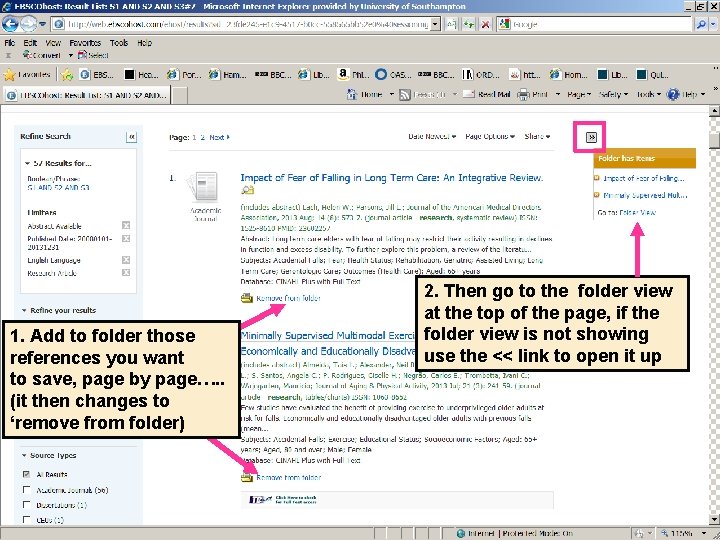
1. Add to folder those references you want to save, page by page…. . (it then changes to ‘remove from folder) 2. Then go to the folder view at the top of the page, if the folder view is not showing use the << link to open it up
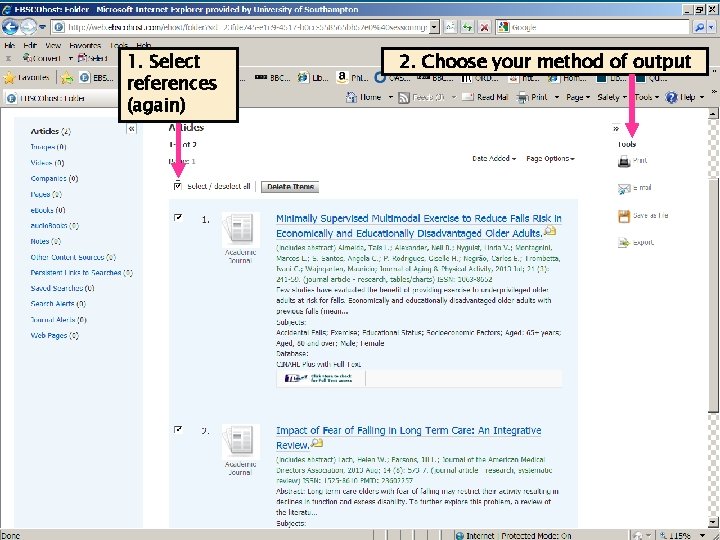
1. Select references (again) 2. Choose your method of output
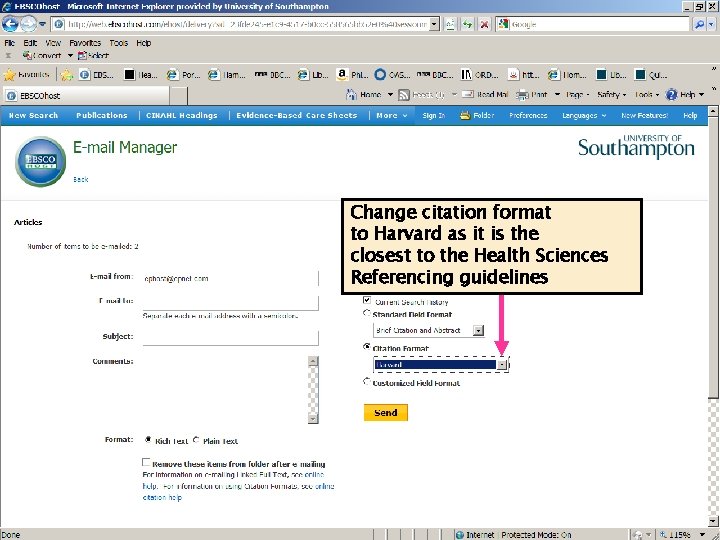
Change citation format to Harvard as it is the closest to the Health Sciences Referencing guidelines 52
Warning! Don’t send your results to a work address outside of the University, i. e. an NHS email account as the firewall set up by other organisations may block any attachments.
Getting Help § Subject Enquiries § Level 3, Hartley Library § Or contact § libenqs@soton. ac. uk