
CICSPlex SM MRM Tour CICS Plex SM MAS




























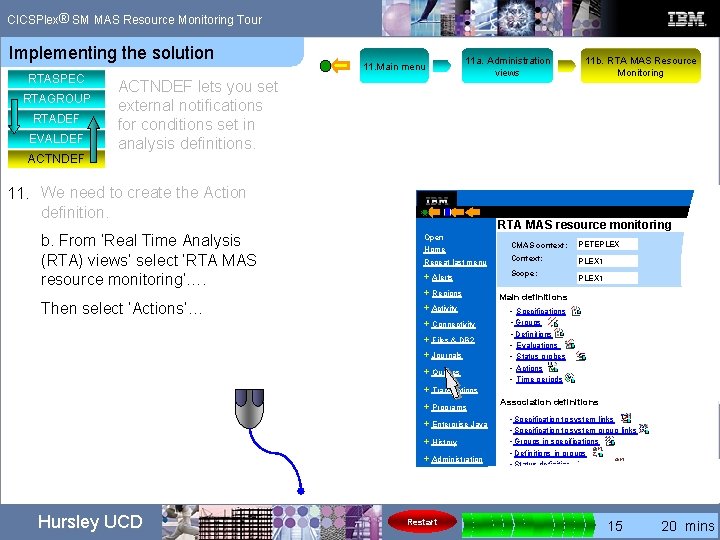
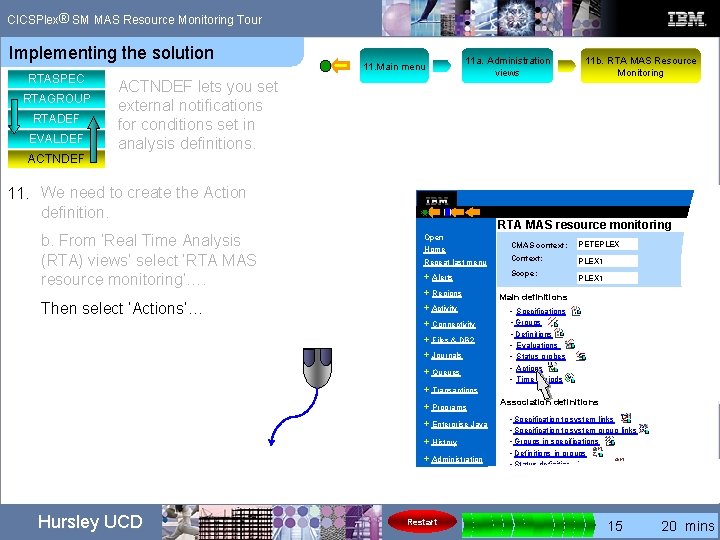
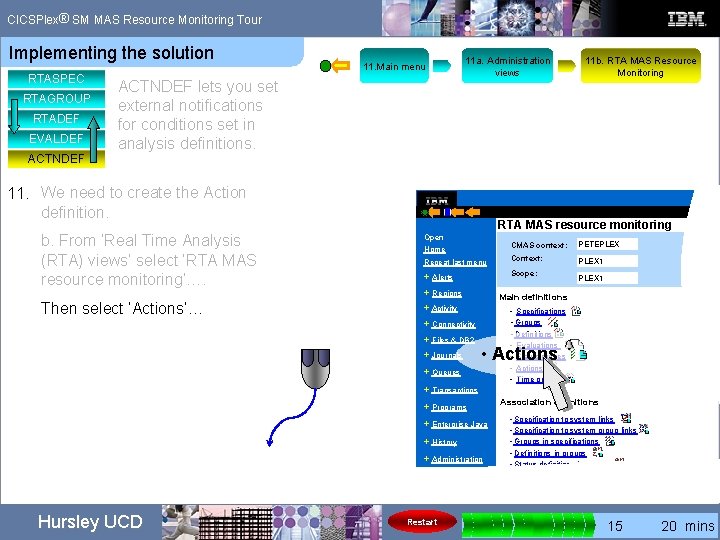
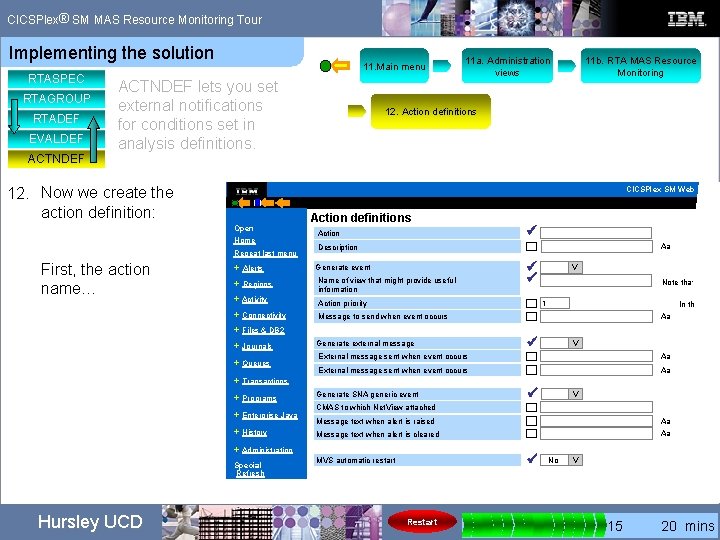
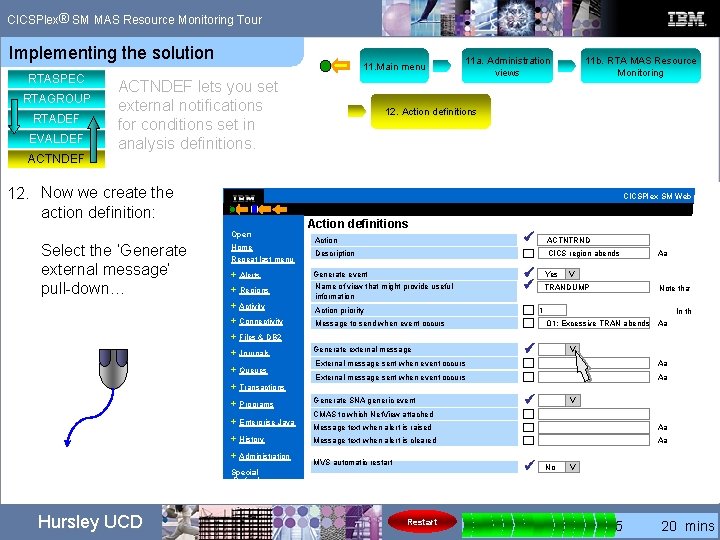
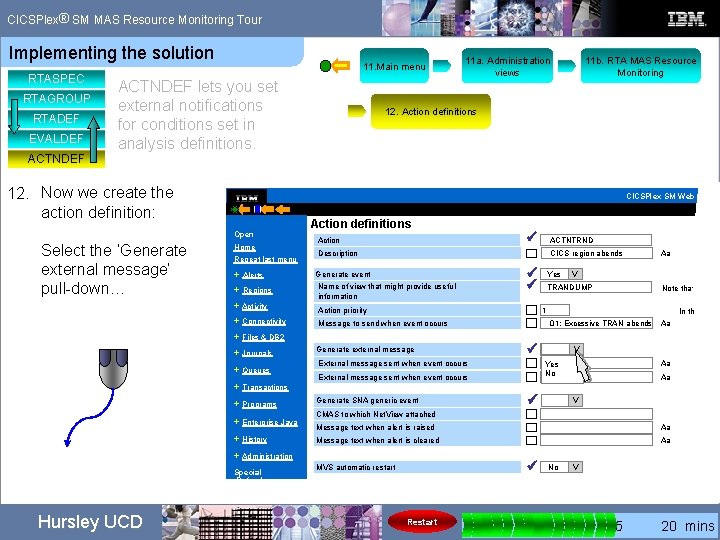
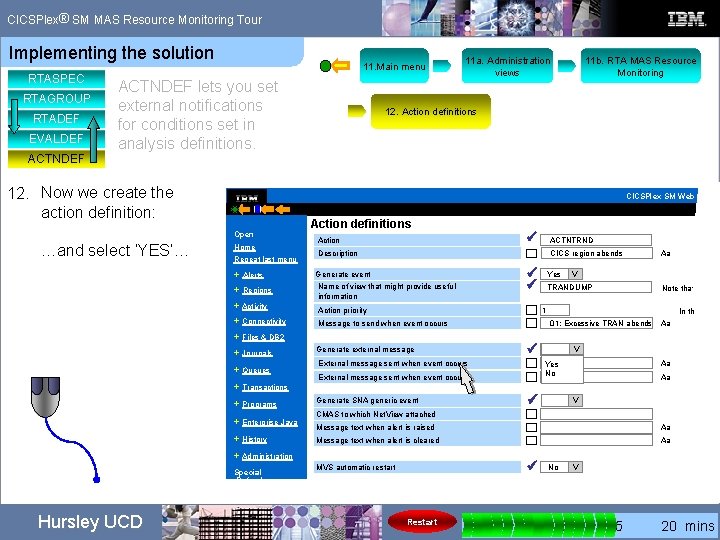
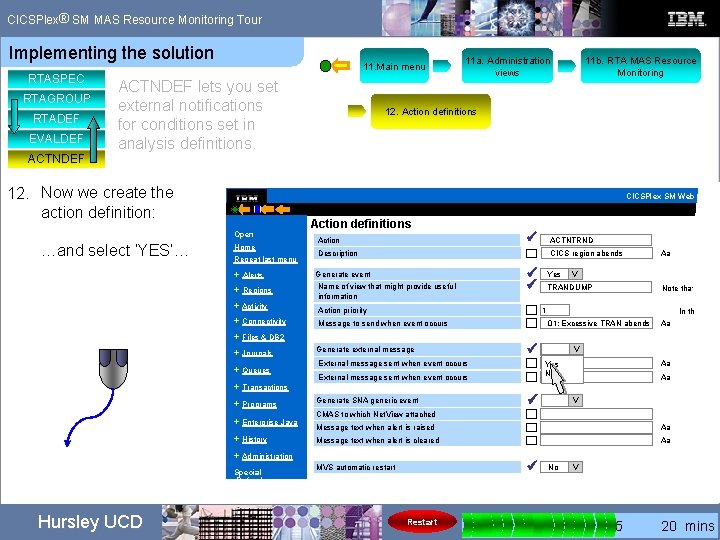





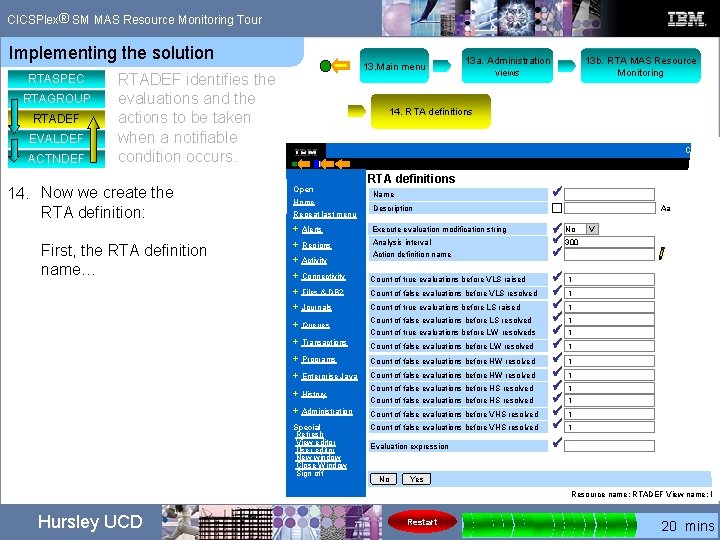
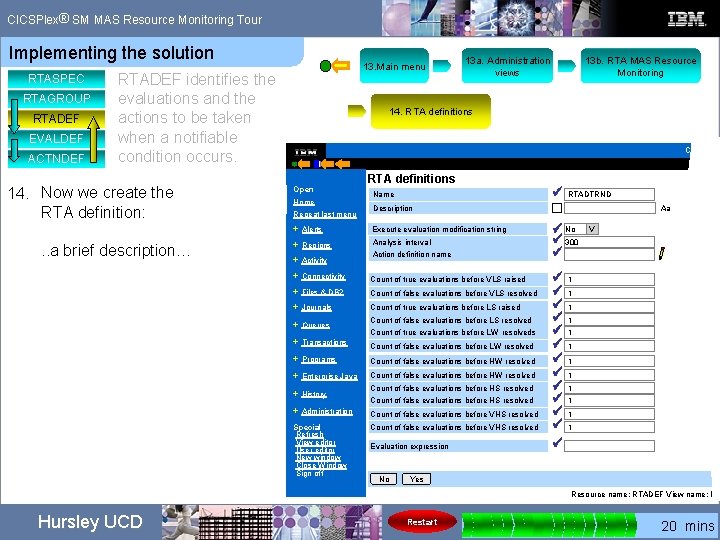
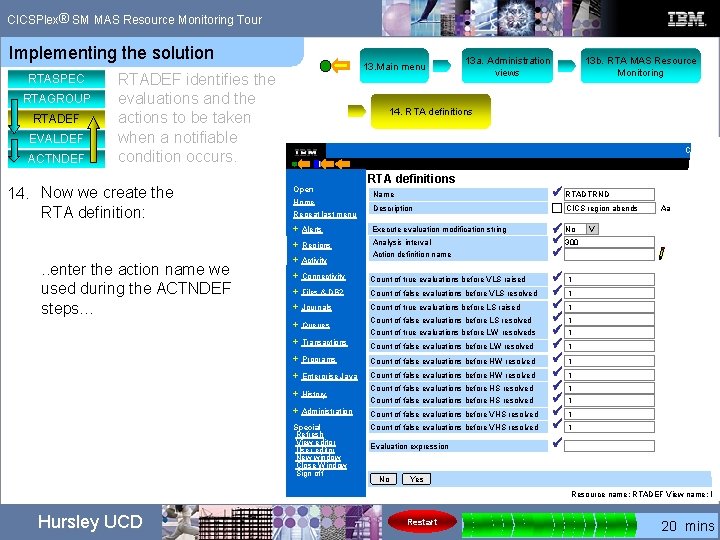
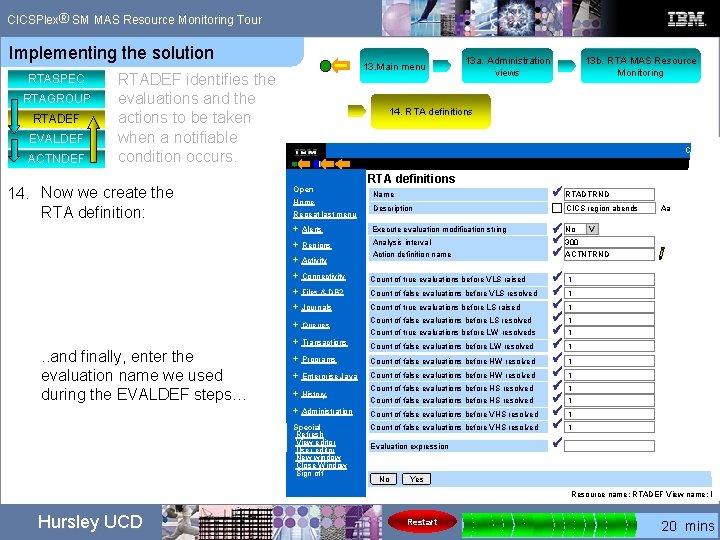
- Slides: 185
® CICSPlex SM MRM Tour CICS Plex® SM MAS Resource Monitoring Adjust volume for sound effects… Hursley UCD © Copyright International Business Machines Corporation 2007. All rights reserved.
® CICSPlex SM MAS Resource Monitoring Tour content The content of this tour is based on a presentation given at Share by Lisa M Fellows. Lisa wanted to collect data on a recurring transaction abend and used CICSPlex SM Real Time Analysis (RTA) to provide the solution. Hursley UCD Restart 0 5 10 15 20 mins
® CICSPlex SM MAS Resource Monitoring Tour duration The content of this tour is based on a presentation given at Share by Lisa M Fellows. Lisa wanted to collect data on a recurring transaction abend and used CICSPlex SM Real Time Analysis (RTA) to provide the solution. This tour runs for approximately 19 minutes on a continuous loop. There is a progress indicator in the bottom right corner of each page. Hursley UCD Restart 0 5 10 15 20 mins
® CICSPlex SM MAS Resource Monitoring Tour Restarting the tour The content of this tour is based on a presentation given at Share by Lisa M Fellows. Lisa wanted to collect data on a recurring transaction abend and used CICSPlex SM Real Time Analysis (RTA) to provide the solution. This tour runs for approximately 19 minutes on a continuous loop. There is a progress indicator in the bottom right corner of each page. After this page you can restart the tour at any time by clicking Restart Hursley UCD 0 5 10 15 20 mins
® CICSPlex SM MAS Resource Monitoring Tour Restarting the tour The content of this tour is based on a presentation given at Share by Lisa M Fellows. Lisa wanted to collect data on a recurring transaction abend and used CICSPlex SM Real Time Analysis (RTA) to provide the solution. This tour runs for approximately 198 minutes on a continuous loop. There is a progress indicator in the bottom right corner of each page. On the following pages you can restart the tour at any time by clicking Restart Hursley UCD Restart 0 5 10 15 20 mins
® CICSPlex SM MAS Resource Monitoring Tour The problem…. We’ve been having recursive transaction abends causing problems in one of the CICS regions. We want to see if the same transaction abend occurs more than 5 times within 20 seconds. Hursley UCD Restart 0 5 10 15 20 mins
® CICSPlex SM MAS Resource Monitoring Tour The problem…. and the solution The problem…. We’ve been having recursive transaction abends causing problems in one of the CICS regions. We want to see if the same transaction abend occurs more than 5 times within 20 seconds. The solution… We will use CICSPlex SM to monitor the problem region; we will set evaluation criteria and report excessive abends by sending a message to the system logs. Hursley UCD Restart 0 5 10 15 20 mins
® CICSPlex SM MAS Resource Monitoring Tour The MRM components These are the MRM components we are interested in……. Hursley UCD Restart 0 5 10 15 20 mins
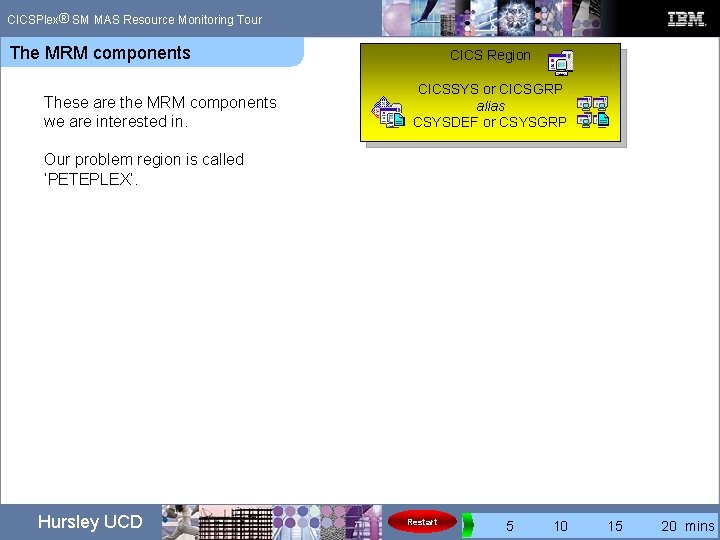
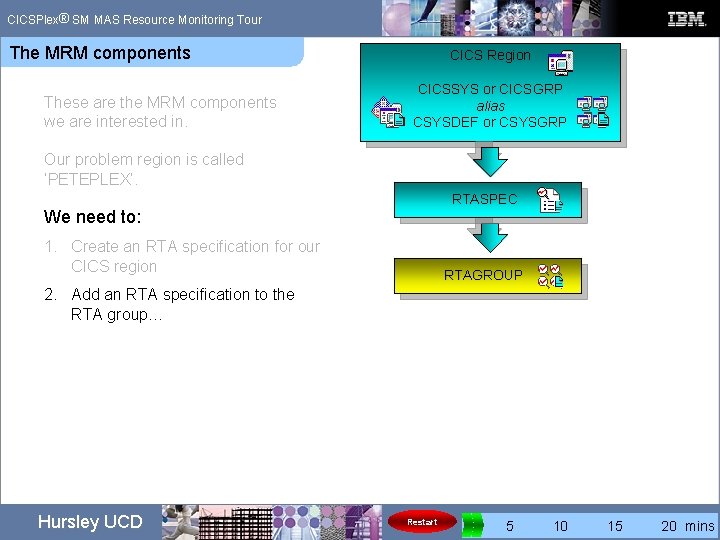
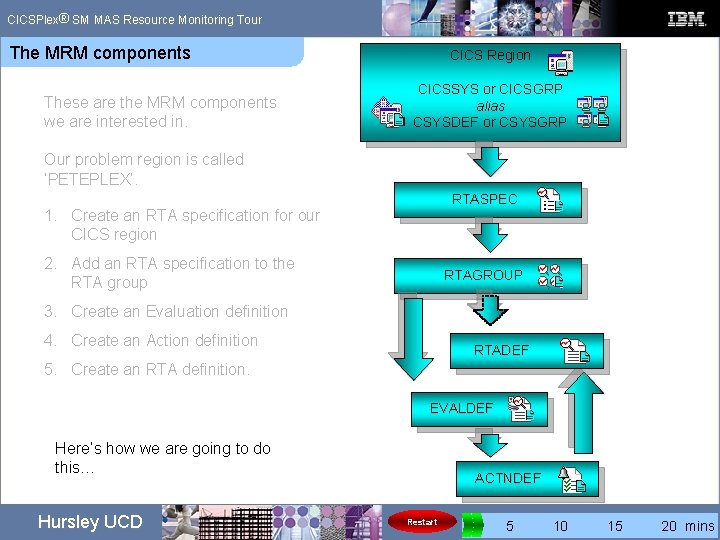
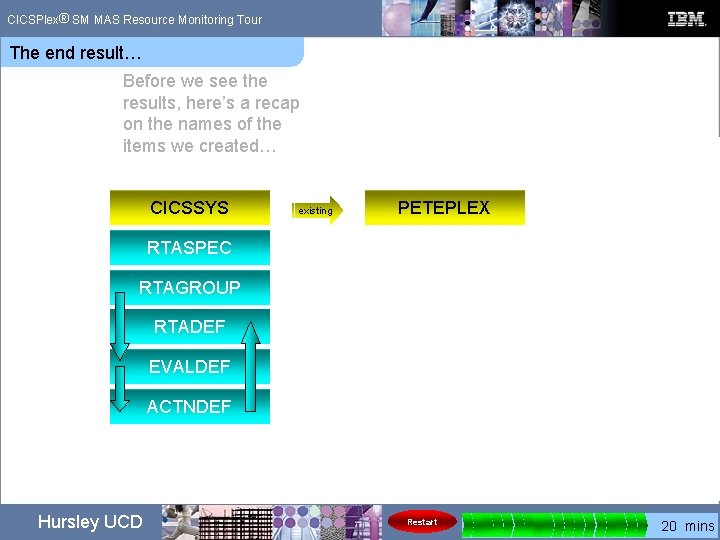
® CICSPlex SM MAS Resource Monitoring Tour The MRM components These are the MRM components we are interested in. CICS Region CICSSYS or CICSGRP CICSSYS alias CSYSDEF or CSYSGRP Our problem region is called ‘PETEPLEX’. Hursley UCD Restart 0 5 10 15 20 mins
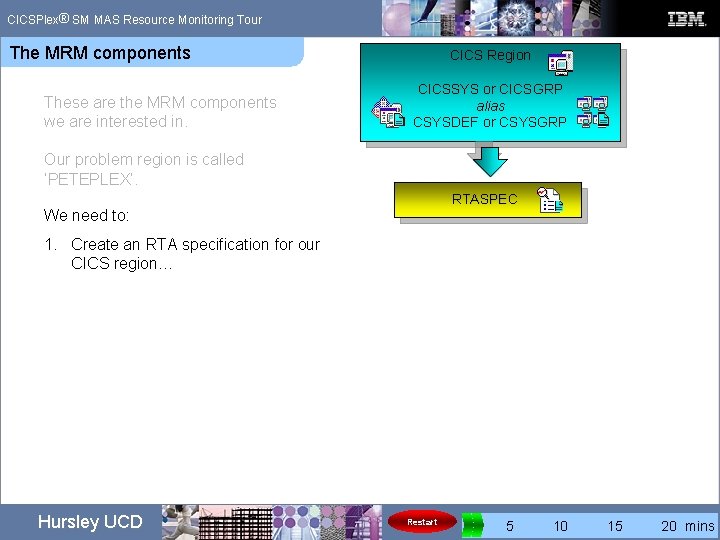
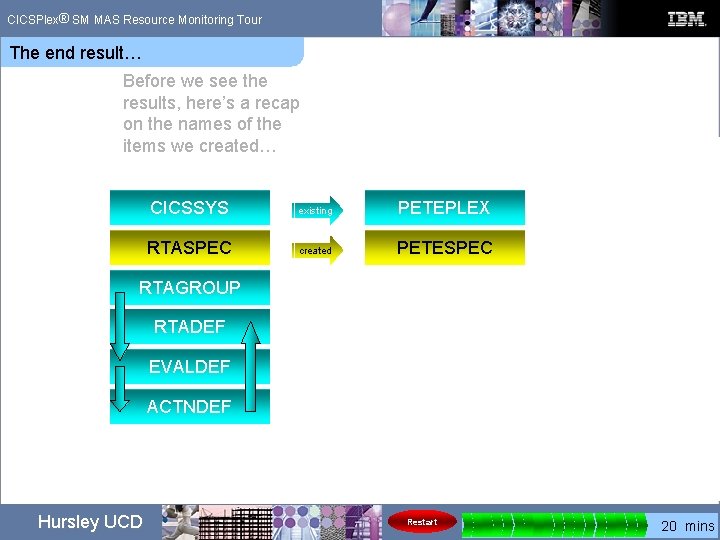
® CICSPlex SM MAS Resource Monitoring Tour The MRM components These are the MRM components we are interested in. CICS Region CICSSYS or CICSGRP CICSSYS alias CSYSDEF or CSYSGRP Our problem region is called ‘PETEPLEX’. We need to: RTASPEC 1. Create an RTA specification for our CICS region… Hursley UCD Restart 0 5 10 15 20 mins
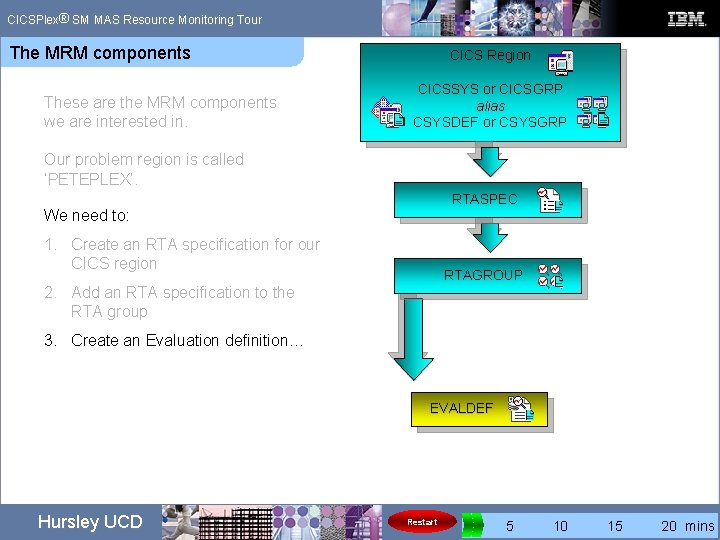
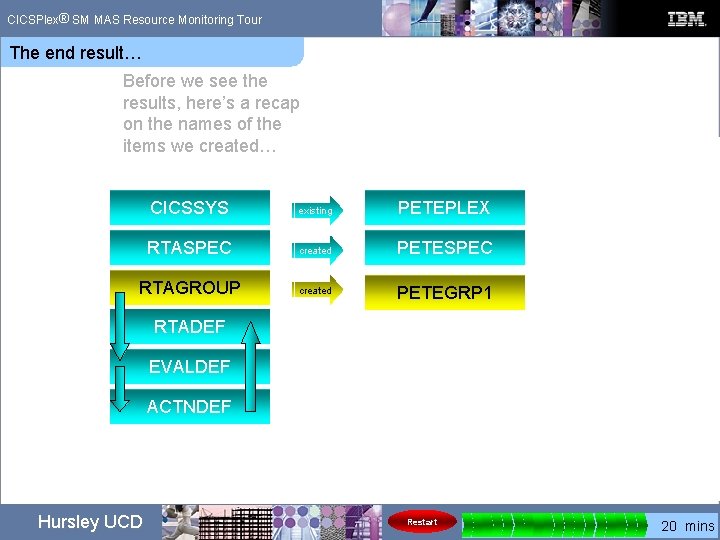
® CICSPlex SM MAS Resource Monitoring Tour The MRM components These are the MRM components we are interested in. CICS Region CICSSYS or CICSGRP CICSSYS alias CSYSDEF or CSYSGRP Our problem region is called ‘PETEPLEX’. We need to: 1. Create an RTA specification for our CICS region RTASPEC RTAGROUP 2. Add an RTA specification to the RTA group… Hursley UCD Restart 0 5 10 15 20 mins
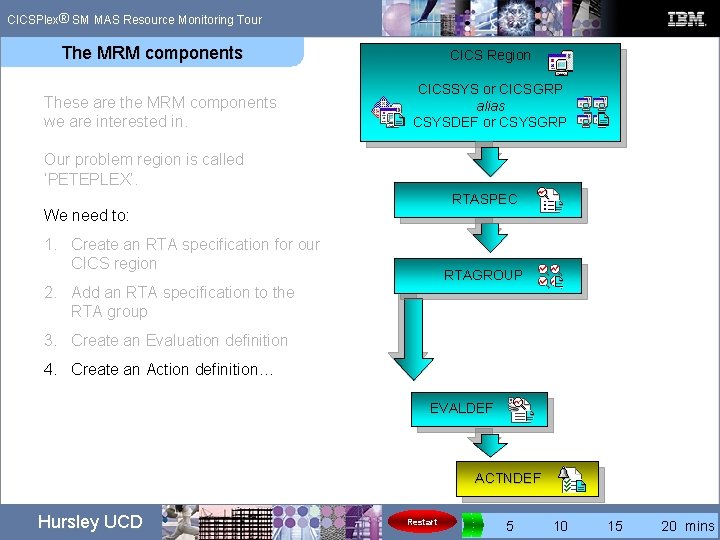
® CICSPlex SM MAS Resource Monitoring Tour The MRM components These are the MRM components we are interested in. CICS Region CICSSYS or CICSGRP CICSSYS alias CSYSDEF or CSYSGRP Our problem region is called ‘PETEPLEX’. We need to: 1. Create an RTA specification for our CICS region 2. Add an RTA specification to the RTA group RTASPEC RTAGROUP 3. Create an Evaluation definition… EVALDEF Hursley UCD Restart 0 5 10 15 20 mins
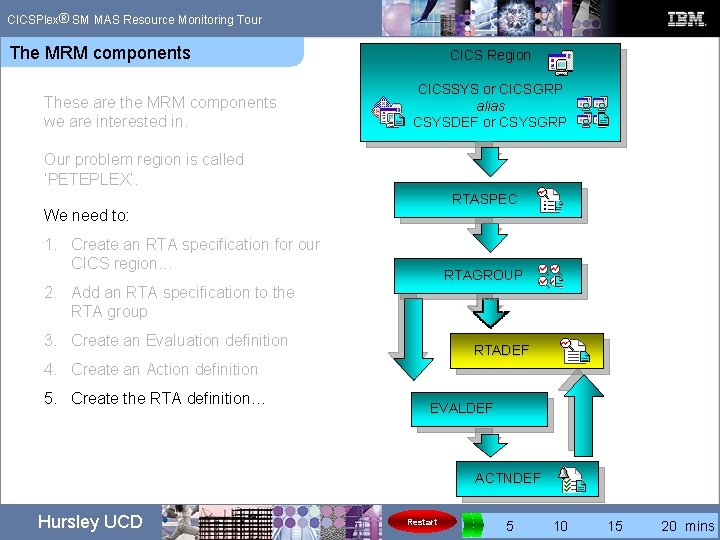
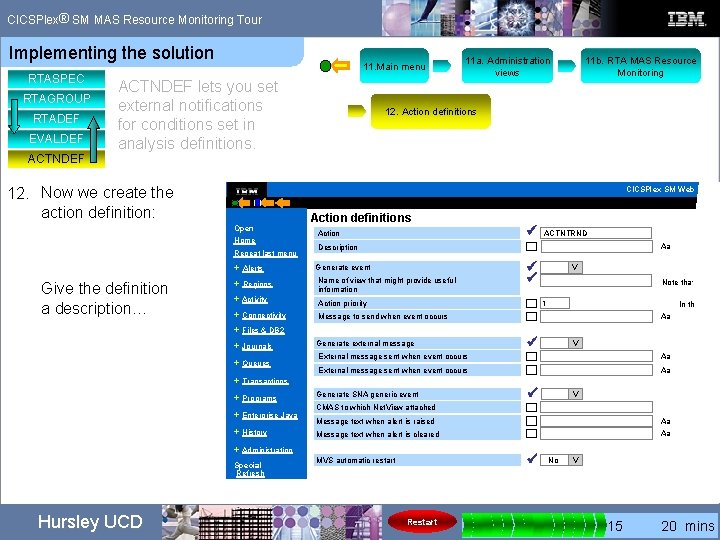
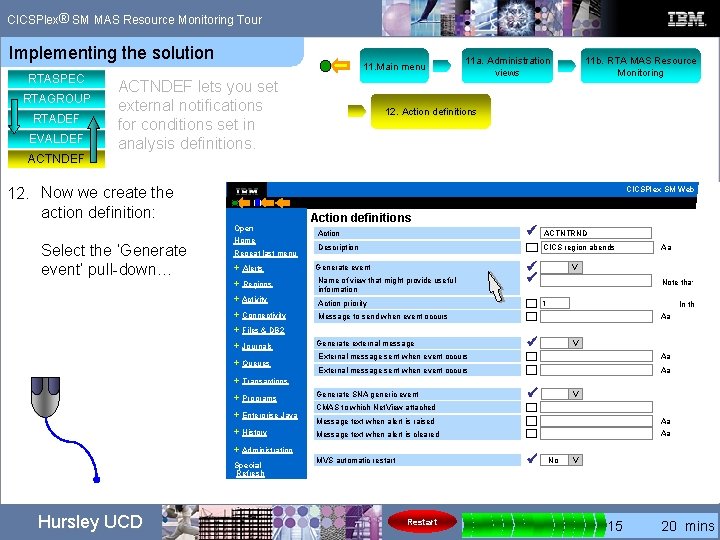
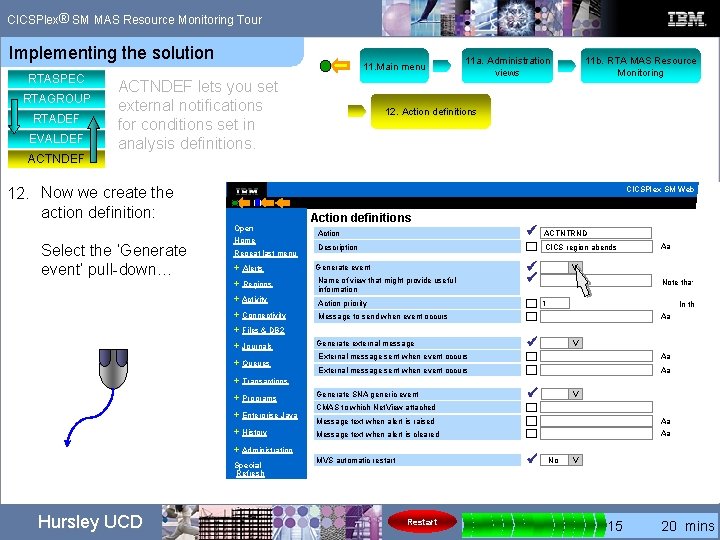
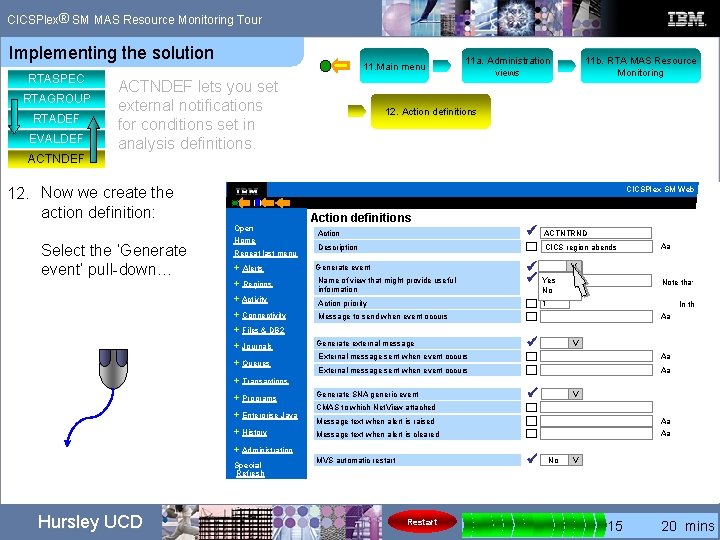
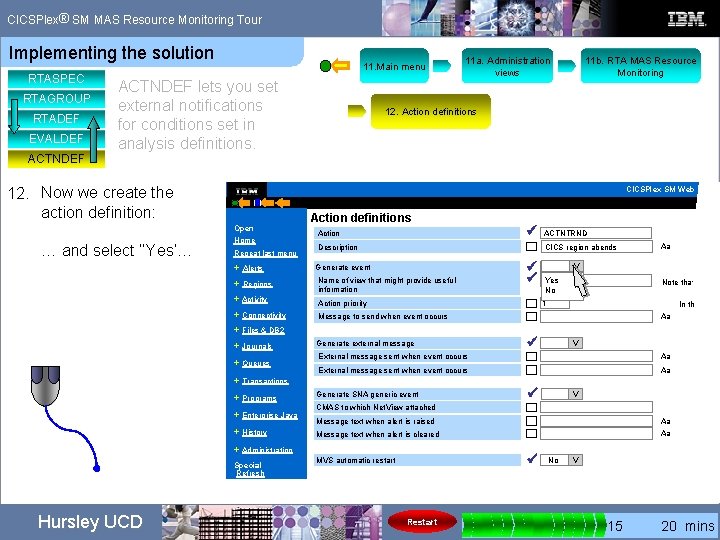
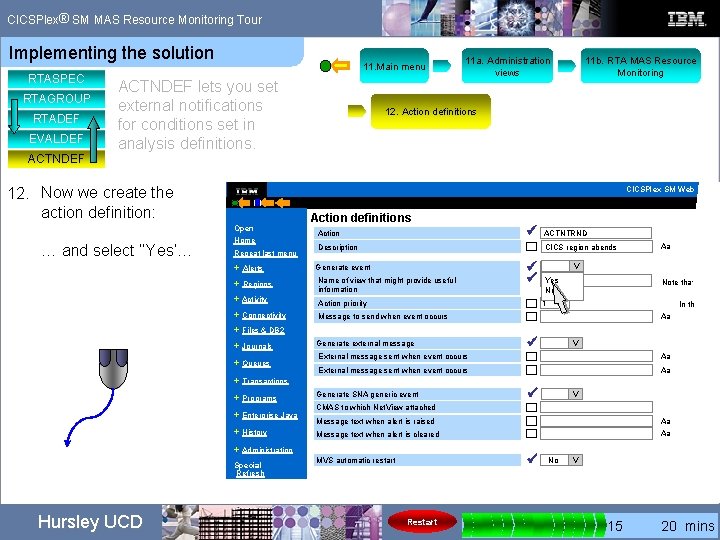
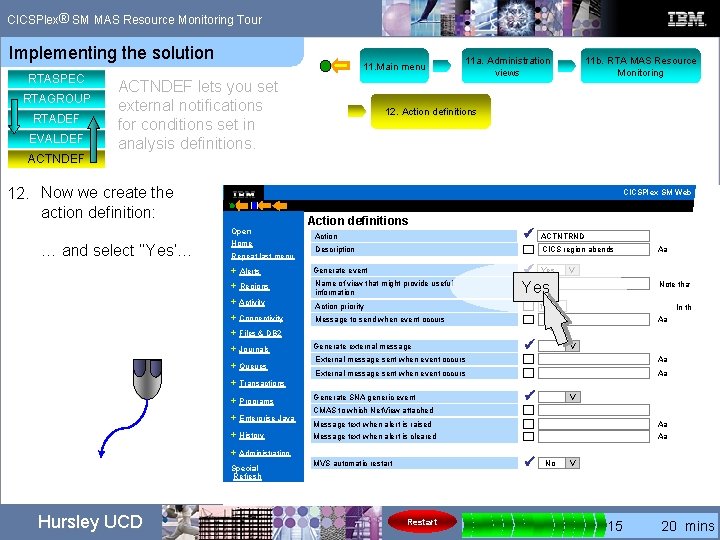
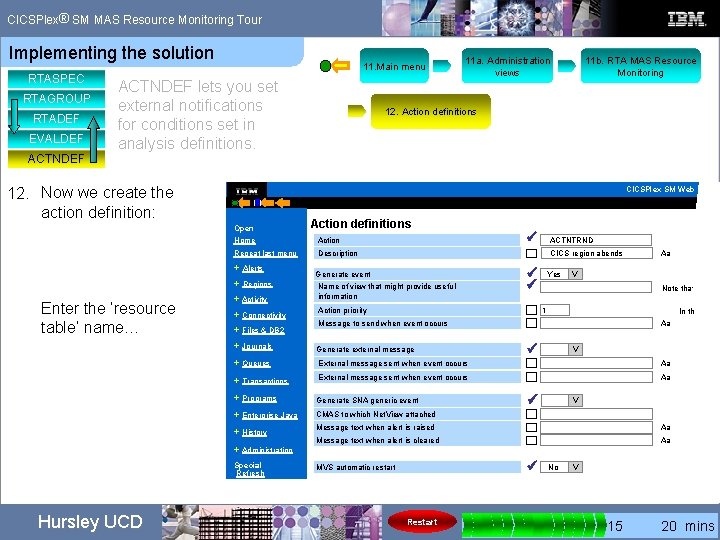
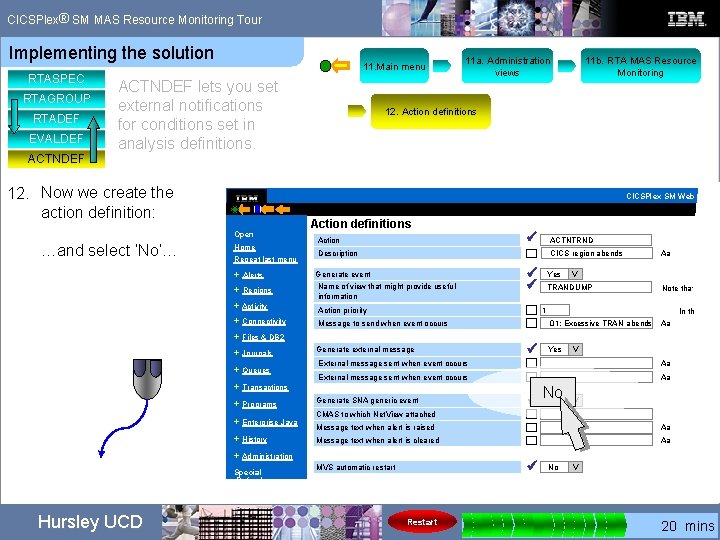
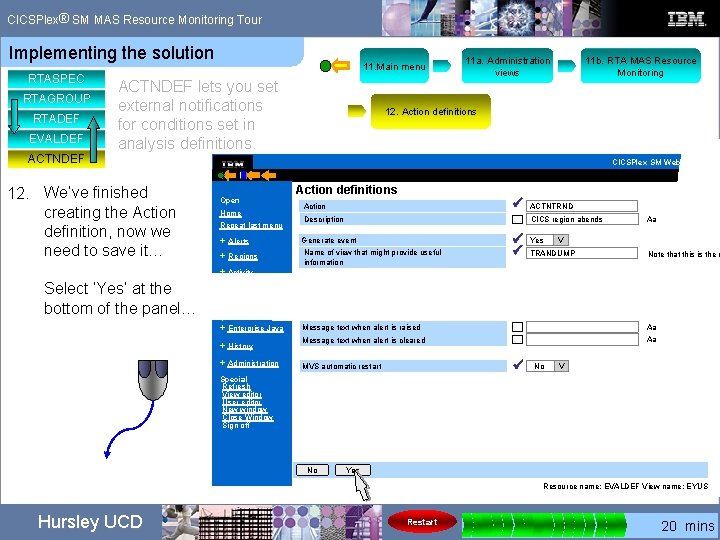
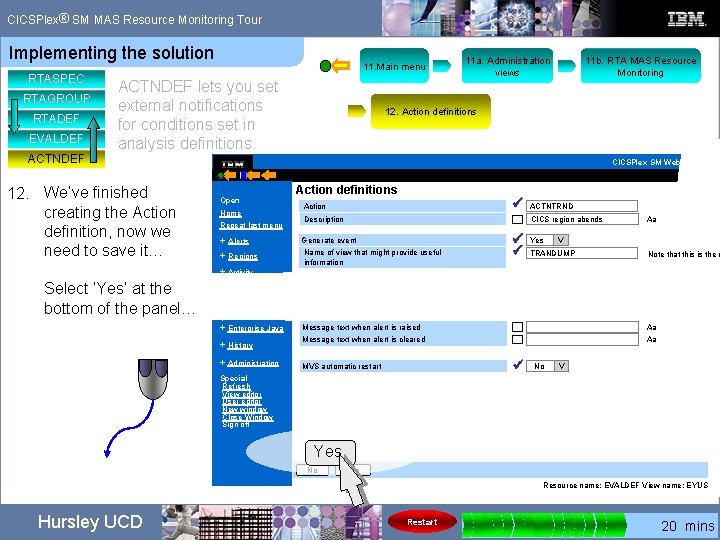
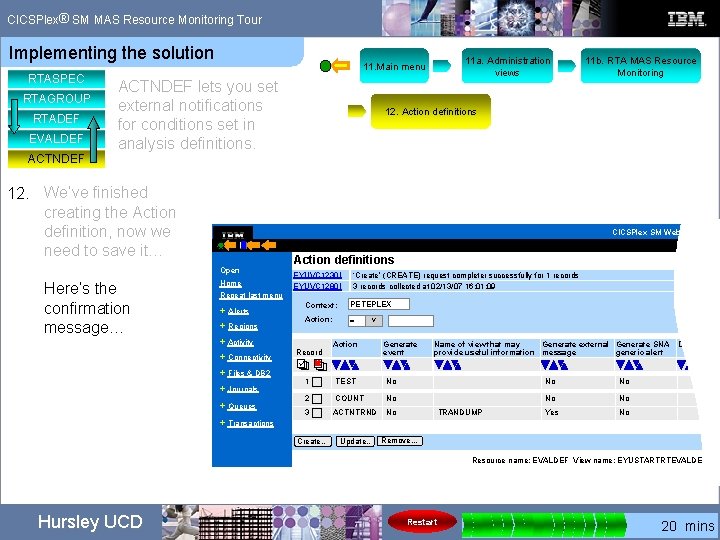
® CICSPlex SM MAS Resource Monitoring Tour The MRM components These are the MRM components we are interested in. CICS Region CICSSYS or CICSGRP CICSSYS alias CSYSDEF or CSYSGRP Our problem region is called ‘PETEPLEX’. We need to: 1. Create an RTA specification for our CICS region 2. Add an RTA specification to the RTA group RTASPEC RTAGROUP 3. Create an Evaluation definition 4. Create an Action definition… EVALDEF ACTNDEF Hursley UCD Restart 0 5 10 15 20 mins
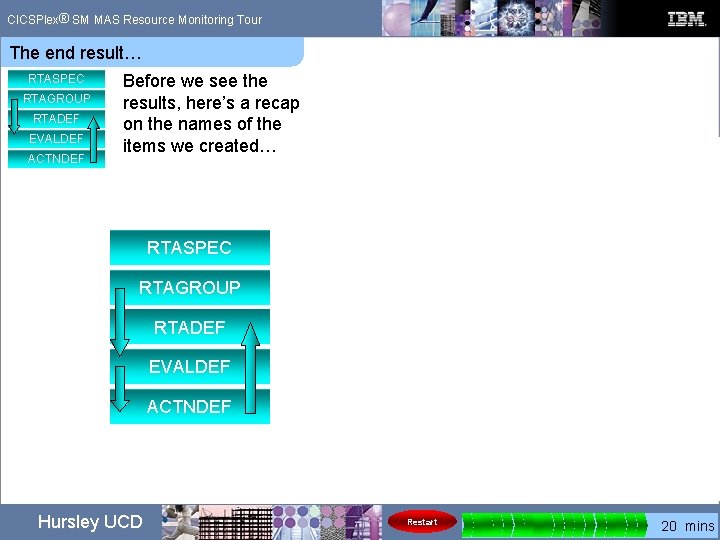
® CICSPlex SM MAS Resource Monitoring Tour The MRM components These are the MRM components we are interested in. CICS Region CICSSYS or CICSGRP CICSSYS alias CSYSDEF or CSYSGRP Our problem region is called ‘PETEPLEX’. We need to: 1. Create an RTA specification for our CICS region… 2. Add an RTA specification to the RTA group RTASPEC RTAGROUP 3. Create an Evaluation definition RTADEF 4. Create an Action definition 5. Create the RTA definition… EVALDEF ACTNDEF Hursley UCD Restart 0 5 10 15 20 mins
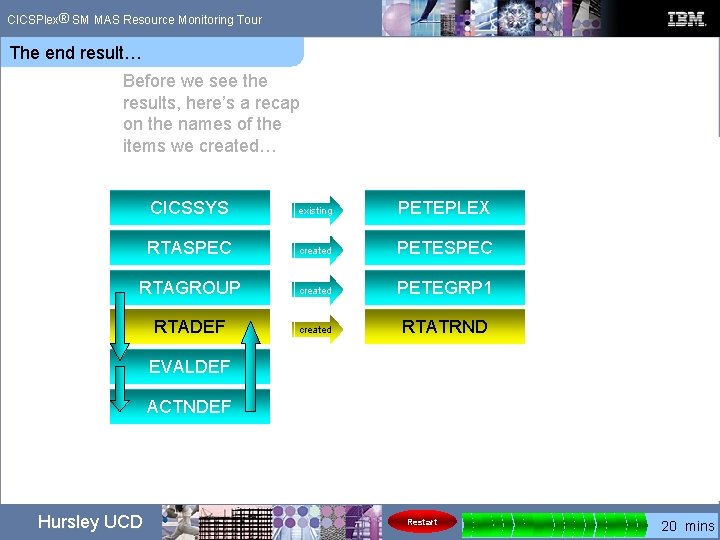
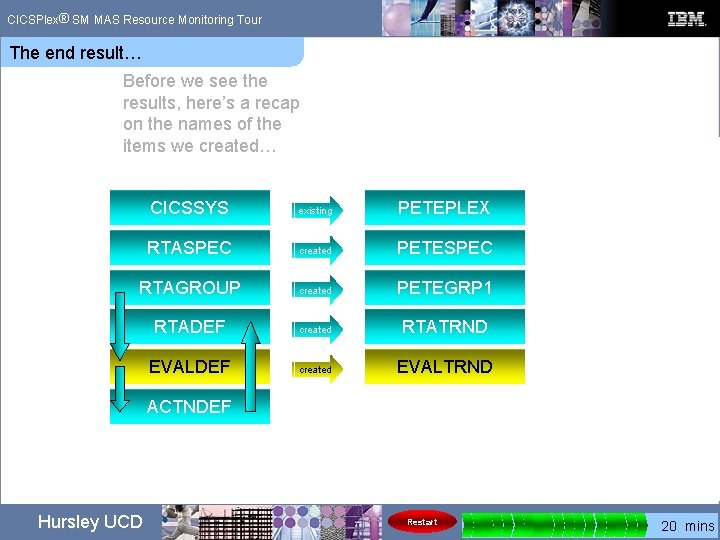
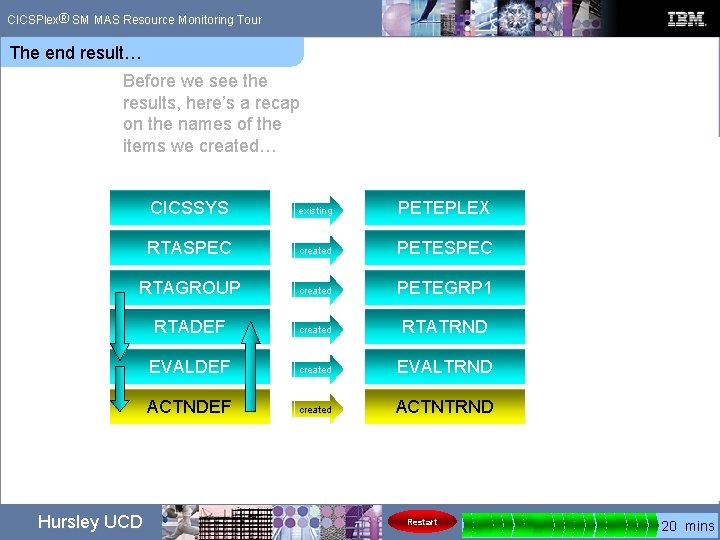
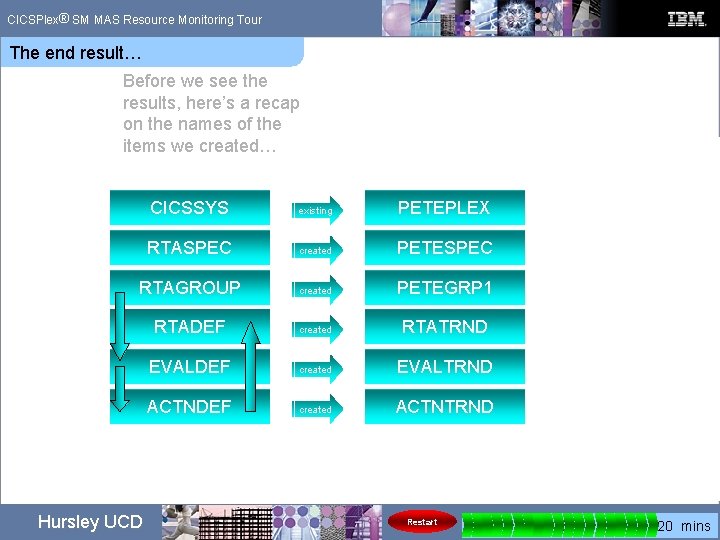
® CICSPlex SM MAS Resource Monitoring Tour The MRM components These are the MRM components we are interested in. CICS Region CICSSYS or CICSGRP CICSSYS alias CSYSDEF or CSYSGRP Our problem region is called ‘PETEPLEX’. 1. Create an RTA specification for our CICS region 2. Add an RTA specification to the RTA group RTASPEC RTAGROUP 3. Create an Evaluation definition 4. Create an Action definition RTADEF 5. Create an RTA definition. EVALDEF Here’s how we are going to do this… Hursley UCD ACTNDEF Restart 0 5 10 15 20 mins
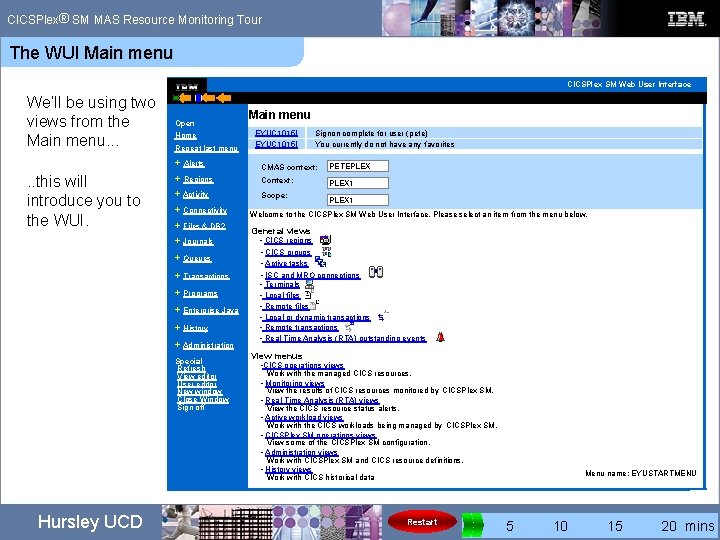
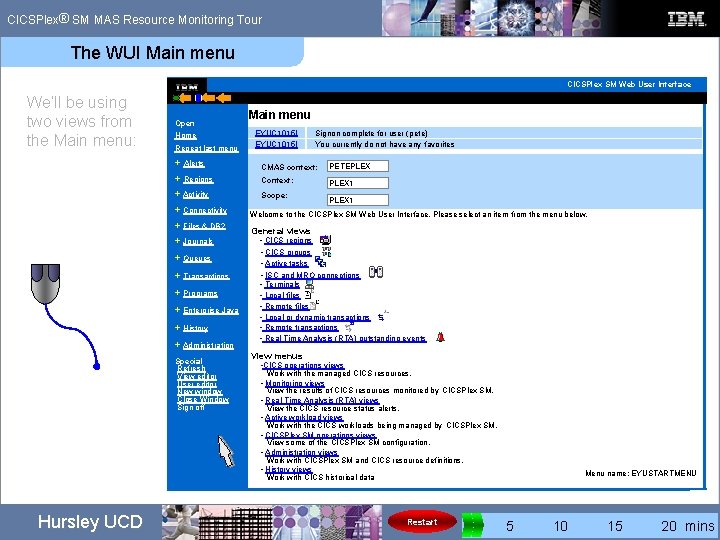
® CICSPlex SM MAS Resource Monitoring Tour The WUI Main menu CICSPlex SM Web User Interface We’ll be using two views from the Main menu. . . this will introduce you to the WUI. Open Home Repeat last menu EYUC 1015 I Signon complete for user (pete) You currently do not have any favorites + Alerts CMAS context: PETEPLEX + Regions Context: PLEX 1 + Activity Scope: + Connectivity + Files & DB 2 + Journals + Queues + Transactions + Programs + Enterprise Java + History + Administration Special Refresh View editor User editor New window Close Window Sign off Hursley UCD Main menu PLEX 1 Welcome to the CICSPlex SM Web User Interface. Please select an item from the menu below. General views • CICS regions • CICS groups • Active tasks • ISC and MRO connections • Terminals • Local files • Remote files • Local or dynamic transactions • Remote transactions • Real Time Analysis (RTA) outstanding events View menus • CICS operations views Work with the managed CICS resources. • Monitoring views View the results of CICS resources monitored by CICSPlex SM. • Real Time Analysis (RTA) views View the CICS resource status alerts. • Active workload views Work with the CICS workloads being managed by CICSPlex SM. • CICSPlex SM operations views View some of the CICSPlex SM configuration. • Administration views Work with CICSPlex SM and CICS resource definitions. • History views Work with CICS historical data Restart Menu name: EYUSTARTMENU 0 5 10 15 20 mins
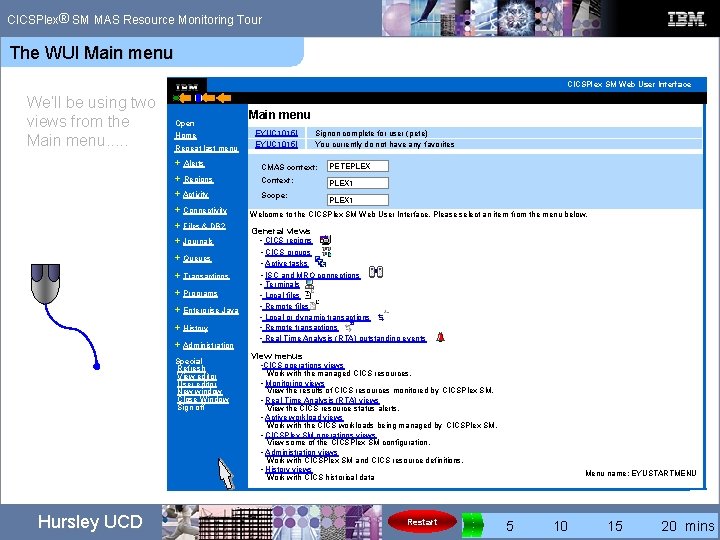
® CICSPlex SM MAS Resource Monitoring Tour The WUI Main menu CICSPlex SM Web User Interface We’ll be using two views from the Main menu. . . Open Home Repeat last menu EYUC 1015 I Signon complete for user (pete) You currently do not have any favorites + Alerts CMAS context: PETEPLEX + Regions Context: PLEX 1 + Activity Scope: + Connectivity + Files & DB 2 + Journals + Queues + Transactions + Programs + Enterprise Java + History + Administration Special Refresh View editor User editor New window Close Window Sign off Hursley UCD Main menu PLEX 1 Welcome to the CICSPlex SM Web User Interface. Please select an item from the menu below. General views • CICS regions • CICS groups • Active tasks • ISC and MRO connections • Terminals • Local files • Remote files • Local or dynamic transactions • Remote transactions • Real Time Analysis (RTA) outstanding events View menus • CICS operations views Work with the managed CICS resources. • Monitoring views View the results of CICS resources monitored by CICSPlex SM. • Real Time Analysis (RTA) views View the CICS resource status alerts. • Active workload views Work with the CICS workloads being managed by CICSPlex SM. • CICSPlex SM operations views View some of the CICSPlex SM configuration. • Administration views Work with CICSPlex SM and CICS resource definitions. • History views Work with CICS historical data Restart Menu name: EYUSTARTMENU 0 5 10 15 20 mins
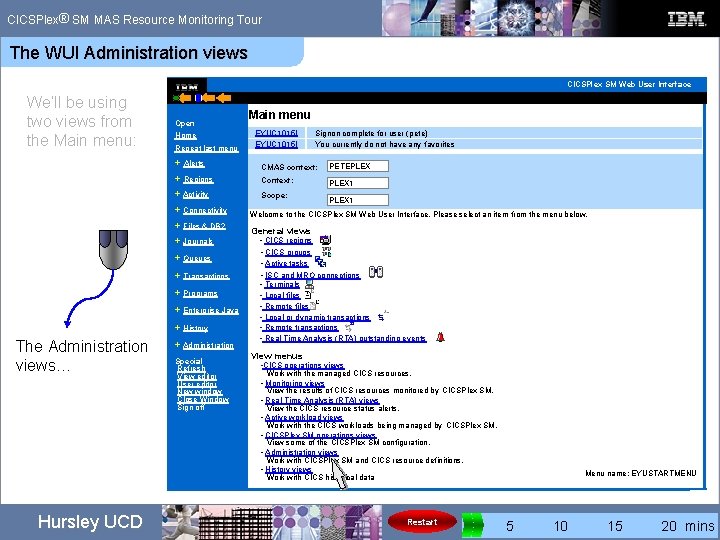
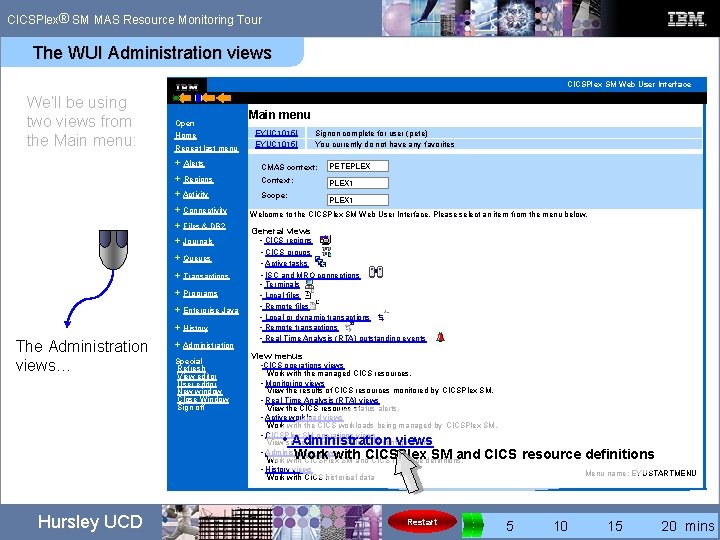
® CICSPlex SM MAS Resource Monitoring Tour The WUI Administration views CICSPlex SM Web User Interface We’ll be using two views from the Main menu: Open Home Repeat last menu Signon complete for user (pete) You currently do not have any favorites CMAS context: PETEPLEX + Regions Context: PLEX 1 + Activity Scope: + Files & DB 2 + Journals + Queues + Transactions + Programs + Enterprise Java + History Hursley UCD EYUC 1015 I + Alerts + Connectivity The Administration views… Main menu + Administration Special Refresh View editor User editor New window Close Window Sign off PLEX 1 Welcome to the CICSPlex SM Web User Interface. Please select an item from the menu below. General views • CICS regions • CICS groups • Active tasks • ISC and MRO connections • Terminals • Local files • Remote files • Local or dynamic transactions • Remote transactions • Real Time Analysis (RTA) outstanding events View menus • CICS operations views Work with the managed CICS resources. • Monitoring views View the results of CICS resources monitored by CICSPlex SM. • Real Time Analysis (RTA) views View the CICS resource status alerts. • Active workload views Work with the CICS workloads being managed by CICSPlex SM. • CICSPlex SM operations views View some of the CICSPlex SM configuration. • Administration views Work with CICSPlex SM and CICS resource definitions. • History views Work with CICS historical data Restart Menu name: EYUSTARTMENU 0 5 10 15 20 mins
® CICSPlex SM MAS Resource Monitoring Tour The WUI Administration views CICSPlex SM Web User Interface We’ll be using two views from the Main menu: Open Home Repeat last menu EYUC 1015 I Signon complete for user (pete) You currently do not have any favorites + Alerts CMAS context: PETEPLEX + Regions Context: PLEX 1 + Activity Scope: + Connectivity + Files & DB 2 + Journals + Queues + Transactions + Programs + Enterprise Java + History The Administration views… Main menu + Administration Special Refresh View editor User editor New window Close Window Sign off PLEX 1 Welcome to the CICSPlex SM Web User Interface. Please select an item from the menu below. General views • CICS regions • CICS groups • Active tasks • ISC and MRO connections • Terminals • Local files • Remote files • Local or dynamic transactions • Remote transactions • Real Time Analysis (RTA) outstanding events View menus • CICS operations views Work with the managed CICS resources. • Monitoring views View the results of CICS resources monitored by CICSPlex SM. • Real Time Analysis (RTA) views View the CICS resource status alerts. • Active workload views Work with the CICS workloads being managed by CICSPlex SM. • CICSPlex SM operations views View some of the CICSPlex SM configuration. • Administration views Work with CICSPlex SM and CICS resource definitions. • History views Work with CICS historical data • Administration views Work with CICSPlex SM and CICS resource definitions Hursley UCD Restart Menu name: EYUSTARTMENU 0 5 10 15 20 mins
® CICSPlex SM MAS Resource Monitoring Tour The WUI Main menu CICSPlex SM Web User Interface We’ll be using two views from the Main menu: Open Home Repeat last menu EYUC 1015 I Signon complete for user (pete) You currently do not have any favorites + Alerts CMAS context: PETEPLEX + Regions Context: PLEX 1 + Activity Scope: + Connectivity + Files & DB 2 + Journals + Queues + Transactions + Programs + Enterprise Java + History + Administration Special Refresh View editor User editor New window Close Window Sign off Hursley UCD Main menu PLEX 1 Welcome to the CICSPlex SM Web User Interface. Please select an item from the menu below. General views • CICS regions • CICS groups • Active tasks • ISC and MRO connections • Terminals • Local files • Remote files • Local or dynamic transactions • Remote transactions • Real Time Analysis (RTA) outstanding events View menus • CICS operations views Work with the managed CICS resources. • Monitoring views View the results of CICS resources monitored by CICSPlex SM. • Real Time Analysis (RTA) views View the CICS resource status alerts. • Active workload views Work with the CICS workloads being managed by CICSPlex SM. • CICSPlex SM operations views View some of the CICSPlex SM configuration. • Administration views Work with CICSPlex SM and CICS resource definitions. • History views Work with CICS historical data Restart Menu name: EYUSTARTMENU 0 5 10 15 20 mins
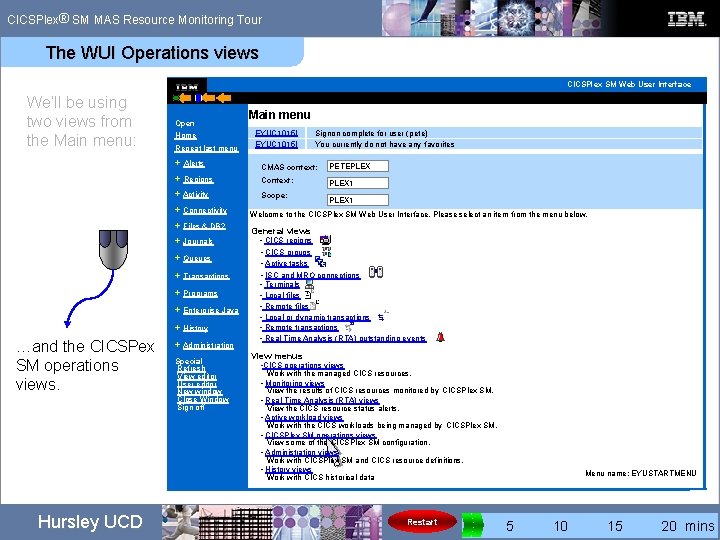
® CICSPlex SM MAS Resource Monitoring Tour The WUI Operations views CICSPlex SM Web User Interface We’ll be using two views from the Main menu: Open Home Repeat last menu Signon complete for user (pete) You currently do not have any favorites CMAS context: PETEPLEX + Regions Context: PLEX 1 + Activity Scope: + Files & DB 2 + Journals + Queues + Transactions + Programs + Enterprise Java + History Hursley UCD EYUC 1015 I + Alerts + Connectivity …and the CICSPex SM operations views. Main menu + Administration Special Refresh View editor User editor New window Close Window Sign off PLEX 1 Welcome to the CICSPlex SM Web User Interface. Please select an item from the menu below. General views • CICS regions • CICS groups • Active tasks • ISC and MRO connections • Terminals • Local files • Remote files • Local or dynamic transactions • Remote transactions • Real Time Analysis (RTA) outstanding events View menus • CICS operations views Work with the managed CICS resources. • Monitoring views View the results of CICS resources monitored by CICSPlex SM. • Real Time Analysis (RTA) views View the CICS resource status alerts. • Active workload views Work with the CICS workloads being managed by CICSPlex SM. • CICSPlex SM operations views View some of the CICSPlex SM configuration. • Administration views Work with CICSPlex SM and CICS resource definitions. • History views Work with CICS historical data Restart Menu name: EYUSTARTMENU 0 5 10 15 20 mins
® CICSPlex SM MAS Resource Monitoring Tour The WUI Operations views CICSPlex SM Web User Interface We’ll be using two views from the Main menu: Open Home Repeat last menu Signon complete for user (pete) You currently do not have any favorites CMAS context: PETEPLEX + Regions Context: PLEX 1 + Activity Scope: + Files & DB 2 + Journals + Queues + Transactions + Programs + Enterprise Java + History Hursley UCD EYUC 1015 I + Alerts + Connectivity …and the CICSPex SM operations views. Main menu + Administration Special Refresh View editor User editor New window Close Window Sign off PLEX 1 Welcome to the CICSPlex SM Web User Interface. Please select an item from the menu below. General views • CICS regions • CICS groups • Active tasks • ISC and MRO connections • Terminals • Local files • Remote files • Local or dynamic transactions • Remote transactions • Real Time Analysis (RTA) outstanding events View menus • CICS operations views Work with the managed CICS resources. • Monitoring views View the results of CICS resources monitored by CICSPlex SM. • Real Time Analysis (RTA) views View the CICS resource status alerts. • Active workload views Work with the CICS workloads being managed by CICSPlex SM. • CICSPlex SM operations views View some of the CICSPlex SM configuration. • Administration views Work with CICSPlex SM and CICS resource definitions. • History views Work with CICS historical data • CICSPlex SM operations views View some of the CICSPlex SM configuration. Restart Menu name: EYUSTARTMENU 0 5 10 15 20 mins
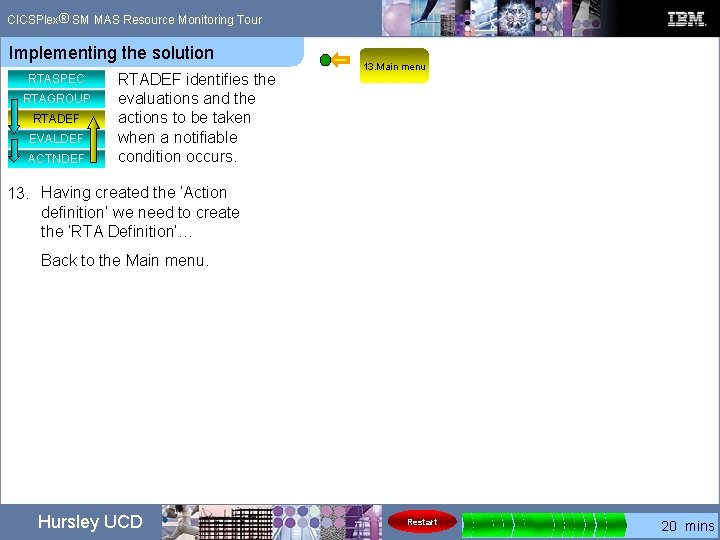
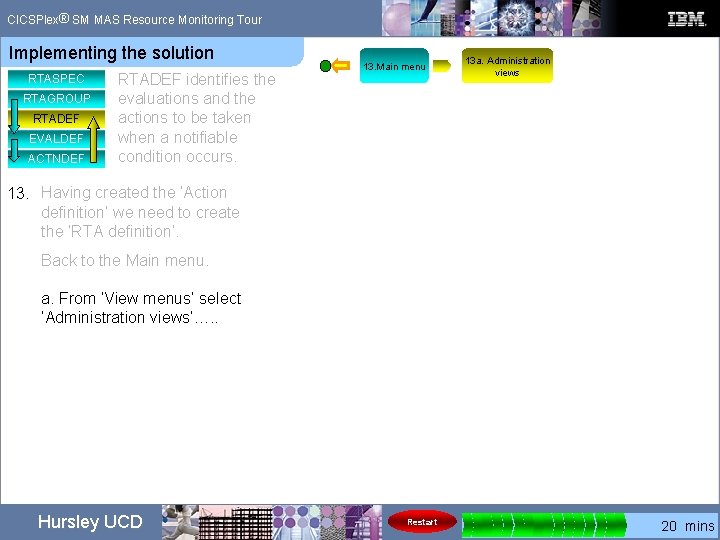
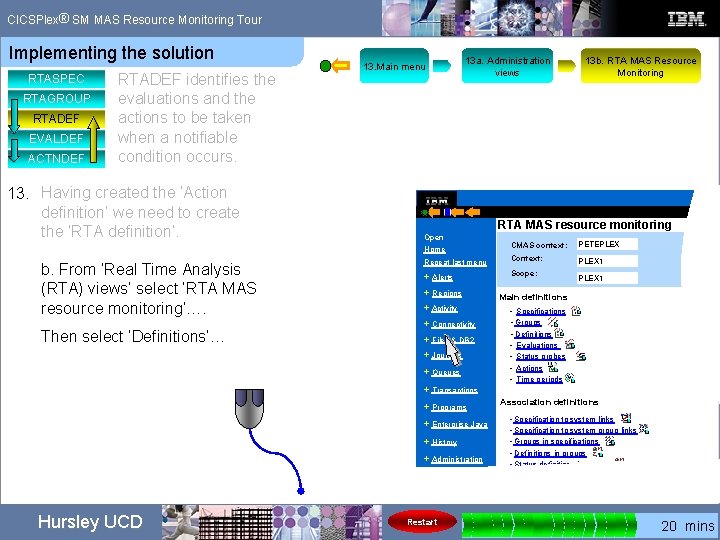
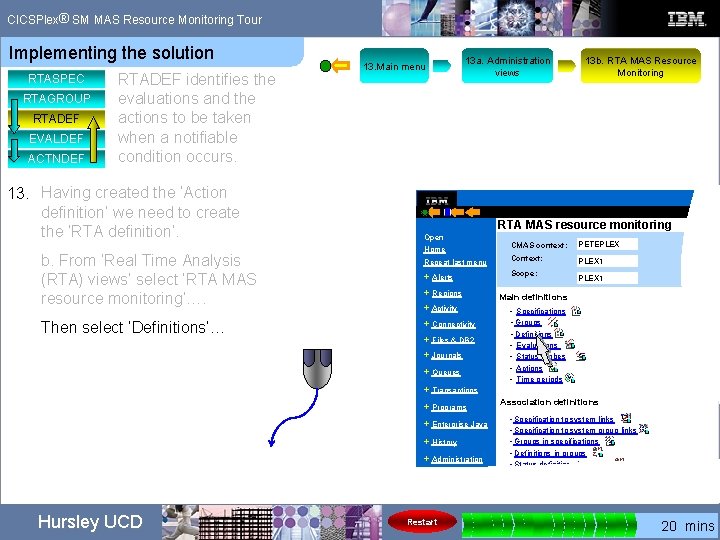
® CICSPlex SM MAS Resource Monitoring Tour Implementing the solution RTASPEC RTAGROUP RTADEF EVALDEF ACTNDEF Having seen an overview of the MRM components and briefly looking at the WUI it’s time to get into the detail of implementing the solution… And remember you can restart the tour at any time using the restart button at the bottom of the screen Restart Hursley UCD Restart 0 5 10 15 20 mins
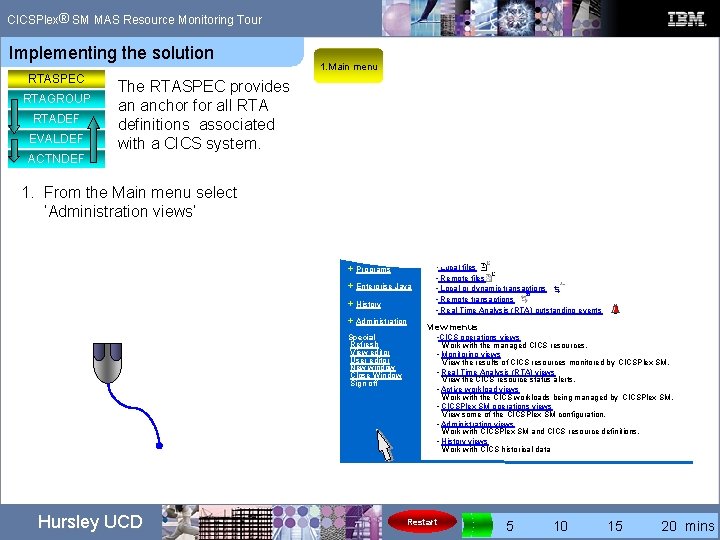
® CICSPlex SM MAS Resource Monitoring Tour Implementing the solution RTASPEC RTAGROUP RTADEF EVALDEF ACTNDEF 1. Main menu The RTASPEC provides an anchor for all RTA definitions associated with a CICS system. 1. From the Main menu select ‘Administration views’ + Programs + Enterprise Java + History + Administration Special Refresh View editor User editor New window Close Window Sign off Hursley UCD • Local files • Remote files • Local or dynamic transactions • Remote transactions • Real Time Analysis (RTA) outstanding events View menus • CICS operations views Work with the managed CICS resources. • Monitoring views View the results of CICS resources monitored by CICSPlex SM. • Real Time Analysis (RTA) views View the CICS resource status alerts. • Active workload views Work with the CICS workloads being managed by CICSPlex SM. • CICSPlex SM operations views View some of the CICSPlex SM configuration. • Administration views Work with CICSPlex SM and CICS resource definitions. • History views Work with CICS historical data Restart 0 5 10 15 20 mins
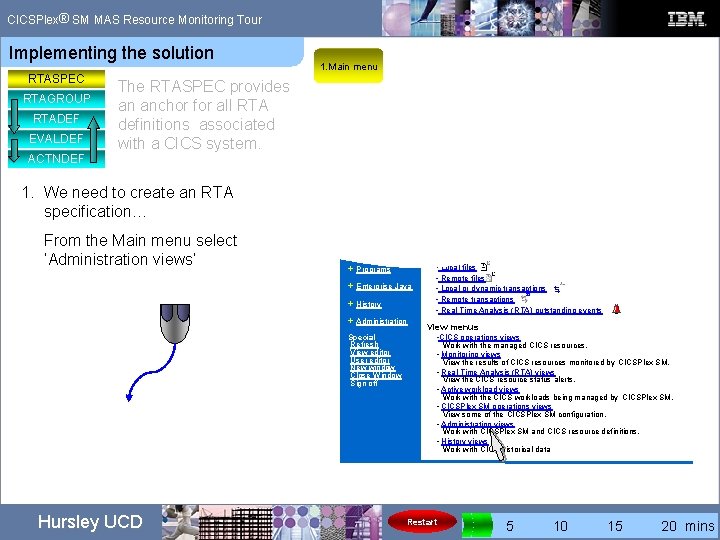
® CICSPlex SM MAS Resource Monitoring Tour Implementing the solution RTASPEC RTAGROUP RTADEF EVALDEF ACTNDEF 1. Main menu The RTASPEC provides an anchor for all RTA definitions associated with a CICS system. 1. We need to create an RTA specification… From the Main menu select ‘Administration views’ + Programs + Enterprise Java + History + Administration Special Refresh View editor User editor New window Close Window Sign off Hursley UCD • Local files • Remote files • Local or dynamic transactions • Remote transactions • Real Time Analysis (RTA) outstanding events View menus • CICS operations views Work with the managed CICS resources. • Monitoring views View the results of CICS resources monitored by CICSPlex SM. • Real Time Analysis (RTA) views View the CICS resource status alerts. • Active workload views Work with the CICS workloads being managed by CICSPlex SM. • CICSPlex SM operations views View some of the CICSPlex SM configuration. • Administration views Work with CICSPlex SM and CICS resource definitions. • History views Work with CICS historical data Restart 0 5 10 15 20 mins
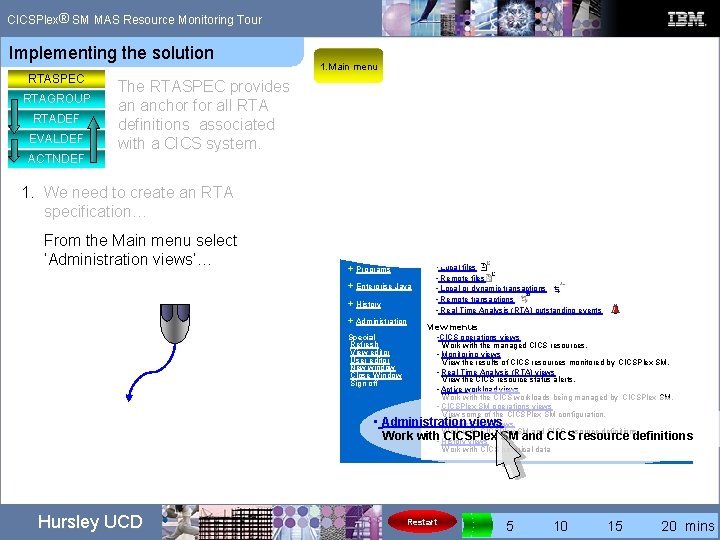
® CICSPlex SM MAS Resource Monitoring Tour Implementing the solution RTASPEC RTAGROUP RTADEF EVALDEF ACTNDEF 1. Main menu The RTASPEC provides an anchor for all RTA definitions associated with a CICS system. 1. We need to create an RTA specification… From the Main menu select ‘Administration views’… + Programs + Enterprise Java + History + Administration Special Refresh View editor User editor New window Close Window Sign off • Hursley UCD • Local files • Remote files • Local or dynamic transactions • Remote transactions • Real Time Analysis (RTA) outstanding events View menus • CICS operations views Work with the managed CICS resources. • Monitoring views View the results of CICS resources monitored by CICSPlex SM. • Real Time Analysis (RTA) views View the CICS resource status alerts. • Active workload views Work with the CICS workloads being managed by CICSPlex SM. • CICSPlex SM operations views View some of the CICSPlex SM configuration. Administration views • Administration views Work with CICSPlex SM and CICS resource definitions. CICSPlex • History views SM and CICS resource definitions Work with CICS historical data Restart 0 5 10 15 20 mins
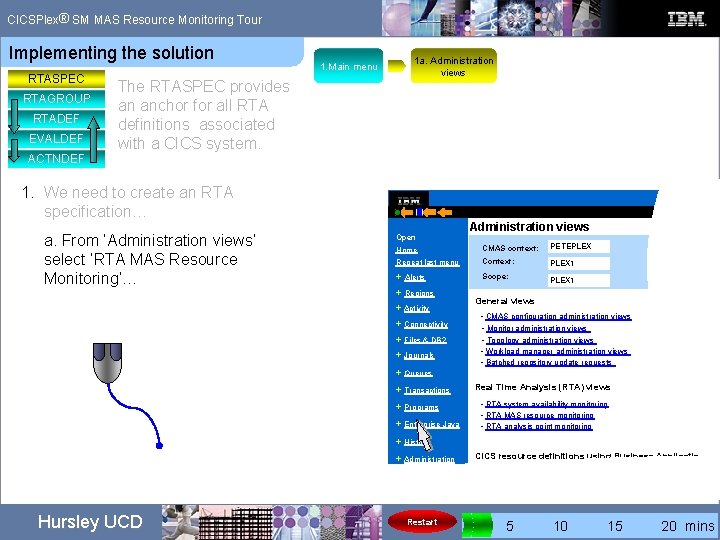
® CICSPlex SM MAS Resource Monitoring Tour Implementing the solution RTASPEC RTAGROUP RTADEF EVALDEF ACTNDEF The RTASPEC provides an anchor for all RTA definitions associated with a CICS system. 1. Main menu 1 a. Administration views 1. We need to create an RTA specification… a. From ‘Administration views’ select ‘RTA MAS Resource Monitoring’… Open Administration views Home CMAS context: PETEPLEX Repeat last menu Context: PLEX 1 + Alerts Scope: + Regions + Activity + Connectivity + Files & DB 2 + Journals + Queues + Transactions + Programs + Enterprise Java PLEX 1 General views • CMAS configuration administration views • Monitor administration views • Topology administration views • Workload manager administration views • Batched repository update requests Real Time Analysis (RTA) views • RTA system availability monitoring • RTA MAS resource monitoring • RTA analysis point monitoring + History + Administration CICS resource definitions using Business Applications Se • Basic CICS resource administration views Hursley UCD Restart 0 5 10 15 20 mins
® CICSPlex SM MAS Resource Monitoring Tour Implementing the solution RTASPEC RTAGROUP RTADEF EVALDEF ACTNDEF The RTASPEC provides an anchor for all RTA definitions associated with a CICS system. 1. Main menu 1 a. Administration views 1. We need to create an RTA specification… a. From ‘Administration views’ select ‘RTA MAS Resource Monitoring’… Open Administration views Home CMAS context: PETEPLEX Repeat last menu Context: PLEX 1 + Alerts Scope: + Regions + Activity + Connectivity + Files & DB 2 + Journals + Queues + Transactions + Programs + Enterprise Java PLEX 1 General views • CMAS configuration administration views • Monitor administration views • Topology administration views • Workload manager administration views • Batched repository update requests Real Time Analysis (RTA) views • RTA system availability monitoring • RTA MAS resource monitoring • RTA analysis point monitoring + History + Administration CICS resource definitions using Business Applications Se • Basic CICS resource administration views Hursley UCD Restart 0 5 10 15 20 mins
® CICSPlex SM MAS Resource Monitoring Tour Implementing the solution RTASPEC RTAGROUP RTADEF EVALDEF ACTNDEF The RTASPEC provides an anchor for all RTA definitions associated with a CICS system. 1. Main menu 1 a. Administration views 1. We need to create an RTA specification… a. From ‘Administration views’ select ‘RTA MAS Resource Monitoring’… Administration views Open Home CMAS context: PETEPLEX Repeat last menu Context: PLEX 1 + Alerts Scope: + Regions PLEX 1 General views + Activity + Connectivity + Files & DB 2 + Journals + Queues + Transactions • CMAS configuration administration views • Monitor administration views • Topology administration views • Workload manager administration views • Batched repository update requests Real Time Analysis (RTA) views • RTA system availability monitoring RTA MAS resource monitoring RTA • MAS Resource Monitoring + Enterprise Java • RTA analysis point monitoring + Programs • + History + Administration CICS resource definitions using Business Applications Se • Basic CICS resource administration views Hursley UCD Restart 0 5 10 15 20 mins
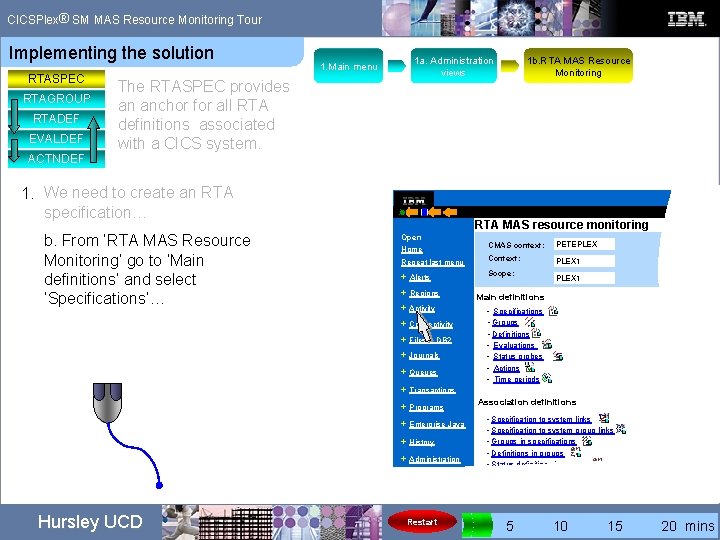
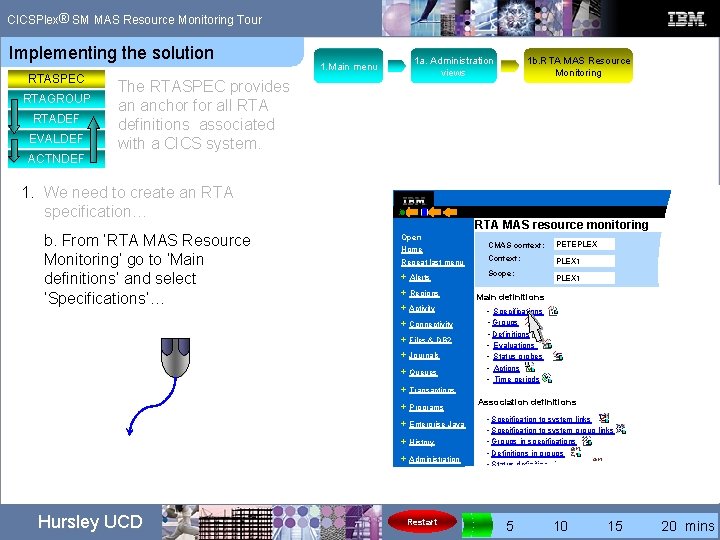
® CICSPlex SM MAS Resource Monitoring Tour Implementing the solution RTASPEC RTAGROUP RTADEF EVALDEF ACTNDEF The RTASPEC provides an anchor for all RTA definitions associated with a CICS system. 1. Main menu 1 a. Administration views 1. We need to create an RTA specification… b. From ‘RTA MAS Resource Monitoring’ go to ‘Main definitions’ and select ‘Specifications’… RTA MAS resource monitoring Open CMAS context: PETEPLEX Repeat last menu Context: PLEX 1 + Alerts Scope: Home + Regions • Specifications • Groups • Definitions • Evaluations • Status probes • Actions • Time periods + Files & DB 2 + Journals + Queues + Transactions Association definitions + Programs + Enterprise Java + History + Administration Restart PLEX 1 Main definitions + Activity + Connectivity Hursley UCD 1 b. RTA MAS Resource Monitoring • Specification to system links • Specification to system group links • Groups in specifications • Definitions in groups • Status definitions in groups 0 5 10 15 20 mins
® CICSPlex SM MAS Resource Monitoring Tour Implementing the solution RTASPEC RTAGROUP RTADEF EVALDEF ACTNDEF The RTASPEC provides an anchor for all RTA definitions associated with a CICS system. 1. Main menu 1 a. Administration views 1. We need to create an RTA specification… b. From ‘RTA MAS Resource Monitoring’ go to ‘Main definitions’ and select ‘Specifications’… RTA MAS resource monitoring Open CMAS context: PETEPLEX Repeat last menu Context: PLEX 1 + Alerts Scope: Home + Regions • Specifications • Groups • Definitions • Evaluations • Status probes • Actions • Time periods + Files & DB 2 + Journals + Queues + Transactions Association definitions + Programs + Enterprise Java + History + Administration Restart PLEX 1 Main definitions + Activity + Connectivity Hursley UCD 1 b. RTA MAS Resource Monitoring • Specification to system links • Specification to system group links • Groups in specifications • Definitions in groups • Status definitions in groups 0 5 10 15 20 mins
® CICSPlex SM MAS Resource Monitoring Tour Implementing the solution RTASPEC RTAGROUP RTADEF EVALDEF ACTNDEF The RTASPEC provides an anchor for all RTA definitions associated with a CICS system. 1. Main menu 1 a. Administration views 1. We need to create an RTA specification… b. From ‘RTA MAS Resource Monitoring’ go to ‘Main definitions’ and select ‘Specifications’… RTA MAS resource monitoring Open CMAS context: PETEPLEX Repeat last menu Context: PLEX 1 + Alerts Scope: Home + Regions • Specifications • Groups • Definitions • Evaluations • Status probes • Actions • Time periods • + Files & DB 2 + Journals + Queues + Transactions Association definitions + Programs + Enterprise Java + History + Administration Restart PLEX 1 Main definitions + Activity + Connectivity Hursley UCD 1 b. RTA MAS Resource Monitoring • Specification to system links • Specification to system group links • Groups in specifications • Definitions in groups • Status definitions in groups 0 5 10 15 20 mins
® CICSPlex SM MAS Resource Monitoring Tour Implementing the solution RTASPEC RTAGROUP RTADEF EVALDEF ACTNDEF 1 a. Administration views 1. Main menu The RTASPEC provides an anchor for all RTA definitions associated with a CICS system. 1 b. RTA MAS Resource Monitoring 2. RTA specifications 2. We will now create our RTA specification. From ‘RTA specifications, select ‘Create’… CICSPlex SM Web Us Open Home RTA specifications EYUVC 1280 I Repeat last menu + Alerts 2 records collected at 02/11/07 09: 16: 01 Context: PLEX 1 RTA Specification name: = V + Regions + Activity + Connectivity + Files & DB 2 + Journals + Queues + Transactions Record RTA Specification name Description Last mod 1 CICSUCD 02/06/06 2 TESTRTAS 02/01/06 2 records Create… Update. . Remove. . . Associate CICS system… Associate CICS group… Resource name: RTASPEC View name: EYUSTARTRTAS Hursley UCD Restart 0 5 10 15 20 mins
® CICSPlex SM MAS Resource Monitoring Tour Implementing the solution RTASPEC RTAGROUP RTADEF EVALDEF ACTNDEF 1 a. Administration views 1. Main menu The RTASPEC provides an anchor for all RTA definitions associated with a CICS system. 1 b. RTA MAS Resource Monitoring 2. RTA specifications 2. We will now create our RTA specification. From ‘RTA specifications, select ‘Create’… CICSPlex SM Web Us Open Home RTA specifications EYUVC 1280 I Repeat last menu + Alerts 2 records collected at 02/11/07 09: 16: 01 Context: PLEX 1 RTA Specification name: = V + Regions + Activity + Connectivity + Files & DB 2 + Journals + Queues + Transactions Record RTA Specification name Description Last mod 1 CICSUCD 02/06/06 2 TESTRTAS 02/01/06 2 records Create… Update. . Remove. . . Associate CICS system… Associate CICS group… Resource name: RTASPEC View name: EYUSTARTRTAS Hursley UCD Restart 0 5 10 15 20 mins
® CICSPlex SM MAS Resource Monitoring Tour Implementing the solution RTASPEC RTAGROUP RTADEF EVALDEF ACTNDEF 1 a. Administration views 1. Main menu The RTASPEC provides an anchor for all RTA definitions associated with a CICS system. 1 b. RTA MAS Resource Monitoring 2. RTA specifications 2. We will now create our RTA specification. From ‘RTA specifications, select ‘Create’… CICSPlex SM Web Us Open Home RTA specifications EYUVC 1280 I Repeat last menu + Alerts 2 records collected at 02/11/07 09: 16: 01 Context: PLEX 1 RTA Specification name: = V + Regions + Activity + Connectivity + Files & DB 2 + Journals + Queues + Transactions Record RTA Specification name Description Last mod 1 CICSUCD 02/06/06 2 TESTRTAS 02/01/06 Create… Update. . 2 records Remove. . . Associate CICS system… Associate CICS group… Resource name: RTASPEC View name: EYUSTARTRTAS Hursley UCD Restart 0 5 10 15 20 mins
® CICSPlex SM MAS Resource Monitoring Tour Implementing the solution RTASPEC RTAGROUP RTADEF EVALDEF ACTNDEF The RTASPEC provides an anchor for all RTA definitions associated with a CICS system. 2. We will now create our RTA specification… PETESPEC 1 b. RTA MAS Resource Monitoring 2. RTA specifications CICSPlex SM Open Home First we need a name for the definition…. 1 a. Administration views 1. Main menu Repeat last menu + Alerts + Regions + Activity + Connectivity + Files & DB 2 RTA specifications ü RTA specification name Description System availability management Action for system availability monitoring event Severity for system availability monitoring event Action for transaction dump event + Transactions Severity for transaction dump event + Programs Action for CICS-at-maximum-tasks event Special ü Severity for CICS-at-maximum-tasks event No V ü V Action for CICS stalled event Severity for CICS stalled event V Severity for system dump event + Administration ü Action for system dump event + Queues + History Action for short on storage (SOS) event Severity for short on storage (SOS) event + Journals + Enterprise Java Aa ü V Yes Resource name: RTADEF View name: EYUST Hursley UCD Restart 0 5 10 15 20 mins
® CICSPlex SM MAS Resource Monitoring Tour Implementing the solution RTASPEC RTAGROUP RTADEF EVALDEF ACTNDEF The RTASPEC provides an anchor for all RTA definitions associated with a CICS system. 2. We will now create our RTA specification… 2. RTA specifications Home Repeat last menu Add a description…. 1 b. RTA MAS Resource Monitoring CICSPlex SM Open MRM tour 1 a. Administration views 1. Main menu + Alerts + Regions + Activity + Connectivity + Files & DB 2 RTA specifications ü PETESPEC RTA specification name Aa Description System availability management Action for system availability monitoring event Severity for system availability monitoring event Action for transaction dump event + Transactions Severity for transaction dump event + Programs Action for CICS-at-maximum-tasks event Special Severity for CICS-at-maximum-tasks event No V ü V Action for CICS stalled event Severity for CICS stalled event V Severity for system dump event + Administration ü Action for system dump event + Queues + History ü Action for short on storage (SOS) event Severity for short on storage (SOS) event + Journals + Enterprise Java ü V Yes Resource name: RTADEF View name: EYUST Hursley UCD Restart 0 5 10 15 20 mins
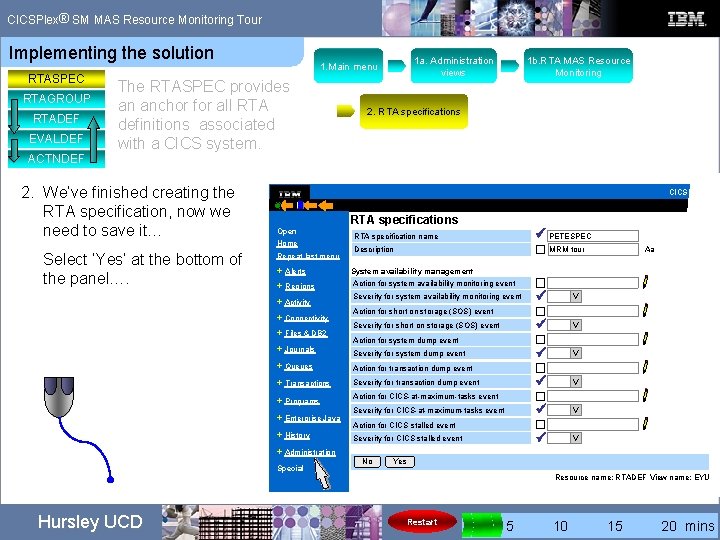
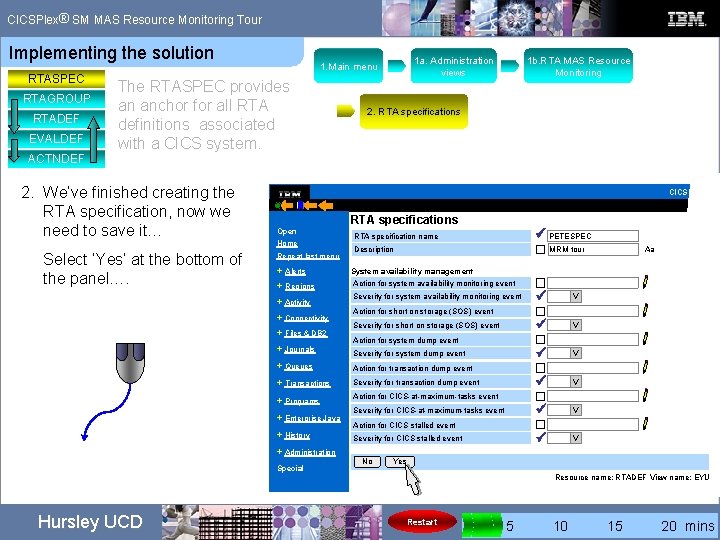
® CICSPlex SM MAS Resource Monitoring Tour Implementing the solution RTASPEC RTAGROUP RTADEF EVALDEF ACTNDEF The RTASPEC provides an anchor for all RTA definitions associated with a CICS system. 2. We’ve finished creating the RTA specification, now we need to save it… Select ‘Yes’ at the bottom of the panel…. 1 a. Administration views 1. Main menu 1 b. RTA MAS Resource Monitoring 2. RTA specifications CICSPlex SM Open Home Repeat last menu + Alerts + Regions + Activity + Connectivity + Files & DB 2 RTA specifications ü PETESPEC RTA specification name Description MRM tour System availability management Action for system availability monitoring event Severity for system dump event Action for transaction dump event + Transactions Severity for transaction dump event + Programs Action for CICS-at-maximum-tasks event + Administration Special ü Severity for CICS-at-maximum-tasks event No V ü V Action for CICS stalled event Severity for CICS stalled event V + Queues + History ü Action for system dump event + Journals + Enterprise Java Action for short on storage (SOS) event Severity for short on storage (SOS) event Aa ü V Yes Resource name: RTADEF View name: EYUST Hursley UCD Restart 0 5 10 15 20 mins
® CICSPlex SM MAS Resource Monitoring Tour Implementing the solution RTASPEC RTAGROUP RTADEF EVALDEF ACTNDEF The RTASPEC provides an anchor for all RTA definitions associated with a CICS system. 2. We’ve finished creating the RTA specification, now we need to save it… Select ‘Yes’ at the bottom of the panel…. 1 a. Administration views 1. Main menu 1 b. RTA MAS Resource Monitoring 2. RTA specifications CICSPlex SM Open Home Repeat last menu + Alerts + Regions + Activity + Connectivity + Files & DB 2 RTA specifications ü PETESPEC RTA specification name Description MRM tour System availability management Action for system availability monitoring event Severity for system dump event Action for transaction dump event + Transactions Severity for transaction dump event + Programs Action for CICS-at-maximum-tasks event + Administration Special ü Severity for CICS-at-maximum-tasks event No V ü V Action for CICS stalled event Severity for CICS stalled event V + Queues + History ü Action for system dump event + Journals + Enterprise Java Action for short on storage (SOS) event Severity for short on storage (SOS) event Aa ü V Yes Resource name: RTADEF View name: EYUST Hursley UCD Restart 0 5 10 15 20 mins
® CICSPlex SM MAS Resource Monitoring Tour Implementing the solution RTASPEC RTAGROUP RTADEF EVALDEF ACTNDEF The RTASPEC provides an anchor for all RTA definitions associated with a CICS system. 2. We’ve finished creating the RTA specification, now we need to save it… Select ‘Yes’ at the bottom of the panel…. 1 a. Administration views 1. Main menu 1 b. RTA MAS Resource Monitoring 2. RTA specifications CICSPlex SM Open Home Repeat last menu + Alerts + Regions + Activity + Connectivity + Files & DB 2 RTA specifications ü PETESPEC RTA specification name Description MRM tour System availability management Action for system availability monitoring event Severity for system dump event Action for transaction dump event + Transactions Severity for transaction dump event + Programs Action for CICS-at-maximum-tasks event + Administration Special ü Severity for CICS-at-maximum-tasks event No Yes V ü V Action for CICS stalled event Severity for CICS stalled event V + Queues + History ü Action for system dump event + Journals + Enterprise Java Action for short on storage (SOS) event Severity for short on storage (SOS) event Aa ü V Resource name: RTADEF View name: EYUST Hursley UCD Restart 0 5 10 15 20 mins
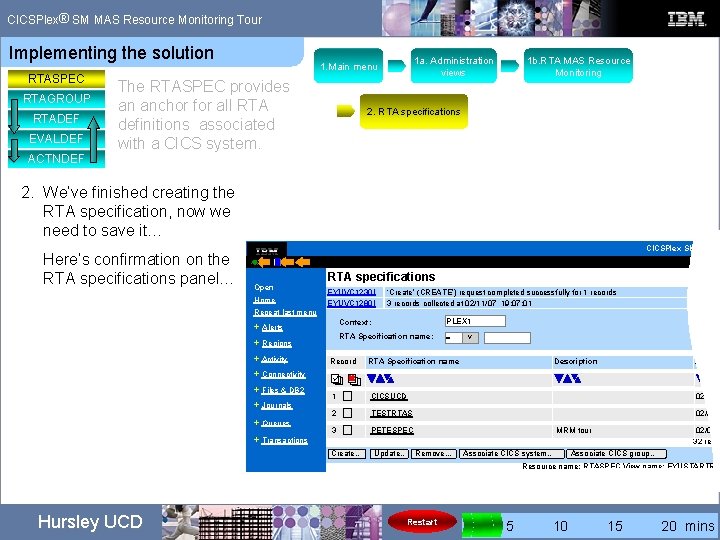
® CICSPlex SM MAS Resource Monitoring Tour Implementing the solution RTASPEC RTAGROUP RTADEF EVALDEF ACTNDEF 1 a. Administration views 1. Main menu The RTASPEC provides an anchor for all RTA definitions associated with a CICS system. 1 b. RTA MAS Resource Monitoring 2. RTA specifications 2. We’ve finished creating the RTA specification, now we need to save it… Here’s confirmation on the RTA specifications panel… CICSPlex SM Web U Open Home RTA specifications EYUVC 1230 I EYUVC 1280 I ‘Create’ (CREATE’) request completed successfully for 1 records 3 records collected at 02/11/07 19: 07: 01 Repeat last menu + Alerts + Regions + Activity + Connectivity + Files & DB 2 + Journals + Queues + Transactions Context: PLEX 1 RTA Specification name: = V Record RTA Specification name Description Last m 1 CICSUCD 02/06/0 2 TESTRTAS 02/01/0 3 PETESPEC MRM tour Create… Update. . Remove. . . Associate CICS system… 02/01/0 32 recor Associate CICS group… Resource name: RTASPEC View name: EYUSTARTRT Hursley UCD Restart 0 5 10 15 20 mins
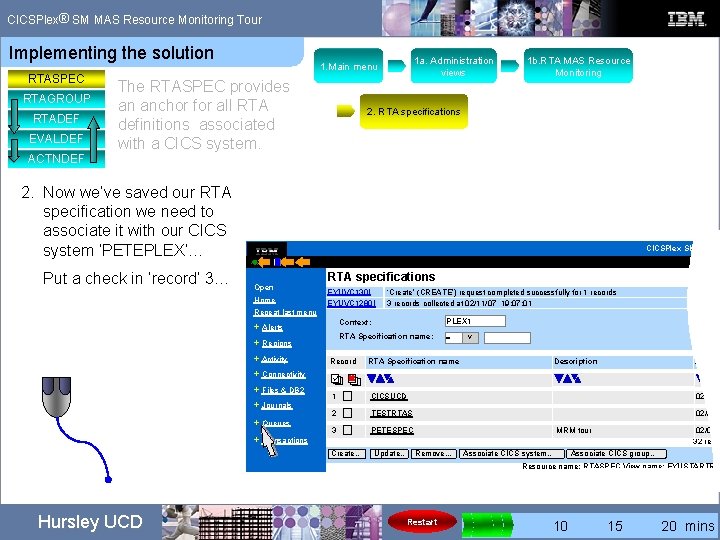
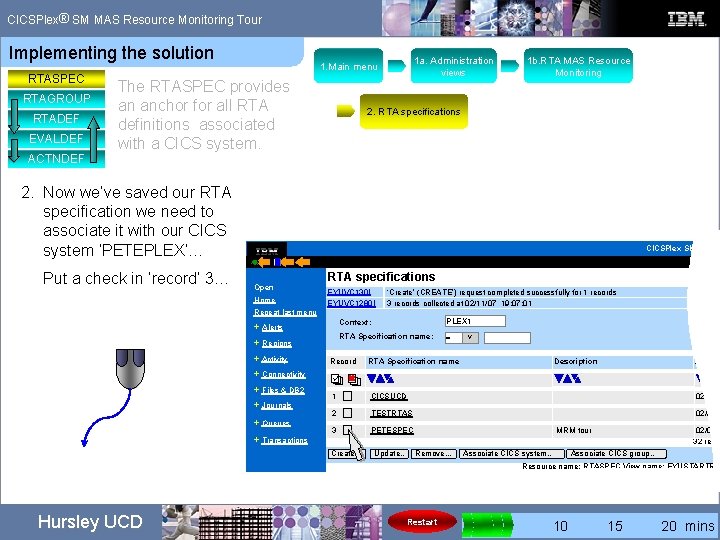
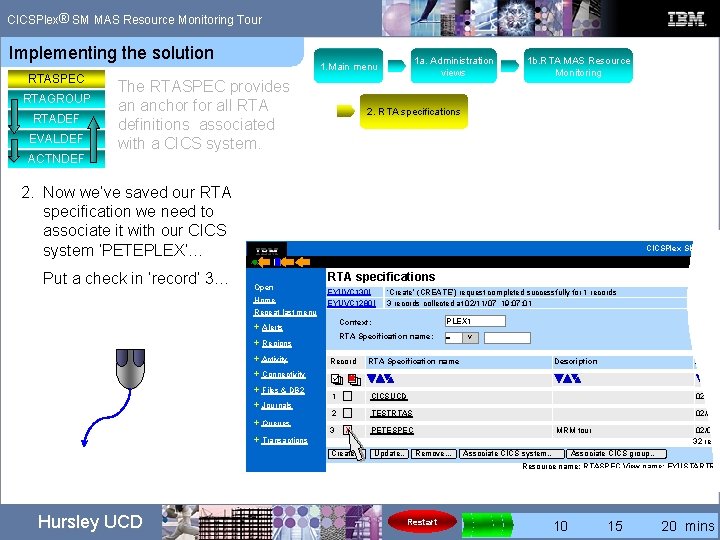
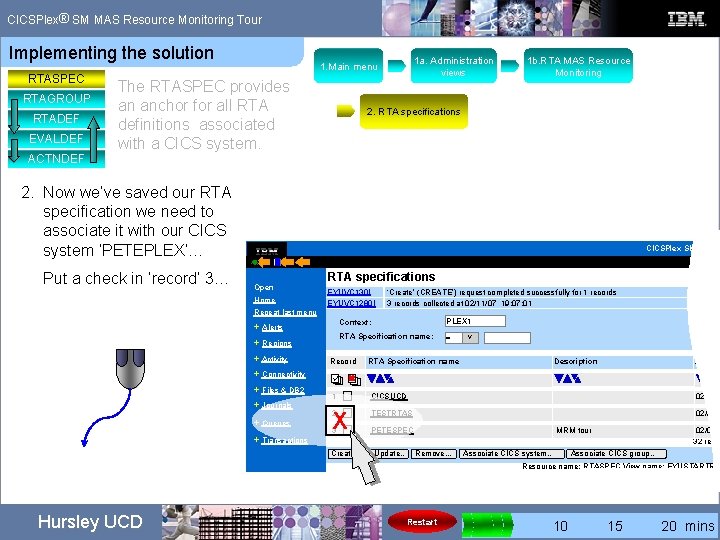
® CICSPlex SM MAS Resource Monitoring Tour Implementing the solution RTASPEC RTAGROUP RTADEF EVALDEF ACTNDEF 1 a. Administration views 1. Main menu The RTASPEC provides an anchor for all RTA definitions associated with a CICS system. 2. RTA specifications 2. Now we’ve saved our RTA specification we need to associate it with our CICS system ‘PETEPLEX’… Put a check in ‘record’ 3… 1 b. RTA MAS Resource Monitoring CICSPlex SM Web U Open Home RTA specifications EYUVC 130 I EYUVC 1280 I ‘Create’ (CREATE’) request completed successfully for 1 records 3 records collected at 02/11/07 19: 07: 01 Repeat last menu + Alerts + Regions + Activity + Connectivity + Files & DB 2 + Journals + Queues + Transactions Context: PLEX 1 RTA Specification name: = V Record RTA Specification name Description Last m 1 CICSUCD 02/06/0 2 TESTRTAS 02/01/0 3 PETESPEC MRM tour Create… Update. . Remove. . . Associate CICS system… 02/01/0 32 recor Associate CICS group… Resource name: RTASPEC View name: EYUSTARTRT Hursley UCD Restart 0 5 10 15 20 mins
® CICSPlex SM MAS Resource Monitoring Tour Implementing the solution RTASPEC RTAGROUP RTADEF EVALDEF ACTNDEF 1 a. Administration views 1. Main menu The RTASPEC provides an anchor for all RTA definitions associated with a CICS system. 2. RTA specifications 2. Now we’ve saved our RTA specification we need to associate it with our CICS system ‘PETEPLEX’… Put a check in ‘record’ 3… 1 b. RTA MAS Resource Monitoring CICSPlex SM Web U Open Home RTA specifications EYUVC 130 I EYUVC 1280 I ‘Create’ (CREATE’) request completed successfully for 1 records 3 records collected at 02/11/07 19: 07: 01 Repeat last menu + Alerts + Regions + Activity + Connectivity + Files & DB 2 + Journals + Queues + Transactions Context: PLEX 1 RTA Specification name: = V Record RTA Specification name Description Last m 1 CICSUCD 02/06/0 2 TESTRTAS 02/01/0 3 PETESPEC MRM tour Create… Update. . Remove. . . Associate CICS system… 02/01/0 32 recor Associate CICS group… Resource name: RTASPEC View name: EYUSTARTRT Hursley UCD Restart 0 5 10 15 20 mins
® CICSPlex SM MAS Resource Monitoring Tour Implementing the solution RTASPEC RTAGROUP RTADEF EVALDEF ACTNDEF 1 a. Administration views 1. Main menu The RTASPEC provides an anchor for all RTA definitions associated with a CICS system. 2. RTA specifications 2. Now we’ve saved our RTA specification we need to associate it with our CICS system ‘PETEPLEX’… Put a check in ‘record’ 3… 1 b. RTA MAS Resource Monitoring CICSPlex SM Web U Open Home RTA specifications EYUVC 130 I EYUVC 1280 I ‘Create’ (CREATE’) request completed successfully for 1 records 3 records collected at 02/11/07 19: 07: 01 Repeat last menu + Alerts + Regions + Activity + Connectivity + Files & DB 2 + Journals + Queues + Transactions Context: PLEX 1 RTA Specification name: = V Record RTA Specification name Description Last m 1 CICSUCD 02/06/0 2 TESTRTAS 02/01/0 PETESPEC MRM tour 3 X Create… Update. . Remove. . . Associate CICS system… 02/01/0 32 recor Associate CICS group… Resource name: RTASPEC View name: EYUSTARTRT Hursley UCD Restart 0 5 10 15 20 mins
® CICSPlex SM MAS Resource Monitoring Tour Implementing the solution RTASPEC RTAGROUP RTADEF EVALDEF ACTNDEF 1 a. Administration views 1. Main menu The RTASPEC provides an anchor for all RTA definitions associated with a CICS system. 2. RTA specifications 2. Now we’ve saved our RTA specification we need to associate it with our CICS system ‘PETEPLEX’… Put a check in ‘record’ 3… 1 b. RTA MAS Resource Monitoring CICSPlex SM Web U Open Home RTA specifications EYUVC 130 I EYUVC 1280 I ‘Create’ (CREATE’) request completed successfully for 1 records 3 records collected at 02/11/07 19: 07: 01 Repeat last menu + Alerts + Regions + Activity + Connectivity + Files & DB 2 + Journals + Queues + Transactions Context: PLEX 1 RTA Specification name: = V Record RTA Specification name Description Last m 1 CICSUCD 02/06/0 2 X TESTRTAS 02/01/0 3 PETESPEC MRM tour Create… Update. . Remove. . . Associate CICS system… 02/01/0 32 recor Associate CICS group… Resource name: RTASPEC View name: EYUSTARTRT Hursley UCD Restart 0 5 10 15 20 mins
® CICSPlex SM MAS Resource Monitoring Tour Implementing the solution RTASPEC RTAGROUP RTADEF EVALDEF ACTNDEF 1 a. Administration views 1. Main menu The RTASPEC provides an anchor for all RTA definitions associated with a CICS system. 2. RTA specifications 2. Now we’ve saved our RTA specification we need to associate it with our CICS system ‘PETEPLEX’… We’ve checked our record, now select ‘Associate CICS system’… 1 b. RTA MAS Resource Monitoring CICSPlex SM Web U Open Home RTA specifications EYUVC 130 I EYUVC 1280 I ‘Create’ (CREATE’) request completed successfully for 1 records 3 records collected at 02/11/07 19: 07: 01 Repeat last menu + Alerts + Regions + Activity + Connectivity + Files & DB 2 + Journals + Queues + Transactions Context: PLEX 1 RTA Specification name: = V Record RTA Specification name Description Last m 1 CICSUCD 02/06/0 2 TESTRTAS 02/01/0 PETESPEC MRM tour 3 X Create… Update. . Remove. . . Associate CICS system… 02/01/0 32 recor Associate CICS group… Resource name: RTASPEC View name: EYUSTARTRT Hursley UCD Restart 0 5 10 15 20 mins
® CICSPlex SM MAS Resource Monitoring Tour Implementing the solution RTASPEC RTAGROUP RTADEF EVALDEF ACTNDEF 1 a. Administration views 1. Main menu The RTASPEC provides an anchor for all RTA definitions associated with a CICS system. 2. RTA specifications 2. Now we’ve saved our RTA specification we need to associate it with our CICS system ‘PETEPLEX’… We’ve checked our record, now select ‘Associate CICS system’… 1 b. RTA MAS Resource Monitoring CICSPlex SM Web U Open Home RTA specifications EYUVC 130 I EYUVC 1280 I ‘Create’ (CREATE’) request completed successfully for 1 records 3 records collected at 02/11/07 19: 07: 01 Repeat last menu + Alerts + Regions + Activity + Connectivity + Files & DB 2 + Journals + Queues + Transactions Context: PLEX 1 RTA Specification name: = V Record RTA Specification name Description Last m 1 CICSUCD 02/06/0 2 TESTRTAS 02/01/0 PETESPEC MRM tour 3 X Create… Update. . Remove. . . Associate CICS system… 02/01/0 32 recor Associate CICS group… Resource name: RTASPEC View name: EYUSTARTRT Hursley UCD Restart 0 5 10 15 20 mins
® CICSPlex SM MAS Resource Monitoring Tour Implementing the solution RTASPEC RTAGROUP RTADEF EVALDEF ACTNDEF 1 a. Administration views 1. Main menu The RTASPEC provides an anchor for all RTA definitions associated with a CICS system. 2. RTA specifications 2. Now we’ve saved our RTA specification we need to associate it with our CICS system ‘PETEPLEX’… We’ve checked our record, now select ‘Associate CICS system’… 1 b. RTA MAS Resource Monitoring CICSPlex SM Web U Open Home EYUVC 130 I EYUVC 1280 I ‘Create’ (CREATE’) request completed successfully for 1 records 3 records collected at 02/11/07 19: 07: 01 Repeat last menu + Alerts + Regions + Activity + Connectivity + Files & DB 2 + Journals + Queues + Transactions RTA X specifications Context: PLEX 1 RTA Specification name: = V Record RTA Specification name Description Last m 1 CICSUCD 02/06/0 2 TESTRTAS 02/01/0 3 X PETESPEC MRM tour Create… Associate CICS system… Update. . Remove. . . Associate CICS system… 02/01/0 32 recor Associate CICS group… Resource name: RTASPEC View name: EYUSTARTRT Hursley UCD Restart 0 5 10 15 20 mins
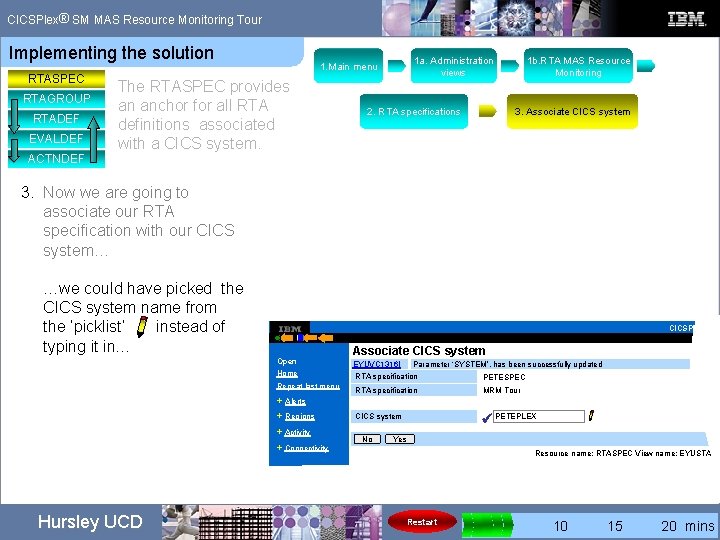
® CICSPlex SM MAS Resource Monitoring Tour Implementing the solution RTASPEC RTAGROUP RTADEF EVALDEF ACTNDEF 1 a. Administration views 1. Main menu The RTASPEC provides an anchor for all RTA definitions associated with a CICS system. 1 b. RTA MAS Resource Monitoring 2. RTA specifications 3. Associate CICS system 3. Now we are going to associate our RTA specification with our CICS system… Note: Only one RTASPEC for each CICS system. Enter the name of our CICS system… CICSPlex SM Open Home Repeat last menu Associate CICS system EYUVC 1316 I Parameter ‘SYSTEM’, has been successfully updated RTA specification PETESPEC RTA specification MRM Tour CICS system ü + Alerts PETEPLEX + Regions + Activity + Connectivity Hursley UCD No Yes Resource name: RTASPEC View name: EYUSTART Restart 0 5 10 15 20 mins
® CICSPlex SM MAS Resource Monitoring Tour Implementing the solution RTASPEC RTAGROUP RTADEF EVALDEF ACTNDEF 1 a. Administration views 1. Main menu The RTASPEC provides an anchor for all RTA definitions associated with a CICS system. 2. RTA specifications 1 b. RTA MAS Resource Monitoring 3. Associate CICS system 3. Now we are going to associate our RTA specification with our CICS system… …we could have picked the CICS system name from the ‘picklist’ instead of typing it in… CICSPlex SM Open Home Repeat last menu Associate CICS system EYUVC 1316 I Parameter ‘SYSTEM’, has been successfully updated RTA specification PETESPEC RTA specification MRM Tour CICS system ü PETEPLEX + Alerts + Regions + Activity + Connectivity Hursley UCD No Yes Resource name: RTASPEC View name: EYUSTART Restart 0 5 10 15 20 mins
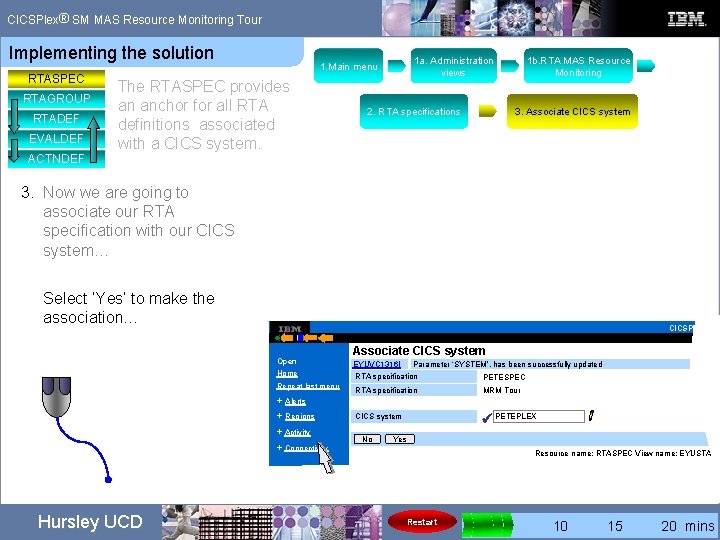
® CICSPlex SM MAS Resource Monitoring Tour Implementing the solution RTASPEC RTAGROUP RTADEF EVALDEF ACTNDEF 1 a. Administration views 1. Main menu The RTASPEC provides an anchor for all RTA definitions associated with a CICS system. 2. RTA specifications 1 b. RTA MAS Resource Monitoring 3. Associate CICS system 3. Now we are going to associate our RTA specification with our CICS system… Select ‘Yes’ to make the association… CICSPlex SM Open Home Repeat last menu Associate CICS system EYUVC 1316 I Parameter ‘SYSTEM’, has been successfully updated RTA specification PETESPEC RTA specification MRM Tour CICS system ü PETEPLEX + Alerts + Regions + Activity + Connectivity Hursley UCD No Yes Resource name: RTASPEC View name: EYUSTART Restart 0 5 10 15 20 mins
® CICSPlex SM MAS Resource Monitoring Tour Implementing the solution RTASPEC RTAGROUP RTADEF EVALDEF ACTNDEF 1 a. Administration views 1. Main menu The RTASPEC provides an anchor for all RTA definitions associated with a CICS system. 2. RTA specifications 1 b. RTA MAS Resource Monitoring 3. Associate CICS system 3. Now we are going to associate our RTA specification with our CICS system… Select ‘Yes’ to make the association… CICSPlex SM Open Home Repeat last menu Associate CICS system EYUVC 1316 I Parameter ‘SYSTEM’, has been successfully updated RTA specification PETESPEC RTA specification MRM Tour CICS system ü PETEPLEX + Alerts + Regions + Activity + Connectivity Hursley UCD No Yes Resource name: RTASPEC View name: EYUSTART Restart 0 5 10 15 20 mins
® CICSPlex SM MAS Resource Monitoring Tour Implementing the solution RTASPEC RTAGROUP RTADEF EVALDEF ACTNDEF 1 a. Administration views 1. Main menu The RTASPEC provides an anchor for all RTA definitions associated with a CICS system. 2. RTA specifications 1 b. RTA MAS Resource Monitoring 3. Associate CICS system 3. Now we are going to associate our RTA specification with our CICS system… Select ‘Yes’ to make the association… CICSPlex SM Open Home Repeat last menu Associate CICS system EYUVC 1316 I Parameter ‘SYSTEM’, has been successfully updated RTA specification PETESPEC RTA specification MRM Tour CICS system ü PETEPLEX + Alerts + Regions + Activity + Connectivity Hursley UCD No Yes Restart Resource name: RTASPEC View name: EYUSTART 0 5 10 15 20 mins
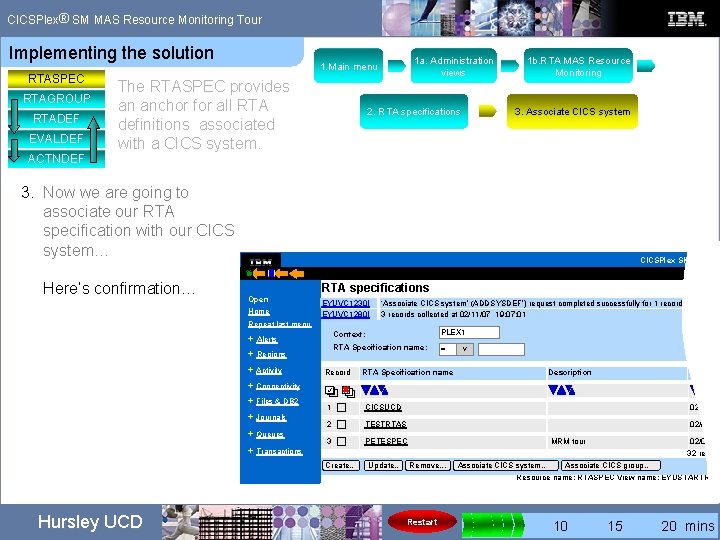
® CICSPlex SM MAS Resource Monitoring Tour Implementing the solution RTASPEC RTAGROUP RTADEF EVALDEF ACTNDEF 1 a. Administration views 1. Main menu The RTASPEC provides an anchor for all RTA definitions associated with a CICS system. 2. RTA specifications 1 b. RTA MAS Resource Monitoring 3. Associate CICS system 3. Now we are going to associate our RTA specification with our CICS system… CICSPlex SM Web Us Here’s confirmation… Open Home RTA specifications EYUVC 1230 I EYUVC 1280 I ‘Associate CICS system’ (ADDSYSDEF’) request completed successfully for 1 records 3 records collected at 02/11/07 19: 07: 01 Repeat last menu + Alerts + Regions + Activity + Connectivity + Files & DB 2 + Journals + Queues + Transactions Context: PLEX 1 RTA Specification name: = V Record RTA Specification name Description Last mod 1 CICSUCD 02/06/06 2 TESTRTAS 02/01/06 3 PETESPEC MRM tour Create… Update. . Remove. . . Associate CICS system… 02/01/06 32 record Associate CICS group… Resource name: RTASPEC View name: EYUSTARTRTAS Hursley UCD Restart 0 5 10 15 20 mins
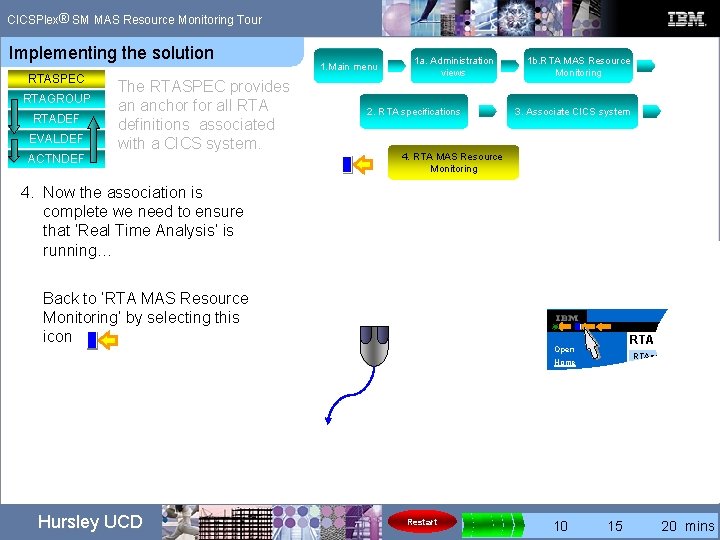
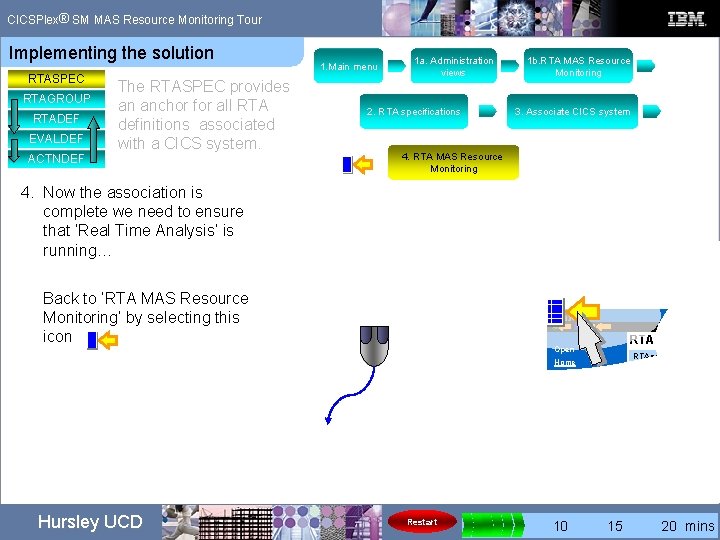
® CICSPlex SM MAS Resource Monitoring Tour Implementing the solution RTASPEC RTAGROUP RTADEF EVALDEF ACTNDEF The RTASPEC provides an anchor for all RTA definitions associated with a CICS system. 1. Main menu 1 a. Administration views 2. RTA specifications 1 b. RTA MAS Resource Monitoring 3. Associate CICS system 4. RTA MAS Resource Monitoring 4. Now the association is complete we need to ensure that ‘Real Time Analysis’ is running… Back to ‘RTA MAS Resource Monitoring’ by selecting this icon Open Home Repeat last menu + Alerts RTA specification CICS system No Yes + Regions + Activity + Connectivity Hursley UCD Restart 0 5 10 15 20 mins
® CICSPlex SM MAS Resource Monitoring Tour Implementing the solution RTASPEC RTAGROUP RTADEF EVALDEF ACTNDEF The RTASPEC provides an anchor for all RTA definitions associated with a CICS system. 1. Main menu 1 a. Administration views 2. RTA specifications 1 b. RTA MAS Resource Monitoring 3. Associate CICS system 4. RTA MAS Resource Monitoring 4. Now the association is complete we need to ensure that ‘Real Time Analysis’ is running… Back to ‘RTA MAS Resource Monitoring’ by selecting this icon Open Home Repeat last menu + Alerts RTA specification CICS system No Yes + Regions + Activity + Connectivity Hursley UCD Restart 0 5 10 15 20 mins
® CICSPlex SM MAS Resource Monitoring Tour Implementing the solution RTASPEC RTAGROUP RTADEF EVALDEF ACTNDEF The RTASPEC provides an anchor for all RTA definitions associated with a CICS system. 1. Main menu 1 a. Administration views 2. RTA specifications 1 b. RTA MAS Resource Monitoring 3. Associate CICS system 4. RTA MAS Resource Monitoring 4. Now the association is complete we need to ensure that ‘Real Time Analysis’ is running… Back to ‘RTA MAS Resource Monitoring’ by selecting this icon Open Home Repeat last menu + Alerts RTA specification CICS system No Yes + Regions + Activity + Connectivity Hursley UCD Restart 0 5 10 15 20 mins
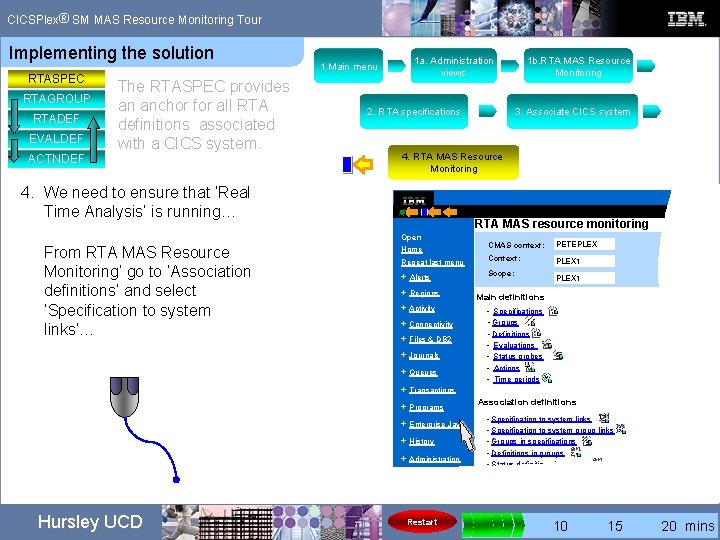
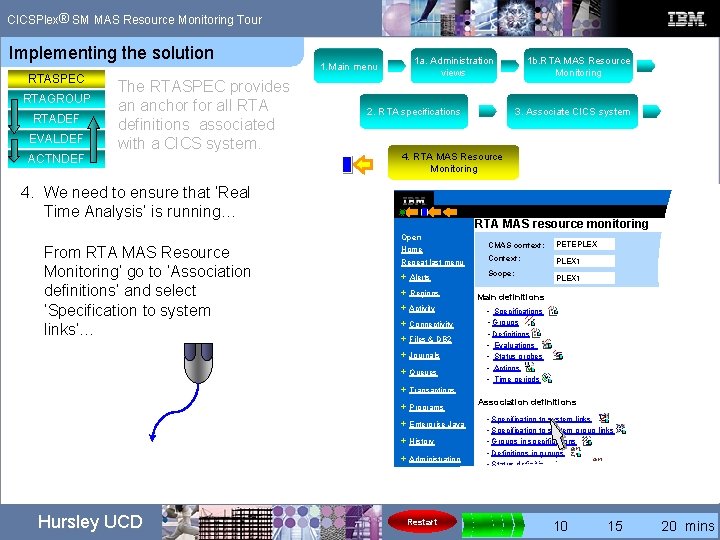
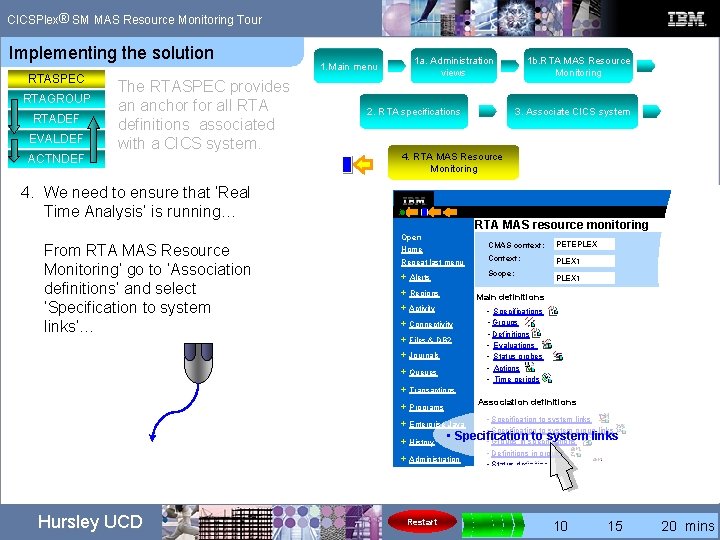
® CICSPlex SM MAS Resource Monitoring Tour Implementing the solution RTASPEC RTAGROUP RTADEF EVALDEF ACTNDEF The RTASPEC provides an anchor for all RTA definitions associated with a CICS system. 1. Main menu 1 a. Administration views 2. RTA specifications 3. Associate CICS system 4. RTA MAS Resource Monitoring 4. We need to ensure that ‘Real Time Analysis’ is running… RTA MAS resource monitoring Open From RTA MAS Resource Monitoring’ go to ‘Association definitions’ and select ‘Specification to system links’… CMAS context: PETEPLEX Repeat last menu Context: PLEX 1 + Alerts Scope: Home + Regions • Specifications • Groups • Definitions • Evaluations • Status probes • Actions • Time periods + Connectivity + Files & DB 2 + Queues + Transactions Association definitions + Programs + Enterprise Java + History + Administration Restart PLEX 1 Main definitions + Activity + Journals Hursley UCD 1 b. RTA MAS Resource Monitoring • Specification to system links • Specification to system group links • Groups in specifications • Definitions in groups • Status definitions in groups 0 5 10 15 20 mins
® CICSPlex SM MAS Resource Monitoring Tour Implementing the solution RTASPEC RTAGROUP RTADEF EVALDEF ACTNDEF The RTASPEC provides an anchor for all RTA definitions associated with a CICS system. 1. Main menu 1 a. Administration views 2. RTA specifications 3. Associate CICS system 4. RTA MAS Resource Monitoring 4. We need to ensure that ‘Real Time Analysis’ is running… RTA MAS resource monitoring Open From RTA MAS Resource Monitoring’ go to ‘Association definitions’ and select ‘Specification to system links’… CMAS context: PETEPLEX Repeat last menu Context: PLEX 1 + Alerts Scope: Home + Regions • Specifications • Groups • Definitions • Evaluations • Status probes • Actions • Time periods + Connectivity + Files & DB 2 + Queues + Transactions Association definitions + Programs + Enterprise Java + History + Administration Restart PLEX 1 Main definitions + Activity + Journals Hursley UCD 1 b. RTA MAS Resource Monitoring • Specification to system links • Specification to system group links • Groups in specifications • Definitions in groups • Status definitions in groups 0 5 10 15 20 mins
® CICSPlex SM MAS Resource Monitoring Tour Implementing the solution RTASPEC RTAGROUP RTADEF EVALDEF ACTNDEF The RTASPEC provides an anchor for all RTA definitions associated with a CICS system. 1. Main menu 1 a. Administration views 2. RTA specifications 3. Associate CICS system 4. RTA MAS Resource Monitoring 4. We need to ensure that ‘Real Time Analysis’ is running… From RTA MAS Resource Monitoring’ go to ‘Association definitions’ and select ‘Specification to system links’… 1 b. RTA MAS Resource Monitoring RTA MAS resource monitoring Open CMAS context: PETEPLEX Repeat last menu Context: PLEX 1 + Alerts Scope: Home + Regions PLEX 1 Main definitions + Activity • Specifications • Groups • Definitions • Evaluations • Status probes • Actions • Time periods + Connectivity + Files & DB 2 + Journals + Queues + Transactions Association definitions + Programs • Specification to system links • Specification to system group links Specification to system links • Groups in specifications + History • Definitions in groups + Administration • Status definitions in groups + Enterprise Java • Hursley UCD Restart 0 5 10 15 20 mins
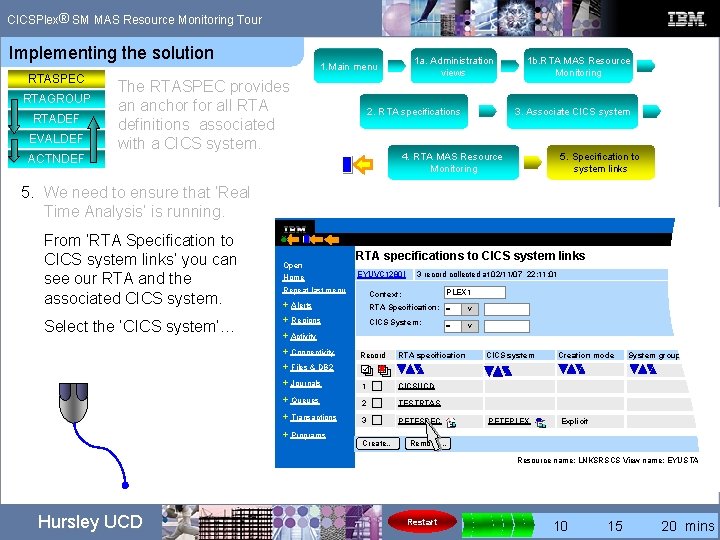
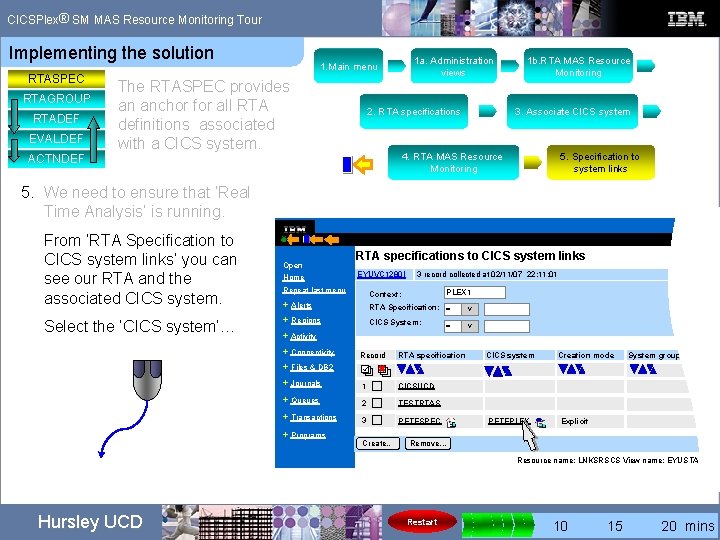
® CICSPlex SM MAS Resource Monitoring Tour Implementing the solution RTASPEC RTAGROUP RTADEF EVALDEF ACTNDEF 1 a. Administration views 1. Main menu The RTASPEC provides an anchor for all RTA definitions associated with a CICS system. 2. RTA specifications 1 b. RTA MAS Resource Monitoring 3. Associate CICS system 4. RTA MAS Resource Monitoring 5. Specification to system links 5. We need to ensure that ‘Real Time Analysis’ is running. CICSPlex SM From ‘RTA Specification to CICS system links’ you can see our RTA and the associated CICS system. Select the ‘CICS system’… Open Home RTA specifications to CICS system links EYUVC 1280 I Repeat last menu 3 record collected at 02/11/07 22: 11: 01 PLEX 1 Context: + Alerts + Regions RTA Specification: = V CICS System: V + Activity + Connectivity + Files & DB 2 + Journals + Queues + Transactions + Programs Record = RTA specification CICS system Creation mode System group RTA spec 1 CICSUCD 2 TESTRTAS 3 PETESPEC PETEPLEX Create… Explicit Remove. . . Resource name: LNKSRSCS View name: EYUSTARTLNK Hursley UCD Restart 0 5 10 15 20 mins
® CICSPlex SM MAS Resource Monitoring Tour Implementing the solution RTASPEC RTAGROUP RTADEF EVALDEF ACTNDEF 1 a. Administration views 1. Main menu The RTASPEC provides an anchor for all RTA definitions associated with a CICS system. 2. RTA specifications 1 b. RTA MAS Resource Monitoring 3. Associate CICS system 4. RTA MAS Resource Monitoring 5. Specification to system links 5. We need to ensure that ‘Real Time Analysis’ is running. CICSPlex SM From ‘RTA Specification to CICS system links’ you can see our RTA and the associated CICS system. Select the ‘CICS system’… Open Home RTA specifications to CICS system links EYUVC 1280 I Repeat last menu 3 record collected at 02/11/07 22: 11: 01 PLEX 1 Context: + Alerts + Regions RTA Specification: = V CICS System: V + Activity + Connectivity + Files & DB 2 + Journals + Queues + Transactions + Programs Record = RTA specification CICS system Creation mode System group RTA spec 1 CICSUCD 2 TESTRTAS 3 PETESPEC PETEPLEX Create… Explicit Remove. . . Resource name: LNKSRSCS View name: EYUSTARTLNK Hursley UCD Restart 0 5 10 15 20 mins
® CICSPlex SM MAS Resource Monitoring Tour Implementing the solution RTASPEC RTAGROUP RTADEF EVALDEF ACTNDEF 1 a. Administration views 1. Main menu The RTASPEC provides an anchor for all RTA definitions associated with a CICS system. 1 b. RTA MAS Resource Monitoring 2. RTA specifications 3. Associate CICS system 4. RTA MAS Resource Monitoring 5. Specification to system links 5. We need to ensure that ‘Real Time Analysis’ is running. CICSPlex SM From ‘RTA Specification to CICS system links’ you can see our RTA and the associated CICS system. Select the ‘CICS system’… Open Home RTA specifications to CICS system links EYUVC 1280 I Repeat last menu 3 record collected at 02/11/07 22: 11: 01 PLEX 1 Context: + Alerts + Regions RTA Specification: = V CICS System: V + Activity + Connectivity + Files & DB 2 + Journals + Queues + Transactions + Programs Record = RTA specification CICS system Creation mode System group RTA spec 1 CICSUCD 2 PETEPLEX TESTRTAS 3 PETESPEC PETEPLEX Create… Explicit Remove. . . Resource name: LNKSRSCS View name: EYUSTARTLNK Hursley UCD Restart 0 5 10 15 20 mins
® CICSPlex SM MAS Resource Monitoring Tour Implementing the solution RTASPEC RTAGROUP RTADEF EVALDEF ACTNDEF 1. Main menu The RTASPEC provides an anchor for all RTA definitions associated with a CICS system. 1 a. Administration views 2. RTA specifications 1 b. RTA MAS Resource Monitoring 3. Associate CICS system 4. RTA MAS Resource Monitoring 6. We need to ensure that ‘Real Time Analysis’ is running. 5. Specification to system links 6. CICS system definitions Now we are at CICS Systems definitions…. CICSPle Open Home Repeat last menu + Alerts CICS Systems definitions EYUVC 1280 I 1 records collected at 02/11/07 10: 22: 01 Context: PLEX 1 CICS system definition name: = V + Regions + Activity + Connectivity + Files & DB 2 In the Real Time Analysis (RTA) section it shows ‘Real time analysis status’ is ‘Yes’ - it’s running… Hursley UCD CICS system definition PETEPLEX Last modification 02/03/07 10: 41: 32 Description Real Time Analysis (RTA) Real time analysis status Yes Action for system availability monitoring Yes Restart 0 5 10 15 20 mins
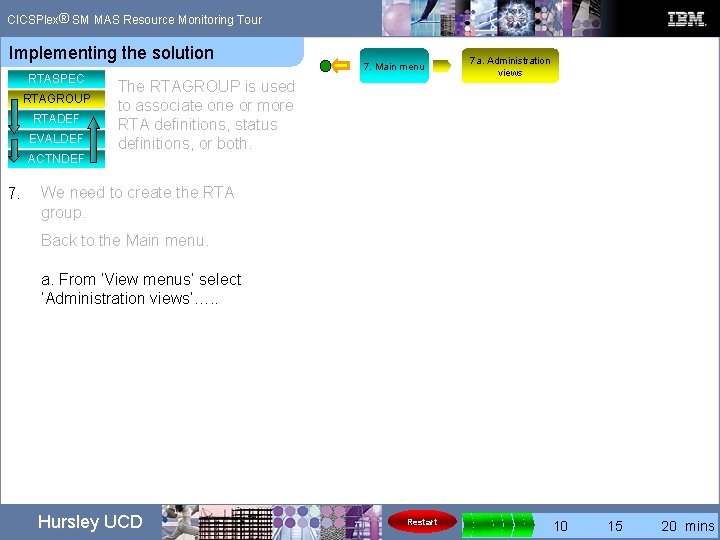
® CICSPlex SM MAS Resource Monitoring Tour Implementing the solution RTASPEC RTAGROUP RTADEF EVALDEF ACTNDEF 7. Main menu The RTAGROUP is used to associate one or more RTA definitions, status definitions, or both. We need to create the RTA group. Back to the Main menu… Hursley UCD Restart 0 5 10 15 20 mins
® CICSPlex SM MAS Resource Monitoring Tour Implementing the solution RTASPEC RTAGROUP RTADEF EVALDEF ACTNDEF 7. Main menu The RTAGROUP is used to associate one or more RTA definitions, status definitions, or both. 7 a. Administration views We need to create the RTA group. Back to the Main menu. a. From ‘View menus’ select ‘Administration views’…. . Hursley UCD Restart 0 5 10 15 20 mins
® CICSPlex SM MAS Resource Monitoring Tour Implementing the solution RTASPEC RTAGROUP RTADEF EVALDEF ACTNDEF 7. 7 a. Administration views 7. Main menu The RTAGROUP is used to associate one or more RTA definitions, status definitions, or both. We need to create the RTA group. Back to the Main menu. 7 b. RTA MAS Resource Monitoring RTA MAS resource monitoring Open CMAS context: PETEPLEX Repeat last menu Context: PLEX 1 a. From ‘View menus’ select ‘Administration views’. + Alerts Scope: b. From ‘Real Time Analysis (RTA) views’ select ‘RTA MAS resource monitoring’…. + Connectivity Select ‘Groups’ + Programs Home + Regions Main definitions + Activity + Files & DB 2 + Journals + Queues + Transactions + Enterprise Java + History + Administration Hursley UCD Restart PLEX 1 • Specifications • Groups • Definitions • Evaluations • Status probes • Actions • Time periods Association definitions • Specification to system links • Specification to system group links • Groups in specifications • Definitions in groups • Status definitions in groups 0 5 10 15 20 mins
® CICSPlex SM MAS Resource Monitoring Tour Implementing the solution RTASPEC RTAGROUP RTADEF EVALDEF ACTNDEF 7. 7 a. Administration views 7. Main menu The RTAGROUP is used to associate one or more RTA definitions, status definitions, or both. We need to create the RTA group. Back to the Main menu. 7 b. RTA MAS Resource Monitoring RTA MAS resource monitoring Open CMAS context: PETEPLEX Repeat last menu Context: PLEX 1 a. From ‘View menus’ select ‘Administration views’. + Alerts Scope: b. From ‘Real Time Analysis (RTA) views’ select ‘RTA MAS resource monitoring’…. + Connectivity Select ‘Groups’ + Programs Home + Regions Main definitions + Activity + Files & DB 2 + Journals + Queues + Transactions + Enterprise Java + History + Administration Hursley UCD Restart PLEX 1 • Specifications • Groups • Definitions • Evaluations • Status probes • Actions • Time periods Association definitions • Specification to system links • Specification to system group links • Groups in specifications • Definitions in groups • Status definitions in groups 0 5 10 15 20 mins
® CICSPlex SM MAS Resource Monitoring Tour Implementing the solution RTASPEC RTAGROUP RTADEF EVALDEF ACTNDEF 7. 7 a. Administration views 7. Main menu The RTAGROUP is used to associate one or more RTA definitions, status definitions, or both. We need to create the RTA group. Back to the Main menu. 7 b. RTA MAS Resource Monitoring RTA MAS resource monitoring Open CMAS context: PETEPLEX Repeat last menu Context: PLEX 1 a. From ‘View menus’ select ‘Administration views’. + Alerts Scope: b. From ‘Real Time Analysis (RTA) views’ select ‘RTA MAS resource monitoring’…. + Connectivity Select ‘Groups’ + Programs Home + Regions Main definitions + Activity + Files & DB 2 + Journals + Queues + Transactions + Enterprise Java + History + Administration Hursley UCD Restart PLEX 1 Specifications • • Groups • Definitions • Evaluations • Status probes • Actions • Time periods Association definitions • Specification to system links • Specification to system group links • Groups in specifications • Definitions in groups • Status definitions in groups 0 5 10 15 20 mins
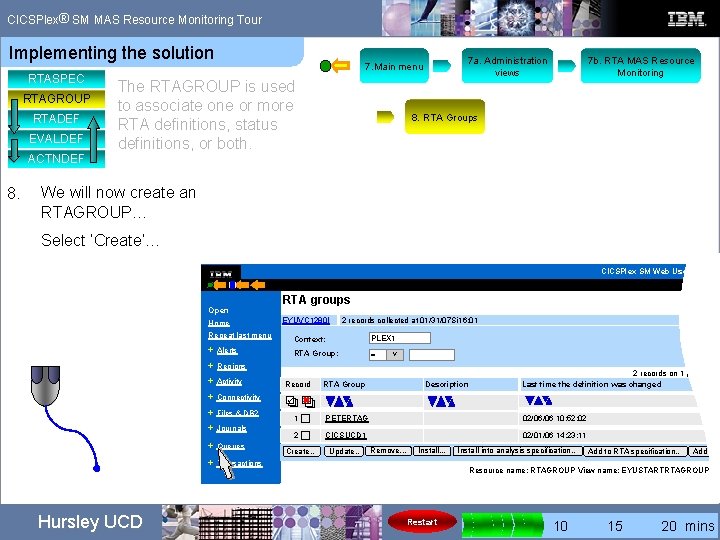
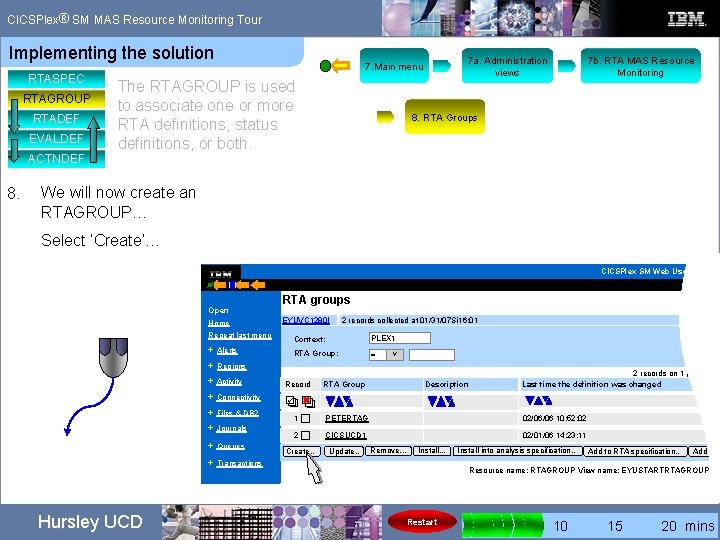
® CICSPlex SM MAS Resource Monitoring Tour Implementing the solution RTASPEC RTAGROUP RTADEF EVALDEF ACTNDEF 8. 7 a. Administration views 7. Main menu The RTAGROUP is used to associate one or more RTA definitions, status definitions, or both. 7 b. RTA MAS Resource Monitoring 8. RTA Groups We will now create an RTAGROUP… Select ‘Create’… CICSPlex SM Web User Interfac Open Home RTA groups EYUVC 1280 I Repeat last menu + Alerts 2 records collected at 01/31/07 Si 16: 01 Context: PLEX 1 RTA Group: = V + Regions + Activity Record RTA Group Description 2 records on 1 page Last time the definition was changed + Connectivity 1 PETERTAG 02/06/06 10: 52: 02 2 CICSUCD 1 02/01/06 14: 23: 11 + Files & DB 2 + Journals + Queues + Transactions Hursley UCD Create… Update. . Remove. . . Install into analysis specification… Add to RTA specification… Add to R Resource name: RTAGROUP View name: EYUSTARTRTAGROUP. TA Restart 0 5 10 15 20 mins
® CICSPlex SM MAS Resource Monitoring Tour Implementing the solution RTASPEC RTAGROUP RTADEF EVALDEF ACTNDEF 8. 7 a. Administration views 7. Main menu The RTAGROUP is used to associate one or more RTA definitions, status definitions, or both. 7 b. RTA MAS Resource Monitoring 8. RTA Groups We will now create an RTAGROUP… Select ‘Create’… CICSPlex SM Web User Interfac Open Home RTA groups EYUVC 1280 I Repeat last menu + Alerts 2 records collected at 01/31/07 Si 16: 01 Context: PLEX 1 RTA Group: = V + Regions + Activity Record RTA Group Description 2 records on 1 page Last time the definition was changed + Connectivity 1 PETERTAG 02/06/06 10: 52: 02 2 CICSUCD 1 02/01/06 14: 23: 11 + Files & DB 2 + Journals + Queues + Transactions Hursley UCD Create… Update. . Remove. . . Install into analysis specification… Add to RTA specification… Add to R Resource name: RTAGROUP View name: EYUSTARTRTAGROUP. TA Restart 0 5 10 15 20 mins
® CICSPlex SM MAS Resource Monitoring Tour Implementing the solution RTASPEC RTAGROUP RTADEF EVALDEF ACTNDEF 8. 7 a. Administration views 7. Main menu The RTAGROUP is used to associate one or more RTA definitions, status definitions, or both. 7 b. RTA MAS Resource Monitoring 8. RTA Groups We will now create an RTAGROUP… Select ‘Create’… CICSPlex SM Web User Interfac RTA groups Open EYUVC 1280 I Home Repeat last menu + Alerts 2 records collected at 01/31/07 Si 16: 01 Context: PLEX 1 RTA Group: = V + Regions + Activity Record RTA Group Description 2 records on 1 page Last time the definition was changed + Connectivity 1 PETERTAG 02/06/06 10: 52: 02 CICSUCD 1 02/01/06 14: 23: 11 + Files & DB 2 + Journals + Queues 2 Create… + Transactions Hursley UCD Create… Update. . Remove. . . Install into analysis specification… Add to RTA specification… Add to R Resource name: RTAGROUP View name: EYUSTARTRTAGROUP. TA Restart 0 5 10 15 20 mins
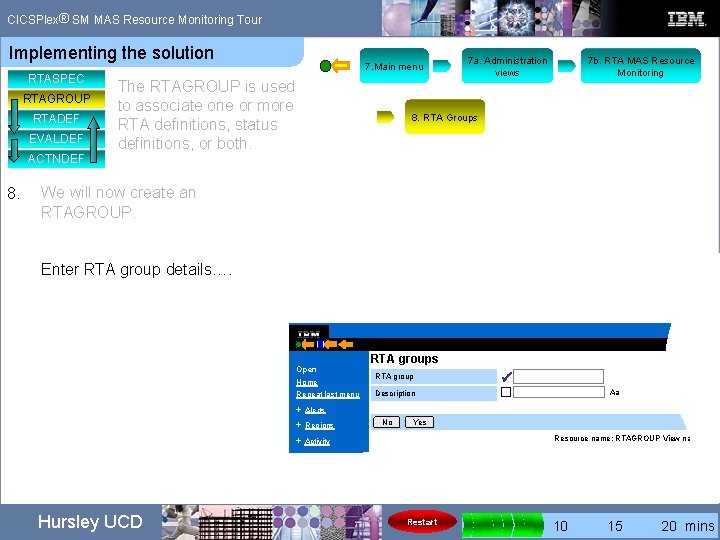
® CICSPlex SM MAS Resource Monitoring Tour Implementing the solution RTASPEC RTAGROUP RTADEF EVALDEF ACTNDEF 8. 7. Main menu The RTAGROUP is used to associate one or more RTA definitions, status definitions, or both. 7 a. Administration views 7 b. RTA MAS Resource Monitoring 8. RTA Groups We will now create an RTAGROUP. Enter RTA group details…. CICSPle PETEGRP 1 Open Home Repeat last menu RTA groups RTA group Description ü Aa + Alerts + Regions No Yes Resource name: RTAGROUP View name: EYU + Activity + Connectivity Hursley UCD Restart 0 5 10 15 20 mins
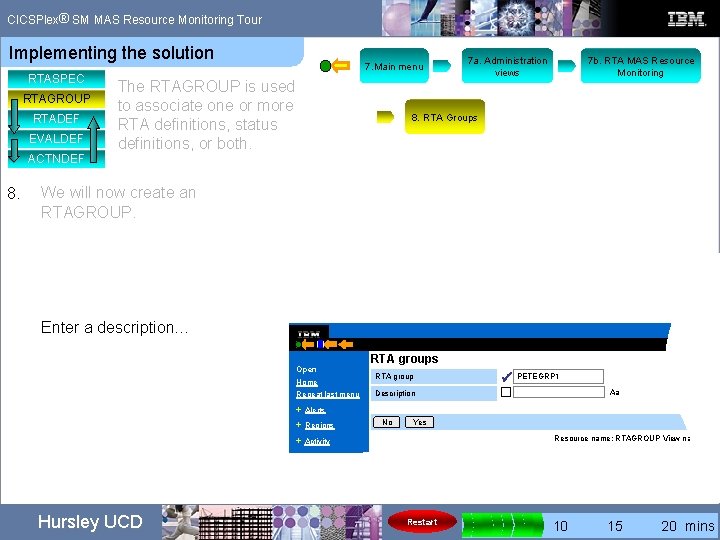
® CICSPlex SM MAS Resource Monitoring Tour Implementing the solution RTASPEC RTAGROUP RTADEF EVALDEF ACTNDEF 8. 7. Main menu The RTAGROUP is used to associate one or more RTA definitions, status definitions, or both. 7 a. Administration views 7 b. RTA MAS Resource Monitoring 8. RTA Groups We will now create an RTAGROUP. Enter a description… CICSPle Open CICS region abends Home Repeat last menu RTA groups RTA group Description ü PETEGRP 1 Aa + Alerts + Regions No Yes Resource name: RTAGROUP View name: EYU + Activity + Connectivity Hursley UCD Restart 0 5 10 15 20 mins
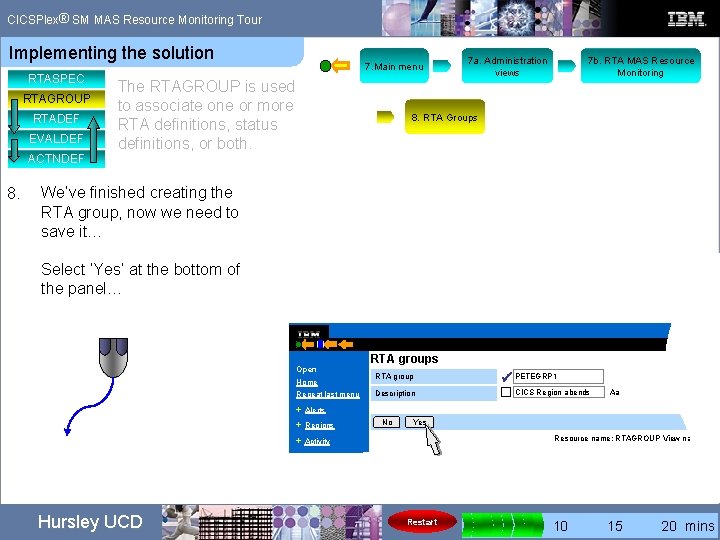
® CICSPlex SM MAS Resource Monitoring Tour Implementing the solution RTASPEC RTAGROUP RTADEF EVALDEF ACTNDEF 8. 7. Main menu The RTAGROUP is used to associate one or more RTA definitions, status definitions, or both. 7 a. Administration views 7 b. RTA MAS Resource Monitoring 8. RTA Groups We’ve finished creating the RTA group, now we need to save it… Select ‘Yes’ at the bottom of the panel… CICSPle Open Home Repeat last menu RTA groups RTA group Description ü PETEGRP 1 CICS Region abends Aa + Alerts + Regions No Yes Resource name: RTAGROUP View name: EYU + Activity + Connectivity Hursley UCD Restart 0 5 10 15 20 mins
® CICSPlex SM MAS Resource Monitoring Tour Implementing the solution RTASPEC RTAGROUP RTADEF EVALDEF ACTNDEF 8. 7. Main menu The RTAGROUP is used to associate one or more RTA definitions, status definitions, or both. 7 a. Administration views 7 b. RTA MAS Resource Monitoring 8. RTA Groups We’ve finished creating the RTA group, now we need to save it… Select ‘Yes’ at the bottom of the panel… CICSPle Open Home Repeat last menu RTA groups RTA group Description ü PETEGRP 1 CICS Region abends Aa + Alerts + Regions No Yes Resource name: RTAGROUP View name: EYU + Activity + Connectivity Hursley UCD Restart 0 5 10 15 20 mins
® CICSPlex SM MAS Resource Monitoring Tour Implementing the solution RTASPEC RTAGROUP RTADEF EVALDEF ACTNDEF 8. 7. Main menu The RTAGROUP is used to associate one or more RTA definitions, status definitions, or both. 7 a. Administration views 7 b. RTA MAS Resource Monitoring 8. RTA Groups We’ve finished creating the RTA group, now we need to save it… Select ‘Yes’ at the bottom of the panel… CICSPle Open Home Repeat last menu RTA groups RTA group Description ü PETEGRP 1 CICS Region abends Aa + Alerts + Regions + Activity No Yes Resource name: RTAGROUP View name: EYU + Connectivity Hursley UCD Restart 0 5 10 15 20 mins
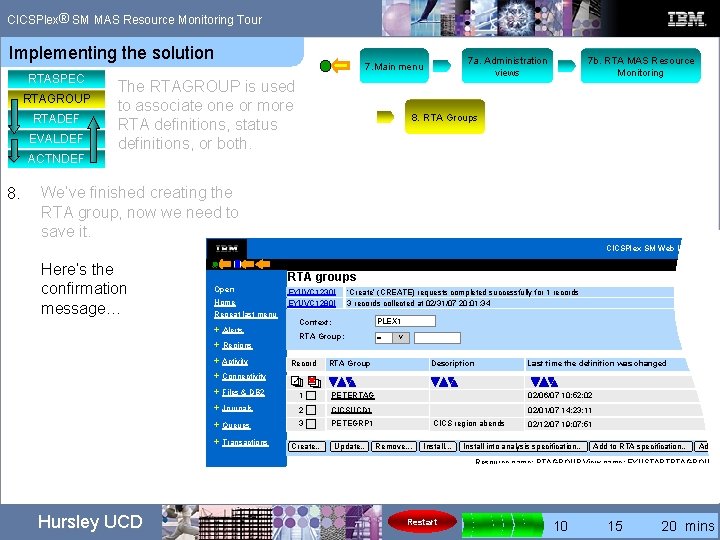
® CICSPlex SM MAS Resource Monitoring Tour Implementing the solution RTASPEC RTAGROUP RTADEF EVALDEF ACTNDEF 8. 7 a. Administration views 7. Main menu The RTAGROUP is used to associate one or more RTA definitions, status definitions, or both. 7 b. RTA MAS Resource Monitoring 8. RTA Groups We’ve finished creating the RTA group, now we need to save it. CICSPlex SM Web User Interfa Here’s the confirmation message… RTA groups Open Home EYUVC 1230 I EYUVC 1280 I Repeat last menu + Alerts + Regions + Activity + Connectivity ‘Create’ (CREATE) requests completed successfully for 1 records 3 records collected at 02/31/07 20: 01: 34 Context: PLEX 1 RTA Group: = V Record RTA Group Description Last time the definition was changed + Files & DB 2 1 PETERTAG 02/06/07 10: 52: 02 + Journals 2 CICSUCD 1 02/01/07 14: 23: 11 + Queues 3 PETEGRP 1 CICS region abends 02/12/07 19: 07: 51 + Transactions Create… Update. . Remove. . . Install into analysis specification… Add to RTA specification… Add to Resource name: RTAGROUP View name: EYUSTARTRTAGROUP. T Hursley UCD Restart 0 5 10 15 20 mins
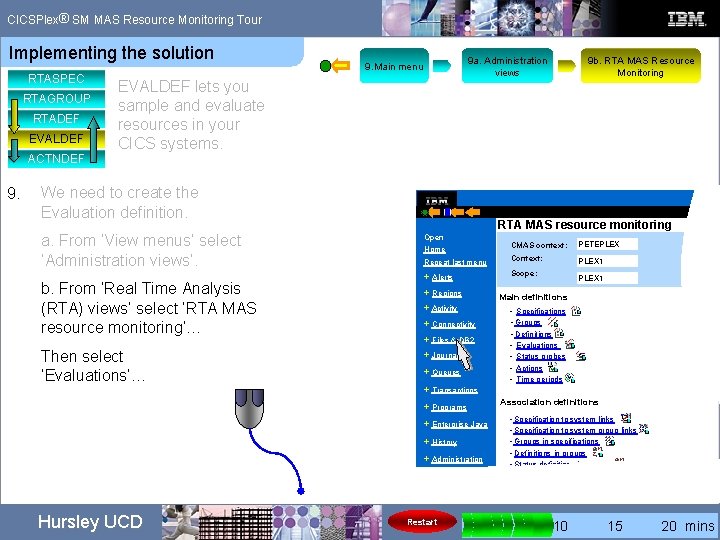
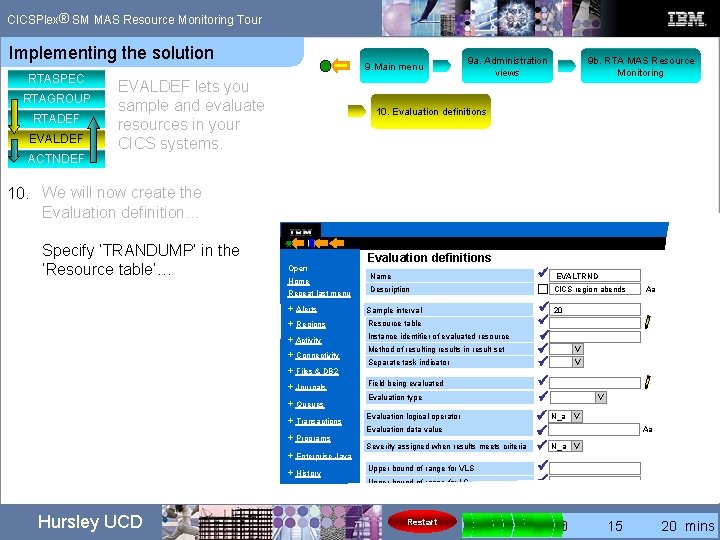
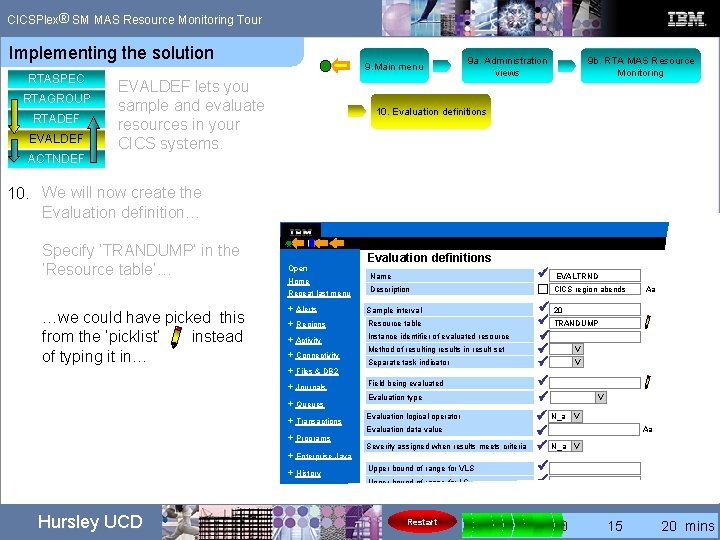
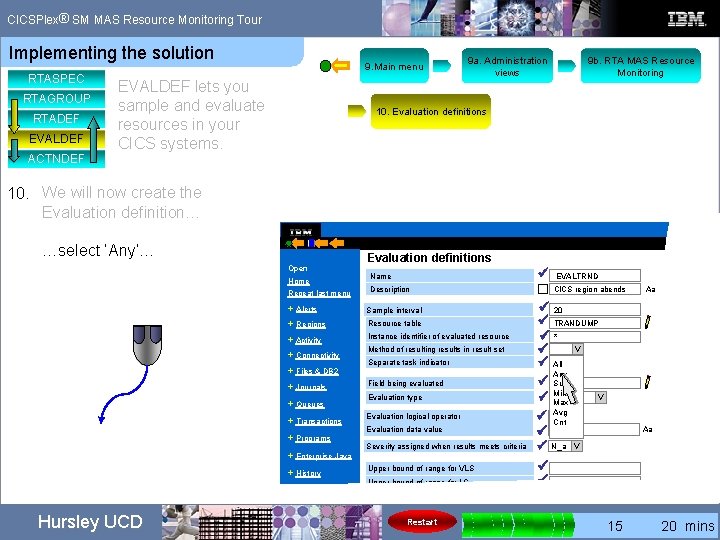
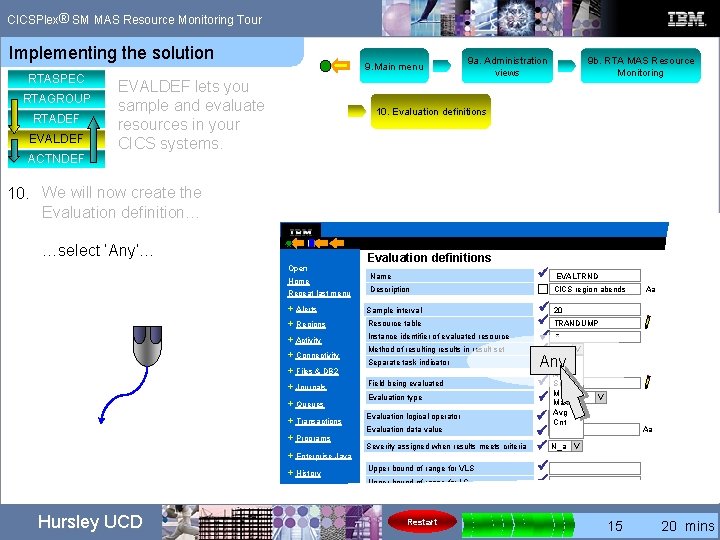
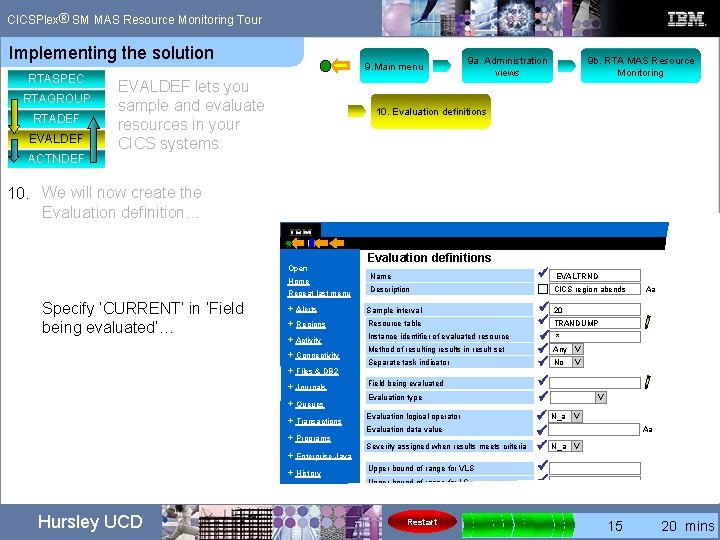
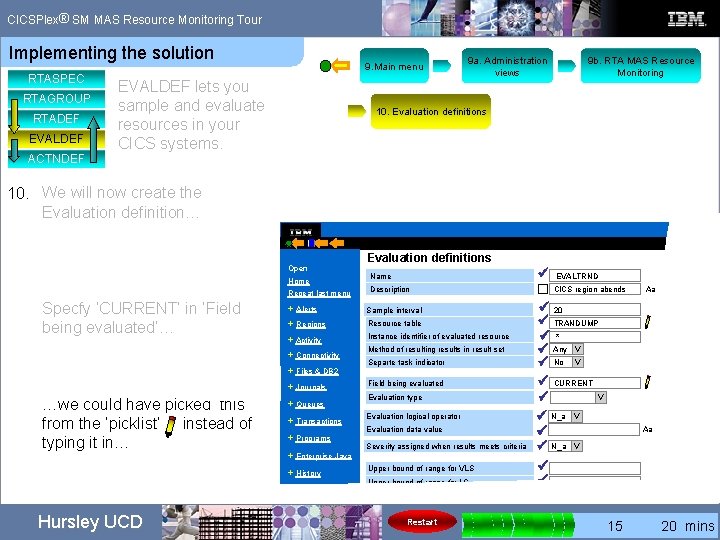
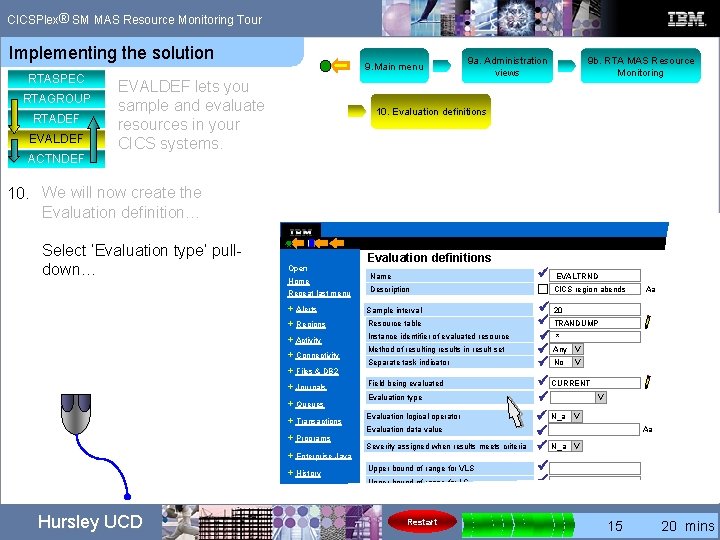
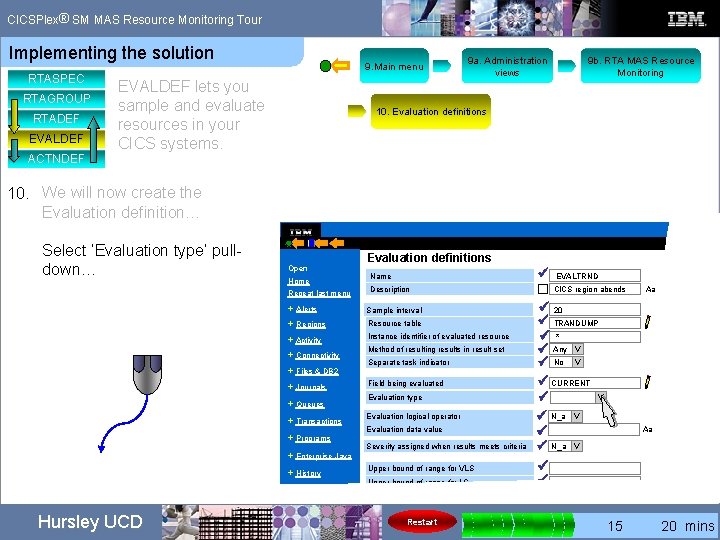
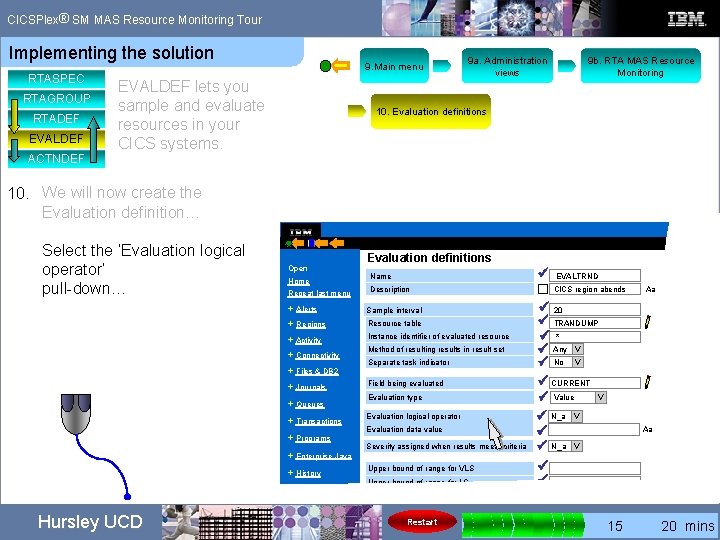
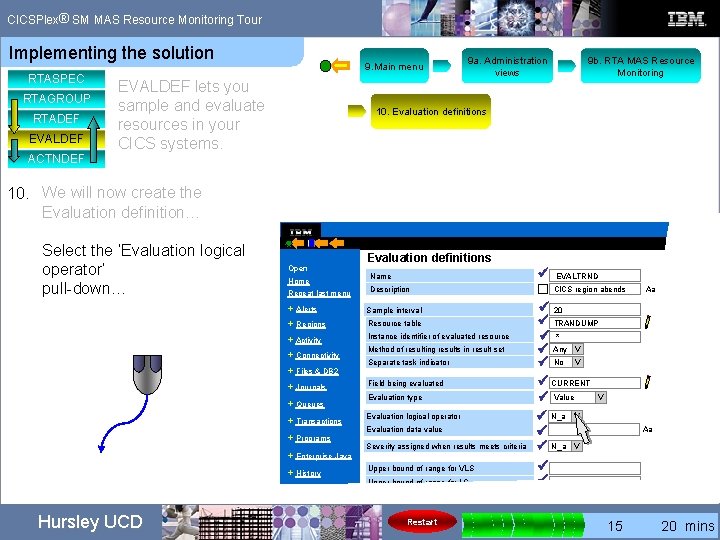
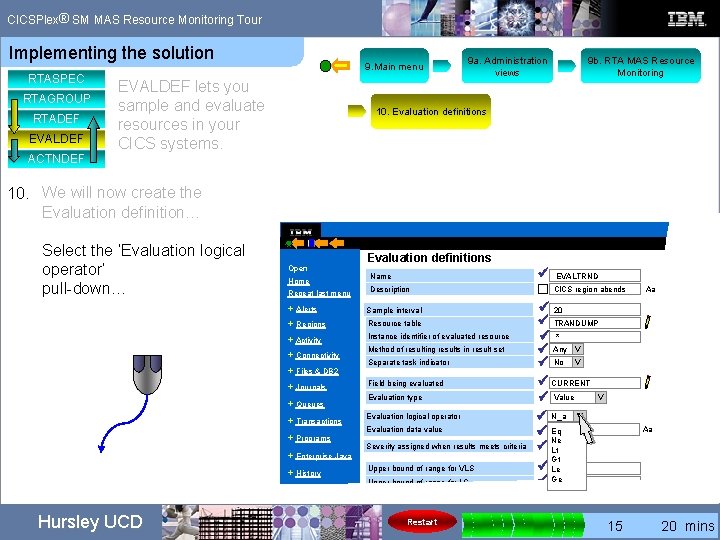
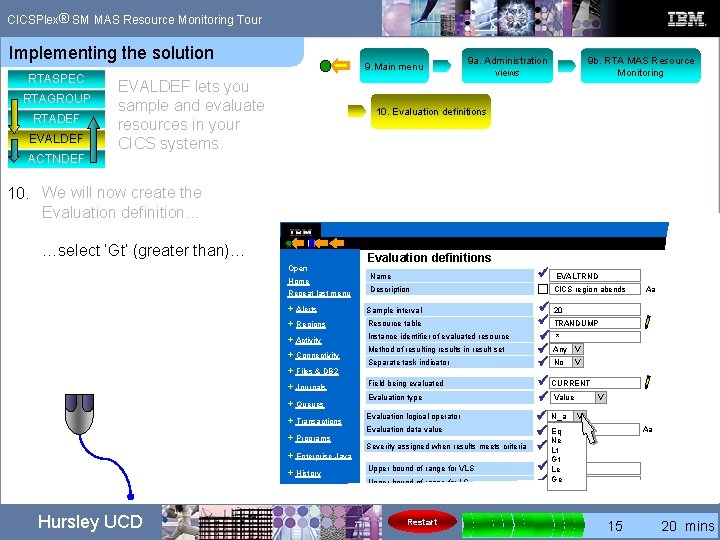
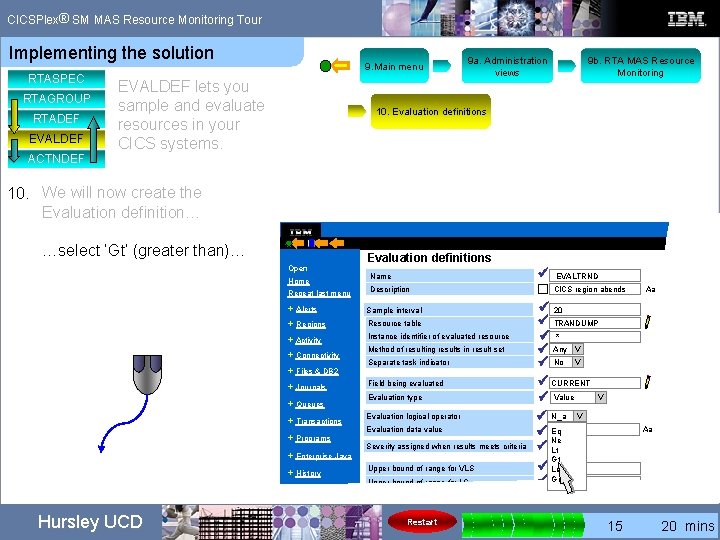
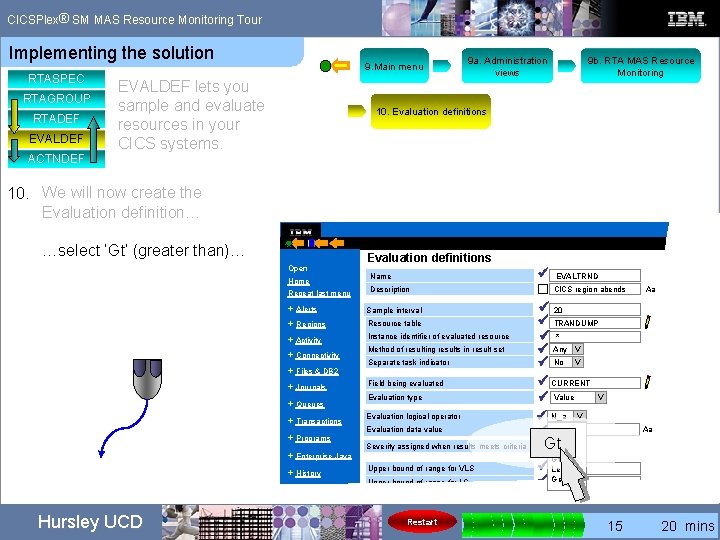
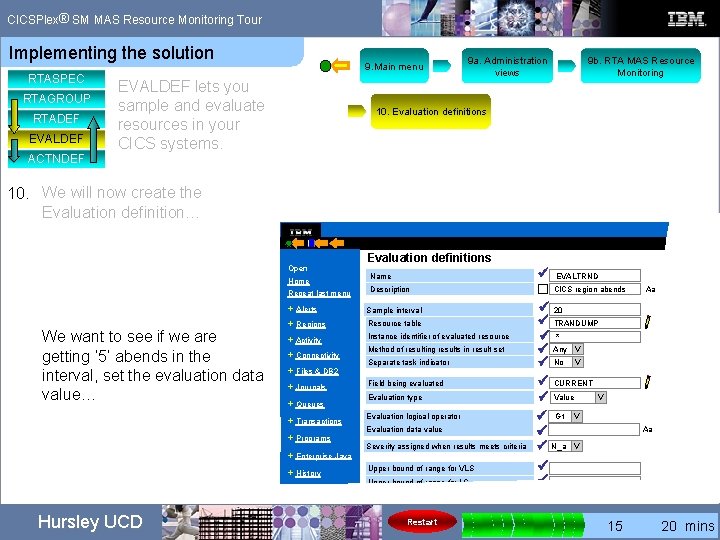
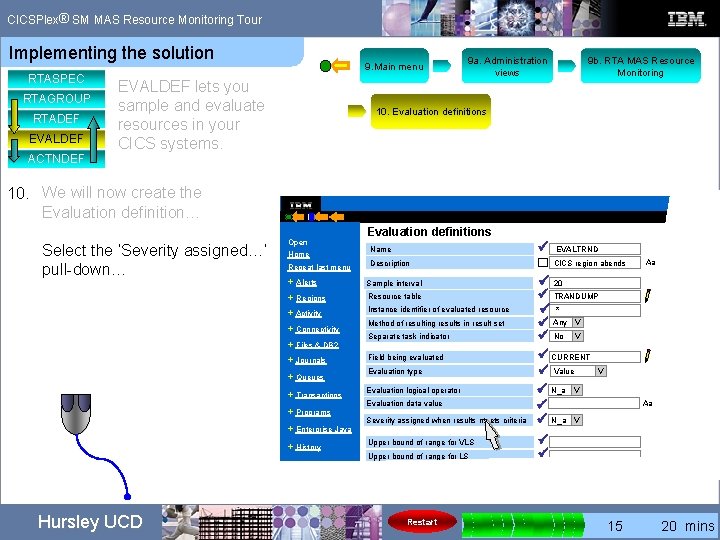
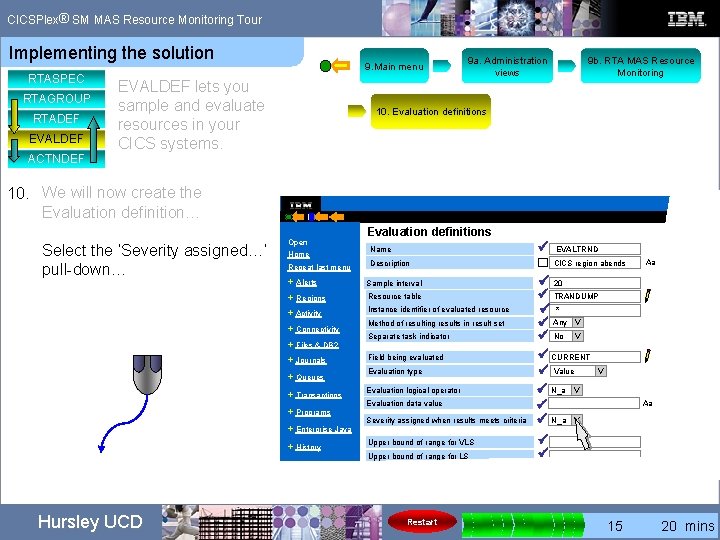
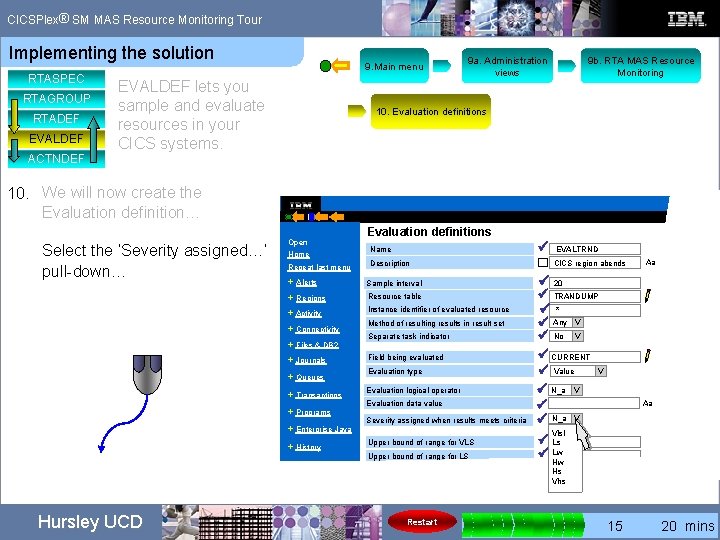
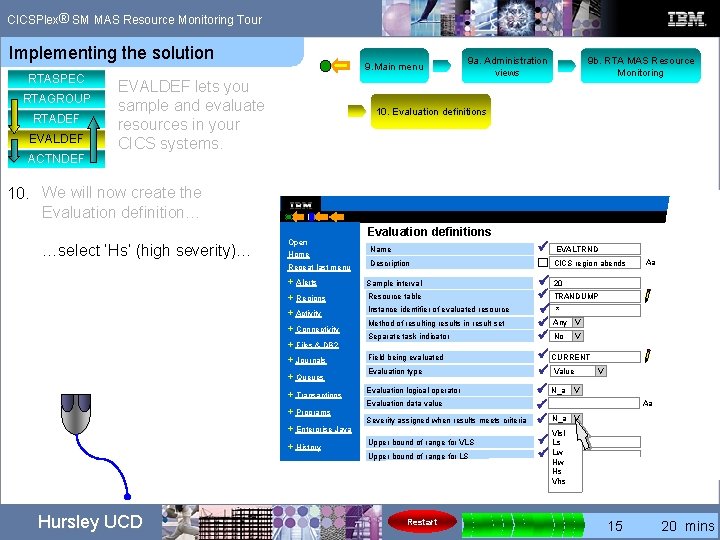
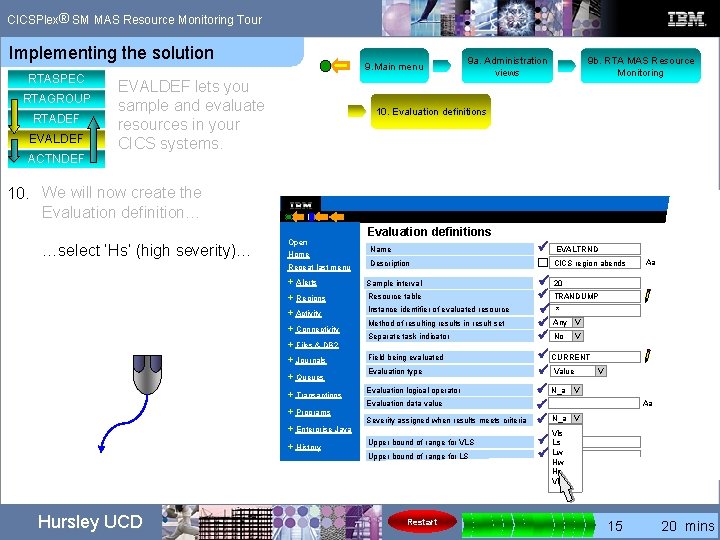
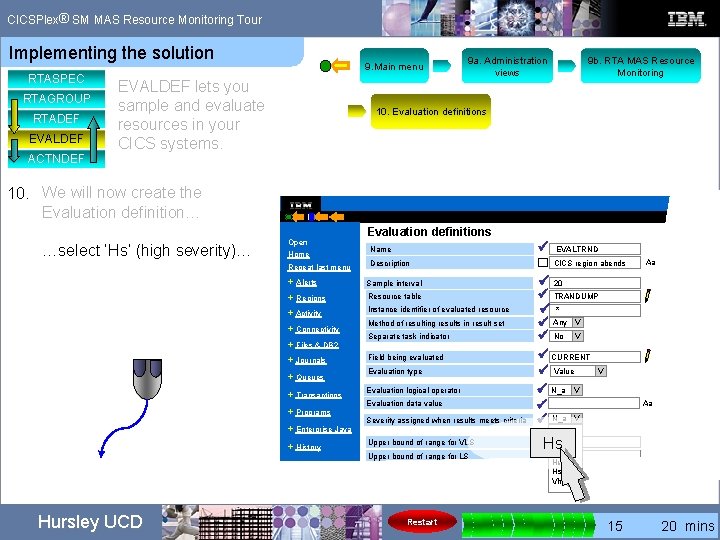
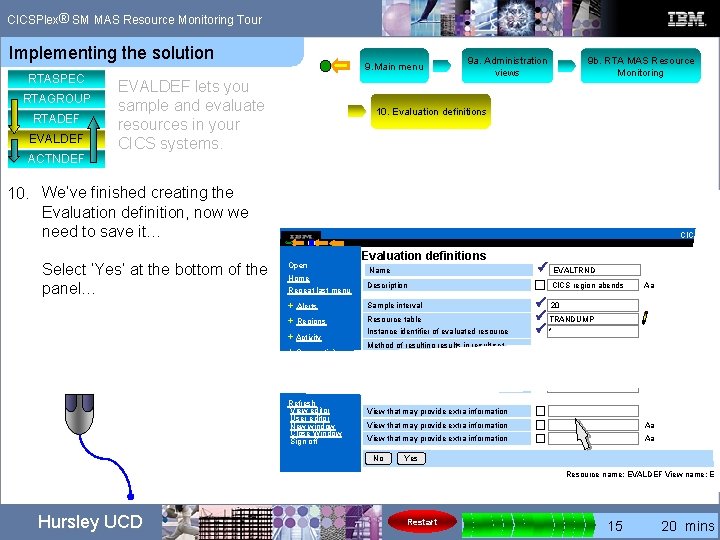
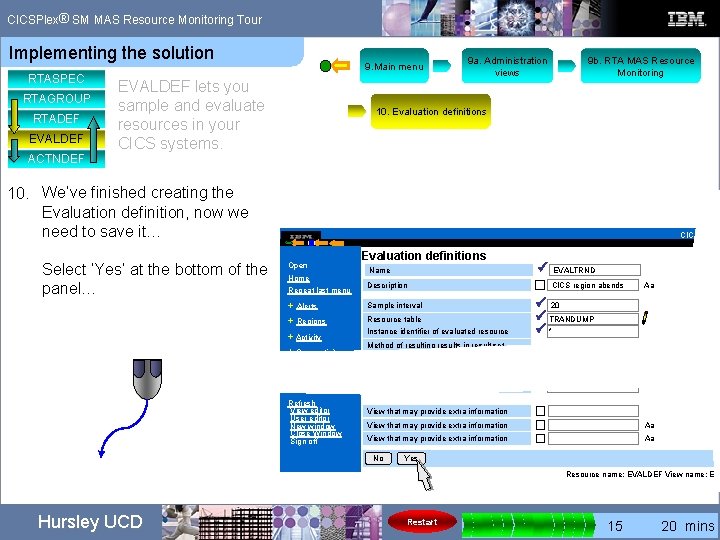
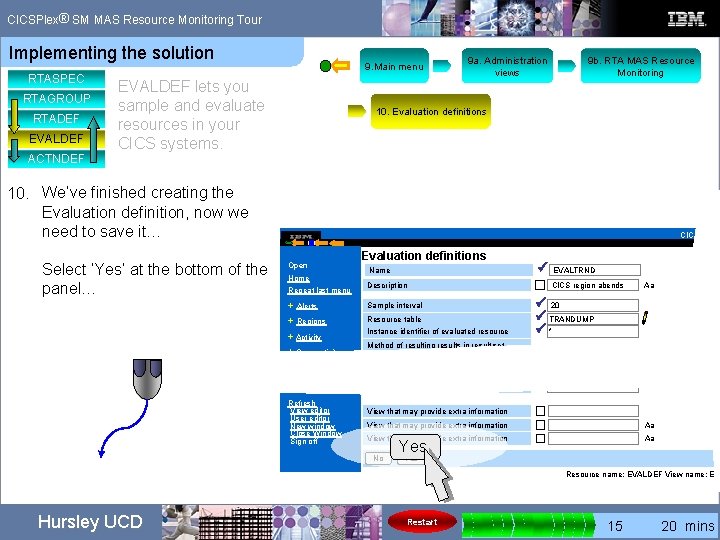
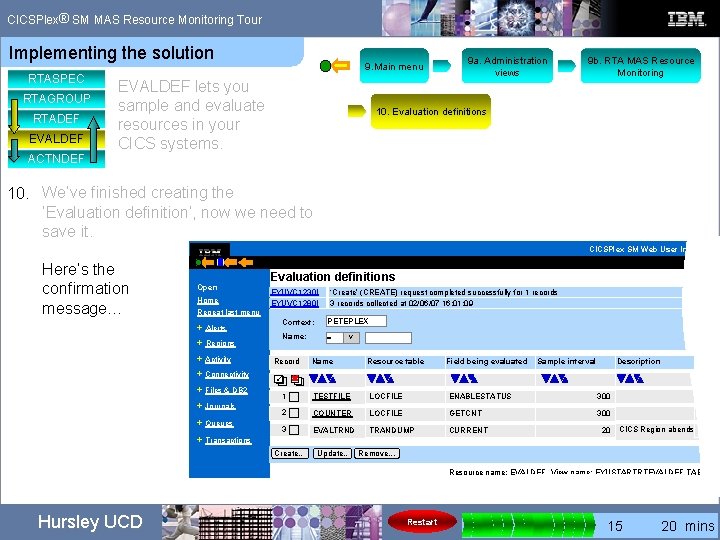
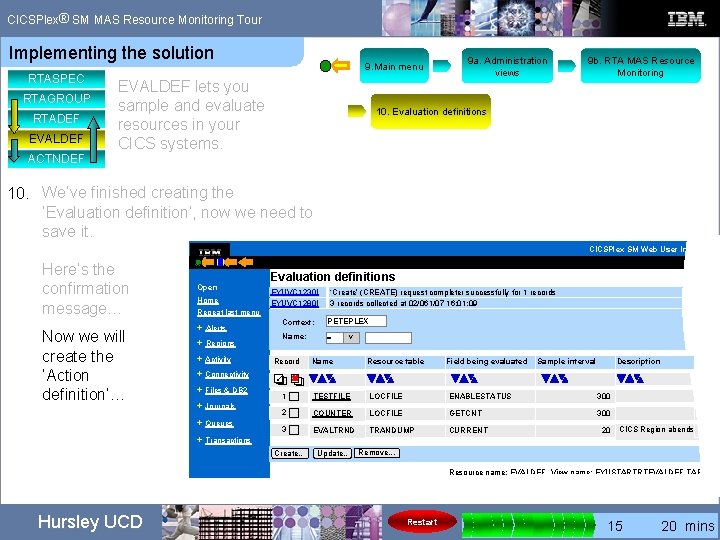
® CICSPlex SM MAS Resource Monitoring Tour Implementing the solution RTASPEC RTAGROUP RTADEF EVALDEF ACTNDEF 9. Main menu EVALDEF lets you sample and evaluate resources in your CICS systems. We need to create the Evaluation definition. Back to the Main menu. Hursley UCD Restart 0 5 10 15 20 mins
® CICSPlex SM MAS Resource Monitoring Tour Implementing the solution RTASPEC RTAGROUP RTADEF EVALDEF ACTNDEF 9. Main menu EVALDEF lets you sample and evaluate resources in your CICS systems. 9 a. Administration views We need to create the Evaluation definition. Back to the Main menu. a. From ‘View menus’ select ‘Administration views’… Hursley UCD Restart 0 5 10 15 20 mins
® CICSPlex SM MAS Resource Monitoring Tour Implementing the solution RTASPEC RTAGROUP RTADEF EVALDEF ACTNDEF 9. 9 a. Administration views 9. Main menu EVALDEF lets you sample and evaluate resources in your CICS systems. We need to create the Evaluation definition. a. From ‘View menus’ select ‘Administration views’. b. From ‘Real Time Analysis (RTA) views’ select ‘RTA MAS resource monitoring’… Then select ‘Evaluations’… RTA MAS resource monitoring Open CMAS context: PETEPLEX Repeat last menu Context: PLEX 1 + Alerts Scope: Home + Regions + Connectivity + Files & DB 2 + Journals + Queues + Transactions + Enterprise Java + History + Administration Restart PLEX 1 Main definitions + Activity + Programs Hursley UCD 9 b. RTA MAS Resource Monitoring • Specifications • Groups • Definitions • Evaluations • Status probes • Actions • Time periods Association definitions • Specification to system links • Specification to system group links • Groups in specifications • Definitions in groups • Status definitions in groups 0 5 10 15 20 mins
® CICSPlex SM MAS Resource Monitoring Tour Implementing the solution RTASPEC RTAGROUP RTADEF EVALDEF ACTNDEF 9. 9 a. Administration views 9. Main menu EVALDEF lets you sample and evaluate resources in your CICS systems. We need to create the Evaluation definition. a. From ‘View menus’ select ‘Administration views’. b. From ‘Real Time Analysis (RTA) views’ select ‘RTA MAS resource monitoring’…. Then select ‘Evaluations’… RTA MAS resource monitoring Open CMAS context: PETEPLEX Repeat last menu Context: PLEX 1 + Alerts Scope: Home + Regions + Connectivity + Files & DB 2 + Journals + Queues + Transactions + Enterprise Java + History + Administration Restart PLEX 1 Main definitions + Activity + Programs Hursley UCD 9 b. RTA MAS Resource Monitoring • Specifications • Groups • Definitions • Evaluations • Status probes • Actions • Time periods Association definitions • Specification to system links • Specification to system group links • Groups in specifications • Definitions in groups • Status definitions in groups 0 5 10 15 20 mins
® CICSPlex SM MAS Resource Monitoring Tour Implementing the solution RTASPEC RTAGROUP RTADEF EVALDEF ACTNDEF 9. 9 a. Administration views 9. Main menu EVALDEF lets you sample and evaluate resources in your CICS systems. We need to create the Evaluation definition. a. From ‘View menus’ select ‘Administration views’. b. From ‘Real Time Analysis (RTA) views’ select ‘RTA MAS resource monitoring’…. Then select ‘Evaluations’… RTA MAS resource monitoring Open CMAS context: PETEPLEX Repeat last menu Context: PLEX 1 + Alerts Scope: Home + Regions + Connectivity + Files & DB 2 + Journals + Queues + Transactions + Enterprise Java + History + Administration Restart PLEX 1 Main definitions + Activity + Programs Hursley UCD 9 b. RTA MAS Resource Monitoring • Specifications • Groups • Definitions • Evaluations • Status probes • Actions • Time periods • Evaluations Association definitions • Specification to system links • Specification to system group links • Groups in specifications • Definitions in groups • Status definitions in groups 0 5 10 15 20 mins
® CICSPlex SM MAS Resource Monitoring Tour Implementing the solution RTASPEC RTAGROUP RTADEF EVALDEF ACTNDEF 9 a. Administration views 9. Main menu EVALDEF lets you sample and evaluate resources in your CICS systems. 9 b. RTA MAS Resource Monitoring 10. Evaluation definitions 10. We will now create the Evaluation definition… Select ‘Create’… CICSPlex SM Web User Interface Open Home Evaluation definitions EYUVC 1280 I Repeat last menu + Alerts 3 records collected at 02/061/07 16: 01: 09 Context: PETEPLEX Name: = V + Regions + Activity + Connectivity + Files & DB 2 + Journals + Queues Record Name Resource table 1 TESTFILE LOCFILE ENABLESTATUS 300 02/02/ 2 COUNTER LOCFILE GETCNT 300 02/05/ + Transactions Create… Update. . Map Remove. . . Resource name: EVALDEF View name: EYUSTARTRTEVALDEF. TABULAR Hursley UCD Restart 0 5 10 15 20 mins
® CICSPlex SM MAS Resource Monitoring Tour Implementing the solution RTASPEC RTAGROUP RTADEF EVALDEF ACTNDEF 9 a. Administration views 9. Main menu EVALDEF lets you sample and evaluate resources in your CICS systems. 9 b. RTA MAS Resource Monitoring 10. Evaluation definitions 10. We will now create the Evaluation definition… Select ‘Create’… CICSPlex SM Web User Interface Open Home Evaluation definitions EYUVC 1280 I Repeat last menu + Alerts 3 records collected at 02/061/07 16: 01: 09 Context: PETEPLEX Name: = V + Regions + Activity + Connectivity + Files & DB 2 + Journals + Queues Record Name Resource table 1 TESTFILE LOCFILE ENABLESTATUS 300 02/02/ 2 COUNTER LOCFILE GETCNT 300 02/05/ + Transactions Create… Update. . Map Remove. . . Resource name: EVALDEF View name: EYUSTARTRTEVALDEF. TABULAR Hursley UCD Restart 0 5 10 15 20 mins
® CICSPlex SM MAS Resource Monitoring Tour Implementing the solution RTASPEC RTAGROUP RTADEF EVALDEF ACTNDEF 9 a. Administration views 9. Main menu EVALDEF lets you sample and evaluate resources in your CICS systems. 9 b. RTA MAS Resource Monitoring 10. Evaluation definitions 10. We will now create the Evaluation definition… Select ‘Create’… CICSPlex SM Web User Interface Evaluation definitions Open EYUVC 1280 I Home Repeat last menu + Alerts 3 records collected at 02/06/07 15: 47: 19 Context: PETEPLEX Name: = V + Regions + Activity + Connectivity + Files & DB 2 + Journals + Queues Record Name Resource table 1 TESTFILE LOCFILE ENABLESTATUS 300 02/02/ 2 COUNTER LOCFILE GETCNT 300 02/05/ Create… + Transactions Create… Update. . Map Remove. . . Resource name: EVALDEF View name: EYUSTARTRTEVALDEF. TABULAR Hursley UCD Restart 0 5 10 15 20 mins
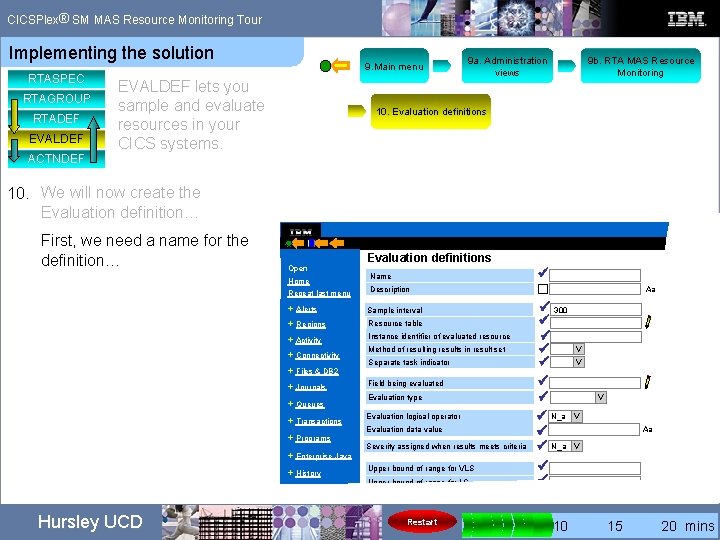
® CICSPlex SM MAS Resource Monitoring Tour Implementing the solution RTASPEC RTAGROUP RTADEF EVALDEF ACTNDEF 9. Main menu EVALDEF lets you sample and evaluate resources in your CICS systems. 10. We will now create the Evaluation definition… Enter definition values on this panel… 9 b. RTA MAS Resource Monitoring 10. Evaluation definitions CICSPlex SM W Open Home Repeat last menu + Alerts + Regions + Activity + Connectivity + Files & DB 2 + Journals + Queues + Transactions + Programs + Enterprise Java + History + Administration Special Refresh View editor User editor New window Close Window Sign off Hursley UCD 9 a. Administration views Evaluation definitions Name Description ü Sample interval Resource table Instance identifier of evaluated resource Method of resulting results in result set Separate task indicator ü 300 ü ü N_a ü ü ü ü Field being evaluated Evaluation type Evaluation logical operator Evaluation data value Severity assigned when results meets criteria Upper bound of range for VLS Upper bound of range for LW Upper bound of range for HS Upper bound of range for VHS View that may provide extra information No Aa V V Aa V Aa Aa Yes Resource name: EVALDEF View name: EYUSTA Restart 0 5 10 15 20 mins
® CICSPlex SM MAS Resource Monitoring Tour Implementing the solution RTASPEC RTAGROUP RTADEF EVALDEF ACTNDEF 9. Main menu EVALDEF lets you sample and evaluate resources in your CICS systems. 9 a. Administration views 9 b. RTA MAS Resource Monitoring 10. Evaluation definitions 10. We will now create the Evaluation definition… First, we need a name for the definition… EVALTRND CICSPlex S Open Home Repeat last menu ü Name Description Sample interval + Regions Resource table + Activity Instance identifier of evaluated resource + Files & DB 2 + Journals + Queues + Transactions + Programs + Enterprise Java + History + Administration Method of resulting results in result set Separate task indicator Field being evaluated Evaluation type Evaluation logical operator Evaluation data value Severity assigned when results meets criteria Upper bound of range for VLS Upper bound of range for LS Restart Aa + Alerts + Connectivity Hursley UCD Evaluation definitions ü 300 ü ü ü N_a ü ü V V Aa V 0 5 10 15 20 mins
® CICSPlex SM MAS Resource Monitoring Tour Implementing the solution RTASPEC RTAGROUP RTADEF EVALDEF ACTNDEF 9. Main menu EVALDEF lets you sample and evaluate resources in your CICS systems. 9 a. Administration views 9 b. RTA MAS Resource Monitoring 10. Evaluation definitions 10. We will now create the Evaluation definition… CICSPlex S Add a description…CICS region abends Open Home Repeat last menu ü EVALTRND Name Description Sample interval + Regions Resource table + Activity Instance identifier of evaluated resource + Files & DB 2 + Journals + Queues + Transactions + Programs + Enterprise Java + History + Administration Method of resulting results in result set Separate task indicator Field being evaluated Evaluation type Evaluation logical operator Evaluation data value Severity assigned when results meets criteria Upper bound of range for VLS Upper bound of range for LS Restart Aa + Alerts + Connectivity Hursley UCD Evaluation definitions ü 300 ü ü ü N_a ü ü V V Aa V 0 5 10 15 20 mins
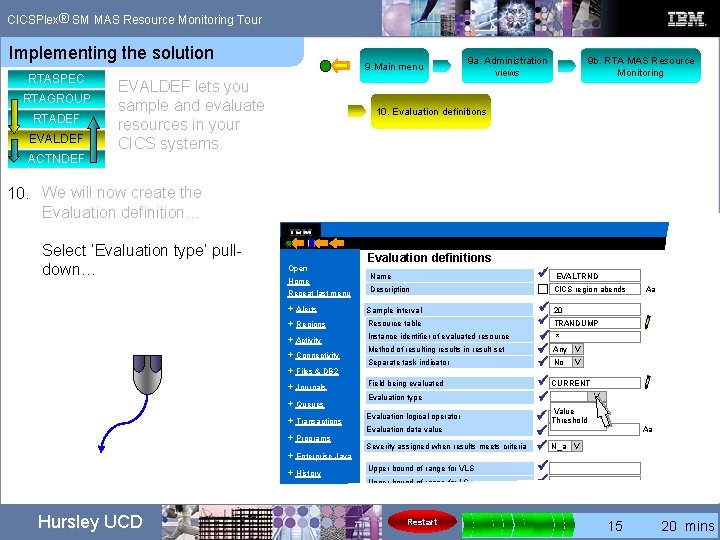
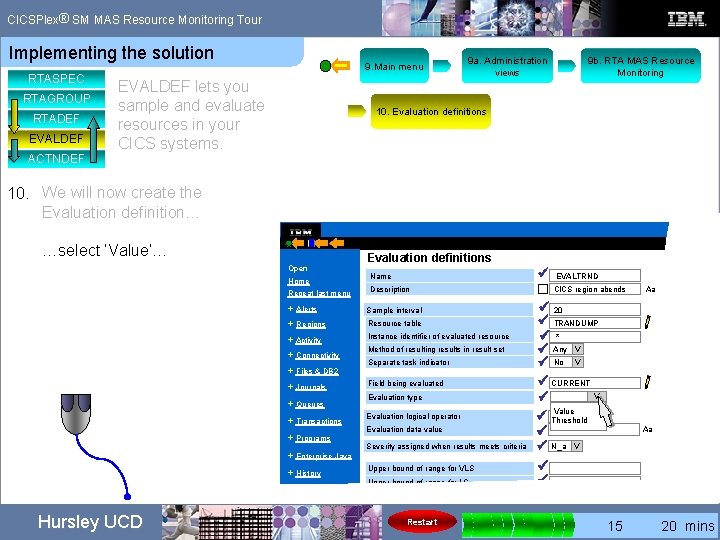
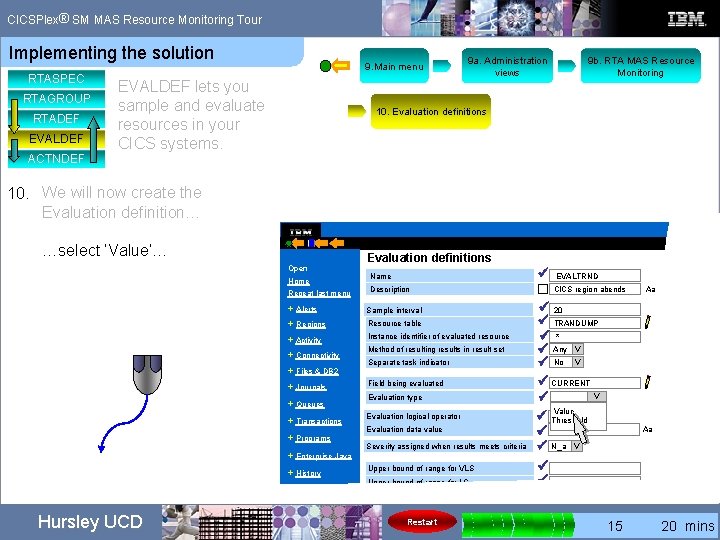
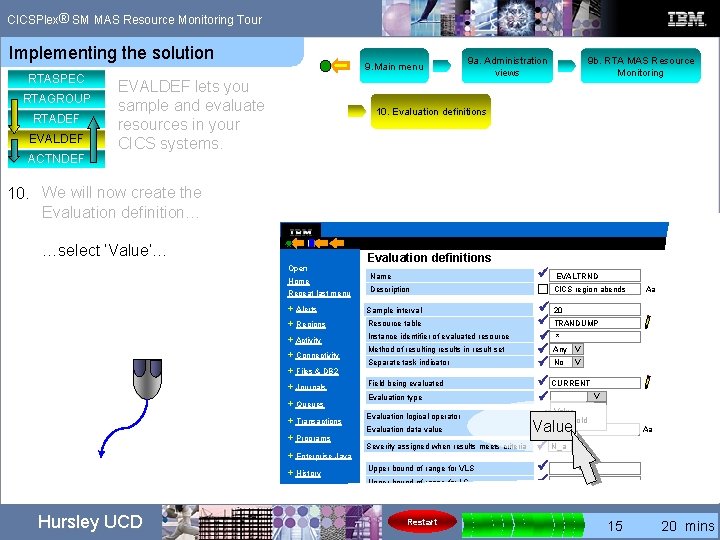
® CICSPlex SM MAS Resource Monitoring Tour Implementing the solution RTASPEC RTAGROUP RTADEF EVALDEF ACTNDEF 9. Main menu EVALDEF lets you sample and evaluate resources in your CICS systems. 9 a. Administration views 9 b. RTA MAS Resource Monitoring 10. Evaluation definitions 10. We will now create the Evaluation definition… CICSPlex S Set the ‘Sample interval’ to ’ 20’ seconds… Open Home Repeat last menu ü EVALTRND Name Description CICS region abends + Alerts Sample interval + Regions Resource table + Activity Instance identifier of evaluated resource + Connectivity + Files & DB 2 + Journals + Queues + Transactions + Programs + Enterprise Java + History + Administration Hursley UCD Evaluation definitions Method of resulting results in result set Separate task indicator Field being evaluated Evaluation type Evaluation logical operator Evaluation data value Severity assigned when results meets criteria Upper bound of range for VLS Upper bound of range for LS Restart ü 300 ü ü ü N_a ü ü Aa V V Aa V 0 5 10 15 20 mins
® CICSPlex SM MAS Resource Monitoring Tour Implementing the solution RTASPEC RTAGROUP RTADEF EVALDEF ACTNDEF 9. Main menu EVALDEF lets you sample and evaluate resources in your CICS systems. 9 a. Administration views 9 b. RTA MAS Resource Monitoring 10. Evaluation definitions 10. We will now create the Evaluation definition… CICSPlex S Set the ‘Sample interval’ to ’ 20’ seconds… Open Home Repeat last menu ü EVALTRND Name Description CICS region abends + Alerts Sample interval + Regions Resource table + Activity Instance identifier of evaluated resource + Connectivity + Files & DB 2 + Journals + Queues + Transactions + Programs + Enterprise Java + History + Administration Hursley UCD Evaluation definitions Method of resulting results in result set Separate task indicator Field being evaluated Evaluation type Evaluation logical operator Evaluation data value Severity assigned when results meets criteria Upper bound of range for VLS Upper bound of range for LS Restart ü ü ü N_a ü ü Aa V V Aa V 0 5 10 15 20 mins
® CICSPlex SM MAS Resource Monitoring Tour Implementing the solution RTASPEC RTAGROUP RTADEF EVALDEF ACTNDEF 9. Main menu EVALDEF lets you sample and evaluate resources in your CICS systems. 9 a. Administration views 9 b. RTA MAS Resource Monitoring 10. Evaluation definitions 10. We will now create the Evaluation definition… CICSPlex S Set the ‘Sample interval’ to ’ 20’ seconds… Open Home Repeat last menu 20 ü EVALTRND Name Description CICS region abends + Alerts Sample interval + Regions Resource table + Activity Instance identifier of evaluated resource + Connectivity + Files & DB 2 + Journals + Queues + Transactions + Programs + Enterprise Java + History + Administration Hursley UCD Evaluation definitions Method of resulting results in result set Separate task indicator Field being evaluated Evaluation type Evaluation logical operator Evaluation data value Severity assigned when results meets criteria Upper bound of range for VLS Upper bound of range for LS Restart ü ü ü N_a ü ü Aa V V Aa V 0 5 10 15 20 mins
® CICSPlex SM MAS Resource Monitoring Tour Implementing the solution RTASPEC RTAGROUP RTADEF EVALDEF ACTNDEF 9. Main menu EVALDEF lets you sample and evaluate resources in your CICS systems. 9 a. Administration views 9 b. RTA MAS Resource Monitoring 10. Evaluation definitions 10. We will now create the Evaluation definition… CICSPlex S Specify ‘TRANDUMP’ in the ‘Resource table’… Open Home Repeat last menu TRANDUMP ü EVALTRND Name Description CICS region abends + Alerts Sample interval + Regions Resource table + Activity Instance identifier of evaluated resource + Connectivity + Files & DB 2 + Journals + Queues + Transactions + Programs + Enterprise Java + History + Administration Hursley UCD Evaluation definitions Method of resulting results in result set Separate task indicator Field being evaluated Evaluation type Evaluation logical operator Evaluation data value Severity assigned when results meets criteria Upper bound of range for VLS Upper bound of range for LS Restart ü 20 ü ü ü N_a ü ü Aa V V Aa V 0 5 10 15 20 mins
® CICSPlex SM MAS Resource Monitoring Tour Implementing the solution RTASPEC RTAGROUP RTADEF EVALDEF ACTNDEF 9. Main menu EVALDEF lets you sample and evaluate resources in your CICS systems. 9 a. Administration views 9 b. RTA MAS Resource Monitoring 10. Evaluation definitions 10. We will now create the Evaluation definition… CICSPlex S Specify ‘TRANDUMP’ in the ‘Resource table’… Open Home Repeat last menu …we could have picked this from the ‘picklist’ instead of typing it in… ü EVALTRND Name Description CICS region abends + Alerts Sample interval + Regions Resource table + Activity Instance identifier of evaluated resource + Connectivity + Files & DB 2 + Journals + Queues + Transactions + Programs + Enterprise Java + History + Administration Hursley UCD Evaluation definitions Method of resulting results in result set Separate task indicator Field being evaluated Evaluation type Evaluation logical operator Evaluation data value Severity assigned when results meets criteria Upper bound of range for VLS Upper bound of range for LS Restart ü 20 ü TRANDUMP ü V ü ü N_a V ü ü Aa Aa 0 5 10 15 20 mins
® CICSPlex SM MAS Resource Monitoring Tour Implementing the solution RTASPEC RTAGROUP RTADEF EVALDEF ACTNDEF 9. Main menu EVALDEF lets you sample and evaluate resources in your CICS systems. 9 a. Administration views 9 b. RTA MAS Resource Monitoring 10. Evaluation definitions 10. We will now create the Evaluation definition… CICSPlex S Use an * (asterisk) to evaluate all resources. . . * Open Home Repeat last menu ü EVALTRND Name Description CICS region abends + Alerts Sample interval + Regions Resource table + Activity Instance identifier of evaluated resource + Connectivity + Files & DB 2 + Journals + Queues + Transactions + Programs + Enterprise Java + History + Administration Hursley UCD Evaluation definitions Method of resulting results in result set Separate task indicator Field being evaluated Evaluation type Evaluation logical operator Evaluation data value Severity assigned when results meets criteria Upper bound of range for VLS Upper bound of range for LS Restart ü 20 ü TRANDUMP ü V ü ü N_a V ü ü Aa Aa 0 5 10 15 20 mins
® CICSPlex SM MAS Resource Monitoring Tour Implementing the solution RTASPEC RTAGROUP RTADEF EVALDEF ACTNDEF 9. Main menu EVALDEF lets you sample and evaluate resources in your CICS systems. 9 a. Administration views 9 b. RTA MAS Resource Monitoring 10. Evaluation definitions 10. We will now create the Evaluation definition… CICSPlex S Select the ‘Method’ pull-down… Open Home Repeat last menu ü EVALTRND Name Description CICS region abends + Alerts Sample interval + Regions Resource table + Activity Instance identifier of evaluated resource + Connectivity + Files & DB 2 + Journals + Queues + Transactions + Programs + Enterprise Java + History + Administration Hursley UCD Evaluation definitions Method of resulting results in result set Separate task indicator Field being evaluated Evaluation type Evaluation logical operator Evaluation data value Severity assigned when results meets criteria Upper bound of range for VLS Upper bound of range for LS Restart ü 20 ü TRANDUMP ü * V ü ü N_a V ü ü Aa Aa 0 5 10 15 20 mins
® CICSPlex SM MAS Resource Monitoring Tour Implementing the solution RTASPEC RTAGROUP RTADEF EVALDEF ACTNDEF 9. Main menu EVALDEF lets you sample and evaluate resources in your CICS systems. 9 a. Administration views 9 b. RTA MAS Resource Monitoring 10. Evaluation definitions 10. We will now create the Evaluation definition… CICSPlex S Select the ‘Method’ pull-down… Open Home Repeat last menu ü EVALTRND Name Description CICS region abends + Alerts Sample interval + Regions Resource table + Activity Instance identifier of evaluated resource + Connectivity + Files & DB 2 + Journals + Queues + Transactions + Programs + Enterprise Java + History + Administration Hursley UCD Evaluation definitions Method of resulting results in result set Separate task indicator Field being evaluated Evaluation type Evaluation logical operator Evaluation data value Severity assigned when results meets criteria Upper bound of range for VLS Upper bound of range for LS Restart ü 20 ü TRANDUMP ü * V ü ü N_a V ü ü Aa Aa 0 5 10 15 20 mins
® CICSPlex SM MAS Resource Monitoring Tour Implementing the solution RTASPEC RTAGROUP RTADEF EVALDEF ACTNDEF 9. Main menu EVALDEF lets you sample and evaluate resources in your CICS systems. 9 a. Administration views 9 b. RTA MAS Resource Monitoring 10. Evaluation definitions 10. We will now create the Evaluation definition… CICSPlex S Select the ‘Method’ pull-down… Open Home Repeat last menu ü EVALTRND Name Description CICS region abends + Alerts Sample interval + Regions Resource table + Activity Instance identifier of evaluated resource + Connectivity + Files & DB 2 + Journals + Queues + Transactions + Programs + Enterprise Java + History + Administration Hursley UCD Evaluation definitions Method of resulting results in result set Separate task indicator Field being evaluated Evaluation type Evaluation logical operator Evaluation data value Severity assigned when results meets criteria Upper bound of range for VLS Upper bound of range for LS Restart ü 20 ü TRANDUMP ü * V ü All Any ü Sum Min V ü Max Avg N_a V ü Cnt ü ü N_a V ü ü Aa Aa 0 5 10 15 20 mins
® CICSPlex SM MAS Resource Monitoring Tour Implementing the solution RTASPEC RTAGROUP RTADEF EVALDEF ACTNDEF 9. Main menu EVALDEF lets you sample and evaluate resources in your CICS systems. 9 a. Administration views 9 b. RTA MAS Resource Monitoring 10. Evaluation definitions 10. We will now create the Evaluation definition… CICSPlex S …select ‘Any’… Open Home Repeat last menu ü EVALTRND Name Description CICS region abends + Alerts Sample interval + Regions Resource table + Activity Instance identifier of evaluated resource + Connectivity + Files & DB 2 + Journals + Queues + Transactions + Programs + Enterprise Java + History + Administration Hursley UCD Evaluation definitions Method of resulting results in result set Separate task indicator Field being evaluated Evaluation type Evaluation logical operator Evaluation data value Severity assigned when results meets criteria Upper bound of range for VLS Upper bound of range for LS Restart ü 20 ü TRANDUMP ü * V ü All Any ü Sum Min V ü Max Avg N_a V ü Cnt ü ü N_a V ü ü Aa Aa 0 5 10 15 20 mins
® CICSPlex SM MAS Resource Monitoring Tour Implementing the solution RTASPEC RTAGROUP RTADEF EVALDEF ACTNDEF 9. Main menu EVALDEF lets you sample and evaluate resources in your CICS systems. 9 a. Administration views 9 b. RTA MAS Resource Monitoring 10. Evaluation definitions 10. We will now create the Evaluation definition… CICSPlex S …select ‘Any’… Open Home Repeat last menu ü EVALTRND Name Description CICS region abends + Alerts Sample interval + Regions Resource table + Activity Instance identifier of evaluated resource + Connectivity + Files & DB 2 + Journals + Queues + Transactions + Programs + Enterprise Java + History + Administration Hursley UCD Evaluation definitions Method of resulting results in result set Separate task indicator Field being evaluated Evaluation type Evaluation logical operator Evaluation data value Severity assigned when results meets criteria Upper bound of range for VLS Upper bound of range for LS Restart ü 20 ü TRANDUMP ü * V ü All Any ü Sum Min V ü Max Avg N_a V ü Cnt ü ü N_a V ü ü Aa Aa 0 5 10 15 20 mins
® CICSPlex SM MAS Resource Monitoring Tour Implementing the solution RTASPEC RTAGROUP RTADEF EVALDEF ACTNDEF 9. Main menu EVALDEF lets you sample and evaluate resources in your CICS systems. 9 a. Administration views 9 b. RTA MAS Resource Monitoring 10. Evaluation definitions 10. We will now create the Evaluation definition… CICSPlex S …select ‘Any’… Open Home Repeat last menu ü EVALTRND Name Description CICS region abends + Alerts Sample interval + Regions Resource table + Activity Instance identifier of evaluated resource + Connectivity + Files & DB 2 + Journals + Queues + Transactions + Programs + Enterprise Java + History + Administration Hursley UCD Evaluation definitions Method of resulting results in result set Separate task indicator Field being evaluated Evaluation type Evaluation logical operator Evaluation data value Severity assigned when results meets criteria Upper bound of range for VLS Upper bound of range for LS Restart ü 20 ü TRANDUMP ü * V ü V Any All ü Any ü Sum Min V ü Max Avg N_a V ü Cnt ü ü N_a V ü ü Aa Aa 0 5 10 15 20 mins
® CICSPlex SM MAS Resource Monitoring Tour Implementing the solution RTASPEC RTAGROUP RTADEF EVALDEF ACTNDEF 9. Main menu EVALDEF lets you sample and evaluate resources in your CICS systems. 9 a. Administration views 9 b. RTA MAS Resource Monitoring 10. Evaluation definitions 10. We will now create the Evaluation definition… CICSPlex S Open Home Repeat last menu Specify ‘CURRENT’ in ‘Field being evaluated’… Description CICS region abends Sample interval + Regions Resource table + Activity Instance identifier of evaluated resource + Files & DB 2 + Journals + Queues + Transactions + Programs + Enterprise Java + History + Administration Hursley UCD ü EVALTRND Name + Alerts + Connectivity CURRENT Evaluation definitions Method of resulting results in result set Separate task indicator Field being evaluated Evaluation type Evaluation logical operator Evaluation data value Severity assigned when results meets criteria Upper bound of range for VLS Upper bound of range for LS Restart ü 20 ü TRANDUMP ü * ü Any V ü No V ü ü N_a V ü ü Aa Aa 0 5 10 15 20 mins
® CICSPlex SM MAS Resource Monitoring Tour Implementing the solution RTASPEC RTAGROUP RTADEF EVALDEF ACTNDEF 9. Main menu EVALDEF lets you sample and evaluate resources in your CICS systems. 9 a. Administration views 9 b. RTA MAS Resource Monitoring 10. Evaluation definitions 10. We will now create the Evaluation definition… CICSPlex S Open Home Repeat last menu Specfy ‘CURRENT’ in ‘Field being evaluated’… CICS region abends Sample interval Resource table + Activity Instance identifier of evaluated resource + Journals + Queues + Transactions + Programs + Enterprise Java + History + Administration Hursley UCD Description + Regions + Files & DB 2 …we could have picked this from the ‘picklist’ instead of typing it in… ü EVALTRND Name + Alerts + Connectivity CURRENT Evaluation definitions Method of resulting results in result set Separte task indicator Field being evaluated Evaluation type Evaluation logical operator Evaluation data value Severity assigned when results meets criteria Upper bound of range for VLS Upper bound of range for LS Restart ü 20 ü TRANDUMP ü * ü Any V ü No V ü CURRENT V ü ü N_a V ü ü Aa Aa 0 5 10 15 20 mins
® CICSPlex SM MAS Resource Monitoring Tour Implementing the solution RTASPEC RTAGROUP RTADEF EVALDEF ACTNDEF 9. Main menu EVALDEF lets you sample and evaluate resources in your CICS systems. 9 a. Administration views 9 b. RTA MAS Resource Monitoring 10. Evaluation definitions 10. We will now create the Evaluation definition… CICSPlex S Select ‘Evaluation type’ pulldown… Open Home Repeat last menu ü EVALTRND Name Description CICS region abends + Alerts Sample interval + Regions Resource table + Activity Instance identifier of evaluated resource + Connectivity + Files & DB 2 + Journals + Queues + Transactions + Programs + Enterprise Java + History + Administration Hursley UCD Evaluation definitions Method of resulting results in result set Separate task indicator Field being evaluated Evaluation type Evaluation logical operator Evaluation data value Severity assigned when results meets criteria Upper bound of range for VLS Upper bound of range for LS Restart ü 20 ü TRANDUMP ü * ü Any V ü No V ü CURRENT V ü ü N_a V ü ü Aa Aa 0 5 10 15 20 mins
® CICSPlex SM MAS Resource Monitoring Tour Implementing the solution RTASPEC RTAGROUP RTADEF EVALDEF ACTNDEF 9. Main menu EVALDEF lets you sample and evaluate resources in your CICS systems. 9 a. Administration views 9 b. RTA MAS Resource Monitoring 10. Evaluation definitions 10. We will now create the Evaluation definition… CICSPlex S Select ‘Evaluation type’ pulldown… Open Home Repeat last menu ü EVALTRND Name Description CICS region abends + Alerts Sample interval + Regions Resource table + Activity Instance identifier of evaluated resource + Connectivity + Files & DB 2 + Journals + Queues + Transactions + Programs + Enterprise Java + History + Administration Hursley UCD Evaluation definitions Method of resulting results in result set Separate task indicator Field being evaluated Evaluation type Evaluation logical operator Evaluation data value Severity assigned when results meets criteria Upper bound of range for VLS Upper bound of range for LS Restart ü 20 ü TRANDUMP ü * ü Any V ü No V ü CURRENT V ü ü N_a V ü ü Aa Aa 0 5 10 15 20 mins
® CICSPlex SM MAS Resource Monitoring Tour Implementing the solution RTASPEC RTAGROUP RTADEF EVALDEF ACTNDEF 9. Main menu EVALDEF lets you sample and evaluate resources in your CICS systems. 9 a. Administration views 9 b. RTA MAS Resource Monitoring 10. Evaluation definitions 10. We will now create the Evaluation definition… CICSPlex S Select ‘Evaluation type’ pulldown… Open Home Repeat last menu ü EVALTRND Name Description CICS region abends + Alerts Sample interval + Regions Resource table + Activity Instance identifier of evaluated resource + Connectivity + Files & DB 2 + Journals + Queues + Transactions + Programs + Enterprise Java + History + Administration Hursley UCD Evaluation definitions Method of resulting results in result set Separate task indicator Field being evaluated Evaluation type Evaluation logical operator Evaluation data value Severity assigned when results meets criteria Upper bound of range for VLS Upper bound of range for LS Restart ü 20 ü TRANDUMP ü * ü Any V ü No V ü CURRENT V V ü Value V ü N_a Threshold ü ü N_a V ü ü Aa Aa 0 5 10 15 20 mins
® CICSPlex SM MAS Resource Monitoring Tour Implementing the solution RTASPEC RTAGROUP RTADEF EVALDEF ACTNDEF 9. Main menu EVALDEF lets you sample and evaluate resources in your CICS systems. 9 a. Administration views 9 b. RTA MAS Resource Monitoring 10. Evaluation definitions 10. We will now create the Evaluation definition… CICSPlex S …select ‘Value’… Open Home Repeat last menu ü EVALTRND Name Description CICS region abends + Alerts Sample interval + Regions Resource table + Activity Instance identifier of evaluated resource + Connectivity + Files & DB 2 + Journals + Queues + Transactions + Programs + Enterprise Java + History + Administration Hursley UCD Evaluation definitions Method of resulting results in result set Separate task indicator Field being evaluated Evaluation type Evaluation logical operator Evaluation data value Severity assigned when results meets criteria Upper bound of range for VLS Upper bound of range for LS Restart ü 20 ü TRANDUMP ü * ü Any V ü No V ü CURRENT V V ü Value V ü N_a Threshold ü ü N_a V ü ü Aa Aa 0 5 10 15 20 mins
® CICSPlex SM MAS Resource Monitoring Tour Implementing the solution RTASPEC RTAGROUP RTADEF EVALDEF ACTNDEF 9. Main menu EVALDEF lets you sample and evaluate resources in your CICS systems. 9 a. Administration views 9 b. RTA MAS Resource Monitoring 10. Evaluation definitions 10. We will now create the Evaluation definition… CICSPlex S …select ‘Value’… Open Home Repeat last menu ü EVALTRND Name Description CICS region abends + Alerts Sample interval + Regions Resource table + Activity Instance identifier of evaluated resource + Connectivity + Files & DB 2 + Journals + Queues + Transactions + Programs + Enterprise Java + History + Administration Hursley UCD Evaluation definitions Method of resulting results in result set Separate task indicator Field being evaluated Evaluation type Evaluation logical operator Evaluation data value Severity assigned when results meets criteria Upper bound of range for VLS Upper bound of range for LS Restart ü 20 ü TRANDUMP ü * ü Any V ü No V ü CURRENT V V ü Value V ü N_a Threshold ü ü N_a V ü ü Aa Aa 0 5 10 15 20 mins
® CICSPlex SM MAS Resource Monitoring Tour Implementing the solution RTASPEC RTAGROUP RTADEF EVALDEF ACTNDEF 9. Main menu EVALDEF lets you sample and evaluate resources in your CICS systems. 9 a. Administration views 9 b. RTA MAS Resource Monitoring 10. Evaluation definitions 10. We will now create the Evaluation definition… CICSPlex S …select ‘Value’… Open Home Repeat last menu ü EVALTRND Name Description CICS region abends + Alerts Sample interval + Regions Resource table + Activity Instance identifier of evaluated resource + Connectivity + Files & DB 2 + Journals + Queues + Transactions + Programs + Enterprise Java + History + Administration Hursley UCD Evaluation definitions Method of resulting results in result set Separate task indicator Field being evaluated Evaluation type Evaluation logical operator Evaluation data value Severity assigned when results meets criteria Upper bound of range for VLS Upper bound of range for LS Restart ü 20 ü TRANDUMP ü * ü Any V ü No V ü CURRENT V V ü Value V ü N_a Threshold Value ü ü N_a V ü ü Aa Aa 0 5 10 15 20 mins
® CICSPlex SM MAS Resource Monitoring Tour Implementing the solution RTASPEC RTAGROUP RTADEF EVALDEF ACTNDEF 9. Main menu EVALDEF lets you sample and evaluate resources in your CICS systems. 9 a. Administration views 9 b. RTA MAS Resource Monitoring 10. Evaluation definitions 10. We will now create the Evaluation definition… CICSPlex S Select the ‘Evaluation logical operator’ pull-down… Open Home Repeat last menu ü EVALTRND Name Description CICS region abends + Alerts Sample interval + Regions Resource table + Activity Instance identifier of evaluated resource + Connectivity + Files & DB 2 + Journals + Queues + Transactions + Programs + Enterprise Java + History + Administration Hursley UCD Evaluation definitions Method of resulting results in result set Separate task indicator Field being evaluated Evaluation type Evaluation logical operator Evaluation data value Severity assigned when results meets criteria Upper bound of range for VLS Upper bound of range for LS Restart ü 20 ü TRANDUMP ü * ü Any V ü No V ü CURRENT V ü Value ü N_a V ü ü Aa Aa 0 5 10 15 20 mins
® CICSPlex SM MAS Resource Monitoring Tour Implementing the solution RTASPEC RTAGROUP RTADEF EVALDEF ACTNDEF 9. Main menu EVALDEF lets you sample and evaluate resources in your CICS systems. 9 a. Administration views 9 b. RTA MAS Resource Monitoring 10. Evaluation definitions 10. We will now create the Evaluation definition… CICSPlex S Select the ‘Evaluation logical operator’ pull-down… Open Home Repeat last menu ü EVALTRND Name Description CICS region abends + Alerts Sample interval + Regions Resource table + Activity Instance identifier of evaluated resource + Connectivity + Files & DB 2 + Journals + Queues + Transactions + Programs + Enterprise Java + History + Administration Hursley UCD Evaluation definitions Method of resulting results in result set Separate task indicator Field being evaluated Evaluation type Evaluation logical operator Evaluation data value Severity assigned when results meets criteria Upper bound of range for VLS Upper bound of range for LS Restart ü 20 ü TRANDUMP ü * ü Any V ü No V ü CURRENT V ü Value ü N_a V ü ü Aa Aa 0 5 10 15 20 mins
® CICSPlex SM MAS Resource Monitoring Tour Implementing the solution RTASPEC RTAGROUP RTADEF EVALDEF ACTNDEF 9. Main menu EVALDEF lets you sample and evaluate resources in your CICS systems. 9 a. Administration views 9 b. RTA MAS Resource Monitoring 10. Evaluation definitions 10. We will now create the Evaluation definition… CICSPlex S Select the ‘Evaluation logical operator’ pull-down… Open Home Repeat last menu ü EVALTRND Name Description CICS region abends + Alerts Sample interval + Regions Resource table + Activity Instance identifier of evaluated resource + Connectivity + Files & DB 2 + Journals + Queues + Transactions + Programs + Enterprise Java + History + Administration Hursley UCD Evaluation definitions Method of resulting results in result set Separate task indicator Field being evaluated Evaluation type Evaluation logical operator Evaluation data value Severity assigned when results meets criteria Upper bound of range for VLS Upper bound of range for LS Restart ü 20 ü TRANDUMP ü * ü Any V ü No V ü CURRENT V ü Value V N_a V ü N_a ü Eq Ne ü Lt. N_a V Gt ü Le ü Ge Aa Aa 0 5 10 15 20 mins
® CICSPlex SM MAS Resource Monitoring Tour Implementing the solution RTASPEC RTAGROUP RTADEF EVALDEF ACTNDEF 9. Main menu EVALDEF lets you sample and evaluate resources in your CICS systems. 9 a. Administration views 9 b. RTA MAS Resource Monitoring 10. Evaluation definitions 10. We will now create the Evaluation definition… CICSPlex S …select ‘Gt’ (greater than)… Open Home Repeat last menu ü EVALTRND Name Description CICS region abends + Alerts Sample interval + Regions Resource table + Activity Instance identifier of evaluated resource + Connectivity + Files & DB 2 + Journals + Queues + Transactions + Programs + Enterprise Java + History + Administration Hursley UCD Evaluation definitions Method of resulting results in result set Separate task indicator Field being evaluated Evaluation type Evaluation logical operator Evaluation data value Severity assigned when results meets criteria Upper bound of range for VLS Upper bound of range for LS Restart ü 20 ü TRANDUMP ü * ü Any V ü No V ü CURRENT V ü Value V N_a V ü N_a ü Eq Ne ü Lt. N_a V Gt ü Le ü Ge Aa Aa 0 5 10 15 20 mins
® CICSPlex SM MAS Resource Monitoring Tour Implementing the solution RTASPEC RTAGROUP RTADEF EVALDEF ACTNDEF 9. Main menu EVALDEF lets you sample and evaluate resources in your CICS systems. 9 a. Administration views 9 b. RTA MAS Resource Monitoring 10. Evaluation definitions 10. We will now create the Evaluation definition… CICSPlex S …select ‘Gt’ (greater than)… Open Home Repeat last menu ü EVALTRND Name Description CICS region abends + Alerts Sample interval + Regions Resource table + Activity Instance identifier of evaluated resource + Connectivity + Files & DB 2 + Journals + Queues + Transactions + Programs + Enterprise Java + History + Administration Hursley UCD Evaluation definitions Method of resulting results in result set Separate task indicator Field being evaluated Evaluation type Evaluation logical operator Evaluation data value Severity assigned when results meets criteria Upper bound of range for VLS Upper bound of range for LS Restart ü 20 ü TRANDUMP ü * ü Any V ü No V ü CURRENT V ü Value V N_a V ü N_a ü Eq Ne ü Lt. N_a V Gt ü Le ü Ge Aa Aa 0 5 10 15 20 mins
® CICSPlex SM MAS Resource Monitoring Tour Implementing the solution RTASPEC RTAGROUP RTADEF EVALDEF ACTNDEF 9. Main menu EVALDEF lets you sample and evaluate resources in your CICS systems. 9 a. Administration views 9 b. RTA MAS Resource Monitoring 10. Evaluation definitions 10. We will now create the Evaluation definition… CICSPlex S …select ‘Gt’ (greater than)… Open Home Repeat last menu ü EVALTRND Name Description CICS region abends + Alerts Sample interval + Regions Resource table + Activity Instance identifier of evaluated resource + Connectivity + Files & DB 2 + Journals + Queues + Transactions + Programs + Enterprise Java + History + Administration Hursley UCD Evaluation definitions Method of resulting results in result set Separate task indicator Field being evaluated Evaluation type Evaluation logical operator Evaluation data value Severity assigned when results meets criteria Upper bound of range for VLS Upper bound of range for LS Restart ü 20 ü TRANDUMP ü * ü Any V ü No V ü CURRENT V ü Value V N_a V ü N_a ü Eq Ne N_a V üGt Lt Gt ü Le ü Ge Aa Aa 0 5 10 15 20 mins
® CICSPlex SM MAS Resource Monitoring Tour Implementing the solution RTASPEC RTAGROUP RTADEF EVALDEF ACTNDEF 9. Main menu EVALDEF lets you sample and evaluate resources in your CICS systems. 9 a. Administration views 9 b. RTA MAS Resource Monitoring 10. Evaluation definitions 10. We will now create the Evaluation definition… CICSPlex S Open Home Repeat last menu We want to see if we are getting ‘ 5’ abends in the interval, set the evaluation data value… Description CICS region abends Sample interval + Regions Resource table + Activity Instance identifier of evaluated resource + Connectivity + Files & DB 2 + Journals + Queues + Programs + Enterprise Java + History + Administration Hursley UCD ü EVALTRND Name + Alerts + Transactions 5 Evaluation definitions Method of resulting results in result set Separate task indicator Field being evaluated Evaluation type Evaluation logical operator Evaluation data value Severity assigned when results meets criteria Upper bound of range for VLS Upper bound of range for LS Restart ü 20 ü TRANDUMP ü * ü Any V ü No V ü CURRENT V ü Value ü Gt V ü ü N_a V ü ü Aa Aa 0 5 10 15 20 mins
® CICSPlex SM MAS Resource Monitoring Tour Implementing the solution RTASPEC RTAGROUP RTADEF EVALDEF ACTNDEF 9. Main menu EVALDEF lets you sample and evaluate resources in your CICS systems. 9 a. Administration views 10. Evaluation definitions 10. We will now create the Evaluation definition… Select the ‘Severity assigned…’ pull-down… CICSPlex S Open Home Repeat last menu Evaluation definitions ü EVALTRND Name Description CICS region abends + Alerts Sample interval + Regions Resource table + Activity Instance identifier of evaluated resource + Connectivity + Files & DB 2 + Journals + Queues + Transactions + Programs + Enterprise Java + History + Administration Hursley UCD 9 b. RTA MAS Resource Monitoring Method of resulting results in result set Separate task indicator Field being evaluated Evaluation type Evaluation logical operator Evaluation data value Severity assigned when results meets criteria Upper bound of range for VLS Upper bound of range for LS Restart ü 20 ü TRANDUMP ü * ü Any V ü No V ü CURRENT V ü Value ü N_a V ü ü Aa Aa 0 5 10 15 20 mins
® CICSPlex SM MAS Resource Monitoring Tour Implementing the solution RTASPEC RTAGROUP RTADEF EVALDEF ACTNDEF 9. Main menu EVALDEF lets you sample and evaluate resources in your CICS systems. 9 a. Administration views 10. Evaluation definitions 10. We will now create the Evaluation definition… Select the ‘Severity assigned…’ pull-down… CICSPlex S Open Home Repeat last menu Evaluation definitions ü EVALTRND Name Description CICS region abends + Alerts Sample interval + Regions Resource table + Activity Instance identifier of evaluated resource + Connectivity + Files & DB 2 + Journals + Queues + Transactions + Programs + Enterprise Java + History + Administration Hursley UCD 9 b. RTA MAS Resource Monitoring Method of resulting results in result set Separate task indicator Field being evaluated Evaluation type Evaluation logical operator Evaluation data value Severity assigned when results meets criteria Upper bound of range for VLS Upper bound of range for LS Restart ü 20 ü TRANDUMP ü * ü Any V ü No V ü CURRENT V ü Value ü N_a V ü ü Aa Aa 0 5 10 15 20 mins
® CICSPlex SM MAS Resource Monitoring Tour Implementing the solution RTASPEC RTAGROUP RTADEF EVALDEF ACTNDEF 9. Main menu EVALDEF lets you sample and evaluate resources in your CICS systems. 9 a. Administration views 10. Evaluation definitions 10. We will now create the Evaluation definition… Select the ‘Severity assigned…’ pull-down… CICSPlex S Open Home Repeat last menu Evaluation definitions ü EVALTRND Name Description CICS region abends + Alerts Sample interval + Regions Resource table + Activity Instance identifier of evaluated resource + Connectivity + Files & DB 2 + Journals + Queues + Transactions + Programs + Enterprise Java + History + Administration Hursley UCD 9 b. RTA MAS Resource Monitoring Method of resulting results in result set Separate task indicator Field being evaluated Evaluation type Evaluation logical operator Evaluation data value Severity assigned when results meets criteria Upper bound of range for VLS Upper bound of range for LS ü 20 ü TRANDUMP ü * ü Any V ü No V ü CURRENT V ü Value ü N_a Vlsl ü Ls ü Lw Hw Aa Aa Hs Vhs Restart 0 5 10 15 20 mins
® CICSPlex SM MAS Resource Monitoring Tour Implementing the solution RTASPEC RTAGROUP RTADEF EVALDEF ACTNDEF 9. Main menu EVALDEF lets you sample and evaluate resources in your CICS systems. 9 a. Administration views 10. Evaluation definitions 10. We will now create the Evaluation definition… …select ‘Hs’ (high severity)… CICSPlex S Open Home Repeat last menu Evaluation definitions ü EVALTRND Name Description CICS region abends + Alerts Sample interval + Regions Resource table + Activity Instance identifier of evaluated resource + Connectivity + Files & DB 2 + Journals + Queues + Transactions + Programs + Enterprise Java + History + Administration Hursley UCD 9 b. RTA MAS Resource Monitoring Method of resulting results in result set Separate task indicator Field being evaluated Evaluation type Evaluation logical operator Evaluation data value Severity assigned when results meets criteria Upper bound of range for VLS Upper bound of range for LS ü 20 ü TRANDUMP ü * ü Any V ü No V ü CURRENT V ü Value ü N_a Vlsl ü Ls ü Lw Hw Aa Aa Hs Vhs Restart 0 5 10 15 20 mins
® CICSPlex SM MAS Resource Monitoring Tour Implementing the solution RTASPEC RTAGROUP RTADEF EVALDEF ACTNDEF 9. Main menu EVALDEF lets you sample and evaluate resources in your CICS systems. 9 a. Administration views 10. Evaluation definitions 10. We will now create the Evaluation definition… …select ‘Hs’ (high severity)… CICSPlex S Open Home Repeat last menu Evaluation definitions ü EVALTRND Name Description CICS region abends + Alerts Sample interval + Regions Resource table + Activity Instance identifier of evaluated resource + Connectivity + Files & DB 2 + Journals + Queues + Transactions + Programs + Enterprise Java + History + Administration Hursley UCD 9 b. RTA MAS Resource Monitoring Method of resulting results in result set Separate task indicator Field being evaluated Evaluation type Evaluation logical operator Evaluation data value Severity assigned when results meets criteria Upper bound of range for VLS Upper bound of range for LS ü 20 ü TRANDUMP ü * ü Any V ü No V ü CURRENT V ü Value ü N_a Vls ü Ls ü Lw Hw Aa Aa Hs Vhs Restart 0 5 10 15 20 mins
® CICSPlex SM MAS Resource Monitoring Tour Implementing the solution RTASPEC RTAGROUP RTADEF EVALDEF ACTNDEF 9. Main menu EVALDEF lets you sample and evaluate resources in your CICS systems. 9 a. Administration views 10. Evaluation definitions 10. We will now create the Evaluation definition… …select ‘Hs’ (high severity)… CICSPlex S Open Home Repeat last menu Evaluation definitions ü EVALTRND Name Description CICS region abends + Alerts Sample interval + Regions Resource table + Activity Instance identifier of evaluated resource + Connectivity + Files & DB 2 + Journals + Queues + Transactions + Programs + Enterprise Java + History + Administration Hursley UCD 9 b. RTA MAS Resource Monitoring Method of resulting results in result set Separate task indicator Field being evaluated Evaluation type Evaluation logical operator Evaluation data value Severity assigned when results meets criteria Upper bound of range for VLS Upper bound of range for LS ü 20 ü TRANDUMP ü * ü Any V ü No V ü CURRENT V ü Value ü N_a Vlsl üHs Ls ü Lw Hw Aa Aa Hs Vhs Restart 0 5 10 15 20 mins
® CICSPlex SM MAS Resource Monitoring Tour Implementing the solution RTASPEC RTAGROUP RTADEF EVALDEF ACTNDEF 9. Main menu EVALDEF lets you sample and evaluate resources in your CICS systems. 9 a. Administration views 10. Evaluation definitions 10. We’ve finished creating the Evaluation definition, now we need to save it… Select ‘Yes’ at the bottom of the panel… 9 b. RTA MAS Resource Monitoring CICSPlex S Open Home Repeat last menu Evaluation definitions Name CICS region abends + Alerts Sample interval + Regions Resource table + Activity Instance identifier of evaluated resource + Connectivity Refresh View editor User editor New window Close Window Sign off ü EVALTRND Description Aa ü 20 ü TRANDUMP ü * Method of resulting results in result set Separate task indicator ü Upper bound of range for VHS ü V View that may provide extra information Aa No Yes Resource name: EVALDEF View name: EYU Hursley UCD Restart 0 5 10 15 20 mins
® CICSPlex SM MAS Resource Monitoring Tour Implementing the solution RTASPEC RTAGROUP RTADEF EVALDEF ACTNDEF 9. Main menu EVALDEF lets you sample and evaluate resources in your CICS systems. 9 a. Administration views 10. Evaluation definitions 10. We’ve finished creating the Evaluation definition, now we need to save it… Select ‘Yes’ at the bottom of the panel… 9 b. RTA MAS Resource Monitoring CICSPlex S Open Home Repeat last menu Evaluation definitions Name CICS region abends + Alerts Sample interval + Regions Resource table + Activity Instance identifier of evaluated resource + Connectivity Refresh View editor User editor New window Close Window Sign off ü EVALTRND Description Aa ü 20 ü TRANDUMP ü * Method of resulting results in result set Separate task indicator ü Upper bound of range for VHS ü V View that may provide extra information Aa No Yes Resource name: EVALDEF View name: EYU Hursley UCD Restart 0 5 10 15 20 mins
® CICSPlex SM MAS Resource Monitoring Tour Implementing the solution RTASPEC RTAGROUP RTADEF EVALDEF ACTNDEF 9. Main menu EVALDEF lets you sample and evaluate resources in your CICS systems. 9 a. Administration views 10. Evaluation definitions 10. We’ve finished creating the Evaluation definition, now we need to save it… Select ‘Yes’ at the bottom of the panel… 9 b. RTA MAS Resource Monitoring CICSPlex S Open Home Repeat last menu Evaluation definitions Name CICS region abends + Alerts Sample interval + Regions Resource table + Activity Instance identifier of evaluated resource + Connectivity Refresh View editor User editor New window Close Window Sign off ü EVALTRND Description Aa ü 20 ü TRANDUMP ü * Method of resulting results in result set Separate task indicator ü Upper bound of range for VHS ü V View that may provide extra information Aa No Yes Resource name: EVALDEF View name: EYU Hursley UCD Restart 0 5 10 15 20 mins
® CICSPlex SM MAS Resource Monitoring Tour Implementing the solution RTASPEC RTAGROUP RTADEF EVALDEF ACTNDEF 9 a. Administration views 9. Main menu EVALDEF lets you sample and evaluate resources in your CICS systems. 9 b. RTA MAS Resource Monitoring 10. Evaluation definitions 10. We’ve finished creating the ‘Evaluation definition’, now we need to save it. CICSPlex SM Web User Interface Here’s the confirmation message… Open Home Evaluation definitions EYUVC 1230 I EYUVC 1280 I Repeat last menu + Alerts + Regions + Activity + Connectivity + Files & DB 2 + Journals + Queues ‘Create’ (CREATE) request completed successfully for 1 records 3 records collected at 02/06/07 16: 01: 09 Context: PETEPLEX Name: = V Record Name Resource table Field being evaluated Sample interval Description 1 TESTFILE LOCFILE ENABLESTATUS 300 02/02/ 2 COUNTER LOCFILE GETCNT 300 02/05/ 3 EVALTRND TRANDUMP CURRENT + Transactions Create… Update. . 20 CICS Region abends 02/06/ Map Remove. . . Resource name: EVALDEF View name: EYUSTARTRTEVALDEF. TABULAR Hursley UCD Restart 0 5 10 15 20 mins
® CICSPlex SM MAS Resource Monitoring Tour Implementing the solution RTASPEC RTAGROUP RTADEF EVALDEF ACTNDEF 9 a. Administration views 9. Main menu EVALDEF lets you sample and evaluate resources in your CICS systems. 9 b. RTA MAS Resource Monitoring 10. Evaluation definitions 10. We’ve finished creating the ‘Evaluation definition’, now we need to save it. CICSPlex SM Web User Interface Here’s the confirmation message… Now we will create the ‘Action definition’… Open Home Evaluation definitions EYUVC 1230 I EYUVC 1280 I Repeat last menu + Alerts + Regions + Activity + Connectivity + Files & DB 2 + Journals + Queues ‘Create’ (CREATE) request completer successfully for 1 records 3 records collected at 02/061/07 16: 01: 09 Context: PETEPLEX Name: = V Record Name Resource table Field being evaluated Sample interval Description 1 TESTFILE LOCFILE ENABLESTATUS 300 02/02/ 2 COUNTER LOCFILE GETCNT 300 02/05/ 3 EVALTRND TRANDUMP CURRENT + Transactions Create… Update. . 20 CICS Region abends 02/06/ Map Remove. . . Resource name: EVALDEF View name: EYUSTARTRTEVALDEF. TABULAR Hursley UCD Restart 0 5 10 15 20 mins
® CICSPlex SM MAS Resource Monitoring Tour Implementing the solution RTASPEC RTAGROUP RTADEF EVALDEF ACTNDEF 11. Main menu ACTNDEF lets you set external notifications for conditions set in analysis definitions. 11. Having created the ‘Evaluation definiton’ we need to create the ‘Action definition’. Back to the Main menu. Hursley UCD Restart 0 5 10 15 20 mins
® CICSPlex SM MAS Resource Monitoring Tour Implementing the solution RTASPEC RTAGROUP RTADEF EVALDEF ACTNDEF 11. Main menu ACTNDEF lets you set external notifications for conditions set in analysis definitions. 11 a. Administration views 11. We need to create the Action definition. Back to the Main menu. a. From ‘View menus’ select ‘Administration views’…. . Hursley UCD Restart 0 5 10 15 20 mins
® CICSPlex SM MAS Resource Monitoring Tour Implementing the solution RTASPEC RTAGROUP RTADEF EVALDEF ACTNDEF 11. Main menu ACTNDEF lets you set external notifications for conditions set in analysis definitions. 11 a. Administration views 11. We need to create the Action definition. RTA MAS resource monitoring b. From ‘Real Time Analysis (RTA) views’ select ‘RTA MAS resource monitoring’…. Open Then select ‘Actions’… + Activity CMAS context: PETEPLEX Repeat last menu Context: PLEX 1 + Alerts Scope: Home + Regions + Files & DB 2 + Journals + Queues + Transactions + Programs + Enterprise Java + History + Administration Restart PLEX 1 Main definitions + Connectivity Hursley UCD 11 b. RTA MAS Resource Monitoring • Specifications • Groups • Definitions • Evaluations • Status probes • Actions • Time periods Association definitions • Specification to system links • Specification to system group links • Groups in specifications • Definitions in groups • Status definitions in groups 0 5 10 15 20 mins
® CICSPlex SM MAS Resource Monitoring Tour Implementing the solution RTASPEC RTAGROUP RTADEF EVALDEF ACTNDEF 11. Main menu ACTNDEF lets you set external notifications for conditions set in analysis definitions. 11 a. Administration views 11. We need to create the Action definition. RTA MAS resource monitoring b. From ‘Real Time Analysis (RTA) views’ select ‘RTA MAS resource monitoring’…. Open Then select ‘Actions’… + Activity CMAS context: PETEPLEX Repeat last menu Context: PLEX 1 + Alerts Scope: Home + Regions + Files & DB 2 + Journals + Queues + Transactions + Programs + Enterprise Java + History + Administration Restart PLEX 1 Main definitions + Connectivity Hursley UCD 11 b. RTA MAS Resource Monitoring • Specifications • Groups • Definitions • Evaluations • Status probes • Actions • Time periods Association definitions • Specification to system links • Specification to system group links • Groups in specifications • Definitions in groups • Status definitions in groups 0 5 10 15 20 mins
® CICSPlex SM MAS Resource Monitoring Tour Implementing the solution RTASPEC RTAGROUP RTADEF EVALDEF ACTNDEF 11. Main menu ACTNDEF lets you set external notifications for conditions set in analysis definitions. 11 a. Administration views 11. We need to create the Action definition. RTA MAS resource monitoring b. From ‘Real Time Analysis (RTA) views’ select ‘RTA MAS resource monitoring’…. Open Then select ‘Actions’… + Activity CMAS context: PETEPLEX Repeat last menu Context: PLEX 1 + Alerts Scope: Home + Regions + Files & DB 2 + Journals • Specifications • Groups • Definitions • Evaluations • Status probes • Actions • Time periods • Actions + Queues + Transactions + Programs + Enterprise Java + History + Administration Restart PLEX 1 Main definitions + Connectivity Hursley UCD 11 b. RTA MAS Resource Monitoring Association definitions • Specification to system links • Specification to system group links • Groups in specifications • Definitions in groups • Status definitions in groups 0 5 10 15 20 mins
® CICSPlex SM MAS Resource Monitoring Tour Implementing the solution RTASPEC RTAGROUP RTADEF EVALDEF ACTNDEF 11. Main menu ACTNDEF lets you set external notifications for conditions set in analysis definitions. 12. Now we create the action definition: ACTNTRND 12. Action definitions Open Home Action definitions + Regions ü ü Action priority + Transactions + Programs + Enterprise Java + History V Note that this is t Aa ü Generate external message In the range V External message sent when event occurs Aa Generate SNA generic event ü V CMAS to which Net. View attached Message text when alert is raised Aa Message text when alert is cleared Aa + Administration Special Refresh 1 Message to send when event occurs + Files & DB 2 + Queues Aa Name of view that might provide useful information + Journals Description Generate event + Activity ü Action + Alerts + Connectivity Hursley UCD 11 b. RTA MAS Resource Monitoring CICSPlex SM Web User In Repeat last menu First, the action name… 11 a. Administration views ü MVS automatic restart Restart No V 0 5 10 15 20 mins
® CICSPlex SM MAS Resource Monitoring Tour Implementing the solution RTASPEC RTAGROUP RTADEF EVALDEF ACTNDEF 11. Main menu ACTNDEF lets you set external notifications for conditions set in analysis definitions. 12. Now we create the action definition: 12. Action definitions Home Repeat last menu Give the definition a description… Action definitions + Regions Name of view that might provide useful information + Journals + Queues + Transactions + Programs + Enterprise Java + History ü ü Action priority V Note that this is t Aa 1 Message to send when event occurs ü Generate external message In the range V External message sent when event occurs Aa Generate SNA generic event ü V CMAS to which Net. View attached Message text when alert is raised Aa Message text when alert is cleared Aa + Administration Special Refresh Aa Generate event + Connectivity ACTNTRND Description + Alerts + Activity ü Action + Files & DB 2 Hursley UCD 11 b. RTA MAS Resource Monitoring CICSPlex SM Web User In Open CICS region abends 11 a. Administration views ü MVS automatic restart Restart No V 0 5 10 15 20 mins
® CICSPlex SM MAS Resource Monitoring Tour Implementing the solution RTASPEC RTAGROUP RTADEF EVALDEF ACTNDEF 11. Main menu ACTNDEF lets you set external notifications for conditions set in analysis definitions. 12. Now we create the action definition: 12. Action definitions Home Repeat last menu Action definitions Description Generate event + Regions ü ü Action priority + Queues + Transactions + Programs + Enterprise Java + History V Note that this is t Aa ü Generate external message In the range V External message sent when event occurs Aa Generate SNA generic event ü V CMAS to which Net. View attached Message text when alert is raised Aa Message text when alert is cleared Aa + Administration Special Refresh Aa 1 Message to send when event occurs + Files & DB 2 + Journals ACTNTRND CICS region abends Name of view that might provide useful information + Connectivity ü Action + Alerts + Activity Hursley UCD 11 b. RTA MAS Resource Monitoring CICSPlex SM Web User In Open Select the ‘Generate event’ pull-down… 11 a. Administration views ü MVS automatic restart Restart No V 0 5 10 15 20 mins
® CICSPlex SM MAS Resource Monitoring Tour Implementing the solution RTASPEC RTAGROUP RTADEF EVALDEF ACTNDEF 11. Main menu ACTNDEF lets you set external notifications for conditions set in analysis definitions. 12. Now we create the action definition: 12. Action definitions Home Repeat last menu Action definitions Description + Regions Name of view that might provide useful information ü ü Action priority + Queues + Transactions + Programs + Enterprise Java + History V Note that this is t Aa ü Generate external message In the range V External message sent when event occurs Aa Generate SNA generic event ü V CMAS to which Net. View attached Message text when alert is raised Aa Message text when alert is cleared Aa + Administration Special Refresh Aa 1 Message to send when event occurs + Files & DB 2 + Journals ACTNTRND CICS region abends Generate event + Connectivity ü Action + Alerts + Activity Hursley UCD 11 b. RTA MAS Resource Monitoring CICSPlex SM Web User In Open Select the ‘Generate event’ pull-down… 11 a. Administration views ü MVS automatic restart Restart No V 0 5 10 15 20 mins
® CICSPlex SM MAS Resource Monitoring Tour Implementing the solution RTASPEC RTAGROUP RTADEF EVALDEF ACTNDEF 11. Main menu ACTNDEF lets you set external notifications for conditions set in analysis definitions. 12. Now we create the action definition: 12. Action definitions Home Repeat last menu Action definitions Description + Regions Name of view that might provide useful information ü ü Yes Action priority + Queues + Transactions + Programs + Enterprise Java + History Note that this is t 1 Message to send when event occurs In the range Aa ü Generate external message V External message sent when event occurs Aa Generate SNA generic event ü V CMAS to which Net. View attached Message text when alert is raised Aa Message text when alert is cleared Aa + Administration Special Refresh Aa V V No + Files & DB 2 + Journals ACTNTRND CICS region abends Generate event + Connectivity ü Action + Alerts + Activity Hursley UCD 11 b. RTA MAS Resource Monitoring CICSPlex SM Web User In Open Select the ‘Generate event’ pull-down… 11 a. Administration views ü MVS automatic restart Restart No V 0 5 10 15 20 mins
® CICSPlex SM MAS Resource Monitoring Tour Implementing the solution RTASPEC RTAGROUP RTADEF EVALDEF ACTNDEF 11. Main menu ACTNDEF lets you set external notifications for conditions set in analysis definitions. 12. Now we create the action definition: 12. Action definitions Home Repeat last menu Action definitions Description + Regions Name of view that might provide useful information ü ü Action priority + Queues + Transactions + Programs + Enterprise Java + History V V Yes No Note that this is t In the range Aa ü Generate external message V External message sent when event occurs Aa Generate SNA generic event ü V CMAS to which Net. View attached Message text when alert is raised Aa Message text when alert is cleared Aa + Administration Special Refresh Aa 1 Message to send when event occurs + Files & DB 2 + Journals ACTNTRND CICS region abends Generate event + Connectivity ü Action + Alerts + Activity Hursley UCD 11 b. RTA MAS Resource Monitoring CICSPlex SM Web User In Open … and select ‘’Yes’… 11 a. Administration views ü MVS automatic restart Restart No V 0 5 10 15 20 mins
® CICSPlex SM MAS Resource Monitoring Tour Implementing the solution RTASPEC RTAGROUP RTADEF EVALDEF ACTNDEF 11. Main menu ACTNDEF lets you set external notifications for conditions set in analysis definitions. 12. Now we create the action definition: 12. Action definitions Home Repeat last menu Action definitions Description + Regions Name of view that might provide useful information ü ü Action priority + Queues + Transactions + Programs + Enterprise Java + History V V Yes No Note that this is t In the range Aa ü Generate external message V External message sent when event occurs Aa Generate SNA generic event ü V CMAS to which Net. View attached Message text when alert is raised Aa Message text when alert is cleared Aa + Administration Special Refresh Aa 1 Message to send when event occurs + Files & DB 2 + Journals ACTNTRND CICS region abends Generate event + Connectivity ü Action + Alerts + Activity Hursley UCD 11 b. RTA MAS Resource Monitoring CICSPlex SM Web User In Open … and select ‘’Yes’… 11 a. Administration views ü MVS automatic restart Restart No V 0 5 10 15 20 mins
® CICSPlex SM MAS Resource Monitoring Tour Implementing the solution RTASPEC RTAGROUP RTADEF EVALDEF ACTNDEF 11. Main menu ACTNDEF lets you set external notifications for conditions set in analysis definitions. 12. Now we create the action definition: 12. Action definitions Home Repeat last menu Action definitions Description + Regions Name of view that might provide useful information ü Yes Action priority + Queues + Transactions + Programs + Enterprise Java + History V Note that this is th In the range Aa ü Generate external message V External message sent when event occurs Aa Generate SNA generic event ü V CMAS to which Net. View attached Message text when alert is raised Aa Message text when alert is cleared Aa + Administration Special Refresh Aa 1 Message to send when event occurs + Files & DB 2 + Journals ACTNTRND CICS region abends Generate event + Connectivity ü Action + Alerts + Activity Hursley UCD 11 b. RTA MAS Resource Monitoring CICSPlex SM Web User In Open … and select ‘’Yes’… 11 a. Administration views ü MVS automatic restart Restart No V 0 5 10 15 20 mins
® CICSPlex SM MAS Resource Monitoring Tour Implementing the solution RTASPEC RTAGROUP RTADEF EVALDEF ACTNDEF 11. Main menu ACTNDEF lets you set external notifications for conditions set in analysis definitions. 12. Now we create the action definition: Action definitions Home Action Repeat last menu Description + Regions + Activity + Connectivity + Files & DB 2 ü ACTNTRND CICS region abends ü ü Generate event Name of view that might provide useful information Action priority Yes Aa V Note that this is t Aa 1 Message to send when event occurs In the range + Journals Generate external message + Queues External message sent when event occurs Aa + Transactions External message sent when event occurs Aa + Programs Generate SNA generic event + Enterprise Java CMAS to which Net. View attached + History Message text when alert is raised Aa Message text when alert is cleared Aa + Administration Special Refresh Hursley UCD 12. Action definitions + Alerts Enter the ‘resource table’ name… 11 b. RTA MAS Resource Monitoring CICSPlex SM Web User In Open TRANDUMP 11 a. Administration views ü ü ü MVS automatic restart Restart No V V V 0 5 10 15 20 mins
® CICSPlex SM MAS Resource Monitoring Tour Implementing the solution RTASPEC RTAGROUP RTADEF EVALDEF ACTNDEF 11. Main menu ACTNDEF lets you set external notifications for conditions set in analysis definitions. 12. Now we create the action definition: Action definitions Home Action Repeat last menu Description + Regions + Activity + Connectivity + Files & DB 2 ü ACTNTRND CICS region abends ü ü Generate event Name of view that might provide useful information Action priority Yes Aa V TRANDUMP Note that this is t 1 Message to send when event occurs In the range Aa + Journals Generate external message + Queues External message sent when event occurs Aa + Transactions External message sent when event occurs Aa + Programs Generate SNA generic event + Enterprise Java CMAS to which Net. View attached + History Message text when alert is raised Aa Message text when alert is cleared Aa + Administration Special Refresh Hursley UCD 12. Action definitions + Alerts Keep the default ‘Action priority’ of ‘ 1’… 11 b. RTA MAS Resource Monitoring CICSPlex SM Web User In Open TRANDUMP 12 a. Administration views ü ü ü MVS automatic restart Restart No V V V 0 5 10 15 20 mins
® CICSPlex SM MAS Resource Monitoring Tour Implementing the solution RTASPEC RTAGROUP RTADEF EVALDEF ACTNDEF 11. Main menu ACTNDEF lets you set external notifications for conditions set in analysis definitions. 12. Now we create the action definition: ‘FLT 0001: Excessive TRAN abends’… Home Repeat last menu + Alerts + Regions + Activity + Files & DB 2 Action definitions ü Action ACTNTRND Description CICS region abends ü ü Generate event Name of view that might provide useful information Action priority Yes Aa V TRANDUMP Note that this is t 1 Message to send when event occurs In the range Aa + Journals Generate external message + Queues External message sent when event occurs Aa + Transactions External message sent when event occurs Aa + Programs Generate SNA generic event + Enterprise Java CMAS to which Net. View attached + History Message text when alert is raised Aa Message text when alert is cleared Aa + Administration Special Refresh Hursley UCD 12. Action definitions + Connectivity 01: Excessive TRAN abends 11 b. RTA MAS Resource Monitoring CICSPlex SM Web User In Open Add the event text for when the condition is reported 12 a. Administration views ü ü ü MVS automatic restart Restart No V V V 0 5 10 15 20 mins
® CICSPlex SM MAS Resource Monitoring Tour Implementing the solution RTASPEC RTAGROUP RTADEF EVALDEF ACTNDEF 11. Main menu ACTNDEF lets you set external notifications for conditions set in analysis definitions. 12. Now we create the action definition: 12. Action definitions Add the event text for Repeat last menu when the condition is reported + Alerts Home + Regions + Activity + Connectivity Action definitions + Queues + Transactions + Programs + Enterprise Java + History Special Refresh ACTNTRND Description CICS region abends ü ü Generate event Name of view that might provide useful information Action priority Yes Aa V TRANDUMP Note that this is t 1 Message to send when event occurs In the range 01: Excessive TRAN abends ü Generate external message Aa V External message sent when event occurs Aa Generate SNA generic event ü V CMAS to which Net. View attached Message text when alert is raised Aa Message text when alert is cleared Aa + Administration Hursley UCD ü Action + Files & DB 2 + Journals This message will be written to the CMAS JESLOG… 11 b. RTA MAS Resource Monitoring CICSPlex SM Web User Open ‘FLT 0001: Excessive tran abends’… 11 a. Administration views ü MVS automatic restart Restart No V 0 5 10 15 20 mins
® CICSPlex SM MAS Resource Monitoring Tour Implementing the solution RTASPEC RTAGROUP RTADEF EVALDEF ACTNDEF 11. Main menu ACTNDEF lets you set external notifications for conditions set in analysis definitions. 12. Now we create the action definition: 12. Action definitions Home Repeat last menu Action definitions CICS region abends Generate event + Regions ü ü Action priority + Queues + Transactions + Programs + Enterprise Java + History V TRANDUMP Note that this is 01: Excessive TRAN abends Aa ü Generate external message In the range V External message sent when event occurs Aa Generate SNA generic event ü V CMAS to which Net. View attached Message text when alert is raised Aa Message text when alert is cleared Aa + Administration Special Refresh Yes Aa 1 Message to send when event occurs + Files & DB 2 + Journals ACTNTRND Description Name of view that might provide useful information + Connectivity ü Action + Alerts + Activity Hursley UCD 11 b. RTA MAS Resource Monitoring CICSPlex SM Web User Open Select the ‘Generate external message’ pull-down… 11 a. Administration views ü MVS automatic restart Restart No V 0 5 10 15 20 mins
® CICSPlex SM MAS Resource Monitoring Tour Implementing the solution RTASPEC RTAGROUP RTADEF EVALDEF ACTNDEF 11. Main menu ACTNDEF lets you set external notifications for conditions set in analysis definitions. 12. Now we create the action definition: 12. Action definitions Home Repeat last menu Action definitions CICS region abends Generate event + Regions ü ü Action priority + Queues + Transactions + Programs + Enterprise Java + History + Administration Yes Aa V TRANDUMP Note that this is th 01: Excessive TRAN abends Aa 1 Message to send when event occurs + Files & DB 2 + Journals ACTNTRND Description Name of view that might provide useful information + Connectivity ü Action + Alerts + Activity ü Generate external message In the range V External message sent when event occurs Aa Generate SNA generic event ü V CMAS to which Net. View attached Message text when alert is raised Aa Message text when alert is cleared Aa MVS automatic restart ü Special Refresh Hursley UCD 11 b. RTA MAS Resource Monitoring CICSPlex SM Web User In Open Select the ‘Generate external message’ pull-down… 11 a. Administration views Restart No V 0 5 10 15 20 mins
® CICSPlex SM MAS Resource Monitoring Tour Implementing the solution RTASPEC RTAGROUP RTADEF EVALDEF ACTNDEF 11. Main menu ACTNDEF lets you set external notifications for conditions set in analysis definitions. 12. Now we create the action definition: 12. Action definitions Home Repeat last menu Action definitions CICS region abends Generate event + Regions ü ü Action priority + Queues + Transactions + Programs + Enterprise Java + History ü Generate external message External message sent when event occurs V TRANDUMP Note that this is t 01: Excessive TRAN abends Aa Generate SNA generic event In the range V V Aa Yes No External message sent when event occurs ü Aa V CMAS to which Net. View attached Message text when alert is raised Aa Message text when alert is cleared Aa + Administration Special Refresh Yes Aa 1 Message to send when event occurs + Files & DB 2 + Journals ACTNTRND Description Name of view that might provide useful information + Connectivity ü Action + Alerts + Activity Hursley UCD 11 b. RTA MAS Resource Monitoring CICSPlex SM Web User In Open Select the ‘Generate external message’ pull-down… 11 a. Administration views ü MVS automatic restart Restart No V 0 5 10 15 20 mins
® CICSPlex SM MAS Resource Monitoring Tour Implementing the solution RTASPEC RTAGROUP RTADEF EVALDEF ACTNDEF 11. Main menu ACTNDEF lets you set external notifications for conditions set in analysis definitions. 12. Now we create the action definition: 12. Action definitions Home Repeat last menu Action definitions CICS region abends Generate event + Regions ü ü Action priority + Queues + Transactions + Programs + Enterprise Java + History ü Generate external message External message sent when event occurs V TRANDUMP Note that this is t 01: Excessive TRAN abends Aa Generate SNA generic event In the range V V Aa Yes No External message sent when event occurs ü Aa V CMAS to which Net. View attached Message text when alert is raised Aa Message text when alert is cleared Aa + Administration Special Refresh Yes Aa 1 Message to send when event occurs + Files & DB 2 + Journals ACTNTRND Description Name of view that might provide useful information + Connectivity ü Action + Alerts + Activity Hursley UCD 11 b. RTA MAS Resource Monitoring CICSPlex SM Web User In Open …and select ‘YES’… 11 a. Administration views ü MVS automatic restart Restart No V 0 5 10 15 20 mins
® CICSPlex SM MAS Resource Monitoring Tour Implementing the solution RTASPEC RTAGROUP RTADEF EVALDEF ACTNDEF 11. Main menu ACTNDEF lets you set external notifications for conditions set in analysis definitions. 12. Now we create the action definition: 12. Action definitions Home Repeat last menu Action definitions CICS region abends Generate event + Regions ü ü Action priority + Queues + Transactions + Programs + Enterprise Java + History ü Generate external message External message sent when event occurs V TRANDUMP Note that this is t 01: Excessive TRAN abends Aa Generate SNA generic event In the range V V Aa Yes No External message sent when event occurs ü Aa V CMAS to which Net. View attached Message text when alert is raised Aa Message text when alert is cleared Aa + Administration Special Refresh Yes Aa 1 Message to send when event occurs + Files & DB 2 + Journals ACTNTRND Description Name of view that might provide useful information + Connectivity ü Action + Alerts + Activity Hursley UCD 11 b. RTA MAS Resource Monitoring CICSPlex SM Web User In Open …and select ‘YES’… 11 a. Administration views ü MVS automatic restart Restart No V 0 5 10 15 20 mins
® CICSPlex SM MAS Resource Monitoring Tour Implementing the solution RTASPEC RTAGROUP RTADEF EVALDEF ACTNDEF 11. Main menu ACTNDEF lets you set external notifications for conditions set in analysis definitions. 12. Now we create the action definition: 12. Action definitions Home Repeat last menu Action definitions CICS region abends Generate event + Regions ü ü Action priority + Queues + Transactions + Programs + Enterprise Java + History ü Generate external message External message sent when event occurs V TRANDUMP Note that this is t 01: Excessive TRAN abends Aa Generate SNA generic event In the range Yes V V Aa No External message sent when event occurs ü Aa V CMAS to which Net. View attached Message text when alert is raised Aa Message text when alert is cleared Aa + Administration Special Refresh Yes Aa 1 Message to send when event occurs + Files & DB 2 + Journals ACTNTRND Description Name of view that might provide useful information + Connectivity ü Action + Alerts + Activity Hursley UCD 11 b. RTA MAS Resource Monitoring CICSPlex SM Web User In Open …and select ‘YES’… 11 a. Administration views ü MVS automatic restart Restart No V 0 5 10 15 20 mins
® CICSPlex SM MAS Resource Monitoring Tour Implementing the solution RTASPEC RTAGROUP RTADEF EVALDEF ACTNDEF 11. Main menu ACTNDEF lets you set external notifications for conditions set in analysis definitions. 12. Now we create the action definition: 01: Excessive TRAN abends 12. Action definitions Home Repeat last menu Action definitions CICS region abends Generate event + Regions + Queues + Transactions + Programs + Enterprise Java + History Action priority Special Refresh Yes Aa V TRANDUMP Note that this is t 01: Excessive TRAN abends Aa 1 Message to send when event occurs ü Generate external message In the range Yes V External message sent when event occurs Aa Generate SNA generic event ü V CMAS to which Net. View attached Message text when alert is raised Aa Message text when alert is cleared Aa + Administration Hursley UCD ü ü + Files & DB 2 + Journals ACTNTRND Description Name of view that might provide useful information + Connectivity ü Action + Alerts + Activity ‘FLT 0001: Excessive TRAN abends’… 11 b. RTA MAS Resource Monitoring CICSPlex SM Web User In Open Add the text for the message to be displayed… 11 a. Administration views ü MVS automatic restart Restart No V 0 5 10 15 20 mins
® CICSPlex SM MAS Resource Monitoring Tour Implementing the solution RTASPEC RTAGROUP RTADEF EVALDEF ACTNDEF 11. Main menu ACTNDEF lets you set external notifications for conditions set in analysis definitions. 12. Now we create the action definition: 12. Action definitions Home Repeat last menu Action definitions CICS region abends Generate event + Regions ü ü Action priority + Queues + Transactions + Programs + Enterprise Java + History V TRANDUMP Note that this is t 01: Excessive TRAN abends Aa ü Generate external message In the range Yes V External message sent when event occurs 01: Excessive TRAN abends Aa External message sent when event occurs Aa Generate SNA generic event ü V CMAS to which Net. View attached Message text when alert is raised Aa Message text when alert is cleared Aa + Administration Special Refresh Yes Aa 1 Message to send when event occurs + Files & DB 2 + Journals ACTNTRND Description Name of view that might provide useful information + Connectivity ü Action + Alerts + Activity Hursley UCD 11 b. RTA MAS Resource Monitoring CICSPlex SM Web User In Open Select the ‘Generate SNA generic alert pull-down… 11 a. Administration views ü MVS automatic restart Restart No V 0 5 10 15 20 mins
® CICSPlex SM MAS Resource Monitoring Tour Implementing the solution RTASPEC RTAGROUP RTADEF EVALDEF ACTNDEF 11. Main menu ACTNDEF lets you set external notifications for conditions set in analysis definitions. 12. Now we create the action definition: 12. Action definitions Home Repeat last menu Action definitions CICS region abends Generate event + Regions ü ü Action priority + Queues + Transactions + Programs + Enterprise Java + History V TRANDUMP Note that this is t 01: Excessive TRAN abends Aa ü Generate external message In the range Yes V External message sent when event occurs 01: Excessive TRAN abends Aa External message sent when event occurs Generate SNA generic event ü Aa V CMAS to which Net. View attached Message text when alert is raised Aa Message text when alert is cleared Aa + Administration Special Refresh Yes Aa 1 Message to send when event occurs + Files & DB 2 + Journals ACTNTRND Description Name of view that might provide useful information + Connectivity ü Action + Alerts + Activity Hursley UCD 11 b. RTA MAS Resource Monitoring CICSPlex SM Web User In Open Select the ‘Generate SNA generic alert pull-down… 11 a. Administration views ü MVS automatic restart Restart No V 0 5 10 15 20 mins
® CICSPlex SM MAS Resource Monitoring Tour Implementing the solution RTASPEC RTAGROUP RTADEF EVALDEF ACTNDEF 11. Main menu ACTNDEF lets you set external notifications for conditions set in analysis definitions. 12. Now we create the action definition: 12. Action definitions Home Repeat last menu Action definitions CICS region abends Generate event + Regions ü ü Action priority + Queues + Transactions + Programs + Enterprise Java + History V TRANDUMP Note that this is t 01: Excessive TRAN abends Aa ü Generate external message In the range Yes V External message sent when event occurs Aa Generate SNA generic event ü CMAS to which Net. View attached V V Message text when alert is raised Yes No Aa Message text when alert is cleared Aa + Administration Special Refresh Yes Aa 1 Message to send when event occurs + Files & DB 2 + Journals ACTNTRND Description Name of view that might provide useful information + Connectivity ü Action + Alerts + Activity Hursley UCD 11 b. RTA MAS Resource Monitoring CICSPlex SM Web User In Open Select the ‘Generate SNA generic alert pull-down… 11 a. Administration views ü MVS automatic restart Restart No V 0 5 10 15 20 mins
® CICSPlex SM MAS Resource Monitoring Tour Implementing the solution RTASPEC RTAGROUP RTADEF EVALDEF ACTNDEF 11. Main menu ACTNDEF lets you set external notifications for conditions set in analysis definitions. 12. Now we create the action definition: 12. Action definitions Home Repeat last menu Action definitions CICS region abends Generate event + Regions ü ü Action priority + Queues + Transactions + Programs + Enterprise Java + History V TRANDUMP Note that this is t 01: Excessive TRAN abends Aa ü Generate external message In the range Yes V External message sent when event occurs Aa Generate SNA generic event ü CMAS to which Net. View attached V V Message text when alert is raised Yes No Aa Message text when alert is cleared Aa + Administration Special Refresh Yes Aa 1 Message to send when event occurs + Files & DB 2 + Journals ACTNTRND Description Name of view that might provide useful information + Connectivity ü Action + Alerts + Activity Hursley UCD 11 b. RTA MAS Resource Monitoring CICSPlex SM Web User In Open …and select ‘No’… 11 a. Administration views ü MVS automatic restart Restart No V 0 5 10 15 20 mins
® CICSPlex SM MAS Resource Monitoring Tour Implementing the solution RTASPEC RTAGROUP RTADEF EVALDEF ACTNDEF 11. Main menu ACTNDEF lets you set external notifications for conditions set in analysis definitions. 12. Now we create the action definition: 12. Action definitions Home Repeat last menu Action definitions CICS region abends Generate event + Regions ü ü Action priority + Queues + Transactions + Programs + Enterprise Java + History V TRANDUMP Note that this is t 01: Excessive TRAN abends Aa ü Generate external message In the range Yes V External message sent when event occurs Aa Generate SNA generic event ü CMAS to which Net. View attached V V Message text when alert is raised Yes No Aa Message text when alert is cleared Aa + Administration Special Refresh Yes Aa 1 Message to send when event occurs + Files & DB 2 + Journals ACTNTRND Description Name of view that might provide useful information + Connectivity ü Action + Alerts + Activity Hursley UCD 11 b. RTA MAS Resource Monitoring CICSPlex SM Web User In Open …and select ‘No’… 11 a. Administration views ü MVS automatic restart Restart No V 0 5 10 15 20 mins
® CICSPlex SM MAS Resource Monitoring Tour Implementing the solution RTASPEC RTAGROUP RTADEF EVALDEF ACTNDEF 11. Main menu ACTNDEF lets you set external notifications for conditions set in analysis definitions. 12. Now we create the action definition: 12. Action definitions Home Repeat last menu Action definitions CICS region abends Generate event + Regions ü ü Action priority + Queues + Transactions + Programs + Enterprise Java + History V TRANDUMP Note that this is t 01: Excessive TRAN abends Aa ü Generate external message In the range Yes V External message sent when event occurs Aa Generate SNA generic event ü No No V CMAS to which Net. View attached Message text when alert is raised Aa Message text when alert is cleared Aa + Administration Special Refresh Yes Aa 1 Message to send when event occurs + Files & DB 2 + Journals ACTNTRND Description Name of view that might provide useful information + Connectivity ü Action + Alerts + Activity Hursley UCD 11 b. RTA MAS Resource Monitoring CICSPlex SM Web User In Open …and select ‘No’… 11 a. Administration views ü MVS automatic restart Restart No V 0 5 10 15 20 mins
® CICSPlex SM MAS Resource Monitoring Tour Implementing the solution RTASPEC RTAGROUP RTADEF EVALDEF ACTNDEF 11. Main menu ACTNDEF lets you set external notifications for conditions set in analysis definitions. 11 a. Administration views 11 b. RTA MAS Resource Monitoring 12. Action definitions CICSPlex SM Web User Inter 12. We’ve finished creating the Action definition, now we need to save it… Open Home Repeat last menu ü Action Description ACTNTRND CICS region abends + Alerts Generate event + Regions Name of view that might provide useful information + Activity Select ‘Yes’ at the bottom of the panel… Action definitions ü ü Yes Aa V TRANDUMP Note that this is the r + Connectivity + Files & DB 2 + + Enterprise Java + History + Administration Message text when alert is raised Aa Message text when alert is cleared Aa ü MVS automatic restart No V Special Refresh View editor User editor New window Close Window Sign off No Yes Resource name: EVALDEF View name: EYUSTAR Hursley UCD Restart 0 5 10 15 20 mins
® CICSPlex SM MAS Resource Monitoring Tour Implementing the solution RTASPEC RTAGROUP RTADEF EVALDEF ACTNDEF 11. Main menu ACTNDEF lets you set external notifications for conditions set in analysis definitions. 11 a. Administration views 11 b. RTA MAS Resource Monitoring 12. Action definitions CICSPlex SM Web User Inter 12. We’ve finished creating the Action definition, now we need to save it… Open Home Repeat last menu ü Action Description ACTNTRND CICS region abends + Alerts Generate event + Regions Name of view that might provide useful information + Activity Select ‘Yes’ at the bottom of the panel… Action definitions ü ü Yes Aa V TRANDUMP Note that this is the r + Connectivity + Files & DB 2 + + Enterprise Java + History + Administration Message text when alert is raised Aa Message text when alert is cleared Aa ü MVS automatic restart No V Special Refresh View editor User editor New window Close Window Sign off No Yes Resource name: EVALDEF View name: EYUSTAR Hursley UCD Restart 0 5 10 15 20 mins
® CICSPlex SM MAS Resource Monitoring Tour Implementing the solution RTASPEC RTAGROUP RTADEF EVALDEF ACTNDEF 11. Main menu ACTNDEF lets you set external notifications for conditions set in analysis definitions. 11 a. Administration views 11 b. RTA MAS Resource Monitoring 12. Action definitions CICSPlex SM Web User Inter 12. We’ve finished creating the Action definition, now we need to save it… Open Home Repeat last menu ü Action Description ACTNTRND CICS region abends + Alerts Generate event + Regions Name of view that might provide useful information + Activity Select ‘Yes’ at the bottom of the panel… Action definitions ü ü Yes Aa V TRANDUMP Note that this is the r + Connectivity + Files & DB 2 + + Enterprise Java + History + Administration Message text when alert is raised Aa Message text when alert is cleared Aa ü MVS automatic restart No V Special Refresh View editor User editor New window Close Window Sign off Yes No Yes Resource name: EVALDEF View name: EYUSTAR Hursley UCD Restart 0 5 10 15 20 mins
® CICSPlex SM MAS Resource Monitoring Tour Implementing the solution RTASPEC RTAGROUP RTADEF EVALDEF ACTNDEF lets you set external notifications for conditions set in analysis definitions. 12. We’ve finished creating the Action definition, now we need to save it… 11 b. RTA MAS Resource Monitoring 12. Action definitions CICSPlex SM Web User Inter Open Here’s the confirmation message… 11 a. Administration views 11. Main menu Home Action definitions EYUVC 1230 I EYUVC 1280 I Repeat last menu + Alerts + Regions Context: PETEPLEX Action: = + Activity + Connectivity + Files & DB 2 + Journals + Queues ‘Create’ (CREATE) request completer successfully for 1 records 3 records collected at 02/13/07 16: 01: 09 V Action Generate event Name of view that may Generate external Generate SNA provide useful information message generic alert Description 1 TEST No No 2 COUNT No No 3 ACTNTRND No TRANDUMP Yes No Record + Transactions Create… Update. . Remove. . . Resource name: EVALDEF View name: EYUSTARTRTEVALDEF. TAB Hursley UCD Restart 0 5 10 15 20 mins
® CICSPlex SM MAS Resource Monitoring Tour Implementing the solution RTASPEC RTAGROUP RTADEF EVALDEF ACTNDEF RTADEF identifies the evaluations and the actions to be taken when a notifiable condition occurs. 13. Main menu 13. Having created the ‘Action definition’ we need to create the ‘RTA Definition’… Back to the Main menu. Hursley UCD Restart 0 5 10 15 20 mins
® CICSPlex SM MAS Resource Monitoring Tour Implementing the solution RTASPEC RTAGROUP RTADEF EVALDEF ACTNDEF RTADEF identifies the evaluations and the actions to be taken when a notifiable condition occurs. 13. Main menu 13 a. Administration views 13. Having created the ‘Action definition’ we need to create the ‘RTA definition’. Back to the Main menu. a. From ‘View menus’ select ‘Administration views’…. . Hursley UCD Restart 0 5 10 15 20 mins
® CICSPlex SM MAS Resource Monitoring Tour Implementing the solution RTASPEC RTAGROUP RTADEF EVALDEF ACTNDEF RTADEF identifies the evaluations and the actions to be taken when a notifiable condition occurs. 13. Having created the ‘Action definition’ we need to create the ‘RTA definition’. 13. Main menu 13 a. Administration views RTA MAS resource monitoring Open CMAS context: PETEPLEX Repeat last menu Context: PLEX 1 + Alerts Scope: Home b. From ‘Real Time Analysis (RTA) views’ select ‘RTA MAS resource monitoring’…. Then select ‘Definitions’… + Regions + Connectivity + Files & DB 2 + Queues + Transactions + Programs + Enterprise Java + History + Administration Restart PLEX 1 Main definitions + Activity + Journals Hursley UCD 13 b. RTA MAS Resource Monitoring • Specifications • Groups • Definitions • Evaluations • Status probes • Actions • Time periods Association definitions • Specification to system links • Specification to system group links • Groups in specifications • Definitions in groups • Status definitions in groups 0 5 10 15 20 mins
® CICSPlex SM MAS Resource Monitoring Tour Implementing the solution RTASPEC RTAGROUP RTADEF EVALDEF ACTNDEF RTADEF identifies the evaluations and the actions to be taken when a notifiable condition occurs. 13. Having created the ‘Action definition’ we need to create the ‘RTA definition’. b. From ‘Real Time Analysis (RTA) views’ select ‘RTA MAS resource monitoring’…. Then select ‘Definitions’… 13. Main menu 13 a. Administration views RTA MAS resource monitoring Open CMAS context: PETEPLEX Repeat last menu Context: PLEX 1 + Alerts Scope: Home + Regions + Connectivity + Files & DB 2 + Queues + Transactions + Programs + Enterprise Java + History + Administration Restart PLEX 1 Main definitions + Activity + Journals Hursley UCD 13 b. RTA MAS Resource Monitoring • Specifications • Groups • Definitions • Evaluations • Status probes • Actions • Time periods Association definitions • Specification to system links • Specification to system group links • Groups in specifications • Definitions in groups • Status definitions in groups 0 5 10 15 20 mins
® CICSPlex SM MAS Resource Monitoring Tour Implementing the solution RTASPEC RTAGROUP RTADEF EVALDEF ACTNDEF RTADEF identifies the evaluations and the actions to be taken when a notifiable condition occurs. 13. Having created the ‘Action definition’ we need to create the ‘RTA definition’. 13 a. Administration views 13. Main menu RTA MAS resource monitoring Open CMAS context: PETEPLEX Repeat last menu Context: PLEX 1 + Alerts Scope: Home b. From ‘Real Time Analysis (RTA) views’ select ‘RTA MAS resource monitoring’…. Then select ‘Definitions’… + Regions PLEX 1 Main definitions + Activity • Specifications • Definitions • Groups + Connectivity + Files & DB 2 + Journals + Queues + Transactions + Programs + Enterprise Java + History + Administration Hursley UCD 13 b. RTA MAS Resource Monitoring Restart • Definitions • Evaluations • Status probes • Actions • Time periods Association definitions • Specification to system links • Specification to system group links • Groups in specifications • Definitions in groups • Status definitions in groups 0 5 10 15 20 mins
® CICSPlex SM MAS Resource Monitoring Tour Implementing the solution RTASPEC RTAGROUP RTADEF EVALDEF ACTNDEF 13. Main menu RTADEF identifies the evaluations and the actions to be taken when a notifiable condition occurs. 14. Now we create the RTA definition: First, the RTA definition name… RTADTRND 13 a. Administration views 13 b. RTA MAS Resource Monitoring 14. RTA definitions CICSPlex Open Home Repeat last menu RTA definitions ü Name Description Execute evaluation modification string + Regions Analysis interval Action definition name + Connectivity Count of true evaluations before VLS raised + Files & DB 2 Count of false evaluations before VLS resolved + Journals Count of true evaluations before LS raised + Queues Count of false evaluations before LS resolved + Transactions Count of true evaluations before LW resolveds Count of false evaluations before LW resolved + Programs Count of false evaluations before HW resolved + Enterprise Java Count of false evaluations before HW resolved + History Count of false evaluations before HS resolved + Administration Special Refresh View editor User editor New window Close Window Sign off Count of false evaluations before HS resolved Count of false evaluations before VHS resolved Evaluation expression No Aa + Alerts + Activity ü No ü 300 ü V ü 1 ü 1 ü 1 ü Yes Resource name: RTADEF View name: EY Hursley UCD Restart 0 5 10 15 20 mins
® CICSPlex SM MAS Resource Monitoring Tour Implementing the solution RTASPEC RTAGROUP RTADEF EVALDEF ACTNDEF 13. Main menu RTADEF identifies the evaluations and the actions to be taken when a notifiable condition occurs. 14. Now we create the RTA definition: . . a brief description… 13 b. RTA MAS Resource Monitoring 14. RTA definitions CICSPlex Open CICS region abends 13 a. Administration views Home Repeat last menu RTA definitions ü RTADTRND Name Description + Alerts Execute evaluation modification string + Regions Analysis interval + Activity Action definition name + Connectivity Count of true evaluations before VLS raised + Files & DB 2 Count of false evaluations before VLS resolved + Journals Count of true evaluations before LS raised + Queues Count of false evaluations before LS resolved + Transactions Count of true evaluations before LW resolveds Count of false evaluations before LW resolved + Programs Count of false evaluations before HW resolved + Enterprise Java Count of false evaluations before HW resolved + History Count of false evaluations before HS resolved + Administration Special Refresh View editor User editor New window Close Window Sign off Count of false evaluations before HS resolved Count of false evaluations before VHS resolved Evaluation expression No Aa ü No ü 300 ü V ü 1 ü 1 ü 1 ü Yes Resource name: RTADEF View name: EY Hursley UCD Restart 0 5 10 15 20 mins
® CICSPlex SM MAS Resource Monitoring Tour Implementing the solution RTASPEC RTAGROUP RTADEF EVALDEF ACTNDEF 13. Main menu RTADEF identifies the evaluations and the actions to be taken when a notifiable condition occurs. 14. Now we create the RTA definition: CICSPlex Home Repeat last menu . . enter the action name we used during the ACTNDEF steps… 13 b. RTA MAS Resource Monitoring 14. RTA definitions Open ACTNTRND 13 a. Administration views RTA definitions ü RTADTRND Name Description CICS region abends + Alerts Execute evaluation modification string + Regions Analysis interval + Activity Action definition name + Connectivity Count of true evaluations before VLS raised + Files & DB 2 Count of false evaluations before VLS resolved + Journals Count of true evaluations before LS raised + Queues Count of false evaluations before LS resolved + Transactions Count of true evaluations before LW resolveds Count of false evaluations before LW resolved + Programs Count of false evaluations before HW resolved + Enterprise Java Count of false evaluations before HW resolved + History Count of false evaluations before HS resolved + Administration Special Refresh View editor User editor New window Close Window Sign off Count of false evaluations before HS resolved Count of false evaluations before VHS resolved Evaluation expression No ü 300 ü Aa V ü 1 ü 1 ü 1 ü Yes Resource name: RTADEF View name: EY Hursley UCD Restart 0 5 10 15 20 mins
® CICSPlex SM MAS Resource Monitoring Tour Implementing the solution RTASPEC RTAGROUP RTADEF EVALDEF ACTNDEF 13. Main menu RTADEF identifies the evaluations and the actions to be taken when a notifiable condition occurs. 14. Now we create the RTA definition: CICSPlex Home Repeat last menu RTA definitions ü RTADTRND Name Description CICS region abends + Alerts Execute evaluation modification string + Regions Analysis interval + Activity Action definition name + Connectivity Count of true evaluations before VLS raised + Files & DB 2 Count of false evaluations before VLS resolved + Journals Count of true evaluations before LS raised + Queues Count of false evaluations before LS resolved + Transactions Count of true evaluations before LW resolveds Count of false evaluations before LW resolved + Programs Count of false evaluations before HW resolved + Enterprise Java Count of false evaluations before HW resolved + History Count of false evaluations before HS resolved + Administration EVALTRND 13 b. RTA MAS Resource Monitoring 14. RTA definitions Open . . and finally, enter the evaluation name we used during the EVALDEF steps… 13 a. Administration views Special Refresh View editor User editor New window Close Window Sign off Count of false evaluations before HS resolved Count of false evaluations before VHS resolved Evaluation expression No Aa ü No V ü 300 ü ACTNTRND ü 1 ü 1 ü 1 ü Yes Resource name: RTADEF View name: EY Hursley UCD Restart 0 5 10 15 20 mins
® CICSPlex SM MAS Resource Monitoring Tour Implementing the solution RTASPEC RTAGROUP RTADEF EVALDEF ACTNDEF 13. Main menu RTADEF identifies the evaluations and the actions to be taken when a notifiable condition occurs. 14. We’ve finished creating the RTA definition, now we need to save it… Select ‘Yes’ at the bottom of the panel… 13 a. Administration views 13 b. RTA MAS Resource Monitoring 14. RTA definitions CICSPlex Open Home Repeat last menu RTA definitions ü RTADTRND Name Description CICS region abends + Alerts Execute evaluation modification string + Regions Analysis interval + Activity Action definition name + Connectivity Count of true evaluations before VLS raised + Files & DB 2 Count of false evaluations before VLS resolved + Journals Count of true evaluations before LS raised + Queues Count of false evaluations before LS resolved + Transactions Count of true evaluations before LW resolveds Count of false evaluations before LW resolved + Programs Count of false evaluations before HW resolved + Enterprise Java Count of false evaluations before HW resolved + History Count of false evaluations before HS resolved + Administration Special Refresh View editor User editor New window Close Window Sign off Count of false evaluations before HS resolved Count of false evaluations before VHS resolved Evaluation expression No Aa ü No V ü 300 ü ACTNTRND ü 1 ü 1 ü 1 ü EVALTRND Yes Resource name: RTADEF View name: EY Hursley UCD Restart 0 5 10 15 20 mins
® CICSPlex SM MAS Resource Monitoring Tour Implementing the solution RTASPEC RTAGROUP RTADEF EVALDEF ACTNDEF 13. Main menu RTADEF identifies the evaluations and the actions to be taken when a notifiable condition occurs. 14. We’ve finished creating the RTA definition, now we need to save it… Select ‘Yes’ at the bottom of the panel… 13 a. Administration views 13 b. RTA MAS Resource Monitoring 14. RTA definitions CICSPlex Open Home Repeat last menu RTA definitions ü RTADTRND Name Description CICS region abends + Alerts Execute evaluation modification string + Regions Analysis interval + Activity Action definition name + Connectivity Count of true evaluations before VLS raised + Files & DB 2 Count of false evaluations before VLS resolved + Journals Count of true evaluations before LS raised + Queues Count of false evaluations before LS resolved + Transactions Count of true evaluations before LW resolveds Count of false evaluations before LW resolved + Programs Count of false evaluations before HW resolved + Enterprise Java Count of false evaluations before HW resolved + History Count of false evaluations before HS resolved + Administration Special Refresh View editor User editor New window Close Window Sign off Count of false evaluations before HS resolved Count of false evaluations before VHS resolved Evaluation expression No Aa ü No V ü 300 ü ACTNTRND ü 1 ü 1 ü 1 ü EVALTRND Yes Resource name: RTADEF View name: EY Hursley UCD Restart 0 5 10 15 20 mins
® CICSPlex SM MAS Resource Monitoring Tour Implementing the solution RTASPEC RTAGROUP RTADEF EVALDEF ACTNDEF 13. Main menu RTADEF identifies the evaluations and the actions to be taken when a notifiable condition occurs. 14. We’ve finished creating the RTA definition, now we need to save it… Select ‘Yes’ at the bottom of the panel… 13 a. Administration views 13 b. RTA MAS Resource Monitoring 14. RTA definitions CICSPlex Open Home Repeat last menu RTA definitions ü RTADTRND Name Description CICS region abends + Alerts Execute evaluation modification string + Regions Analysis interval + Activity Action definition name + Connectivity Count of true evaluations before VLS raised + Files & DB 2 Count of false evaluations before VLS resolved + Journals Count of true evaluations before LS raised + Queues Count of false evaluations before LS resolved + Transactions Count of true evaluations before LW resolveds Count of false evaluations before LW resolved + Programs Count of false evaluations before HW resolved + Enterprise Java Count of false evaluations before HW resolved + History Count of false evaluations before HS resolved + Administration Special Refresh View editor User editor New window Close Window Sign off Count of false evaluations before HS resolved Count of false evaluations before VHS resolved Evaluation expression No Aa ü No V ü 300 ü ACTNTRND ü 1 ü 1 ü 1 ü EVALTRND Yes Resource name: RTADEF View name: EY Hursley UCD Restart 0 5 10 15 20 mins
® CICSPlex SM MAS Resource Monitoring Tour Implementing the solution RTASPEC RTAGROUP RTADEF EVALDEF ACTNDEF RTADEF identifies the evaluations and the actions to be taken when a notifiable condition occurs. 13 b. RTA MAS Resource Monitoring 14. RTA definitions 14. We’ve finished creating the RTA definition, now we need to save it… Here’s the confirmation message… 13 a. Administration views 13. Main menu CICSPlex SM Web User Interface Open Home RTA definitions EYUVC 1230 I EYUVC 1280 I Repeat last menu + Alerts + Regions + Activity ‘Create’ (CREATE) request completer successfully for 1 records 3 records collected at 02/13/07 16: 01: 09 Context: PETEPLEX Name: = V 3 records on 1 page Record Name Resource table Field being evaluated Sample interval Description + Files & DB 2 + Journals 1 TESTFILE LOCFILE ENABLESTATUS 300 02/02 + Queues 2 COUNTER LOCFILE GETCNT 300 02/05 3 EVALTRND TRANDUMP CURRENT + Connectivity + Transactions Create… Update. . 20 CICS Region abends Ma Remove. . . Resource name: EVALDEF View name: EYUSTARTRTRTADEF. TABULA Hursley UCD Restart 0 5 10 15 20 mins
® CICSPlex SM MAS Resource Monitoring Tour The end result… RTASPEC RTAGROUP RTADEF EVALDEF ACTNDEF Before we see the results, here’s a recap on the names of the items we created… RTASPEC RTAGROUP RTADEF EVALDEF ACTNDEF Hursley UCD Restart 0 5 10 15 20 mins
® CICSPlex SM MAS Resource Monitoring Tour The end result… Before we see the results, here’s a recap on the names of the items we created… CICSSYS existing PETEPLEX RTASPEC RTAGROUP RTADEF EVALDEF ACTNDEF Hursley UCD Restart 0 5 10 15 20 mins
® CICSPlex SM MAS Resource Monitoring Tour The end result… Before we see the results, here’s a recap on the names of the items we created… CICSSYS existing PETEPLEX RTASPEC created PETESPEC RTAGROUP RTADEF EVALDEF ACTNDEF Hursley UCD Restart 0 5 10 15 20 mins
® CICSPlex SM MAS Resource Monitoring Tour The end result… Before we see the results, here’s a recap on the names of the items we created… CICSSYS existing PETEPLEX RTASPEC created PETESPEC RTAGROUP created PETEGRP 1 RTADEF EVALDEF ACTNDEF Hursley UCD Restart 0 5 10 15 20 mins
® CICSPlex SM MAS Resource Monitoring Tour The end result… Before we see the results, here’s a recap on the names of the items we created… CICSSYS existing PETEPLEX RTASPEC created PETESPEC RTAGROUP created PETEGRP 1 RTADEF created RTATRND EVALDEF ACTNDEF Hursley UCD Restart 0 5 10 15 20 mins
® CICSPlex SM MAS Resource Monitoring Tour The end result… Before we see the results, here’s a recap on the names of the items we created… CICSSYS existing PETEPLEX RTASPEC created PETESPEC RTAGROUP created PETEGRP 1 RTADEF created RTATRND EVALDEF created EVALTRND ACTNDEF Hursley UCD Restart 0 5 10 15 20 mins
® CICSPlex SM MAS Resource Monitoring Tour The end result… Before we see the results, here’s a recap on the names of the items we created… CICSSYS existing PETEPLEX RTASPEC created PETESPEC RTAGROUP created PETEGRP 1 RTADEF created RTATRND EVALDEF created EVALTRND ACTNDEF created ACTNTRND Hursley UCD Restart 0 5 10 15 20 mins
® CICSPlex SM MAS Resource Monitoring Tour The end result… Before we see the results, here’s a recap on the names of the items we created… CICSSYS existing PETEPLEX RTASPEC created PETESPEC RTAGROUP created PETEGRP 1 RTADEF created RTATRND EVALDEF created EVALTRND ACTNDEF created ACTNTRND Hursley UCD Restart 0 5 10 15 20 mins
® CICSPlex SM MAS Resource Monitoring Tour The end result… RTASPEC RTAGROUP RTADEF EVALDEF ACTNDEF We’ve finished implementing the solution, now we’ll see the results…. If the anticipated abends occur in our monitored CICS region our ‘event message’ is written to the JESLOG: EYUPN 0007 W CICSMAS Notify created for rtadef RTADTRND by MRM, Context=PLEX 1, Target=PETEPLEX, Sev=HS …. and the ISPF event view: NAME TARGET SEV PRI TYPE DTL RESOURCE KEY RTADTRND PETEPLEX HS 1 MRM YES TRANDUMP ASRA Hursley UCD Restart 0 5 10 15 20 mins
® CICSPlex SM MAS Resource Monitoring Tour The end result… RTASPEC RTAGROUP RTADEF EVALDEF ACTNDEF We’ve finished implementing the solution, now we’ll see the results…. If the anticipated abends occur in our monitored CICS region our ‘event message’ is written to the JESLOG: EYUPN 0007 W CICSMAS Notify created for rtadef RTADTRND by MRM, Context=PLEX 1, Target=PETEPLEX, Sev=HS …. and the ISPF event view: NAME TARGET SEV PRI TYPE DTL RESOURCE KEY RTADTRND PETEPLEX HS 1 MRM YES TRANDUMP ASRA Hursley UCD Restart 0 5 10 15 20 mins
® CICSPlex SM MAS Resource Monitoring Tour About to restart the tour…. . Rewinding the tour…. Hursley UCD