
CIAT CIS 101 A PC Hardware Components Rick
- Slides: 31
CIAT CIS 101 A PC Hardware Components Rick Del Rosario rdelrosario@ciat. edu MSIT – Network Management M. Ed. – Educational Technology Management B. S. – Electronics Engineering Technology 21 years with ITT Technical Institute Instructor: Electronics, PC, Networking, Network Security IT Department Chair Associate Dean of Academics Personal Family Financial Advisor/Coach Business Owner Hobbies: 1
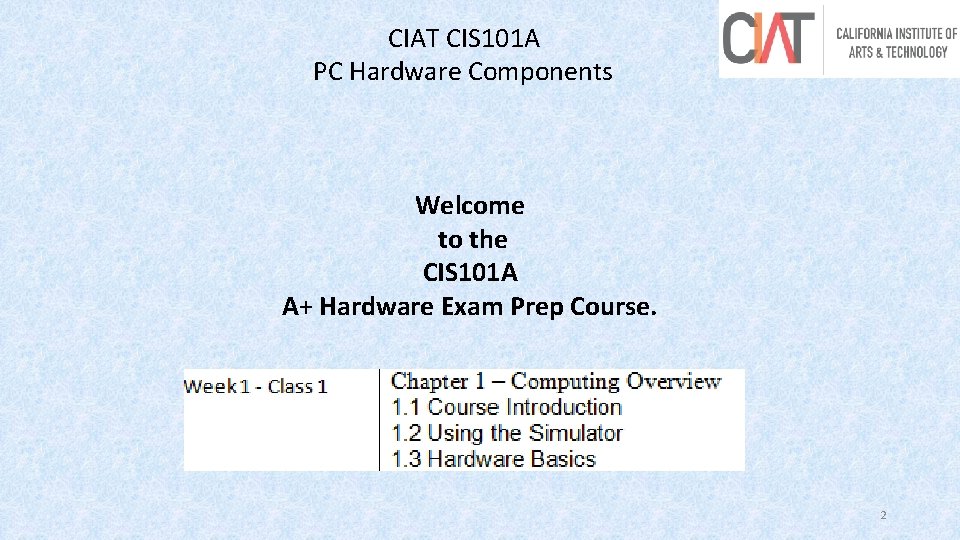
CIAT CIS 101 A PC Hardware Components Welcome to the CIS 101 A A+ Hardware Exam Prep Course. 2
CIAT CIS 101 A PC Hardware Components Grading System for this Course Students are expected to complete all assigned labs from Canvas. Student must also complete assigned quizzes from Canvas. Quizzes and Labs may be re-taken until student is satisfied with his/her score. A final exam, however, is given on week 4 that cannot be re-taken. Scores from the labs, quizzes and final make up student’s grade. Week 5, Capstone Week is used for Certification Exam Review 3
CIAT CIS 101 A PC Hardware Components E-Mail: mail. ciat. edu rdelrosario@ciat. edu Welcome 2 CIAT www. CIAT. edu Canvas https: //calarttech. instructure. com/login/saml/5 Test Out 4
CIAT CIS 101 A PC Hardware Components Hardware Keyboard, Mouse, Monitor, Printers Connectors and Cables, Hard Disk Drives, Optical Drives Circuit Cards Software Operating Systems Program Applications Hardware Drivers (one needed for every I/O device) Firmware A special type of software embedded in read-only memory. An example is the firmware in a BIOS chip. 5
CIAT CIS 101 A PC Hardware Components Computer hardware and function performed: Input: Standard Input Devices Mouse, Keyboard, Touchscreen Gaming Input Devices Game Controller, Joystick Media Input Devices Scanner, Digital Camera, Webcam, Camcorder Audio Input Devices Microphone, MIDI Controller 6
CIAT CIS 101 A PC Hardware Components Computer hardware and function performed: Processing: CPU (Central Processing Unit) RAM (Random Access Memory) Storage: Hard Disk Drives Solid-state Drives Optical Drives (CD-ROM, DVD-ROM, and Blu-Ray) Flash Drives 7
CIAT CIS 101 A PC Hardware Components Computer hardware and function performed: Output: Video Audio Printing Networking and Communications: Connecting Media Copper cables Radio Signals Connection Devices Routers Switches 8
CIAT CIS 101 A PC Hardware Components Computer hardware components use modular design: Componentization: Each part is considered a FRU (Field Replaceable Unit) A part can be easily replaced or upgraded Helps keep costs low Standardization: Allows components from different manufacturers If a component meets the standard it is interchangeable. 9
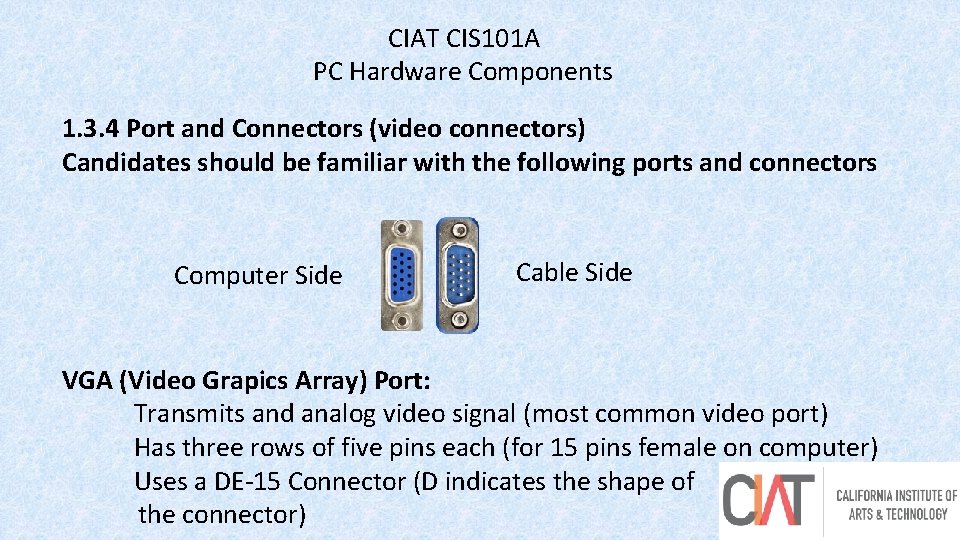
CIAT CIS 101 A PC Hardware Components 1. 3. 4 Port and Connectors (video connectors) Candidates should be familiar with the following ports and connectors Computer Side Cable Side VGA (Video Grapics Array) Port: Transmits and analog video signal (most common video port) Has three rows of five pins each (for 15 pins female on computer) Uses a DE-15 Connector (D indicates the shape of 10 the connector)
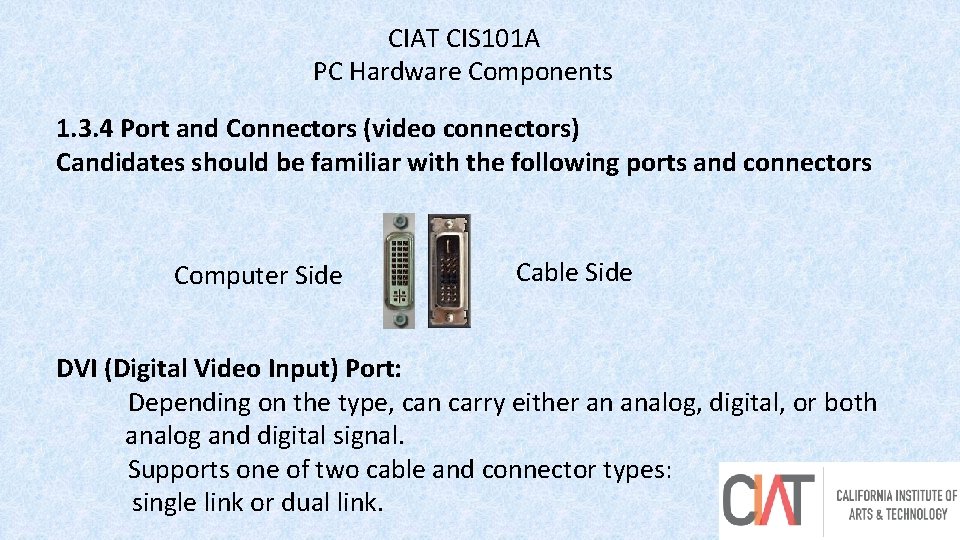
CIAT CIS 101 A PC Hardware Components 1. 3. 4 Port and Connectors (video connectors) Candidates should be familiar with the following ports and connectors Computer Side Cable Side DVI (Digital Video Input) Port: Depending on the type, can carry either an analog, digital, or both analog and digital signal. Supports one of two cable and connector types: single link or dual link. 11
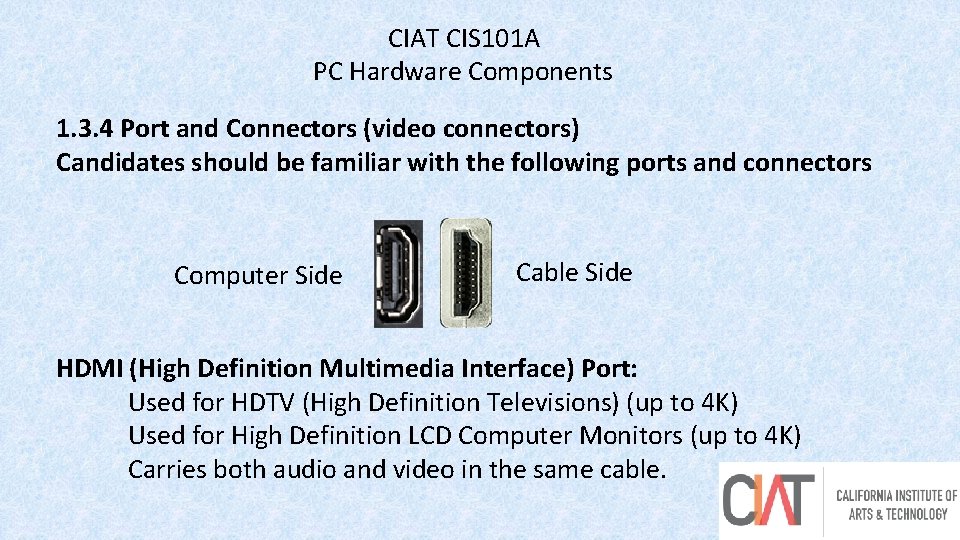
CIAT CIS 101 A PC Hardware Components 1. 3. 4 Port and Connectors (video connectors) Candidates should be familiar with the following ports and connectors Computer Side Cable Side HDMI (High Definition Multimedia Interface) Port: Used for HDTV (High Definition Televisions) (up to 4 K) Used for High Definition LCD Computer Monitors (up to 4 K) Carries both audio and video in the same cable. 12
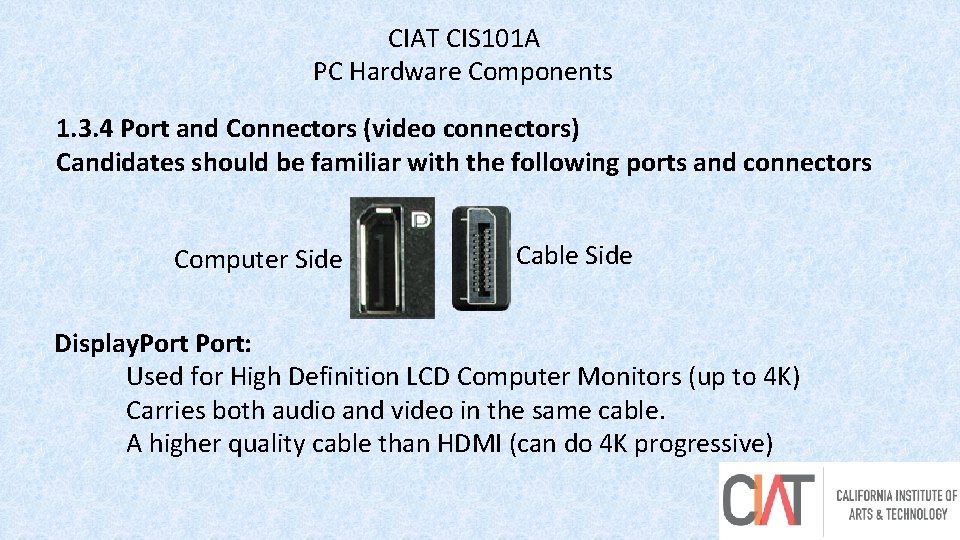
CIAT CIS 101 A PC Hardware Components 1. 3. 4 Port and Connectors (video connectors) Candidates should be familiar with the following ports and connectors Computer Side Cable Side Display. Port: Used for High Definition LCD Computer Monitors (up to 4 K) Carries both audio and video in the same cable. A higher quality cable than HDMI (can do 4 K progressive) 13
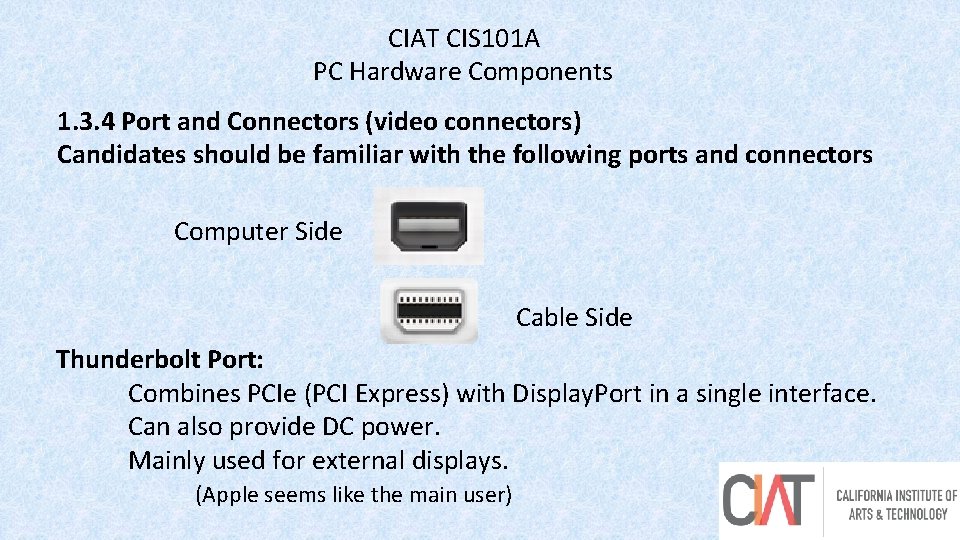
CIAT CIS 101 A PC Hardware Components 1. 3. 4 Port and Connectors (video connectors) Candidates should be familiar with the following ports and connectors Computer Side Cable Side Thunderbolt Port: Combines PCIe (PCI Express) with Display. Port in a single interface. Can also provide DC power. Mainly used for external displays. (Apple seems like the main user) 14
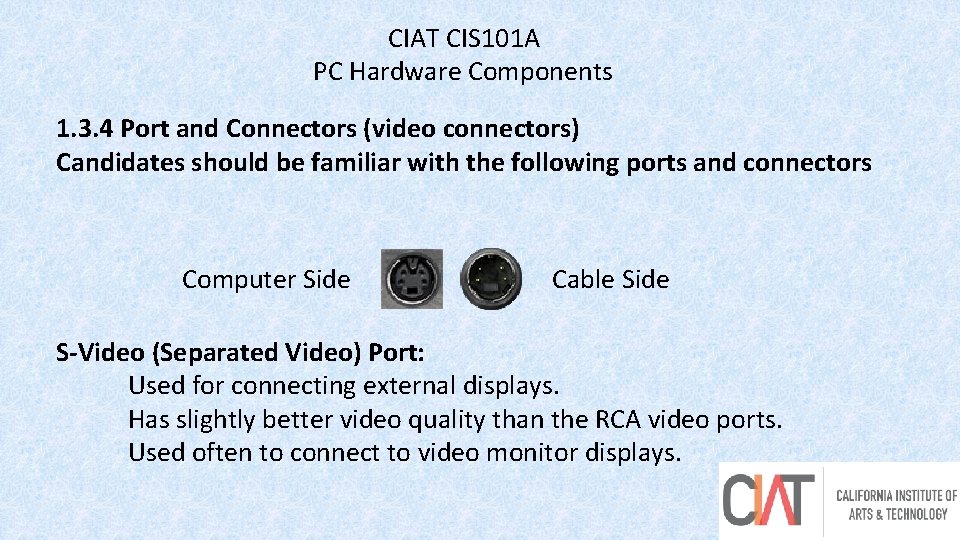
CIAT CIS 101 A PC Hardware Components 1. 3. 4 Port and Connectors (video connectors) Candidates should be familiar with the following ports and connectors Computer Side Cable Side S-Video (Separated Video) Port: Used for connecting external displays. Has slightly better video quality than the RCA video ports. Used often to connect to video monitor displays. 15
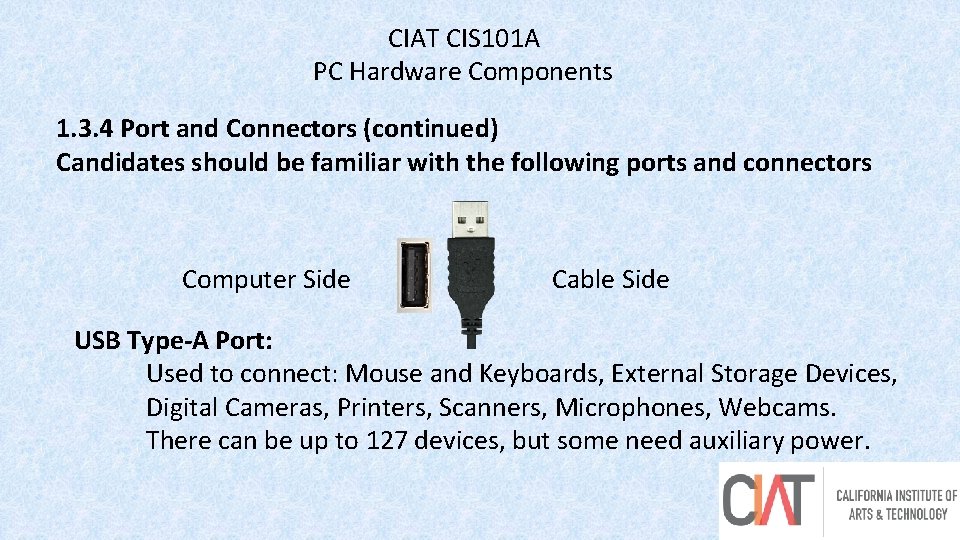
CIAT CIS 101 A PC Hardware Components 1. 3. 4 Port and Connectors (continued) Candidates should be familiar with the following ports and connectors Computer Side Cable Side USB Type-A Port: Used to connect: Mouse and Keyboards, External Storage Devices, Digital Cameras, Printers, Scanners, Microphones, Webcams. There can be up to 127 devices, but some need auxiliary power. 16
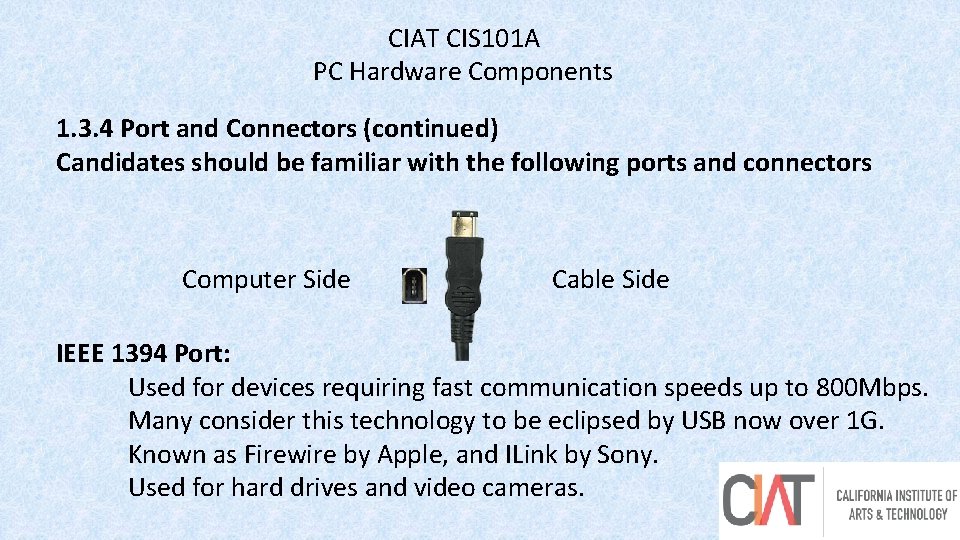
CIAT CIS 101 A PC Hardware Components 1. 3. 4 Port and Connectors (continued) Candidates should be familiar with the following ports and connectors Computer Side Cable Side IEEE 1394 Port: Used for devices requiring fast communication speeds up to 800 Mbps. Many consider this technology to be eclipsed by USB now over 1 G. Known as Firewire by Apple, and ILink by Sony. Used for hard drives and video cameras. 17
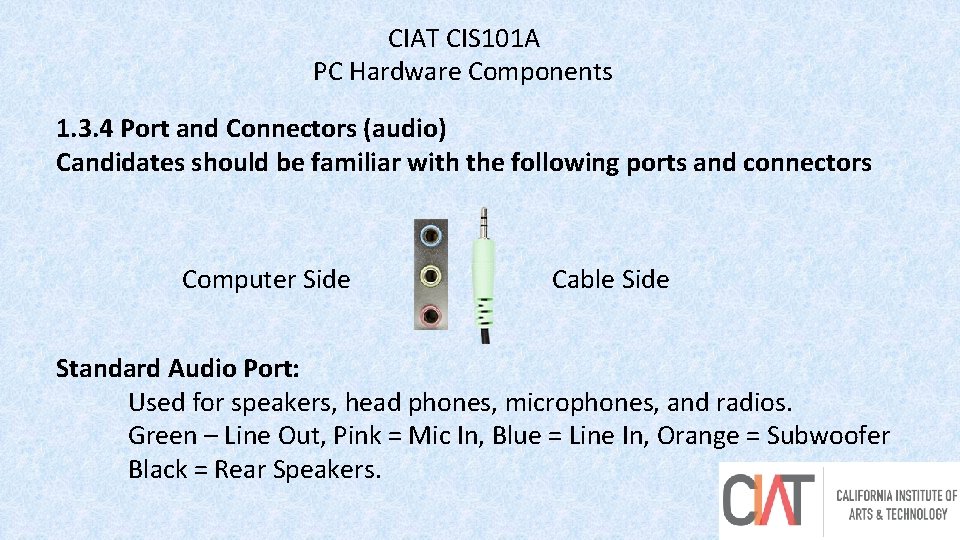
CIAT CIS 101 A PC Hardware Components 1. 3. 4 Port and Connectors (audio) Candidates should be familiar with the following ports and connectors Computer Side Cable Side Standard Audio Port: Used for speakers, head phones, microphones, and radios. Green – Line Out, Pink = Mic In, Blue = Line In, Orange = Subwoofer Black = Rear Speakers. 18
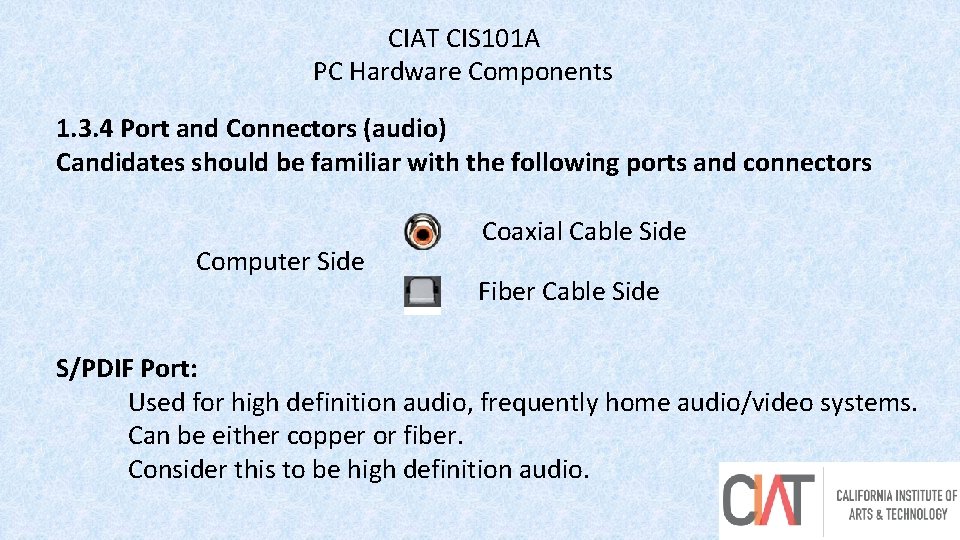
CIAT CIS 101 A PC Hardware Components 1. 3. 4 Port and Connectors (audio) Candidates should be familiar with the following ports and connectors Computer Side Coaxial Cable Side Fiber Cable Side S/PDIF Port: Used for high definition audio, frequently home audio/video systems. Can be either copper or fiber. Consider this to be high definition audio. 19
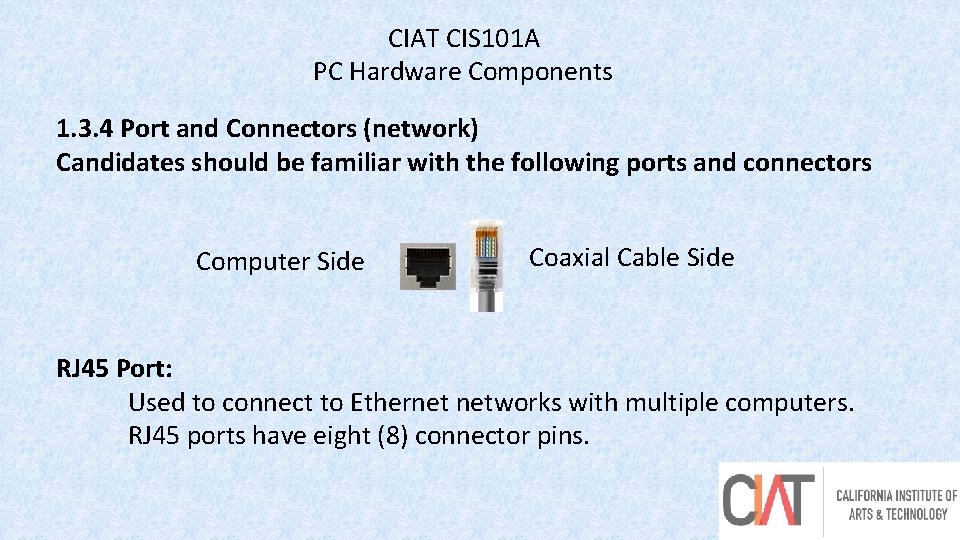
CIAT CIS 101 A PC Hardware Components 1. 3. 4 Port and Connectors (network) Candidates should be familiar with the following ports and connectors Computer Side Coaxial Cable Side RJ 45 Port: Used to connect to Ethernet networks with multiple computers. RJ 45 ports have eight (8) connector pins. 20
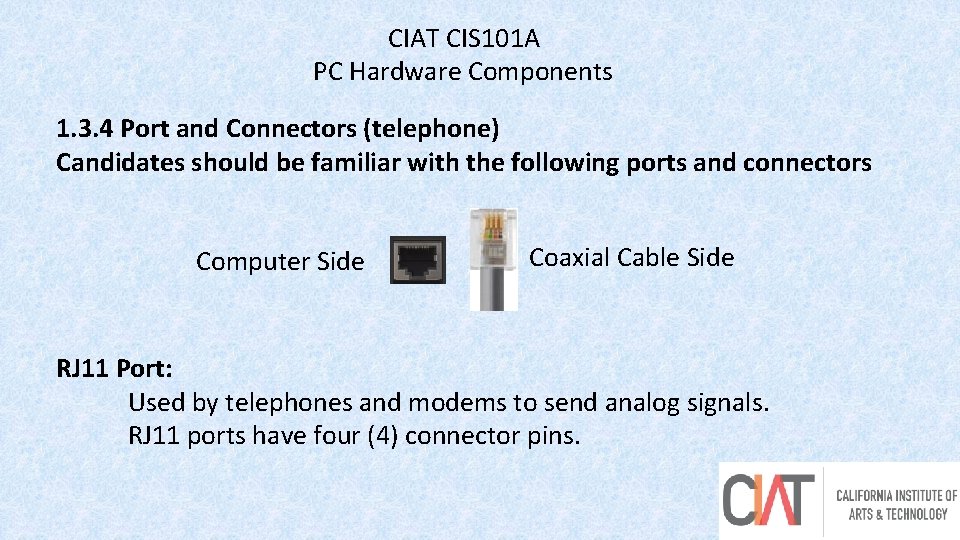
CIAT CIS 101 A PC Hardware Components 1. 3. 4 Port and Connectors (telephone) Candidates should be familiar with the following ports and connectors Computer Side Coaxial Cable Side RJ 11 Port: Used by telephones and modems to send analog signals. RJ 11 ports have four (4) connector pins. 21
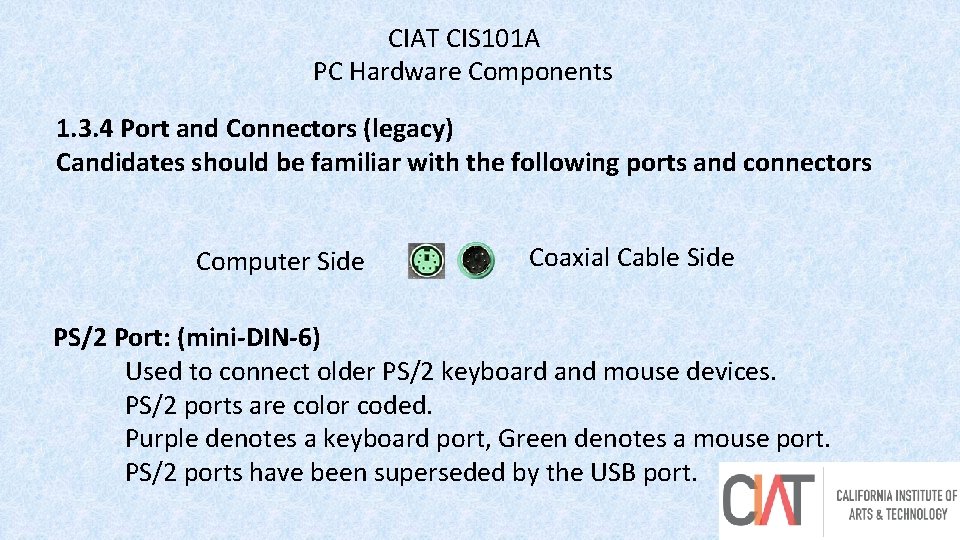
CIAT CIS 101 A PC Hardware Components 1. 3. 4 Port and Connectors (legacy) Candidates should be familiar with the following ports and connectors Computer Side Coaxial Cable Side PS/2 Port: (mini-DIN-6) Used to connect older PS/2 keyboard and mouse devices. PS/2 ports are color coded. Purple denotes a keyboard port, Green denotes a mouse port. PS/2 ports have been superseded by the USB port. 22
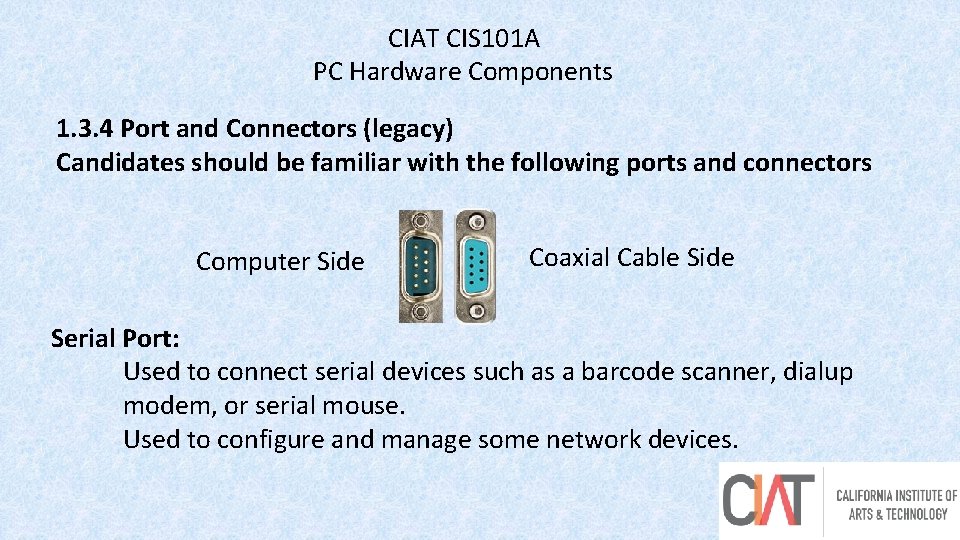
CIAT CIS 101 A PC Hardware Components 1. 3. 4 Port and Connectors (legacy) Candidates should be familiar with the following ports and connectors Computer Side Coaxial Cable Side Serial Port: Used to connect serial devices such as a barcode scanner, dialup modem, or serial mouse. Used to configure and manage some network devices. 23
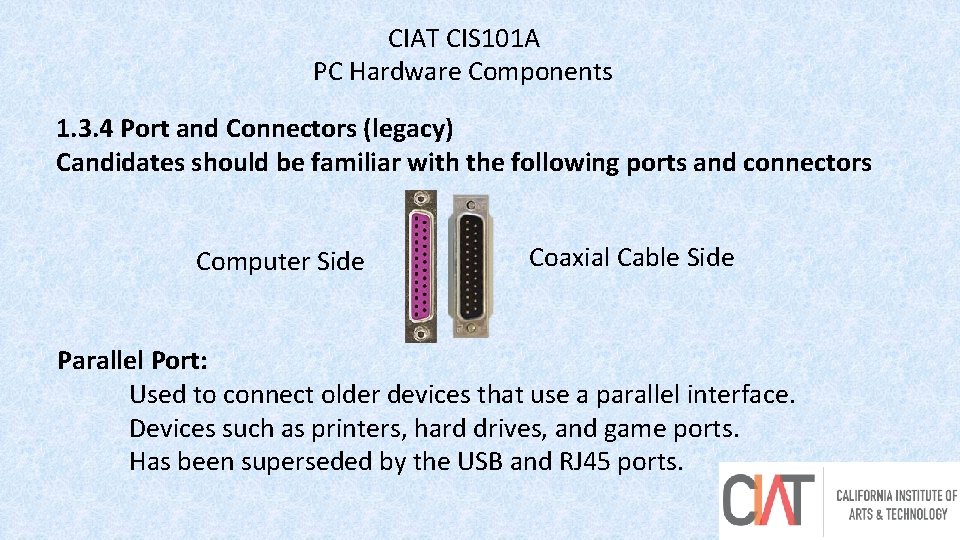
CIAT CIS 101 A PC Hardware Components 1. 3. 4 Port and Connectors (legacy) Candidates should be familiar with the following ports and connectors Computer Side Coaxial Cable Side Parallel Port: Used to connect older devices that use a parallel interface. Devices such as printers, hard drives, and game ports. Has been superseded by the USB and RJ 45 ports. 24
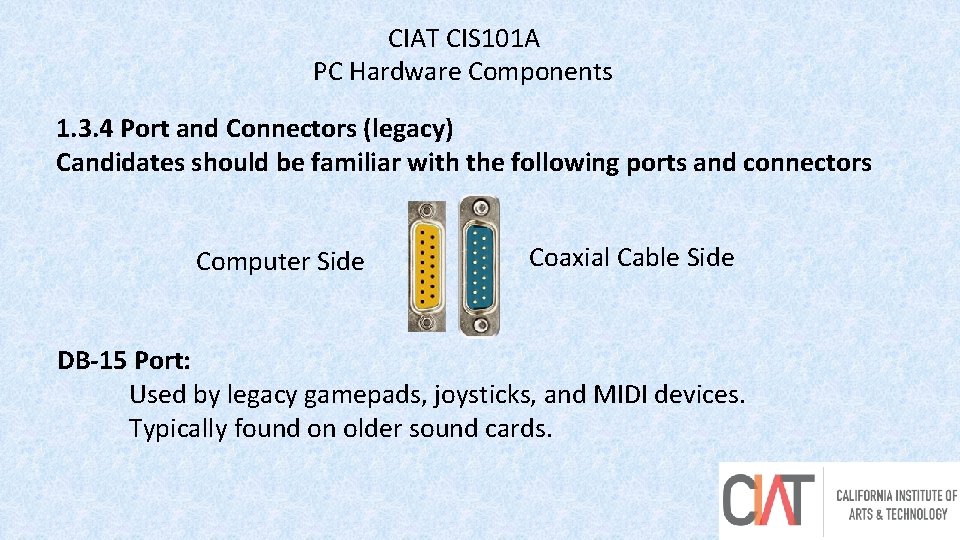
CIAT CIS 101 A PC Hardware Components 1. 3. 4 Port and Connectors (legacy) Candidates should be familiar with the following ports and connectors Computer Side Coaxial Cable Side DB-15 Port: Used by legacy gamepads, joysticks, and MIDI devices. Typically found on older sound cards. 25
CIAT CIS 101 A PC Software Components 1. 4. 2 Windows Operating System Tasks o Receiving user input from hardware devices such as keyboards or mouse. o Sending user output to output hardware devices such as the monitor or a printer o Controlling the use of processing devices by applications o Serving as a platform for applications o Moderating hardware o Providing security o Managing the file system 26
CIAT CIS 101 A PC Software Components The parts of an operating system include: Kernel: The kernel is the core of the operating system that is loaded into memory when the system boots up. It is responsible for controlling security, managing the file system, and providing a platform for applications to run on. The user rarely interacts directly with the kernel. Driver: A driver is a type of computer program that enables the operating system to interact with hardware devices. 27
CIAT CIS 101 A PC Software Components The parts of an operating system include: Interface: An interface is what allows the user to interact with the kernel and the utilities. There are two main types of interfaces: o In command line interfaces, commands are executed through instructions written into a command line. Examples of command linebased interfaces are MS-DOS and aspects of Linux. o In a Graphical User Interface (GUI), the user executes commands by clicking on graphics and symbols. Windows is an example of graphical user interface. 28
CIAT CIS 101 A PC Software Components The parts of an operating system include: Utilities are the features or programs included with an operating system that perform system-related tasks. Common Windows utilities are My Computer, Control Panel, and This PC. Common Linux utilities are cd, cp, grep, and Is. Application: An application is a subclass computer program that is designed for end users. Examples are database, spreadsheet, and word processing programs. Applications frequently come in suites. 29
CIAT CIS 101 A PC Software Components In this course you will learn about the following operating systems: Windows 7 Windows 8. x Windows 10 Mac 30
CIAT CIS 101 A PC Software Components End of Lesson 48