
Chronux Tutorial Part I Hemant Bokil Cold Spring
Chronux Tutorial: Part I Hemant Bokil Cold Spring Harbor Laboratory
People Hemant Bokil Catherine Loader Partha Mitra Peter Andrews Contributors Dan Hill Chris Fall Samar Mehta Hirak Parikh Andrew Sornborger
Outline § Introduction to Chronux ► Aim ► Website ● Download ● Documentation ► Key functions § Analysis of LIP data - Example 2 of the previous talk : rates, spike and LFP spectra and coherences, coherences between cells § Analysis protocol § F-test for line noise

Chronux: Aim To provide a comprehensive set of tools for the analysis of neurobiological time series data
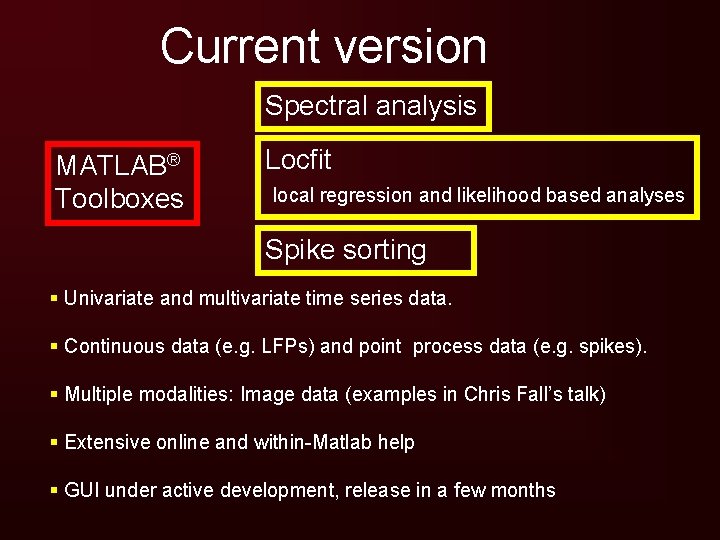
Current version Spectral analysis MATLAB® Toolboxes Locfit local regression and likelihood based analyses Spike sorting § Univariate and multivariate time series data. § Continuous data (e. g. LFPs) and point process data (e. g. spikes). § Multiple modalities: Image data (examples in Chris Fall’s talk) § Extensive online and within-Matlab help § GUI under active development, release in a few months
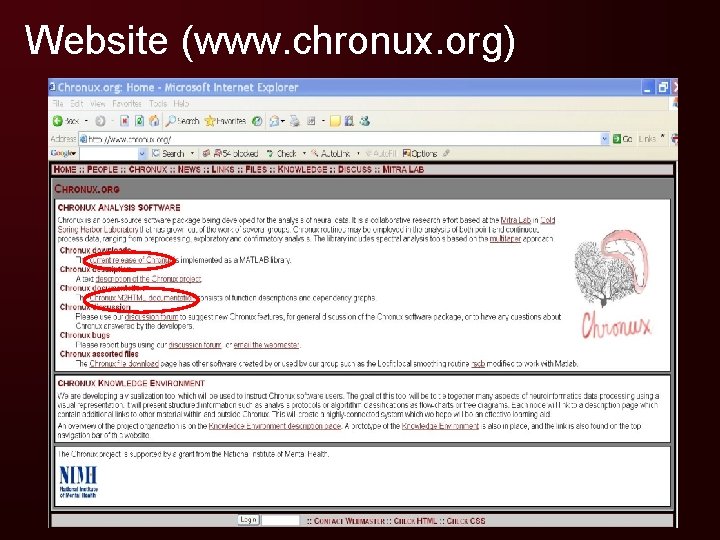
Website (www. chronux. org)

Documentation
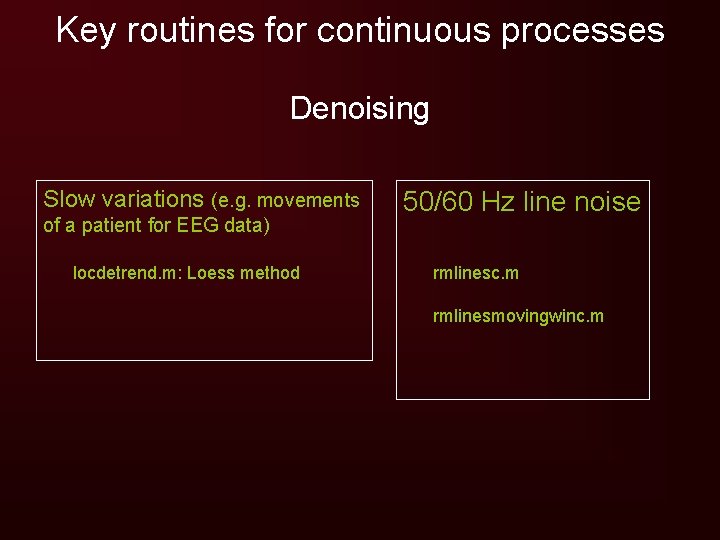
Key routines for continuous processes Denoising Slow variations (e. g. movements of a patient for EEG data) locdetrend. m: Loess method 50/60 Hz line noise rmlinesc. m rmlinesmovingwinc. m
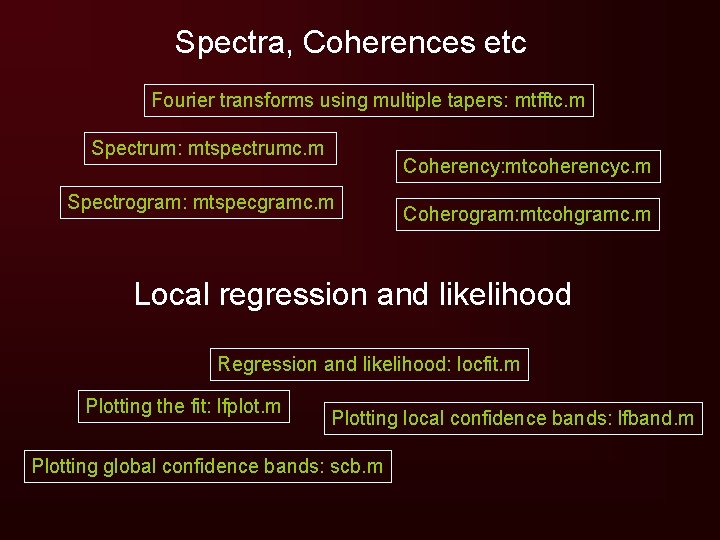
Spectra, Coherences etc Fourier transforms using multiple tapers: mtfftc. m Spectrum: mtspectrumc. m Coherency: mtcoherencyc. m Spectrogram: mtspecgramc. m Coherogram: mtcohgramc. m Local regression and likelihood Regression and likelihood: locfit. m Plotting the fit: lfplot. m Plotting local confidence bands: lfband. m Plotting global confidence bands: scb. m
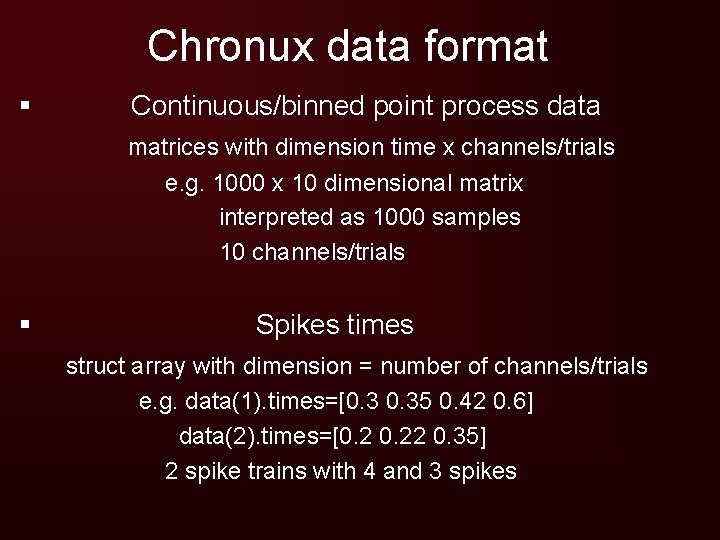
Chronux data format § Continuous/binned point process data matrices with dimension time x channels/trials e. g. 1000 x 10 dimensional matrix interpreted as 1000 samples 10 channels/trials § Spikes times struct array with dimension = number of channels/trials e. g. data(1). times=[0. 35 0. 42 0. 6] data(2). times=[0. 22 0. 35] 2 spike trains with 4 and 3 spikes
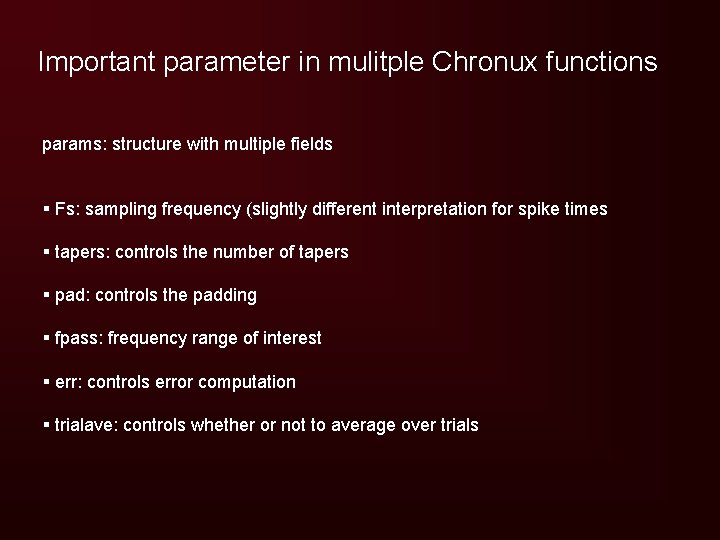
Important parameter in mulitple Chronux functions params: structure with multiple fields § Fs: sampling frequency (slightly different interpretation for spike times § tapers: controls the number of tapers § pad: controls the padding § fpass: frequency range of interest § err: controls error computation § trialave: controls whether or not to average over trials
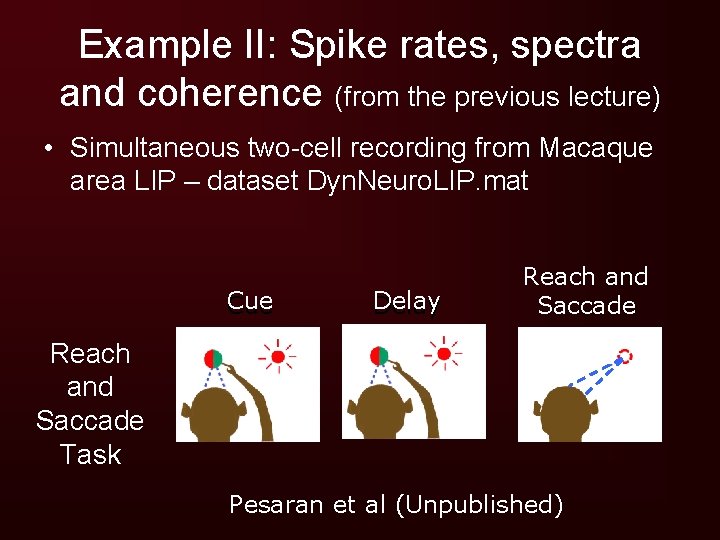
Example II: Spike rates, spectra and coherence (from the previous lecture) • Simultaneous two-cell recording from Macaque area LIP – dataset Dyn. Neuro. LIP. mat Cue Delay Reach and Saccade Task Pesaran et al (Unpublished)
Example II 3 local field potentials (LFP) and 2 single units, LFP sampled at 1 k. Hz § Trial: 3 seconds of data for 9 trials to one of the directions: 1 s (Baseline), 2 s (Delay + post movement) § Baseline: 1 second of data for 74 trials (pooled across all directions)
Tasks Compute the following for the Memory trials § Spike rates § LFP and spike spectra § Spike-field coherence § Spike-Spike coherence Compare spike-spike coherence during the memory period and the baseline period.
The main script for this tutorial lip_master_script. m Calls other scripts to run through the various analyses
The main script for this tutorial lip_master_script. m Calls other scripts to run through the various analyses
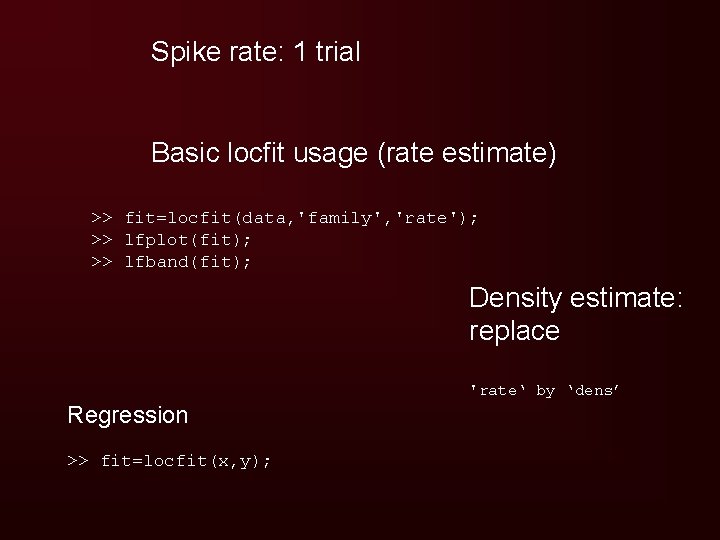
Spike rate: 1 trial Basic locfit usage (rate estimate) >> fit=locfit(data, 'family', 'rate'); >> lfplot(fit); >> lfband(fit); Density estimate: replace 'rate‘ by ‘dens’ Regression >> fit=locfit(x, y);
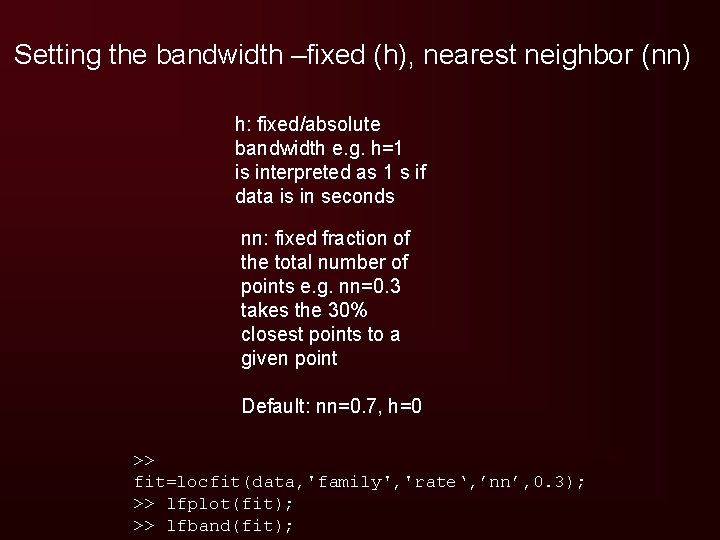
Setting the bandwidth –fixed (h), nearest neighbor (nn) h: fixed/absolute bandwidth e. g. h=1 is interpreted as 1 s if data is in seconds nn: fixed fraction of the total number of points e. g. nn=0. 3 takes the 30% closest points to a given point Default: nn=0. 7, h=0 >> fit=locfit(data, 'family', 'rate‘, ’nn’, 0. 3); >> lfplot(fit); >> lfband(fit);
Multiple trials pool the spikes and compute fit rescale fits and confidence intervals
![LFP spectrum : mtspectrumc. m >>[S, f]=mtspectrumc(data); >> plot(f, 10*log 10(S)) S: spectrum f:](http://slidetodoc.com/presentation_image/3631ac9cd2f8c0abbc7fe5e29e7c7f8b/image-20.jpg "LFP spectrum : mtspectrumc. m >>[S, f]=mtspectrumc(data); >> plot(f, 10*log 10(S)) S: spectrum f:")
LFP spectrum : mtspectrumc. m >>[S, f]=mtspectrumc(data); >> plot(f, 10*log 10(S)) S: spectrum f: frequency
![Sampling frequency Set params. Fs >>params. Fs=1000; >>[S, f]=mtspectrumc(data, params); Default = 1 >>](http://slidetodoc.com/presentation_image/3631ac9cd2f8c0abbc7fe5e29e7c7f8b/image-21.jpg "Sampling frequency Set params. Fs >>params. Fs=1000; >>[S, f]=mtspectrumc(data, params); Default = 1 >>")
Sampling frequency Set params. Fs >>params. Fs=1000; >>[S, f]=mtspectrumc(data, params); Default = 1 >> plot_vector(S, f); plot_vector: Allows plotting errors and choice of color and scale (default: log scale for S) >> plot_vector(S, f, ’n’); %Uses linear scale for S
![Restricting frequencies of interest Set params. fpass Default = [0 params. Fs/2] >>params. Fs=1000;](http://slidetodoc.com/presentation_image/3631ac9cd2f8c0abbc7fe5e29e7c7f8b/image-22.jpg "Restricting frequencies of interest Set params. fpass Default = [0 params. Fs/2] >>params. Fs=1000;")
Restricting frequencies of interest Set params. fpass Default = [0 params. Fs/2] >>params. Fs=1000; >>params. fpass=[0 100]; >>[S, f]=mtspectrumc(data, params); >> plot_vector(S, f)
Changing the padding Set params. pad Default=0 Allowed values: -1 0 1 2. . . For N=500, NFFT: 500 512 1024 2048 … Default: 0 >> params. pad=2; >>[S, f]=mtspectrumc(data, params); >> plot_vector(S, f)
![Smoothing (changing the bandwidth) Set params. tapers : of the form [TW K] Default](http://slidetodoc.com/presentation_image/3631ac9cd2f8c0abbc7fe5e29e7c7f8b/image-24.jpg "Smoothing (changing the bandwidth) Set params. tapers : of the form [TW K] Default")
Smoothing (changing the bandwidth) Set params. tapers : of the form [TW K] Default = [3 5] § TW: time-bandwidth product § K<2 TW: well concentrated Slepian sequences >>params. tapers=[5 9]; >>[S, f]=mtspectrumc(data, params); >> plot_vector(S, f, [], ’r’)
![Averaging over trials Set params. trialave=1 >> params. trialave=1; >>[S, f]=mtspectrumc(data, params); >> plot_vector(S,](http://slidetodoc.com/presentation_image/3631ac9cd2f8c0abbc7fe5e29e7c7f8b/image-25.jpg "Averaging over trials Set params. trialave=1 >> params. trialave=1; >>[S, f]=mtspectrumc(data, params); >> plot_vector(S,")
Averaging over trials Set params. trialave=1 >> params. trialave=1; >>[S, f]=mtspectrumc(data, params); >> plot_vector(S, f) Note: computing the spectrum separately for each trial and averaging will work for the spectrum, but not for the Jackknife error bars
![Errors params. err = [1 p]: Set params. err=[2 p]: Jackknife Serr: (1 -p)%](http://slidetodoc.com/presentation_image/3631ac9cd2f8c0abbc7fe5e29e7c7f8b/image-26.jpg "Errors params. err = [1 p]: Set params. err=[2 p]: Jackknife Serr: (1 -p)%")
Errors params. err = [1 p]: Set params. err=[2 p]: Jackknife Serr: (1 -p)% confidence interval of S >>p=0. 05; >>params. err=[1 p]; >>[S, f, Serr]=mtspectrumc(data, params); >>plot_vector(S, f, [], Serr); >> hold on >>p=0. 05; >>params. err=[2 p]; >>[S, f, Serr]=mtspectrumc(data, params); >>plot(f, 10*log 10(Serr(1, : )), ’r’); >>plot(f, 10*log 10(Serr(2, : )), ’r’);
![Spike spectrum mtspectrumpt. m >>params. err=[1 p]; >>[S, f, R, Serr]=mtspectrumpt(data, params);](http://slidetodoc.com/presentation_image/3631ac9cd2f8c0abbc7fe5e29e7c7f8b/image-27.jpg "Spike spectrum mtspectrumpt. m >>params. err=[1 p]; >>[S, f, R, Serr]=mtspectrumpt(data, params);")
Spike spectrum mtspectrumpt. m >>params. err=[1 p]; >>[S, f, R, Serr]=mtspectrumpt(data, params);
Spectrogram: mtspecgramc Set duration and step size of moving window: movingwin >> movingwin=[0. 5 0. 05]; >> [S, t, f]=mtspecgramc(data, movingwin, params);
![Spike spectrogram mtspecgrampt. m >>[S, t, f, R]=mtspecgrampt(data, movingwin, params) ;](http://slidetodoc.com/presentation_image/3631ac9cd2f8c0abbc7fe5e29e7c7f8b/image-29.jpg "Spike spectrogram mtspecgrampt. m >>[S, t, f, R]=mtspecgrampt(data, movingwin, params) ;")
Spike spectrogram mtspecgrampt. m >>[S, t, f, R]=mtspecgrampt(data, movingwin, params) ;
![Coherence between LFP and spikes coherencycpt. m >>params. err=[1 p]; >>[C, phi, S 12,](http://slidetodoc.com/presentation_image/3631ac9cd2f8c0abbc7fe5e29e7c7f8b/image-30.jpg "Coherence between LFP and spikes coherencycpt. m >>params. err=[1 p]; >>[C, phi, S 12,")
Coherence between LFP and spikes coherencycpt. m >>params. err=[1 p]; >>[C, phi, S 12, S 1, S 2, f, zerosp, conf. C, phistd]=coherencycpt(datalfp, datasp, params); C: coherence Phi: phase conf. C: Probability(C>conf. C)=p phistd: asymptotic standard deviation of phase
![Coherence between cells coherencypt. m >> params. err=[2 p]; >> [C, phi, S 12,](http://slidetodoc.com/presentation_image/3631ac9cd2f8c0abbc7fe5e29e7c7f8b/image-31.jpg "Coherence between cells coherencypt. m >> params. err=[2 p]; >> [C, phi, S 12,")
Coherence between cells coherencypt. m >> params. err=[2 p]; >> [C, phi, S 12, S 1, S 2, f, zerosp, conf. C, phistd, Cerr]=coherencypt(datasp 1, … datasp 2, params); Phistd: Jackknifed standard deviation of the phase Cerr: (1 -p)% confidence intervals for C
Comparison of coherences and spectra • Two experimental conditions with unequal number of trials • Coherence and spectral estimates are biased and the bias depends on sample size • Would like a simple hypothesis test with a corresponding p value Bokil et al. , J Neurosci Methods. 2006 Aug 28

Comparison of coherences and spectra If z=tanh-1 (C) • E(z)=tanh-1(Cpop)+1/(2 m-2) • V(z)= ’(m) For two coherence estimates C 1, C 2 define test statistic Null hypothesis: C 1, pop=C 2, pop z~N(0, 1) Bokil et al. , J Neurosci Methods. 2006 Aug 28
![Chronux code for comparing coherences [dz, vdz, Adz]=two_group_test_coherence(J 1 c 1, J 2 c](http://slidetodoc.com/presentation_image/3631ac9cd2f8c0abbc7fe5e29e7c7f8b/image-34.jpg "Chronux code for comparing coherences [dz, vdz, Adz]=two_group_test_coherence(J 1 c 1, J 2 c")
Chronux code for comparing coherences [dz, vdz, Adz]=two_group_test_coherence(J 1 c 1, J 2 c 1, J 1 c 2, J 2 c 2, p, 'y', f); Fourier transforms Bokil et al, 2006
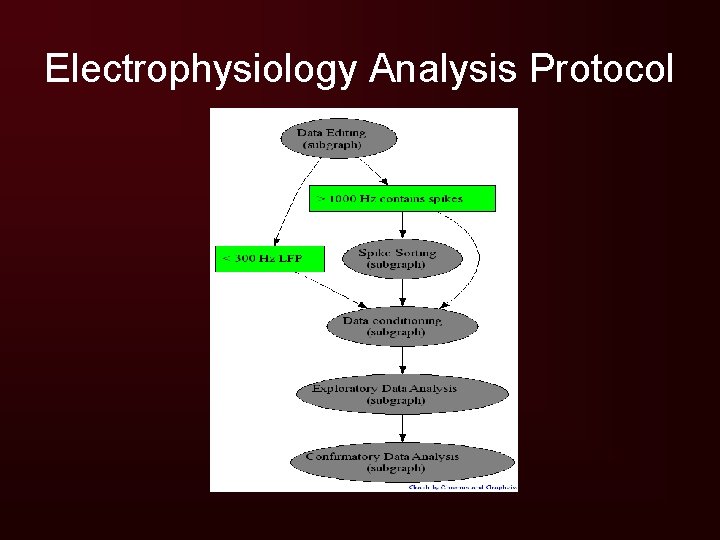
Electrophysiology Analysis Protocol
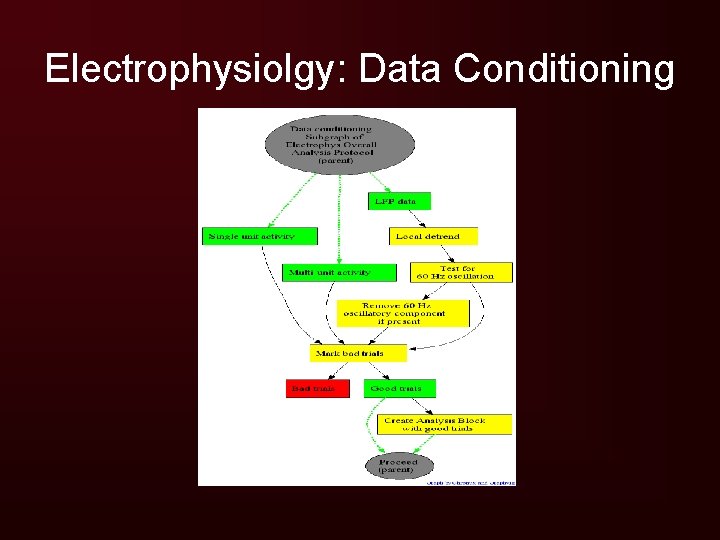
Electrophysiolgy: Data Conditioning
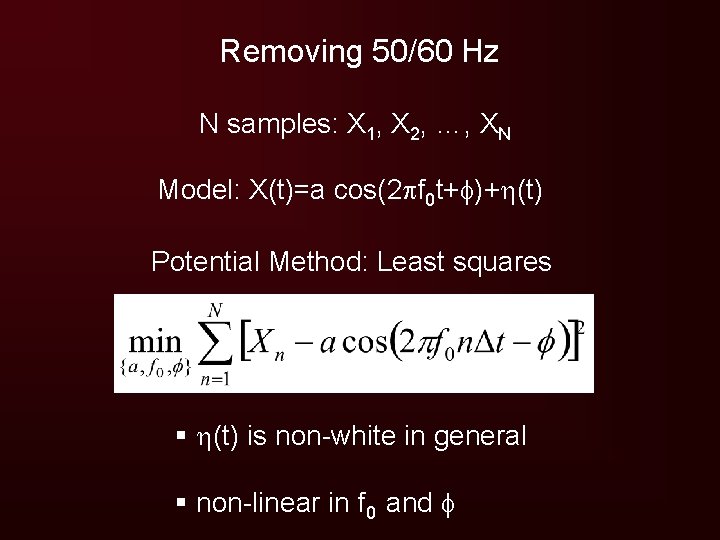
Removing 50/60 Hz N samples: X 1, X 2, …, XN Model: X(t)=a cos(2 f 0 t+ )+ (t) Potential Method: Least squares § (t) is non-white in general § non-linear in f 0 and
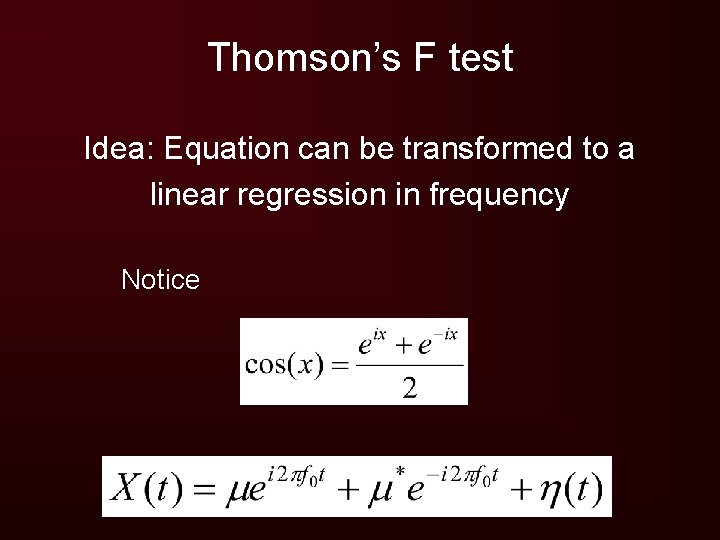
Thomson’s F test Idea: Equation can be transformed to a linear regression in frequency Notice
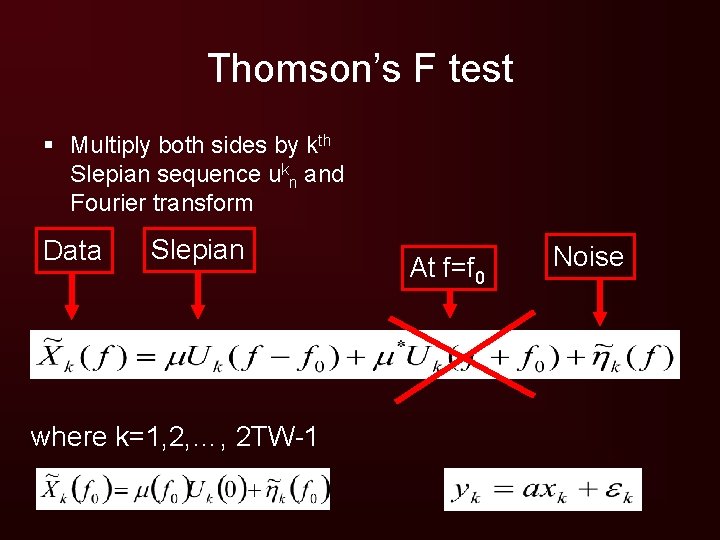
Thomson’s F test § Multiply both sides by kth Slepian sequence ukn and Fourier transform Data Slepian where k=1, 2, …, 2 TW-1 At f=f 0 Noise
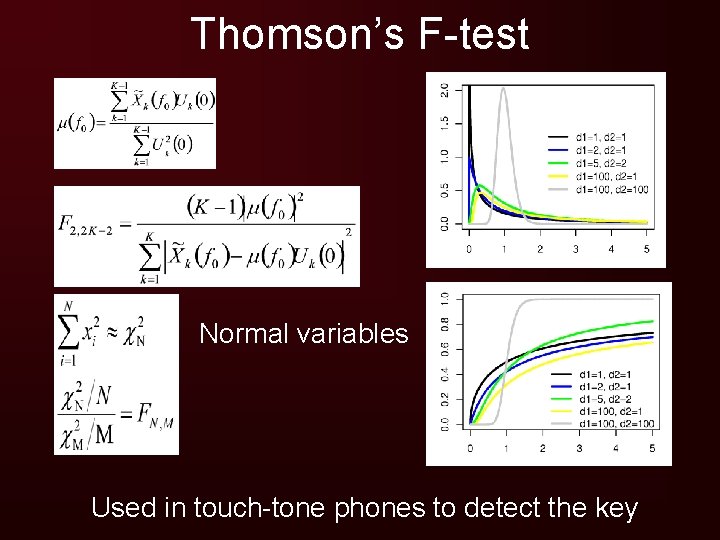
Thomson’s F-test Normal variables Used in touch-tone phones to detect the key
- Slides: 40