
Chart of Accounts Trainers Andrea Beechko Finance DW
Chart of Accounts Trainers: Andrea Beechko - Finance / DW Administrator - abeechko@csusb. edu Matias Farre - Asst. Director of Accounting – farrem@csusb. edu
Objectives 1. Identify and define elements of Chartfield strings 2. Understand the impact of chartfield strings on campus reporting and compliance 3. Present queries to aid in selecting Dept ID and Account chartfields

Chartfield string Our accounting information system uses a Chart of Accounts (COA). A COA is designed to: • Comply with external financial reporting requirements (Chancellor’s Office, GAAP, State, Federal Government, etc. ) • Improve access to financial info in support of faculty and staff • Provide flexibility for future growth • Make available information needed for benchmarking and decision making (IPEDS, Budget, Surveys, etc) In Peoplesoft, the Chart of Accounts is comprised of information fields that provide the basic structure to segregate and categorize transactional and budget data. Each informational field is called a "CHARTFIELD". Combining a series of chartfields makes up a Chartfield String. A Chartfield String is used to define, identify, categorize and sort transactions.
Chartfield – Business Unit • Business Units identify separate legal entities • Different “financial worlds” SBCMP: Campus SBFDN: University Enterprises Corporation SBPHL: Philanthropic Foundation SBASI: Associated Students Inc SBSUN: Santos Manuel Student Union
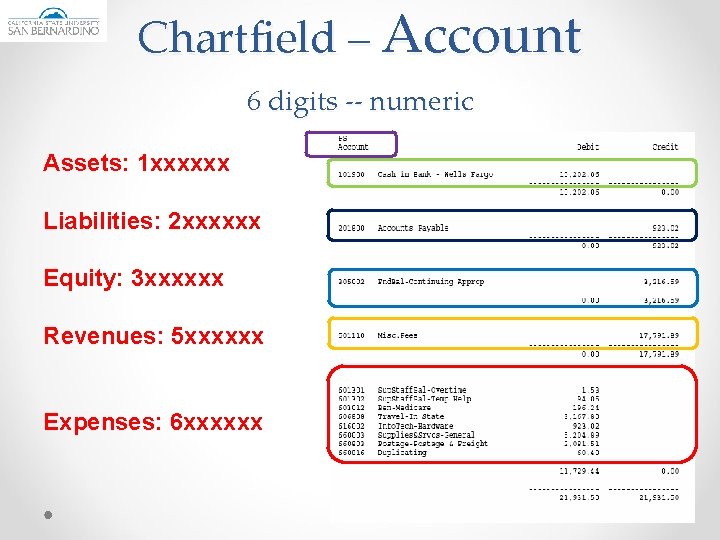
Chartfield – Account 6 digits -- numeric Assets: 1 xxxxxx Liabilities: 2 xxxxxx Equity: 3 xxxxxx Revenues: 5 xxxxxx Expenses: 6 xxxxxx
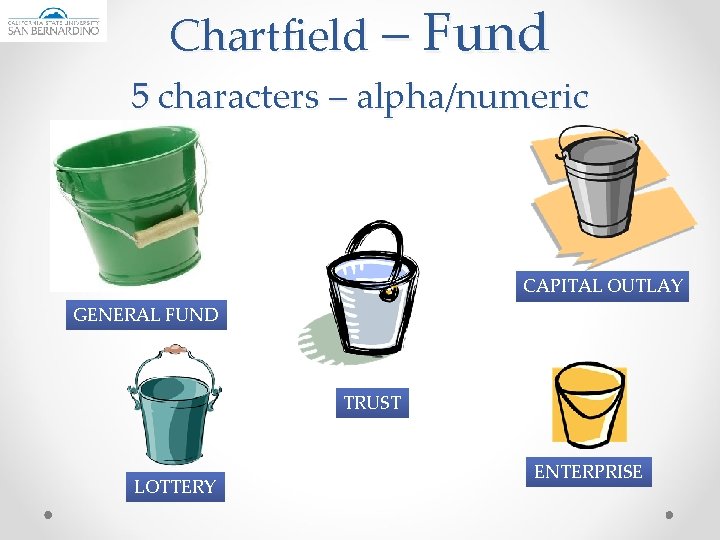
Chartfield – Fund 5 characters – alpha/numeric CAPITAL OUTLAY GENERAL FUND TRUST LOTTERY ENTERPRISE
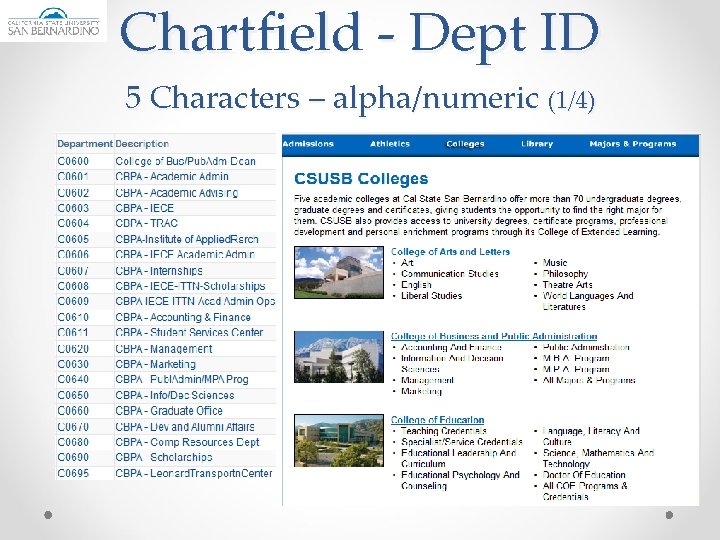
Chartfield - Dept ID 5 Characters – alpha/numeric (1/4)
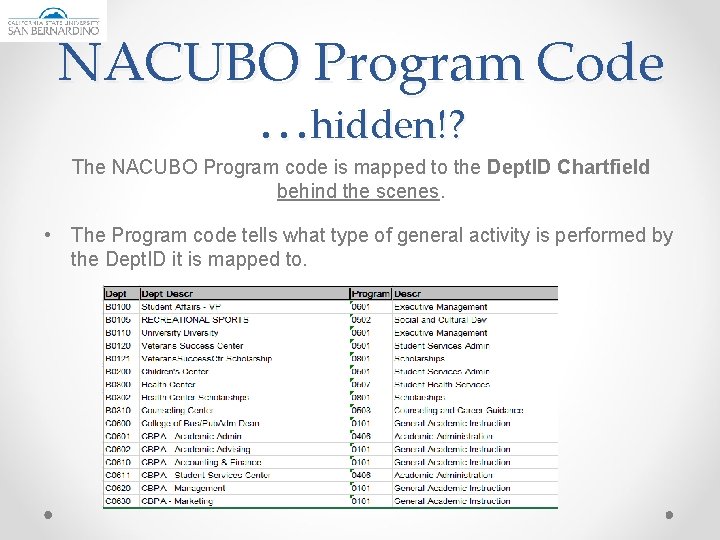
NACUBO Program Code …hidden!? The NACUBO Program code is mapped to the Dept. ID Chartfield behind the scenes. • The Program code tells what type of general activity is performed by the Dept. ID it is mapped to.
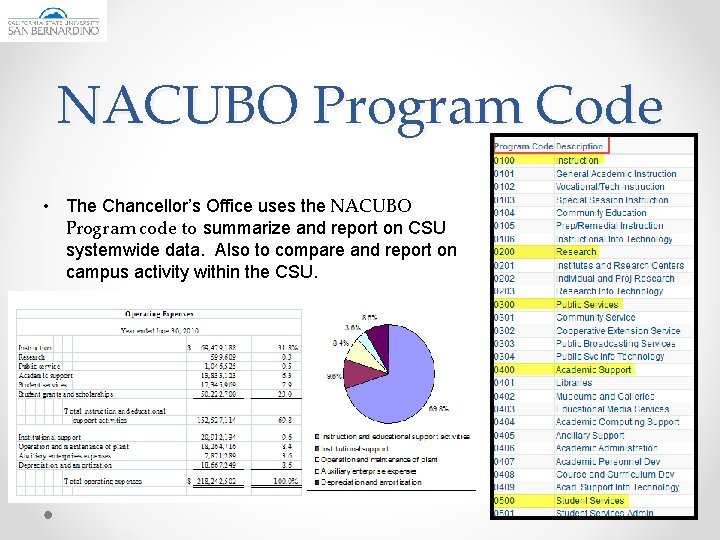
NACUBO Program Code • The Chancellor’s Office uses the NACUBO Program code to summarize and report on CSU systemwide data. Also to compare and report on campus activity within the CSU.
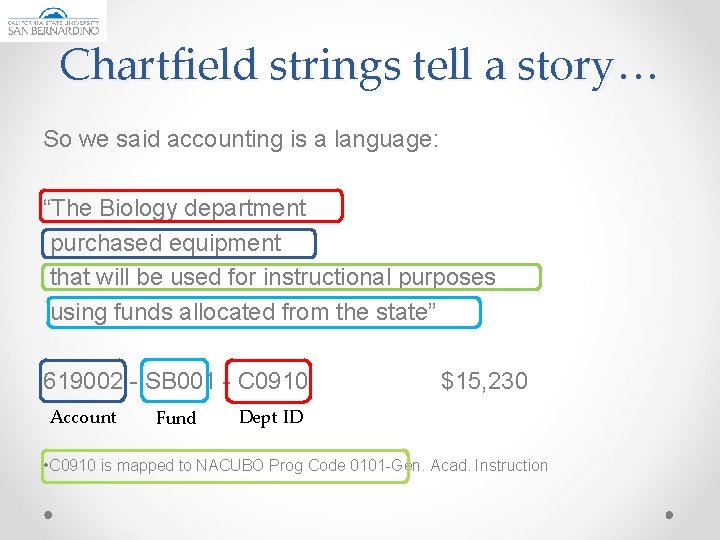
Chartfield strings tell a story… So we said accounting is a language: “The Biology department purchased equipment that will be used for instructional purposes using funds allocated from the state” 619002 - SB 001 - C 0910 Account Fund $15, 230 Dept ID • C 0910 is mapped to NACUBO Prog Code 0101 -Gen. Acad. Instruction
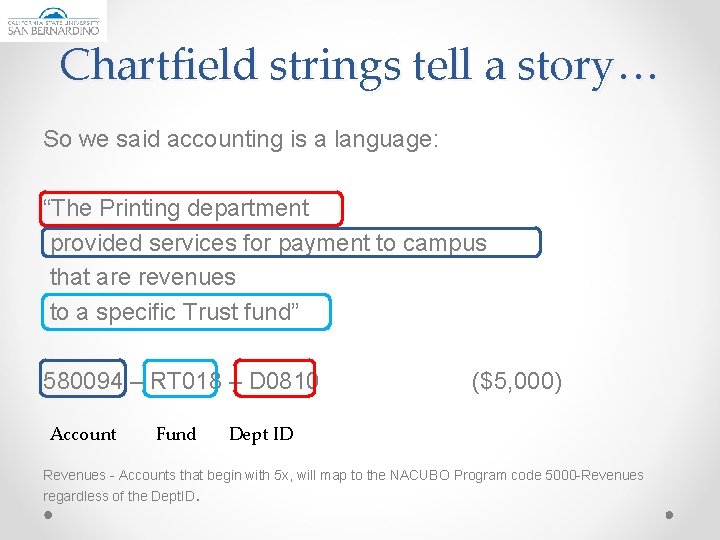
Chartfield strings tell a story… So we said accounting is a language: “The Printing department provided services for payment to campus that are revenues to a specific Trust fund” 580094 – RT 018 – D 0810 Account Fund ($5, 000) Dept ID Revenues - Accounts that begin with 5 x, will map to the NACUBO Program code 5000 -Revenues regardless of the Dept. ID.
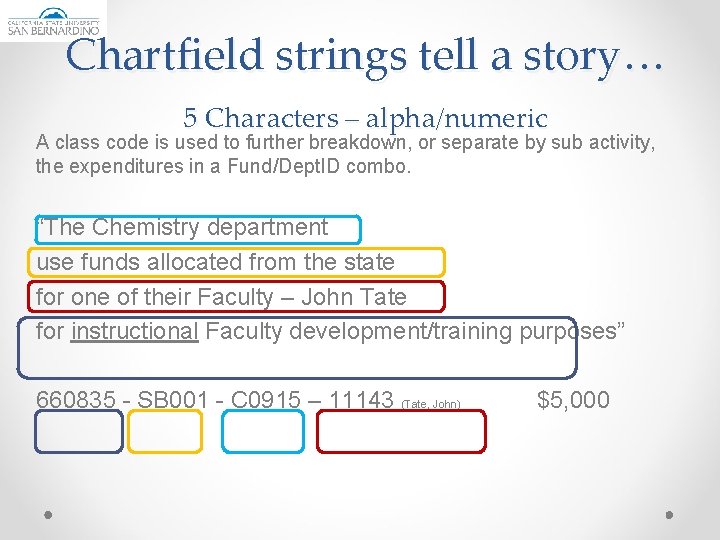
Chartfield strings tell a story… 5 Characters – alpha/numeric A class code is used to further breakdown, or separate by sub activity, the expenditures in a Fund/Dept. ID combo. “The Chemistry department use funds allocated from the state for one of their Faculty – John Tate for instructional Faculty development/training purposes” 660835 - SB 001 - C 0915 – 11143 (Tate, John) $5, 000
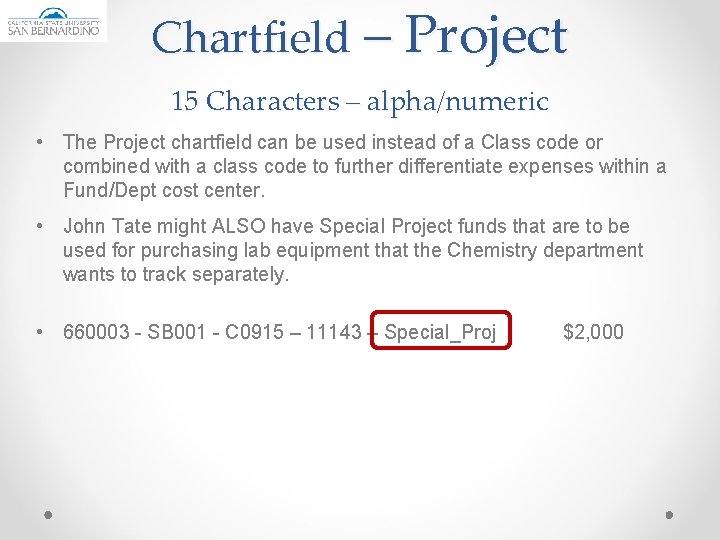
Chartfield – Project 15 Characters – alpha/numeric • The Project chartfield can be used instead of a Class code or combined with a class code to further differentiate expenses within a Fund/Dept cost center. • John Tate might ALSO have Special Project funds that are to be used for purchasing lab equipment that the Chemistry department wants to track separately. • 660003 - SB 001 - C 0915 – 11143 – Special_Proj $2, 000
Chartfield Strings Why do chartfield strings need to be accurate? q For data integrity, compliance, better decision making q Minimize/eliminate audit findings q Can I submit a transfer of expense (? ? ) Yes but far better to have the correct chartfields first time.
Chartfield Strings • Campus reports at different levels: - Internal (campus / management reporting) - External o Chancellor’s Office – CSU System o State of California o Others • The main purpose of Chart of Accounts is to aid in reporting and ensuring the integrity of the data.
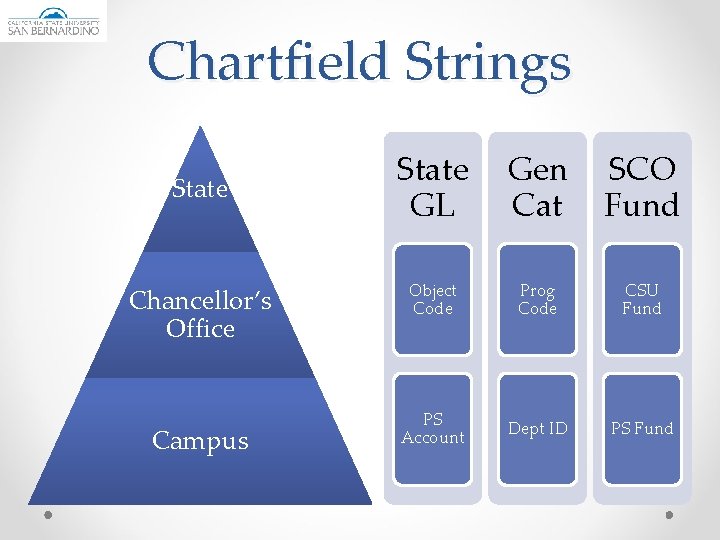
Chartfield Strings State Chancellor’s Office Campus State GL Gen Cat SCO Fund Object Code Prog Code CSU Fund PS Account Dept ID PS Fund
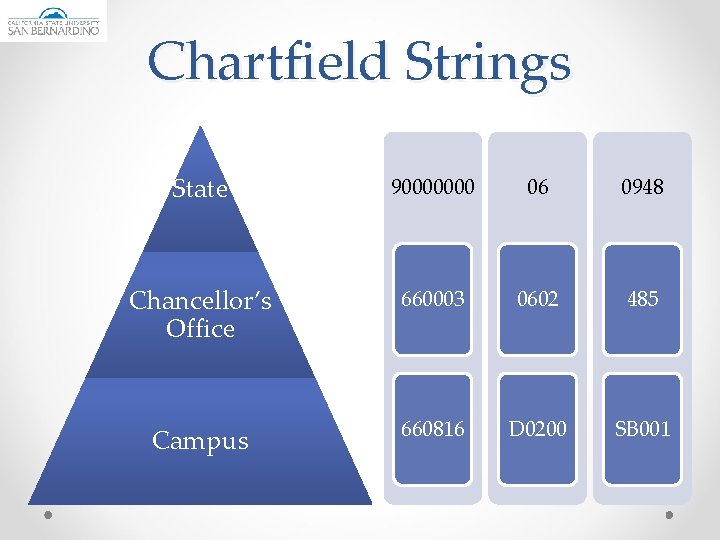
Chartfield Strings State 90000000 06 0948 Chancellor’s Office 660003 0602 485 Campus 660816 D 0200 SB 001
Chartfield Strings • The PS Fund – is mapped to CSU and SCO funds -> indicate the funding source and associated spending restrictions and reporting requirements. • The Dept. ID – is mapped to the Program Code that tells the general type of activity within the fund as defined by NACUBO. • The Account - is mapped to a FIRMS Object code that categorizes and groups expenditures. It is the detail level of activity that is occurring within the fund.
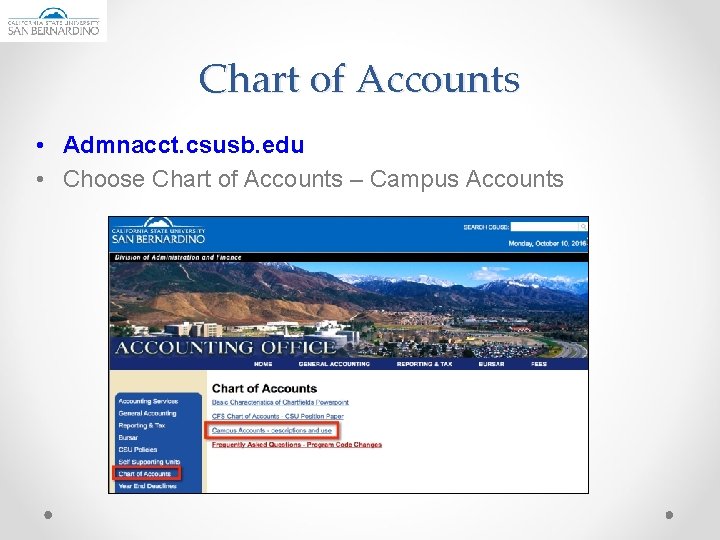
Chart of Accounts • Admnacct. csusb. edu • Choose Chart of Accounts – Campus Accounts
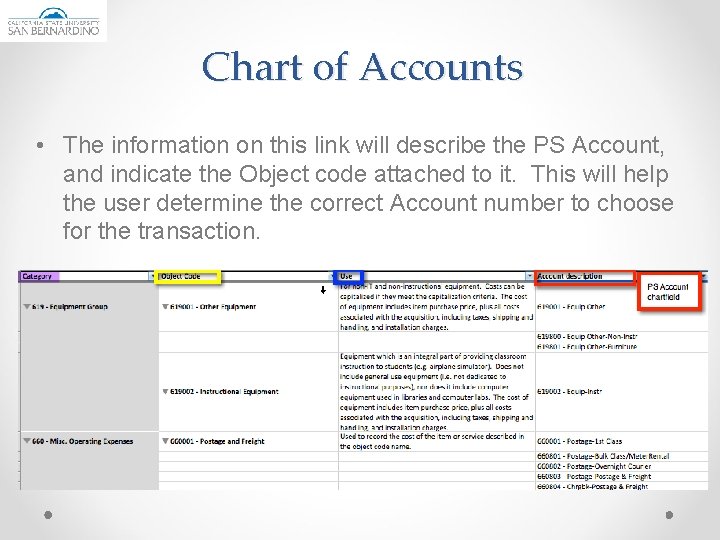
Chart of Accounts • The information on this link will describe the PS Account, and indicate the Object code attached to it. This will help the user determine the correct Account number to choose for the transaction.
Queries • CFS queries provide additional, current information to the Financial user. • The following queries show: o The funds that are active with the selected Dept. ID as well as the Program code mapped to the Dept. ID. o The Accounts available to campus users with the mapped Object code and SCO Account.
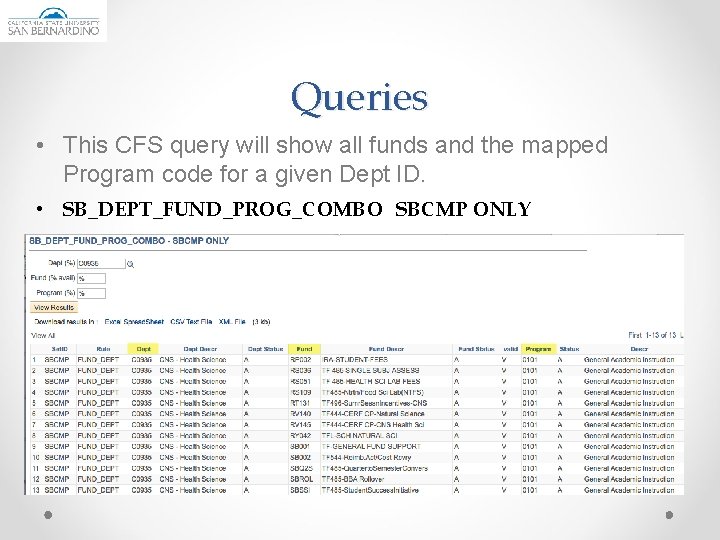
Queries • This CFS query will show all funds and the mapped Program code for a given Dept ID. • SB_DEPT_FUND_PROG_COMBO SBCMP ONLY
Queries • This query will provide a list of all CSUSB PS Accounts, Their FIRMS Object and SCO account number. Only Accounts with the “Active” status can be used. • SB_DEPT_PS_ACCOUNT_LIST List PS Accts w F Obj & St Acc
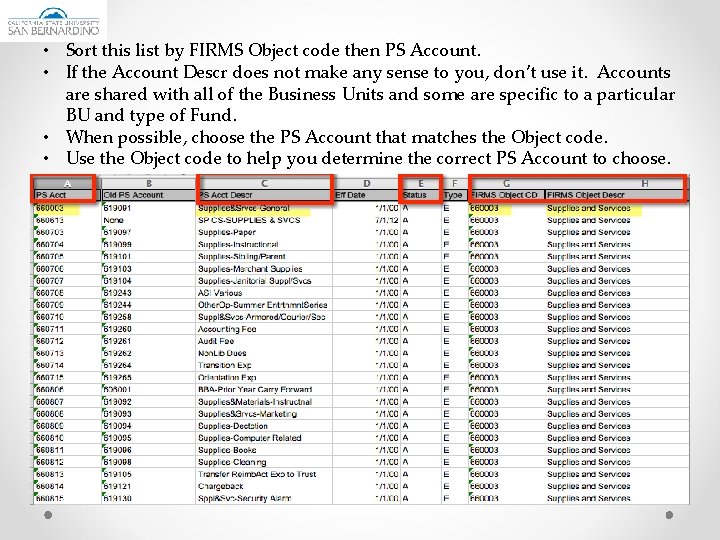
• Sort this list by FIRMS Object code then PS Account. • If the Account Descr does not make any sense to you, don’t use it. Accounts are shared with all of the Business Units and some are specific to a particular BU and type of Fund. • When possible, choose the PS Account that matches the Object code. • Use the Object code to help you determine the correct PS Account to choose.

Questions?
- Slides: 25