
Character Strings Lesson Outline 1 2 3 4
![char Arrays #2 my_name[ 0] my_name[ 1] my_name[ 2] my_name[ 3] my_name[ 4] my_name[](https://slidetodoc.com/presentation_image_h2/f89637fde26cdb867c7b2dd0a8951290/image-3.jpg "char Arrays #2 my_name[ 0] my_name[ 1] my_name[ 2] my_name[ 3] my_name[ 4] my_name[")
![Character String Declaration In C, we declare a character string like so: char my_name[my_name_length+1];](https://slidetodoc.com/presentation_image_h2/f89637fde26cdb867c7b2dd0a8951290/image-11.jpg "Character String Declaration In C, we declare a character string like so: char my_name[my_name_length+1];")
- Slides: 32
Character Strings Lesson Outline 1. 2. 3. 4. 5. 6. 7. 8. 9. 10. 11. 12. 13. 14. 15. 16. 17. 18. 19. The strlen Function Character Strings Lesson Outline char Arrays #1 20. strlen Function Example char Arrays #2 21. Dynamic Allocation of Strings Character Array Example #1 22. String Dynamic Allocation Character Array Example #2 Example #1 Character Strings 23. String Dynamic Allocation Character String Terminator Example #2 Jargon: Sentinel Value 24. Passing a String as a Function Character String Assignment Example Argument #1 25. String Function Argument Example Character String Assignment #1 Example #2 26. String Function Argument Example Character String Declaration #1 Character String Terminator 27. String Function Argument How String Printing Really Works Example #2 #1 28. String Comparisons How String Printing Really Works 29. String Comparison is Case #2 Sensitive String Copy Function: strcpy 30. String Comparison Example #1 strcpy Example 31. String Comparison Example #2 String Placeholder Character Strings 32. Lesson String Comparison Example #3 String Placeholder Example 1 CS 1313 Fall 2021
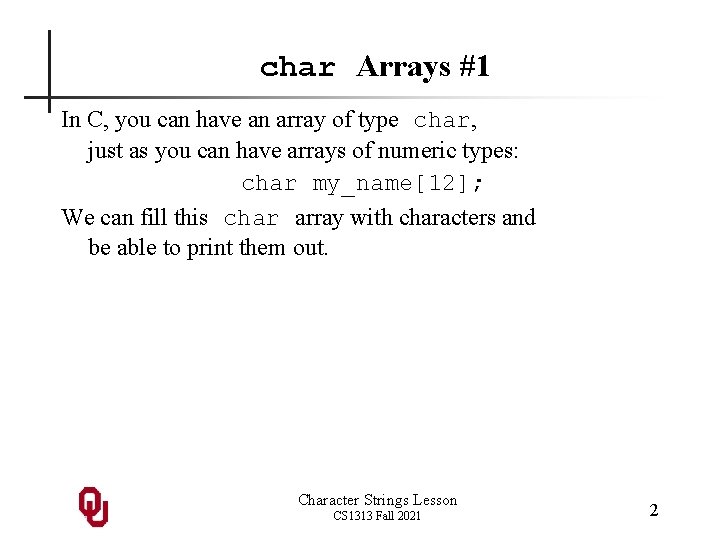
char Arrays #1 In C, you can have an array of type char, just as you can have arrays of numeric types: char my_name[12]; We can fill this char array with characters and be able to print them out. Character Strings Lesson CS 1313 Fall 2021 2
char Arrays #2 my_name[ 0] my_name[ 1] my_name[ 2] my_name[ 3] my_name[ 4] my_name[ 5] my_name[ 6] my_name[ 7] my_name[ 8] my_name[ 9] my_name[10] my_name[11] = = = 'H'; 'e'; 'n'; 'r'; 'y'; 'N'; 'e'; 'm'; 'a'; 'n'; Is this a good solution? Character Strings Lesson CS 1313 Fall 2021 3
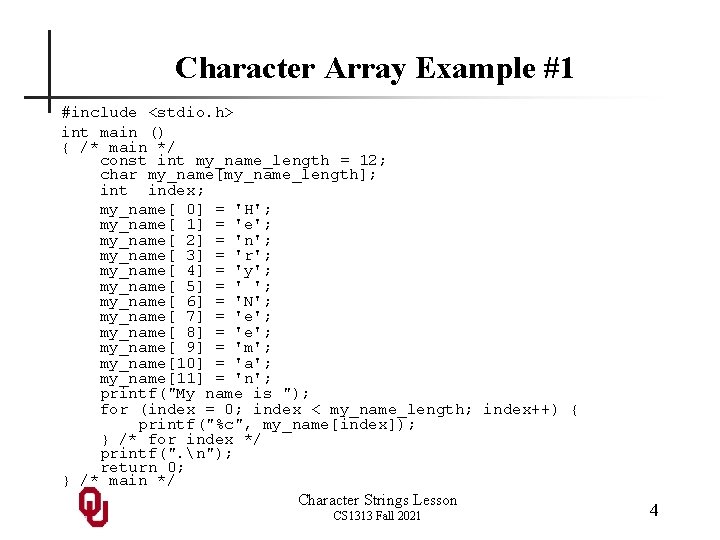
Character Array Example #1 #include <stdio. h> int main () { /* main */ const int my_name_length = 12; char my_name[my_name_length]; int index; my_name[ 0] = 'H'; my_name[ 1] = 'e'; my_name[ 2] = 'n'; my_name[ 3] = 'r'; my_name[ 4] = 'y'; my_name[ 5] = ' '; my_name[ 6] = 'N'; my_name[ 7] = 'e'; my_name[ 8] = 'e'; my_name[ 9] = 'm'; my_name[10] = 'a'; my_name[11] = 'n'; printf("My name is "); for (index = 0; index < my_name_length; index++) { printf("%c", my_name[index]); } /* for index */ printf(". n"); return 0; } /* main */ Character Strings Lesson CS 1313 Fall 2021 4
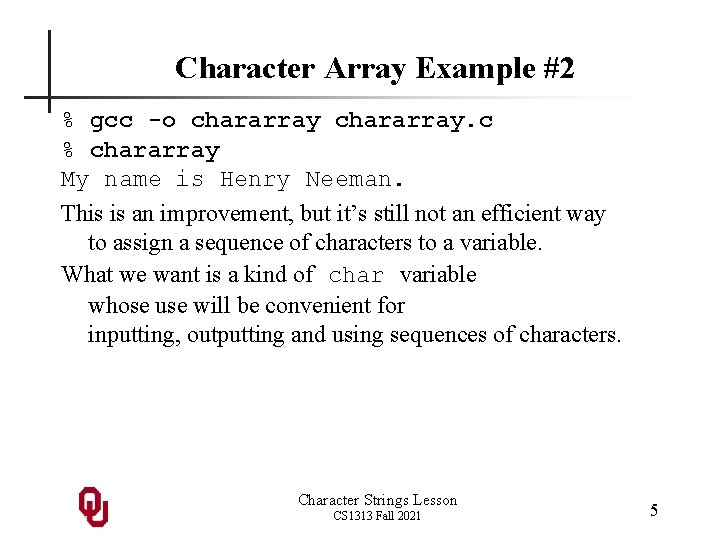
Character Array Example #2 % gcc -o chararray. c % chararray My name is Henry Neeman. This is an improvement, but it’s still not an efficient way to assign a sequence of characters to a variable. What we want is a kind of char variable whose use will be convenient for inputting, outputting and using sequences of characters. Character Strings Lesson CS 1313 Fall 2021 5
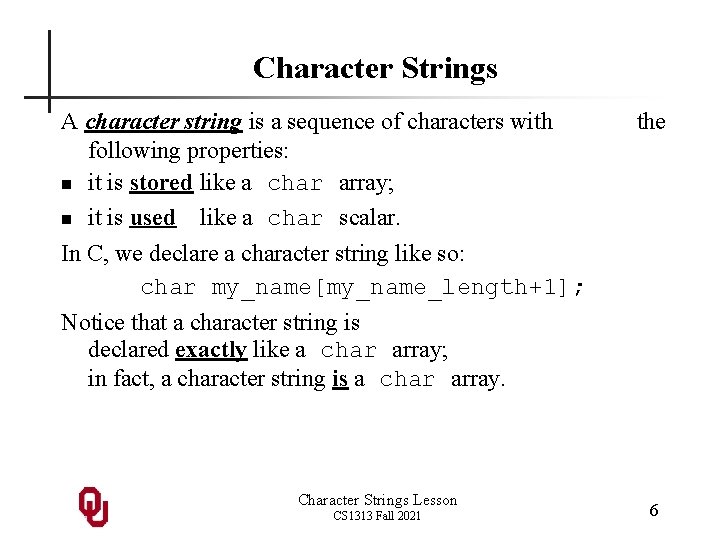
Character Strings A character string is a sequence of characters with following properties: n it is stored like a char array; n it is used like a char scalar. the In C, we declare a character string like so: char my_name[my_name_length+1]; Notice that a character string is declared exactly like a char array; in fact, a character string is a char array. Character Strings Lesson CS 1313 Fall 2021 6
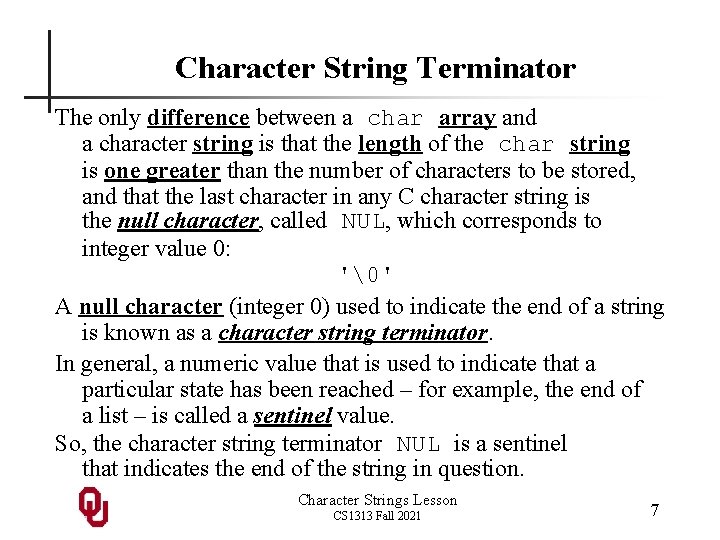
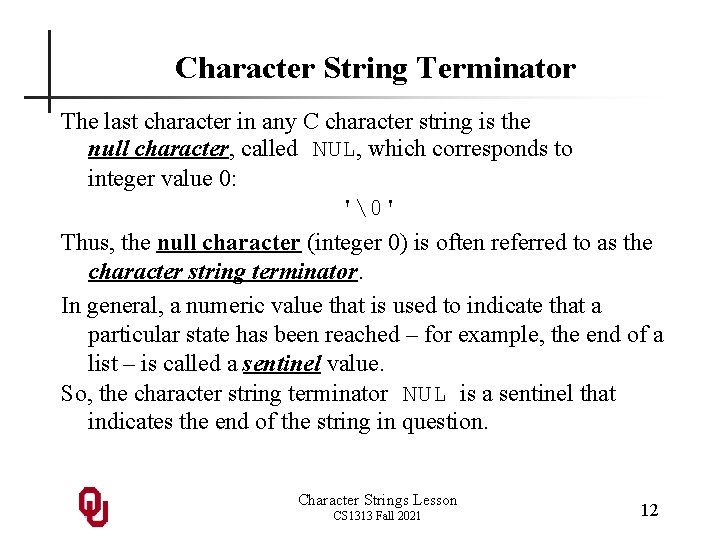
Character String Terminator The only difference between a char array and a character string is that the length of the char string is one greater than the number of characters to be stored, and that the last character in any C character string is the null character, called NUL, which corresponds to integer value 0: '' A null character (integer 0) used to indicate the end of a string is known as a character string terminator. In general, a numeric value that is used to indicate that a particular state has been reached – for example, the end of a list – is called a sentinel value. So, the character string terminator NUL is a sentinel that indicates the end of the string in question. Character Strings Lesson CS 1313 Fall 2021 7
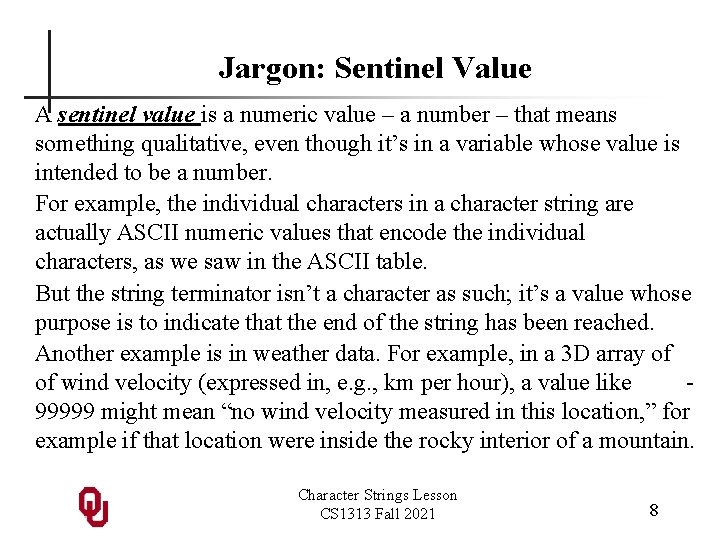
Jargon: Sentinel Value A sentinel value is a numeric value – a number – that means something qualitative, even though it’s in a variable whose value is intended to be a number. For example, the individual characters in a character string are actually ASCII numeric values that encode the individual characters, as we saw in the ASCII table. But the string terminator isn’t a character as such; it’s a value whose purpose is to indicate that the end of the string has been reached. Another example is in weather data. For example, in a 3 D array of of wind velocity (expressed in, e. g. , km per hour), a value like 99999 might mean “no wind velocity measured in this location, ” for example if that location were inside the rocky interior of a mountain. Character Strings Lesson CS 1313 Fall 2021 8
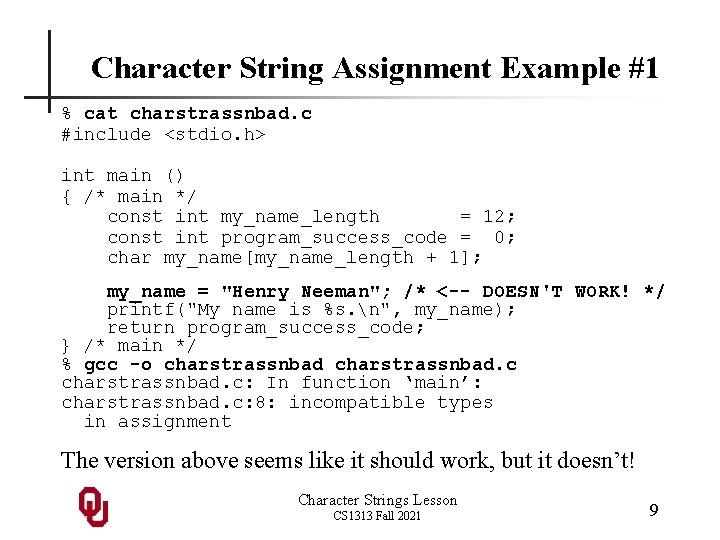
Character String Assignment Example #1 % cat charstrassnbad. c #include <stdio. h> int main () { /* main */ const int my_name_length = 12; const int program_success_code = 0; char my_name[my_name_length + 1]; my_name = "Henry Neeman"; /* <-- DOESN'T WORK! */ printf("My name is %s. n", my_name); return program_success_code; } /* main */ % gcc -o charstrassnbad. c: In function ‘main’: charstrassnbad. c: 8: incompatible types in assignment The version above seems like it should work, but it doesn’t! Character Strings Lesson CS 1313 Fall 2021 9
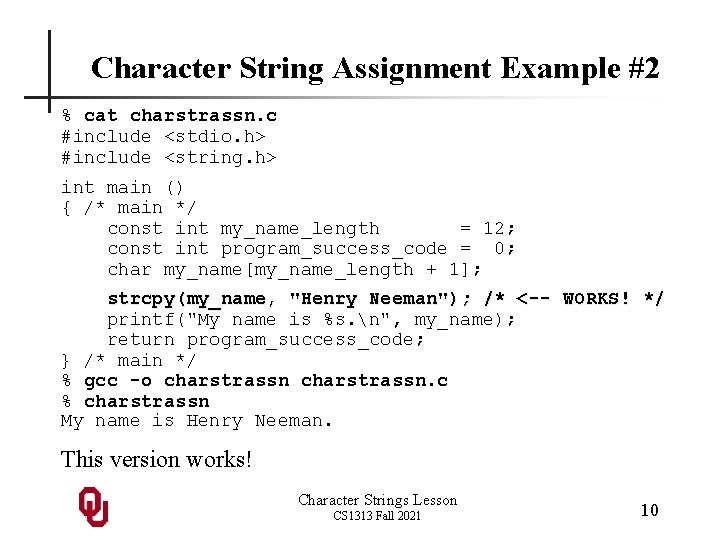
Character String Assignment Example #2 % cat charstrassn. c #include <stdio. h> #include <string. h> int main () { /* main */ const int my_name_length = 12; const int program_success_code = 0; char my_name[my_name_length + 1]; strcpy(my_name, "Henry Neeman"); /* <-- WORKS! */ printf("My name is %s. n", my_name); return program_success_code; } /* main */ % gcc -o charstrassn. c % charstrassn My name is Henry Neeman. This version works! Character Strings Lesson CS 1313 Fall 2021 10
Character String Declaration In C, we declare a character string like so: char my_name[my_name_length+1]; Notice that a character string is declared exactly like a char array; in fact, it is a char array. The only difference in the declaration is that the length of the array of char elements that represents the string is one greater than the length of the string. Character Strings Lesson CS 1313 Fall 2021 11
Character String Terminator The last character in any C character string is the null character, called NUL, which corresponds to integer value 0: '' Thus, the null character (integer 0) is often referred to as the character string terminator. In general, a numeric value that is used to indicate that a particular state has been reached – for example, the end of a list – is called a sentinel value. So, the character string terminator NUL is a sentinel that indicates the end of the string in question. Character Strings Lesson CS 1313 Fall 2021 12
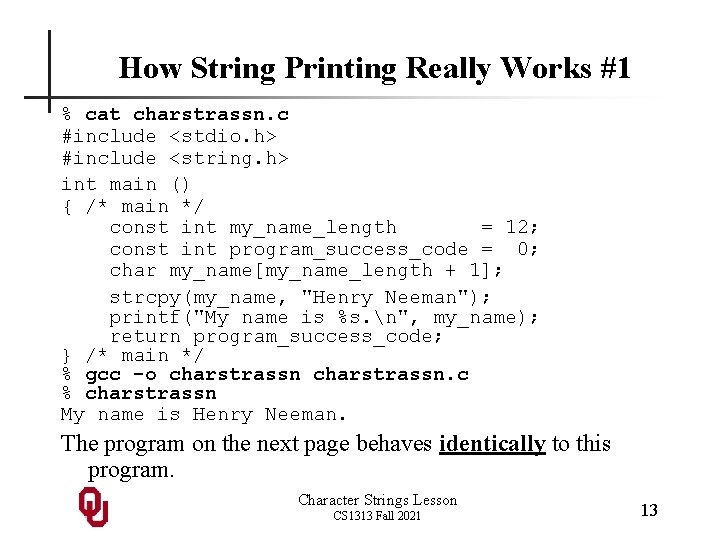
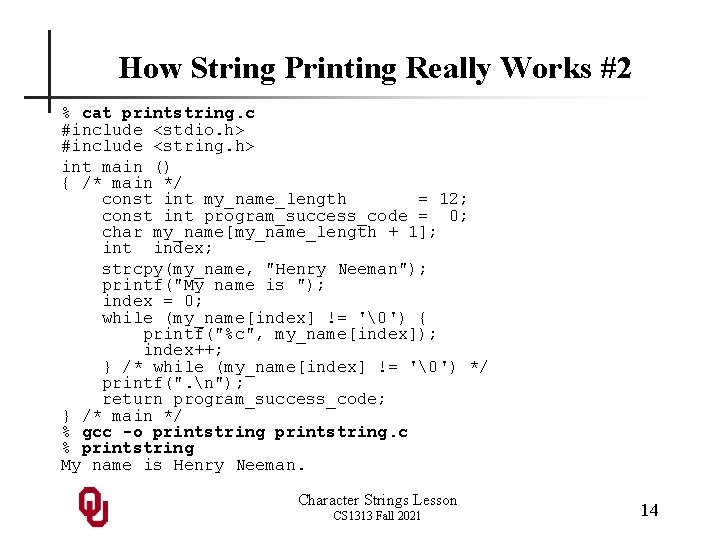
How String Printing Really Works #1 % cat charstrassn. c #include <stdio. h> #include <string. h> int main () { /* main */ const int my_name_length = 12; const int program_success_code = 0; char my_name[my_name_length + 1]; strcpy(my_name, "Henry Neeman"); printf("My name is %s. n", my_name); return program_success_code; } /* main */ % gcc -o charstrassn. c % charstrassn My name is Henry Neeman. The program on the next page behaves identically to this program. Character Strings Lesson CS 1313 Fall 2021 13
How String Printing Really Works #2 % cat printstring. c #include <stdio. h> #include <string. h> int main () { /* main */ const int my_name_length = 12; const int program_success_code = 0; char my_name[my_name_length + 1]; int index; strcpy(my_name, "Henry Neeman"); printf("My name is "); index = 0; while (my_name[index] != '') { printf("%c", my_name[index]); index++; } /* while (my_name[index] != '') */ printf(". n"); return program_success_code; } /* main */ % gcc -o printstring. c % printstring My name is Henry Neeman. Character Strings Lesson CS 1313 Fall 2021 14
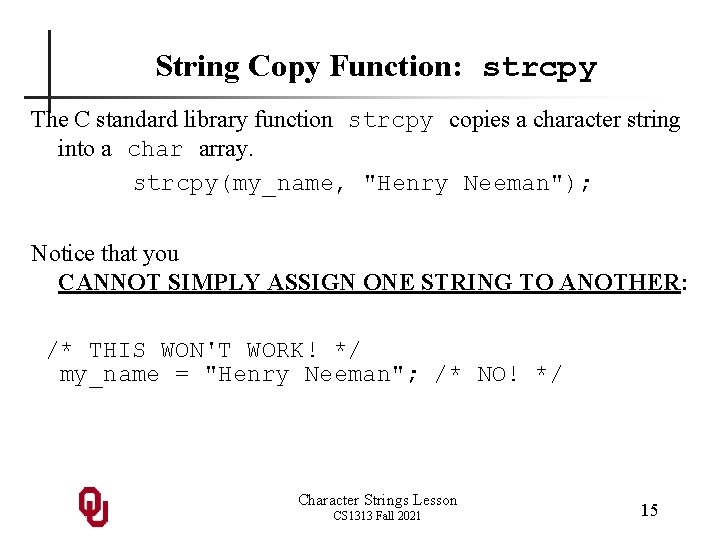
String Copy Function: strcpy The C standard library function strcpy copies a character string into a char array. strcpy(my_name, "Henry Neeman"); Notice that you CANNOT SIMPLY ASSIGN ONE STRING TO ANOTHER: /* THIS WON'T WORK! */ my_name = "Henry Neeman"; /* NO! */ Character Strings Lesson CS 1313 Fall 2021 15
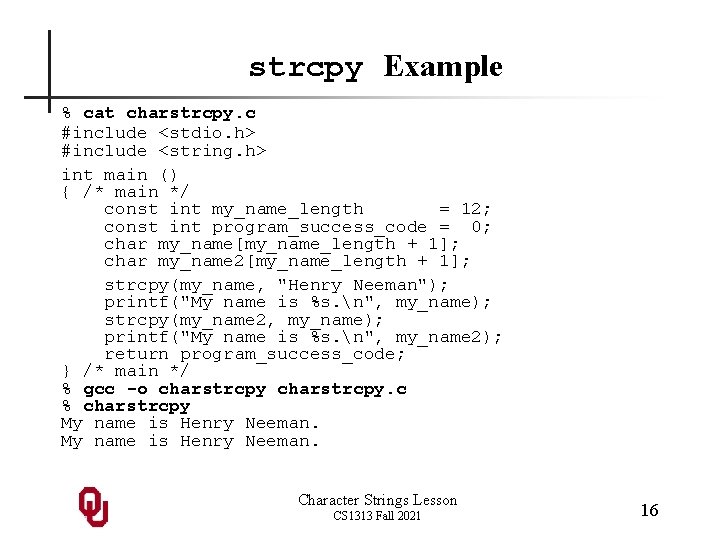
strcpy Example % cat charstrcpy. c #include <stdio. h> #include <string. h> int main () { /* main */ const int my_name_length = 12; const int program_success_code = 0; char my_name[my_name_length + 1]; char my_name 2[my_name_length + 1]; strcpy(my_name, "Henry Neeman"); printf("My name is %s. n", my_name); strcpy(my_name 2, my_name); printf("My name is %s. n", my_name 2); return program_success_code; } /* main */ % gcc -o charstrcpy. c % charstrcpy My name is Henry Neeman. Character Strings Lesson CS 1313 Fall 2021 16
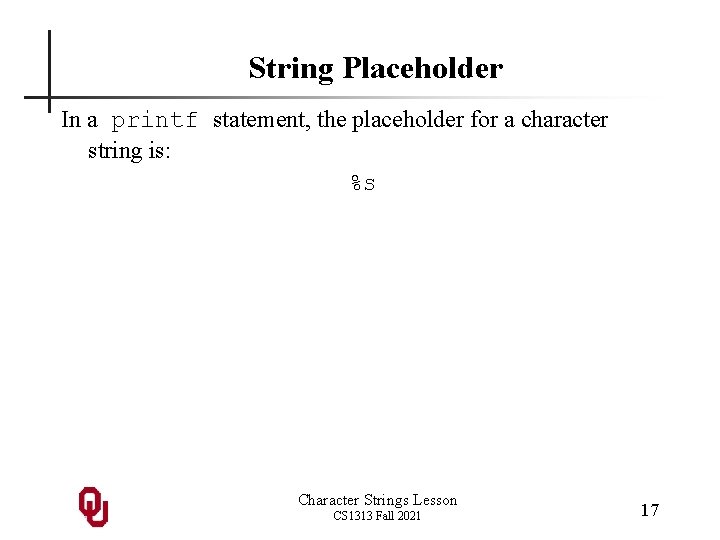
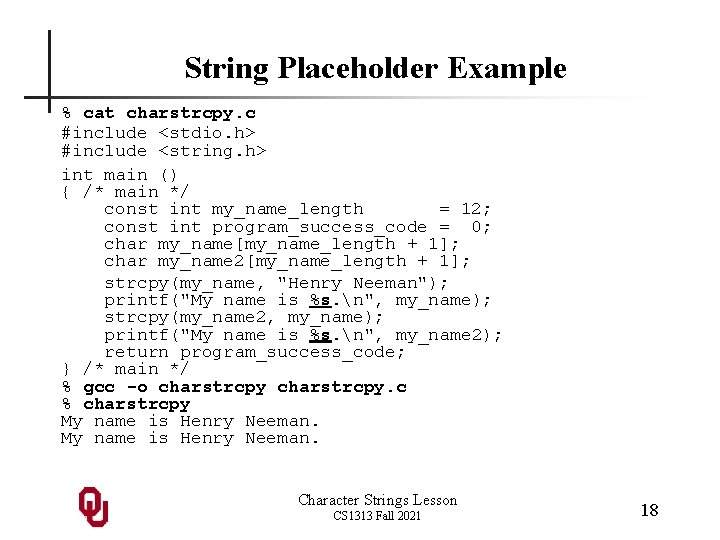
String Placeholder In a printf statement, the placeholder for a character string is: %s Character Strings Lesson CS 1313 Fall 2021 17
String Placeholder Example % cat charstrcpy. c #include <stdio. h> #include <string. h> int main () { /* main */ const int my_name_length = 12; const int program_success_code = 0; char my_name[my_name_length + 1]; char my_name 2[my_name_length + 1]; strcpy(my_name, "Henry Neeman"); printf("My name is %s. n", my_name); strcpy(my_name 2, my_name); printf("My name is %s. n", my_name 2); return program_success_code; } /* main */ % gcc -o charstrcpy. c % charstrcpy My name is Henry Neeman. Character Strings Lesson CS 1313 Fall 2021 18
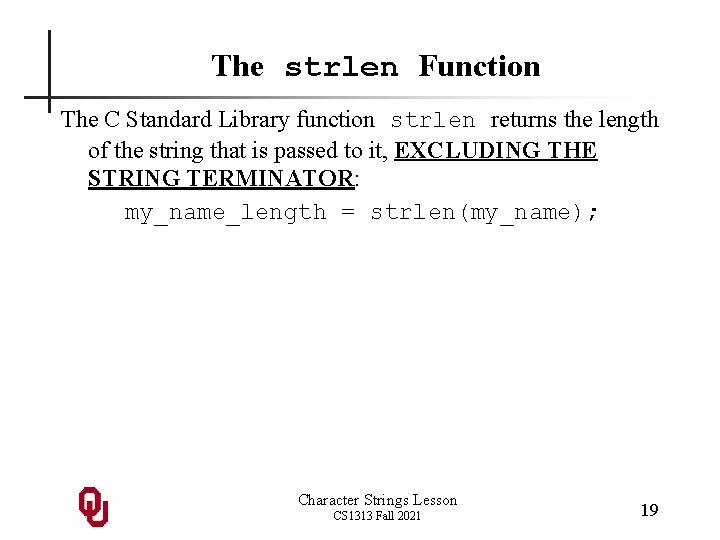
The strlen Function The C Standard Library function strlen returns the length of the string that is passed to it, EXCLUDING THE STRING TERMINATOR: my_name_length = strlen(my_name); Character Strings Lesson CS 1313 Fall 2021 19
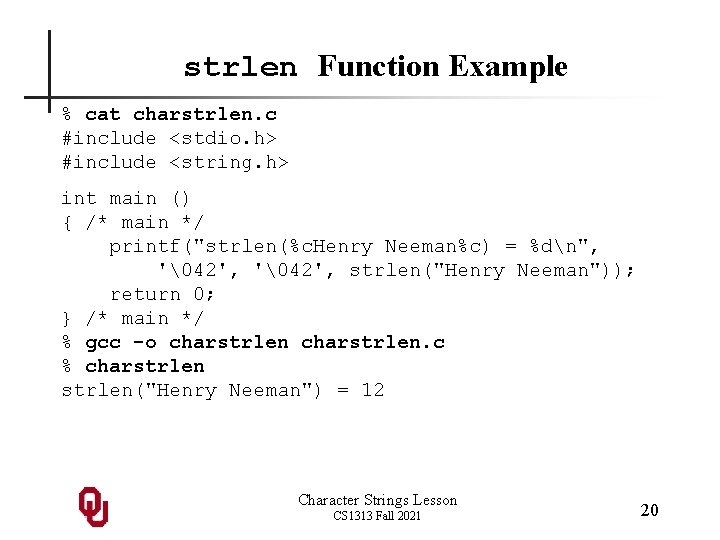
strlen Function Example % cat charstrlen. c #include <stdio. h> #include <string. h> int main () { /* main */ printf("strlen(%c. Henry Neeman%c) = %dn", '42', strlen("Henry Neeman")); return 0; } /* main */ % gcc -o charstrlen. c % charstrlen("Henry Neeman") = 12 Character Strings Lesson CS 1313 Fall 2021 20
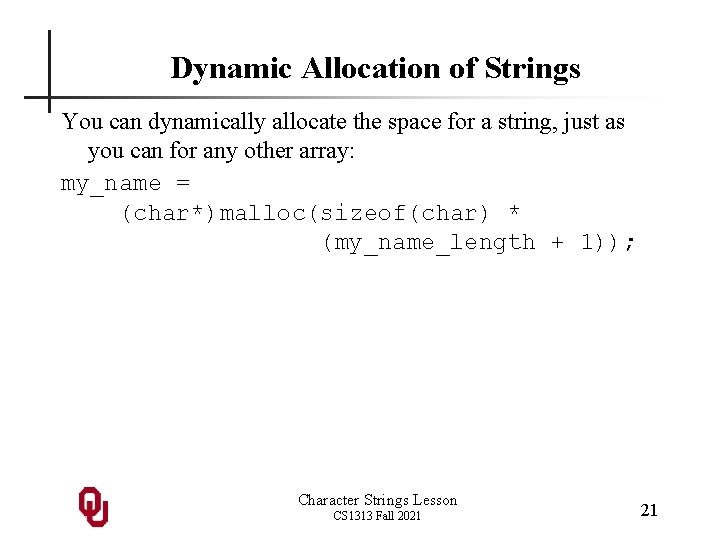
Dynamic Allocation of Strings You can dynamically allocate the space for a string, just as you can for any other array: my_name = (char*)malloc(sizeof(char) * (my_name_length + 1)); Character Strings Lesson CS 1313 Fall 2021 21
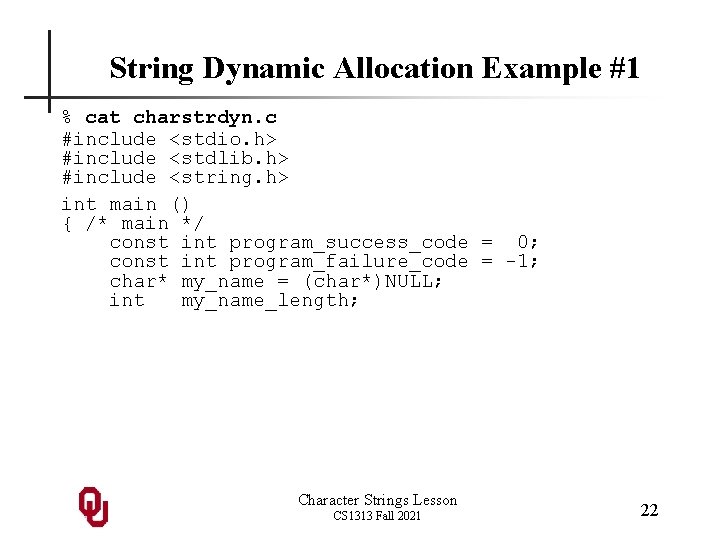
String Dynamic Allocation Example #1 % cat charstrdyn. c #include <stdio. h> #include <stdlib. h> #include <string. h> int main () { /* main */ const int program_success_code = 0; const int program_failure_code = -1; char* my_name = (char*)NULL; int my_name_length; Character Strings Lesson CS 1313 Fall 2021 22
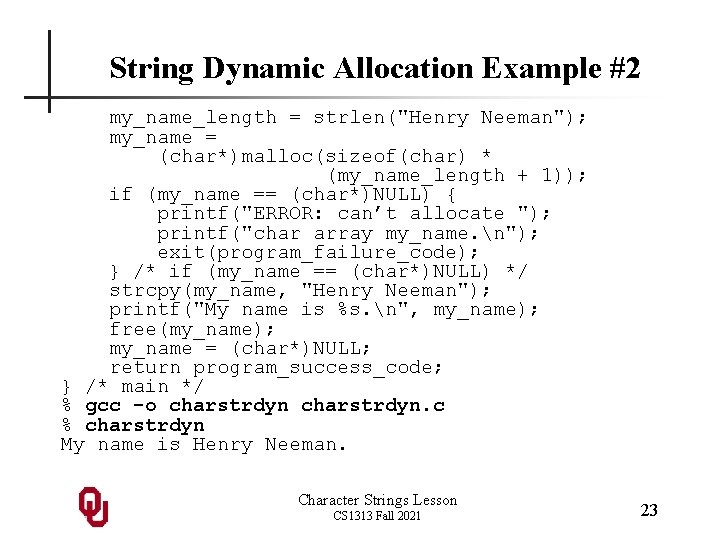
String Dynamic Allocation Example #2 my_name_length = strlen("Henry Neeman"); my_name = (char*)malloc(sizeof(char) * (my_name_length + 1)); if (my_name == (char*)NULL) { printf("ERROR: can’t allocate "); printf("char array my_name. n"); exit(program_failure_code); } /* if (my_name == (char*)NULL) */ strcpy(my_name, "Henry Neeman"); printf("My name is %s. n", my_name); free(my_name); my_name = (char*)NULL; return program_success_code; } /* main */ % gcc -o charstrdyn. c % charstrdyn My name is Henry Neeman. Character Strings Lesson CS 1313 Fall 2021 23
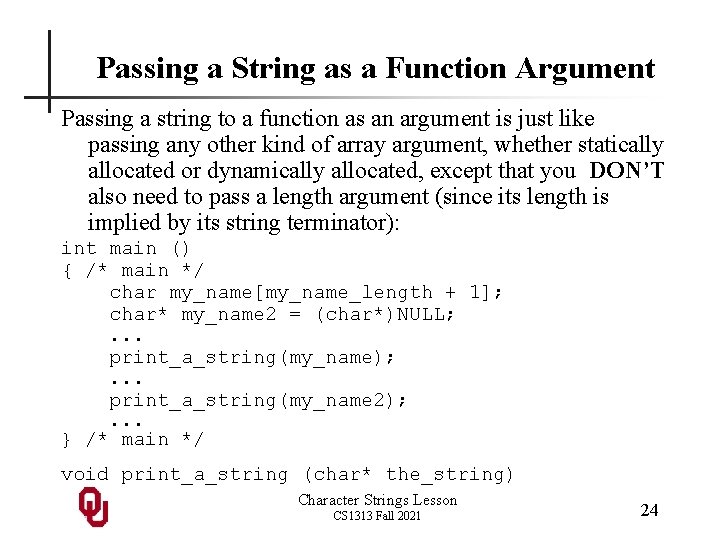
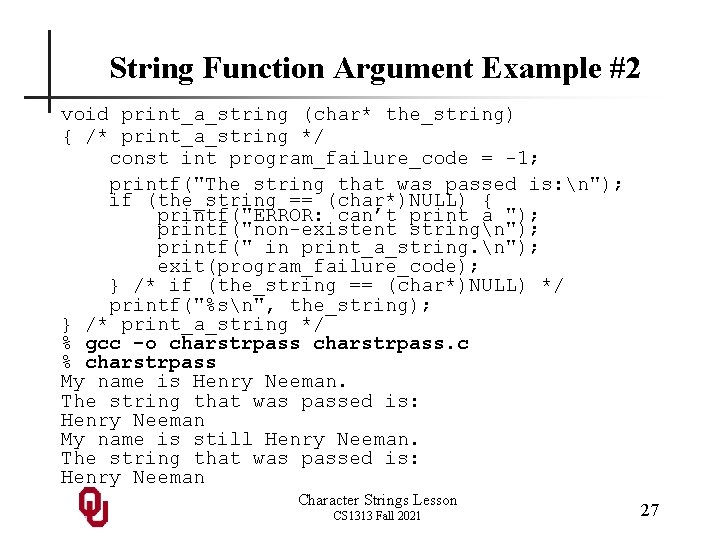
Passing a String as a Function Argument Passing a string to a function as an argument is just like passing any other kind of array argument, whether statically allocated or dynamically allocated, except that you DON’T also need to pass a length argument (since its length is implied by its string terminator): int main () { /* main */ char my_name[my_name_length + 1]; char* my_name 2 = (char*)NULL; . . . print_a_string(my_name); . . . print_a_string(my_name 2); . . . } /* main */ void print_a_string (char* the_string) Character Strings Lesson CS 1313 Fall 2021 24
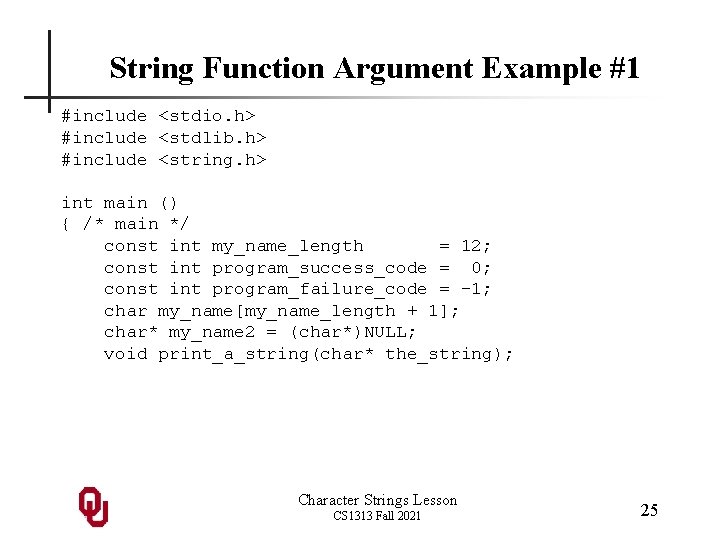
String Function Argument Example #1 #include <stdio. h> #include <stdlib. h> #include <string. h> int main () { /* main */ const int my_name_length = 12; const int program_success_code = 0; const int program_failure_code = -1; char my_name[my_name_length + 1]; char* my_name 2 = (char*)NULL; void print_a_string(char* the_string); Character Strings Lesson CS 1313 Fall 2021 25
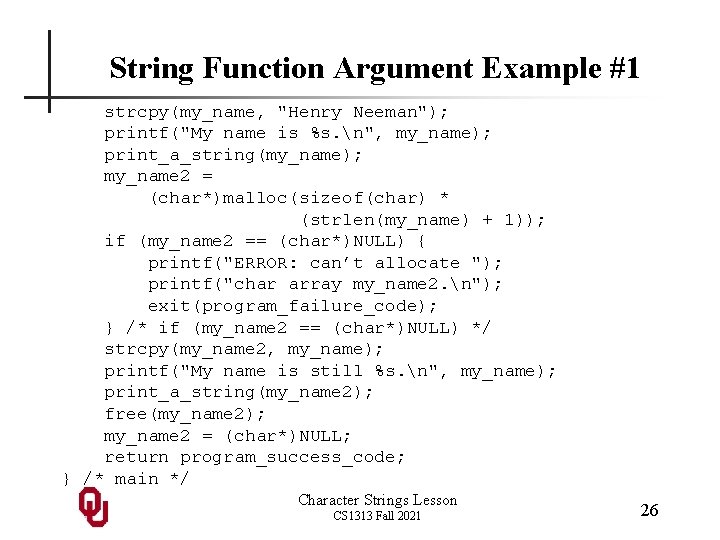
String Function Argument Example #1 strcpy(my_name, "Henry Neeman"); printf("My name is %s. n", my_name); print_a_string(my_name); my_name 2 = (char*)malloc(sizeof(char) * (strlen(my_name) + 1)); if (my_name 2 == (char*)NULL) { printf("ERROR: can’t allocate "); printf("char array my_name 2. n"); exit(program_failure_code); } /* if (my_name 2 == (char*)NULL) */ strcpy(my_name 2, my_name); printf("My name is still %s. n", my_name); print_a_string(my_name 2); free(my_name 2); my_name 2 = (char*)NULL; return program_success_code; } /* main */ Character Strings Lesson CS 1313 Fall 2021 26
String Function Argument Example #2 void print_a_string (char* the_string) { /* print_a_string */ const int program_failure_code = -1; printf("The string that was passed is: n"); if (the_string == (char*)NULL) { printf("ERROR: can’t print a "); printf("non-existent stringn"); printf(" in print_a_string. n"); exit(program_failure_code); } /* if (the_string == (char*)NULL) */ printf("%sn", the_string); } /* print_a_string */ % gcc -o charstrpass. c % charstrpass My name is Henry Neeman. The string that was passed is: Henry Neeman My name is still Henry Neeman. The string that was passed is: Henry Neeman Character Strings Lesson CS 1313 Fall 2021 27
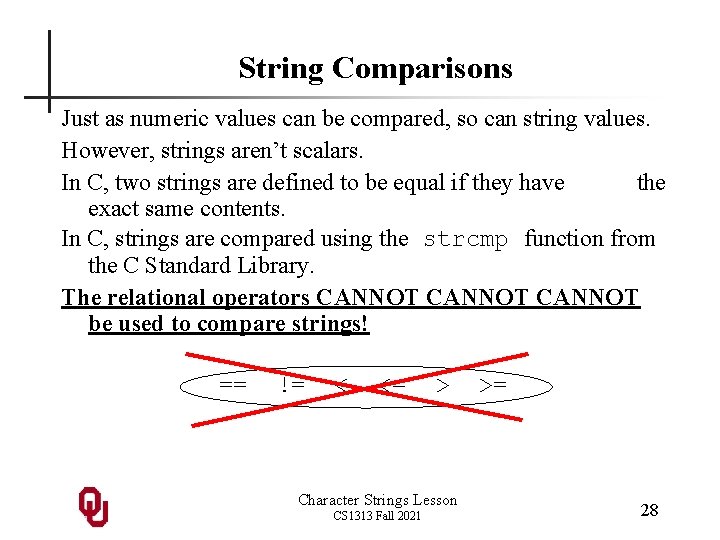
String Comparisons Just as numeric values can be compared, so can string values. However, strings aren’t scalars. In C, two strings are defined to be equal if they have the exact same contents. In C, strings are compared using the strcmp function from the C Standard Library. The relational operators CANNOT be used to compare strings! == != < <= > Character Strings Lesson CS 1313 Fall 2021 >= 28
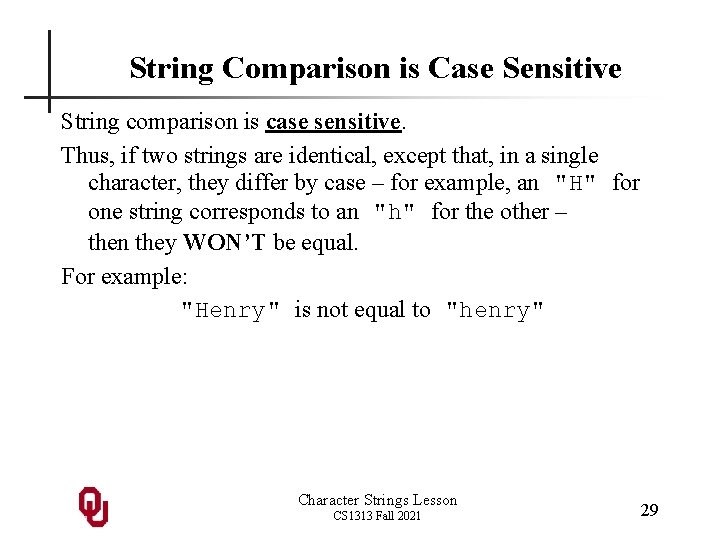
String Comparison is Case Sensitive String comparison is case sensitive. Thus, if two strings are identical, except that, in a single character, they differ by case – for example, an "H" for one string corresponds to an "h" for the other – then they WON’T be equal. For example: "Henry" is not equal to "henry" Character Strings Lesson CS 1313 Fall 2021 29
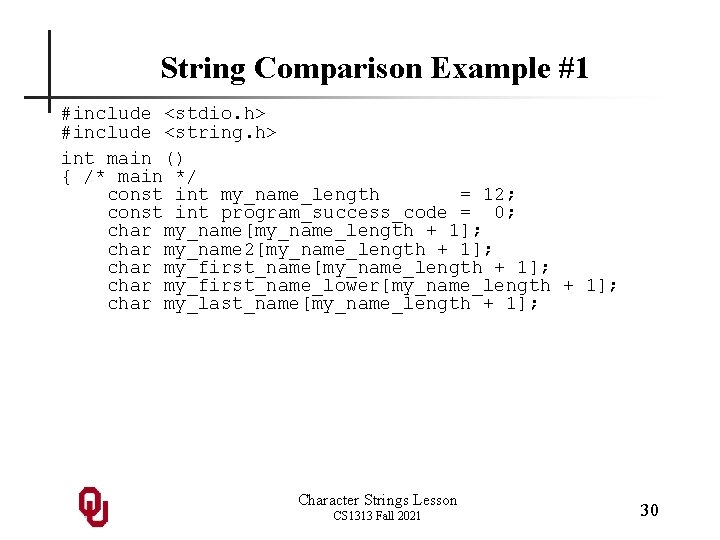
String Comparison Example #1 #include <stdio. h> #include <string. h> int main () { /* main */ const int my_name_length = 12; const int program_success_code = 0; char my_name[my_name_length + 1]; char my_name 2[my_name_length + 1]; char my_first_name_lower[my_name_length + 1]; char my_last_name[my_name_length + 1]; Character Strings Lesson CS 1313 Fall 2021 30
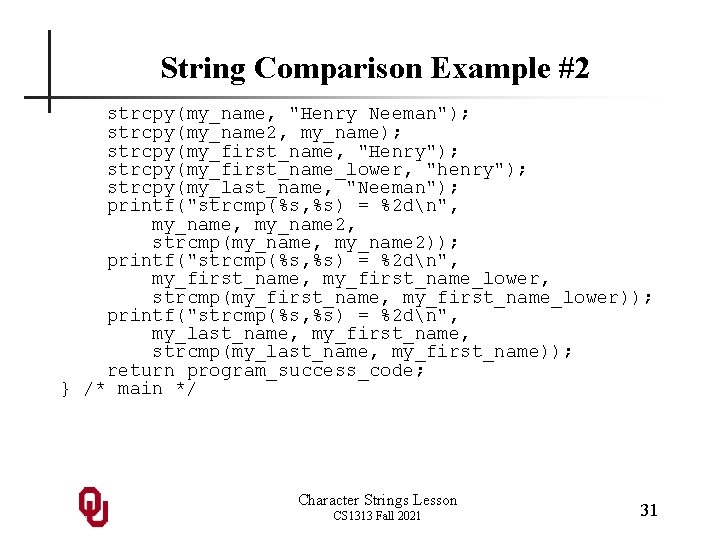
String Comparison Example #2 strcpy(my_name, "Henry Neeman"); strcpy(my_name 2, my_name); strcpy(my_first_name, "Henry"); strcpy(my_first_name_lower, "henry"); strcpy(my_last_name, "Neeman"); printf("strcmp(%s, %s) = %2 dn", my_name 2, strcmp(my_name, my_name 2)); printf("strcmp(%s, %s) = %2 dn", my_first_name_lower, strcmp(my_first_name, my_first_name_lower)); printf("strcmp(%s, %s) = %2 dn", my_last_name, my_first_name, strcmp(my_last_name, my_first_name)); return program_success_code; } /* main */ Character Strings Lesson CS 1313 Fall 2021 31
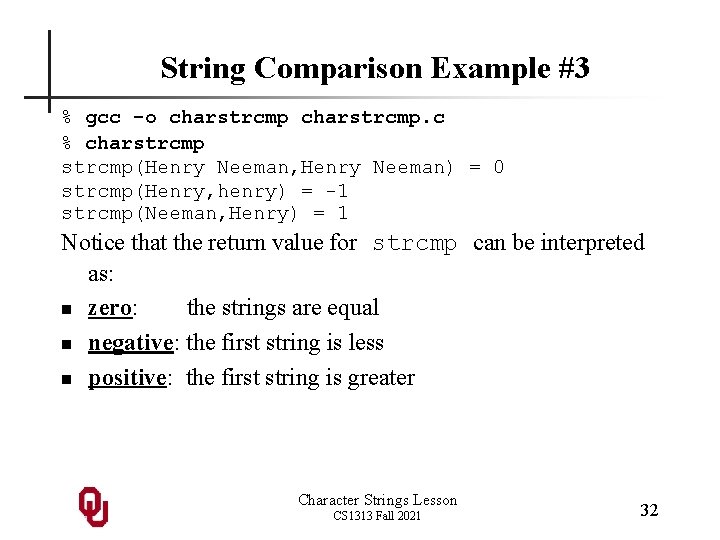
String Comparison Example #3 % gcc -o charstrcmp. c % charstrcmp(Henry Neeman, Henry Neeman) = 0 strcmp(Henry, henry) = -1 strcmp(Neeman, Henry) = 1 Notice that the return value for strcmp can be interpreted as: n zero: the strings are equal n negative: the first string is less n positive: the first string is greater Character Strings Lesson CS 1313 Fall 2021 32