
CHAPTER3 NETWORKING PROGRAMMING Network represents interconnection of computers
![�public static void main(String args[]) throws Exception �{ �System. out. println("Please enter some text](https://slidetodoc.com/presentation_image_h2/f350c4f31c27be5dc74f0e701019ebb0/image-59.jpg "�public static void main(String args[]) throws Exception �{ �System. out. println(\"Please enter some text")
- Slides: 66
CHAPTER-3 NETWORKING PROGRAMMING
�Network represents interconnection of computers & devices either by cable or satellite link where no cable is needed. �Client- receives service. �Server- provides service. �Reuirement for network: Hardware Software protocol
Networking Basics �TCP/IP suite �UDP �Port & socket �URL
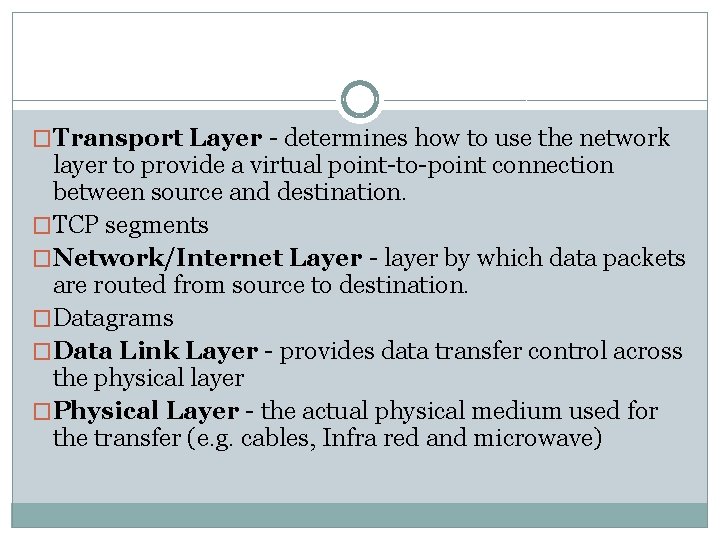
�The TCP/IP protocol suite ( Internet Protocol Suite) is a collection of protocols that collectively provides the data transport services used on the Internet. They provide a robust and efficient mechanism for moving data between machines across computer networks. �The suite is split into five layers �TCP/IP Five Layer Model �Application Layer - interfaces between application processes and transport layer services on host computer.
�Transport Layer - determines how to use the network layer to provide a virtual point-to-point connection between source and destination. �TCP segments �Network/Internet Layer - layer by which data packets are routed from source to destination. �Datagrams �Data Link Layer - provides data transfer control across the physical layer �Physical Layer - the actual physical medium used for the transfer (e. g. cables, Infra red and microwave)
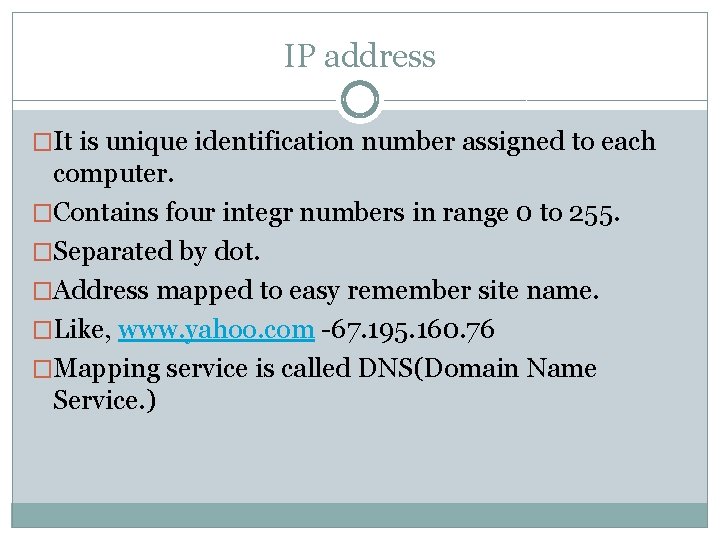
IP address �It is unique identification number assigned to each computer. �Contains four integr numbers in range 0 to 255. �Separated by dot. �Address mapped to easy remember site name. �Like, www. yahoo. com -67. 195. 160. 76 �Mapping service is called DNS(Domain Name Service. )
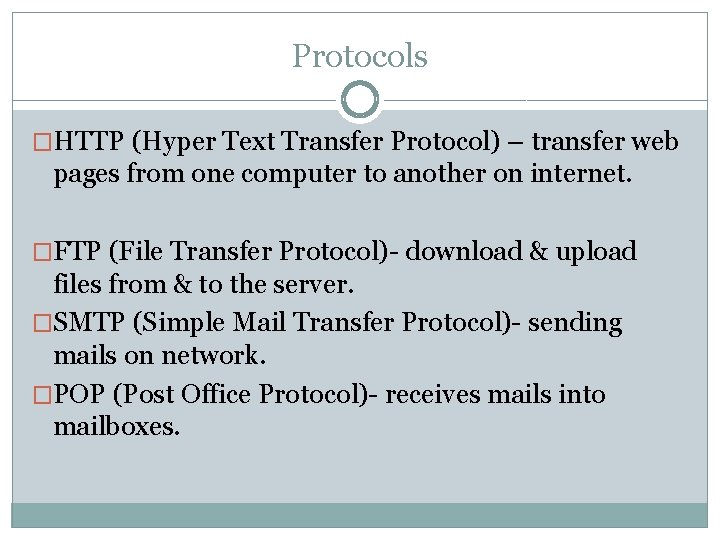
Protocols �HTTP (Hyper Text Transfer Protocol) – transfer web pages from one computer to another on internet. �FTP (File Transfer Protocol)- download & upload files from & to the server. �SMTP (Simple Mail Transfer Protocol)- sending mails on network. �POP (Post Office Protocol)- receives mails into mailboxes.
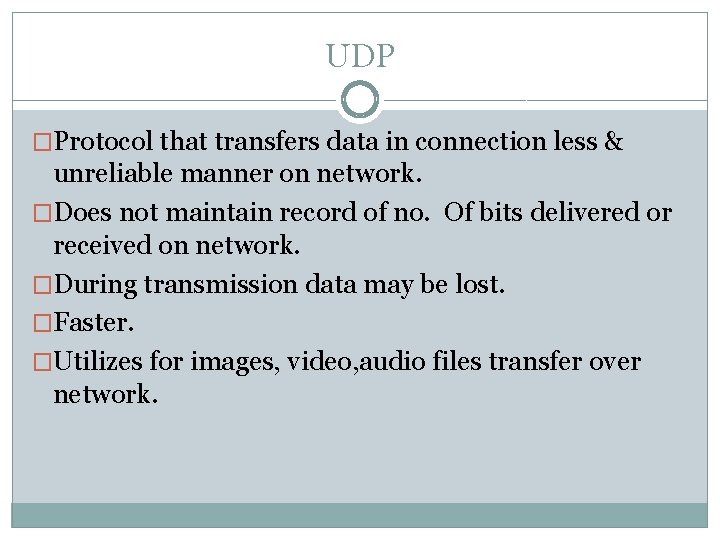
UDP �Protocol that transfers data in connection less & unreliable manner on network. �Does not maintain record of no. Of bits delivered or received on network. �During transmission data may be lost. �Faster. �Utilizes for images, video, audio files transfer over network.
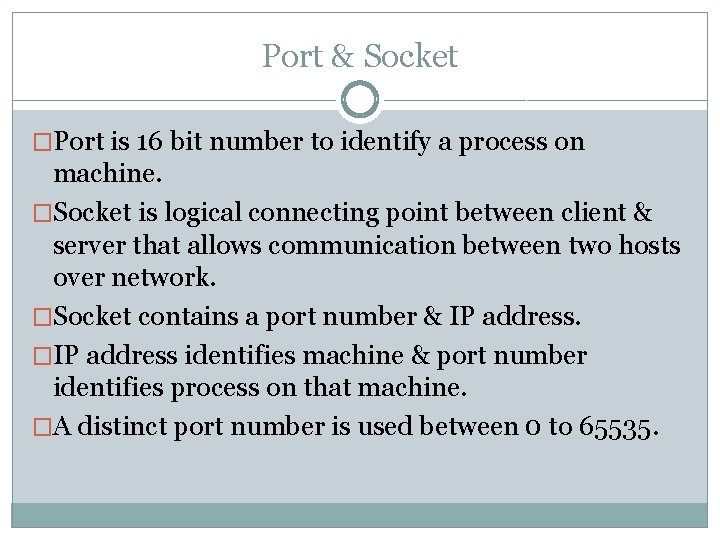
Port & Socket �Port is 16 bit number to identify a process on machine. �Socket is logical connecting point between client & server that allows communication between two hosts over network. �Socket contains a port number & IP address. �IP address identifies machine & port number identifies process on that machine. �A distinct port number is used between 0 to 65535.
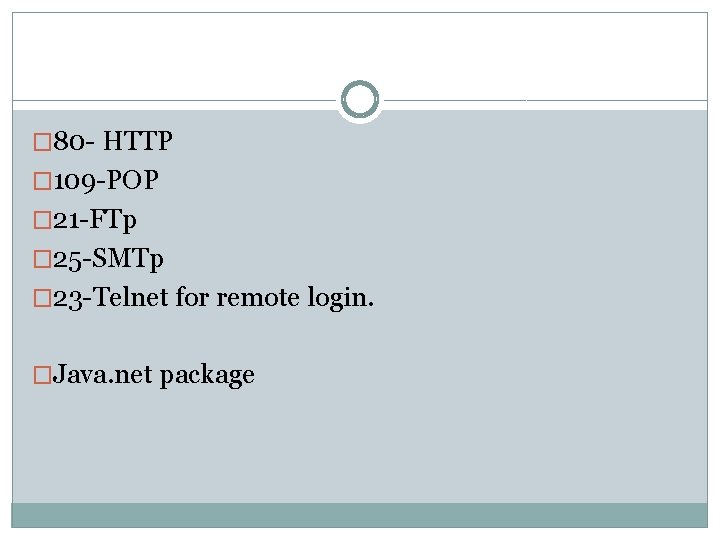
� 80 - HTTP � 109 -POP � 21 -FTp � 25 -SMTp � 23 -Telnet for remote login. �Java. net package
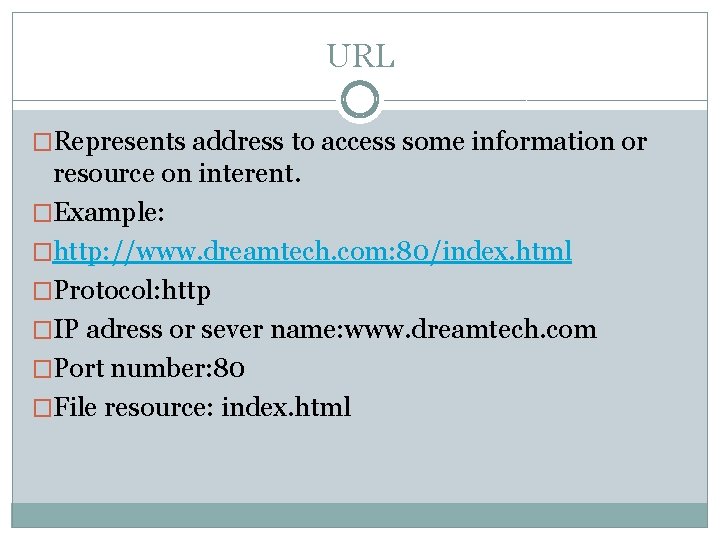
URL �Represents address to access some information or resource on interent. �Example: �http: //www. dreamtech. com: 80/index. html �Protocol: http �IP adress or sever name: www. dreamtech. com �Port number: 80 �File resource: index. html
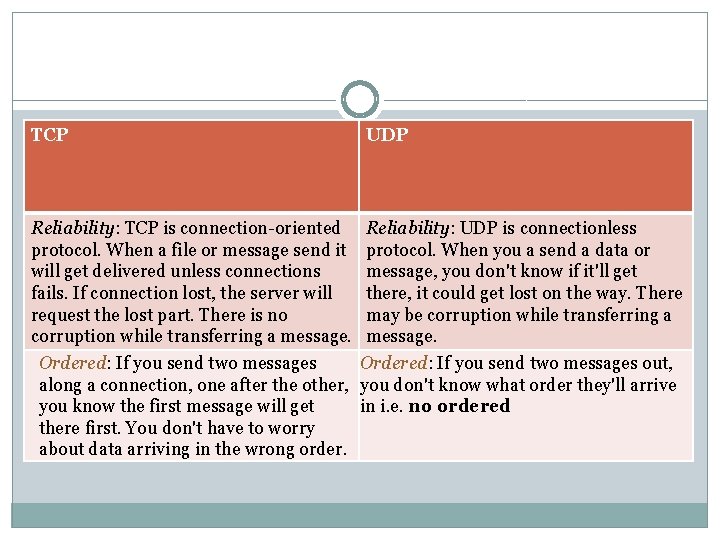
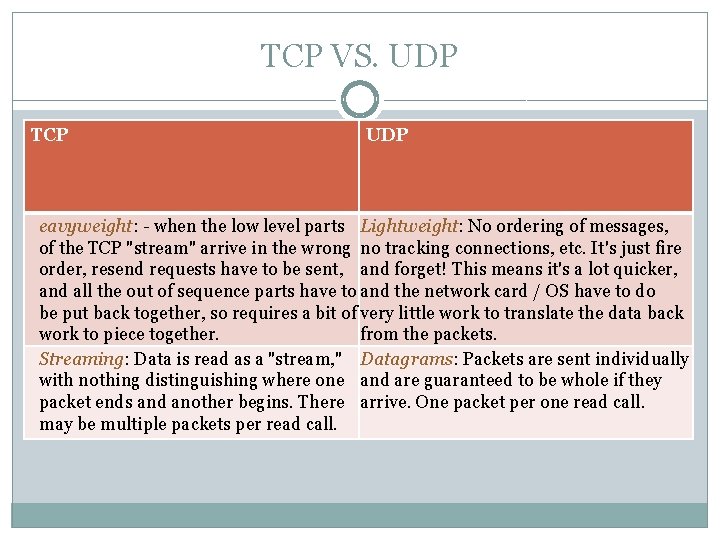
TCP Reliability: TCP is connection-oriented protocol. When a file or message send it will get delivered unless connections fails. If connection lost, the server will request the lost part. There is no corruption while transferring a message. Ordered: If you send two messages along a connection, one after the other, you know the first message will get there first. You don't have to worry about data arriving in the wrong order. UDP Reliability: UDP is connectionless protocol. When you a send a data or message, you don't know if it'll get there, it could get lost on the way. There may be corruption while transferring a message. Ordered: If you send two messages out, you don't know what order they'll arrive in i. e. no ordered
TCP VS. UDP TCP UDP eavyweight: - when the low level parts Lightweight: No ordering of messages, of the TCP "stream" arrive in the wrong no tracking connections, etc. It's just fire order, resend requests have to be sent, and forget! This means it's a lot quicker, and all the out of sequence parts have to and the network card / OS have to do be put back together, so requires a bit of very little work to translate the data back work to piece together. from the packets. Streaming: Data is read as a "stream, " Datagrams: Packets are sent individually with nothing distinguishing where one and are guaranteed to be whole if they packet ends and another begins. There arrive. One packet per one read call. may be multiple packets per read call.
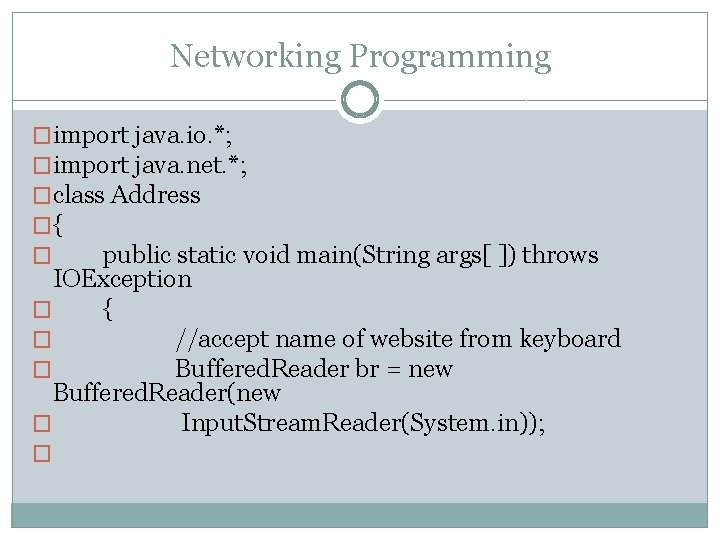
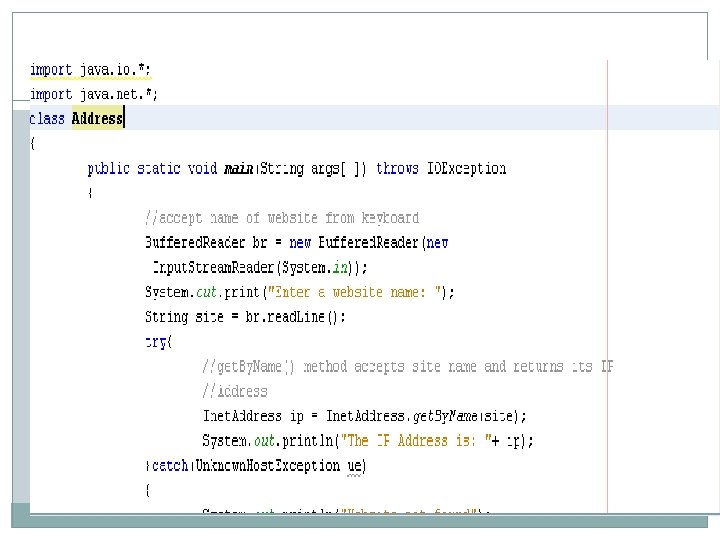
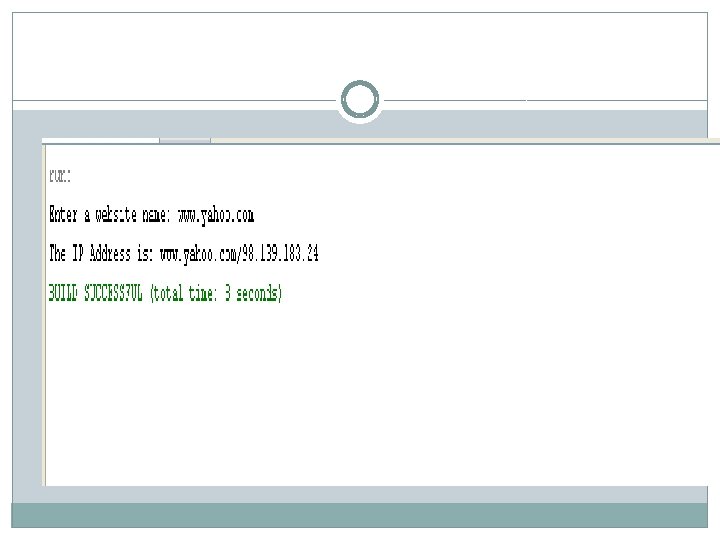
Networking Programming �import java. io. *; �import java. net. *; �class Address �{ � public static void main(String args[ ]) throws IOException � { � //accept name of website from keyboard � Buffered. Reader br = new Buffered. Reader(new � Input. Stream. Reader(System. in)); �
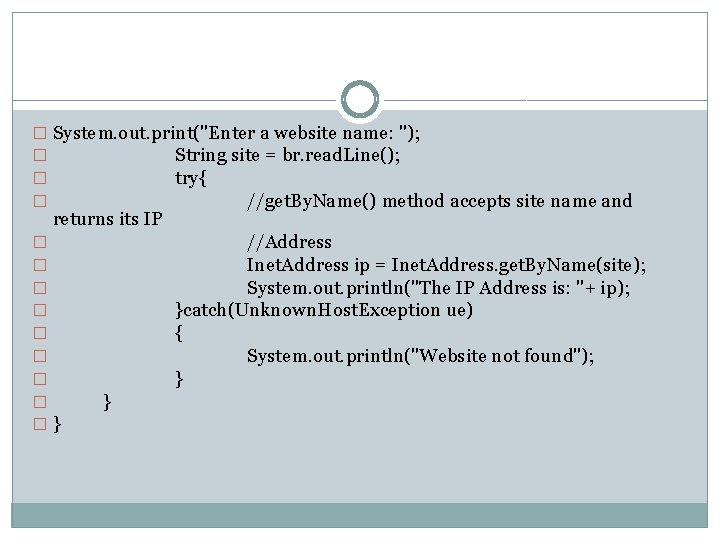
� System. out. print("Enter a website name: "); � String site = br. read. Line(); � try{ � //get. By. Name() method accepts site name and returns its IP � � � � �} //Address Inet. Address ip = Inet. Address. get. By. Name(site); System. out. println("The IP Address is: "+ ip); }catch(Unknown. Host. Exception ue) { System. out. println("Website not found"); } }
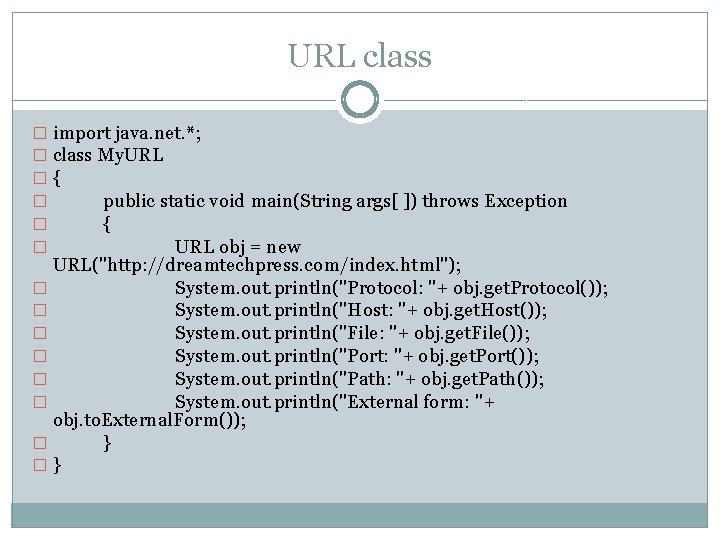
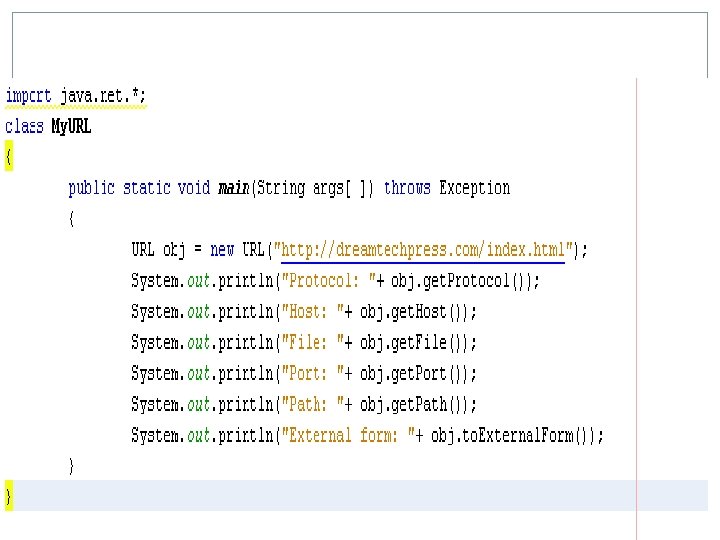
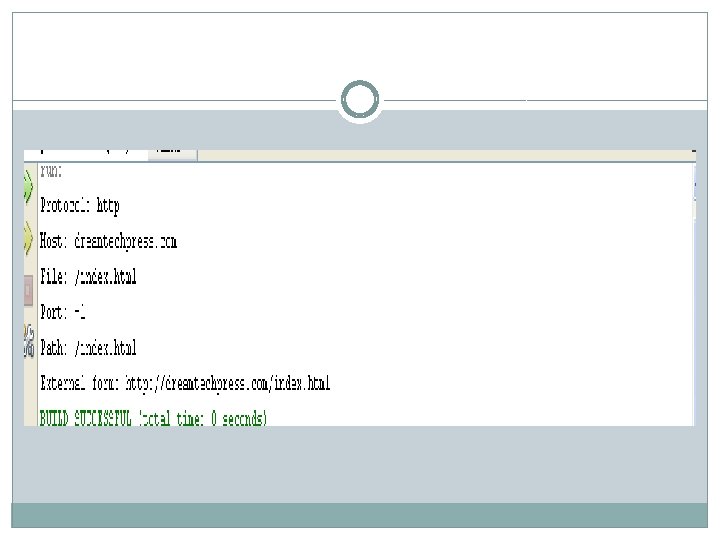
URL class � import java. net. *; � class My. URL �{ � public static void main(String args[ ]) throws Exception � { � URL obj = new URL("http: //dreamtechpress. com/index. html"); � System. out. println("Protocol: "+ obj. get. Protocol()); � System. out. println("Host: "+ obj. get. Host()); � System. out. println("File: "+ obj. get. File()); � System. out. println("Port: "+ obj. get. Port()); � System. out. println("Path: "+ obj. get. Path()); � System. out. println("External form: "+ obj. to. External. Form()); � } �}
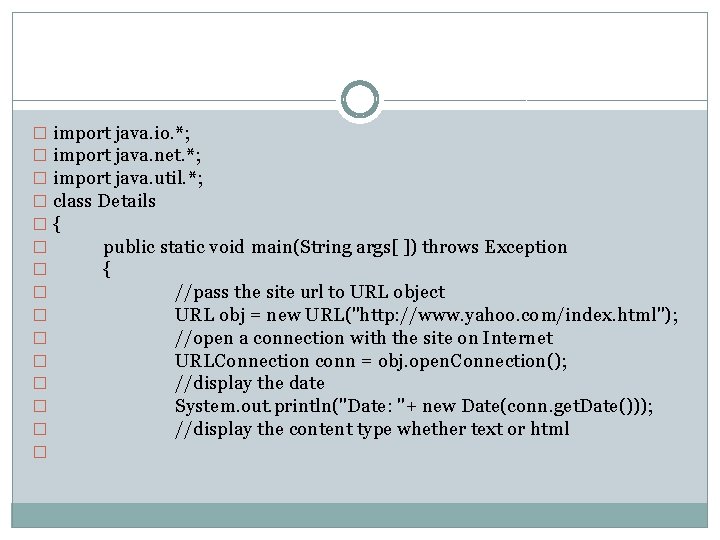
� import java. io. *; � import java. net. *; � import java. util. *; � class Details �{ � public static void main(String args[ ]) throws Exception � { � //pass the site url to URL object � URL obj = new URL("http: //www. yahoo. com/index. html"); � //open a connection with the site on Internet � URLConnection conn = obj. open. Connection(); � //display the date � System. out. println("Date: "+ new Date(conn. get. Date())); � //display the content type whether text or html �
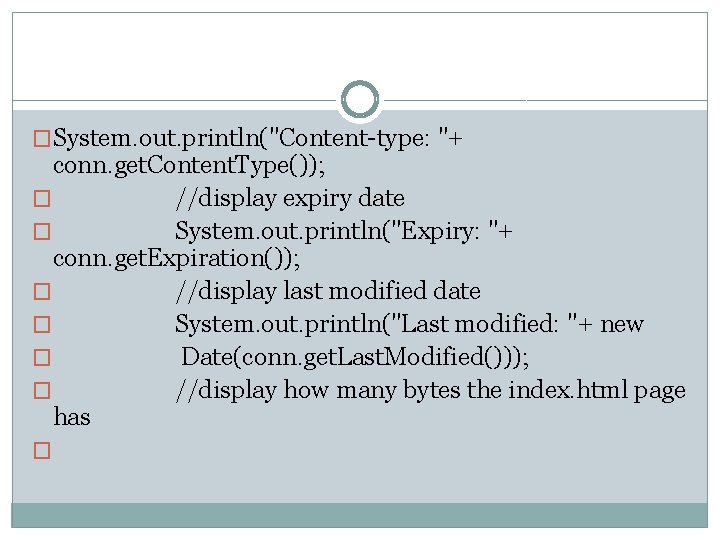
�System. out. println("Content-type: "+ conn. get. Content. Type()); � //display expiry date � System. out. println("Expiry: "+ conn. get. Expiration()); � //display last modified date � System. out. println("Last modified: "+ new � Date(conn. get. Last. Modified())); � //display how many bytes the index. html page has �
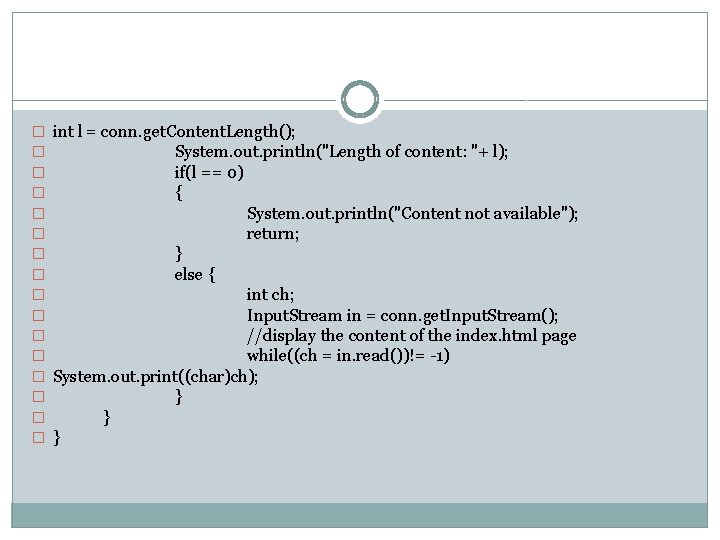
� int l = conn. get. Content. Length(); � System. out. println("Length of content: "+ l); � if(l == 0) � { � System. out. println("Content not available"); � return; � } � else { � int ch; � Input. Stream in = conn. get. Input. Stream(); � //display the content of the index. html page � while((ch = in. read())!= -1) � System. out. print((char)ch); � } � }
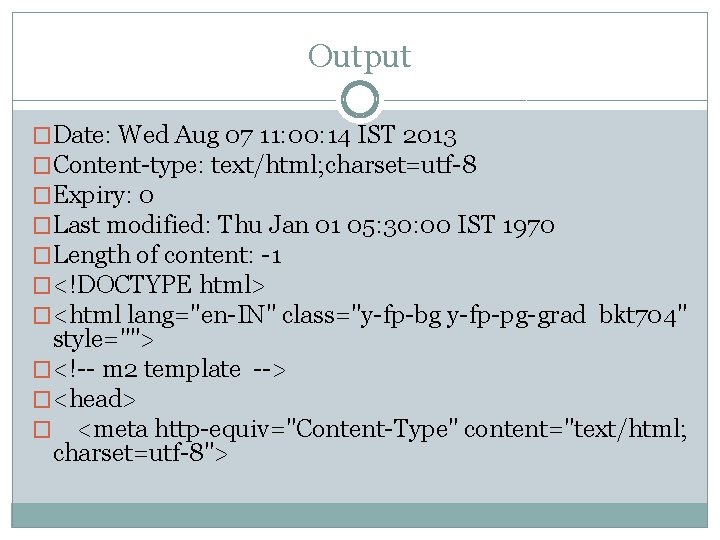
Output �Date: Wed Aug 07 11: 00: 14 IST 2013 �Content-type: text/html; charset=utf-8 �Expiry: 0 �Last modified: Thu Jan 01 05: 30: 00 IST 1970 �Length of content: -1 �<!DOCTYPE html> �<html lang="en-IN" class="y-fp-bg y-fp-pg-grad bkt 704" style=""> �<!-- m 2 template --> �<head> � <meta http-equiv="Content-Type" content="text/html; charset=utf-8">
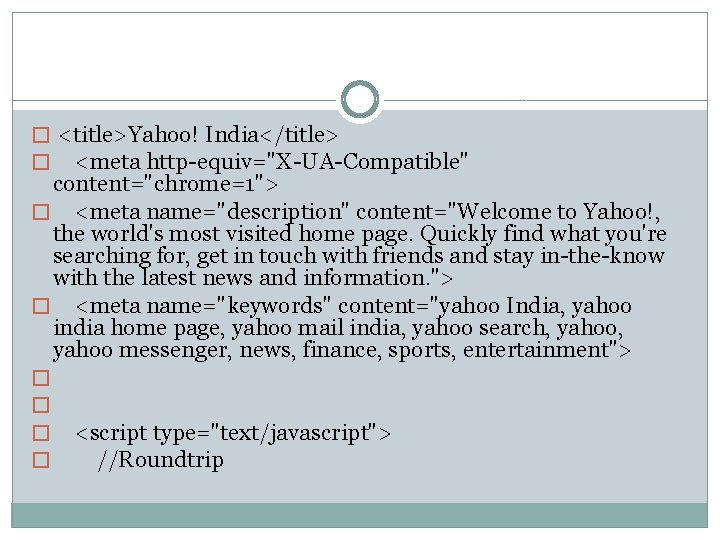
� <title>Yahoo! India</title> � <meta http-equiv="X-UA-Compatible" content="chrome=1"> � <meta name="description" content="Welcome to Yahoo!, the world's most visited home page. Quickly find what you're searching for, get in touch with friends and stay in-the-know with the latest news and information. "> � <meta name="keywords" content="yahoo India, yahoo india home page, yahoo mail india, yahoo search, yahoo messenger, news, finance, sports, entertainment"> � � <script type="text/javascript"> //Roundtrip
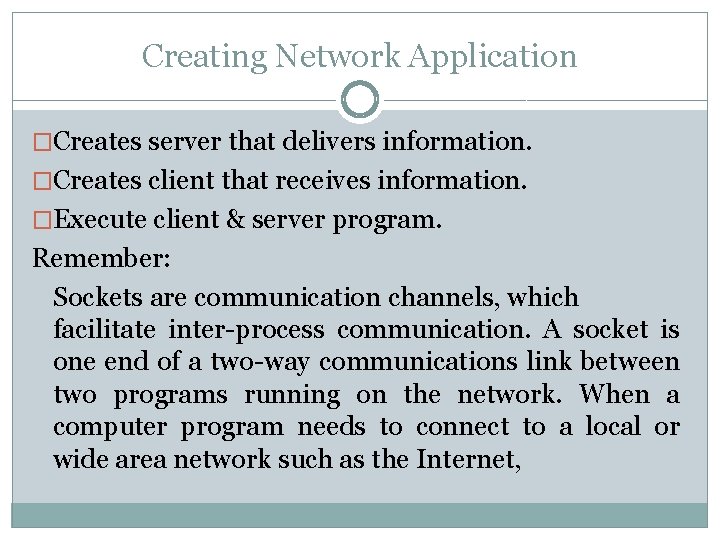
Creating Network Application �Creates server that delivers information. �Creates client that receives information. �Execute client & server program. Remember: Sockets are communication channels, which facilitate inter-process communication. A socket is one end of a two-way communications link between two programs running on the network. When a computer program needs to connect to a local or wide area network such as the Internet,
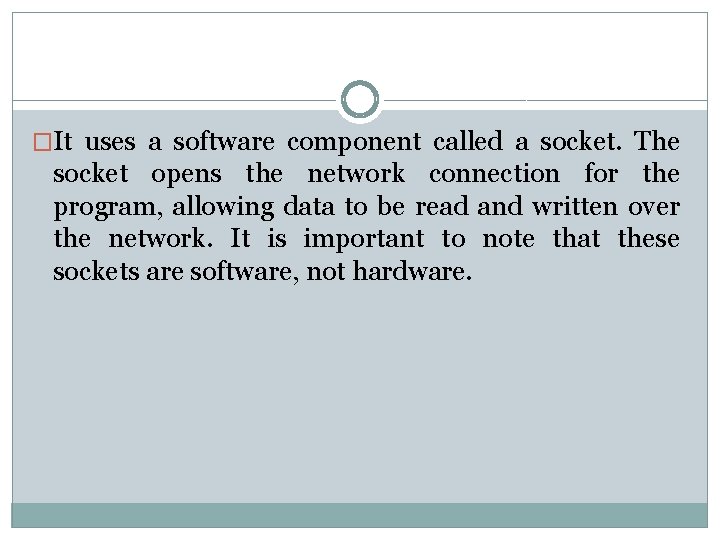
�It uses a software component called a socket. The socket opens the network connection for the program, allowing data to be read and written over the network. It is important to note that these sockets are software, not hardware.
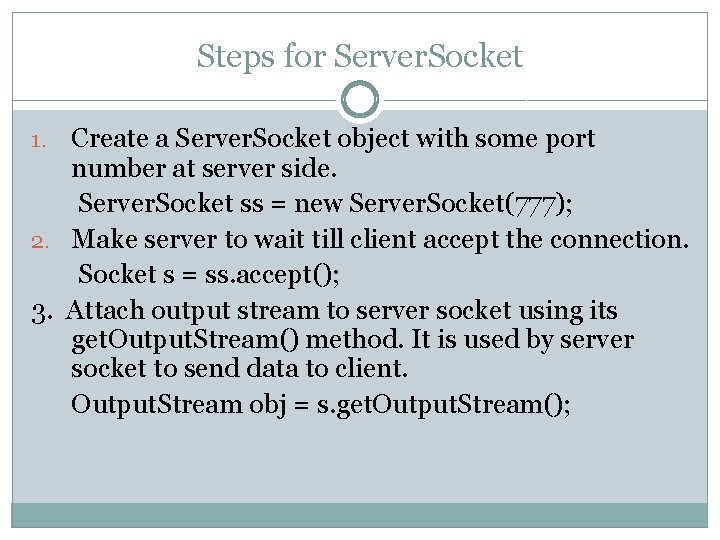
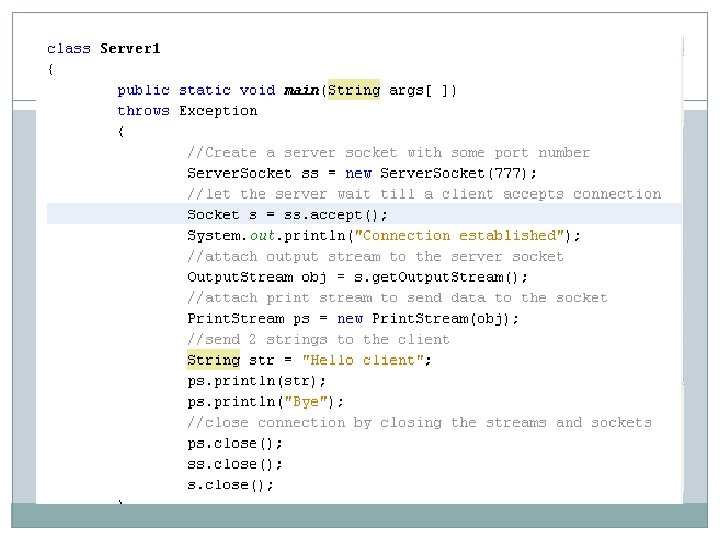
Steps for Server. Socket Create a Server. Socket object with some port number at server side. Server. Socket ss = new Server. Socket(777); 2. Make server to wait till client accept the connection. Socket s = ss. accept(); 3. Attach output stream to server socket using its get. Output. Stream() method. It is used by server socket to send data to client. Output. Stream obj = s. get. Output. Stream(); 1.
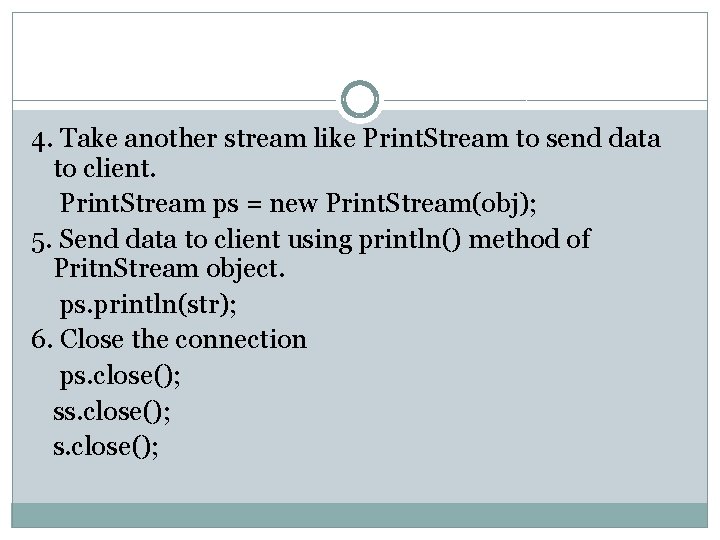
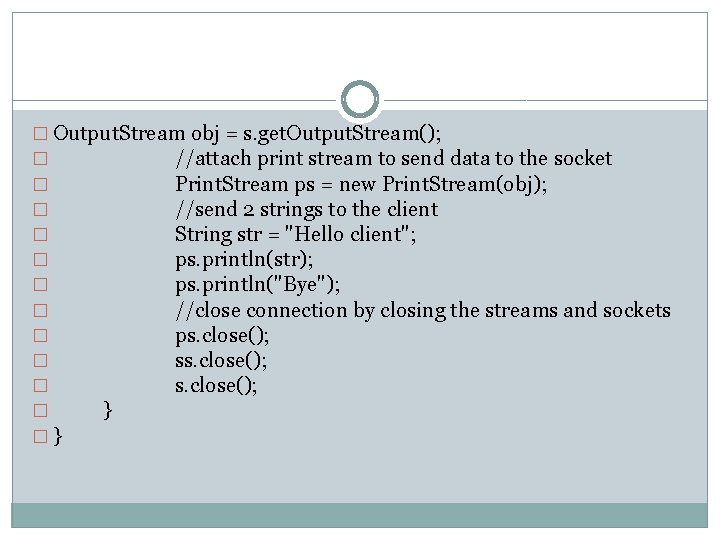
4. Take another stream like Print. Stream to send data to client. Print. Stream ps = new Print. Stream(obj); 5. Send data to client using println() method of Pritn. Stream object. ps. println(str); 6. Close the connection ps. close();
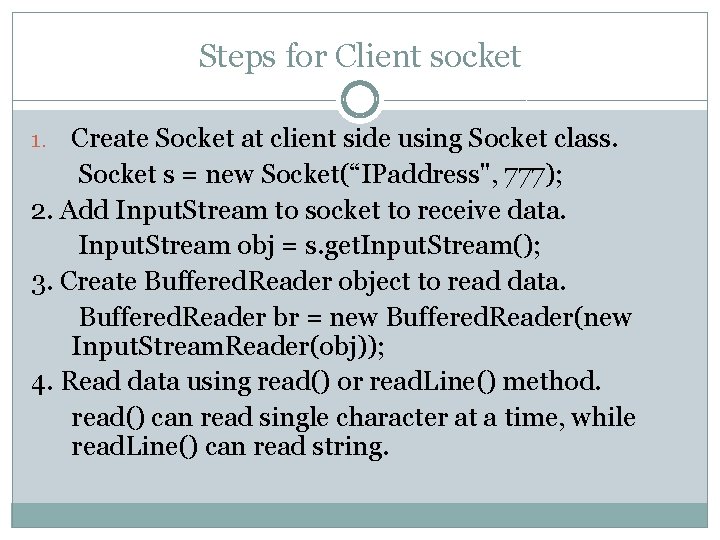
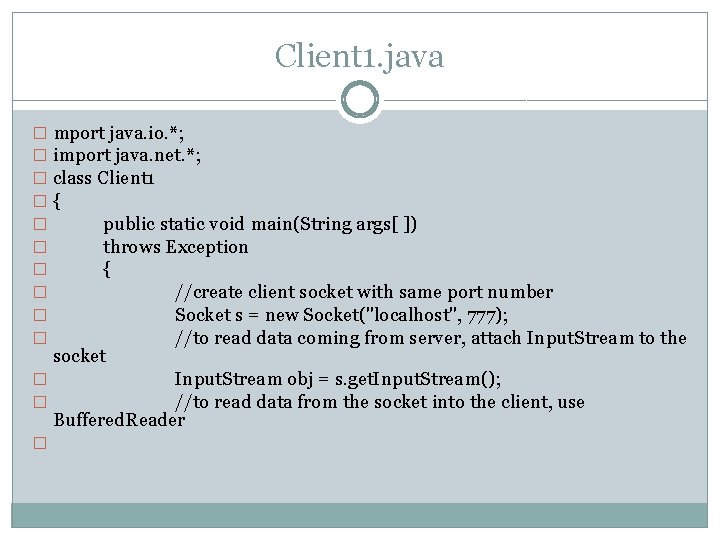
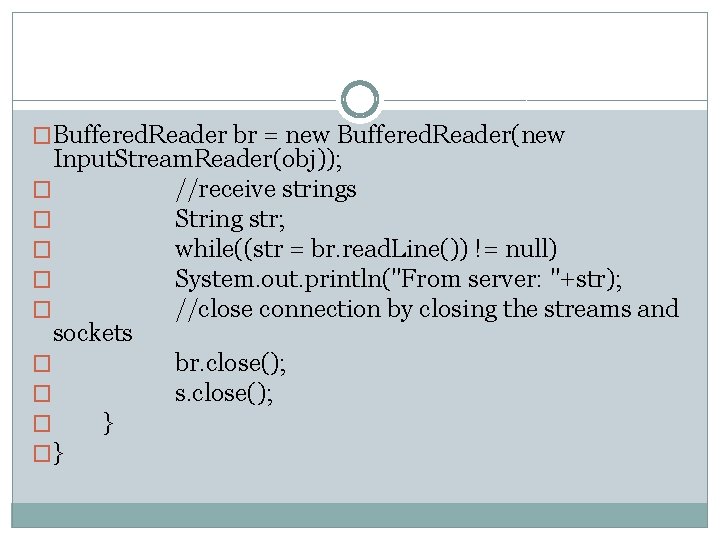
Steps for Client socket Create Socket at client side using Socket class. Socket s = new Socket(“IPaddress", 777); 2. Add Input. Stream to socket to receive data. Input. Stream obj = s. get. Input. Stream(); 3. Create Buffered. Reader object to read data. Buffered. Reader br = new Buffered. Reader(new Input. Stream. Reader(obj)); 4. Read data using read() or read. Line() method. read() can read single character at a time, while read. Line() can read string. 1.
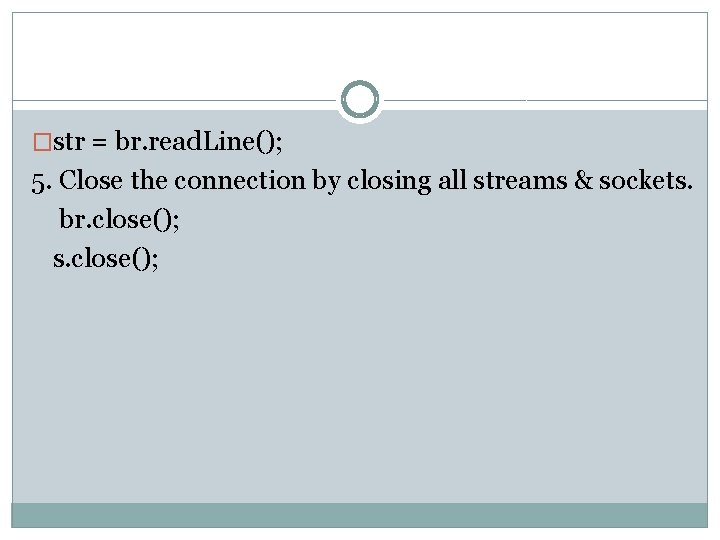
�str = br. read. Line(); 5. Close the connection by closing all streams & sockets. br. close(); s. close();
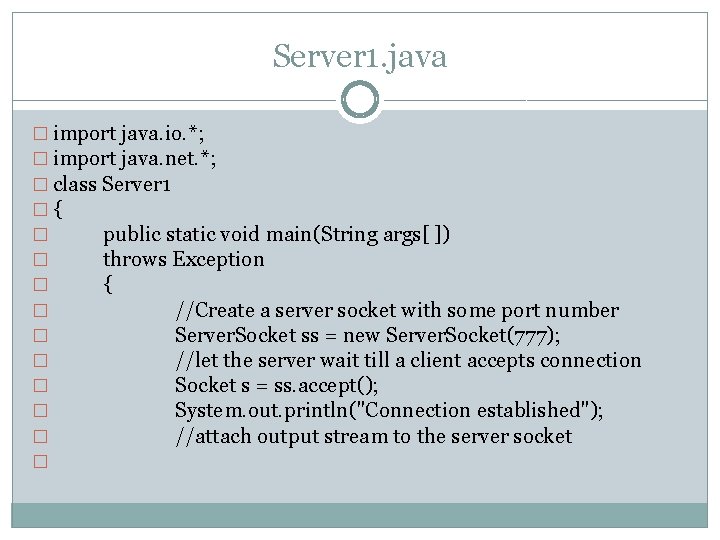
Server 1. java � import java. io. *; � import java. net. *; � class Server 1 �{ � public static void main(String args[ ]) � throws Exception � { � //Create a server socket with some port number � Server. Socket ss = new Server. Socket(777); � //let the server wait till a client accepts connection � Socket s = ss. accept(); � System. out. println("Connection established"); � //attach output stream to the server socket �
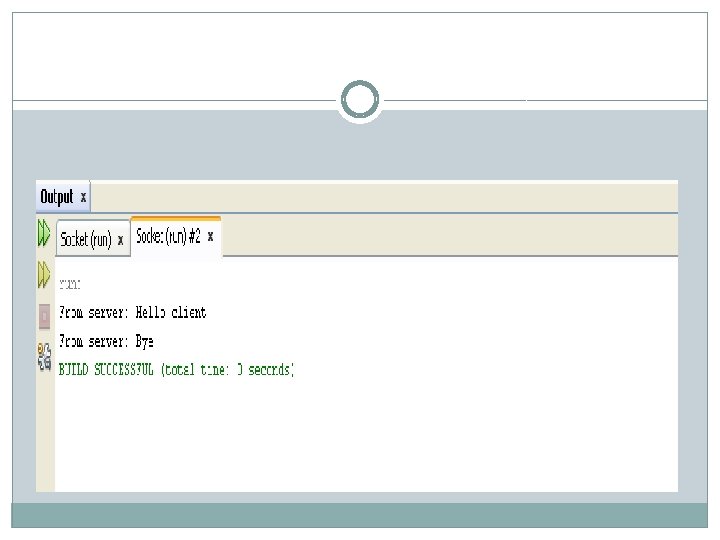
� Output. Stream obj = s. get. Output. Stream(); � //attach print stream to send data to the socket � Print. Stream ps = new Print. Stream(obj); � //send 2 strings to the client � String str = "Hello client"; � ps. println(str); � ps. println("Bye"); � //close connection by closing the streams and sockets � ps. close(); � } �}
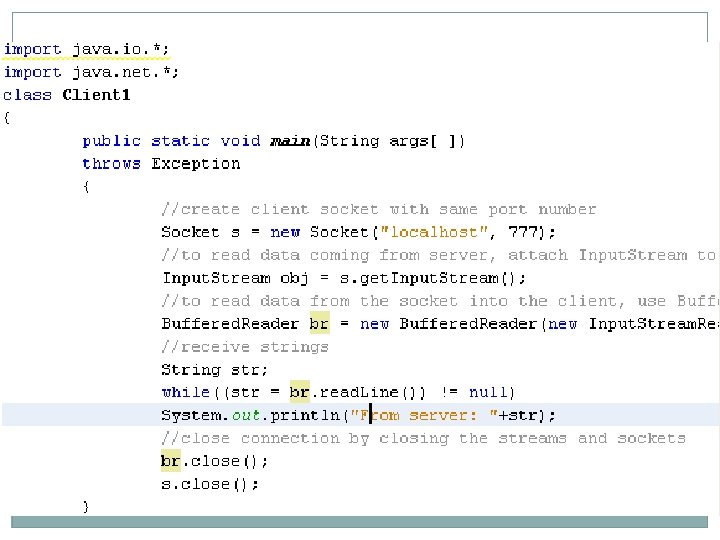
Client 1. java � mport java. io. *; � import java. net. *; � class Client 1 �{ � public static void main(String args[ ]) � throws Exception � { � //create client socket with same port number � Socket s = new Socket("localhost", 777); � //to read data coming from server, attach Input. Stream to the socket � � � Input. Stream obj = s. get. Input. Stream(); //to read data from the socket into the client, use Buffered. Reader
�Buffered. Reader br = new Buffered. Reader(new Input. Stream. Reader(obj)); � //receive strings � String str; � while((str = br. read. Line()) != null) � System. out. println("From server: "+str); � //close connection by closing the streams and sockets � br. close(); � s. close(); � } �}
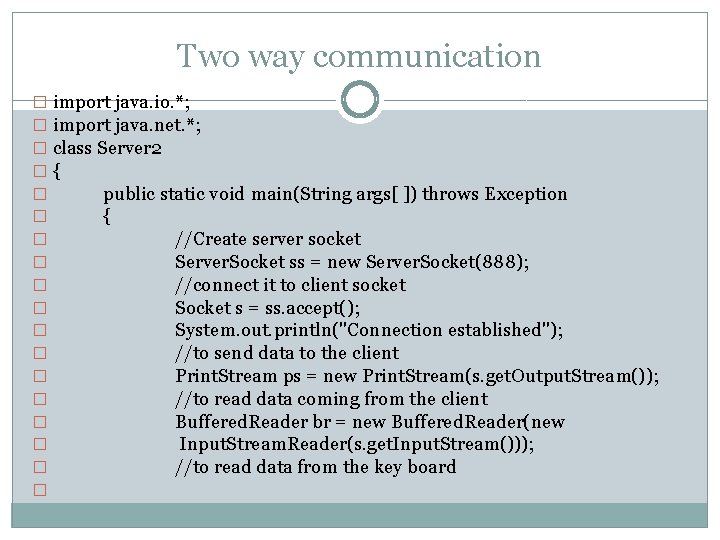
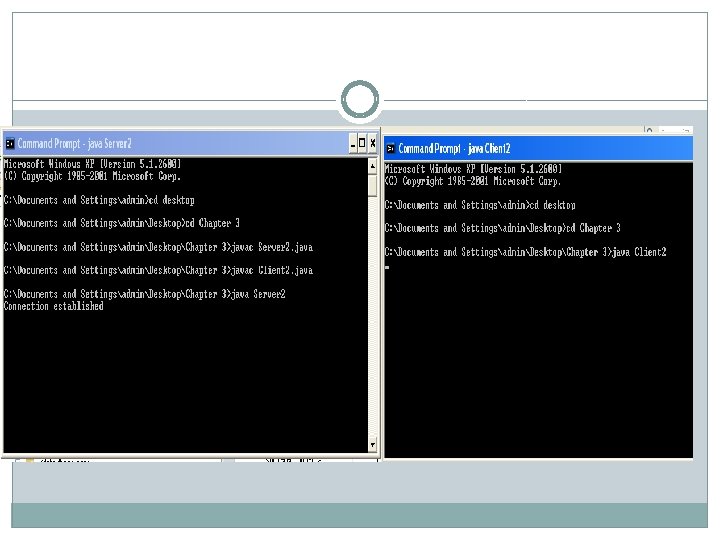
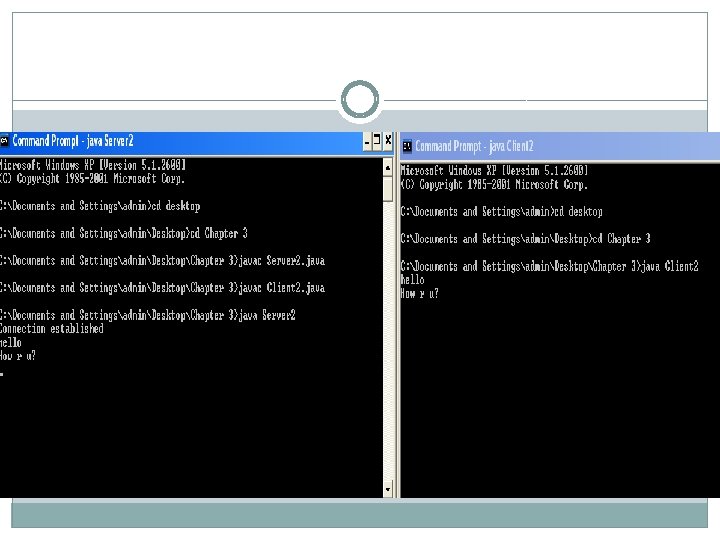
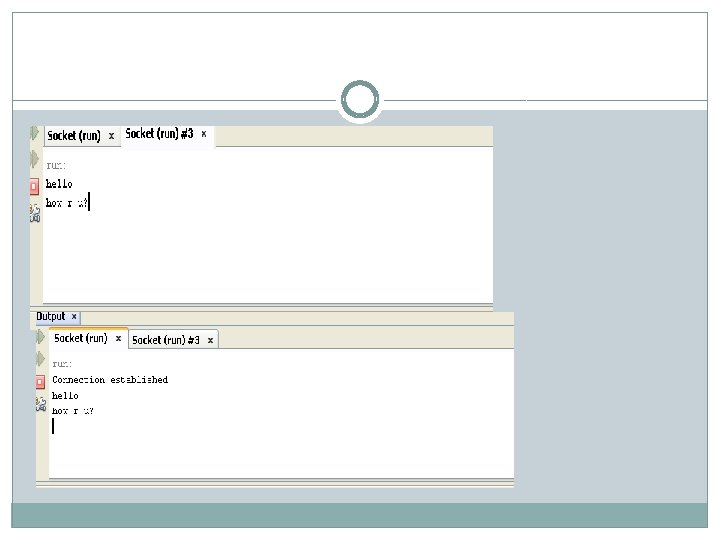
Two way communication � import java. io. *; � import java. net. *; � class Server 2 �{ � public static void main(String args[ ]) throws Exception � { � //Create server socket � Server. Socket ss = new Server. Socket(888); � //connect it to client socket � Socket s = ss. accept(); � System. out. println("Connection established"); � //to send data to the client � Print. Stream ps = new Print. Stream(s. get. Output. Stream()); � //to read data coming from the client � Buffered. Reader br = new Buffered. Reader(new � Input. Stream. Reader(s. get. Input. Stream())); � //to read data from the key board �
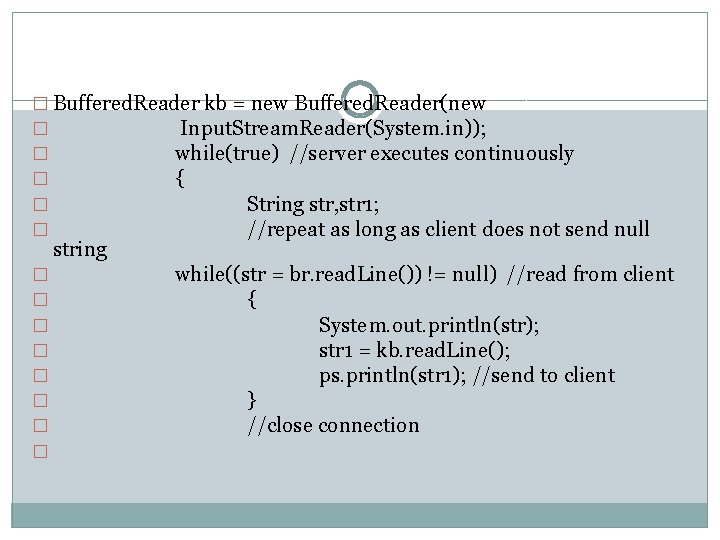
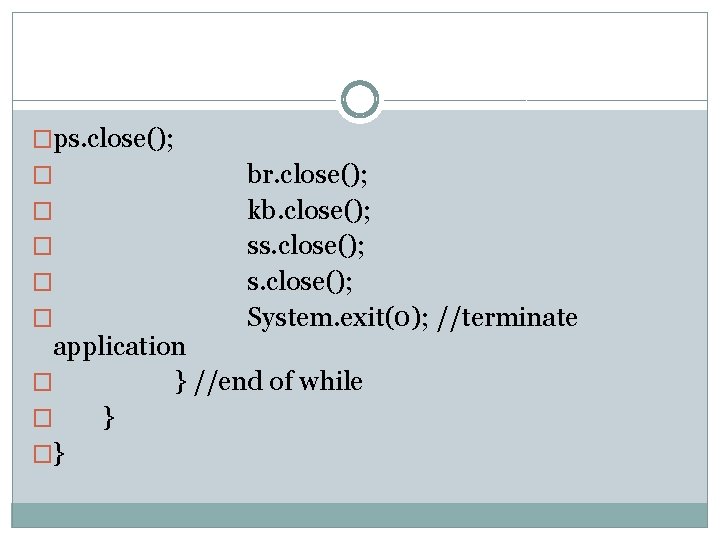
� Buffered. Reader kb = new Buffered. Reader(new � Input. Stream. Reader(System. in)); � while(true) //server executes continuously � { � String str, str 1; � //repeat as long as client does not send null string � � � � while((str = br. read. Line()) != null) //read from client { System. out. println(str); str 1 = kb. read. Line(); ps. println(str 1); //send to client } //close connection
�ps. close(); � � � br. close(); kb. close(); ss. close(); System. exit(0); //terminate application � } //end of while � } �}
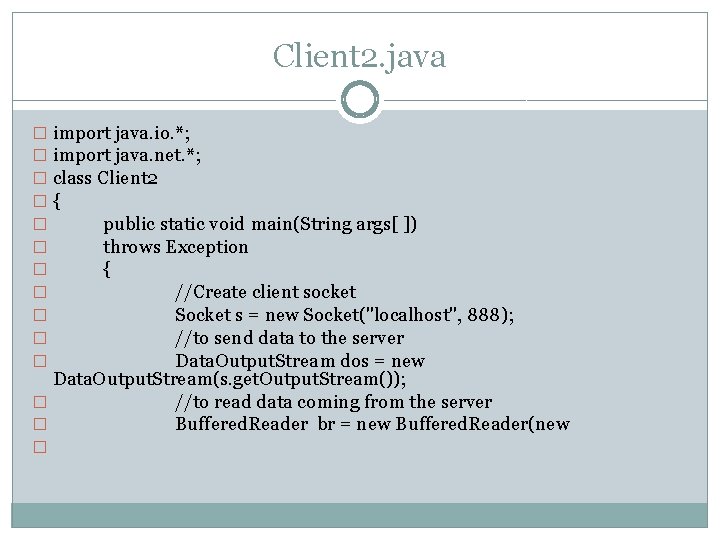
Client 2. java � import java. io. *; � import java. net. *; � class Client 2 �{ � public static void main(String args[ ]) � throws Exception � { � //Create client socket � Socket s = new Socket("localhost", 888); � //to send data to the server � Data. Output. Stream dos = new Data. Output. Stream(s. get. Output. Stream()); � //to read data coming from the server � Buffered. Reader br = new Buffered. Reader(new �
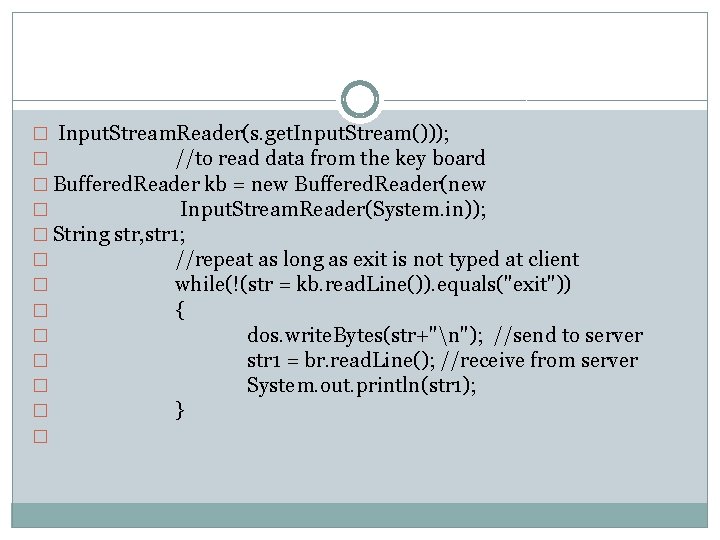
� Input. Stream. Reader(s. get. Input. Stream())); � //to read data from the key board � Buffered. Reader kb = new Buffered. Reader(new � Input. Stream. Reader(System. in)); � String str, str 1; � //repeat as long as exit is not typed at client � while(!(str = kb. read. Line()). equals("exit")) � { � dos. write. Bytes(str+"n"); //send to server � str 1 = br. read. Line(); //receive from server � System. out. println(str 1); � } �
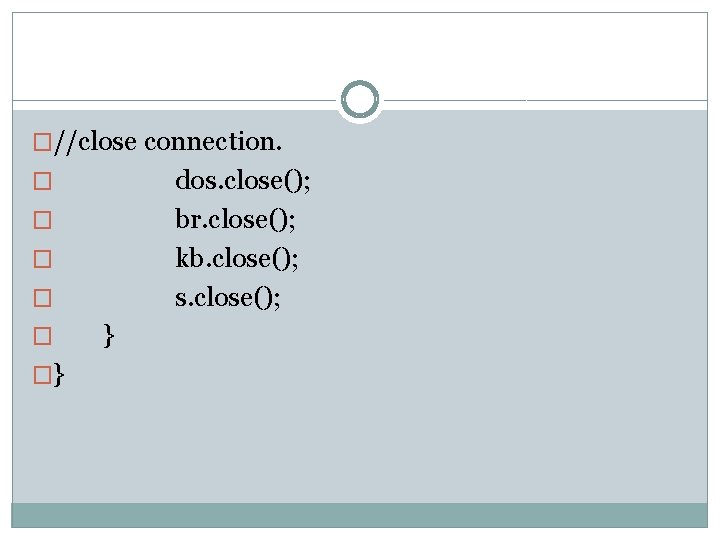
�//close connection. dos. close(); br. close(); kb. close(); s. close(); � � �} }
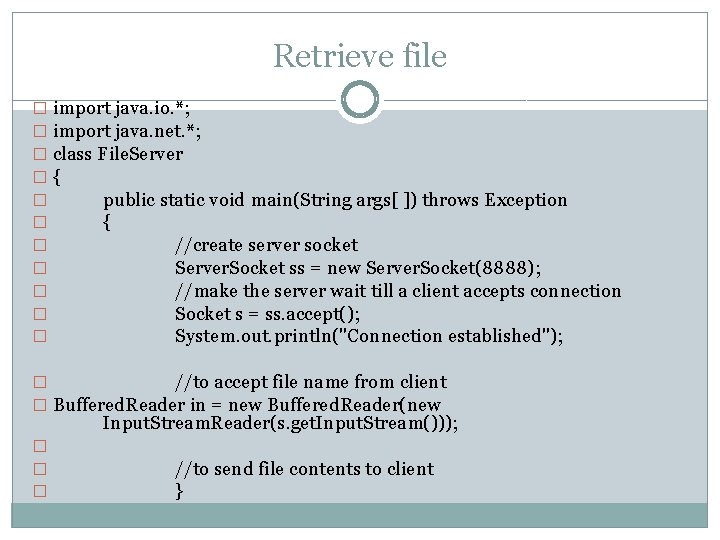
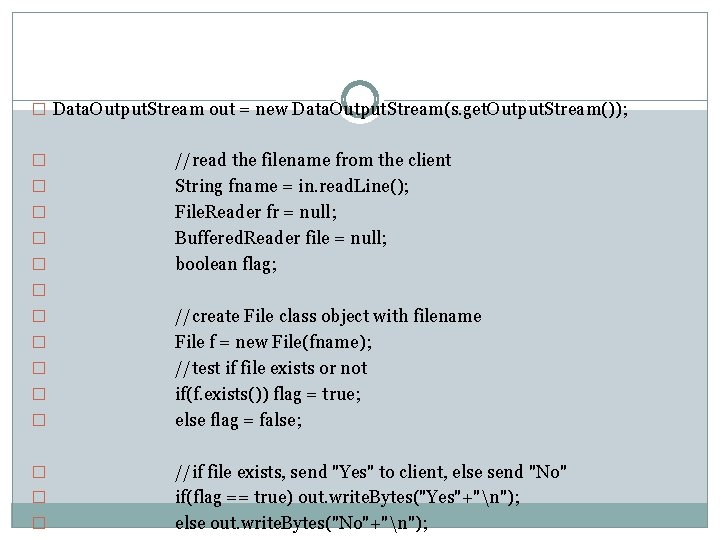
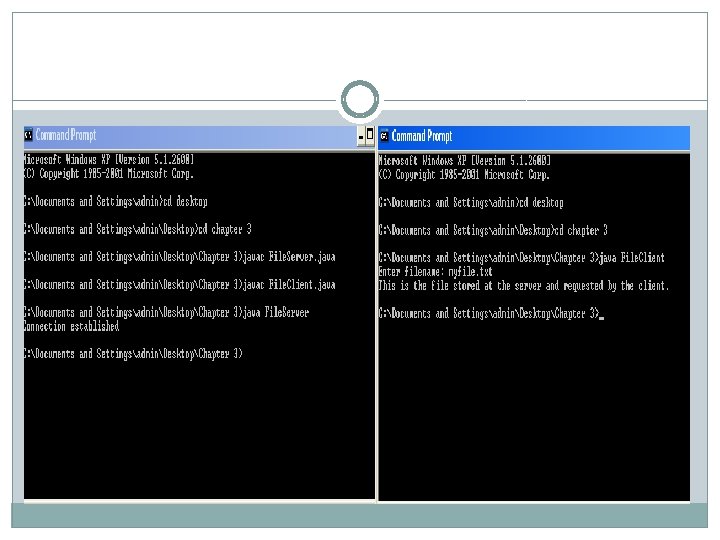
Retrieve file � import java. io. *; � import java. net. *; � class File. Server �{ � public static void main(String args[ ]) throws Exception � { � //create server socket � Server. Socket ss = new Server. Socket(8888); � //make the server wait till a client accepts connection � Socket s = ss. accept(); � System. out. println("Connection established"); � //to accept file name from client � Buffered. Reader in = new Buffered. Reader(new Input. Stream. Reader(s. get. Input. Stream())); � � � //to send file contents to client }
� Data. Output. Stream out = new Data. Output. Stream(s. get. Output. Stream()); � � � //read the filename from the client String fname = in. read. Line(); File. Reader fr = null; Buffered. Reader file = null; boolean flag; � � � � � //create File class object with filename File f = new File(fname); //test if file exists or not if(f. exists()) flag = true; else flag = false; //if file exists, send "Yes" to client, else send "No" if(flag == true) out. write. Bytes("Yes"+"n"); else out. write. Bytes("No"+"n");
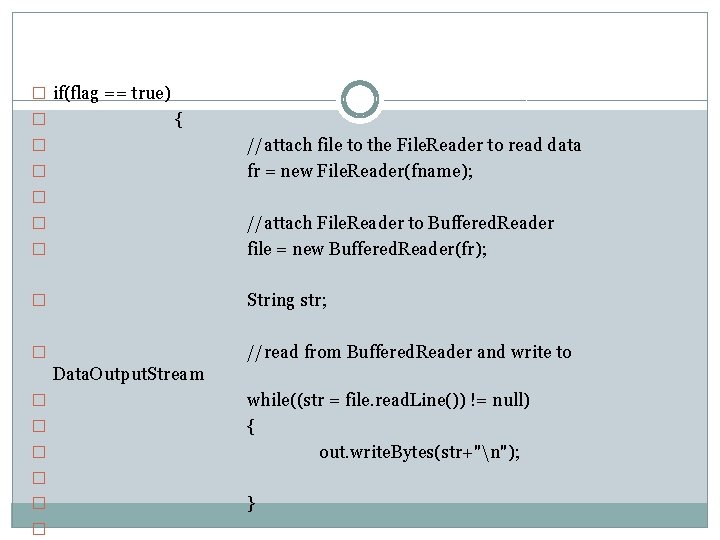
� if(flag == true) � { //attach file to the File. Reader to read data fr = new File. Reader(fname); � � //attach File. Reader to Buffered. Reader file = new Buffered. Reader(fr); � String str; � //read from Buffered. Reader and write to � Data. Output. Stream � � � while((str = file. read. Line()) != null) { out. write. Bytes(str+"n"); � � � }
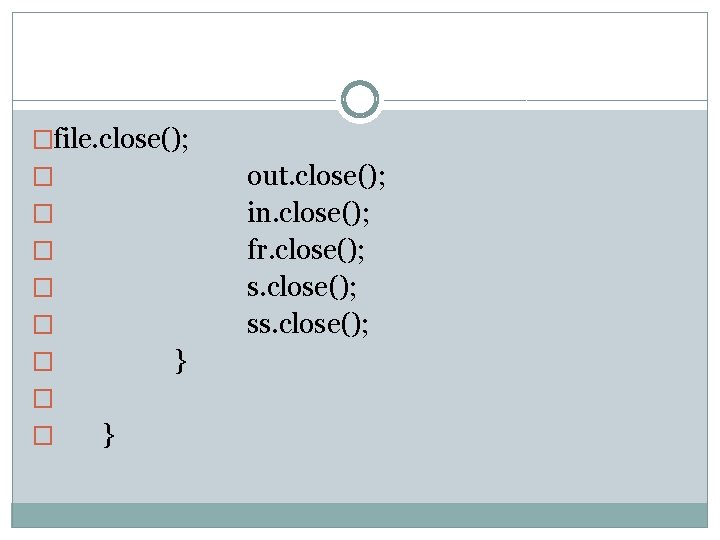
�file. close(); out. close(); in. close(); fr. close(); ss. close(); � � � }
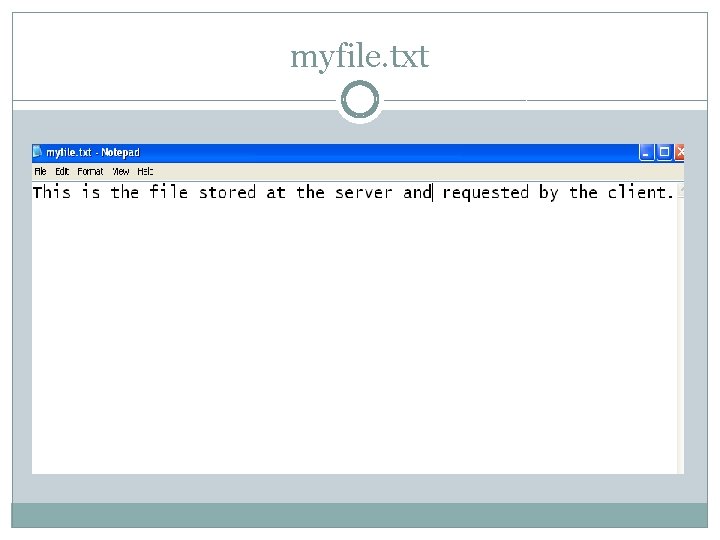
myfile. txt
UDP �UDP transfers datagrams from a process running in source host to other process running in destination host. �Each datagram needs destination address. �Datagram communication through java. net package classes: Datagram. Packet Datagram. Socket
�Datagram. Packet is used for creating packets or datagrams. �Different datagrams travel through different route, may arrive in any order and their delivery is not guaranteed in UDP. �Datagram. Socket is used for sending & receiving datagram packets over network. �A datagram socket provides an endpoint & methods to send and receive datagram packets over a network.
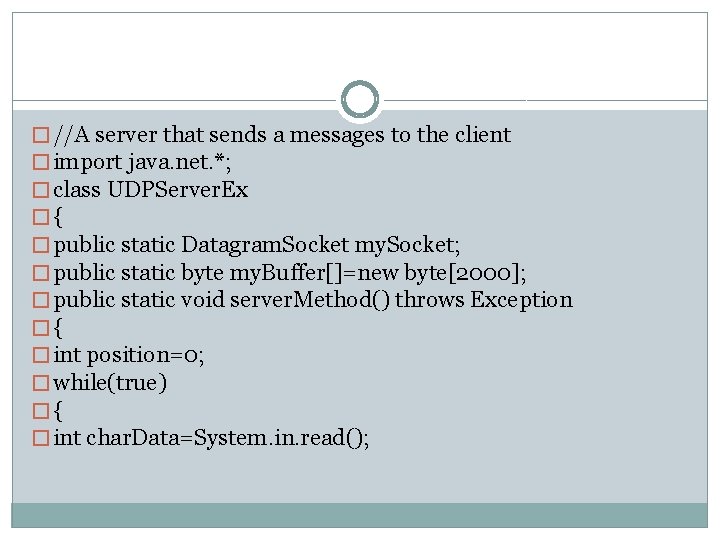
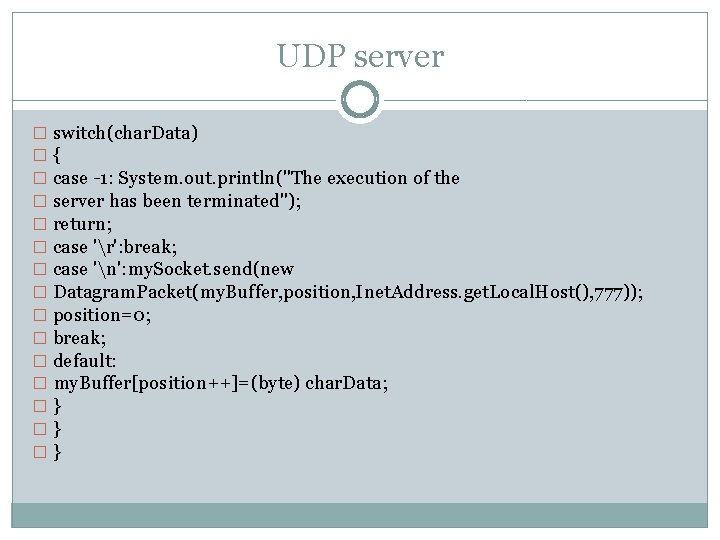
� //A server that sends a messages to the client � import java. net. *; � class UDPServer. Ex �{ � public static Datagram. Socket my. Socket; � public static byte my. Buffer[]=new byte[2000]; � public static void server. Method() throws Exception �{ � int position=0; � while(true) �{ � int char. Data=System. in. read();
UDP server � switch(char. Data) �{ � case -1: System. out. println("The execution of the � server has been terminated"); � return; � case 'r': break; � case 'n': my. Socket. send(new � Datagram. Packet(my. Buffer, position, Inet. Address. get. Local. Host(), 777)); � position=0; � break; � default: � my. Buffer[position++]=(byte) char. Data; �} �} �}
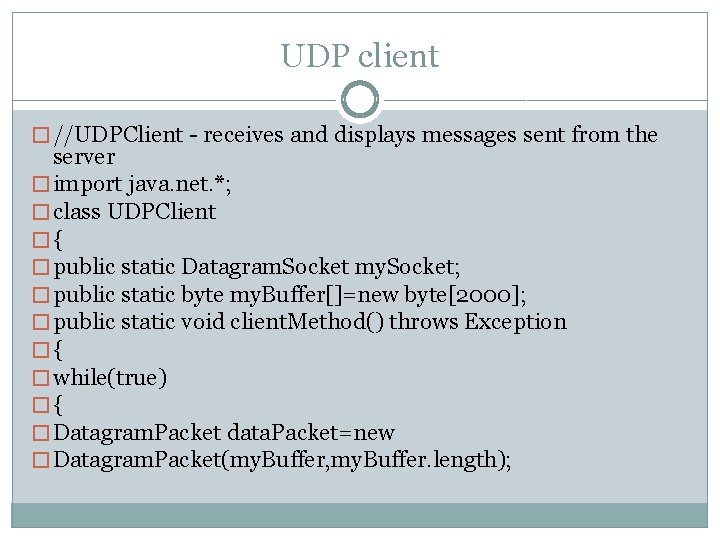
UDP client � //UDPClient - receives and displays messages sent from the server � import java. net. *; � class UDPClient �{ � public static Datagram. Socket my. Socket; � public static byte my. Buffer[]=new byte[2000]; � public static void client. Method() throws Exception �{ � while(true) �{ � Datagram. Packet data. Packet=new � Datagram. Packet(my. Buffer, my. Buffer. length);
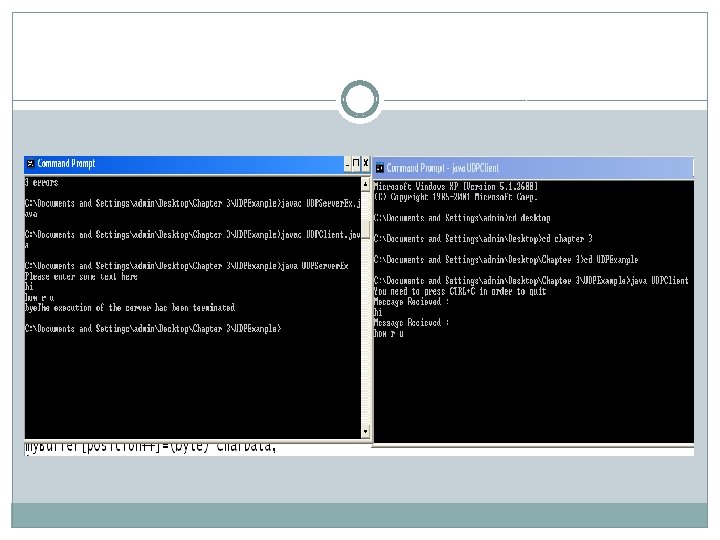
�public static void main(String args[]) throws Exception �{ �System. out. println("Please enter some text here"); �my. Socket=new Datagram. Socket(888); �server. Method(); �} �}
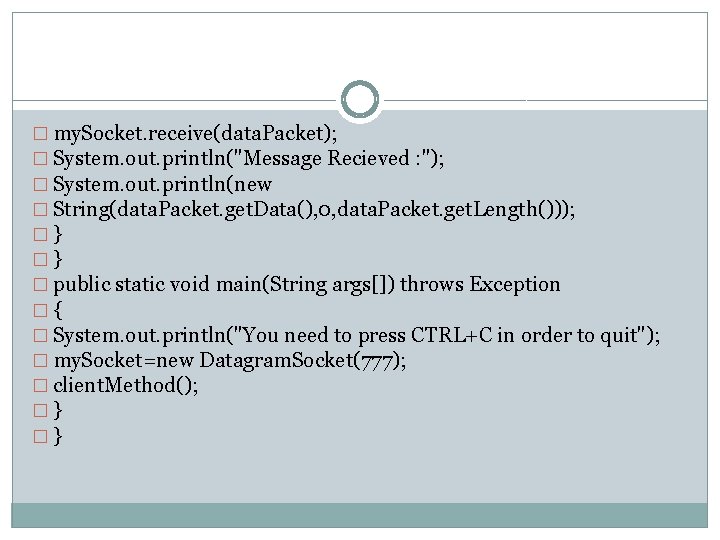
� my. Socket. receive(data. Packet); � System. out. println("Message Recieved : "); � System. out. println(new � String(data. Packet. get. Data(), 0, data. Packet. get. Length())); �} �} � public static void main(String args[]) throws Exception �{ � System. out. println("You need to press CTRL+C in order to quit"); � my. Socket=new Datagram. Socket(777); � client. Method(); �} �}
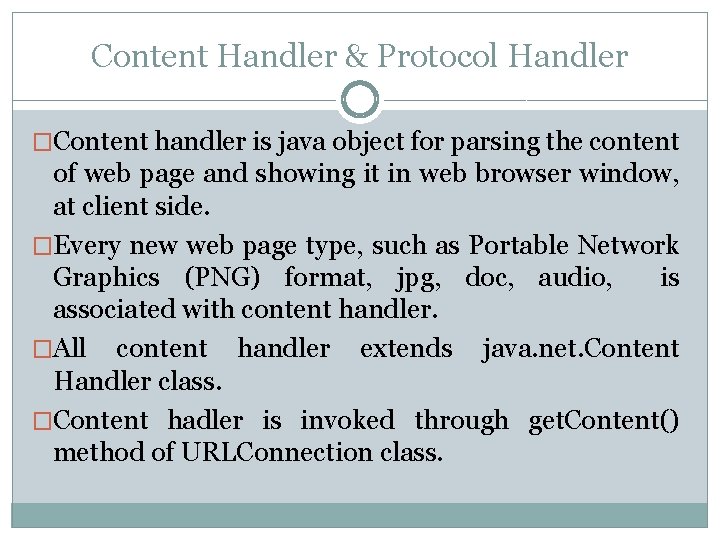
Content Handler & Protocol Handler �Content handler is java object for parsing the content of web page and showing it in web browser window, at client side. �Every new web page type, such as Portable Network Graphics (PNG) format, jpg, doc, audio, is associated with content handler. �All content handler extends java. net. Content Handler class. �Content hadler is invoked through get. Content() method of URLConnection class.
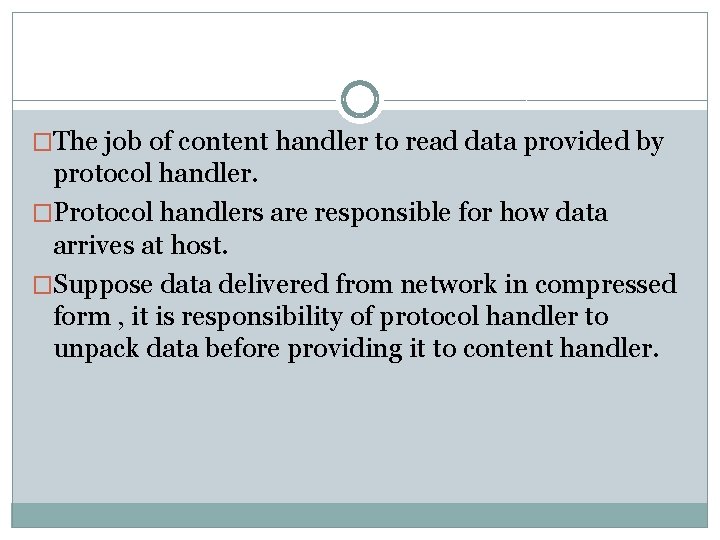
�The job of content handler to read data provided by protocol handler. �Protocol handlers are responsible for how data arrives at host. �Suppose data delivered from network in compressed form , it is responsibility of protocol handler to unpack data before providing it to content handler.
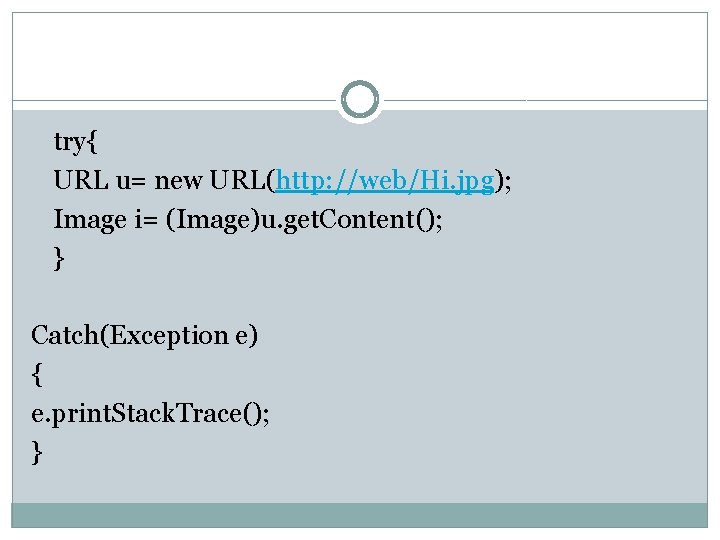
try{ URL u= new URL(http: //web/Hi. jpg); Image i= (Image)u. get. Content(); } Catch(Exception e) { e. print. Stack. Trace(); }
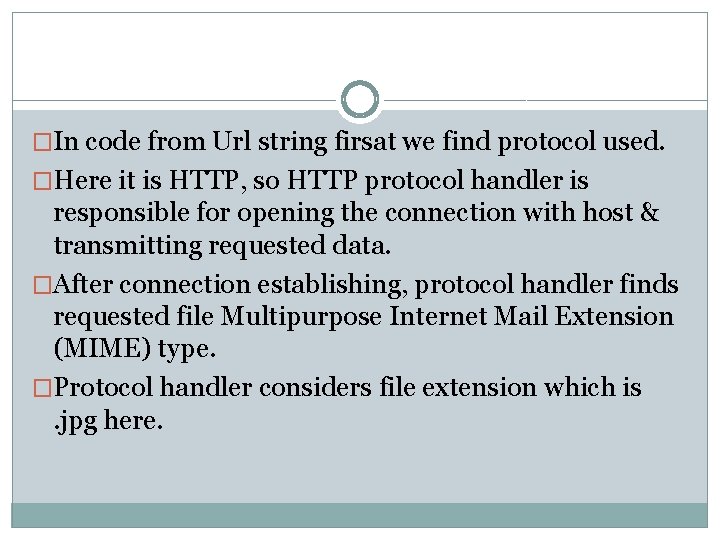
�In code from Url string firsat we find protocol used. �Here it is HTTP, so HTTP protocol handler is responsible for opening the connection with host & transmitting requested data. �After connection establishing, protocol handler finds requested file Multipurpose Internet Mail Extension (MIME) type. �Protocol handler considers file extension which is. jpg here.
�Then content handler is responsible for MIME type invocation & then required object I constucted. �Here it returns Image type object, which is returned by get. Content() method.