
Chapter2 Troubleshooting Processes for Complex Enterprise Networks NET
Chapter#2: Troubleshooting Processes for Complex Enterprise Networks NET 412 Asma Al. Osaimi
Chapter 2 Objectives Identify troubleshooting principles and evaluate troubleshooting methodologies. Plan and implement troubleshooting procedures as part of a structured troubleshooting methodology. Plan and implement troubleshooting and network maintenance procedures to effectively support each other. 2
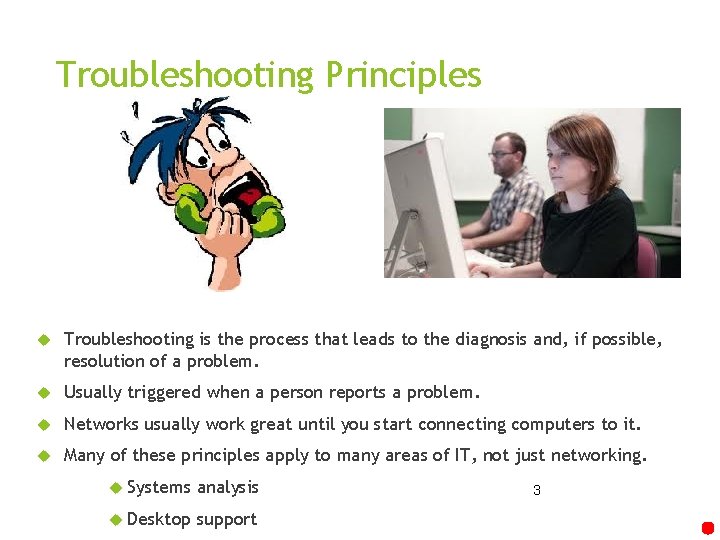
Troubleshooting Principles Troubleshooting is the process that leads to the diagnosis and, if possible, resolution of a problem. Usually triggered when a person reports a problem. Networks usually work great until you start connecting computers to it. Many of these principles apply to many areas of IT, not just networking. Systems analysis Desktop support 3
Troubleshooting Principles Diagnosis First step: Define the problem. Second step: Diagnosing the problem Eventually this process should lead to a hypothesis for the root cause of the problem 4

Troubleshooting Principles Diagnosis Gathering information: Interviewing all parties (user) involved any other means to gather relevant information. Analyzing information: Comparing the symptoms against your knowledge of the system, processes, and baselines. Separate normal behavior from abnormal behavior. Eliminating possible causes: By analyzing information possible problem causes are eliminated. Formulating a hypothesis: one or more potential problem causes remain Each potential problem is assessed and the most likely cause proposed as the hypothetical cause of the problem. Testing the hypothesis: Proposing a solution based on this hypothesis, implementing that solution and verifying if this solved the problem. 5
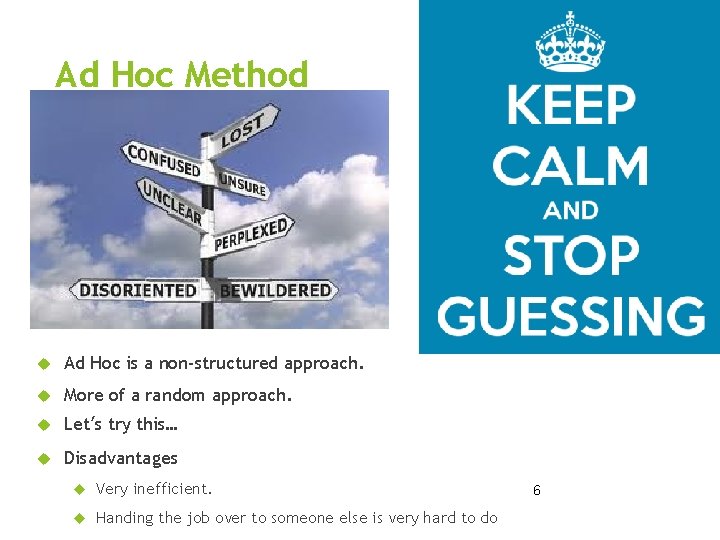
Ad Hoc Method Ad Hoc is a non-structured approach. More of a random approach. Let’s try this… Disadvantages Very inefficient. Handing the job over to someone else is very hard to do 6
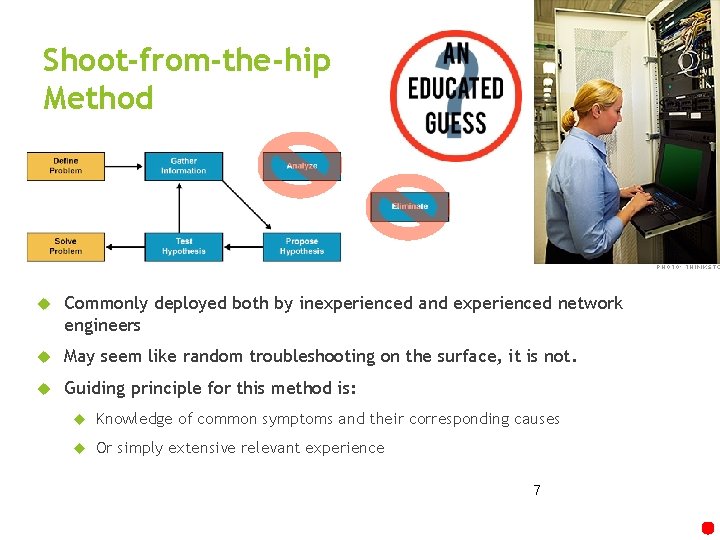
Shoot-from-the-hip Method Commonly deployed both by inexperienced and experienced network engineers May seem like random troubleshooting on the surface, it is not. Guiding principle for this method is: Knowledge of common symptoms and their corresponding causes Or simply extensive relevant experience 7
Structured Troubleshooting Approaches Commonly use approaches: Top-down Bottom-up Divide and conquer Follow-the-path Spot the differences Move the problem Different situations mean different approaches Sometimes you will use one approach to narrow down the problem then switch to a different approach to solve it. Follow the path to find the bad router Spot the differences to find the problem 8
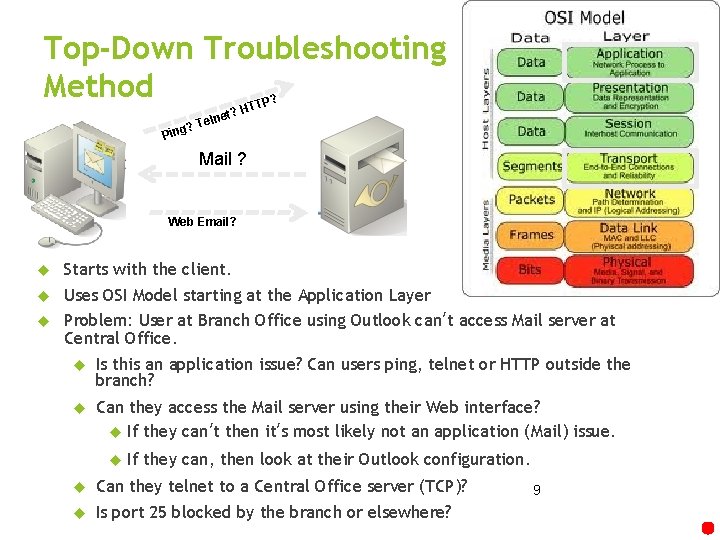
Top-Down Troubleshooting Method ? TTP ? Ping H et? n l e T Mail ? Web Email? Starts with the client. Uses OSI Model starting at the Application Layer Problem: User at Branch Office using Outlook can’t access Mail server at Central Office. Is this an application issue? Can users ping, telnet or HTTP outside the branch? Can they access the Mail server using their Web interface? If they can’t then it’s most likely not an application (Mail) issue. If they can, then look at their Outlook configuration. Can they telnet to a Central Office server (TCP)? Is port 25 blocked by the branch or elsewhere? 9
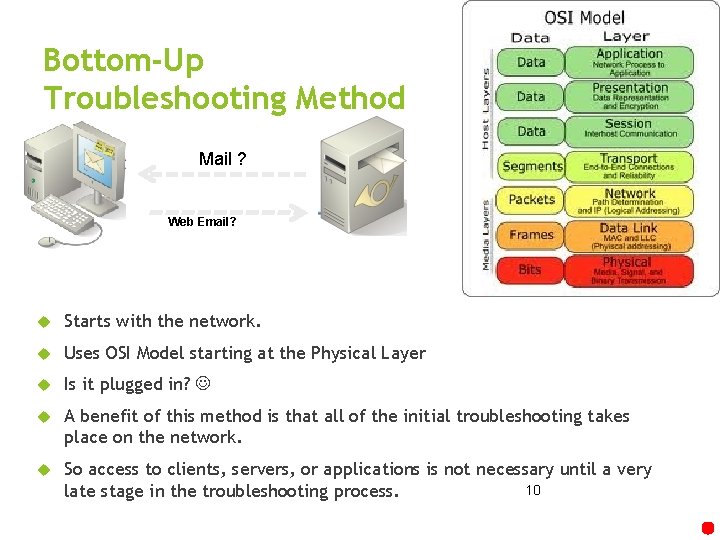
Bottom-Up Troubleshooting Method Mail ? Web Email? Starts with the network. Uses OSI Model starting at the Physical Layer Is it plugged in? A benefit of this method is that all of the initial troubleshooting takes place on the network. So access to clients, servers, or applications is not necessary until a very 10 late stage in the troubleshooting process.
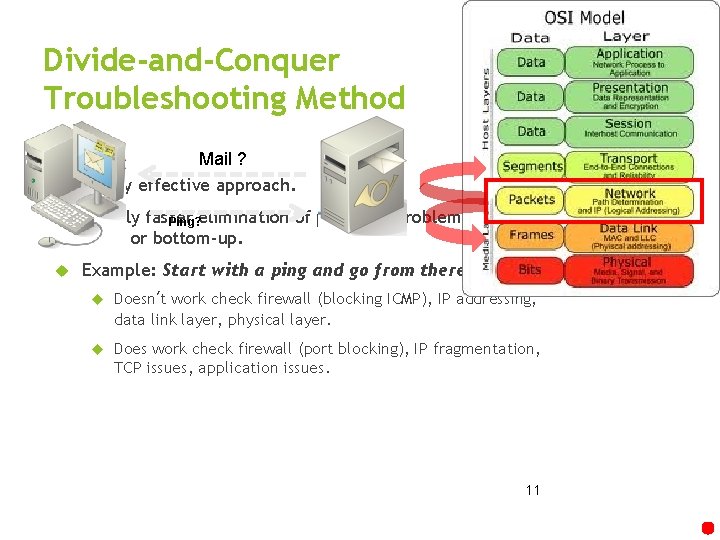
Divide-and-Conquer Troubleshooting Method Mail ? Highly effective approach. Usually faster Ping? elimination of potential problems the topdown or bottom-up. Example: Start with a ping and go from there. Doesn’t work check firewall (blocking ICMP), IP addressing, data link layer, physical layer. Does work check firewall (port blocking), IP fragmentation, TCP issues, application issues. 11
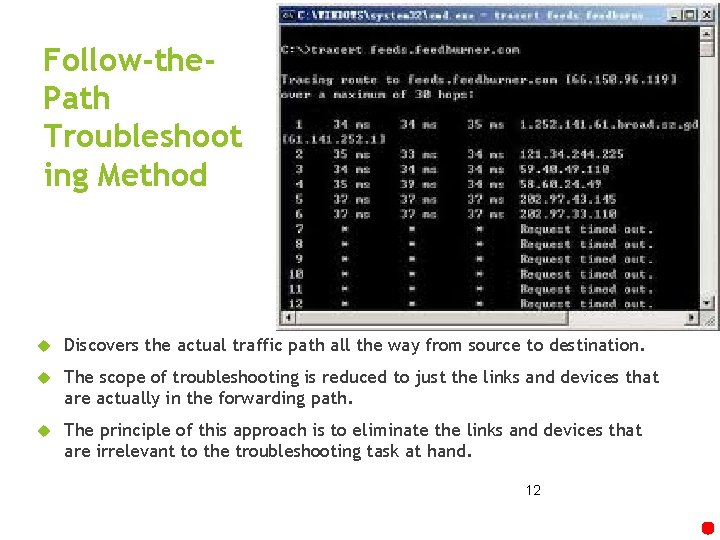
Follow-the. Path Troubleshoot ing Method Discovers the actual traffic path all the way from source to destination. The scope of troubleshooting is reduced to just the links and devices that are actually in the forwarding path. The principle of this approach is to eliminate the links and devices that are irrelevant to the troubleshooting task at hand. 12
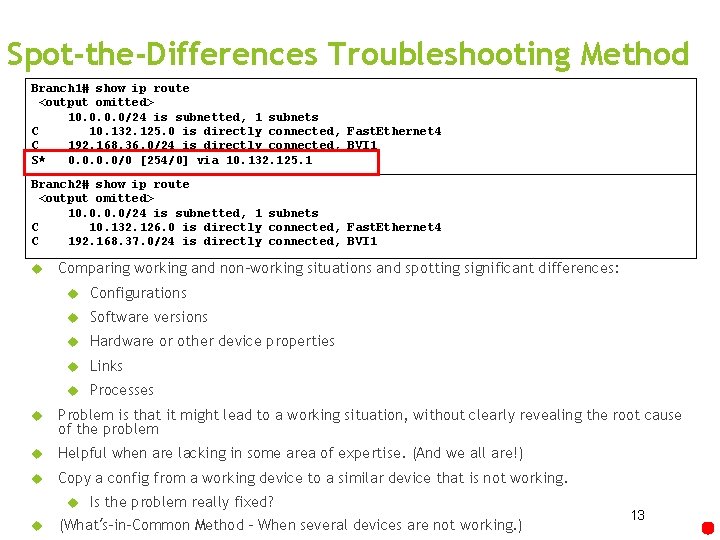
Spot-the-Differences Troubleshooting Method Branch 1# show ip route <output omitted> 10. 0/24 is subnetted, 1 subnets C 10. 132. 125. 0 is directly connected, Fast. Ethernet 4 C 192. 168. 36. 0/24 is directly connected, BVI 1 S* 0. 0/0 [254/0] via 10. 132. 125. 1 Branch 2# show ip route <output omitted> 10. 0/24 is subnetted, 1 subnets C 10. 132. 126. 0 is directly connected, Fast. Ethernet 4 C 192. 168. 37. 0/24 is directly connected, BVI 1 Comparing working and non-working situations and spotting significant differences: Configurations Software versions Hardware or other device properties Links Processes Problem is that it might lead to a working situation, without clearly revealing the root cause of the problem Helpful when are lacking in some area of expertise. (And we all are!) Copy a config from a working device to a similar device that is not working. Is the problem really fixed? (What’s-in-Common Method – When several devices are not working. ) 13
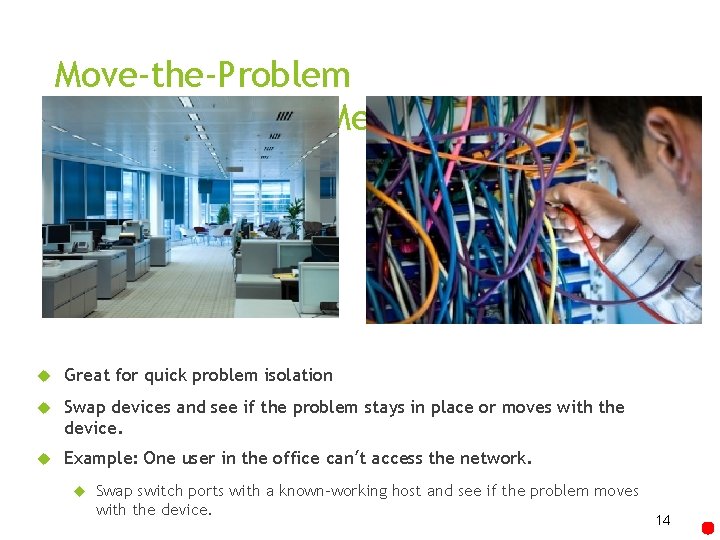
Move-the-Problem Troubleshooting Method Great for quick problem isolation Swap devices and see if the problem stays in place or moves with the device. Example: One user in the office can’t access the network. Swap switch ports with a known-working host and see if the problem moves with the device. 14
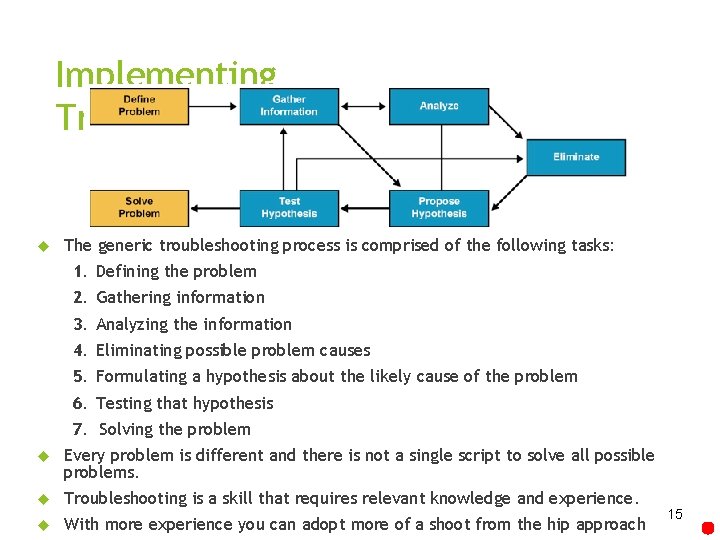
Implementing Troubleshooting Procedures The generic troubleshooting process is comprised of the following tasks: 1. Defining the problem 2. Gathering information 3. Analyzing the information 4. Eliminating possible problem causes 5. Formulating a hypothesis about the likely cause of the problem 6. Testing that hypothesis 7. Solving the problem Every problem is different and there is not a single script to solve all possible problems. Troubleshooting is a skill that requires relevant knowledge and experience. With more experience you can adopt more of a shoot from the hip approach 15
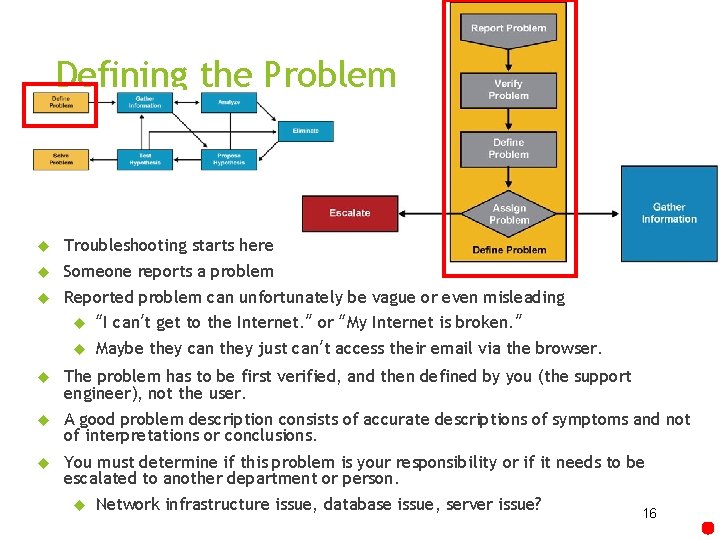
Defining the Problem Troubleshooting starts here Someone reports a problem Reported problem can unfortunately be vague or even misleading “I can’t get to the Internet. ” or “My Internet is broken. ” Maybe they can they just can’t access their email via the browser. The problem has to be first verified, and then defined by you (the support engineer), not the user. A good problem description consists of accurate descriptions of symptoms and not of interpretations or conclusions. You must determine if this problem is your responsibility or if it needs to be escalated to another department or person. Network infrastructure issue, database issue, server issue? 16
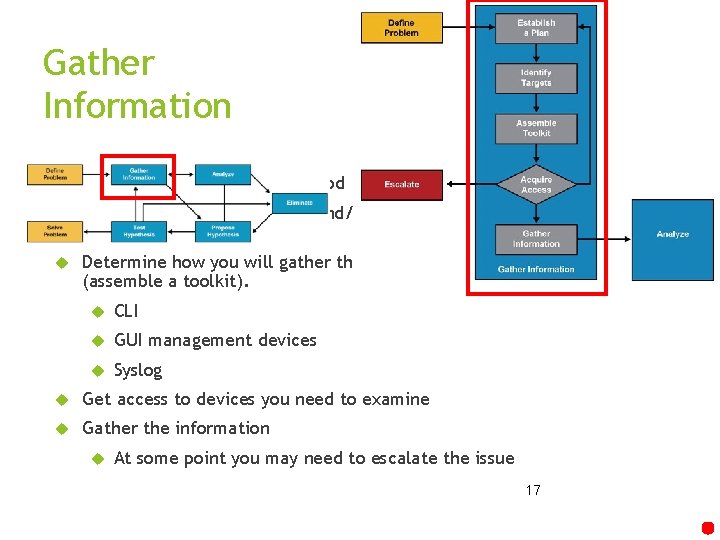
Gather Information Select a troubleshooting method Identify who you will talk to and/or what devices you need to examine Determine how you will gather this information (assemble a toolkit). CLI GUI management devices Syslog Get access to devices you need to examine Gather the information At some point you may need to escalate the issue 17
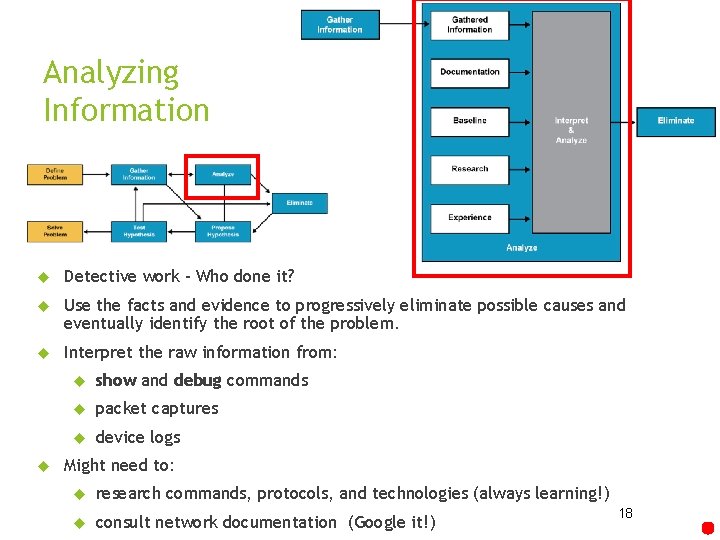
Analyzing Information Detective work – Who done it? Use the facts and evidence to progressively eliminate possible causes and eventually identify the root of the problem. Interpret the raw information from: show and debug commands packet captures device logs Might need to: research commands, protocols, and technologies (always learning!) consult network documentation (Google it!) 18
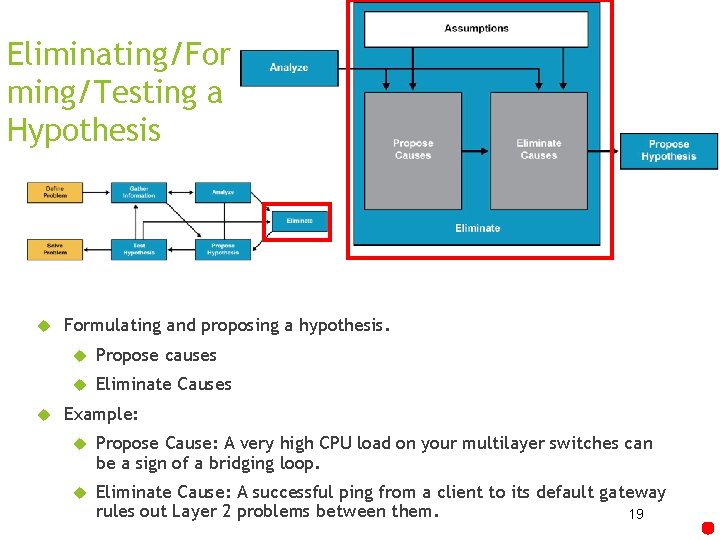
Eliminating/For ming/Testing a Hypothesis Formulating and proposing a hypothesis. Propose causes Eliminate Causes Example: Propose Cause: A very high CPU load on your multilayer switches can be a sign of a bridging loop. Eliminate Cause: A successful ping from a client to its default gateway rules out Layer 2 problems between them. 19
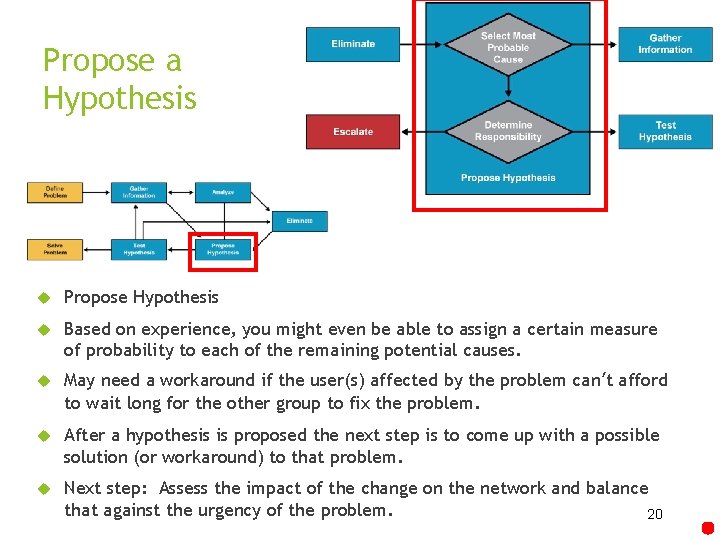
Propose a Hypothesis Propose Hypothesis Based on experience, you might even be able to assign a certain measure of probability to each of the remaining potential causes. May need a workaround if the user(s) affected by the problem can’t afford to wait long for the other group to fix the problem. After a hypothesis is proposed the next step is to come up with a possible solution (or workaround) to that problem. Next step: Assess the impact of the change on the network and balance that against the urgency of the problem. 20
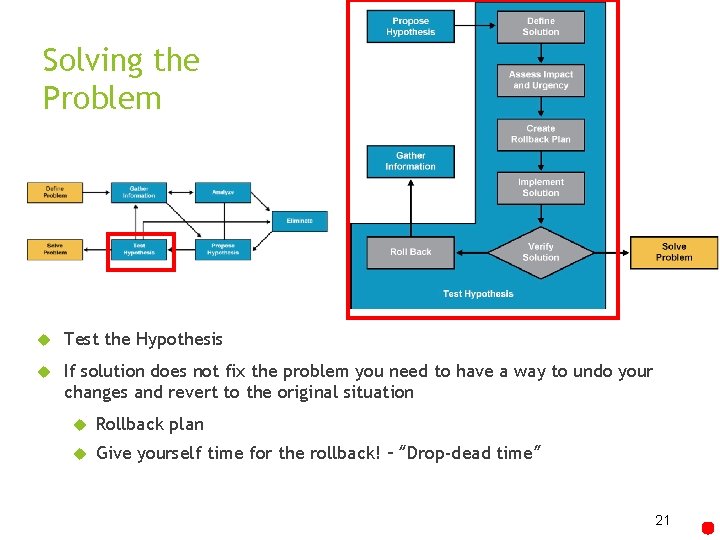
Solving the Problem Test the Hypothesis If solution does not fix the problem you need to have a way to undo your changes and revert to the original situation Rollback plan Give yourself time for the rollback! – “Drop-dead time” 21
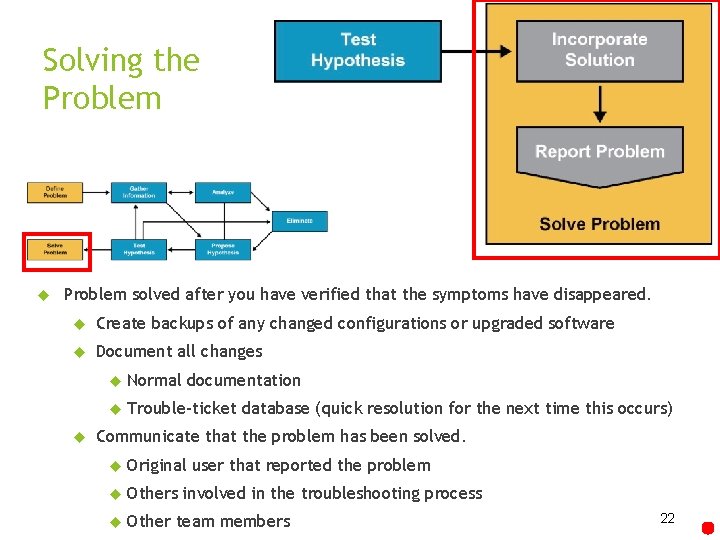
Solving the Problem solved after you have verified that the symptoms have disappeared. Create backups of any changed configurations or upgraded software Document all changes Normal documentation Trouble-ticket database (quick resolution for the next time this occurs) Communicate that the problem has been solved. Original Others Other user that reported the problem involved in the troubleshooting process team members 22
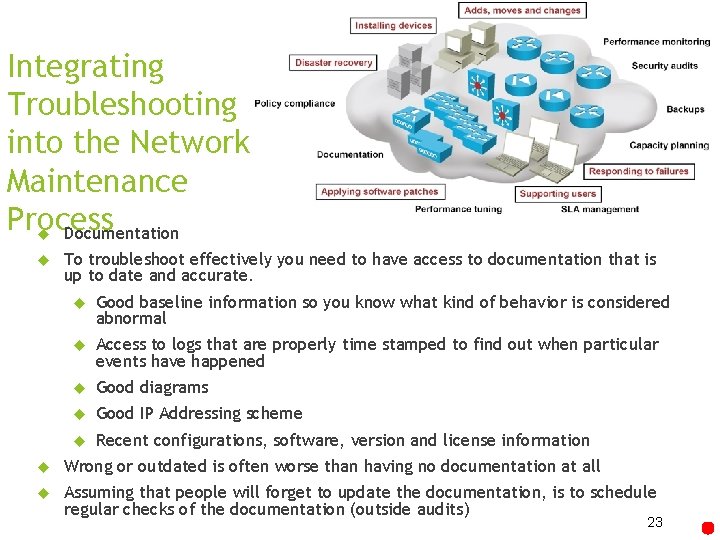
Integrating Troubleshooting into the Network Maintenance Process Documentation To troubleshoot effectively you need to have access to documentation that is up to date and accurate. Good baseline information so you know what kind of behavior is considered abnormal Access to logs that are properly time stamped to find out when particular events have happened Good diagrams Good IP Addressing scheme Recent configurations, software, version and license information Wrong or outdated is often worse than having no documentation at all Assuming that people will forget to update the documentation, is to schedule regular checks of the documentation (outside audits) 23
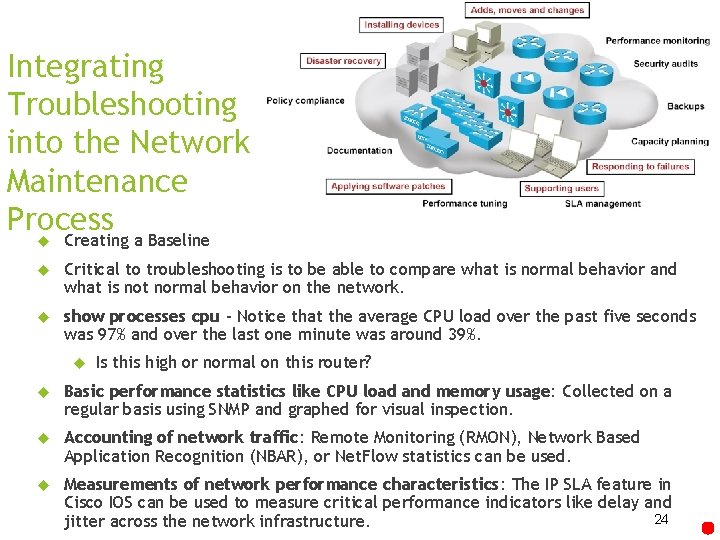
Integrating Troubleshooting into the Network Maintenance Process Creating a Baseline Critical to troubleshooting is to be able to compare what is normal behavior and what is not normal behavior on the network. show processes cpu - Notice that the average CPU load over the past five seconds was 97% and over the last one minute was around 39%. Is this high or normal on this router? Basic performance statistics like CPU load and memory usage: Collected on a regular basis using SNMP and graphed for visual inspection. Accounting of network traffic: Remote Monitoring (RMON), Network Based Application Recognition (NBAR), or Net. Flow statistics can be used. Measurements of network performance characteristics: The IP SLA feature in Cisco IOS can be used to measure critical performance indicators like delay and 24 jitter across the network infrastructure.
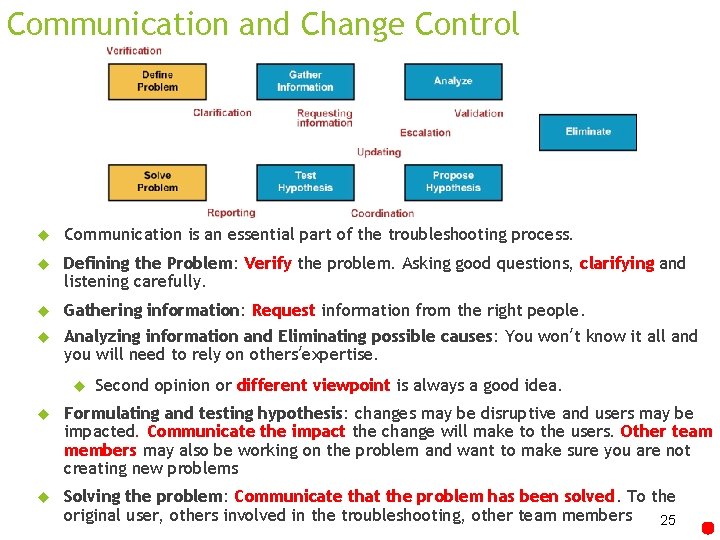
Communication and Change Control Communication is an essential part of the troubleshooting process. Defining the Problem: Verify the problem. Asking good questions, clarifying and listening carefully. Gathering information: Request information from the right people. Analyzing information and Eliminating possible causes: You won’t know it all and you will need to rely on others’expertise. Second opinion or different viewpoint is always a good idea. Formulating and testing hypothesis: changes may be disruptive and users may be impacted. Communicate the impact the change will make to the users. Other team members may also be working on the problem and want to make sure you are not creating new problems Solving the problem: Communicate that the problem has been solved. To the original user, others involved in the troubleshooting, other team members 25
Change Control Change control is one of the most fundamental processes in network maintenance. You can reduce the frequency and duration of unplanned outages and thereby increase the overall uptime of your network by: Strictly controlling when changes are made Defining what type of authorization is required What actions need to be taken as part of that process Always an aspect of balancing urgency, necessity, impact, and risk. The troubleshooting process can benefit tremendously from having welldefined and well-documented change processes. Uncommon for devices or links to simply fail from one moment to the next. In many cases, problems are triggered or caused by some sort of change. But it does happen. 26
Chapter 2 Summary The fundamental elements of a troubleshooting process: Gathering of information and symptoms Analyzing information Eliminating possible causes Formulating a hypothesis Testing the hypothesis Some commonly used troubleshooting approaches are: Top-down Bottom-up Divide-and-conquer Follow-the-path Spot the differences Move the problem 27
References Graziani, R. (2014). Ch. 2: Troubleshooting Processes for Complex Enterprise Networks [Power. Point slides]. Retrieved from Cabrillo College website: https: //drive. google. com/drive/folders/16 MWOw 7 Dw. Zu 3 w. KV 4 l. LWi 2 ITLs. F-OFK 0 gb 28
- Slides: 28