
Chapter XV Shadow Mapping Introduction to Computer Graphics

- Slides: 12
Chapter XV Shadow Mapping Introduction to Computer Graphics with Open. GL ES (J. Han)
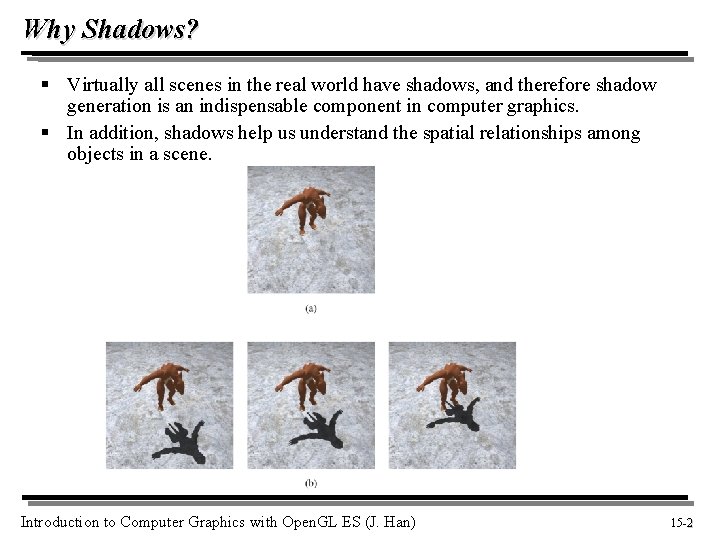
Why Shadows? § Virtually all scenes in the real world have shadows, and therefore shadow generation is an indispensable component in computer graphics. § In addition, shadows help us understand the spatial relationships among objects in a scene. Introduction to Computer Graphics with Open. GL ES (J. Han) 15 -2 2
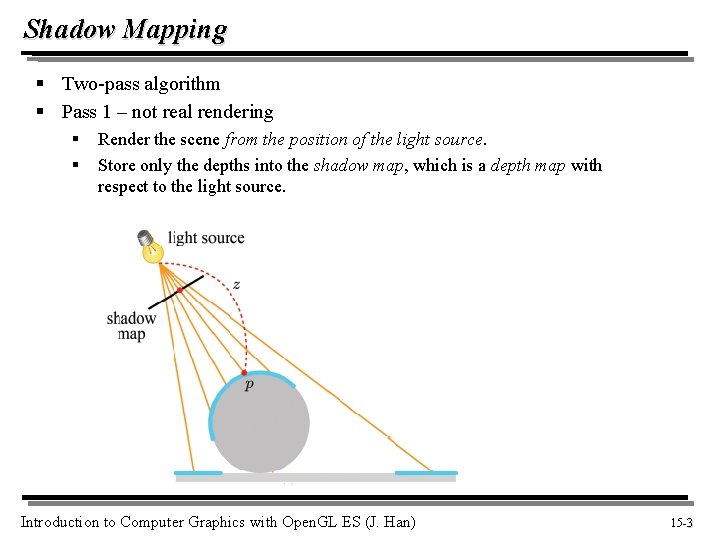
Shadow Mapping § Two-pass algorithm § Pass 1 – not real rendering § § Render the scene from the position of the light source. Store only the depths into the shadow map, which is a depth map with respect to the light source. Introduction to Computer Graphics with Open. GL ES (J. Han) 15 -3 3
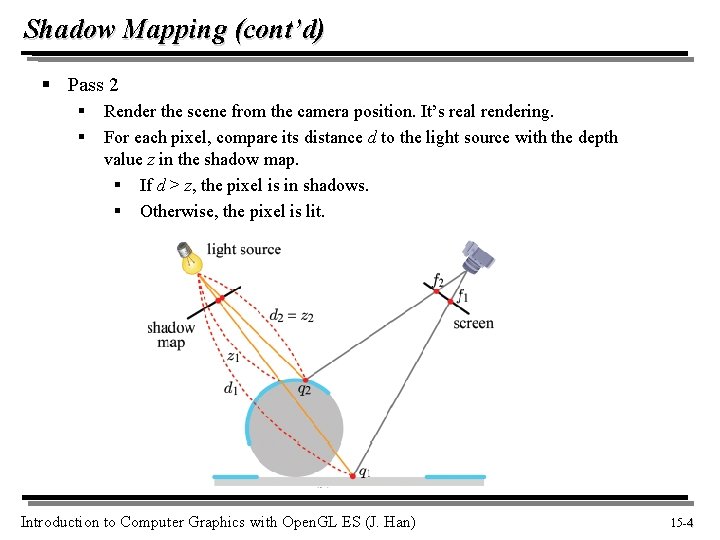
Shadow Mapping (cont’d) § Pass 2 § § Render the scene from the camera position. It’s real rendering. For each pixel, compare its distance d to the light source with the depth value z in the shadow map. § If d > z, the pixel is in shadows. § Otherwise, the pixel is lit. Introduction to Computer Graphics with Open. GL ES (J. Han) 15 -4 4
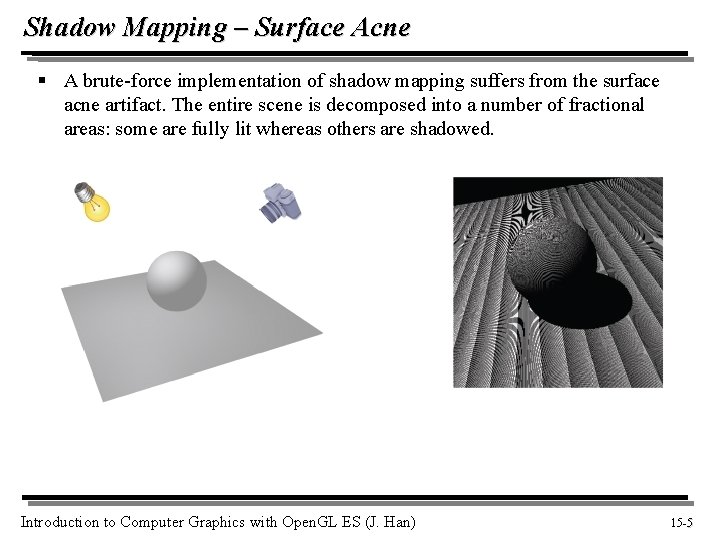
Shadow Mapping – Surface Acne § A brute-force implementation of shadow mapping suffers from the surface acne artifact. The entire scene is decomposed into a number of fractional areas: some are fully lit whereas others are shadowed. Introduction to Computer Graphics with Open. GL ES (J. Han) 15 -5 5
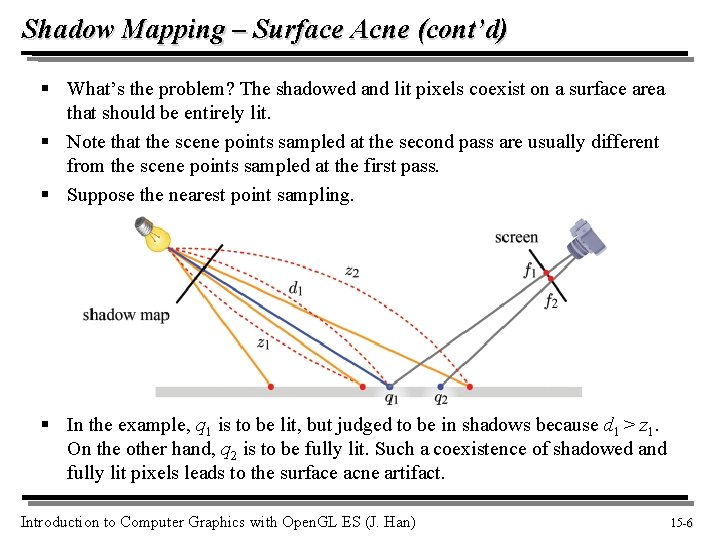
Shadow Mapping – Surface Acne (cont’d) § What’s the problem? The shadowed and lit pixels coexist on a surface area that should be entirely lit. § Note that the scene points sampled at the second pass are usually different from the scene points sampled at the first pass. § Suppose the nearest point sampling. § In the example, q 1 is to be lit, but judged to be in shadows because d 1 > z 1. On the other hand, q 2 is to be fully lit. Such a coexistence of shadowed and fully lit pixels leads to the surface acne artifact. Introduction to Computer Graphics with Open. GL ES (J. Han) 15 -6 6
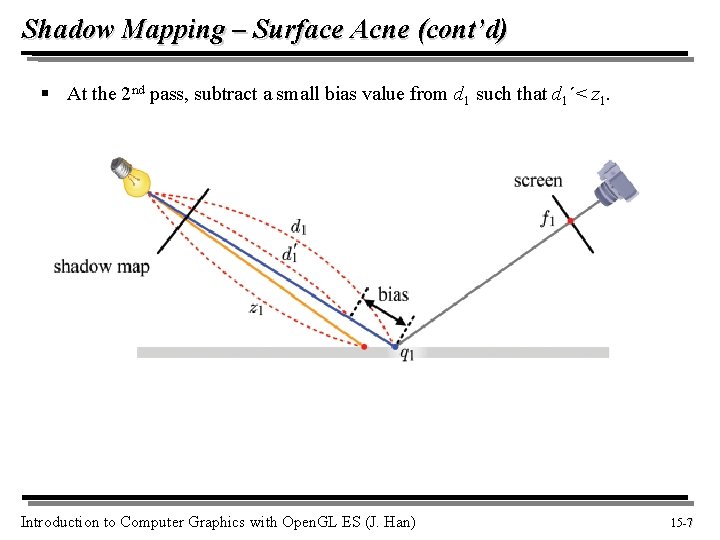
Shadow Mapping – Surface Acne (cont’d) § At the 2 nd pass, subtract a small bias value from d 1 such that d 1´< z 1. Introduction to Computer Graphics with Open. GL ES (J. Han) 15 -7 7
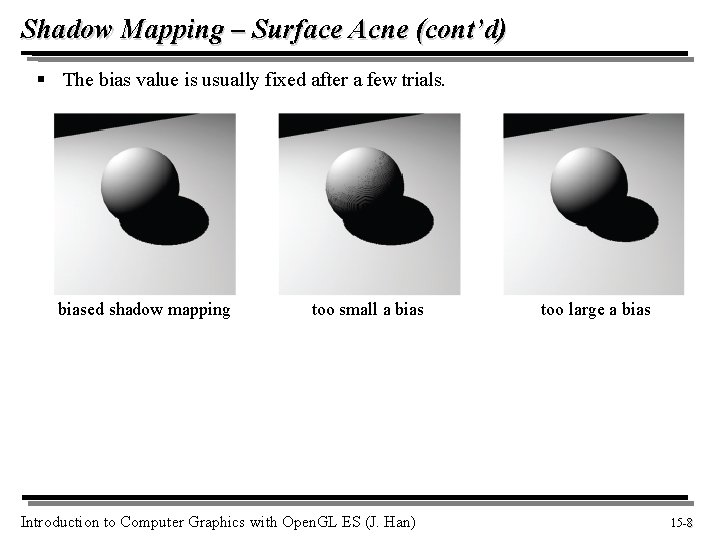
Shadow Mapping – Surface Acne (cont’d) § The bias value is usually fixed after a few trials. biased shadow mapping too small a bias Introduction to Computer Graphics with Open. GL ES (J. Han) too large a bias 15 -8 8
Shadow Map Filtering § If the resolution of a shadow map is not high enough, multiple pixels may be mapped to a single texel of the shadow map. § This is a magnification case. Suppose you choose the nearest point sampling. § A fragment can be either fully lit or shadowed. It has no other option. Then, the shadow boundary usually has a jagged appearance. This is an aliasing artifact. Introduction to Computer Graphics with Open. GL ES (J. Han) 15 -9 9
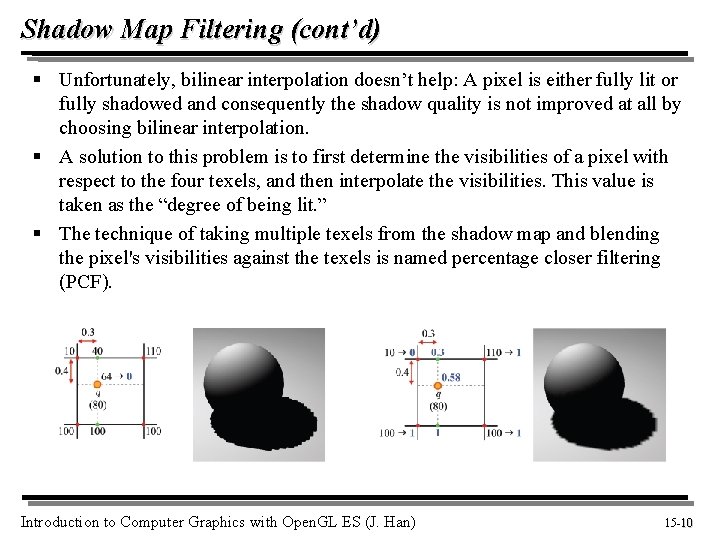
Shadow Map Filtering (cont’d) § Unfortunately, bilinear interpolation doesn’t help: A pixel is either fully lit or fully shadowed and consequently the shadow quality is not improved at all by choosing bilinear interpolation. § A solution to this problem is to first determine the visibilities of a pixel with respect to the four texels, and then interpolate the visibilities. This value is taken as the “degree of being lit. ” § The technique of taking multiple texels from the shadow map and blending the pixel's visibilities against the texels is named percentage closer filtering (PCF). Introduction to Computer Graphics with Open. GL ES (J. Han) 15 -10 10
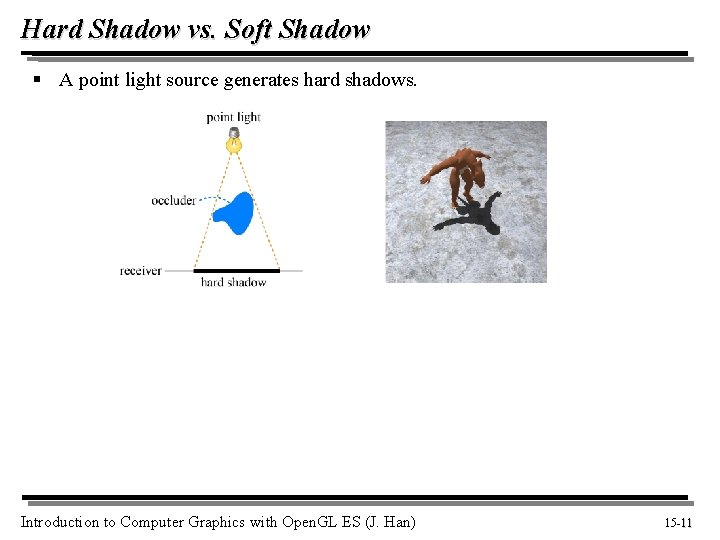
Hard Shadow vs. Soft Shadow § A point light source generates hard shadows. Introduction to Computer Graphics with Open. GL ES (J. Han) 15 -11 11
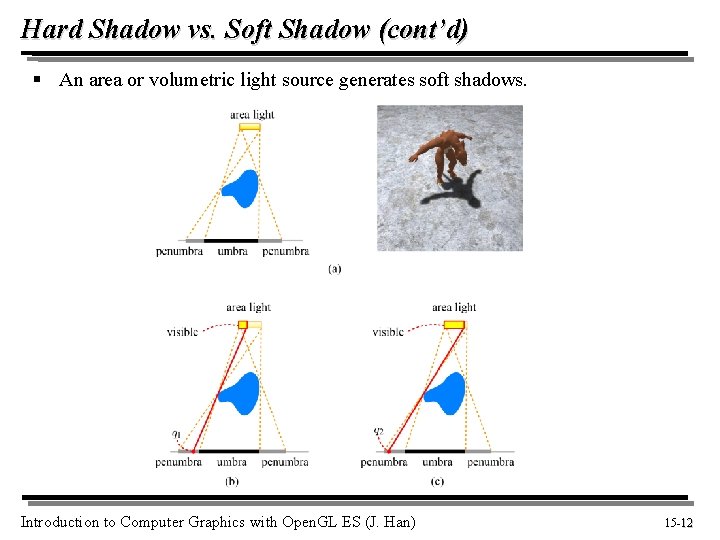
Hard Shadow vs. Soft Shadow (cont’d) § An area or volumetric light source generates soft shadows. Introduction to Computer Graphics with Open. GL ES (J. Han) 15 -12 12