
Chapter Two Streams and File IO 1 Introduction
- Slides: 51
Chapter Two Streams and File I/O 1
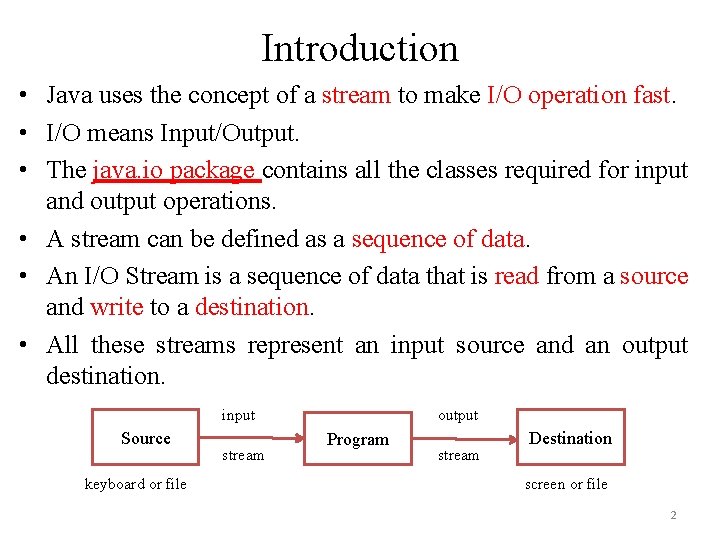
Introduction • Java uses the concept of a stream to make I/O operation fast. • I/O means Input/Output. • The java. io package contains all the classes required for input and output operations. • A stream can be defined as a sequence of data. • An I/O Stream is a sequence of data that is read from a source and write to a destination. • All these streams represent an input source and an output destination. input Source keyboard or file stream output Program stream Destination screen or file 2
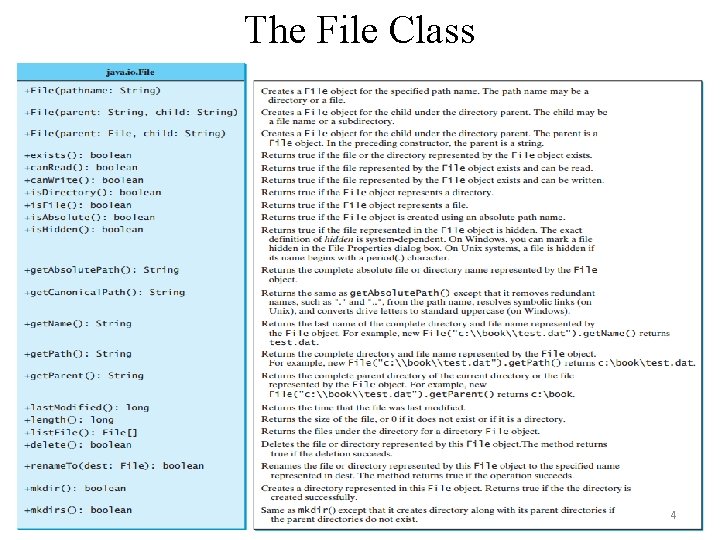
The Java File Class • Java File class represents the files and directory pathnames in an abstract manner. • The File class is useful for retrieving information about files or directories from disk. • The File class contains the methods for obtaining the properties of a file/directory and for renaming and deleting a file/directory. • The File class has different methods which can be used to manipulate the files. – Absolute path: An absolute file name (or full name) contains a file name with its complete path and drive letter. – Relative path: A relative file name is in relation to the current working directory. 3
The File Class 4
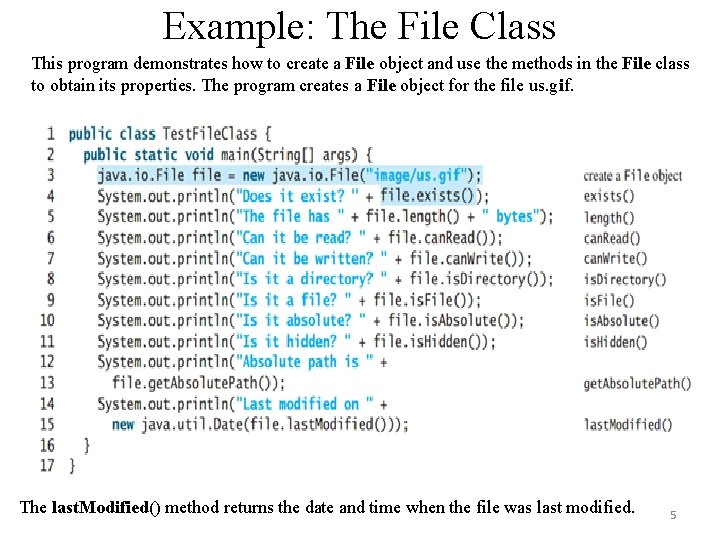
Example: The File Class This program demonstrates how to create a File object and use the methods in the File class to obtain its properties. The program creates a File object for the file us. gif. The last. Modified() method returns the date and time when the file was last modified. 5
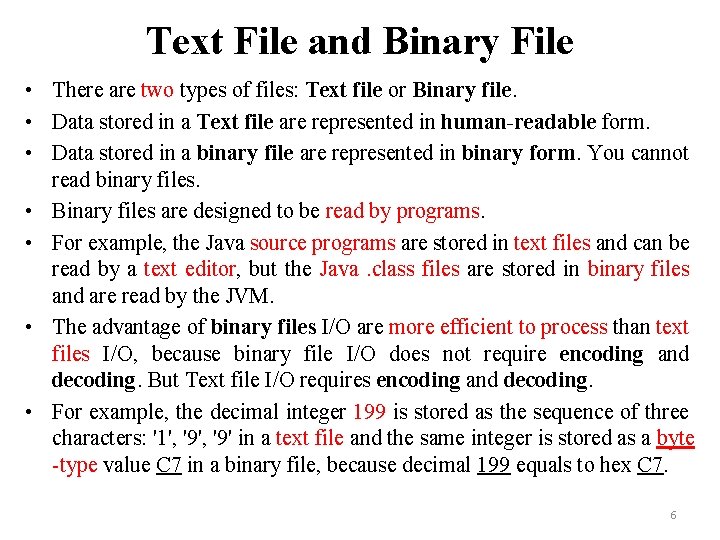
Text File and Binary File • There are two types of files: Text file or Binary file. • Data stored in a Text file are represented in human-readable form. • Data stored in a binary file are represented in binary form. You cannot read binary files. • Binary files are designed to be read by programs. • For example, the Java source programs are stored in text files and can be read by a text editor, but the Java. class files are stored in binary files and are read by the JVM. • The advantage of binary files I/O are more efficient to process than text files I/O, because binary file I/O does not require encoding and decoding. But Text file I/O requires encoding and decoding. • For example, the decimal integer 199 is stored as the sequence of three characters: '1', '9' in a text file and the same integer is stored as a byte -type value C 7 in a binary file, because decimal 199 equals to hex C 7. 6
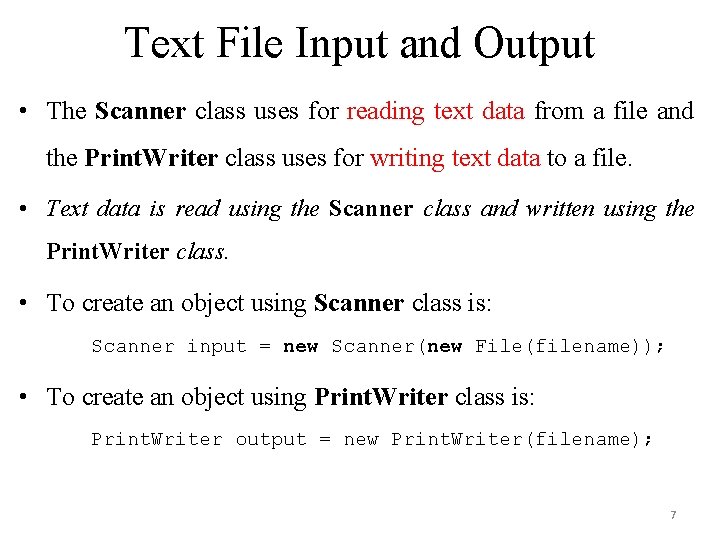
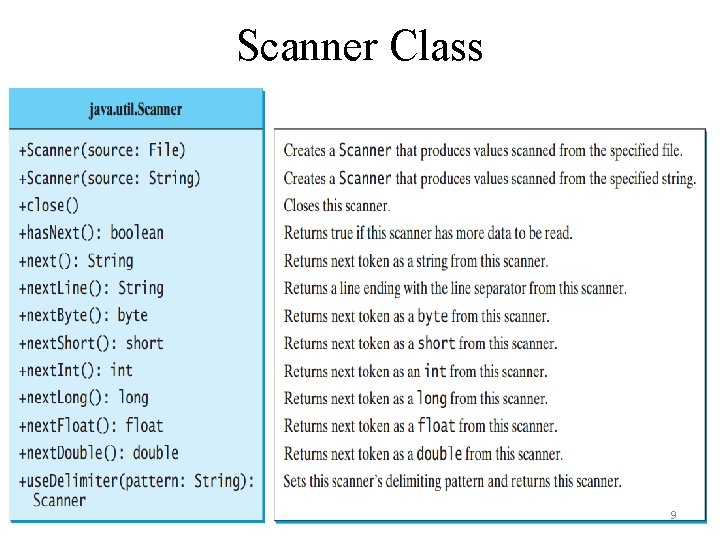
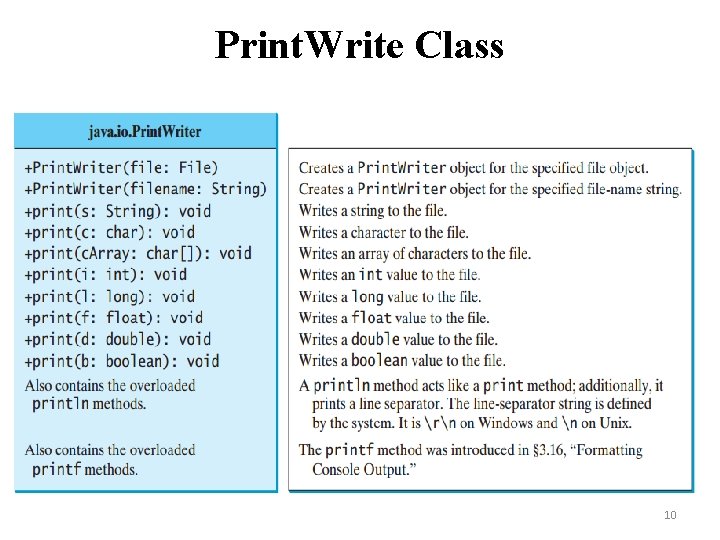
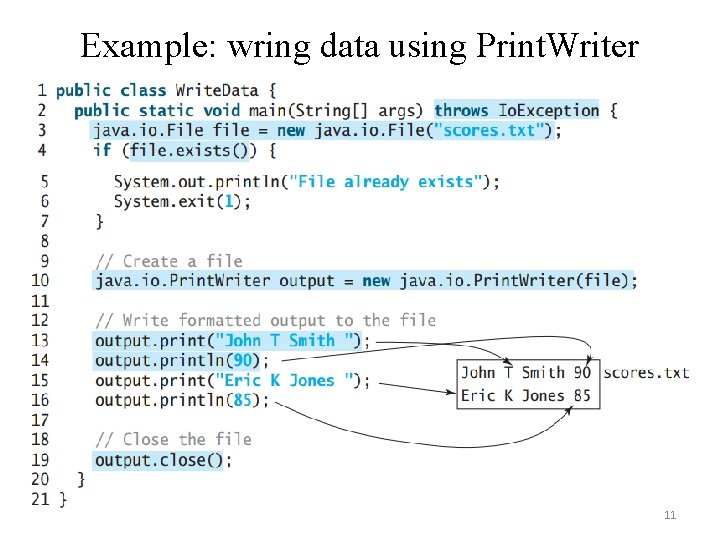
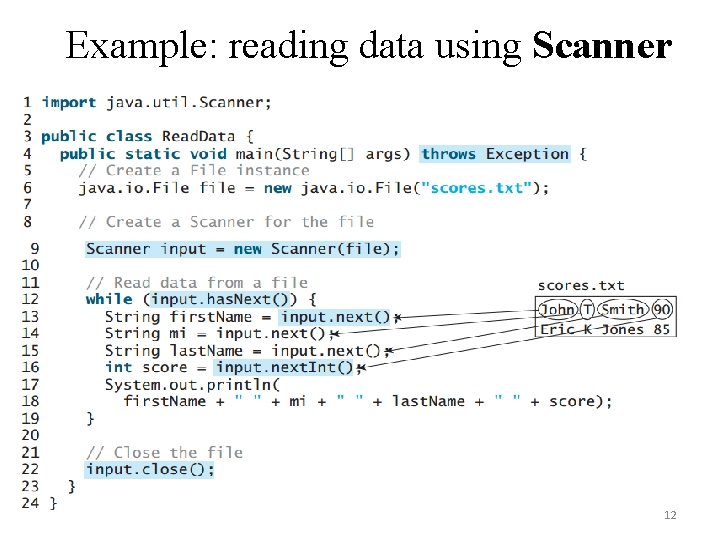
Text File Input and Output • The Scanner class uses for reading text data from a file and the Print. Writer class uses for writing text data to a file. • Text data is read using the Scanner class and written using the Print. Writer class. • To create an object using Scanner class is: Scanner input = new Scanner(new File(filename)); • To create an object using Print. Writer class is: Print. Writer output = new Print. Writer(filename); 7
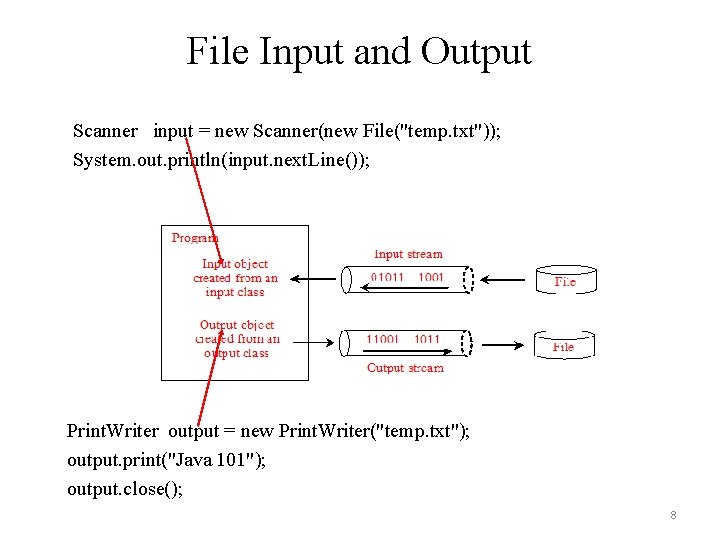
File Input and Output Scanner input = new Scanner(new File("temp. txt")); System. out. println(input. next. Line()); Print. Writer output = new Print. Writer("temp. txt"); output. print("Java 101"); output. close(); 8
Scanner Class 9
Print. Write Class 10
Example: wring data using Print. Writer 11
Example: reading data using Scanner 12
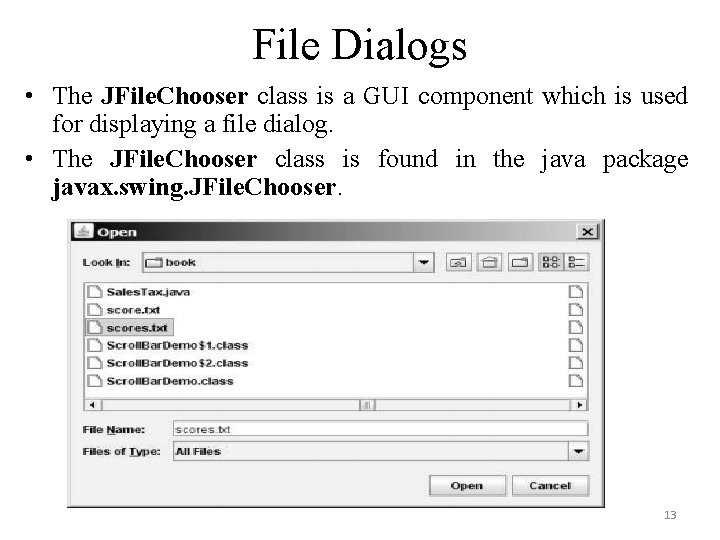
File Dialogs • The JFile. Chooser class is a GUI component which is used for displaying a file dialog. • The JFile. Chooser class is found in the java package javax. swing. JFile. Chooser. 13
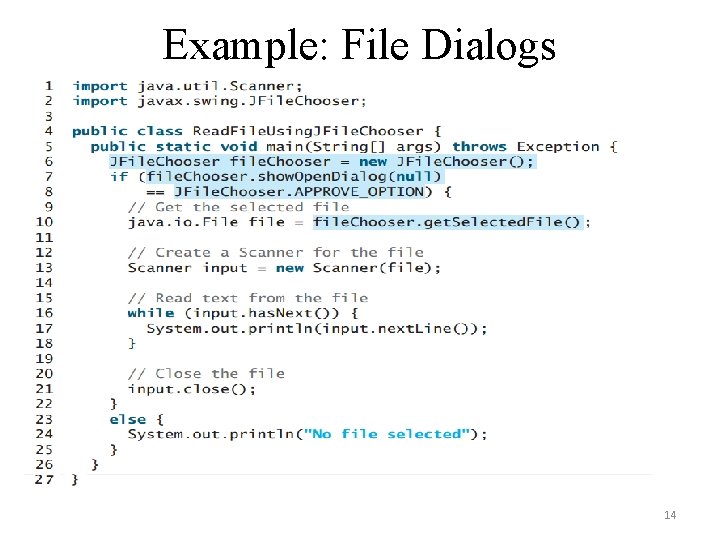
Example: File Dialogs 14
Types I/O Streams/Files • There are three types of I/O streams in Java 1. Byte I/O Stream 2. Character I/O Stream 3. Standard I/O Stream 15
1. Byte I/O Streams • It is an input and output data in its binary format. • Java byte streams are used to perform input and output of 8 -bit bytes. • All byte stream classes are descended from two abstract classes: Input. Stream and Output. Stream. • The Input. Stream is used to read data from a source and the Output. Stream is used for writing data to a destination. • There are many classes related to byte streams but the most frequently used classes are, File. Input. Stream and File. Output. Stream. 16
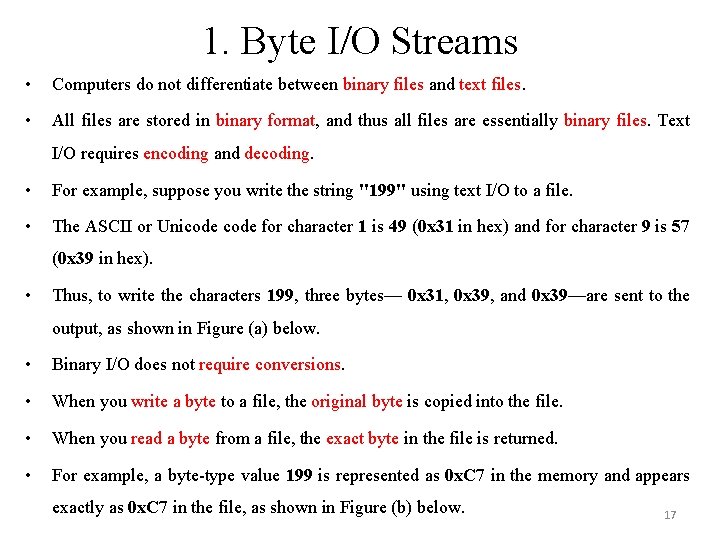
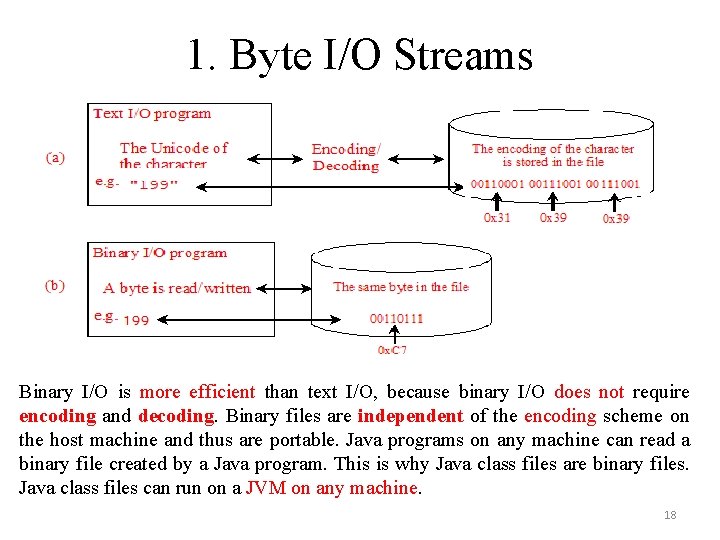
1. Byte I/O Streams • Computers do not differentiate between binary files and text files. • All files are stored in binary format, and thus all files are essentially binary files. Text I/O requires encoding and decoding. • For example, suppose you write the string "199" using text I/O to a file. • The ASCII or Unicode for character 1 is 49 (0 x 31 in hex) and for character 9 is 57 (0 x 39 in hex). • Thus, to write the characters 199, three bytes— 0 x 31, 0 x 39, and 0 x 39—are sent to the output, as shown in Figure (a) below. • Binary I/O does not require conversions. • When you write a byte to a file, the original byte is copied into the file. • When you read a byte from a file, the exact byte in the file is returned. • For example, a byte-type value 199 is represented as 0 x. C 7 in the memory and appears exactly as 0 x. C 7 in the file, as shown in Figure (b) below. 17
1. Byte I/O Streams Binary I/O is more efficient than text I/O, because binary I/O does not require encoding and decoding. Binary files are independent of the encoding scheme on the host machine and thus are portable. Java programs on any machine can read a binary file created by a Java program. This is why Java class files are binary files. Java class files can run on a JVM on any machine. 18
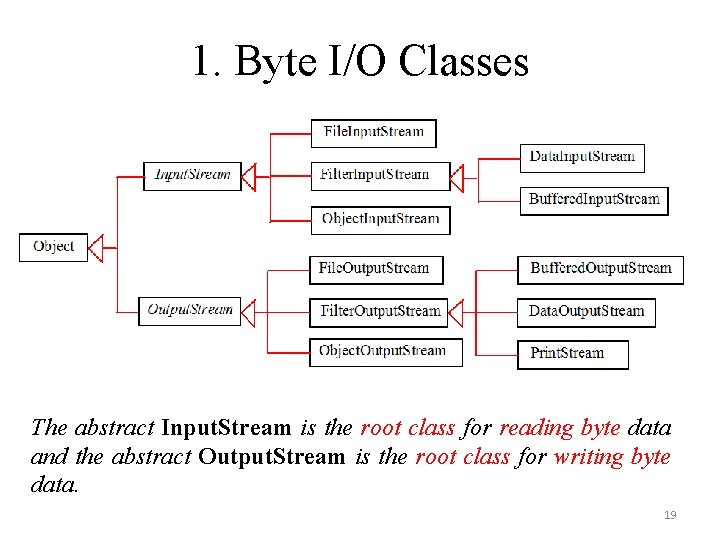
1. Byte I/O Classes The abstract Input. Stream is the root class for reading byte data and the abstract Output. Stream is the root class for writing byte data. 19
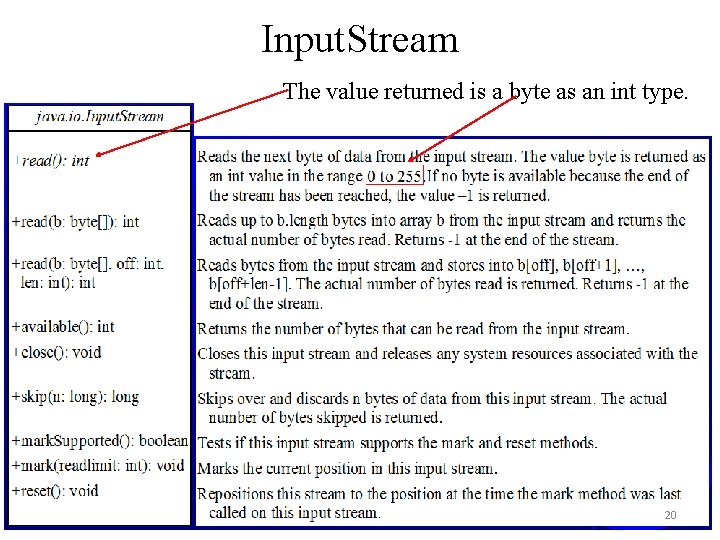
Input. Stream The value returned is a byte as an int type. 20
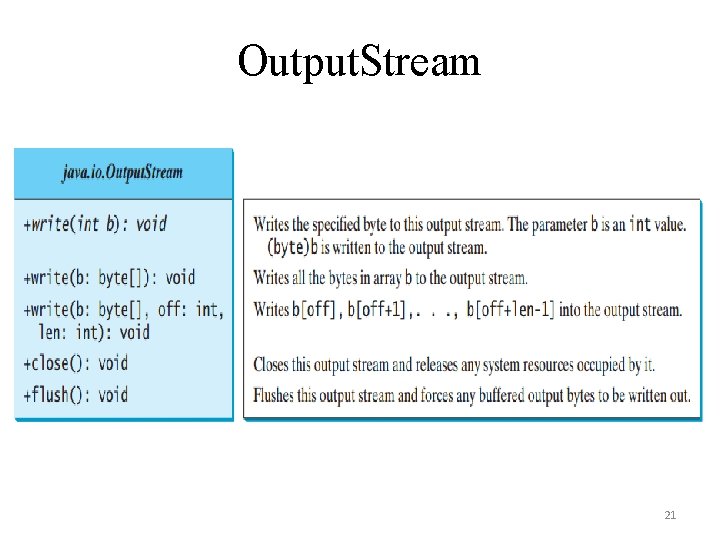
Output. Stream 21
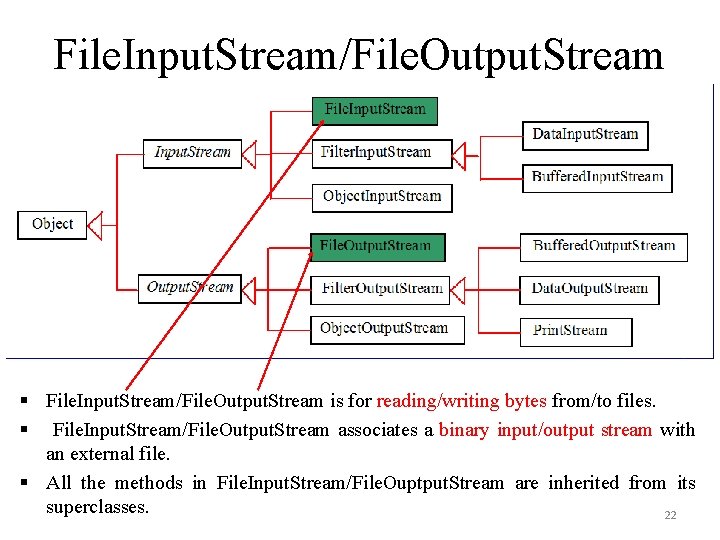
File. Input. Stream/File. Output. Stream § File. Input. Stream/File. Output. Stream is for reading/writing bytes from/to files. § File. Input. Stream/File. Output. Stream associates a binary input/output stream with an external file. § All the methods in File. Input. Stream/File. Ouptput. Stream are inherited from its superclasses. 22
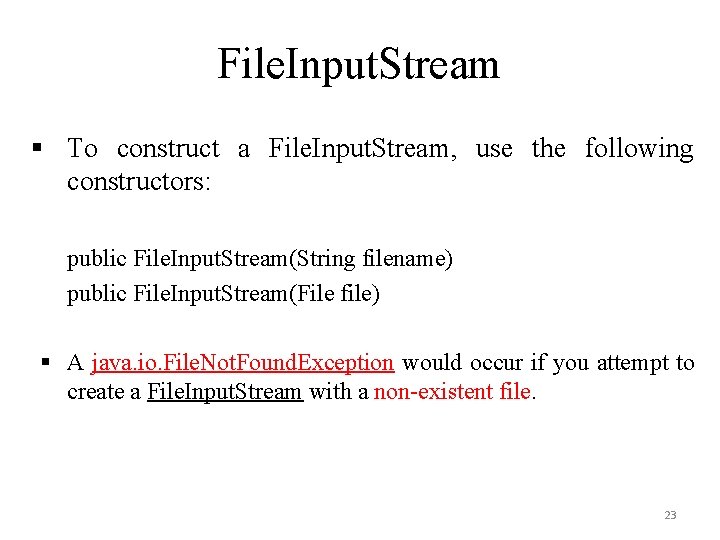
File. Input. Stream § To construct a File. Input. Stream, use the following constructors: public File. Input. Stream(String filename) public File. Input. Stream(File file) § A java. io. File. Not. Found. Exception would occur if you attempt to create a File. Input. Stream with a non-existent file. 23
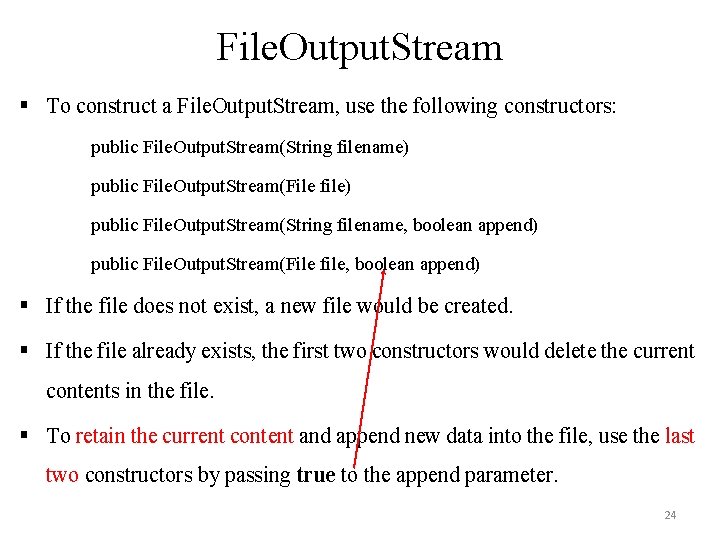
File. Output. Stream § To construct a File. Output. Stream, use the following constructors: public File. Output. Stream(String filename) public File. Output. Stream(File file) public File. Output. Stream(String filename, boolean append) public File. Output. Stream(File file, boolean append) § If the file does not exist, a new file would be created. § If the file already exists, the first two constructors would delete the current contents in the file. § To retain the current content and append new data into the file, use the last two constructors by passing true to the append parameter. 24
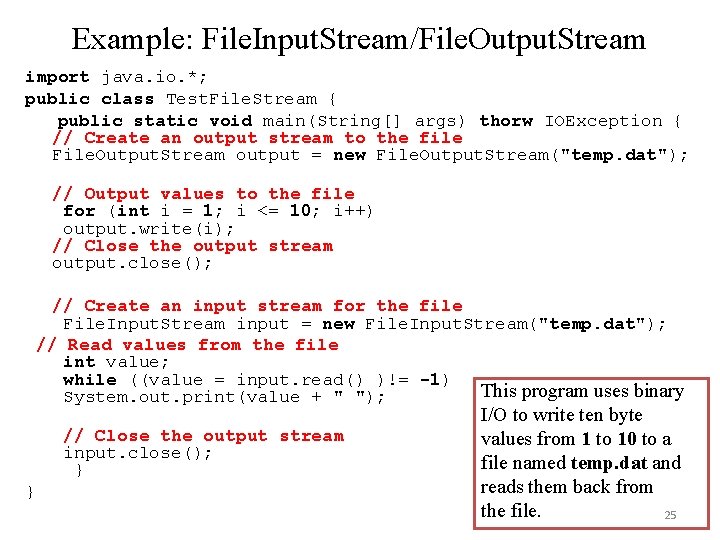
Example: File. Input. Stream/File. Output. Stream import java. io. *; public class Test. File. Stream { public static void main(String[] args) thorw IOException { // Create an output stream to the file File. Output. Stream output = new File. Output. Stream("temp. dat"); // Output values to the file for (int i = 1; i <= 10; i++) output. write(i); // Close the output stream output. close(); // Create an input stream for the file File. Input. Stream input = new File. Input. Stream("temp. dat"); // Read values from the file int value; while ((value = input. read() )!= -1) This program uses binary System. out. print(value + " "); // Close the output stream input. close(); } } I/O to write ten byte values from 1 to 10 to a file named temp. dat and reads them back from the file. 25
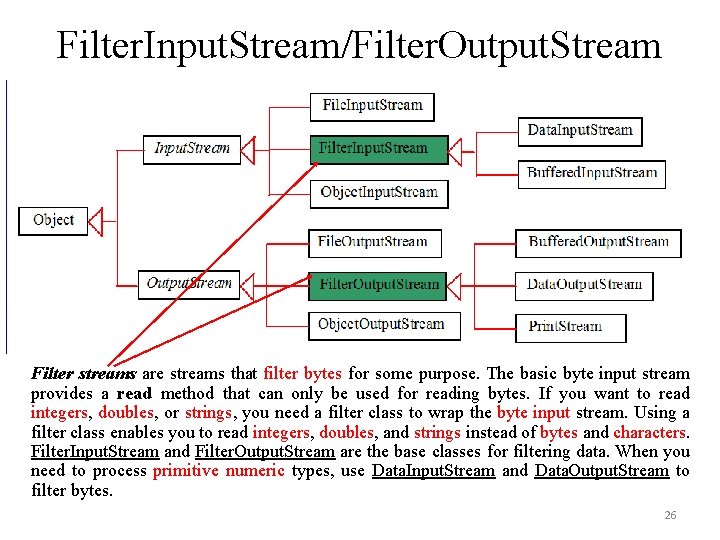
Filter. Input. Stream/Filter. Output. Stream Filter streams are streams that filter bytes for some purpose. The basic byte input stream provides a read method that can only be used for reading bytes. If you want to read integers, doubles, or strings, you need a filter class to wrap the byte input stream. Using a filter class enables you to read integers, doubles, and strings instead of bytes and characters. Filter. Input. Stream and Filter. Output. Stream are the base classes for filtering data. When you need to process primitive numeric types, use Data. Input. Stream and Data. Output. Stream to filter bytes. 26
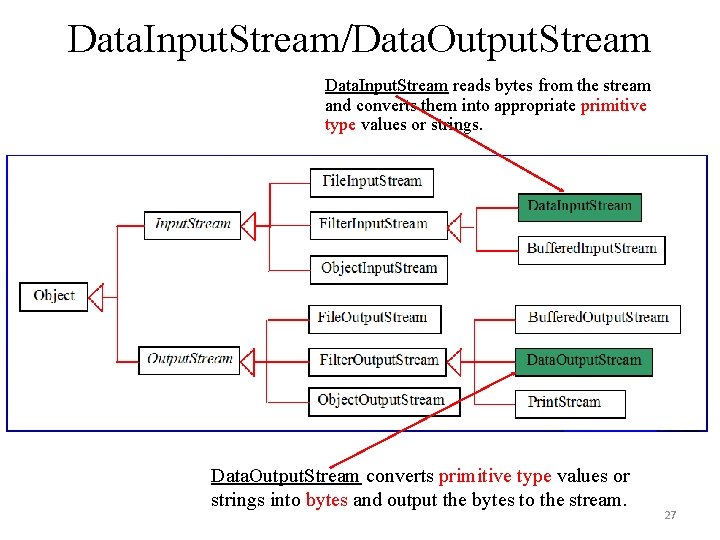
Data. Input. Stream/Data. Output. Stream Data. Input. Stream reads bytes from the stream and converts them into appropriate primitive type values or strings. Data. Output. Stream converts primitive type values or strings into bytes and output the bytes to the stream. 27
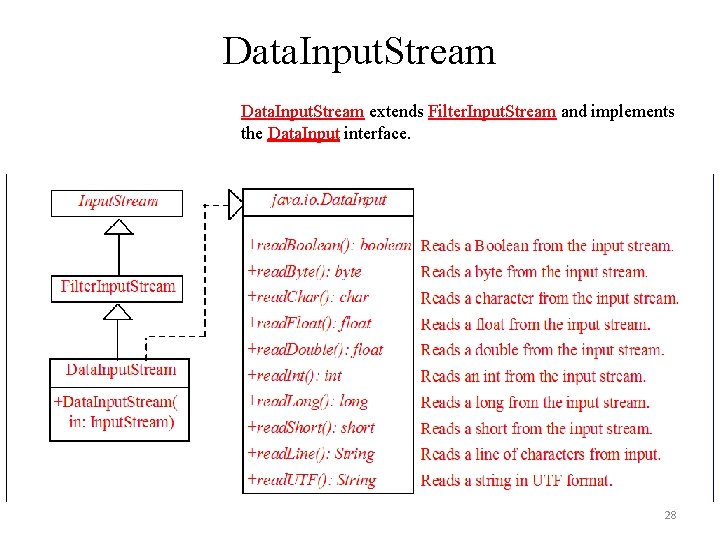
Data. Input. Stream extends Filter. Input. Stream and implements the Data. Input interface. 28
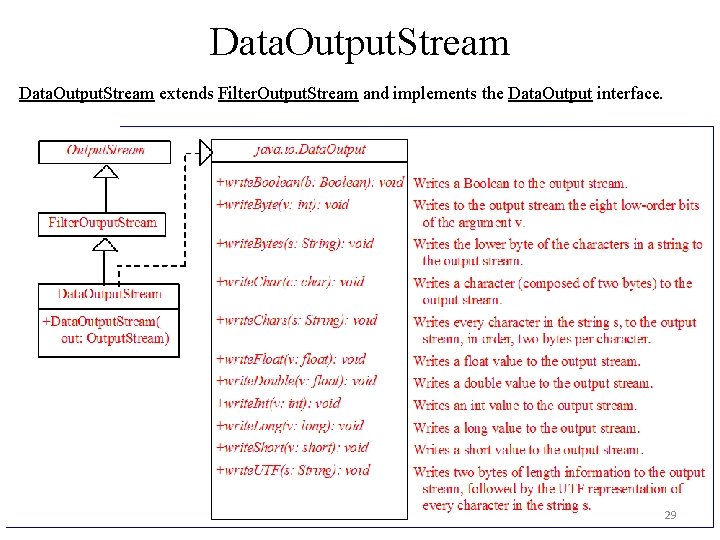
Data. Output. Stream extends Filter. Output. Stream and implements the Data. Output interface. 29
Characters and Strings in Byte I/O • A Unicode consists of two bytes. The write. Char(char c) method writes the Unicode of character c to the output. • The write. Chars(String s) method writes the Unicode for each character in the string s to the output. • The write. Bytes(String s) method writes the lower byte of the Unicode for each character in the string s to the output. • The high byte of the Unicode is discarded. • The write. Bytes method is suitable for strings that consist of ASCII characters, since an ASCII code is stored only in the lower byte of a Unicode. • If a string consists of non-ASCII characters, you have to use the write. Chars method to write the string. 30
Characters and Strings in Byte I/O Why UTF-8? What is UTF-8? • • • UTF-8 is a coding scheme that allows systems to operate with both ASCII and Unicode efficiently. Most operating systems use ASCII. Java uses Unicode. The ASCII character set is a subset of the Unicode character set. Since most applications need only the ASCII character set, it is a waste to represent an 8 -bit ASCII character as a 16 -bit Unicode character. The UTF-8 is an alternative scheme that stores a character using 1, 2, or 3 bytes. ASCII values (less than 0 x 7 F) are coded in one byte. Unicode values less than 0 x 7 FF are coded in two bytes. Other Unicode values are coded in three bytes. 31
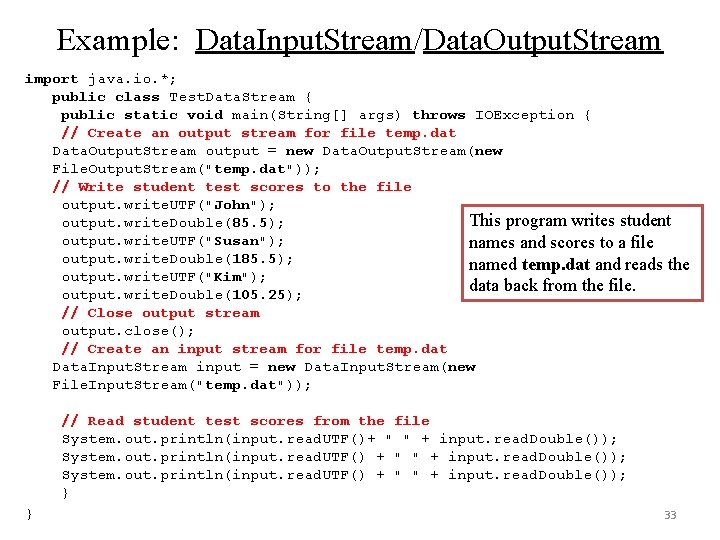
Data. Input. Stream/Data. Output. Stream • Data streams are used as wrappers on existing input and output streams to filter data in the original stream. They are created using the following constructors: public Data. Input. Stream(Input. Stream instream) public Data. Output. Stream(Output. Stream outstream) • The statements given below create data streams. The first statement creates an input stream for file in. dat; the second statement creates an output stream for file out. dat. Data. Input. Stream infile = new Data. Input. Stream(new File. Input. Stream("in. dat")); Data. Output. Stream outfile = new Data. Output. Stream(new File. Output. Stream("out. dat")); 32
Example: Data. Input. Stream/Data. Output. Stream import java. io. *; public class Test. Data. Stream { public static void main(String[] args) throws IOException { // Create an output stream for file temp. dat Data. Output. Stream output = new Data. Output. Stream(new File. Output. Stream("temp. dat")); // Write student test scores to the file output. write. UTF("John"); This program writes student output. write. Double(85. 5); output. write. UTF("Susan"); names and scores to a file output. write. Double(185. 5); named temp. dat and reads the output. write. UTF("Kim"); data back from the file. output. write. Double(105. 25); // Close output stream output. close(); // Create an input stream for file temp. dat Data. Input. Stream input = new Data. Input. Stream(new File. Input. Stream("temp. dat")); // Read student test scores from the file System. out. println(input. read. UTF()+ " " + input. read. Double()); System. out. println(input. read. UTF() + " " + input. read. Double()); } } 33
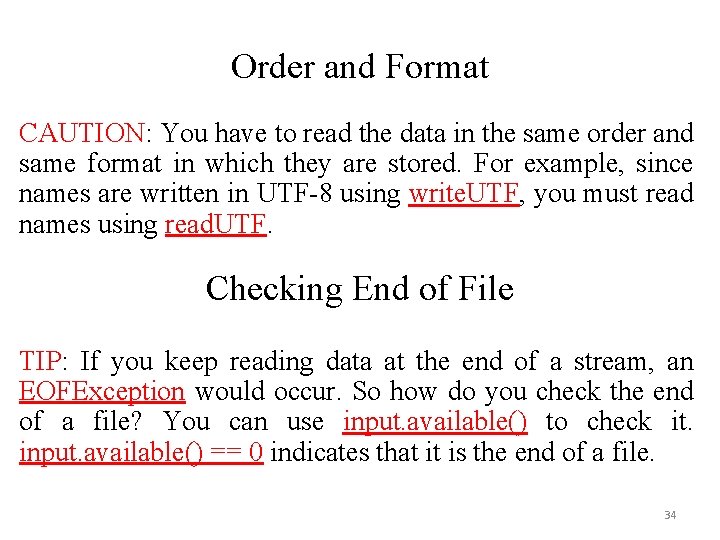
Order and Format CAUTION: You have to read the data in the same order and same format in which they are stored. For example, since names are written in UTF-8 using write. UTF, you must read names using read. UTF. Checking End of File TIP: If you keep reading data at the end of a stream, an EOFException would occur. So how do you check the end of a file? You can use input. available() to check it. input. available() == 0 indicates that it is the end of a file. 34
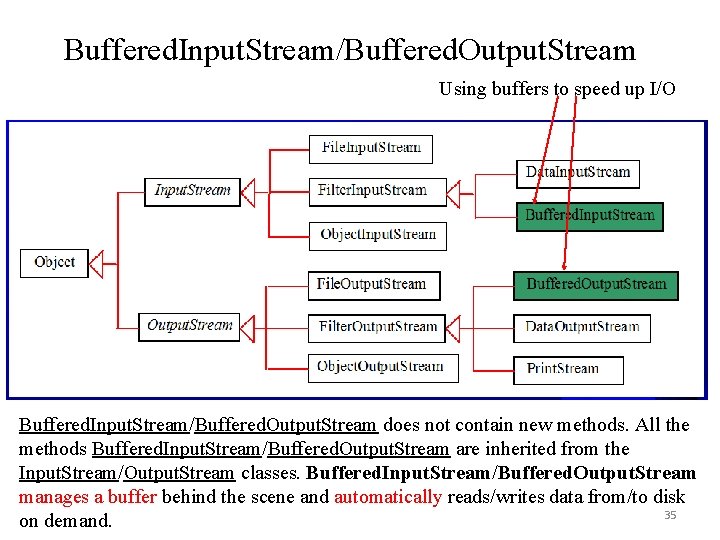
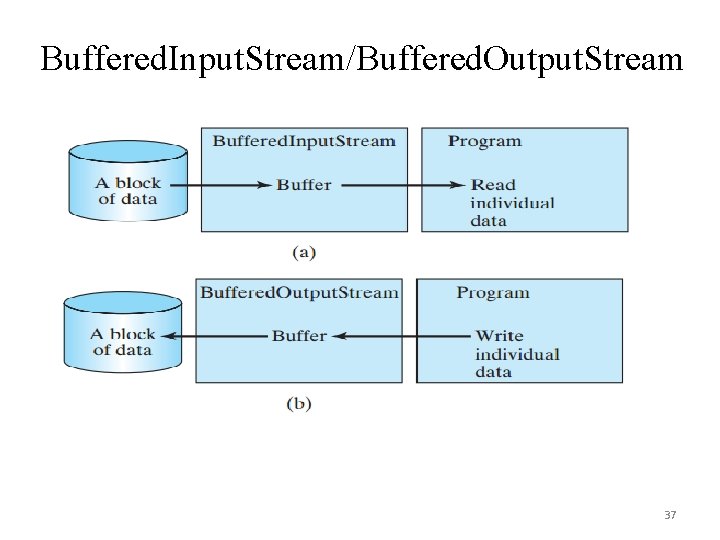
Buffered. Input. Stream/Buffered. Output. Stream Using buffers to speed up I/O Buffered. Input. Stream/Buffered. Output. Stream does not contain new methods. All the methods Buffered. Input. Stream/Buffered. Output. Stream are inherited from the Input. Stream/Output. Stream classes. Buffered. Input. Stream/Buffered. Output. Stream manages a buffer behind the scene and automatically reads/writes data from/to disk 35 on demand.
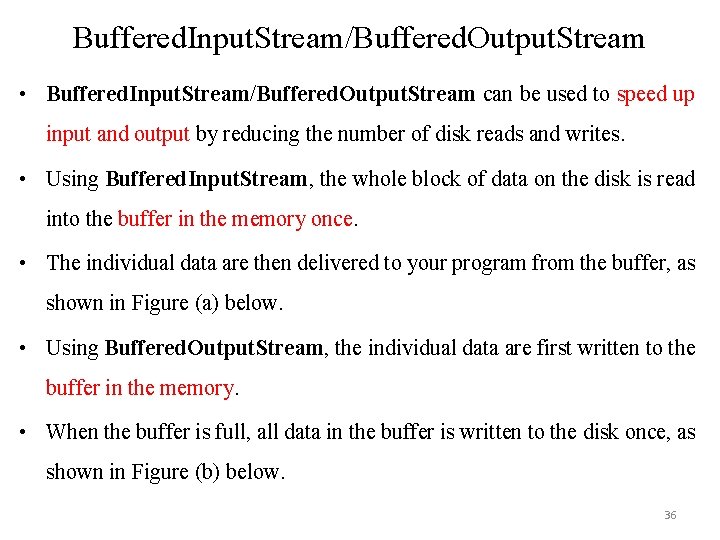
Buffered. Input. Stream/Buffered. Output. Stream • Buffered. Input. Stream/Buffered. Output. Stream can be used to speed up input and output by reducing the number of disk reads and writes. • Using Buffered. Input. Stream, the whole block of data on the disk is read into the buffer in the memory once. • The individual data are then delivered to your program from the buffer, as shown in Figure (a) below. • Using Buffered. Output. Stream, the individual data are first written to the buffer in the memory. • When the buffer is full, all data in the buffer is written to the disk once, as shown in Figure (b) below. 36
Buffered. Input. Stream/Buffered. Output. Stream 37
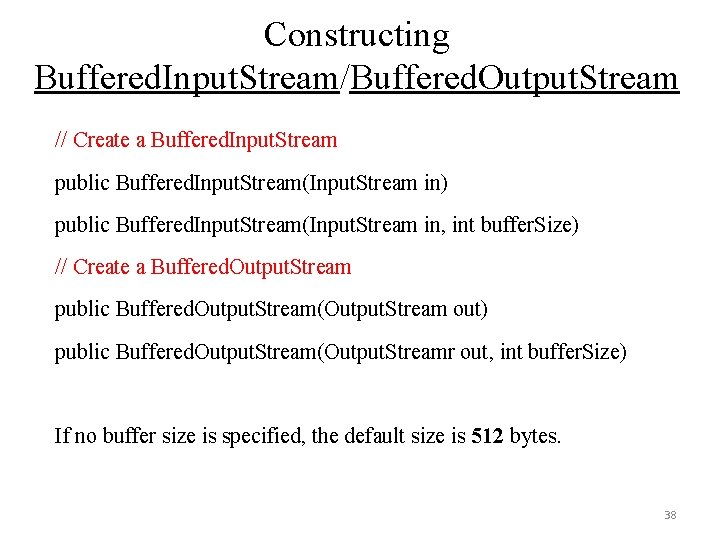
Constructing Buffered. Input. Stream/Buffered. Output. Stream // Create a Buffered. Input. Stream public Buffered. Input. Stream(Input. Stream in) public Buffered. Input. Stream(Input. Stream in, int buffer. Size) // Create a Buffered. Output. Stream public Buffered. Output. Stream(Output. Stream out) public Buffered. Output. Stream(Output. Streamr out, int buffer. Size) If no buffer size is specified, the default size is 512 bytes. 38
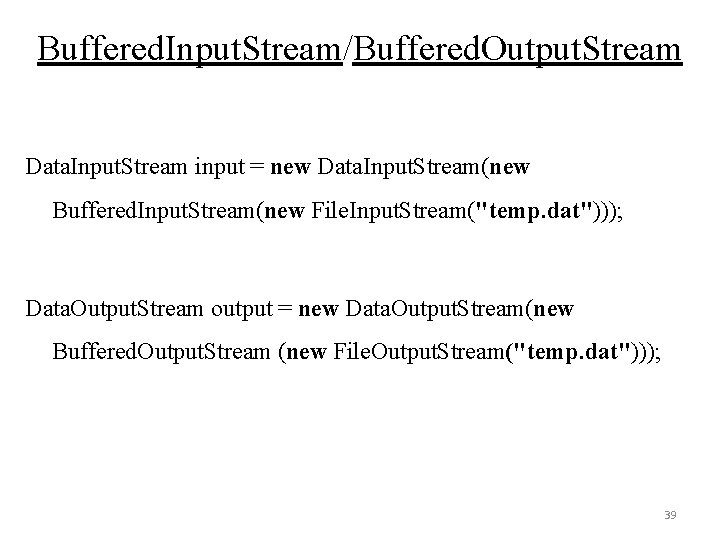
Buffered. Input. Stream/Buffered. Output. Stream Data. Input. Stream input = new Data. Input. Stream(new Buffered. Input. Stream(new File. Input. Stream("temp. dat"))); Data. Output. Stream output = new Data. Output. Stream(new Buffered. Output. Stream (new File. Output. Stream("temp. dat"))); 39
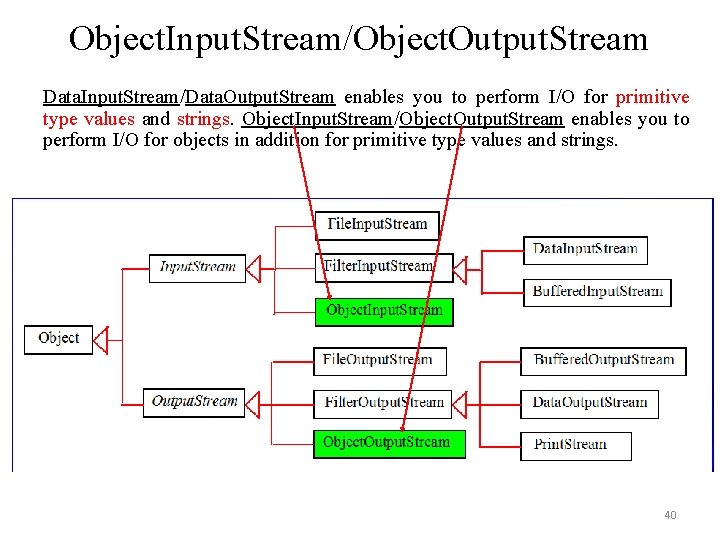
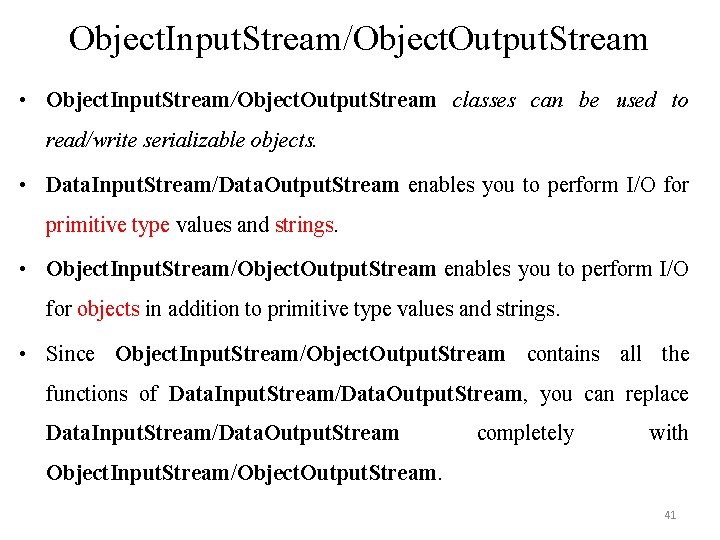
Object. Input. Stream/Object. Output. Stream Data. Input. Stream/Data. Output. Stream enables you to perform I/O for primitive type values and strings. Object. Input. Stream/Object. Output. Stream enables you to perform I/O for objects in addition for primitive type values and strings. 40
Object. Input. Stream/Object. Output. Stream • Object. Input. Stream/Object. Output. Stream classes can be used to read/write serializable objects. • Data. Input. Stream/Data. Output. Stream enables you to perform I/O for primitive type values and strings. • Object. Input. Stream/Object. Output. Stream enables you to perform I/O for objects in addition to primitive type values and strings. • Since Object. Input. Stream/Object. Output. Stream contains all the functions of Data. Input. Stream/Data. Output. Stream, you can replace Data. Input. Stream/Data. Output. Stream completely with Object. Input. Stream/Object. Output. Stream. 41
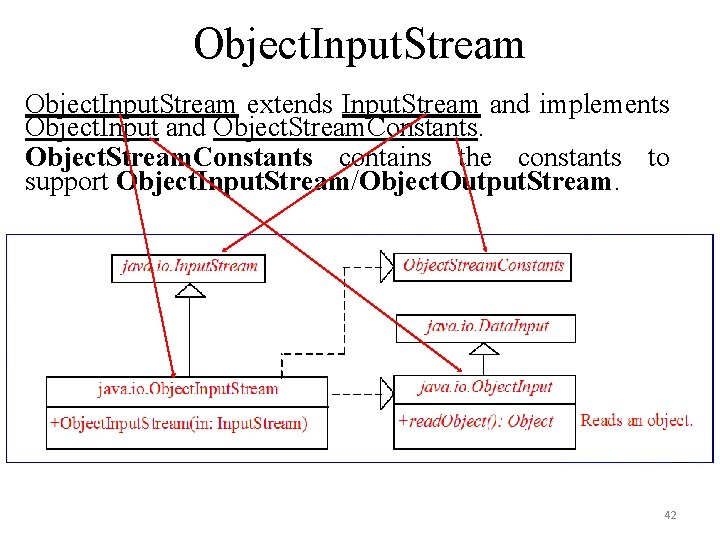
Object. Input. Stream extends Input. Stream and implements Object. Input and Object. Stream. Constants contains the constants to support Object. Input. Stream/Object. Output. Stream. 42
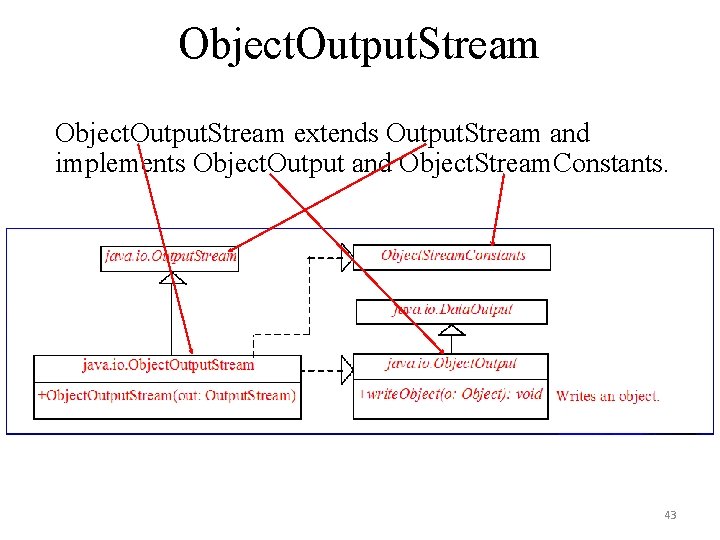
Object. Output. Stream extends Output. Stream and implements Object. Output and Object. Stream. Constants. 43
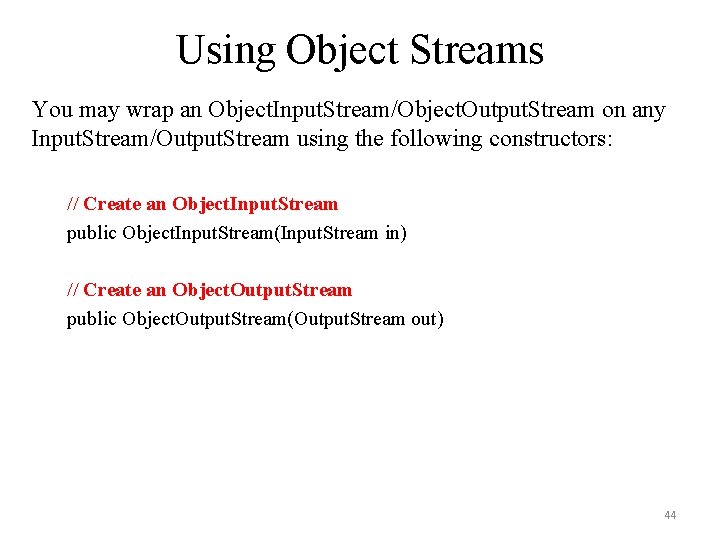
Using Object Streams You may wrap an Object. Input. Stream/Object. Output. Stream on any Input. Stream/Output. Stream using the following constructors: // Create an Object. Input. Stream public Object. Input. Stream(Input. Stream in) // Create an Object. Output. Stream public Object. Output. Stream(Output. Stream out) 44
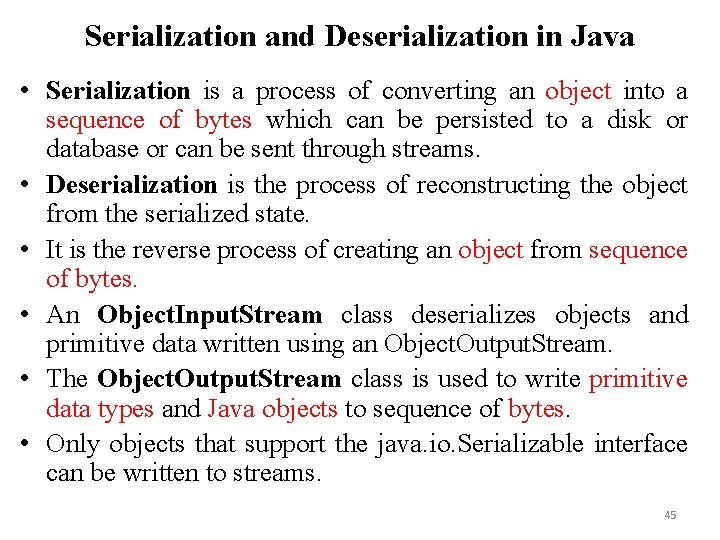
Serialization and Deserialization in Java • Serialization is a process of converting an object into a sequence of bytes which can be persisted to a disk or database or can be sent through streams. • Deserialization is the process of reconstructing the object from the serialized state. • It is the reverse process of creating an object from sequence of bytes. • An Object. Input. Stream class deserializes objects and primitive data written using an Object. Output. Stream. • The Object. Output. Stream class is used to write primitive data types and Java objects to sequence of bytes. • Only objects that support the java. io. Serializable interface can be written to streams. 45
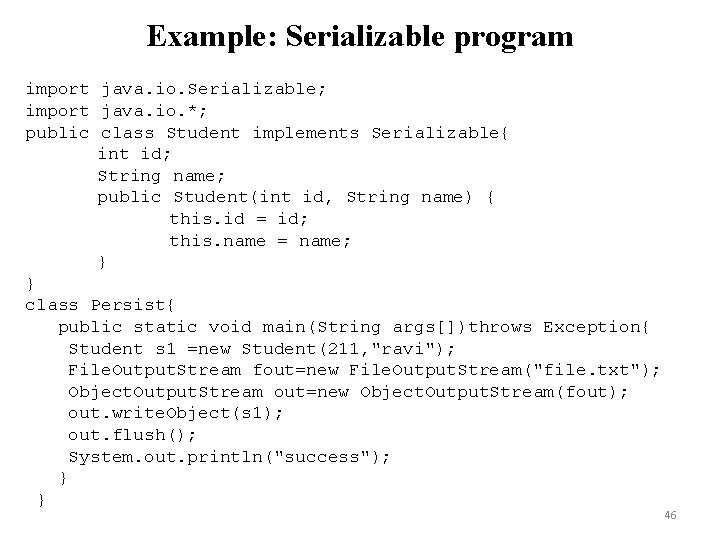
Example: Serializable program import java. io. Serializable; import java. io. *; public class Student implements Serializable{ int id; String name; public Student(int id, String name) { this. id = id; this. name = name; } } class Persist{ public static void main(String args[])throws Exception{ Student s 1 =new Student(211, "ravi"); File. Output. Stream fout=new File. Output. Stream("file. txt"); Object. Output. Stream out=new Object. Output. Stream(fout); out. write. Object(s 1); out. flush(); System. out. println("success"); } } 46
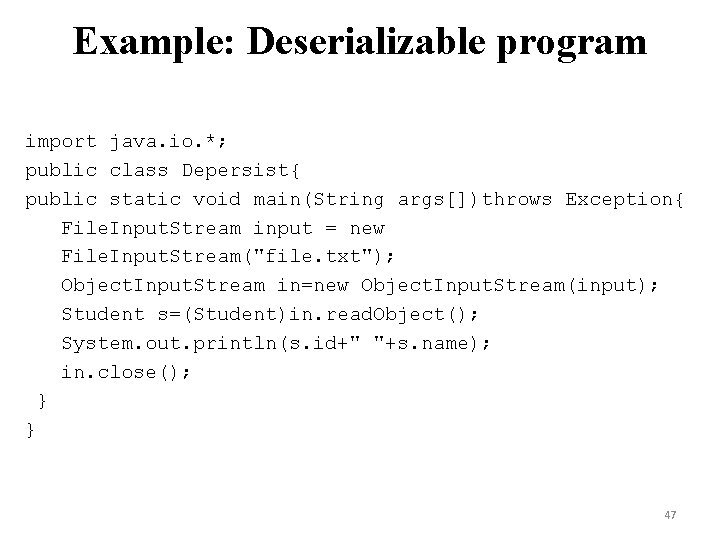
Example: Deserializable program import java. io. *; public class Depersist{ public static void main(String args[])throws Exception{ File. Input. Stream input = new File. Input. Stream("file. txt"); Object. Input. Stream in=new Object. Input. Stream(input); Student s=(Student)in. read. Object(); System. out. println(s. id+" "+s. name); in. close(); } } 47
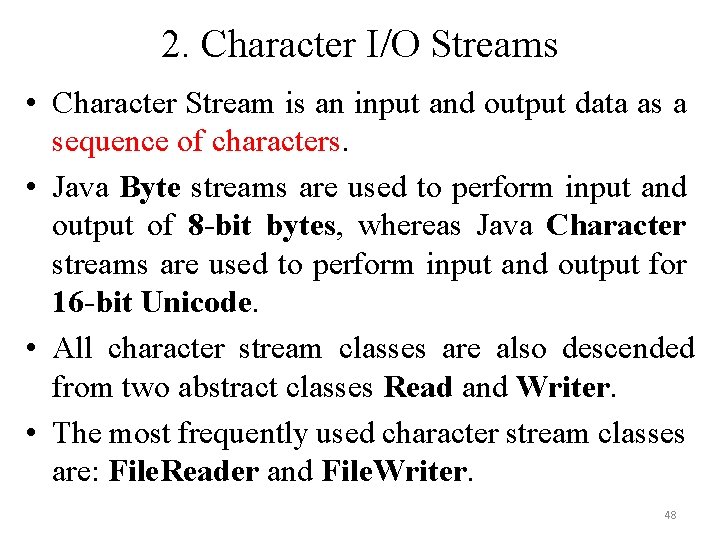
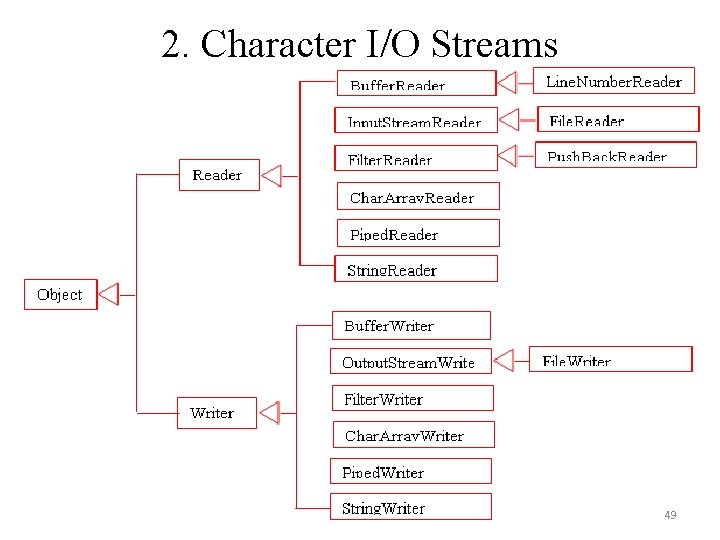
2. Character I/O Streams • Character Stream is an input and output data as a sequence of characters. • Java Byte streams are used to perform input and output of 8 -bit bytes, whereas Java Character streams are used to perform input and output for 16 -bit Unicode. • All character stream classes are also descended from two abstract classes Read and Writer. • The most frequently used character stream classes are: File. Reader and File. Writer. 48
2. Character I/O Streams 49
3. Standard I/O Streams • All the programming languages provide support for standard I/O where the user's program can take input from a keyboard and then produce an output on the computer screen. • Java provides the following three standard streams: – Standard Input - This is used to feed the data to user's program and usually a keyboard is used as standard input stream and represented as System. in. – Standard Output - This is used to output the data produced by the user’s program and usually a computer screen is used for standard output stream and represented as System. out. – Standard Error - This is used to output the error data produced by the user’s program and usually a computer screen is used for standard error stream and represented as System. err. 50
The End!! 51