
Chapter Two Part 2 Data Link Layer Outline
- Slides: 95
Chapter Two Part 2 Data Link Layer Outline ØIntroduction to link layer and Link Layer services ØMedium Access Control Protocols and Øtheir components ØError detection and Error correction ØFlow Control 1
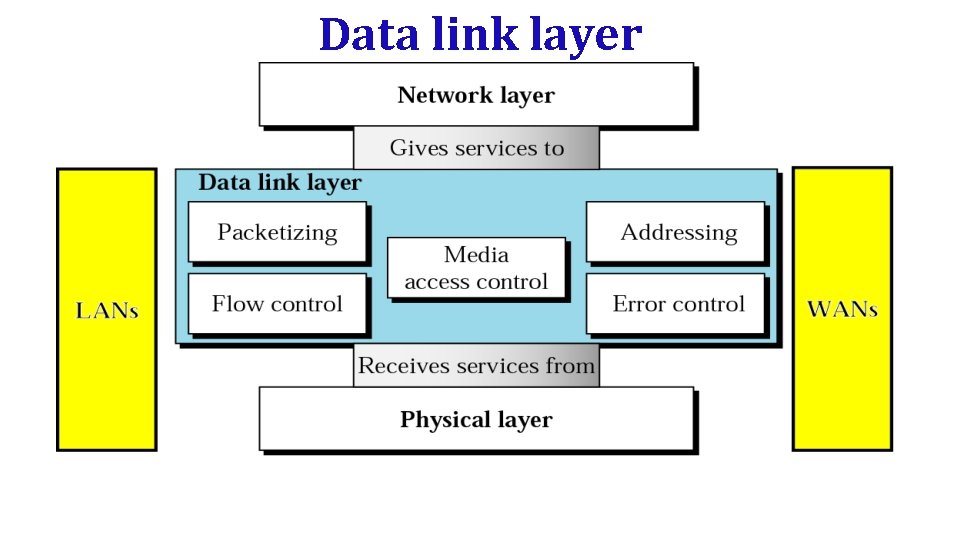
Data link layer
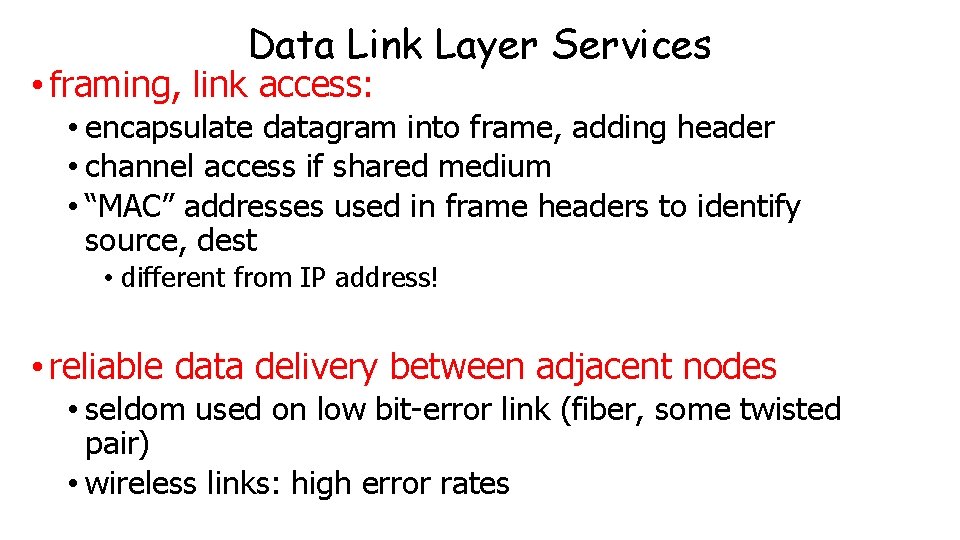
Data Link Layer Services • framing, link access: • encapsulate datagram into frame, adding header • channel access if shared medium • “MAC” addresses used in frame headers to identify source, dest • different from IP address! • reliable data delivery between adjacent nodes • seldom used on low bit-error link (fiber, some twisted pair) • wireless links: high error rates
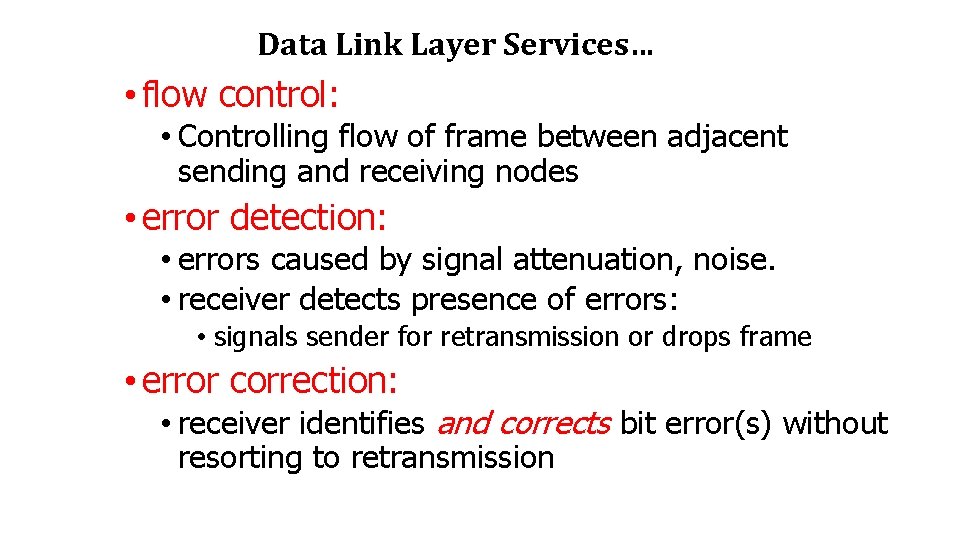
Data Link Layer Services… • flow control: • Controlling flow of frame between adjacent sending and receiving nodes • error detection: • errors caused by signal attenuation, noise. • receiver detects presence of errors: • signals sender for retransmission or drops frame • error correction: • receiver identifies and corrects bit error(s) without resorting to retransmission
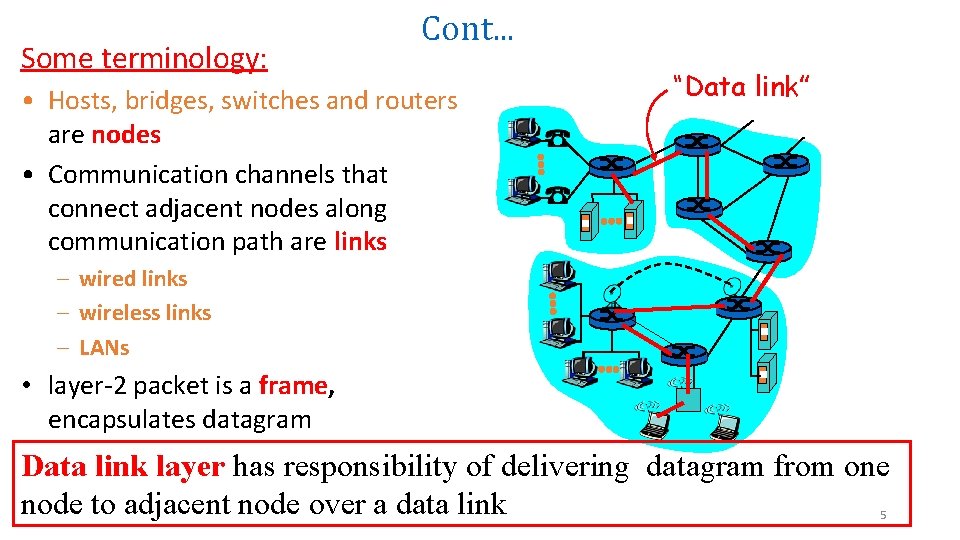
Some terminology: Cont. . . • Hosts, bridges, switches and routers are nodes • Communication channels that connect adjacent nodes along communication path are links “Data link” – wired links – wireless links – LANs • layer-2 packet is a frame, encapsulates datagram Data link layer has responsibility of delivering datagram from one node to adjacent node over a data link 5
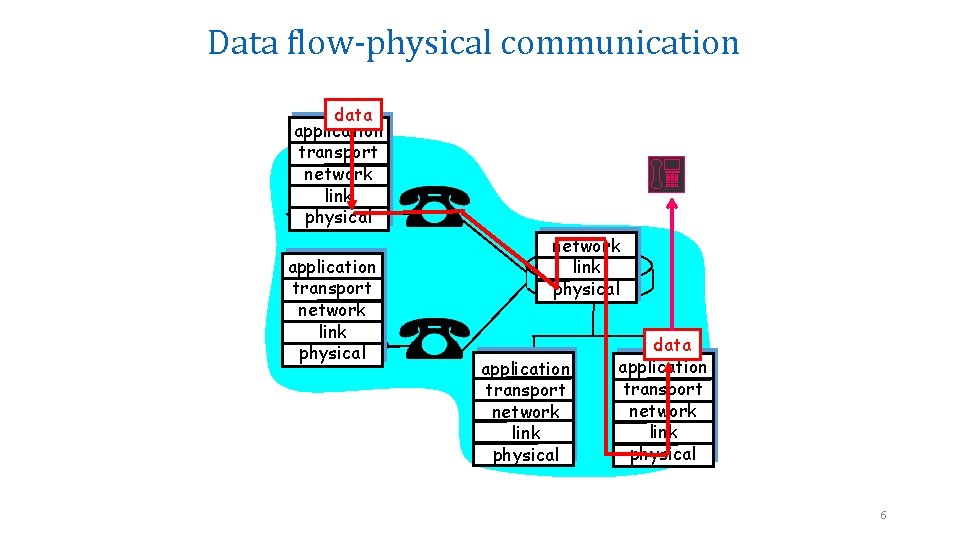
Data flow-physical communication data application transport network link physical application transport network link physical data application transport network link physical 6
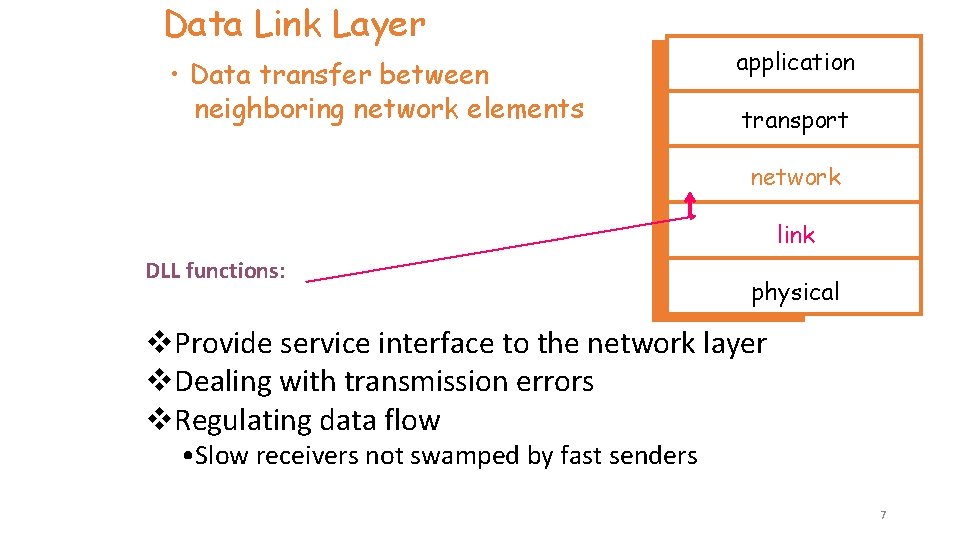
Data Link Layer • Data transfer between neighboring network elements application transport network link DLL functions: physical v. Provide service interface to the network layer v. Dealing with transmission errors v. Regulating data flow • Slow receivers not swamped by fast senders 7
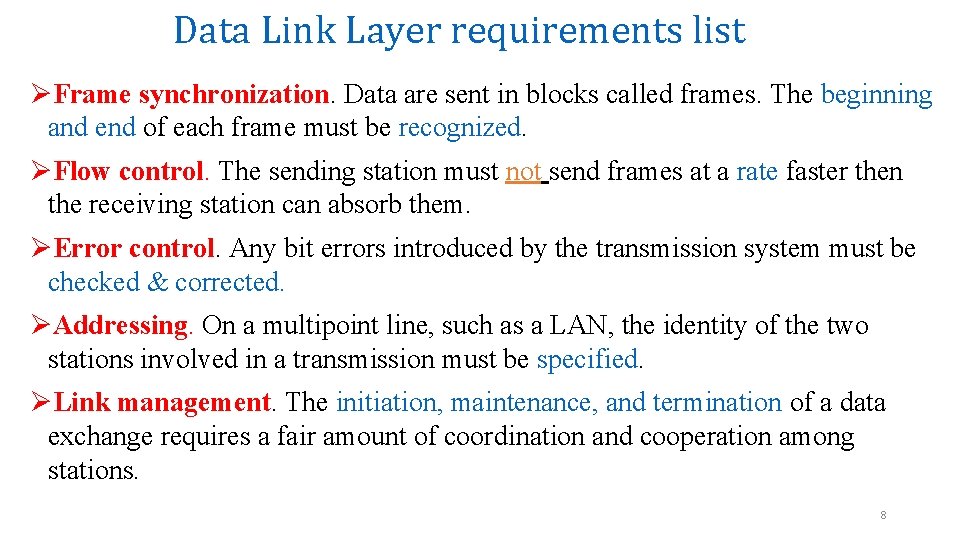
Data Link Layer requirements list ØFrame synchronization. Data are sent in blocks called frames. The beginning and end of each frame must be recognized. ØFlow control. The sending station must not send frames at a rate faster then the receiving station can absorb them. ØError control. Any bit errors introduced by the transmission system must be checked & corrected. ØAddressing. On a multipoint line, such as a LAN, the identity of the two stations involved in a transmission must be specified. ØLink management. The initiation, maintenance, and termination of a data exchange requires a fair amount of coordination and cooperation among stations. 8
Services to the Network Layer (NL) • The actual services can vary from system to system. Three reasonable services to the NL are: 1. Unacknowledged connectionless service. 2. Acknowledged connectionless service. 3. Acknowledged connection-oriented service. 9
1. Unacknowledged connectionless service ØThe source machine send frames to the destination machine without having the destination machine acknowledged them. ØNo logical connection is established before hand or released after ward. ØIf a frame is lost due to noise on the line, no attempt is made to detect the loss or recover from it in the DLL. ØThis class of service is appropriate when the error rate is very low so that recovery task is left for solution to higher layers. ØIt is also appropriate for real-time traffic, such as voice, in which late data are worse than bad data. ØMost LANs use unacknowledged connectionless service in the DLL 10
2. Acknowledged connectionless service ØIs more reliable. ØStill no logical connections used, but each frame sent is individually acknowledged. ØThe sender knows whether a frame has arrived correctly. ØIf it has not arrived within a specific time interval, it can be sent again. ØThis service is useful over unreliable channels, such as wireless system. ØIf the large packet is broken up into frames, If individual frames are acknowledged or retransmitted, entire packets get through much faster than unbroken frame that is lost, it may take a very long time for the packet to get through. . 11
3. ACKed connection-oriented service ØThe service requires established connection between source/destination machines before data are transferred. ØAny frame sent over the connection is numbered, and the DLL guarantees that each frame sent, is received, and are received in the same order. ØWith connectionless service, in contrast, it is possible that a lost acknowledgement causes a packet to be sent several times and thus received several times. ØWhen connection-oriented service is used, transfers go through 3 distinct phases: 1. The connection is established and counters needed to keep track of which frames have been received and which ones have not. 2. One or more frames are transmitted and acknowledged. 3. Connection is released, freeing up the variables - buffers and other resources used to maintain the connection. 12
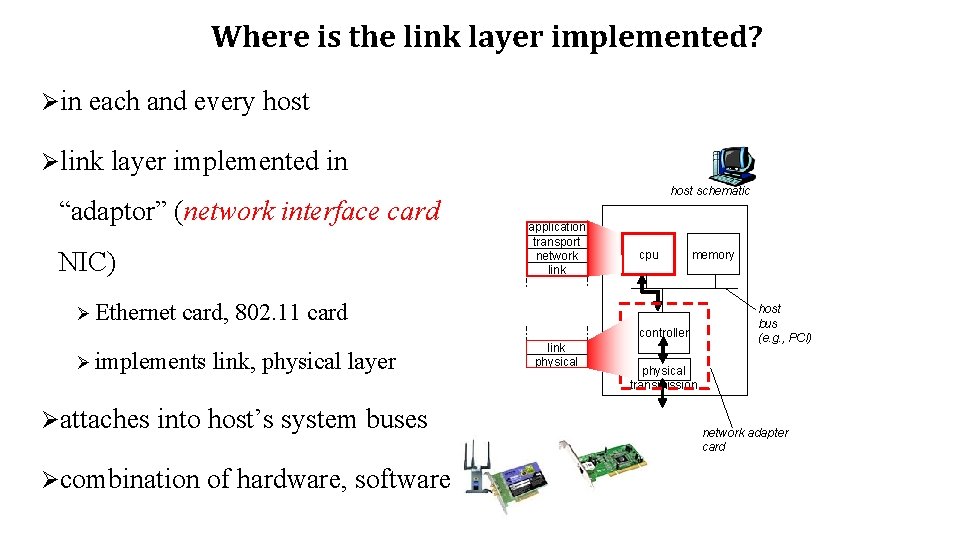
Where is the link layer implemented? Øin each and every host Ølink layer implemented in “adaptor” (network interface card NIC) Ø Ethernet host schematic application transport network link cpu memory card, 802. 11 card controller Ø implements link, physical layer Øattaches into host’s system buses Øcombination of hardware, software link physical host bus (e. g. , PCI) physical transmission network adapter card
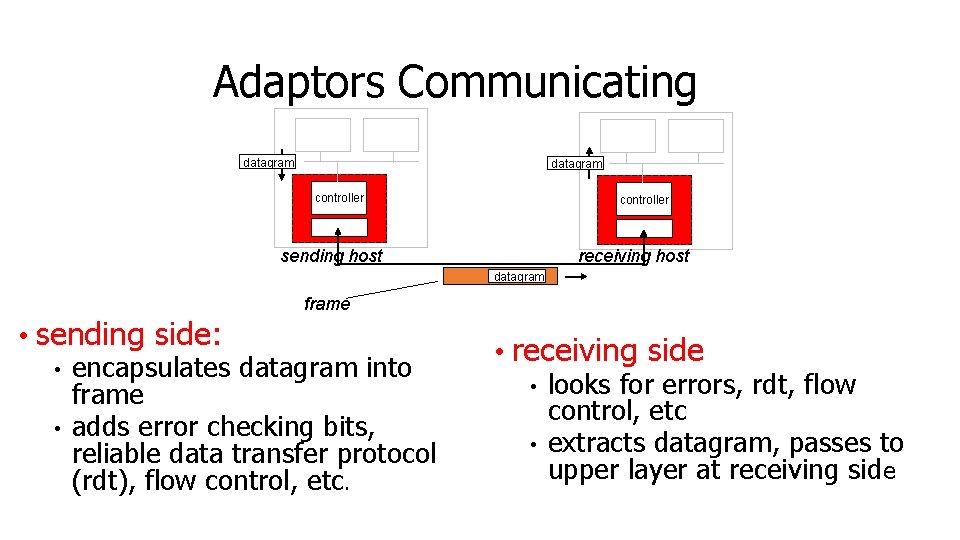
Adaptors Communicating datagram controller receiving host sending host datagram frame • sending side: • encapsulates datagram into frame • adds error checking bits, reliable data transfer protocol (rdt), flow control, etc. • receiving side • looks for errors, rdt, flow control, etc • extracts datagram, passes to upper layer at receiving side
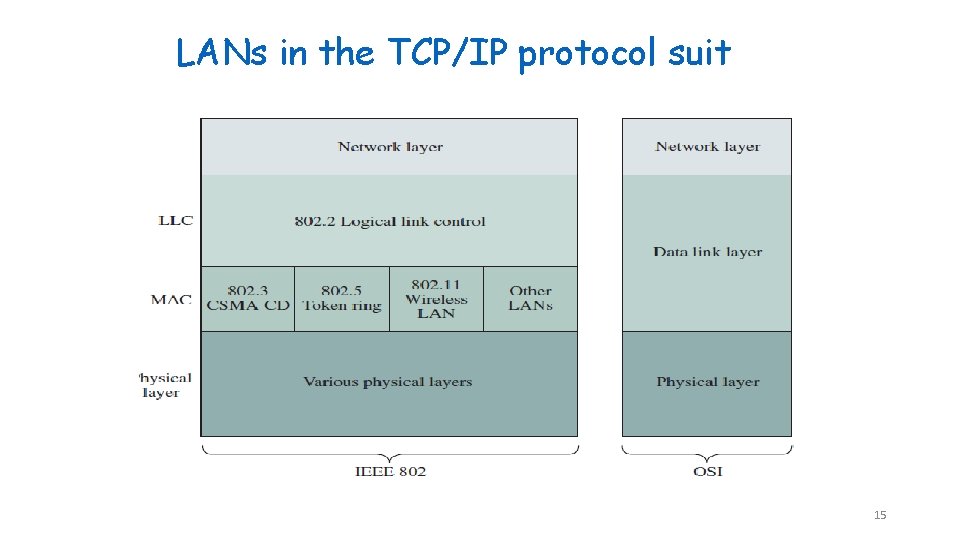
LANs in the TCP/IP protocol suit 15
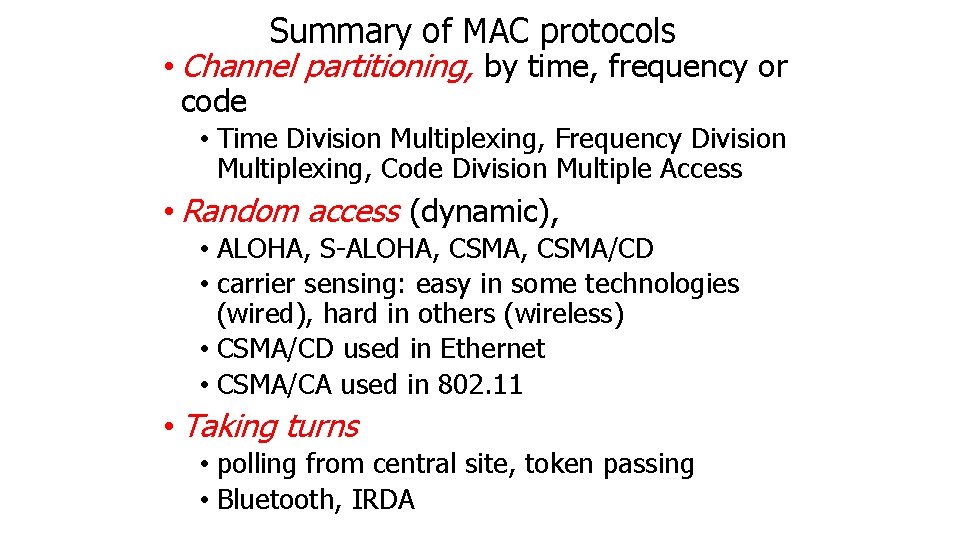
Medium Access Control Protocols • Broadcast channel is a shared medium • Need access control mechanism to avoid interference • MAC protocol design has been an active area of research for many years. 16
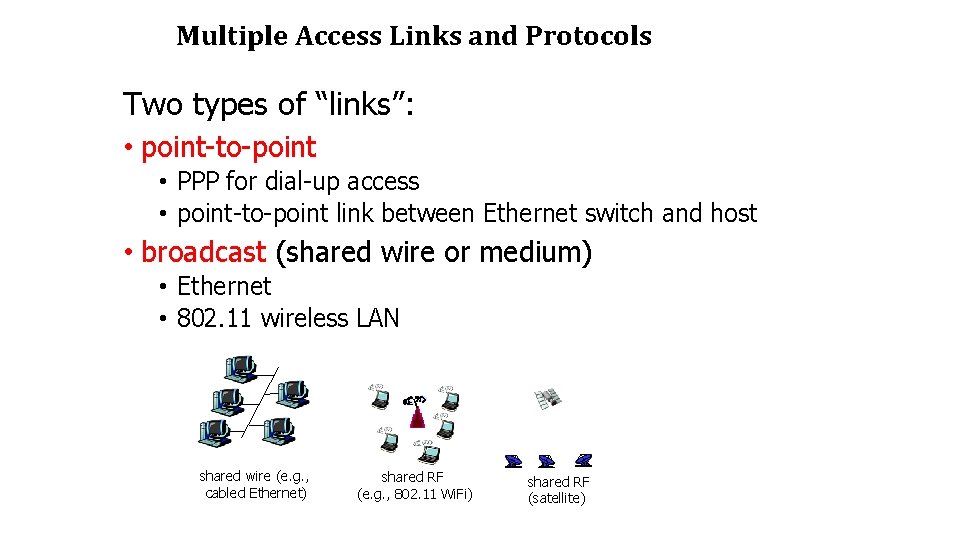
Multiple Access Links and Protocols Two types of “links”: • point-to-point • PPP for dial-up access • point-to-point link between Ethernet switch and host • broadcast (shared wire or medium) • Ethernet • 802. 11 wireless LAN shared wire (e. g. , cabled Ethernet) shared RF (e. g. , 802. 11 Wi. Fi) shared RF (satellite)
Medium Access protocols ØUses single shared broadcast channel ØIf two or more simultaneous transmissions by nodes: interference • only one node can send successfully at a time Medium access protocol Ødistributed algorithm that determines how nodes share channel, i. e. , determine when node can transmit Øcommunication about channel sharing must use channel itself! Øwhat to look for in multiple access protocols:
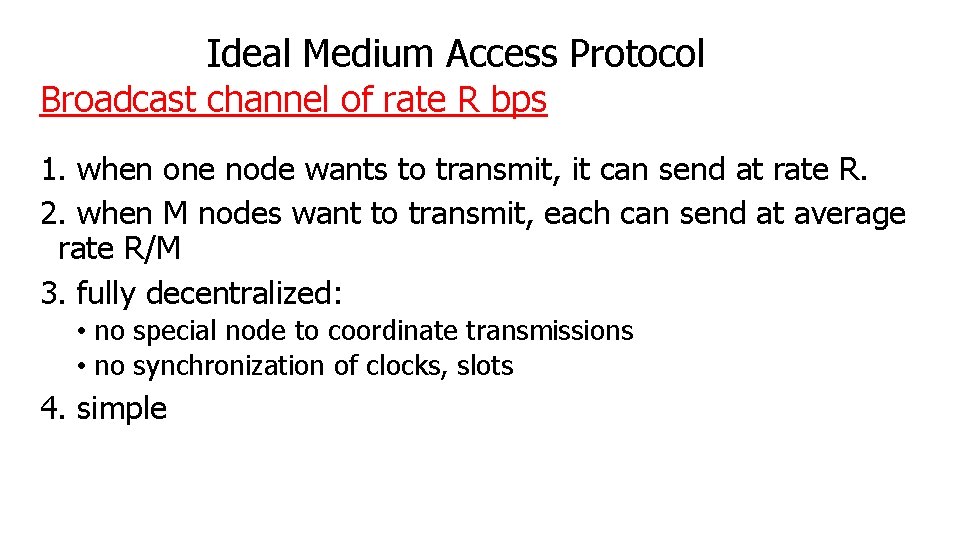
Ideal Medium Access Protocol Broadcast channel of rate R bps 1. when one node wants to transmit, it can send at rate R. 2. when M nodes want to transmit, each can send at average rate R/M 3. fully decentralized: • no special node to coordinate transmissions • no synchronization of clocks, slots 4. simple
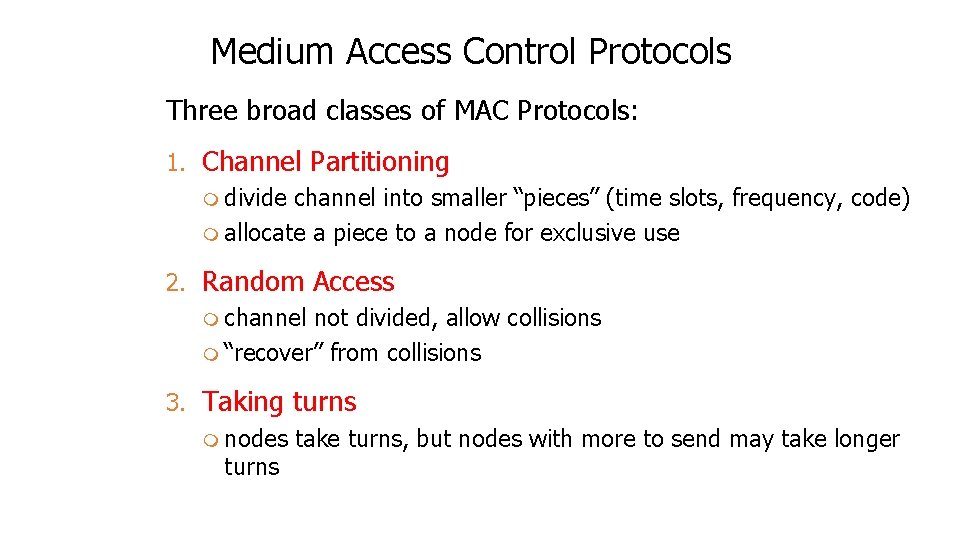
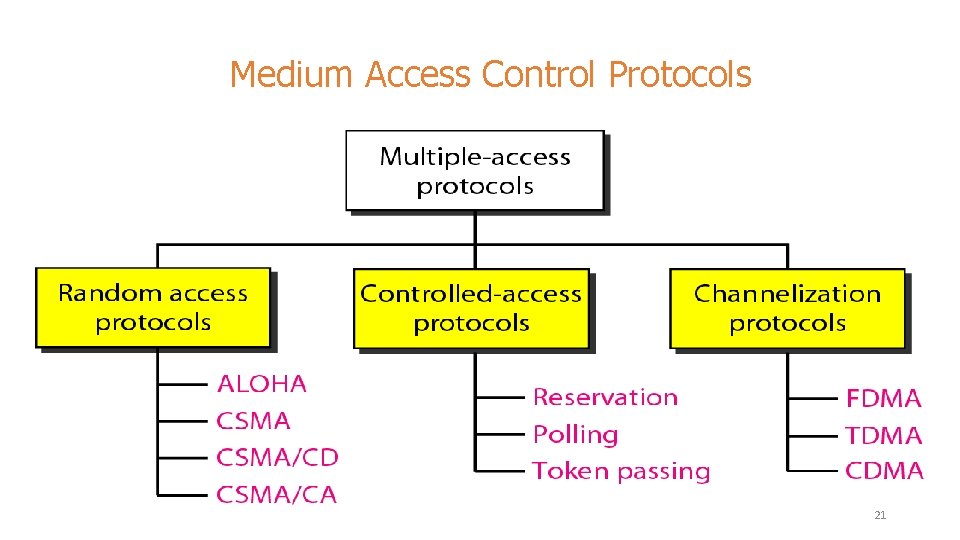
Medium Access Control Protocols Three broad classes of MAC Protocols: 1. Channel Partitioning m divide channel into smaller “pieces” (time slots, frequency, code) m allocate a piece to a node for exclusive use 2. Random Access m channel not divided, allow collisions m “recover” from collisions 3. Taking turns m nodes take turns, but nodes with more to send may take longer turns
Medium Access Control Protocols 21
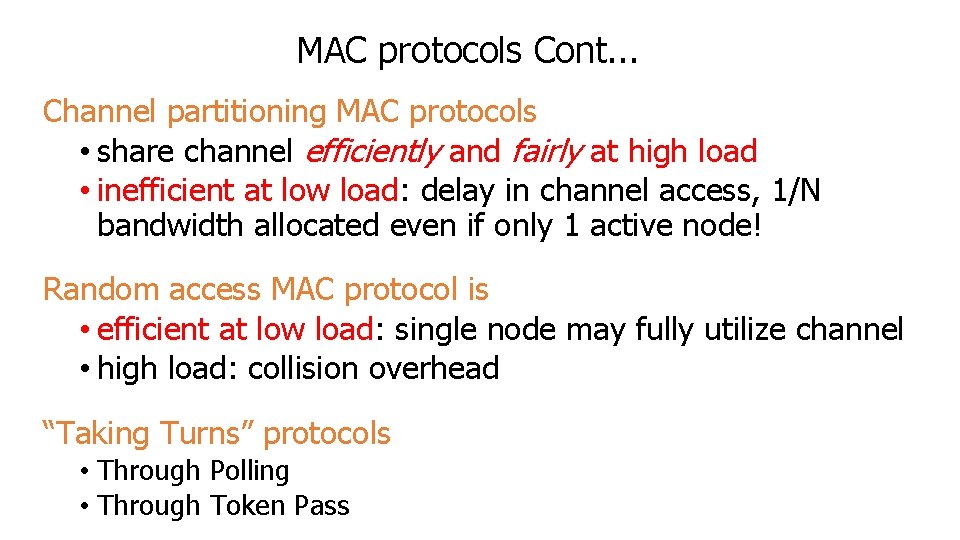
MAC protocols Cont. . . Channel partitioning MAC protocols • share channel efficiently and fairly at high load • inefficient at low load: delay in channel access, 1/N bandwidth allocated even if only 1 active node! Random access MAC protocol is • efficient at low load: single node may fully utilize channel • high load: collision overhead “Taking Turns” protocols • Through Polling • Through Token Pass
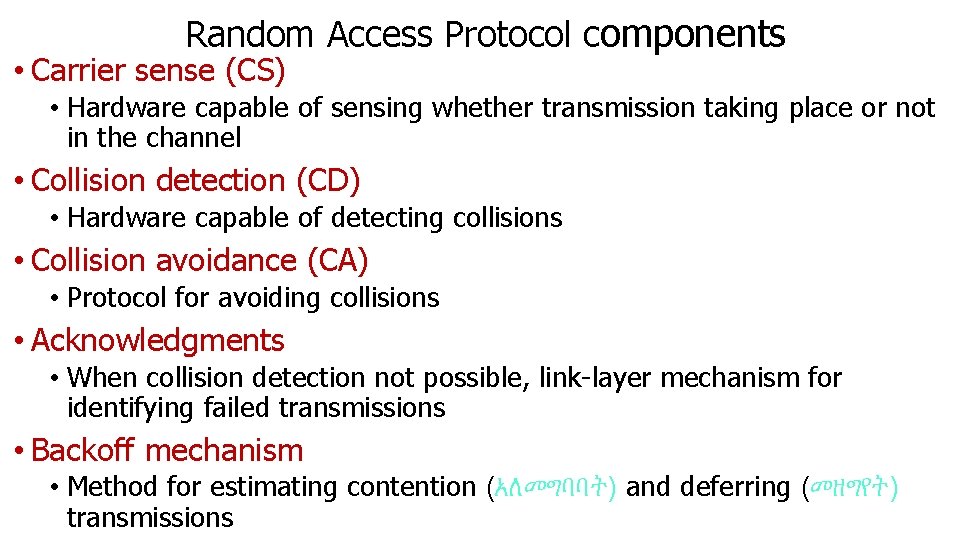
Random Access Protocol components • Carrier sense (CS) • Hardware capable of sensing whether transmission taking place or not in the channel • Collision detection (CD) • Hardware capable of detecting collisions • Collision avoidance (CA) • Protocol for avoiding collisions • Acknowledgments • When collision detection not possible, link-layer mechanism for identifying failed transmissions • Backoff mechanism • Method for estimating contention (አለመግባባት) and deferring (መዘግየት) transmissions
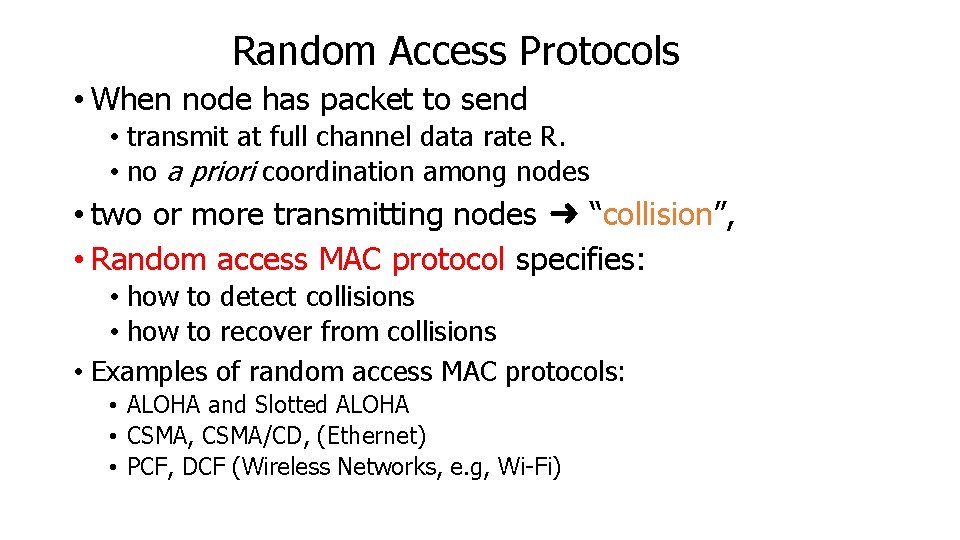
Random Access Protocols • When node has packet to send • transmit at full channel data rate R. • no a priori coordination among nodes • two or more transmitting nodes ➜ “collision”, • Random access MAC protocol specifies: • how to detect collisions • how to recover from collisions • Examples of random access MAC protocols: • ALOHA and Slotted ALOHA • CSMA, CSMA/CD, (Ethernet) • PCF, DCF (Wireless Networks, e. g, Wi-Fi)
Summary of MAC protocols • Channel partitioning, by time, frequency or code • Time Division Multiplexing, Frequency Division Multiplexing, Code Division Multiple Access • Random access (dynamic), • ALOHA, S-ALOHA, CSMA/CD • carrier sensing: easy in some technologies (wired), hard in others (wireless) • CSMA/CD used in Ethernet • CSMA/CA used in 802. 11 • Taking turns • polling from central site, token passing • Bluetooth, IRDA
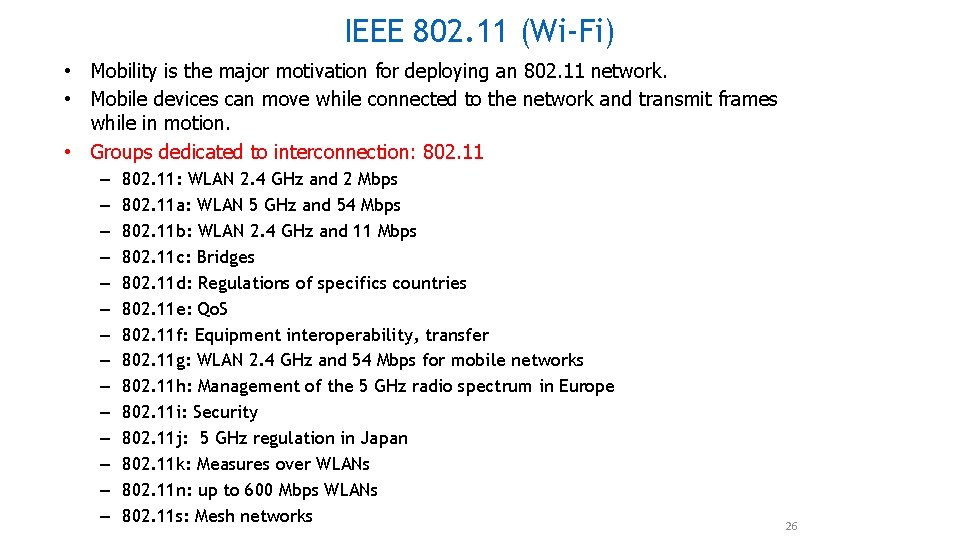
IEEE 802. 11 (Wi-Fi) • Mobility is the major motivation for deploying an 802. 11 network. • Mobile devices can move while connected to the network and transmit frames while in motion. • Groups dedicated to interconnection: 802. 11 – – – – 802. 11: WLAN 2. 4 GHz and 2 Mbps 802. 11 a: WLAN 5 GHz and 54 Mbps 802. 11 b: WLAN 2. 4 GHz and 11 Mbps 802. 11 c: Bridges 802. 11 d: Regulations of specifics countries 802. 11 e: Qo. S 802. 11 f: Equipment interoperability, transfer 802. 11 g: WLAN 2. 4 GHz and 54 Mbps for mobile networks 802. 11 h: Management of the 5 GHz radio spectrum in Europe 802. 11 i: Security 802. 11 j: 5 GHz regulation in Japan 802. 11 k: Measures over WLANs 802. 11 n: up to 600 Mbps WLANs 802. 11 s: Mesh networks 26
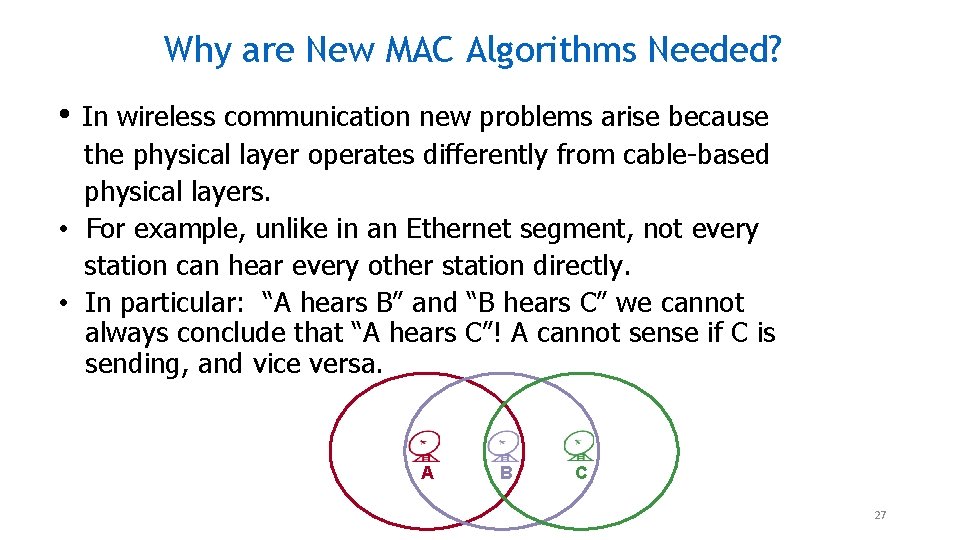
Why are New MAC Algorithms Needed? • In wireless communication new problems arise because the physical layer operates differently from cable-based physical layers. • For example, unlike in an Ethernet segment, not every station can hear every other station directly. • In particular: “A hears B” and “B hears C” we cannot always conclude that “A hears C”! A cannot sense if C is sending, and vice versa. A B C 27
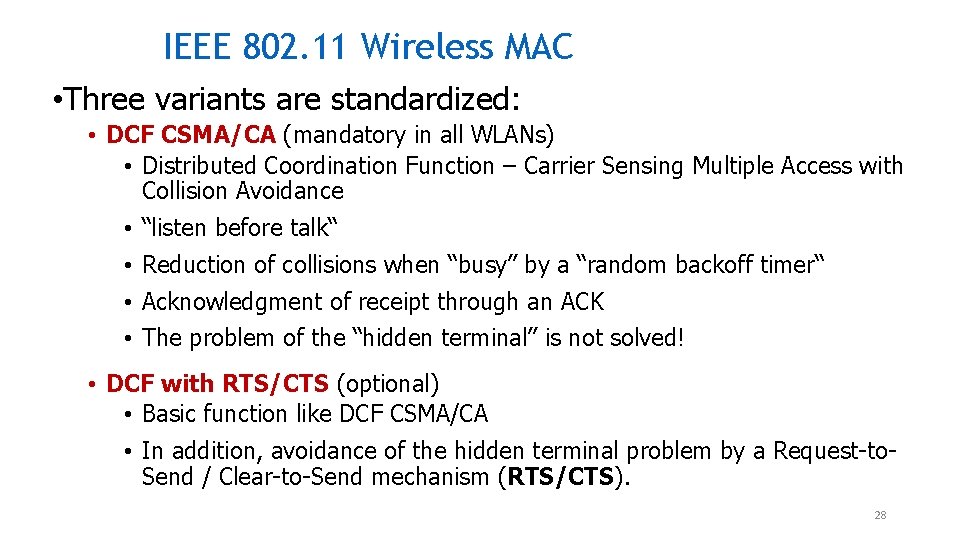
IEEE 802. 11 Wireless MAC • Three variants are standardized: • DCF CSMA/CA (mandatory in all WLANs) • Distributed Coordination Function – Carrier Sensing Multiple Access with Collision Avoidance • “listen before talk“ • Reduction of collisions when “busy” by a “random backoff timer“ • Acknowledgment of receipt through an ACK • The problem of the “hidden terminal” is not solved! • DCF with RTS/CTS (optional) • Basic function like DCF CSMA/CA • In addition, avoidance of the hidden terminal problem by a Request-to. Send / Clear-to-Send mechanism (RTS/CTS). 28
IEEE 802. 11 Wireless MAC • PCF (optional) • PCF = Point Coordination Function • collision-free, centralized access control procedure for services with time guarantees • Basic idea: the access point polls the stations in a round-robin fashion 29
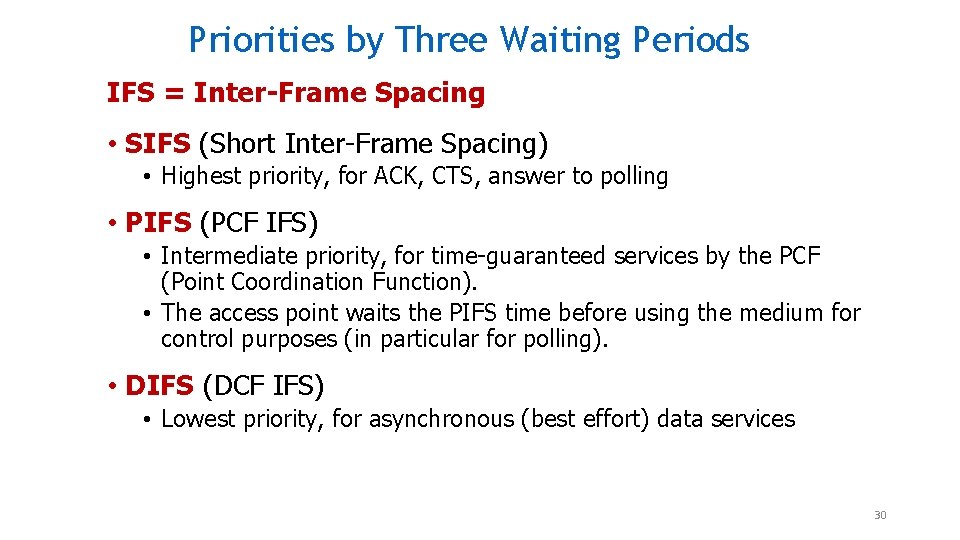
Priorities by Three Waiting Periods IFS = Inter-Frame Spacing • SIFS (Short Inter-Frame Spacing) • Highest priority, for ACK, CTS, answer to polling • PIFS (PCF IFS) • Intermediate priority, for time-guaranteed services by the PCF (Point Coordination Function). • The access point waits the PIFS time before using the medium for control purposes (in particular for polling). • DIFS (DCF IFS) • Lowest priority, for asynchronous (best effort) data services 30
IEEE 802. 11 Wireless MAC • Distributed and centralized MAC components • Distributed Coordination Function (DCF) • Point Coordination Function (PCF) • DCF is suitable for multi-hop, mobile ad hoc networking and sensor networks • DCF is a Carrier Sense Multiple Access/Collision Avoidance (CSMA/CA) protocol 31
Data Link Layer Services Detail Ø Error Control: Ø how to make sure all frames are eventually delivered to the network layer at the destination and in the proper order? Ø The usual way to ensure reliable delivery is to provide the sender with some feedback about what is happening at the other end of the line. Ø the receiver to send back special control frames bearing positive or negative acknowledgements about the incoming frames. Ø If the sender receives a positive acknowledgement about a frame, it knows the frame has arrived safely. Ø On the other hand, a negative acknowledgement means that something has gone wrong and the frame must be transmitted again. 32
Example is a WAN subnet Consisting of routers connected by point-to-point leased telephone lines. 1. When a frame arrives at a router, the hardware checks it for errors, (Passes the frame to the DLL software which might be embedded in a chip on the network interface board). 2. The DLL software checks to see if it is the frame expected, 3. If so, gives the packet (contained the payload field) to the routing software. 4. The routing software then chooses the appropriate outgoing line and passes the packet back down to the DLL software, which then transmits it. 33
Techniques for error control are: ØError detection. ØPositive Acknowledgment. ØRetransmission after time-out. ØNegative acknowledgment Øretransmission These 4 mechanisms are all referred to as Automatic Report re. Quest (ARQ); the effect of ARQ is to turn an unreliable data link into a reliable one. Three standardized versions Of ARQ: ØStop-and-wait ARQ ØGo-back-N ARQ ØSelective-reject ARQ 34
Stop-and Wait Protocol • Protocol in which the sender sends one frame and then waits for an ACK: • with it the receiver indicates its readiness to receive data for each frame. • bidirectional information transfer. • Half duplex physical channel. • It is often the case that a source will break up a large block of data into smaller blocks and transmit the data in many frames, • Reason: 1. The buffer size of the receiver may be limited. 2. The larger the transmission, the more error, With smaller frames, error are detected sooner, Smaller amount of data needs retransmission. 35
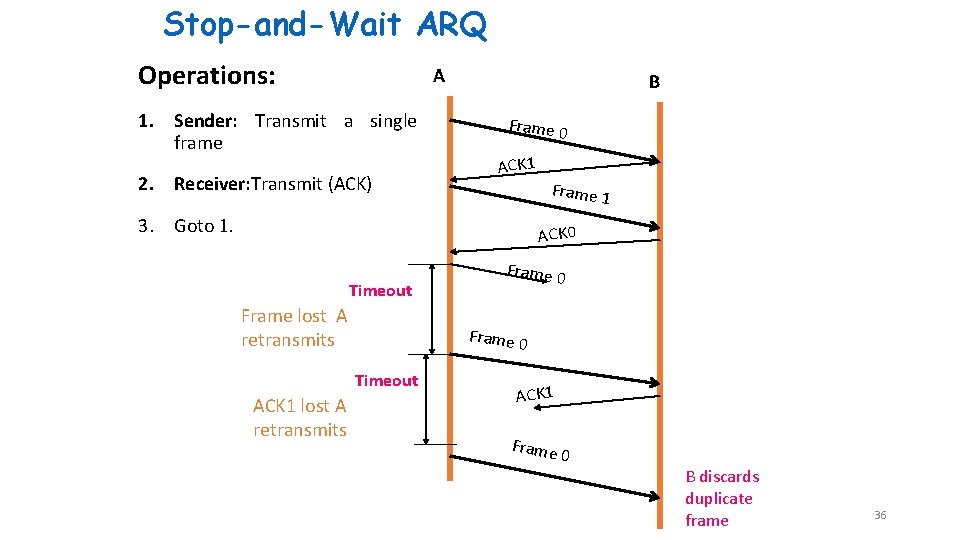
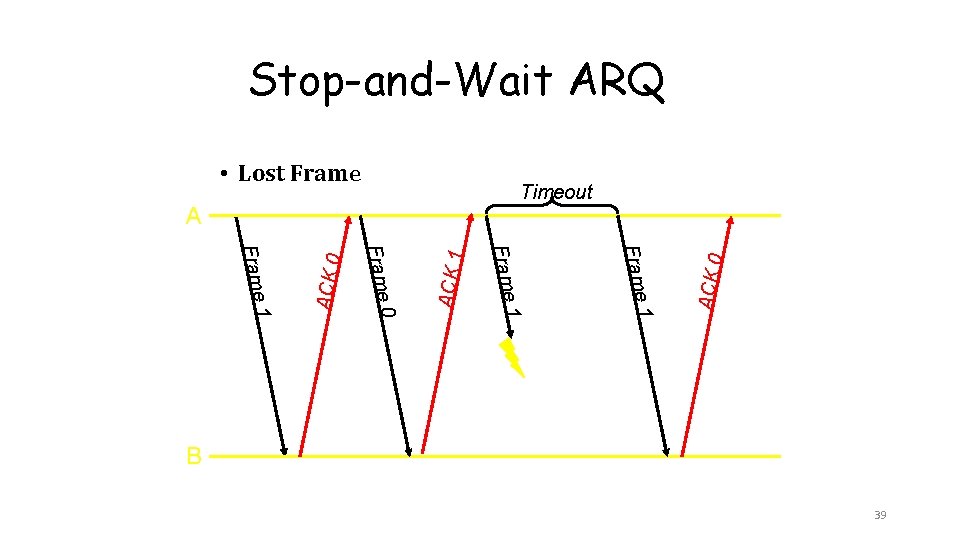
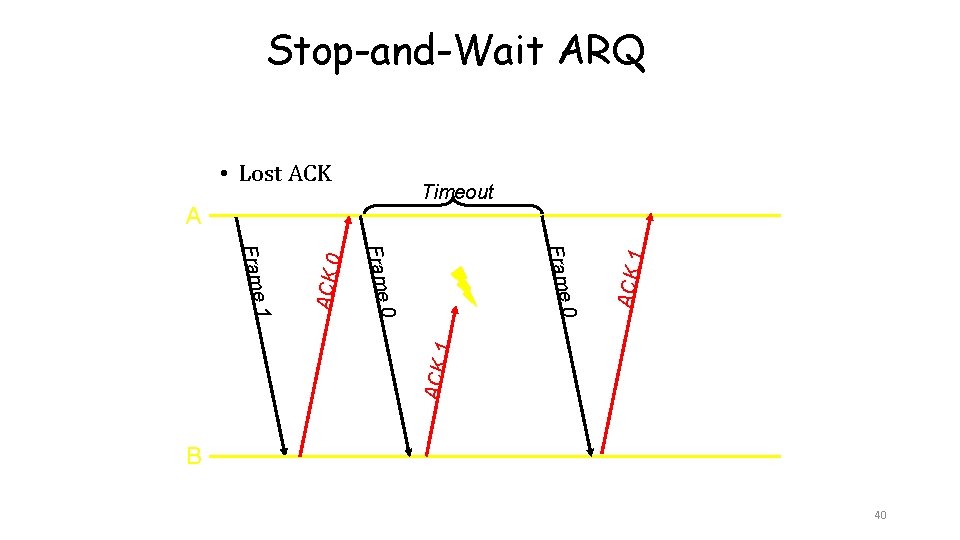
Stop-and-Wait ARQ Operations: A 1. Sender: Transmit a single frame 2. Receiver: Transmit (ACK) B Frame 0 ACK 1 Frame 1 3. Goto 1. ACK 0 Timeout Frame lost A retransmits Frame 0 Timeout ACK 1 lost A retransmits Frame 0 ACK 1 Frame 0 B discards duplicate frame 36
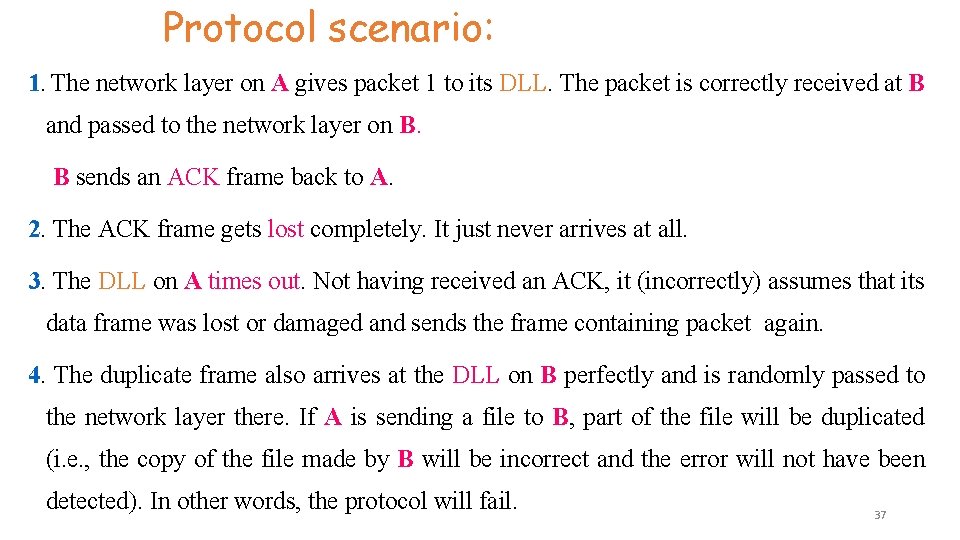
Protocol scenario: 1. The network layer on A gives packet 1 to its DLL. The packet is correctly received at B and passed to the network layer on B. B sends an ACK frame back to A. 2. The ACK frame gets lost completely. It just never arrives at all. 3. The DLL on A times out. Not having received an ACK, it (incorrectly) assumes that its data frame was lost or damaged and sends the frame containing packet again. 4. The duplicate frame also arrives at the DLL on B perfectly and is randomly passed to the network layer there. If A is sending a file to B, part of the file will be duplicated (i. e. , the copy of the file made by B will be incorrect and the error will not have been detected). In other words, the protocol will fail. 37
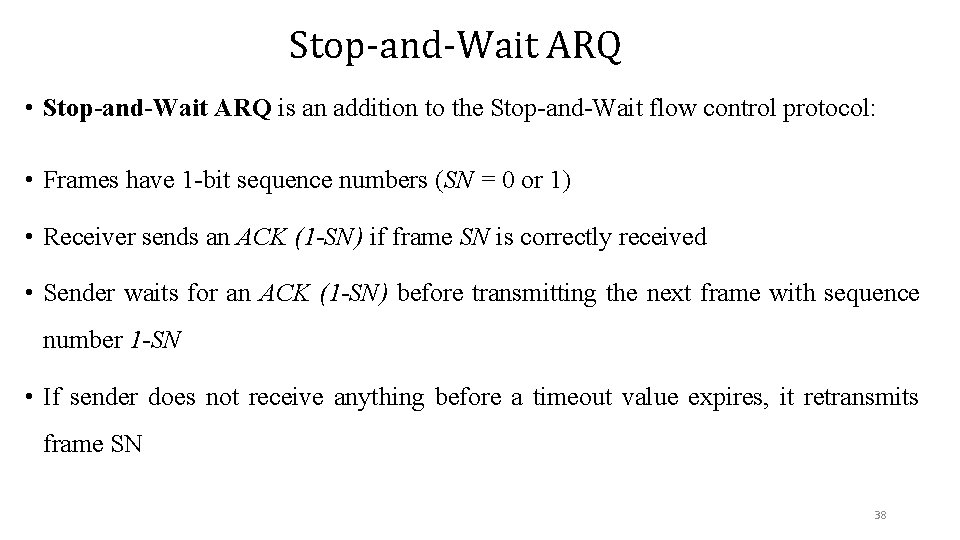
Stop-and-Wait ARQ • Stop-and-Wait ARQ is an addition to the Stop-and-Wait flow control protocol: • Frames have 1 -bit sequence numbers (SN = 0 or 1) • Receiver sends an ACK (1 -SN) if frame SN is correctly received • Sender waits for an ACK (1 -SN) before transmitting the next frame with sequence number 1 -SN • If sender does not receive anything before a timeout value expires, it retransmits frame SN 38
Stop-and-Wait ARQ • Lost Frame 1 ACK 1 Frame 1 0 1 Frame ACK 0 A ACK 0 Timeout B 39
Stop-and-Wait ARQ • Lost ACK 0 ACK 1 Frame 0 1 Frame ACK 0 A ACK 1 Timeout B 40
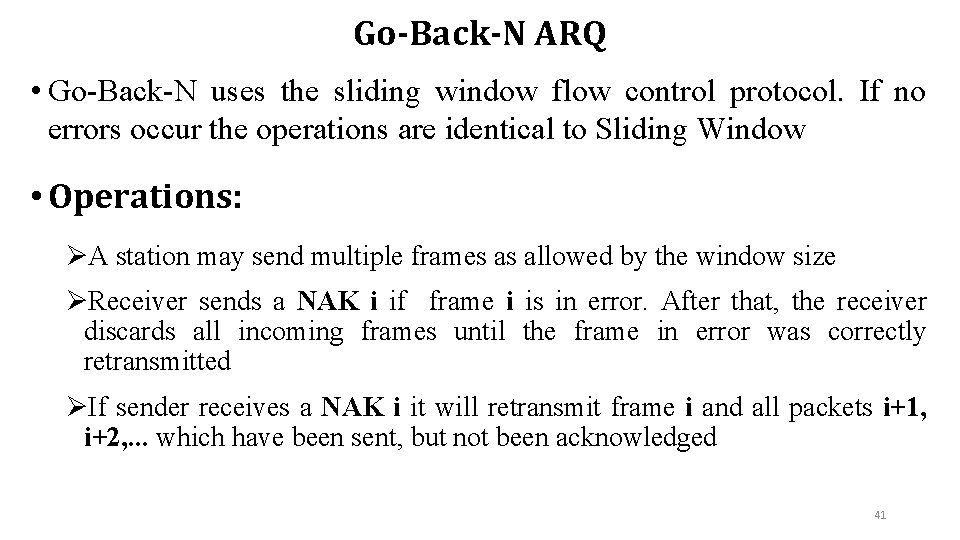
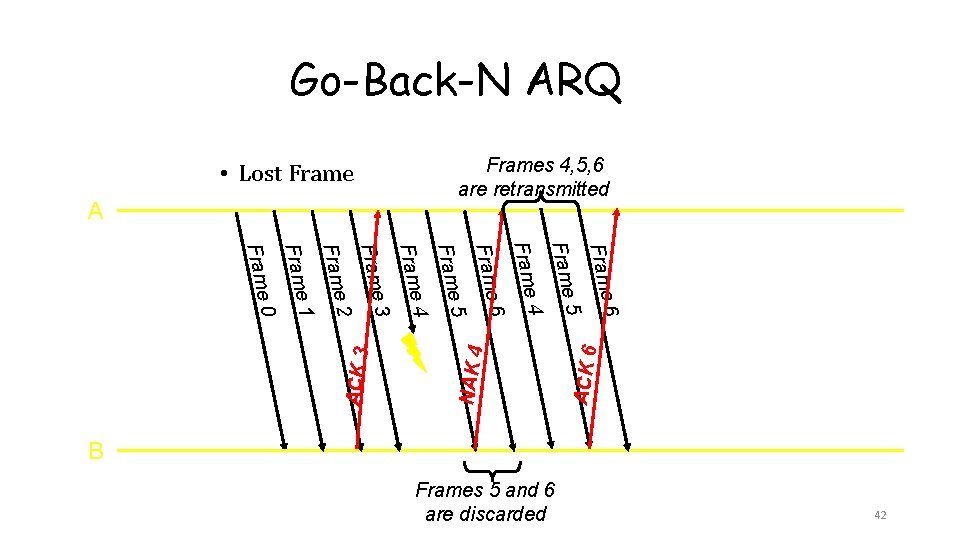
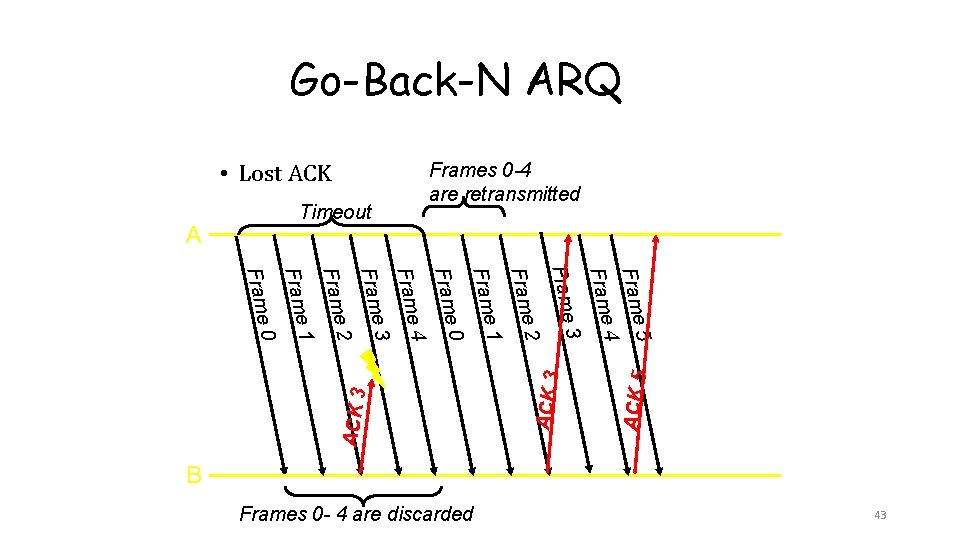
Go-Back-N ARQ • Go-Back-N uses the sliding window flow control protocol. If no errors occur the operations are identical to Sliding Window • Operations: ØA station may send multiple frames as allowed by the window size ØReceiver sends a NAK i if frame i is in error. After that, the receiver discards all incoming frames until the frame in error was correctly retransmitted ØIf sender receives a NAK i it will retransmit frame i and all packets i+1, i+2, . . . which have been sent, but not been acknowledged 41
Go-Back-N ARQ Frames 4, 5, 6 are retransmitted • Lost Frame A Frame Frame 2 3 4 5 6 ACK 6 Frame 1 NAK 4 Frame 0 ACK 3 Frame B Frames 5 and 6 are discarded 42
Go-Back-N ARQ • Lost ACK Frames 0 -4 are retransmitted Timeout A Frame Frame 2 3 4 0 1 2 3 4 ACK 5 5 ACK 3 Frame 1 ACK 3 Frame 0 Frame B Frames 0 - 4 are discarded 43
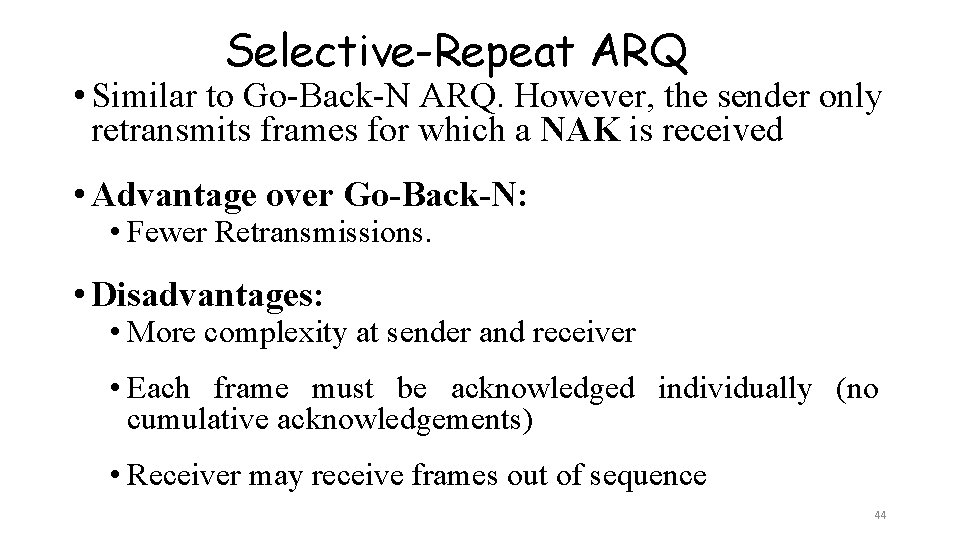
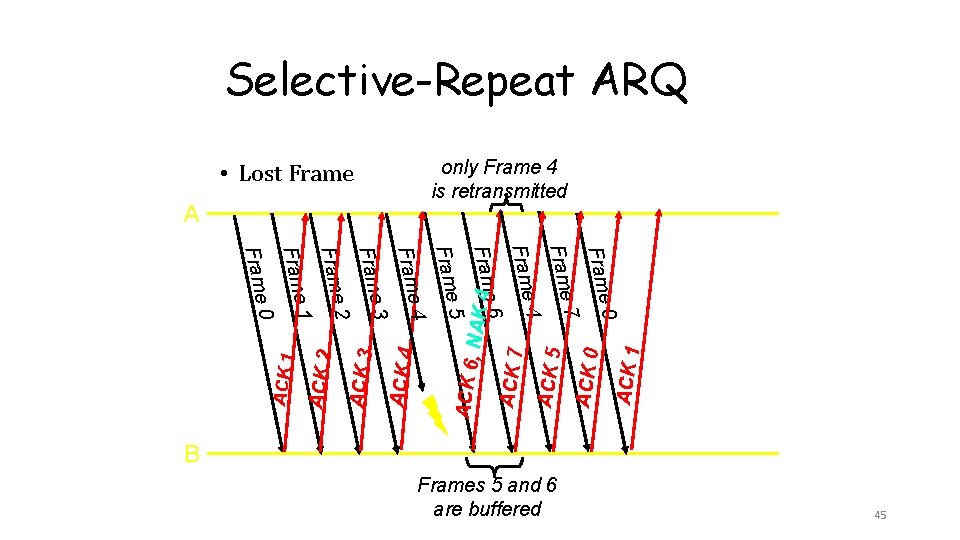
Selective-Repeat ARQ • Similar to Go-Back-N ARQ. However, the sender only retransmits frames for which a NAK is received • Advantage over Go-Back-N: • Fewer Retransmissions. • Disadvantages: • More complexity at sender and receiver • Each frame must be acknowledged individually (no cumulative acknowledgements) • Receiver may receive frames out of sequence 44
Selective-Repeat ARQ only Frame 4 is retransmitted • Lost Frame A Frame 7 0 ACK 6, ACK 1 Frame 4 ACK 0 Frame 6 ACK 5 Frame 5 ACK 7 Frame 4 NAK 4 Frame 3 ACK 4 Frame 2 ACK 3 Frame 1 ACK 2 Frame 0 ACK 1 Frame B Frames 5 and 6 are buffered 45
Flow control ØIt is the set of procedures that restrict the amount of data that are transmitted from the sender to the receiver with out waiting a replay from the receiver. So that it is done at the sender side. ØIts main purpose is to introduce efficiency in data transmission Two approaches are commonly used: 1. Feedback-based flow control, the receiver sends back information to the sender giving it permission to send more data or at least telling the sender how the receiver is doing. “You may send me n frames now, but after they have been sent, do not send any more until I have told you to continue”. Data link layer is responsible for it. • The basic schemes of FBBFC are: 1. Stop-wait protocol 2. Sliding window protocol (Go back N and selective reject ) 2. Rate-based flow control, the protocol has a built-in mechanism that limits the rate at which senders may transmit data. without using feedback from the receiver 46 • Network layer is responsible for it
Error Detection and Correction ØTypes of Errors ØDetection ØCorrection «Networks must be able to transfer data from one device to another with complete accuracy. « Data can be corrupted during transmission. « For reliable communication, errors must be detected and corrected. « Error detection and correction are implemented either at the data link layer or the transport layer of the OSI model
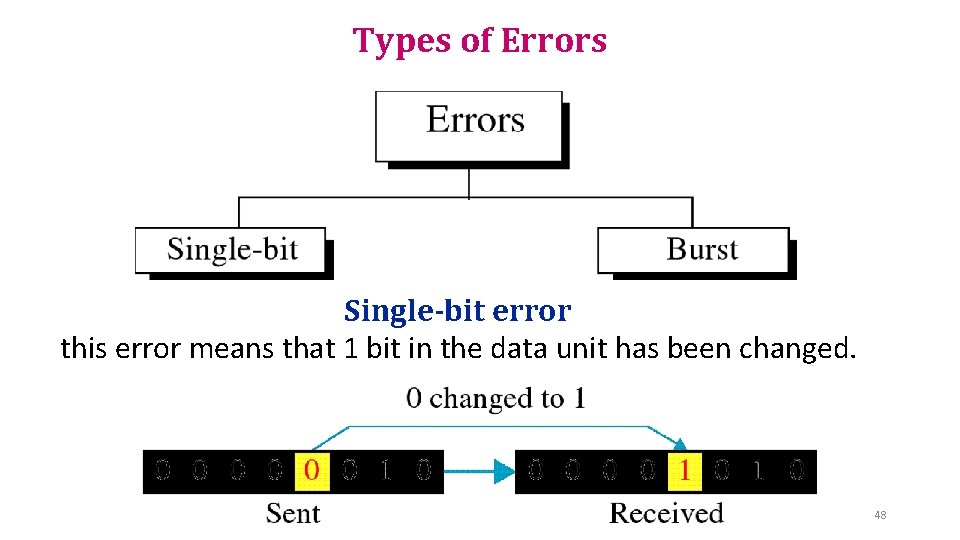
Types of Errors Single-bit error this error means that 1 bit in the data unit has been changed. 48
Cont. . . ü Single bit errors are the least likely type of errors in serial data transmission because the noise must have a very short duration which is very rare. However this kind of errors can happen in parallel transmission. Example: « If data is sent at 1 Mbps then each bit lasts only 1/1, 000 sec. or 1 μs. « For a single-bit error to occur, the noise must have a duration of only 1 μs, which is very rare. 49
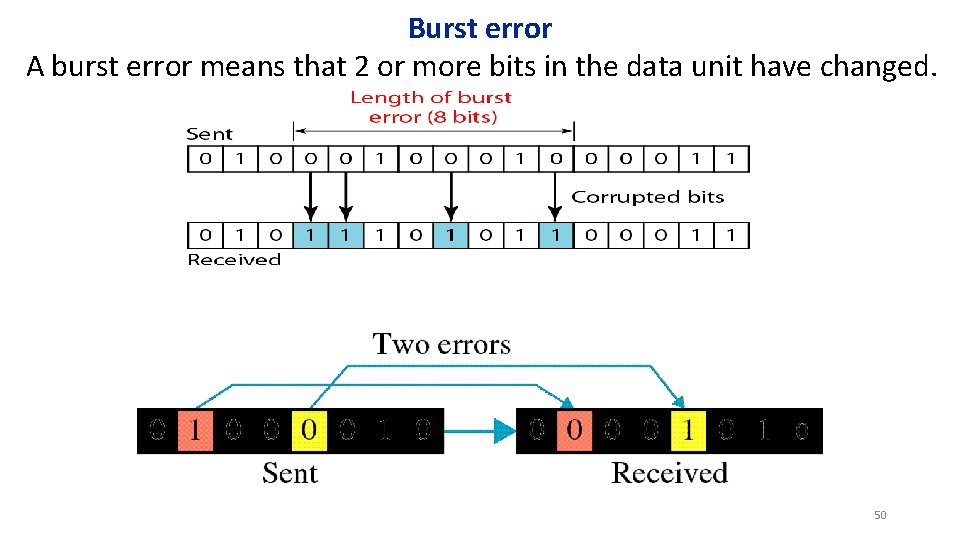
Burst error A burst error means that 2 or more bits in the data unit have changed. 50
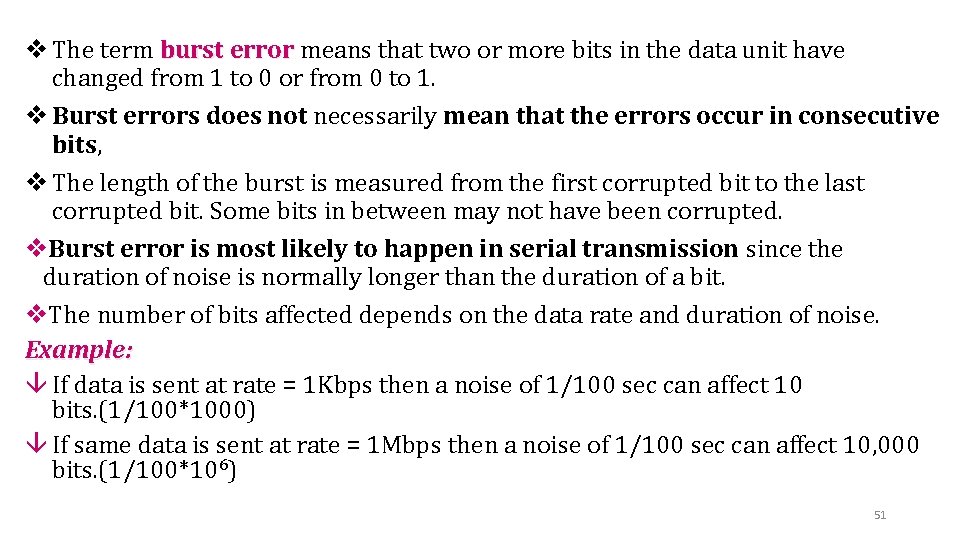
v The term burst error means that two or more bits in the data unit have changed from 1 to 0 or from 0 to 1. v Burst errors does not necessarily mean that the errors occur in consecutive bits, v The length of the burst is measured from the first corrupted bit to the last corrupted bit. Some bits in between may not have been corrupted. v. Burst error is most likely to happen in serial transmission since the duration of noise is normally longer than the duration of a bit. v. The number of bits affected depends on the data rate and duration of noise. Example: â If data is sent at rate = 1 Kbps then a noise of 1/100 sec can affect 10 bits. (1/100*1000) â If same data is sent at rate = 1 Mbps then a noise of 1/100 sec can affect 10, 000 bits. (1/100*106) 51
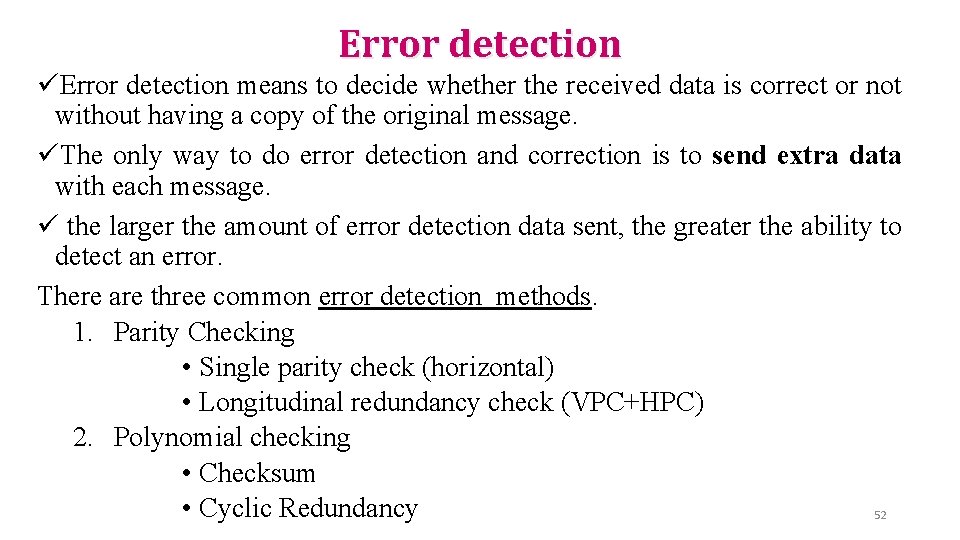
Error detection üError detection means to decide whether the received data is correct or not without having a copy of the original message. üThe only way to do error detection and correction is to send extra data with each message. ü the larger the amount of error detection data sent, the greater the ability to detect an error. There are three common error detection methods. 1. Parity Checking • Single parity check (horizontal) • Longitudinal redundancy check (VPC+HPC) 2. Polynomial checking • Checksum • Cyclic Redundancy 52
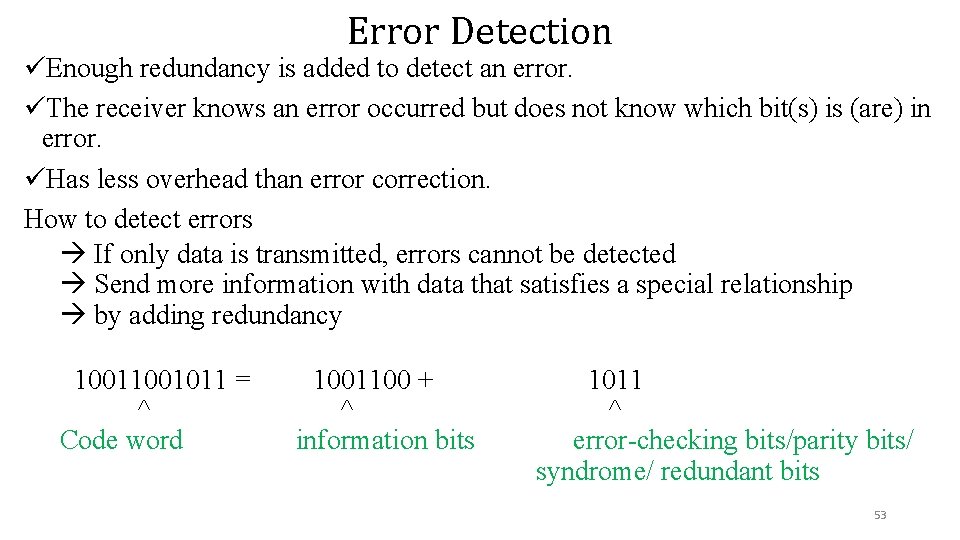
Error Detection üEnough redundancy is added to detect an error. üThe receiver knows an error occurred but does not know which bit(s) is (are) in error. üHas less overhead than error correction. How to detect errors If only data is transmitted, errors cannot be detected Send more information with data that satisfies a special relationship by adding redundancy 1001011 = ^ Code word 1001100 + ^ information bits 1011 ^ error-checking bits/parity bits/ syndrome/ redundant bits 53
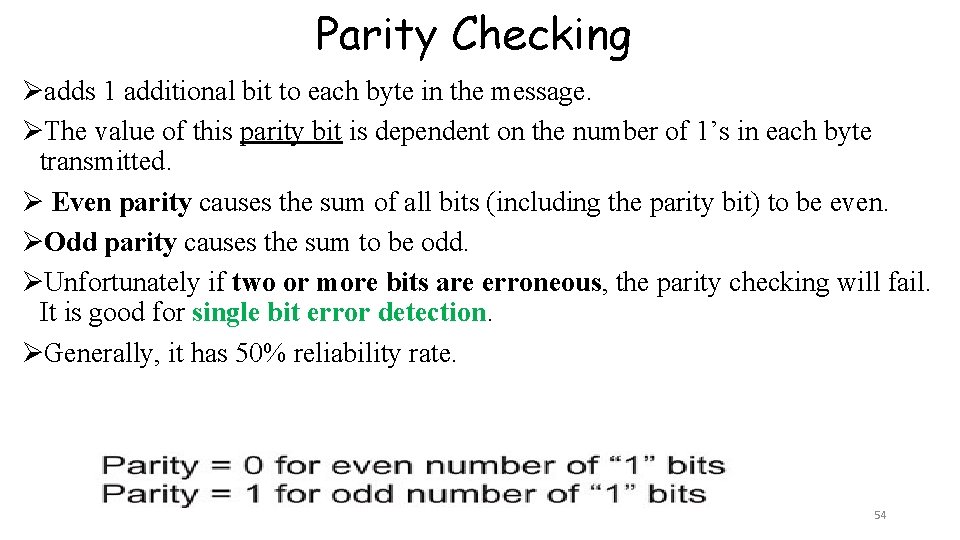
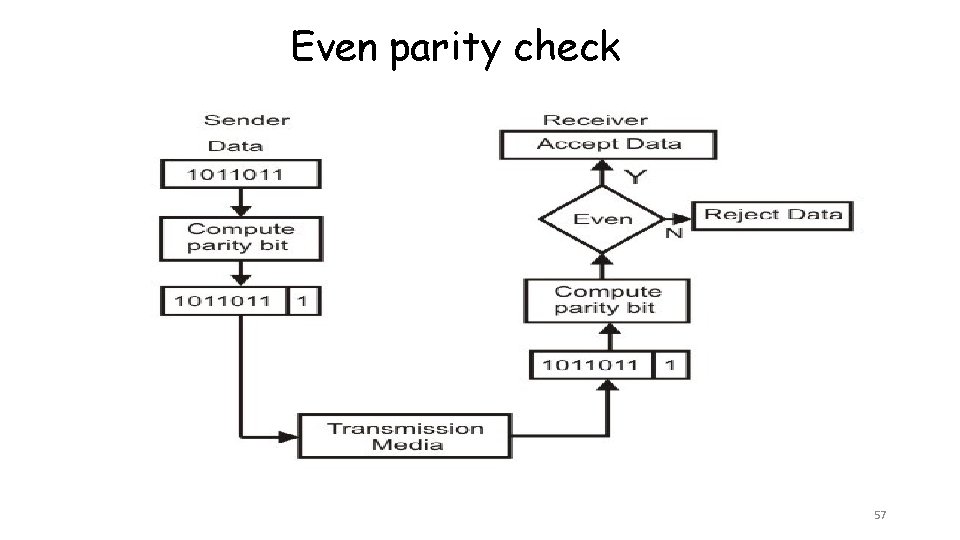
Parity Checking Øadds 1 additional bit to each byte in the message. ØThe value of this parity bit is dependent on the number of 1’s in each byte transmitted. Ø Even parity causes the sum of all bits (including the parity bit) to be even. ØOdd parity causes the sum to be odd. ØUnfortunately if two or more bits are erroneous, the parity checking will fail. It is good for single bit error detection. ØGenerally, it has 50% reliability rate. 54
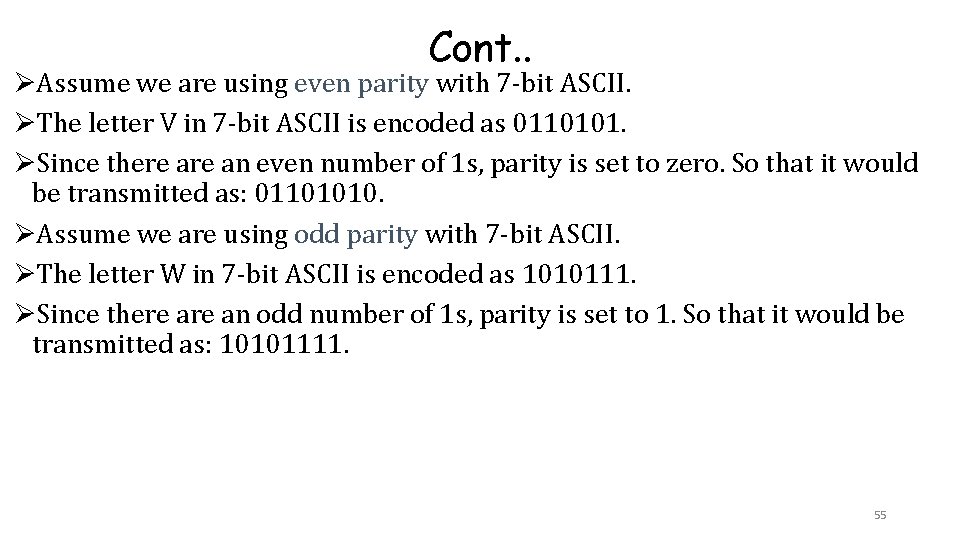
Cont. . ØAssume we are using even parity with 7 -bit ASCII. ØThe letter V in 7 -bit ASCII is encoded as 0110101. ØSince there an even number of 1 s, parity is set to zero. So that it would be transmitted as: 01101010. ØAssume we are using odd parity with 7 -bit ASCII. ØThe letter W in 7 -bit ASCII is encoded as 1010111. ØSince there an odd number of 1 s, parity is set to 1. So that it would be transmitted as: 10101111. 55
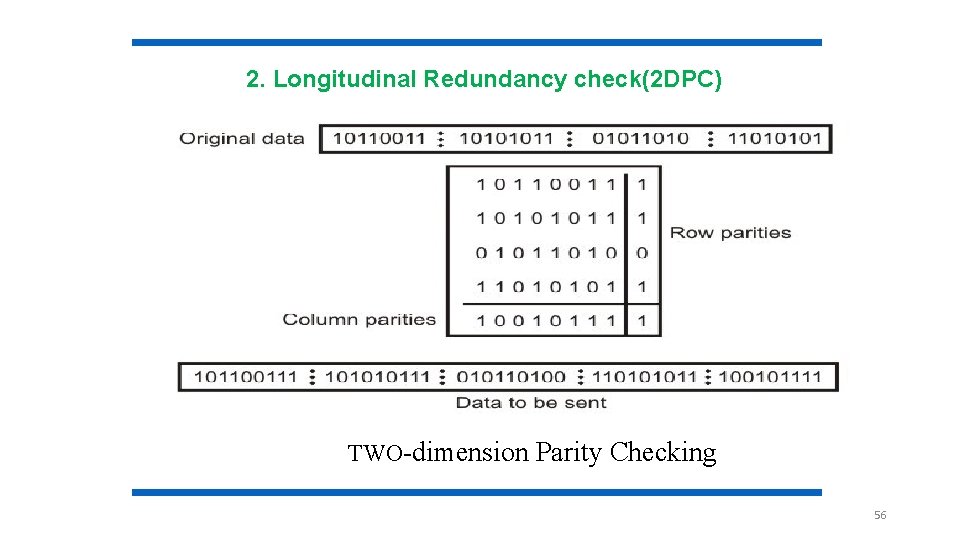
2. Longitudinal Redundancy check(2 DPC) TWO-dimension Parity Checking 56
Even parity check 57
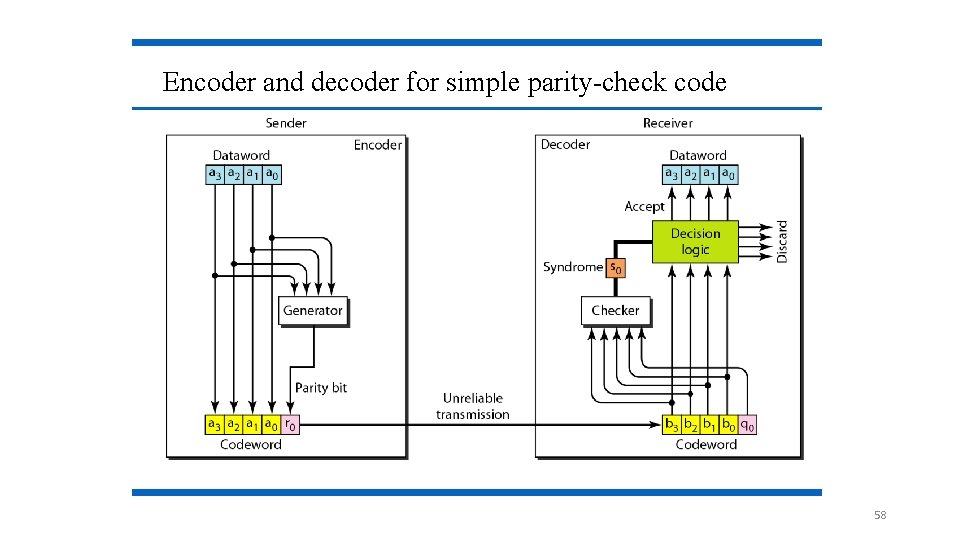
Encoder and decoder for simple parity-check code 58
Polynomial Checking ØLike LRC, polynomial checking adds 1 or more characters to the end of the message based on a mathematical algorithm. Ø checksum 1 byte is added to the end of the message. It is obtained by summing the message values, and dividing by 255. The remainder is the checksum. (95% effective) ØCyclical Redundancy Check (CRC): 8, 16, 24 or 32 bits are added, computed by calculating a remainder to a division problem. 59
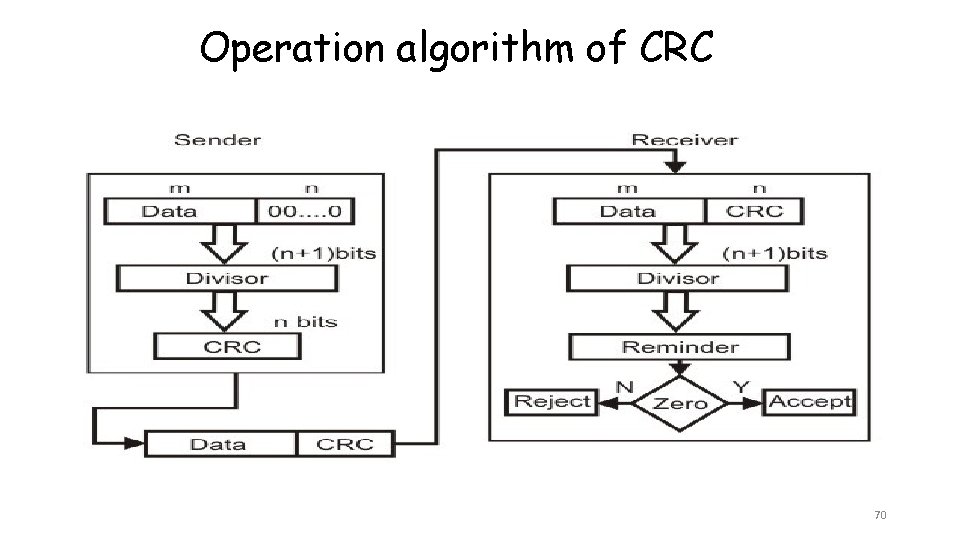
Cyclic Redundancy Check • This is a type of “systematic error detection” • The error-checking bits are appended to the information byte • Given a k-bit frame or message, the transmitter generates an r-bit sequence, known as a frame check sequence (FCS), so that the resulting frame, consisting of (n=k+r) bits, is exactly divisible (modulo) by some predetermined number r. • The receiver then divides the incoming frame by the same number and, if there is no remainder, assumes that there was no error. 60
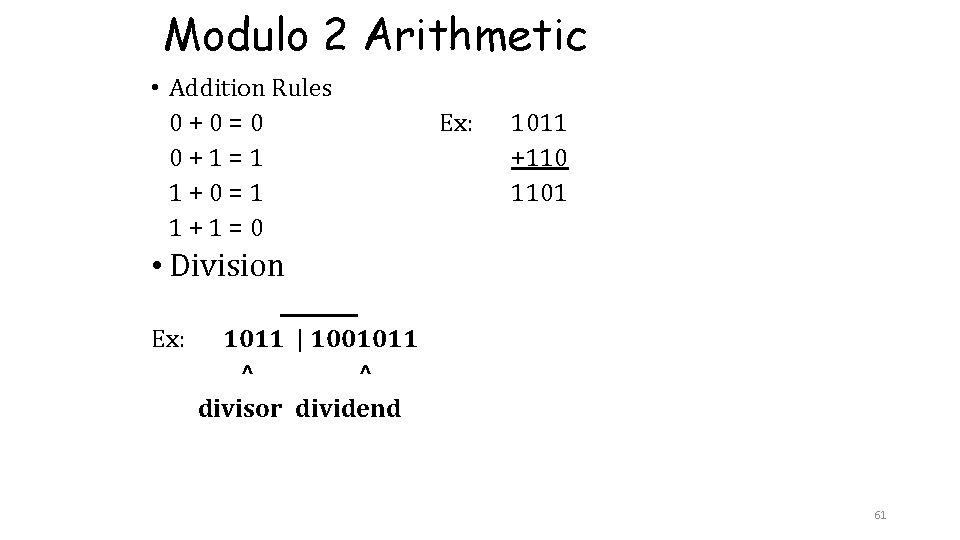
Modulo 2 Arithmetic • Addition Rules 0+0=0 0+1=1 1+0=1 1+1=0 Ex: 1011 +110 1101 • Division ____ Ex: 1011 | 1001011 ^ ^ divisor dividend 61
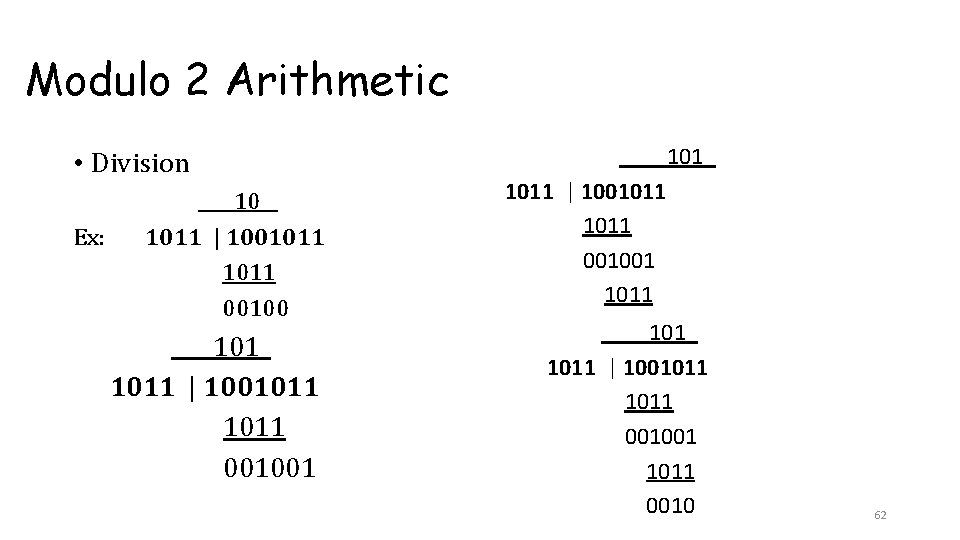
Modulo 2 Arithmetic • Division Ex: ____10__ 1011 | 1001011 00100 ____101_ 1011 | 1001011 001001 1011 ____101_ 1011 | 1001011 001001 1011 0010 62
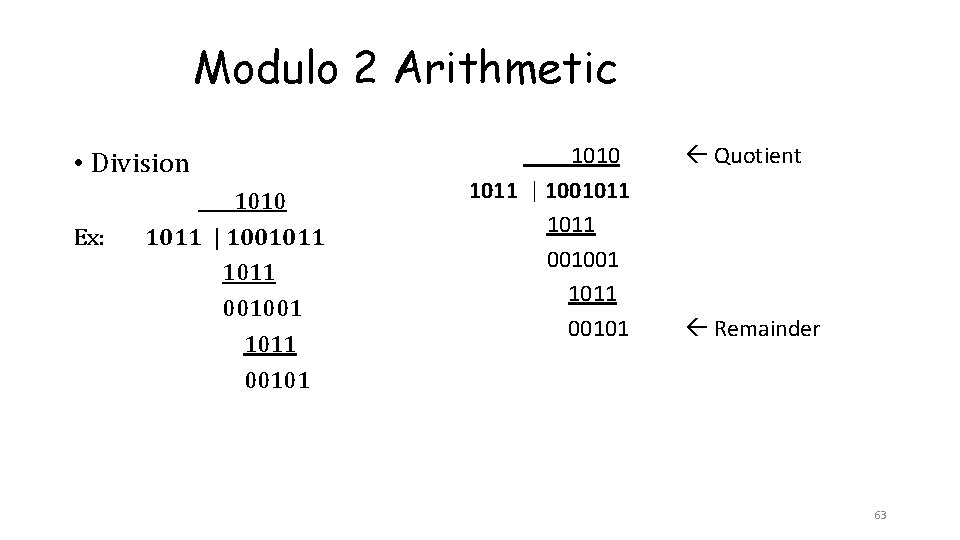
Modulo 2 Arithmetic • Division Ex: ____1010 1011 | 1001011 001001 1011 00101 Quotient Remainder 63
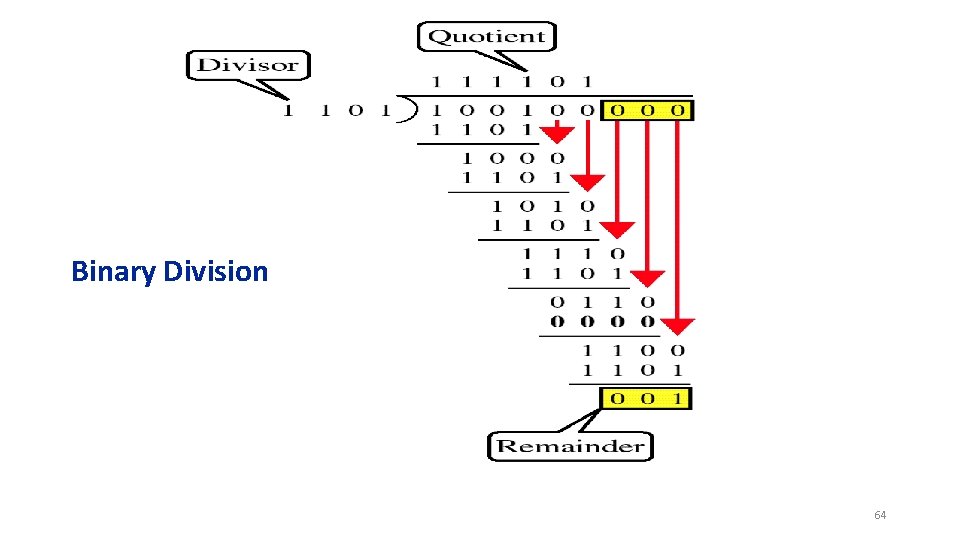
Binary Division 64
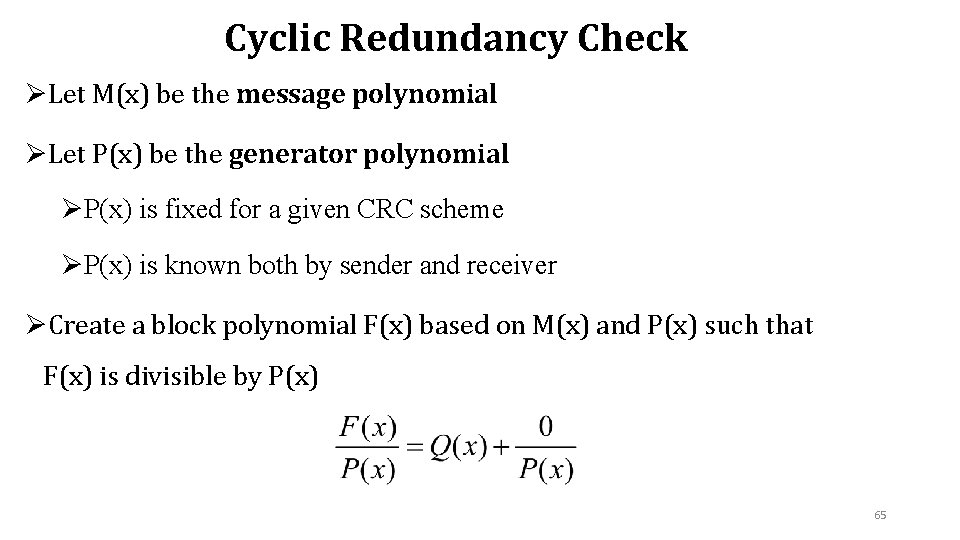
Cyclic Redundancy Check ØLet M(x) be the message polynomial ØLet P(x) be the generator polynomial ØP(x) is fixed for a given CRC scheme ØP(x) is known both by sender and receiver ØCreate a block polynomial F(x) based on M(x) and P(x) such that F(x) is divisible by P(x) 65
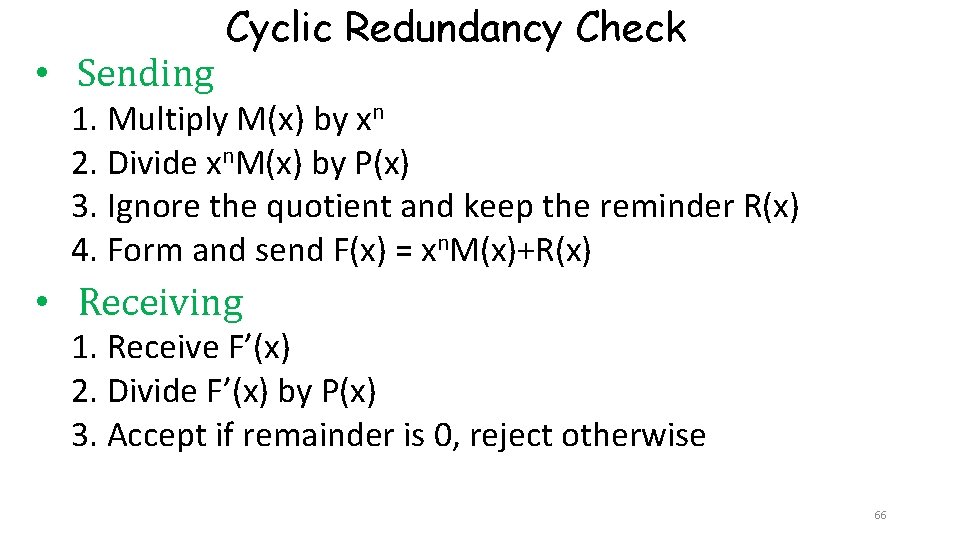
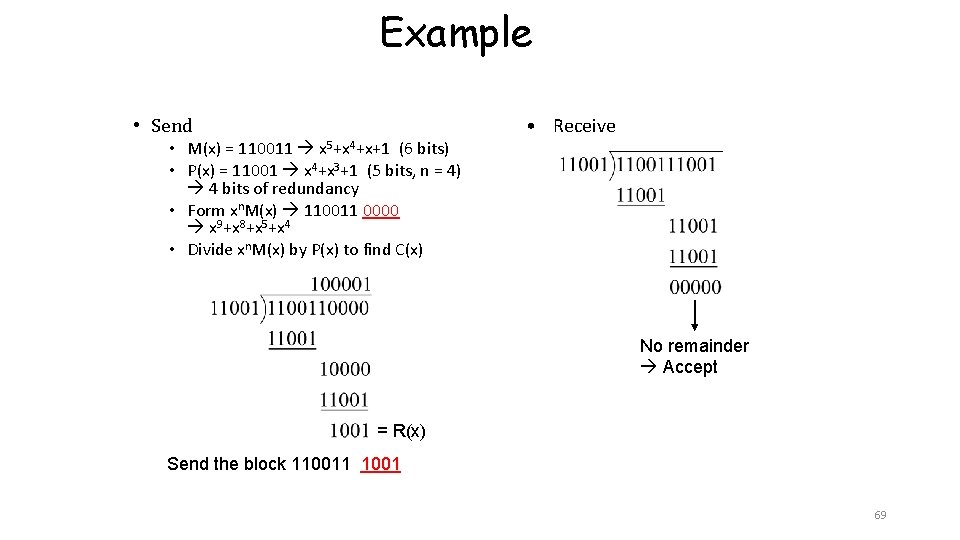
• Sending Cyclic Redundancy Check 1. Multiply M(x) by xn 2. Divide xn. M(x) by P(x) 3. Ignore the quotient and keep the reminder R(x) 4. Form and send F(x) = xn. M(x)+R(x) • Receiving 1. Receive F’(x) 2. Divide F’(x) by P(x) 3. Accept if remainder is 0, reject otherwise 66
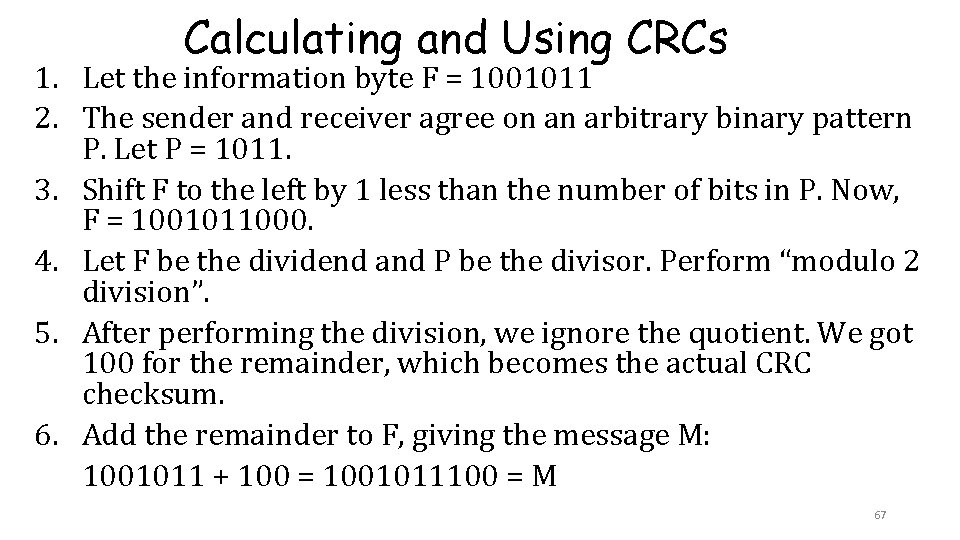
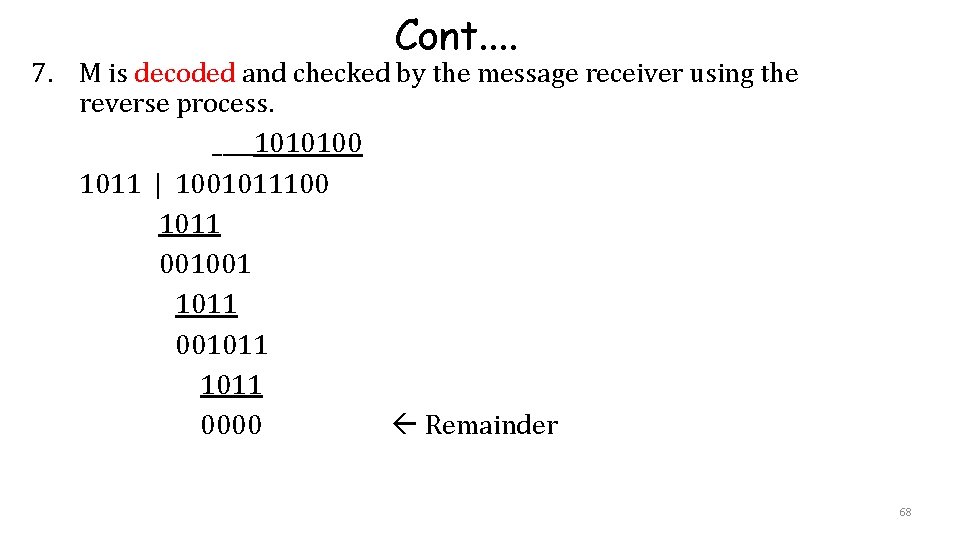
Calculating and Using CRCs 1. Let the information byte F = 1001011 2. The sender and receiver agree on an arbitrary binary pattern P. Let P = 1011. 3. Shift F to the left by 1 less than the number of bits in P. Now, F = 1001011000. 4. Let F be the dividend and P be the divisor. Perform “modulo 2 division”. 5. After performing the division, we ignore the quotient. We got 100 for the remainder, which becomes the actual CRC checksum. 6. Add the remainder to F, giving the message M: 1001011 + 100 = 1001011100 = M 67
Cont. . 7. M is decoded and checked by the message receiver using the reverse process. ____1010100 1011 | 1001011100 1011 001001 1011 001011 0000 Remainder 68
Example • Send • M(x) = 110011 x 5+x 4+x+1 (6 bits) • P(x) = 11001 x 4+x 3+1 (5 bits, n = 4) 4 bits of redundancy • Form xn. M(x) 110011 0000 x 9+x 8+x 5+x 4 • Divide xn. M(x) by P(x) to find C(x) • Receive No remainder Accept = R(x) Send the block 110011 1001 69
Operation algorithm of CRC 70
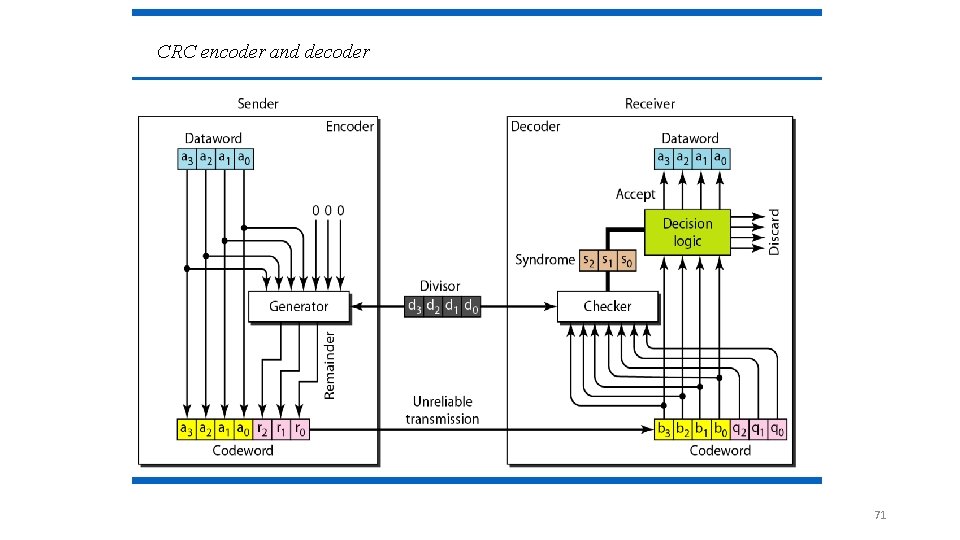
CRC encoder and decoder 71
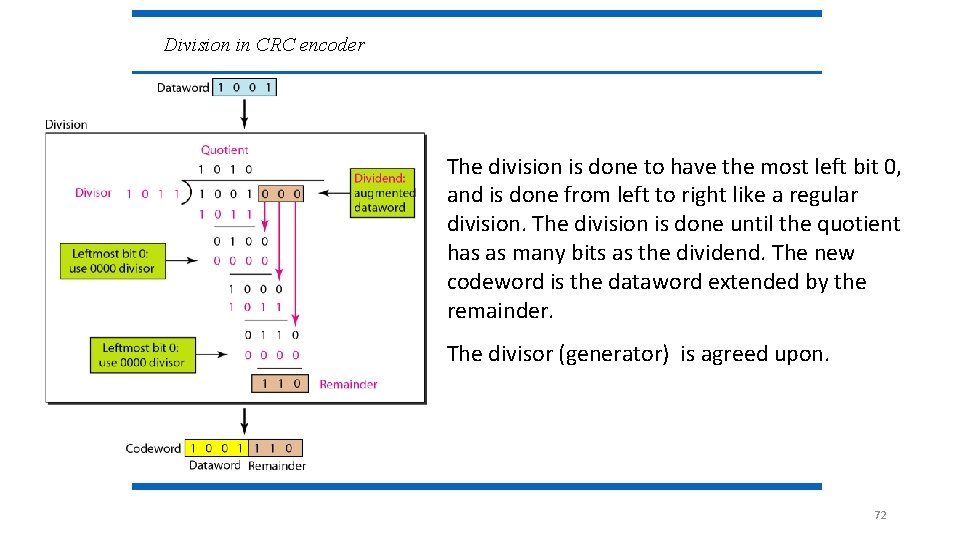
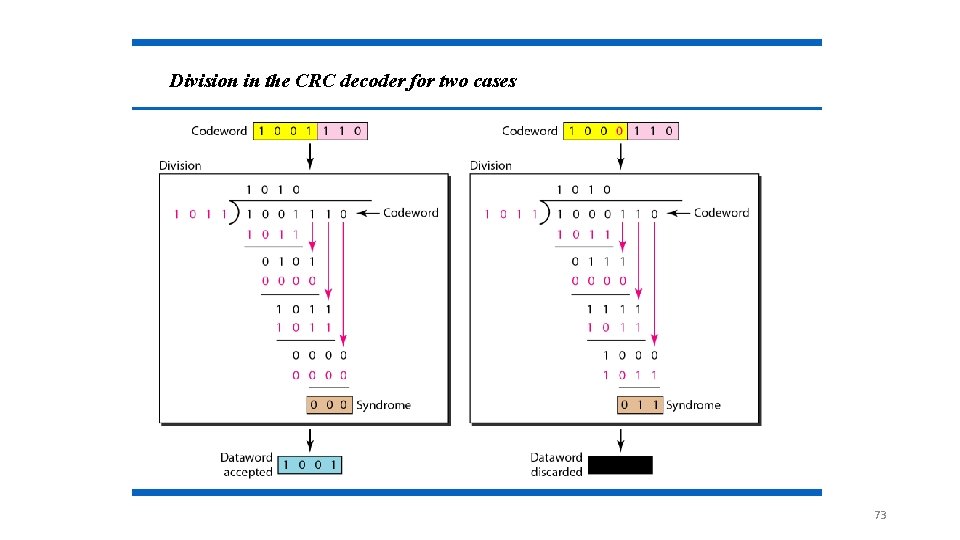
Division in CRC encoder The division is done to have the most left bit 0, and is done from left to right like a regular division. The division is done until the quotient has as many bits as the dividend. The new codeword is the dataword extended by the remainder. The divisor (generator) is agreed upon. 72
Division in the CRC decoder for two cases 73
CRC performances • it can detect: Øall single-bit errors Øall double-bit errors (three 1’s) Øany odd number of errors Øall burst errors of less than the degree of the polynomial. 74
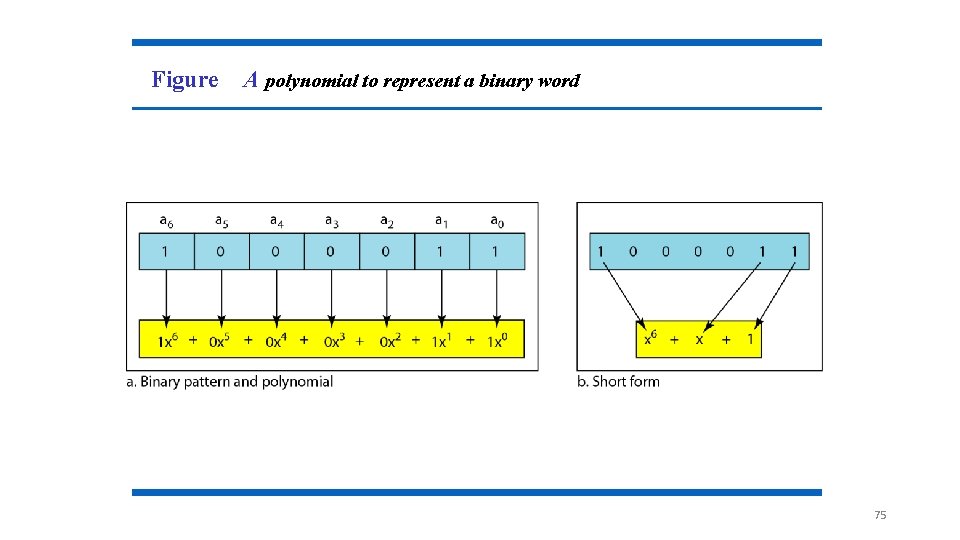
Figure A polynomial to represent a binary word 75
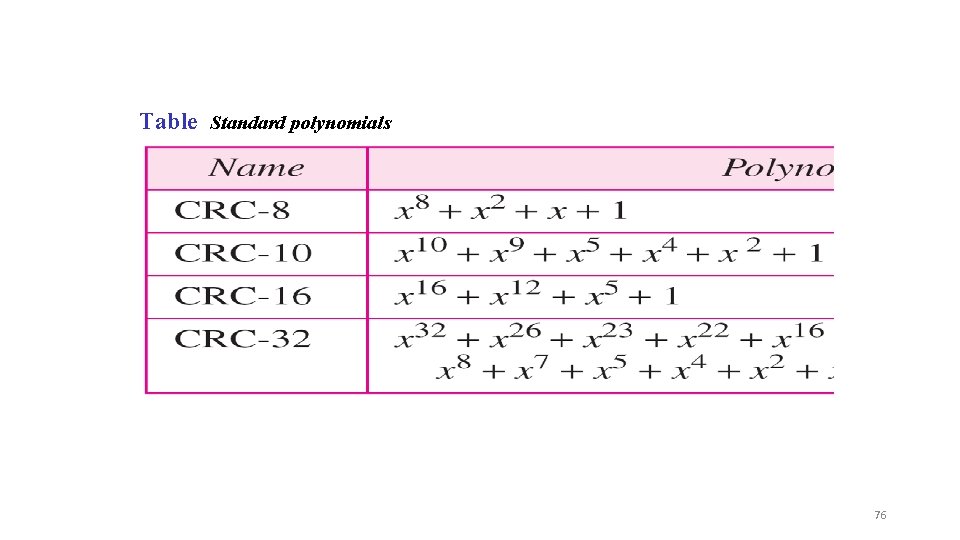
Table Standard polynomials 76
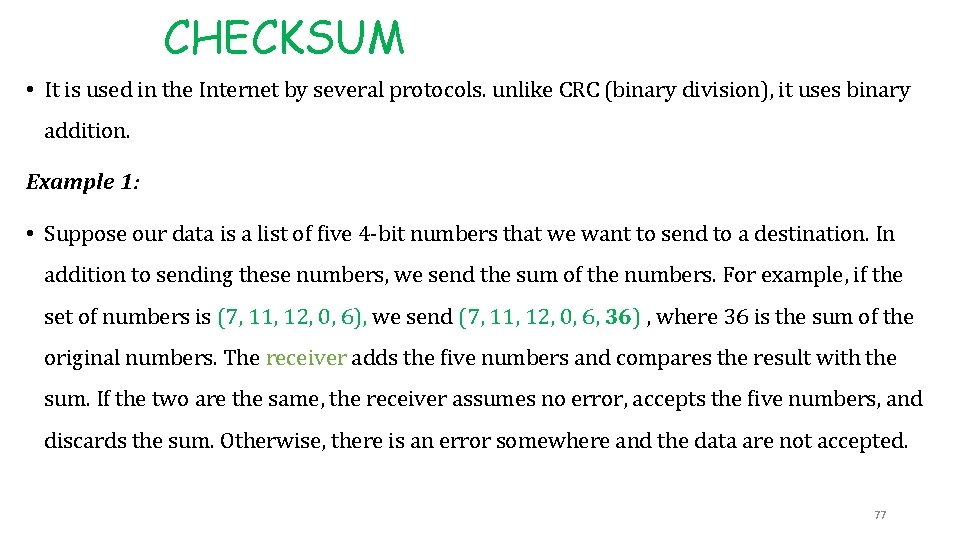
CHECKSUM • It is used in the Internet by several protocols. unlike CRC (binary division), it uses binary addition. Example 1: • Suppose our data is a list of five 4 -bit numbers that we want to send to a destination. In addition to sending these numbers, we send the sum of the numbers. For example, if the set of numbers is (7, 11, 12, 0, 6), we send (7, 11, 12, 0, 6, 36) , where 36 is the sum of the original numbers. The receiver adds the five numbers and compares the result with the sum. If the two are the same, the receiver assumes no error, accepts the five numbers, and discards the sum. Otherwise, there is an error somewhere and the data are not accepted. 77
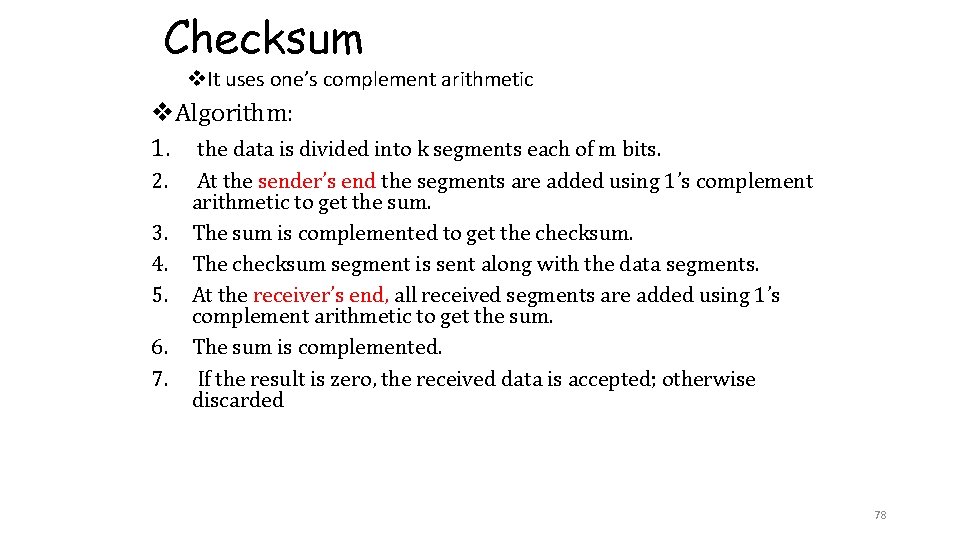
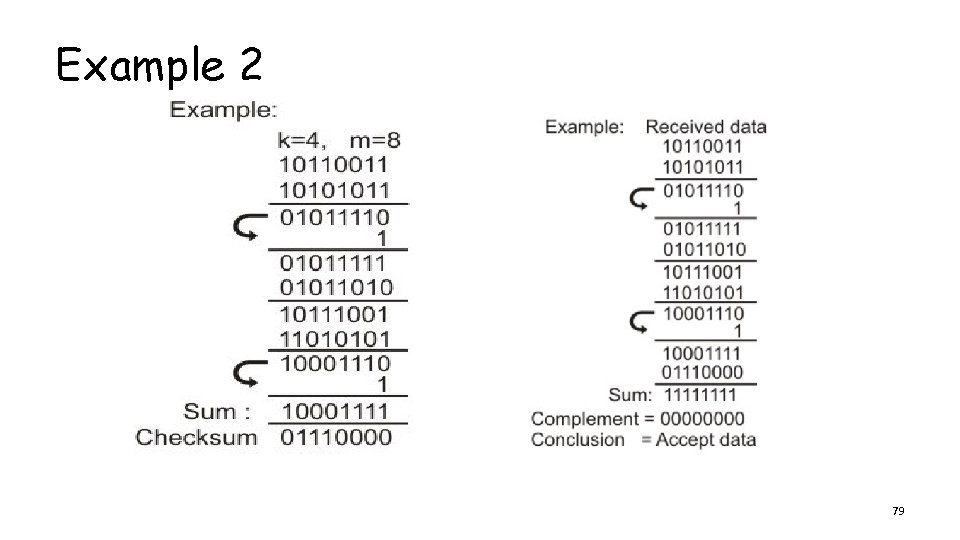
Checksum v. It uses one’s complement arithmetic v. Algorithm: 1. the data is divided into k segments each of m bits. 2. 3. 4. 5. 6. 7. At the sender’s end the segments are added using 1’s complement arithmetic to get the sum. The sum is complemented to get the checksum. The checksum segment is sent along with the data segments. At the receiver’s end, all received segments are added using 1’s complement arithmetic to get the sum. The sum is complemented. If the result is zero, the received data is accepted; otherwise discarded 78
Example 2 79
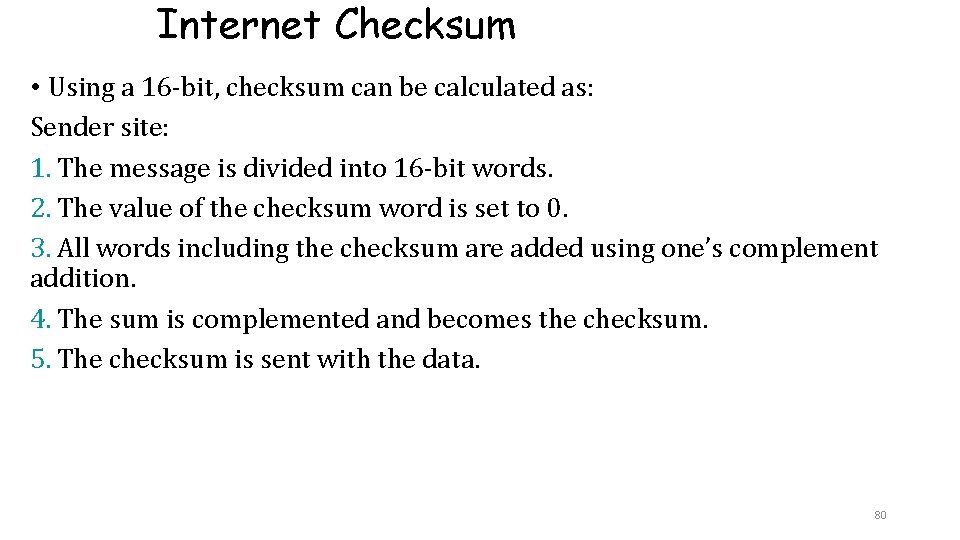
Internet Checksum • Using a 16 -bit, checksum can be calculated as: Sender site: 1. The message is divided into 16 -bit words. 2. The value of the checksum word is set to 0. 3. All words including the checksum are added using one’s complement addition. 4. The sum is complemented and becomes the checksum. 5. The checksum is sent with the data. 80
Cont. . . Receiver site: 1. The message (including checksum) is divided into 16 -bit words. 2. All words are added using one’s complement addition. 3. The sum is complemented and becomes the new checksum. 4. If the value of checksum is 0, the message is accepted; otherwise, it is rejected. 81
CS-Performance âThe checksum detects all errors involving an odd number of bits. âIt detects most errors involving an even number of bits. âIf one or more bits of a segment are damaged and the corresponding bit or bits of opposite value in a second segment are also damaged, the sums of those columns will not change and the receiver will not detect a problem. 82
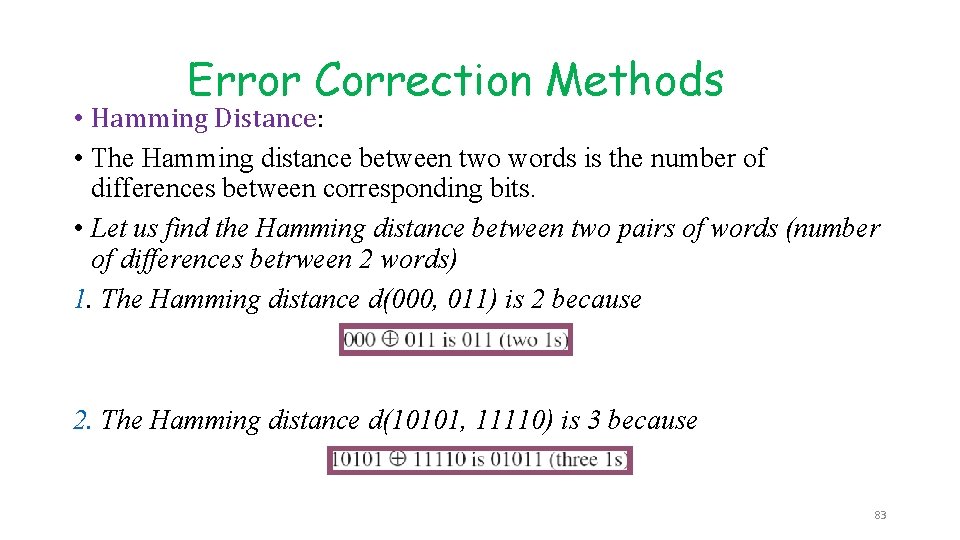
Error Correction Methods • Hamming Distance: • The Hamming distance between two words is the number of differences between corresponding bits. • Let us find the Hamming distance between two pairs of words (number of differences betrween 2 words) 1. The Hamming distance d(000, 011) is 2 because 2. The Hamming distance d(10101, 11110) is 3 because 83
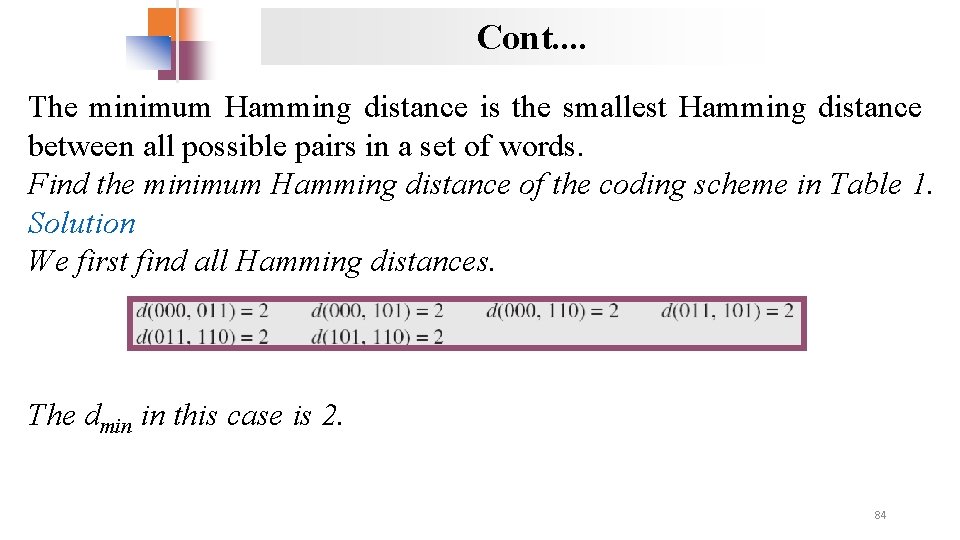
Cont. . The minimum Hamming distance is the smallest Hamming distance between all possible pairs in a set of words. Find the minimum Hamming distance of the coding scheme in Table 1. Solution We first find all Hamming distances. The dmin in this case is 2. 84
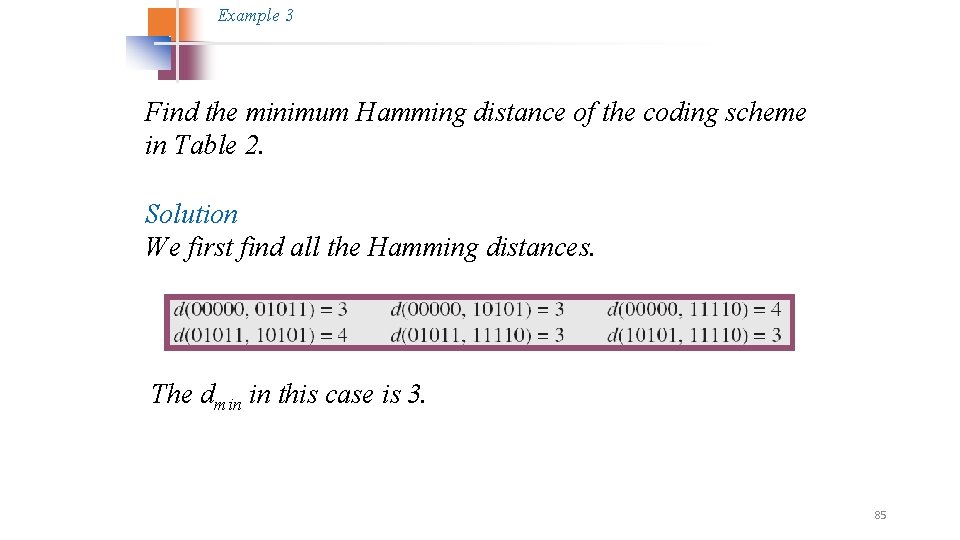
Example 3 Find the minimum Hamming distance of the coding scheme in Table 2. Solution We first find all the Hamming distances. The dmin in this case is 3. 85
ü In other words, the Hamming distance between the received code word and the sent code word is the number of bits that are corrupted during transmission. To guarantee the detection of up to s errors in all cases, the minimum Hamming distance in a block code must be dmin = s + 1. • A simple parity-check code is a single-bit error-detecting code in which n = k + 1 with dmin = 2. • The extra-bit: parity bits is selected to make the total number of 1 s in the code word become even. 86
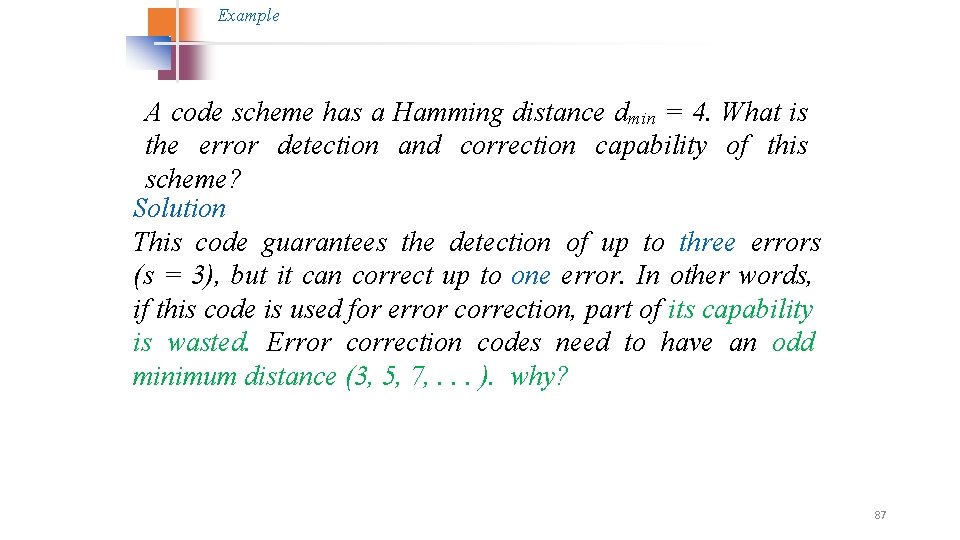
Example A code scheme has a Hamming distance dmin = 4. What is the error detection and correction capability of this scheme? Solution This code guarantees the detection of up to three errors (s = 3), but it can correct up to one error. In other words, if this code is used for error correction, part of its capability is wasted. Error correction codes need to have an odd minimum distance (3, 5, 7, . . . ). why? 87
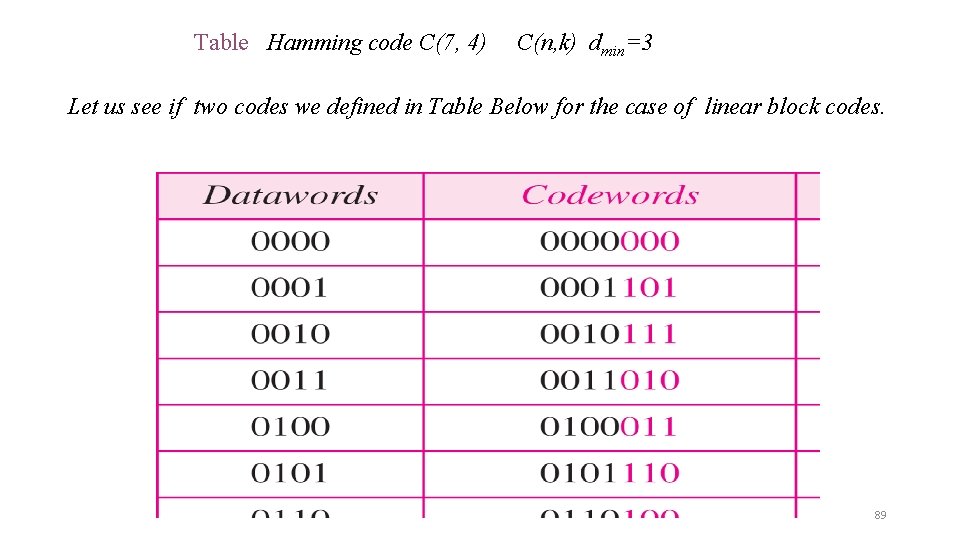
LINEAR BLOCK CODES Almost all block codes used today belong to a subset called linear block codes. A linear block code is a code in which the exclusive OR (addition modulo-2) of two valid codewords creates another valid codeword. In a linear block code, the exclusive OR (XOR) of any two valid codewords creates another valid codeword. 88
Table Hamming code C(7, 4) C(n, k) dmin=3 Let us see if two codes we defined in Table Below for the case of linear block codes. 89
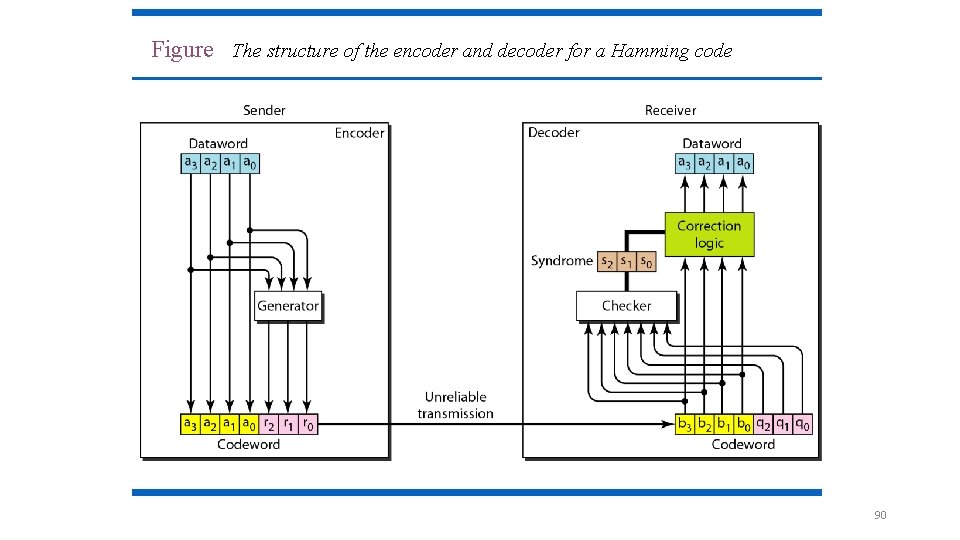
Figure The structure of the encoder and decoder for a Hamming code 90
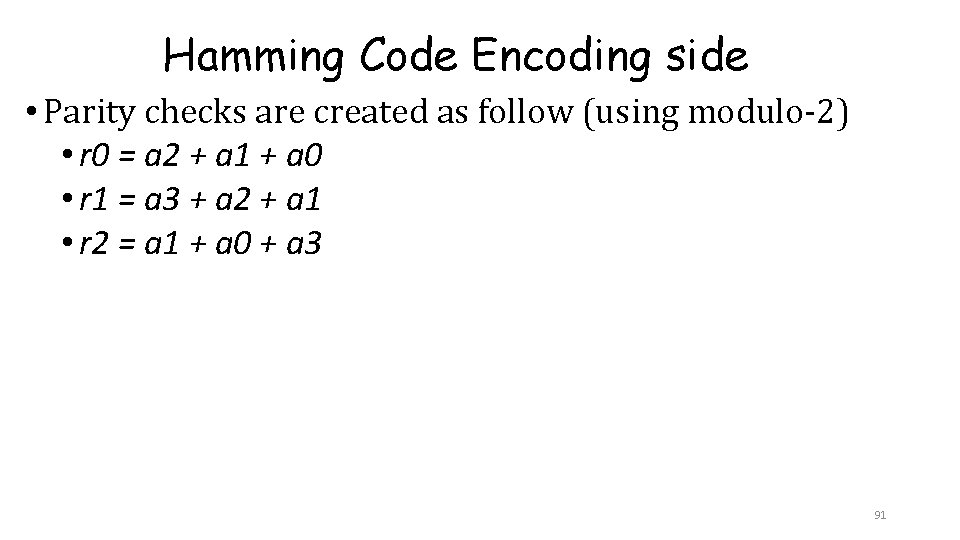
Hamming Code Encoding side • Parity checks are created as follow (using modulo-2) • r 0 = a 2 + a 1 + a 0 • r 1 = a 3 + a 2 + a 1 • r 2 = a 1 + a 0 + a 3 91
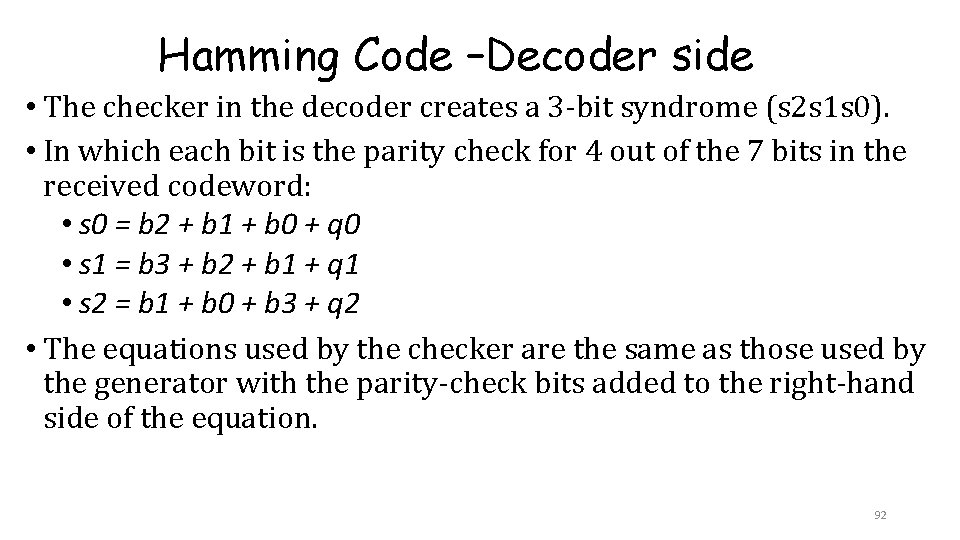
Hamming Code –Decoder side • The checker in the decoder creates a 3 -bit syndrome (s 2 s 1 s 0). • In which each bit is the parity check for 4 out of the 7 bits in the received codeword: • s 0 = b 2 + b 1 + b 0 + q 0 • s 1 = b 3 + b 2 + b 1 + q 1 • s 2 = b 1 + b 0 + b 3 + q 2 • The equations used by the checker are the same as those used by the generator with the parity-check bits added to the right-hand side of the equation. 92
Hamming Codes - Hamming codes work well when we can reasonably expect errors to be rare events. (ex: hard drives) - Hamming codes are useless when multiple adjacent errors are likely to occur - These errors are called “burst errors” that result from mishandling of removable media (ex: magnetic tapes or CDs). Generally: üCan detect and correct errors. üThe more parity bits added, the more errors can be detected and corrected. üUsed to detect errors in memory bits or fixed magnetic disk drives, in 93 which errors occur randomly.
Reading Assignment ØReed-Solomon (RS) ØLow Density Parity check codes ØConvolution Codes 94
…. in mined…. Reed-Solomon (RS): - Can detect errors that occur in blocks (adjacent errors) - Used to detect errors in removable media such as magnetic tapes or compact disks, in which “burst errors” occur due to mishandling and environmental stress. 95