
Chapter Seven Libraries and Interfaces 1 Libraries A
Chapter Seven Libraries and Interfaces 1
Libraries • A library is a collection of predefined functions that perform specific operations • The standard libraries are the libraries that should be provided by every C programming system • Programmers can also build their own libraries using the mechanisms provided by C programming systems 2

Interfaces • A library interface is the boundary between the implementation of a library and programs that use that library • An interface represents a shared understanding about the nature of that boundary, providing both creators and users of a library with the critical information they need to know • An interface gives structure to the exchange of information between the library and its users 3
An Example • The math library defines the function sqrt to calculate a square root • This function can be implemented by Newton’s algorithm, Taylor series expansion, or other algorithms • Knowing how to call the sqrt function and knowing how to implement it are both important skills 4
An Example • The programmer (implementer) who implements a library cannot anticipate all the potential uses for that library • The programmer (client) who calls functions in a library wouldn’t know how to write them 5
Function Prototype • For each function in the library, the client must know the following: • Its name • The arguments it requires and the types of those arguments • The type of result it returns 6
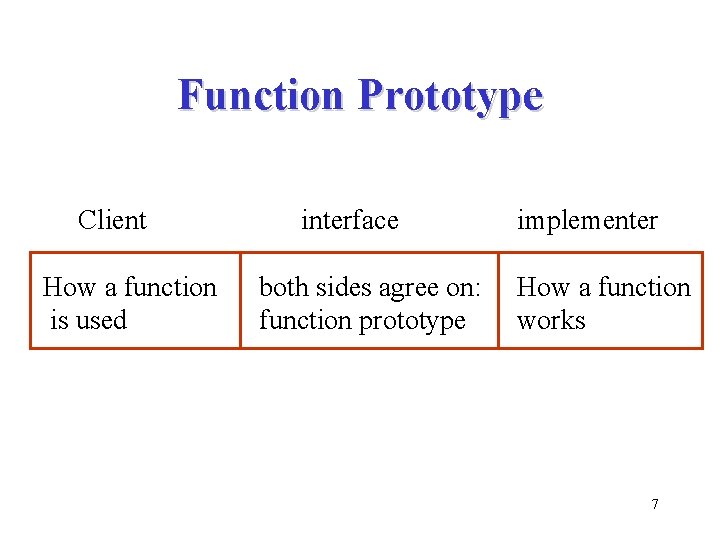
Function Prototype Client How a function is used interface both sides agree on: function prototype implementer How a function works 7
Header Files • C uses header files to provide a concrete realization of an interface • The header file for a library contains the prototypes for all the functions exported by the library as well as associated symbolic constants, macros, and types 8
A Graphics Library • When you start up the library, a graphics window is created on the screen and used as the drawing surface • All drawing in the graphics window takes places on a conceptual grid of points • Points are identified by specifying their position relative to the origin, which is the point at the lower left corner of the graphics window 9
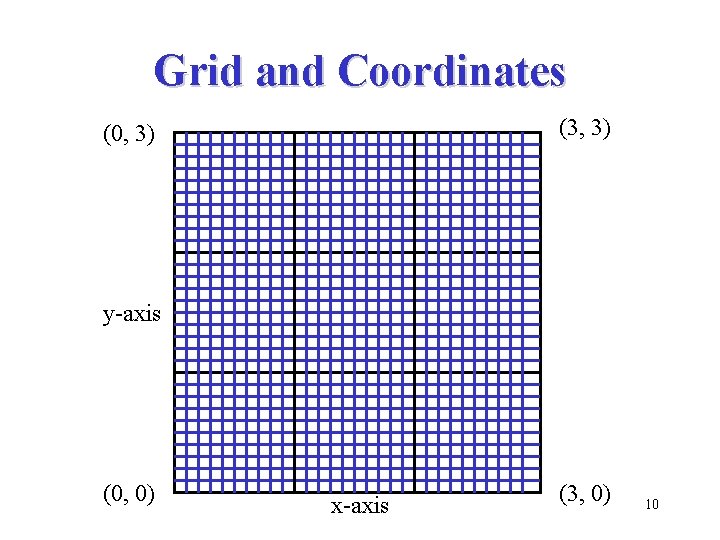
Grid and Coordinates (3, 3) (0, 3) y-axis (0, 0) x-axis (3, 0) 10
Coordinates • Absolute coordinates specify a point in the window by giving its coordinates with respect to the origin • Relative coordinates specify a point in the window by giving its coordinates with respect to the last position specified 11

Coordinates (3, 3) (0, 3) y-axis (0, 0) (2, 1. 5) (0. 5, 0) x-axis (3, 0) 12
Drawing • The mental model for the drawing process can be thought as a pen positioned and moved over the grid of points • Each drawing process begins by positioning the pen to a particular position using the absolute coordinates • You can then draw lines or arcs by moving the pen relative to its current position 13
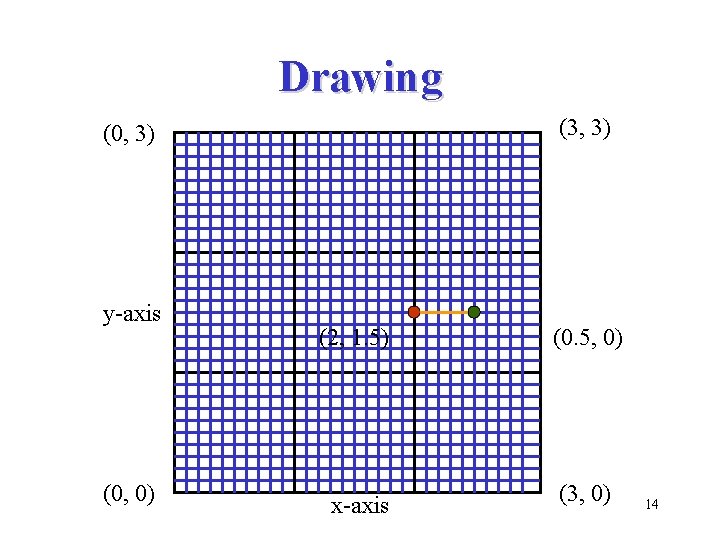
Drawing (3, 3) (0, 3) y-axis (0, 0) (2, 1. 5) (0. 5, 0) x-axis (3, 0) 14

Functions • The library contains the following functions: init. Graphics() Initializes the library move. Pen(x, y) Moves the pen draw. Line(dx, dy) Draws a line draw. Arc(r, b, s) Draws a arc get. Window. Width() Returns the width get. Window. Height() Returns the height get. Current. X() Returns x-coordinate get. Current. Y() Returns y-coordinate 15
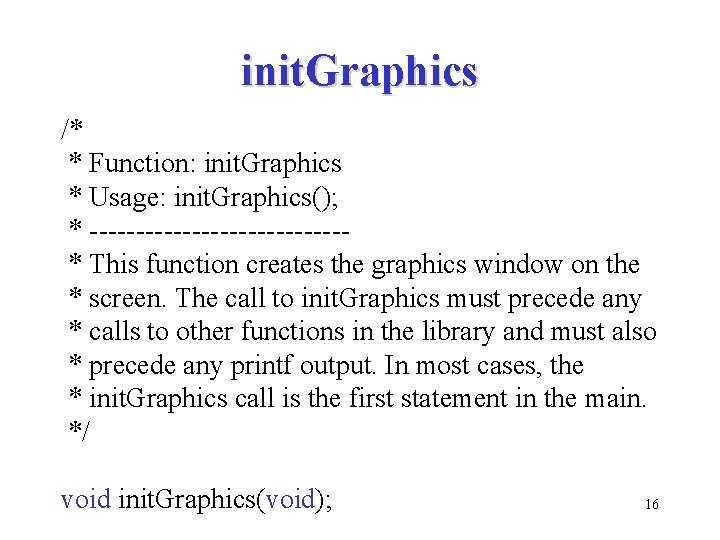
init. Graphics /* * Function: init. Graphics * Usage: init. Graphics(); * --------------* This function creates the graphics window on the * screen. The call to init. Graphics must precede any * calls to other functions in the library and must also * precede any printf output. In most cases, the * init. Graphics call is the first statement in the main. */ void init. Graphics(void); 16
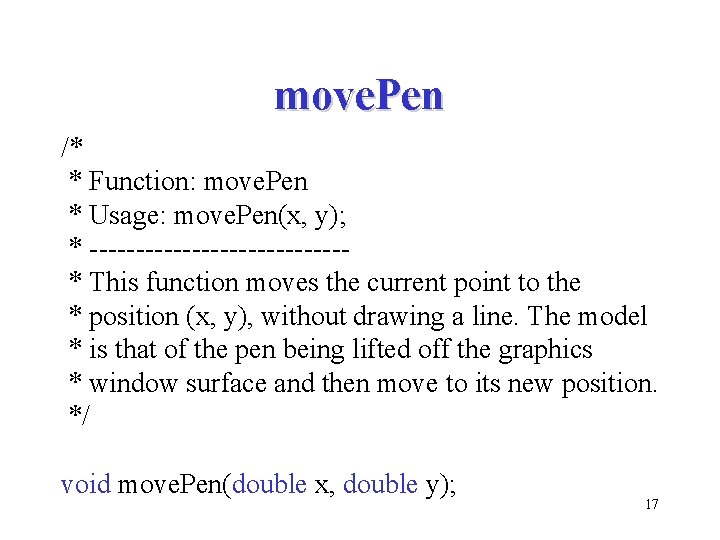
move. Pen /* * Function: move. Pen * Usage: move. Pen(x, y); * --------------* This function moves the current point to the * position (x, y), without drawing a line. The model * is that of the pen being lifted off the graphics * window surface and then move to its new position. */ void move. Pen(double x, double y); 17
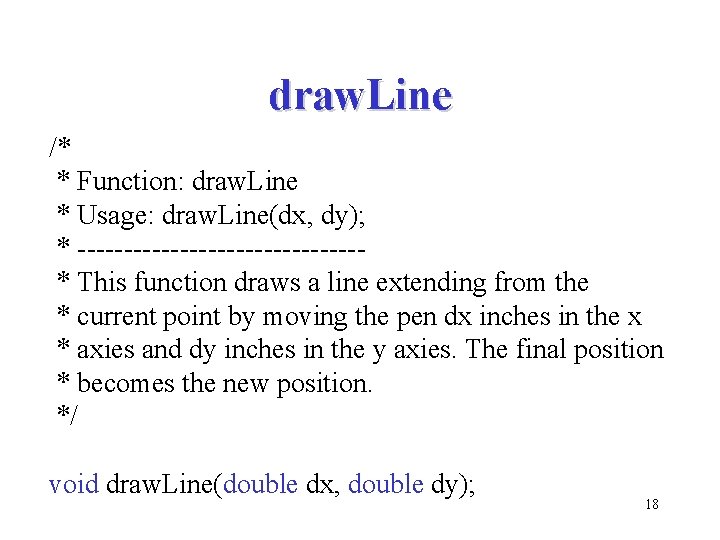
draw. Line /* * Function: draw. Line * Usage: draw. Line(dx, dy); * ---------------* This function draws a line extending from the * current point by moving the pen dx inches in the x * axies and dy inches in the y axies. The final position * becomes the new position. */ void draw. Line(double dx, double dy); 18
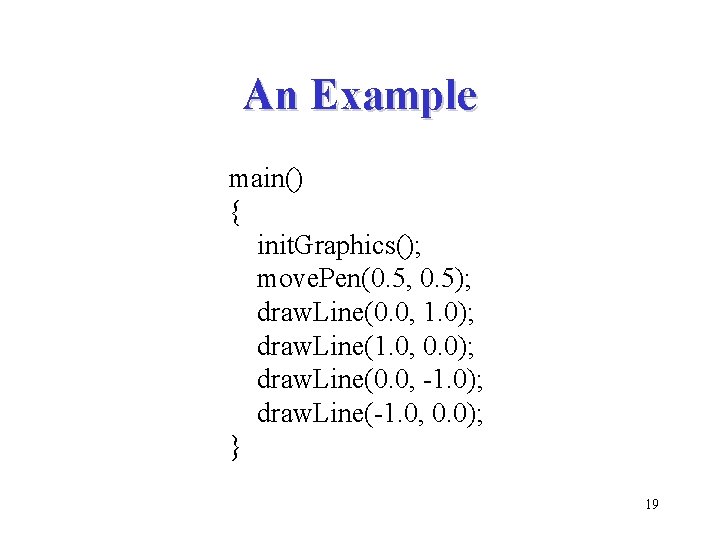
An Example main() { init. Graphics(); move. Pen(0. 5, 0. 5); draw. Line(0. 0, 1. 0); draw. Line(1. 0, 0. 0); draw. Line(0. 0, -1. 0); draw. Line(-1. 0, 0. 0); } 19
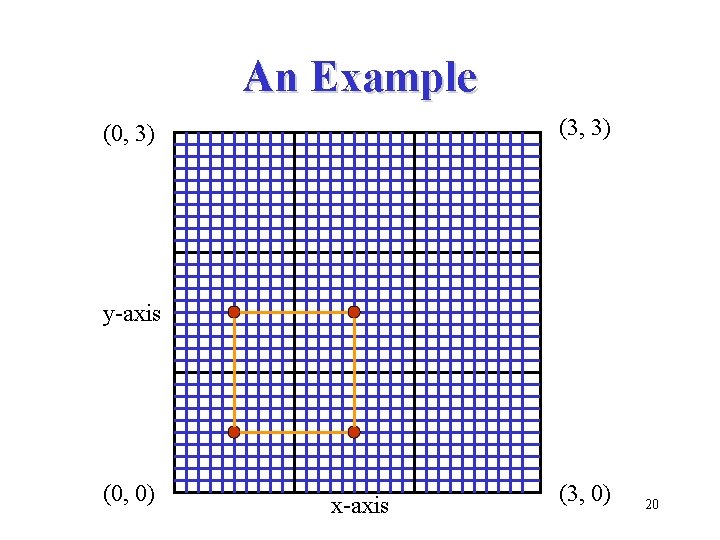
An Example (3, 3) (0, 3) y-axis (0, 0) x-axis (3, 0) 20
draw. Arc /* * Function: draw. Arc * Usage: draw. Arc(r, b, s); * --------------* This function draws a circular arc, which always * begins at the current point. The arc has radius r, and * begins at the angle b and extends an angle of s. The * The angles are measured in degrees counterclockwise * from the 3 o’clock position along the x-axies. */ void draw. Arc(double r, double b, double s); 21
An Example main() { init. Graphics(); move. Pen(1. 5, 1. 0); draw. Arc(0. 5, 0, 360); } 22
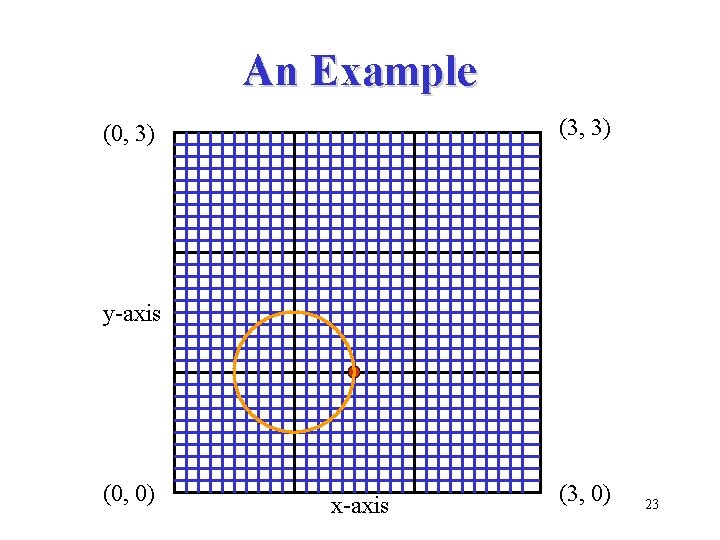
An Example (3, 3) (0, 3) y-axis (0, 0) x-axis (3, 0) 23
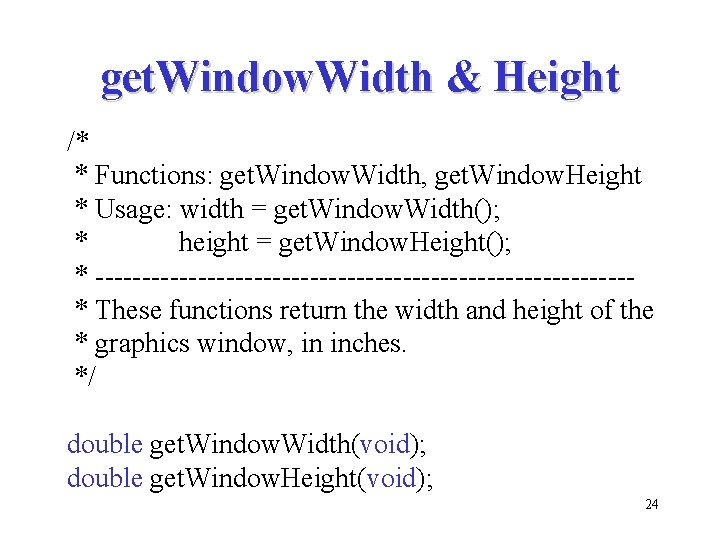
get. Window. Width & Height /* * Functions: get. Window. Width, get. Window. Height * Usage: width = get. Window. Width(); * height = get. Window. Height(); * -----------------------------* These functions return the width and height of the * graphics window, in inches. */ double get. Window. Width(void); double get. Window. Height(void); 24
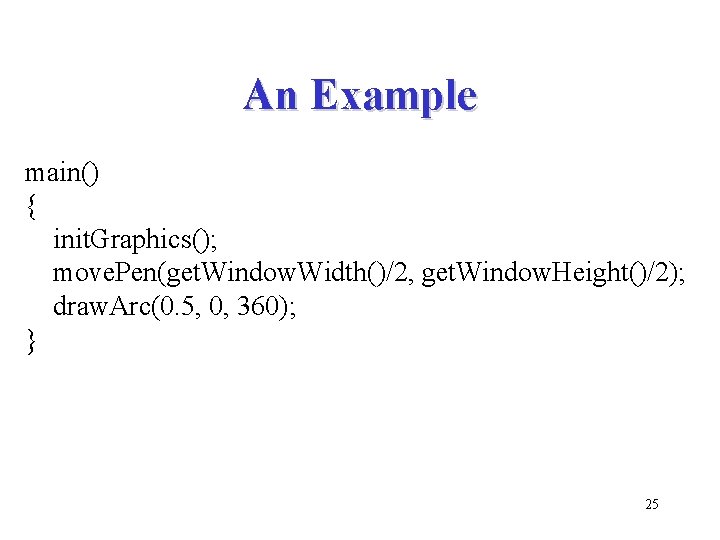
An Example main() { init. Graphics(); move. Pen(get. Window. Width()/2, get. Window. Height()/2); draw. Arc(0. 5, 0, 360); } 25
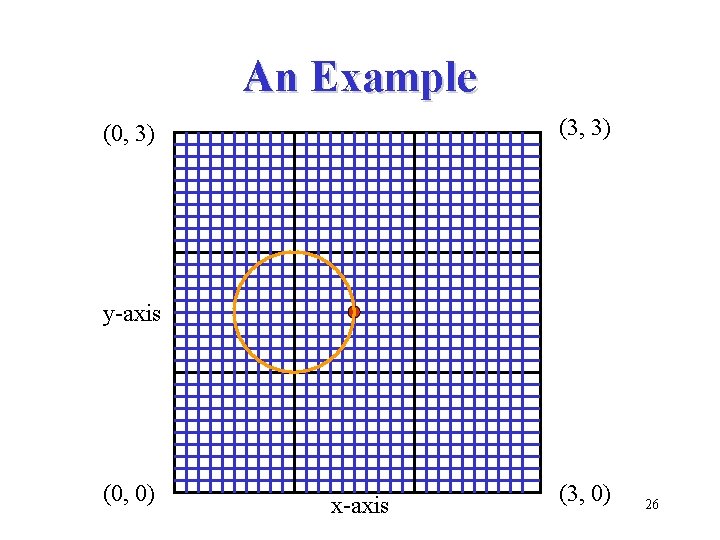
An Example (3, 3) (0, 3) y-axis (0, 0) x-axis (3, 0) 26
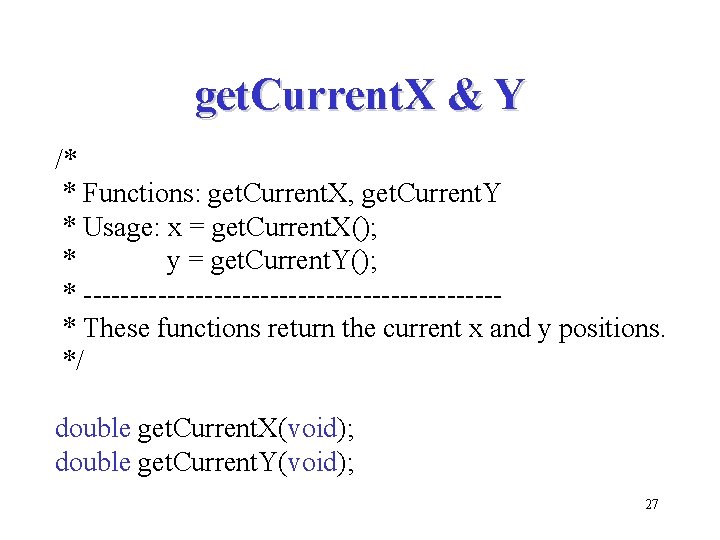
get. Current. X & Y /* * Functions: get. Current. X, get. Current. Y * Usage: x = get. Current. X(); * y = get. Current. Y(); * ----------------------* These functions return the current x and y positions. */ double get. Current. X(void); double get. Current. Y(void); 27
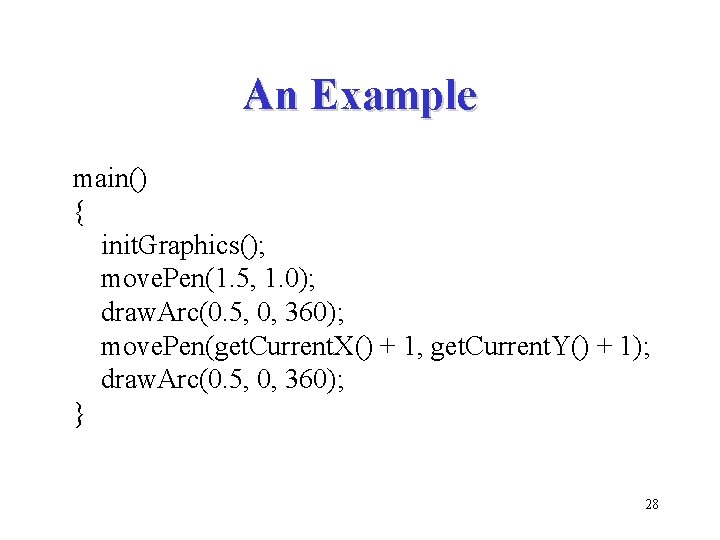
An Example main() { init. Graphics(); move. Pen(1. 5, 1. 0); draw. Arc(0. 5, 0, 360); move. Pen(get. Current. X() + 1, get. Current. Y() + 1); draw. Arc(0. 5, 0, 360); } 28
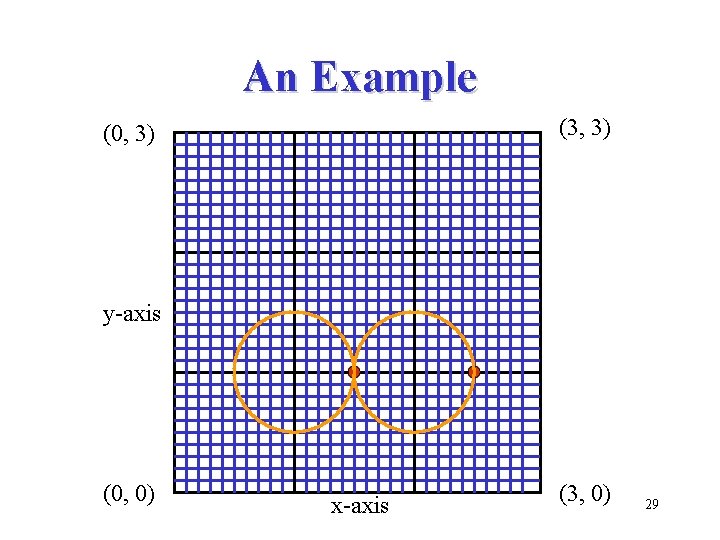
An Example (3, 3) (0, 3) y-axis (0, 0) x-axis (3, 0) 29
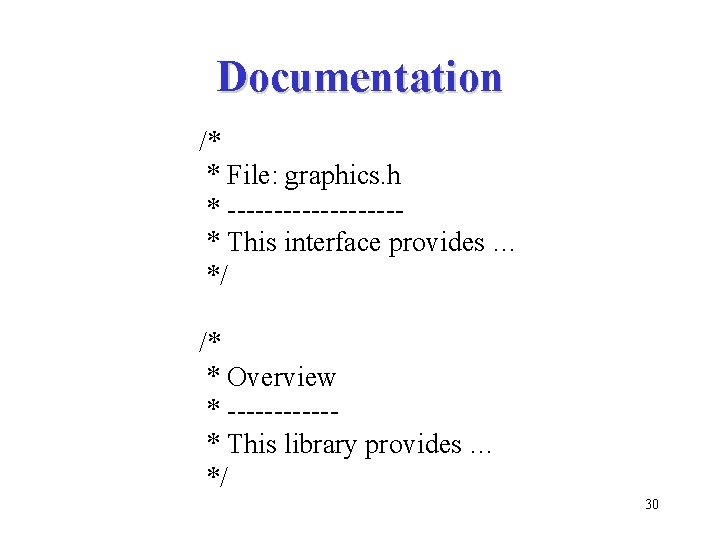
Documentation /* * File: graphics. h * ---------* This interface provides … */ /* * Overview * ------* This library provides … */ 30
Build Your Own Tools • Based on the simple functions provided in a library, you can construct more sophisticated functions • For example, you can construct functions that draw boxes and circles • You can build a new library that consists of these new functions and provides a higher level of abstraction 31
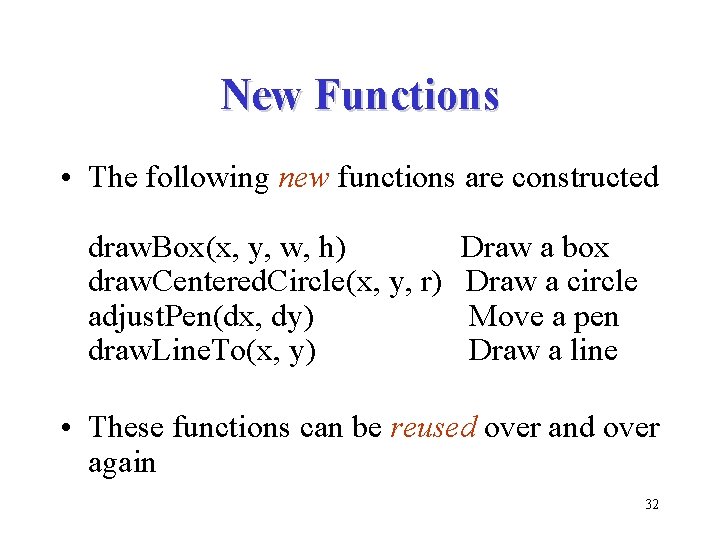
New Functions • The following new functions are constructed draw. Box(x, y, w, h) draw. Centered. Circle(x, y, r) adjust. Pen(dx, dy) draw. Line. To(x, y) Draw a box Draw a circle Move a pen Draw a line • These functions can be reused over and over again 32
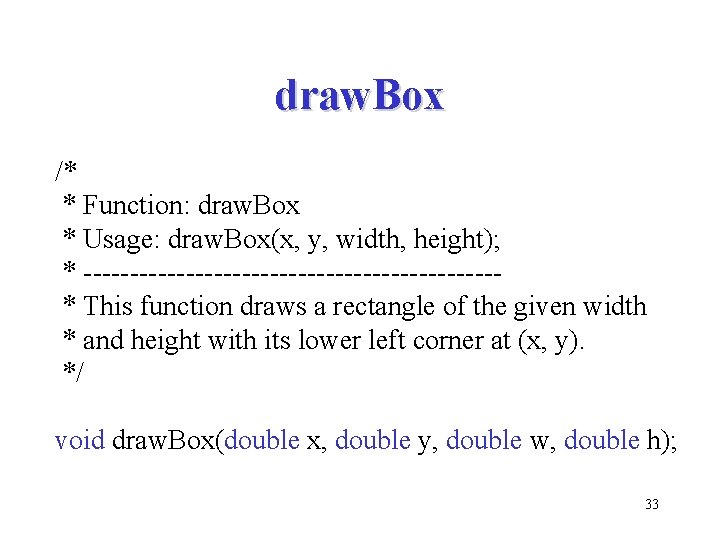
draw. Box /* * Function: draw. Box * Usage: draw. Box(x, y, width, height); * ----------------------* This function draws a rectangle of the given width * and height with its lower left corner at (x, y). */ void draw. Box(double x, double y, double w, double h); 33
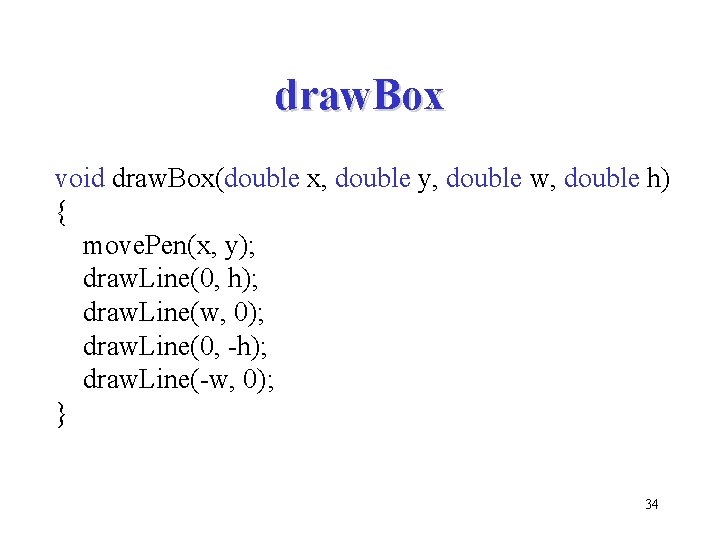
draw. Box void draw. Box(double x, double y, double w, double h) { move. Pen(x, y); draw. Line(0, h); draw. Line(w, 0); draw. Line(0, -h); draw. Line(-w, 0); } 34
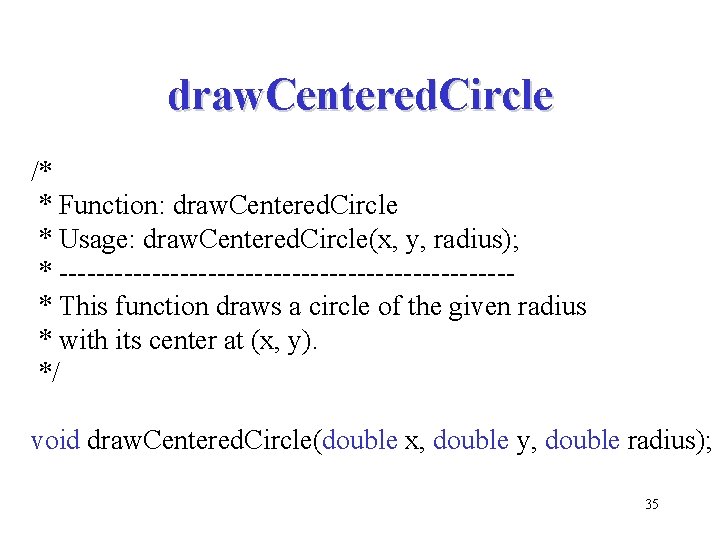
draw. Centered. Circle /* * Function: draw. Centered. Circle * Usage: draw. Centered. Circle(x, y, radius); * ------------------------* This function draws a circle of the given radius * with its center at (x, y). */ void draw. Centered. Circle(double x, double y, double radius); 35
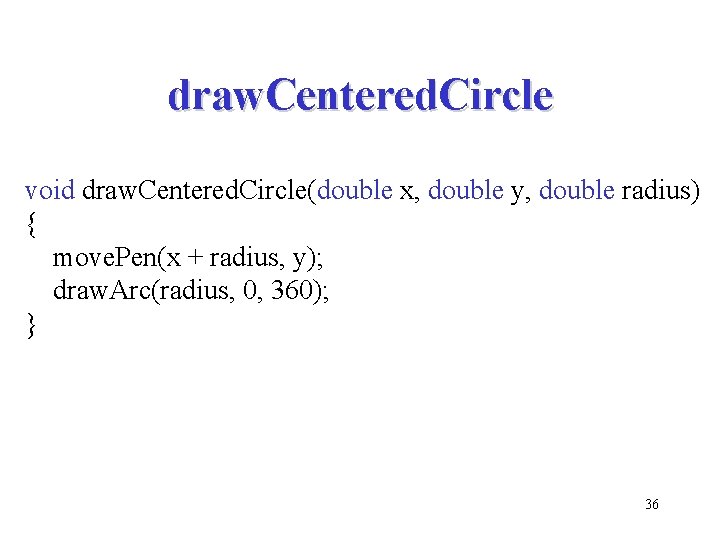
draw. Centered. Circle void draw. Centered. Circle(double x, double y, double radius) { move. Pen(x + radius, y); draw. Arc(radius, 0, 360); } 36
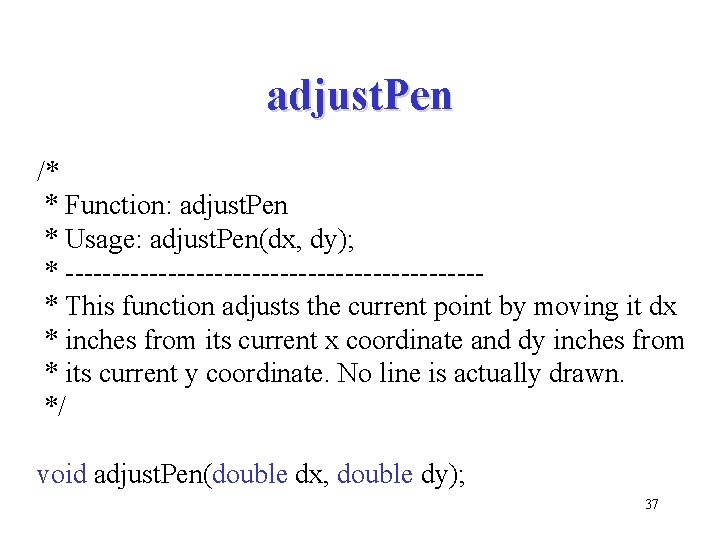
adjust. Pen /* * Function: adjust. Pen * Usage: adjust. Pen(dx, dy); * ----------------------* This function adjusts the current point by moving it dx * inches from its current x coordinate and dy inches from * its current y coordinate. No line is actually drawn. */ void adjust. Pen(double dx, double dy); 37
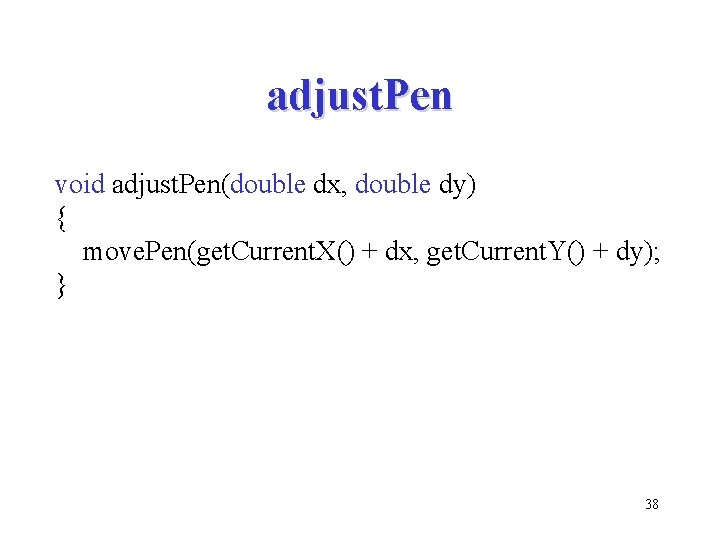
adjust. Pen void adjust. Pen(double dx, double dy) { move. Pen(get. Current. X() + dx, get. Current. Y() + dy); } 38
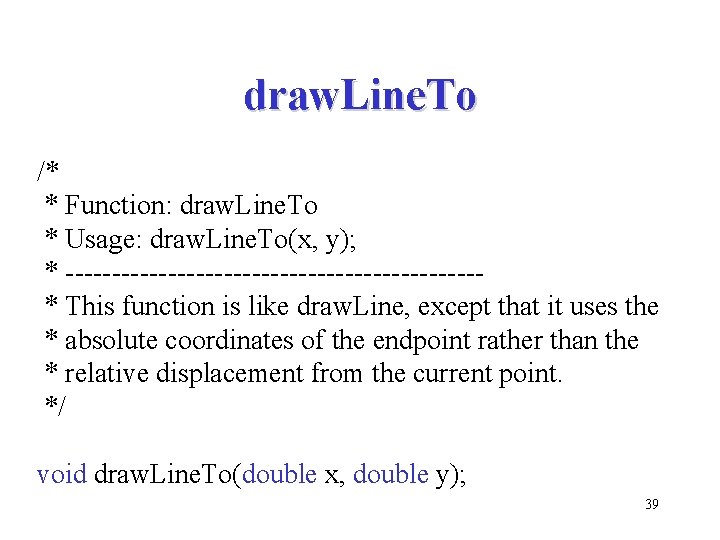
draw. Line. To /* * Function: draw. Line. To * Usage: draw. Line. To(x, y); * ----------------------* This function is like draw. Line, except that it uses the * absolute coordinates of the endpoint rather than the * relative displacement from the current point. */ void draw. Line. To(double x, double y); 39
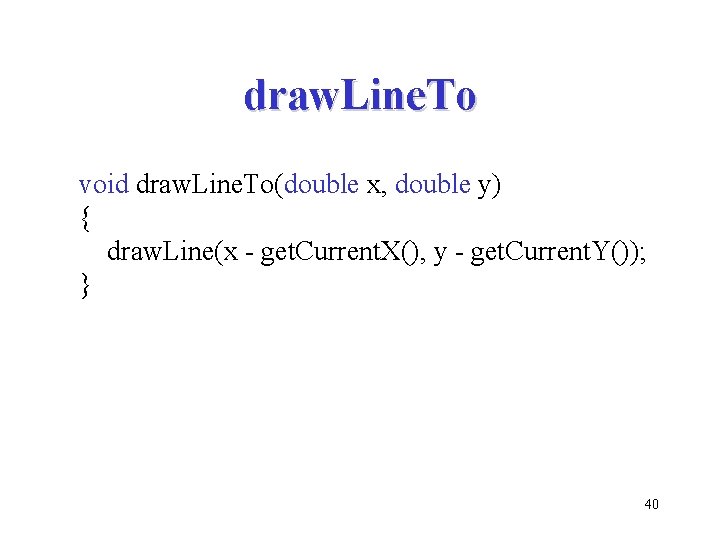
draw. Line. To void draw. Line. To(double x, double y) { draw. Line(x - get. Current. X(), y - get. Current. Y()); } 40
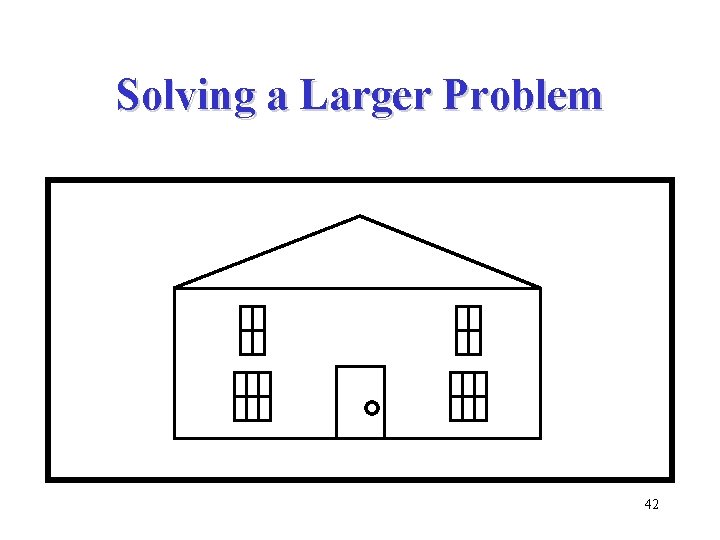
Solving a Larger Problem • The best way to approach a large programming problem is to use the strategy of stepwise refinement to break the entire problem down into a set of simpler ones 41
Solving a Larger Problem 42
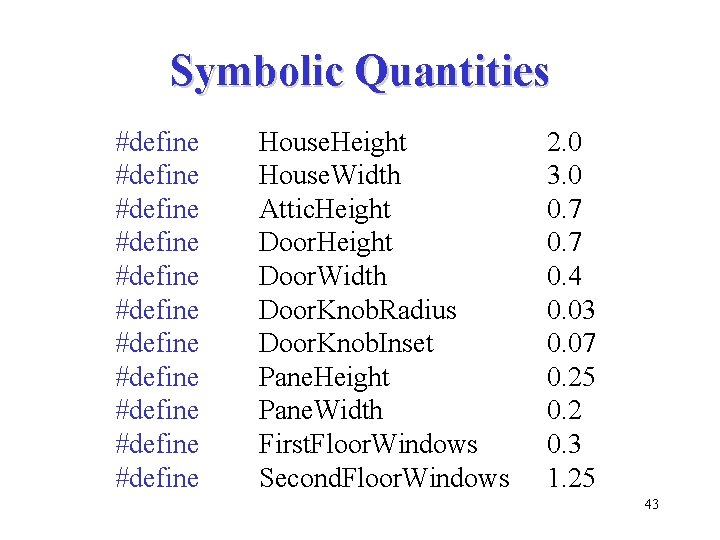
Symbolic Quantities #define #define #define House. Height House. Width Attic. Height Door. Width Door. Knob. Radius Door. Knob. Inset Pane. Height Pane. Width First. Floor. Windows Second. Floor. Windows 2. 0 3. 0 0. 7 0. 4 0. 03 0. 07 0. 25 0. 2 0. 3 1. 25 43
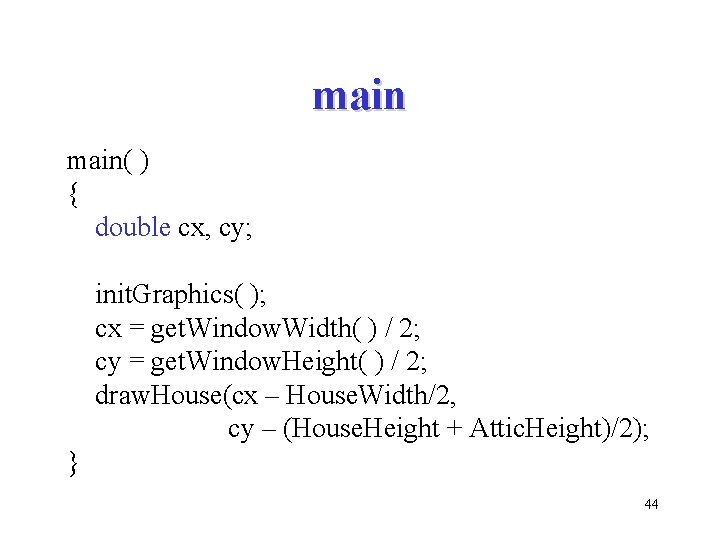
main( ) { double cx, cy; init. Graphics( ); cx = get. Window. Width( ) / 2; cy = get. Window. Height( ) / 2; draw. House(cx – House. Width/2, cy – (House. Height + Attic. Height)/2); } 44
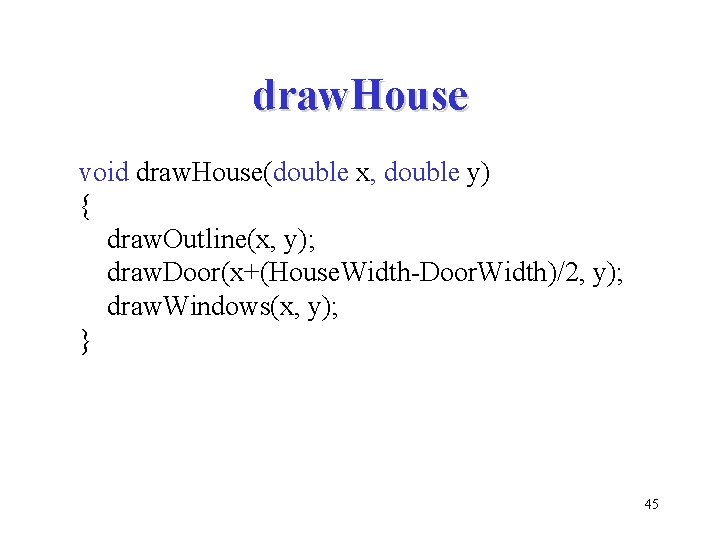
draw. House void draw. House(double x, double y) { draw. Outline(x, y); draw. Door(x+(House. Width-Door. Width)/2, y); draw. Windows(x, y); } 45
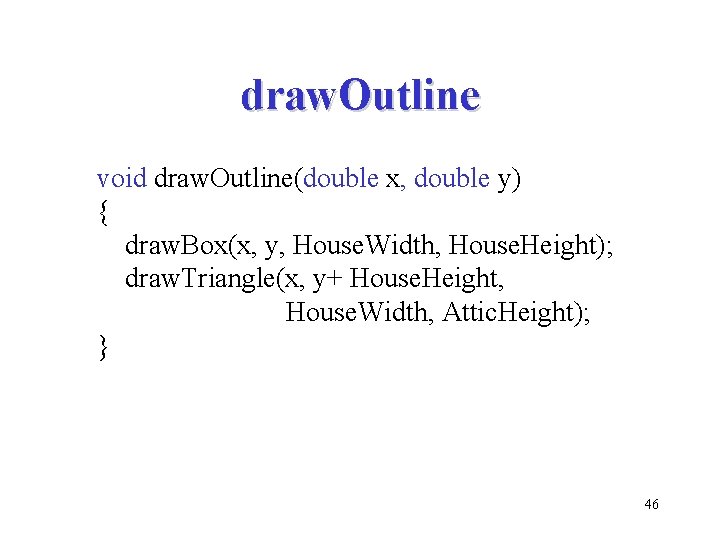
draw. Outline void draw. Outline(double x, double y) { draw. Box(x, y, House. Width, House. Height); draw. Triangle(x, y+ House. Height, House. Width, Attic. Height); } 46
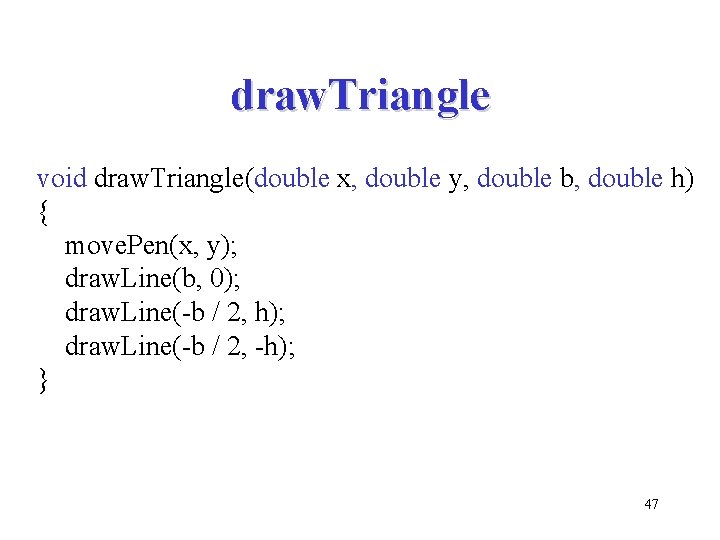
draw. Triangle void draw. Triangle(double x, double y, double b, double h) { move. Pen(x, y); draw. Line(b, 0); draw. Line(-b / 2, h); draw. Line(-b / 2, -h); } 47
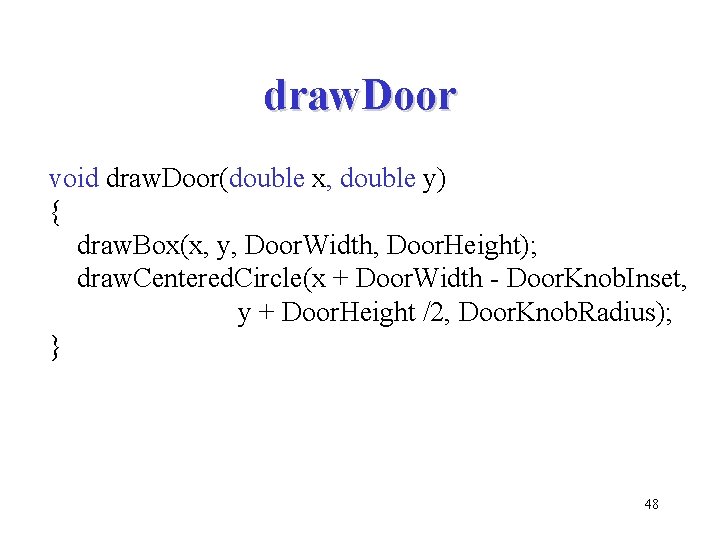
draw. Door void draw. Door(double x, double y) { draw. Box(x, y, Door. Width, Door. Height); draw. Centered. Circle(x + Door. Width - Door. Knob. Inset, y + Door. Height /2, Door. Knob. Radius); } 48
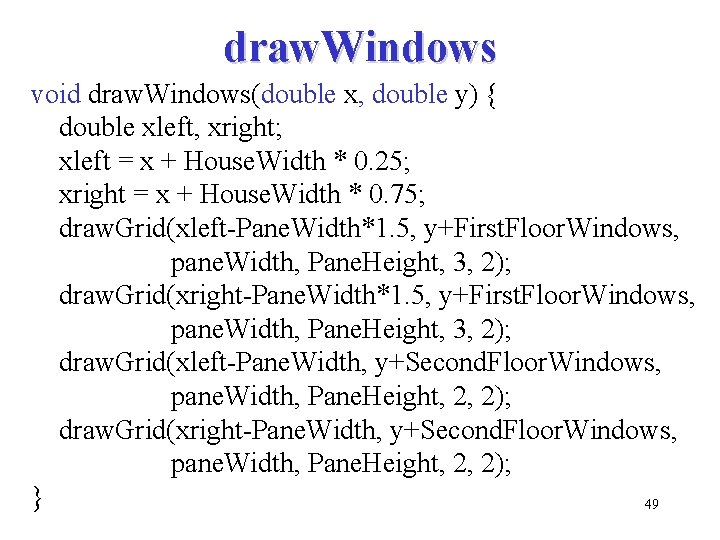
draw. Windows void draw. Windows(double x, double y) { double xleft, xright; xleft = x + House. Width * 0. 25; xright = x + House. Width * 0. 75; draw. Grid(xleft-Pane. Width*1. 5, y+First. Floor. Windows, pane. Width, Pane. Height, 3, 2); draw. Grid(xright-Pane. Width*1. 5, y+First. Floor. Windows, pane. Width, Pane. Height, 3, 2); draw. Grid(xleft-Pane. Width, y+Second. Floor. Windows, pane. Width, Pane. Height, 2, 2); draw. Grid(xright-Pane. Width, y+Second. Floor. Windows, pane. Width, Pane. Height, 2, 2); } 49
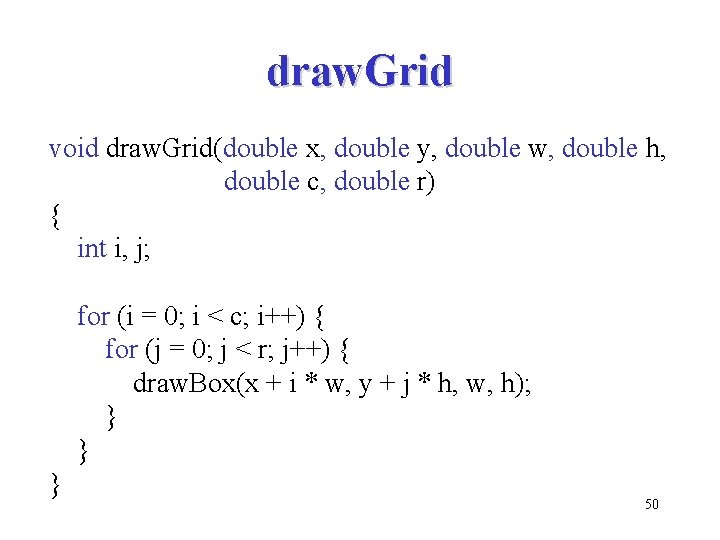
draw. Grid void draw. Grid(double x, double y, double w, double h, double c, double r) { int i, j; for (i = 0; i < c; i++) { for (j = 0; j < r; j++) { draw. Box(x + i * w, y + j * h, w, h); } } } 50
- Slides: 50