
CHAPTER Section A Software Basics 3 PARSONSOJA Computer
CHAPTER Section A Software Basics 3 PARSONS/OJA Computer Software Computer Concepts 5 th Edition Parsons/Oja Page 110

Chapter Section A Software Basics 3 Exactly what is software? u Software: instructions that direct the computer to accomplish a task. Computer Concepts 5 th Edition Parsons/Oja Page 112

Chapter Section A Software Basics 3 How does a high-level language relate to the microprocessor’s instruction set? u A compiler translates all of the instructions in a program as a single batch u The resulting machine language instructions are called the object code Computer Concepts 5 th Edition Parsons/Oja Page 115
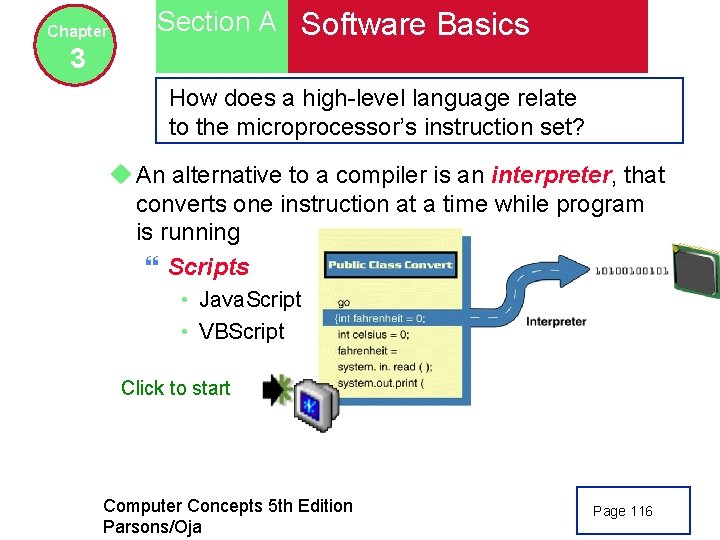
Chapter Section A Software Basics 3 How does a high-level language relate to the microprocessor’s instruction set? u An alternative to a compiler is an interpreter, that converts one instruction at a time while program is running } Scripts • Java. Script • VBScript Click to start Computer Concepts 5 th Edition Parsons/Oja Page 116
Chapter Section A Software Basics 3 Application Software and System Software: How is software categorized? u Software is categorized as either application software or system software } Application software is designed to be used for a purpose such as drawing designs, creating documents, etc. } System software is designed to help the computer carry out the basic operating functions • Operating systems, utilities, and drivers Computer Concepts 5 th Edition Parsons/Oja Page 116 -117

Chapter Section A Software Basics 3 How is software categorized? Computer Concepts 5 th Edition Parsons/Oja Page 117
Chapter 3 Section B Personal Computer Operating Systems Operating System Overview: What does an operating system do? u An operating system (OS) is the master controller for all of the activities that take place within a computer. } Microsoft Windows XP, Mac OS, Linux, UNIX u The operating system also interacts with the next functional layer called application software. Computer Concepts 5 th Edition Parsons/Oja Page 118
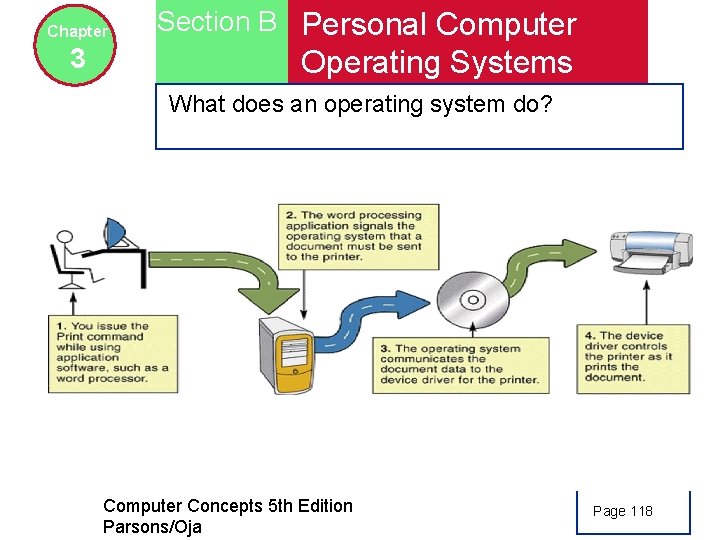
Chapter 3 Section B Personal Computer Operating Systems What does an operating system do? Computer Concepts 5 th Edition Parsons/Oja Page 118
Chapter 3 Section B Personal Computer Operating Systems What does an operating system do? u An operating system manages resources (any component that is required to perform work) u An operating system also influences the “look and feel” of your software Computer Concepts 5 th Edition Parsons/Oja Page 119
Chapter 3 Section B Personal Computer Operating Systems Why does an operating system need to manage memory? u The OS must ensure that instructions and data don’t “leak” into an area allocated to another program u If it fails, data can get corrupted, programs can “crash” and your computer will display error messages u Should you leave all the programs you have opened running until you turn off the computer? ? ? Computer Concepts 5 th Edition Parsons/Oja Page 119
Chapter 3 Section B Personal Computer Operating Systems Where is the operating system? u The OS’s small bootstrap program resides in ROM and provides the instructions to load the core parts into memory when system boots u This component is called the kernel Computer Concepts 5 th Edition Parsons/Oja Page 121
Chapter Section C Application Software 3 Microsoft Works, Microsoft Office XP and Microsoft Office XP Pro u Microsoft Office XP } Common features • Menus, wizards, etc. • Reduces learning curve } Pro: includes Access } Educational version u Microsoft Works } “Lite” version of Microsoft Office XP Computer Concepts 5 th Edition Parsons/Oja Page 130
Chapter Section C Application Software 3 Document production software u How does Autocorrect work? ? Computer Concepts 5 th Edition Parsons/Oja Page 130
Chapter Section C Application Software 3 Spreadsheet Software: What is a spreadsheet? u Spreadsheet - numerical model or representation of a real situation u To use spreadsheet software, you: } According to textbook, enter numbers. } You should enter …. } Spreadsheet software is particularly useful for what-if analysis Computer Concepts 5 th Edition Parsons/Oja Page 133
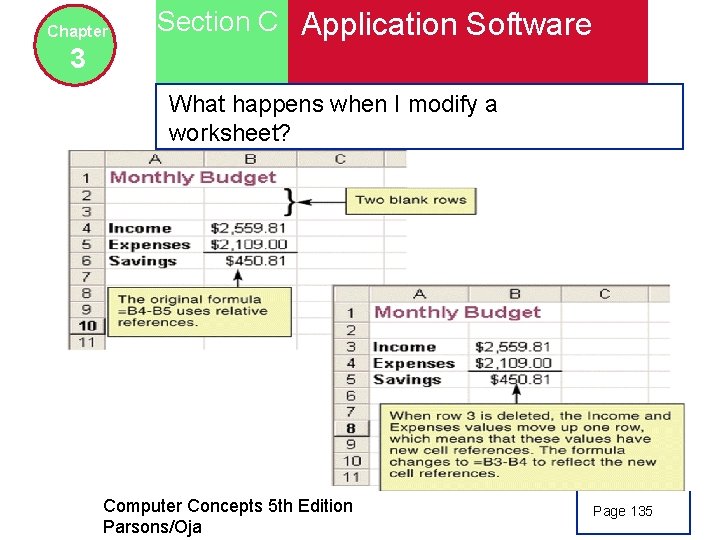
Chapter Section C Application Software 3 What happens when I modify a worksheet? Computer Concepts 5 th Edition Parsons/Oja Page 135
Chapter Section C Application Software 3 Data Management Software: What is data management software? u Data management software helps you to store, find, organize, update, and report information } File management software } Database management software Computer Concepts 5 th Edition Parsons/Oja Page 137
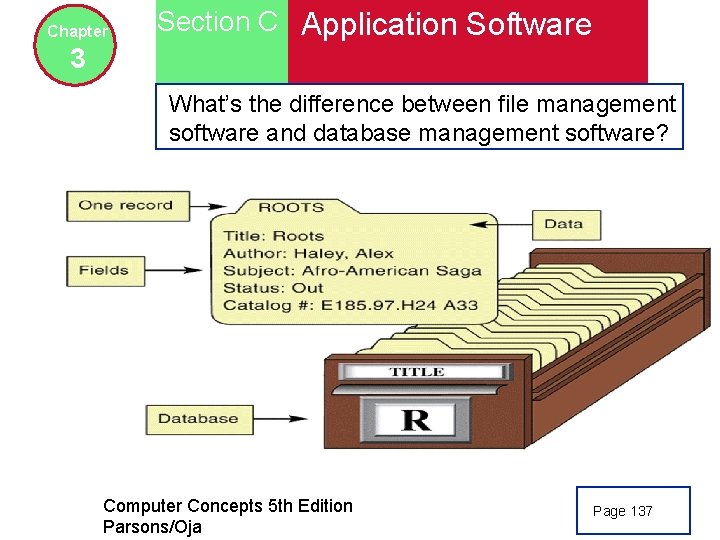
Chapter Section C Application Software 3 What’s the difference between file management software and database management software? Computer Concepts 5 th Edition Parsons/Oja Page 137
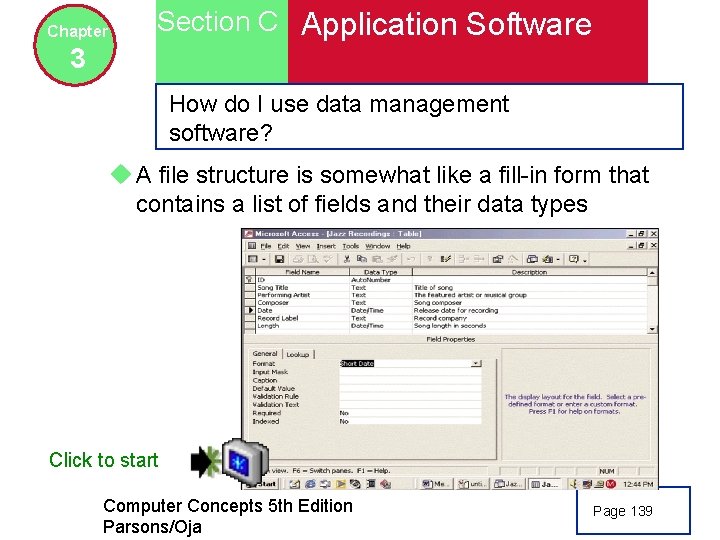
Chapter Section C Application Software 3 How do I use data management software? u A file structure is somewhat like a fill-in form that contains a list of fields and their data types Click to start Computer Concepts 5 th Edition Parsons/Oja Page 139
Chapter Section C Application Software 3 How do I locate specific data? u Information that needs to be accessed quickly is usually stored as a structured database. } stored in a field u A query by example (QBE) helps users search structured databases. Computer Concepts 5 th Edition Parsons/Oja Page 140
Chapter Section C Application Software 3 Music Software: Why would I need music software? u Audio editing software – lets you make your own digital voice and music recording } MP 3: compresses audio files using algorithms } MP 3 Player } CD ripper } MP 3 encoding software } Ear training software } Notation software } Computer-aided software } Midi sequencing software Computer Concepts 5 th Edition Parsons/Oja Page 143
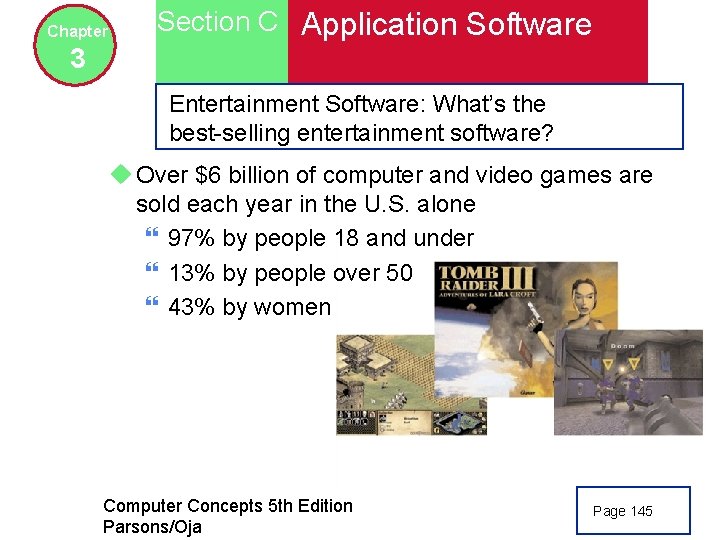
Chapter Section C Application Software 3 Entertainment Software: What’s the best-selling entertainment software? u Over $6 billion of computer and video games are sold each year in the U. S. alone } 97% by people 18 and under } 13% by people over 50 } 43% by women Computer Concepts 5 th Edition Parsons/Oja Page 145
Chapter 3 Section D Software Installation and Copyrights Installation Basics: What’s included in a typical software package? u The key ingredients necessary to install new software the files that contain the programs, support modules, and data modules u Usually supplied on distribution disks Computer Concepts 5 th Edition Parsons/Oja Page 148
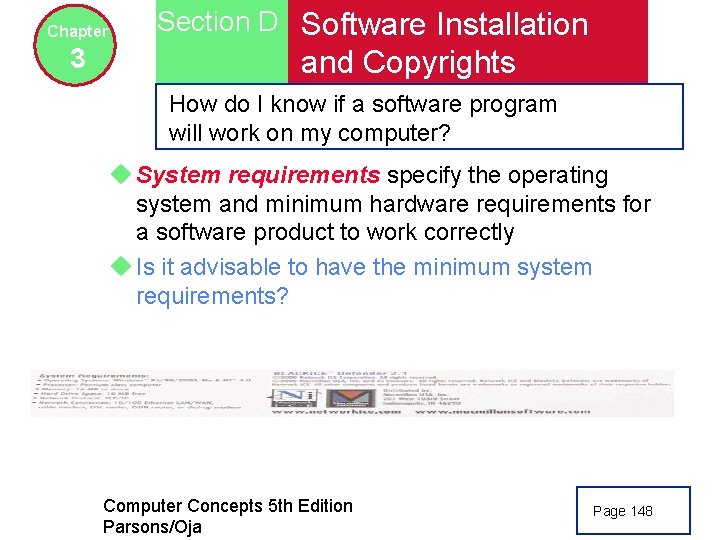
Chapter 3 Section D Software Installation and Copyrights How do I know if a software program will work on my computer? u System requirements specify the operating system and minimum hardware requirements for a software product to work correctly u Is it advisable to have the minimum system requirements? Computer Concepts 5 th Edition Parsons/Oja Page 148
Chapter 3 Section D Software Installation and Copyrights Installing from a Distribution Disk or CD: How do I install software from a disk or CD? u Should you always select a full installation? u A setup program guides you through the installation process u Following the program will make installation easy Computer Concepts 5 th Edition Parsons/Oja Page 150
Chapter 3 Section D Software Installation and Copyrights Is installing a software upgrade different from installing a full version? u Installing an upgrade is similar to installing a full version u Update provides a setup file that checks to make sure that your computer contains a valid version of software to upgrade and will guide you through the upgrade process u Should you use the automatic update feature of Windows XP? Computer Concepts 5 th Edition Parsons/Oja Page 151
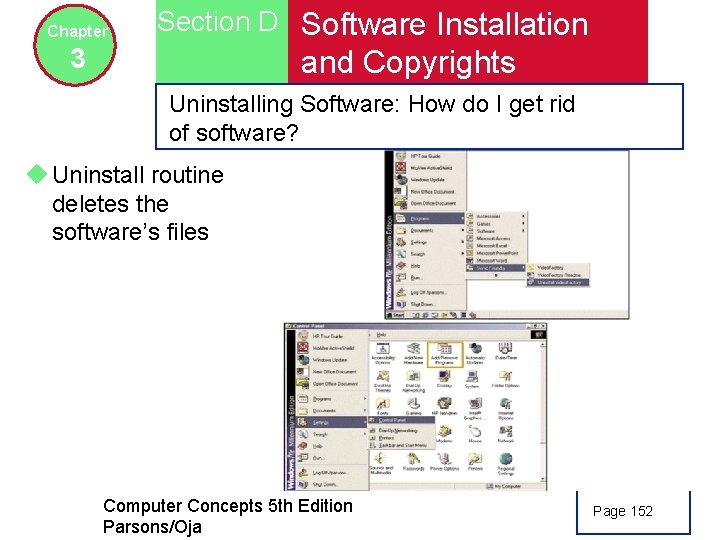
Chapter Section D Software Installation 3 and Copyrights Uninstalling Software: How do I get rid of software? u Uninstall routine deletes the software’s files Computer Concepts 5 th Edition Parsons/Oja Page 152
Chapter 3 Section D Software Installation and Copyrights Software Copyrights: Is it legal to copy software? u A copyright is a form of legal protection } Purchaser has right to copy software to a computer’s hard disk in order to install it } Purchaser can make a backup copy } Purchaser is allowed to copy and distribute sections of a software program for use in critical reviews and teaching u Most software displays a copyright notice Computer Concepts 5 th Edition Parsons/Oja Page 153
Chapter 3 Section D Software Installation and Copyrights Software Licenses: What is a software license? u A software license is a legal contract that defines the ways in which you may use a computer program u A shrink-wrap license goes into effect as soon as you open the packaging Computer Concepts 5 th Edition Parsons/Oja Page 153
Chapter 3 Section D Software Installation and Copyrights Are all software licenses similar? u Commercial software – typically sold in computers or a web site u Shareware – copyrighted software that you “try before you buy” u Freeware – copyrighted software available for free u Public domain software – not copyrighted, and in public domain Computer Concepts 5 th Edition Parsons/Oja Page 154 -155
Chapter 3 Section D Software Installation and Copyrights Pirated software u illegal copies of software } U. S. : 28% of all software } China, Indonesia and other third world countries: 90% u Internet has increased problem of pirated software u Encryption keys } July 4 th Computer Concepts 5 th Edition Parsons/Oja Page 154 -155
- Slides: 30