
Chapter Overview General Concepts IA32 Processor Architecture IA32
- Slides: 15
Chapter Overview • • General Concepts IA-32 Processor Architecture IA-32 Memory Management Components of an Intel Architecture IA-32 (x 86) Microcomputer 1
Components of an IA-32 Microcomputer • • Motherboard Video output Memory Input-output ports 2
Motherboard • A flat circuit board containing CPU, chipsets, main memory, input -output connectors, power supply connectors and expansion slots. • Bus: Used to connect various components located on motherboard. • Motherboard is also called as heart of microcomputer. 3
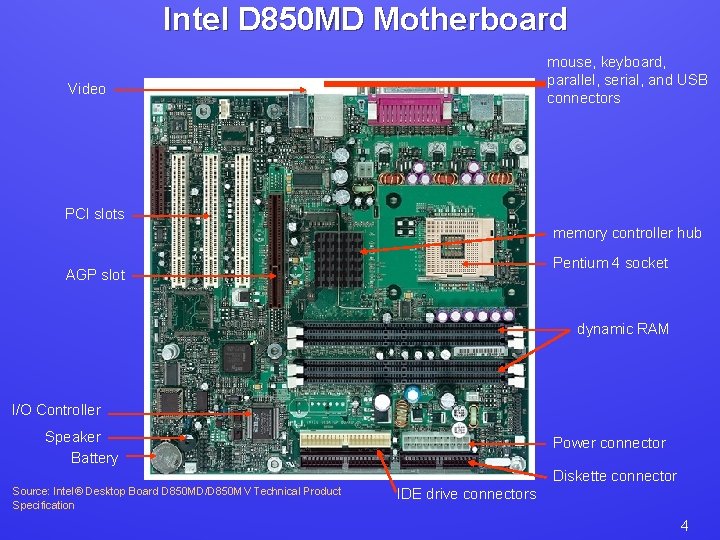
Intel D 850 MD Motherboard mouse, keyboard, parallel, serial, and USB connectors Video PCI slots memory controller hub Pentium 4 socket AGP slot dynamic RAM I/O Controller Speaker Battery Power connector Diskette connector Source: Intel® Desktop Board D 850 MD/D 850 MV Technical Product Specification IDE drive connectors 4
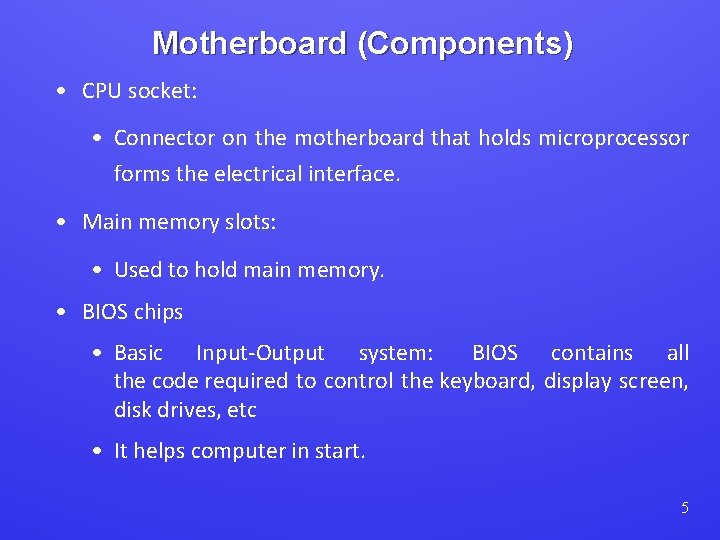
Motherboard (Components) • CPU socket: • Connector on the motherboard that holds microprocessor forms the electrical interface. • Main memory slots: • Used to hold main memory. • BIOS chips • Basic Input-Output system: BIOS contains all the code required to control the keyboard, display screen, disk drives, etc • It helps computer in start. 5
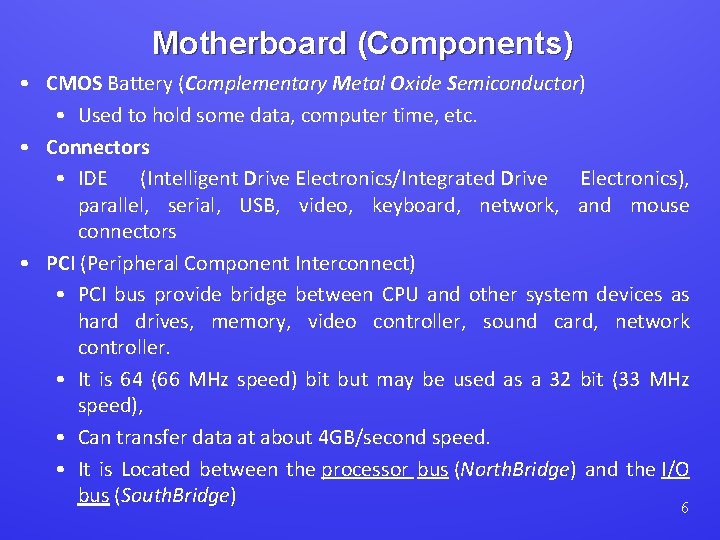
Motherboard (Components) • CMOS Battery (Complementary Metal Oxide Semiconductor) • Used to hold some data, computer time, etc. • Connectors • IDE (Intelligent Drive Electronics/Integrated Drive Electronics), parallel, serial, USB, video, keyboard, network, and mouse connectors • PCI (Peripheral Component Interconnect) • PCI bus provide bridge between CPU and other system devices as hard drives, memory, video controller, sound card, network controller. • It is 64 (66 MHz speed) bit but may be used as a 32 bit (33 MHz speed), • Can transfer data at about 4 GB/second speed. • It is Located between the processor bus (North. Bridge) and the I/O bus (South. Bridge) 6
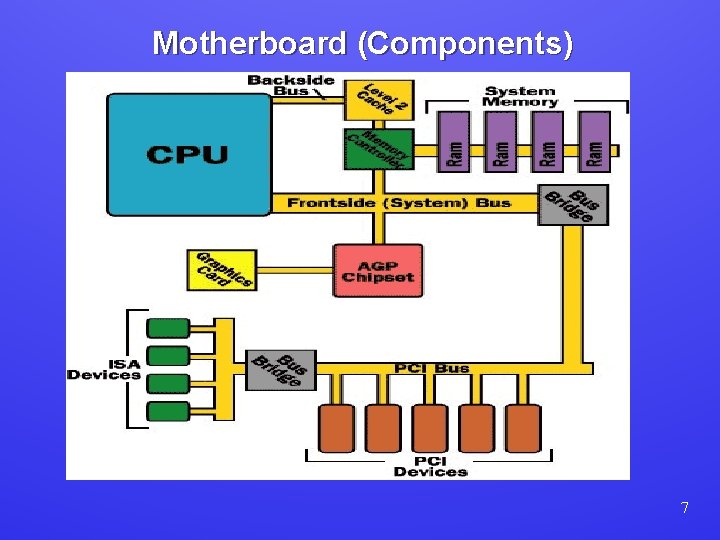
Motherboard (Components) 7
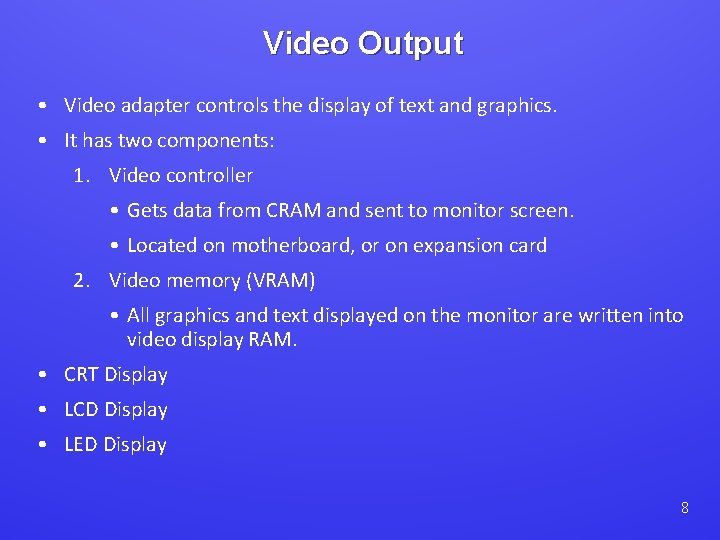
Video Output • Video adapter controls the display of text and graphics. • It has two components: 1. Video controller • Gets data from CRAM and sent to monitor screen. • Located on motherboard, or on expansion card 2. Video memory (VRAM) • All graphics and text displayed on the monitor are written into video display RAM. • CRT Display • LCD Display • LED Display 8
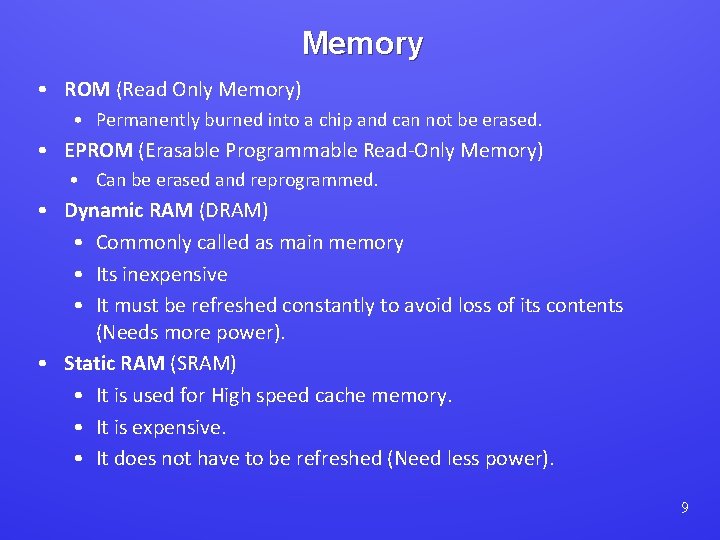
Memory • ROM (Read Only Memory) • Permanently burned into a chip and can not be erased. • EPROM (Erasable Programmable Read-Only Memory) • Can be erased and reprogrammed. • Dynamic RAM (DRAM) • Commonly called as main memory • Its inexpensive • It must be refreshed constantly to avoid loss of its contents (Needs more power). • Static RAM (SRAM) • It is used for High speed cache memory. • It is expensive. • It does not have to be refreshed (Need less power). 9
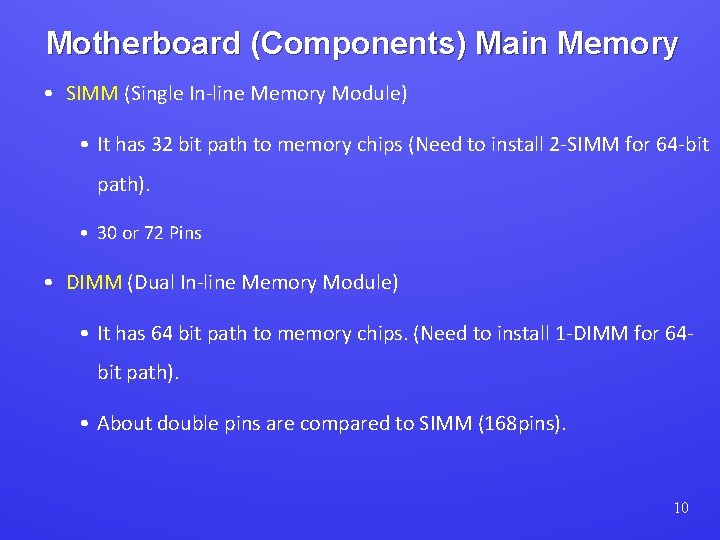
Motherboard (Components) Main Memory • SIMM (Single In-line Memory Module) • It has 32 bit path to memory chips (Need to install 2 -SIMM for 64 -bit path). • 30 or 72 Pins • DIMM (Dual In-line Memory Module) • It has 64 bit path to memory chips. (Need to install 1 -DIMM for 64 bit path). • About double pins are compared to SIMM (168 pins). 10
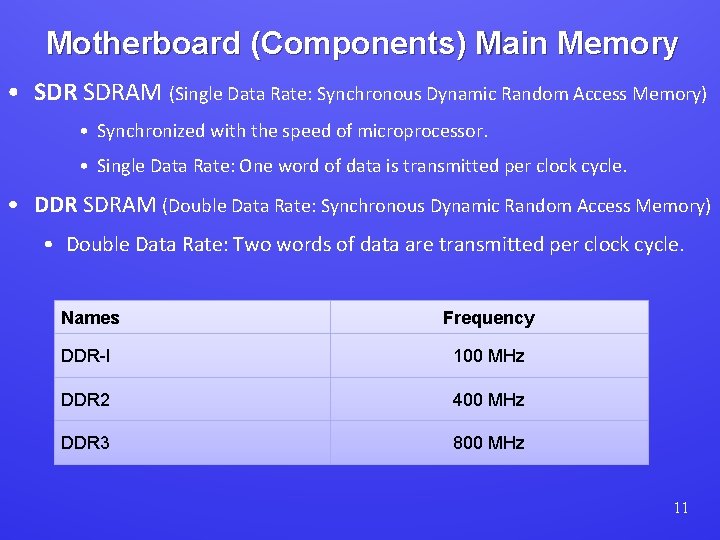
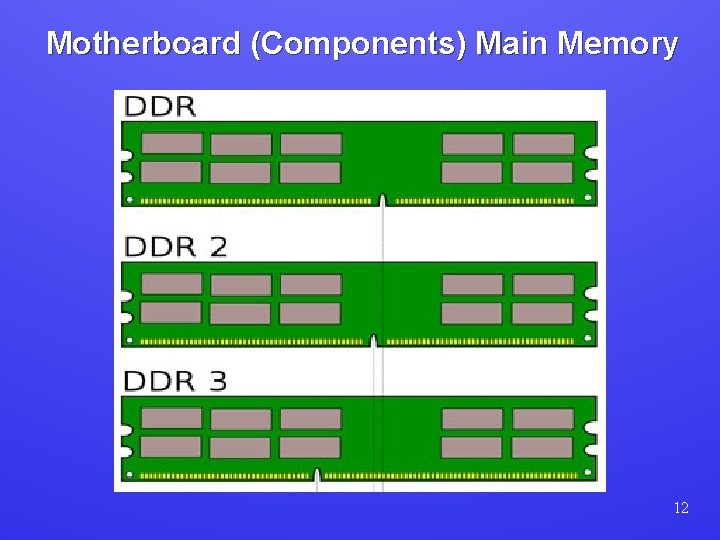
Motherboard (Components) Main Memory • SDRAM (Single Data Rate: Synchronous Dynamic Random Access Memory) • Synchronized with the speed of microprocessor. • Single Data Rate: One word of data is transmitted per clock cycle. • DDR SDRAM (Double Data Rate: Synchronous Dynamic Random Access Memory) • Double Data Rate: Two words of data are transmitted per clock cycle. Names Frequency DDR-I 100 MHz DDR 2 400 MHz DDR 3 800 MHz 11
Motherboard (Components) Main Memory 12
Input-Output Ports • USB (universal serial bus) • It provides intelligent high-speed connection between CPU and USB supported devices. • USB 2. 0 support 480 megabits per second. • USB hub connects multiple devices • enumeration: computer queries devices to get its type, drivers & other detail. • Parallel Port • Parallel ports support more than one bits travels simultaneously. • Speed: 1 MBPS for 10 feet long cable. • Common for printers 13
Input-Output Ports • Serial Ports • one bit at a time • uses long cables and modems • ATA (Advanced Technology Attachment) • Intelligent Drive Electronics or Integrated Drive Electronics HOST adapters connect computers to mass storage devices as CD-ROM, Hard drives. • SATA (Serial ATA) • Serial Transmission of data • It has replaced IDE and ATA. • Two way transfer of data • High speed 14
Input-Output Ports • Bluetooth • • Wireless transfer of data over short distance Used commonly for mobile devices. Low power consumption Low cost microchips are used for its implementation • Wi-Fi (wireless Ethernet/Wireless Fidelity) (Fidelity=Exactness) • It is a wireless networking technology that uses radio waves to provide wireless high-speed Internet and network connections. • IEEE 802. 11 standard • Greater speed and capacity than Bluetooth. 15