
Chapter One Introduction to Information Security Index A
- Slides: 42
Chapter One: Introduction to Information Security
Index A. Introduction A. 1 Why are Computer and Information Security Important? B. Security Goals B. 1 Confidentiality B. 2 Integrity B. 3 Availability C. Threats, Vulnerabilities and Controls C. 1 Threats C. 2 Vulnerabilities C. 3 Controls D. Risk Management D. 1 Introduction D. 2 Procedures D. 3 Executive Management 2
A. Introduction • What is Information Security? – The concepts, techniques, technical measures, and administrative measures used to protect information assets from deliberate or inadvertent(unintended) unauthorized acquisition, damage, disclosure, manipulation, modification, loss, or use. – Information security means protecting information and information systems from unauthorized access, use, disclosure, disruption (interruption/disorder), modification or destruction (damage). 3
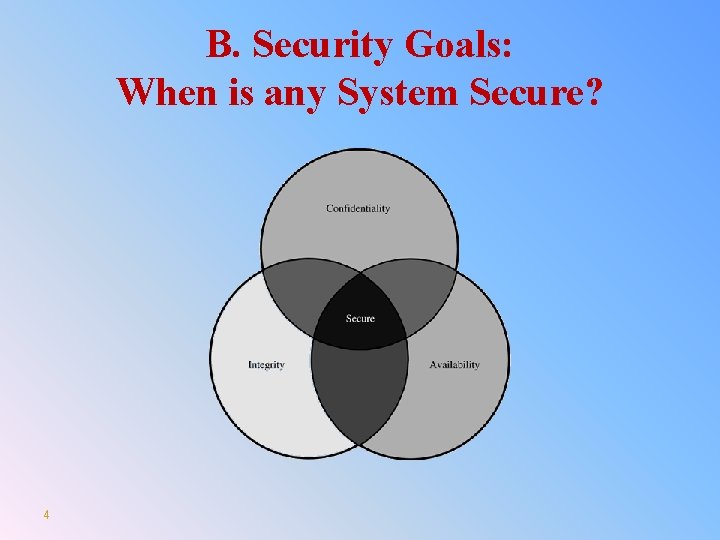
B. Security Goals: When is any System Secure? 4
B. Security Goals: When is any System Secure? • B. 1. Confidentiality: computer-related assets are accessed only by authorized parties. Confidentiality is sometimes called secrecy or privacy • B. 2. Integrity: assets can be modified only by authorized parties or only in authorized ways • B. 3. Availability: assets are accessible to authorized parties at appropriate times 5
B. 1. Confidentiality • It is not trivial to ensure confidentiality. For example, ØWho determines which people or systems are authorized to access the current system? ØBy "accessing" data, do we mean that an authorized party can access a single bit? pieces of data out of context? ØCan someone who is authorized disclose those data to other parties? 6
B. 2. Integrity • It is much harder to ensure integrity. One reason is that integrity means different things in different context • For example, if we say that we have preserved the integrity of an item, we may mean that the item is: Ø precise Ø accurate Ø unmodified Ø modified only in acceptable ways Ø modified only by authorized people and processes Ø consistent 7
B. 3. Availability �Availability applies both to data and to services (i. e. , to information and to information processing), and it is similarly complex �We say a data item, service, or system is available if Ø There is a timely response to our request Ø There is a fair allocation of resources, so that some requesters are not favored over others Ø The service or system involved are fault tolerant - hardware or software faults lead to graceful cessation of service or to work-a rounds rather than to crashes and abrupt loss of information Ø The service or system can be used easily and in the way it was intended to be used 8
B. 3. Availability • The security community is just beginning to understand what availability implies and how to ensure it • A small, centralized control of access is fundamental to preserving confidentiality and integrity, but it is not clear that a single access control point can enforce availability • Much of computer security's past success has focused on confidentiality and integrity; full implementation of availability is security's next great challenge 9
B. Security Goals: Relationship of Security Goals • A secure system must meet all three requirements. • The challenge is how to find the right balance among the goals, which often conflict: Ø For example, it is easy to preserve a particular object's confidentiality in a secure system simply by preventing everyone from reading that object Ø However, this system is not secure, because it does not meet the requirement of availability for proper access Ø => There must be a balance between confidentiality and availability 10
Review Questions 1. What are three basic principles of information security. Define each one? 2. Among the fundamental challenges in information security are confidentiality, integrity, and availability, or CIA. Give an example where confidentiality is required, but not integrity. Give an example where integrity is required, but not confidentiality. Give an example where availability is the overriding concern. 3. From a bank’s perspective, which is usually more important, the integrity of its customer’s data or the confidentiality of the data? From the perspective of the bank’s customer, which is more important? 4. Some authors distinguish between secrecy, privacy, and confidentiality. In this usage, secrecy is equivalent to our use of the term confidentiality, whereas privacy is secrecy applied to personal data and confidentiality refers to an obligation not to divulge certain information. Discuss an example where privacy is required. Discuss an example where confidentiality (in this sense) is required 11
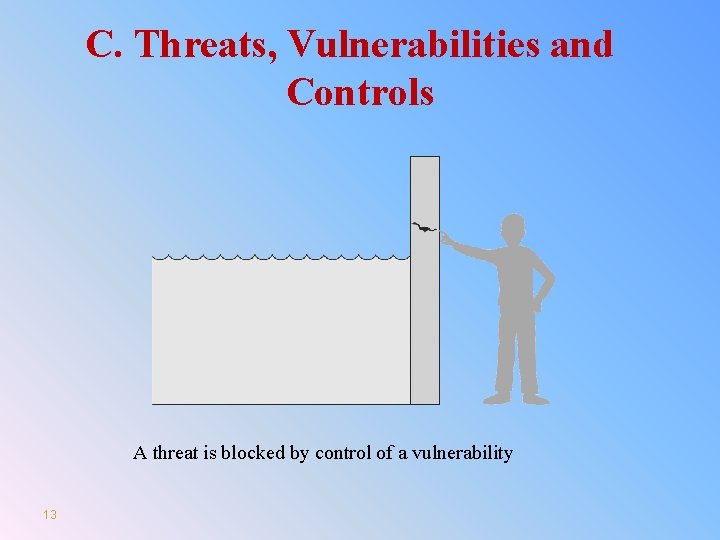
C. Threats, Vulnerabilities and Controls Ø C. 1. Threats: Something that can potentially cause damage to information assets. Ø C. 2. Vulnerabilities: A weakness in the organization, computer system, or network that can be exploited by threat. Ø C. 3. Control: an action, device, procedure, or technique that remove or reduce a vulnerabilities. 12
C. Threats, Vulnerabilities and Controls A threat is blocked by control of a vulnerability 13
C. 1. Threats • Definition: Something that can potentially cause damage to information assets. • A malicious attacker must have three things: ØMethod: the skills, knowledge, tools, and other things with which to be able to pull off the attack. ØOpportunity: the time and the access to accomplish the attack. ØMotive: a reason to want to perform this attack against this system. 14
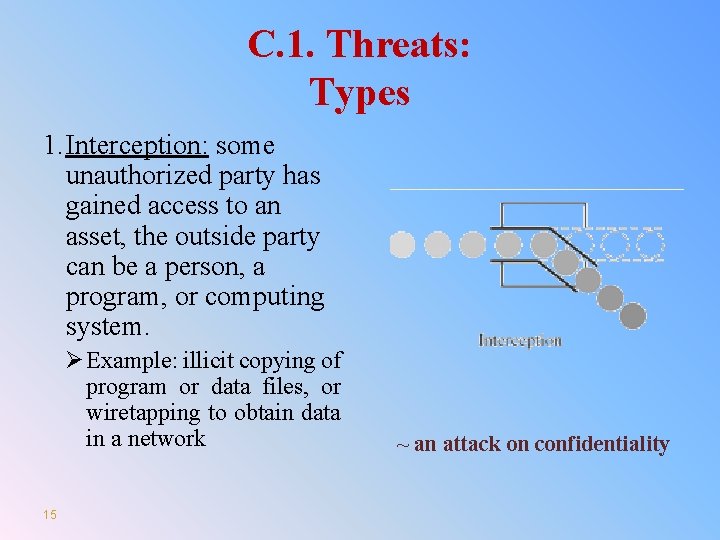
C. 1. Threats: Types 1. Interception: some unauthorized party has gained access to an asset, the outside party can be a person, a program, or computing system. Ø Example: illicit copying of program or data files, or wiretapping to obtain data in a network 15 ~ an attack on confidentiality
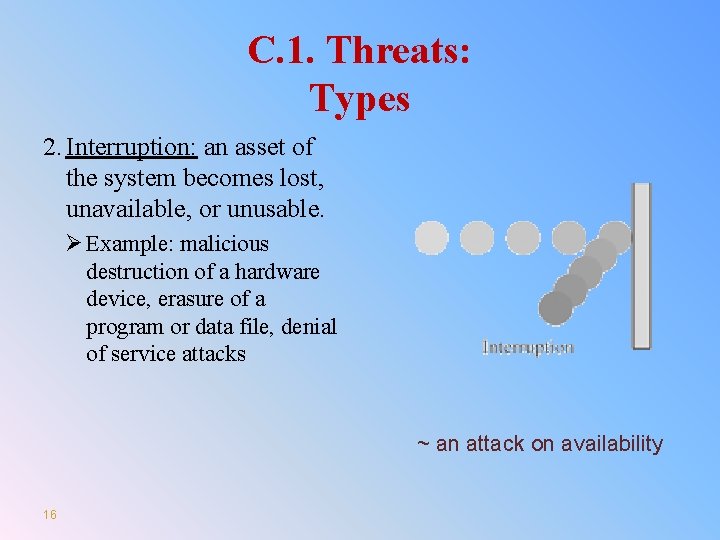
C. 1. Threats: Types 2. Interruption: an asset of the system becomes lost, unavailable, or unusable. Ø Example: malicious destruction of a hardware device, erasure of a program or data file, denial of service attacks ~ an attack on availability 16
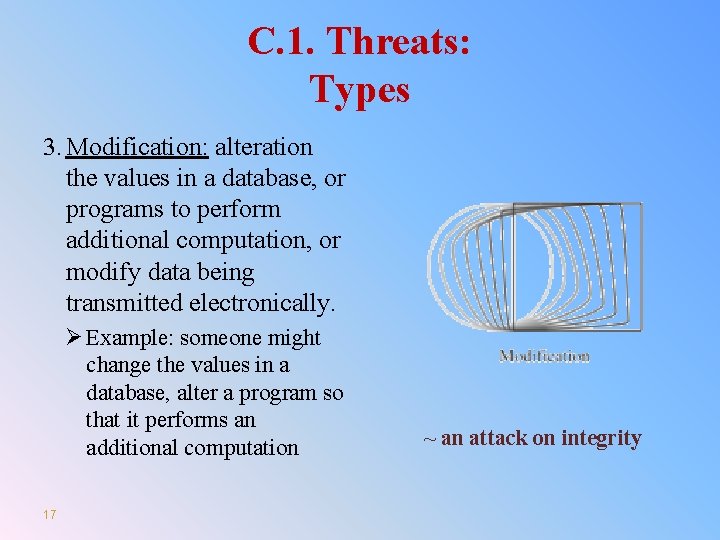
C. 1. Threats: Types 3. Modification: alteration the values in a database, or programs to perform additional computation, or modify data being transmitted electronically. Ø Example: someone might change the values in a database, alter a program so that it performs an additional computation 17 ~ an attack on integrity
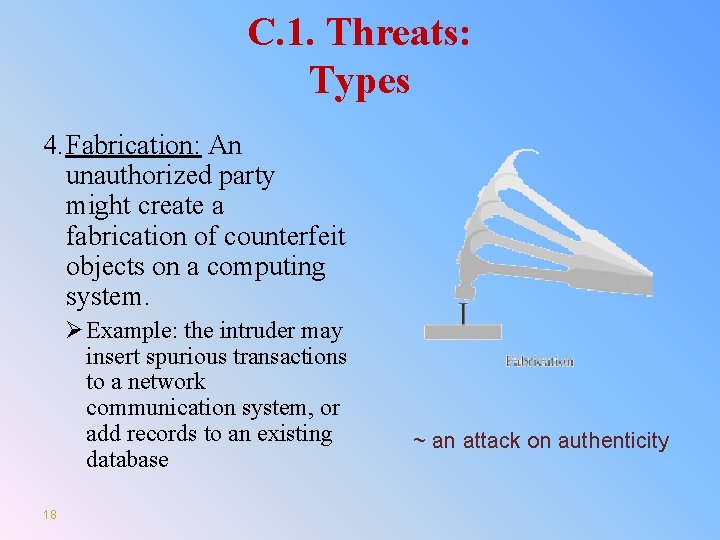
C. 1. Threats: Types 4. Fabrication: An unauthorized party might create a fabrication of counterfeit objects on a computing system. Ø Example: the intruder may insert spurious transactions to a network communication system, or add records to an existing database 18 ~ an attack on authenticity
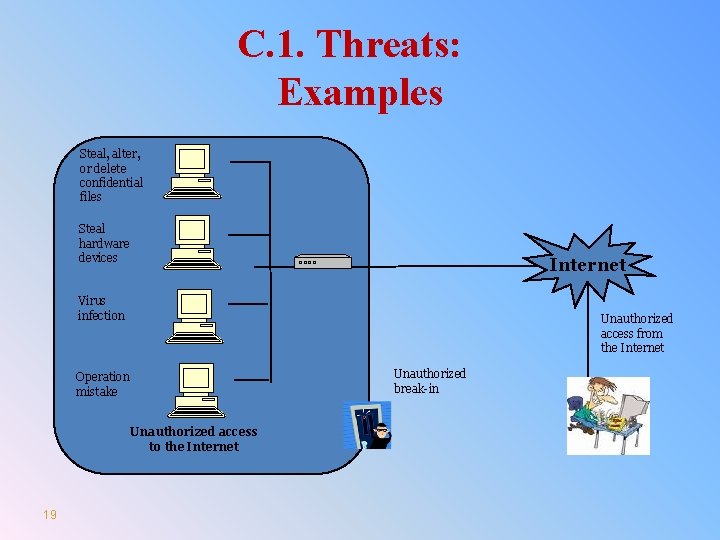
C. 1. Threats: Examples Steal, alter, or delete confidential files Steal hardware devices Internet Virus infection Unauthorized access from the Internet Unauthorized break-in Operation mistake Unauthorized access to the Internet 19
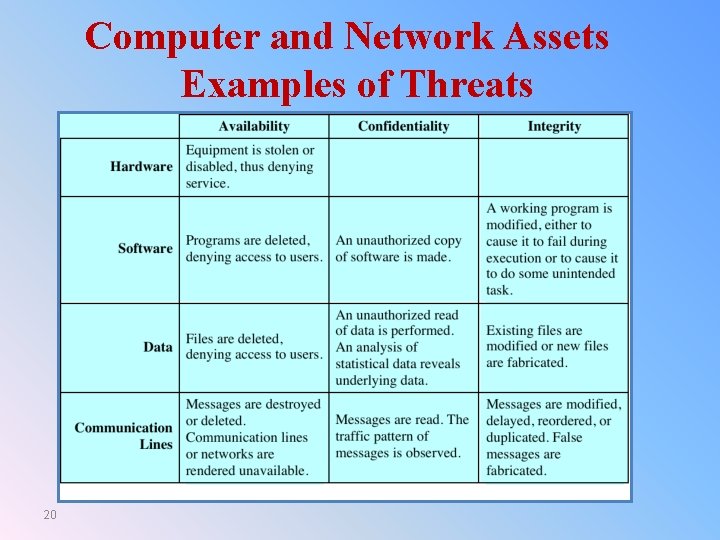
Computer and Network Assets Examples of Threats 20
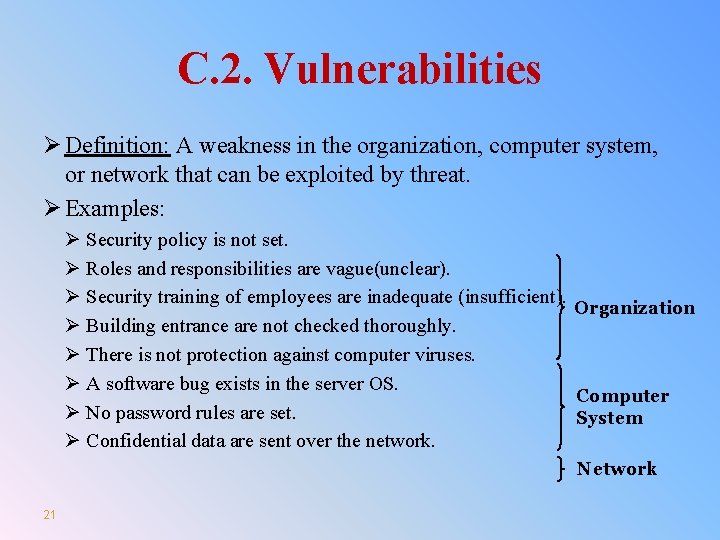
C. 2. Vulnerabilities Ø Definition: A weakness in the organization, computer system, or network that can be exploited by threat. Ø Examples: Ø Security policy is not set. Ø Roles and responsibilities are vague(unclear). Ø Security training of employees are inadequate (insufficient). Organization Ø Building entrance are not checked thoroughly. Ø There is not protection against computer viruses. Ø A software bug exists in the server OS. Computer Ø No password rules are set. System Ø Confidential data are sent over the network. Network 21
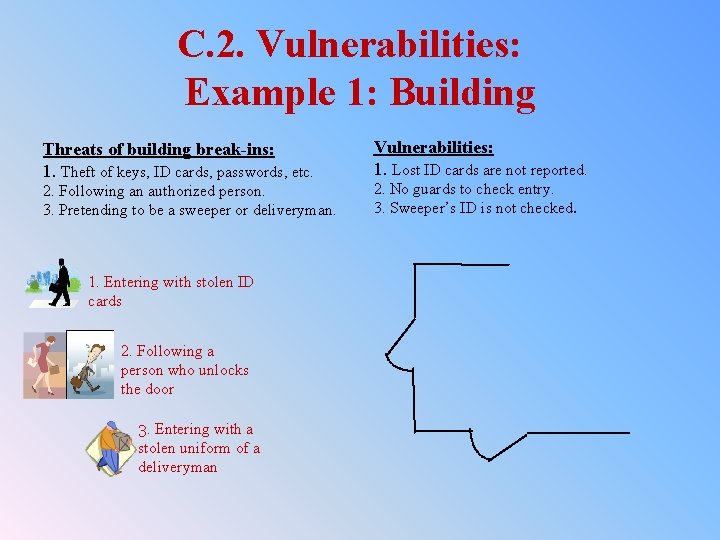
C. 2. Vulnerabilities: Example 1: Building Threats of building break-ins: 1. Theft of keys, ID cards, passwords, etc. 2. Following an authorized person. 3. Pretending to be a sweeper or deliveryman. 1. Entering with stolen ID cards 2. Following a person who unlocks the door 3. Entering with a stolen uniform of a deliveryman Vulnerabilities: 1. Lost ID cards are not reported. 2. No guards to check entry. 3. Sweeper’s ID is not checked.
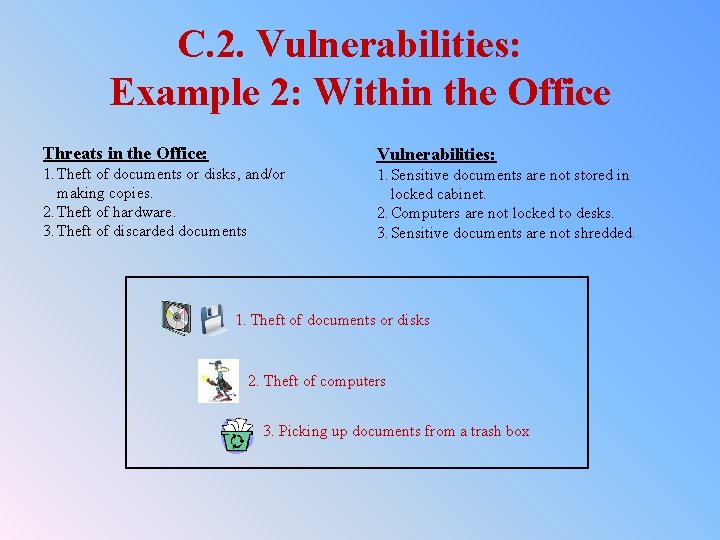
C. 2. Vulnerabilities: Example 2: Within the Office Threats in the Office: 1. Theft of documents or disks, and/or making copies. 2. Theft of hardware. 3. Theft of discarded documents Vulnerabilities: 1. Sensitive documents are not stored in locked cabinet. 2. Computers are not locked to desks. 3. Sensitive documents are not shredded. 1. Theft of documents or disks 2. Theft of computers 3. Picking up documents from a trash box
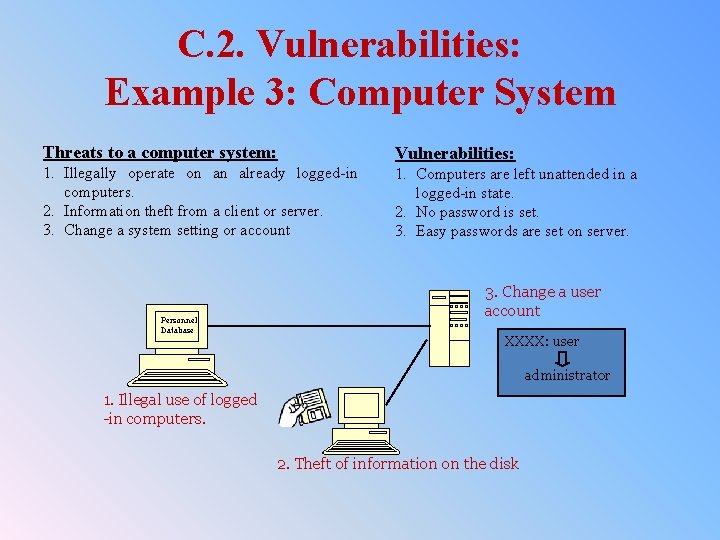
C. 2. Vulnerabilities: Example 3: Computer System Threats to a computer system: Vulnerabilities: 1. Illegally operate on an already logged-in computers. 2. Information theft from a client or server. 3. Change a system setting or account 1. Computers are left unattended in a logged-in state. 2. No password is set. 3. Easy passwords are set on server. Personnel Database 3. Change a user account XXXX: user administrator 1. Illegal use of logged -in computers. 2. Theft of information on the disk
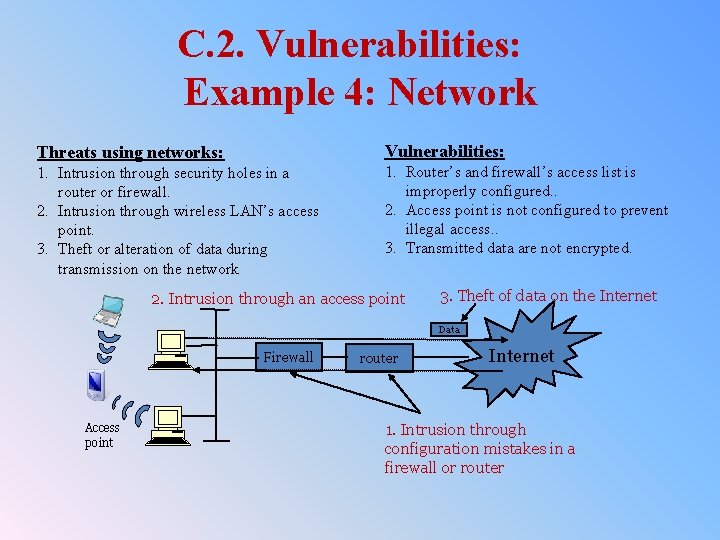
C. 2. Vulnerabilities: Example 4: Network Threats using networks: Vulnerabilities: 1. Intrusion through security holes in a router or firewall. 2. Intrusion through wireless LAN’s access point. 3. Theft or alteration of data during transmission on the network 1. Router’s and firewall’s access list is improperly configured. . 2. Access point is not configured to prevent illegal access. . 3. Transmitted data are not encrypted. 2. Intrusion through an access point 3. Theft of data on the Internet Data Firewall Access point router Internet 1. Intrusion through configuration mistakes in a firewall or router
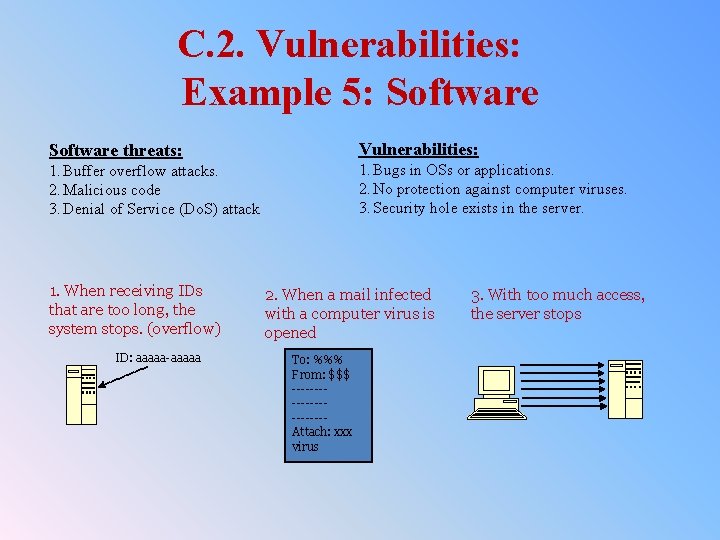
C. 2. Vulnerabilities: Example 5: Software threats: Vulnerabilities: 1. Buffer overflow attacks. 2. Malicious code 3. Denial of Service (Do. S) attack 1. Bugs in OSs or applications. 2. No protection against computer viruses. 3. Security hole exists in the server. 1. When receiving IDs that are too long, the system stops. (overflow) ID: aaaaa-aaaaa 2. When a mail infected with a computer virus is opened To: %%% From: $$$ -----------Attach: xxx virus 3. With too much access, the server stops
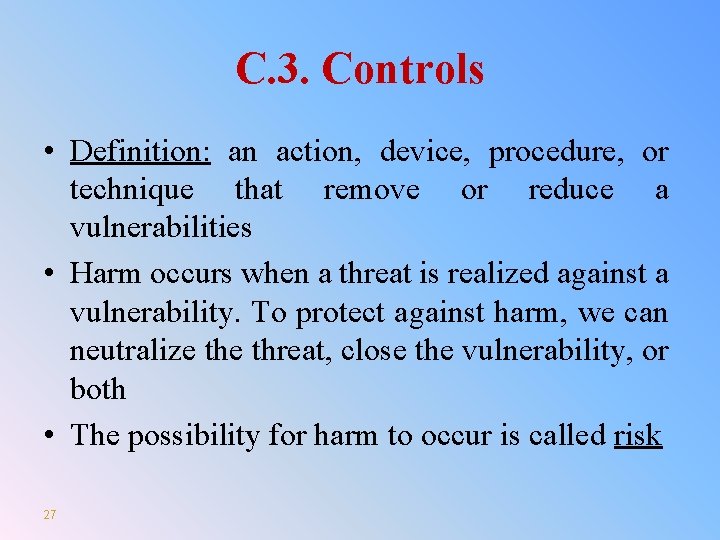
C. 3. Controls • Definition: an action, device, procedure, or technique that remove or reduce a vulnerabilities • Harm occurs when a threat is realized against a vulnerability. To protect against harm, we can neutralize threat, close the vulnerability, or both • The possibility for harm to occur is called risk 27
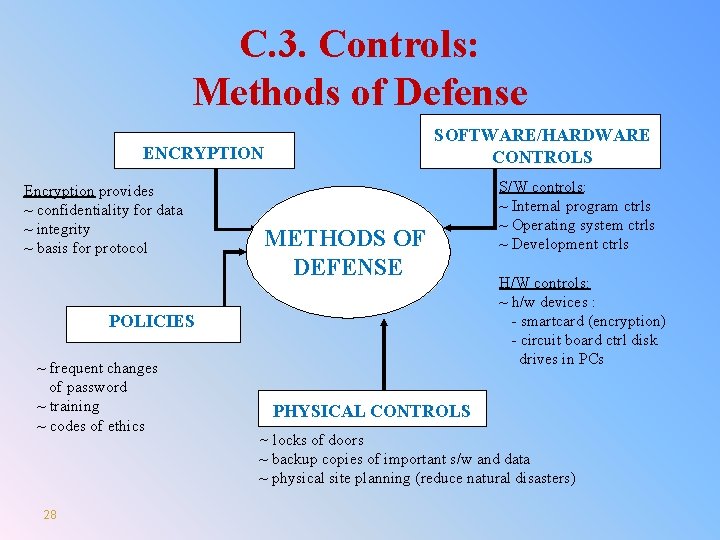
C. 3. Controls: Methods of Defense SOFTWARE/HARDWARE CONTROLS ENCRYPTION Encryption provides ~ confidentiality for data ~ integrity ~ basis for protocol METHODS OF DEFENSE POLICIES ~ frequent changes of password ~ training ~ codes of ethics 28 S/W controls: ~ Internal program ctrls ~ Operating system ctrls ~ Development ctrls H/W controls: ~ h/w devices : - smartcard (encryption) - circuit board ctrl disk drives in PCs PHYSICAL CONTROLS ~ locks of doors ~ backup copies of important s/w and data ~ physical site planning (reduce natural disasters)
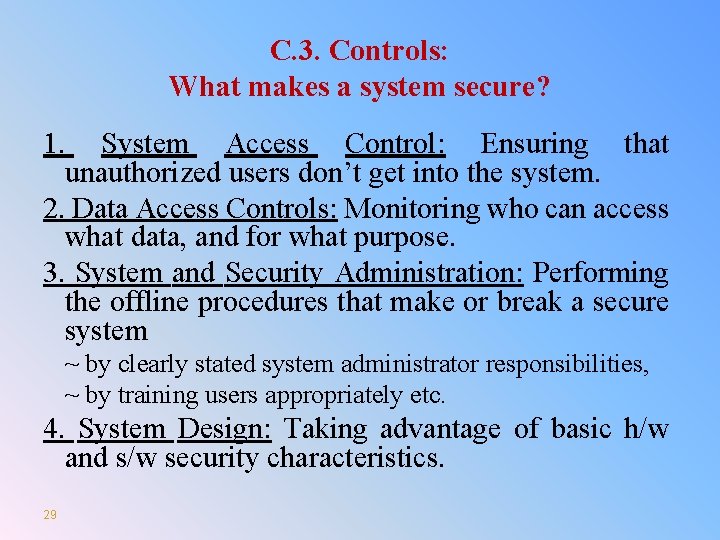
C. 3. Controls: What makes a system secure? 1. System Access Control: Ensuring that unauthorized users don’t get into the system. 2. Data Access Controls: Monitoring who can access what data, and for what purpose. 3. System and Security Administration: Performing the offline procedures that make or break a secure system ~ by clearly stated system administrator responsibilities, ~ by training users appropriately etc. 4. System Design: Taking advantage of basic h/w and s/w security characteristics. 29
Review Questions 1. Define Threats, Vulnerabilities, Controls 2. What are the types of Threats? 3. What are the methods of defense from Threats 30
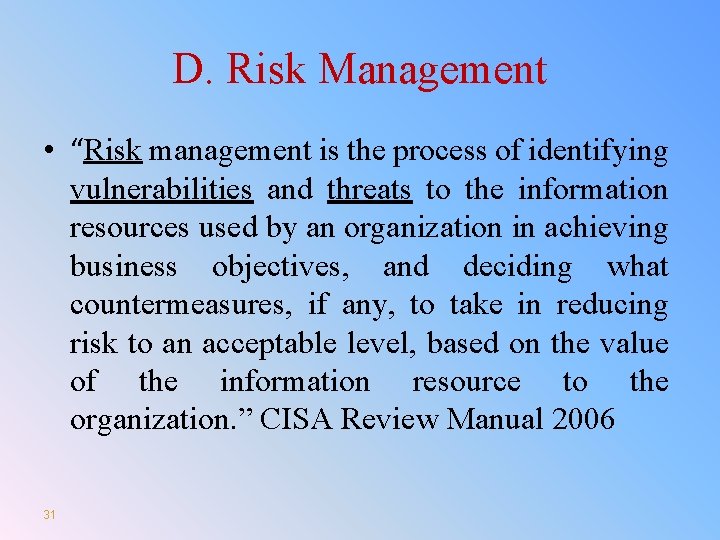
D. Risk Management • “Risk management is the process of identifying vulnerabilities and threats to the information resources used by an organization in achieving business objectives, and deciding what countermeasures, if any, to take in reducing risk to an acceptable level, based on the value of the information resource to the organization. ” CISA Review Manual 2006 31
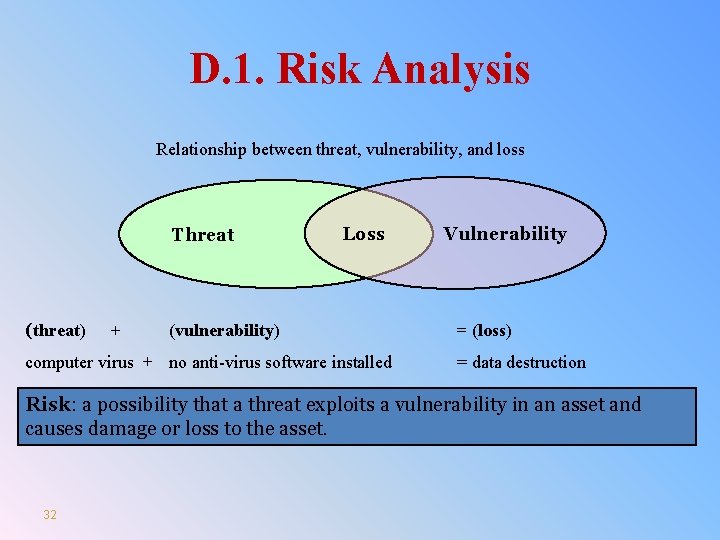
D. 1. Risk Analysis Relationship between threat, vulnerability, and loss Threat (threat) + Loss (vulnerability) computer virus + no anti-virus software installed Vulnerability = (loss) = data destruction Risk: a possibility that a threat exploits a vulnerability in an asset and causes damage or loss to the asset. 32
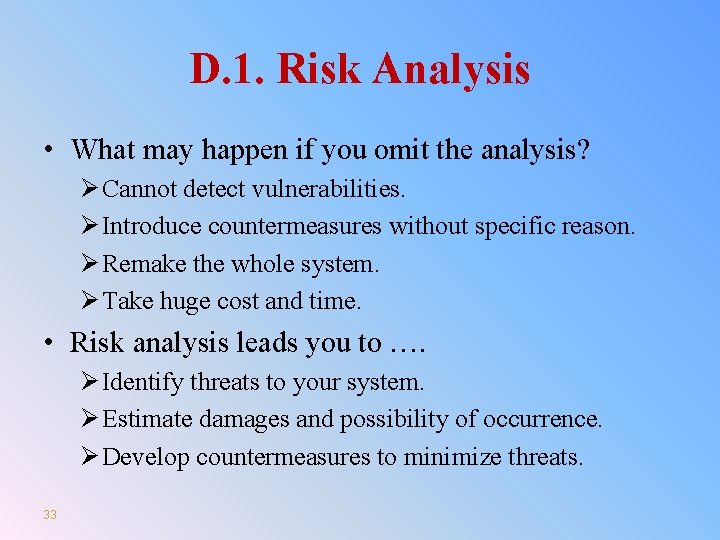
D. 1. Risk Analysis • What may happen if you omit the analysis? Ø Cannot detect vulnerabilities. Ø Introduce countermeasures without specific reason. Ø Remake the whole system. Ø Take huge cost and time. • Risk analysis leads you to …. Ø Identify threats to your system. Ø Estimate damages and possibility of occurrence. Ø Develop countermeasures to minimize threats. 33
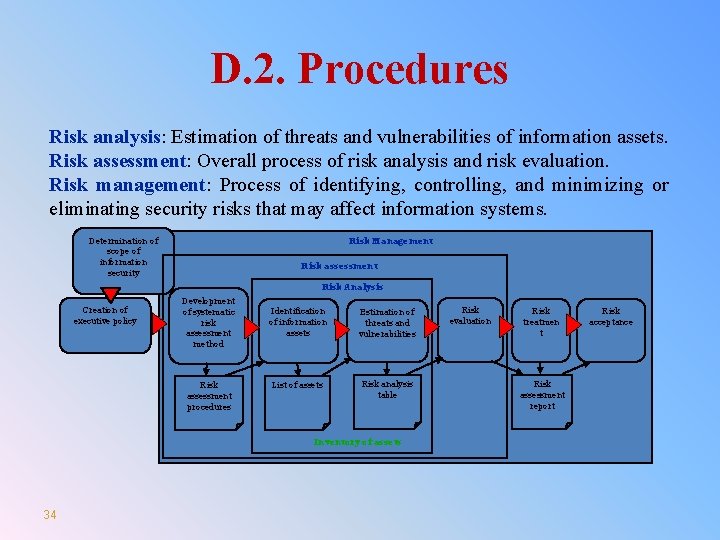
D. 2. Procedures Risk analysis: Estimation of threats and vulnerabilities of information assets. Risk assessment: Overall process of risk analysis and risk evaluation. Risk management: Process of identifying, controlling, and minimizing or eliminating security risks that may affect information systems. Determination of scope of information security Risk Management Risk assessment Risk Analysis Creation of executive policy Development of systematic risk assessment method Risk assessment procedures Identification of information assets Estimation of threats and vulnerabilities List of assets Risk analysis table Inventory of assets 34 Risk evaluation Risk treatmen t Risk assessment report Risk acceptance
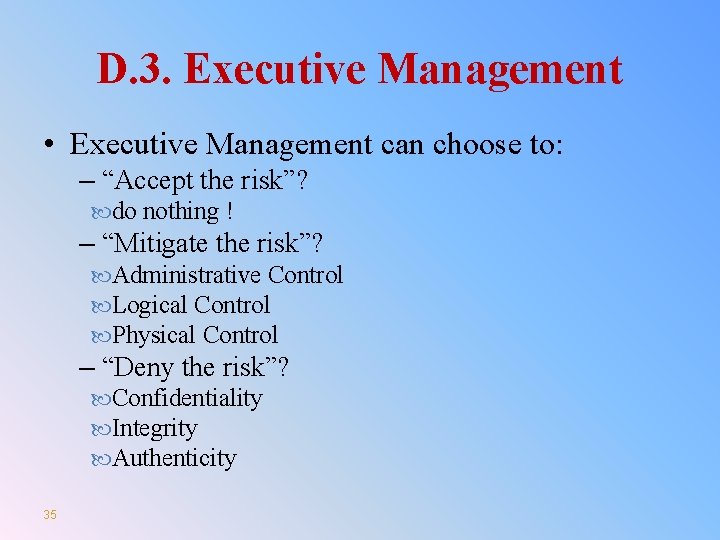
D. 3. Executive Management • Executive Management can choose to: – “Accept the risk”? do nothing ! – “Mitigate the risk”? Administrative Control Logical Control Physical Control – “Deny the risk”? Confidentiality Integrity Authenticity 35
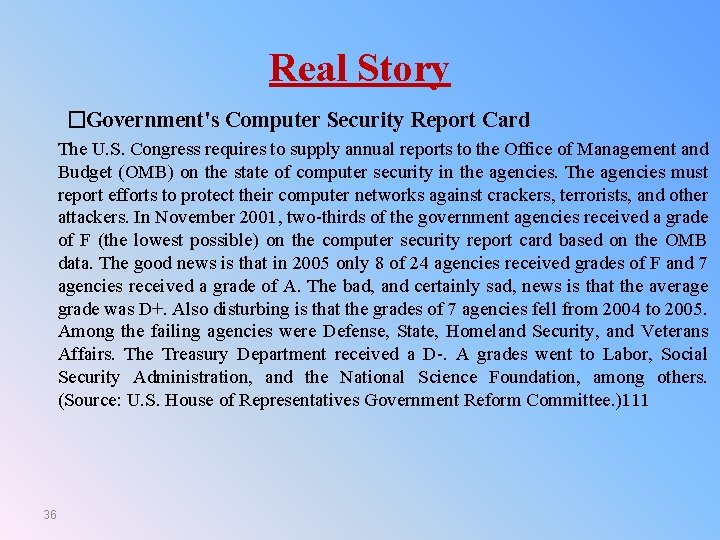
Real Story �Government's Computer Security Report Card The U. S. Congress requires to supply annual reports to the Office of Management and Budget (OMB) on the state of computer security in the agencies. The agencies must report efforts to protect their computer networks against crackers, terrorists, and other attackers. In November 2001, two-thirds of the government agencies received a grade of F (the lowest possible) on the computer security report card based on the OMB data. The good news is that in 2005 only 8 of 24 agencies received grades of F and 7 agencies received a grade of A. The bad, and certainly sad, news is that the average grade was D+. Also disturbing is that the grades of 7 agencies fell from 2004 to 2005. Among the failing agencies were Defense, State, Homeland Security, and Veterans Affairs. The Treasury Department received a D-. A grades went to Labor, Social Security Administration, and the National Science Foundation, among others. (Source: U. S. House of Representatives Government Reform Committee. )111 36
Terms and Concepts • • • 37 Integrity Availability Risk Management Risk Assessment Risk Analysis Information Assets Authorized Malware
Terms and Concepts • • • 38 Malicious Cybercrime Threats Vulnerabilities Control Confidentiality
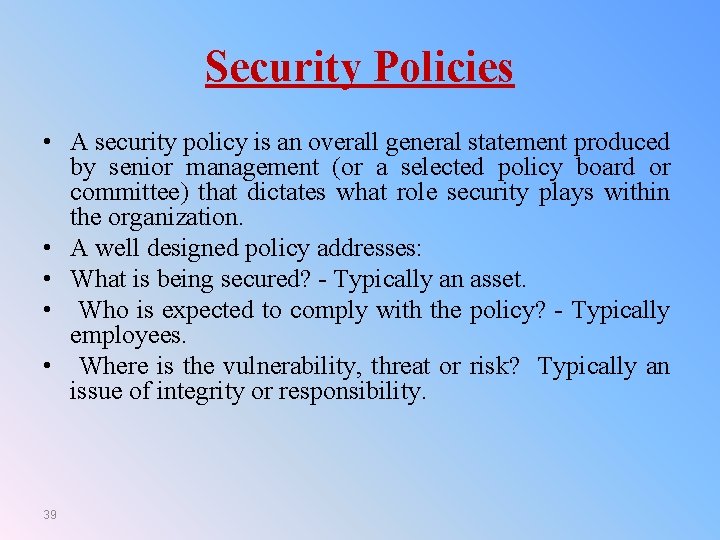
Security Policies • A security policy is an overall general statement produced by senior management (or a selected policy board or committee) that dictates what role security plays within the organization. • A well designed policy addresses: • What is being secured? - Typically an asset. • Who is expected to comply with the policy? - Typically employees. • Where is the vulnerability, threat or risk? Typically an issue of integrity or responsibility. 39
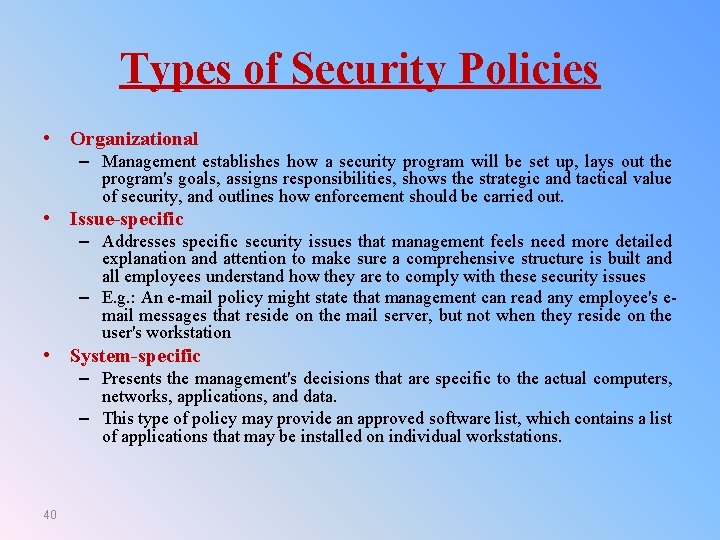
Types of Security Policies • Organizational – Management establishes how a security program will be set up, lays out the program's goals, assigns responsibilities, shows the strategic and tactical value of security, and outlines how enforcement should be carried out. • Issue-specific – Addresses specific security issues that management feels need more detailed explanation and attention to make sure a comprehensive structure is built and all employees understand how they are to comply with these security issues – E. g. : An e-mail policy might state that management can read any employee's email messages that reside on the mail server, but not when they reside on the user's workstation • System-specific – Presents the management's decisions that are specific to the actual computers, networks, applications, and data. – This type of policy may provide an approved software list, which contains a list of applications that may be installed on individual workstations. 40
Standards • Standards refer to mandatory activities, actions, rules, or regulations. • Standards can give a policy its support and reinforcement in direction. • Standards could be internal, or externally mandated (government laws and regulations ) 41
Review Questions 1. One control against accidental software deletion is to save all old versions of a program. Of course, this control is prohibitively expensive in terms of cost of storage. Suggest a less costly control against accidental software deletion. Is your control effective against all possible causes of software deletion? If not, what threats does it not cover? 2. Suppose a program to print paychecks secretly leaks a list of names of employees earning more than a certain amount each month. What controls could be instituted to limit the vulnerability of this leakage? 3. Consider a program that allows a surgeon in one city to assist in an operation on a patient in another city via an Internet connection. Who might want to attack the program? What types of harm might they want to cause? What kinds of vulnerabilities might they exploit to cause harm? 42