
CHAPTER Introduction to LANs MODULE Purpose and Use





- Slides: 32
CHAPTER Introduction to LANs
MODULE Purpose and Use of a Network
Definition of a Network • Composed of computing and information devices connected together – – – clients servers shared printers other shared devices internetworking devices • link to the external world – Etc.
Purpose • Access and share local resources and information – Hard and soft resources • Access and share global resources and information – Internet resources • Messaging, Collaboration etc.
A Note on Sharing and Collaboration • Sharing – One shares the application – The other watches the changes being made • Collaboration – Both share the applications and both can make the changes
Network Types • Locally oriented (LAN) • Globally oriented (WAN) • A combination of the above two types
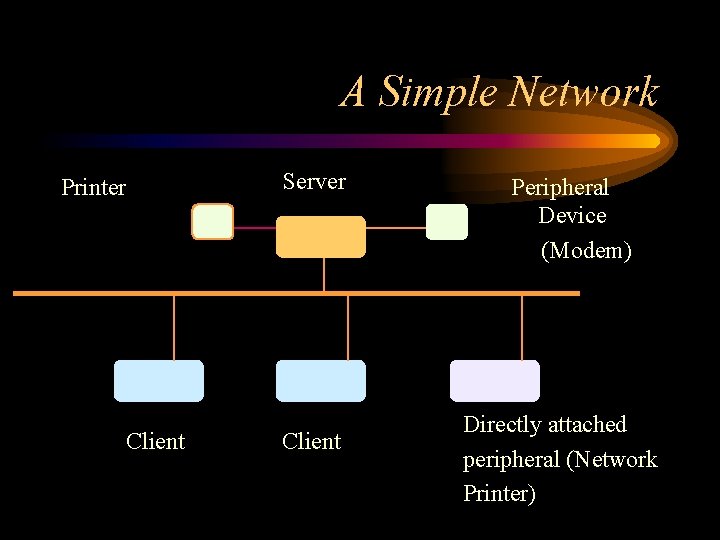
A Simple Network Printer Client Server Client Peripheral Device (Modem) Directly attached peripheral (Network Printer)
Appliances • Network appliance – Network Attached Storage (NAS) – Network Printer • Internet appliance
NAS • NAS can be directly attached to network (switch, for example) • NAS components – Processor – Embedded OS (Eg: Embedded Linux) – Embedded software (Eg: SAMBA Server)
Sample Components of a Simple Network • Network Hardware • Network Software • Resources – Hard resources – Soft resources • Personnel – Administrators – Users
Hardware • Servers • Clients • Peripheral devices – Network printers – NAS • Media (Cabling) – Twisted pair, coaxial cable, optical fiber etc. – Wireless networks without cables • Networking Devices – Hubs, switches, routers
Media • CAT 5 – 100 Mbps LANs • CAT 5 e – 1000 Mbps LANs • CAT 6
Internetworking Devices • Hub – Simply shares the electrical connection • Switch – Switches the data packet based on MAC address • Bridge • Router – Routes the data packet based on the IP address
Software • Network operating system – Windows 2003 Server, Windows Server 2000, Linux etc. • Client operating system – Windows XP, Windows 2000, Linux etc. • Various application server operating systems – SQL server, Web server, FTP server etc.
Resources • Hard resources – Printers, scanners etc. • Soft resources – Folder, application etc.
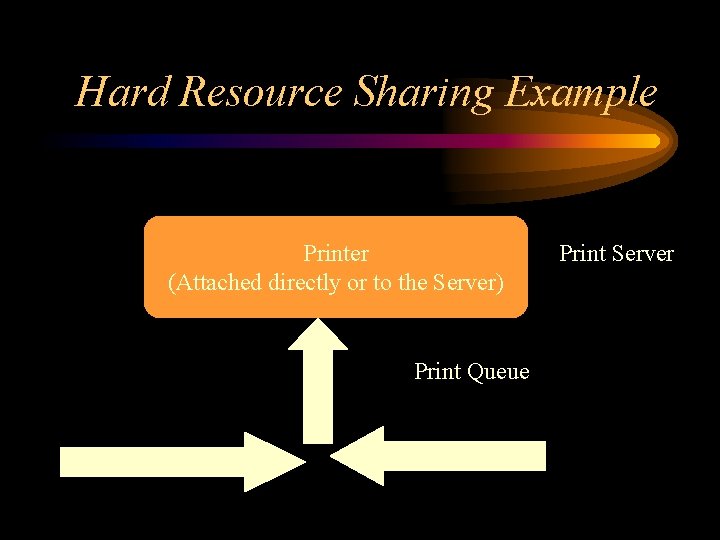
Hard Resource Sharing Example Printer (Attached directly or to the Server) Print Queue Print Jobs Print Server
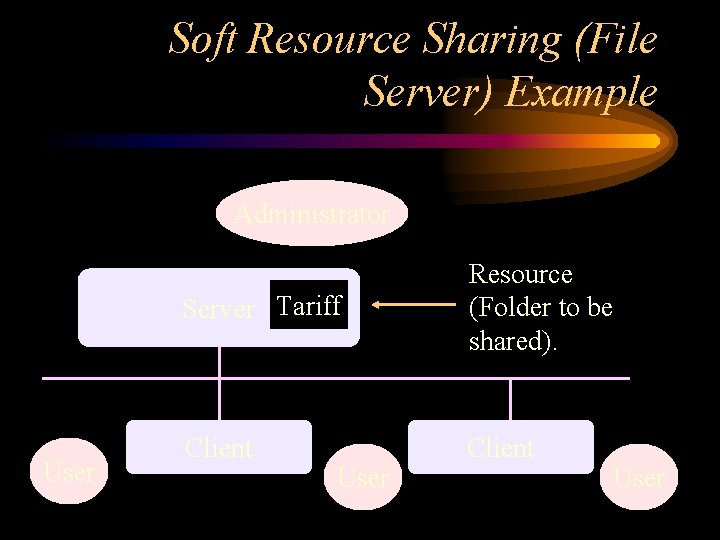
Soft Resource Sharing (File Server) Example Administrator User Server Tariff Resource (Folder to be shared). Client User
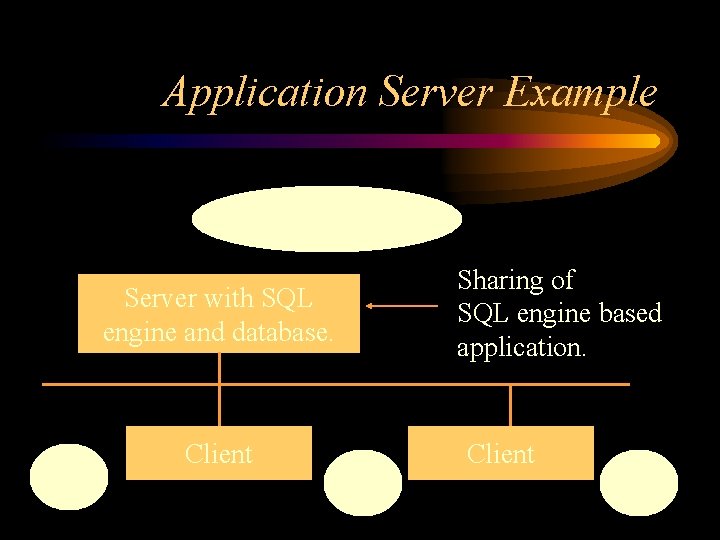
Application Server Example Database Administrator Sharing of SQL engine based application. Server with SQL engine and database. User Client User
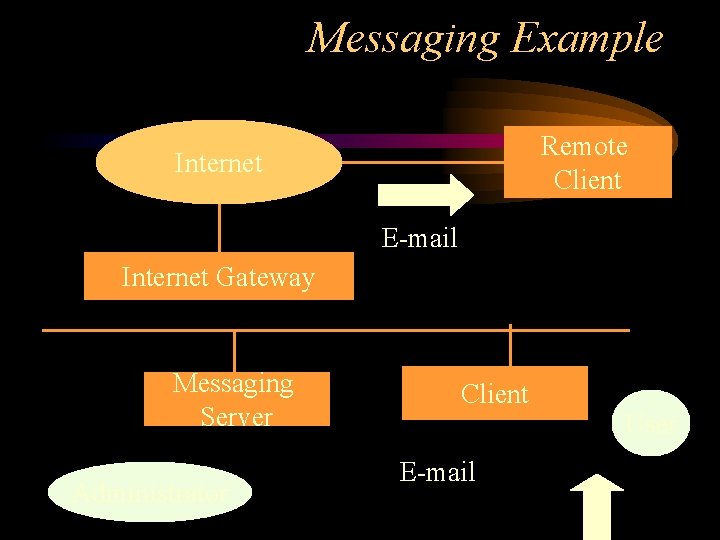
Messaging Example Remote Client Internet E-mail Internet Gateway Messaging Server Administrator Client E-mail User
Personnel – Administrators • Administrator, account operator, server backup operators etc. – Users • Local user, power user, global user etc.
Network Administrator's Responsibilities • Install, manage and fine-tune the network resources • Create and manage users • Assign privileges to users to use the resources – Sharing resources – Accessing network applications • Ensure LAN security
Users • • • Global users Local users Group of users Power users Users with administrative privileges
Earlier Windows Servers • Windows NT – Windows NT Workstation, Windows NT Server, Windows NT Enterprise Server • Windows 2000 – Windows 2000 Professional – Windows 2000 Server – Windows 2000 Advanced Server – Windows 2000 Data Center Server
Windows 2003 Server Versions • • Web Edition Standard Edition Enterprise Edition Datacenter Edition
Network (Services) Servers • • • DHCP (Services) Server DNS (Services) Server Proxy (Services) Sever WINs (Services) server RAS (Services) Server – Routing and Remote Access Server • VPN (Services) Server • Share Point services
Application Servers • SQL Server • Web (Service) Server • Media (Service) Server
Major Network Architectures • . Net • J 2 EE
Web Research Areas • Directly attached network peripherals – Network printer, Network stand-alone hard drives (Snap) – Network appliance and a web appliance • Variations of the Windows Server 2003 operating system • What is the. Net architecture ?
Key Words • Hard and soft resources • Client operating systems – Windows 9 x, Windows NT, Windows 2000 Professional, Windows XP, Linux, OS/2, Mac OS X • Server operating systems – Windows NT Server, Windows 2000 Server, Windows 2003, Novell Net. Ware, Unix, Linux, OS/2 Warp
Further Keywords • Sharing of printers – local printer – shared printer – network printer • Symmetric Multi Processing (SMP) • Clustering – Load balancing
END OF MODULE
END OF CHAPTER