
Chapter Five Advanced File Processing Lesson A Selecting
- Slides: 43
Chapter Five Advanced File Processing
Lesson A Selecting, Manipulating, and Formatting Information 2
Objectives Use the pipe operator to redirect the output of one command to another command Use the grep command to search for a specified pattern in a file Use the uniq command to remove duplicate lines from a file 3
Objectives Use the comm and diff commands to compare two files Use the wc command to count words, characters and lines in a file Use the manipulate and format commands: sed, tr, and pr 4
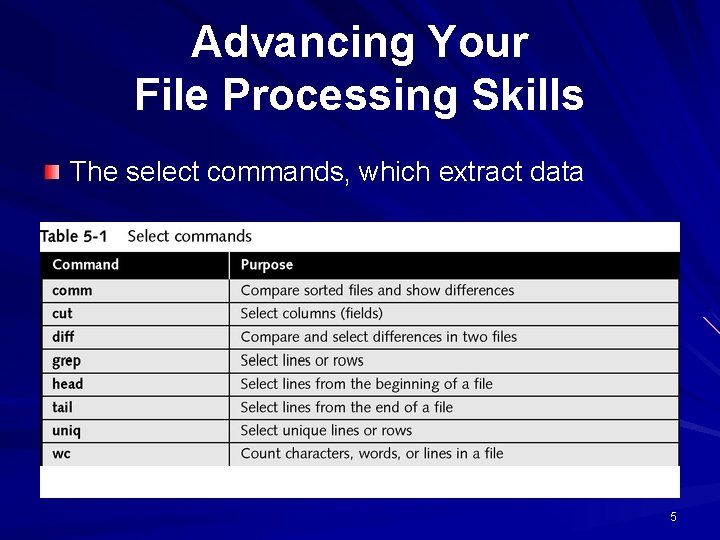
Advancing Your File Processing Skills The select commands, which extract data 5
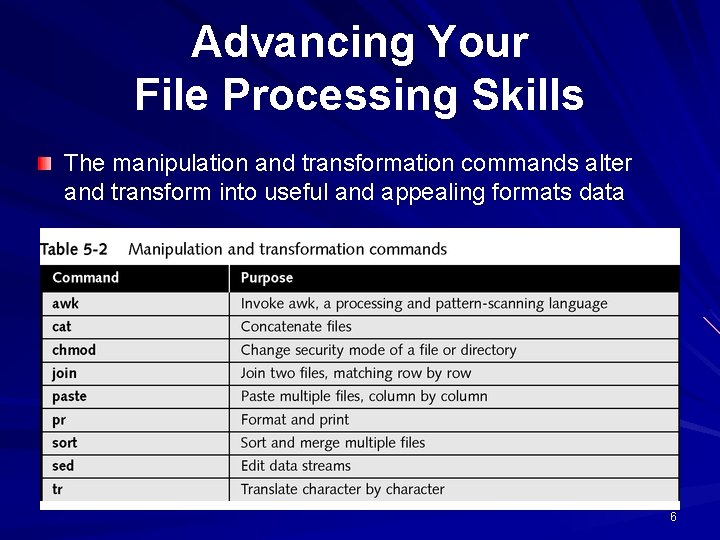
Advancing Your File Processing Skills The manipulation and transformation commands alter and transform into useful and appealing formats data 6
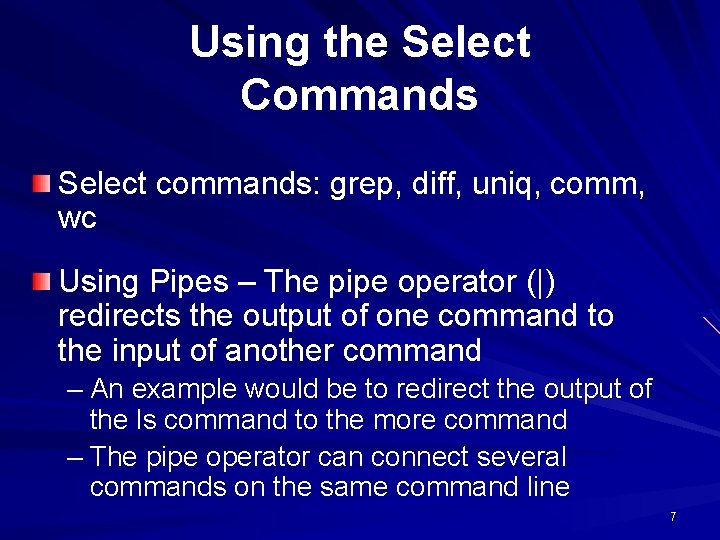
Using the Select Commands Select commands: grep, diff, uniq, comm, wc Using Pipes – The pipe operator (|) redirects the output of one command to the input of another command – An example would be to redirect the output of the ls command to the more command – The pipe operator can connect several commands on the same command line 7
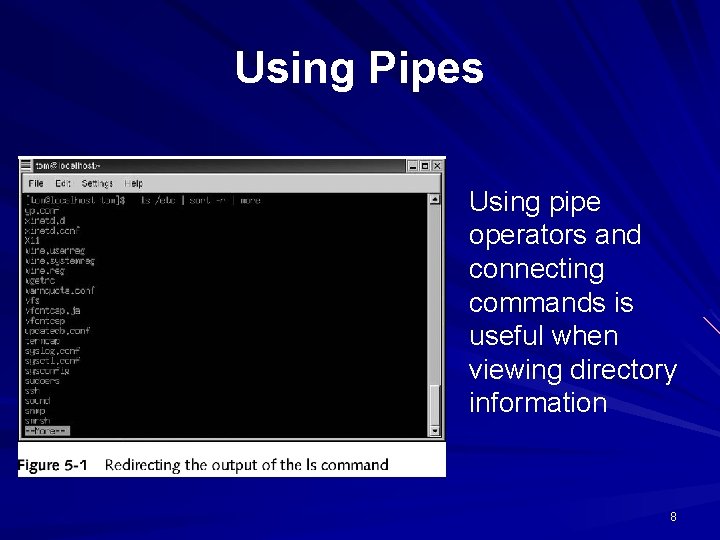
Using Pipes Using pipe operators and connecting commands is useful when viewing directory information 8
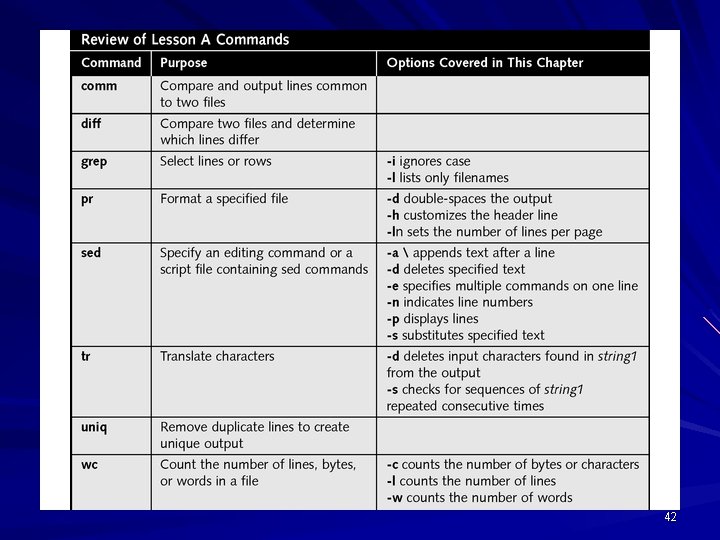
Using the grep Command Used to search for a specific pattern in a file, such as a word or phrase grep’s options and wildcard support allow for powerful search operations You can increase grep’s usefulness by combining with other commands, such as head or tail 9
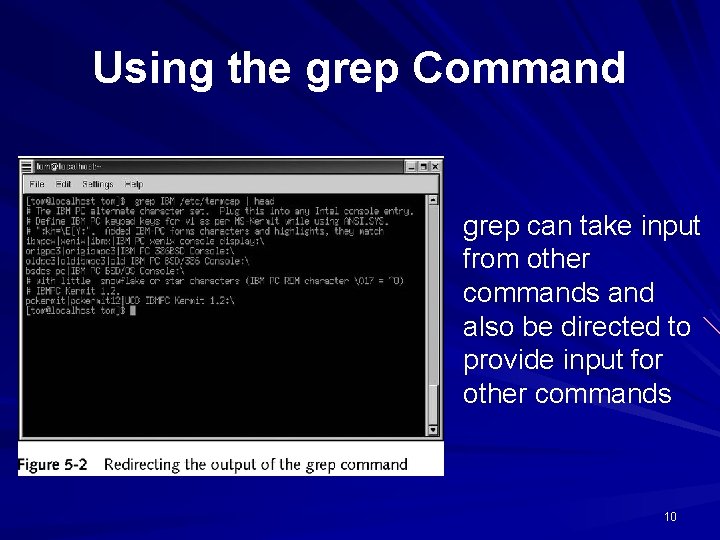
Using the grep Command grep can take input from other commands and also be directed to provide input for other commands 10
Using the uniq Command Removes duplicate lines from a file It compares only consecutive lines, therefore uniq requires sorted input Uniq has an option that allows you to generate output that contains a copy of each line that has a duplicate 11
Using the comm Command Used to identify duplicate lines in sorted files Unlike uniq, it does not remove duplicates, and it works with two files rather than one It compares lines common to file 1 and file 2, and produces three column output – – – Column one contains lines found only in file 1 Column two contains lines found only in file 2 Column three contains lines found in both files 12
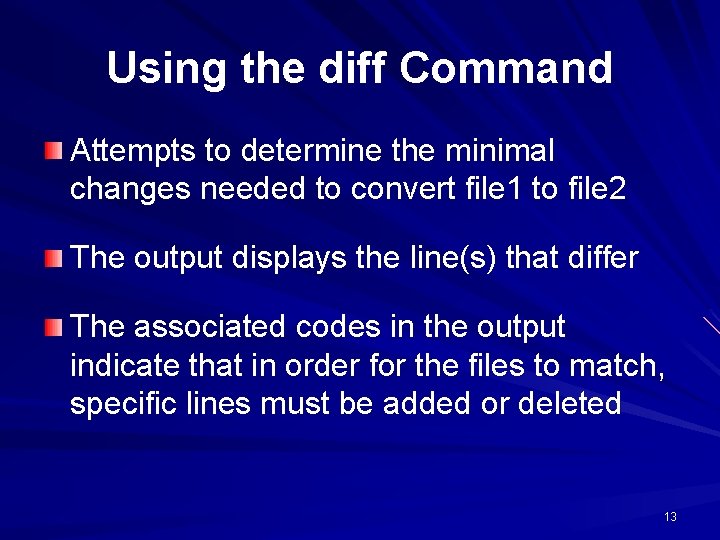
Using the diff Command Attempts to determine the minimal changes needed to convert file 1 to file 2 The output displays the line(s) that differ The associated codes in the output indicate that in order for the files to match, specific lines must be added or deleted 13
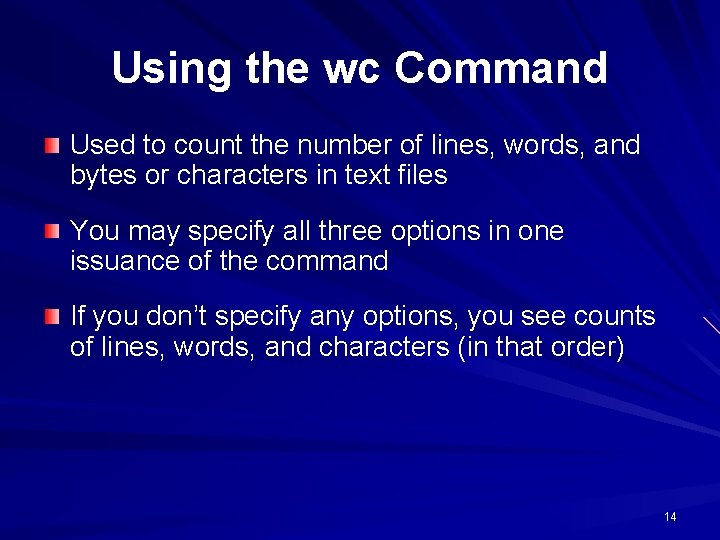
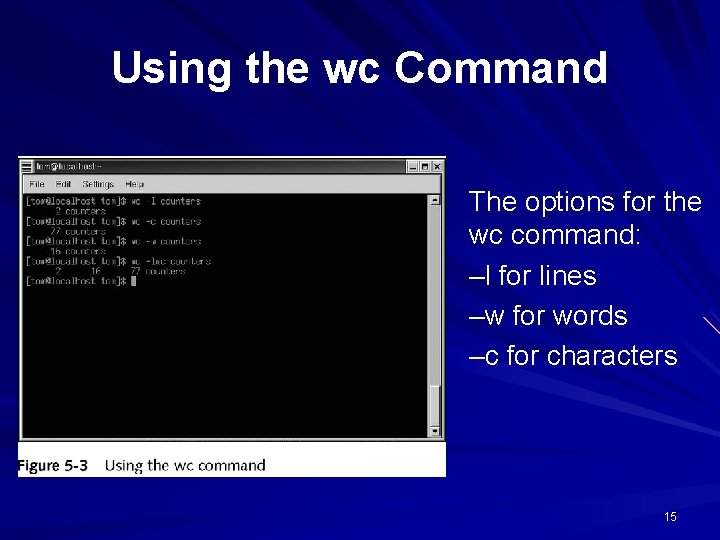
Using the wc Command Used to count the number of lines, words, and bytes or characters in text files You may specify all three options in one issuance of the command If you don’t specify any options, you see counts of lines, words, and characters (in that order) 14
Using the wc Command The options for the wc command: –l for lines –w for words –c for characters 15
Using the Manipulate and Format Commands These commands are: sed, tr, pr Used to edit and transform the appearance of data before it is displayed or printed 16
Introducing sed is a UNIX editor that allows you to make global changes to large files Minimum requirements are an input file and a command that lets sed know what actions to apply to the file sed commands have two general forms – Specify an editing command on the command line – Specify a script file containing sed commands 17
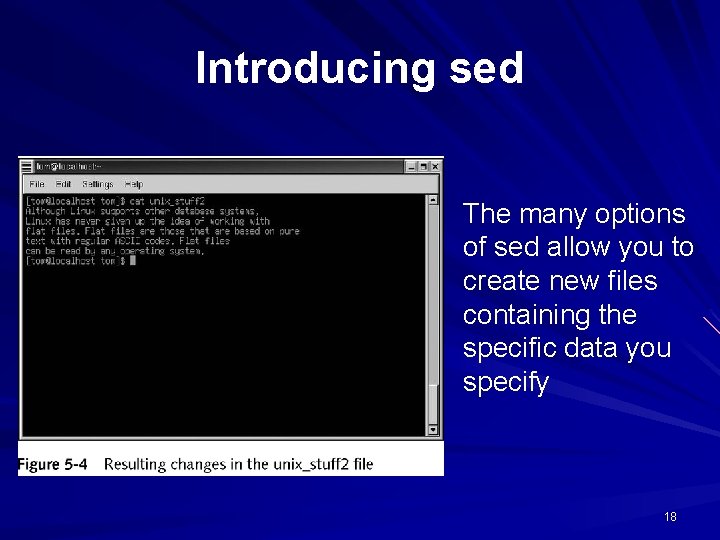
Introducing sed The many options of sed allow you to create new files containing the specific data you specify 18
Translating Characters Using the tr command tr copies data from the standard input to the standard output, substituting or deleting characters specified by options and patterns The patterns are strings and the strings are sets of characters A popular use of tr is converting lowercase characters to uppercase 19
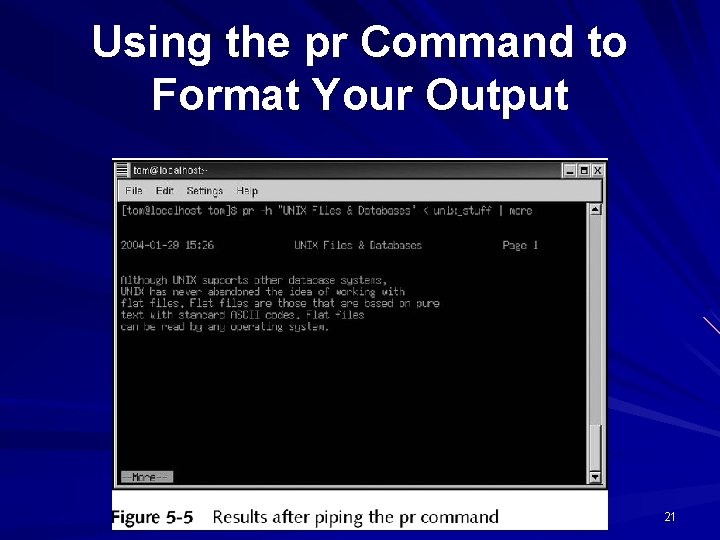
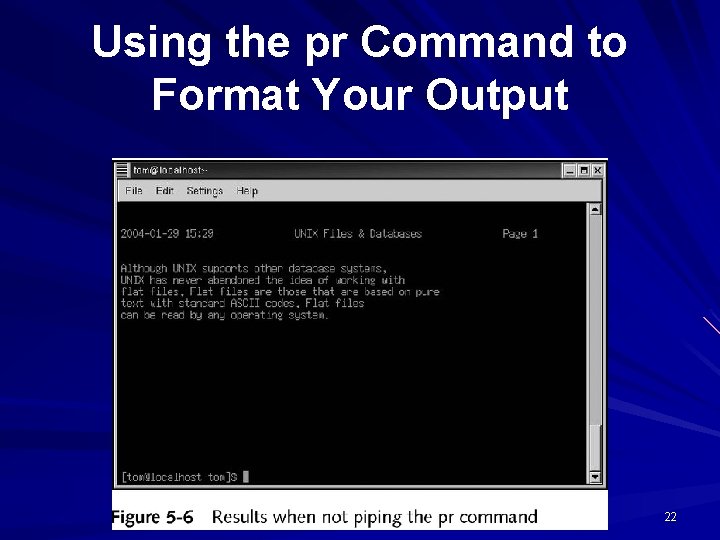
Using the pr Command to Format Your Output pr prints specified files on the standard output in paginated form By default, pr formats the specified files into single-column pages of 66 lines Each page has a five-line header, its latest modification date, current page, and fiveline trailer consisting of blank lines 20
Using the pr Command to Format Your Output 21
Using the pr Command to Format Your Output 22
Lesson B Using UNIX File-Processing Tools to Create an Application 23
Objectives Design a new file-processing application Design and create files to implement the application Use awk to generate formatted output 24
Objectives Use cut, sort, and join to organize and transform selected file information Develop customized shell scripts to extract and combine file data Test individual shell scripts and combine all scripts into a final shell program 25
Designing a New File. Processing Application The most important phase in developing a new application is the design The design defines the information an applications needs to produce The design also defines how to organize this information into files, records, and fields, which are called logical structures 26
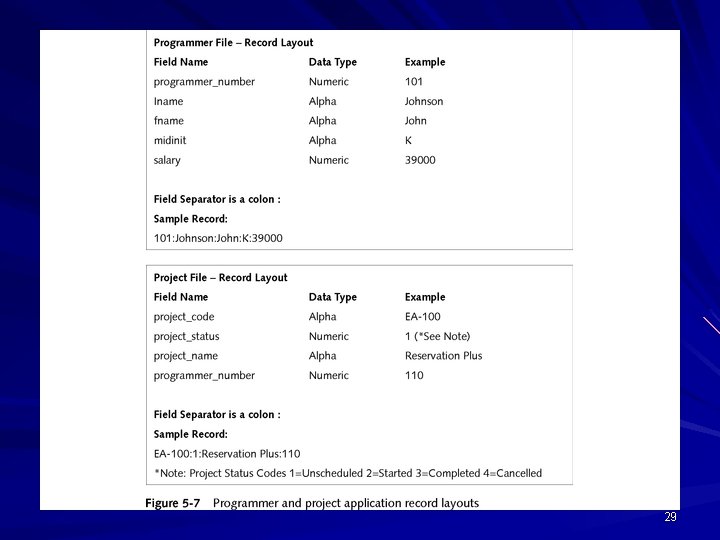
Designing Records The first task is to define the fields in the records and produce a record layout A record layout identifies each field by name and data type (numeric or nonnumeric) Design the file record to store only those fields relevant to the record’s primary purpose 27
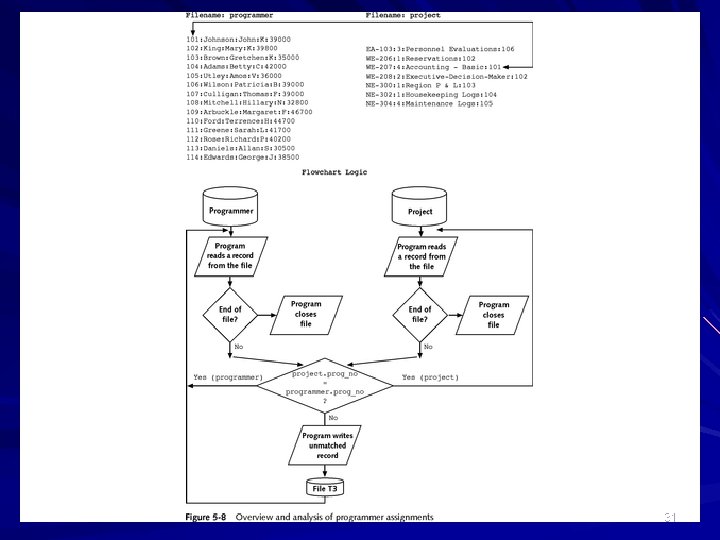
Linking Files with Keys Multiple files are joined by a key – a common field that each of the linked files share Another important task in the design phase is to plan a way to join the files The flexibility to gather information from multiple files comprised of simple, short records is the essence of a relational database system. UNIX provides several commands providing this flexibility 28
29
Creating the Programmer and Project Files With the basic design complete, you now implement your application design UNIX file processing predominantly uses flat files. Working with these files is easy, because you can create and manipulate them with text editors like vi and Emacs 30
31
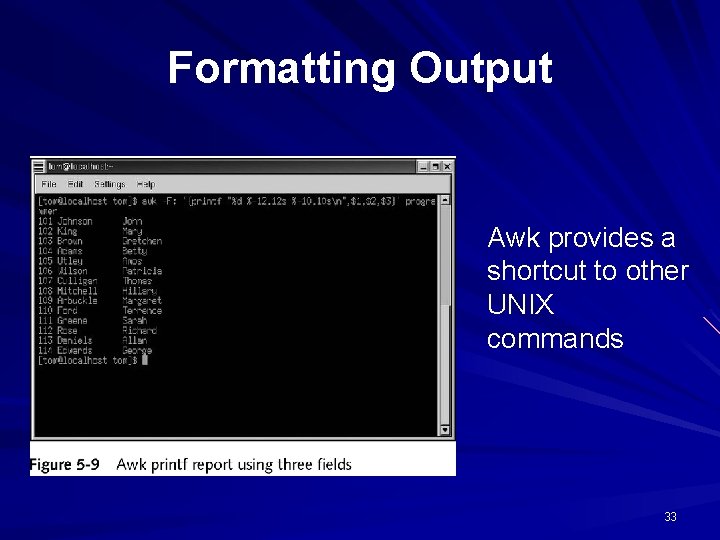
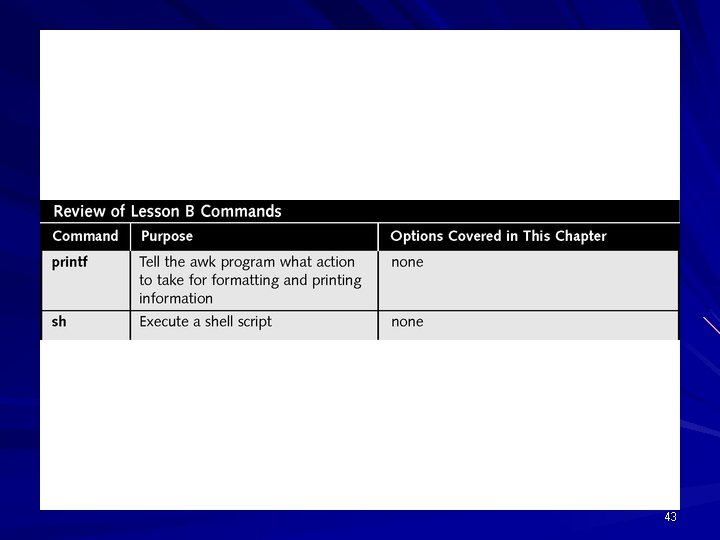
Formatting Output The awk command is used to prepare formatted output For the purposes of developing a new fileprocessing application, we will focus primarily on the printf action of the awk command 32
Formatting Output Awk provides a shortcut to other UNIX commands 33
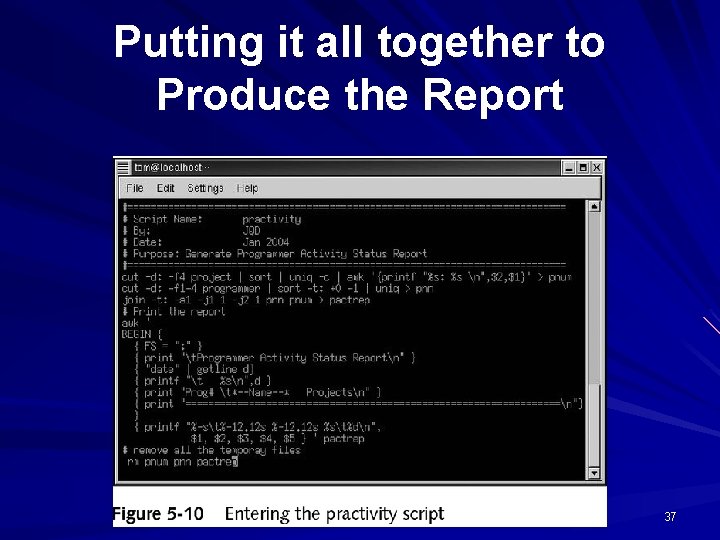
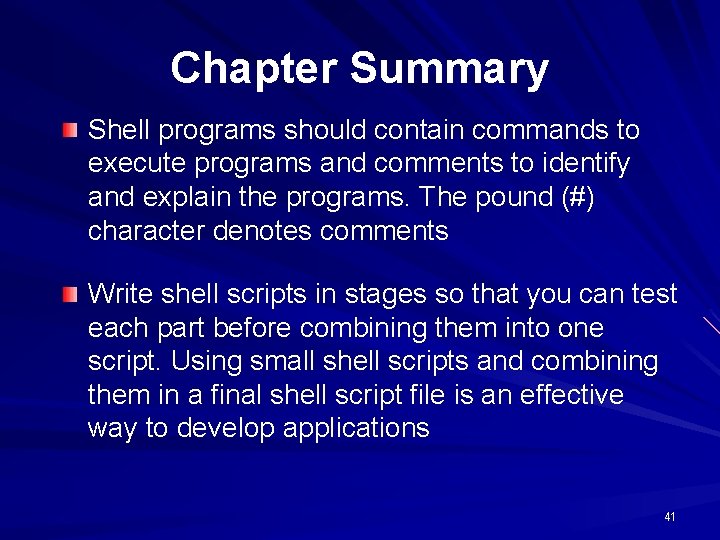
Using a Shell Script to Implement the Application Shell scripts should contain: – The commands to execute – Comments to identify and explain the script so that users or programmers other than the author can understand how it works Use the pound (#) character to mark comments in a script file 34
Running a Shell Script You can run a shell script in virtually any shell that you have on your system The Bash shell accepts more variations in command structures that other shells Run the script by typing sh followed by the name of the script, or make the script executable and type. / prior to the script name 35
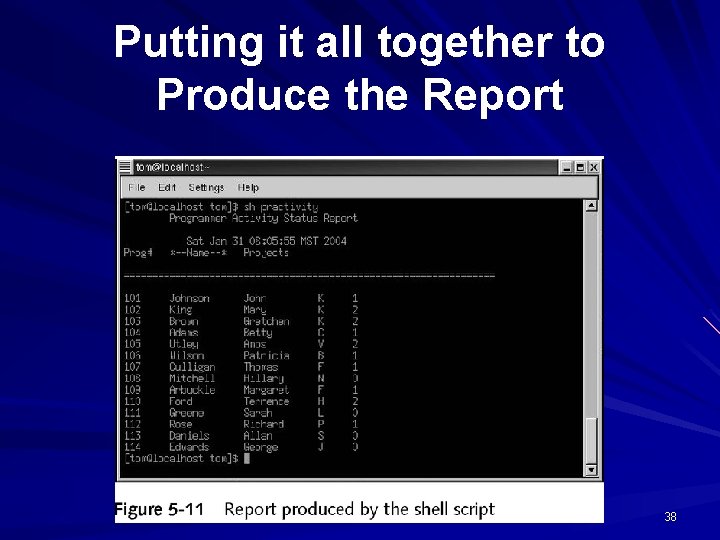
Putting it all together to Produce the Report An effective way to develop applications is to combine many small scripts in a larger script file Have the last script added to the larger script print a report indicating script functions and results 36
Putting it all together to Produce the Report 37
Putting it all together to Produce the Report 38
Chapter Summary The UNIX file-processing commands can be organized into two categories: (1) select and (2) manipulation and transformation The uniq command removes duplicate lines from a sorted file The command compares lines common to file 1 and file 2, and produces output that shows the variances between the two The diff command attempts to determine the minimal set of changes needed to convert file 1 into file 2 39
Chapter Summary The tr command copies data read from the standard input to the standard output, substituting or deleting characters specified The se command is a file editor designed to make global changes to large files The pr command prints the standard output in pages The design of a file-processing application reflects what the application needs to produce Use record layout to identify each field by name and data type 40
Chapter Summary Shell programs should contain commands to execute programs and comments to identify and explain the programs. The pound (#) character denotes comments Write shell scripts in stages so that you can test each part before combining them into one script. Using small shell scripts and combining them in a final shell script file is an effective way to develop applications 41
42
43