
Chapter 9 Strings and Text IO Liang Introduction

![Retrieving Individual Characters in a String Do not use message[0] Use message. char. At(index)](https://slidetodoc.com/presentation_image_h/2796af5ce0e48280d13a71d806a45915/image-19.jpg "Retrieving Individual Characters in a String Do not use message[0] Use message. char. At(index)")
![Splitting a String[] tokens = "Java#HTML#Perl". split("#", 0); for (int i = 0; i](https://slidetodoc.com/presentation_image_h/2796af5ce0e48280d13a71d806a45915/image-25.jpg "Splitting a String[] tokens = \"Java#HTML#Perl\". split(\"#\", 0); for (int i = 0; i")
![Command-Line Parameters class Test. Main { public static void main(String[] args) {. . .](https://slidetodoc.com/presentation_image_h/2796af5ce0e48280d13a71d806a45915/image-34.jpg "Command-Line Parameters class Test. Main { public static void main(String[] args) {. . .")
![Processing Command-Line Parameters In the main method, get the arguments from args[0], args[1], .](https://slidetodoc.com/presentation_image_h/2796af5ce0e48280d13a71d806a45915/image-35.jpg "Processing Command-Line Parameters In the main method, get the arguments from args[0], args[1], .")
![public class Calculator { /** Main method */ public static void main(String[] args) {](https://slidetodoc.com/presentation_image_h/2796af5ce0e48280d13a71d806a45915/image-37.jpg "public class Calculator { /** Main method */ public static void main(String[] args) {")
![public class Test. File. Class { public static void main(String[] args) { java. io.](https://slidetodoc.com/presentation_image_h/2796af5ce0e48280d13a71d806a45915/image-41.jpg "public class Test. File. Class { public static void main(String[] args) { java. io.")
![public class Write. Data { public static void main(String[] args) throws Exception { java.](https://slidetodoc.com/presentation_image_h/2796af5ce0e48280d13a71d806a45915/image-45.jpg "public class Write. Data { public static void main(String[] args) throws Exception { java.")
- Slides: 49
Chapter 9 Strings and Text I/O Liang, Introduction to Java Programming, Eighth Edition, (c) 2011 Pearson Education, Inc. All rights reserved. 0132130807 1
Motivations Often you encounter the problems that involve string processing and file input and output. Suppose you need to write a program to replace all occurrences of a word with a new word in a file. How do you solve this problem? This chapter introduces strings and text files, which will enable you to solve this problem. Liang, Introduction to Java Programming, Eighth Edition, (c) 2011 Pearson Education, Inc. All rights reserved. 0132130807 2
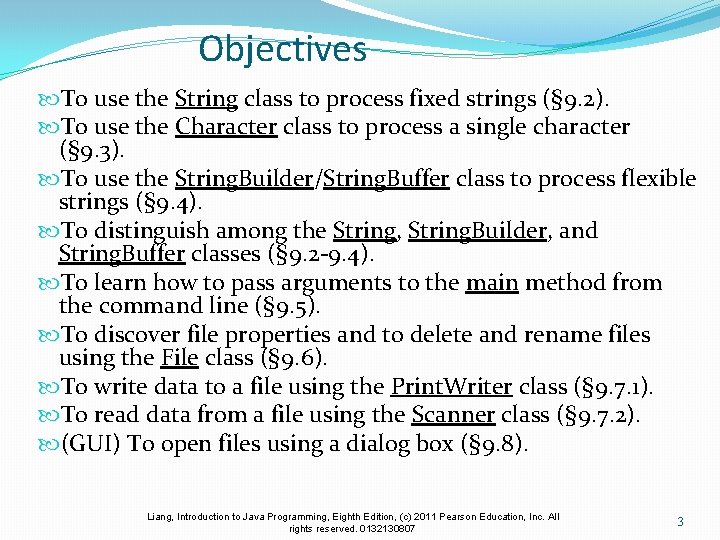
Objectives To use the String class to process fixed strings (§ 9. 2). To use the Character class to process a single character (§ 9. 3). To use the String. Builder/String. Buffer class to process flexible strings (§ 9. 4). To distinguish among the String, String. Builder, and String. Buffer classes (§ 9. 2 -9. 4). To learn how to pass arguments to the main method from the command line (§ 9. 5). To discover file properties and to delete and rename files using the File class (§ 9. 6). To write data to a file using the Print. Writer class (§ 9. 7. 1). To read data from a file using the Scanner class (§ 9. 7. 2). (GUI) To open files using a dialog box (§ 9. 8). Liang, Introduction to Java Programming, Eighth Edition, (c) 2011 Pearson Education, Inc. All rights reserved. 0132130807 3
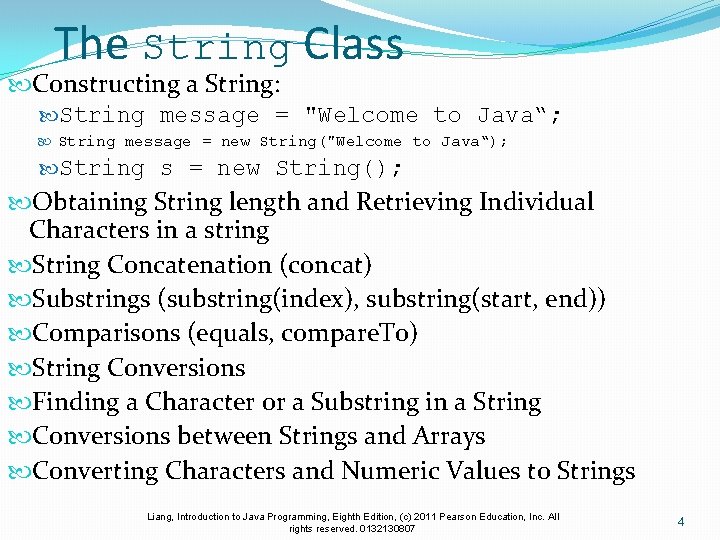
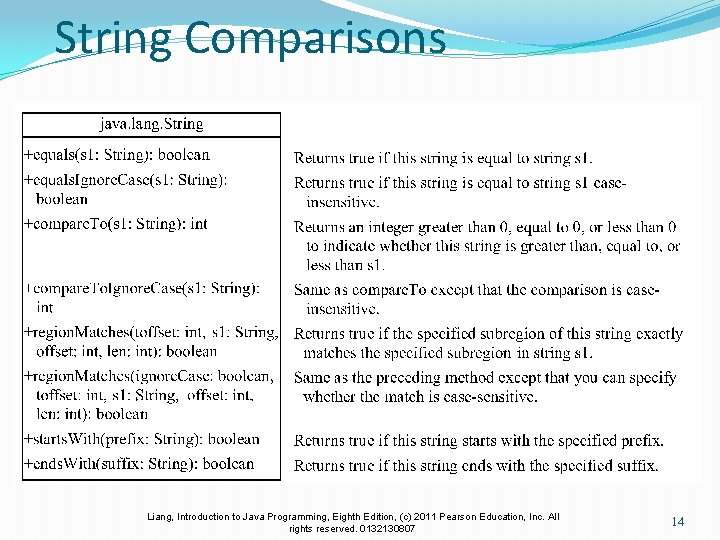
The String Class Constructing a String: String message = "Welcome to Java“; String message = new String("Welcome to Java“); String s = new String(); Obtaining String length and Retrieving Individual Characters in a string String Concatenation (concat) Substrings (substring(index), substring(start, end)) Comparisons (equals, compare. To) String Conversions Finding a Character or a Substring in a String Conversions between Strings and Arrays Converting Characters and Numeric Values to Strings Liang, Introduction to Java Programming, Eighth Edition, (c) 2011 Pearson Education, Inc. All rights reserved. 0132130807 4
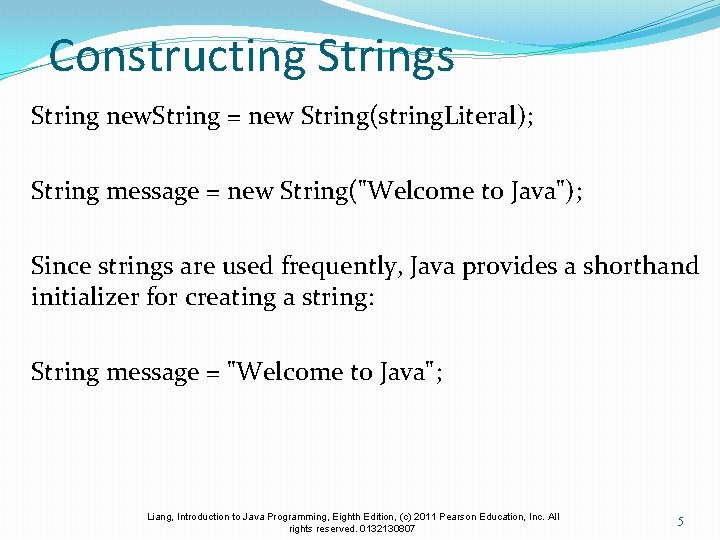
Constructing Strings String new. String = new String(string. Literal); String message = new String("Welcome to Java"); Since strings are used frequently, Java provides a shorthand initializer for creating a string: String message = "Welcome to Java"; Liang, Introduction to Java Programming, Eighth Edition, (c) 2011 Pearson Education, Inc. All rights reserved. 0132130807 5
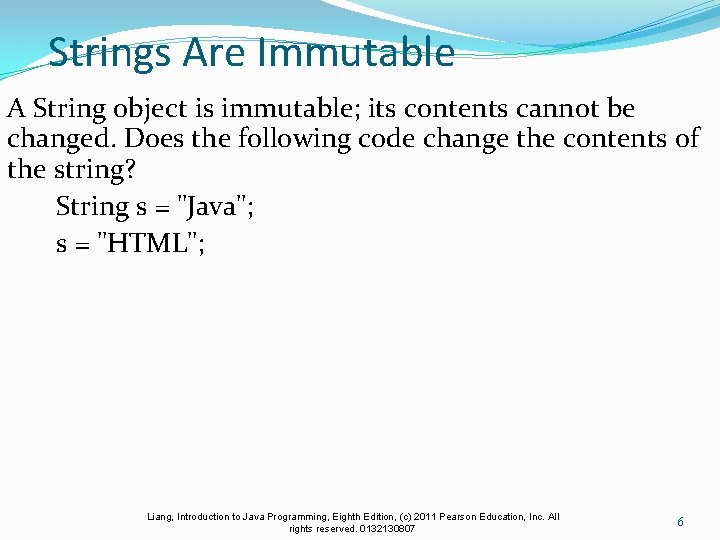
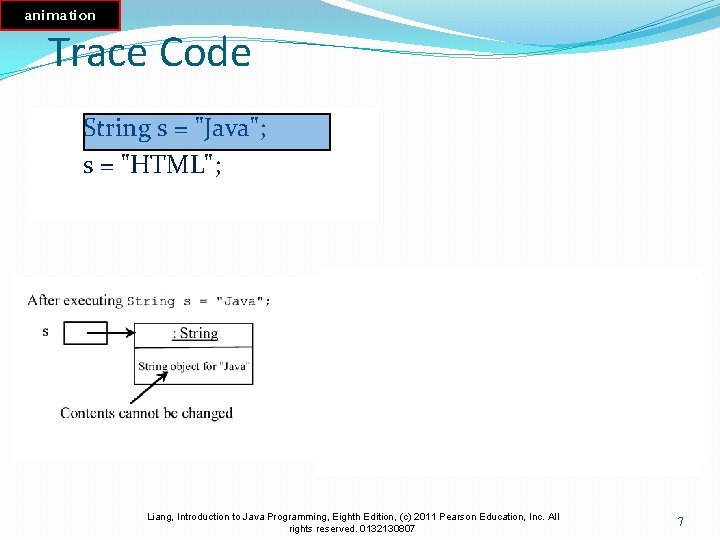
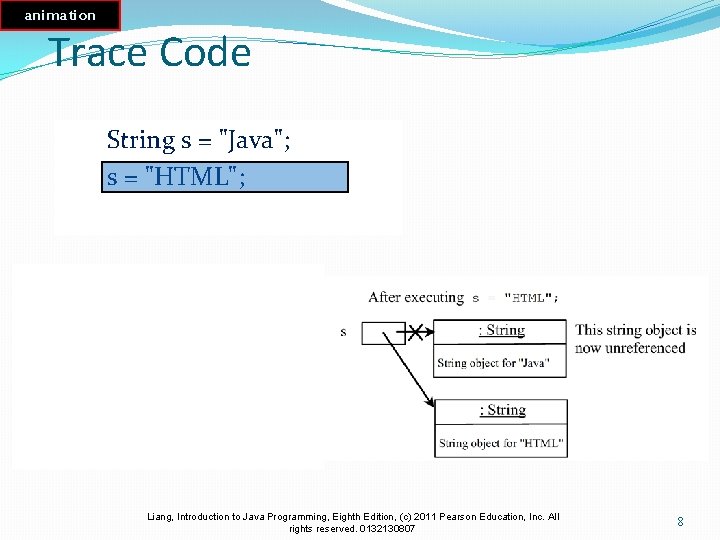
Strings Are Immutable A String object is immutable; its contents cannot be changed. Does the following code change the contents of the string? String s = "Java"; s = "HTML"; Liang, Introduction to Java Programming, Eighth Edition, (c) 2011 Pearson Education, Inc. All rights reserved. 0132130807 6
animation Trace Code String s = "Java"; s = "HTML"; Liang, Introduction to Java Programming, Eighth Edition, (c) 2011 Pearson Education, Inc. All rights reserved. 0132130807 7
animation Trace Code String s = "Java"; s = "HTML"; Liang, Introduction to Java Programming, Eighth Edition, (c) 2011 Pearson Education, Inc. All rights reserved. 0132130807 8
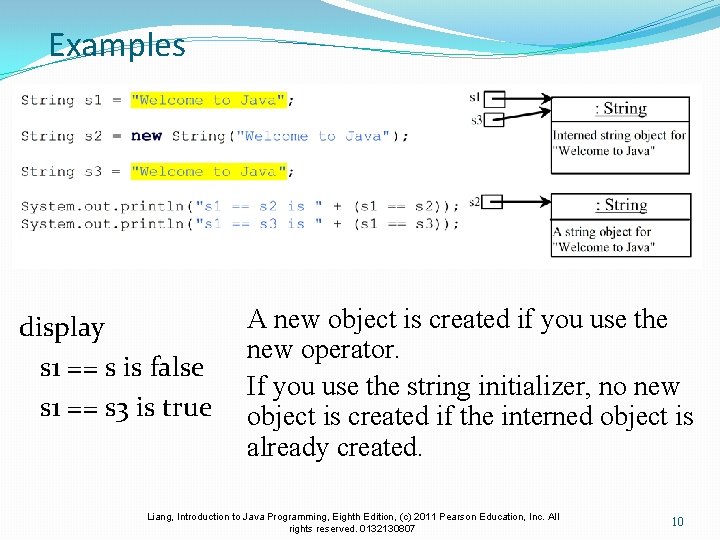
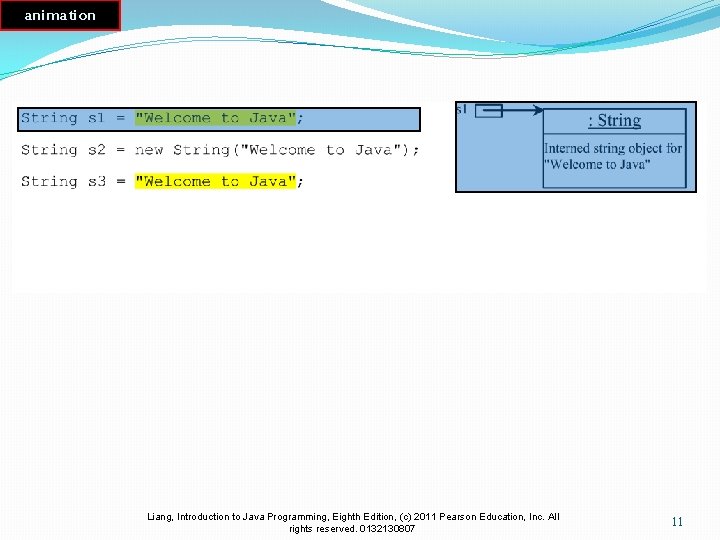
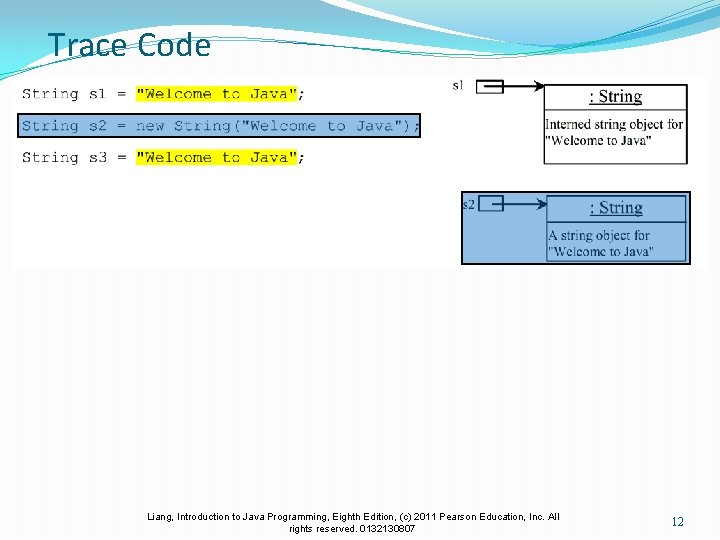
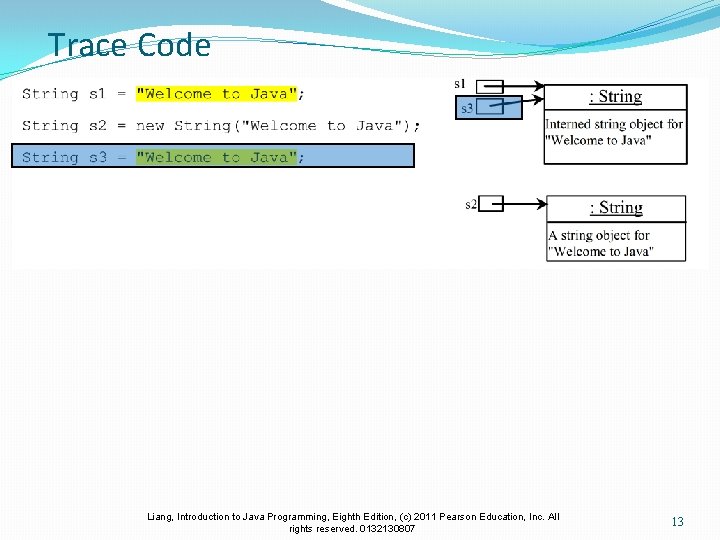
Interned Strings Since strings are immutable and are frequently used, to improve efficiency and save memory, the JVM uses a unique instance for string literals with the same character sequence. Such an instance is called interned. For example, the following statements: Liang, Introduction to Java Programming, Eighth Edition, (c) 2011 Pearson Education, Inc. All rights reserved. 0132130807 9
Examples display s 1 == s is false s 1 == s 3 is true A new object is created if you use the new operator. If you use the string initializer, no new object is created if the interned object is already created. Liang, Introduction to Java Programming, Eighth Edition, (c) 2011 Pearson Education, Inc. All rights reserved. 0132130807 10
animation Trace Code Liang, Introduction to Java Programming, Eighth Edition, (c) 2011 Pearson Education, Inc. All rights reserved. 0132130807 11
Trace Code Liang, Introduction to Java Programming, Eighth Edition, (c) 2011 Pearson Education, Inc. All rights reserved. 0132130807 12
Trace Code Liang, Introduction to Java Programming, Eighth Edition, (c) 2011 Pearson Education, Inc. All rights reserved. 0132130807 13
String Comparisons Liang, Introduction to Java Programming, Eighth Edition, (c) 2011 Pearson Education, Inc. All rights reserved. 0132130807 14
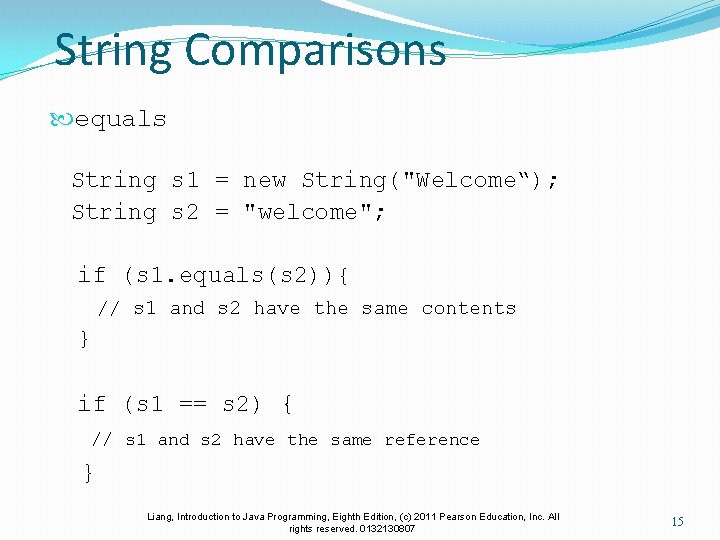
String Comparisons equals String s 1 = new String("Welcome“); String s 2 = "welcome"; if (s 1. equals(s 2)){ // s 1 and s 2 have the same contents } if (s 1 == s 2) { // s 1 and s 2 have the same reference } Liang, Introduction to Java Programming, Eighth Edition, (c) 2011 Pearson Education, Inc. All rights reserved. 0132130807 15
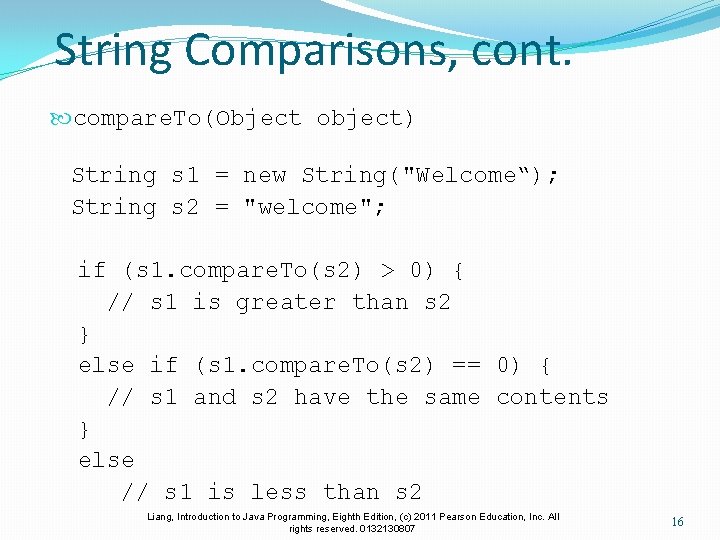
String Comparisons, cont. compare. To(Object object) String s 1 = new String("Welcome“); String s 2 = "welcome"; if (s 1. compare. To(s 2) > 0) { // s 1 is greater than s 2 } else if (s 1. compare. To(s 2) == 0) { // s 1 and s 2 have the same contents } else // s 1 is less than s 2 Liang, Introduction to Java Programming, Eighth Edition, (c) 2011 Pearson Education, Inc. All rights reserved. 0132130807 16
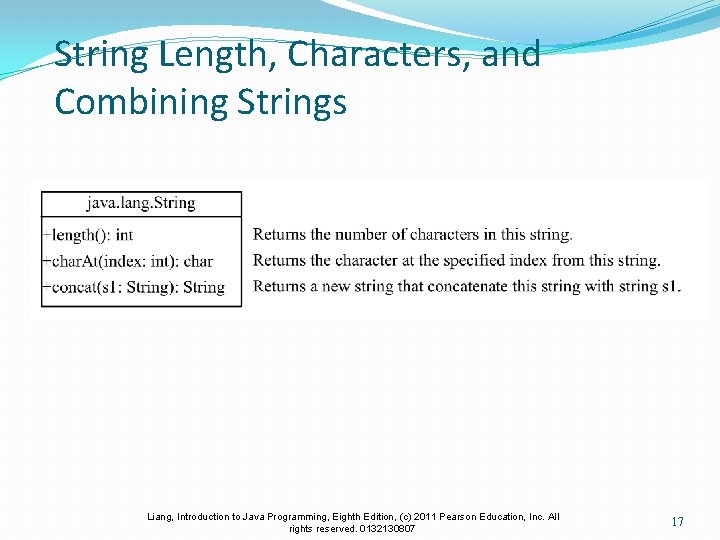
String Length, Characters, and Combining Strings Liang, Introduction to Java Programming, Eighth Edition, (c) 2011 Pearson Education, Inc. All rights reserved. 0132130807 17
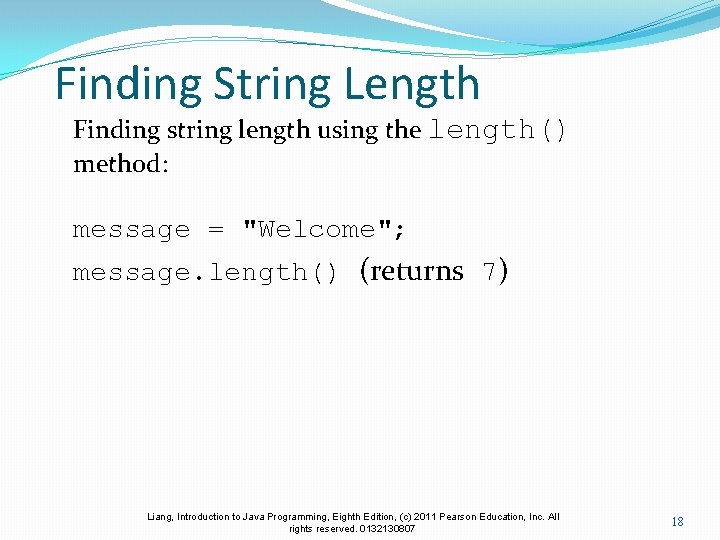
Finding String Length Finding string length using the length() method: message = "Welcome"; message. length() (returns 7) Liang, Introduction to Java Programming, Eighth Edition, (c) 2011 Pearson Education, Inc. All rights reserved. 0132130807 18
Retrieving Individual Characters in a String Do not use message[0] Use message. char. At(index) Index starts from 0 Liang, Introduction to Java Programming, Eighth Edition, (c) 2011 Pearson Education, Inc. All rights reserved. 0132130807 19
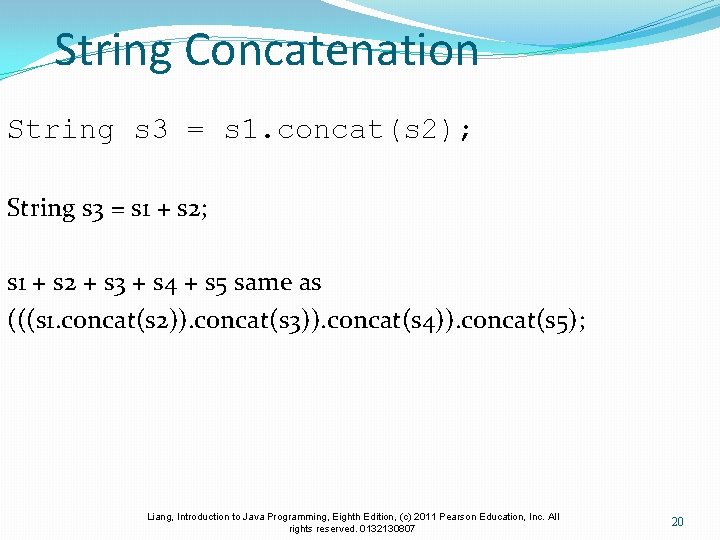
String Concatenation String s 3 = s 1. concat(s 2); String s 3 = s 1 + s 2; s 1 + s 2 + s 3 + s 4 + s 5 same as (((s 1. concat(s 2)). concat(s 3)). concat(s 4)). concat(s 5); Liang, Introduction to Java Programming, Eighth Edition, (c) 2011 Pearson Education, Inc. All rights reserved. 0132130807 20
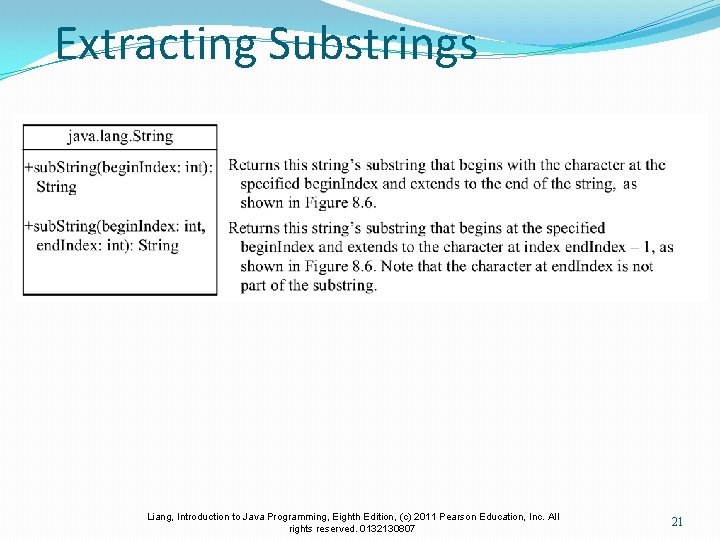
Extracting Substrings Liang, Introduction to Java Programming, Eighth Edition, (c) 2011 Pearson Education, Inc. All rights reserved. 0132130807 21
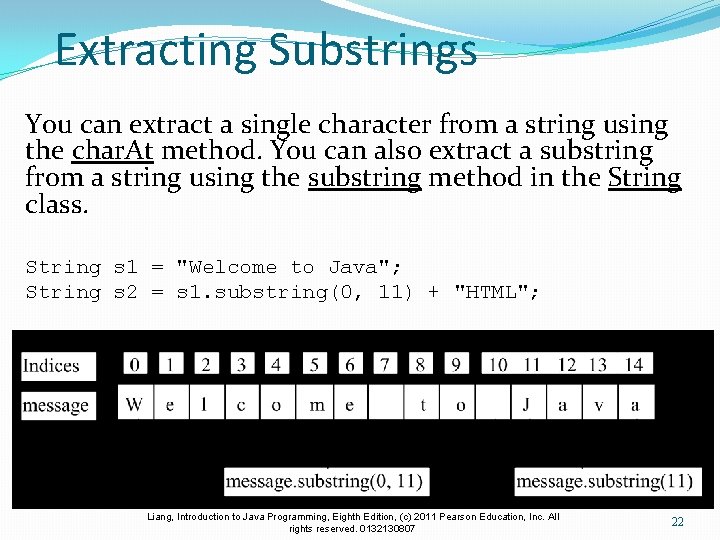
Extracting Substrings You can extract a single character from a string using the char. At method. You can also extract a substring from a string using the substring method in the String class. String s 1 = "Welcome to Java"; String s 2 = s 1. substring(0, 11) + "HTML"; Liang, Introduction to Java Programming, Eighth Edition, (c) 2011 Pearson Education, Inc. All rights reserved. 0132130807 22
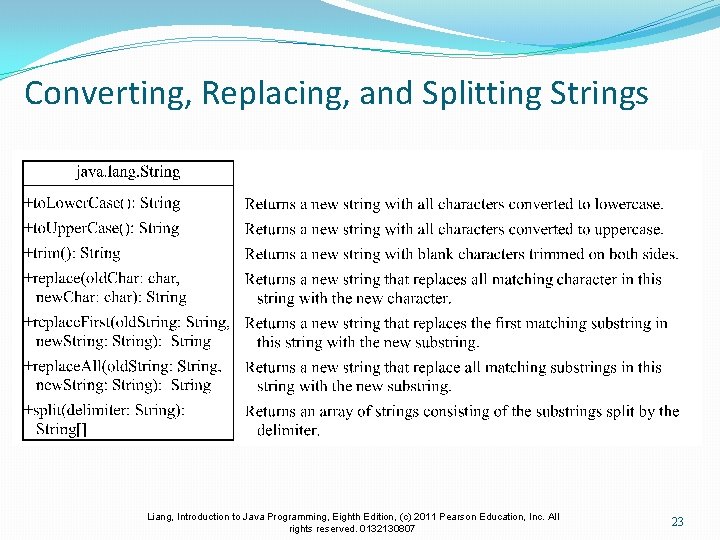
Converting, Replacing, and Splitting Strings Liang, Introduction to Java Programming, Eighth Edition, (c) 2011 Pearson Education, Inc. All rights reserved. 0132130807 23
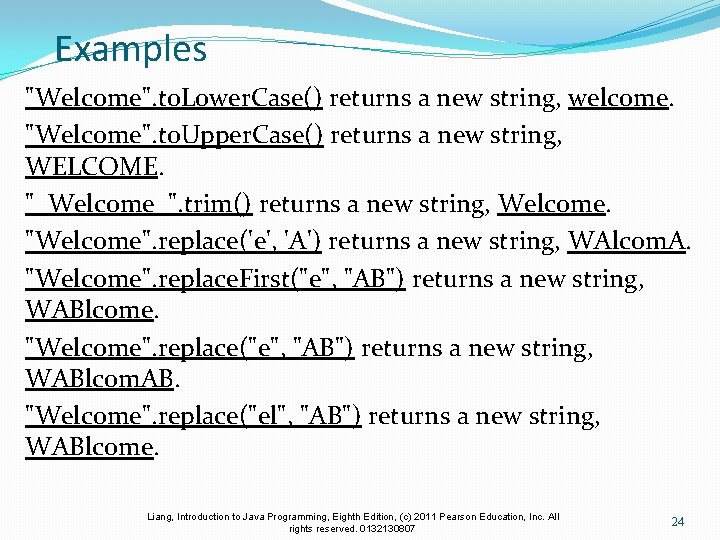
Examples "Welcome". to. Lower. Case() returns a new string, welcome. "Welcome". to. Upper. Case() returns a new string, WELCOME. " Welcome ". trim() returns a new string, Welcome. "Welcome". replace('e', 'A') returns a new string, WAlcom. A. "Welcome". replace. First("e", "AB") returns a new string, WABlcome. "Welcome". replace("e", "AB") returns a new string, WABlcom. AB. "Welcome". replace("el", "AB") returns a new string, WABlcome. Liang, Introduction to Java Programming, Eighth Edition, (c) 2011 Pearson Education, Inc. All rights reserved. 0132130807 24
Splitting a String[] tokens = "Java#HTML#Perl". split("#", 0); for (int i = 0; i < tokens. length; i++) System. out. print(tokens[i] + " "); displays Java HTML Perl Liang, Introduction to Java Programming, Eighth Edition, (c) 2011 Pearson Education, Inc. All rights reserved. 0132130807 25
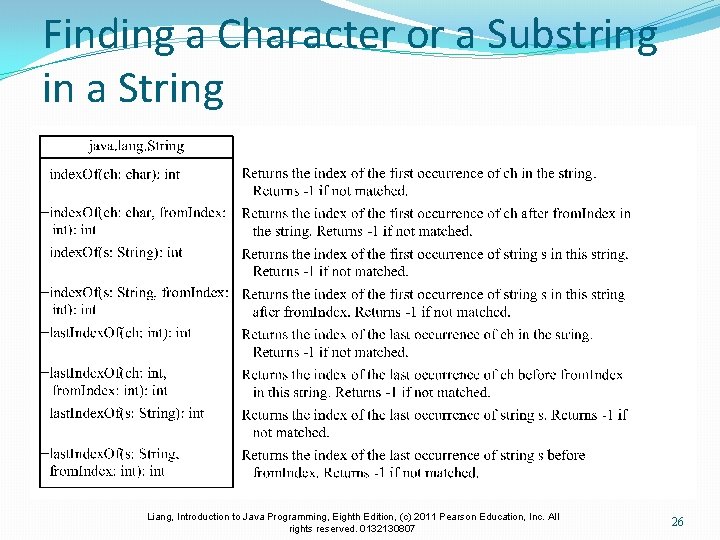
Finding a Character or a Substring in a String Liang, Introduction to Java Programming, Eighth Edition, (c) 2011 Pearson Education, Inc. All rights reserved. 0132130807 26
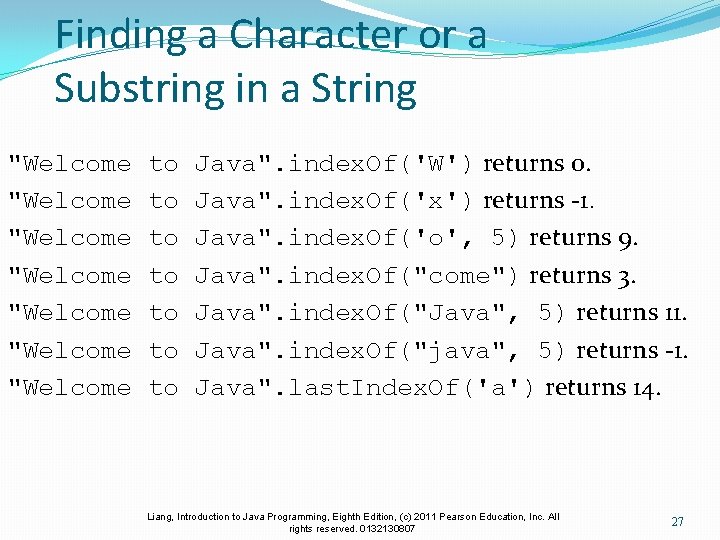
Finding a Character or a Substring in a String "Welcome "Welcome to to Java". index. Of('W') returns 0. Java". index. Of('x') returns -1. Java". index. Of('o', 5) returns 9. Java". index. Of("come") returns 3. Java". index. Of("Java", 5) returns 11. Java". index. Of("java", 5) returns -1. Java". last. Index. Of('a') returns 14. Liang, Introduction to Java Programming, Eighth Edition, (c) 2011 Pearson Education, Inc. All rights reserved. 0132130807 27
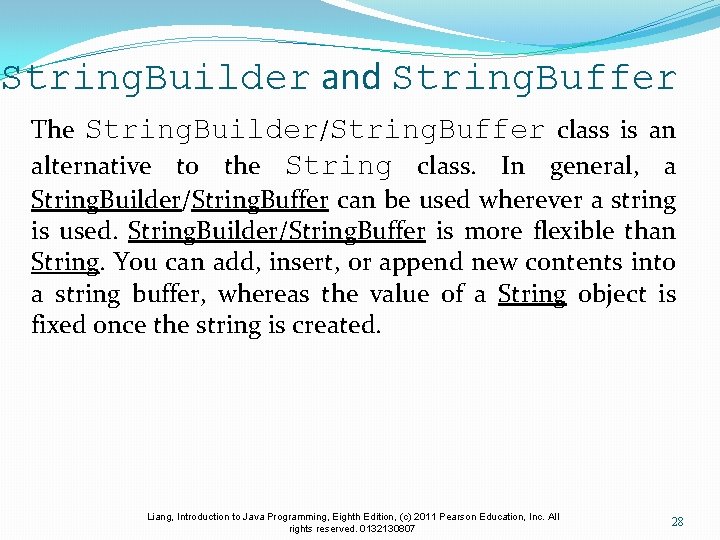
String. Builder and String. Buffer The String. Builder/String. Buffer class is an alternative to the String class. In general, a String. Builder/String. Buffer can be used wherever a string is used. String. Builder/String. Buffer is more flexible than String. You can add, insert, or append new contents into a string buffer, whereas the value of a String object is fixed once the string is created. Liang, Introduction to Java Programming, Eighth Edition, (c) 2011 Pearson Education, Inc. All rights reserved. 0132130807 28
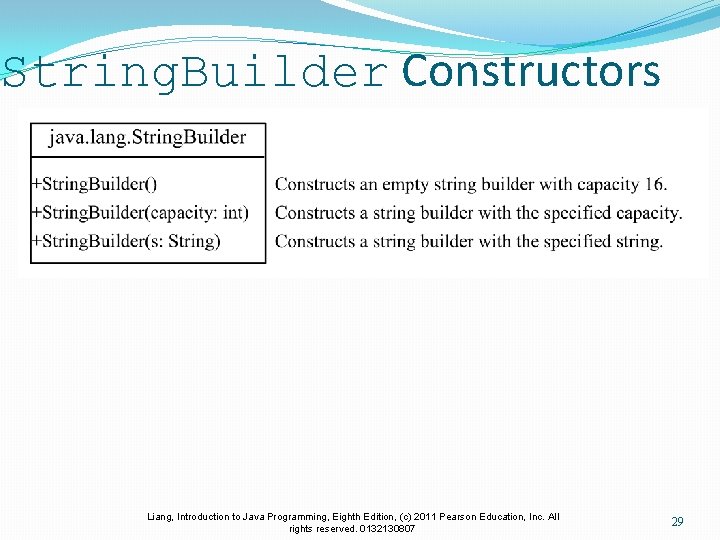
String. Builder Constructors Liang, Introduction to Java Programming, Eighth Edition, (c) 2011 Pearson Education, Inc. All rights reserved. 0132130807 29
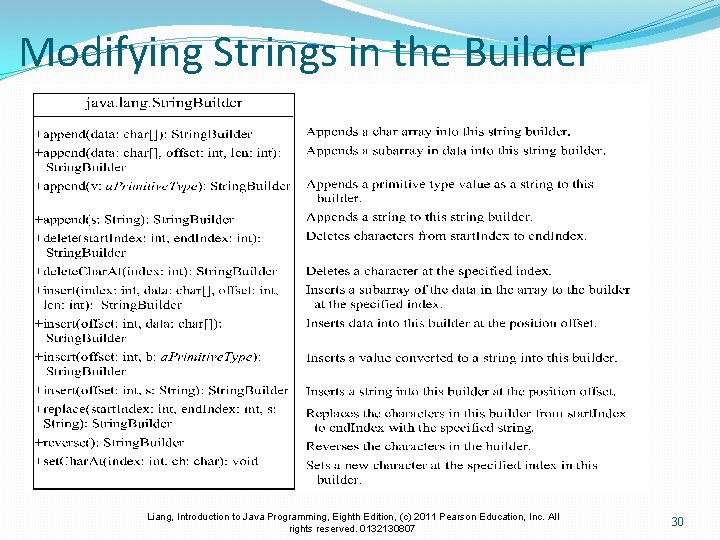
Modifying Strings in the Builder Liang, Introduction to Java Programming, Eighth Edition, (c) 2011 Pearson Education, Inc. All rights reserved. 0132130807 30
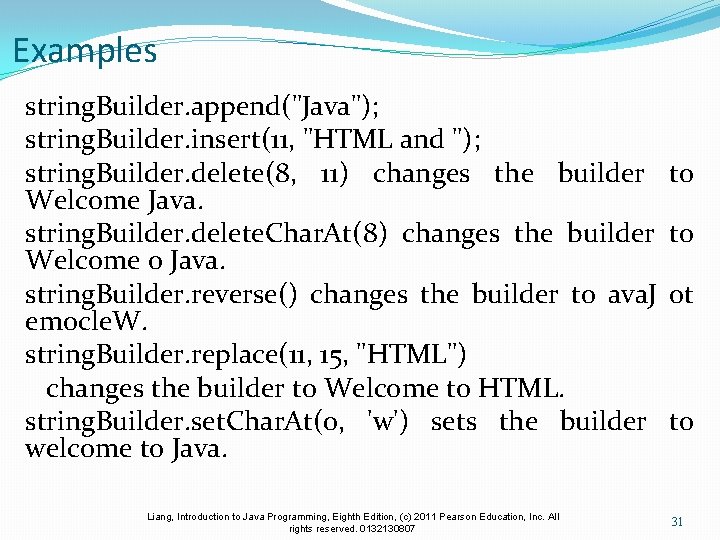
Examples string. Builder. append("Java"); string. Builder. insert(11, "HTML and "); string. Builder. delete(8, 11) changes the builder to Welcome Java. string. Builder. delete. Char. At(8) changes the builder to Welcome o Java. string. Builder. reverse() changes the builder to ava. J ot emocle. W. string. Builder. replace(11, 15, "HTML") changes the builder to Welcome to HTML. string. Builder. set. Char. At(0, 'w') sets the builder to welcome to Java. Liang, Introduction to Java Programming, Eighth Edition, (c) 2011 Pearson Education, Inc. All rights reserved. 0132130807 31
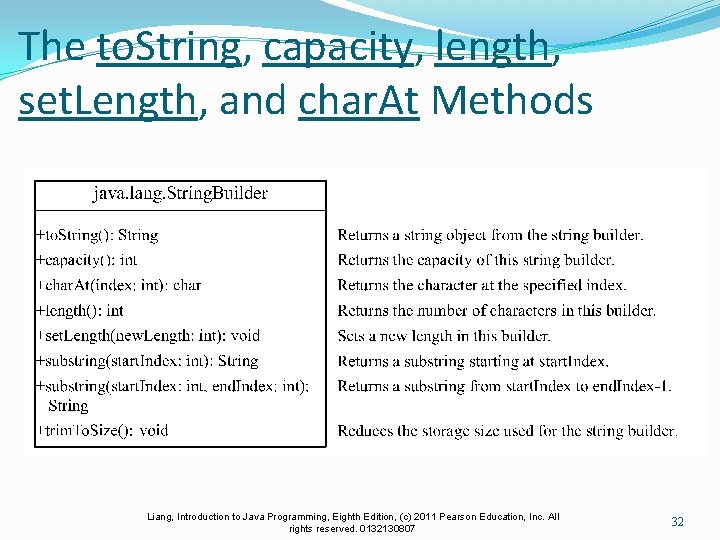
The to. String, capacity, length, set. Length, and char. At Methods Liang, Introduction to Java Programming, Eighth Edition, (c) 2011 Pearson Education, Inc. All rights reserved. 0132130807 32
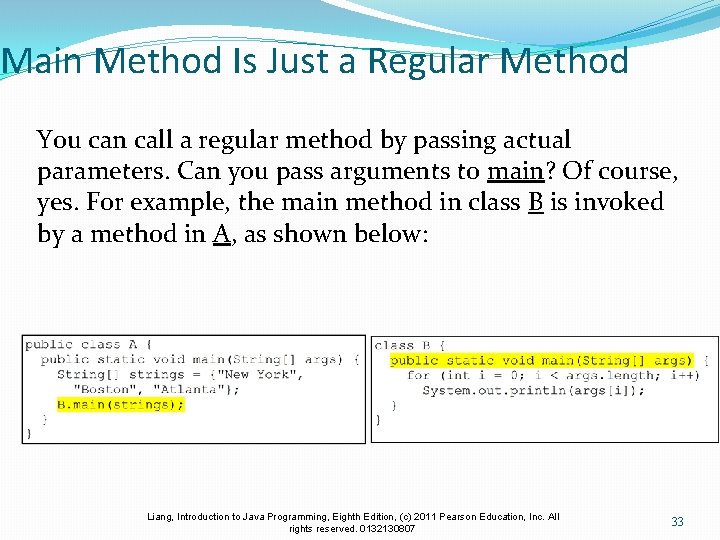
Main Method Is Just a Regular Method You can call a regular method by passing actual parameters. Can you pass arguments to main? Of course, yes. For example, the main method in class B is invoked by a method in A, as shown below: Liang, Introduction to Java Programming, Eighth Edition, (c) 2011 Pearson Education, Inc. All rights reserved. 0132130807 33
Command-Line Parameters class Test. Main { public static void main(String[] args) {. . . } } java Test. Main arg 0 arg 1 arg 2. . . argn Liang, Introduction to Java Programming, Eighth Edition, (c) 2011 Pearson Education, Inc. All rights reserved. 0132130807 34
Processing Command-Line Parameters In the main method, get the arguments from args[0], args[1], . . . , args[n], which corresponds to arg 0, arg 1, . . . , argn in the command line. Liang, Introduction to Java Programming, Eighth Edition, (c) 2011 Pearson Education, Inc. All rights reserved. 0132130807 35
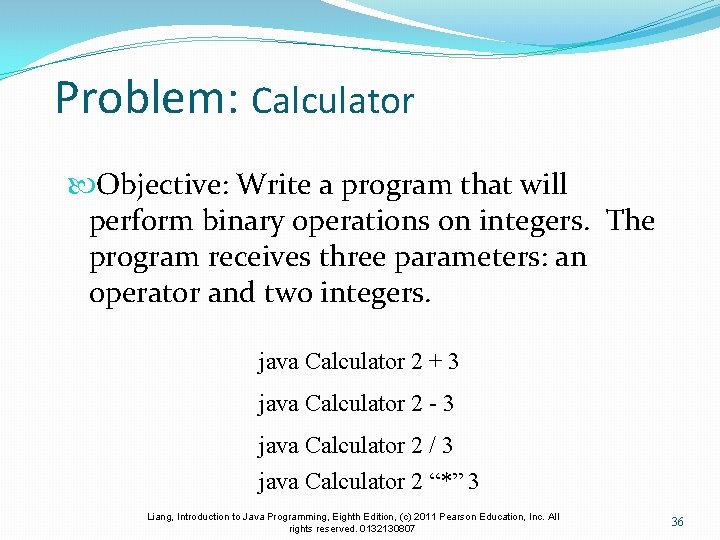
Problem: Calculator Objective: Write a program that will perform binary operations on integers. The program receives three parameters: an operator and two integers. java Calculator 2 + 3 java Calculator 2 - 3 java Calculator 2 / 3 java Calculator 2 “*” 3 Liang, Introduction to Java Programming, Eighth Edition, (c) 2011 Pearson Education, Inc. All rights reserved. 0132130807 36
public class Calculator { /** Main method */ public static void main(String[] args) { // Check number of strings passed if (args. length != 3) { System. out. println( "Usage: java Calculator operand 1 operator operand 2"); System. exit(0); } // The result of the operation int result = 0; // Determine the operator switch (args[1]. char. At(0)) { case '+': result = Integer. parse. Int(args[0]) + Integer. parse. Int(args[2]); break; case '-': result = Integer. parse. Int(args[0]) Integer. parse. Int(args[2]); break; case '*': result = Integer. parse. Int(args[0]) * Integer. parse. Int(args[2]); break; case '/': result = Integer. parse. Int(args[0]) / Integer. parse. I nt(args[2]); } // Display result System. out. println(args[0] + ' ' + args[1] + ' ' + args[2] + " = " + result); } } Liang, Introduction to Java Programming, Eighth Edition, (c) 2011 Pearson Education, Inc. All rights reserved. 0132130807 37
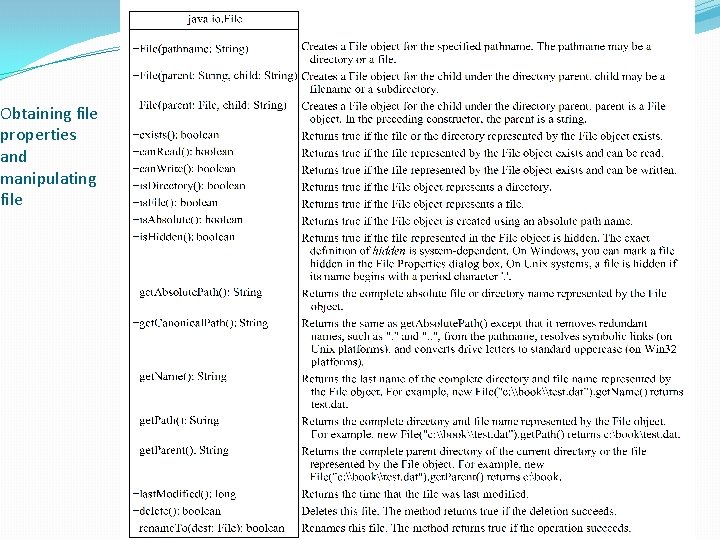
The File Class The File class is intended to provide an abstraction that deals with most of the machine-dependent complexities of files and path names in a machine-independent fashion. The filename is a string. The File class is a wrapper class for the file name and its directory path. Liang, Introduction to Java Programming, Eighth Edition, (c) 2011 Pearson Education, Inc. All rights reserved. 0132130807 38
Obtaining file properties and manipulating file Liang, Introduction to Java Programming, Eighth Edition, (c) 2011 Pearson Education, Inc. All rights reserved. 0132130807 39
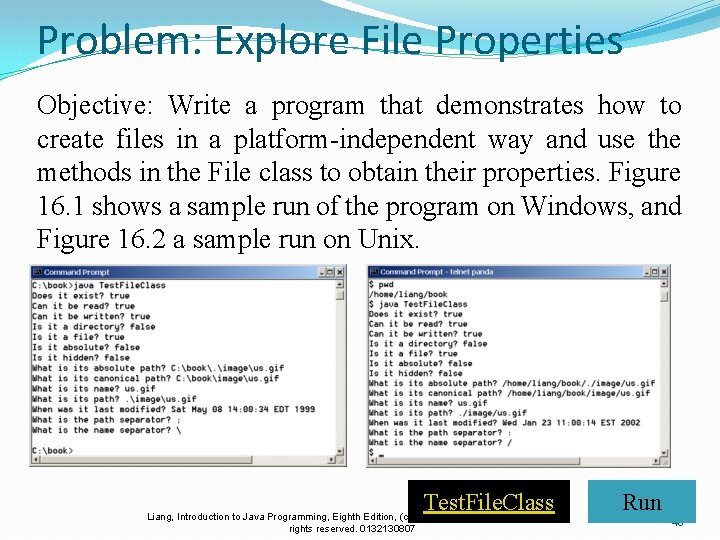
Problem: Explore File Properties Objective: Write a program that demonstrates how to create files in a platform-independent way and use the methods in the File class to obtain their properties. Figure 16. 1 shows a sample run of the program on Windows, and Figure 16. 2 a sample run on Unix. Test. File. Class Liang, Introduction to Java Programming, Eighth Edition, (c) 2011 Pearson Education, Inc. All rights reserved. 0132130807 Run 40
public class Test. File. Class { public static void main(String[] args) { java. io. File file = new java. io. File("image/us. gif"); System. out. println("Does it exist? " + file. exists()); System. out. println("The file has " + file. length() + " bytes"); System. out. println("Can it be read? " + file. can. Read()); System. out. println("Can it be written? " + file. can. Write()); System. out. println("Is it a directory? " + file. is. Directory()); System. out. println("Is it a file? " + file. is. File()); System. out. println("Is it absolute? " + file. is. Absolute()); System. out. println("Is it hidden? " + file. is. Hidden()); System. out. println("Absolute path is " + file. get. Absolute. Path()); System. out. println("Last modified on " + new java. util. Date(file. last. Modified())); } } Liang, Introduction to Java Programming, Eighth Edition, (c) 2011 Pearson Education, Inc. All rights reserved. 0132130807 41
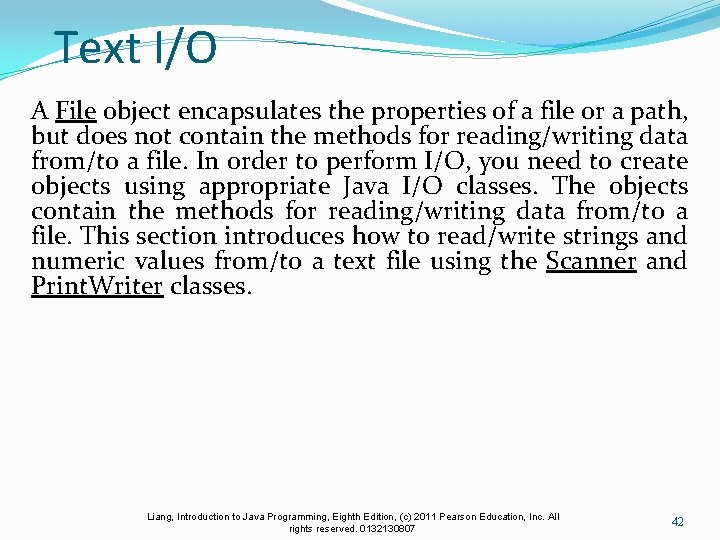
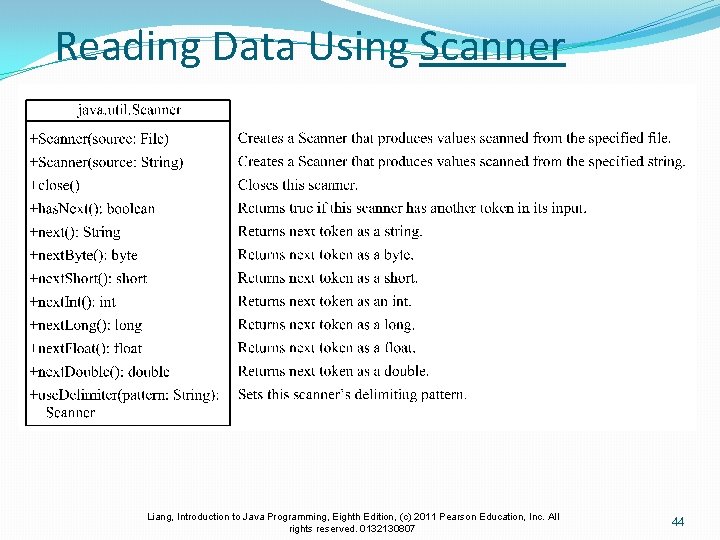
Text I/O A File object encapsulates the properties of a file or a path, but does not contain the methods for reading/writing data from/to a file. In order to perform I/O, you need to create objects using appropriate Java I/O classes. The objects contain the methods for reading/writing data from/to a file. This section introduces how to read/write strings and numeric values from/to a text file using the Scanner and Print. Writer classes. Liang, Introduction to Java Programming, Eighth Edition, (c) 2011 Pearson Education, Inc. All rights reserved. 0132130807 42
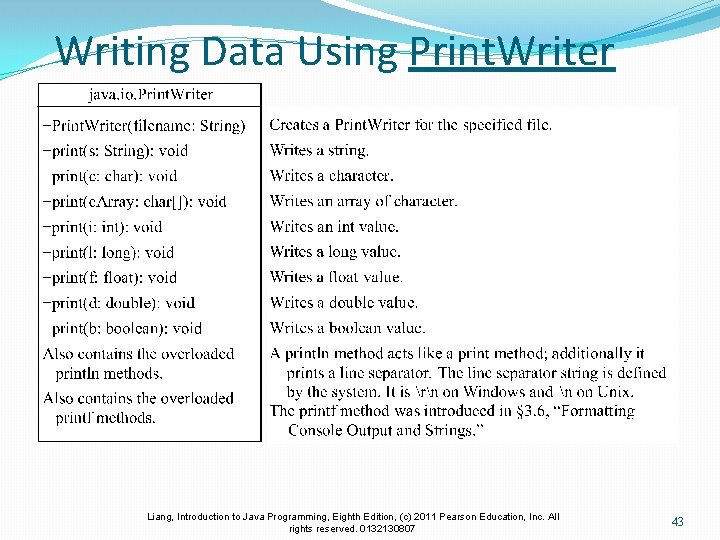
Writing Data Using Print. Writer Liang, Introduction to Java Programming, Eighth Edition, (c) 2011 Pearson Education, Inc. All rights reserved. 0132130807 43
Reading Data Using Scanner Liang, Introduction to Java Programming, Eighth Edition, (c) 2011 Pearson Education, Inc. All rights reserved. 0132130807 44
public class Write. Data { public static void main(String[] args) throws Exception { java. io. File file = new java. io. File("scores. txt"); if (file. exists()) { System. out. println("File already exists"); System. exit(0); } // Create a file java. io. Print. Writer output = new java. io. Print. Writer(file); // Write formatted output to the file output. print("John T Smith "); output. println(90); output. print("Eric K Jones "); output. println(85); // Close the file output. close(); } } Liang, Introduction to Java Programming, Eighth Edition, (c) 2011 Pearson Education, Inc. All rights reserved. 0132130807 45
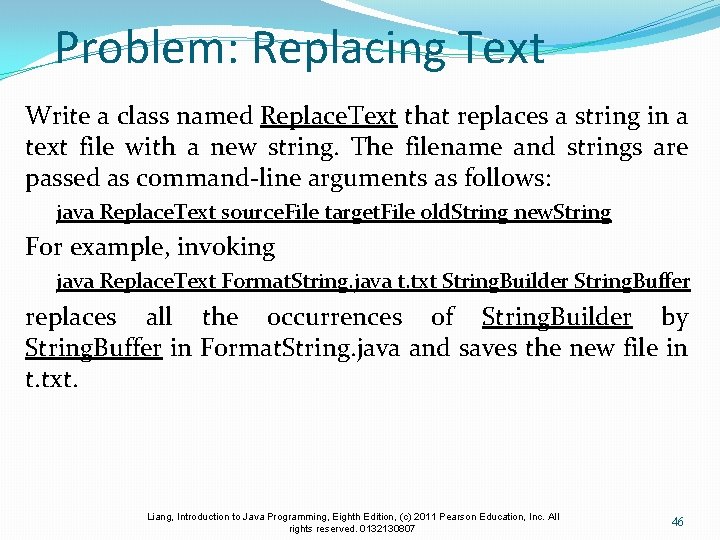
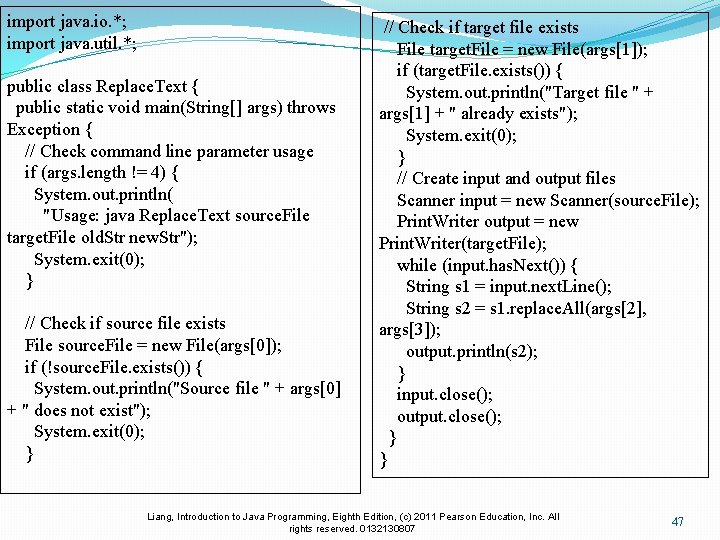
Problem: Replacing Text Write a class named Replace. Text that replaces a string in a text file with a new string. The filename and strings are passed as command-line arguments as follows: java Replace. Text source. File target. File old. String new. String For example, invoking java Replace. Text Format. String. java t. txt String. Builder String. Buffer replaces all the occurrences of String. Builder by String. Buffer in Format. String. java and saves the new file in t. txt. Liang, Introduction to Java Programming, Eighth Edition, (c) 2011 Pearson Education, Inc. All rights reserved. 0132130807 46
import java. io. *; import java. util. *; public class Replace. Text { public static void main(String[] args) throws Exception { // Check command line parameter usage if (args. length != 4) { System. out. println( "Usage: java Replace. Text source. File target. File old. Str new. Str"); System. exit(0); } // Check if source file exists File source. File = new File(args[0]); if (!source. File. exists()) { System. out. println("Source file " + args[0] + " does not exist"); System. exit(0); } // Check if target file exists File target. File = new File(args[1]); if (target. File. exists()) { System. out. println("Target file " + args[1] + " already exists"); System. exit(0); } // Create input and output files Scanner input = new Scanner(source. File); Print. Writer output = new Print. Writer(target. File); while (input. has. Next()) { String s 1 = input. next. Line(); String s 2 = s 1. replace. All(args[2], args[3]); output. println(s 2); } input. close(); output. close(); } } Liang, Introduction to Java Programming, Eighth Edition, (c) 2011 Pearson Education, Inc. All rights reserved. 0132130807 47
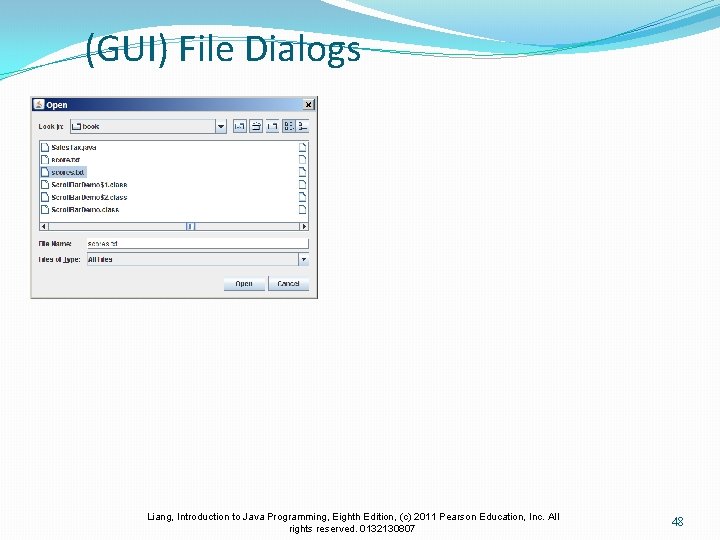
(GUI) File Dialogs Liang, Introduction to Java Programming, Eighth Edition, (c) 2011 Pearson Education, Inc. All rights reserved. 0132130807 48
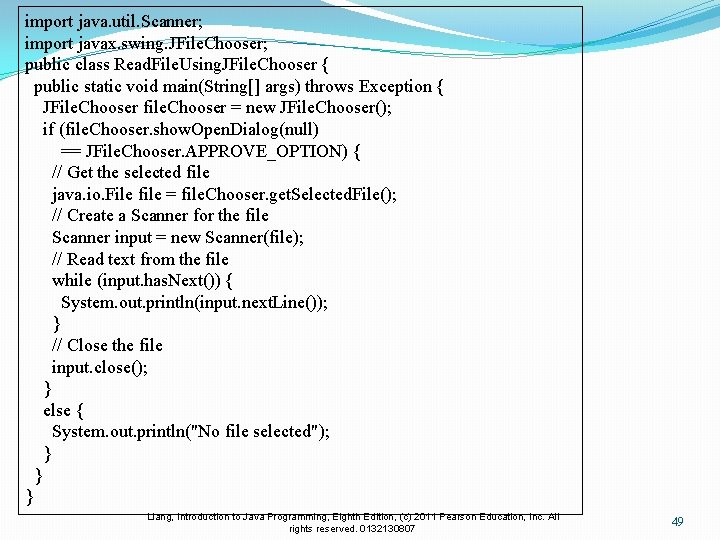
import java. util. Scanner; import javax. swing. JFile. Chooser; public class Read. File. Using. JFile. Chooser { public static void main(String[] args) throws Exception { JFile. Chooser file. Chooser = new JFile. Chooser(); if (file. Chooser. show. Open. Dialog(null) == JFile. Chooser. APPROVE_OPTION) { // Get the selected file java. io. File file = file. Chooser. get. Selected. File(); // Create a Scanner for the file Scanner input = new Scanner(file); // Read text from the file while (input. has. Next()) { System. out. println(input. next. Line()); } // Close the file input. close(); } else { System. out. println("No file selected"); } } } Liang, Introduction to Java Programming, Eighth Edition, (c) 2011 Pearson Education, Inc. All rights reserved. 0132130807 49