
Chapter 9 Controlling Information Systems Application Controls Learning



- Slides: 24
Chapter 9 Controlling Information Systems: Application Controls
Learning Objectives • • Know steps in control framework Be able to prepare control matrix Know generic application control plans Describe how these controls accomplish control goals • Appreciate importance of controls to organizations with ERP systems • Appreciate importance of controls to organizations involved in E-Business
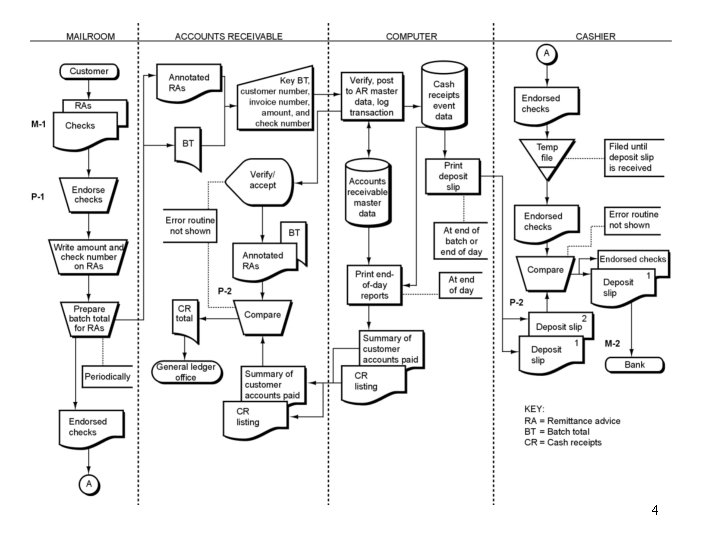
Control Matrix ÀControl Goals of the Operations System Ensure effectiveness Ensure of operations by efficient ensuring the employment Ensure following of security of systems goals: resources ÁRecommended Control Plans P-1 Immediately endorse incoming checks M-1 Immediately separate checks & RAs A ÀControl Goals of the Information System For transaction inputs, ensure: IV IC IA For the Master File, ensure: B M-1 P -1 M-1 P-2 Plan 3 (describe) P-2 P-2 M-2 Plan 4 (describe) M-2 Key: IV - Input validity I C - Input completeness IA - Input accuracy UC - Update completeness UA - Update accuracy UA UC M-2 A = To accelerate cash flow by promptly Four key elements: ÀControl goals depositing cash receipts ÁRecommended control plans B = To ensure compliance with Cell entries compensating balance agreement ÃExplanations of cell entries ÃP-1: “deposit only to the account of Causeway Company” 3
4
Systems Flowchart: Data Entry Without Master Data Entry Clerk 1 Data Entry Devices (Networked PCs) Start Input document Key document Display input or error P-1 Edit Input P-3 P-4 Remove discrepancies if any P-7 Key corrections/ accept input Accepted for processing Input documents P-5 M-1 Transaction data Record input P-6 A 5
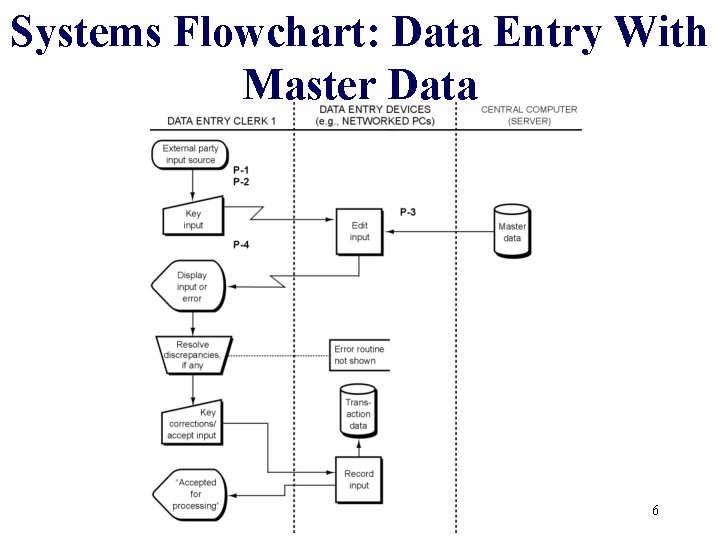
Systems Flowchart: Data Entry With Master Data 6
Processing Steps • • Transaction occurs Record in transaction file Update master files Generate outputs 7
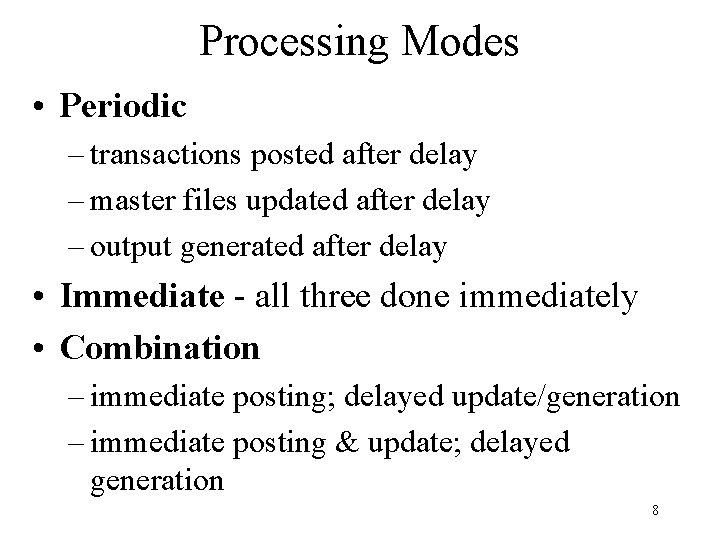
Processing Modes • Periodic – transactions posted after delay – master files updated after delay – output generated after delay • Immediate - all three done immediately • Combination – immediate posting; delayed update/generation – immediate posting & update; delayed generation 8
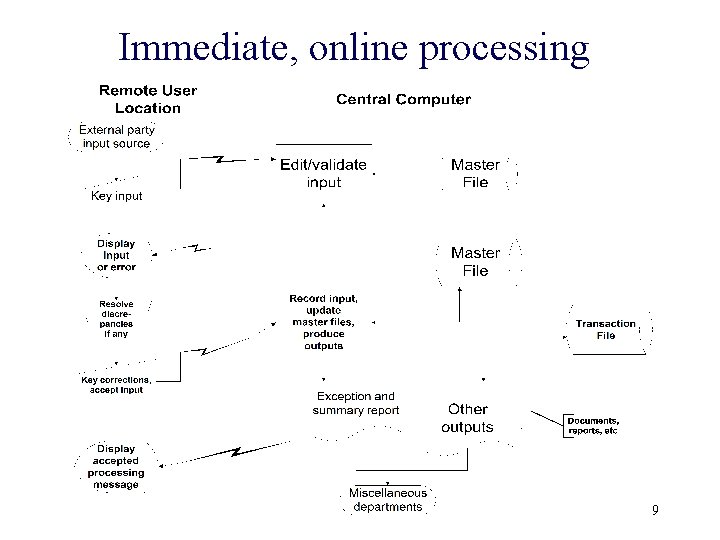
Immediate, online processing 9
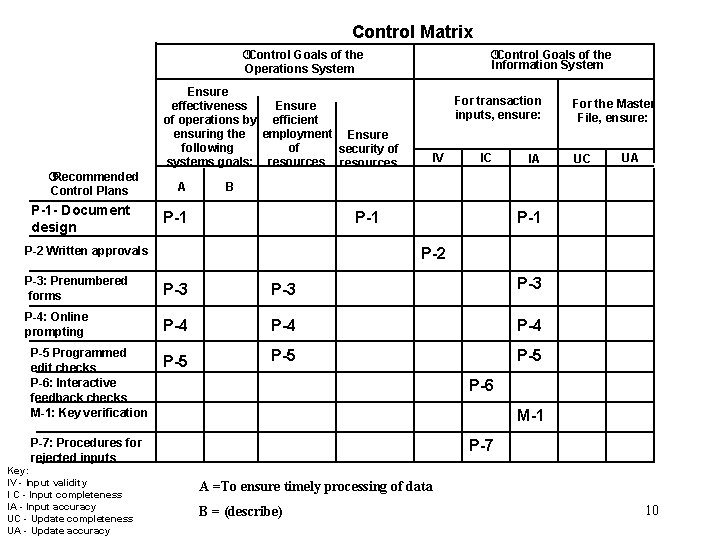
Control Matrix ÀControl Goals of the Operations System ÀControl Goals of the Information System Ensure effectiveness Ensure of operations by efficient ensuring the employment Ensure following of security of systems goals: resources ÁRecommended Control Plans P-1 - Document design A For transaction inputs, ensure: IV IC IA P-1 UA P-1 P-2 P-3: Prenumbered forms P-3 P-3 P-4: Online prompting P-4 P-4 P-5 P-5 P-6 M-1 P-7: Procedures for rejected inputs Key: IV - Input validity I C - Input completeness IA - Input accuracy UC - Update completeness UA - Update accuracy UC B P-2 Written approvals P-5 Programmed edit checks P-6: Interactive feedback checks M-1: Key verification For the Master File, ensure: P-7 A =To ensure timely processing of data B = (describe) 10
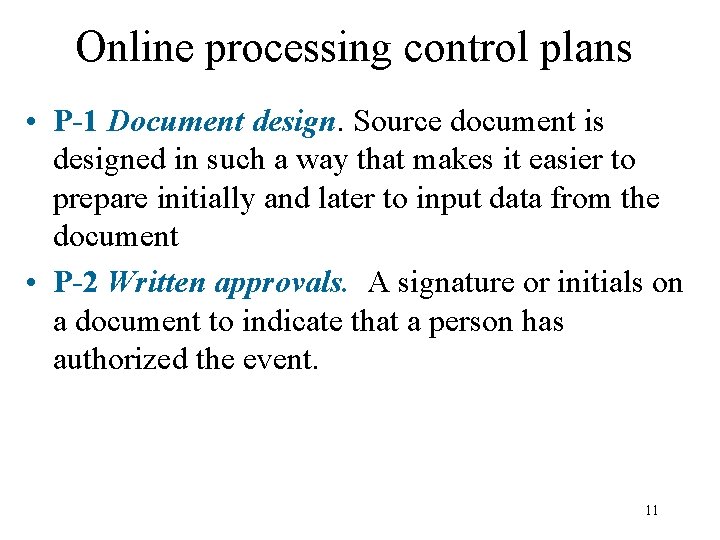
Online processing control plans • P-1 Document design. Source document is designed in such a way that makes it easier to prepare initially and later to input data from the document • P-2 Written approvals. A signature or initials on a document to indicate that a person has authorized the event. 11
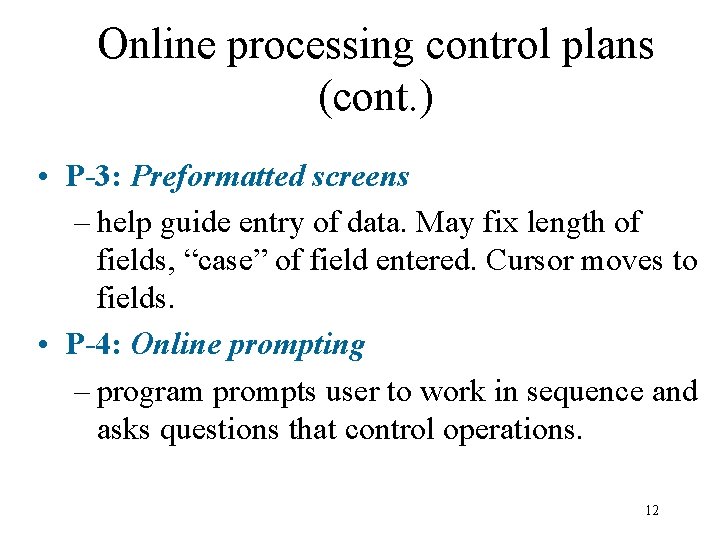
Online processing control plans (cont. ) • P-3: Preformatted screens – help guide entry of data. May fix length of fields, “case” of field entered. Cursor moves to fields. • P-4: Online prompting – program prompts user to work in sequence and asks questions that control operations. 12
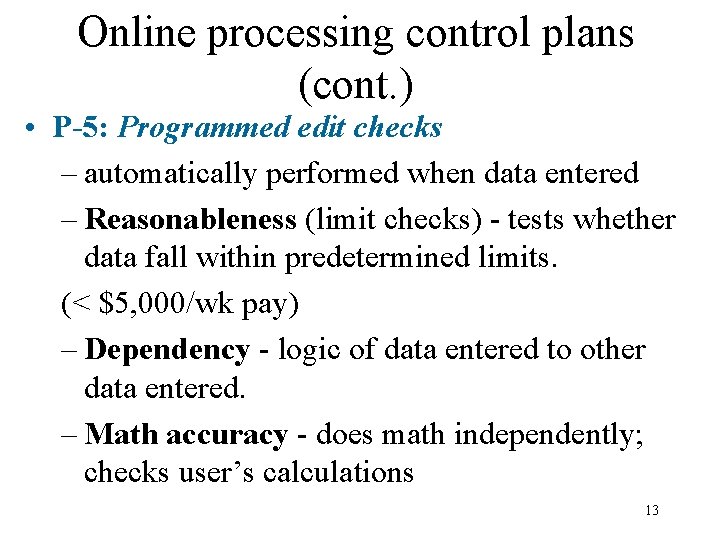
Online processing control plans (cont. ) • P-5: Programmed edit checks – automatically performed when data entered – Reasonableness (limit checks) - tests whether data fall within predetermined limits. (< $5, 000/wk pay) – Dependency - logic of data entered to other data entered. – Math accuracy - does math independently; checks user’s calculations 13
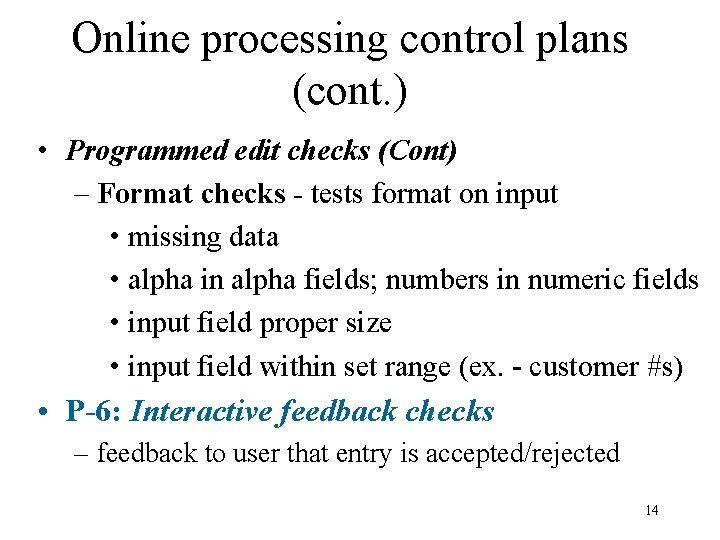
Online processing control plans (cont. ) • Programmed edit checks (Cont) – Format checks - tests format on input • missing data • alpha in alpha fields; numbers in numeric fields • input field proper size • input field within set range (ex. - customer #s) • P-6: Interactive feedback checks – feedback to user that entry is accepted/rejected 14
Online Processing Control Plans (cont. ) • M-1: Key verification – Documents keyed by one individual and rekeyed by another individual. Very expensive • P-7: Procedures for rejected inputs – designed to ensure that rejected data - not accepted for processing - are corrected and resubmitted for processing. 15
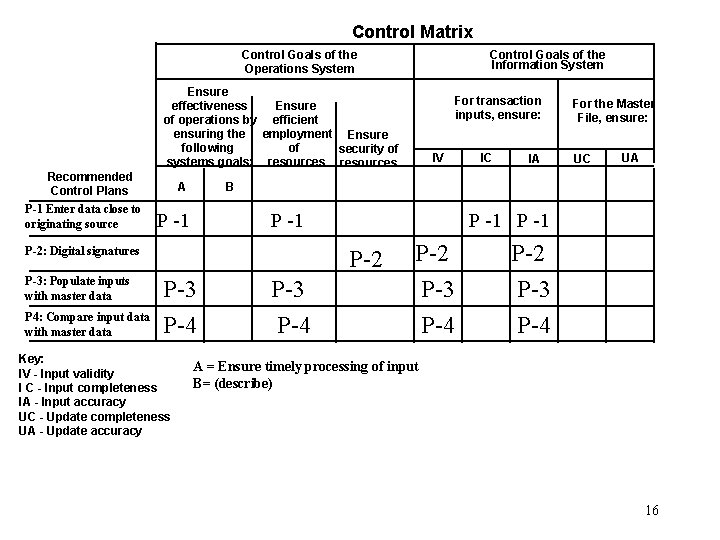
Control Matrix Control Goals of the Operations System Control Goals of the Information System Ensure effectiveness Ensure of operations by efficient ensuring the employment Ensure following of security of systems goals: resources Recommended Control Plans P-1 Enter data close to originating source A P 4: Compare input data with master data P -1 IC IA UC UA P -1 P-2 P-3 P-4 Key: IV - Input validity I C - Input completeness IA - Input accuracy UC - Update completeness UA - Update accuracy IV For the Master File, ensure: B P-2: Digital signatures P-3: Populate inputs with master data For transaction inputs, ensure: P-3 P-4 P-2 P-3 P-4 A = Ensure timely processing of input B= (describe) 16
17
18
19
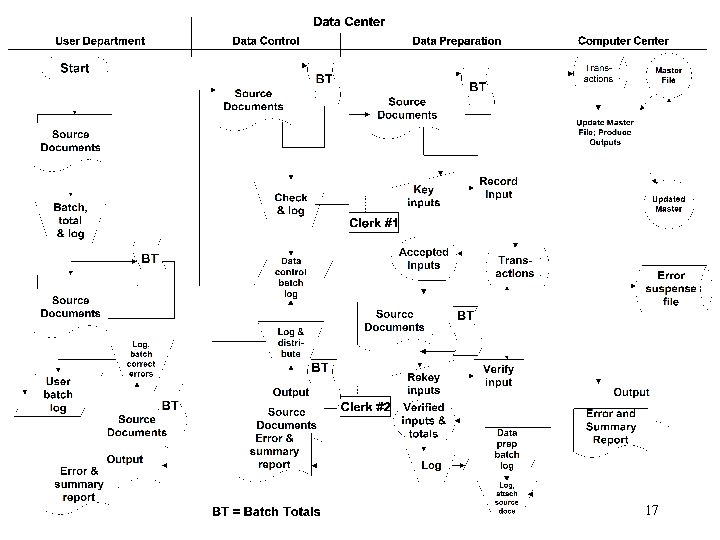
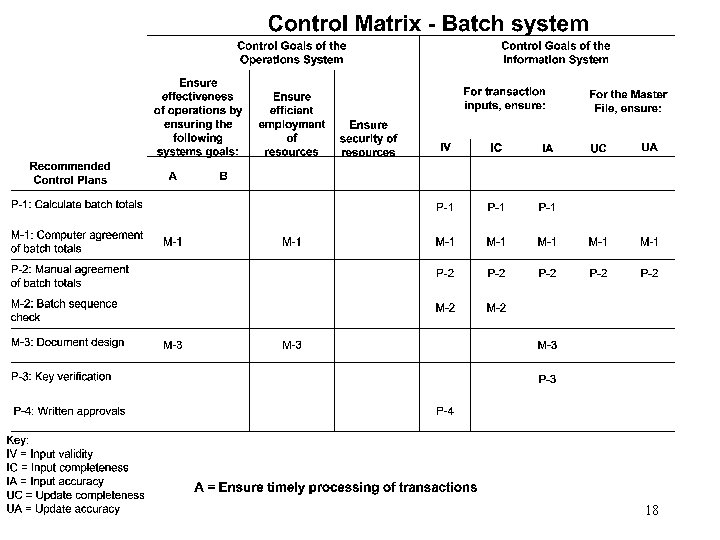
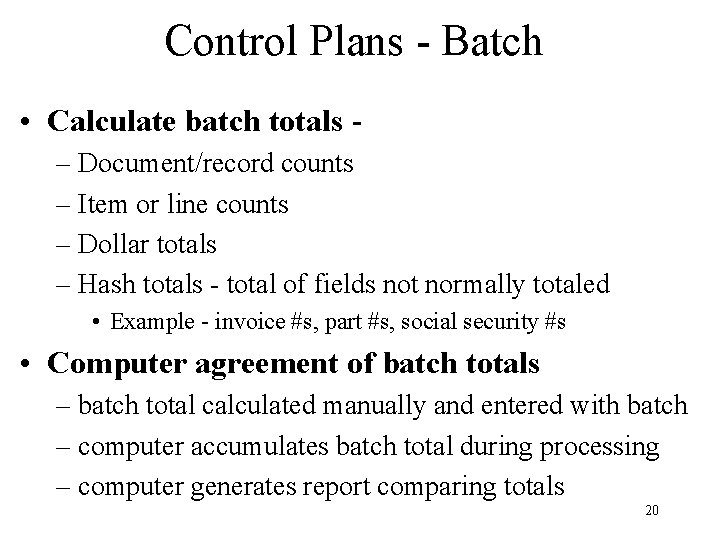
Control Plans - Batch • Calculate batch totals – Document/record counts – Item or line counts – Dollar totals – Hash totals - total of fields not normally totaled • Example - invoice #s, part #s, social security #s • Computer agreement of batch totals – batch total calculated manually and entered with batch – computer accumulates batch total during processing – computer generates report comparing totals 20
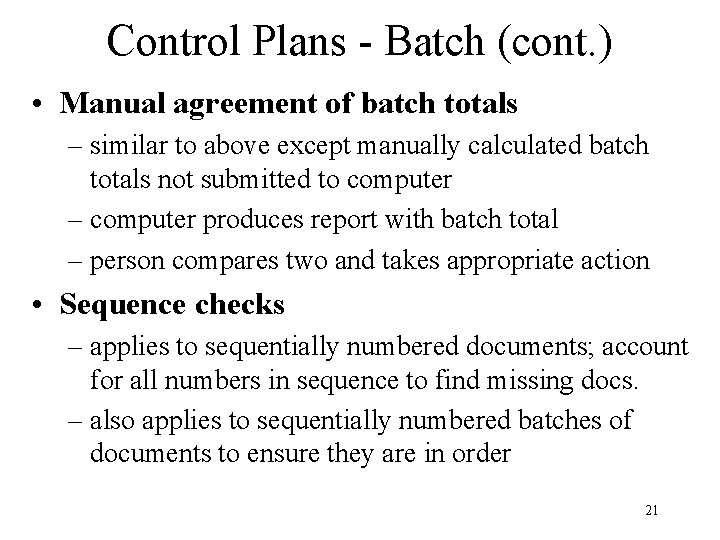
Control Plans - Batch (cont. ) • Manual agreement of batch totals – similar to above except manually calculated batch totals not submitted to computer – computer produces report with batch total – person compares two and takes appropriate action • Sequence checks – applies to sequentially numbered documents; account for all numbers in sequence to find missing docs. – also applies to sequentially numbered batches of documents to ensure they are in order 21
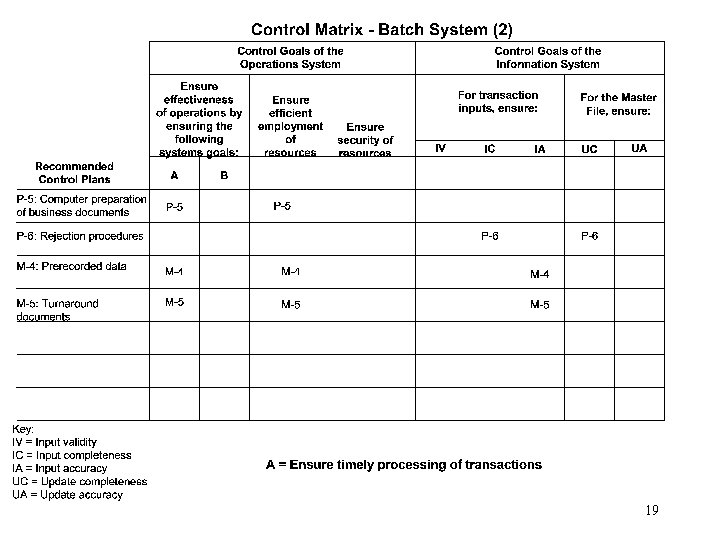
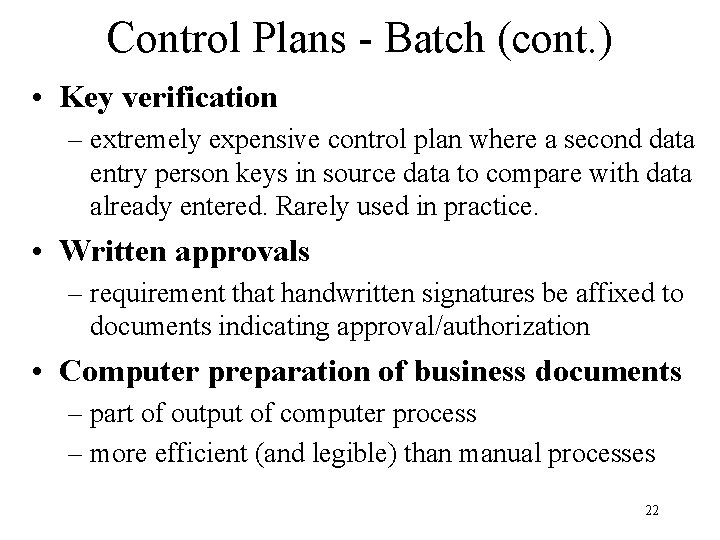
Control Plans - Batch (cont. ) • Key verification – extremely expensive control plan where a second data entry person keys in source data to compare with data already entered. Rarely used in practice. • Written approvals – requirement that handwritten signatures be affixed to documents indicating approval/authorization • Computer preparation of business documents – part of output of computer process – more efficient (and legible) than manual processes 22
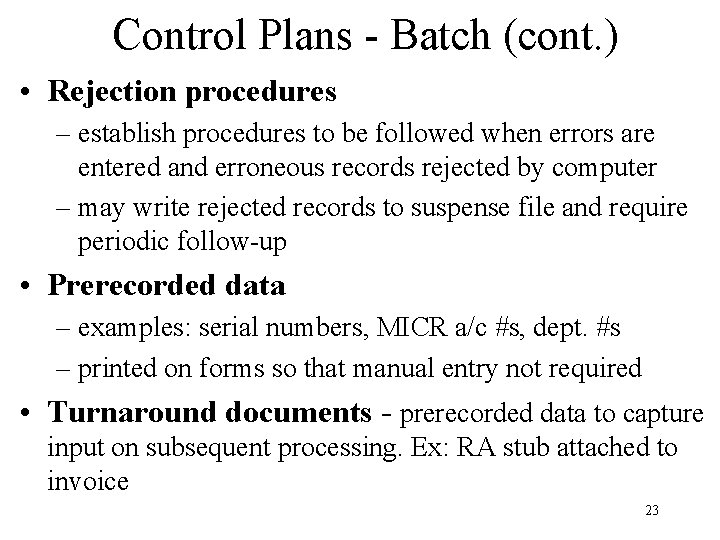
Control Plans - Batch (cont. ) • Rejection procedures – establish procedures to be followed when errors are entered and erroneous records rejected by computer – may write rejected records to suspense file and require periodic follow-up • Prerecorded data – examples: serial numbers, MICR a/c #s, dept. #s – printed on forms so that manual entry not required • Turnaround documents - prerecorded data to capture input on subsequent processing. Ex: RA stub attached to invoice 23
Learning Objectives • • Know steps is control framework Be able to prepare control matrix Know generic application control plans Describe how these controls accomplish control goals • Appreciate importance of controls to ERP • Appreciate importance to E-Business