
Chapter 9 Communications and Networks Mc GrawHill Copyright
- Slides: 35
Chapter 9 Communications and Networks Mc. Graw-Hill Copyright © 2011 by The Mc. Graw-Hill Companies, Inc. All rights reserved.
Competencies (Page 1 of 2) • Discuss connectivity, the wireless revolution, and communication systems. • Describe physical and wireless communications channels. • Discuss connection devices, and services including dialup, DSL, cable, satellite/air, and cellular. • Describe data transmission factors, including bandwidths and protocols. 1 -2 Copyright © 2011 by The Mc. Graw-Hill Companies, Inc. All rights reserved.
Competencies (Page 2 of 2) • Discuss networks and key network terminologies. • Describe different types of networks, including local, home, wireless, personal, metropolitan, and wide area networks. • Describe network architectures, including topologies, and strategies. • Describe organization issues related to Internet technologies and network security. 1 -3 Copyright © 2011 by The Mc. Graw-Hill Companies, Inc. All rights reserved.
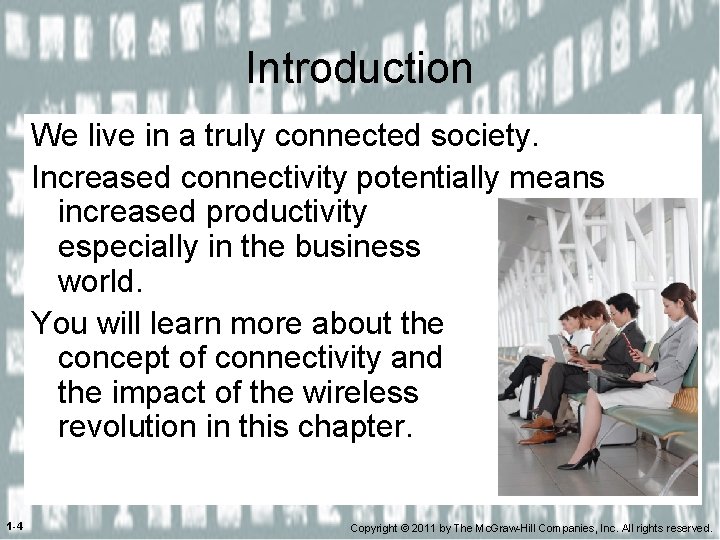
Introduction We live in a truly connected society. Increased connectivity potentially means increased productivity especially in the business world. You will learn more about the concept of connectivity and the impact of the wireless revolution in this chapter. 1 -4 Copyright © 2011 by The Mc. Graw-Hill Companies, Inc. All rights reserved.
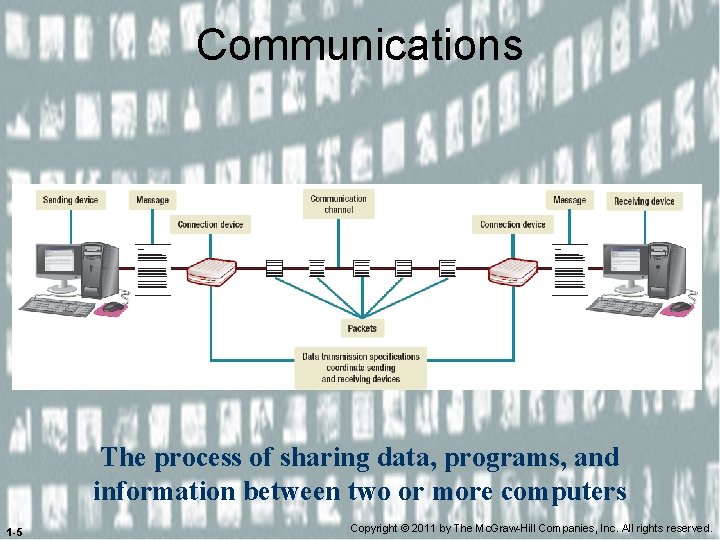
Communications The process of sharing data, programs, and information between two or more computers 1 -5 Copyright © 2011 by The Mc. Graw-Hill Companies, Inc. All rights reserved.
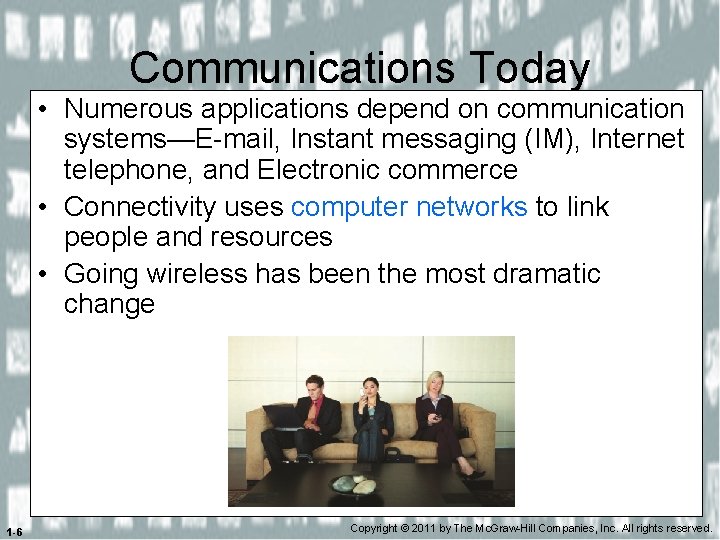
Communications Today • Numerous applications depend on communication systems—E-mail, Instant messaging (IM), Internet telephone, and Electronic commerce • Connectivity uses computer networks to link people and resources • Going wireless has been the most dramatic change 1 -6 Copyright © 2011 by The Mc. Graw-Hill Companies, Inc. All rights reserved.
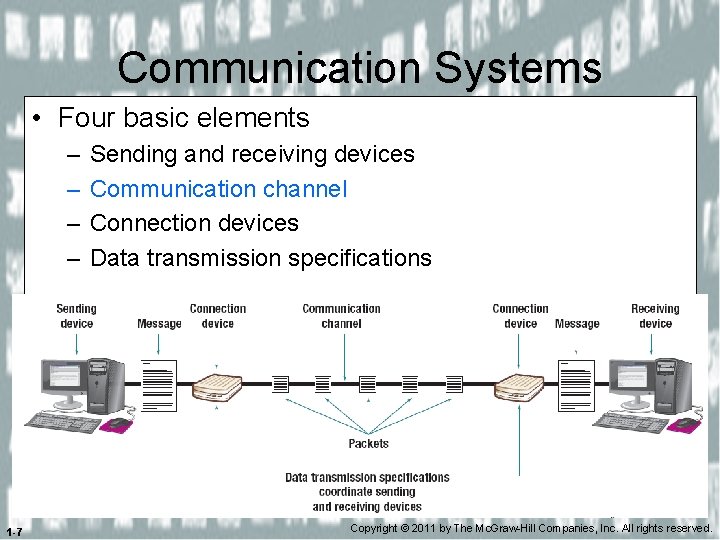
Communication Systems • Four basic elements – – 1 -7 Sending and receiving devices Communication channel Connection devices Data transmission specifications Copyright © 2011 by The Mc. Graw-Hill Companies, Inc. All rights reserved.
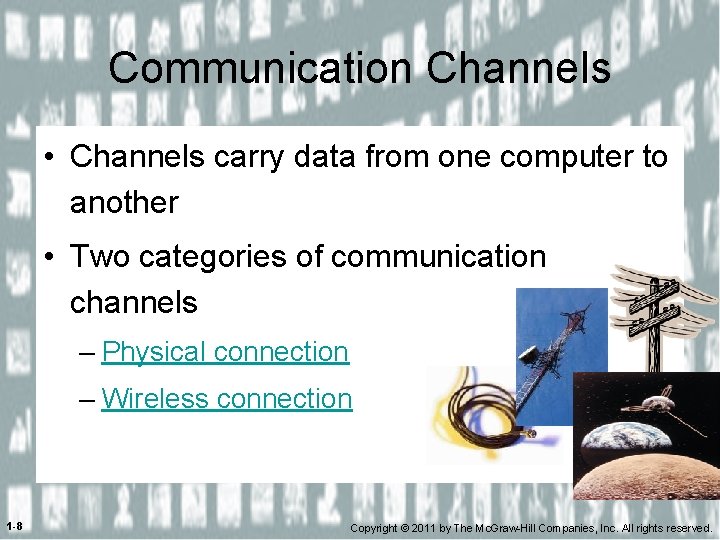
Communication Channels • Channels carry data from one computer to another • Two categories of communication channels – Physical connection – Wireless connection 1 -8 Copyright © 2011 by The Mc. Graw-Hill Companies, Inc. All rights reserved.
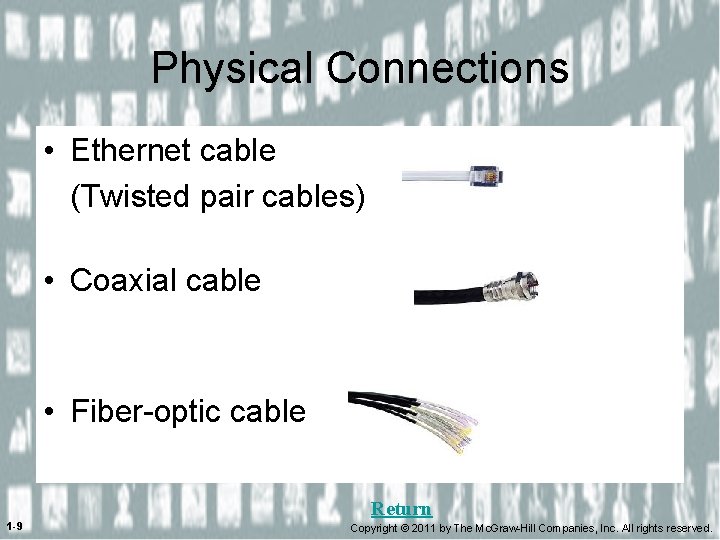
Physical Connections • Ethernet cable (Twisted pair cables) • Coaxial cable • Fiber-optic cable Return 1 -9 Copyright © 2011 by The Mc. Graw-Hill Companies, Inc. All rights reserved.
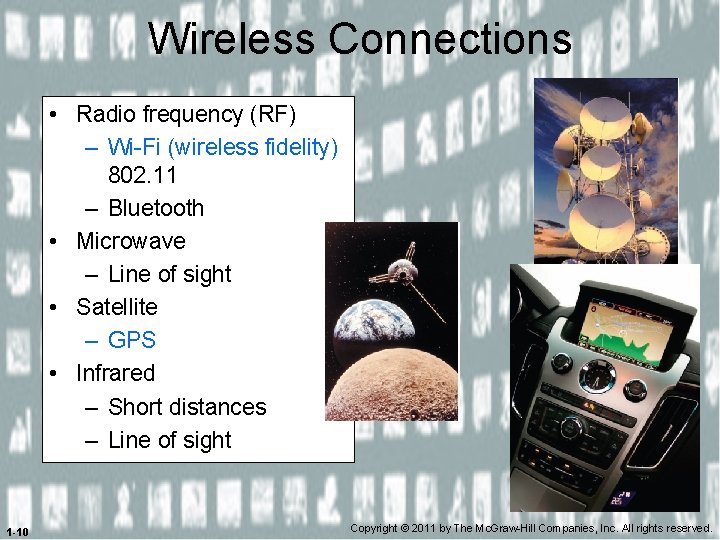
Wireless Connections • Radio frequency (RF) – Wi-Fi (wireless fidelity) 802. 11 – Bluetooth • Microwave – Line of sight • Satellite – GPS • Infrared – Short distances – Line of sight 1 -10 Copyright © 2011 by The Mc. Graw-Hill Companies, Inc. All rights reserved.
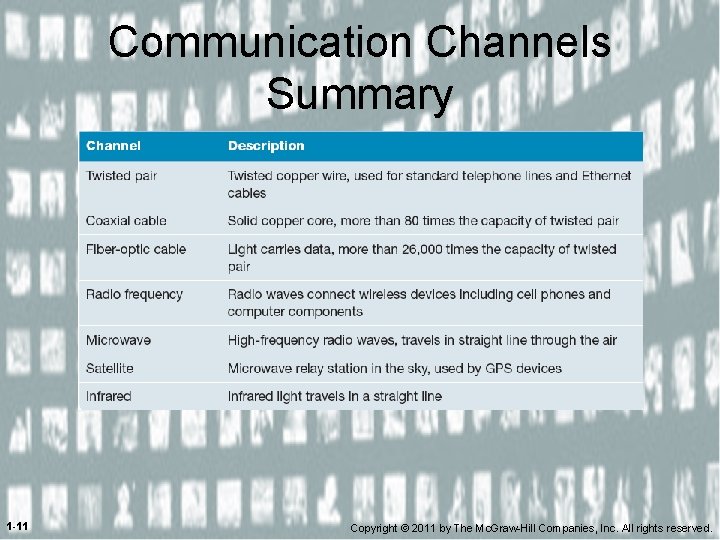
Communication Channels Summary 1 -11 Copyright © 2011 by The Mc. Graw-Hill Companies, Inc. All rights reserved.
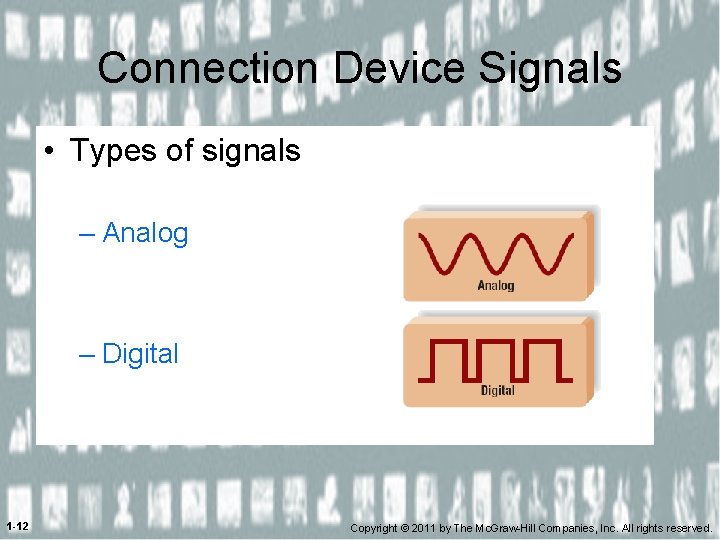
Connection Device Signals • Types of signals – Analog – Digital 1 -12 Copyright © 2011 by The Mc. Graw-Hill Companies, Inc. All rights reserved.
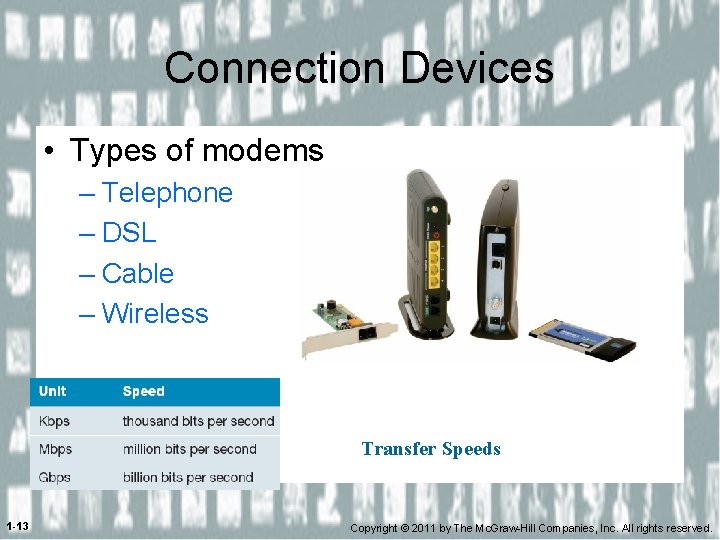
Connection Devices • Types of modems – Telephone – DSL – Cable – Wireless Transfer Speeds 1 -13 Copyright © 2011 by The Mc. Graw-Hill Companies, Inc. All rights reserved.
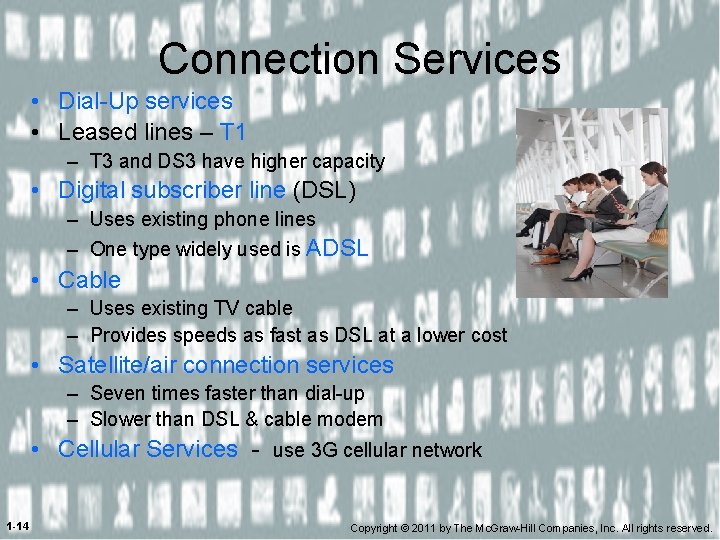
Connection Services • Dial-Up services • Leased lines – T 1 – T 3 and DS 3 have higher capacity • Digital subscriber line (DSL) – Uses existing phone lines – One type widely used is ADSL • Cable – Uses existing TV cable – Provides speeds as fast as DSL at a lower cost • Satellite/air connection services – Seven times faster than dial-up – Slower than DSL & cable modem • Cellular Services - use 3 G cellular network 1 -14 Copyright © 2011 by The Mc. Graw-Hill Companies, Inc. All rights reserved.
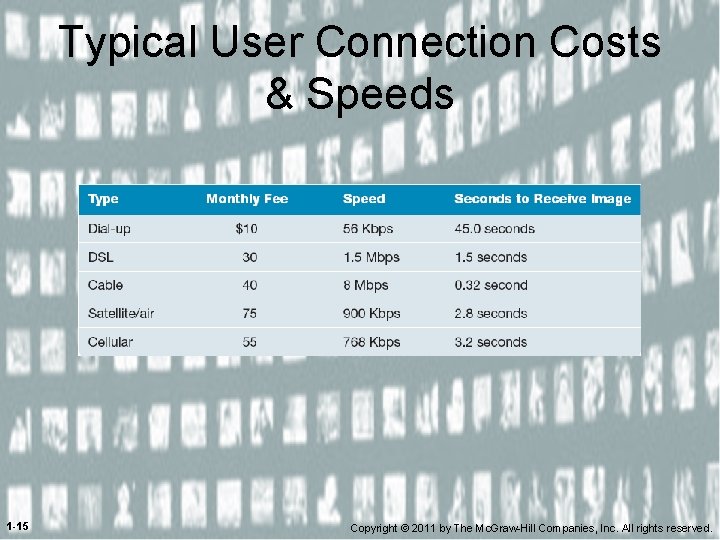
Typical User Connection Costs & Speeds 1 -15 Copyright © 2011 by The Mc. Graw-Hill Companies, Inc. All rights reserved.
Bandwidth • Measurement of the capacity of the channel • Categories – Voice band also known as low bandwidth – Medium band – Broadband – Baseband 1 -16 Copyright © 2011 by The Mc. Graw-Hill Companies, Inc. All rights reserved.
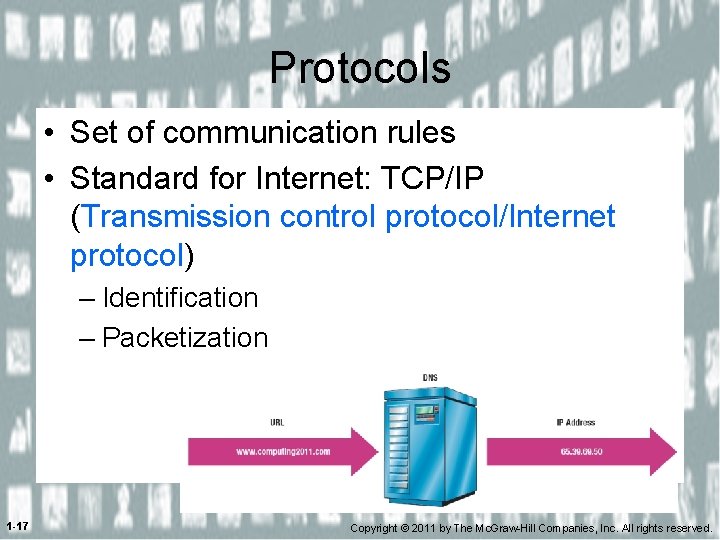
Protocols • Set of communication rules • Standard for Internet: TCP/IP (Transmission control protocol/Internet protocol) – Identification – Packetization 1 -17 Copyright © 2011 by The Mc. Graw-Hill Companies, Inc. All rights reserved.
Networks • A computer network is a communication system • Connects two or more computers • Allows information exchange 1 -18 Copyright © 2011 by The Mc. Graw-Hill Companies, Inc. All rights reserved.
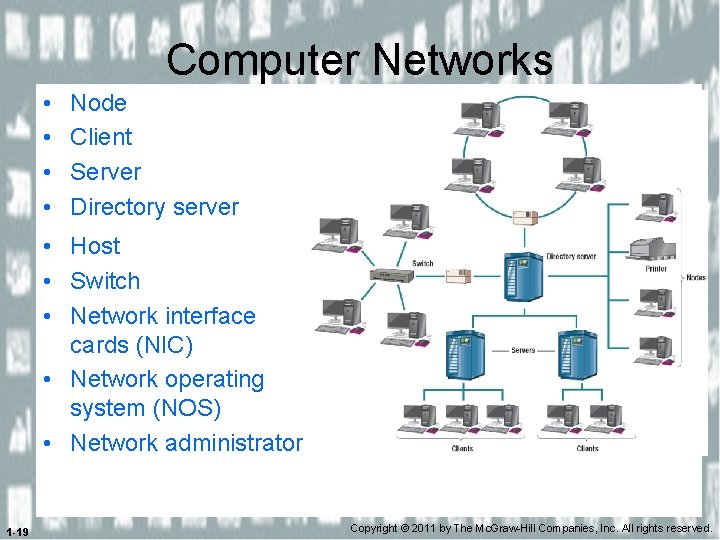
Computer Networks • • Node Client Server Directory server • Host • Switch • Network interface cards (NIC) • Network operating system (NOS) • Network administrator 1 -19 Copyright © 2011 by The Mc. Graw-Hill Companies, Inc. All rights reserved.
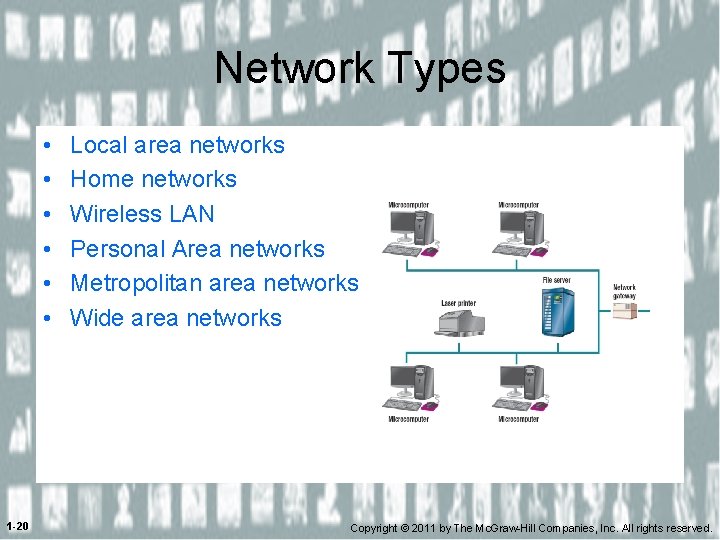
Network Types • • • Local area networks Home networks Wireless LAN Personal Area networks Metropolitan area networks Wide area networks LAN 1 -20 Copyright © 2011 by The Mc. Graw-Hill Companies, Inc. All rights reserved.
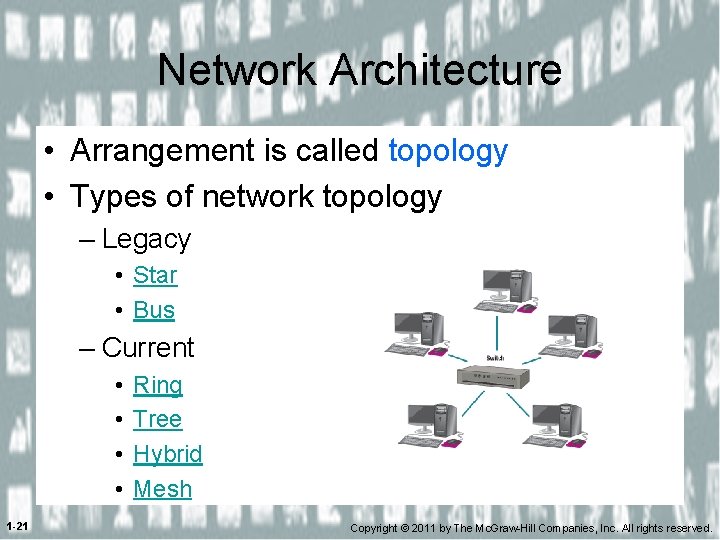
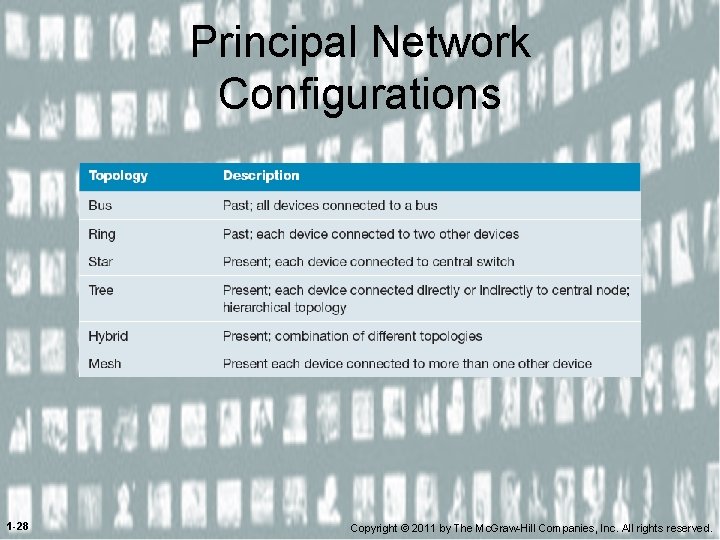
Network Architecture • Arrangement is called topology • Types of network topology – Legacy • Star • Bus – Current • • 1 -21 Ring Tree Hybrid Mesh Copyright © 2011 by The Mc. Graw-Hill Companies, Inc. All rights reserved.
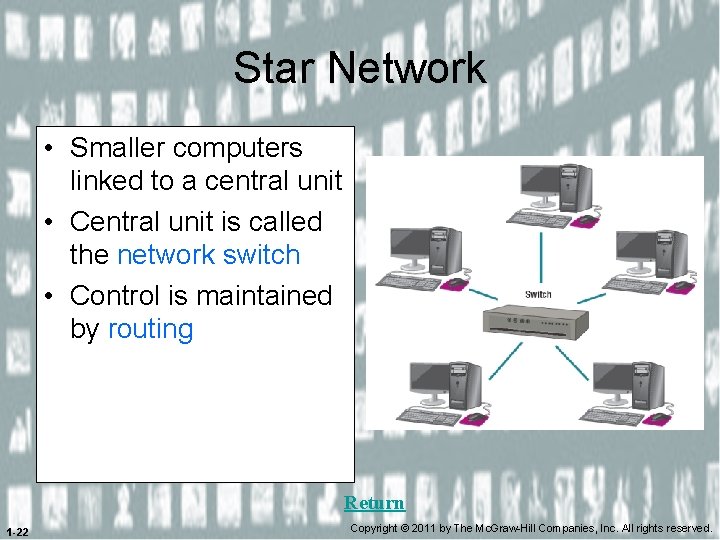
Star Network • Smaller computers linked to a central unit • Central unit is called the network switch • Control is maintained by routing Return 1 -22 Copyright © 2011 by The Mc. Graw-Hill Companies, Inc. All rights reserved.
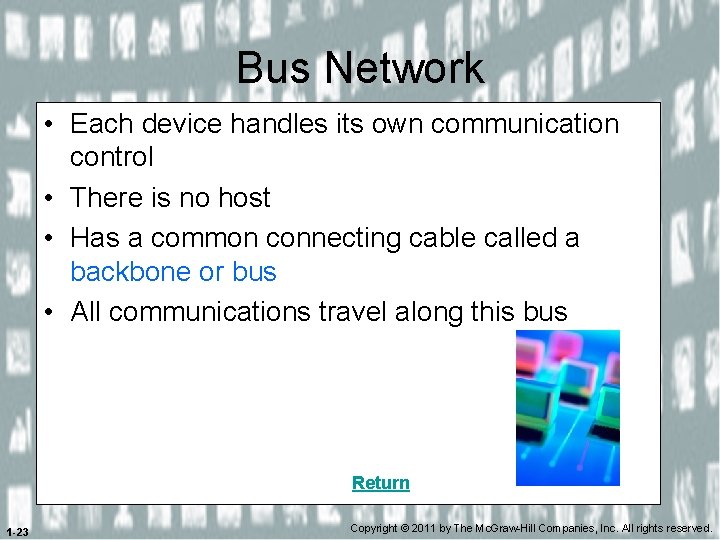
Bus Network • Each device handles its own communication control • There is no host • Has a common connecting cable called a backbone or bus • All communications travel along this bus Return 1 -23 Copyright © 2011 by The Mc. Graw-Hill Companies, Inc. All rights reserved.
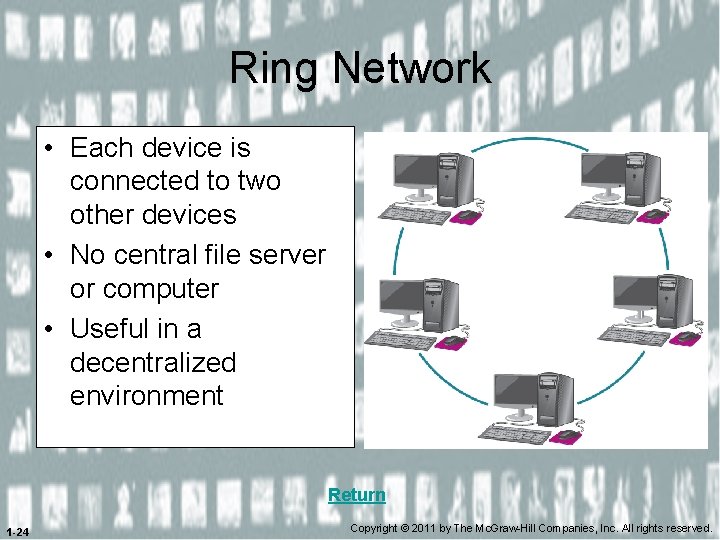
Ring Network • Each device is connected to two other devices • No central file server or computer • Useful in a decentralized environment Return 1 -24 Copyright © 2011 by The Mc. Graw-Hill Companies, Inc. All rights reserved.
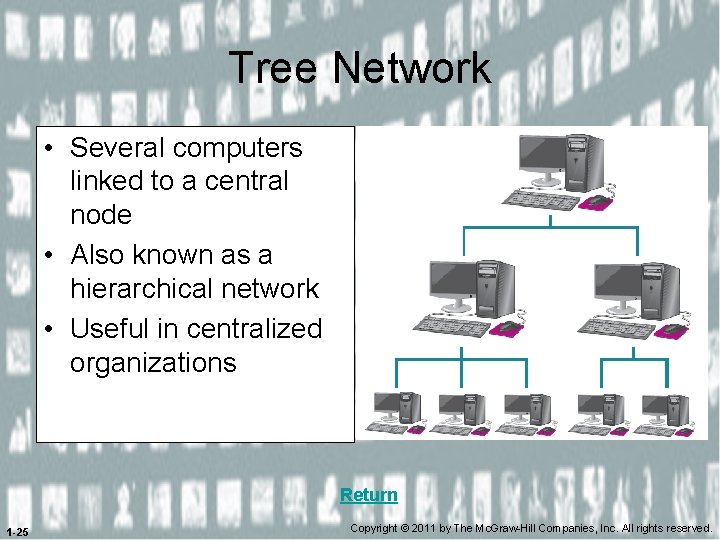
Tree Network • Several computers linked to a central node • Also known as a hierarchical network • Useful in centralized organizations Return 1 -25 Copyright © 2011 by The Mc. Graw-Hill Companies, Inc. All rights reserved.
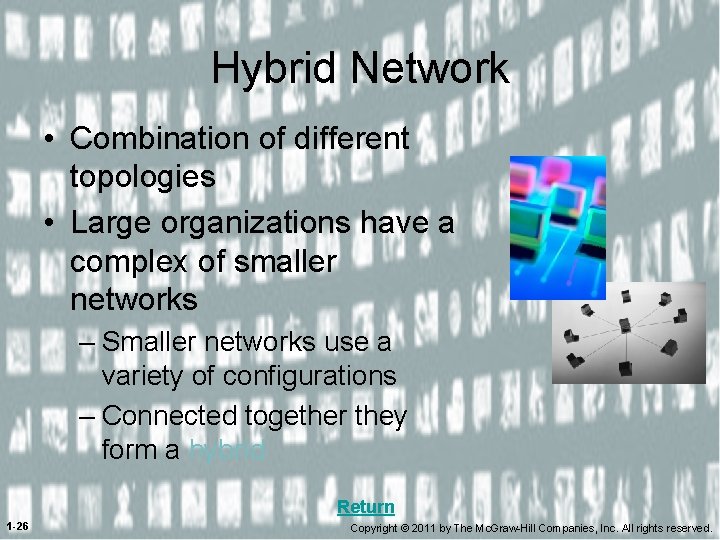
Hybrid Network • Combination of different topologies • Large organizations have a complex of smaller networks – Smaller networks use a variety of configurations – Connected together they form a hybrid Return 1 -26 Copyright © 2011 by The Mc. Graw-Hill Companies, Inc. All rights reserved.
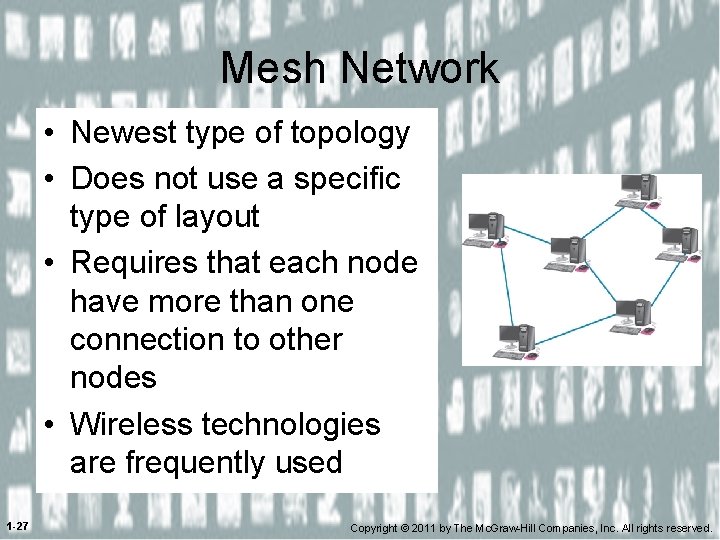
Mesh Network • Newest type of topology • Does not use a specific type of layout • Requires that each node have more than one connection to other nodes • Wireless technologies are frequently used 1 -27 Copyright © 2011 by The Mc. Graw-Hill Companies, Inc. All rights reserved.
Principal Network Configurations 1 -28 Copyright © 2011 by The Mc. Graw-Hill Companies, Inc. All rights reserved.
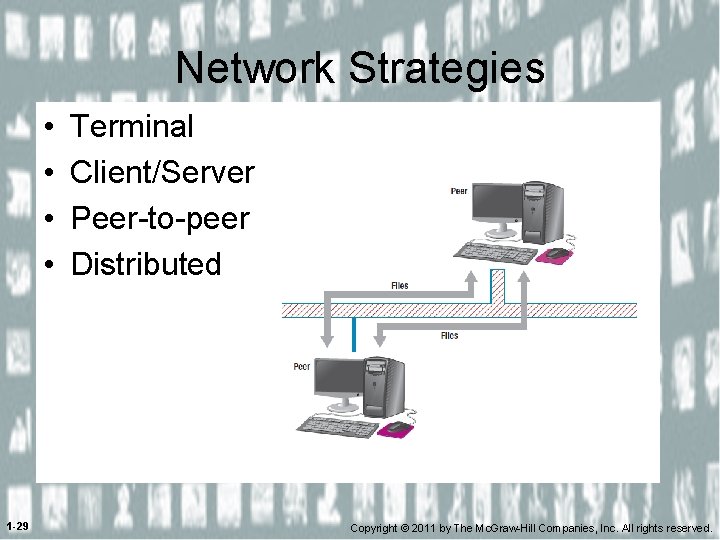
Network Strategies • • 1 -29 Terminal Client/Server Peer-to-peer Distributed Copyright © 2011 by The Mc. Graw-Hill Companies, Inc. All rights reserved.
Organizational Networks • Intranets – Private network within an organization – Provides information to employees • Extranets – Private network that connects organizations – Used to allow suppliers and others access 1 -30 Copyright © 2011 by The Mc. Graw-Hill Companies, Inc. All rights reserved.
Network Security • Firewalls – Hardware & software – Protects against external threats • Intrusion detection systems (NIDS) • Virtual private networks (VPN) 1 -31 Copyright © 2011 by The Mc. Graw-Hill Companies, Inc. All rights reserved.
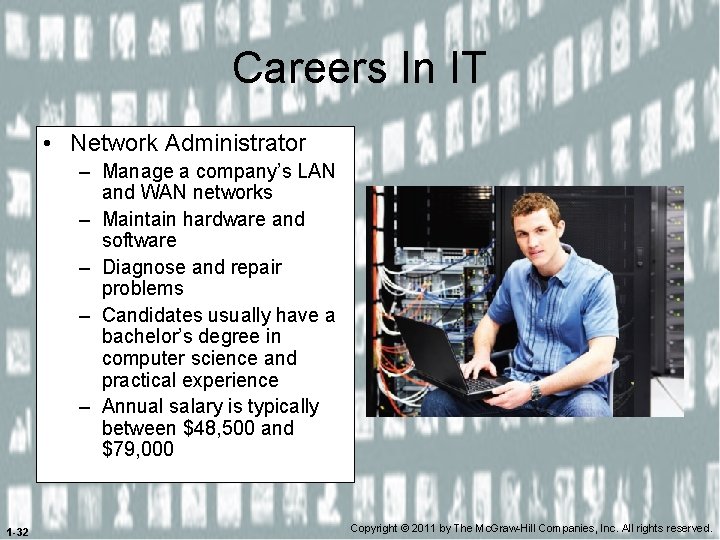
Careers In IT • Network Administrator – Manage a company’s LAN and WAN networks – Maintain hardware and software – Diagnose and repair problems – Candidates usually have a bachelor’s degree in computer science and practical experience – Annual salary is typically between $48, 500 and $79, 000 1 -32 Copyright © 2011 by The Mc. Graw-Hill Companies, Inc. All rights reserved.
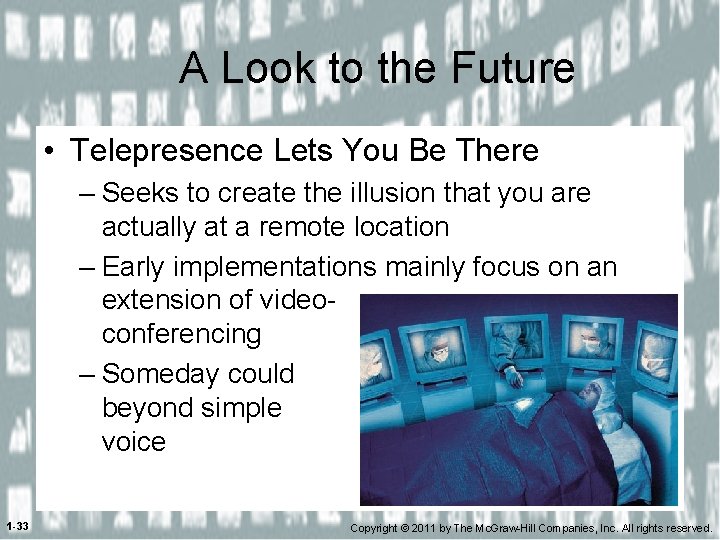
A Look to the Future • Telepresence Lets You Be There – Seeks to create the illusion that you are actually at a remote location – Early implementations mainly focus on an extension of videoconferencing – Someday could beyond simple voice 1 -33 Copyright © 2011 by The Mc. Graw-Hill Companies, Inc. All rights reserved.
Open-Ended Questions (1 of 2) • Define and discuss connectivity, the wireless revolution, and communications. • Identify and describe the various physical and wireless communication channels. • Identify the standard Internet protocol and discuss its essential features. 1 -34 Copyright © 2011 by The Mc. Graw-Hill Companies, Inc. All rights reserved.
Discussion Questions (2 of 2) • Discuss past and present network topologies. • Define and discuss four common network strategies. 1 -35 Copyright © 2011 by The Mc. Graw-Hill Companies, Inc. All rights reserved.