
Chapter 8 Views 1 Objectives To present the
Chapter 8 Views 1
Objectives To present the concept of view in 3 D rendering process F To identify the parallel and perspective projections F To specify the viewing matrix F To specify the projection matrix F To apply Java 3 D standard view model F To apply Java 3 D compatibility mode view model F To apply picking in a 3 D scene F To understand head-tracking in view models F To apply input devices, sensors, and head-tracking in Java 3 D F To use the avatar in Simple. Universe F 2
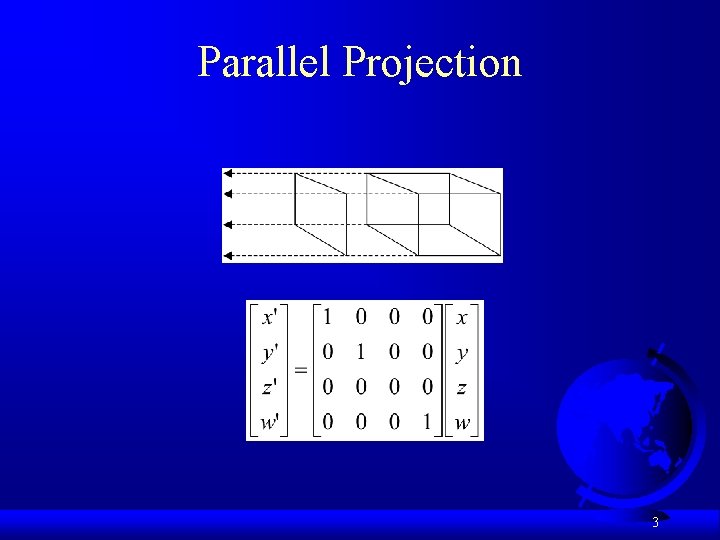
Parallel Projection 3
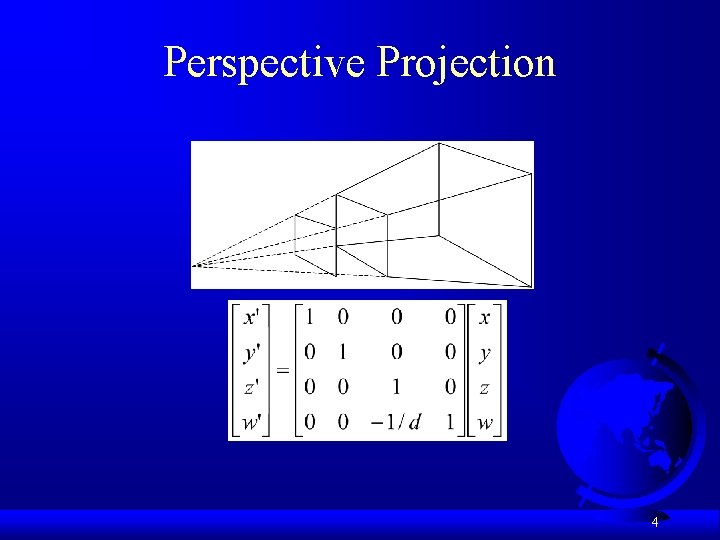
Perspective Projection 4
View Parameters F F F F Projection – parallel or perspective projection. View Plate – the window for the rendered image. It is usually a rectangular region. In a real camera the view plate corresponds to the film frame. Field of view (fov) – the horizontal angle between the left and right plane of the frustum. The vertical field of view and diagonal field of view can be defined similarly. Focal length – the distance between the view plate and the view point. Aspect ratio – the ratio of width over length of the view planes. Front clip plane – the front or near plane of the frustum. Back clip plane – the back or far plane of the frustum. 5
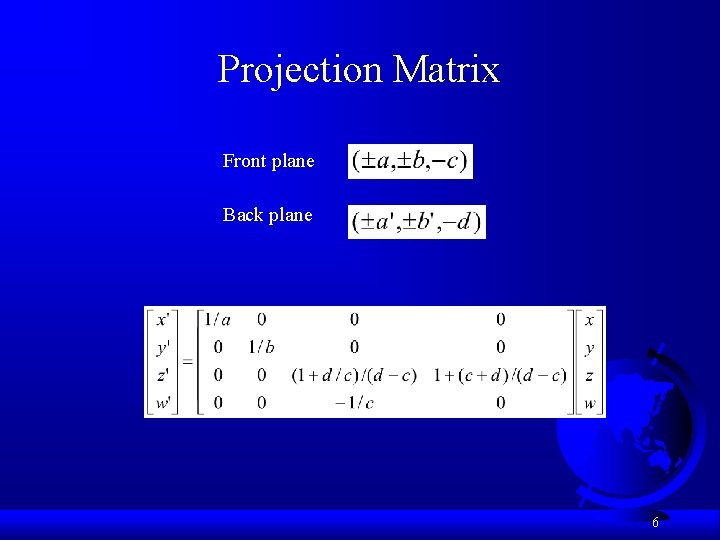
Projection Matrix Front plane Back plane 6
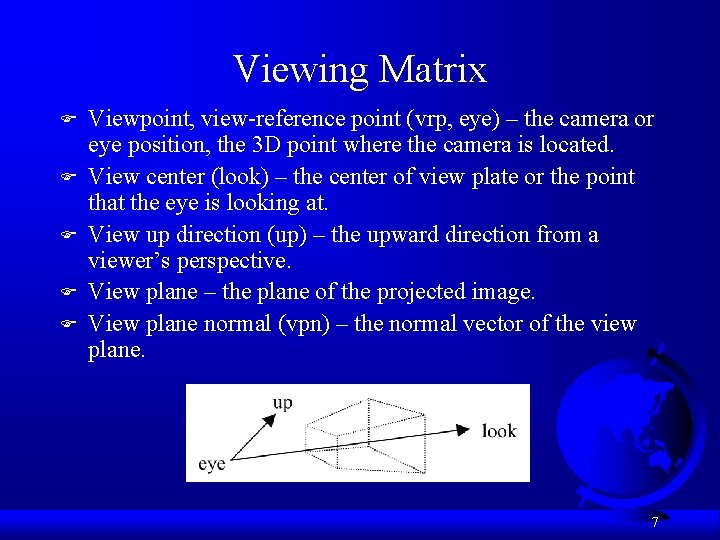
Viewing Matrix F F F Viewpoint, view-reference point (vrp, eye) – the camera or eye position, the 3 D point where the camera is located. View center (look) – the center of view plate or the point that the eye is looking at. View up direction (up) – the upward direction from a viewer’s perspective. View plane – the plane of the projected image. View plane normal (vpn) – the normal vector of the view plane. 7
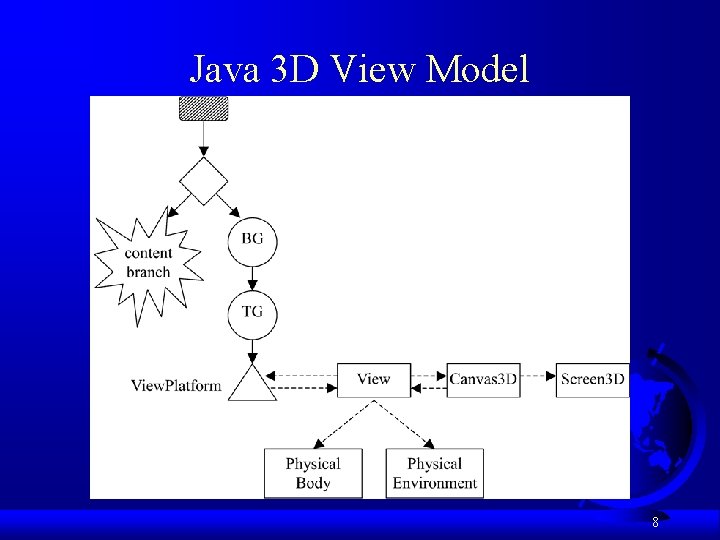
Java 3 D View Model 8
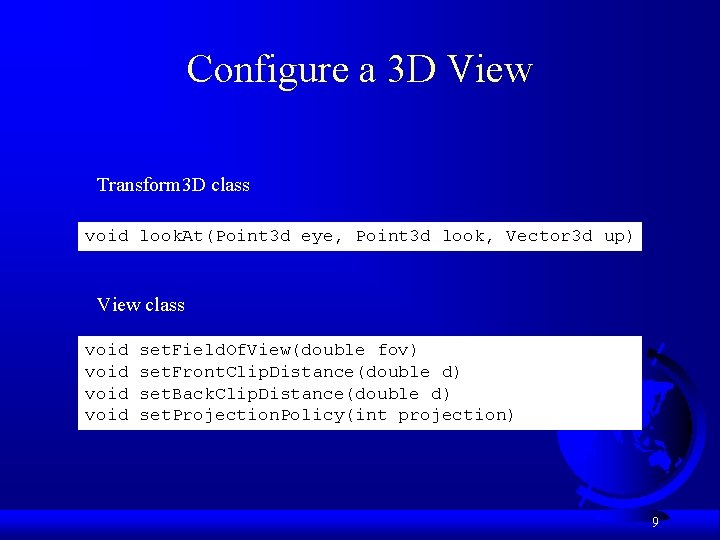
Configure a 3 D View Transform 3 D class void look. At(Point 3 d eye, Point 3 d look, Vector 3 d up) View class void set. Field. Of. View(double fov) set. Front. Clip. Distance(double d) set. Back. Clip. Distance(double d) set. Projection. Policy(int projection) 9
The Compatibility Mode FA simple mode compatible with Open. GL F Static camera F Manual settings of fixed view parameters Source Run 10
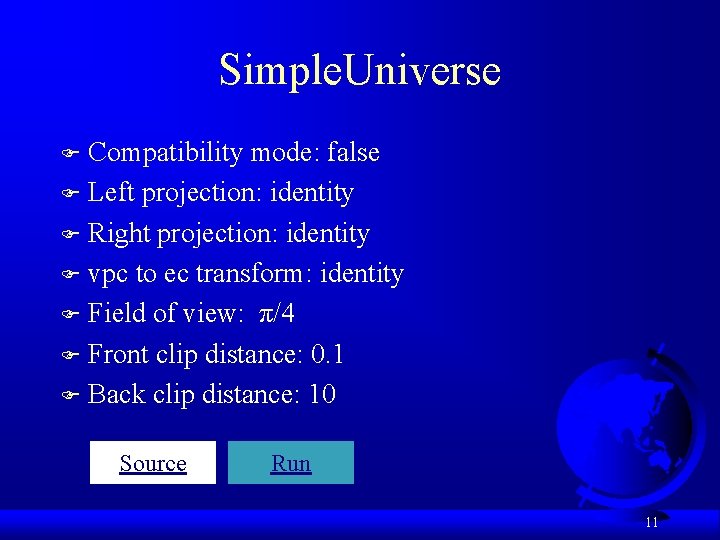
Simple. Universe Compatibility mode: false F Left projection: identity F Right projection: identity F vpc to ec transform: identity F Field of view: π/4 F Front clip distance: 0. 1 F Back clip distance: 10 F Source Run 11
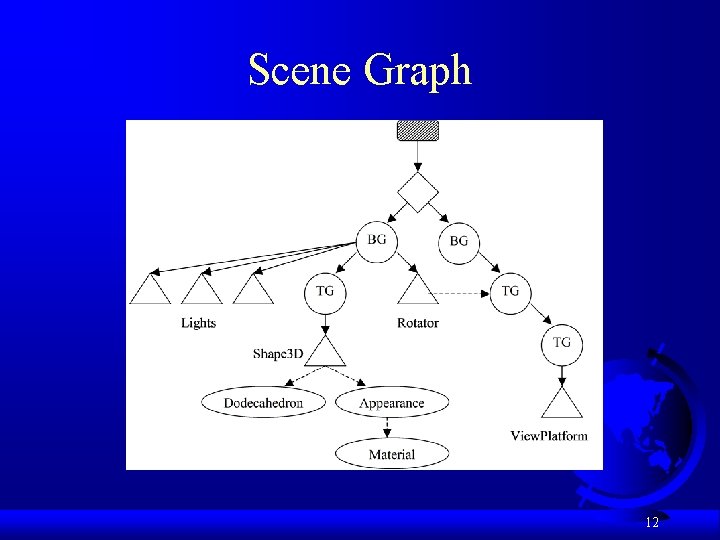
Scene Graph 12
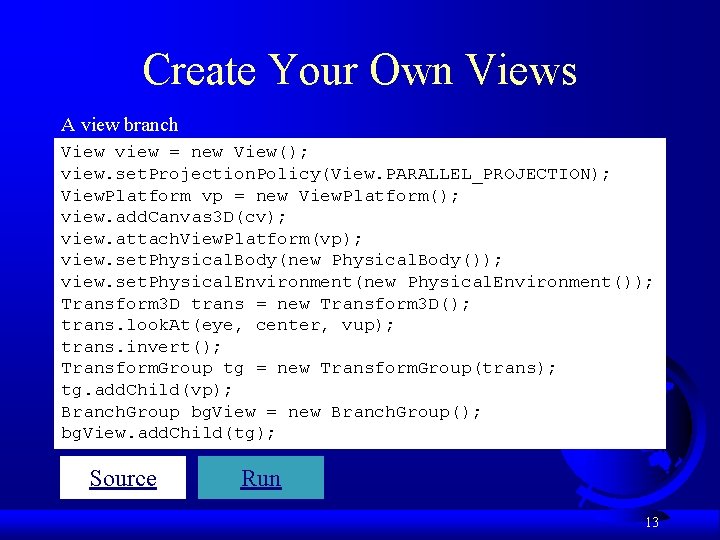
Create Your Own Views A view branch View view = new View(); view. set. Projection. Policy(View. PARALLEL_PROJECTION); View. Platform vp = new View. Platform(); view. add. Canvas 3 D(cv); view. attach. View. Platform(vp); view. set. Physical. Body(new Physical. Body()); view. set. Physical. Environment(new Physical. Environment()); Transform 3 D trans = new Transform 3 D(); trans. look. At(eye, center, vup); trans. invert(); Transform. Group tg = new Transform. Group(trans); tg. add. Child(vp); Branch. Group bg. View = new Branch. Group(); bg. View. add. Child(tg); Source Run 13
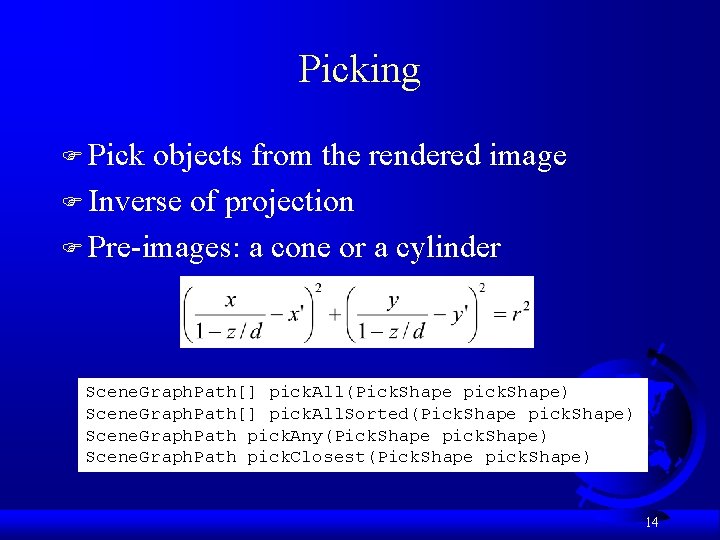
Picking F Pick objects from the rendered image F Inverse of projection F Pre-images: a cone or a cylinder Scene. Graph. Path[] pick. All(Pick. Shape pick. Shape) Scene. Graph. Path[] pick. All. Sorted(Pick. Shape pick. Shape) Scene. Graph. Path pick. Any(Pick. Shape pick. Shape) Scene. Graph. Path pick. Closest(Pick. Shape pick. Shape) 14
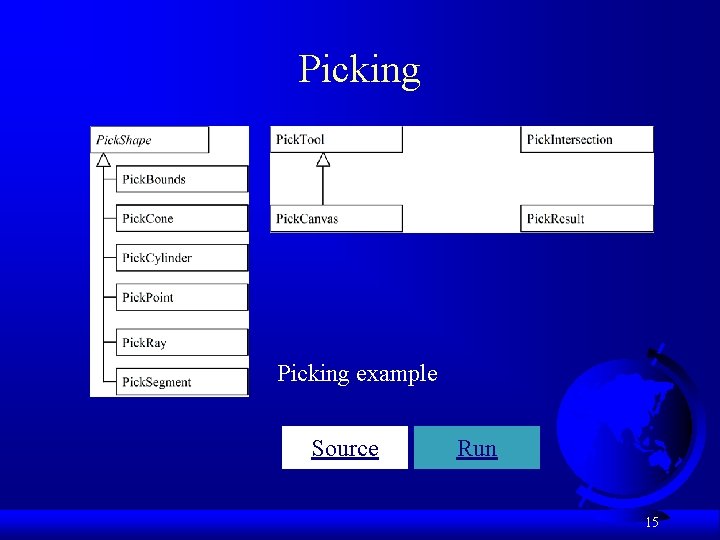
Picking example Source Run 15
Head Tracking F Adjustment of view parameters following dynamic head position changes F Java 3 D head tracking support – View – Sensor – Physical. Body – Physical. Environment Source Run 16
- Slides: 16