
Chapter 8 Verbal and Visual Supports Types of

Chapter 8 Verbal and Visual Supports
Types of Verbal Supports l Function is to make your information more: – Interesting – Understandable – Believable
Types of Verbal Supports l Explanations – Defines, analyzes or describes – Involves clarifying technical or complex terms that may be unfamiliar to the audience – Analyses: break down complex processes or concepts into their component parts – Descriptions: provide detailed pictures for an audience by explaining how something looks, sounds, feels, smells or tastes
Types of Verbal Supports l Examples – Typical instances used to clarify a point – Work well when used in groups of two or more – “Aerobic exercise includes walking, biking and dancing. ”
Types of Verbal Supports l Statistics – Numerical facts that show relationships – Can be highly convincing forms of evidence – Guidelines for using statistics: l Always cite the source, including the date l Display them visually if possible l Round off figures l Don’t overwhelm your audience with statistics
Types of Verbal Supports l Stories – – Short narratives or anecdotes Factual or hypothetical Factual stories: report incidents that have actually occurred Hypothetical stories: are imaginary but believable l l – Create an imaginary scenario for the audience Highly effective form of captivating audience interest in the introduction Helps your audience pictures situations they have not experienced
Types of Verbal Supports l Comparisons – Attempt to show similarities between objects, ideas and concepts – Introduce new information by linking it to something with which the audience is already familiar – Figurative comparison: explains an unknown concept in terms of a more familiar one
Types of Visual Supports l Objects or Models – Objects: real-life examples of your subject – Effective when/because: l Easily transported l Skillfully manipulated l Clearly seen by your entire audience – Models: scaled replicas, life-like reproductions, miniature mock-ups if object isn’t available or too awkward for use
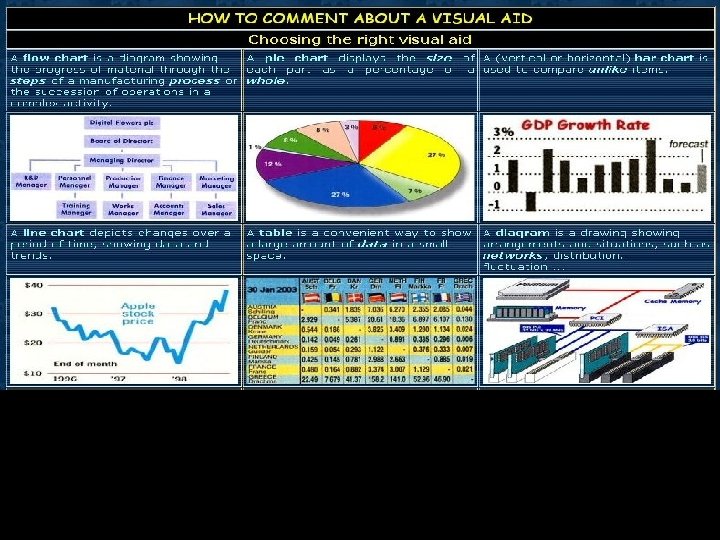
Types of Visual Supports l Charts or Graphs – – – Numerical or statistical data Summarize numerical data, show relationships and describe trends Types of charts or graphs: l l Bar Pie Line Column
Charts l In a bar chart, the height or length of each bar represents the frequency of occurence. Bars are seperated by gaps, usually half the width of the bars.
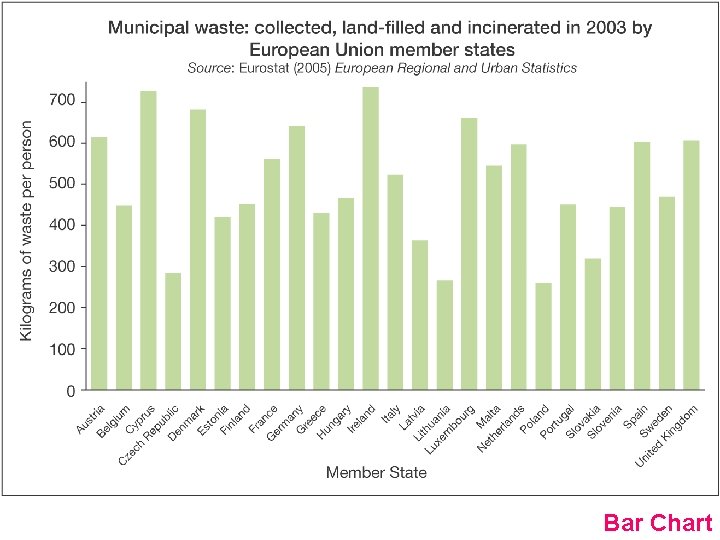
Bar Chart
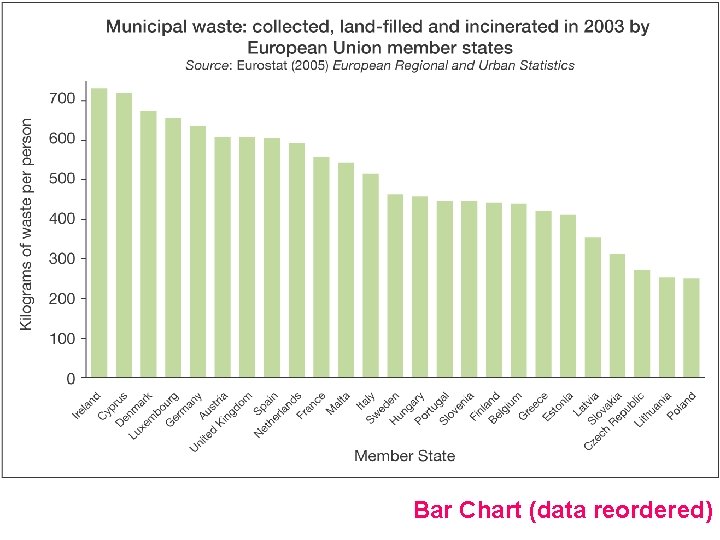
Bar Chart (data reordered)
Charts l The most frequently used diagram to emphasise the proportion or share of occurences is the pie chart. A pie chart is divided into proportional segments according to the share each has of the total value.
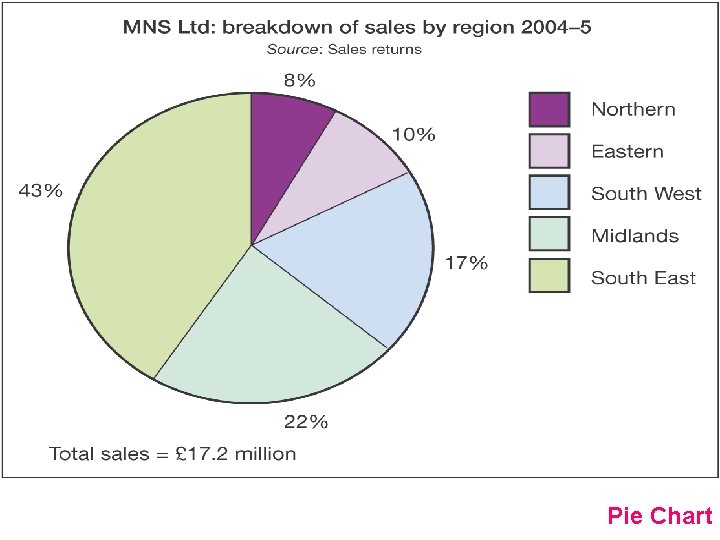
Pie Chart
Graphs l Trends can only be presented for variables containing quantifiable data. Most suitable diagram for exploring the trend is a line graph in which your data values for each time period are joined with a line to represent the trend.
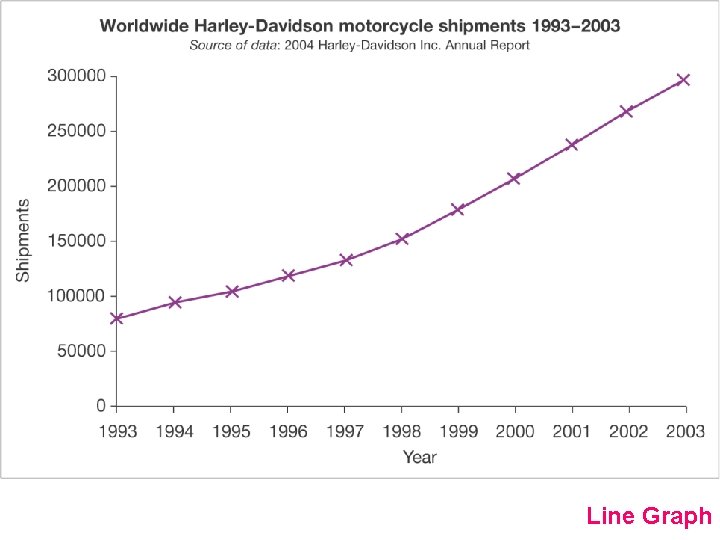
Line Graph
Types of Visual Supports l Lists or Tables – Lists: help to simplify the information – Tables: provide summary of information l Data is presented in rows and columns l Relationships, values and categories are easily identified by your audience
Types of Visual Supports l Photographs or Diagrams – Pictures provide vivid, colorful, emotional dimensions to your visual support – Easy to prepare and edit – Convenient to transport – Can be projected for your entire audience to see
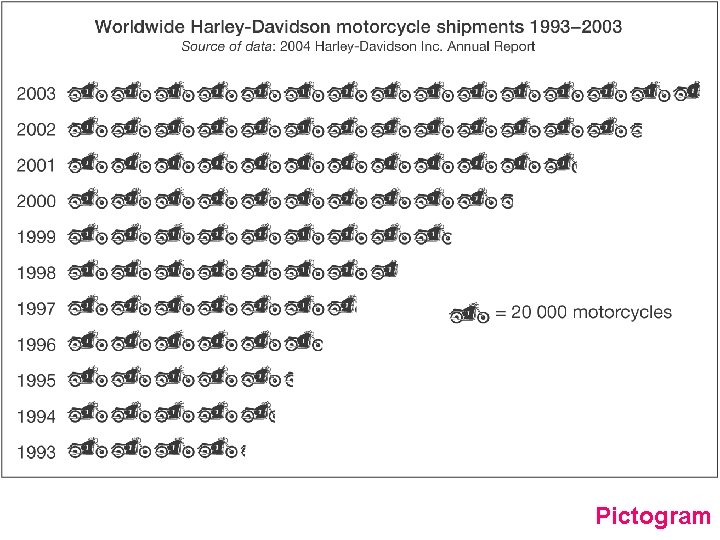
Pictogram
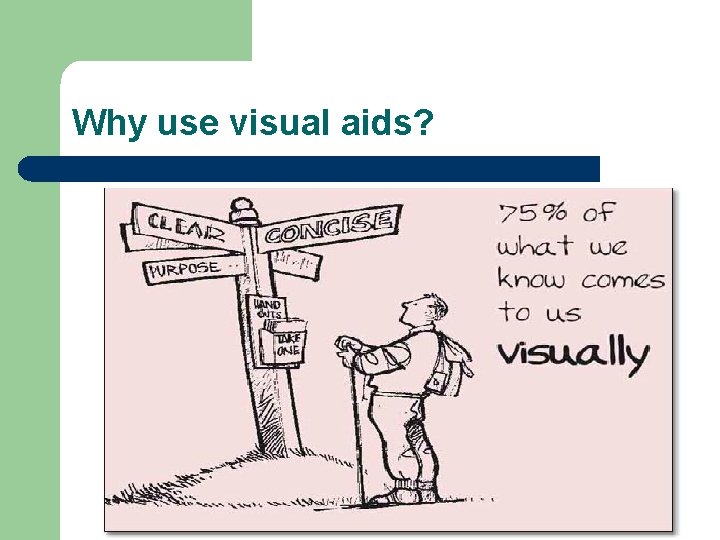
Why use visual aids?
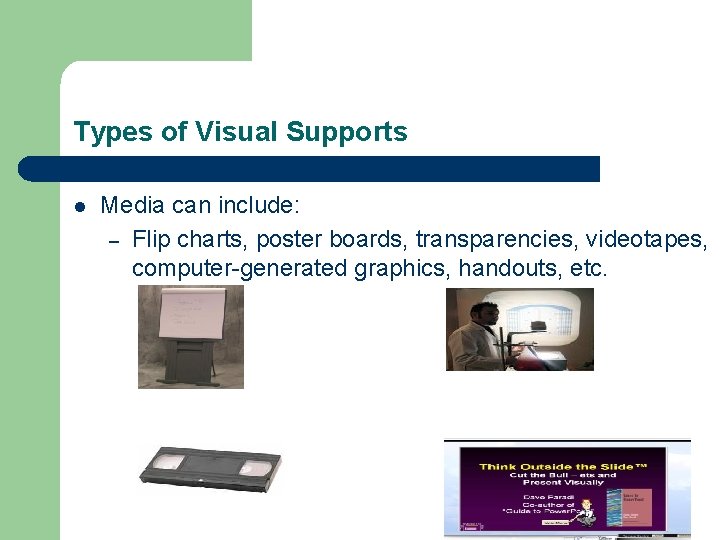
Types of Visual Supports l Media can include: – Flip charts, poster boards, transparencies, videotapes, computer-generated graphics, handouts, etc.
Types of Visual Supports l Decide on the type of visual and media – What is the nature of your subject? – What is the audience’s level of sophistication? – Where will the presentation take place? – What purpose is the visual intended to serve?
Guidelines for Effective Visual Supports l l l l Make sure the entire audience can see it. Keep it simple; don’t cram too much info. Use colors, fonts, graphics, etc. Have a purpose in mind. Introduce the visual, explain it, put it away. Make sure you have the equipment necessary. Practice your speech using your visual.
Visual Supports and Technology l l l Avoid using technology as a substitute for meaningful content. Use technology to provide clarity and interest. More is not always better. Make sure the equipment works. Always have a back-up plan.
- Slides: 25