
Chapter 8 IO Programming Chapter 9 Trap Service
- Slides: 30
Chapter 8 I/O Programming Chapter 9 Trap Service Routines • Programmed I/O • Interrupts • Interrupt Driven I/O • Trap Service Routines
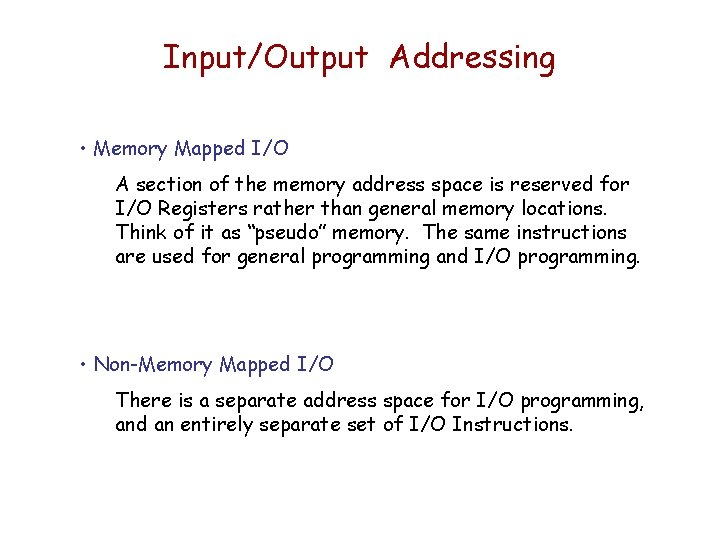
Input/Output Addressing • Memory Mapped I/O A section of the memory address space is reserved for I/O Registers rather than general memory locations. Think of it as “pseudo” memory. The same instructions are used for general programming and I/O programming. • Non-Memory Mapped I/O There is a separate address space for I/O programming, and an entirely separate set of I/O Instructions.
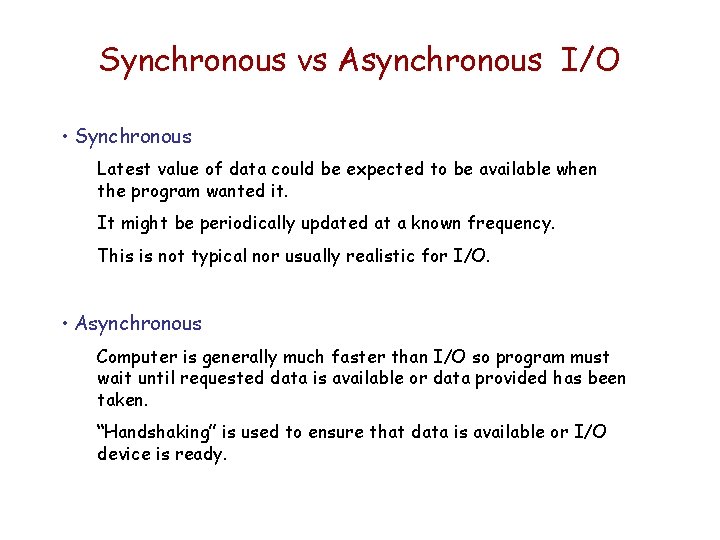
Synchronous vs Asynchronous I/O • Synchronous Latest value of data could be expected to be available when the program wanted it. It might be periodically updated at a known frequency. This is not typical nor usually realistic for I/O. • Asynchronous Computer is generally much faster than I/O so program must wait until requested data is available or data provided has been taken. “Handshaking” is used to ensure that data is available or I/O device is ready.
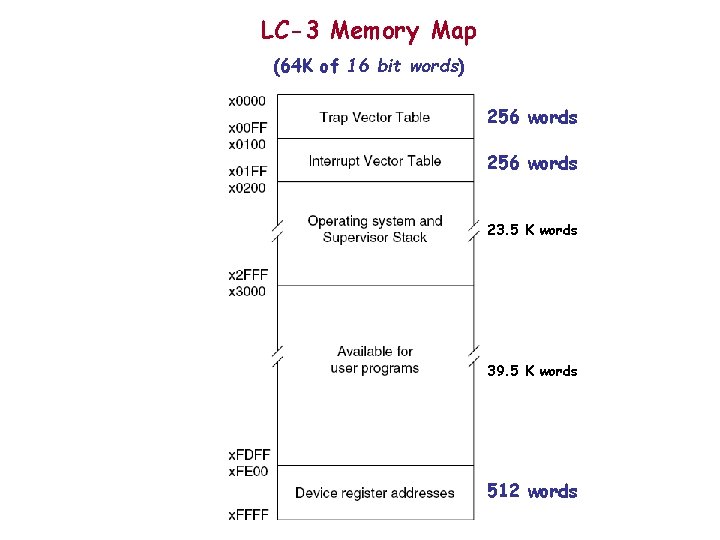
LC-3 Memory Map (64 K of 16 bit words) 256 words 23. 5 K words 39. 5 K words 512 words
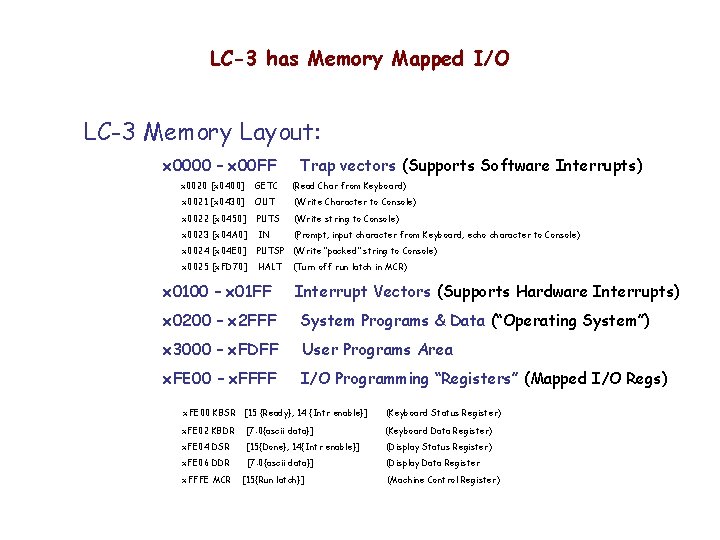
LC-3 has Memory Mapped I/O LC-3 Memory Layout: x 0000 – x 00 FF Trap vectors (Supports Software Interrupts) x 0020 [x 0400] GETC (Read Char from Keyboard) x 0021 [x 0430] OUT (Write Character to Console) x 0022 [x 0450] PUTS (Write string to Console) x 0023 [x 04 A 0] IN (Prompt, input character from Keyboard, echo character to Console) x 0024 [x 04 E 0] PUTSP (Write “packed” string to Console) x 0025 [x. FD 70] HALT x 0100 – x 01 FF (Turn off run latch in MCR) Interrupt Vectors (Supports Hardware Interrupts) x 0200 – x 2 FFF System Programs & Data (“Operating System”) x 3000 – x. FDFF User Programs Area x. FE 00 – x. FFFF I/O Programming “Registers” (Mapped I/O Regs) x. FE 00 KBSR [15 {Ready}, 14 {Intr enable}] (Keyboard Status Register) x. FE 02 KBDR [7: 0{ascii data}] (Keyboard Data Register) x. FE 04 DSR [15{Done}, 14{Intr enable}] (Display Status Register) x. FE 06 DDR [7: 0{ascii data}] (Display Data Register x. FFFE MCR [15{Run latch}] (Machine Control Register)
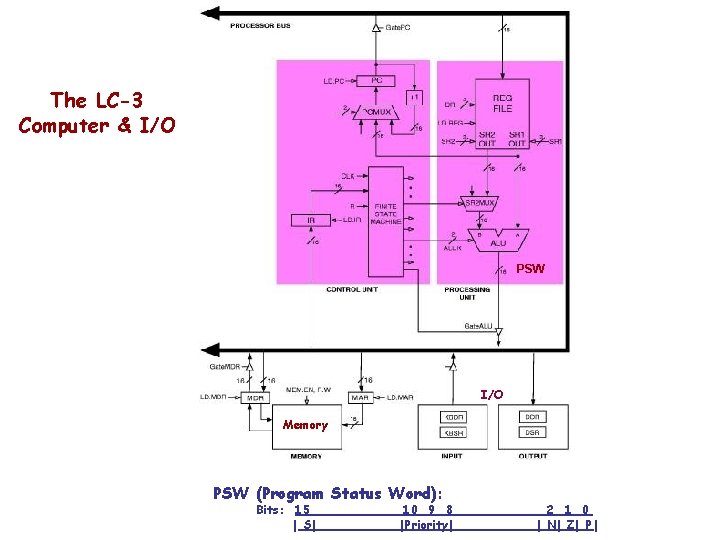
The LC-3 Computer & I/O PSW I/O Memory PSW (Program Status Word): Bits: 15 | S| 10 9 8 |Priority| 2 1 0 | N| Z| P |
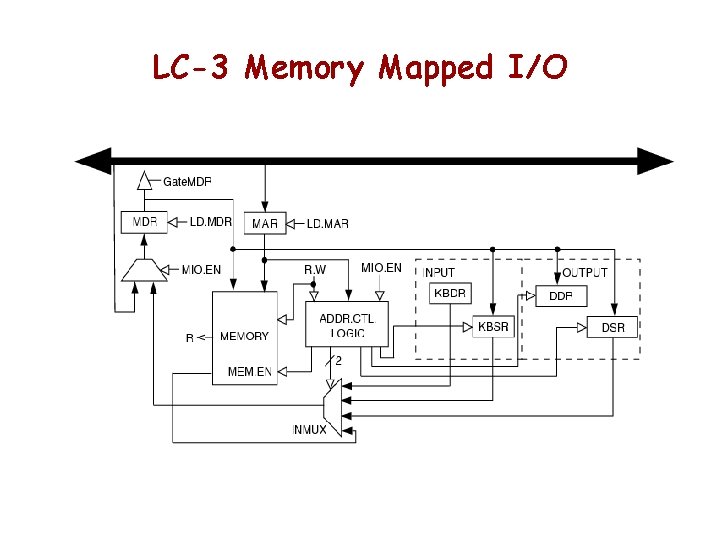
LC-3 Memory Mapped I/O
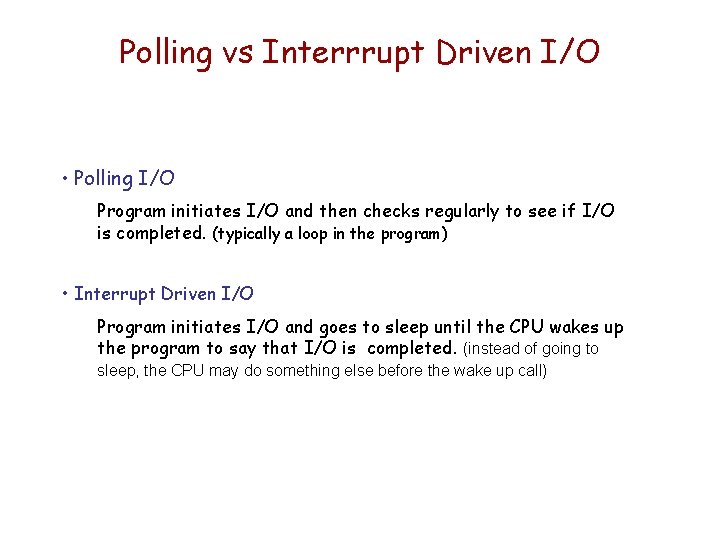
Polling vs Interrrupt Driven I/O • Polling I/O Program initiates I/O and then checks regularly to see if I/O is completed. (typically a loop in the program) • Interrupt Driven I/O Program initiates I/O and goes to sleep until the CPU wakes up the program to say that I/O is completed. (instead of going to sleep, the CPU may do something else before the wake up call)
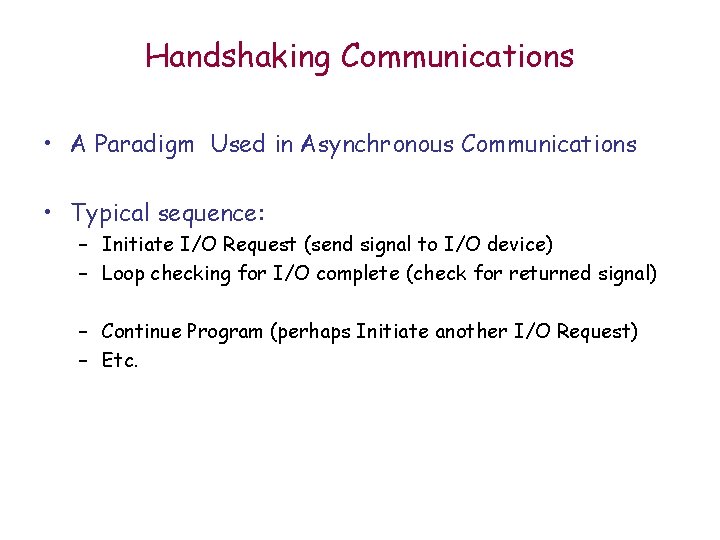
Handshaking Communications • A Paradigm Used in Asynchronous Communications • Typical sequence: – Initiate I/O Request (send signal to I/O device) – Loop checking for I/O complete (check for returned signal) – Continue Program (perhaps Initiate another I/O Request) – Etc.
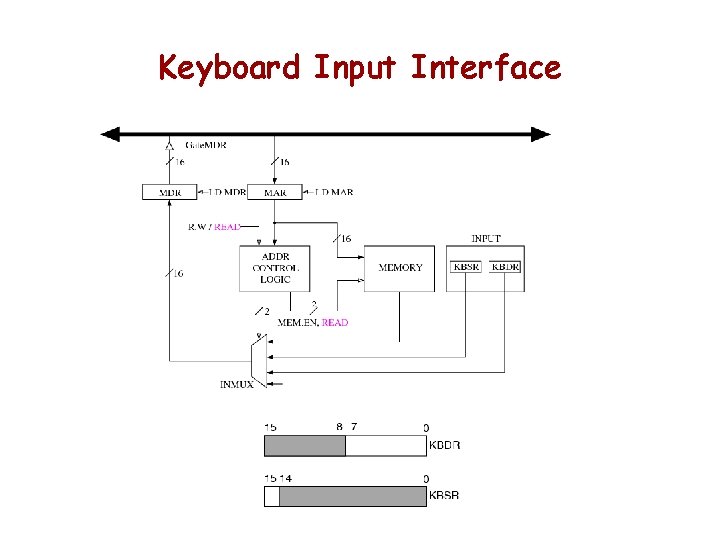
Keyboard Input Interface
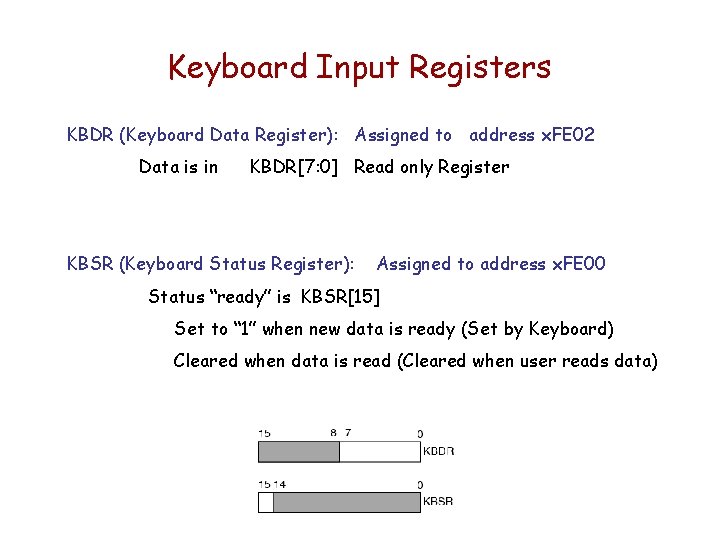
Keyboard Input Registers KBDR (Keyboard Data Register): Assigned to address x. FE 02 Data is in KBDR[7: 0] Read only Register KBSR (Keyboard Status Register): Assigned to address x. FE 00 Status “ready” is KBSR[15] Set to “ 1” when new data is ready (Set by Keyboard) Cleared when data is read (Cleared when user reads data)
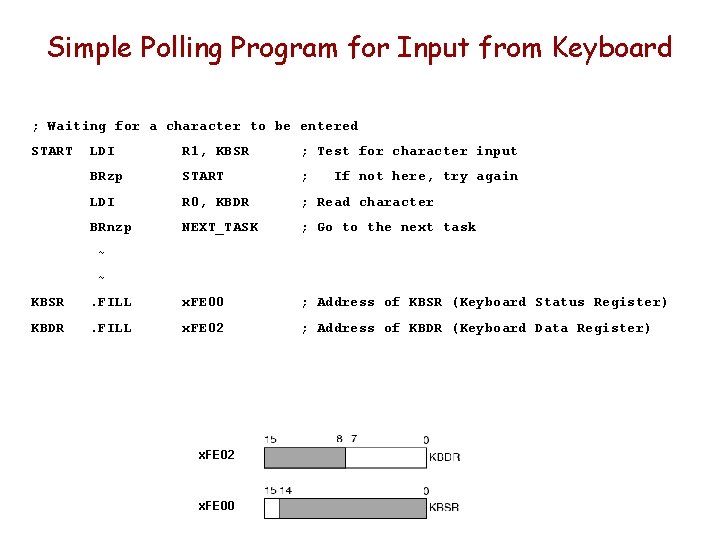
Simple Polling Program for Input from Keyboard ; Waiting for a character to be entered START LDI R 1, KBSR ; Test for character input BRzp START ; LDI R 0, KBDR ; Read character BRnzp NEXT_TASK ; Go to the next task If not here, try again ~ ~ KBSR . FILL x. FE 00 ; Address of KBSR (Keyboard Status Register) KBDR . FILL x. FE 02 ; Address of KBDR (Keyboard Data Register) x. FE 02 x. FE 00
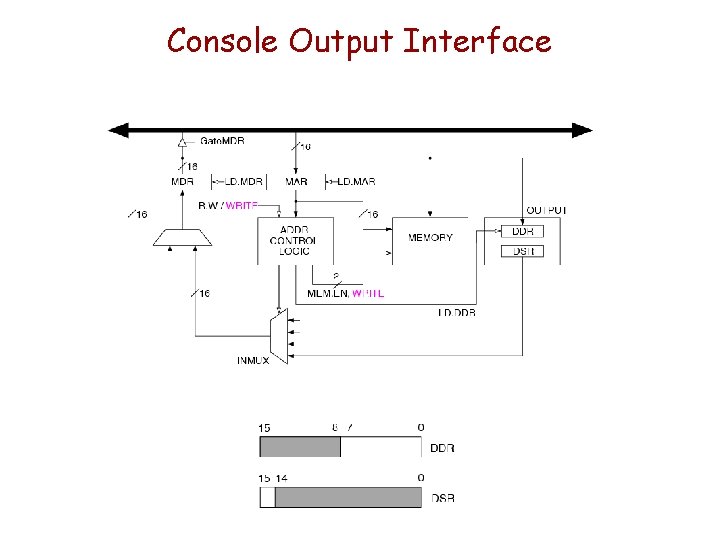
Console Output Interface
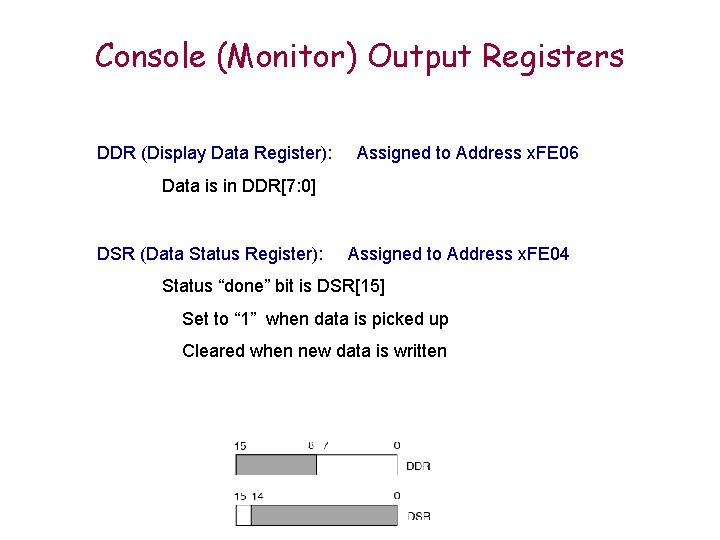
Console (Monitor) Output Registers DDR (Display Data Register): Assigned to Address x. FE 06 Data is in DDR[7: 0] DSR (Data Status Register): Assigned to Address x. FE 04 Status “done” bit is DSR[15] Set to “ 1” when data is picked up Cleared when new data is written
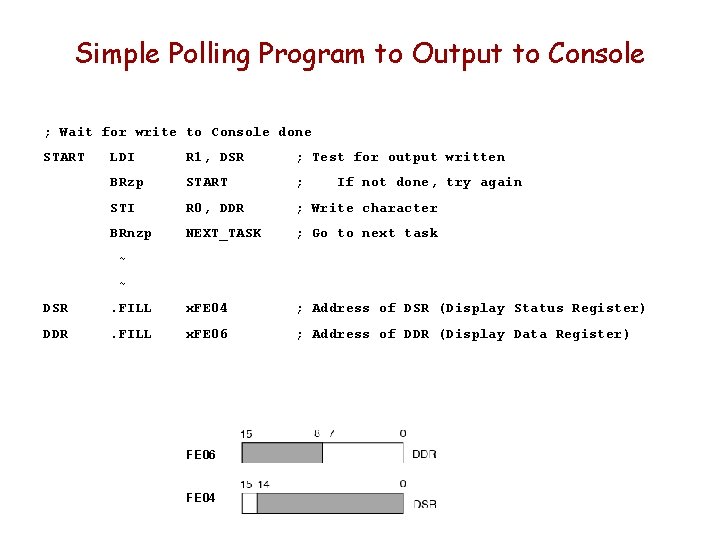
Simple Polling Program to Output to Console ; Wait for write to Console done START LDI R 1, DSR ; Test for output written BRzp START ; STI R 0, DDR ; Write character BRnzp NEXT_TASK ; Go to next task If not done, try again ~ ~ DSR . FILL x. FE 04 ; Address of DSR (Display Status Register) DDR . FILL x. FE 06 ; Address of DDR (Display Data Register) FE 06 FE 04
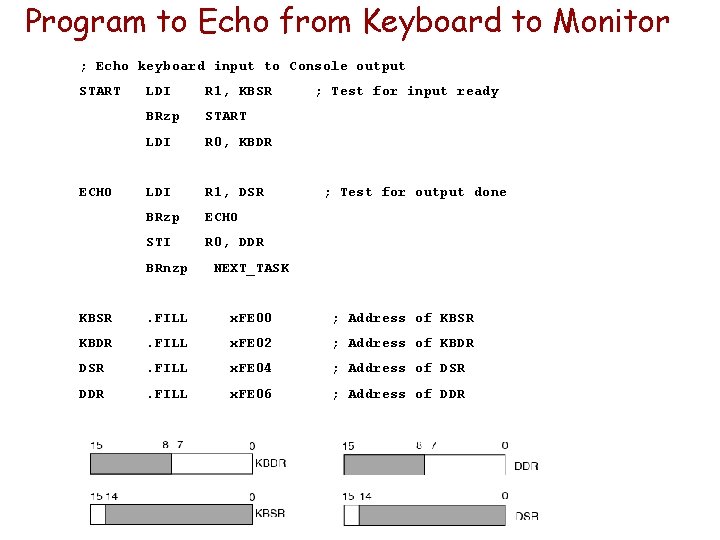
Program to Echo from Keyboard to Monitor ; Echo keyboard input to Console output START ECHO LDI R 1, KBSR BRzp START LDI R 0, KBDR LDI R 1, DSR BRzp ECHO STI R 0, DDR ; Test for input ready ; Test for output done BRnzp NEXT_TASK KBSR . FILL x. FE 00 ; Address of KBSR KBDR . FILL x. FE 02 ; Address of KBDR DSR . FILL x. FE 04 ; Address of DSR DDR . FILL x. FE 06 ; Address of DDR
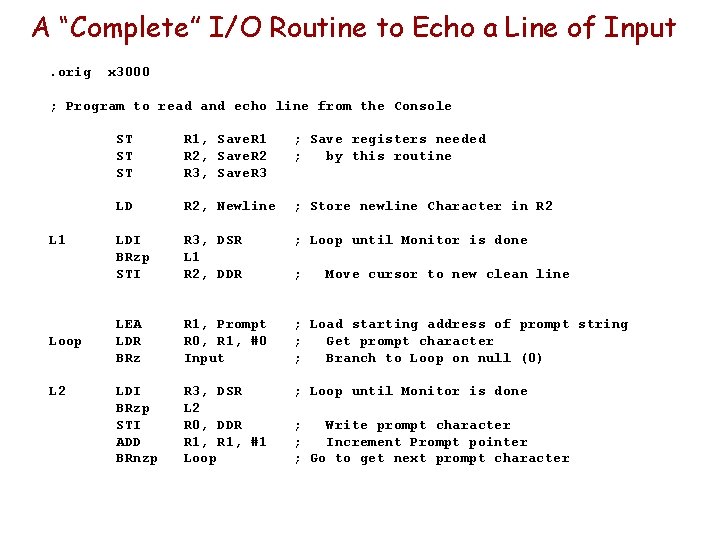
A “Complete” I/O Routine to Echo a Line of Input. orig x 3000 ; Program to read and echo line from the Console L 1 Loop L 2 ST ST ST R 1, Save. R 1 R 2, Save. R 2 R 3, Save. R 3 ; Save registers needed ; by this routine LD R 2, Newline ; Store newline Character in R 2 LDI BRzp STI R 3, DSR L 1 R 2, DDR ; Loop until Monitor is done LEA LDR BRz R 1, Prompt R 0, R 1, #0 Input ; Load starting address of prompt string ; Get prompt character ; Branch to Loop on null (0) LDI BRzp STI ADD BRnzp R 3, DSR L 2 R 0, DDR R 1, #1 Loop ; Loop until Monitor is done ; Move cursor to new clean line ; Write prompt character ; Increment Prompt pointer ; Go to get next prompt character
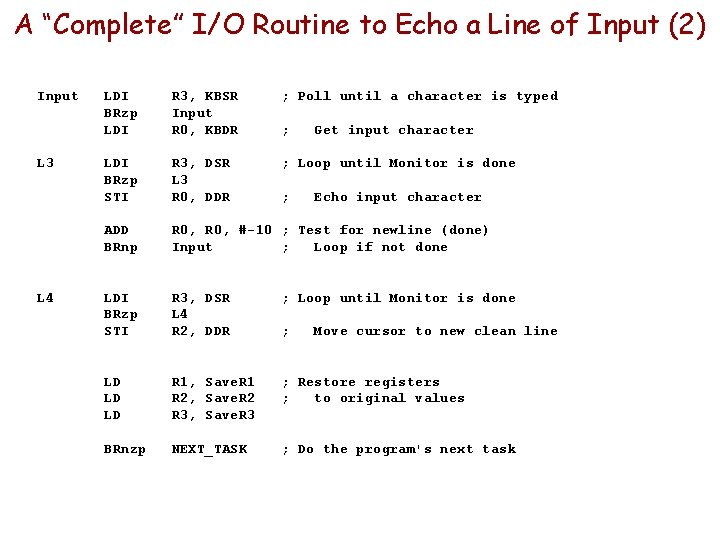
A “Complete” I/O Routine to Echo a Line of Input (2) Input L 3 L 4 LDI BRzp LDI R 3, KBSR Input R 0, KBDR ; Poll until a character is typed LDI BRzp STI R 3, DSR L 3 R 0, DDR ; Loop until Monitor is done ADD BRnp R 0, #-10 ; Test for newline (done) Input ; Loop if not done LDI BRzp STI R 3, DSR L 4 R 2, DDR ; Loop until Monitor is done LD LD LD R 1, Save. R 1 R 2, Save. R 2 R 3, Save. R 3 ; Restore registers ; to original values BRnzp NEXT_TASK ; Do the program's next task ; ; ; Get input character Echo input character Move cursor to new clean line
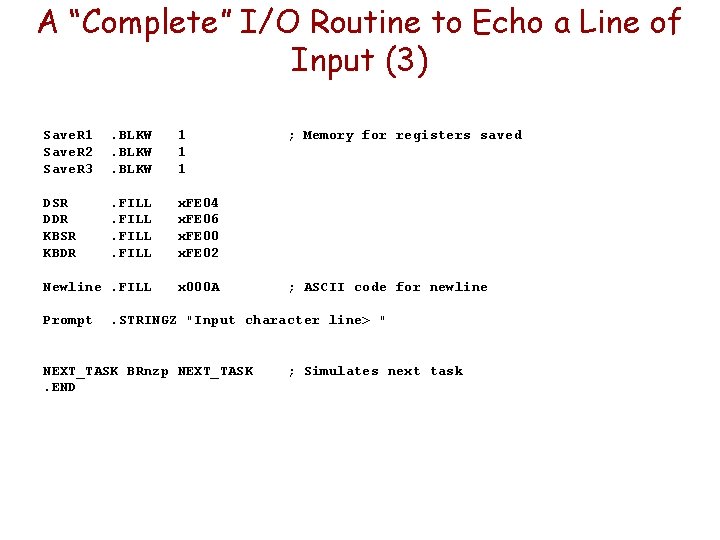
A “Complete” I/O Routine to Echo a Line of Input (3) Save. R 1 Save. R 2 Save. R 3 . BLKW 1 1 1 DSR DDR KBSR KBDR . FILL x. FE 04 x. FE 06 x. FE 00 x. FE 02 Newline. FILL x 000 A Prompt ; Memory for registers saved ; ASCII code for newline . STRINGZ "Input character line> " NEXT_TASK BRnzp NEXT_TASK. END ; Simulates next task
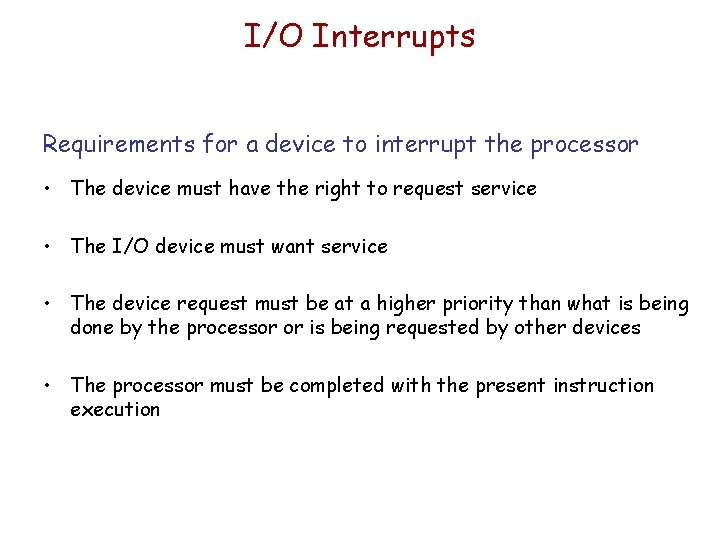
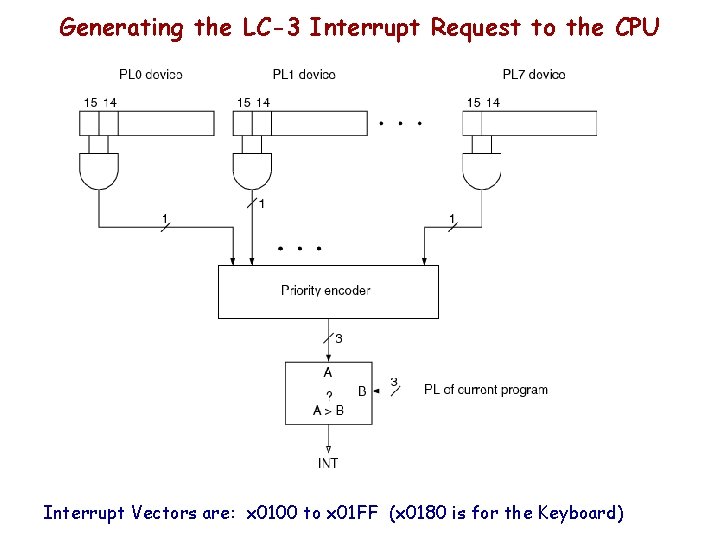
I/O Interrupts Requirements for a device to interrupt the processor • The device must have the right to request service • The I/O device must want service • The device request must be at a higher priority than what is being done by the processor or is being requested by other devices • The processor must be completed with the present instruction execution
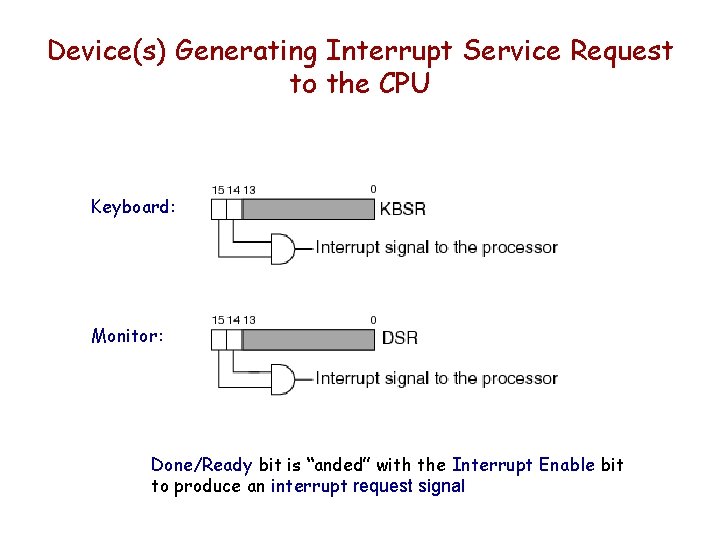
Device(s) Generating Interrupt Service Request to the CPU Keyboard: Monitor: Done/Ready bit is “anded” with the Interrupt Enable bit to produce an interrupt request signal
Generating the LC-3 Interrupt Request to the CPU Interrupt Vectors are: x 0100 to x 01 FF (x 0180 is for the Keyboard)
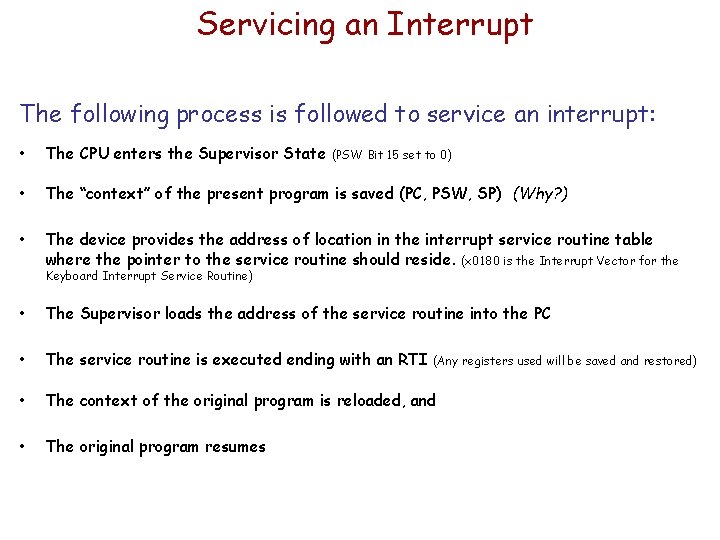
Servicing an Interrupt The following process is followed to service an interrupt: • The CPU enters the Supervisor State • The “context” of the present program is saved (PC, PSW, SP) (Why? ) • The device provides the address of location in the interrupt service routine table where the pointer to the service routine should reside. (x 0180 is the Interrupt Vector for the (PSW Bit 15 set to 0) Keyboard Interrupt Service Routine) • The Supervisor loads the address of the service routine into the PC • The service routine is executed ending with an RTI • The context of the original program is reloaded, and • The original program resumes (Any registers used will be saved and restored)
Trap Routines • Programming Trap Service Routines – Writing the code for them
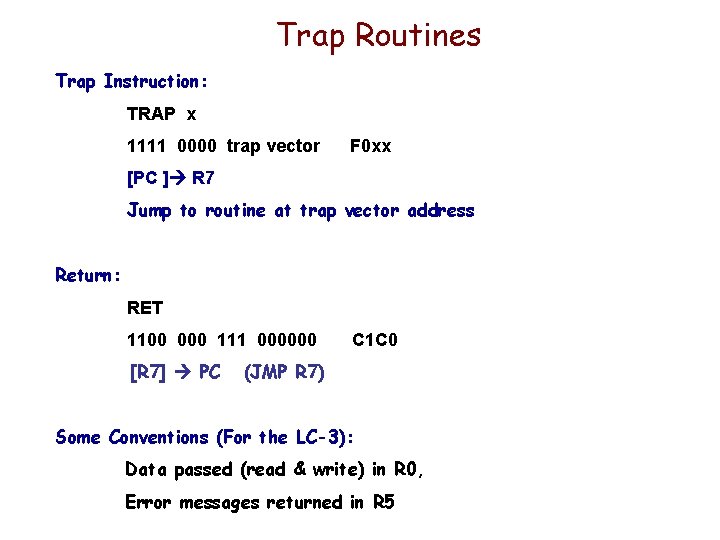
Trap Routines Trap Instruction: TRAP x 1111 0000 trap vector F 0 xx [PC ] R 7 Jump to routine at trap vector address Return: RET 1100 000 111 000000 [R 7] PC C 1 C 0 (JMP R 7) Some Conventions (For the LC-3): Data passed (read & write) in R 0, Error messages returned in R 5
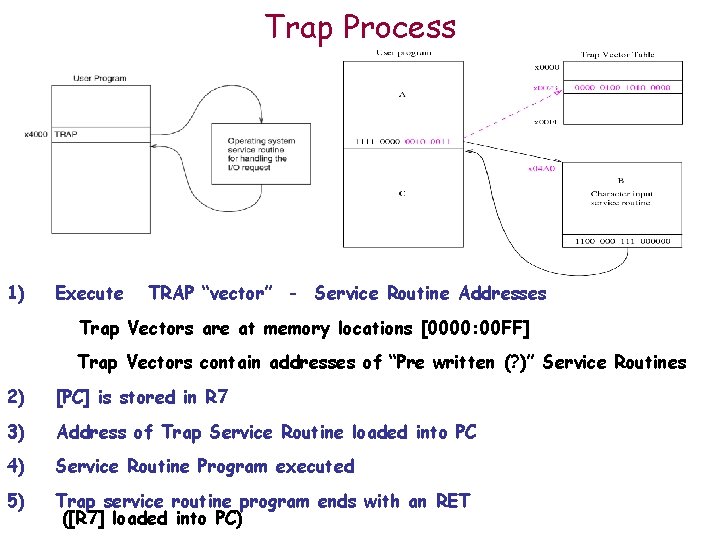
Trap Process 1) Execute TRAP “vector” - Service Routine Addresses Trap Vectors are at memory locations [0000: 00 FF] Trap Vectors contain addresses of “Pre written (? )” Service Routines 2) [PC] is stored in R 7 3) Address of Trap Service Routine loaded into PC 4) Service Routine Program executed 5) Trap service routine program ends with an RET ([R 7] loaded into PC)
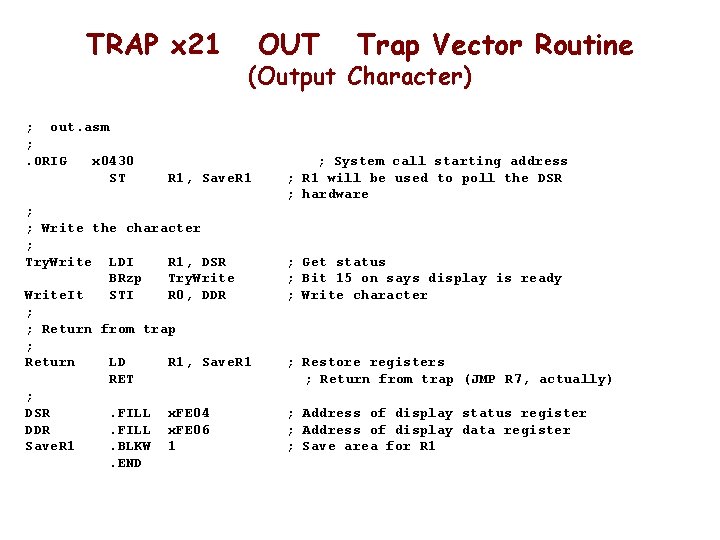
TRAP x 21 ; out. asm ; . ORIG x 0430 ST OUT Trap Vector Routine (Output Character) R 1, Save. R 1 ; ; Write the character ; Try. Write LDI R 1, DSR BRzp Try. Write. It STI R 0, DDR ; ; Return from trap ; Return LD R 1, Save. R 1 RET ; DSR. FILL x. FE 04 DDR. FILL x. FE 06 Save. R 1. BLKW 1. END ; System call starting address ; R 1 will be used to poll the DSR ; hardware ; Get status ; Bit 15 on says display is ready ; Write character ; Restore registers ; Return from trap (JMP R 7, actually) ; Address of display status register ; Address of display data register ; Save area for R 1
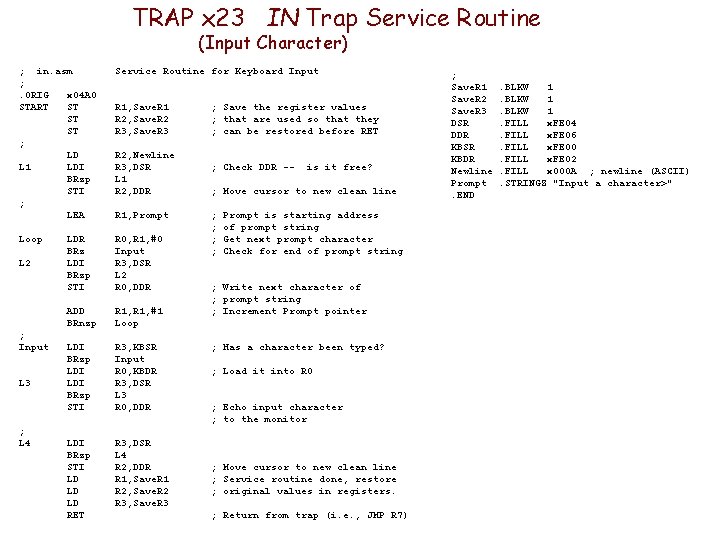
TRAP x 23 IN Trap Service Routine (Input Character) ; in. asm ; . ORIG x 04 A 0 START ST ST ST ; LD L 1 LDI BRzp STI ; LEA Service Routine for Keyboard Input Loop LDR BRz LDI BRzp STI R 0, R 1, #0 Input R 3, DSR L 2 R 0, DDR ADD BRnzp R 1, #1 Loop LDI BRzp STI R 3, KBSR Input R 0, KBDR R 3, DSR L 3 R 0, DDR LDI BRzp STI LD LD LD RET R 3, DSR L 4 R 2, DDR R 1, Save. R 1 R 2, Save. R 2 R 3, Save. R 3 L 2 ; Input L 3 ; L 4 R 1, Save. R 1 R 2, Save. R 2 R 3, Save. R 3 R 2, Newline R 3, DSR L 1 R 2, DDR R 1, Prompt ; Save the register values ; that are used so that they ; can be restored before RET ; Check DDR -- is it free? ; Move cursor to new clean line ; ; Prompt is starting address of prompt string Get next prompt character Check for end of prompt string ; Write next character of ; prompt string ; Increment Prompt pointer ; Has a character been typed? ; Load it into R 0 ; Echo input character ; to the monitor ; Move cursor to new clean line ; Service routine done, restore ; original values in registers. ; Return from trap (i. e. , JMP R 7) ; Save. R 1 Save. R 2 Save. R 3 DSR DDR KBSR KBDR Newline Prompt. END . BLKW 1. FILL x. FE 04. FILL x. FE 06. FILL x. FE 00. FILL x. FE 02. FILL x 000 A ; newline (ASCII). STRINGZ "Input a character>"
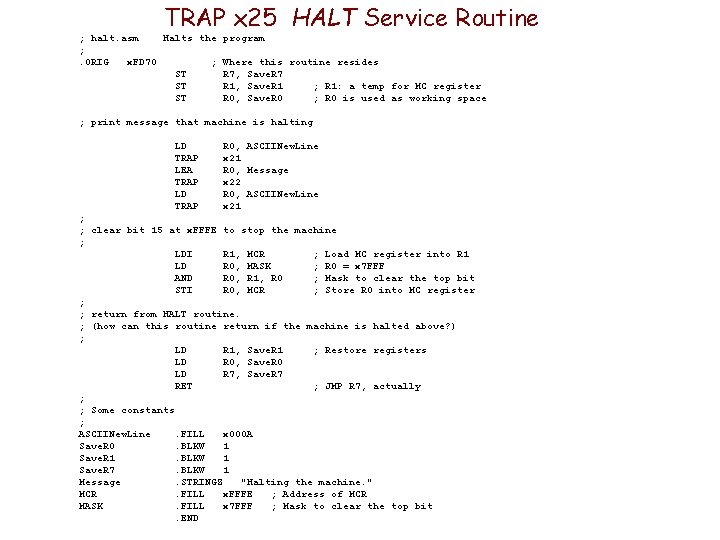
TRAP x 25 HALT Service Routine ; halt. asm Halts the program ; . ORIG x. FD 70 ; Where this routine resides ST R 7, Save. R 7 ST R 1, Save. R 1 ; R 1: a temp for MC register ST R 0, Save. R 0 ; R 0 is used as working space ; print message that machine is halting LD TRAP LEA TRAP LD TRAP R 0, ASCIINew. Line x 21 R 0, Message x 22 R 0, ASCIINew. Line x 21 ; ; clear bit 15 at x. FFFE to stop the machine ; LDI R 1, MCR ; Load MC register into R 1 LD R 0, MASK ; R 0 = x 7 FFF AND R 0, R 1, R 0 ; Mask to clear the top bit STI R 0, MCR ; Store R 0 into MC register ; ; return from HALT routine. ; (how can this routine return if the machine is halted above? ) ; LD R 1, Save. R 1 ; Restore registers LD R 0, Save. R 0 LD R 7, Save. R 7 RET ; JMP R 7, actually ; ; Some constants ; ASCIINew. Line. FILL x 000 A Save. R 0. BLKW 1 Save. R 1. BLKW 1 Save. R 7. BLKW 1 Message. STRINGZ "Halting the machine. " MCR. FILL x. FFFE ; Address of MCR MASK. FILL x 7 FFF ; Mask to clear the top bit. END
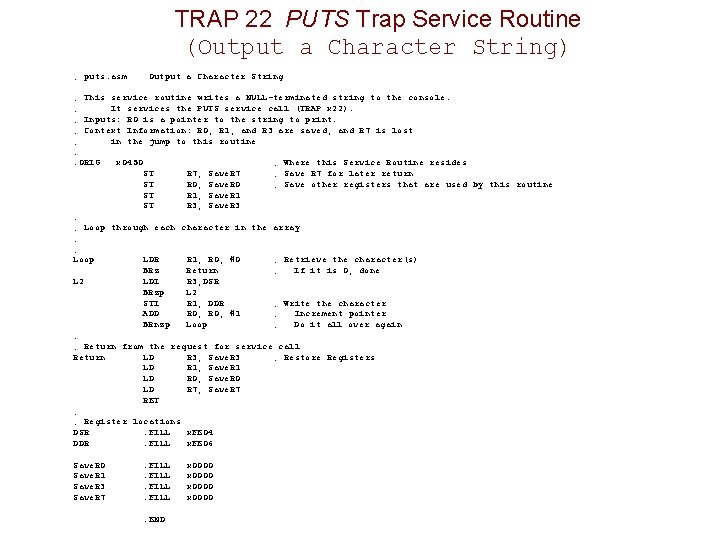
TRAP 22 PUTS Trap Service Routine (Output a Character String) ; puts. asm Output a Character String ; This service routine writes a NULL-terminated string to the console. ; It services the PUTS service call (TRAP x 22). ; Inputs: R 0 is a pointer to the string to print. ; Context Information: R 0, R 1, and R 3 are saved, and R 7 is lost ; in the jump to this routine ; . ORIG x 0450 ; Where this Service Routine resides ST R 7, Save. R 7 ; Save R 7 for later return ST R 0, Save. R 0 ; Save other registers that are used by this routine ST R 1, Save. R 1 ST R 3, Save. R 3 ; ; Loop through each character in the array ; ; Loop LDR R 1, R 0, #0 ; Retrieve the character(s) BRz Return ; If it is 0, done L 2 LDI R 3, DSR BRzp L 2 STI R 1, DDR ; Write the character ADD R 0, #1 ; Increment pointer BRnzp Loop ; Do it all over again ; ; Return from the request for service call Return LD R 3, Save. R 3 ; Restore Registers LD R 1, Save. R 1 LD R 0, Save. R 0 LD R 7, Save. R 7 RET ; ; Register locations DSR. FILL x. FE 04 DDR. FILL x. FE 06 Save. R 0 Save. R 1 Save. R 3 Save. R 7 . FILL. END x 0000