
Chapter 8 Digital Media 8 A SECTION Digital
- Slides: 49
Chapter 8 Digital Media
8 A SECTION Digital Sound ï Digital Audio Basics ï Portable Audio Players ï MIDI Music ï Speech Recognition and Synthesis Chapter 8: Digital Media 2
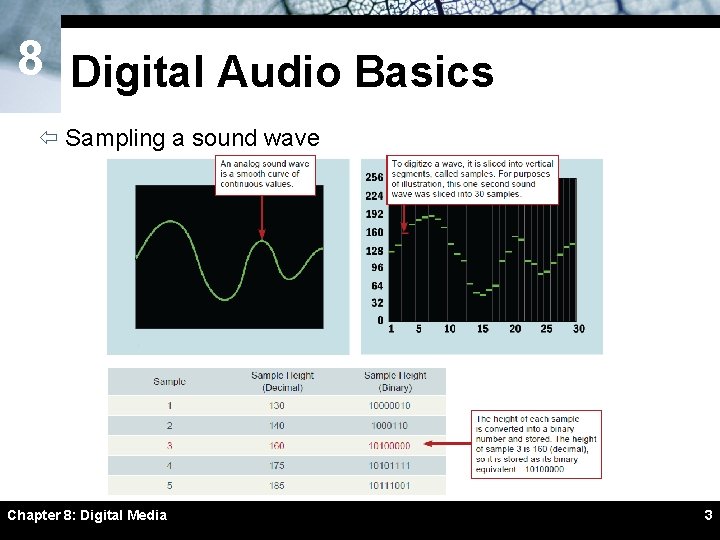
8 Digital Audio Basics ï Sampling a sound wave Chapter 8: Digital Media 3
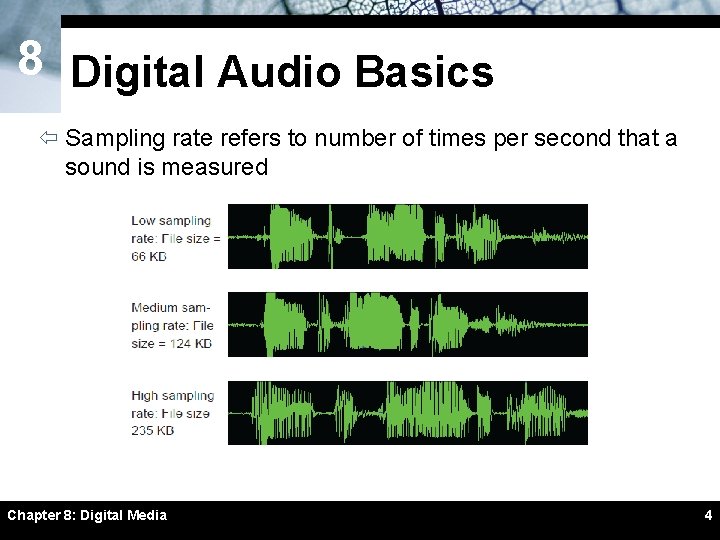
8 Digital Audio Basics ï Sampling rate refers to number of times per second that a sound is measured Chapter 8: Digital Media 4
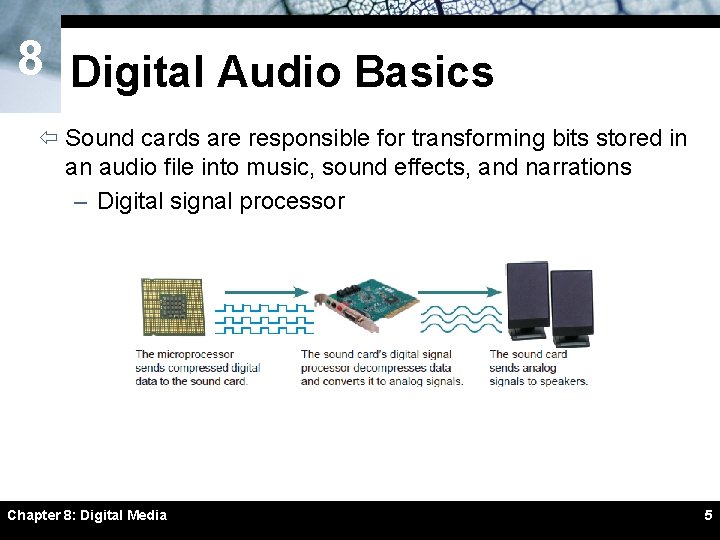
8 Digital Audio Basics ï Sound cards are responsible for transforming bits stored in an audio file into music, sound effects, and narrations – Digital signal processor Chapter 8: Digital Media 5
8 Digital Audio Basics ï The most popular digital audio formats include AAC, AIFF, MP 3, Real. Audio, Wave, and WMA ï Audio or media player software allows you to record and play digital audio files ï You can embed digital audio files into a Web page Chapter 8: Digital Media 6
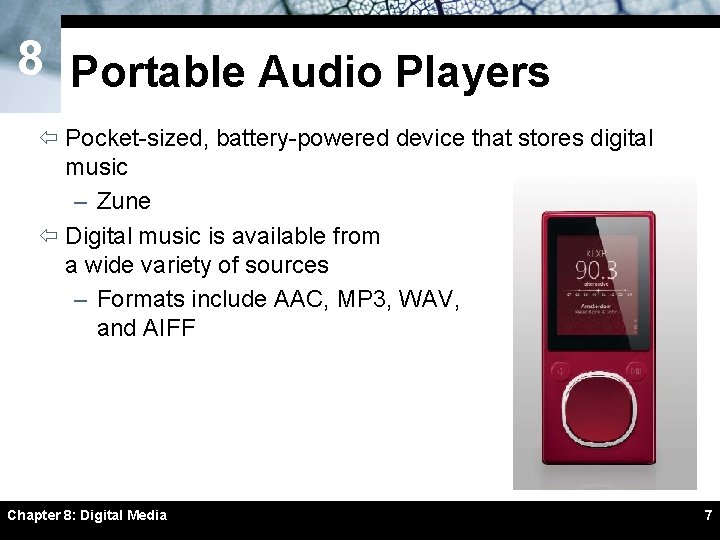
8 Portable Audio Players ï Pocket-sized, battery-powered device that stores digital music – Zune ï Digital music is available from a wide variety of sources – Formats include AAC, MP 3, WAV, and AIFF Chapter 8: Digital Media 7
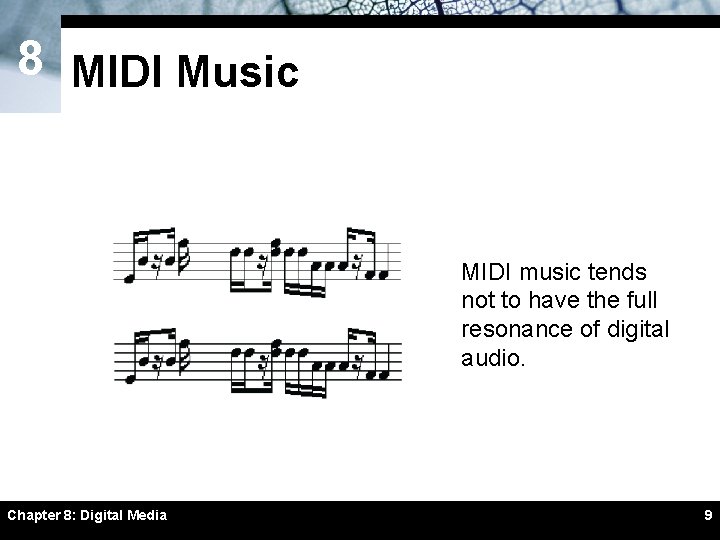
8 MIDI Music ï MIDI (Musical Instrument Digital Interface) specifies a standard way to store music data for synthesizers, electronic MIDI instruments, and computers ï MIDI-capable sound cards contain a wavetable – Set of prerecorded musical instrument sounds ï Does not produce high-quality vocals ï Does not have full resonance of “real” sound Chapter 8: Digital Media 8
8 MIDI Music MIDI music tends not to have the full resonance of digital audio. Chapter 8: Digital Media 9
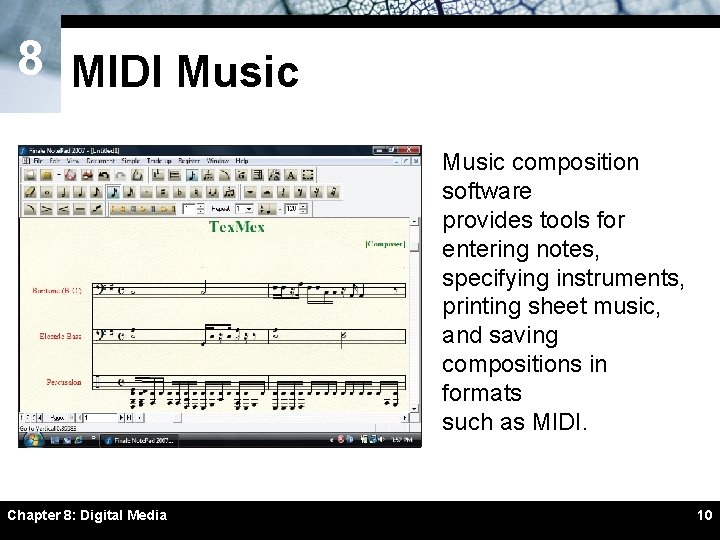
8 MIDI Music composition software provides tools for entering notes, specifying instruments, printing sheet music, and saving compositions in formats such as MIDI. Chapter 8: Digital Media 10
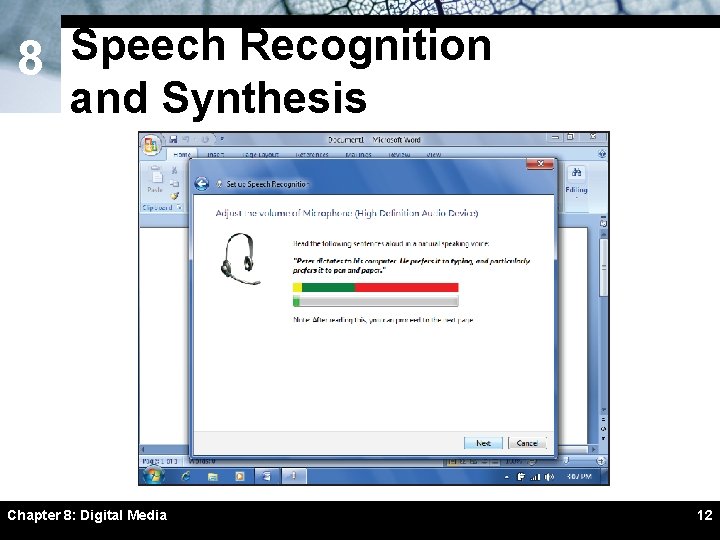
8 Speech Recognition and Synthesis ï Speech synthesis is the process by which machines produce sound resembling spoken words – Text-to-speech software ï Speech recognition refers to the ability of a machine to understand spoken words – Speech recognition software Chapter 8: Digital Media 11
8 Speech Recognition and Synthesis Chapter 8: Digital Media 12
8 B SECTION Bitmap Graphics ï Bitmap Basics ï Scanners and Cameras ï Image Resolution ï Color Depth and Palettes ï Image Compression ï Bitmap Graphics Formats Chapter 8: Digital Media 13
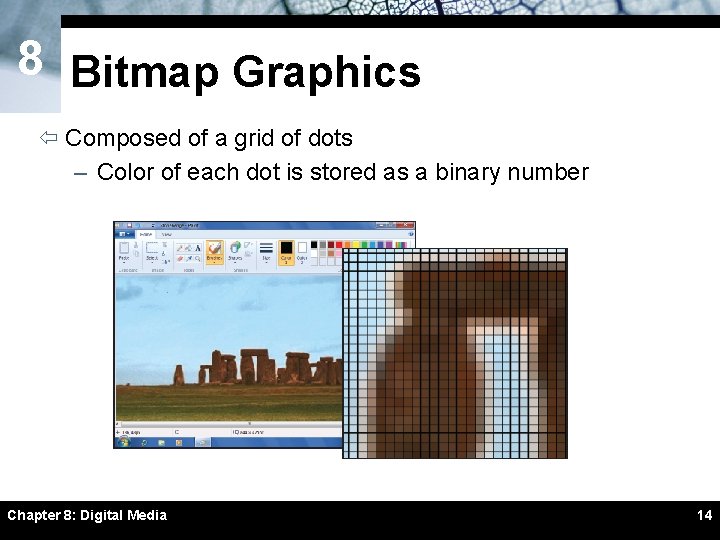
8 Bitmap Graphics ï Composed of a grid of dots – Color of each dot is stored as a binary number Chapter 8: Digital Media 14
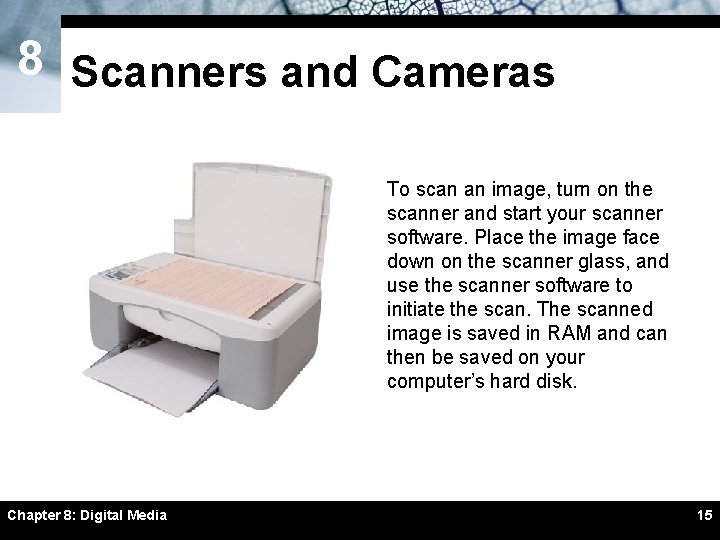
8 Scanners and Cameras To scan an image, turn on the scanner and start your scanner software. Place the image face down on the scanner glass, and use the scanner software to initiate the scan. The scanned image is saved in RAM and can then be saved on your computer’s hard disk. Chapter 8: Digital Media 15
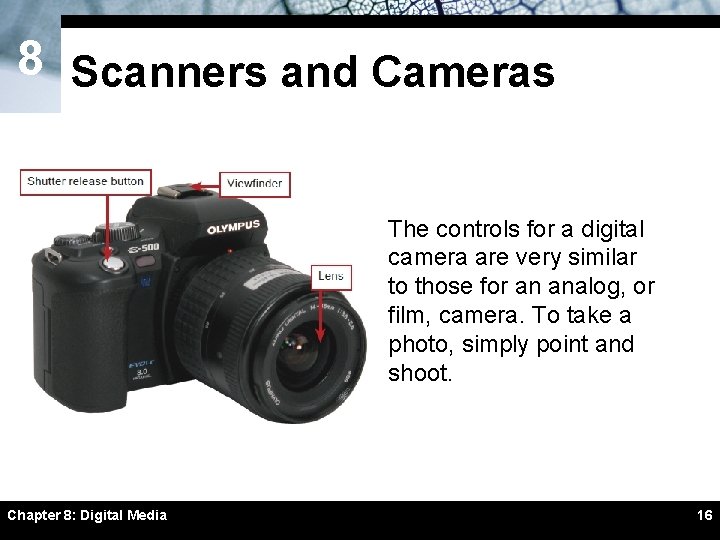
8 Scanners and Cameras The controls for a digital camera are very similar to those for an analog, or film, camera. To take a photo, simply point and shoot. Chapter 8: Digital Media 16
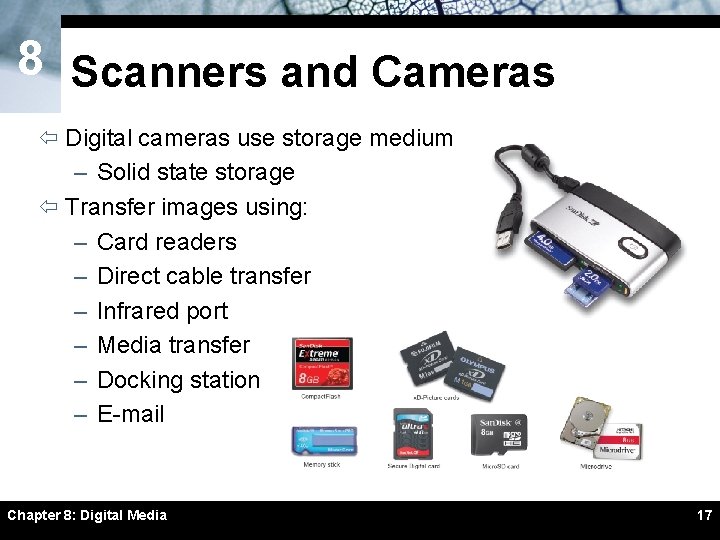
8 Scanners and Cameras ï Digital cameras use storage medium – Solid state storage ï Transfer images using: – Card readers – Direct cable transfer – Infrared port – Media transfer – Docking station – E-mail Chapter 8: Digital Media 17
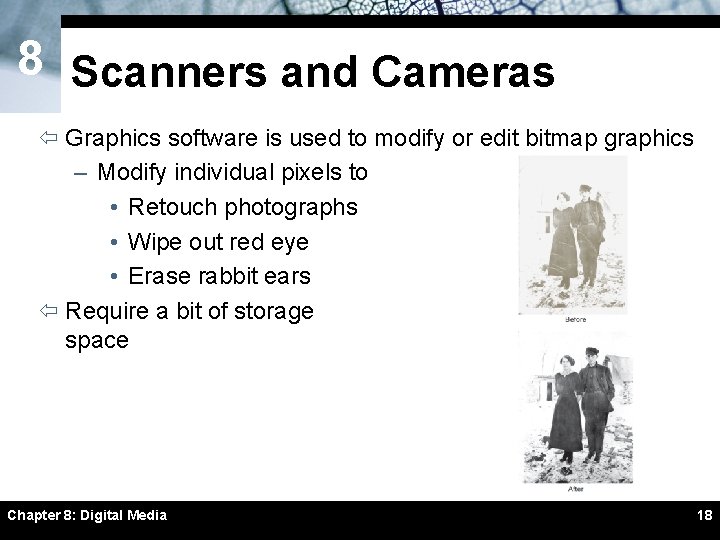
8 Scanners and Cameras ï Graphics software is used to modify or edit bitmap graphics – Modify individual pixels to • Retouch photographs • Wipe out red eye • Erase rabbit ears ï Require a bit of storage space Chapter 8: Digital Media 18
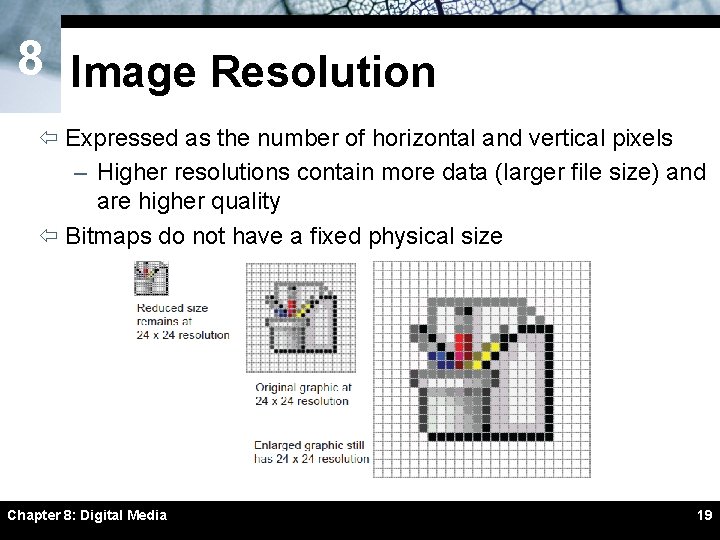
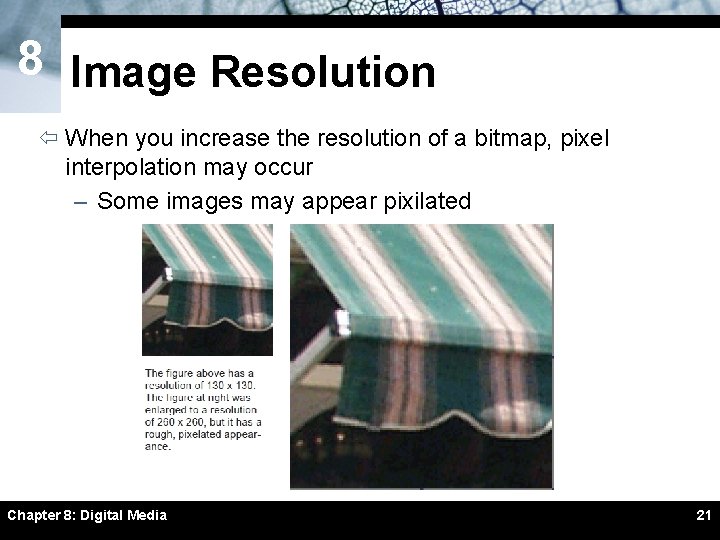
8 Image Resolution ï Expressed as the number of horizontal and vertical pixels – Higher resolutions contain more data (larger file size) and are higher quality ï Bitmaps do not have a fixed physical size Chapter 8: Digital Media 19
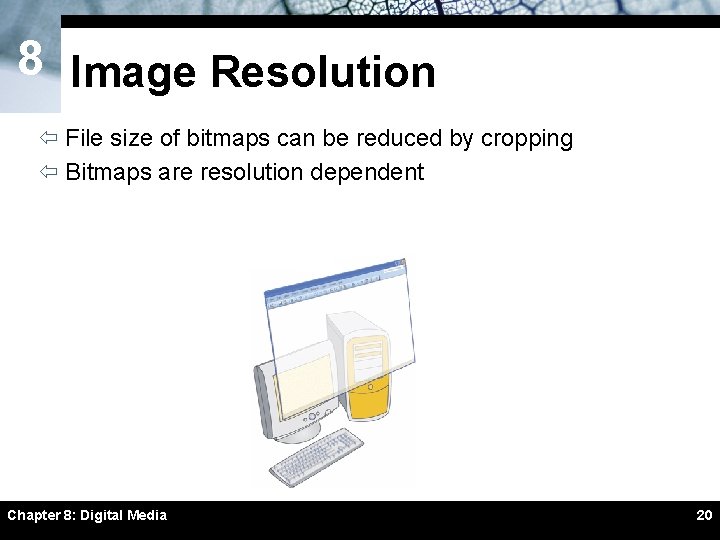
8 Image Resolution ï File size of bitmaps can be reduced by cropping ï Bitmaps are resolution dependent Chapter 8: Digital Media 20
8 Image Resolution ï When you increase the resolution of a bitmap, pixel interpolation may occur – Some images may appear pixilated Chapter 8: Digital Media 21
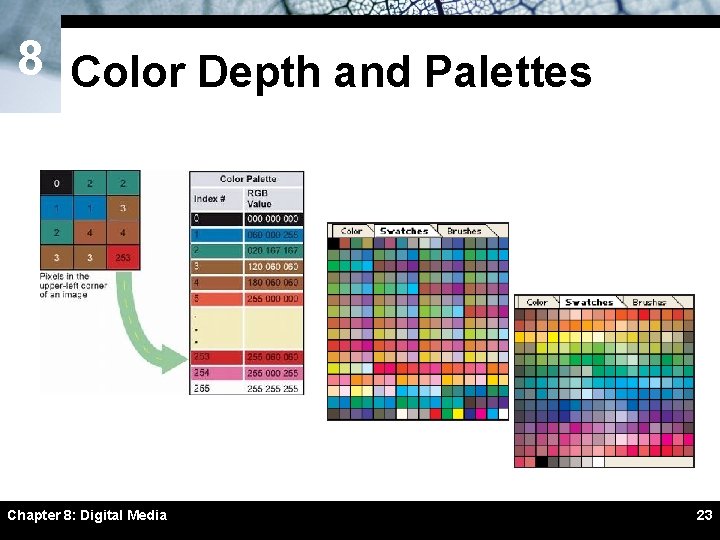
8 Color Depth and Palettes ï Color depth is the number of colors available for use in an image – Monochrome bitmap ï Increasing color depth increases file size – True Color bitmap (24 -bit bitmap) – 32 -bit bitmap ï Color palettes are used to control color depth – Grayscale palette – System palette – Web palette Chapter 8: Digital Media 22
8 Color Depth and Palettes Chapter 8: Digital Media 23
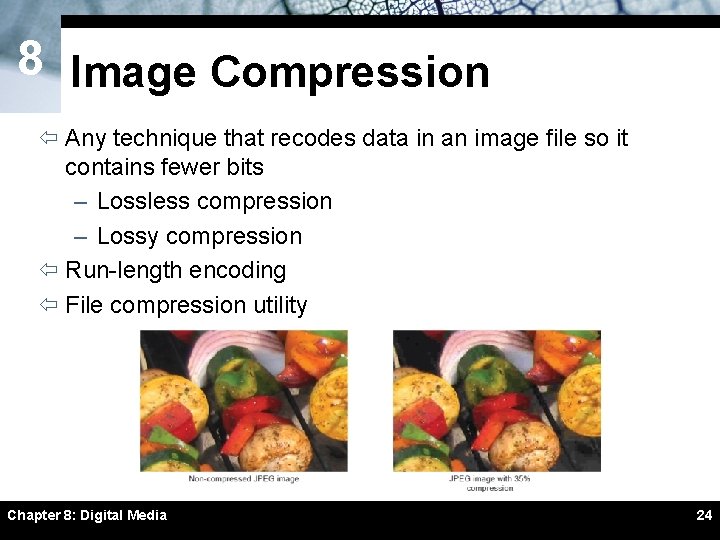
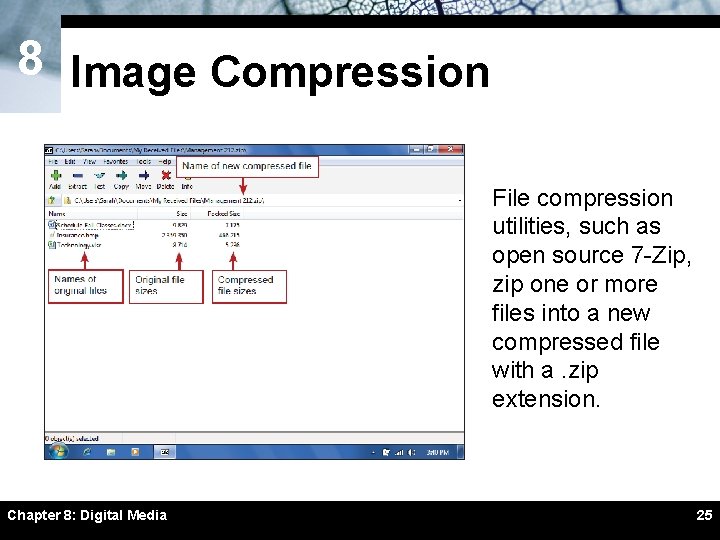
8 Image Compression ï Any technique that recodes data in an image file so it contains fewer bits – Lossless compression – Lossy compression ï Run-length encoding ï File compression utility Chapter 8: Digital Media 24
8 Image Compression File compression utilities, such as open source 7 -Zip, zip one or more files into a new compressed file with a. zip extension. Chapter 8: Digital Media 25
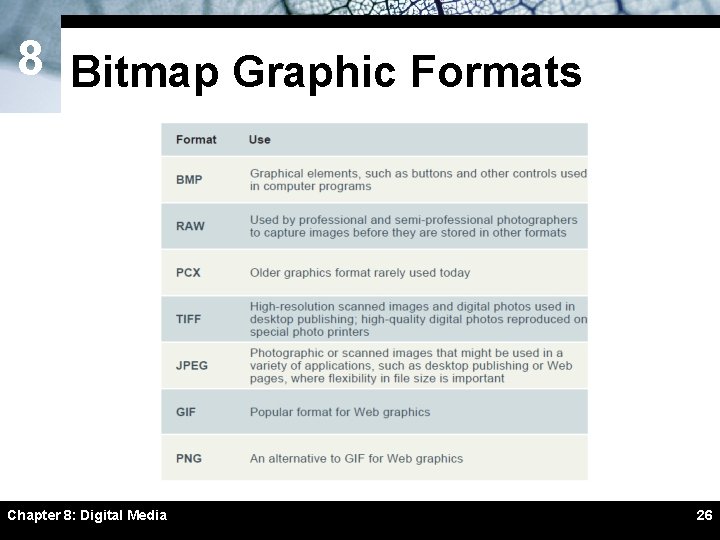
8 Bitmap Graphic Formats Chapter 8: Digital Media 26
8 C SECTION Vector and 3 -D Graphics ï Vector Graphics Basics ï Vector-to-Bitmap Conversion ï Vector Graphics on the Web ï 3 -D Graphics Chapter 8: Digital Media 27
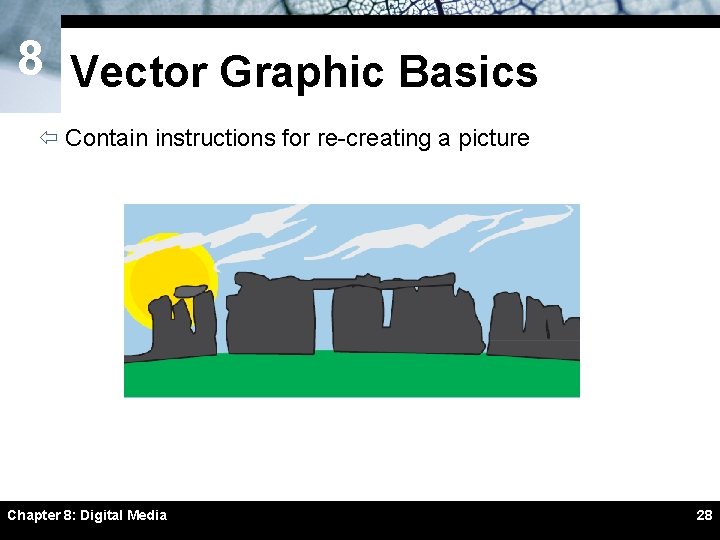
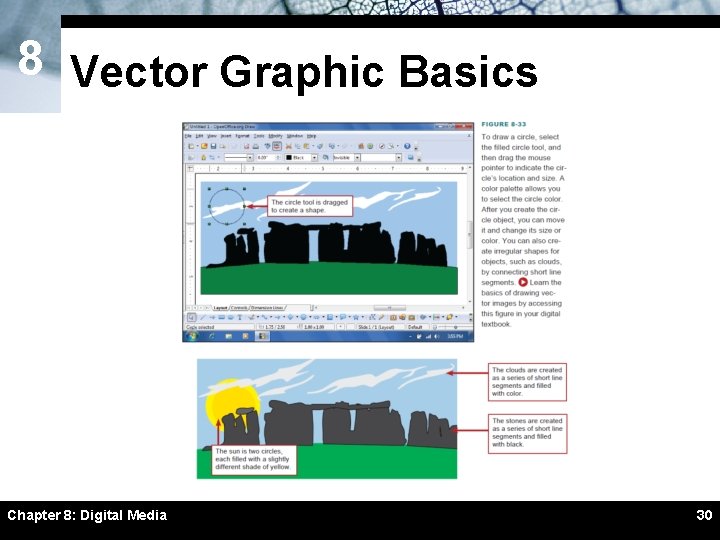
8 Vector Graphic Basics ï Contain instructions for re-creating a picture Chapter 8: Digital Media 28
8 Vector Graphic Basics ï Vector graphics resize better than bitmaps ï Vector graphics usually require less storage space than bitmaps ï Vector graphics are not usually as realistic as bitmap images ï It is easier to edit an object in a vector graphic than an object in a bitmap graphic Chapter 8: Digital Media 29
8 Vector Graphic Basics Chapter 8: Digital Media 30
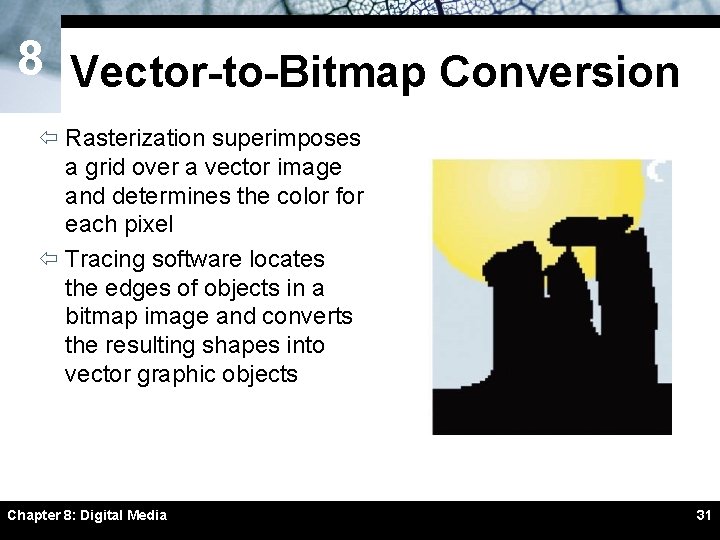
8 Vector-to-Bitmap Conversion ï Rasterization superimposes a grid over a vector image and determines the color for each pixel ï Tracing software locates the edges of objects in a bitmap image and converts the resulting shapes into vector graphic objects Chapter 8: Digital Media 31
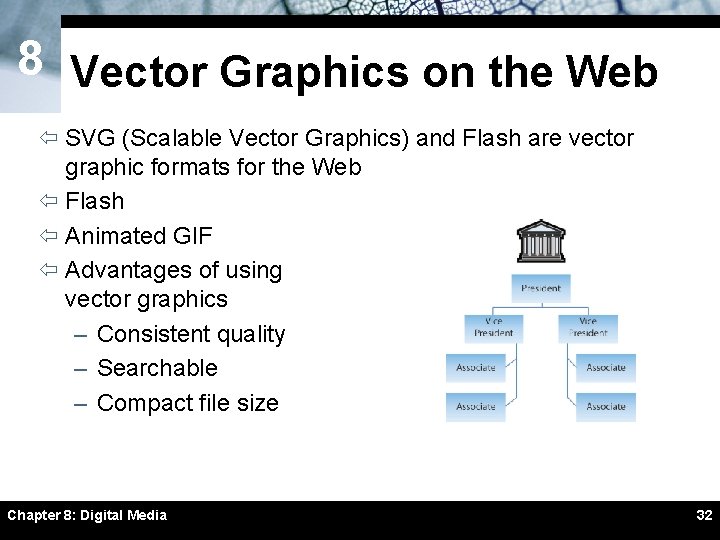
8 Vector Graphics on the Web ï SVG (Scalable Vector Graphics) and Flash are vector graphic formats for the Web ï Flash ï Animated GIF ï Advantages of using vector graphics – Consistent quality – Searchable – Compact file size Chapter 8: Digital Media 32
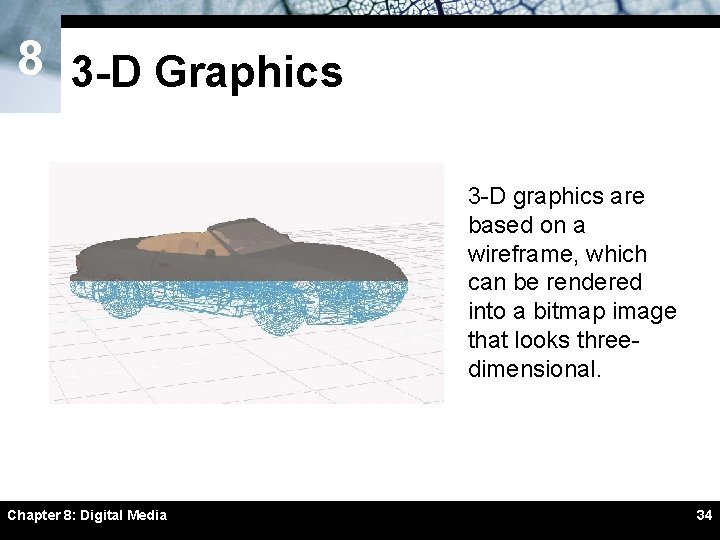
8 3 -D Graphics ï Stored as a set of instructions – Contain locations and lengths of lines forming a wireframe ï Rendering covers a wireframe with surface color and texture ï Ray tracing adds light and shadows to a 3 -D image Chapter 8: Digital Media 33
8 3 -D Graphics 3 -D graphics are based on a wireframe, which can be rendered into a bitmap image that looks threedimensional. Chapter 8: Digital Media 34
8 D SECTION Digital Video ï Digital Video Basics ï Producing Video Footage ï Video Transfer ï Video Editing ï Video Output ï Desktop, PDA, and Web Video ï DVD-Video Chapter 8: Digital Media 35
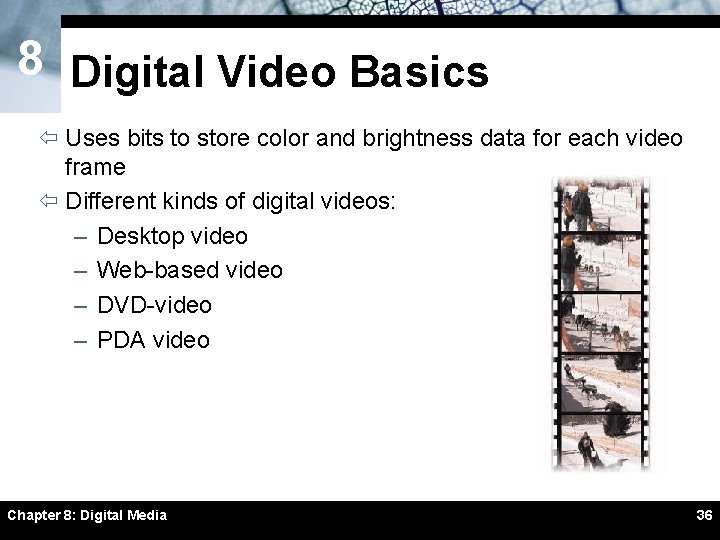
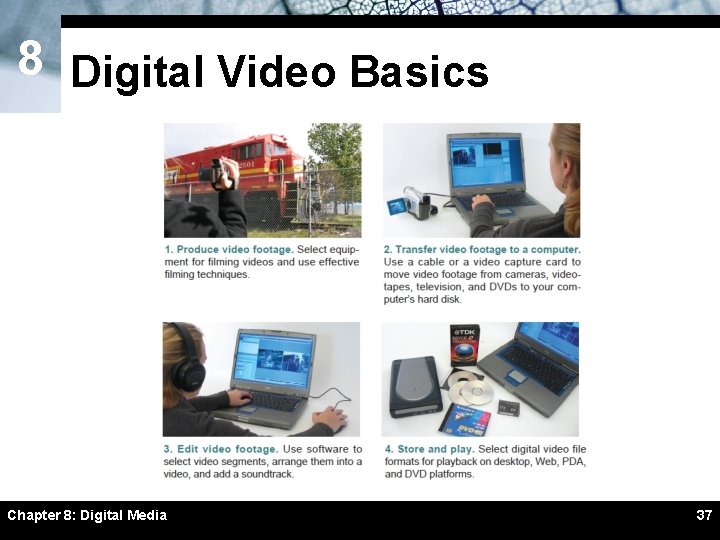
8 Digital Video Basics ï Uses bits to store color and brightness data for each video frame ï Different kinds of digital videos: – Desktop video – Web-based video – DVD-video – PDA video Chapter 8: Digital Media 36
8 Digital Video Basics Chapter 8: Digital Media 37
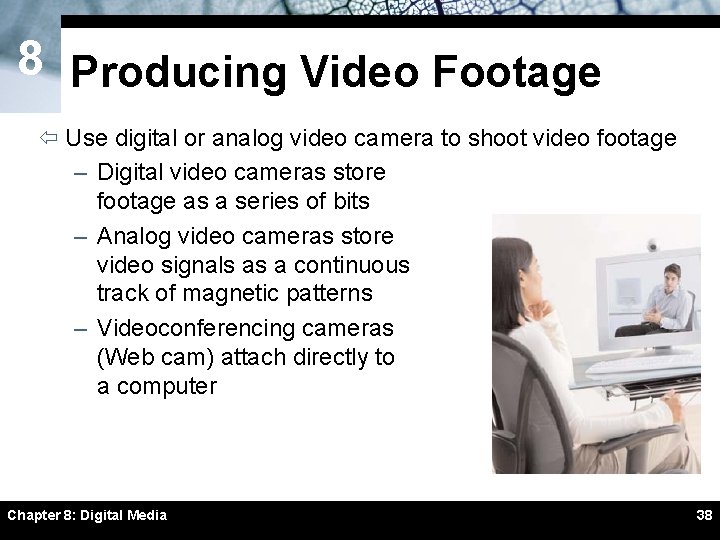
8 Producing Video Footage ï Use digital or analog video camera to shoot video footage – Digital video cameras store footage as a series of bits – Analog video cameras store video signals as a continuous track of magnetic patterns – Videoconferencing cameras (Web cam) attach directly to a computer Chapter 8: Digital Media 38
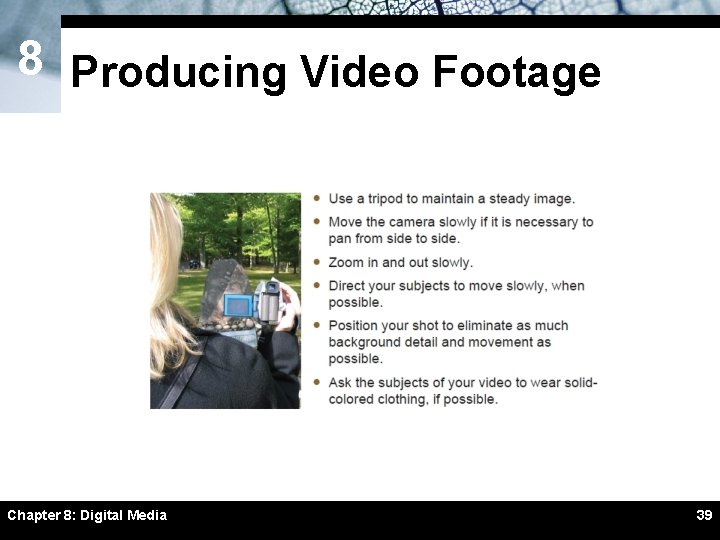
8 Producing Video Footage Chapter 8: Digital Media 39
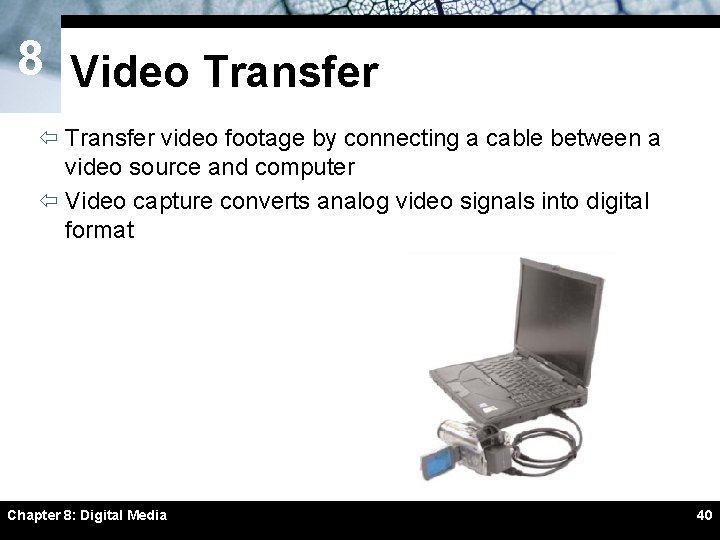
8 Video Transfer ï Transfer video footage by connecting a cable between a video source and computer ï Video capture converts analog video signals into digital format Chapter 8: Digital Media 40
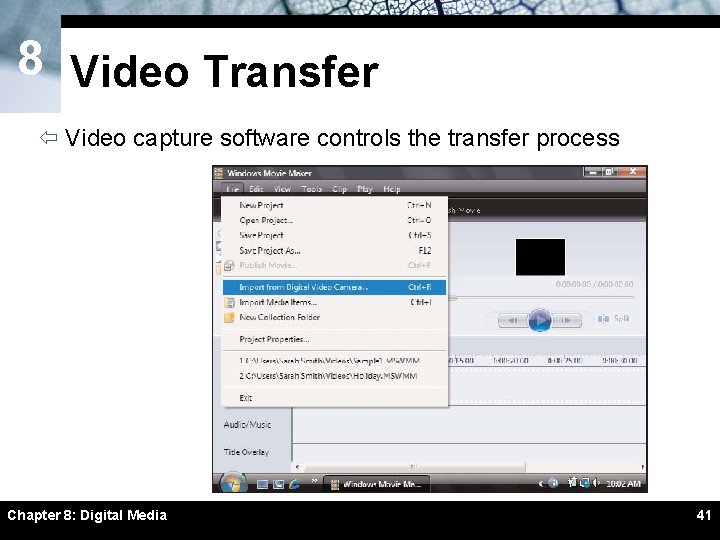
8 Video Transfer ï Video capture software controls the transfer process Chapter 8: Digital Media 41
8 Video Transfer ï Raw, uncompressed formats are ideal for editing ï Video capture software can: – Decrease video display size – Reduce the frame rate – Compress data Chapter 8: Digital Media 42
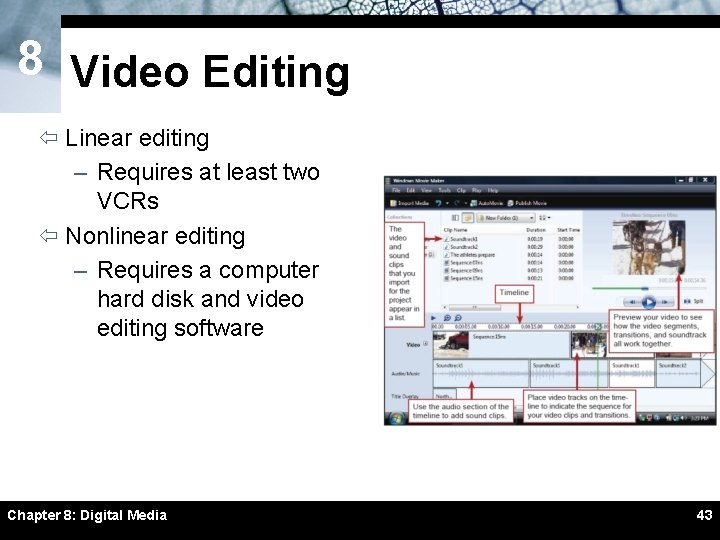
8 Video Editing ï Linear editing – Requires at least two VCRs ï Nonlinear editing – Requires a computer hard disk and video editing software Chapter 8: Digital Media 43
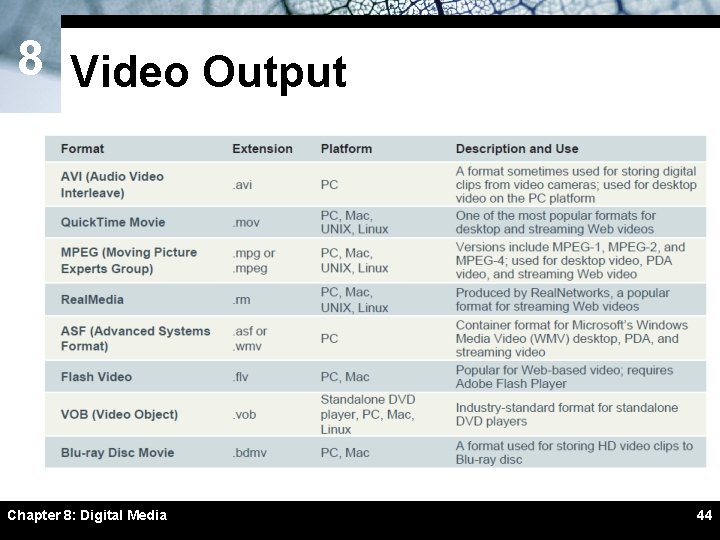
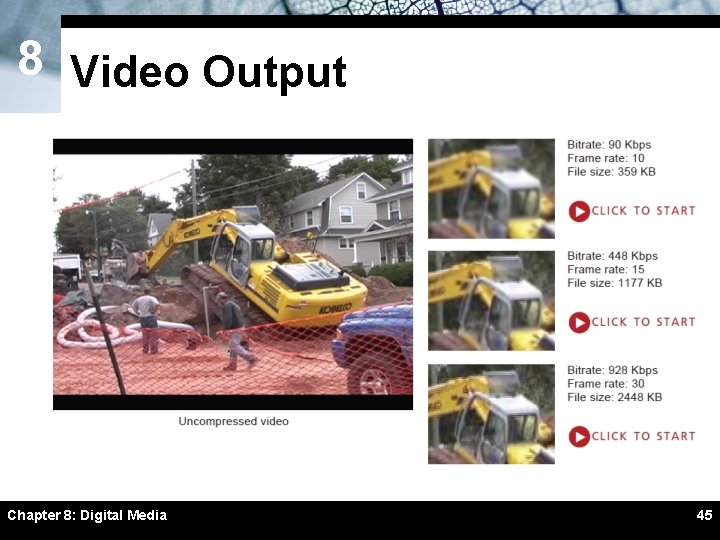
8 Video Output Chapter 8: Digital Media 44
8 Video Output Chapter 8: Digital Media 45
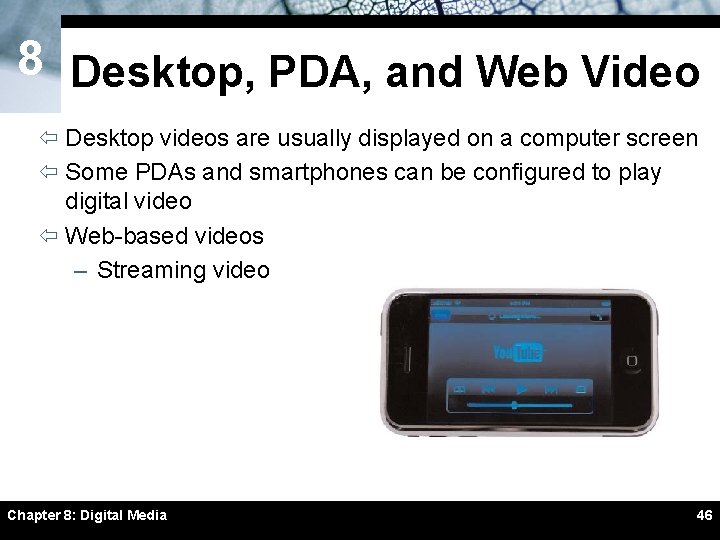
8 Desktop, PDA, and Web Video ï Desktop videos are usually displayed on a computer screen ï Some PDAs and smartphones can be configured to play digital video ï Web-based videos – Streaming video Chapter 8: Digital Media 46
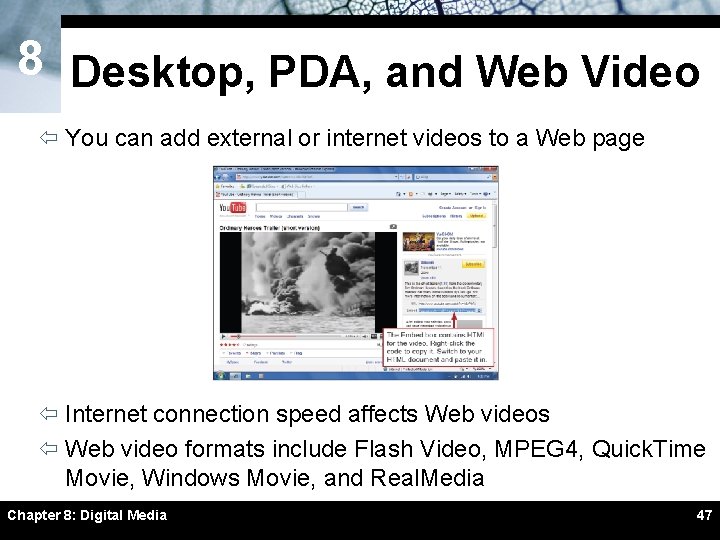
8 Desktop, PDA, and Web Video ï You can add external or internet videos to a Web page ï Internet connection speed affects Web videos ï Web video formats include Flash Video, MPEG 4, Quick. Time Movie, Windows Movie, and Real. Media Chapter 8: Digital Media 47
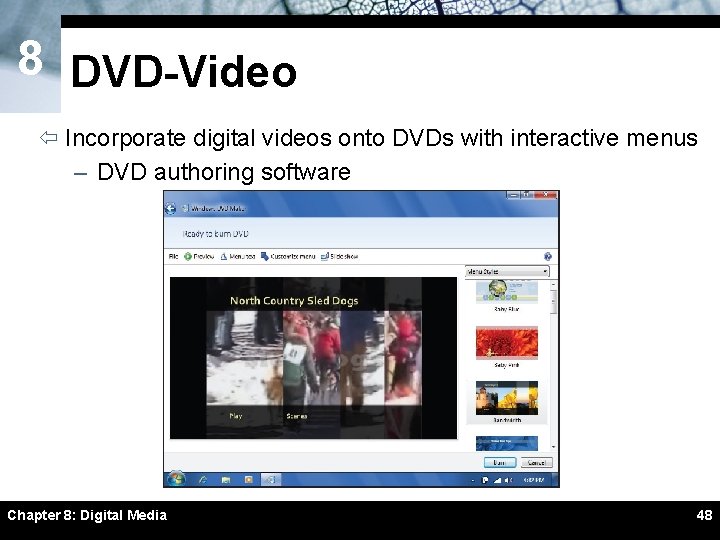
8 DVD-Video ï Incorporate digital videos onto DVDs with interactive menus – DVD authoring software Chapter 8: Digital Media 48
8 DVD-Video ï With advance planning, menus are easy to create ï Output video in DVD-video format ï A DVD image is a prototype of your DVD – Stored on your computer’s hard disk ï Thoroughly test DVD on your computer before you burn it ï Recordable vs. rewritable DVDs Chapter 8: Digital Media 49