
Chapter 8 Digital Design and Computer Architecture 2
- Slides: 87
Chapter 8 Digital Design and Computer Architecture, 2 nd Edition David Money Harris and Sarah L. Harris Chapter 8 <1>
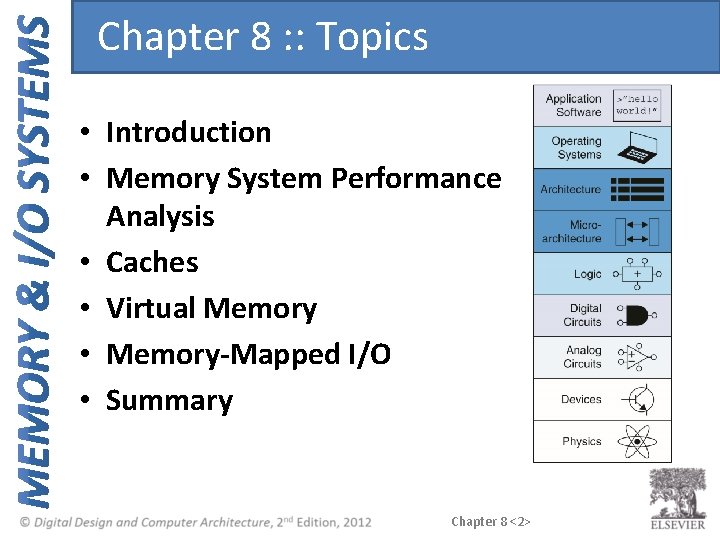
Chapter 8 : : Topics • Introduction • Memory System Performance Analysis • Caches • Virtual Memory • Memory-Mapped I/O • Summary Chapter 8 <2>
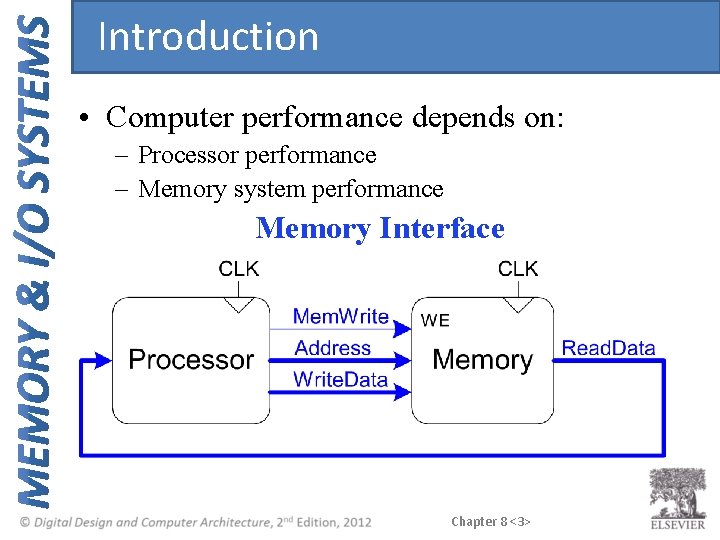
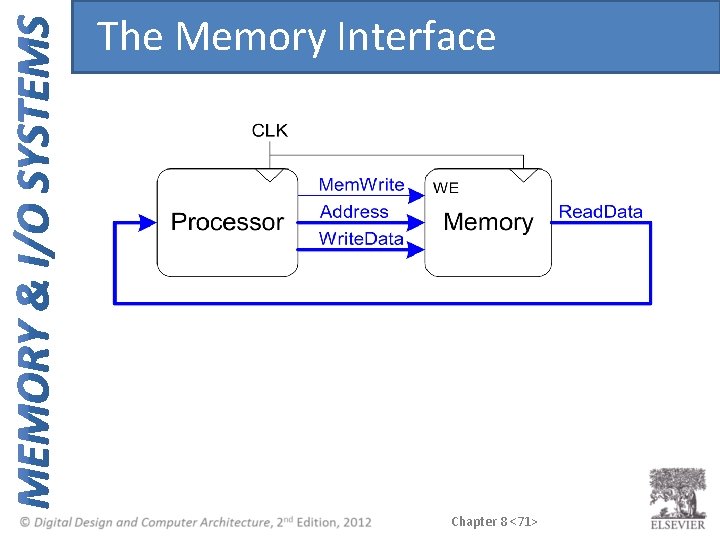
Introduction • Computer performance depends on: – Processor performance – Memory system performance Memory Interface Chapter 8 <3>
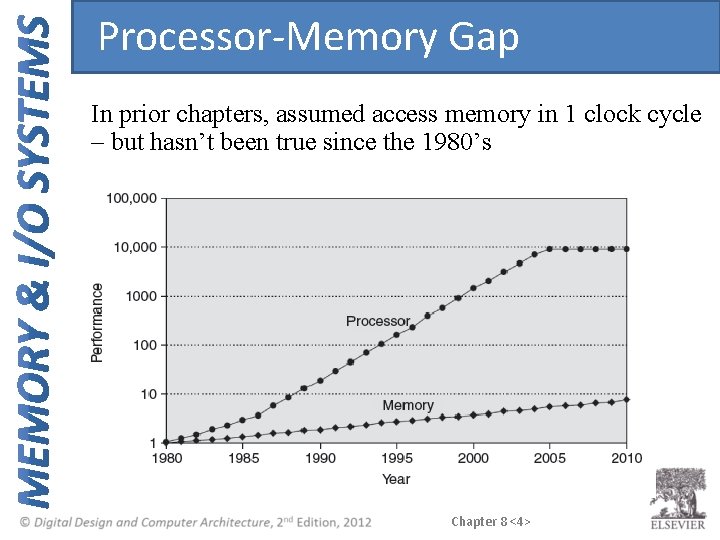
Processor-Memory Gap In prior chapters, assumed access memory in 1 clock cycle – but hasn’t been true since the 1980’s Chapter 8 <4>
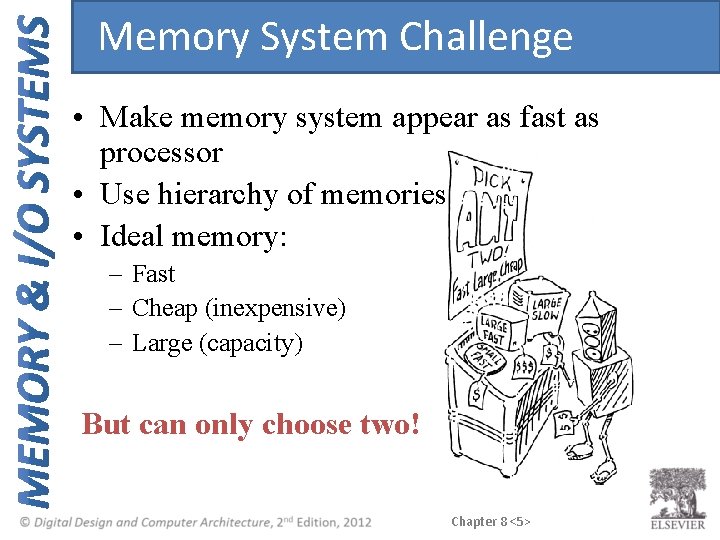
Memory System Challenge • Make memory system appear as fast as processor • Use hierarchy of memories • Ideal memory: – Fast – Cheap (inexpensive) – Large (capacity) But can only choose two! Chapter 8 <5>
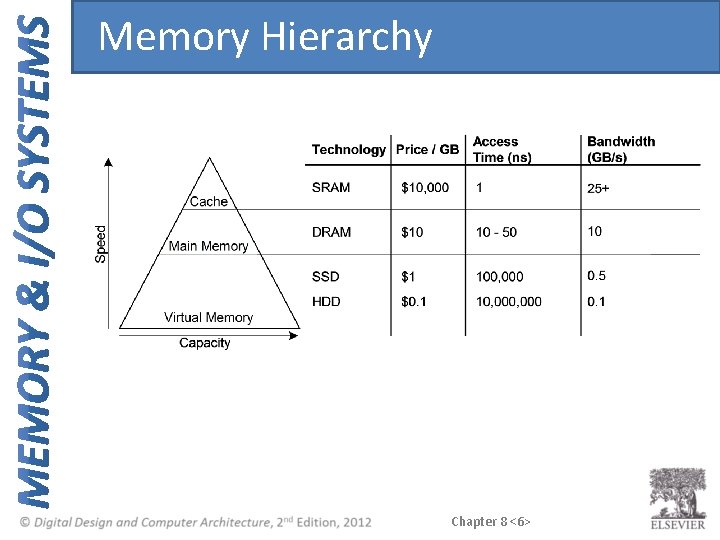
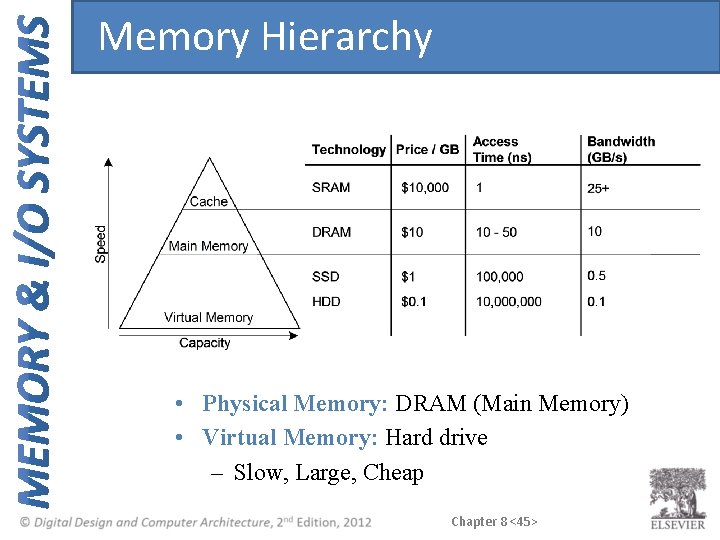
Memory Hierarchy Chapter 8 <6>
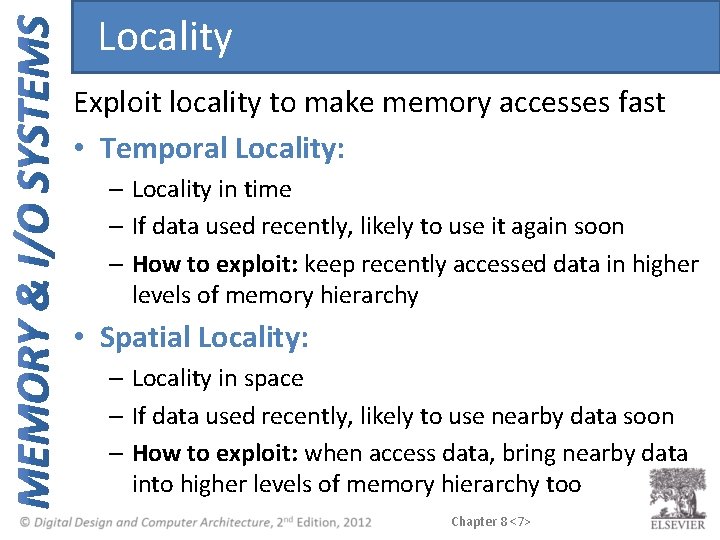
Locality Exploit locality to make memory accesses fast • Temporal Locality: – Locality in time – If data used recently, likely to use it again soon – How to exploit: keep recently accessed data in higher levels of memory hierarchy • Spatial Locality: – Locality in space – If data used recently, likely to use nearby data soon – How to exploit: when access data, bring nearby data into higher levels of memory hierarchy too Chapter 8 <7>
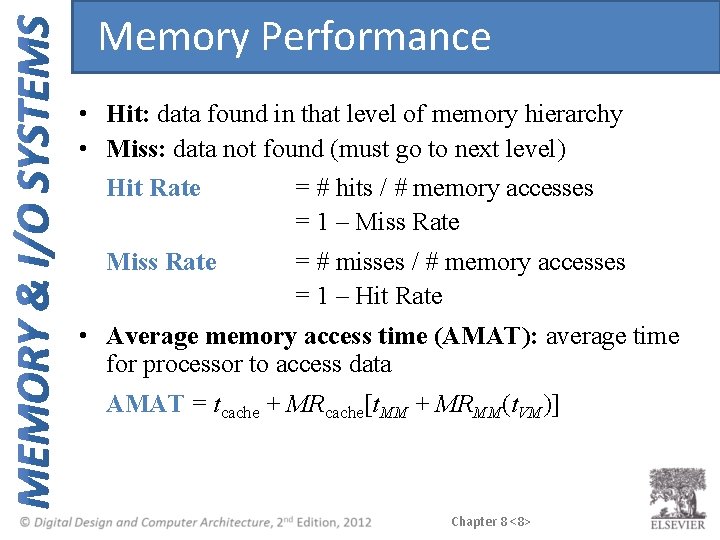
Memory Performance • Hit: data found in that level of memory hierarchy • Miss: data not found (must go to next level) Hit Rate = # hits / # memory accesses = 1 – Miss Rate = # misses / # memory accesses = 1 – Hit Rate • Average memory access time (AMAT): average time for processor to access data AMAT = tcache + MRcache[t. MM + MRMM(t. VM)] Chapter 8 <8>
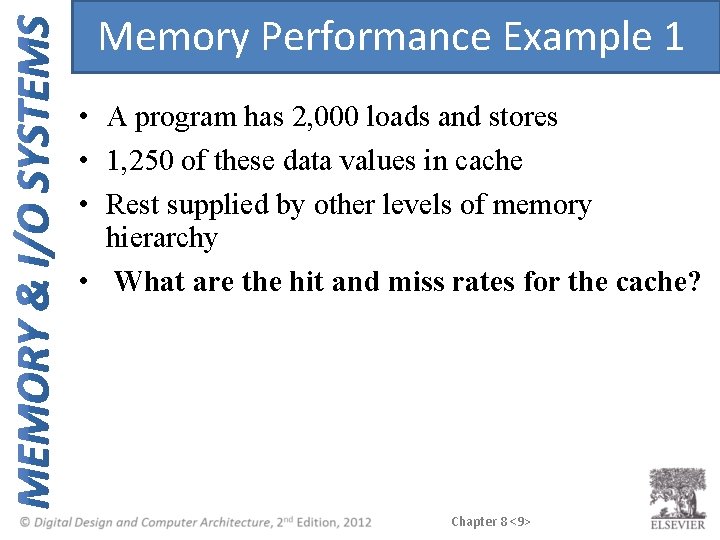
Memory Performance Example 1 • A program has 2, 000 loads and stores • 1, 250 of these data values in cache • Rest supplied by other levels of memory hierarchy • What are the hit and miss rates for the cache? Chapter 8 <9>
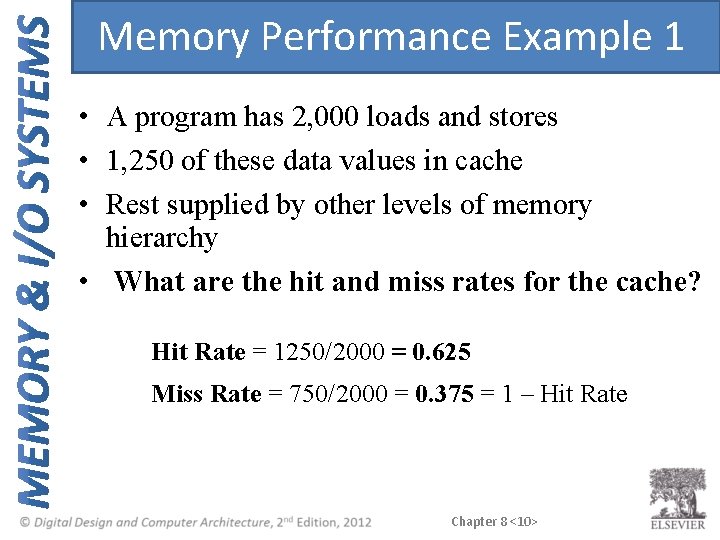
Memory Performance Example 1 • A program has 2, 000 loads and stores • 1, 250 of these data values in cache • Rest supplied by other levels of memory hierarchy • What are the hit and miss rates for the cache? Hit Rate = 1250/2000 = 0. 625 Miss Rate = 750/2000 = 0. 375 = 1 – Hit Rate Chapter 8 <10>
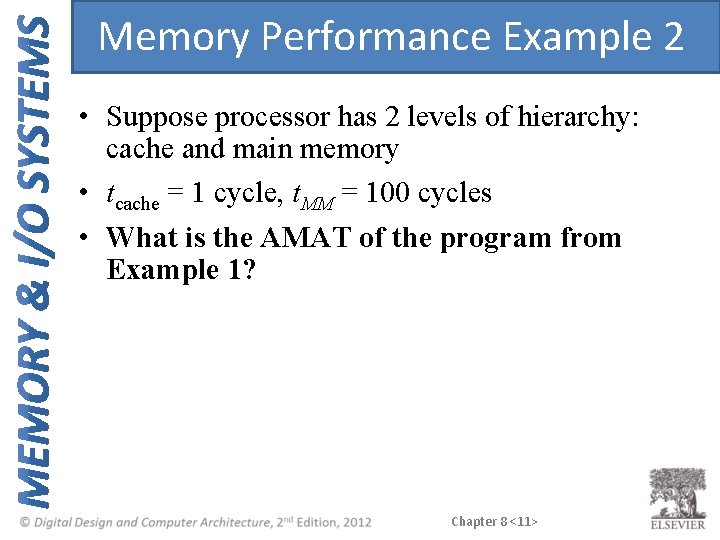
Memory Performance Example 2 • Suppose processor has 2 levels of hierarchy: cache and main memory • tcache = 1 cycle, t. MM = 100 cycles • What is the AMAT of the program from Example 1? Chapter 8 <11>
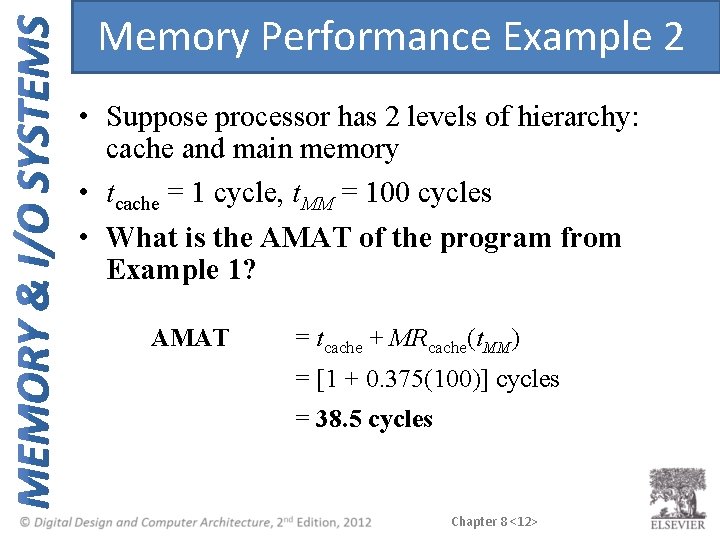
Memory Performance Example 2 • Suppose processor has 2 levels of hierarchy: cache and main memory • tcache = 1 cycle, t. MM = 100 cycles • What is the AMAT of the program from Example 1? AMAT = tcache + MRcache(t. MM) = [1 + 0. 375(100)] cycles = 38. 5 cycles Chapter 8 <12>
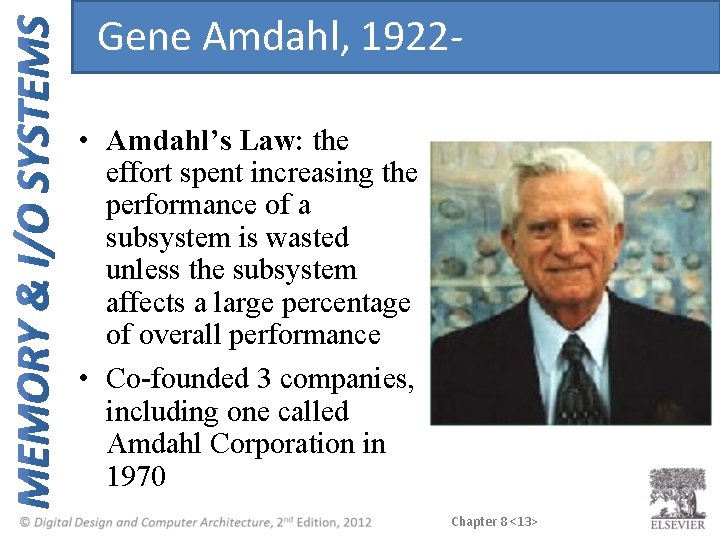
Gene Amdahl, 1922 • Amdahl’s Law: the effort spent increasing the performance of a subsystem is wasted unless the subsystem affects a large percentage of overall performance • Co-founded 3 companies, including one called Amdahl Corporation in 1970 Chapter 8 <13>
Cache • • Highest level in memory hierarchy Fast (typically ~ 1 cycle access time) Ideally supplies most data to processor Usually holds most recently accessed data Chapter 8 <14>
Cache Design Questions • What data is held in the cache? • How is data found? • What data is replaced? Focus on data loads, but stores follow same principles Chapter 8 <15>
What data is held in the cache? • Ideally, cache anticipates needed data and puts it in cache • But impossible to predict future • Use past to predict future – temporal and spatial locality: – Temporal locality: copy newly accessed data into cache – Spatial locality: copy neighboring data into cache too Chapter 8 <16>
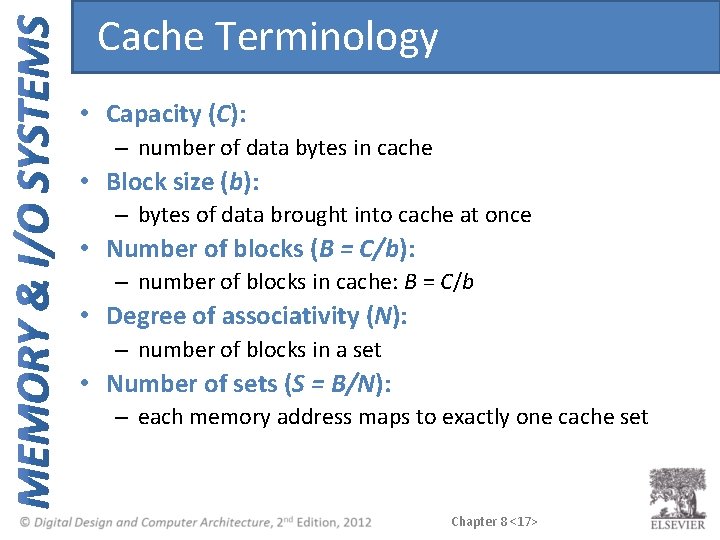
Cache Terminology • Capacity (C): – number of data bytes in cache • Block size (b): – bytes of data brought into cache at once • Number of blocks (B = C/b): – number of blocks in cache: B = C/b • Degree of associativity (N): – number of blocks in a set • Number of sets (S = B/N): – each memory address maps to exactly one cache set Chapter 8 <17>
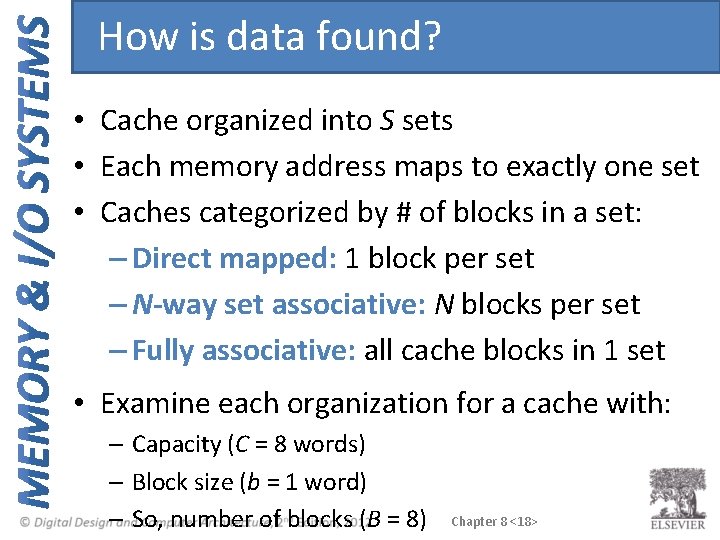
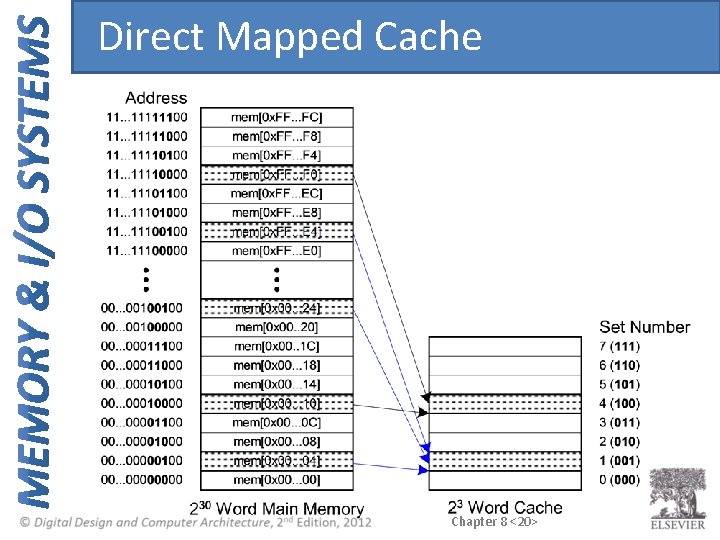
How is data found? • Cache organized into S sets • Each memory address maps to exactly one set • Caches categorized by # of blocks in a set: – Direct mapped: 1 block per set – N-way set associative: N blocks per set – Fully associative: all cache blocks in 1 set • Examine each organization for a cache with: – Capacity (C = 8 words) – Block size (b = 1 word) – So, number of blocks (B = 8) Chapter 8 <18>
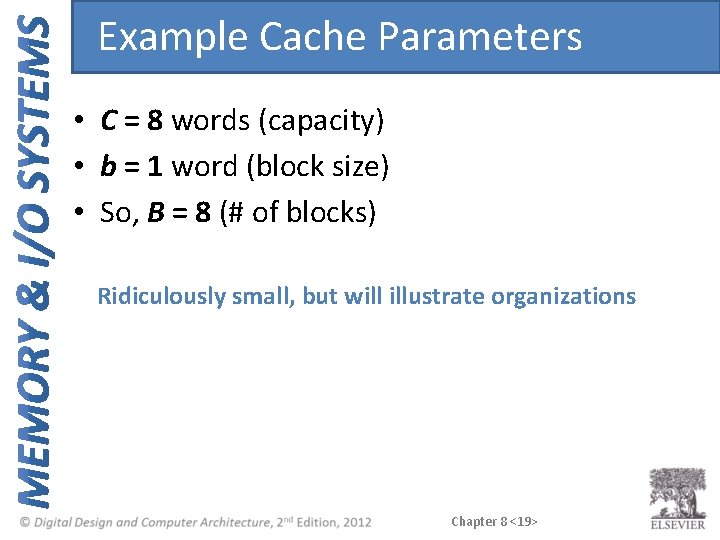
Example Cache Parameters • C = 8 words (capacity) • b = 1 word (block size) • So, B = 8 (# of blocks) Ridiculously small, but will illustrate organizations Chapter 8 <19>
Direct Mapped Cache Chapter 8 <20>
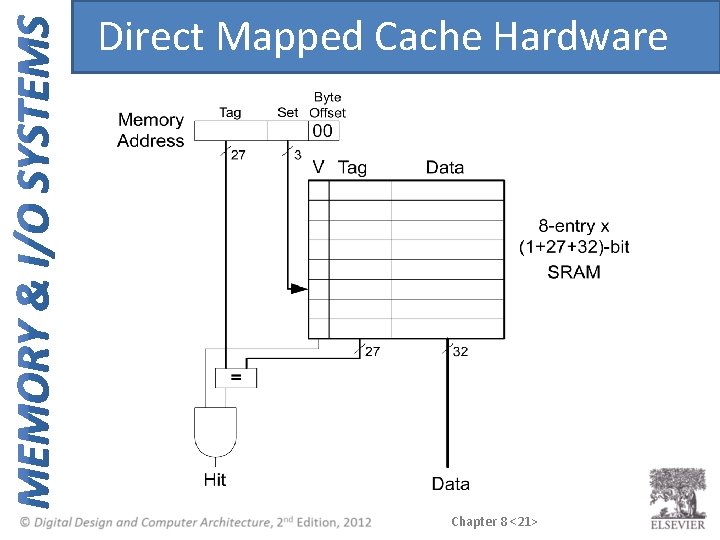
Direct Mapped Cache Hardware Chapter 8 <21>
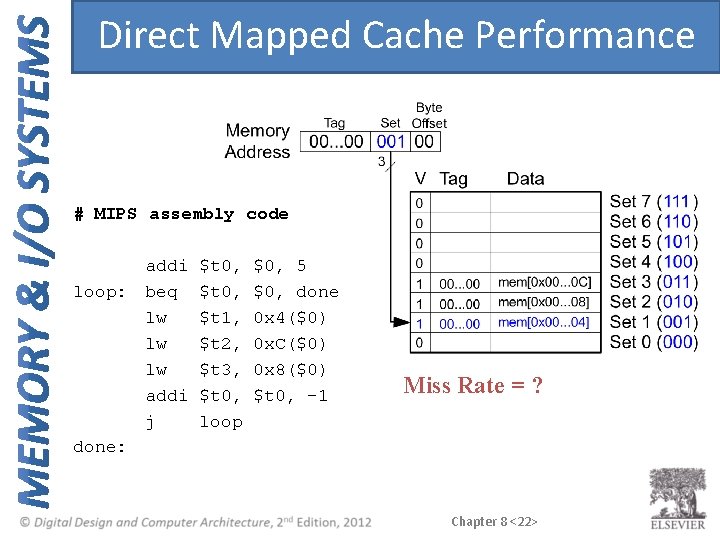
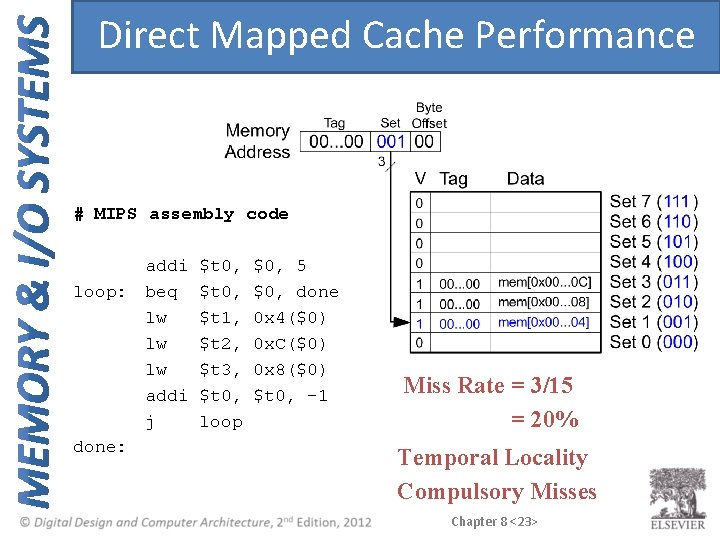
Direct Mapped Cache Performance # MIPS assembly code loop: done: addi $t 0, $0, 5 beq $t 0, $0, done lw $t 1, 0 x 4($0) lw $t 2, 0 x. C($0) lw $t 3, 0 x 8($0) addi $t 0, -1 j loop Miss Rate = ? Chapter 8 <22>
Direct Mapped Cache Performance # MIPS assembly code loop: done: addi $t 0, $0, 5 beq $t 0, $0, done lw $t 1, 0 x 4($0) lw $t 2, 0 x. C($0) lw $t 3, 0 x 8($0) addi $t 0, -1 j loop Miss Rate = 3/15 = 20% Temporal Locality Compulsory Misses Chapter 8 <23>
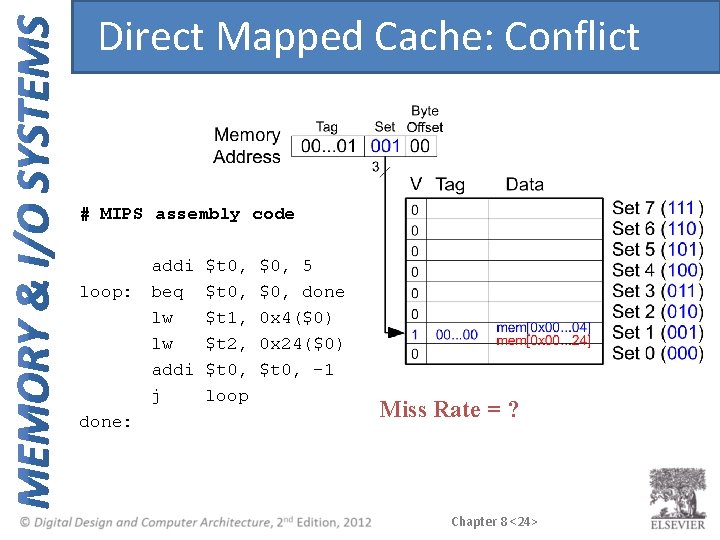
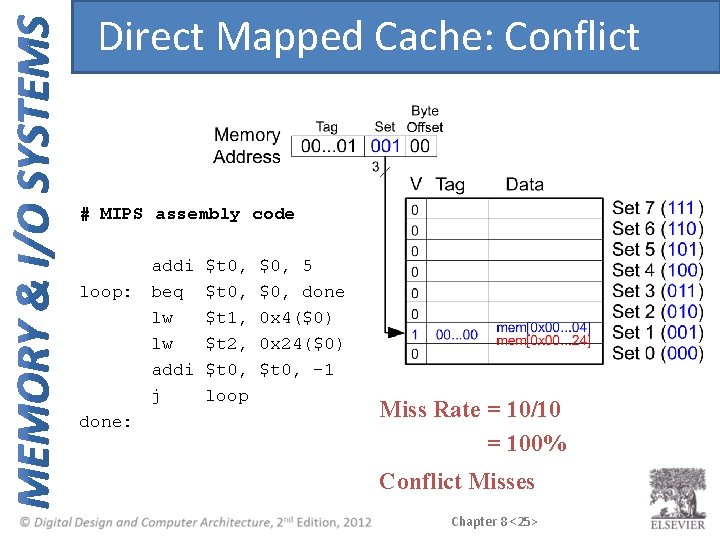
Direct Mapped Cache: Conflict # MIPS assembly code loop: done: addi $t 0, $0, 5 beq $t 0, $0, done lw $t 1, 0 x 4($0) lw $t 2, 0 x 24($0) addi $t 0, -1 j loop Miss Rate = ? Chapter 8 <24>
Direct Mapped Cache: Conflict # MIPS assembly code loop: done: addi $t 0, $0, 5 beq $t 0, $0, done lw $t 1, 0 x 4($0) lw $t 2, 0 x 24($0) addi $t 0, -1 j loop Miss Rate = 10/10 = 100% Conflict Misses Chapter 8 <25>
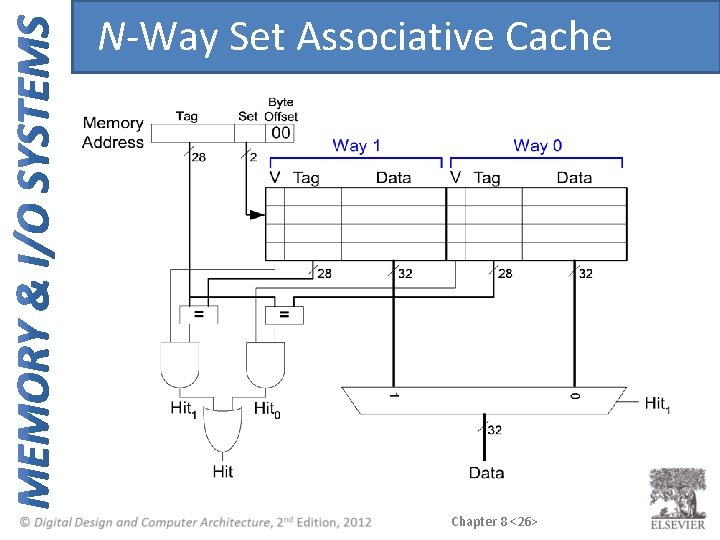
N-Way Set Associative Cache Chapter 8 <26>
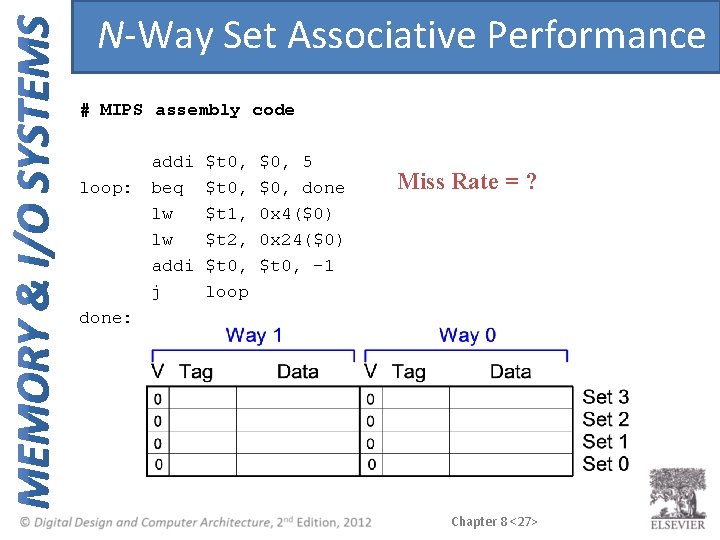
N-Way Set Associative Performance # MIPS assembly code loop: done: addi $t 0, $0, 5 beq $t 0, $0, done lw $t 1, 0 x 4($0) lw $t 2, 0 x 24($0) addi $t 0, -1 j loop Miss Rate = ? Chapter 8 <27>
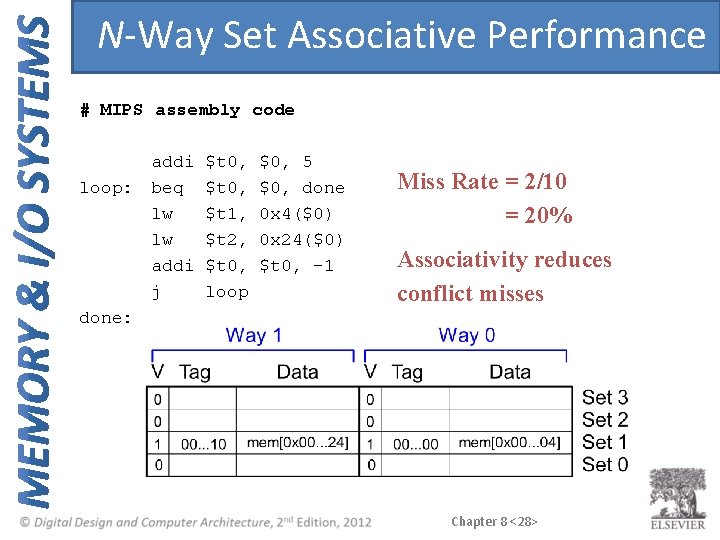
N-Way Set Associative Performance # MIPS assembly code loop: done: addi $t 0, $0, 5 beq $t 0, $0, done lw $t 1, 0 x 4($0) lw $t 2, 0 x 24($0) addi $t 0, -1 j loop Miss Rate = 2/10 = 20% Associativity reduces conflict misses Chapter 8 <28>
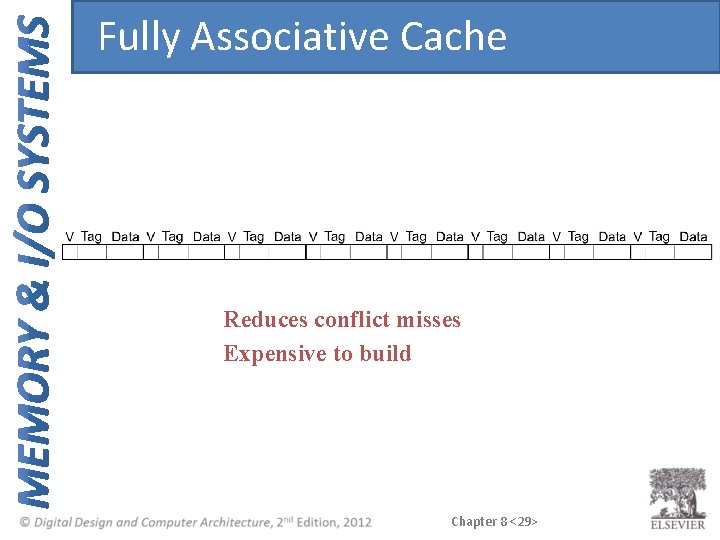
Fully Associative Cache Reduces conflict misses Expensive to build Chapter 8 <29>
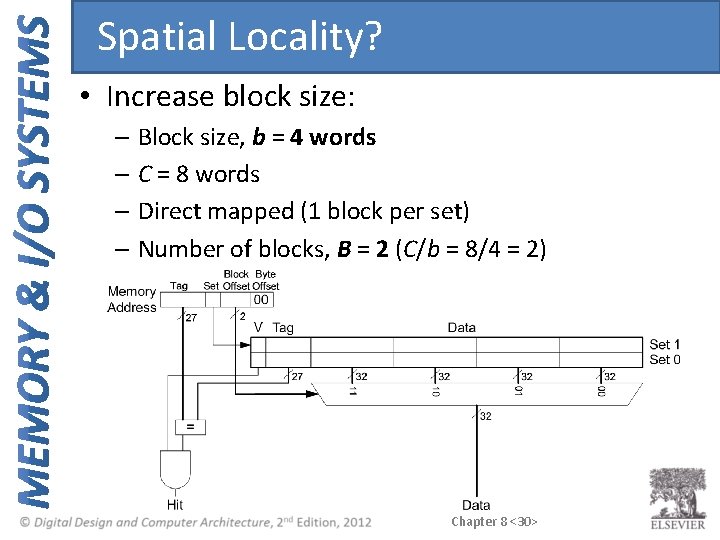
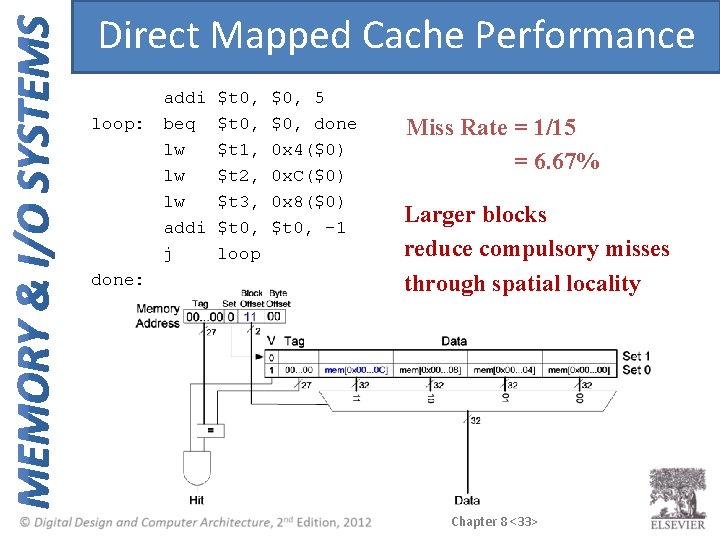
Spatial Locality? • Increase block size: – Block size, b = 4 words – C = 8 words – Direct mapped (1 block per set) – Number of blocks, B = 2 (C/b = 8/4 = 2) Chapter 8 <30>
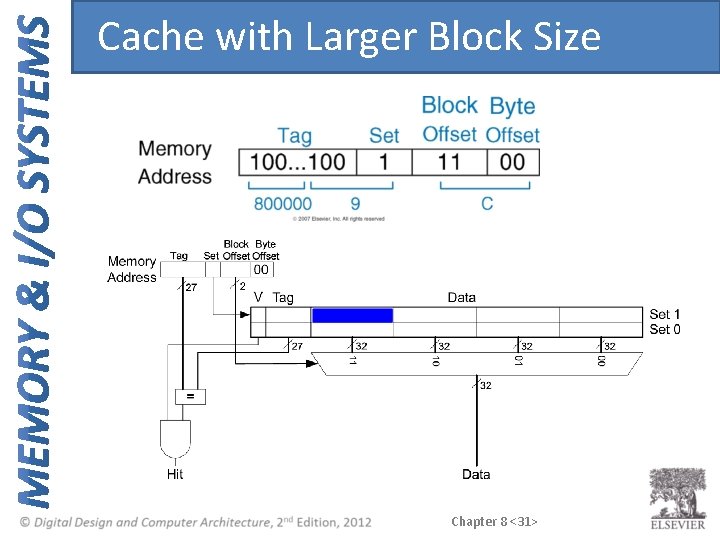
Cache with Larger Block Size Chapter 8 <31>
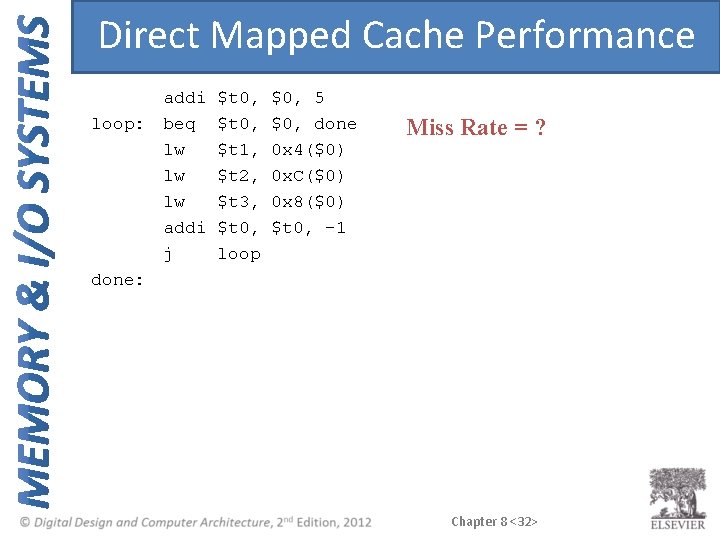
Direct Mapped Cache Performance loop: done: addi $t 0, $0, 5 beq $t 0, $0, done lw $t 1, 0 x 4($0) lw $t 2, 0 x. C($0) lw $t 3, 0 x 8($0) addi $t 0, -1 j loop Miss Rate = ? Chapter 8 <32>
Direct Mapped Cache Performance loop: done: addi $t 0, $0, 5 beq $t 0, $0, done lw $t 1, 0 x 4($0) lw $t 2, 0 x. C($0) lw $t 3, 0 x 8($0) addi $t 0, -1 j loop Miss Rate = 1/15 = 6. 67% Larger blocks reduce compulsory misses through spatial locality Chapter 8 <33>
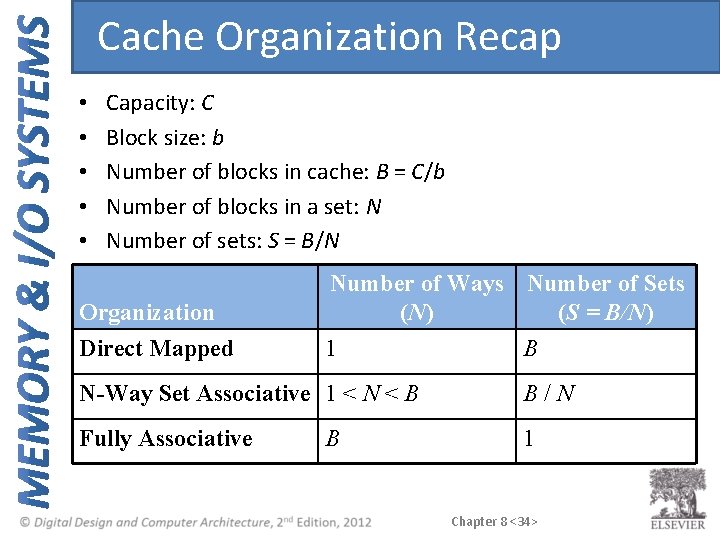
Cache Organization Recap • • • Capacity: C Block size: b Number of blocks in cache: B = C/b Number of blocks in a set: N Number of sets: S = B/N Organization Number of Ways Number of Sets (N) (S = B/N) Direct Mapped 1 B N-Way Set Associative 1 < N < B B/N Fully Associative 1 B Chapter 8 <34>
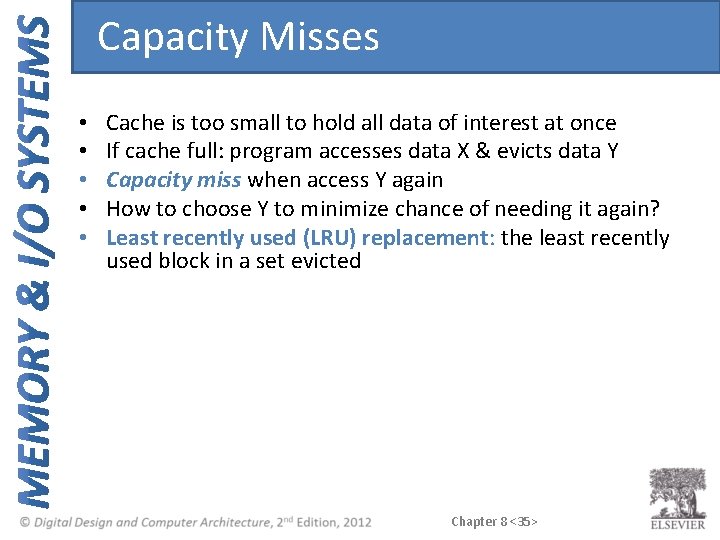
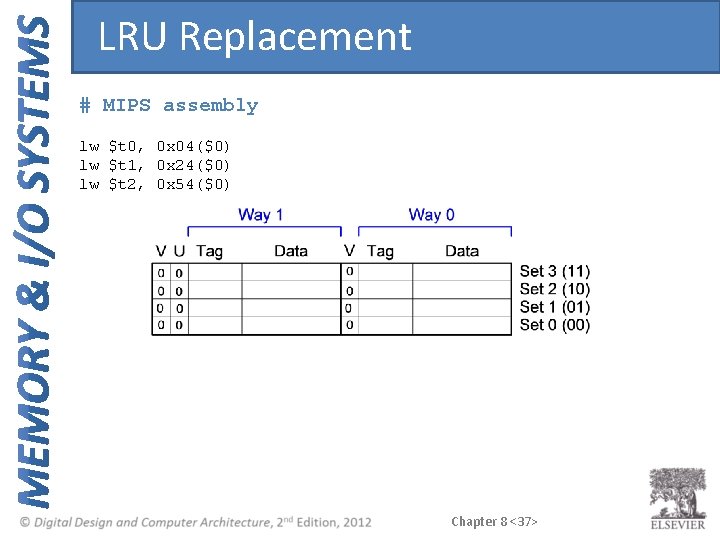
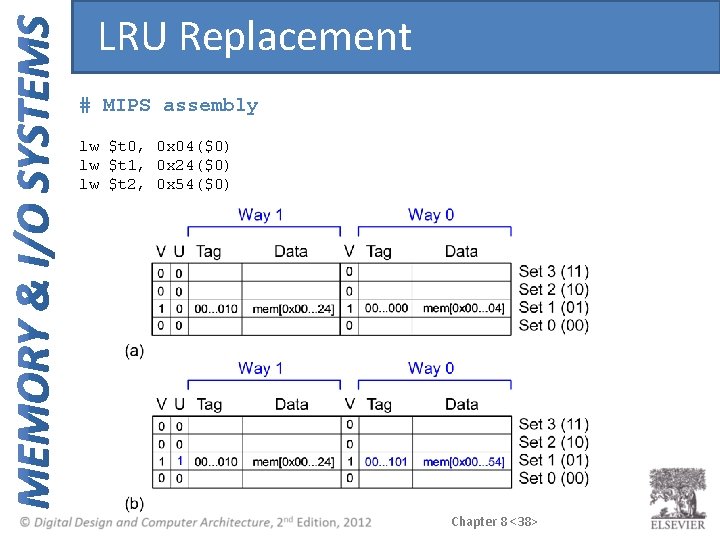
Capacity Misses • • • Cache is too small to hold all data of interest at once If cache full: program accesses data X & evicts data Y Capacity miss when access Y again How to choose Y to minimize chance of needing it again? Least recently used (LRU) replacement: the least recently used block in a set evicted Chapter 8 <35>
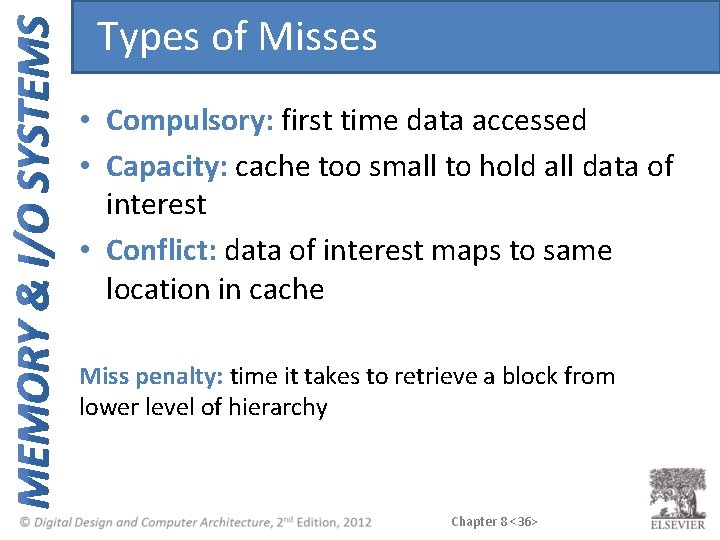
Types of Misses • Compulsory: first time data accessed • Capacity: cache too small to hold all data of interest • Conflict: data of interest maps to same location in cache Miss penalty: time it takes to retrieve a block from lower level of hierarchy Chapter 8 <36>
LRU Replacement # MIPS assembly lw $t 0, 0 x 04($0) lw $t 1, 0 x 24($0) lw $t 2, 0 x 54($0) Chapter 8 <37>
LRU Replacement # MIPS assembly lw $t 0, 0 x 04($0) lw $t 1, 0 x 24($0) lw $t 2, 0 x 54($0) Chapter 8 <38>
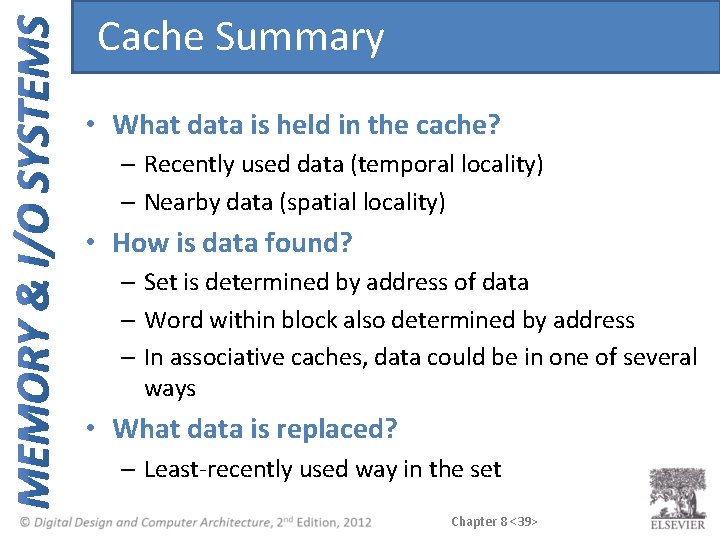
Cache Summary • What data is held in the cache? – Recently used data (temporal locality) – Nearby data (spatial locality) • How is data found? – Set is determined by address of data – Word within block also determined by address – In associative caches, data could be in one of several ways • What data is replaced? – Least-recently used way in the set Chapter 8 <39>
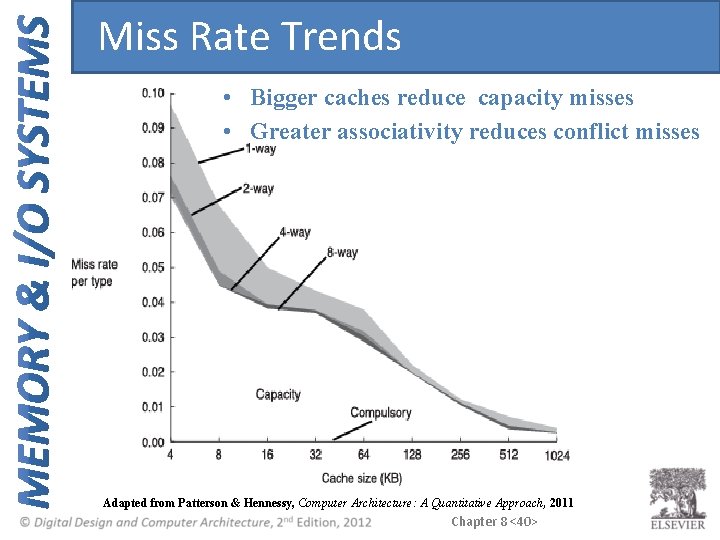
Miss Rate Trends • Bigger caches reduce capacity misses • Greater associativity reduces conflict misses Adapted from Patterson & Hennessy, Computer Architecture: A Quantitative Approach, 2011 Chapter 8 <40>
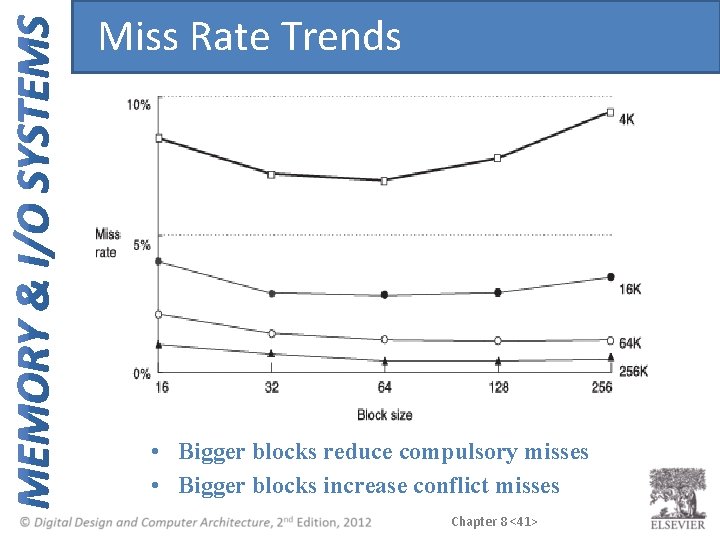
Miss Rate Trends • Bigger blocks reduce compulsory misses • Bigger blocks increase conflict misses Chapter 8 <41>
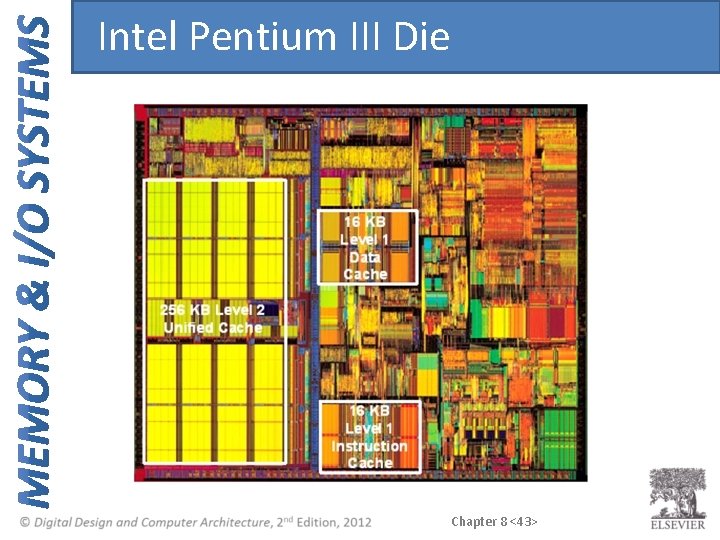
Multilevel Caches • Larger caches have lower miss rates, longer access times • Expand memory hierarchy to multiple levels of caches • Level 1: small and fast (e. g. 16 KB, 1 cycle) • Level 2: larger and slower (e. g. 256 KB, 2 -6 cycles) • Most modern PCs have L 1, L 2, and L 3 cache Chapter 8 <42>
Intel Pentium III Die Chapter 8 <43>
Virtual Memory • Gives the illusion of bigger memory • Main memory (DRAM) acts as cache for hard disk Chapter 8 <44>
Memory Hierarchy • Physical Memory: DRAM (Main Memory) • Virtual Memory: Hard drive – Slow, Large, Cheap Chapter 8 <45>
Hard Disk Takes milliseconds to seek correct location on disk Chapter 8 <46>
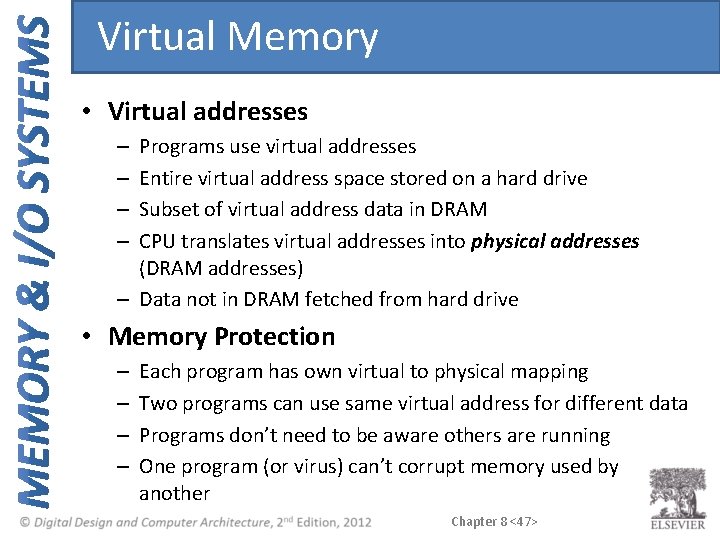
Virtual Memory • Virtual addresses Programs use virtual addresses Entire virtual address space stored on a hard drive Subset of virtual address data in DRAM CPU translates virtual addresses into physical addresses (DRAM addresses) – Data not in DRAM fetched from hard drive – – • Memory Protection – – Each program has own virtual to physical mapping Two programs can use same virtual address for different data Programs don’t need to be aware others are running One program (or virus) can’t corrupt memory used by another Chapter 8 <47>
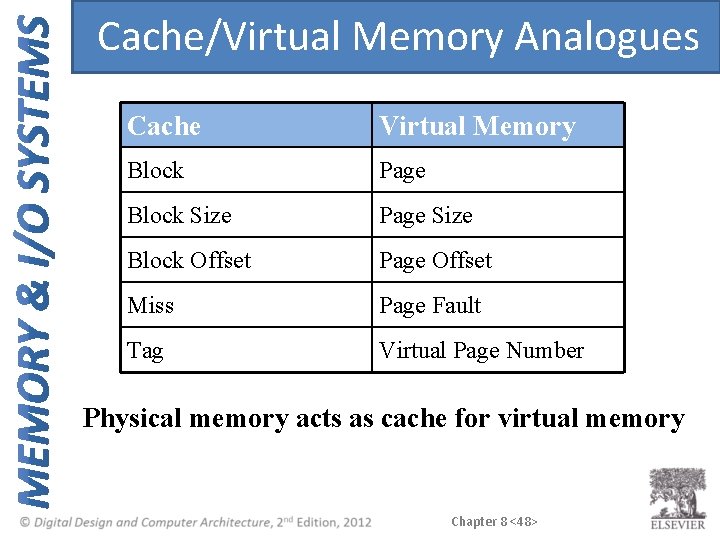
Cache/Virtual Memory Analogues Cache Virtual Memory Block Page Block Size Page Size Block Offset Page Offset Miss Page Fault Tag Virtual Page Number Physical memory acts as cache for virtual memory Chapter 8 <48>
Virtual Memory Definitions • Page size: amount of memory transferred from hard disk to DRAM at once • Address translation: determining physical address from virtual address • Page table: lookup table used to translate virtual addresses to physical addresses Chapter 8 <49>
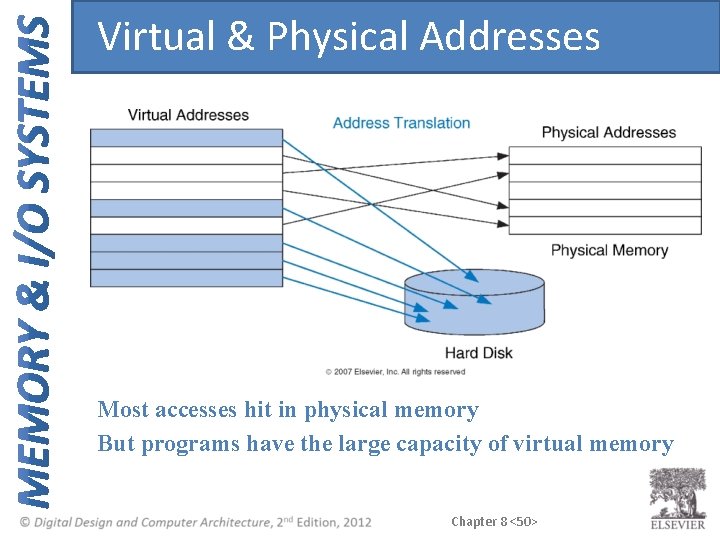
Virtual & Physical Addresses Most accesses hit in physical memory But programs have the large capacity of virtual memory Chapter 8 <50>
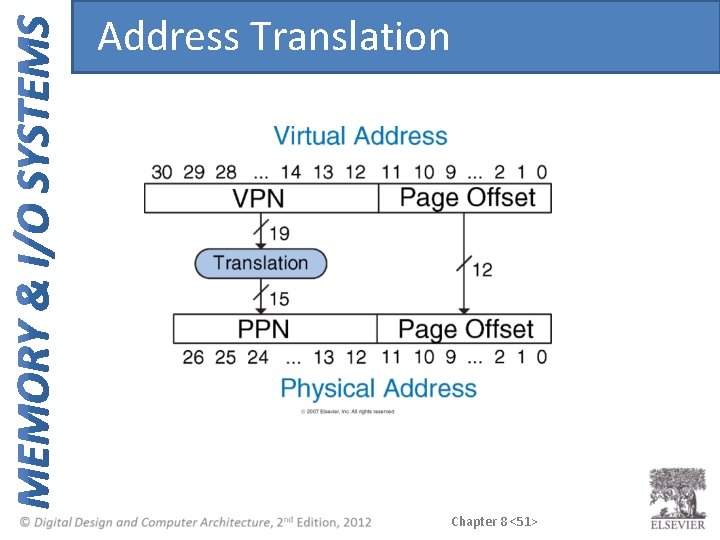
Address Translation Chapter 8 <51>
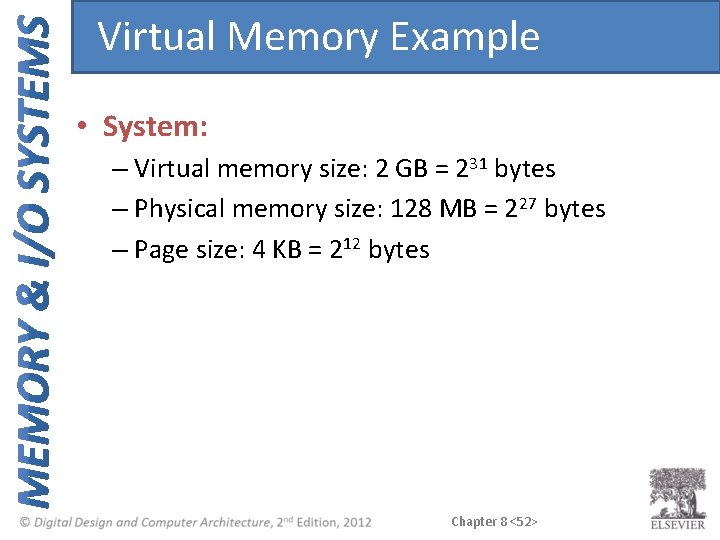
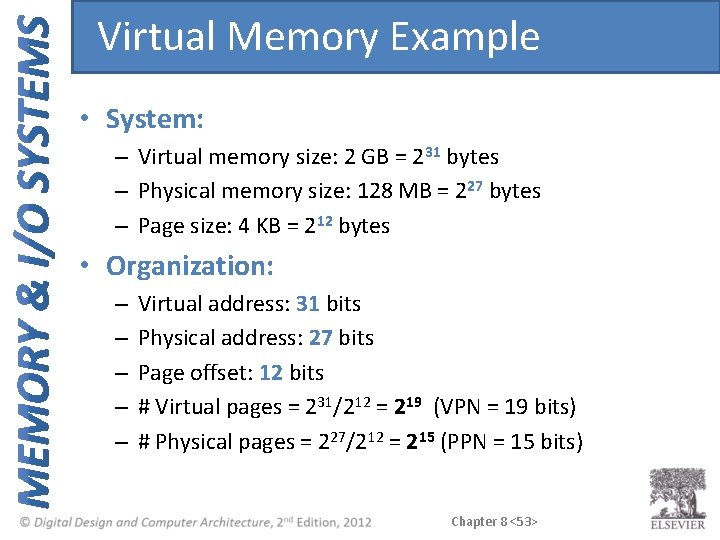
Virtual Memory Example • System: – Virtual memory size: 2 GB = 231 bytes – Physical memory size: 128 MB = 227 bytes – Page size: 4 KB = 212 bytes Chapter 8 <52>
Virtual Memory Example • System: – Virtual memory size: 2 GB = 231 bytes – Physical memory size: 128 MB = 227 bytes – Page size: 4 KB = 212 bytes • Organization: – – – Virtual address: 31 bits Physical address: 27 bits Page offset: 12 bits # Virtual pages = 231/212 = 219 (VPN = 19 bits) # Physical pages = 227/212 = 215 (PPN = 15 bits) Chapter 8 <53>
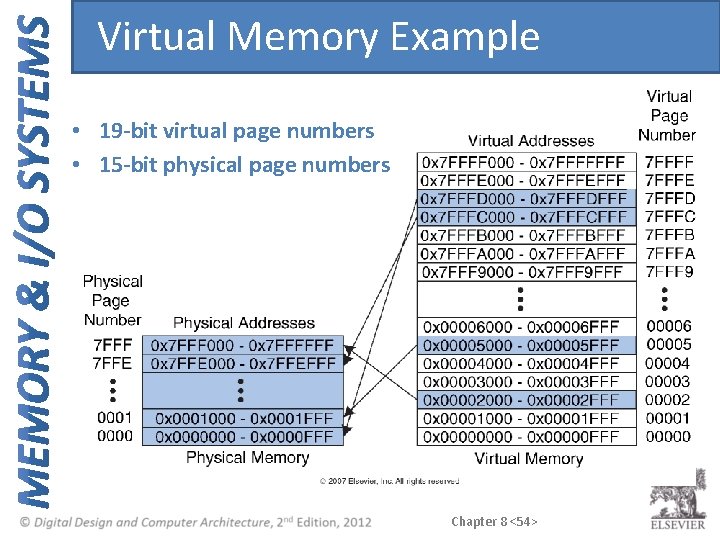
Virtual Memory Example • 19 -bit virtual page numbers • 15 -bit physical page numbers Chapter 8 <54>
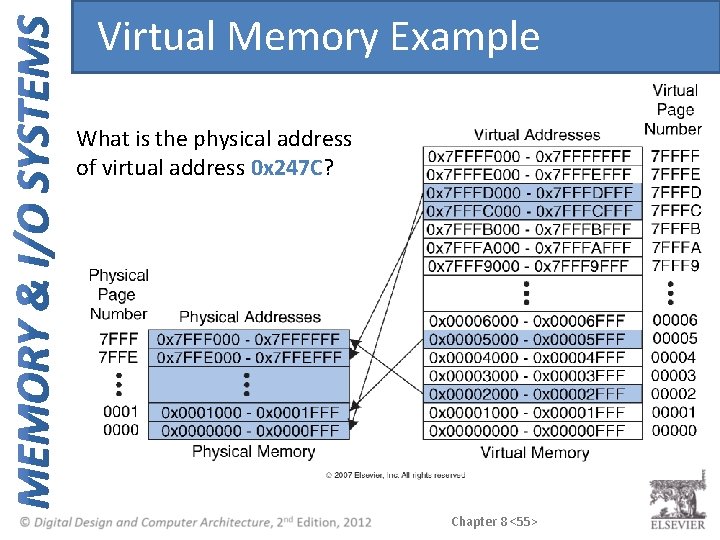
Virtual Memory Example What is the physical address of virtual address 0 x 247 C? Chapter 8 <55>
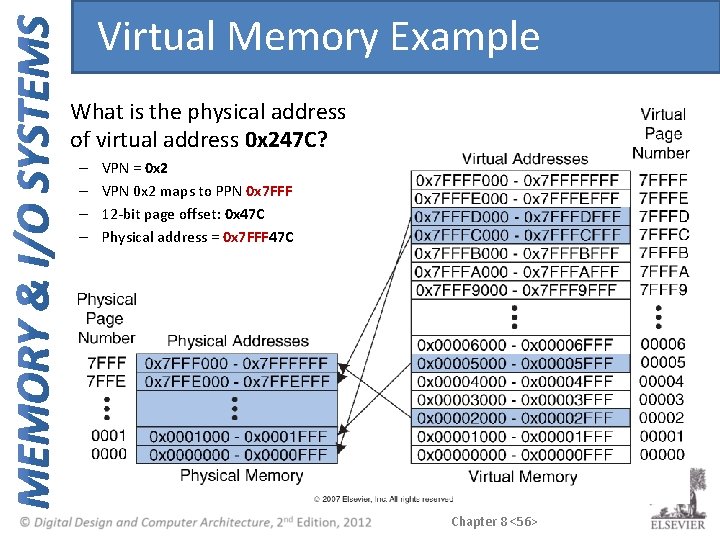
Virtual Memory Example What is the physical address of virtual address 0 x 247 C? – – VPN = 0 x 2 VPN 0 x 2 maps to PPN 0 x 7 FFF 12 -bit page offset: 0 x 47 C Physical address = 0 x 7 FFF 47 C Chapter 8 <56>
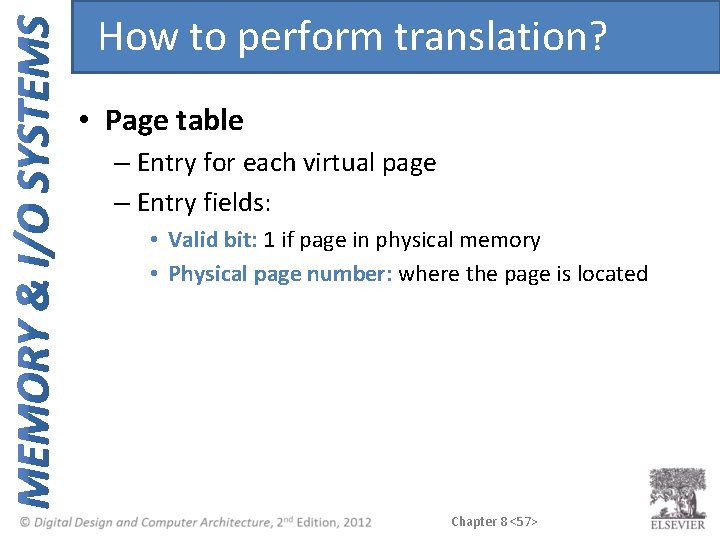
How to perform translation? • Page table – Entry for each virtual page – Entry fields: • Valid bit: 1 if page in physical memory • Physical page number: where the page is located Chapter 8 <57>
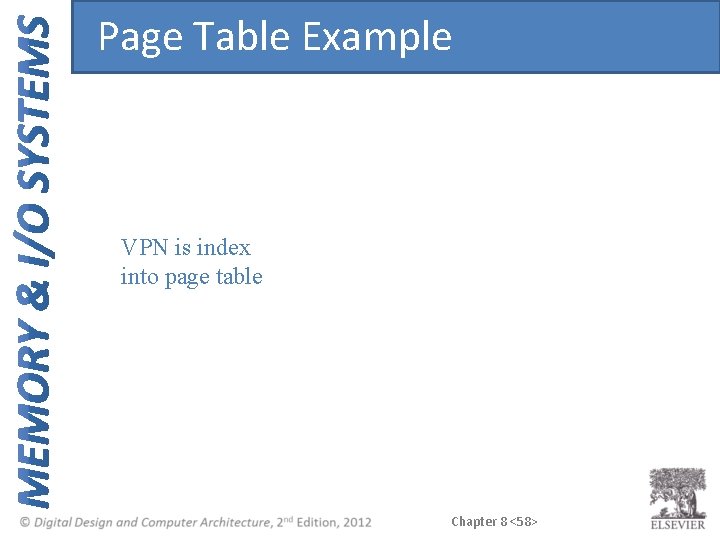
Page Table Example VPN is index into page table Chapter 8 <58>
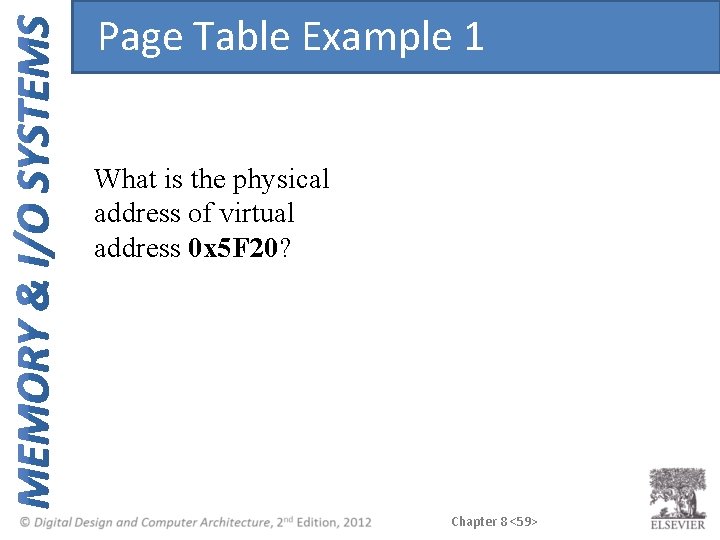
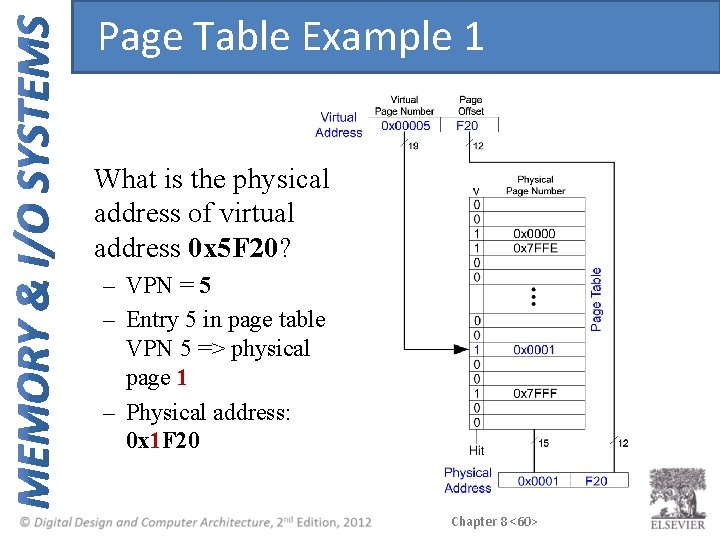
Page Table Example 1 What is the physical address of virtual address 0 x 5 F 20? Chapter 8 <59>
Page Table Example 1 What is the physical address of virtual address 0 x 5 F 20? – VPN = 5 – Entry 5 in page table VPN 5 => physical page 1 – Physical address: 0 x 1 F 20 Chapter 8 <60>
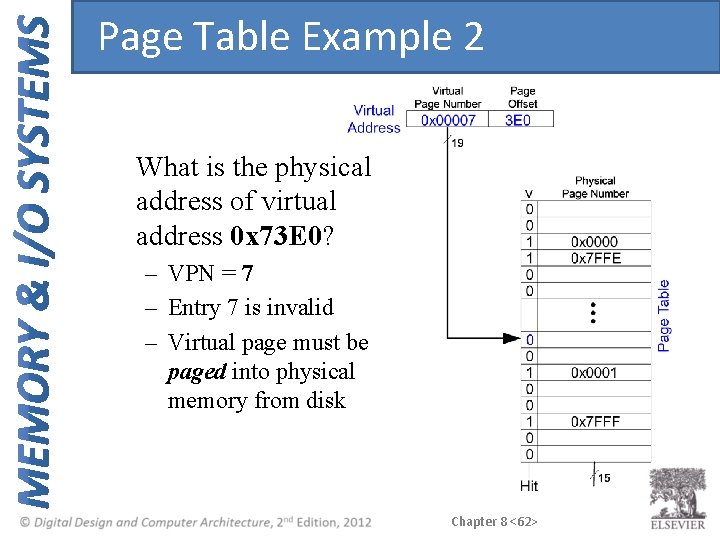
Page Table Example 2 What is the physical address of virtual address 0 x 73 E 0? Chapter 8 <61>
Page Table Example 2 What is the physical address of virtual address 0 x 73 E 0? – VPN = 7 – Entry 7 is invalid – Virtual page must be paged into physical memory from disk Chapter 8 <62>
Page Table Challenges • Page table is large – usually located in physical memory • Load/store requires 2 main memory accesses: – one for translation (page table read) – one to access data (after translation) • Cuts memory performance in half – Unless we get clever… Chapter 8 <63>
Translation Lookaside Buffer (TLB) • Small cache of most recent translations • Reduces # of memory accesses for most loads/stores from 2 to 1 Chapter 8 <64>
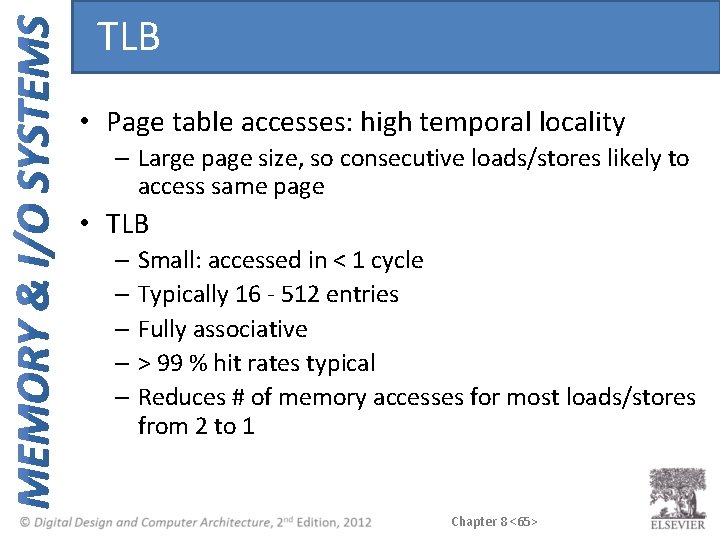
TLB • Page table accesses: high temporal locality – Large page size, so consecutive loads/stores likely to access same page • TLB – Small: accessed in < 1 cycle – Typically 16 - 512 entries – Fully associative – > 99 % hit rates typical – Reduces # of memory accesses for most loads/stores from 2 to 1 Chapter 8 <65>
Example 2 -Entry TLB Chapter 8 <66>
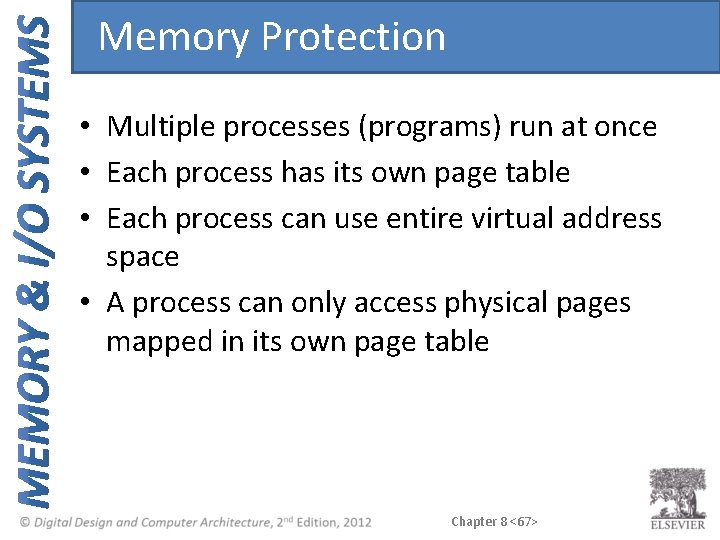
Memory Protection • Multiple processes (programs) run at once • Each process has its own page table • Each process can use entire virtual address space • A process can only access physical pages mapped in its own page table Chapter 8 <67>
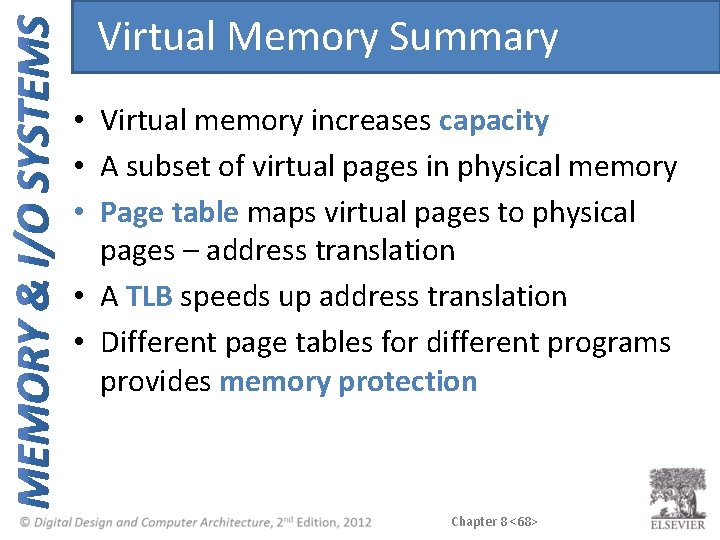
Virtual Memory Summary • Virtual memory increases capacity • A subset of virtual pages in physical memory • Page table maps virtual pages to physical pages – address translation • A TLB speeds up address translation • Different page tables for different programs provides memory protection Chapter 8 <68>
Memory-Mapped I/O • Processor accesses I/O devices just like memory (like keyboards, monitors, printers) • Each I/O device assigned one or more address • When that address is detected, data read/written to I/O device instead of memory • A portion of the address space dedicated to I/O devices Chapter 8 <69>
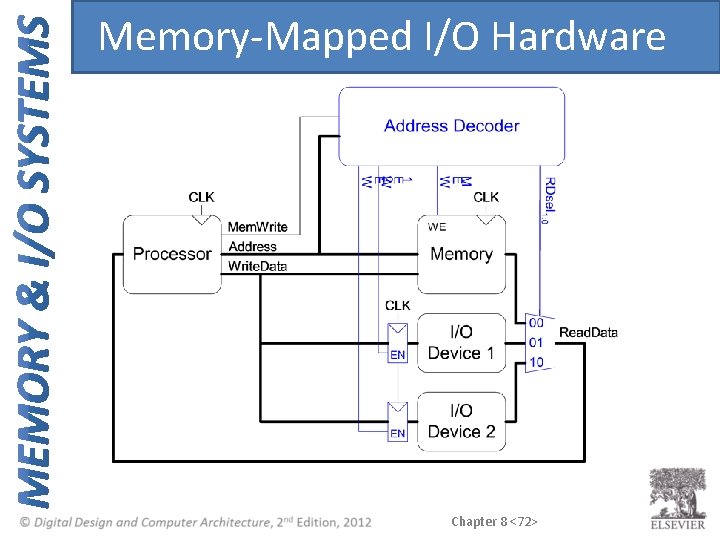
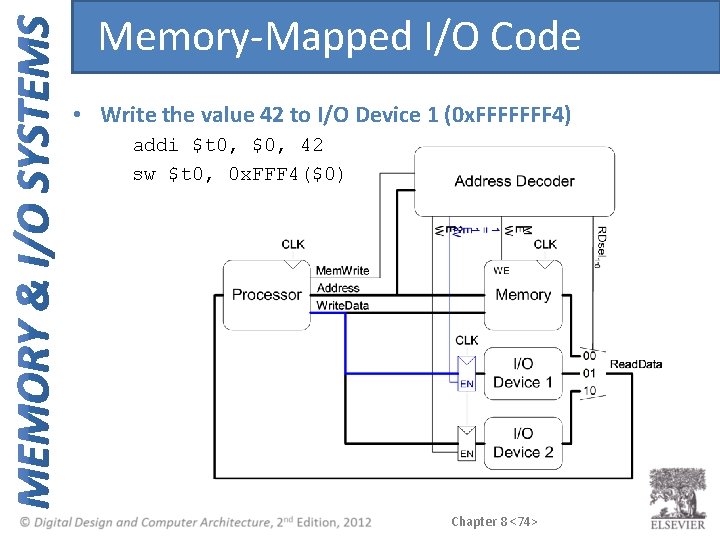
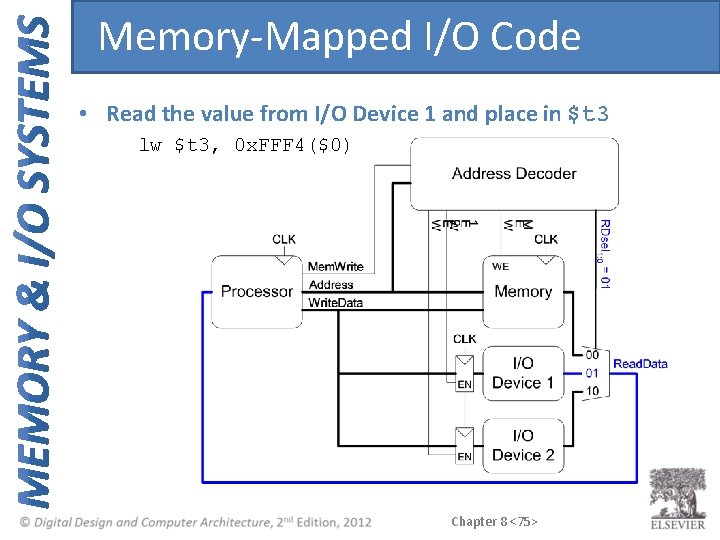
Memory-Mapped I/O Hardware • Address Decoder: – Looks at address to determine which device/memory communicates with the processor • I/O Registers: – Hold values written to the I/O devices • Read. Data Multiplexer: – Selects between memory and I/O devices as source of data sent to the processor Chapter 8 <70>
The Memory Interface Chapter 8 <71>
Memory-Mapped I/O Hardware Chapter 8 <72>
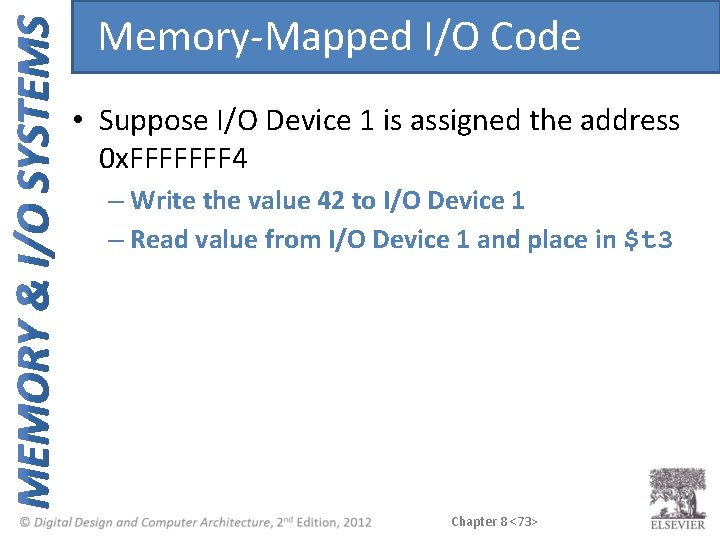
Memory-Mapped I/O Code • Suppose I/O Device 1 is assigned the address 0 x. FFFFFFF 4 – Write the value 42 to I/O Device 1 – Read value from I/O Device 1 and place in $t 3 Chapter 8 <73>
Memory-Mapped I/O Code • Write the value 42 to I/O Device 1 (0 x. FFFFFFF 4) addi $t 0, $0, 42 sw $t 0, 0 x. FFF 4($0) Chapter 8 <74>
Memory-Mapped I/O Code • Read the value from I/O Device 1 and place in $t 3 lw $t 3, 0 x. FFF 4($0) Chapter 8 <75>
Input/Output (I/O) Systems • Embedded I/O Systems – Toasters, LEDs, etc. • PC I/O Systems Chapter 8 <76>
Embedded I/O Systems • Example microcontroller: PIC 32 – microcontroller – 32 -bit MIPS processor – low-level peripherals include: • serial ports • timers • A/D converters Chapter 8 <77>
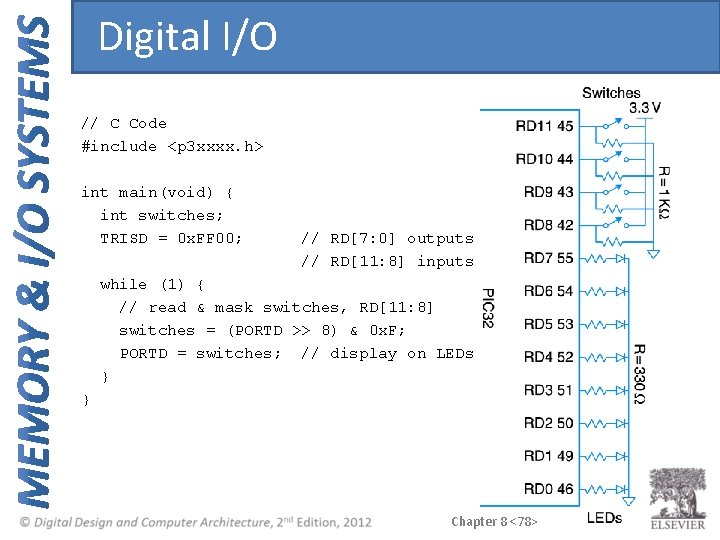
Digital I/O // C Code #include <p 3 xxxx. h> int main(void) { int switches; TRISD = 0 x. FF 00; // RD[7: 0] outputs // RD[11: 8] inputs while (1) { // read & mask switches, RD[11: 8] switches = (PORTD >> 8) & 0 x. F; PORTD = switches; // display on LEDs } } Chapter 8 <78>
Serial I/O • Example serial protocols – SPI: Serial Peripheral Interface – UART: Universal Asynchronous Receiver/Transmitter – Also: I 2 C, USB, Ethernet, etc. Chapter 8 <79>
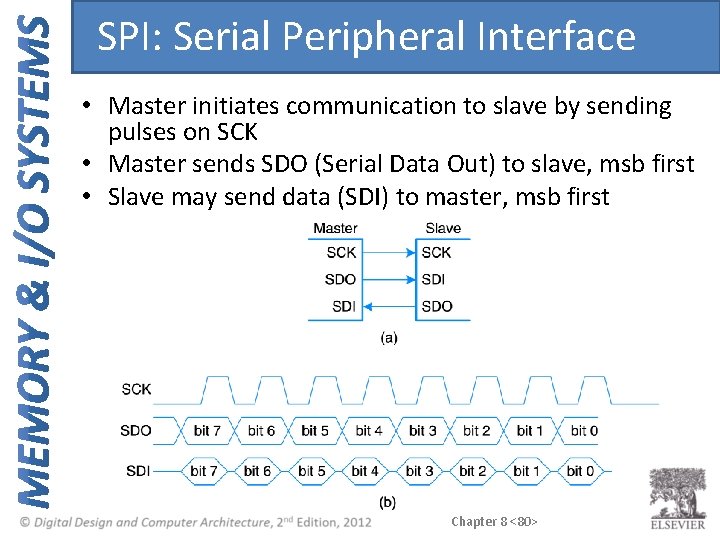
SPI: Serial Peripheral Interface • Master initiates communication to slave by sending pulses on SCK • Master sends SDO (Serial Data Out) to slave, msb first • Slave may send data (SDI) to master, msb first Chapter 8 <80>
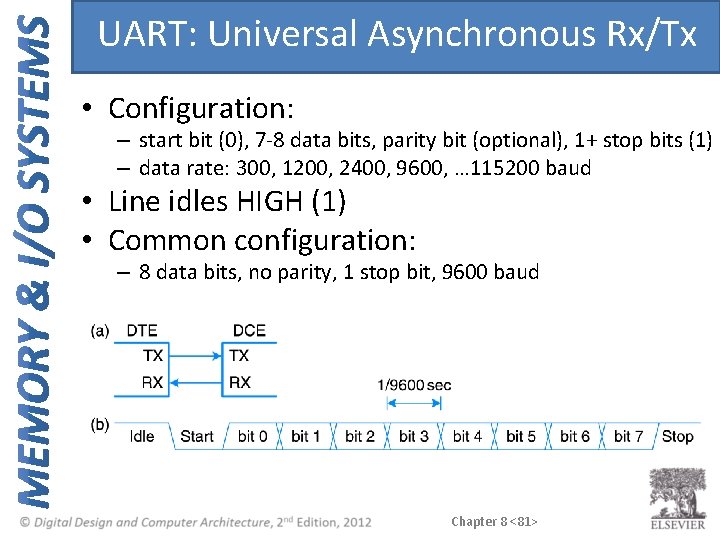
UART: Universal Asynchronous Rx/Tx • Configuration: – start bit (0), 7 -8 data bits, parity bit (optional), 1+ stop bits (1) – data rate: 300, 1200, 2400, 9600, … 115200 baud • Line idles HIGH (1) • Common configuration: – 8 data bits, no parity, 1 stop bit, 9600 baud Chapter 8 <81>
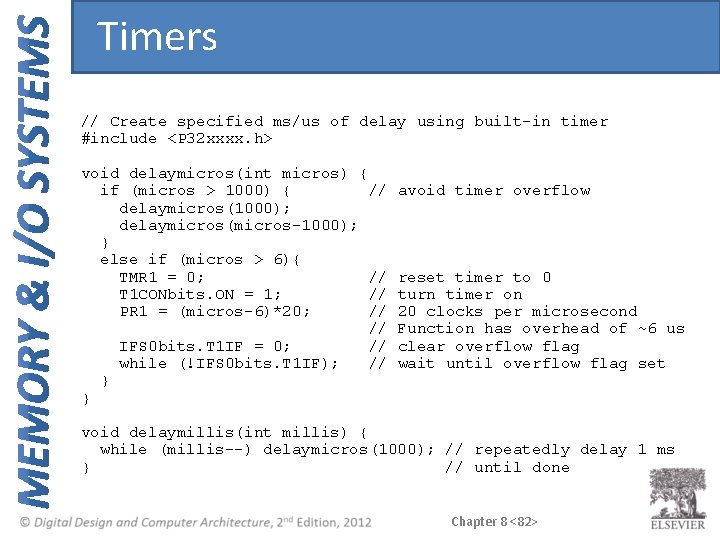
Timers // Create specified ms/us of delay using built-in timer #include <P 32 xxxx. h> void delaymicros(int micros) { if (micros > 1000) { // avoid timer overflow delaymicros(1000); delaymicros(micros-1000); } else if (micros > 6){ TMR 1 = 0; // reset timer to 0 T 1 CONbits. ON = 1; // turn timer on PR 1 = (micros-6)*20; // 20 clocks per microsecond // Function has overhead of ~6 us IFS 0 bits. T 1 IF = 0; // clear overflow flag while (!IFS 0 bits. T 1 IF); // wait until overflow flag set } } void delaymillis(int millis) { while (millis--) delaymicros(1000); // repeatedly delay 1 ms } // until done Chapter 8 <82>
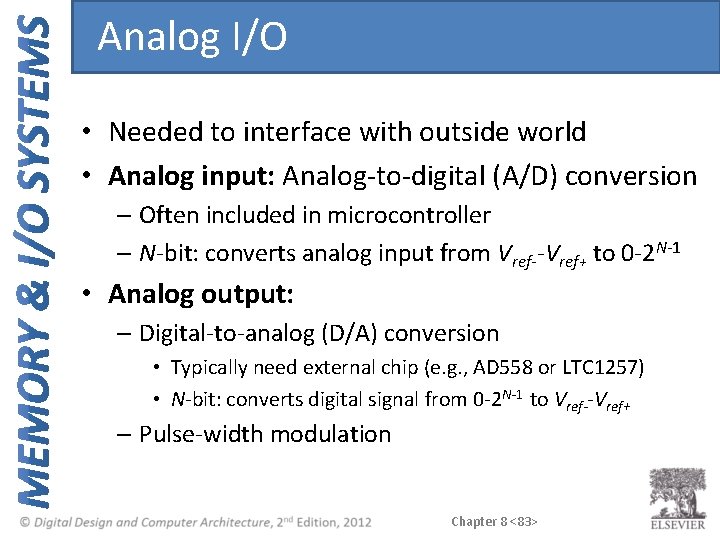
Analog I/O • Needed to interface with outside world • Analog input: Analog-to-digital (A/D) conversion – Often included in microcontroller – N-bit: converts analog input from Vref--Vref+ to 0 -2 N-1 • Analog output: – Digital-to-analog (D/A) conversion • Typically need external chip (e. g. , AD 558 or LTC 1257) • N-bit: converts digital signal from 0 -2 N-1 to Vref--Vref+ – Pulse-width modulation Chapter 8 <83>
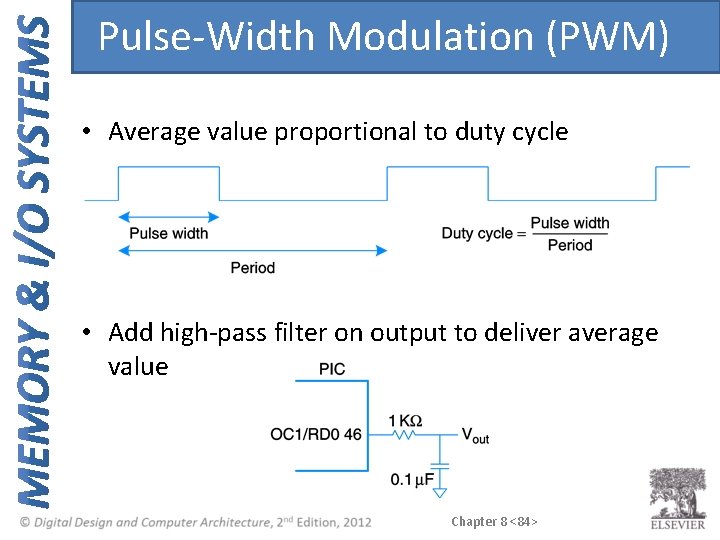
Pulse-Width Modulation (PWM) • Average value proportional to duty cycle • Add high-pass filter on output to deliver average value Chapter 8 <84>
Other Microcontroller Peripherals • Examples – Character LCD – VGA monitor – Bluetooth wireless – Motors Chapter 8 <85>
Personal Computer (PC) I/O Systems • USB: Universal Serial Bus – USB 1. 0 released in 1996 – standardized cables/software for peripherals • PCI/PCIe: Peripheral Component Interconnect/PCI Express – developed by Intel, widespread around 1994 – 32 -bit parallel bus – used for expansion cards (i. e. , sound cards, video cards, etc. ) • DDR: double-data rate memory Chapter 8 <86>
Personal Computer (PC) I/O Systems • TCP/IP: Transmission Control Protocol and Internet Protocol – physical connection: Ethernet cable or Wi-Fi • SATA: hard drive interface • Input/Output (sensors, actuators, microcontrollers, etc. ) – Data Acquisition Systems (DAQs) – USB Links Chapter 8 <87>