
Chapter 7 Working with Databases and My SQL
Chapter 7 Working with Databases and My. SQL PHP Programming with My. SQL 2 nd Edition
Objectives • • • Study the basics of databases and My. SQL Work with My. SQL databases Define database tables Modify user privileges Work with database records PHP Programming with My. SQL, 2 nd Edition 2
Introduction to Databases • A database is an ordered collection of information from which a computer program can quickly access information • Each row in a database table is called a record • A record in a database is a single complete set of related information • Each column in a database table is called a field • Fields are the individual categories of information stored in a record PHP Programming with My. SQL, 2 nd Edition 3
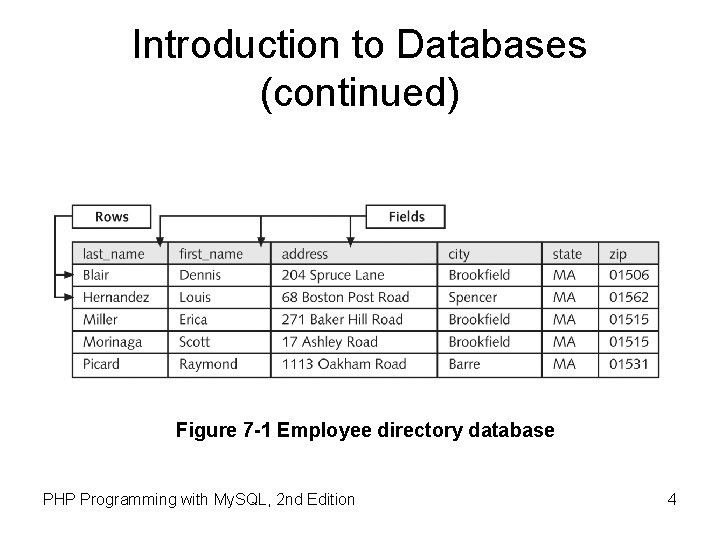
Introduction to Databases (continued) Figure 7 -1 Employee directory database PHP Programming with My. SQL, 2 nd Edition 4
Introduction to Databases (continued) • A flat-file database stores information in a single table • A relational database stores information across multiple related tables PHP Programming with My. SQL, 2 nd Edition 5
Understanding Relational Databases • Relational databases consist of one or more related tables • A primary table is the main table in a relationship that is referenced by another table • A related table (or “child table”) references a primary table in a relational database • A primary key is a field that contains a unique identifier for each record in a primary table PHP Programming with My. SQL, 2 nd Edition 6
Understanding Relational Databases (continued) • A primary key is a type of index, which identifies records in a database to make retrievals and sorting faster • A foreign key is a field in a related table that refers to the primary key in a primary table • Primary and foreign keys link records across multiple tables in a relational database PHP Programming with My. SQL, 2 nd Edition 7
One-to-One Relationships • A one-to-one relationship exists between two tables when a related table contains exactly one record for each record in the primary table • Create one-to-one relationships to break information into multiple, logical sets • Information in the tables in a one-to-one relationship can be placed within a single table • Make the information in one of the tables confidential and accessible only by certain individuals PHP Programming with My. SQL, 2 nd Edition 8
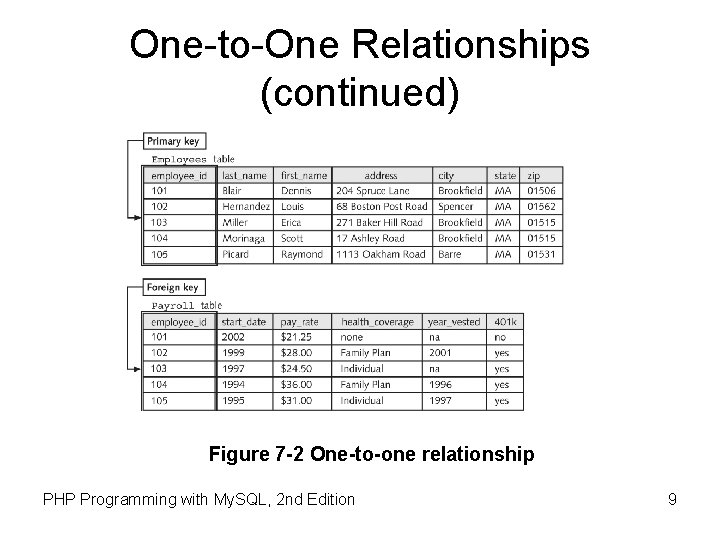
One-to-One Relationships (continued) Figure 7 -2 One-to-one relationship PHP Programming with My. SQL, 2 nd Edition 9
One-to-Many Relationship • A one-to-many relationship exists in a relational database when one record in a primary table has many related records in a related table • Breaking tables into multiple related tables to reduce redundant and duplicate information is called normalization • Provides a more efficient and less redundant method of storing this information in a database PHP Programming with My. SQL, 2 nd Edition 10
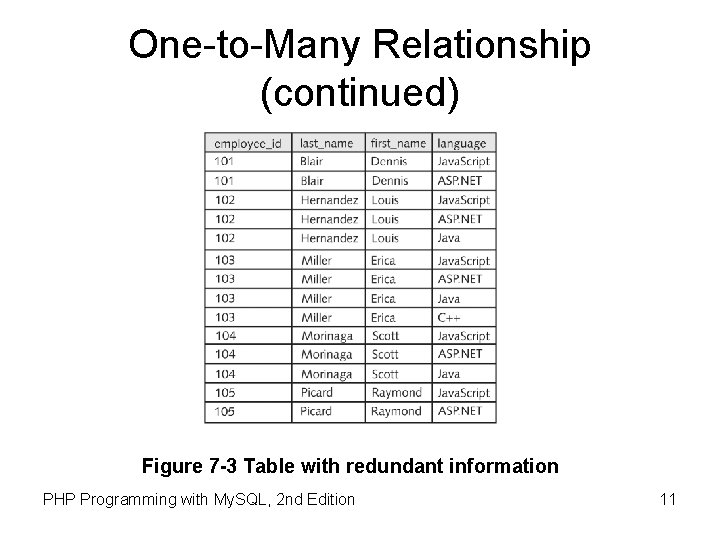
One-to-Many Relationship (continued) Figure 7 -3 Table with redundant information PHP Programming with My. SQL, 2 nd Edition 11
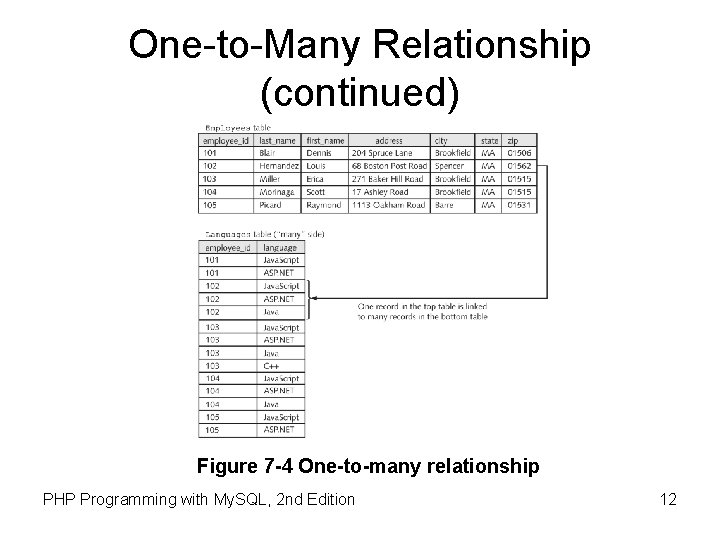
One-to-Many Relationship (continued) Figure 7 -4 One-to-many relationship PHP Programming with My. SQL, 2 nd Edition 12
Many-to-Many Relationship • A many-to-many relationship exists in a relational database when many records in one table are related to many records in another table • A junction table creates a one-to-many relationship for each of the two tables in a many-to-many relationship • A junction table contains foreign keys from the two tables PHP Programming with My. SQL, 2 nd Edition 13
Working with Database Management Systems • A database management system (or DBMS) is an application or collection of applications used to access and manage a database • A schema is the structure of a database including its tables, fields, and relationships • A flat-file database management system is a system that stores data in a flat-file format • A relational database management system (or RDBMS) is a system that stores data in a relational format PHP Programming with My. SQL, 2 nd Edition 14
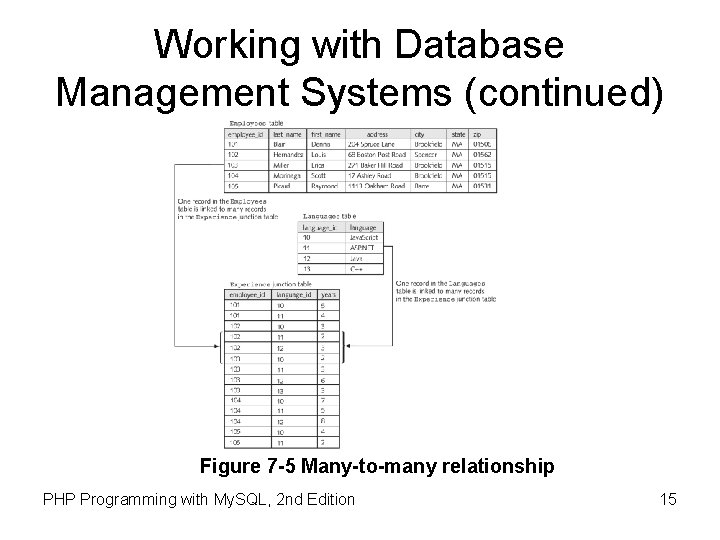
Working with Database Management Systems (continued) Figure 7 -5 Many-to-many relationship PHP Programming with My. SQL, 2 nd Edition 15
Working with Database Management Systems (continued) • Important aspects of database management systems: – The structuring and preservation of the database file – Ensuring that data is stored correctly in a database’s tables, regardless of the database format – Querying capability PHP Programming with My. SQL, 2 nd Edition 16
Working with Database Management Systems (continued) • A query is a structured set of instructions and criteria for retrieving, adding, modifying, and deleting database information • Structured query language (or SQL) is a standard data manipulation language used among many database management systems • Open database connectivity (or ODBC) allows ODBC-compliant applications to access any data source for which there is an ODBC driver PHP Programming with My. SQL, 2 nd Edition 17
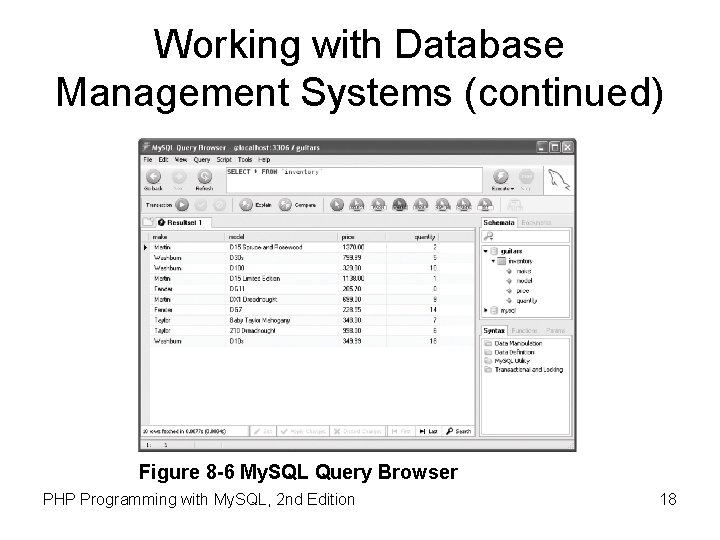
Working with Database Management Systems (continued) Figure 8 -6 My. SQL Query Browser PHP Programming with My. SQL, 2 nd Edition 18
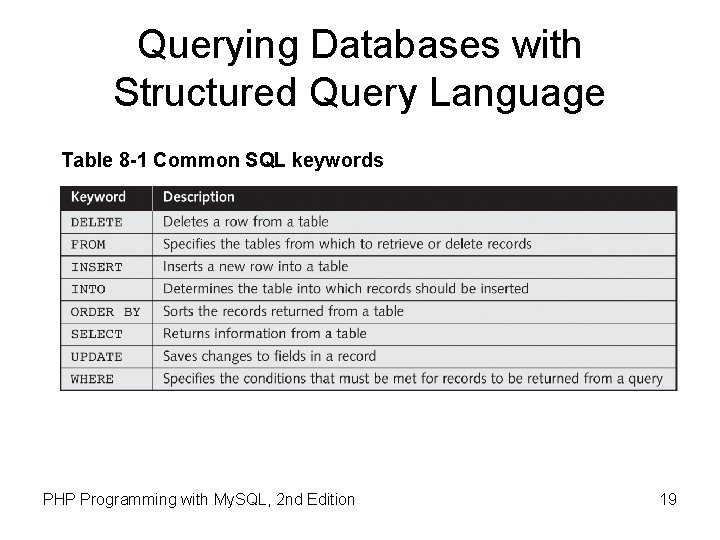
Querying Databases with Structured Query Language Table 8 -1 Common SQL keywords PHP Programming with My. SQL, 2 nd Edition 19
Logging in to My. SQL • Enter the following command: mysql –h host –u user –p • Two accounts are created: – Anonymous user account allows login without specifying a username or password – root account (the primary administrative account for My. SQL) is created without a password mysql –u root • Log out with the exit or quit commands PHP Programming with My. SQL, 2 nd Edition 20
![Logging in to My. SQL (continued) $ mysql –h php_db -u dongosselin -p[ENTER ]](http://slidetodoc.com/presentation_image_h2/ddfadaf3a4f1d368a84be7b6cee4eab1/image-21.jpg "Logging in to My. SQL (continued) $ mysql –h php_db -u dongosselin -p[ENTER ]")
Logging in to My. SQL (continued) $ mysql –h php_db -u dongosselin -p[ENTER ] Enter password: *****[ENTER ] Welcome to the My. SQL monitor. Commands end with ; or g. Your My. SQL connection id is 6611 to server version: 4. 1. 9 nt Type 'help; ' or 'h' for help. Type 'c' to clear the buffer. mysql> • Use the up and down arrow keys on the keyboard to scroll through previously entered commands PHP Programming with My. SQL, 2 nd Edition 21
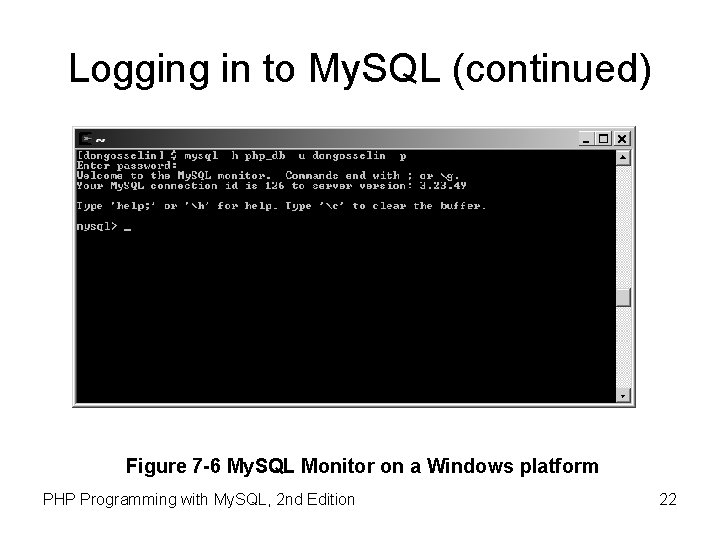
Logging in to My. SQL (continued) Figure 7 -6 My. SQL Monitor on a Windows platform PHP Programming with My. SQL, 2 nd Edition 22
Understanding My. SQL Identifiers • An alias is an alternate name used to refer to a table or field in SQL statements • The case sensitivity of database and table identifiers depends on the operating system – Not case sensitive on Windows platforms – Case sensitive on UNIX/Linux systems • My. SQL stores each database in a directory of the same name as the database identifier • Field and index identifiers are case insensitive on all platforms PHP Programming with My. SQL, 2 nd Edition 24
Getting Help with My. SQL Commands PHP Programming with My. SQL, 2 nd Edition 25
Creating Databases • Use the CREATE DATABASE statement to create a new database: mysql> CREATE DATABASE vehicle_fleet; [ENTER ] • To use a new database, select it by executing the USE DATABASE statement PHP Programming with My. SQL, 2 nd Edition 26
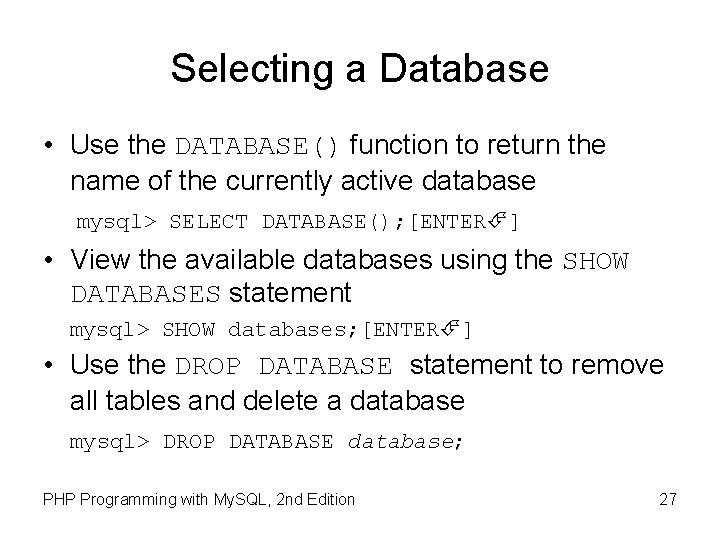
Selecting a Database • Use the DATABASE() function to return the name of the currently active database mysql> SELECT DATABASE(); [ENTER ] • View the available databases using the SHOW DATABASES statement mysql> SHOW databases; [ENTER ] • Use the DROP DATABASE statement to remove all tables and delete a database mysql> DROP DATABASE database; PHP Programming with My. SQL, 2 nd Edition 27
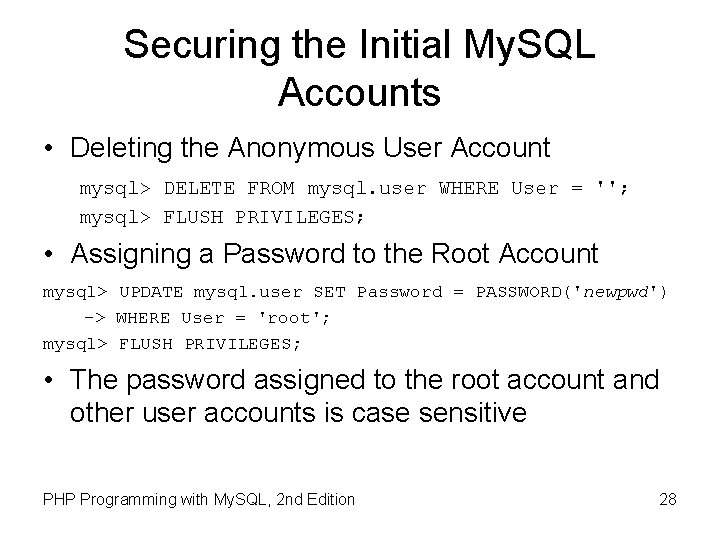
Securing the Initial My. SQL Accounts • Deleting the Anonymous User Account mysql> DELETE FROM mysql. user WHERE User = ''; mysql> FLUSH PRIVILEGES; • Assigning a Password to the Root Account mysql> UPDATE mysql. user SET Password = PASSWORD('newpwd') -> WHERE User = 'root'; mysql> FLUSH PRIVILEGES; • The password assigned to the root account and other user accounts is case sensitive PHP Programming with My. SQL, 2 nd Edition 28
Creating Users • Create a separate account for each Web application that needs to access a database • Use a GRANT statement to create user accounts and assign privileges • Privileges are actions and operations a user can perform with a table or a database • For security purposes, user accounts should only be assigned the minimum necessary privileges to perform given tasks PHP Programming with My. SQL, 2 nd Edition 29
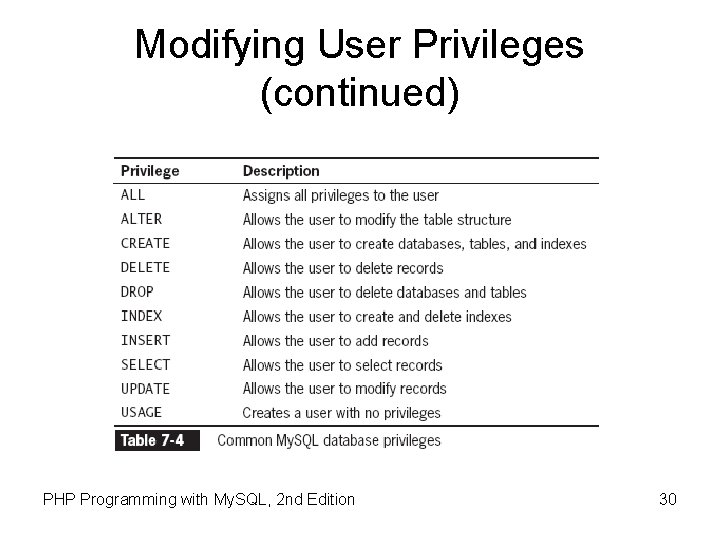
Modifying User Privileges (continued) PHP Programming with My. SQL, 2 nd Edition 30
![Granting Privileges • The syntax for the GRANT statement is: GRANT privilege [(column)] [,](http://slidetodoc.com/presentation_image_h2/ddfadaf3a4f1d368a84be7b6cee4eab1/image-30.jpg "Granting Privileges • The syntax for the GRANT statement is: GRANT privilege [(column)] [,")
Granting Privileges • The syntax for the GRANT statement is: GRANT privilege [(column)] [, privilege [(columns)]]. . . ON {table | *. * | database. *} TO user [IDENTIFIED BY 'password']; • The GRANT statement creates the user account if it does not exist and assigns the specified privileges • If the user account already exists, the GRANT statement just updates the privileges PHP Programming with My. SQL, 2 nd Edition 31
![Revoking Privileges • The syntax for the REVOKE statement is: REVOKE privilege [(column)] [,](http://slidetodoc.com/presentation_image_h2/ddfadaf3a4f1d368a84be7b6cee4eab1/image-31.jpg "Revoking Privileges • The syntax for the REVOKE statement is: REVOKE privilege [(column)] [,")
Revoking Privileges • The syntax for the REVOKE statement is: REVOKE privilege [(column)] [, privilege [(columns)]]. . . ON {table | *. * | database. *} FROM user; • The REVOKE ALL PRIVILEGES statement removes all privileges from a user account for a specified table or database • You must be logged in with the root account or have sufficient privileges to revoke privileges from another user account PHP Programming with My. SQL, 2 nd Edition 32
Defining Database Tables • Data types that are assigned to fields determine how much storage space the computer allocates for the data in the database • Choose the smallest data type possible for each field PHP Programming with My. SQL, 2 nd Edition 33
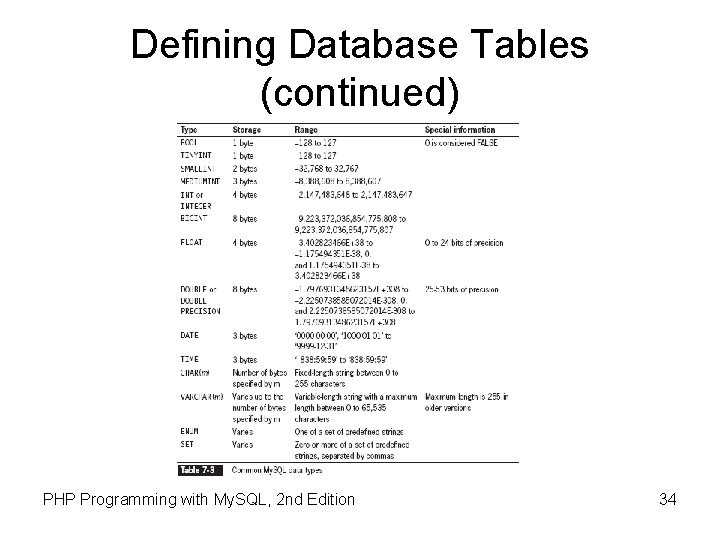
Defining Database Tables (continued) PHP Programming with My. SQL, 2 nd Edition 34
Creating Tables • Use the CREATE TABLE statement to create a new table and define the column names and data types for each column mysql> CREATE TABLE vehicles (license VARCHAR(10), make VARCHAR(25), model VARCHAR(50), miles FLOAT, assigned_to VARCHAR(40)); [ENTER ] PHP Programming with My. SQL, 2 nd Edition 35
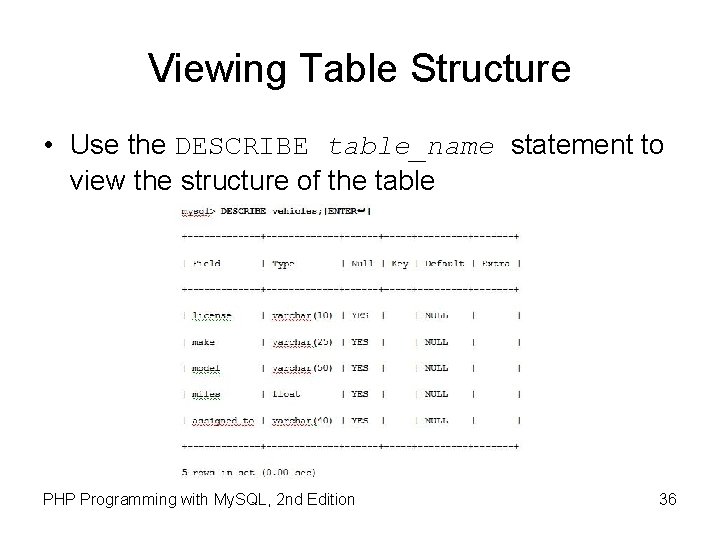
Viewing Table Structure • Use the DESCRIBE table_name statement to view the structure of the table PHP Programming with My. SQL, 2 nd Edition 36
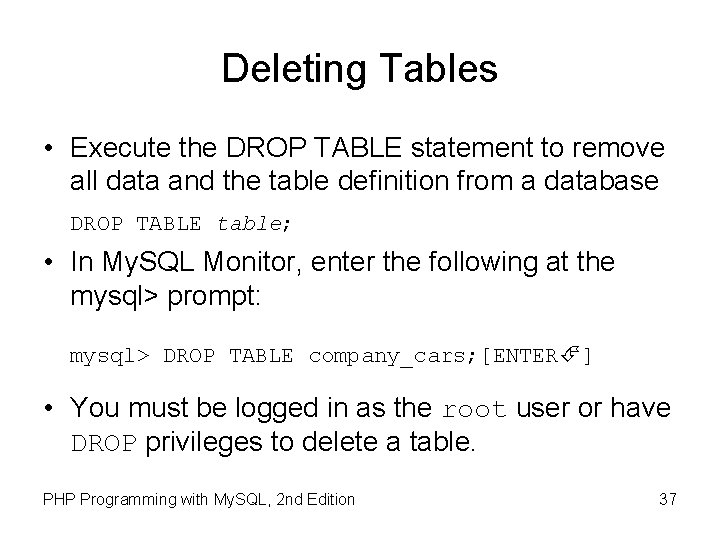
Deleting Tables • Execute the DROP TABLE statement to remove all data and the table definition from a database DROP TABLE table; • In My. SQL Monitor, enter the following at the mysql> prompt: mysql> DROP TABLE company_cars; [ENTER ] • You must be logged in as the root user or have DROP privileges to delete a table. PHP Programming with My. SQL, 2 nd Edition 37
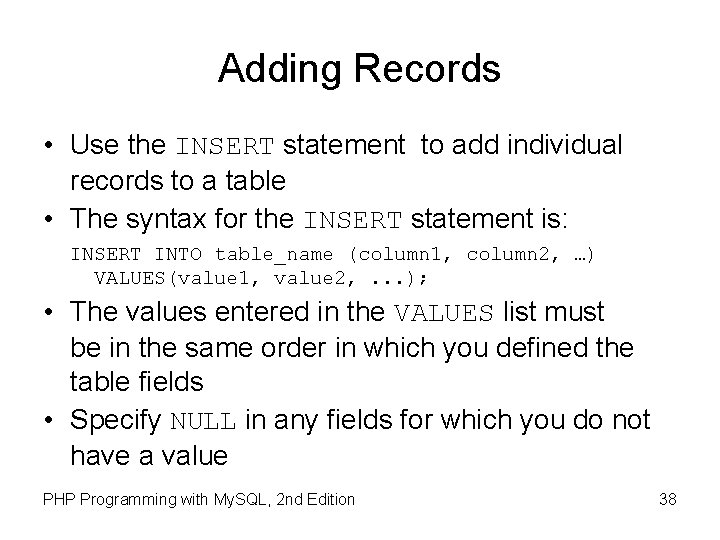
Adding Records • Use the INSERT statement to add individual records to a table • The syntax for the INSERT statement is: INSERT INTO table_name (column 1, column 2, …) VALUES(value 1, value 2, . . . ); • The values entered in the VALUES list must be in the same order in which you defined the table fields • Specify NULL in any fields for which you do not have a value PHP Programming with My. SQL, 2 nd Edition 38
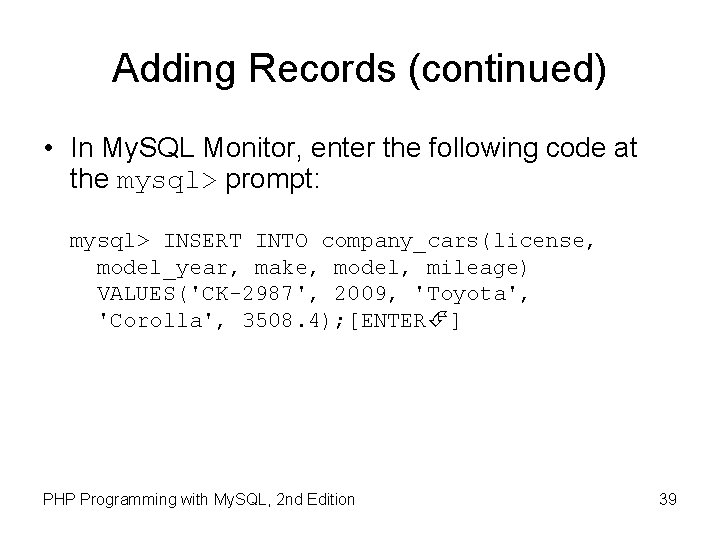
Adding Records (continued) • In My. SQL Monitor, enter the following code at the mysql> prompt: mysql> INSERT INTO company_cars(license, model_year, make, model, mileage) VALUES('CK-2987', 2009, 'Toyota', 'Corolla', 3508. 4); [ENTER ] PHP Programming with My. SQL, 2 nd Edition 39
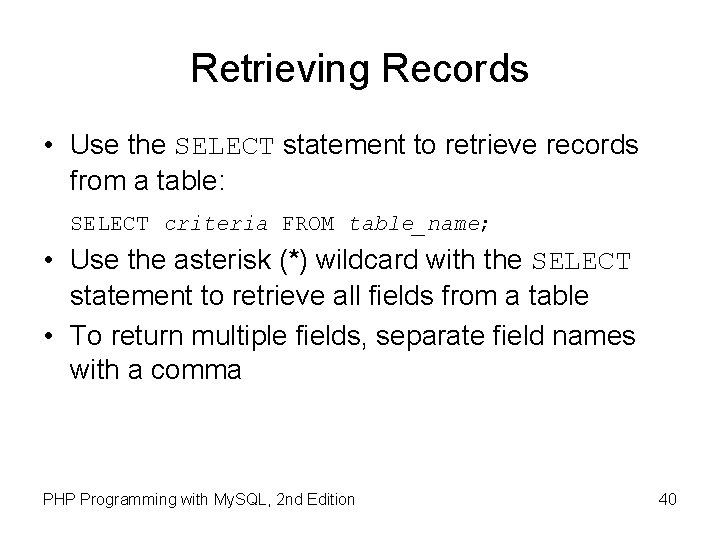
Retrieving Records • Use the SELECT statement to retrieve records from a table: SELECT criteria FROM table_name; • Use the asterisk (*) wildcard with the SELECT statement to retrieve all fields from a table • To return multiple fields, separate field names with a comma PHP Programming with My. SQL, 2 nd Edition 40
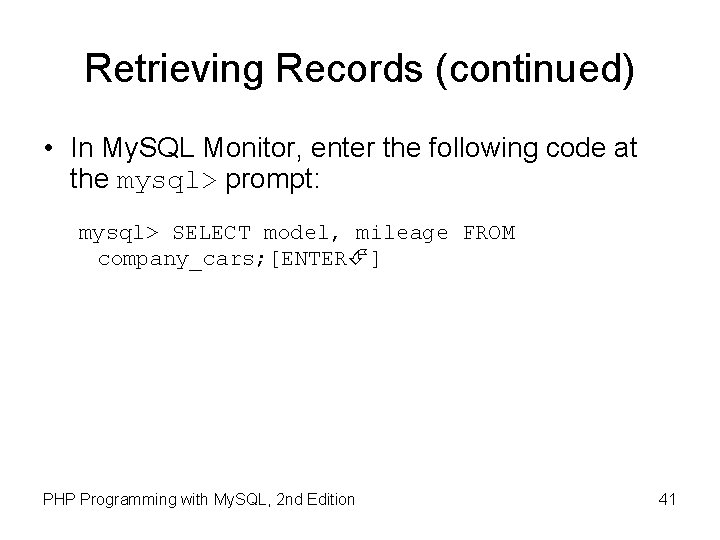
Retrieving Records (continued) • In My. SQL Monitor, enter the following code at the mysql> prompt: mysql> SELECT model, mileage FROM company_cars; [ENTER ] PHP Programming with My. SQL, 2 nd Edition 41
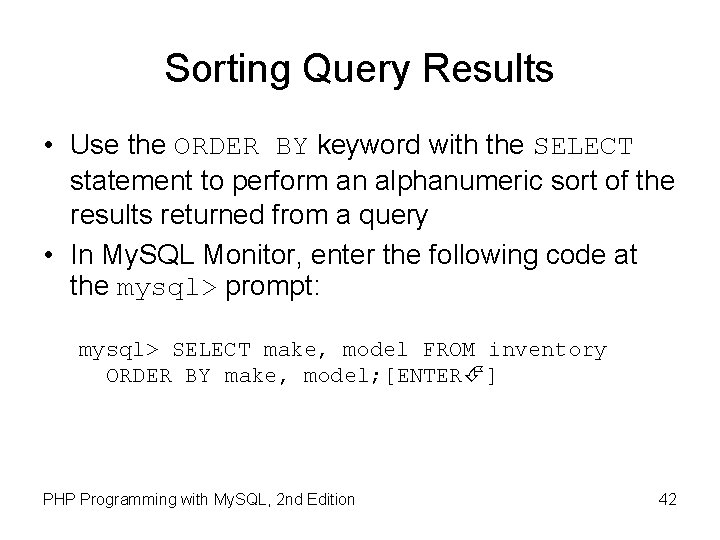
Sorting Query Results • Use the ORDER BY keyword with the SELECT statement to perform an alphanumeric sort of the results returned from a query • In My. SQL Monitor, enter the following code at the mysql> prompt: mysql> SELECT make, model FROM inventory ORDER BY make, model; [ENTER ] PHP Programming with My. SQL, 2 nd Edition 42
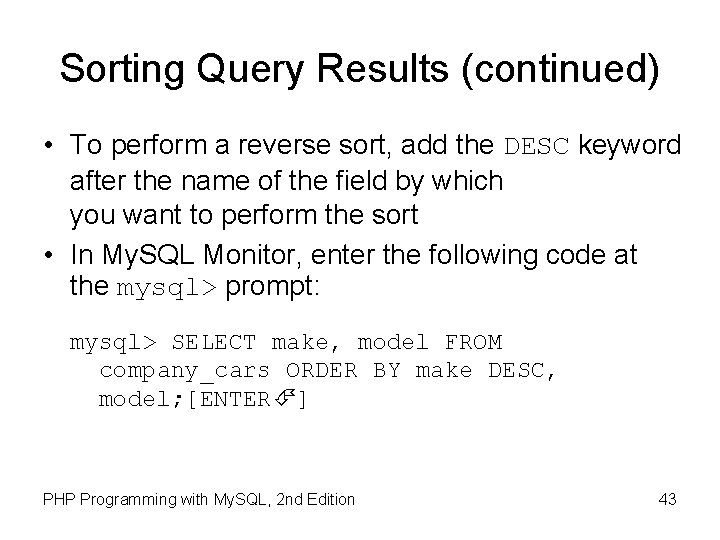
Sorting Query Results (continued) • To perform a reverse sort, add the DESC keyword after the name of the field by which you want to perform the sort • In My. SQL Monitor, enter the following code at the mysql> prompt: mysql> SELECT make, model FROM company_cars ORDER BY make DESC, model; [ENTER ] PHP Programming with My. SQL, 2 nd Edition 43
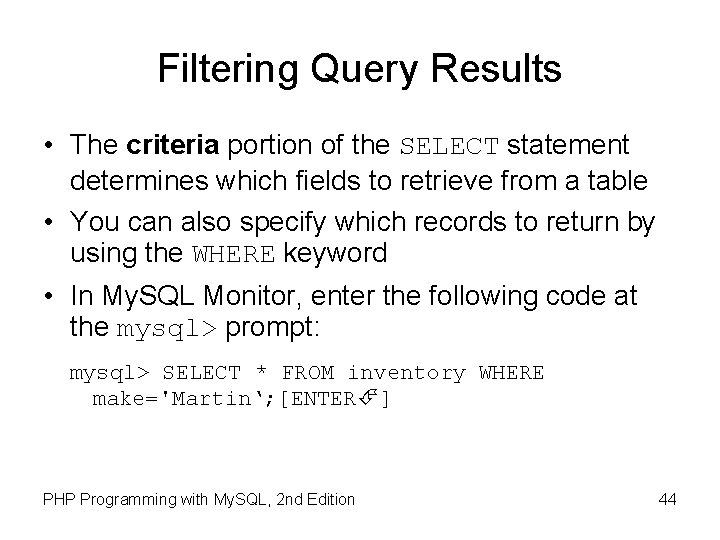
Filtering Query Results • The criteria portion of the SELECT statement determines which fields to retrieve from a table • You can also specify which records to return by using the WHERE keyword • In My. SQL Monitor, enter the following code at the mysql> prompt: mysql> SELECT * FROM inventory WHERE make='Martin‘; [ENTER ] PHP Programming with My. SQL, 2 nd Edition 44
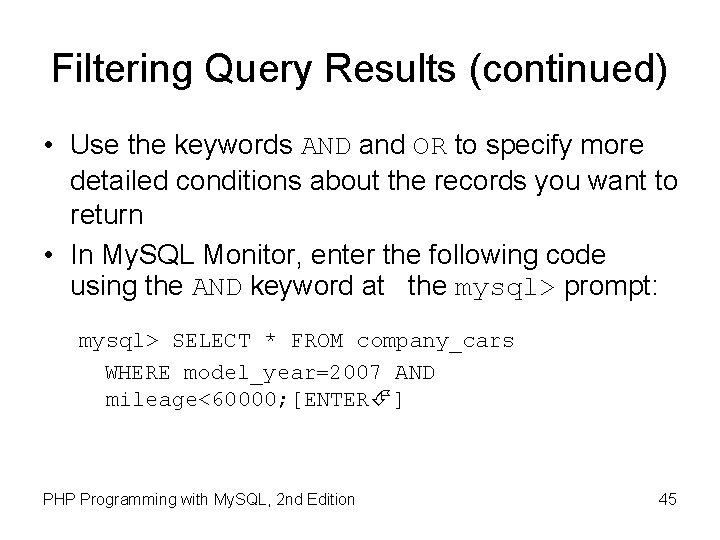
Filtering Query Results (continued) • Use the keywords AND and OR to specify more detailed conditions about the records you want to return • In My. SQL Monitor, enter the following code using the AND keyword at the mysql> prompt: mysql> SELECT * FROM company_cars WHERE model_year=2007 AND mileage<60000; [ENTER ] PHP Programming with My. SQL, 2 nd Edition 45
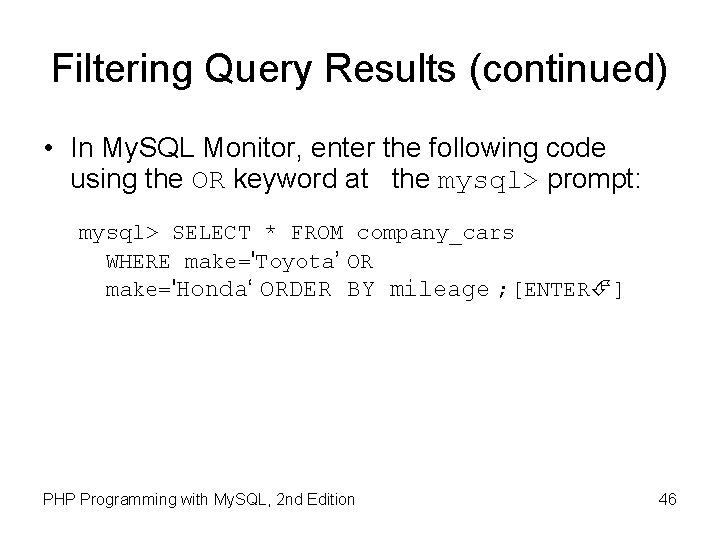
Filtering Query Results (continued) • In My. SQL Monitor, enter the following code using the OR keyword at the mysql> prompt: mysql> SELECT * FROM company_cars WHERE make='Toyota’ OR make='Honda‘ ORDER BY mileage ; [ENTER ] PHP Programming with My. SQL, 2 nd Edition 46
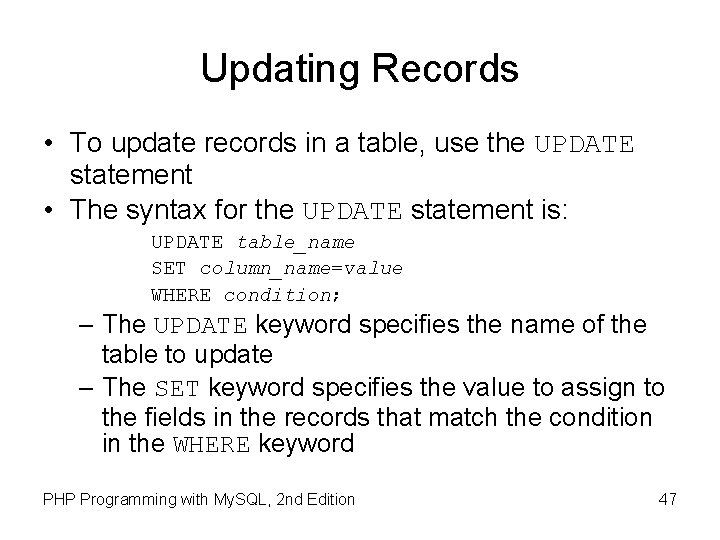
Updating Records • To update records in a table, use the UPDATE statement • The syntax for the UPDATE statement is: UPDATE table_name SET column_name=value WHERE condition; – The UPDATE keyword specifies the name of the table to update – The SET keyword specifies the value to assign to the fields in the records that match the condition in the WHERE keyword PHP Programming with My. SQL, 2 nd Edition 47
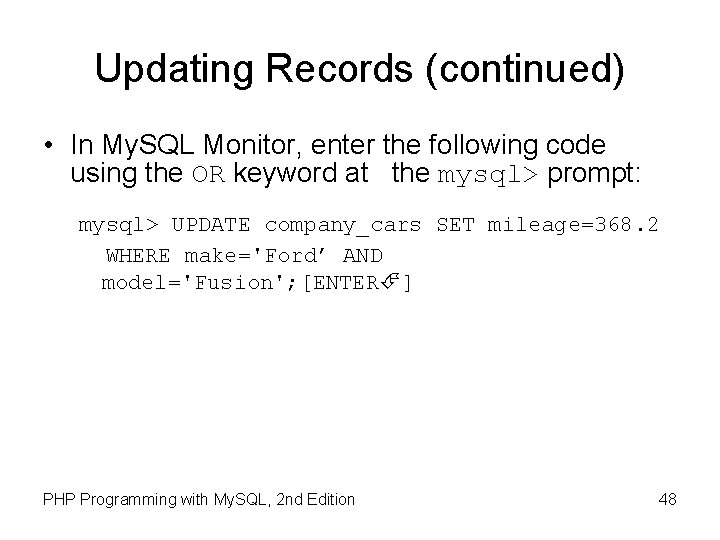
Updating Records (continued) • In My. SQL Monitor, enter the following code using the OR keyword at the mysql> prompt: mysql> UPDATE company_cars SET mileage=368. 2 WHERE make='Ford’ AND model='Fusion'; [ENTER ] PHP Programming with My. SQL, 2 nd Edition 48
Deleting Records • Use the DELETE statement to delete records in a table • The syntax for the DELETE statement is: DELETE FROM table_name WHERE condition; • The DELETE statement deletes all records that match the condition • To delete all the records in a table, leave off the WHERE keyword PHP Programming with My. SQL, 2 nd Edition 49
Deleting Records (continued) • In My. SQL Monitor, enter the following code at the mysql> prompt: mysql> DELETE FROM company_cars WHERE model_year=2006 AND make='Honda' AND model='Accord'; [ENTER ] • To delete all records from a table, omit the WHERE clause PHP Programming with My. SQL, 2 nd Edition 50
Summary • A database is an ordered collection of information from which a computer program can quickly access information • A record in a database is a single, complete set of related information • Fields are the individual categories of information stored in a record • A flat-file database stores information in a single table PHP Programming with My. SQL, 2 nd Edition 51
Summary (continued) • A relational database stores information across multiple related tables • A query is a structured set of instructions and criteria for retrieving, adding, modifying, and deleting database information • Structured query language, or SQL (pronounced sequel), is a standard data manipulation language among many database management systems PHP Programming with My. SQL, 2 nd Edition 52
Summary (continued) • My. SQL Monitor is a command-line program that you use to manipulate My. SQL databases • To work with a database, you must first select it by executing the USE DATEBASE statement • You use the CREATE DATABASE statement to create a new database • To delete a database, you execute the DROP DATABASE statement, which removes all tables from the database and deletes the database itself PHP Programming with My. SQL, 2 nd Edition 53
Summary (continued) • The fields in a table also store data according to type • To keep your database from growing too large, you should choose the smallest data type possible for each field • To create a table, you use the CREATE TABLE statement, which specifies the table and column names and the data type for each column PHP Programming with My. SQL, 2 nd Edition 54
Summary (continued) • To delete a table, you execute the DROP TABLE statement, which removes all data and the table definition • You use a GRANT statement to create user accounts and assign privileges, which refer to the operations that a user can perform with a database • You use the REVOKE statement to take away privileges from an existing user account for a specified table or database PHP Programming with My. SQL, 2 nd Edition 55
Summary (continued) • You add individual records to a table with the INSERT statement • You use the SELECT statement to retrieve records from a table • You use the ORDER BY keyword with the SELECT statement to perform an alphanumeric sort of the results returned from a query • To perform a reverse sort, add the DESC keyword after the name of the field by which you want to perform the sort PHP Programming with My. SQL, 2 nd Edition 56
Summary (continued) • You can specify which records to return from a database by using the WHERE keyword • You use the UPDATE statement to update records in a table • You use the DELETE statement to delete records from a table • The php. My. Admin graphical tool simplifies the tasks associated with creating and maintaining databases and tables PHP Programming with My. SQL, 2 nd Edition 57
- Slides: 56