
Chapter 7 Section 2 The Posting Process What
- Slides: 8
Chapter 7, Section 2 The Posting Process What Do You Think? Why is posting necessary since the transaction is recorded in the general journal? Glencoe Accounting Unit 2 Chapter 7 Copyright © by The Mc. Graw-Hill Companies, Inc. All rights reserved. 0
SECTION 7. 2 The Posting Process Main Idea Posting is the process of transferring information from the journal to individual accounts in the ledger. You Will Learn § how to post transactions to the general ledger. § how to compute account balances. Glencoe Accounting Unit 2 Chapter 7 Copyright © by The Mc. Graw-Hill Companies, Inc. All rights reserved. 1
SECTION 7. 2 The Posting Process Posting Transactions Journal entries do not show a clear picture of how a business transaction changes an account’s balance. Posting shows the final impact on an account, which is why a ledger is sometimes called a book of final entry: § Posting intervals are determined by the size of the business, and whether the accounting system is computerized or manual. § The posting process always remains the same. § The process is always performed from left to right. Glencoe Accounting Unit 2 Chapter 7 Copyright © by The Mc. Graw-Hill Companies, Inc. All rights reserved. 2
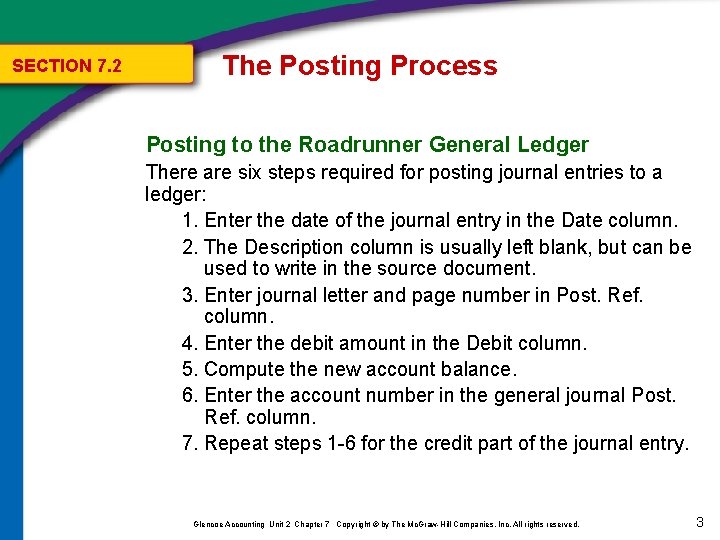
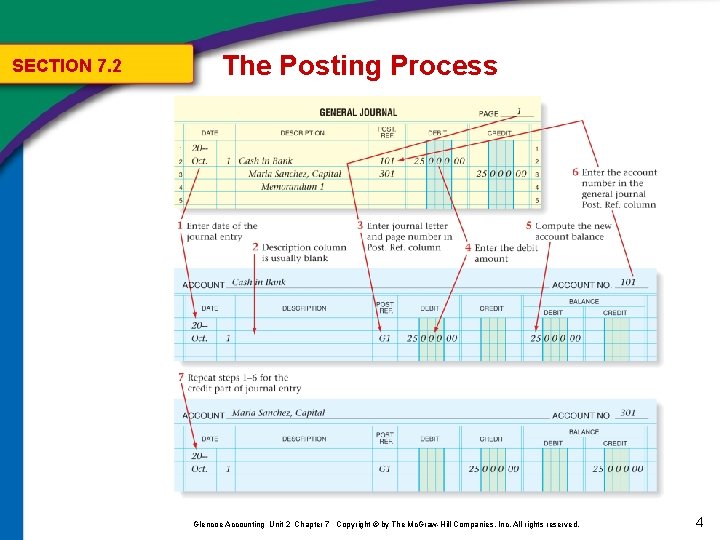
SECTION 7. 2 The Posting Process Posting to the Roadrunner General Ledger There are six steps required for posting journal entries to a ledger: 1. Enter the date of the journal entry in the Date column. 2. The Description column is usually left blank, but can be used to write in the source document. 3. Enter journal letter and page number in Post. Ref. column. 4. Enter the debit amount in the Debit column. 5. Compute the new account balance. 6. Enter the account number in the general journal Post. Ref. column. 7. Repeat steps 1 -6 for the credit part of the journal entry. Glencoe Accounting Unit 2 Chapter 7 Copyright © by The Mc. Graw-Hill Companies, Inc. All rights reserved. 3
SECTION 7. 2 The Posting Process Glencoe Accounting Unit 2 Chapter 7 Copyright © by The Mc. Graw-Hill Companies, Inc. All rights reserved. 4
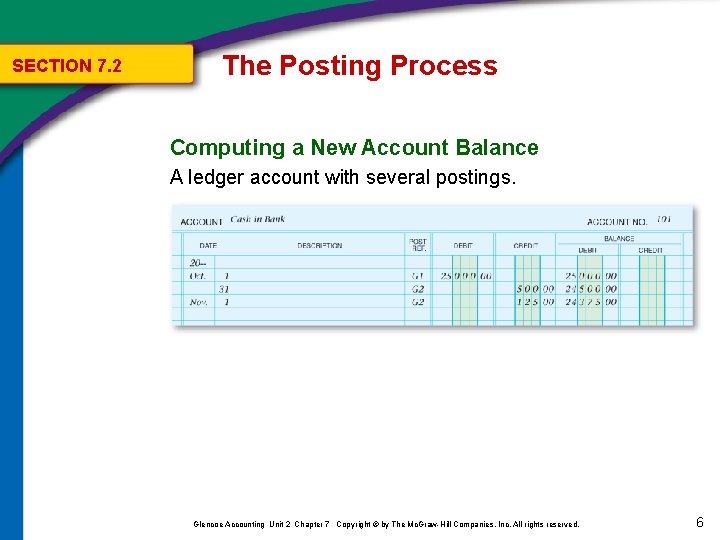
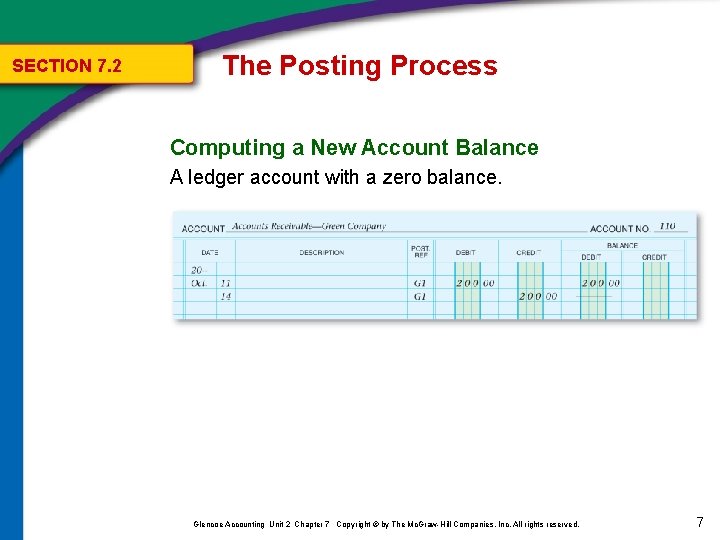
SECTION 7. 2 The Posting Process Computing a New Account Balance A new account balance is computed each time a transaction is posted to an account. When the existing account balance is a debit, and § the amount posted is a debit, ADD the amounts. § the amount posted is a credit, SUBTRACT the amounts. When the existing account balance is a credit, and § the amount posted is a debit, SUBTRACT the amounts. § the amount posted is a credit, ADD the amounts. Glencoe Accounting Unit 2 Chapter 7 Copyright © by The Mc. Graw-Hill Companies, Inc. All rights reserved. 5
SECTION 7. 2 The Posting Process Computing a New Account Balance A ledger account with several postings. Glencoe Accounting Unit 2 Chapter 7 Copyright © by The Mc. Graw-Hill Companies, Inc. All rights reserved. 6
SECTION 7. 2 The Posting Process Computing a New Account Balance A ledger account with a zero balance. Glencoe Accounting Unit 2 Chapter 7 Copyright © by The Mc. Graw-Hill Companies, Inc. All rights reserved. 7