
Chapter 7 Objectives You should be able to
Chapter 7
Objectives You should be able to describe: • The string Class • • Character Manipulation Methods Exception Handling Input Data Validation Namespaces and Creating a Personal Library • Common Programming Errors 2
The string Class • Provides methods for declaring, creating and initializing a string • String literal: any sequence of characters enclosed in double quotation marks • Examples: – “This is a string” – “Hello World!” • Double quotation marks identify the beginning and end of a string – Quotation marks not stored with string 3

The string Class (continued) 4

string Class Methods 5

string Class Methods (continued) 6
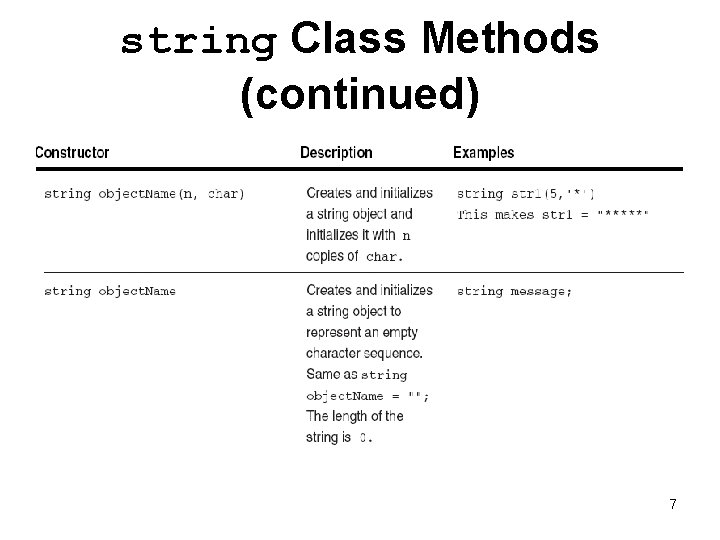
string Class Methods (continued) 7
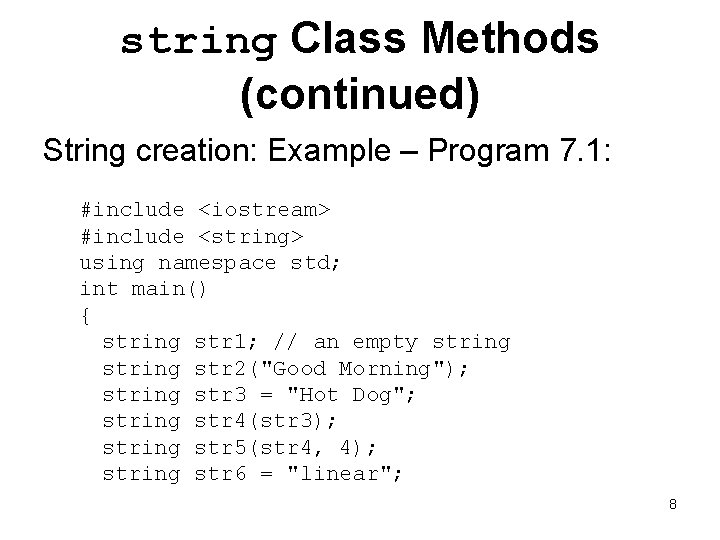
string Class Methods (continued) String creation: Example – Program 7. 1: #include <iostream> #include <string> using namespace std; int main() { string str 1; // an empty string str 2("Good Morning"); string str 3 = "Hot Dog"; string str 4(str 3); string str 5(str 4, 4); string str 6 = "linear"; 8
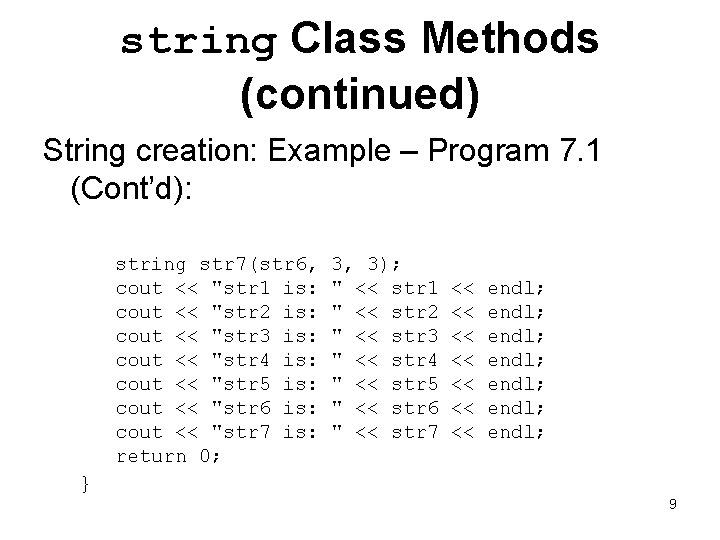
string Class Methods (continued) String creation: Example – Program 7. 1 (Cont’d): string str 7(str 6, cout << "str 1 is: cout << "str 2 is: cout << "str 3 is: cout << "str 4 is: cout << "str 5 is: cout << "str 6 is: cout << "str 7 is: return 0; } 3, 3); " << str 1 " << str 2 " << str 3 " << str 4 " << str 5 " << str 6 " << str 7 << << endl; endl; 9
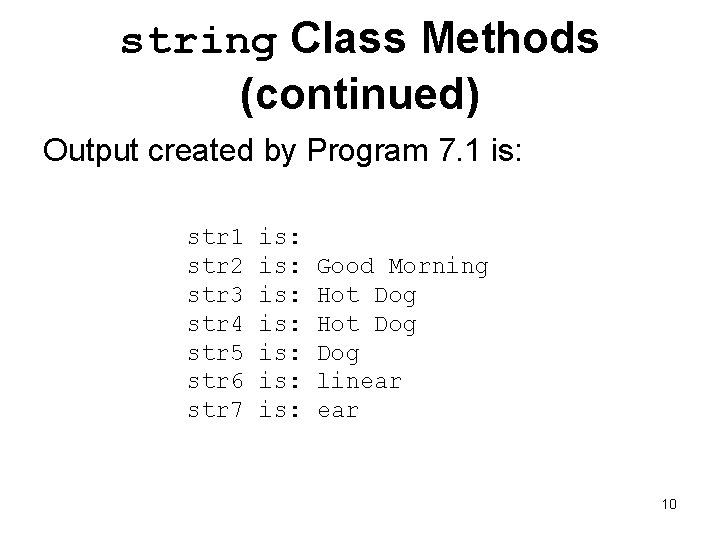
string Class Methods (continued) Output created by Program 7. 1 is: str 1 str 2 str 3 str 4 str 5 str 6 str 7 is: is: Good Morning Hot Dog Dog linear 10
string Input and Output • In addition to methods listed in Table 7. 1, strings can be: – Input from the keyboard – Displayed on the screen • Additional methods include: – cout: General purpose screen output – cin: General Purpose terminal input that stops reading when a whitespace is encountered 11
string Input and Output (continued) • Additional methods include: – getline(cin, str. Obj): General purpose terminal input that inputs all characters entered into the string named str. Obj and stops accepting characters when it receives a newline character (n) – Example: getline(cin, message) • Continuously accepts and stores characters entered at terminal until Enter key is pressed. – Pressing Enter key generates newline character, ‘n’ – All characters except newline stored in string named message 12
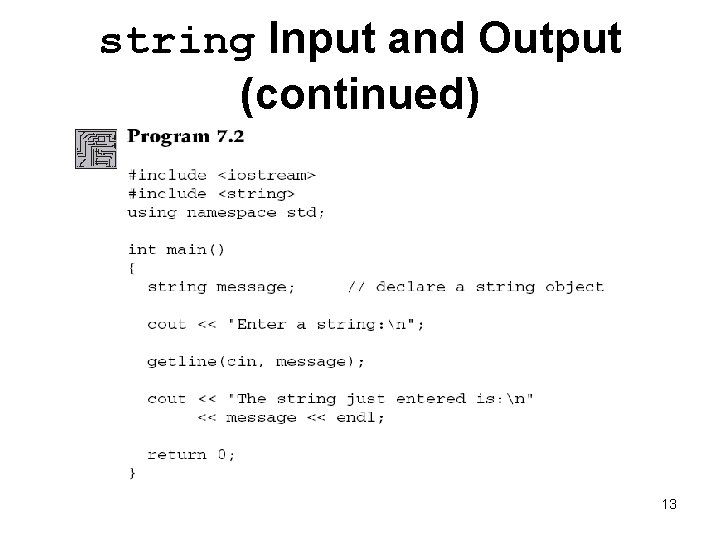
string Input and Output (continued) 13
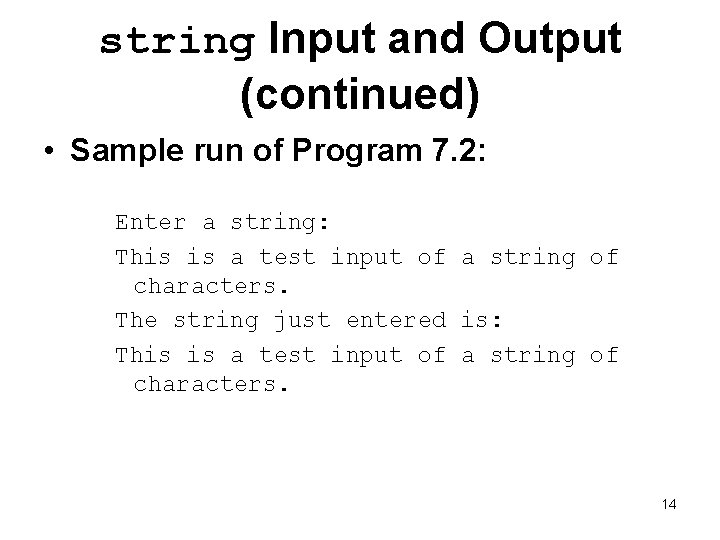
string Input and Output (continued) • Sample run of Program 7. 2: Enter a string: This is a test input of a string of characters. The string just entered is: This is a test input of a string of characters. 14
string Input and Output (continued) • In Program 7. 2, the cin object cannot be used in place of getline() • cin reads a set of characters up to a blank space or a newline character • Statement cin >> message cannot be used to enter the characters This is a string – Statement results in word This assigned to message • cin’s usefulness for entering string data limited - blank space terminates cin extraction 15
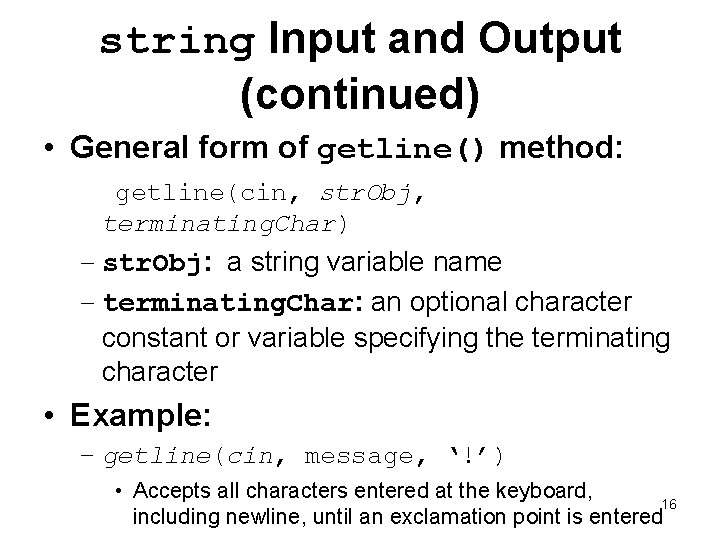
string Input and Output (continued) • General form of getline() method: getline(cin, str. Obj, terminating. Char) – str. Obj: a string variable name – terminating. Char: an optional character constant or variable specifying the terminating character • Example: – getline(cin, message, ‘!’) • Accepts all characters entered at the keyboard, 16 including newline, until an exclamation point is entered
Caution: The Phantom Newline Character • Unexpected results occur when: – cin input stream and getline() method are used together to accept data – Or when cin input stream is used to accept individual characters • Example: Program 7. 3 – When value is entered and Enter key is pressed, cin accepts value but leaves the ‘n’ in the buffer – getline() picks up the code for the Enter key 17 as the next character and terminates further input
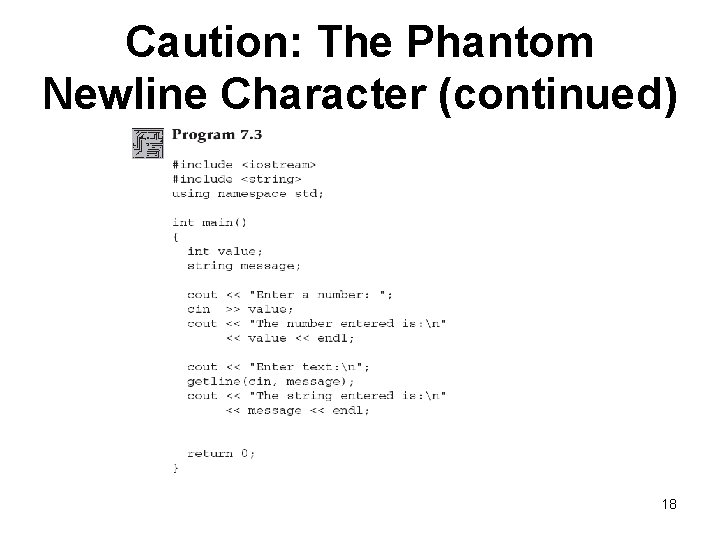
Caution: The Phantom Newline Character (continued) 18
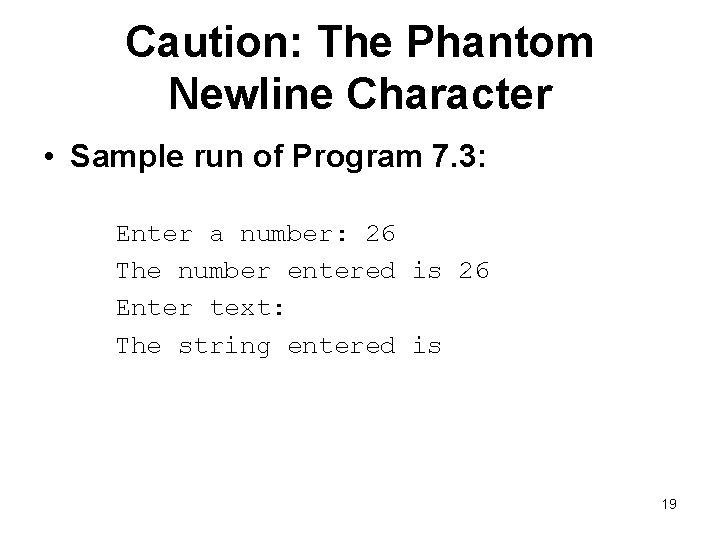
Caution: The Phantom Newline Character • Sample run of Program 7. 3: Enter a number: 26 The number entered is 26 Enter text: The string entered is 19
Caution: The Phantom Newline Character • Solutions to the “phantom” Enter key problem – Do not mix cin with getline() inputs in the same program – Follow the cin input with the call to cin. ignore() – Accept the Enter key into a character variable and then ignore it • Preferred solution is the first option 20
String Processing • Methods for manipulating strings (Table 7. 3): – Most commonly used string class method is length() which returns the number of characters in the string • Most commonly used methods: – Accessor – Mutator – Additional methods that use standard arithmetic and comparison operators 21
String Processing (continued) • String expressions may be compared for equality using standard relational operators • String characters stored in binary using ASCII or Unicode as follows: – A blank precedes (is less than) all letters and numbers – Letters are stored in order from A to Z – Digits stored in order from 0 to 9 – Digits come before uppercase characters, which are followed by lowercase characters 22
String Processing (continued) • Procedure for comparing strings: – Individual characters compared a pair at a time • If no differences, the strings are equal • Otherwise, the string with the first lower character is considered the smaller string • Examples: – "Hello" is greater than "Good Bye" because the first H in Hello is greater than the first G in Good Bye – "Hello" is less than "hello" because the first H in Hello is less than the first h in 23 hello
Character Manipulation Methods • C++ language provides a variety of character class functions (listed in Table 7. 4) • Function declarations (prototypes) for these functions are contained in header files string and cctype • Header file must be included in any program that uses these functions 24
Character Manipulation Methods (continued) • Example: If ch is a character variable, consider the following code segment: if(isdigit(ch)) cout << "The character just entered is a digit" << endl; else if(ispunct(ch)) cout << "The character just entered is a punctuation mark" << endl; – If ch contains a digit character, the first cout statement is executed – If ch is a letter, the second statement is executed 25
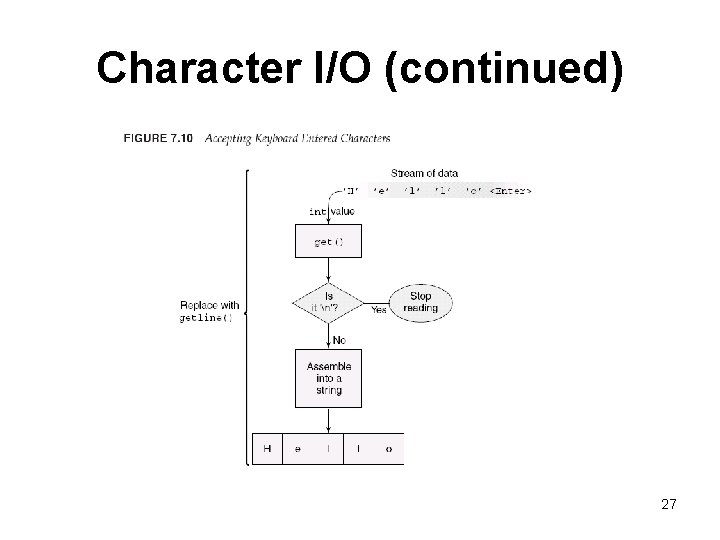
Character I/O Entry of all data from keyboard, whether a string or a number, is done character at a time – Entry of string Hello consists of pressing keys H, e, l, l, o, and the Enter Key (as in Figure 7. 10) • All of C++’s higher-level I/O methods and streams are based on lower-level character I/O 26
Character I/O (continued) 27
The Phantom Newline Revisited • Undesired results can occur when characters are input using the get() character method – Program 7. 11 is an example of this problem • Two ways to avoid this: – Follow cin. get() input with the call cin. ignore() – Accept the Enter key into a character variable and then don’t use it further • Program 7. 12 applies the first solution to Program 7. 11 28
A Second Look at User-Input Validation • Robust (bulletproof) program: responds effectively to unexpected user input • User-input validation: code incorporated into a well-constructed program that validates user input and avoids unexpected results – Must check each entered character to verify that it qualifies as a legitimate character for the expected data type 29
Exception Handling • Traditional approach: a function returns a specific value to specific operations – Example: • Return value of 0 or 1 to indicate successful completion • Negative return value indicates error condition • Problems associated with this approach: – Programmer must check return value – Return value checking becomes confused with 30 normal processing code
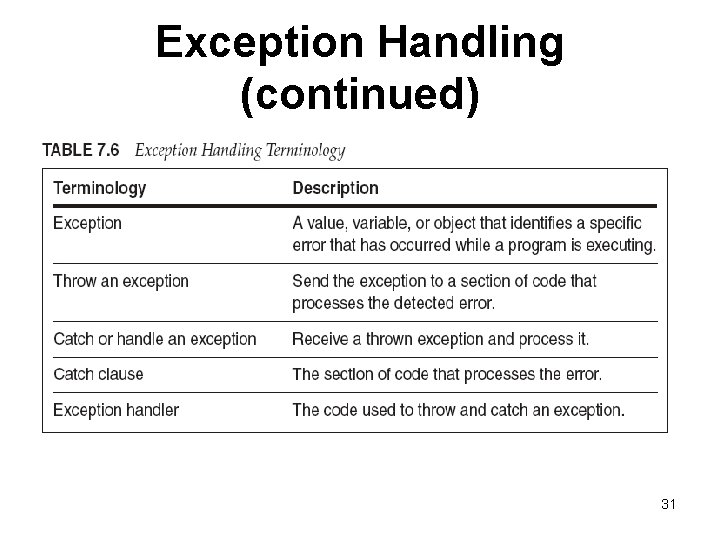
Exception Handling (continued) 31
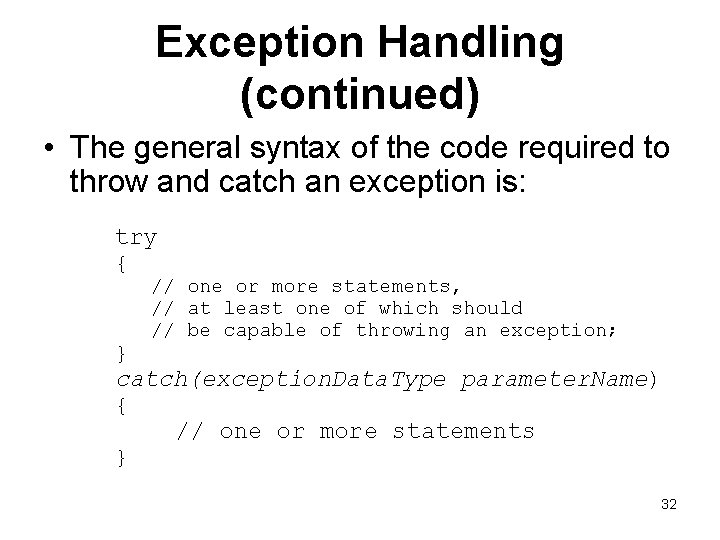
Exception Handling (continued) • The general syntax of the code required to throw and catch an exception is: try { // one or more statements, // at least one of which should // be capable of throwing an exception; } catch(exception. Data. Type parameter. Name) { // one or more statements } 32
Input Data Validation • Major use of strings is user-input validation • Common method of validating numerical input is to accept all numbers as strings – Each character in string can be checked to ensure it complies with the requested data type – After the data is checked and verified for the correct type the string is converted to either an integer or floating-point value • Conversion accomplished by functions in Table 7. 7 33
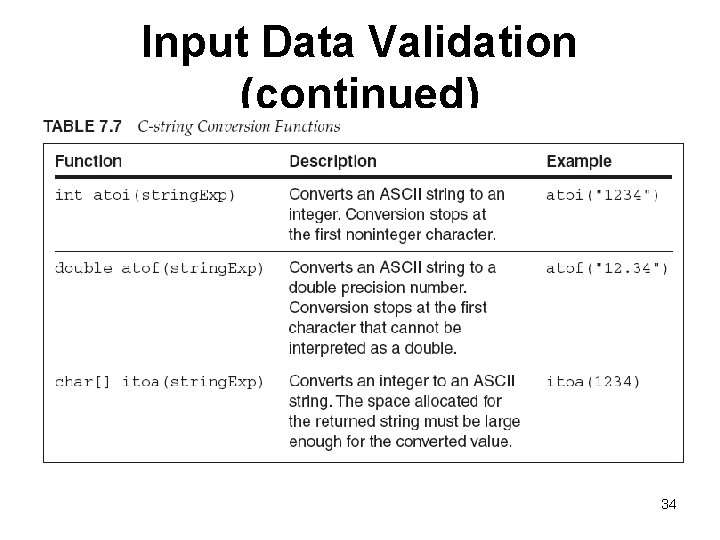
Input Data Validation (continued) 34
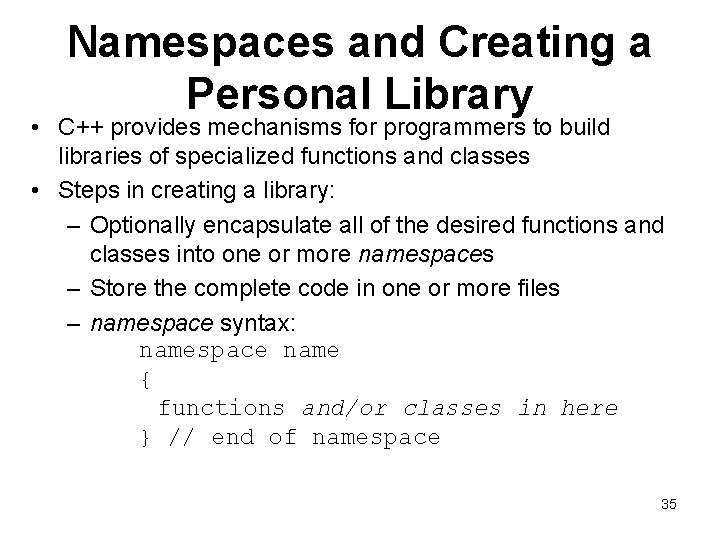
Namespaces and Creating a Personal Library • C++ provides mechanisms for programmers to build libraries of specialized functions and classes • Steps in creating a library: – Optionally encapsulate all of the desired functions and classes into one or more namespaces – Store the complete code in one or more files – namespace syntax: namespace name { functions and/or classes in here } // end of namespace 35
Namespaces and Creating a Personal Library (continued) • After a namespace has been created and stored in a file, it can be included within another file – Supply a preprocessor directive informing the compiler where the namespace is to be found – Include a using directive instructing the compiler which particular namespace in the file to use • Example: #include <c: \my. Library\data. Checks. cpp> using namespace data. Checks; 36
Common Programming Errors • The common errors associated with defining and processing strings are: – Forgetting to include the string header file when using string class objects – Forgetting that the newline character, 'n', is a valid data input character – Forgetting to convert a string class object using the c_str() method when converting string class objects to numerical data types 37
Summary • string literal (string, string value, string constant): any sequence of characters enclosed in double quotation marks • A string can be constructed as an object of the string class • string class is commonly used to construct strings for input and output: – Prompts and displayed messages 38
Summary (continued) • Other string class uses: – When strings need to be compared, searched, or individual characters in a string need to be examined or extracted as a substring – When characters in a string need to be replaced, inserted, or deleted on a relatively regular basis • Strings can be manipulated by: – Methods of the class they are objects of – General-purpose string and character methods 39
Summary (continued) • The cin object, by itself, tends to be of limited usefulness for string input because it terminates input when a blank is encountered. • For string class data input use the getline() method. • The cout object can be used to display string class strings. 40
- Slides: 40