
Chapter 7 MULTIDIMENSIONAL ARRAYS Lecture notes for computer
![Two-Dimensional Array Basics n. Declaring Variables of Multidimensional Arrays and Creating Multidimensional Arrays int[][]](https://slidetodoc.com/presentation_image_h/327d3ff336dde2e8c95bf92a042f6d8a/image-3.jpg "Two-Dimensional Array Basics n. Declaring Variables of Multidimensional Arrays and Creating Multidimensional Arrays int[][]")
![Processing Two-Dimensional Arrays Suppose an array matrix is created as follows: int[ ][ ]](https://slidetodoc.com/presentation_image_h/327d3ff336dde2e8c95bf92a042f6d8a/image-9.jpg "Processing Two-Dimensional Arrays Suppose an array matrix is created as follows: int[ ][ ]")
- Slides: 14
Chapter 7 MULTIDIMENSIONAL ARRAYS Lecture notes for computer programming 1 Faculty of Engineering and Information Technology Prepared by: Iyad Albayouk 1
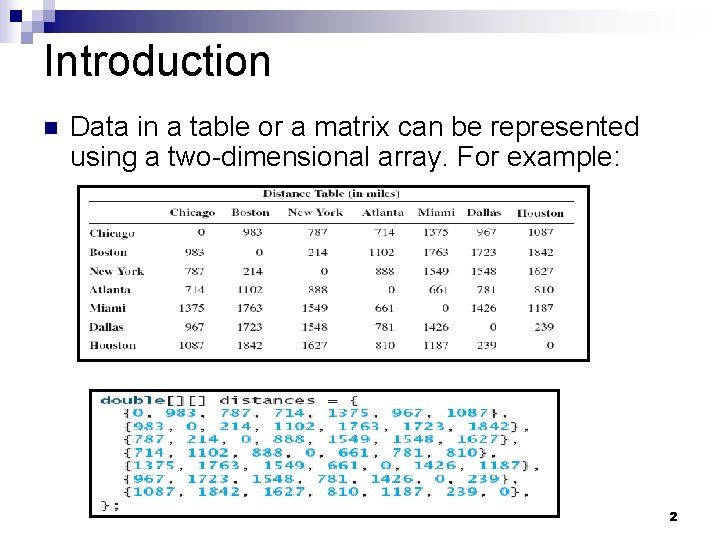
Introduction n Data in a table or a matrix can be represented using a two-dimensional array. For example: 2
Two-Dimensional Array Basics n. Declaring Variables of Multidimensional Arrays and Creating Multidimensional Arrays int[][] matrix = new int[10]; or int matrix[][] = new int[10]; matrix[0][0] = 3; for (int i=0; i<matrix. length; i++) for (int j=0; j<matrix[i]. length; j++) { matrix[i][j] = (int)(Math. random()*1000); } 3
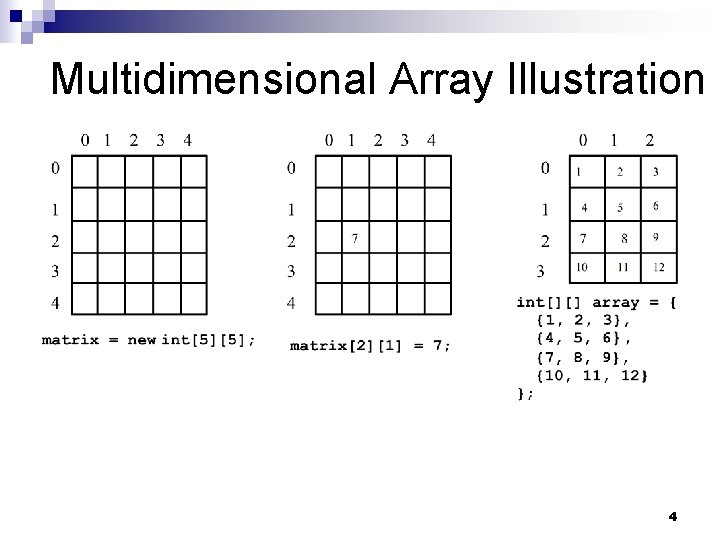
Multidimensional Array Illustration 4
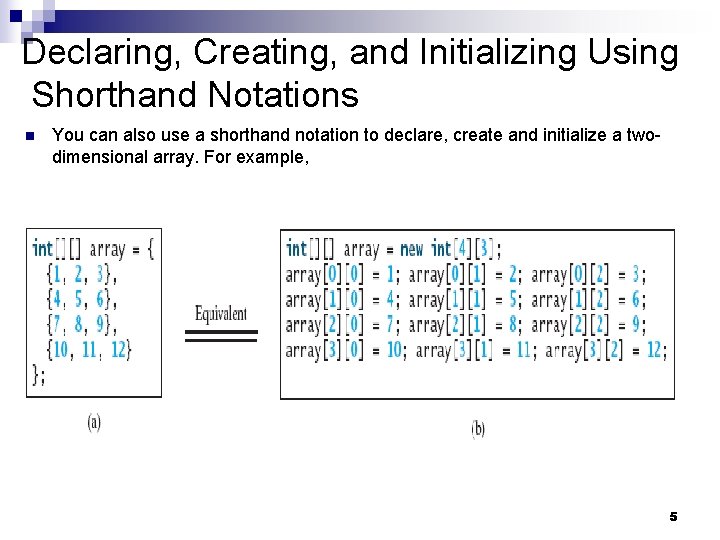
Declaring, Creating, and Initializing Using Shorthand Notations n You can also use a shorthand notation to declare, create and initialize a twodimensional array. For example, 5
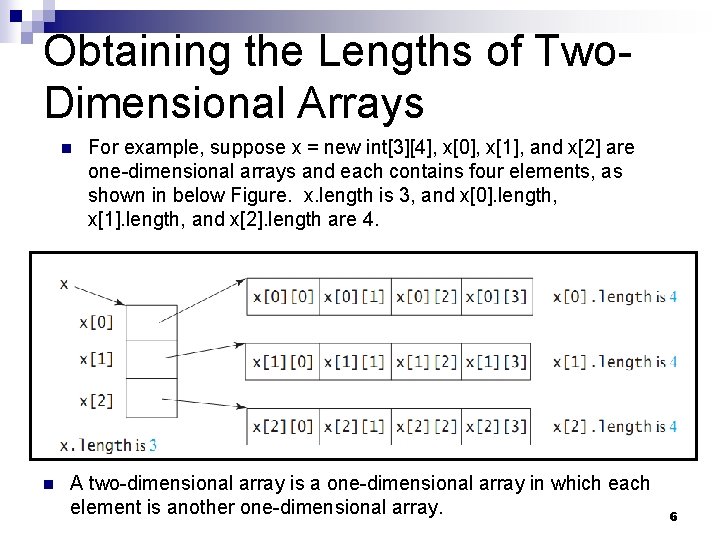
Obtaining the Lengths of Two. Dimensional Arrays n n For example, suppose x = new int[3][4], x[0], x[1], and x[2] are one-dimensional arrays and each contains four elements, as shown in below Figure. x. length is 3, and x[0]. length, x[1]. length, and x[2]. length are 4. A two-dimensional array is a one-dimensional array in which each element is another one-dimensional array. 6
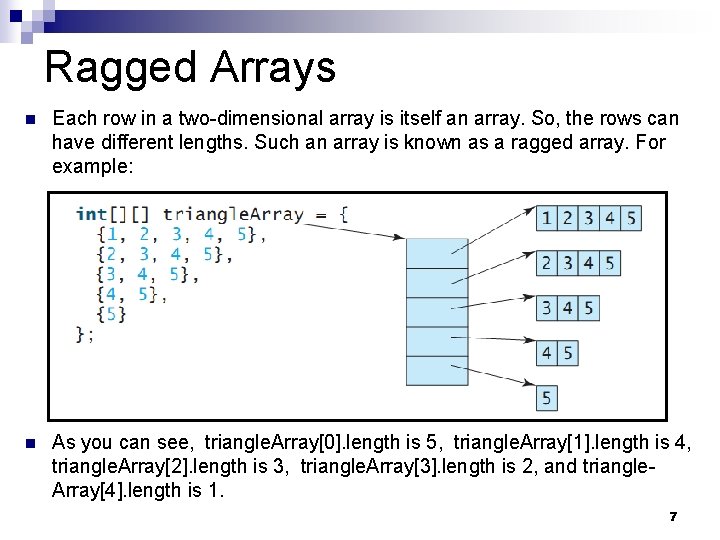
Ragged Arrays n Each row in a two-dimensional array is itself an array. So, the rows can have different lengths. Such an array is known as a ragged array. For example: n As you can see, triangle. Array[0]. length is 5, triangle. Array[1]. length is 4, triangle. Array[2]. length is 3, triangle. Array[3]. length is 2, and triangle. Array[4]. length is 1. 7
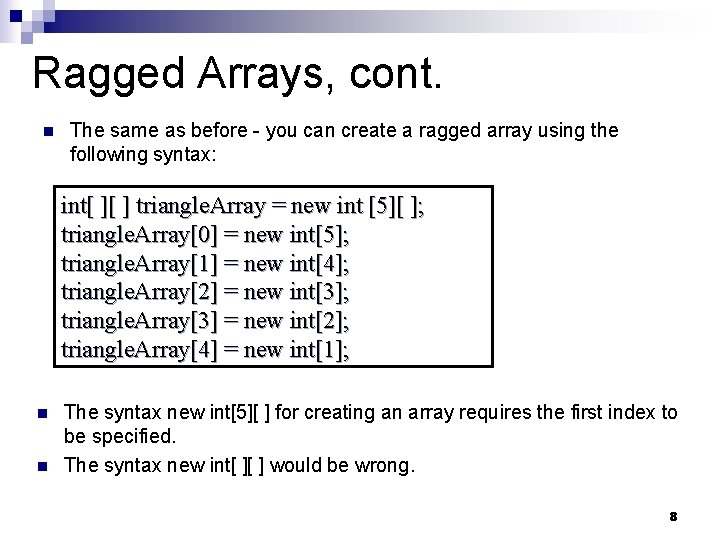
Ragged Arrays, cont. n The same as before - you can create a ragged array using the following syntax: int[ ][ ] triangle. Array = new int [5][ ]; triangle. Array[0] = new int[5]; triangle. Array[1] = new int[4]; triangle. Array[2] = new int[3]; triangle. Array[3] = new int[2]; triangle. Array[4] = new int[1]; n n The syntax new int[5][ ] for creating an array requires the first index to be specified. The syntax new int[ ][ ] would be wrong. 8
Processing Two-Dimensional Arrays Suppose an array matrix is created as follows: int[ ][ ] matrix = new int[10]; n n The following loop initializes the array with user input values: 9
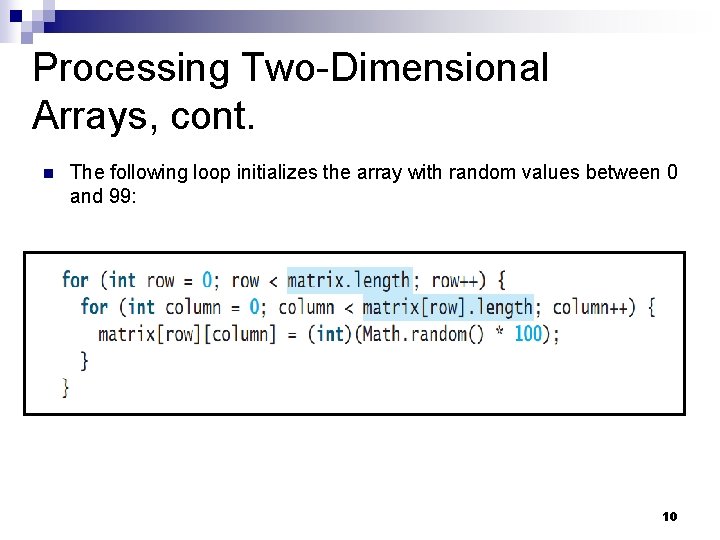
Processing Two-Dimensional Arrays, cont. n The following loop initializes the array with random values between 0 and 99: 10
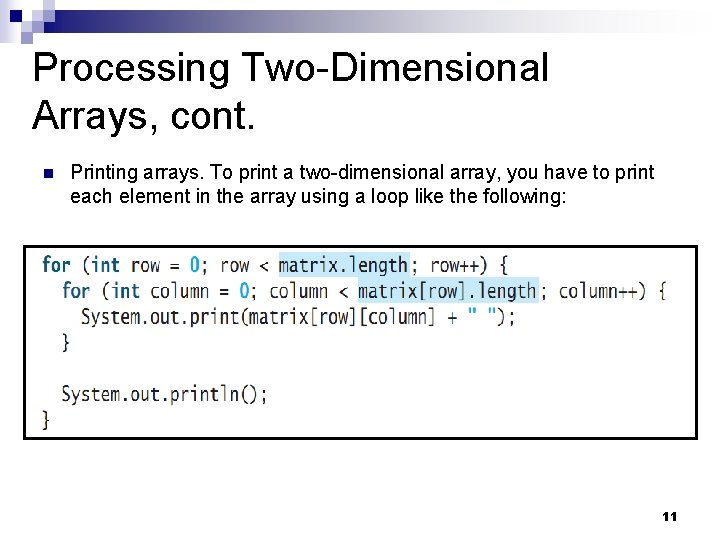
Processing Two-Dimensional Arrays, cont. n Printing arrays. To print a two-dimensional array, you have to print each element in the array using a loop like the following: 11
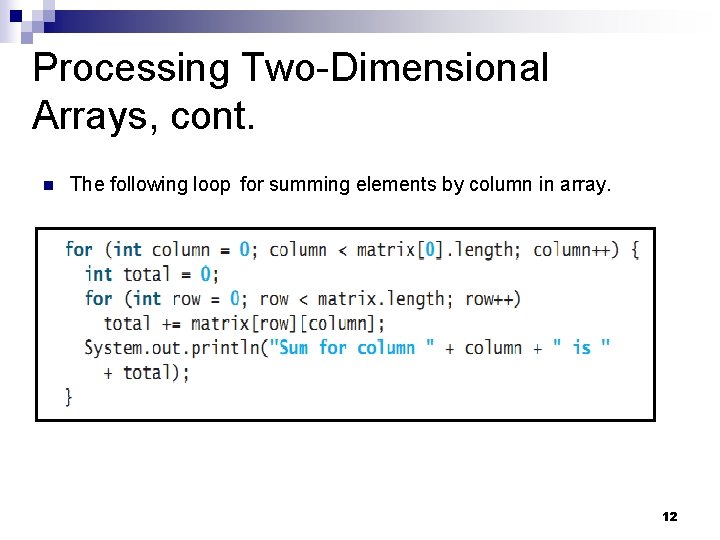
Processing Two-Dimensional Arrays, cont. n The following loop for summing elements by column in array. 12
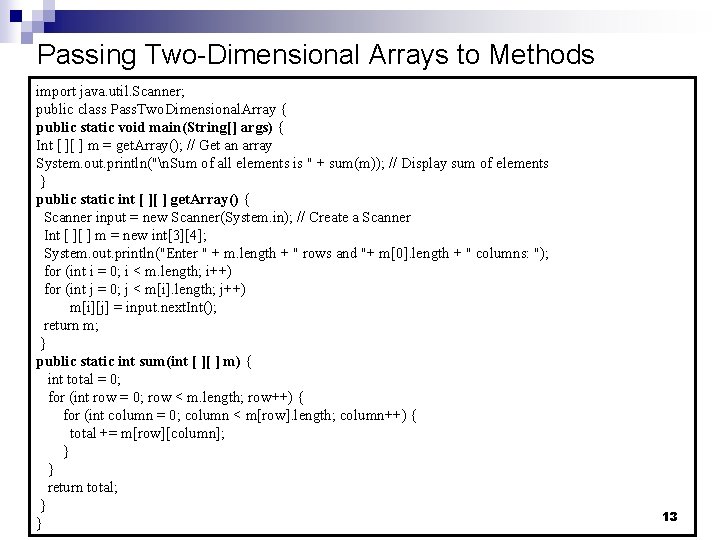
Passing Two-Dimensional Arrays to Methods import java. util. Scanner; public class Pass. Two. Dimensional. Array { public static void main(String[] args) { Int [ ][ ] m = get. Array(); // Get an array System. out. println("n. Sum of all elements is " + sum(m)); // Display sum of elements } public static int [ ][ ] get. Array() { Scanner input = new Scanner(System. in); // Create a Scanner Int [ ][ ] m = new int[3][4]; System. out. println("Enter " + m. length + " rows and "+ m[0]. length + " columns: "); for (int i = 0; i < m. length; i++) for (int j = 0; j < m[i]. length; j++) m[i][j] = input. next. Int(); return m; } public static int sum(int [ ][ ] m) { int total = 0; for (int row = 0; row < m. length; row++) { for (int column = 0; column < m[row]. length; column++) { total += m[row][column]; } } return total; } } 13
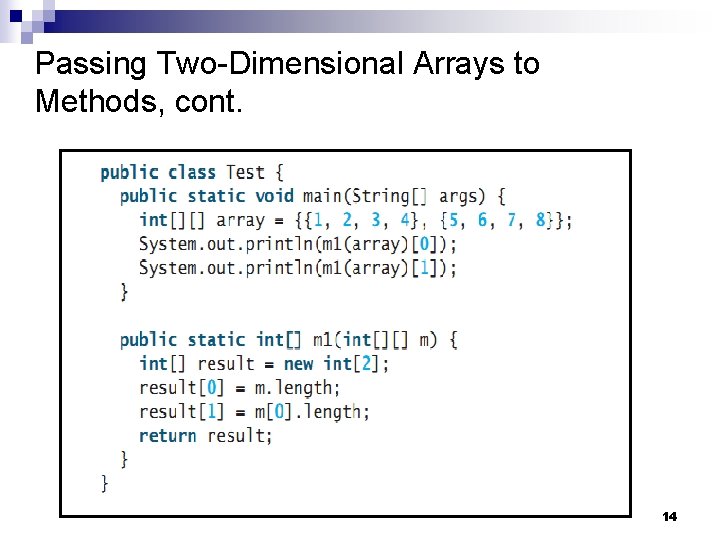
Passing Two-Dimensional Arrays to Methods, cont. 14