
Chapter 7 Memory Management The need for memory


- Slides: 39
Chapter 7 Memory Management
The need for memory management • Memory is cheap today, and getting cheaper – But applications are demanding more and more memory, there is never enough! • Memory Management, involves swapping blocks of data from secondary storage. • Memory I/O is slow compared to a CPU – The OS must cleverly time the swapping to maximise the CPU’s efficiency
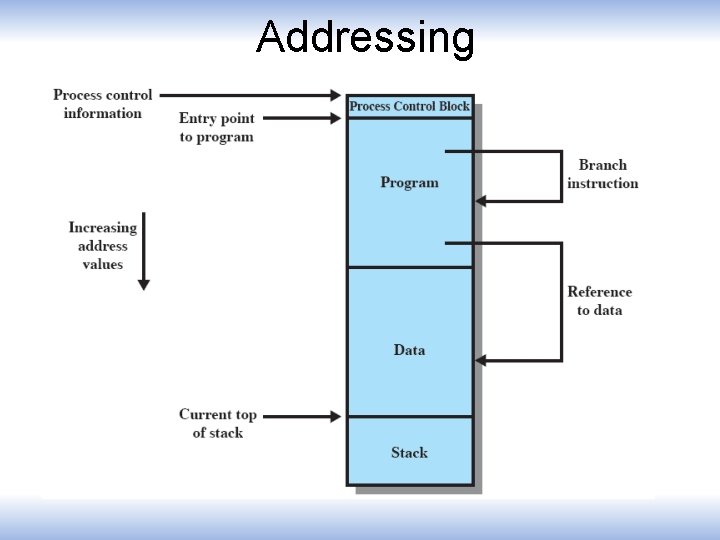
Addressing
Memory Management Requirements • • • Relocation Protection Sharing Logical organisation Physical organisation
Requirements: Relocation • The programmer does not know where the program will be placed in memory when it is executed, – it may be swapped to disk and return to main memory at a different location (relocated) • Memory references must be translated to the actual physical memory address
Requirements: Protection • Processes should not be able to reference memory locations in another process without permission • Impossible to check absolute addresses at compile time • Must be checked at run time
Requirements: Sharing • Allow several processes to access the same location of memory
Requirements: Logical Organization • Memory is organized linearly (usually) • Programs are written in modules – Modules can be written and compiled independently • Different degrees of protection given to modules (read-only, execute-only) • Share modules among processes
Requirements: Physical Organization • Cannot leave the programmer with the responsibility to manage memory • Memory available for a program plus its data may be insufficient • Programmer does not know how much space will be available
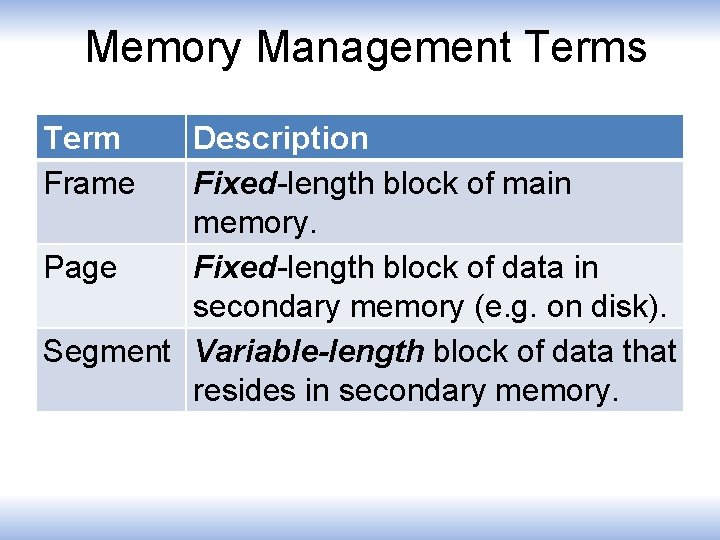
Memory Management Terms Term Frame Description Fixed-length block of main memory. Page Fixed-length block of data in secondary memory (e. g. on disk). Segment Variable-length block of data that resides in secondary memory.
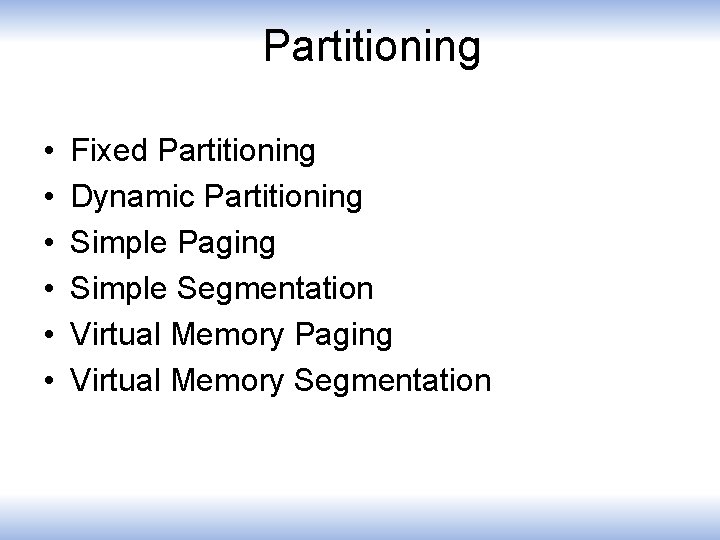
Partitioning • • • Fixed Partitioning Dynamic Partitioning Simple Paging Simple Segmentation Virtual Memory Paging Virtual Memory Segmentation
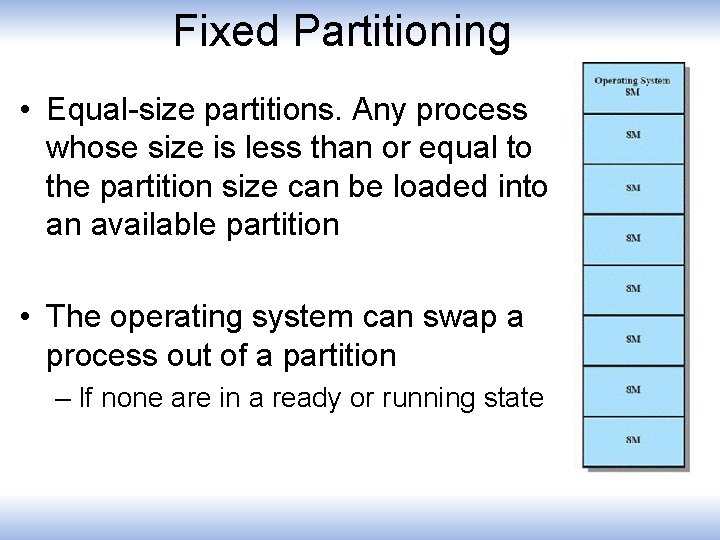
Fixed Partitioning • Equal-size partitions. Any process whose size is less than or equal to the partition size can be loaded into an available partition • The operating system can swap a process out of a partition – If none are in a ready or running state
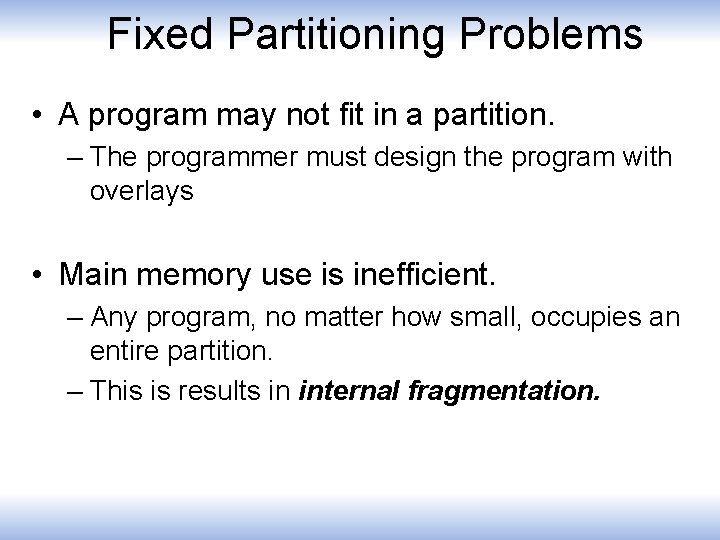
Fixed Partitioning Problems • A program may not fit in a partition. – The programmer must design the program with overlays • Main memory use is inefficient. – Any program, no matter how small, occupies an entire partition. – This is results in internal fragmentation.
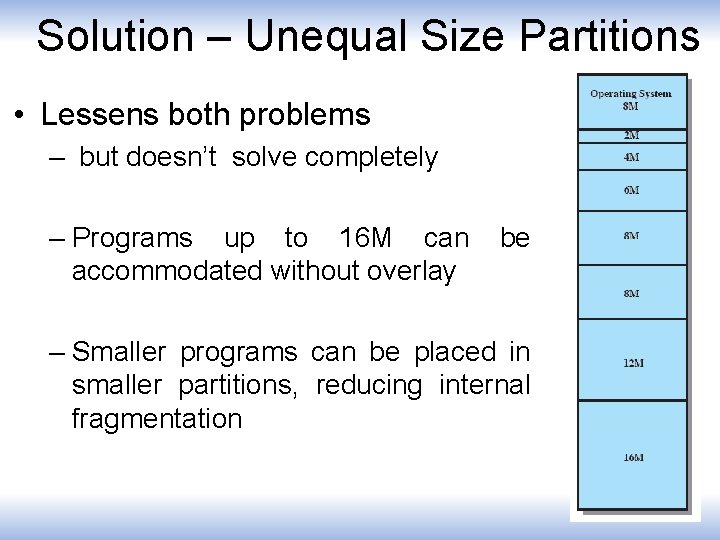
Solution – Unequal Size Partitions • Lessens both problems – but doesn’t solve completely – Programs up to 16 M can accommodated without overlay be – Smaller programs can be placed in smaller partitions, reducing internal fragmentation
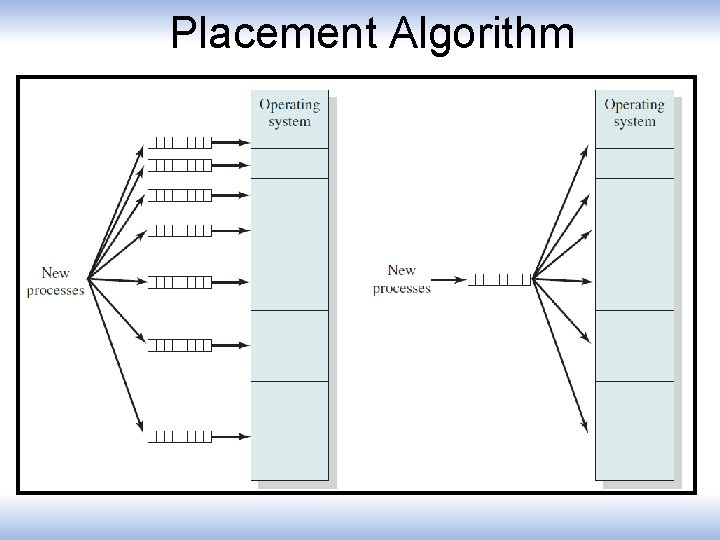
Placement Algorithm • Equal-size – Placement is trivial (no options) • Unequal-size – Can assign each process to the smallest partition within which it will fit – Queue for each partition
Placement Algorithm
Remaining Problems with Fixed Partitions • The number of active processes is limited by the system – limited by the pre-determined number of partitions • A large number of very small process will not use the space efficiently – In either fixed or variable length partition methods
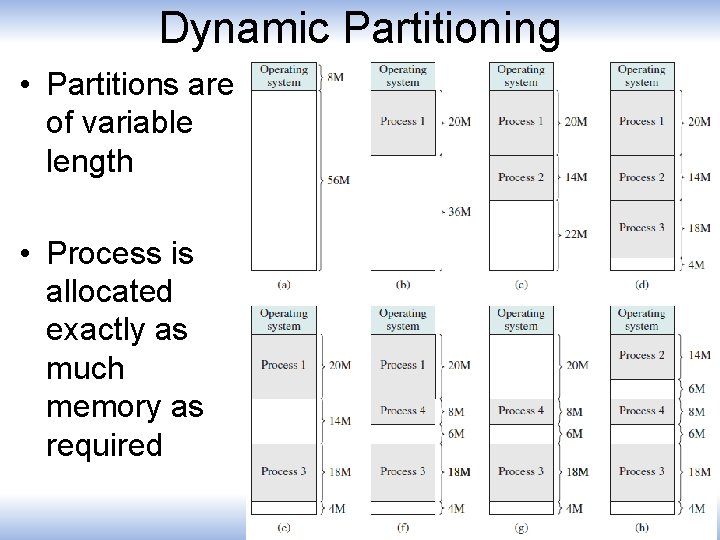
Dynamic Partitioning • Partitions are of variable length • Process is allocated exactly as much memory as required
Dynamic Partitioning • External Fragmentation • Memory external to all processes is fragmented • Can resolve using compaction – OS moves processes so that they are contiguous – Time consuming and wastes CPU time
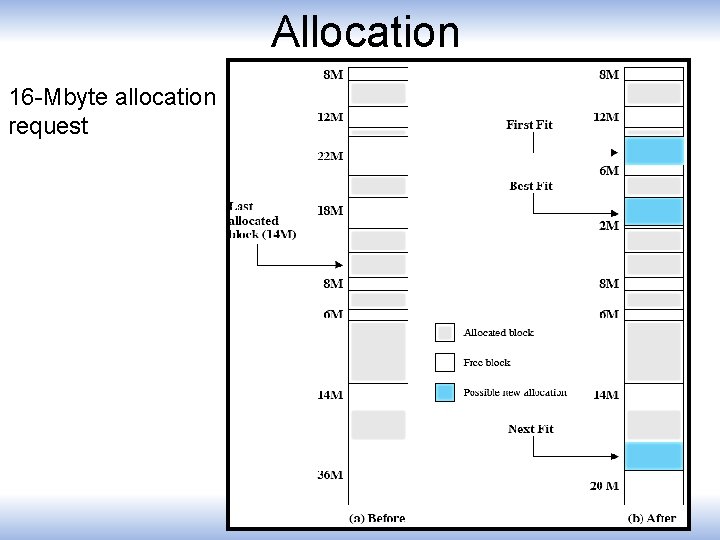
Dynamic Partitioning • Operating system must decide which free block to allocate to a process • Best-fit algorithm – Chooses the block that is closest in size to the request – Worst performer overall – Since smallest block is found for process, the smallest amount of fragmentation is left – Memory compaction must be done more often
Dynamic Partitioning • First-fit algorithm – Scans memory form the beginning and chooses the first available block that is large enough – Fastest – May have many process loaded in the front end of memory that must be searched over when trying to find a free block
Dynamic Partitioning • Next-fit – Scans memory from the location of the last placement – More often allocate a block of memory at the end of memory where the largest block is found – The largest block of memory is broken up into smaller blocks – Compaction is required to obtain a large block at the end of memory
Allocation 16 -Mbyte allocation request
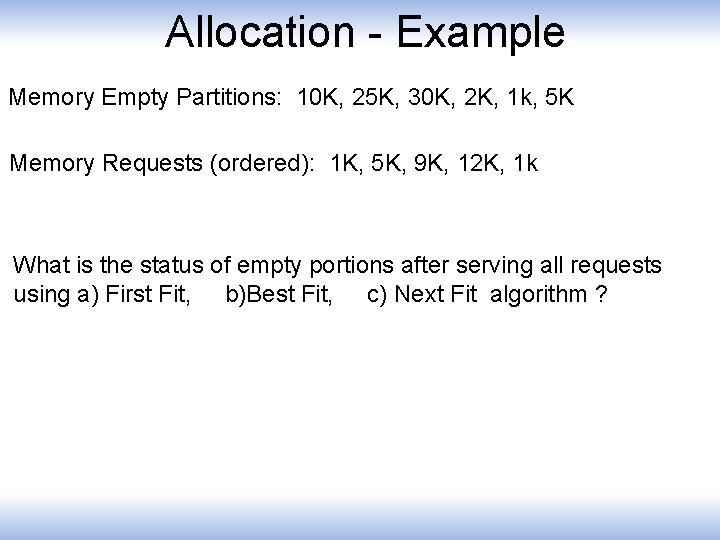
Allocation - Example Memory Empty Partitions: 10 K, 25 K, 30 K, 2 K, 1 k, 5 K Memory Requests (ordered): 1 K, 5 K, 9 K, 12 K, 1 k What is the status of empty portions after serving all requests using a) First Fit, b)Best Fit, c) Next Fit algorithm ?
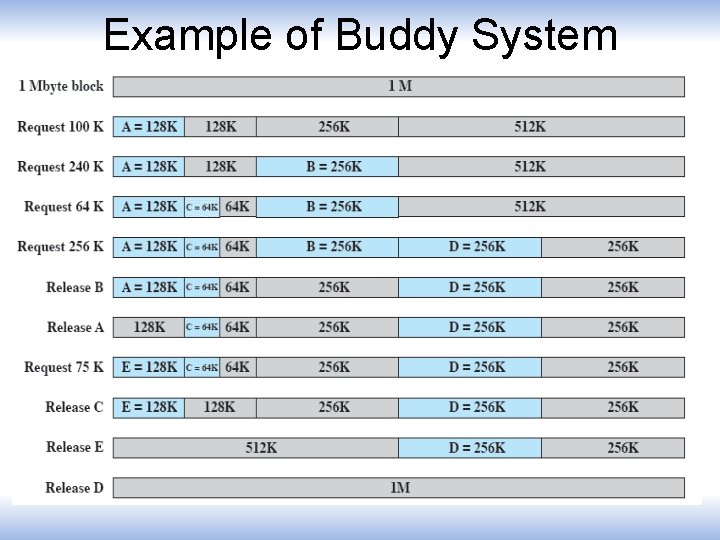
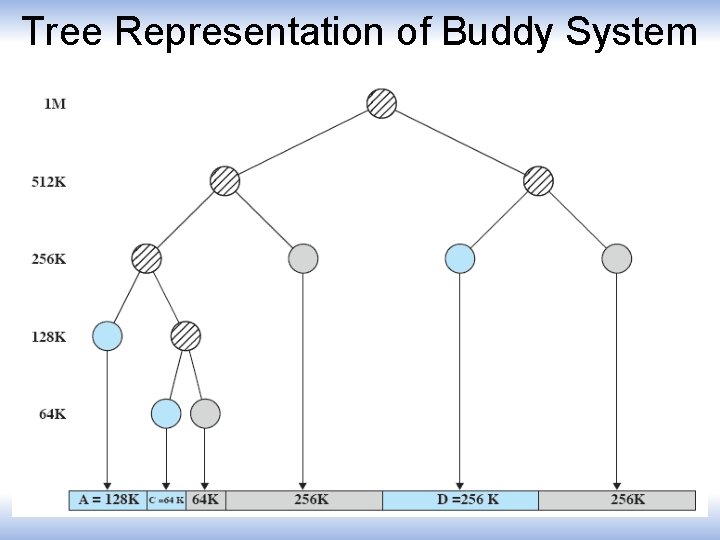
Buddy System • Entire space available is treated as a single block of 2 U • If a request of size s where 2 U-1 < s <= 2 U – entire block is allocated • Otherwise block is split into two equal buddies – Process continues until smallest block greater than or equal to s is generated
Example of Buddy System
Tree Representation of Buddy System
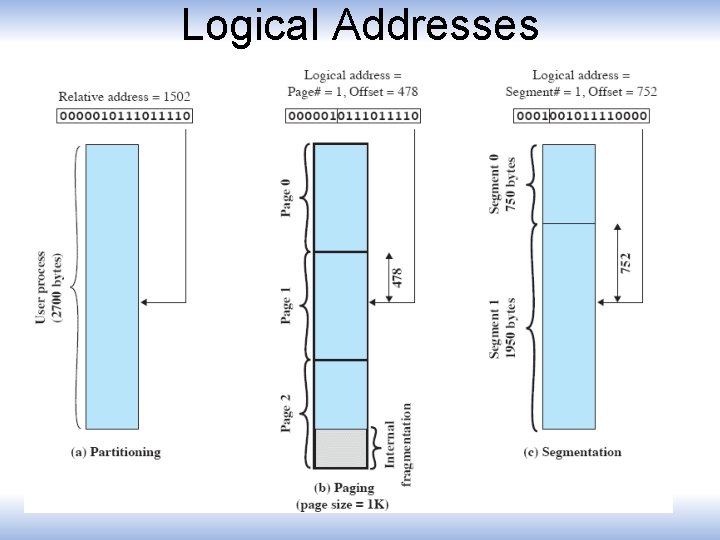
Addresses • Logical – Reference to a memory location independent of the current assignment of data to memory. • Relative – Address expressed as a location relative to some known point. • Physical or Absolute – The absolute address or actual location in main memory.
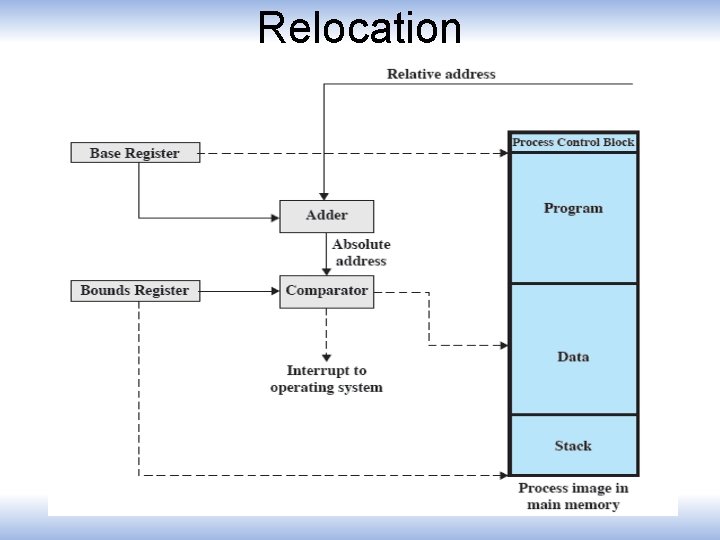
Registers used during execution • Base register – Starting address for the process • Bounds register – Ending location of the process • These values are set when the process is loaded or when the process is swapped in
Registers Used during Execution • The value of the base register is added to a relative address to produce an absolute address • The resulting address is compared with the value in the bounds register • If the address is not within bounds, an interrupt is generated to the operating system
Relocation
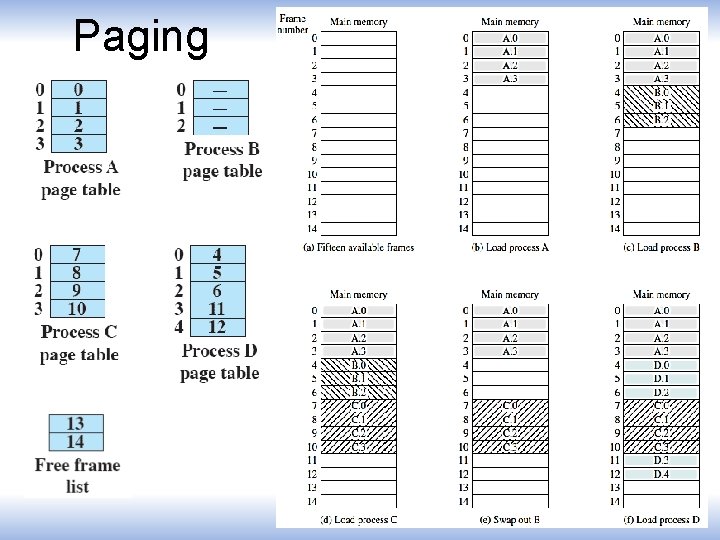
Paging • Partition memory into small equal fixed-size chunks and divide each process into the same size chunks • The chunks of a process are called pages • • The chunks of memory are called frames
Paging
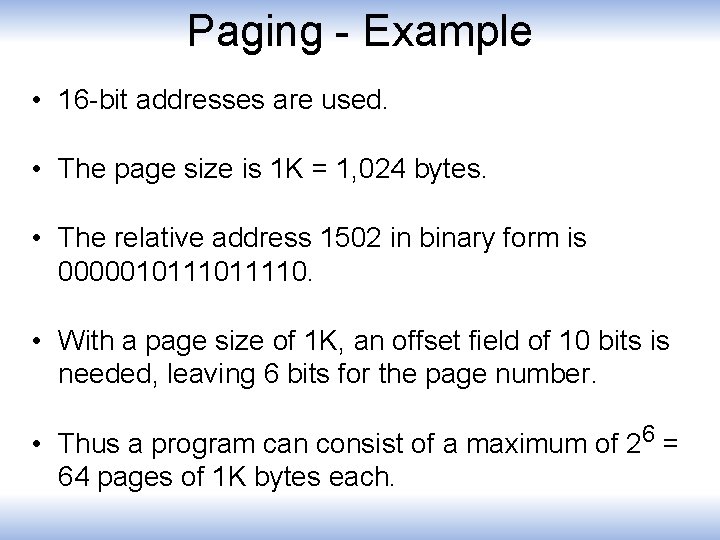
Paging - Example • 16 -bit addresses are used. • The page size is 1 K = 1, 024 bytes. • The relative address 1502 in binary form is 000001011110. • With a page size of 1 K, an offset field of 10 bits is needed, leaving 6 bits for the page number. • Thus a program can consist of a maximum of 26 = 64 pages of 1 K bytes each.
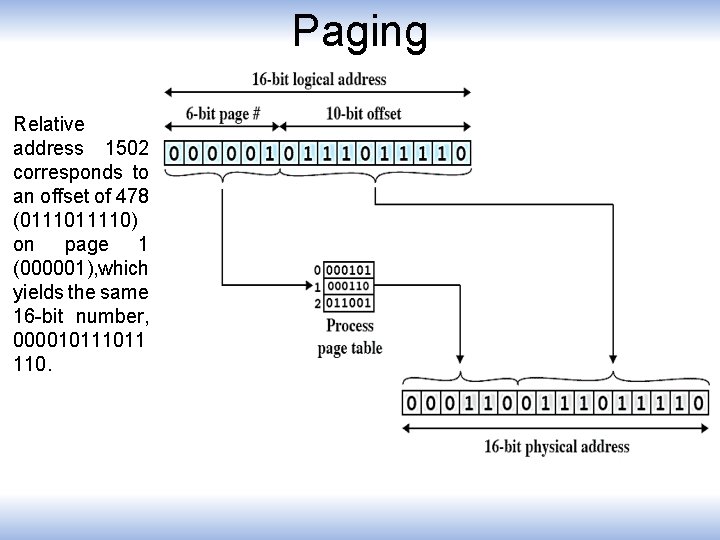
Paging Relative address 1502 corresponds to an offset of 478 (011110) on page 1 (000001), which yields the same 16 -bit number, 00001011 110.
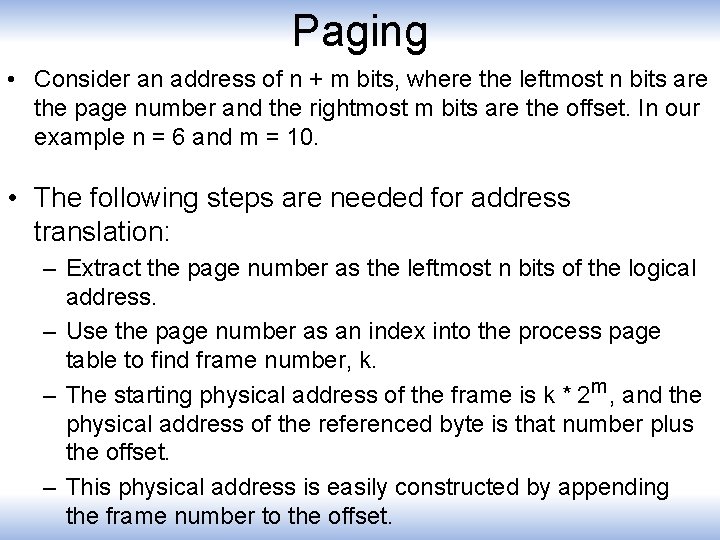
Paging • Consider an address of n + m bits, where the leftmost n bits are the page number and the rightmost m bits are the offset. In our example n = 6 and m = 10. • The following steps are needed for address translation: – Extract the page number as the leftmost n bits of the logical address. – Use the page number as an index into the process page table to find frame number, k. – The starting physical address of the frame is k * 2 m, and the physical address of the referenced byte is that number plus the offset. – This physical address is easily constructed by appending the frame number to the offset.
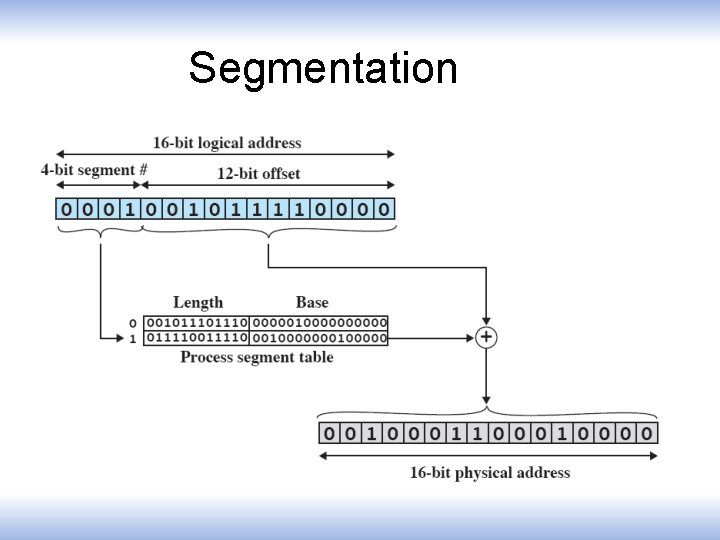
Segmentation • A program can be subdivided into segments – Segments may vary in length – There is a maximum segment length • Addressing consist of two parts – a segment number and – an offset • Segmentation is similar to dynamic partitioning
Segmentation
Logical Addresses