
Chapter 7 Manipulating the Camera Build your own
Chapter 7 Manipulating the Camera Build your own 2 D Game Engine and Create Great Web Games using HTML 5, Java. Script, and Web. GL. Sung, Pavleas, Arnez, and Pace, 2015.
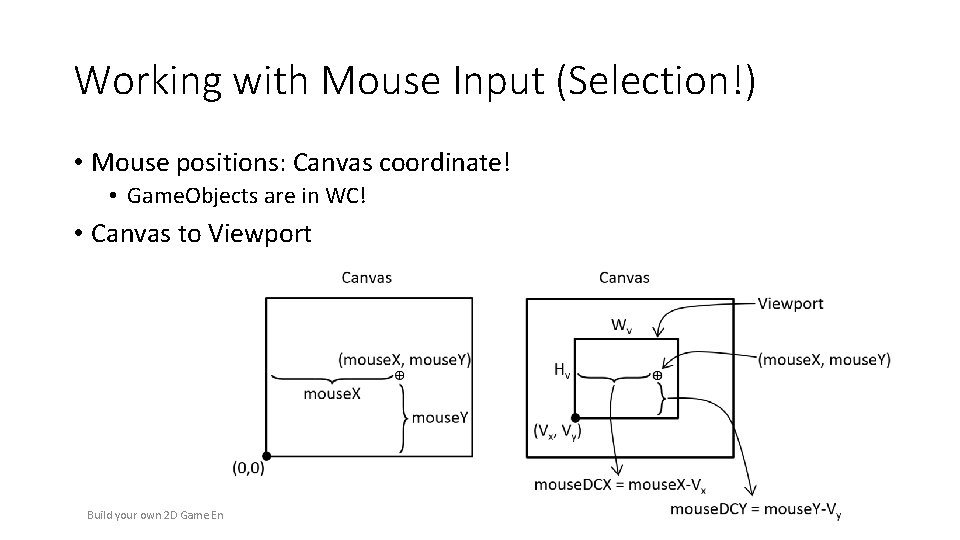
Working with Mouse Input (Selection!) • Mouse positions: Canvas coordinate! • Game. Objects are in WC! • Canvas to Viewport Build your own 2 D Game Engine. Sung, Pavleas, Arnez, and Pace, 2015. 2 Ch 7: Camera Manipulations
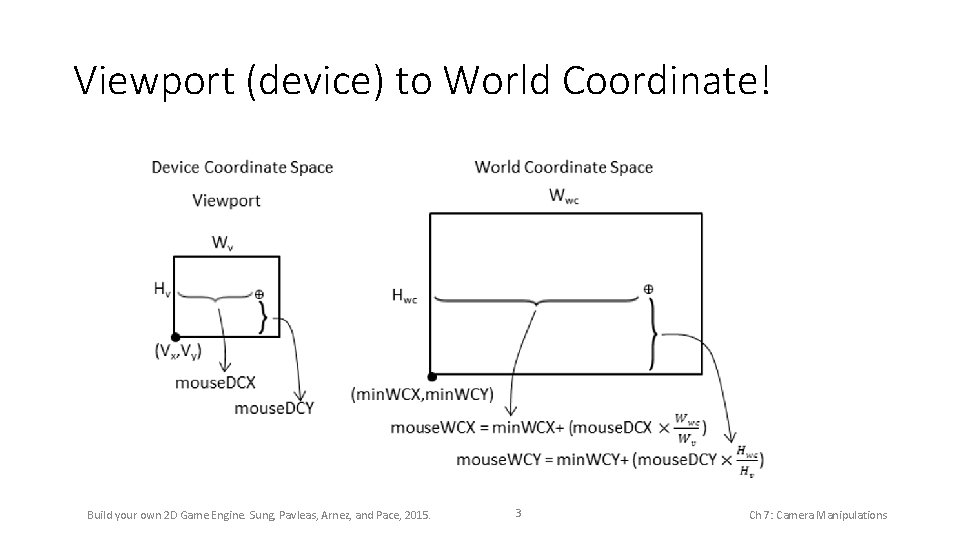
Viewport (device) to World Coordinate! Build your own 2 D Game Engine. Sung, Pavleas, Arnez, and Pace, 2015. 3 Ch 7: Camera Manipulations
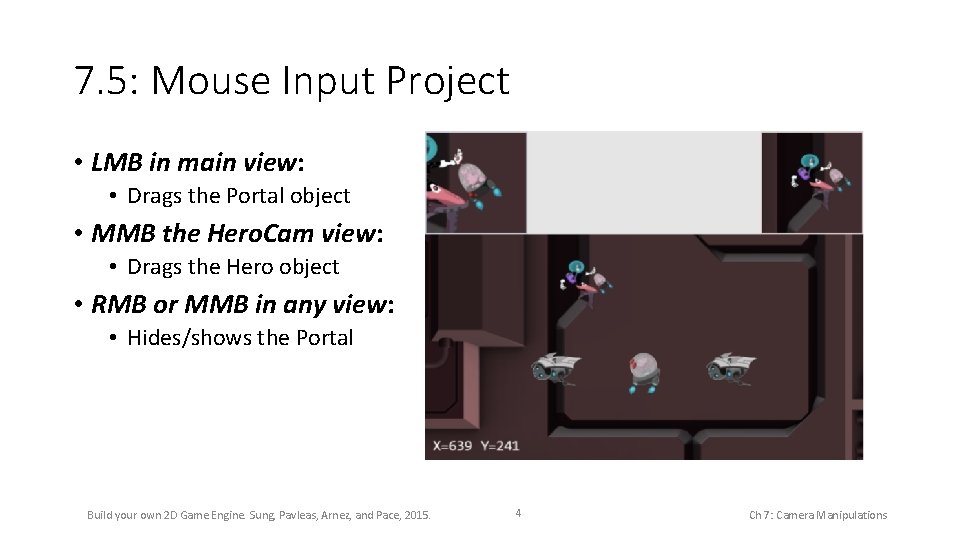
7. 5: Mouse Input Project • LMB in main view: • Drags the Portal object • MMB the Hero. Cam view: • Drags the Hero object • RMB or MMB in any view: • Hides/shows the Portal Build your own 2 D Game Engine. Sung, Pavleas, Arnez, and Pace, 2015. 4 Ch 7: Camera Manipulations
7. 5: Goals • To understand the Canvas Coordinate space to WC space transform • To appreciate mouse clicks are specific to individual viewports • To implement transformation between coordinate spaces and support mouse input Build your own 2 D Game Engine. Sung, Pavleas, Arnez, and Pace, 2015. 5 Ch 7: Camera Manipulations
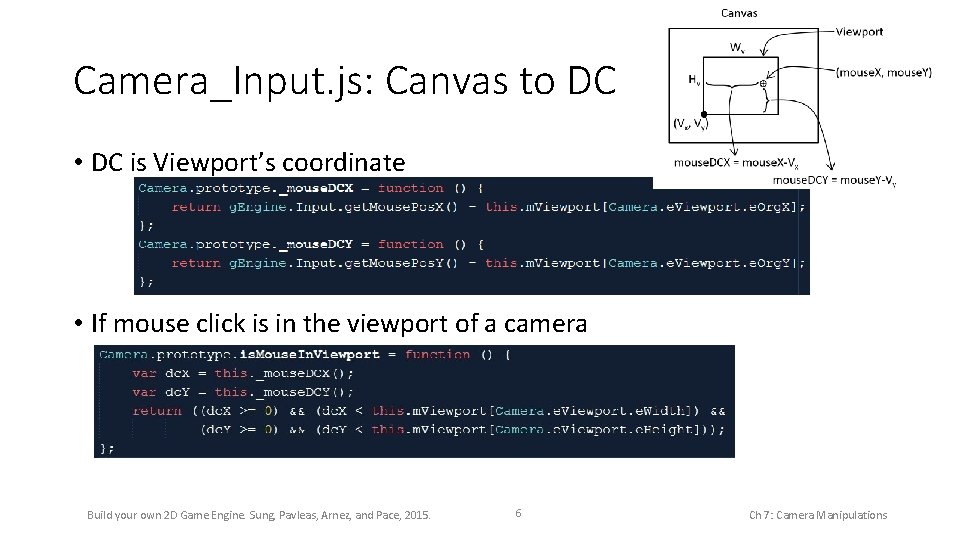
Camera_Input. js: Canvas to DC • DC is Viewport’s coordinate • If mouse click is in the viewport of a camera Build your own 2 D Game Engine. Sung, Pavleas, Arnez, and Pace, 2015. 6 Ch 7: Camera Manipulations
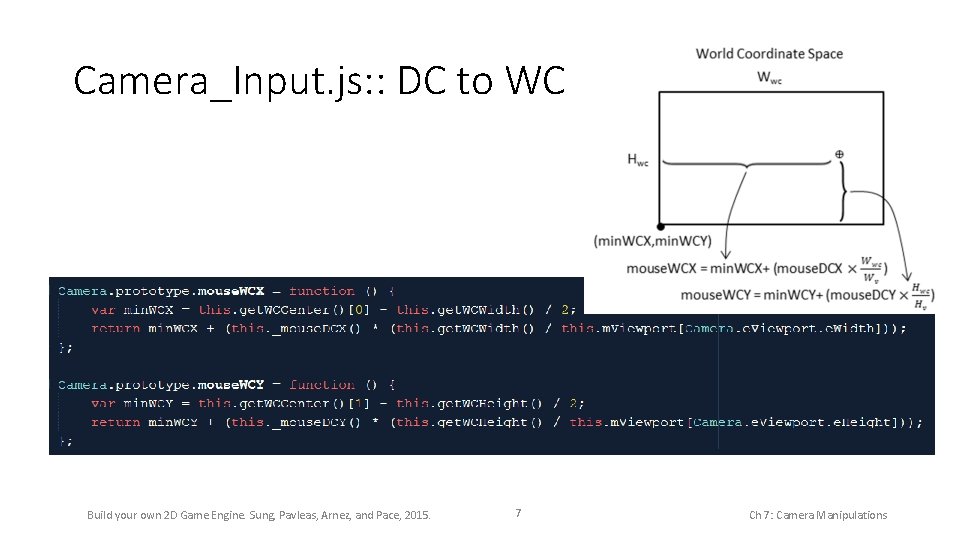
Camera_Input. js: : DC to WC Build your own 2 D Game Engine. Sung, Pavleas, Arnez, and Pace, 2015. 7 Ch 7: Camera Manipulations
- Slides: 7