
Chapter 7 Layer 2 Technologies Token Ring FDDI


- Slides: 50
Chapter 7 – Layer 2 Technologies • • • Token Ring FDDI Ethernet and IEEE 802. 3 Layer 2 Devices Data Flow Ethernet: 10 BASE-T Troubleshooting By: Stacy Olson – With help from Stephanie Hutter’s Briefings
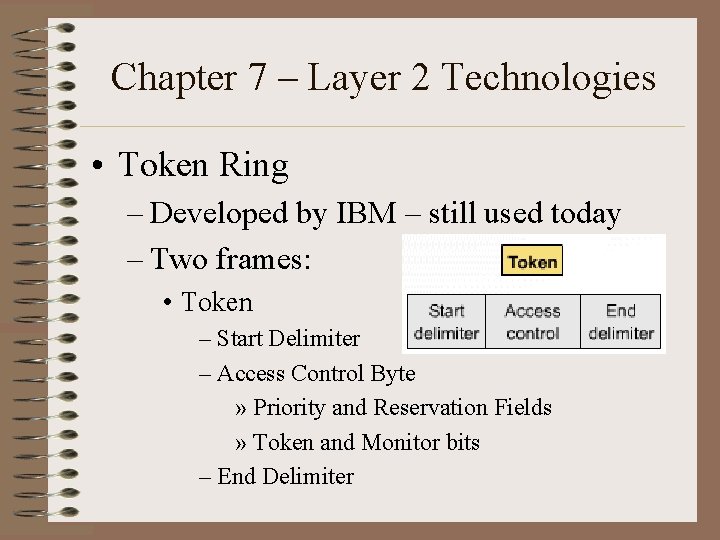
Chapter 7 – Layer 2 Technologies • Token Ring – Developed by IBM – still used today – Two frames: • Token – Start Delimiter – Access Control Byte » Priority and Reservation Fields » Token and Monitor bits – End Delimiter
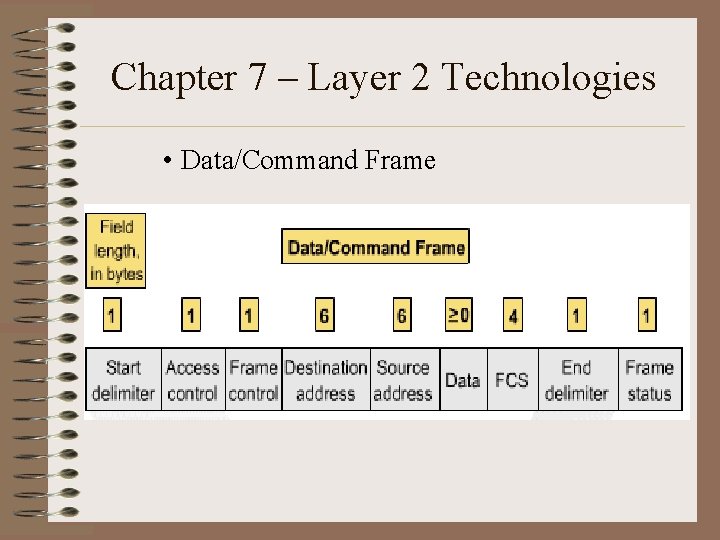
Chapter 7 – Layer 2 Technologies • Data/Command Frame
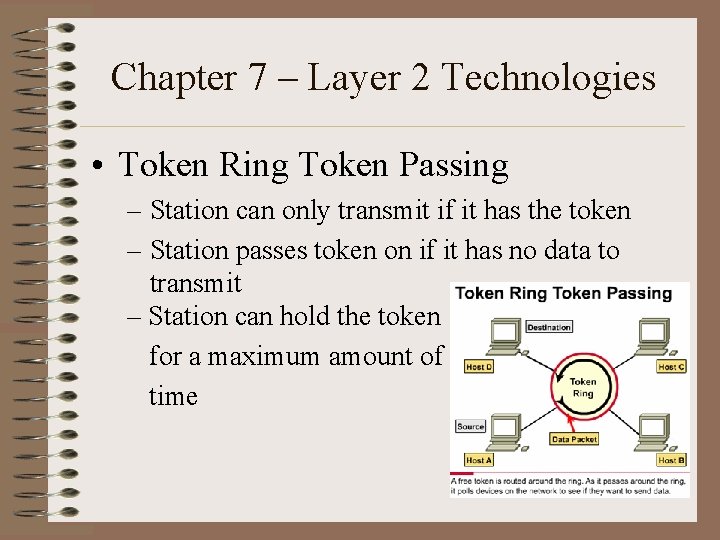
Chapter 7 – Layer 2 Technologies • Token Ring Token Passing – Station can only transmit if it has the token – Station passes token on if it has no data to transmit – Station can hold the token for a maximum amount of time
Chapter 7 – Layer 2 Technologies • Token Ring Characteristic: – Deterministic = Taking Turns • Maximum time to transmit is subject to exact calculation. • Ideal for applications where predictability and dependability are paramount.
Chapter 7 – Layer 2 Technologies • Token Ring Management Mechanisms – Active Monitor • One station acts as centralized source of timing information for other stations • Can be any station • Removes continuously circulating frames
Chapter 7 – Layer 2 Technologies • Token Ring Management Mechanisms – MSAU • Multi Station Access Units • Can see all information in a Token Ring Network • Check for problems • Selectively remove stations from the ring if needed
Chapter 7 – Layer 2 Technologies • Token Ring Management Mechanisms – Beaconing • Detects and repairs network faults • Sends a beacon frame, defining a failure domain – Reporting station – Nearest Active Upstream Neighbor (NAUN) – Everything in between • Initiates autoreconfiguration – Nodes within the failure domain automatically perform diagnostics – Attempt to reconfigure around the failure – MSAUs use electrical reconfiguration to accomplish this
Chapter 7 – Layer 2 Technologies • Token Ring Signaling • Uses Manchester Encoding – Combines data and clock into bit symbols, which are split into two halves, the polarity of the second half always being the reverse of the first half. – 0 is high-to-low transition – 1 is low-to-high transition
Chapter 7 – Layer 2 Technologies • Token Ring Media and Physical Topologies – Logical ring topology – Physical star topology • Stations are directly connected to MSAUs • Patch cables connect MSAUs • Lobe cables connect MSAUs to stations
Overview of FDDI • Fiber distributed data interface – “Fiddee” • Four specifications – Media Access control – Physical Layer Protocol – Physical Layer Medium – Station Management
Media Access Control • MAC • Defines how the medium is accessed – Frame format – Token handling – Addressing – Algorithm for calculating a cyclic redundancy check and error recovery mechanisms
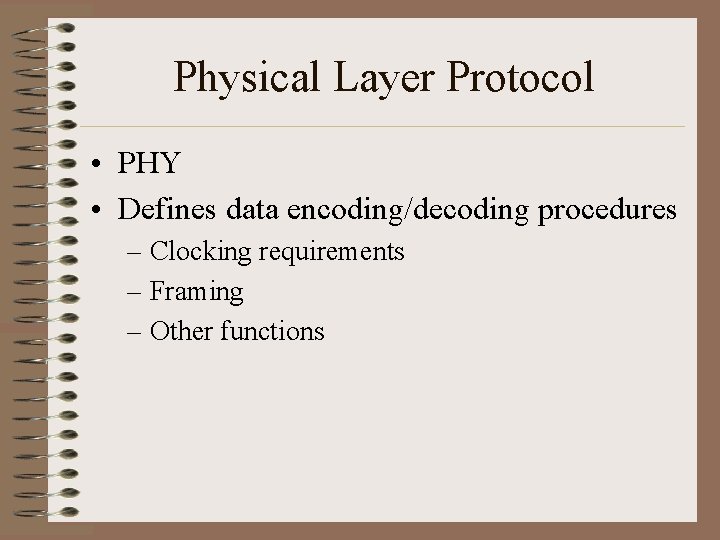
Physical Layer Protocol • PHY • Defines data encoding/decoding procedures – Clocking requirements – Framing – Other functions
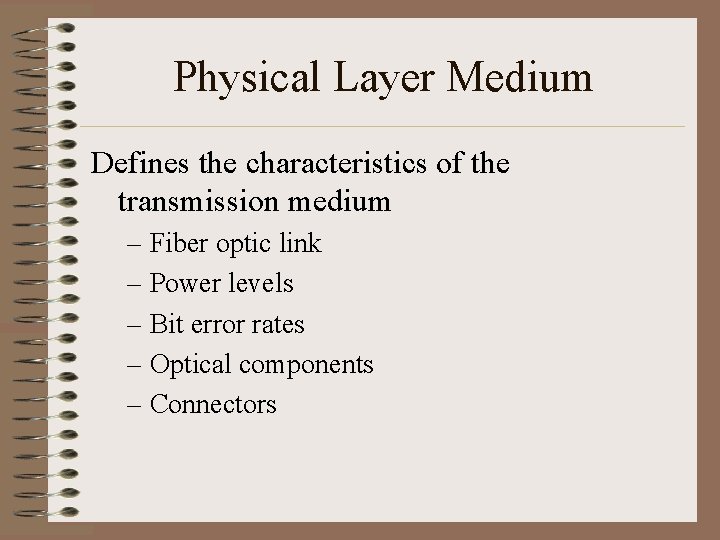
Physical Layer Medium Defines the characteristics of the transmission medium – Fiber optic link – Power levels – Bit error rates – Optical components – Connectors
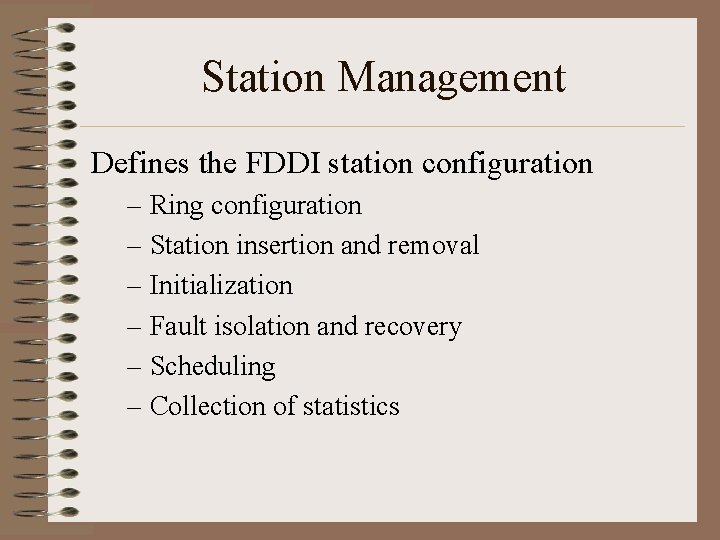
Station Management Defines the FDDI station configuration – Ring configuration – Station insertion and removal – Initialization – Fault isolation and recovery – Scheduling – Collection of statistics
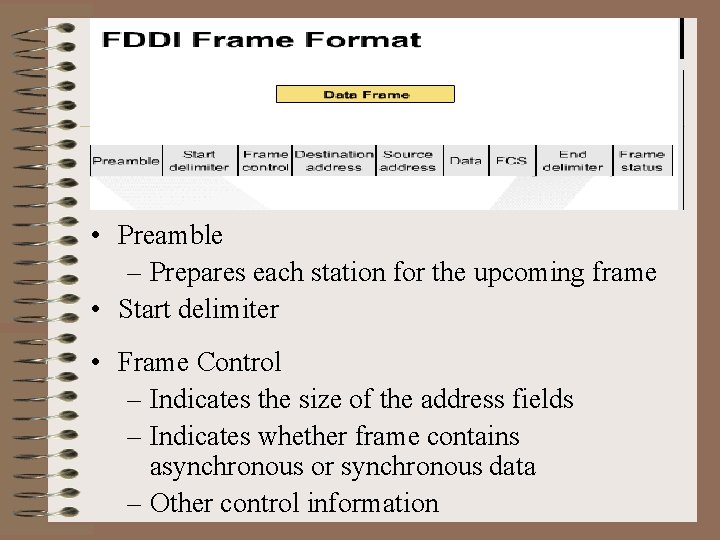
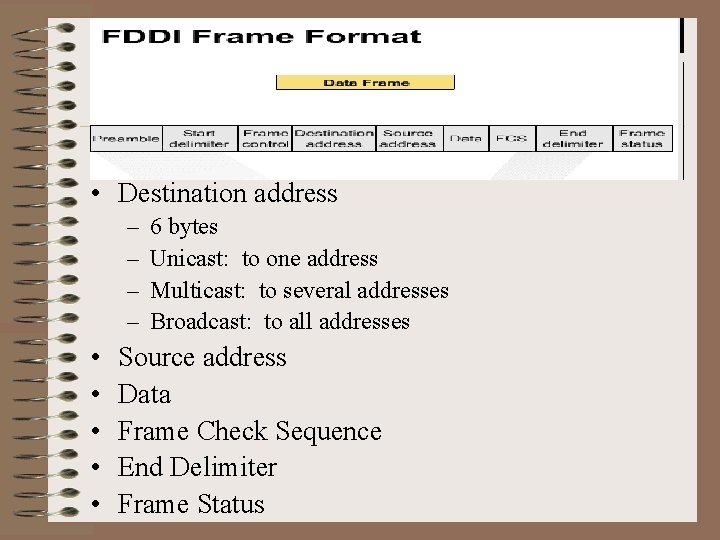
• Preamble – Prepares each station for the upcoming frame • Start delimiter • Frame Control – Indicates the size of the address fields – Indicates whether frame contains asynchronous or synchronous data – Other control information
• Destination address – – • • • 6 bytes Unicast: to one address Multicast: to several addresses Broadcast: to all addresses Source address Data Frame Check Sequence End Delimiter Frame Status
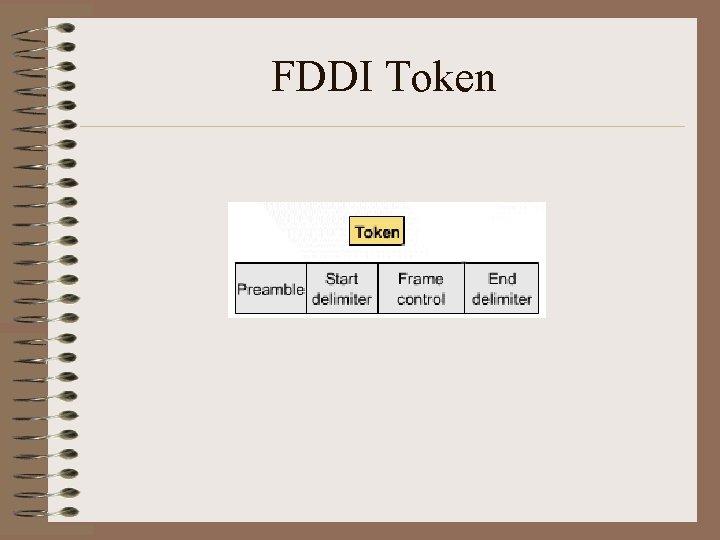
FDDI Token
FDDI MAC • Token passing strategy • Early token release – New token can be released when the frame transmission has finished • Deterministic • Dual ring – Ensures transmission, even if one ring is damaged or disabled – Very reliable • Real-time allocation of bandwidth – Defines two types of traffic • Synchronous • Asynchronous
Synchronous Traffic • Consumes only a portion of the bandwidth • Asynchronous traffic can consume the rest • Synchronous bandwidth is allocated to those stations requiring continuous transmission, e. g. voice/video • FDDI SMT specification defines a distributed bidding scheme to allocate FDDI bandwidth
Asynchronous Traffic • Bandwidth is allocated using an eight-level priority scheme – Each station is assigned an asynchronous priority level • FDDI also permits extended dialogues – Stations may temporarily use all the asynchronous bandwidth • FDDI priority mechanism can lock out stations that cannot use synchronous bandwidth, and have too low an asynchronous priority
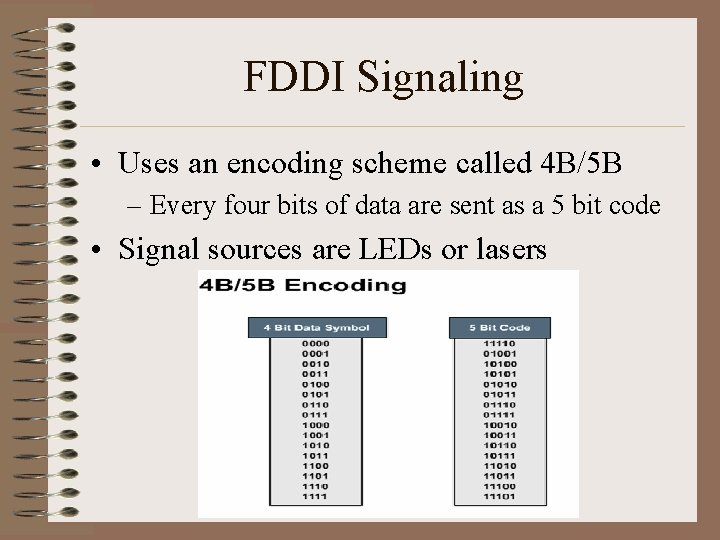
FDDI Signaling • Uses an encoding scheme called 4 B/5 B – Every four bits of data are sent as a 5 bit code • Signal sources are LEDs or lasers
FDDI Media • Optical fiber is being installed at a rate of 4000 miles per day in the United States • Explosive growth worldwide
Advantages of Optical Fiber – Security • Fiber does not emit electrical signals that can be tapped – Reliability • Fiber is immune to electrical interference – Speed • Optical fiber has much higher throughput potential than copper cable
Types of Optical Fiber • Modes are bundles of light rays entering the fiber at particular angles • Single-mode – Also known as mono-mode – Only one mode propagates through fiber – Higher bandwidth than multi-mode – Longer cable runs than multi-mode – Lasers generate light signals – Used for inter-building connectivity
Types of Optical Fiber • Multi-mode – Multiple modes propagate through fiber – Different angles mean different distances to travel • Transmissions arrive at different times • Modal dispersion – LEDs as light source – Used for intra-building connectivity
FDDI Rings • FDDI specifies dual rings for physical connections • Traffic on each ring travels in opposite directions • Rings consist of two or more point-to-point connections between adjacent stations • Primary ring is for data transmission • Secondary ring is for back up
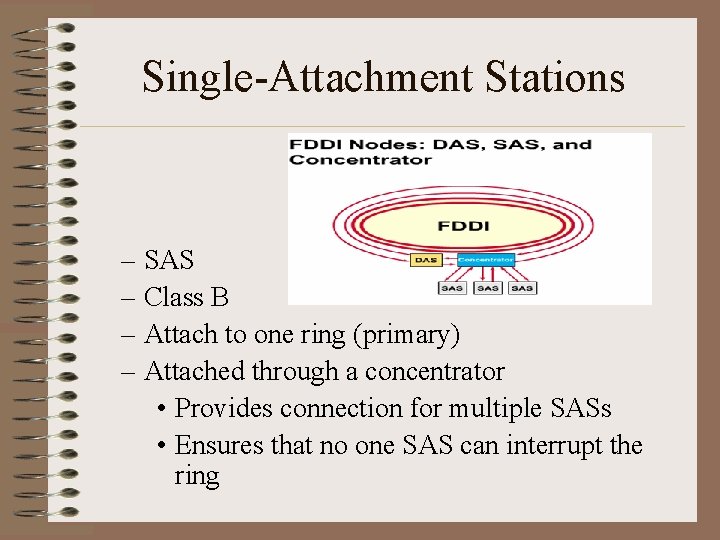
Single-Attachment Stations – SAS – Class B – Attach to one ring (primary) – Attached through a concentrator • Provides connection for multiple SASs • Ensures that no one SAS can interrupt the ring
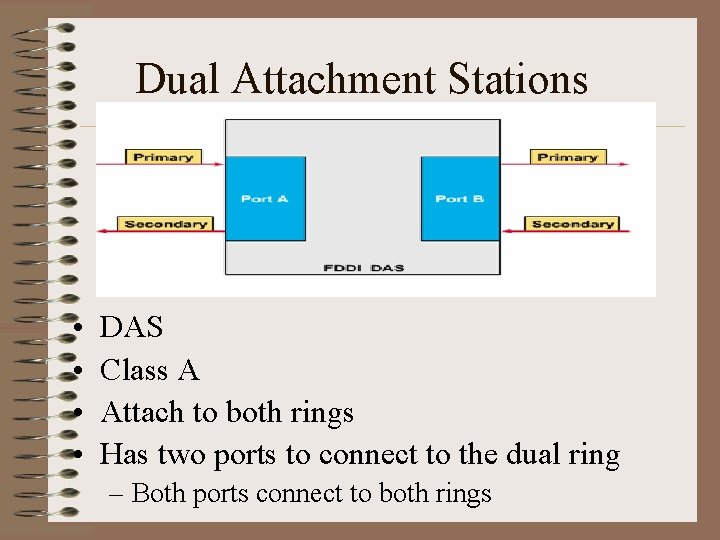
Dual Attachment Stations • • DAS Class A Attach to both rings Has two ports to connect to the dual ring – Both ports connect to both rings
Chapter 7 – Layer 2 Technologies • Shortly after the 1980 IEEE 802. 3 specification, Digital Equipment Corporation (DEC), Intel Corporation, and Xerox Corporation jointly developed and released an Ethernet specification. Version 2. 0, that was substantially compatible with IEEE 802. 3. Together, Ethernet and IEEE 802. 3 currently maintain the greatest market share of any LAN protocol.
Chapter 7 – Layer 2 Technologies • Today, the term Ethernet is often used to refer to all carrier sense multiple access/collision detection (CSMA/CD) LAN’s that generally conform to Ethernet specifications, including IEEE 802. 3.
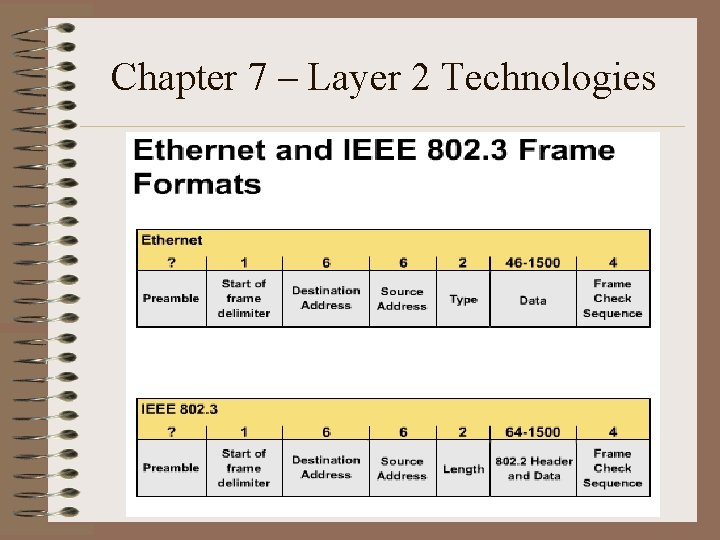
Chapter 7 – Layer 2 Technologies
Chapter 7 – Layer 2 Technologies • Ethernet performs three functions: – Transmitting and receiving data packets – decoding data packets and checking them for valid addresses before passing them to the upper layers of the OSI model – detecting errors within data packets or on the network In the CSMA/CD access method, networking devices with data to transmit over the networking media work in a listen-beforetransmit mode.
NICs • Provides ports for network connection • Communicate with network via serial connection • Communication with computer through parallel connection • Resources required: – IRQ, I/O address, upper memory addresses
Selection Factors for NICs • Type of network – Ethernet, Token Ring, FDDI • Type of media – Twisted pair, coax, fiber • Type of system bus – PCI, ISA
NIC Operations • Layer 1 & Layer 2 device • Primarily Layer 2 – Communicates with upper layers in the computer • Logical Link Control (LLC) – Has MAC address burned in – Encapsulates data into frames – Provides access to the media • Also Layer 1 – Creates signals and interfaces with the media – On-board transceiver
Bridges • Connects two network segments – Can connect different layer 2 protocols • Ethernet, Token Ring, FDDI • Makes intelligent decisions about traffic – Reduces unnecessary traffic – Minimizes collisions – Filters traffic based on MAC address • Maintains address tables • Rarely implemented today – Conceptually important
Bridge Operations • Bridging occurs at the data link layer: – Controls data flow – Handles transmission errors – Provides physical addressing – Manages access to the physical medium
Bridge Operations • Transparent to upper layers • Best used in low traffic areas – Can cause bottlenecks • Must examine every packet • Broadcasts – Messages sent to all devices • Destination MAC address unknown • Bridge will always forward • Can cause Broadcast Storm – Network time outs, traffic slowdowns, unacceptable performance
Switching Operation Microsegmentation – Each switch port acts as a micro bridge (Layer 2 device) – Multiple traffic paths within the switch – Virtual circuits – Temporarily exist - only when needed – Each data frame has a dedicated path • No collisions • Increases bandwidth availability – Each host gets full bandwidth
Advantages of Switches • Much faster than bridges – Hardware based, not software • Support new uses – e. g. virtual LANs • Reduce collision domains
Advantages of Switches • Allows many users to communicate in parallel – Creates virtual circuits – Creates dedicated segments • Collision free • Maximizes bandwidth • Cost effective – Can simply replace hubs in same cable infrastructure • Minimal disruption • Flexible network management – Software based configuration
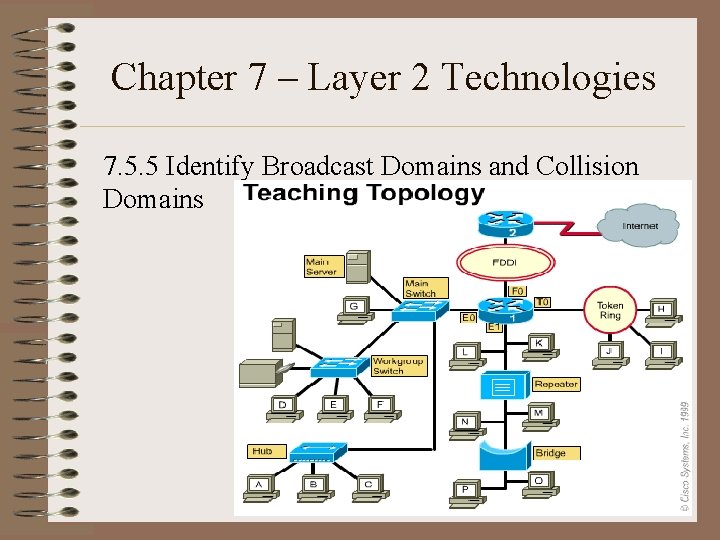
Broadcast Domains • All hosts connected to the same switch are still in the same broadcast domain • A broadcast from one node will be seen by all other nodes connected through the LAN switch
Chapter 7 – Layer 2 Technologies • Two primary reasons for segmenting a LAN: – Isolate traffic between segments – Achieve more bandwidth per user by creating smaller collision domains
Chapter 7 – Layer 2 Technologies • Bridge Drawback: – Bridges increase the latency (delay) in a network by 10 -30% – A bridge is considered a store-andforward device slowing network transmissions, thus causing delay.
Chapter 7 – Layer 2 Technologies • It is important to note that even though 100% of the bandwidth may be available, Ethernet networks perform best when kept under 30 -40% of full capacity. • Bandwidth usage that exceeds the recommended limitation results in increased collisions.
Chapter 7 – Layer 2 Technologies • The Router is a layer 3 (Network) device, but operates at layers 1 -3. – Routers create the highest level of segmentation because of their ability to make exact determinations of where to send the data packet. – Because routers perform more functions than bridges, they operate with a higher rate of latency.
Chapter 7 – Layer 2 Technologies 7. 5. 5 Identify Broadcast Domains and Collision Domains
Chapter 7 – Layer 2 Technologies
Chapter 7 – Layer 2 Technologies